.png)





PrestaShop Share Order - Exchange Orders with Friends
This module enables customers to share their order details with another user, facilitating order management and improving collaboration. It’s ideal for businesses that need shared access to order information.
This module enables customers to share their order details with another user, facilitating order management and improving collaboration. It’s ideal for businesses that need shared access to order information.
 Return policy
10-day module exchange guarantee
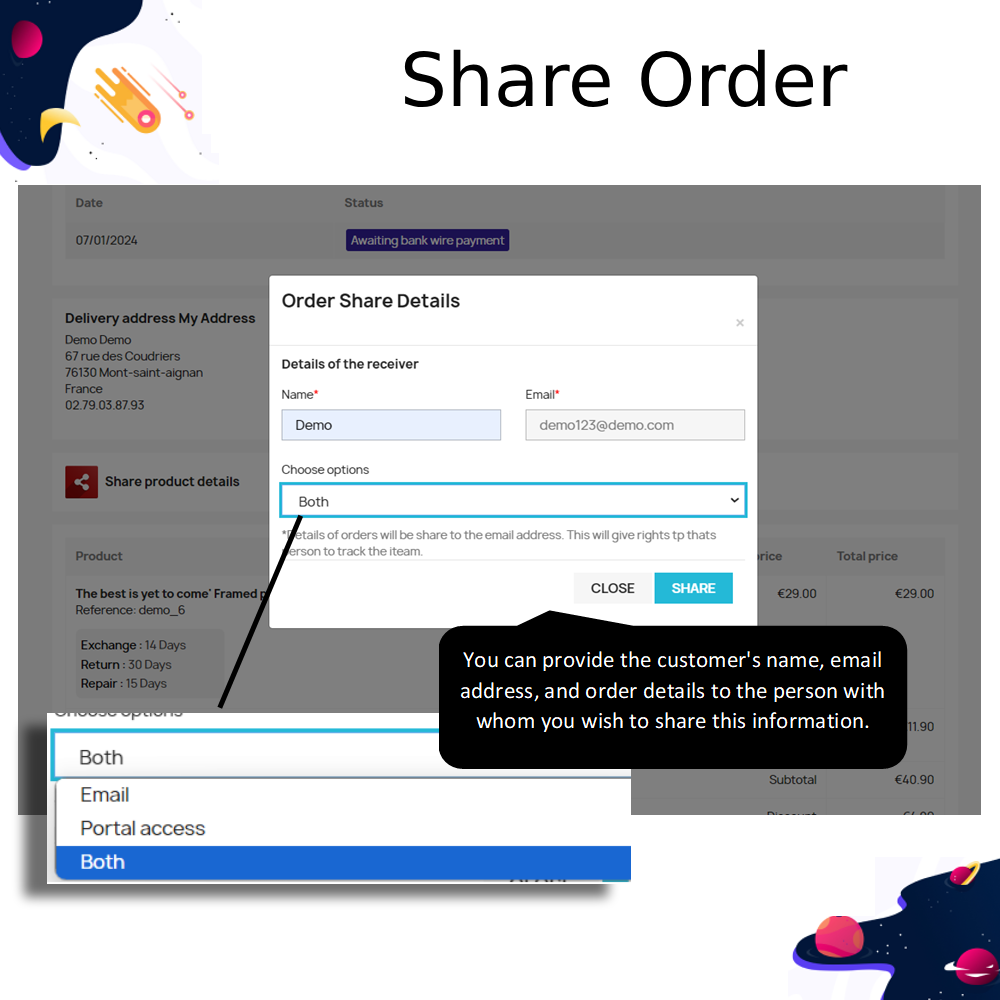
This module enables customers to share their order details with friends via email or portal access, enhancing social engagement and collaborative shopping experiences.
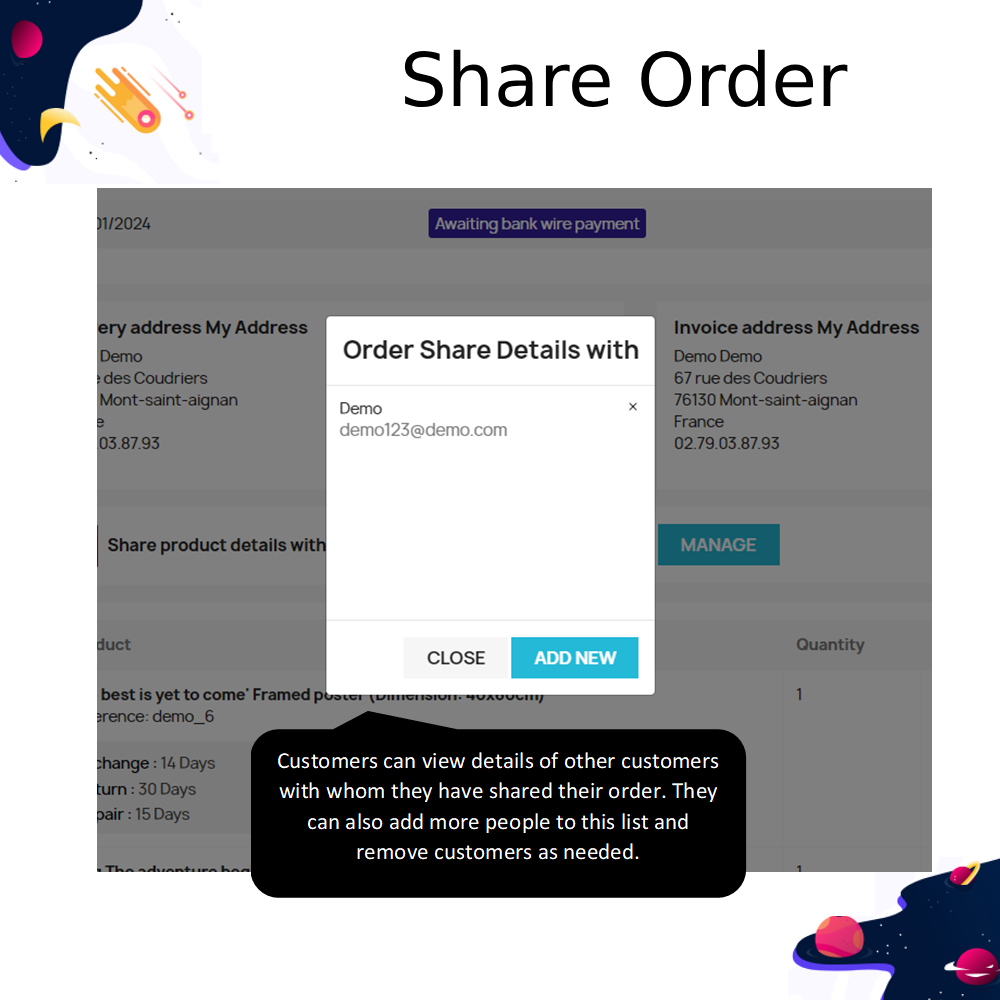
Customers can selectively share specific order details such as shipping address, billing address, and purchased products, giving them full control over shared information.
The feature supports real-time updates for all parties involved in the shared order, ensuring transparency and timely communication.
Admins can set targeted sharing filters by customers, groups, countries, currencies, zones, or languages, offering precision in feature availability.
The module integrates seamlessly into the store, adding a “My Shared Orders” tab to the customer account section for quick access.
reCAPTCHA protection ensures the order sharing form is secure, reducing spam and protecting customer data from unauthorized access.
Customers can include personalized messages while sharing their orders, making the feature ideal for gifts and special occasions.
Group purchases become easier by allowing multiple participants to collaborate on one order, saving time and effort.
The shared order feature can be activated based on selected order statuses to match store workflows.
Shared orders can increase store visibility as customers share products with friends who may convert into buyers.
Admins gain valuable insights through analytics on shared orders, helping refine marketing strategies.
The module supports user-generated content creation through customer-shared product recommendations.
Integration with loyalty programs incentivizes customers to share orders, boosting retention.
The system keeps a log of shared orders for easy reordering and reference.
Allows collaborative shopping for events like parties, group trips, or bulk purchases with shared cost benefits.
Customers can share orders with friends via email or portal links, offering flexible sharing options.
Admins choose which order statuses trigger the share feature for precise control.
Targeted sharing filters allow restricting availability to specific customer groups or locations.
reCAPTCHA integration enhances security for the order sharing process.
Portal sharing provides a visually appealing interface for recipients to view shared orders.
Customizable shared order information keeps sensitive details private.
“My Shared Orders” tab organizes all customer-shared orders in one place.
Customers can include custom messages in shared orders.
Order tracking is available for all involved recipients.
Admin analytics track shared orders and resulting sales.
Integration with loyalty rewards for sharing activity.
Support for group purchases and cost-sharing.
Detailed access control for shared content.
Live updates keep all parties informed.
Easy setup and store integration with no coding.
Encourages social sharing, turning customers into brand advocates.
Boosts referral traffic and potential sales.
Makes gift-giving simpler and more personal.
Reduces customer support inquiries for order details.
Supports collaborative group purchases.
Strengthens customer trust with controlled sharing.
Improves brand loyalty through added convenience.
Increases store reach via user recommendations.
Facilitates targeted marketing strategies.
Offers cost savings through shared shipping.
Enhances customer satisfaction with transparency.
Builds store community engagement.
Creates user-generated marketing content.
Streamlines group event shopping.
Encourages repeat purchases through reward incentives.
Download the module package from the source.
Access your PrestaShop back office.
Navigate to Modules and Services.
Click “Upload a module.”
Select the module file and upload it.
Once installed, click “Configure.”
Select desired order statuses for sharing.
Configure sharing options and visibility settings.
Enable reCAPTCHA if required.
Save settings and test functionality.






 rESTASHOP Store — We Handle It All