

- Home
- PrestaShop
- Prestashop Shopify Connector – Products, Orders & Customers Sync
Prestashop Shopify Connector – Products, Orders & Customers Sync
Sync products, orders, and customers between Shopify and PrestaShop. Manage both stores from one back office and streamline operations with automatic, real-time synchronization.
Prestashop Shopify Connector – Products, Orders & Customers Sync
Sync products, orders, and customers between Shopify and PrestaShop. Manage both stores from one back office and streamline operations with automatic, real-time synchronization.
10-day module exchange guarantee
- Manage your Shopify and PrestaShop stores from a centralized dashboard.
- Save time by automatically syncing your products, orders, and customer data.
- Avoid manual entry errors with real-time synchronization.
- Expand your reach by selling the same catalog on both platforms.
- Maintain inventory and pricing consistency between Shopify and PrestaShop.
- Sync only what you need: filter by product type, category, or tag.
- Manage Shopify orders from your PrestaShop admin interface.
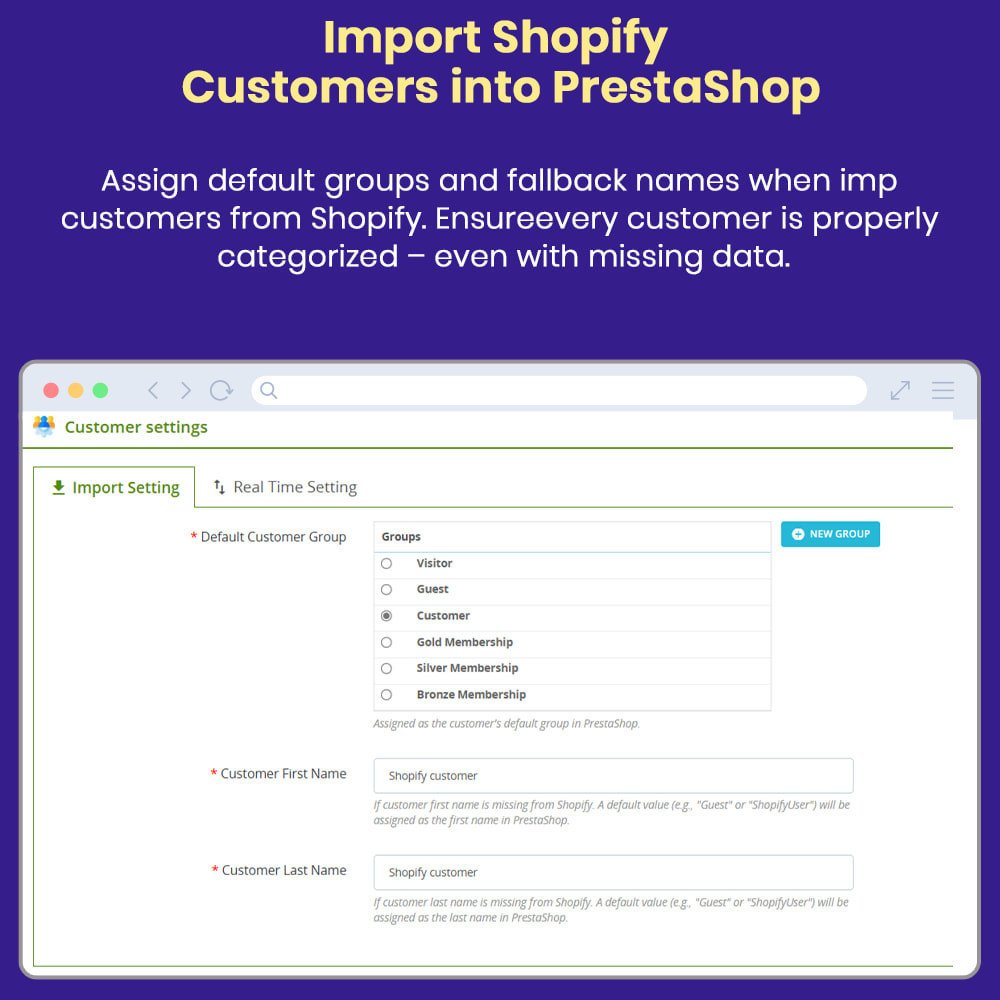
- Maintain customer data integrity with group mapping and deduplication.
- Reduce operational costs by consolidating your workflows.
- Grow your business faster with a unified multi-channel commerce strategy.
- Import and export products between PrestaShop and Shopify in bulk or selectively.
- Sync deactivated or disabled products between platforms.
- Import/export products based on a specific date range.
- Sync entire Shopify collections with PrestaShop.
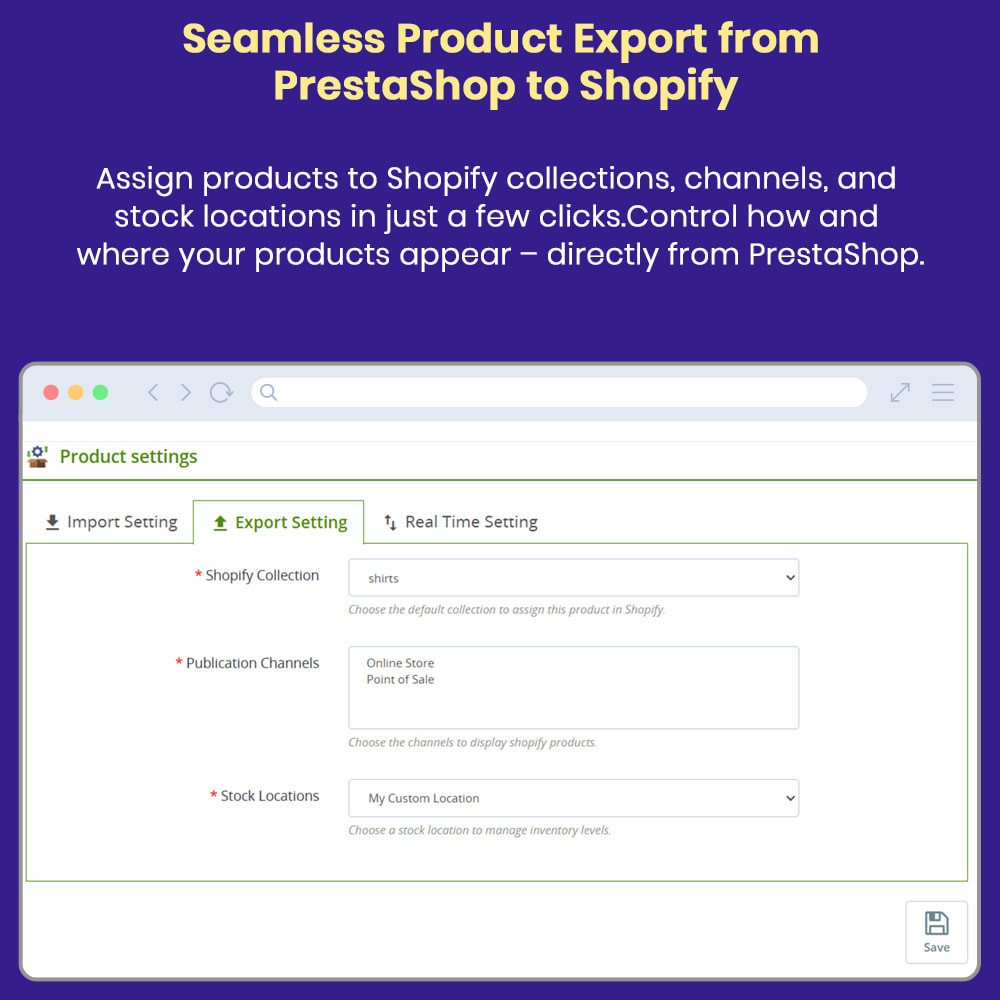
- Choose publishing channels when exporting products.
- Import Shopify orders to PrestaShop in bulk or by specific order ID.
- Filter and import orders by date range.
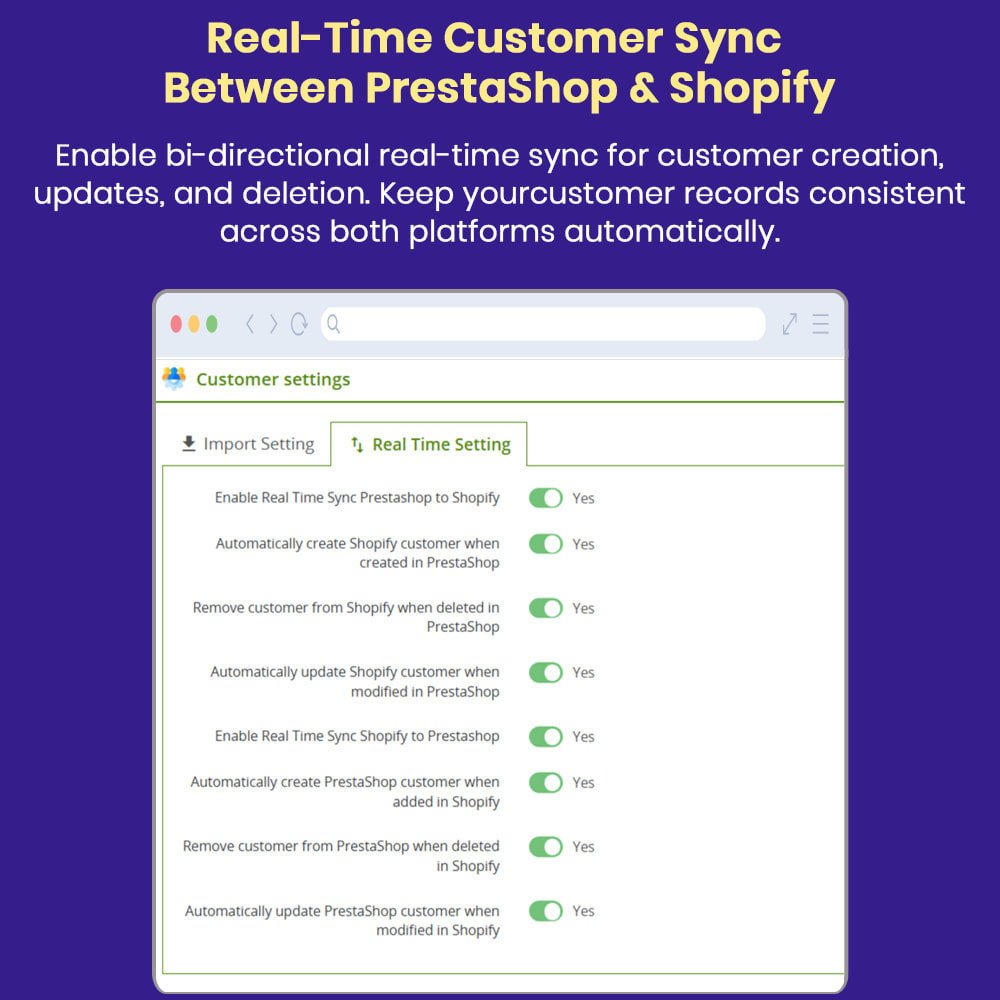
- Sync customer data between Shopify and PrestaShop in both directions.
- Import/export customers in bulk, by ID or registration date.
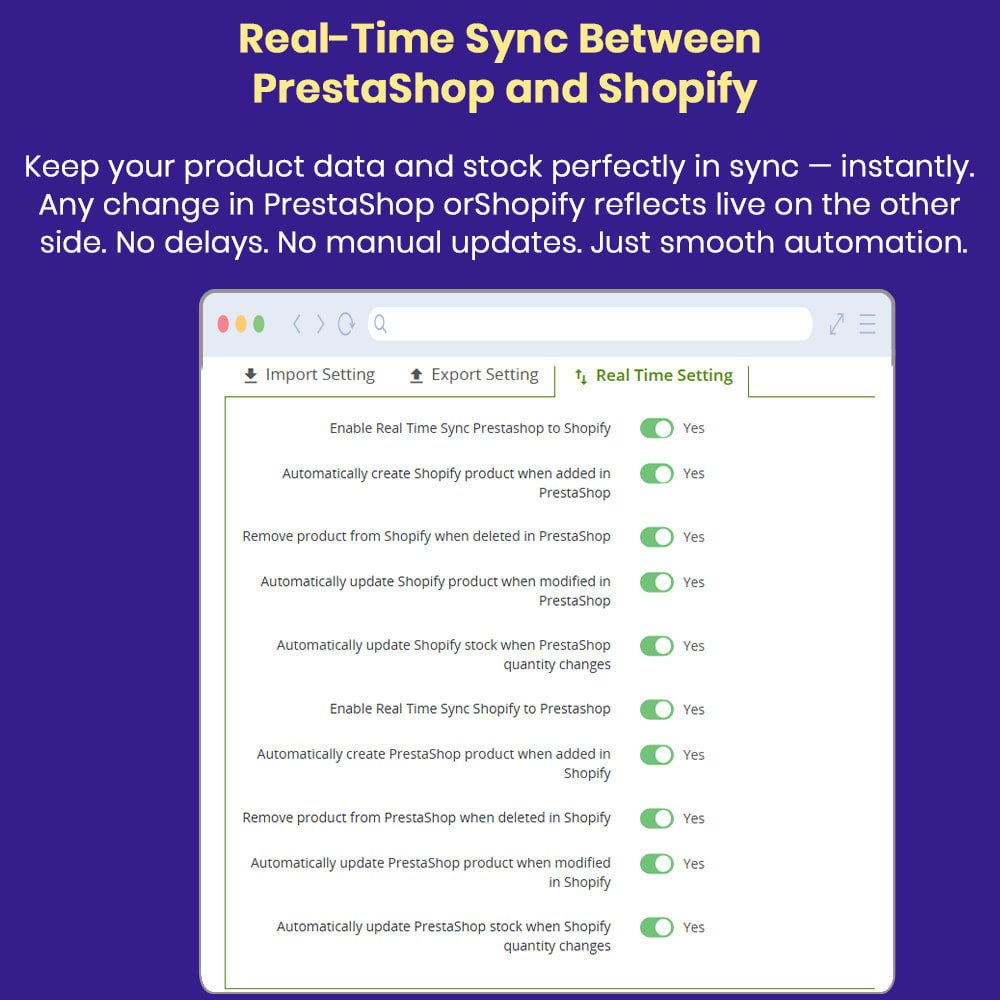
- Real-time updates of quantities and product data between platforms.
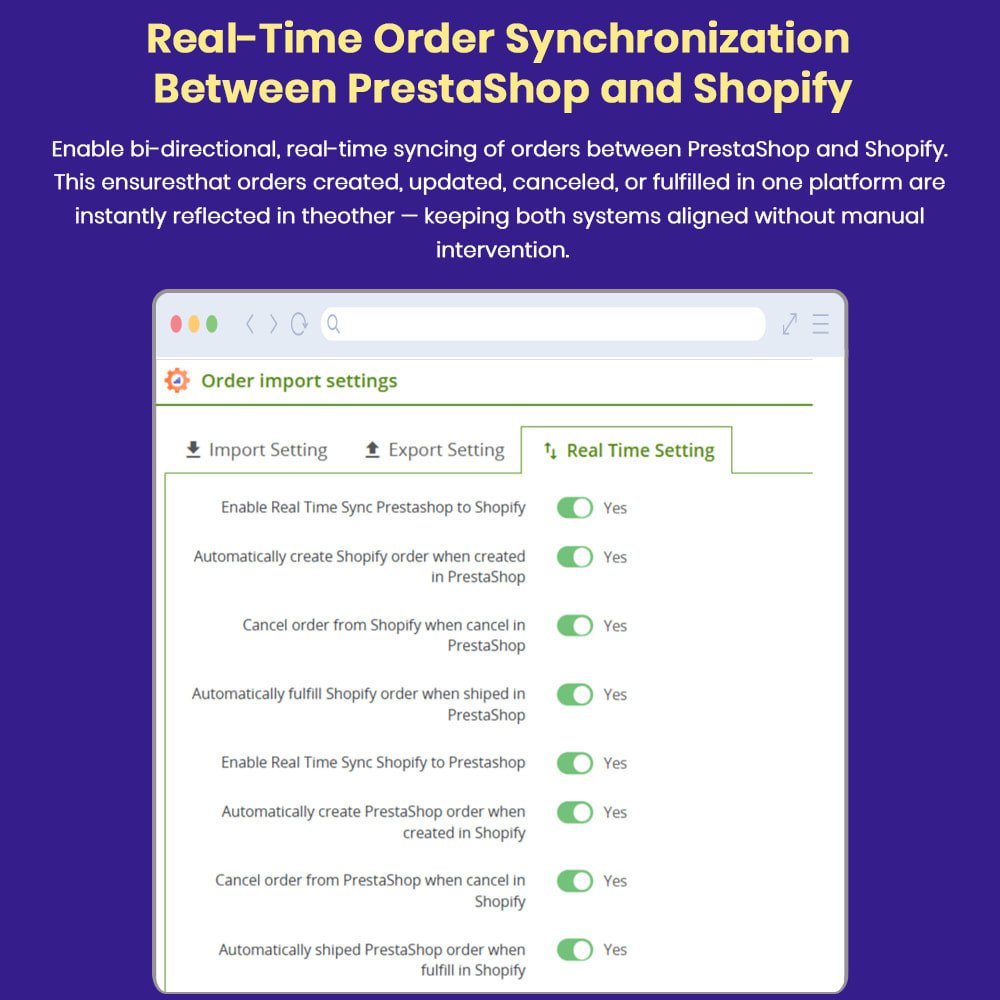
- Instantly sync orders and customer updates when they are created, updated, or deleted.
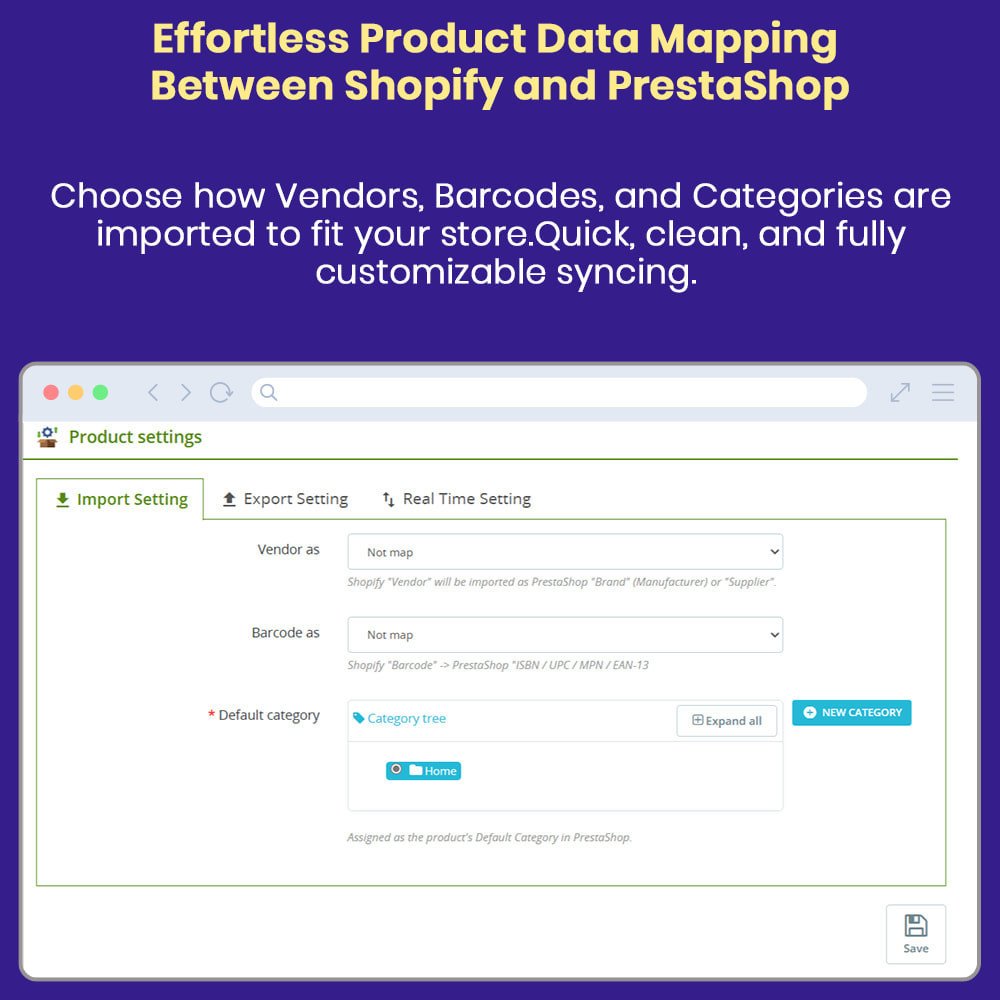
- Link PrestaShop categories and products to their Shopify equivalents.
- Link payment methods and shipping carriers between the two platforms. Set default categories for imported products when none are found.
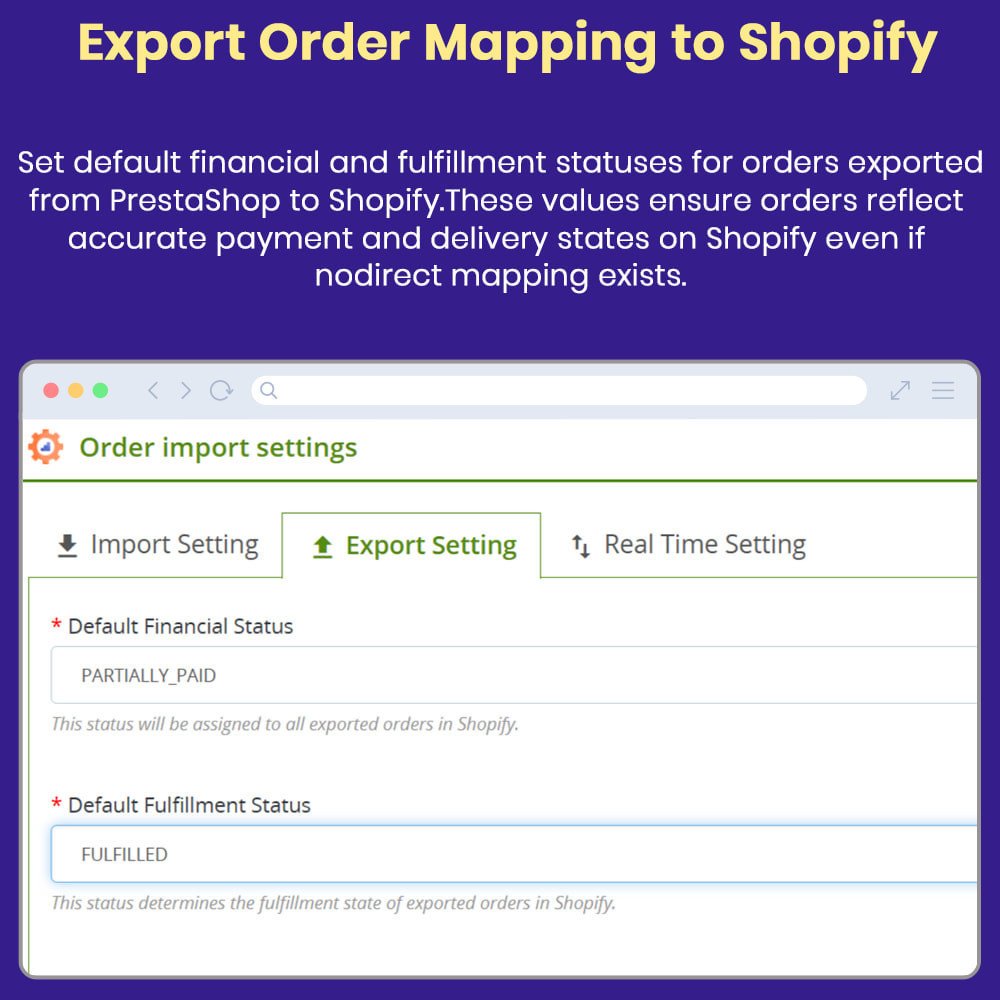
- Assign a default carrier, payment method, and order status to imported orders.
- Enjoy consistent availability and pricing across both stores.
- Access a wider product range, synchronized across multiple platforms.
- Experience faster order processing with automated back-end synchronization.
- View up-to-date inventory information: no more backordering.
- Reduce errors in order details, addresses, and billing information.
- Enjoy personalized service with customer profile synchronization for tailored support.
- Reduce replenishment times with consistent account data across all platforms.
- Buy on either platform with the same accuracy and speed of fulfillment.
- Reduce delays with real-time order and inventory synchronization.
- Enjoy seamless transitions between two store environments.
- Go to the PrestaShop back office and navigate to Modules > Module Manager.
- Download and install the Shopify Connector module ZIP file.
- After installation, go to Modules > Shopify Connector > Configure.
- Log in to your Shopify admin panel.
- Go to Apps > Develop Apps and create a custom app if one doesn't already exist.
- In the app settings, configure the required API scopes (Products, Orders, Customers, etc.).
- Generate an Admin API Access Token and a Storefront Access Token.
- Copy the API Key, Access Token, and Store URL from Shopify.
- Return to PrestaShop and paste the Shopify credentials into the module configuration fields.
- Save the settings and click "Test Connection" to verify the integration. Set default values for category, carrier, order status, and payment method to use with imported Shopify data.
- Associate Shopify categories, payment methods, and carriers with their PrestaShop counterparts if needed.
- Start syncing your products, orders, and customers manually or on a schedule.
- Enable real-time sync or set up cron jobs to automate updates between platforms.
What does this module do?
What data can I sync?
Is the sync automatic or manual?
Does it support two-way sync?
Can I choose what to sync?
Customer reviews
Manage Stores from One Platform

Centralized Management

Real-Time Sync

Inventory Accuracy

Time Savings

Sales Expansion

Error Reduction
Shopify Order Sync Automation
Two-Way Synchronization
Sync products, orders, and customers between PrestaShop and Shopify in both directions to ensure data stays accurate, up-to-date, and effortlessly managed.
Product Sync with Variants
Automatically sync product titles, descriptions, prices, stock levels, images, and variants between platforms with full control over what, when, and how data updates.
Order Management Integration
Sync orders placed on Shopify into PrestaShop, including order status, items, customer details, payment/shipping info, taxes, and tracking details.
Customer Data Sync
Keep customer profiles, including names, emails, and addresses, synchronized between both platforms for smooth, efficient multichannel customer management.
Manual & Scheduled Sync Options
Run sync tasks manually or configure automatic scheduled syncs at set intervals (hourly, daily, etc.) for maximum flexibility, efficiency, and reduced admin workload.
Sync Logs & Error Reports
Get detailed logs of every sync operation with error messages to help troubleshoot issues quickly, ensure data accuracy, and maintain integration reliability.
Power Up Your
rESTASHOP Store — We Handle It All