Odoo Salla Connector

€75.00
Tax excluded

The Salla Connector for Odoo integrates your online store with your ERP system, enabling seamless synchronization of essential business data. It allows users to manage products, orders, customers, and related records directly from Odoo without switching between platforms. This reduces manual data entry, improves accuracy, and simplifies daily operations. With real-time updates, businesses can maintain consistent information across systems and gain better control over sales, inventory, and customer management. Ideal for growing eCommerce businesses, it ensures efficient, organized, and centralized store management within Odoo.

WATCH DEMO VIDEO

Technical Support
Quantity
  Return policy

10-day module exchange guarantee

  • Seamlessly integrate your Salla store with Odoo to manage all eCommerce operations from a single platform.
  • Automatically synchronize products, orders, customers, and other key data between Salla and Odoo.
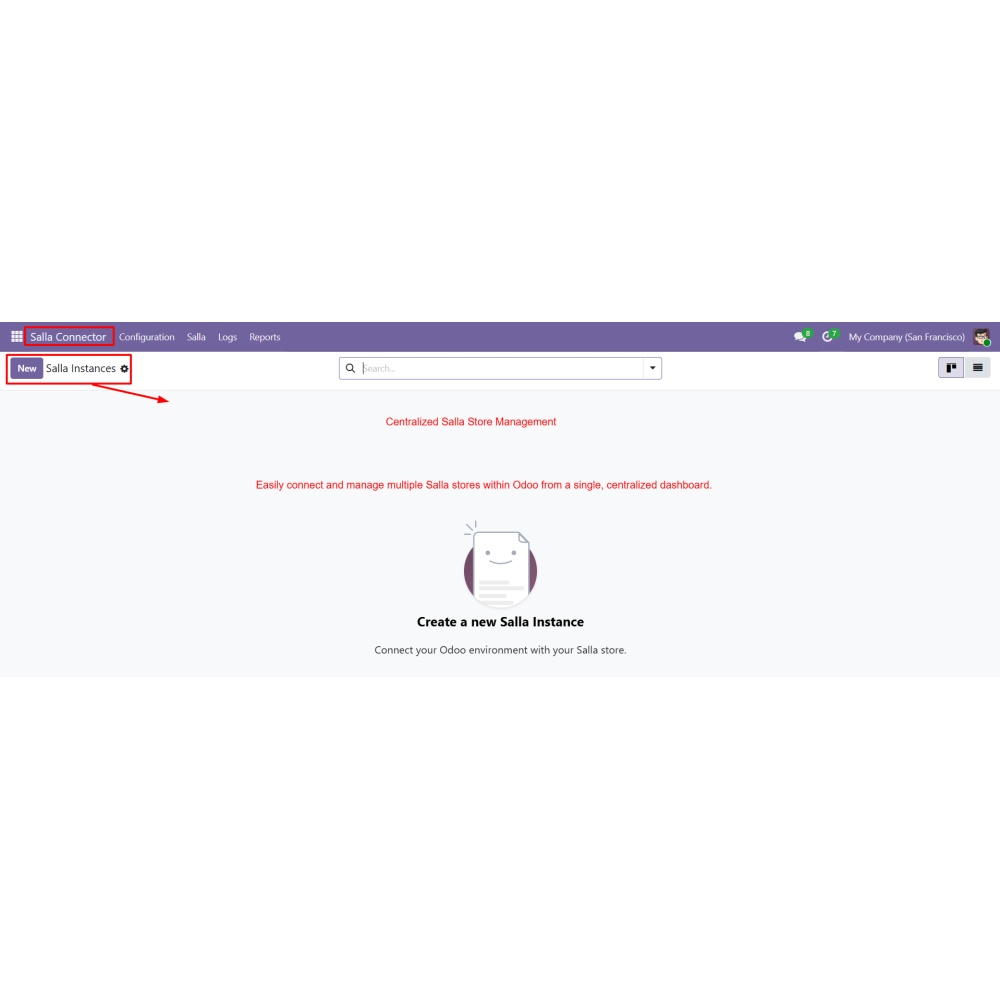
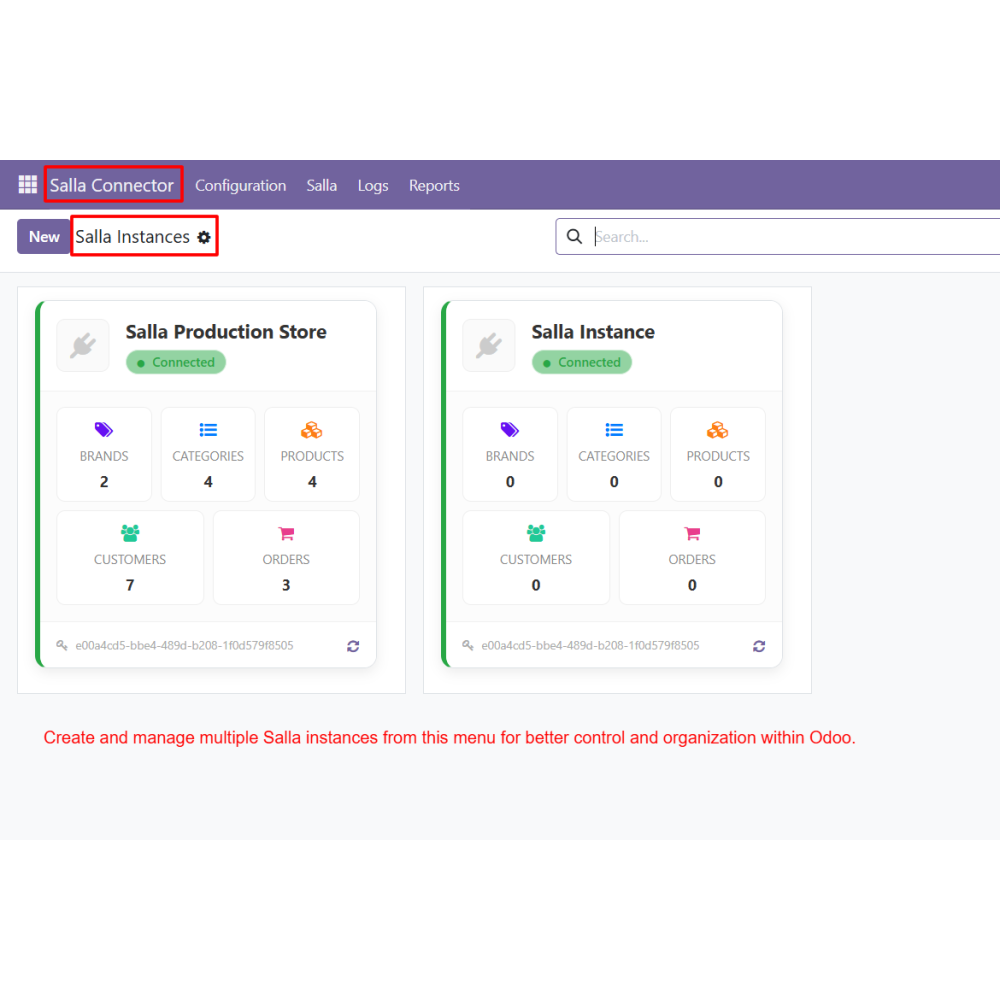
  • Manage multiple Salla stores from one centralized dashboard for better control and organization.
  • Reduce manual data entry by automating import and export processes, minimizing errors.
  • Maintain real-time data consistency across both systems to ensure accurate information.
  • Improve inventory and sales tracking with synchronized and up-to-date records.
  • Centralize store management in Odoo, eliminating the need to switch between platforms.
  • Simplify daily workflows and enhance overall efficiency for eCommerce operations.
  • Multi-store management to connect and control multiple Salla stores from a single Odoo dashboard
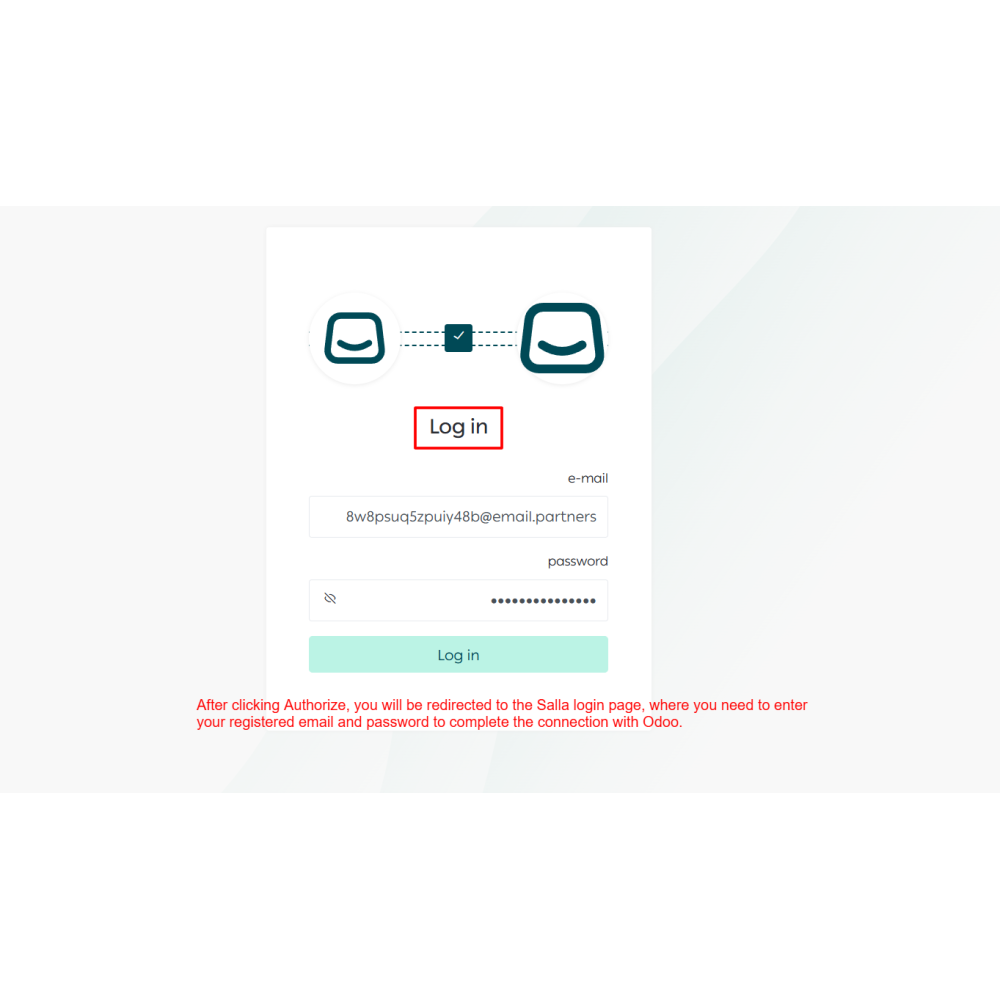
  • Secure API-based authorization to safely connect Salla with proper authentication flow
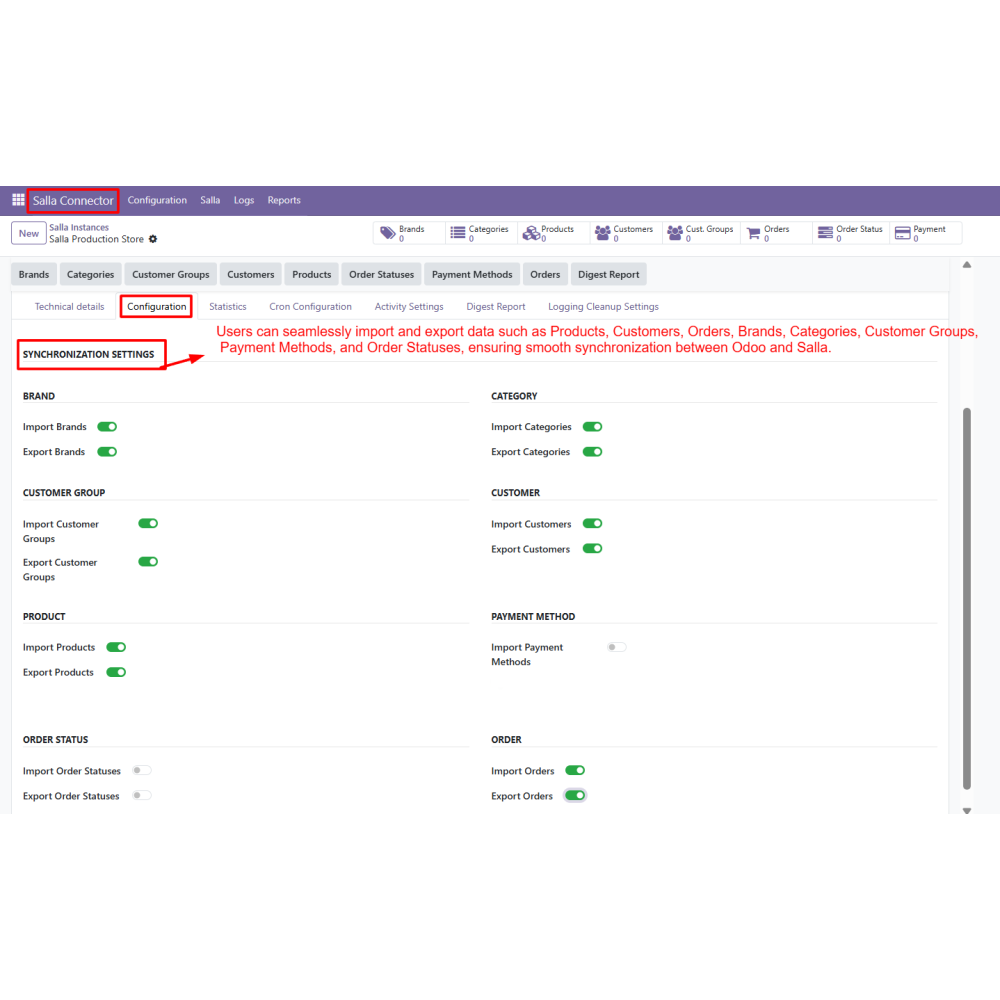
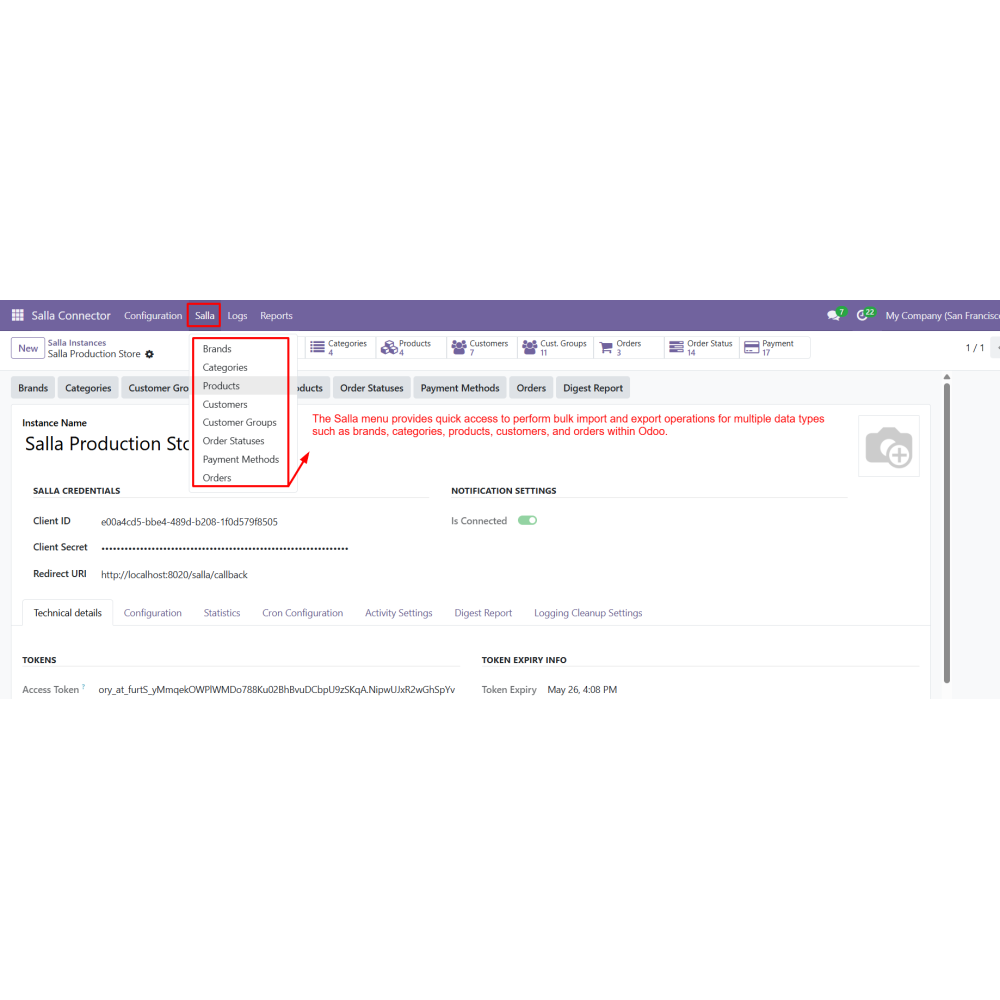
  • Import and export of products, customers, orders, brands, and categories
  • Advanced filters to control data synchronization based on business needs
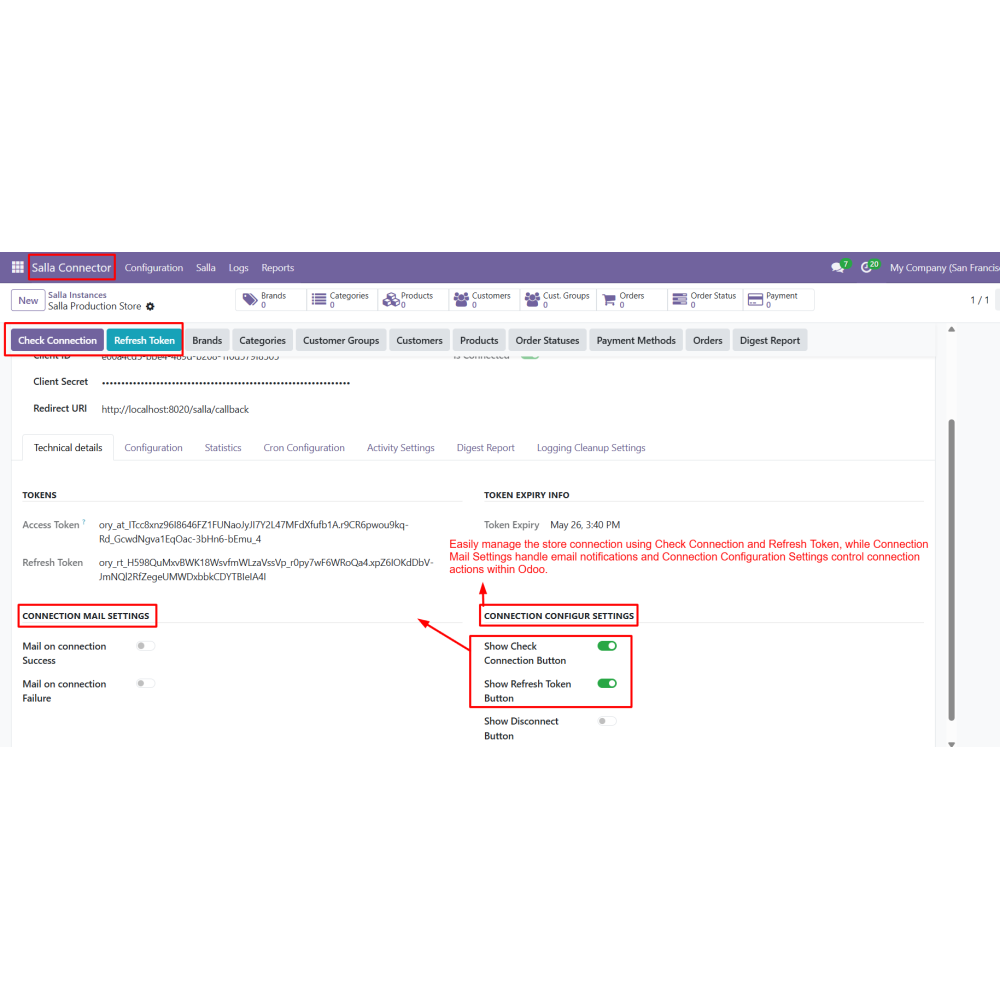
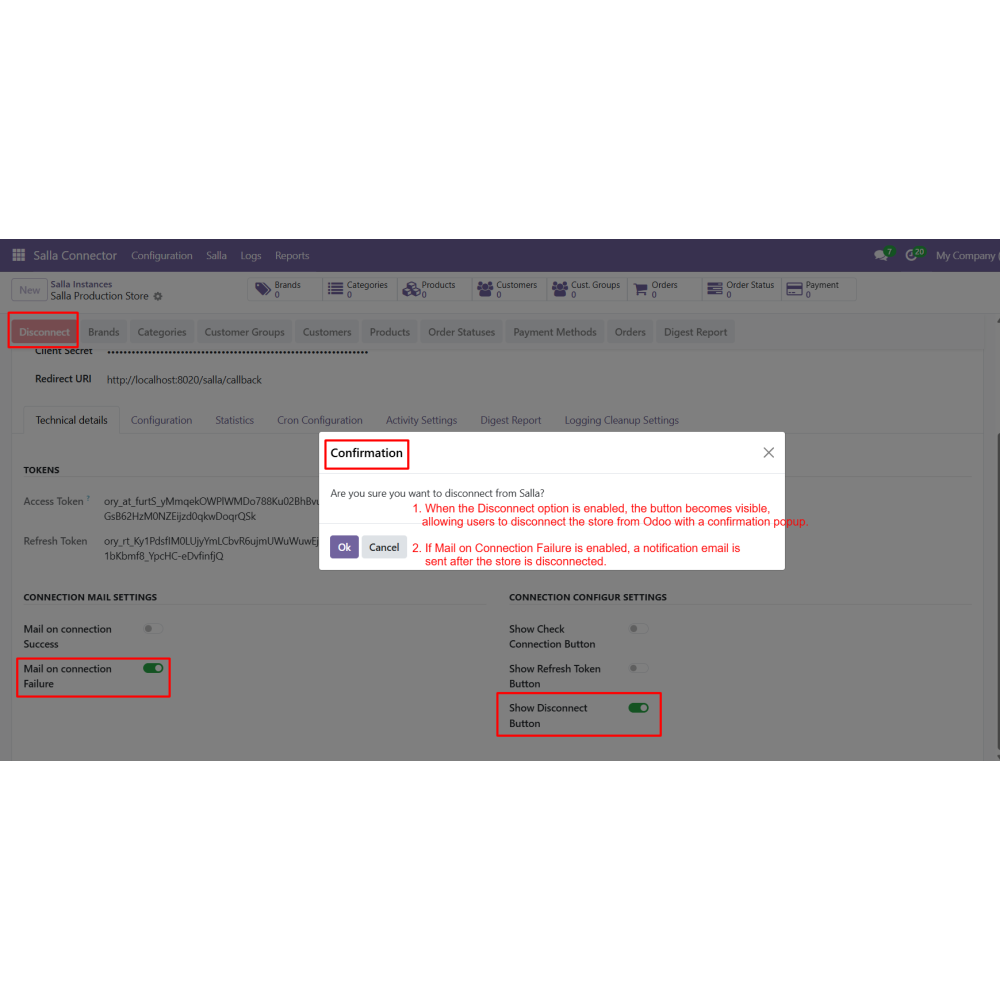
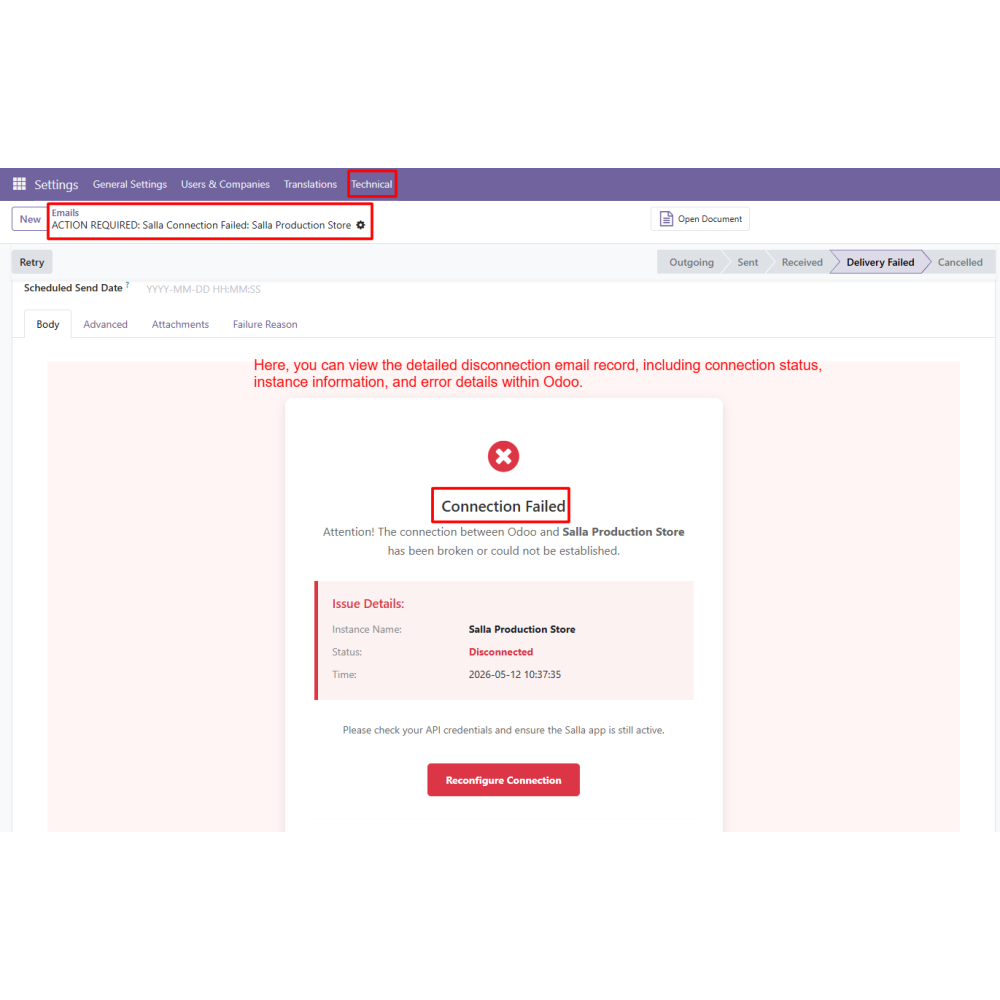
  • Connection management tools like Check Connection, Refresh Token, and Disconnect
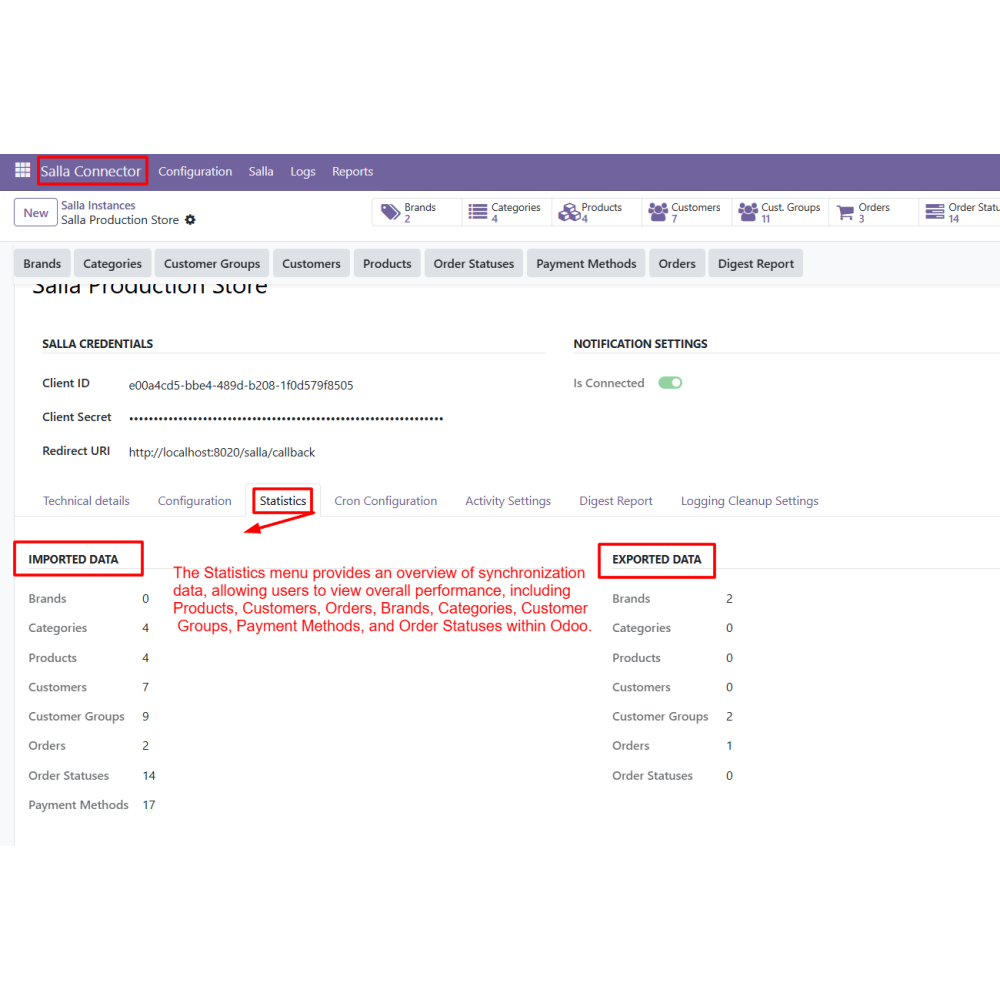
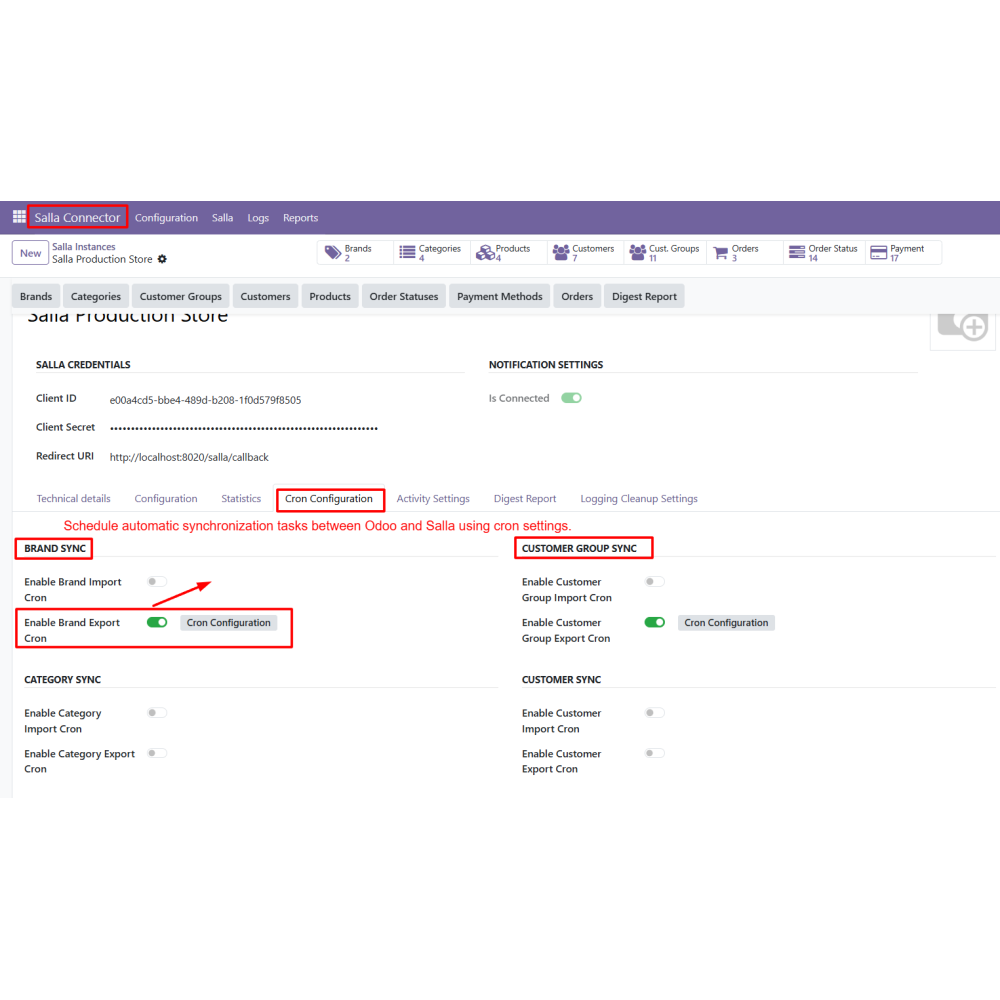
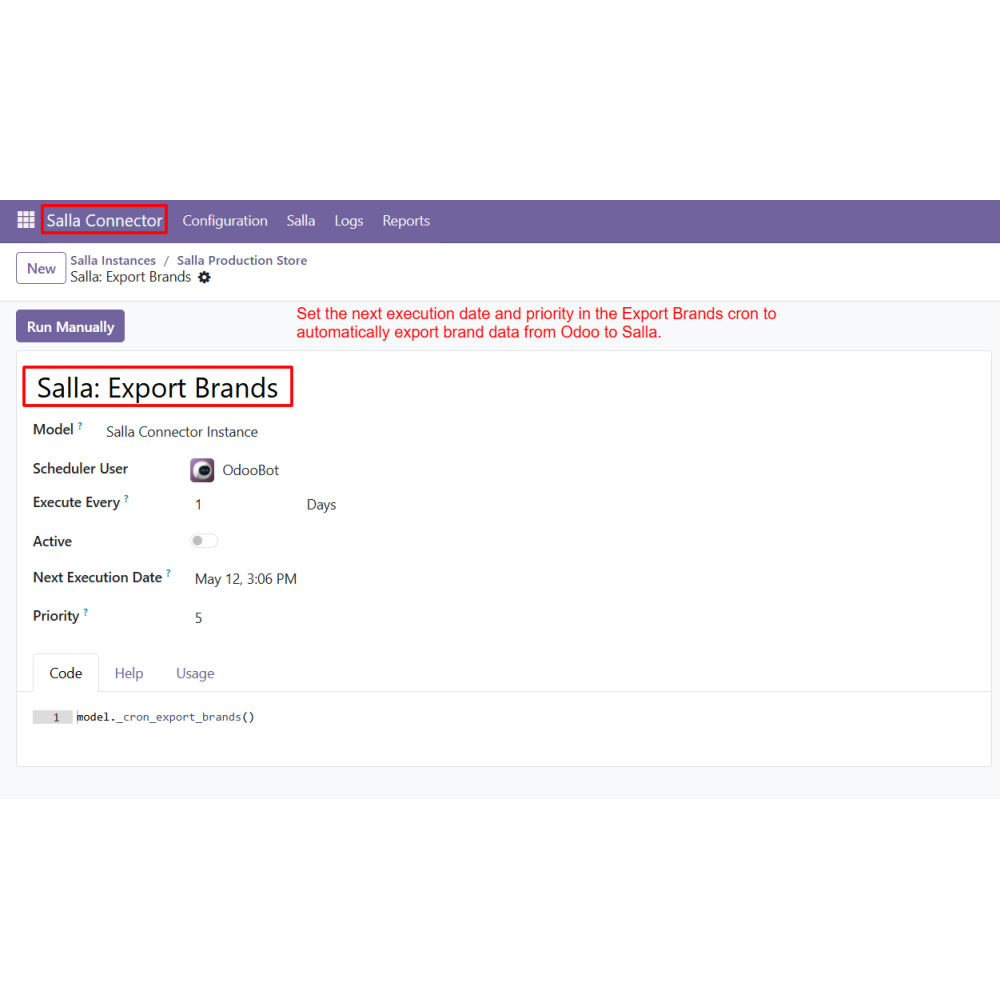
  • Automated synchronization using cron jobs for regular data updates
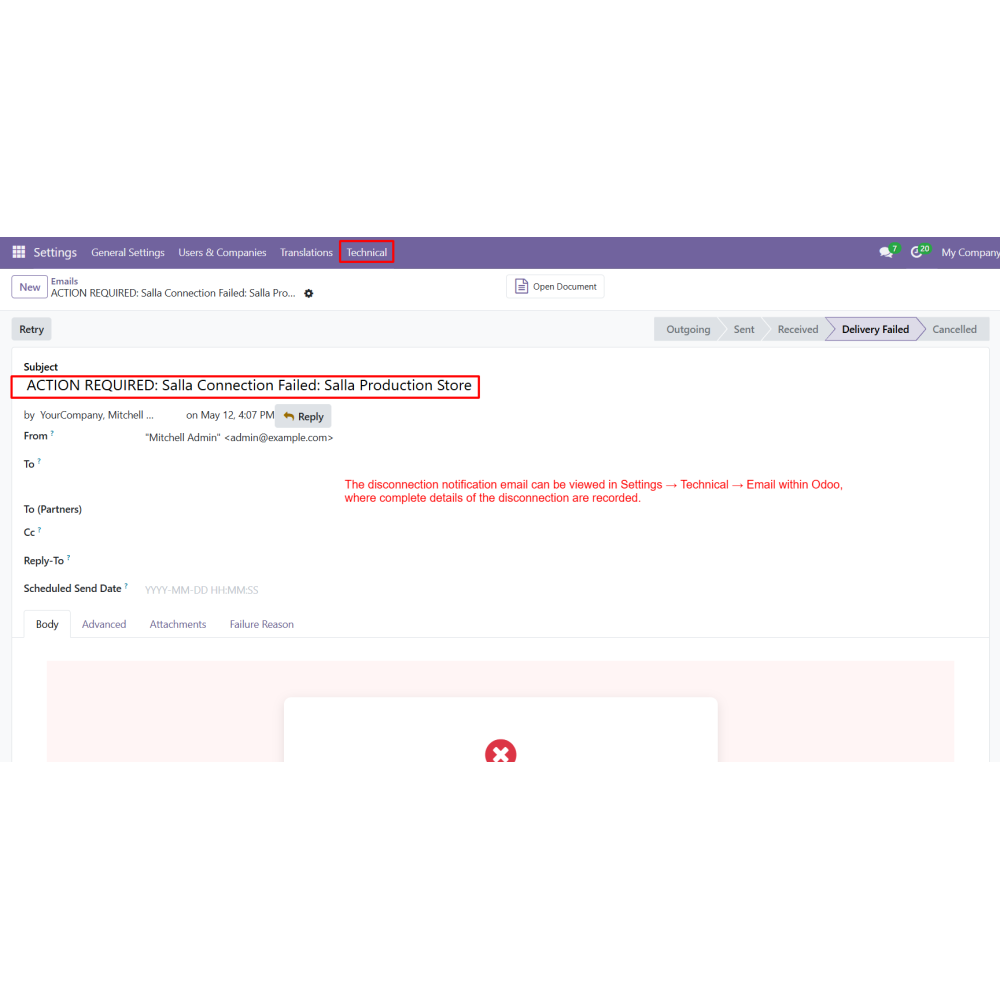
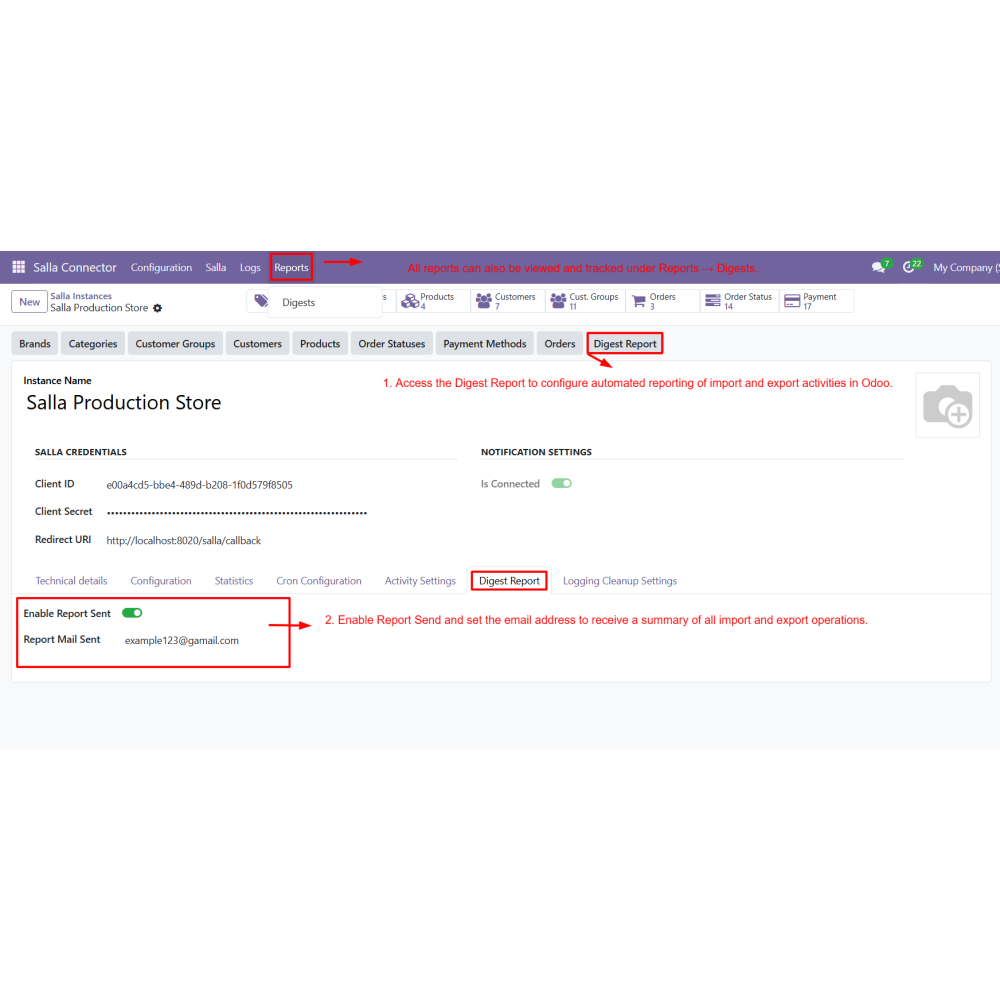
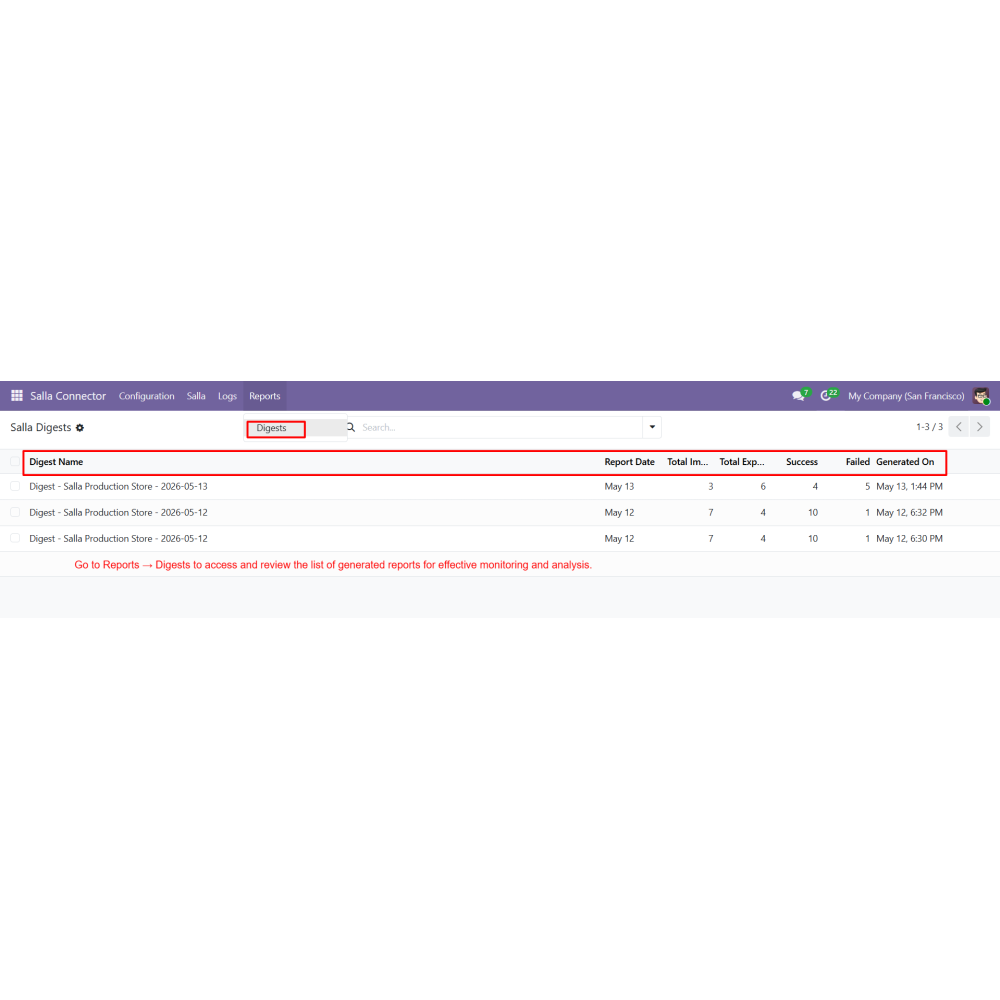
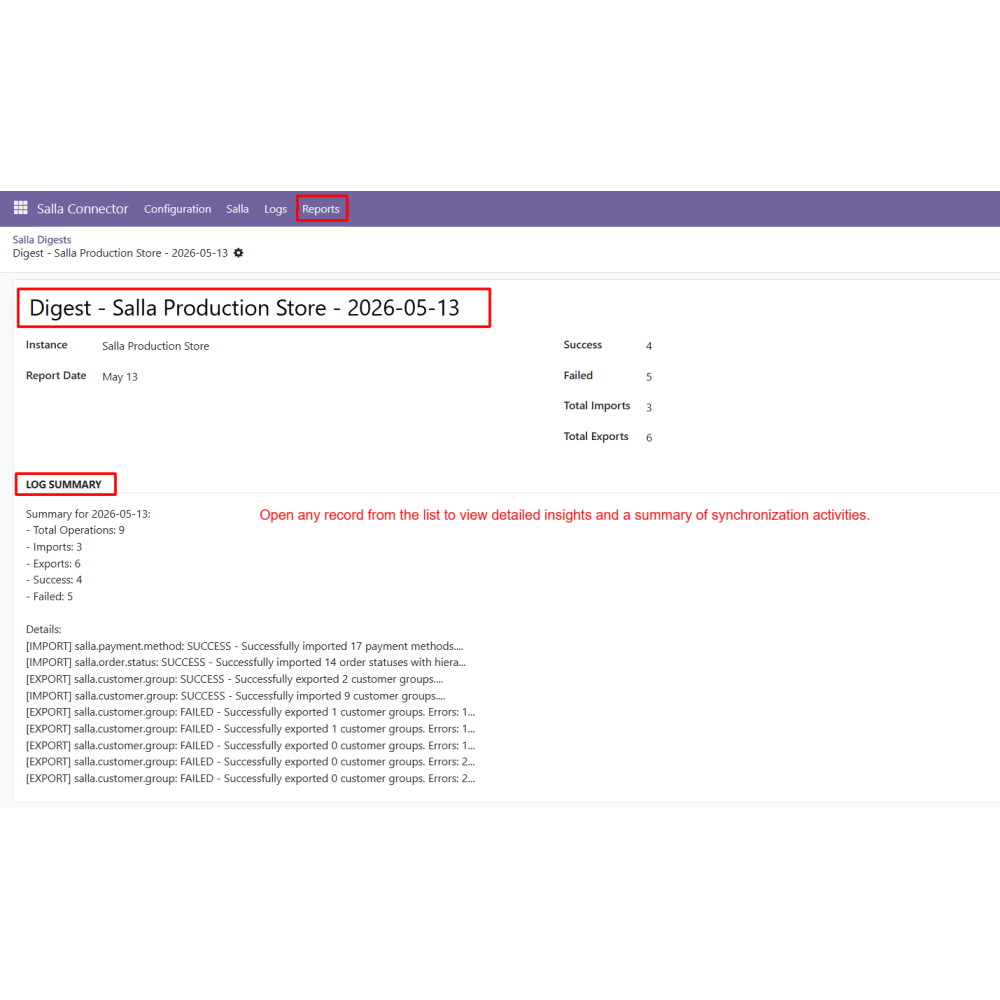
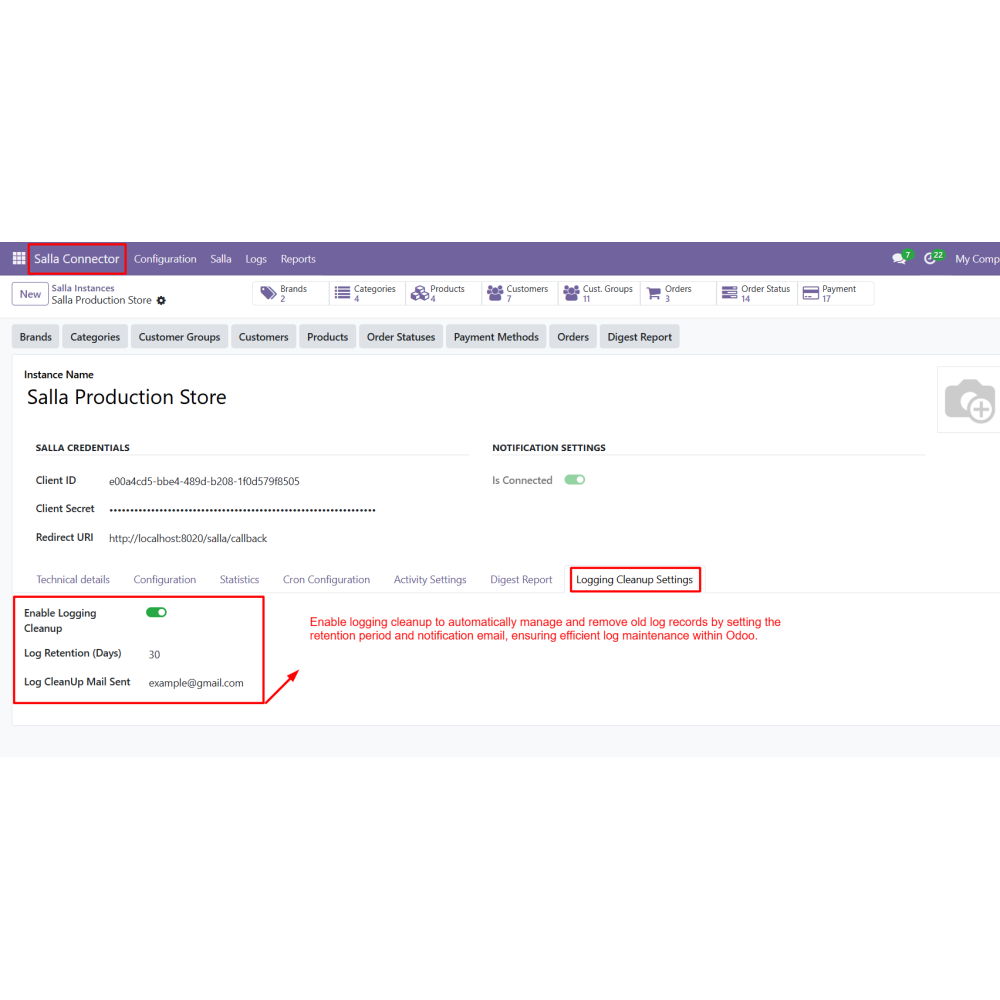
  • Detailed reporting with digest reports and email notifications
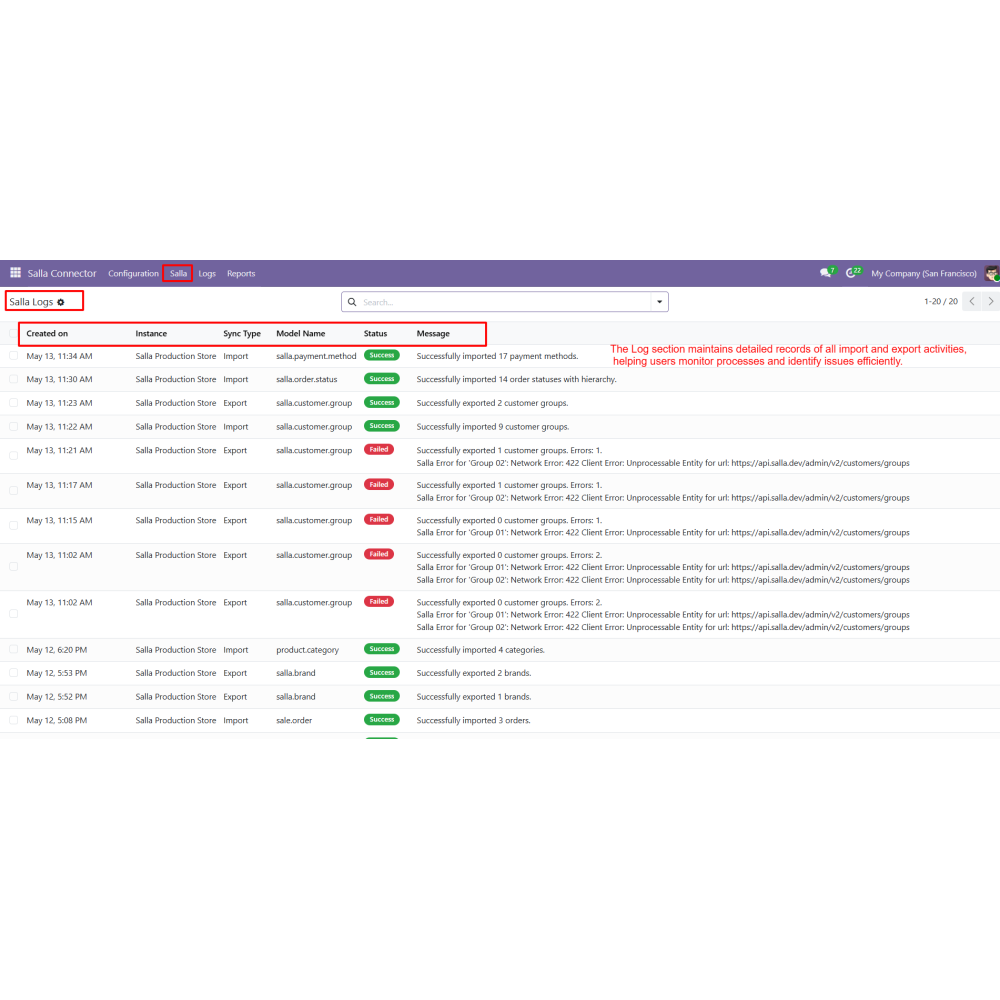
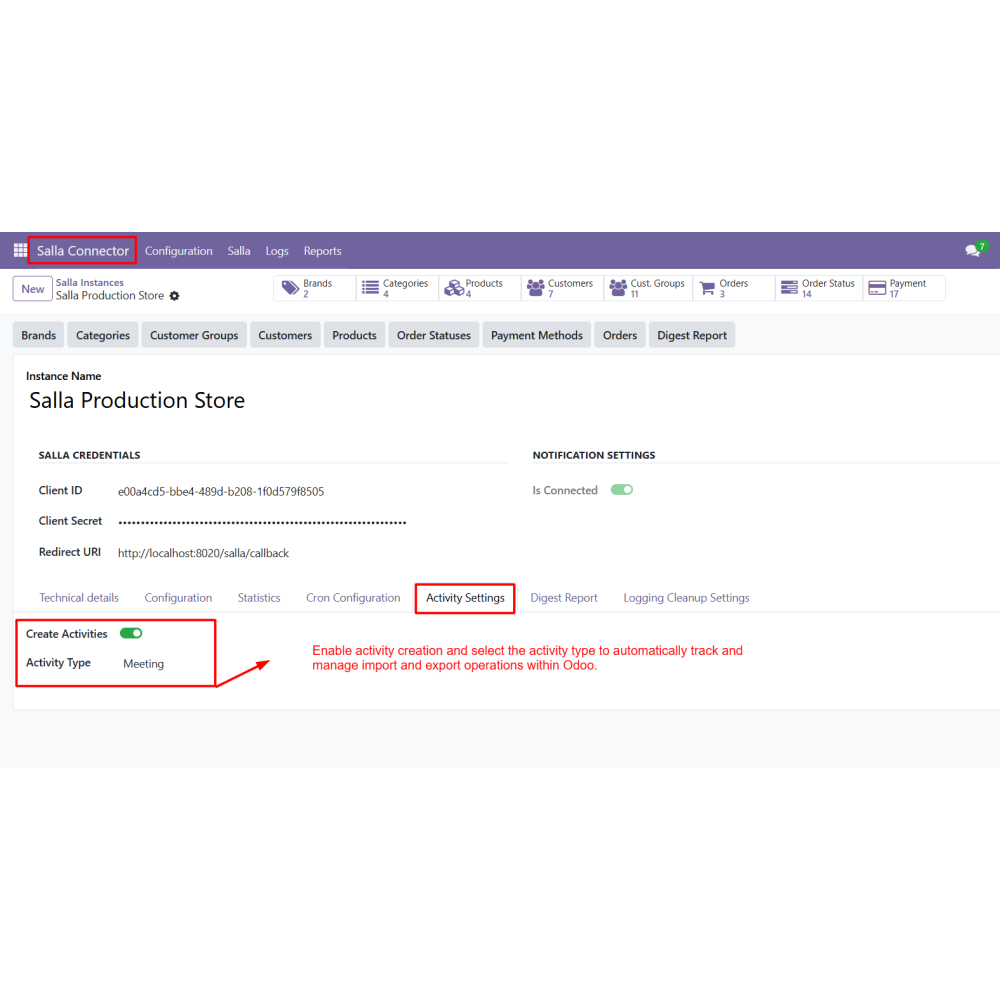
  • Activity tracking with logs to monitor and troubleshoot import/export operations
  • Centralized control over all eCommerce operations within Odoo
  • Reduced manual work through automated data synchronization
  • Improved accuracy with consistent data across both platforms
  • Faster operations with real-time updates and visibility
  • Better decision-making with organized and accessible data
  • Increased efficiency in managing sales, inventory, and customers
  • Install the Salla Connector module in Odoo.
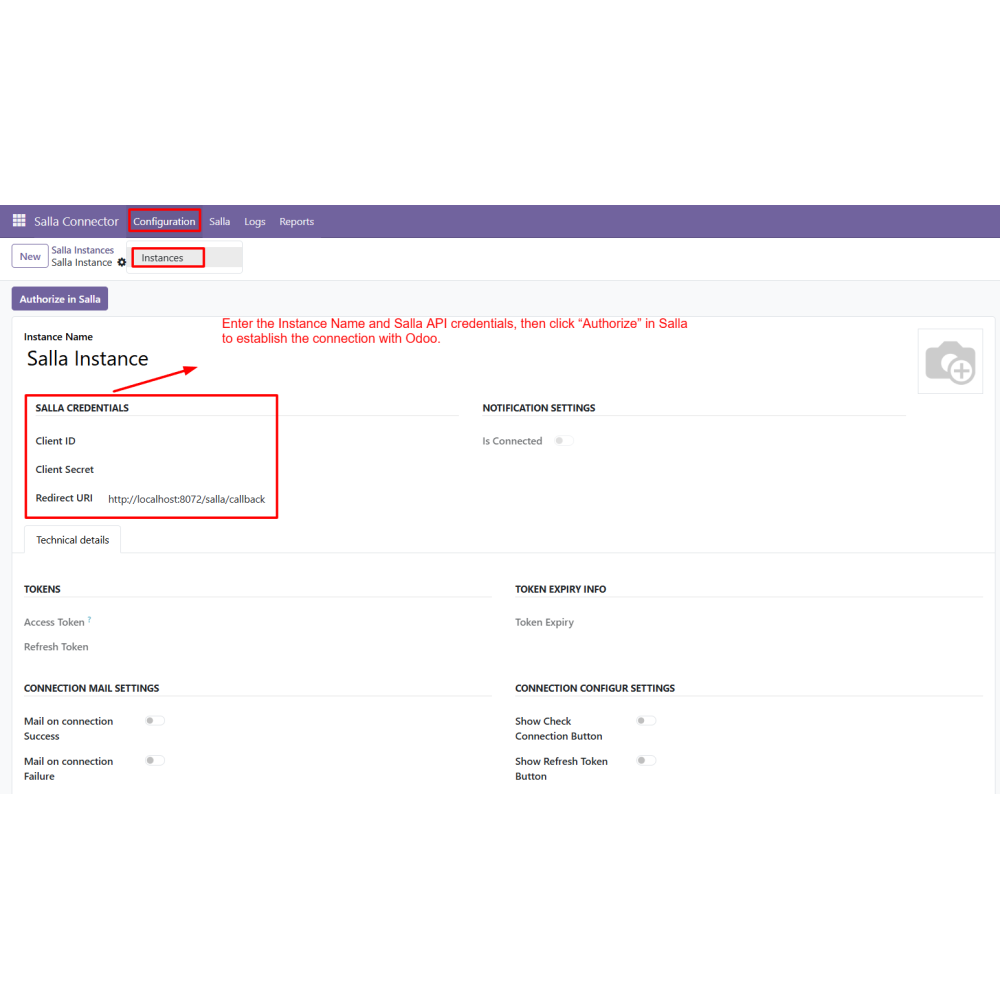
  • Create a new Salla Store Instance from the configuration menu.
  • Enter the instance details and click Authorize to initiate the connection with Salla.
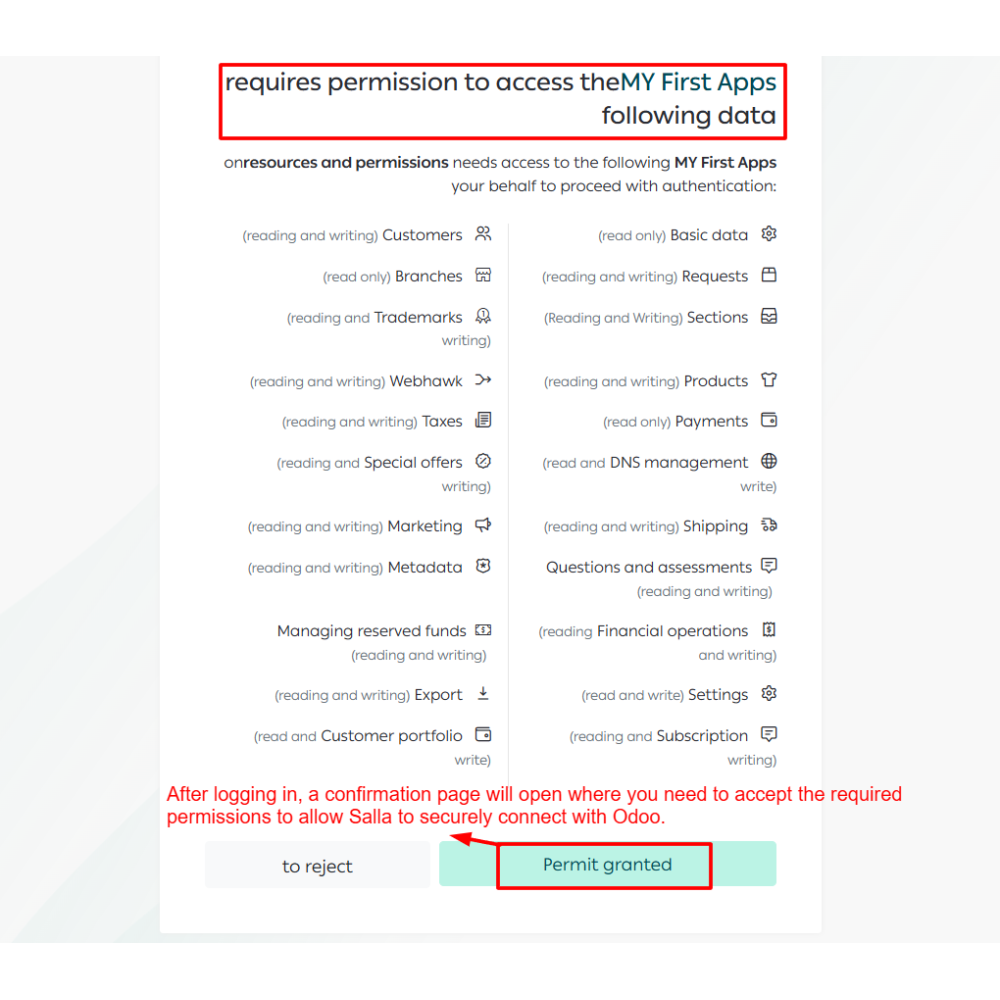
  • Log in to your Salla account and grant the required permissions.
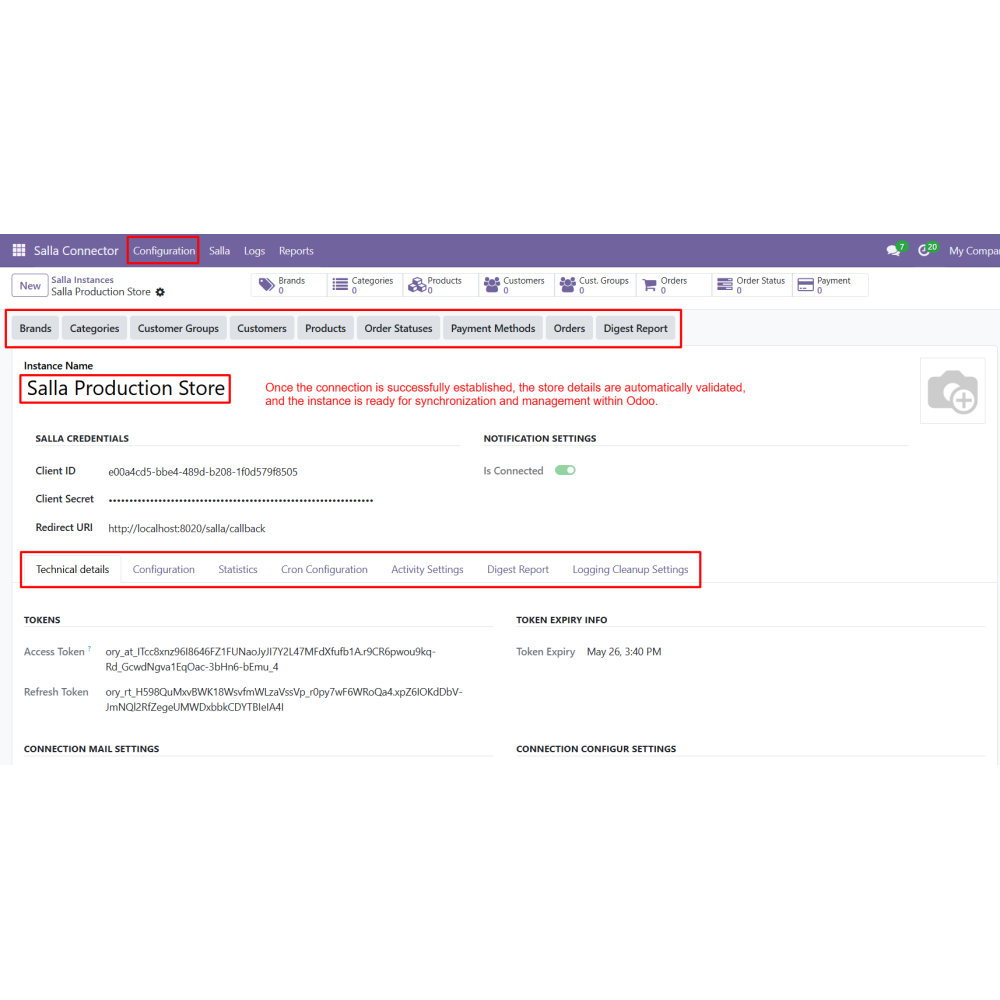
  • Once authorized, the store connection is validated and ready for use.
  • Configure connection settings, email notifications, and synchronization options.
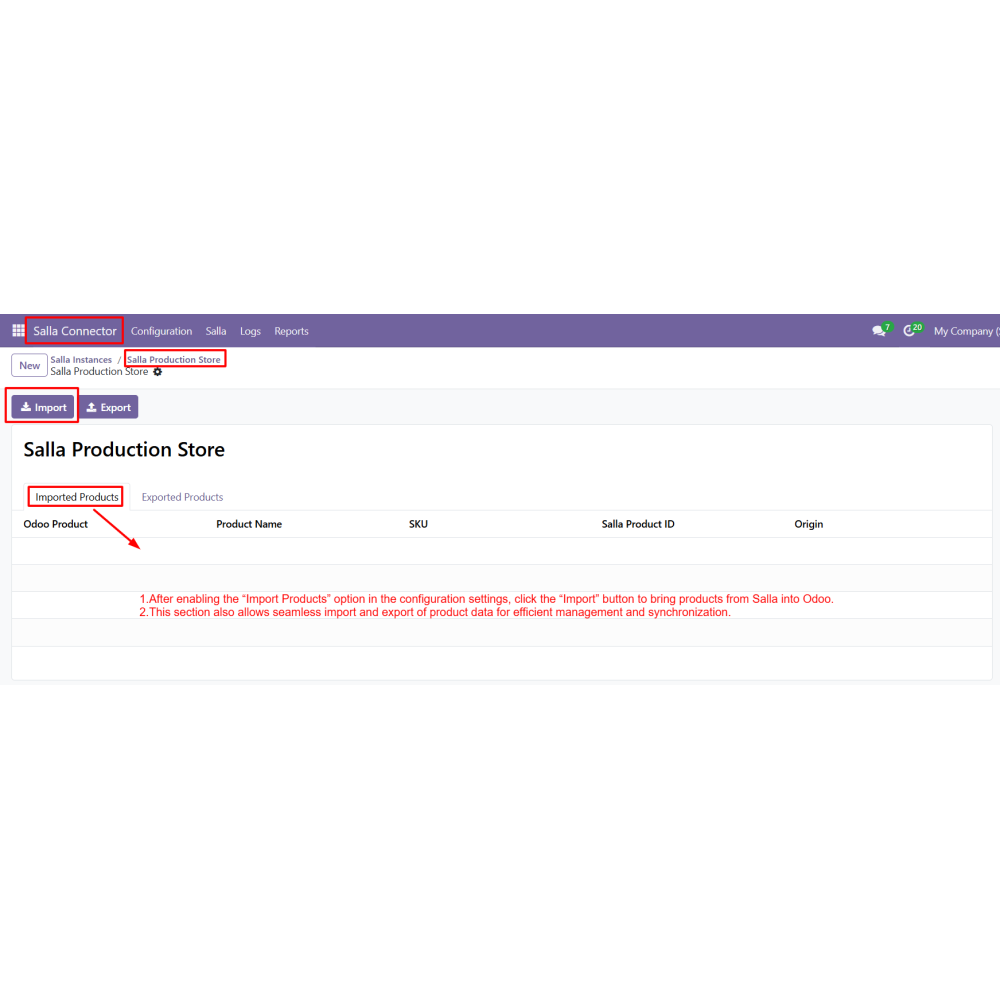
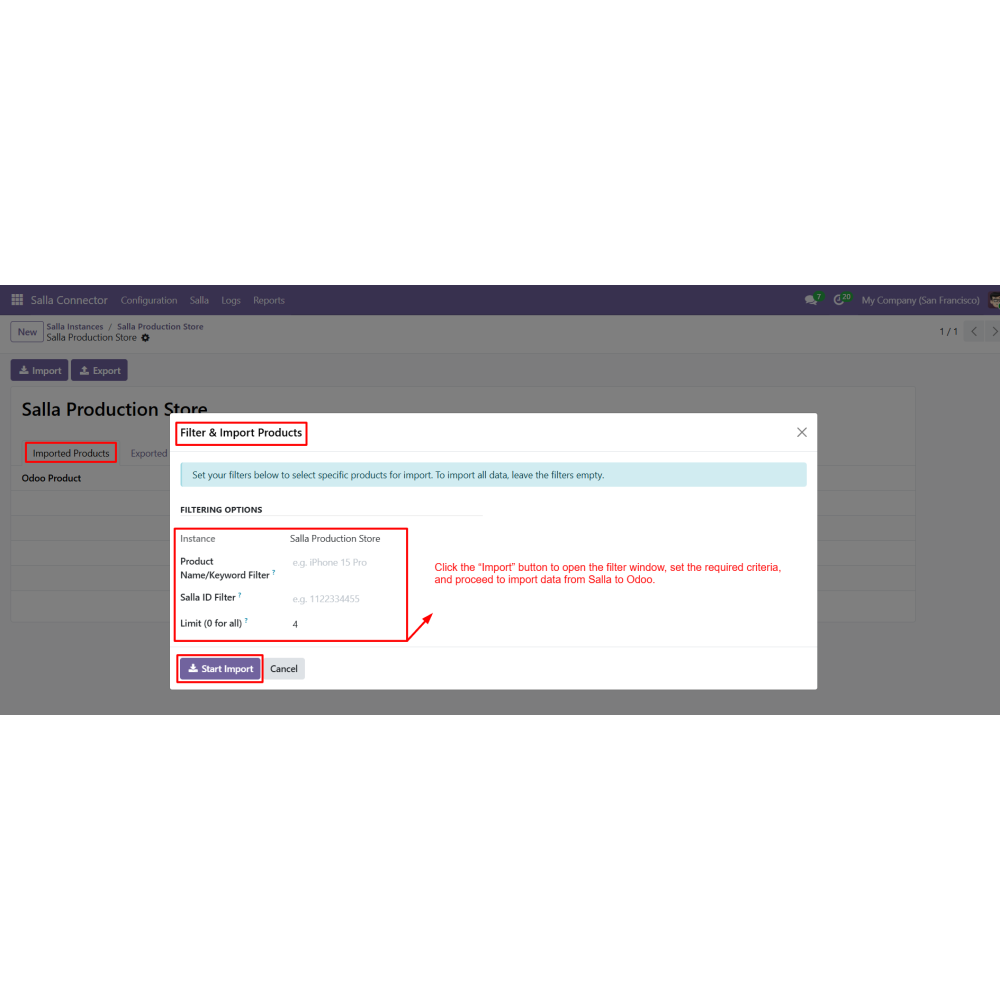
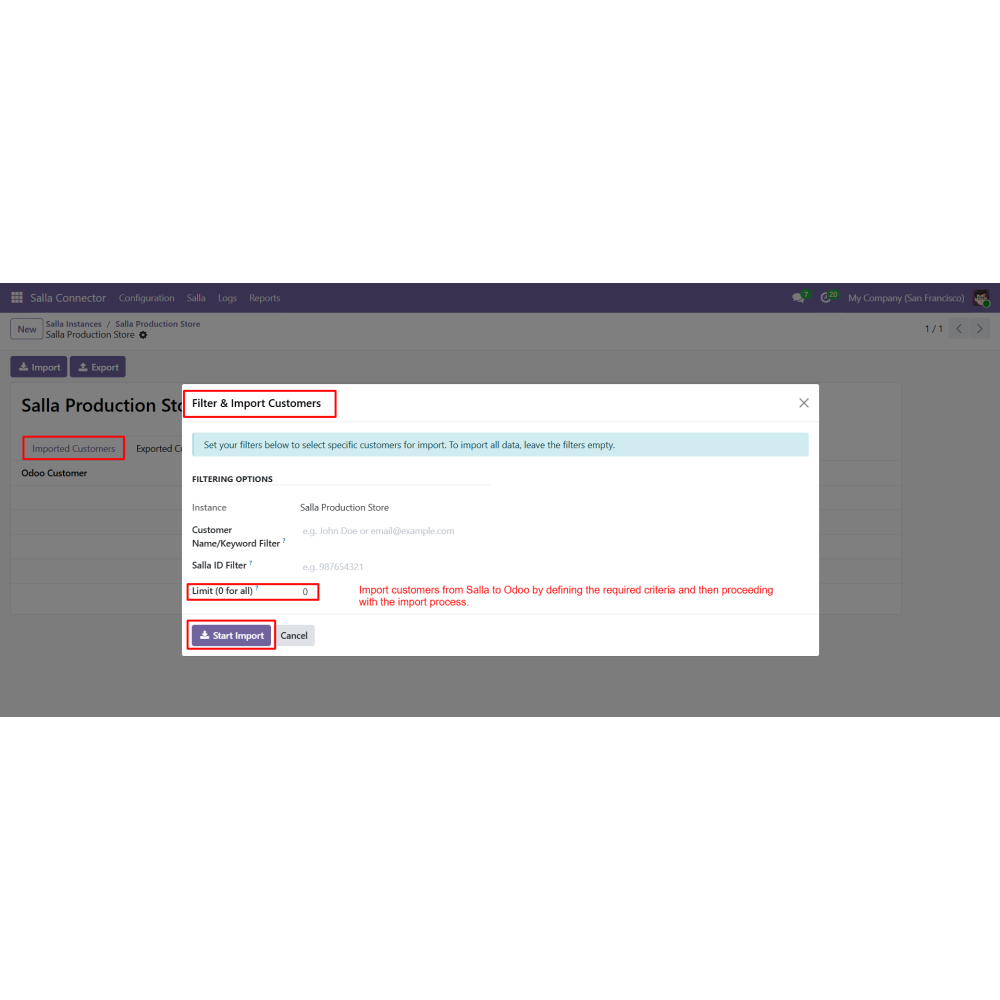
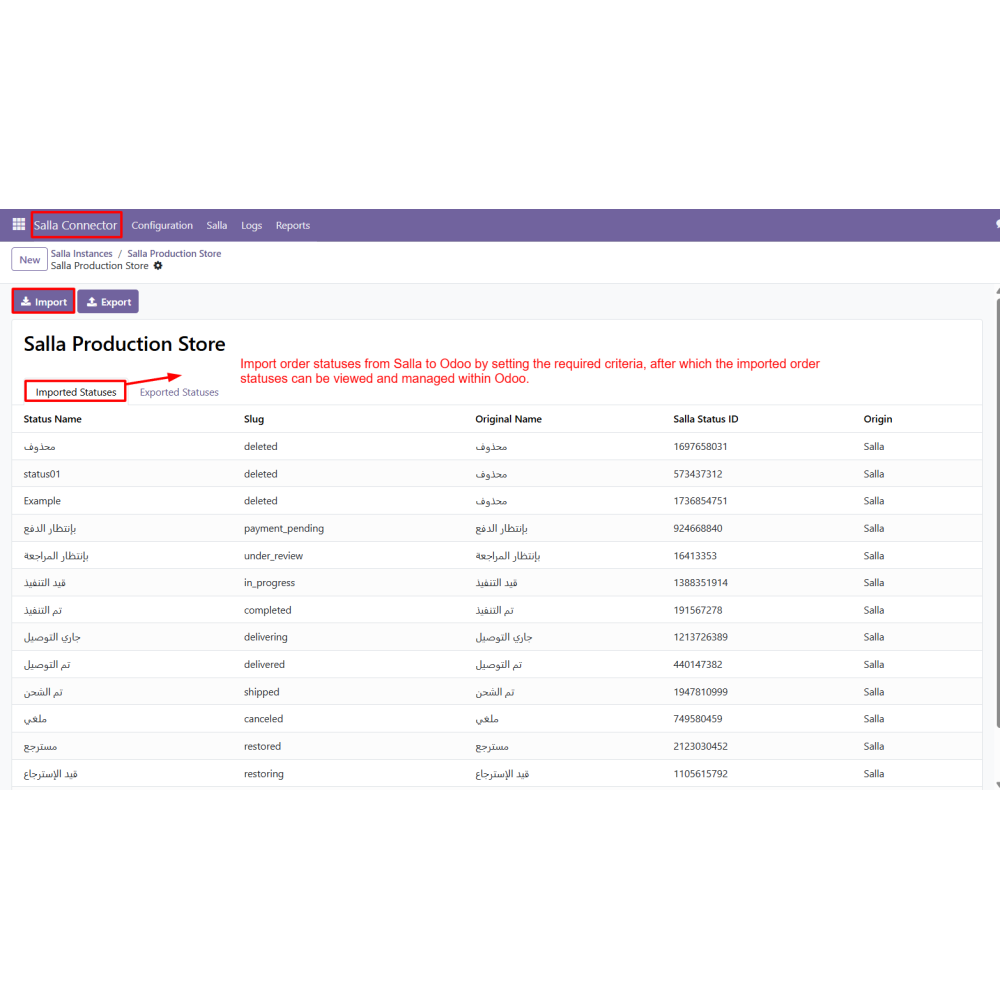
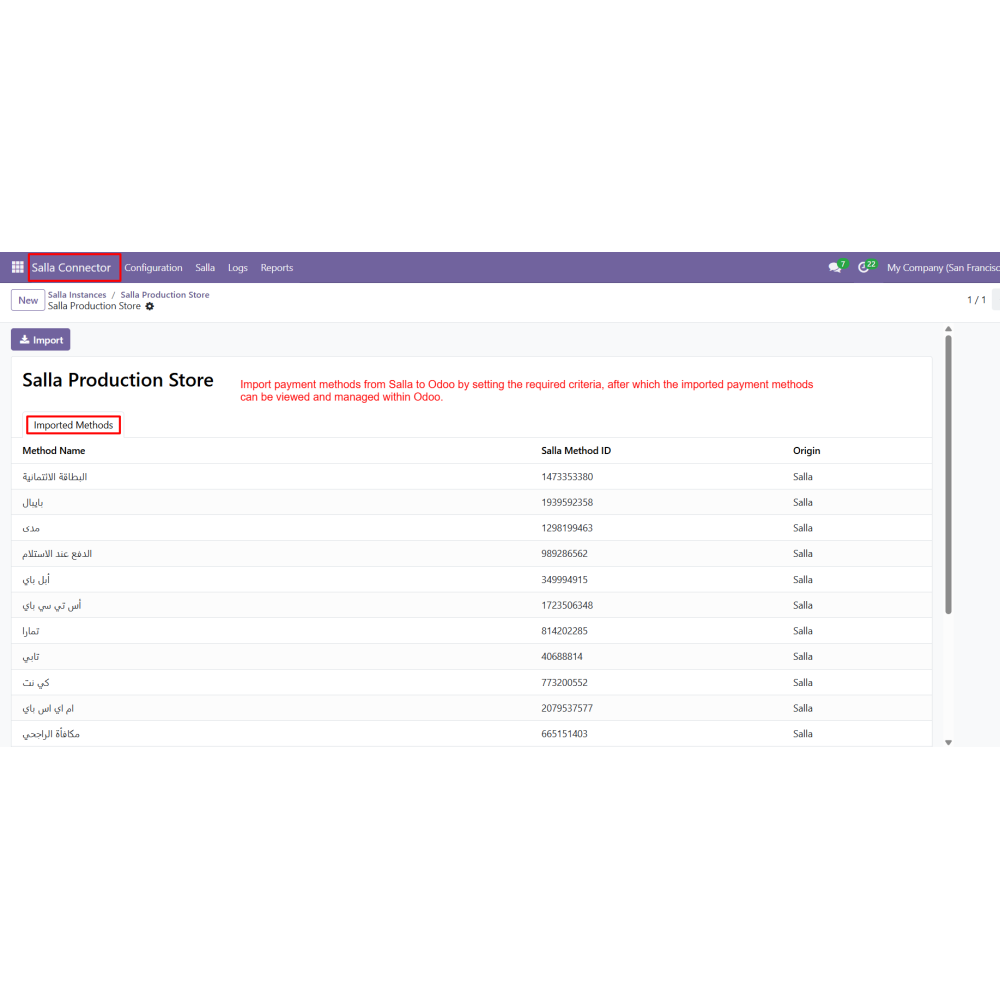
  • Import data from Salla to Odoo by setting filters and using the Import option.
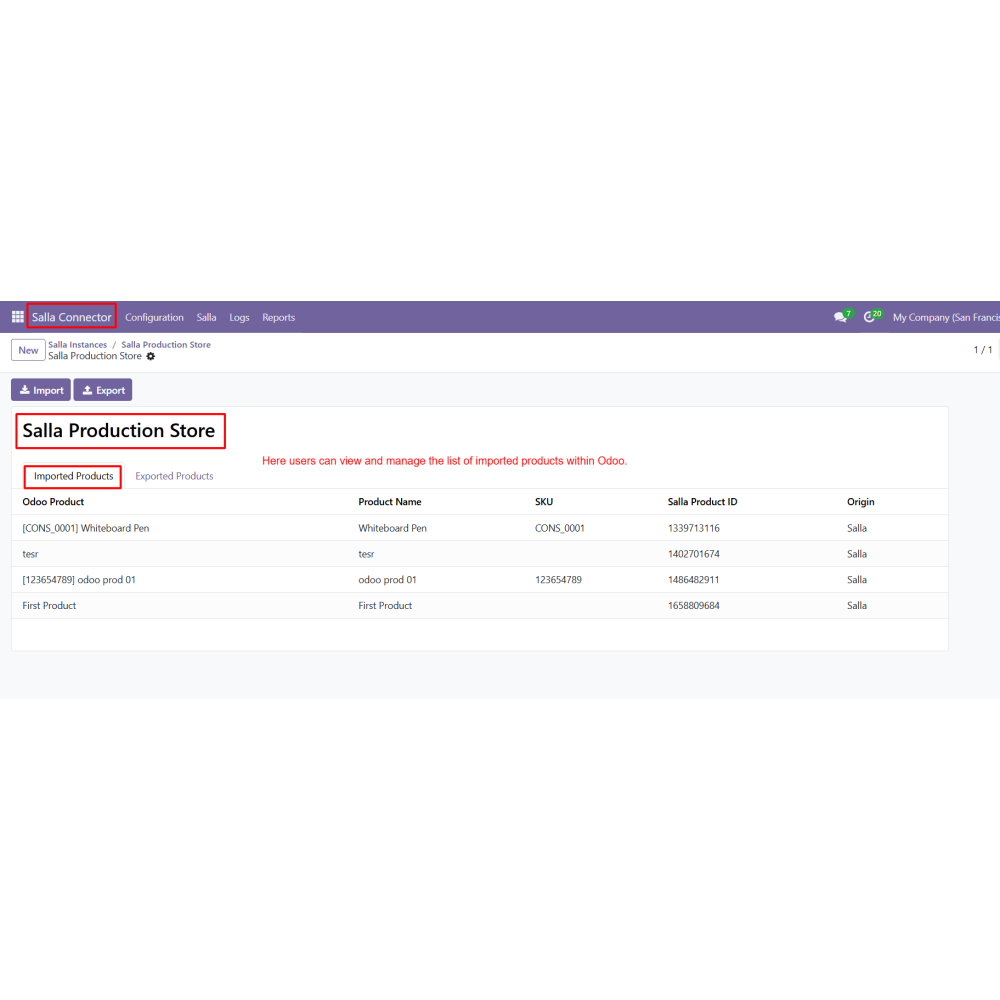
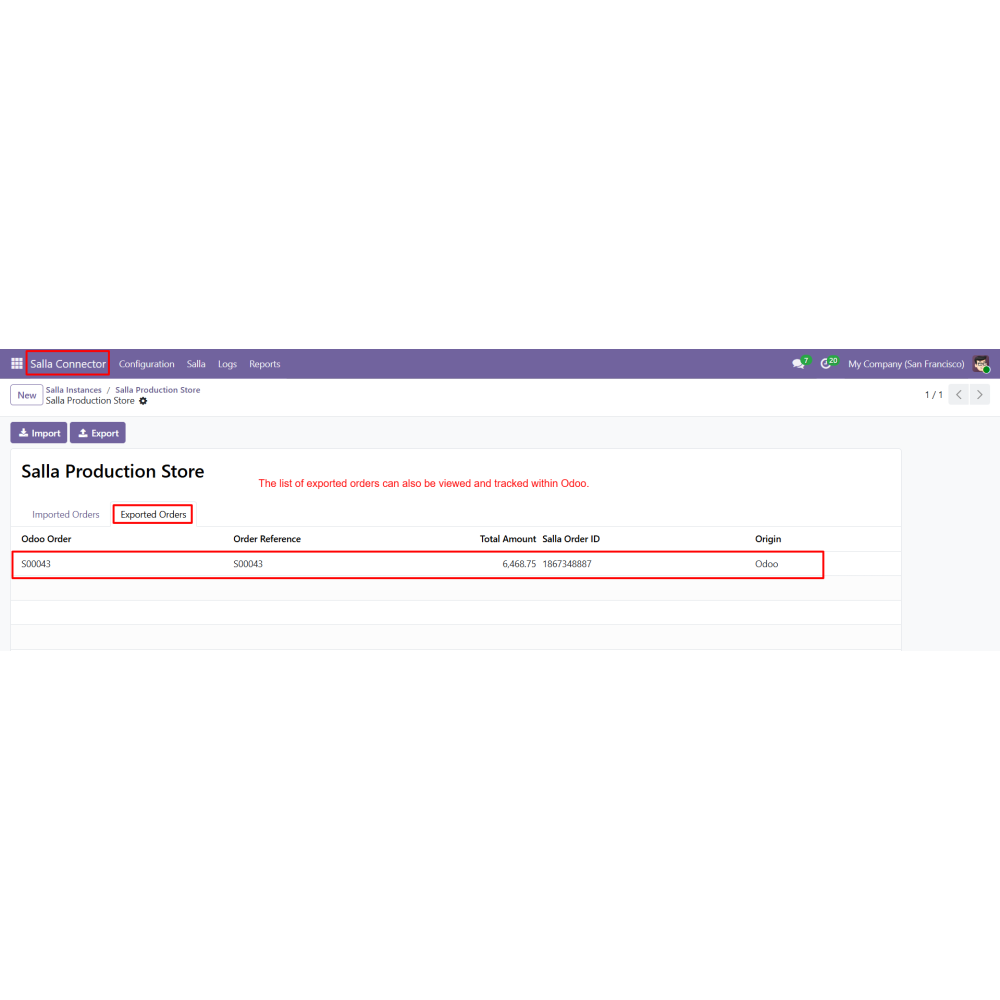
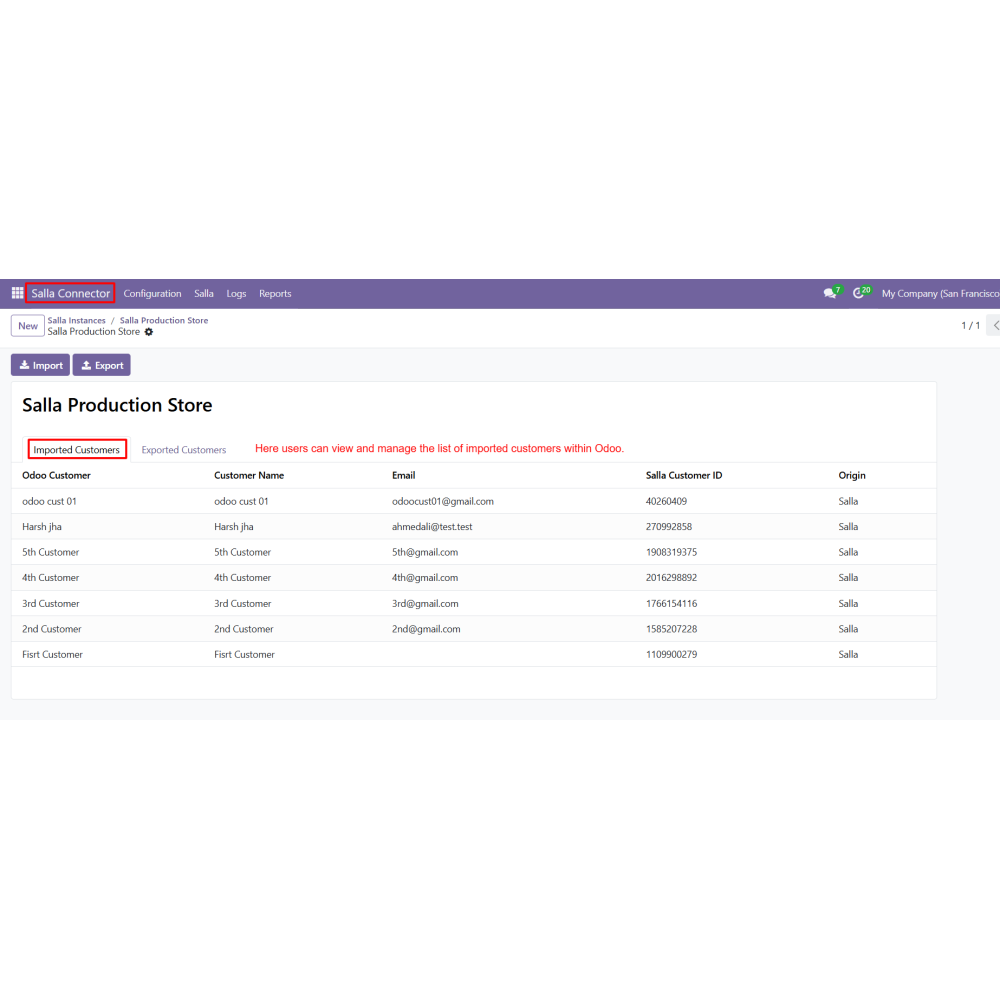
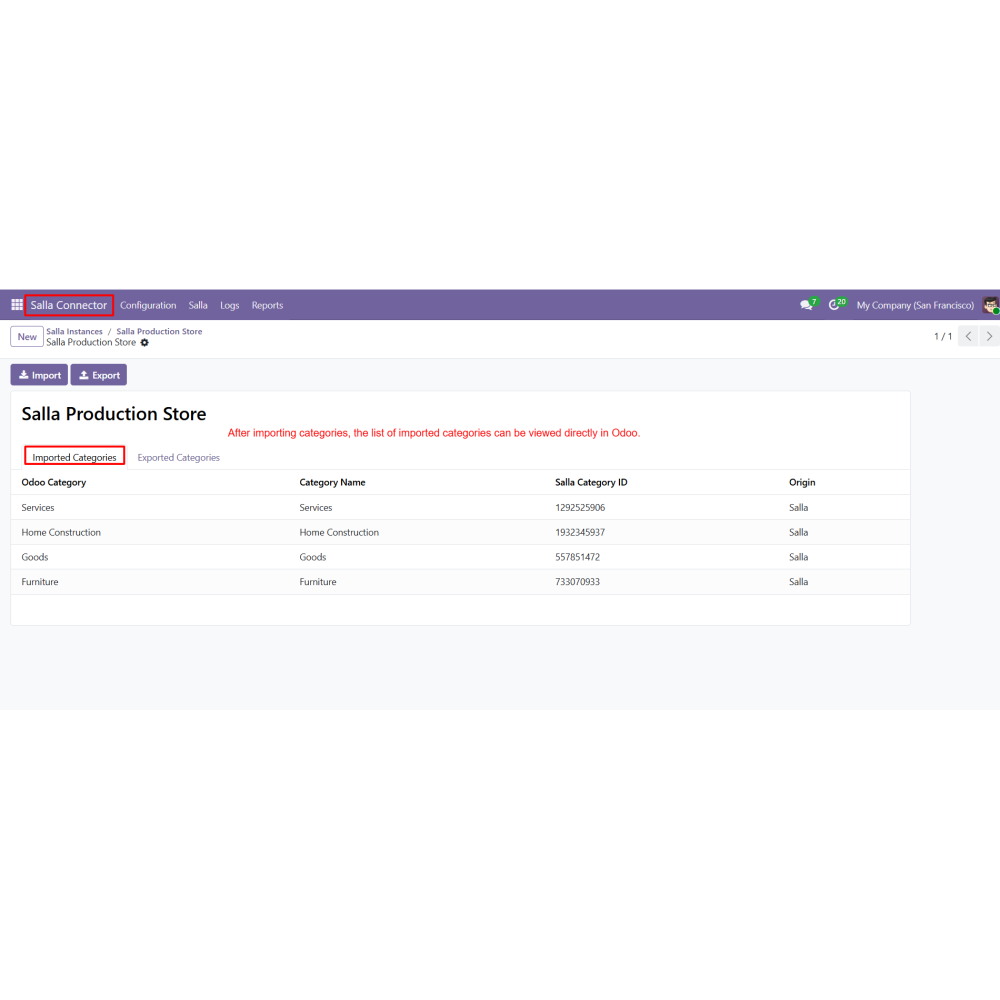
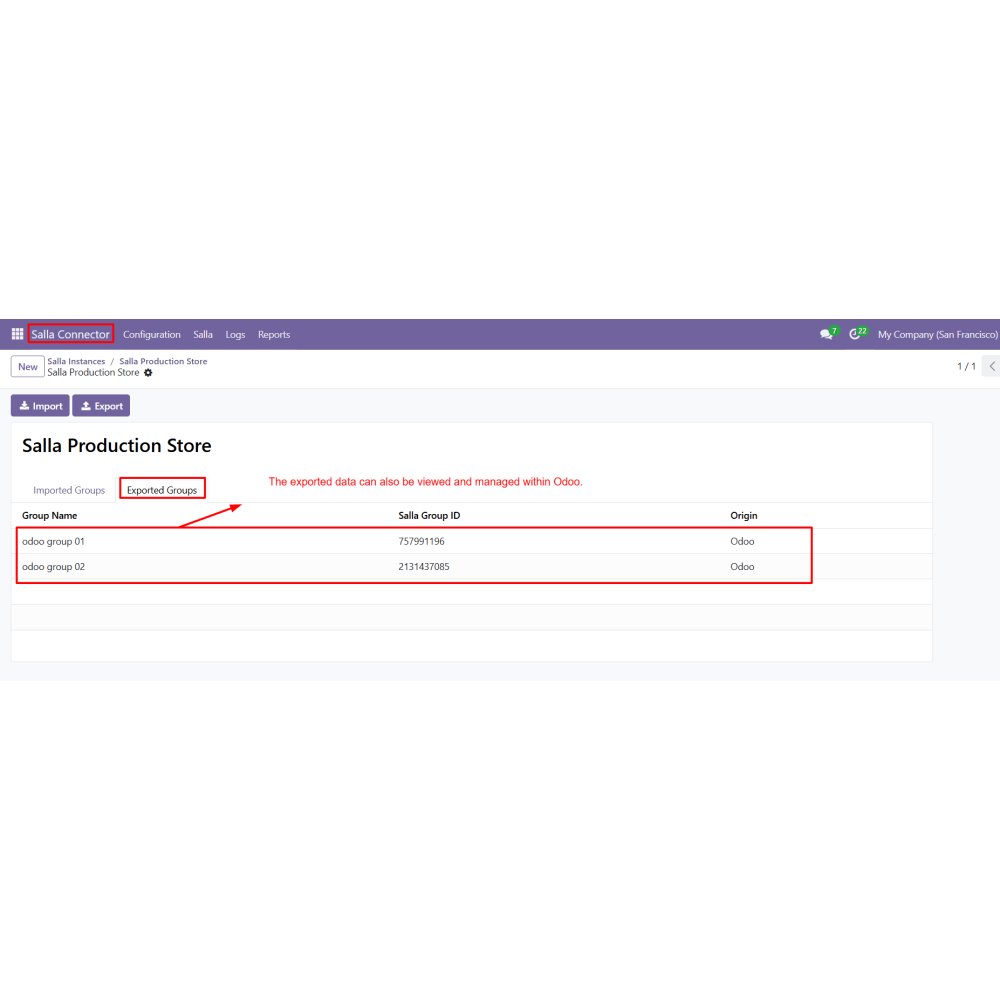
  • View and manage imported records directly within Odoo.
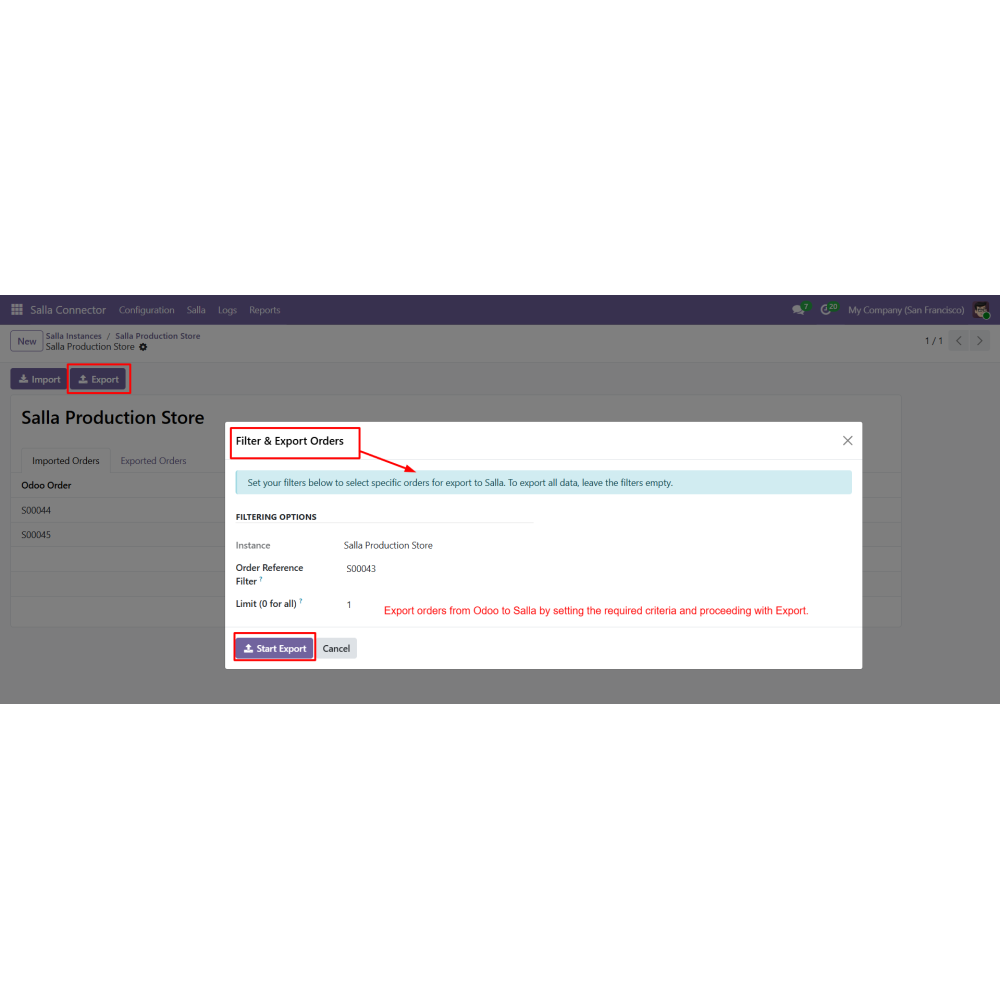
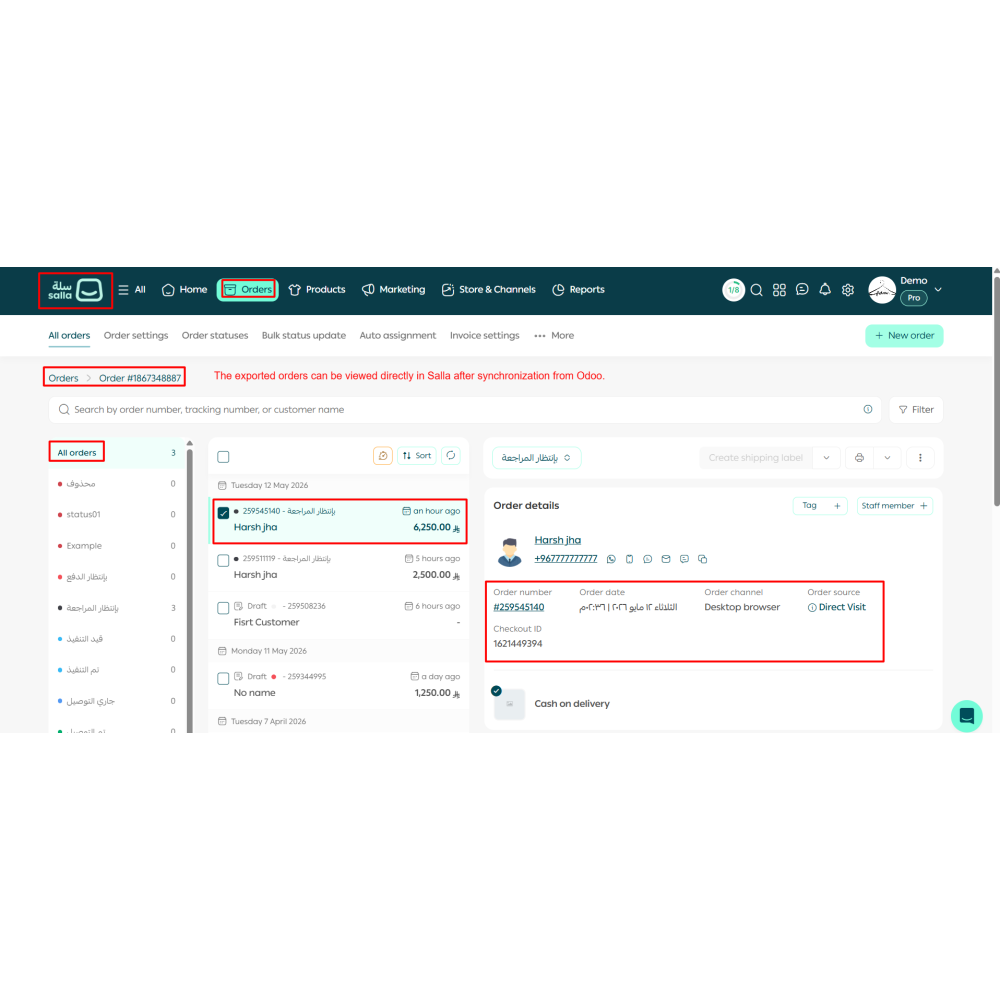
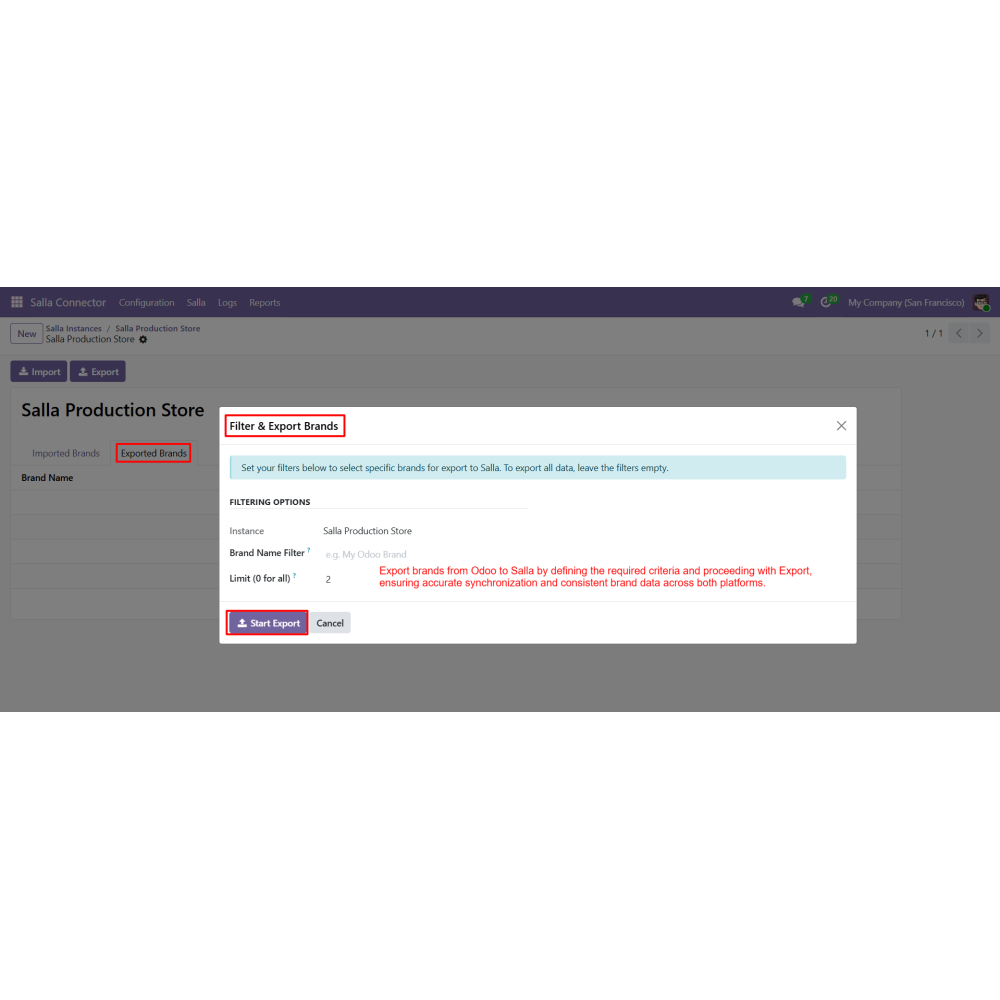
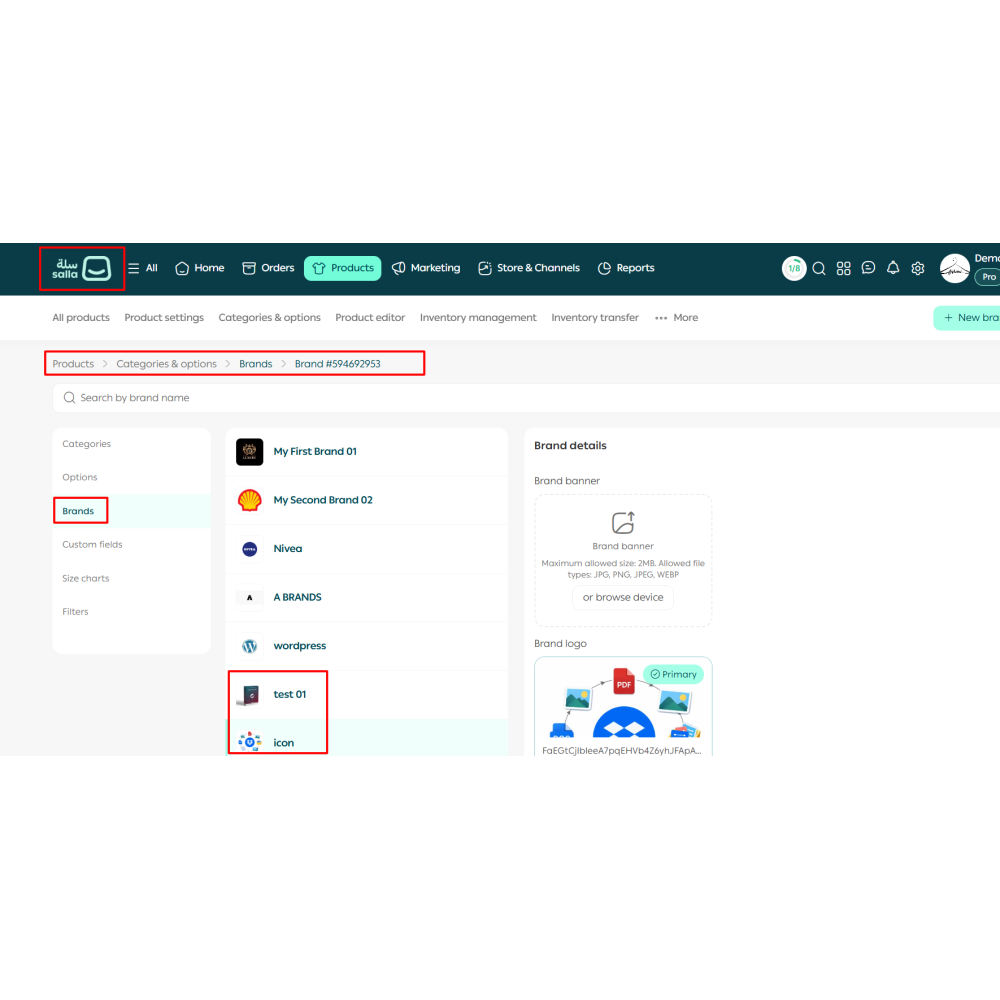
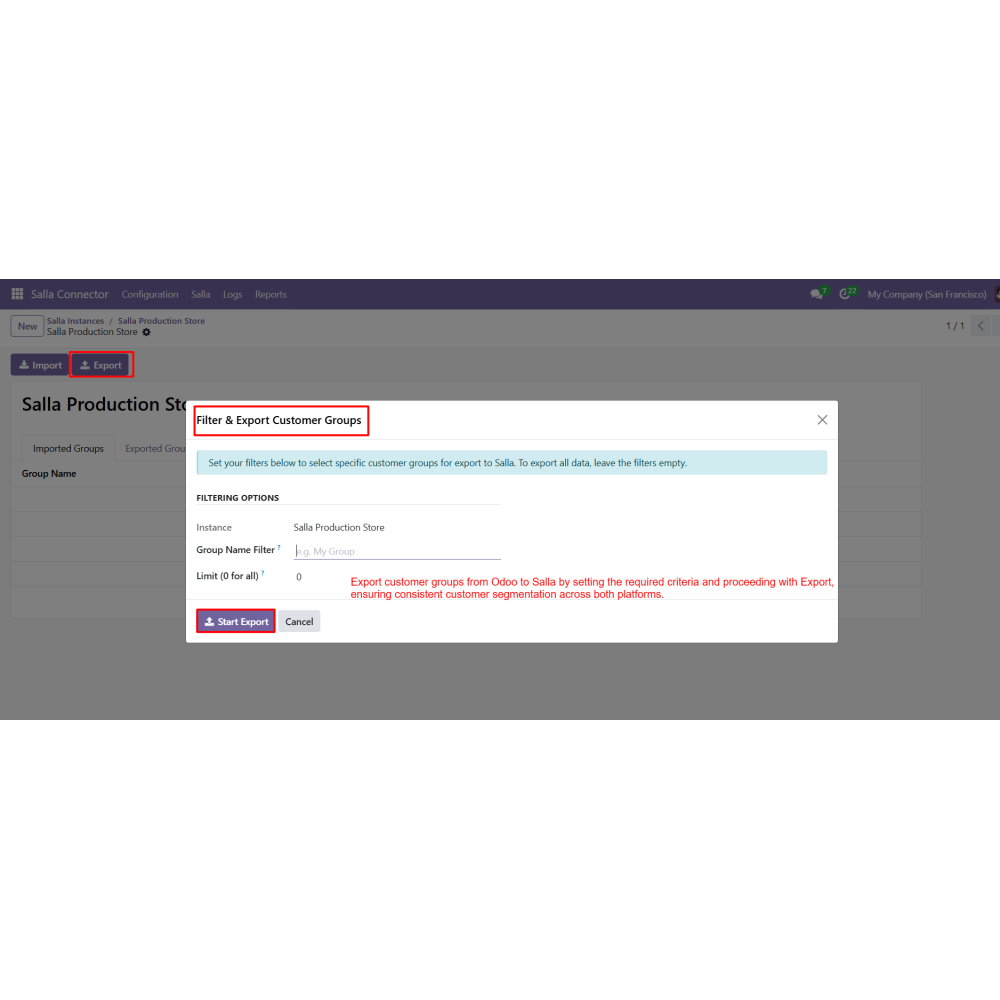
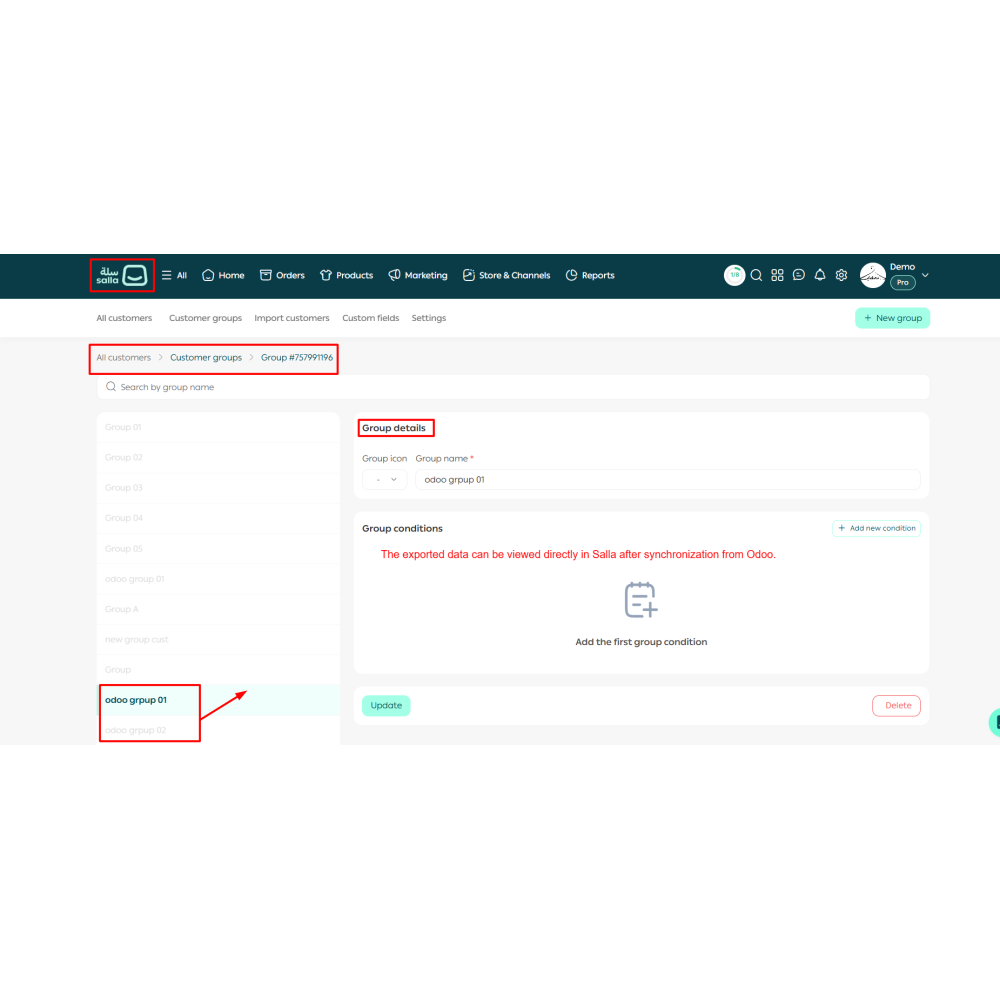
  • Export data from Odoo to Salla by defining criteria and using the Export option.
  • Automate synchronization tasks using cron jobs for regular data updates.
What does the Salla Connector do?It connects Salla with Odoo to synchronize products, orders, customers, and other store data.
Can I manage multiple Salla stores?Yes, you can connect and manage multiple Salla store instances from a single Odoo dashboard.
Does it support automatic synchronization?Yes, you can automate data synchronization using cron jobs for regular updates.
What data can be synchronized?You can sync products, orders, customers, brands, categories, customer groups, payment methods, and order statuses.
Can I control the data during import and export?Yes, filters and criteria can be applied to control which data is synchronized.
Is the connection secure?Yes, the integration uses secure API authentication with proper permission handling.
Can I track synchronization activities?Yes, logs and reports are available to monitor all import and export operations.
Is technical knowledge required to use this module?No, the module is user-friendly and can be configured directly from Odoo settings.

Customer reviews

0.0 Out Of 5
5 star
0%
4 star
0%
3 star
0%
2 star
0%
1 star
0%

No customer reviews

Benefits Of Salla Connector

Centralized Store Management

Automated Data Synchronization

Improved Data Accuracy

Time-Saving Operations

Real-Time Visibility

Enhanced Workflow Efficiency

Features of Salla Connector

Multi-Store Management

Connect and manage multiple Salla stores from a single dashboard in Odoo.

Automated Synchronization

Schedule automatic data sync to keep information updated without manual effort.

Advanced Import & Export Controls

Apply filters and criteria to control data synchronization as per business needs.

Secure Store Authorization

Establish a secure connection using Salla API credentials with proper authentication.

Centralized Data Synchronization

Import and export products, customers, orders, and other data between Odoo and Salla.

Activity Tracking & Logging

Track all import and export operations with logs for monitoring and troubleshooting.

Power Up Your  Store — We Handle It All
Related products