Odoo Save and Share Cart

€50.00
Tax excluded

Save and Share Cart for Odoo enhances the eCommerce shopping experience by allowing customers to save, reload, and share their shopping carts through URL, QR code, email, and social media. The module helps reduce cart abandonment, improves customer convenience, and increases repeat visits by enabling users to continue purchases later without rebuilding carts. Customers can manage saved carts from My Account with options to view, load, share, or delete carts. It also supports flexible backend configuration for complete cart management control in Odoo eCommerce.

WATCH DEMO VIDEO

Technical Support
Quantity
  Return policy

10-day module exchange guarantee

  • Allow customers to save shopping carts directly from the Odoo website.
  • Enable users to reload saved carts instantly for future purchases.
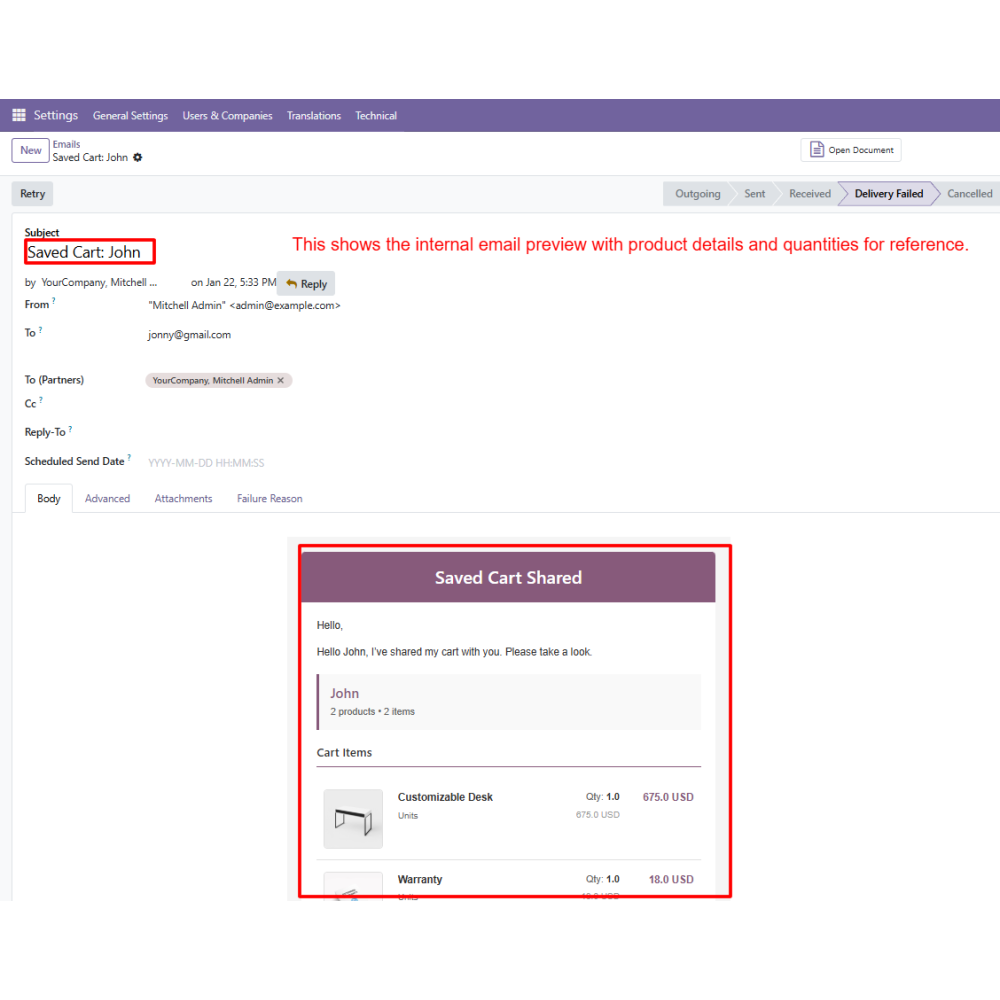
  • Share carts through URL, QR code, email, or social media platforms.
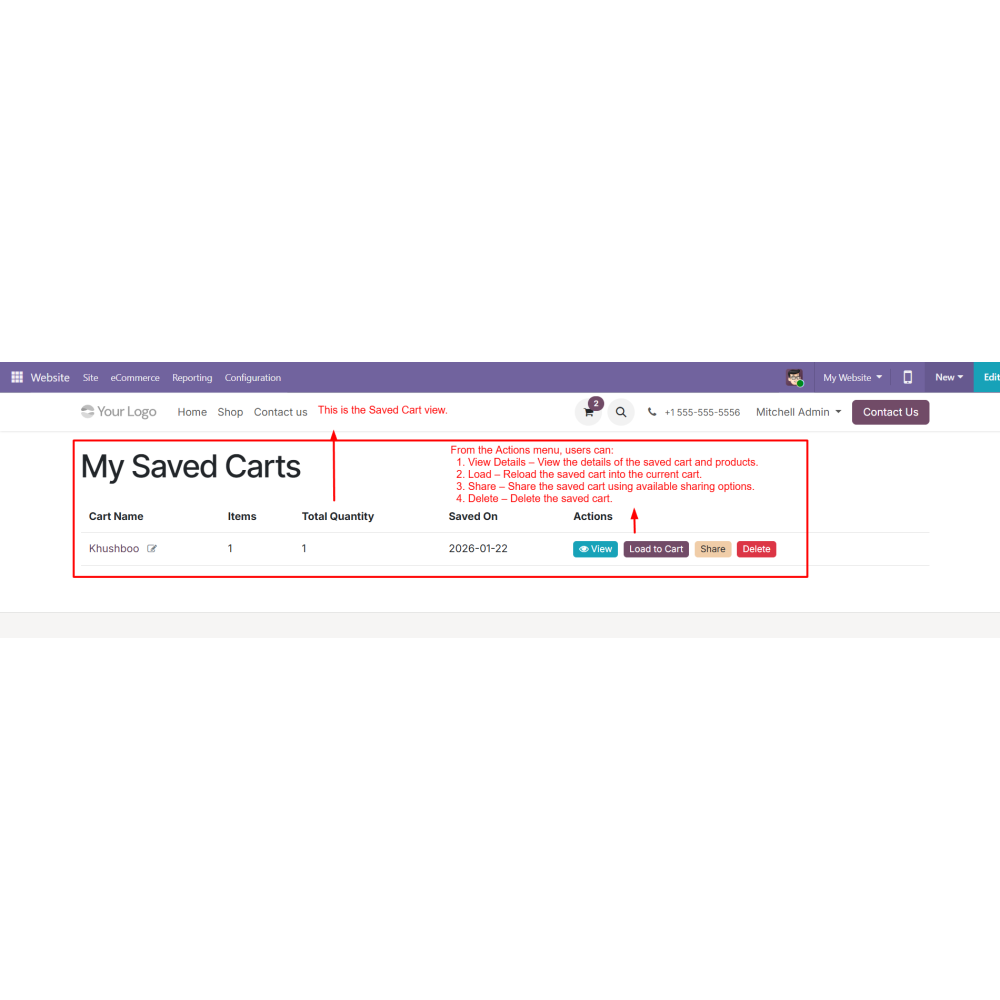
  • Manage saved carts from the My Account section with view, load, share, and delete options.
  • Reduce cart abandonment and improve customer convenience in eCommerce shopping.
  • Enhance user experience and increase repeat visits with smart cart management features.
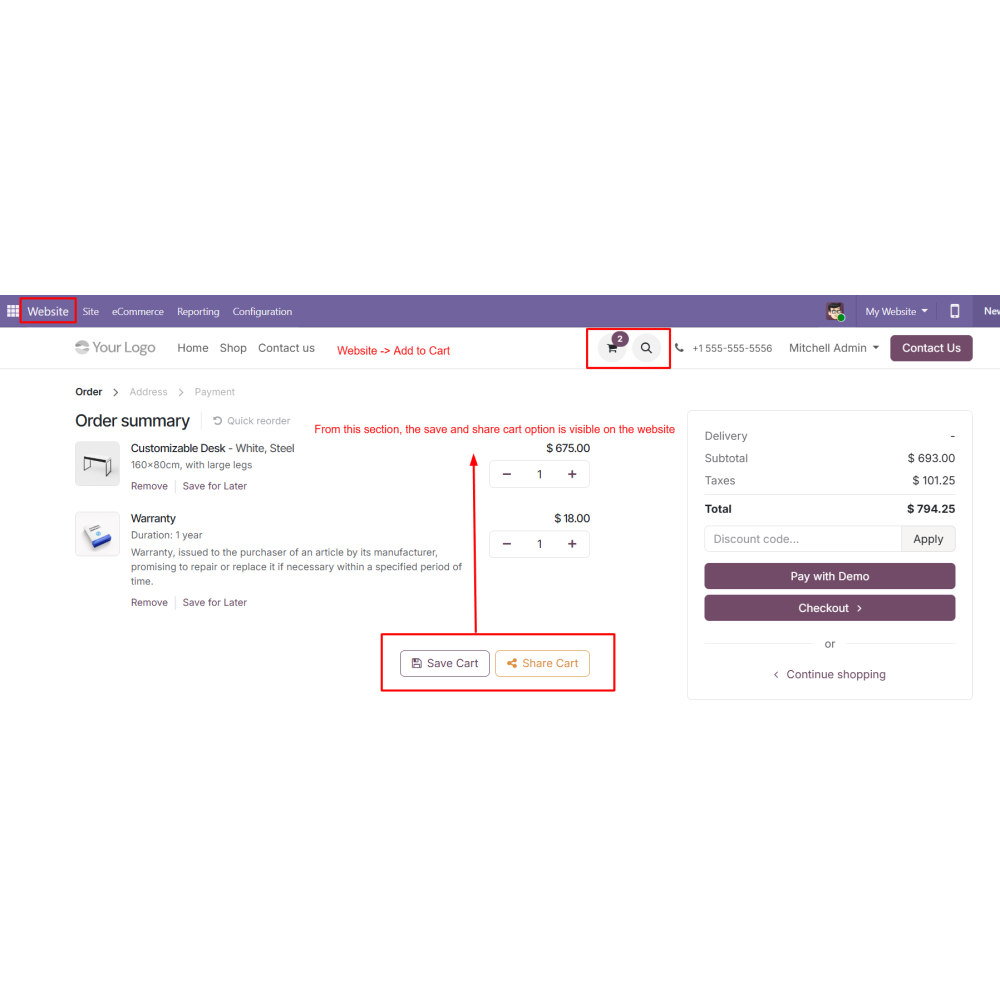
  • Customers can save their current shopping cart directly from the website cart page for future purchases.
  • Reload previously saved carts instantly into the active cart without adding products manually again.
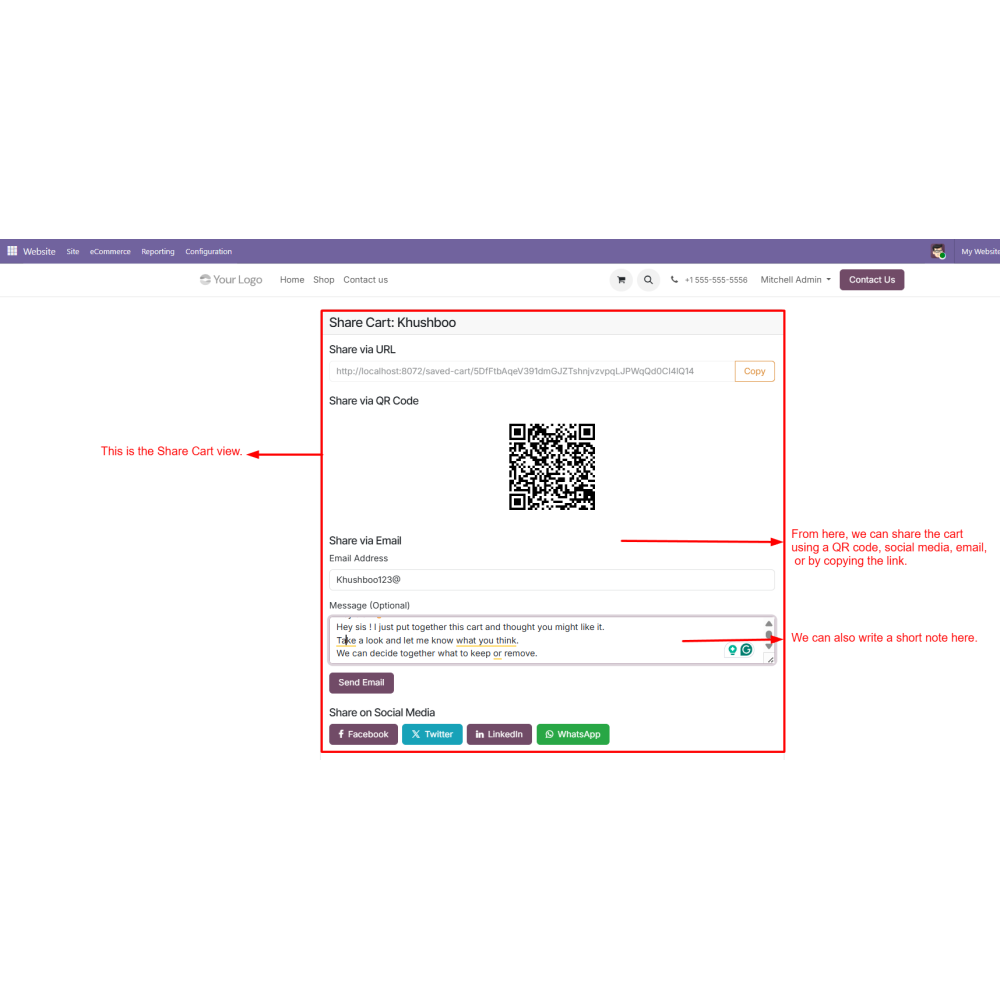
  • Share carts through URL, QR code, email, or social media for easy collaboration and purchasing.
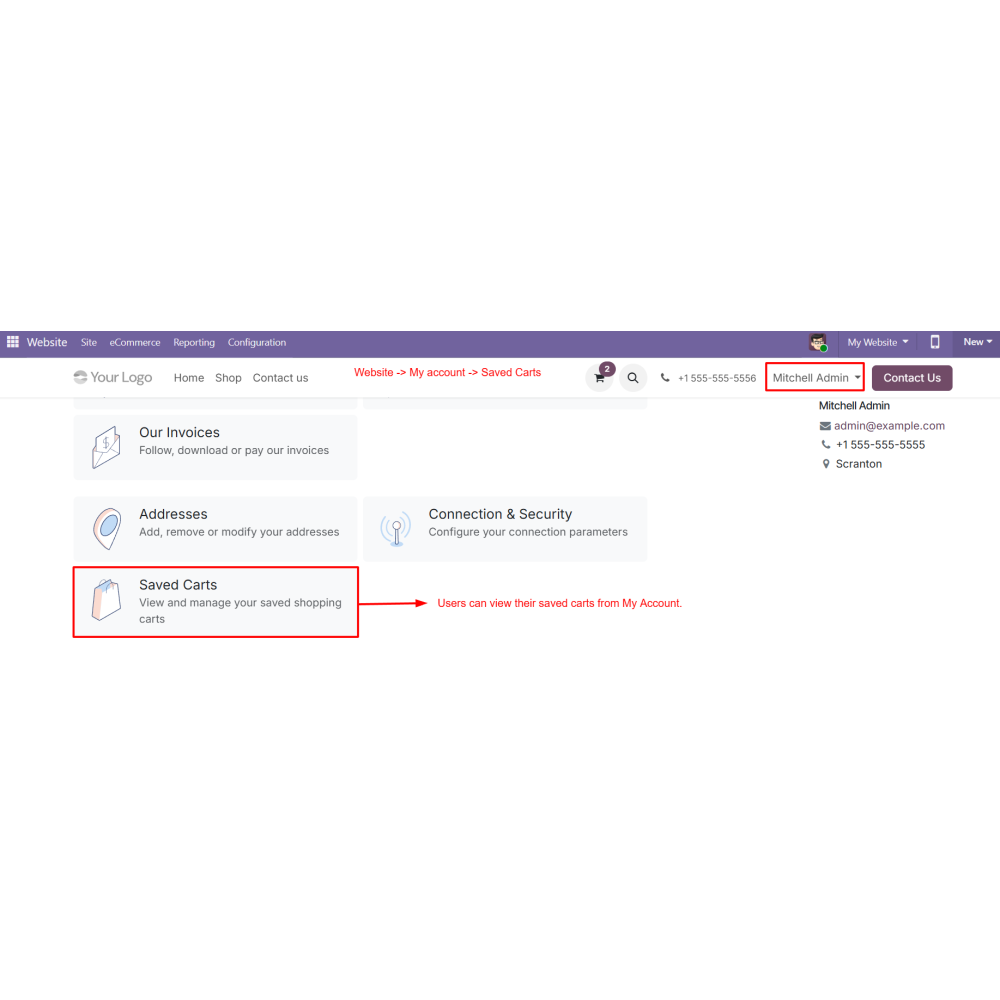
  • Manage saved carts from the My Account section with options to view, load, share, or delete carts.
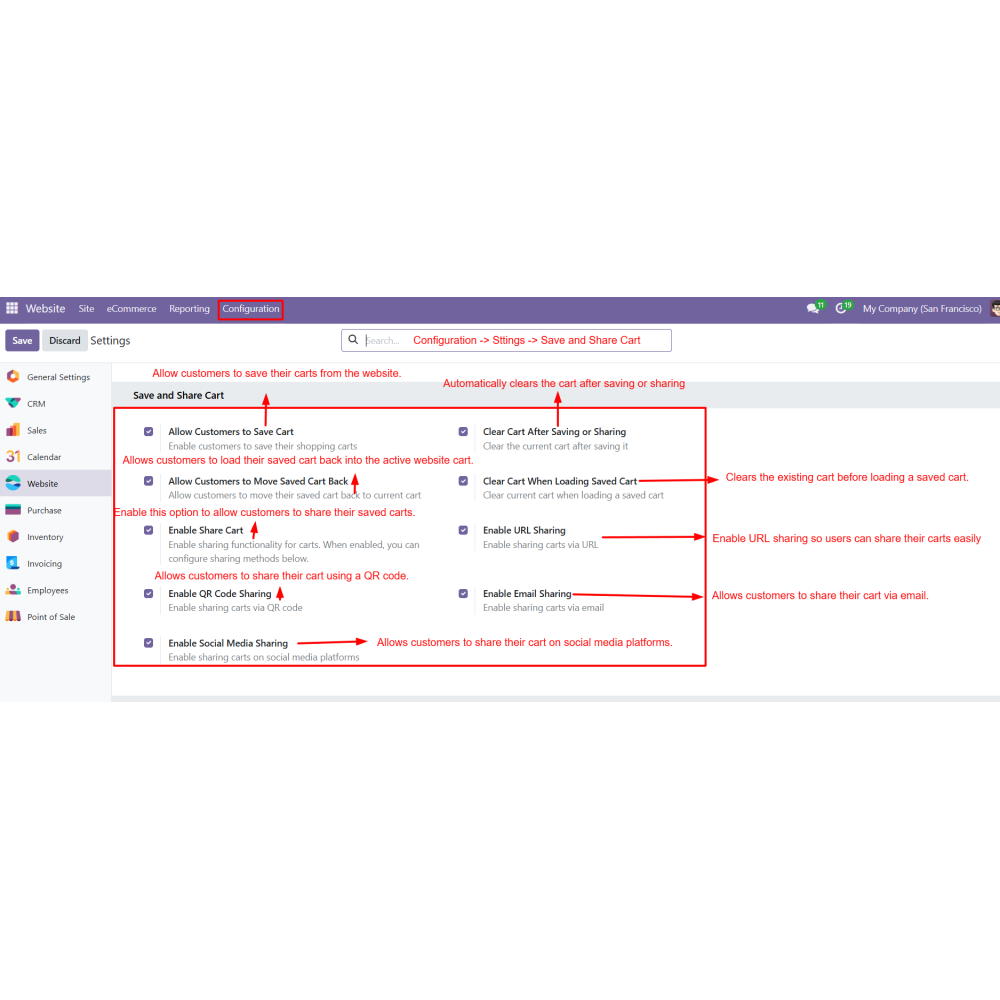
  • Admins can enable or disable save, load, and sharing functionalities from backend settings.
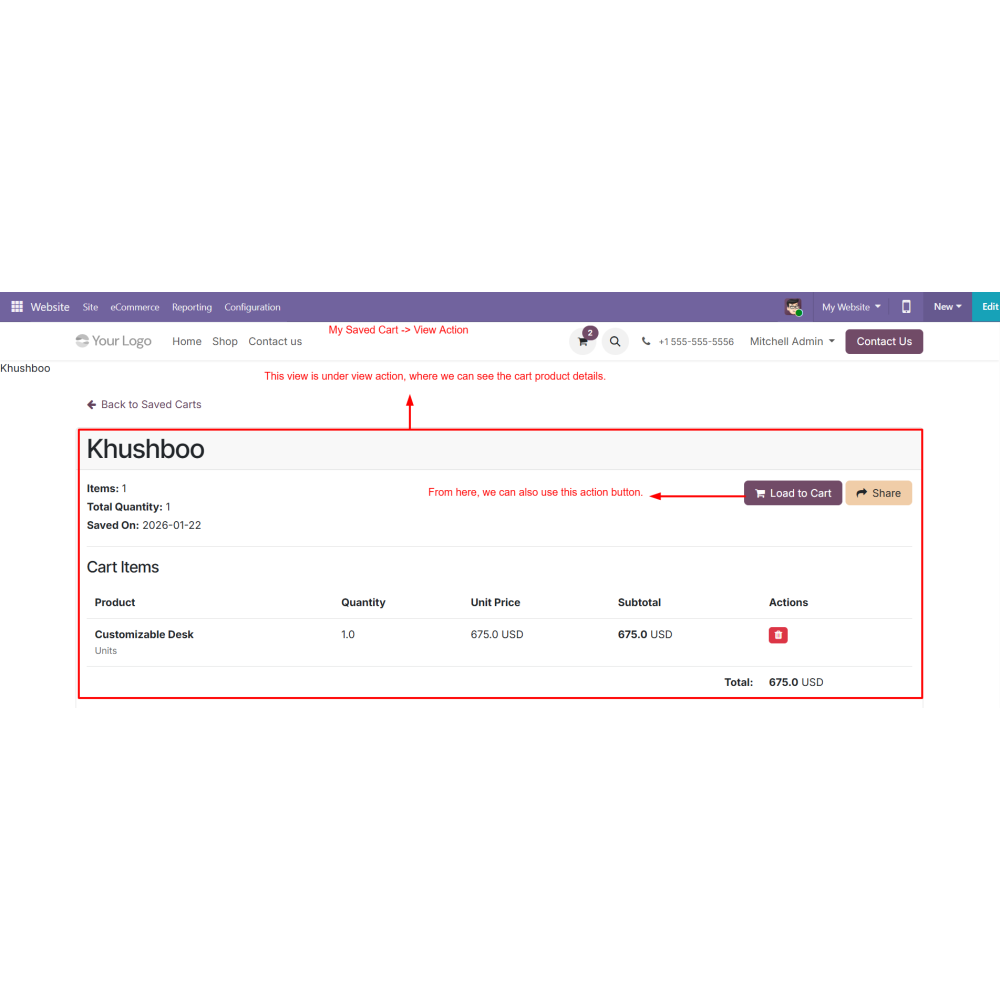
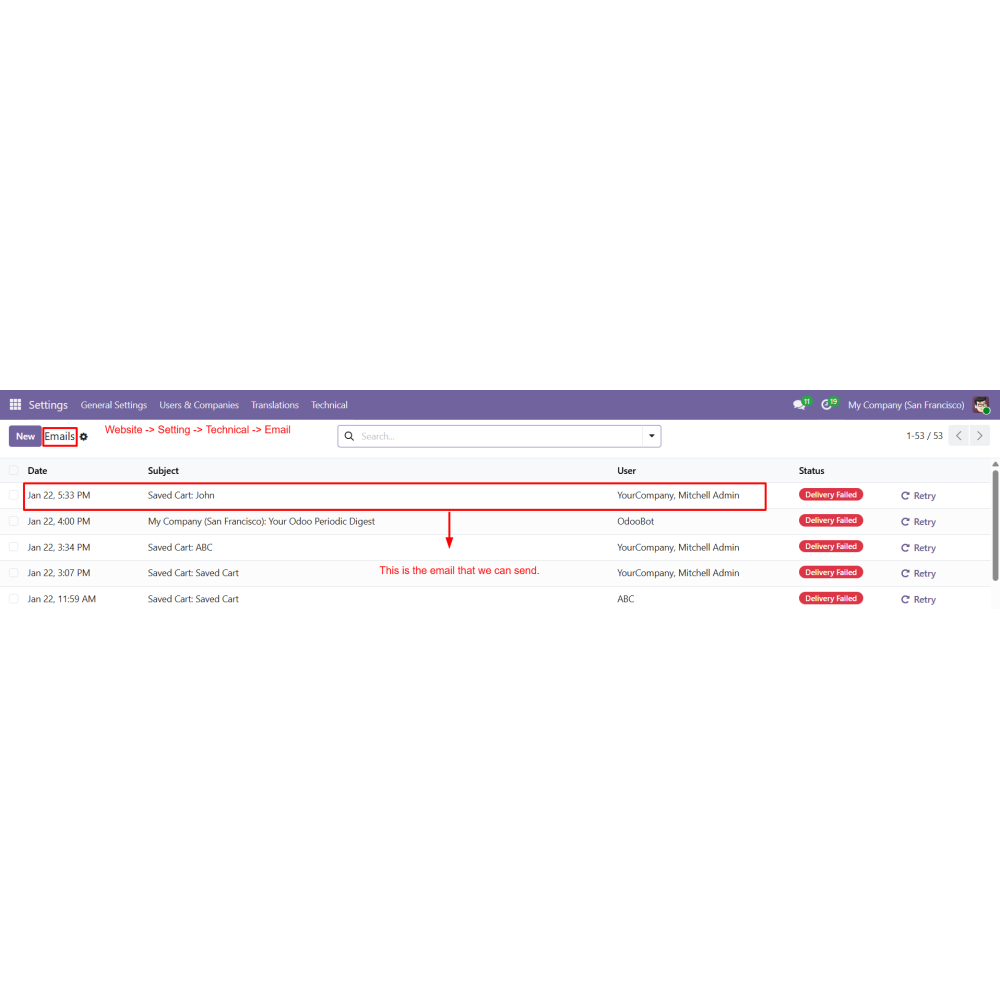
  • Users can view complete saved cart details including products, quantities, and totals before loading or sharing.
  • Reduces cart abandonment by allowing customers to save carts for later purchases.
  • Improves customer convenience with quick cart save and reload functionality.
  • Increases repeat visits by helping users continue shopping anytime.
  • Simplifies cart sharing through URL, QR code, email, and social media.
  • Speeds up the reordering process without rebuilding the cart manually.
  • Enhances the overall eCommerce shopping experience in Odoo.
  • Configure settings to enable Save Cart and Share Cart features in Odoo.
  • Enable required options such as cart saving, loading, and sharing methods.
  • Customers add products to the website shopping cart.
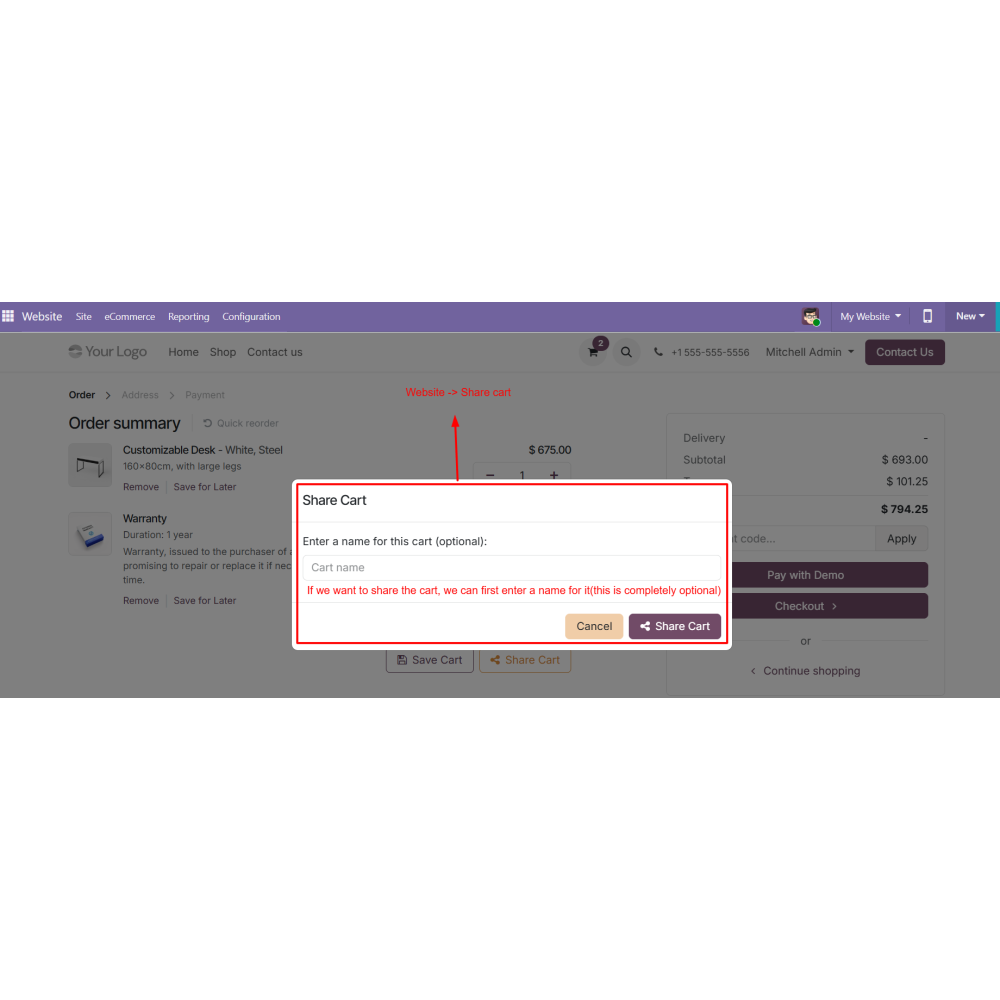
  • Save Cart and Share Cart options appear on the cart page.
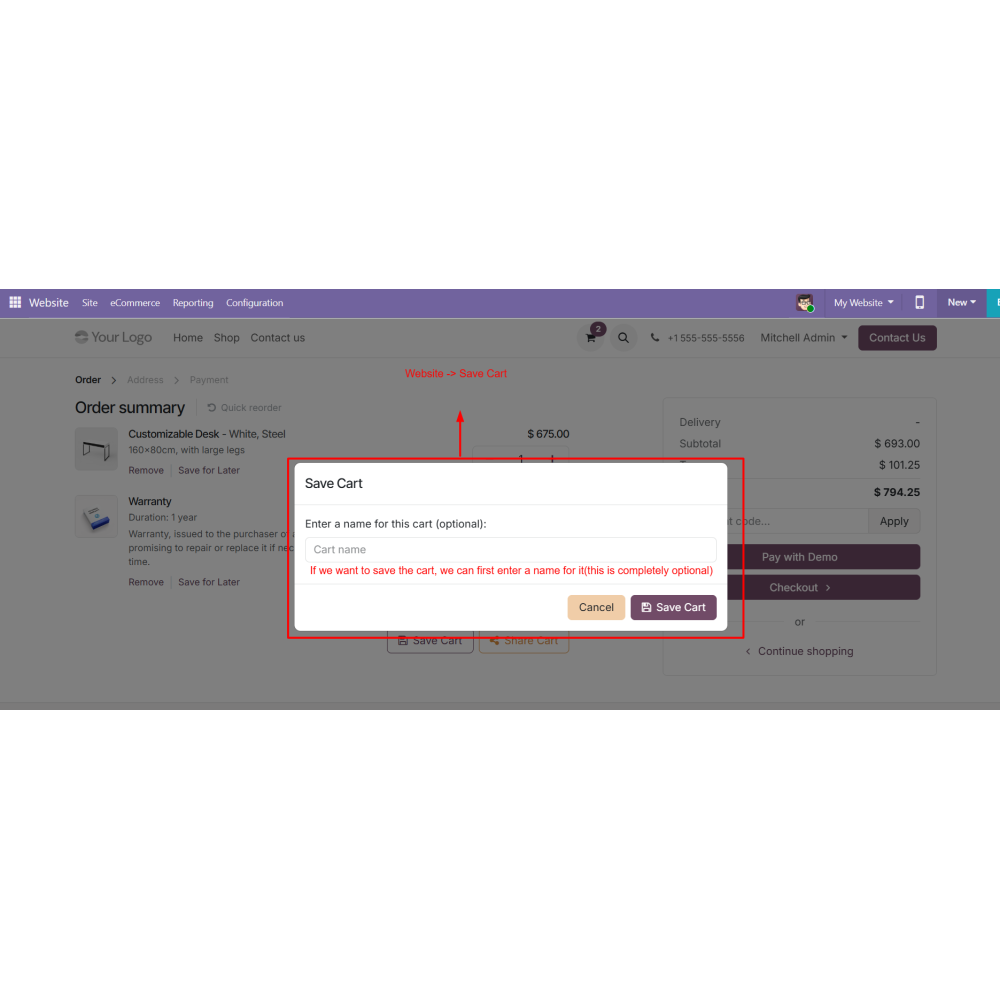
  • Customers can save the current cart by entering an optional cart name.
  • Navigate to Website → My Account → Saved Carts to manage saved carts.
  • View saved cart details including products, quantities, and totals.
  • Use action options to load, share, or delete saved carts.
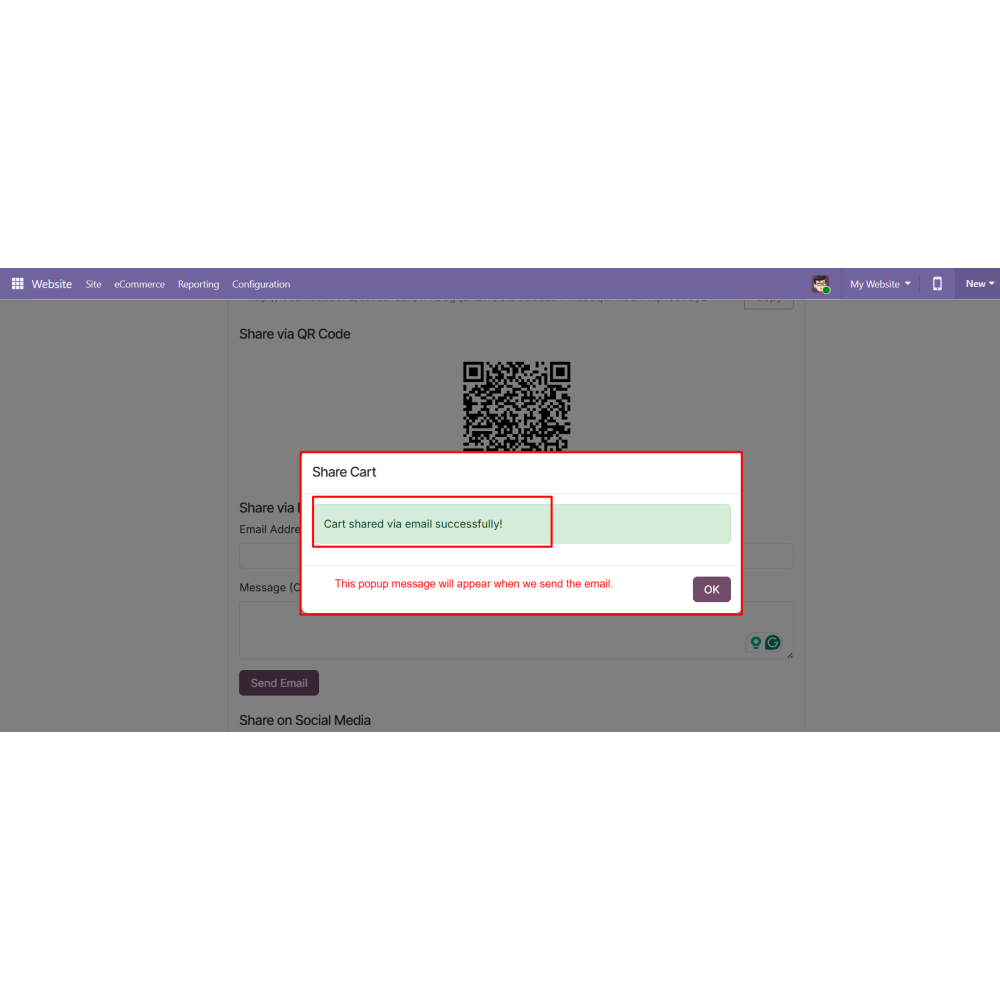
  • Share carts using URL, QR code, email, or social media platforms.
  • Open the shared cart link to load products directly into the cart and proceed to checkout.
What is the purpose of the Save and Share Cart module?The module allows customers to save shopping carts and share them through URL, QR code, email, or social media platforms.
Can customers reload saved carts later?Yes, users can instantly reload saved carts into the active cart from the My Account section.
What sharing methods are supported?The module supports sharing via URL, QR code, email, and social media platforms.
Can customers manage multiple saved carts?Yes, customers can view, load, share, or delete multiple saved carts anytime.
Can admins control save and share features?Yes, admins can enable or disable cart save, load, and sharing options from backend settings.
Does the module help reduce cart abandonment?Yes, customers can continue purchases later without rebuilding their carts, helping improve conversions.

Customer reviews

0.0 Out Of 5
5 star
0%
4 star
0%
3 star
0%
2 star
0%
1 star
0%

No customer reviews

Benefits Of Save and Share your Cart

Reduces cart abandonment

Improves customer convenience

Increases repeat visits

Speeds up the reordering process

Simplifies cart sharing

Enhances eCommerce user experience

Features of Save and Share your Cart

Configuration-Based Access

Admins can enable or disable all cart actions from the backend settings.

Load Saved Cart

Customers can reload a saved cart back into the active website cart with one click.

My Account – Saved Carts

Provides a dedicated Saved Carts section under My Account to manage all saved carts.

Save Cart from Website

Customers can save their current shopping cart directly from the website cart page.

View Saved Cart Details

Users can view complete details of saved carts, including products, quantities, and totals.

Cart Sharing Options

Allows customers to share carts from the website cart or saved carts using multiple sharing methods.

Power Up Your  Store — We Handle It All
Related products