
Odoo Shopify Connector
The Shopify Connector for Odoo enables seamless integration between your Shopify store and ERP system. It synchronizes products, orders, customers, inventory, and other key data, allowing businesses to manage eCommerce operations directly from Odoo. This reduces manual work, improves data accuracy, and ensures real-time updates across both platforms. The connector helps streamline workflows, automate processes, and centralize store management for better control and efficiency.
Odoo Shopify Connector
The Shopify Connector for Odoo enables seamless integration between your Shopify store and ERP system. It synchronizes products, orders, customers, inventory, and other key data, allowing businesses to manage eCommerce operations directly from Odoo. This reduces manual work, improves data accuracy, and ensures real-time updates across both platforms. The connector helps streamline workflows, automate processes, and centralize store management for better control and efficiency.
10-day module exchange guarantee
- Integrate Shopify store with Odoo for centralized management
- Synchronize products, orders, customers, and inventory
- Automate import and export processes to reduce manual work
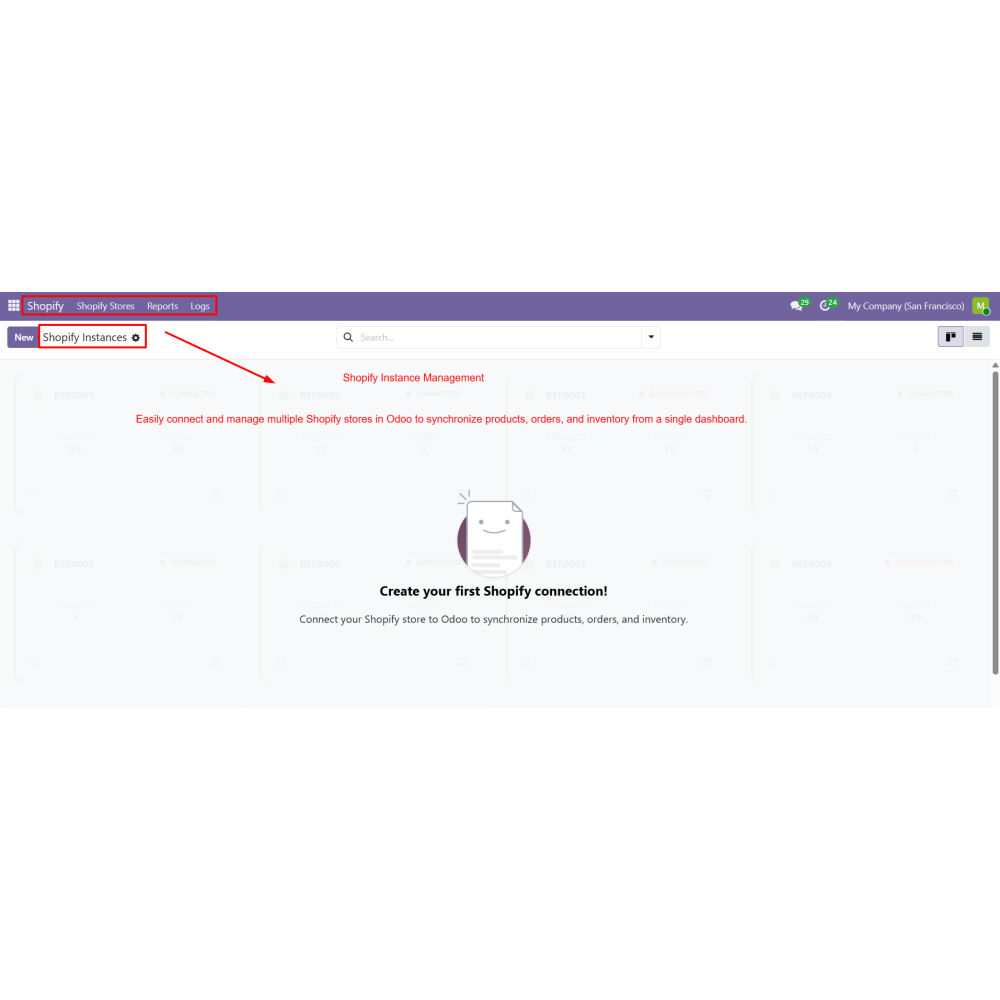
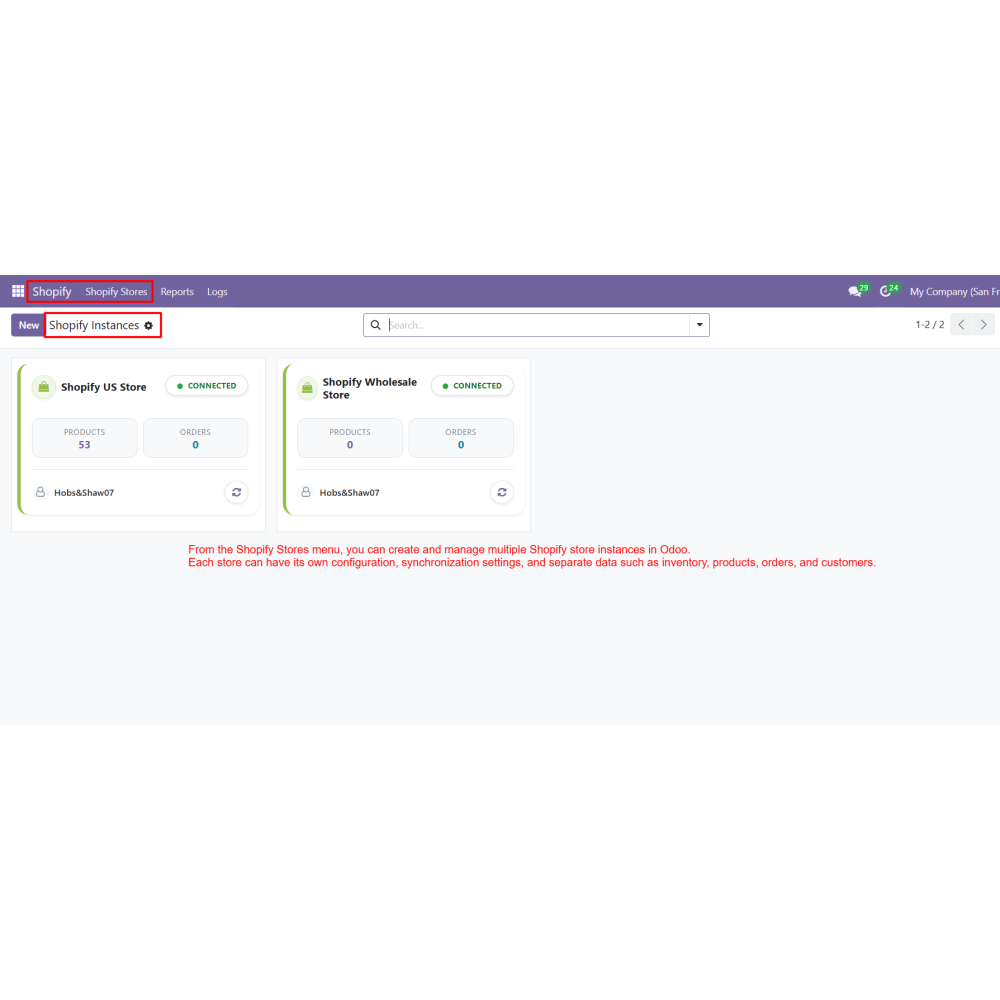
- Manage multiple Shopify stores from one dashboard
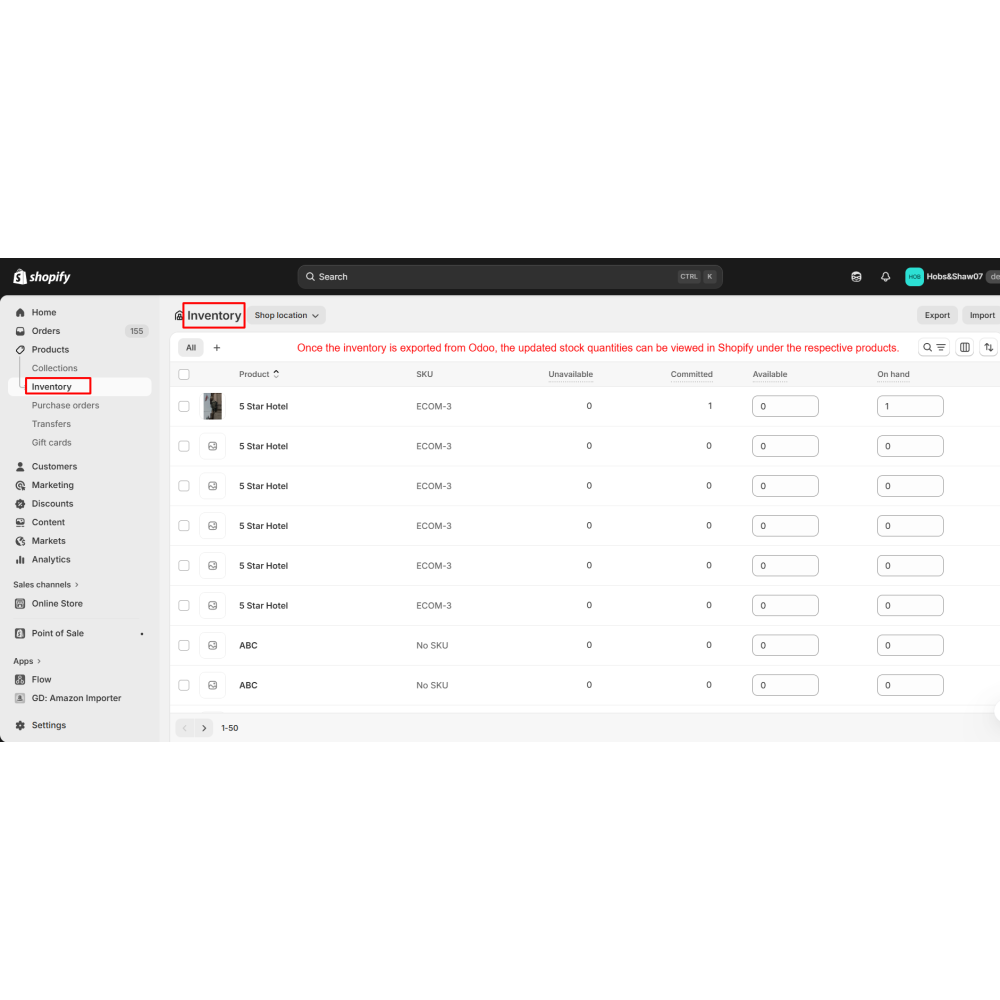
- Maintain real-time stock updates to prevent overselling
- Improve order processing with automated workflows
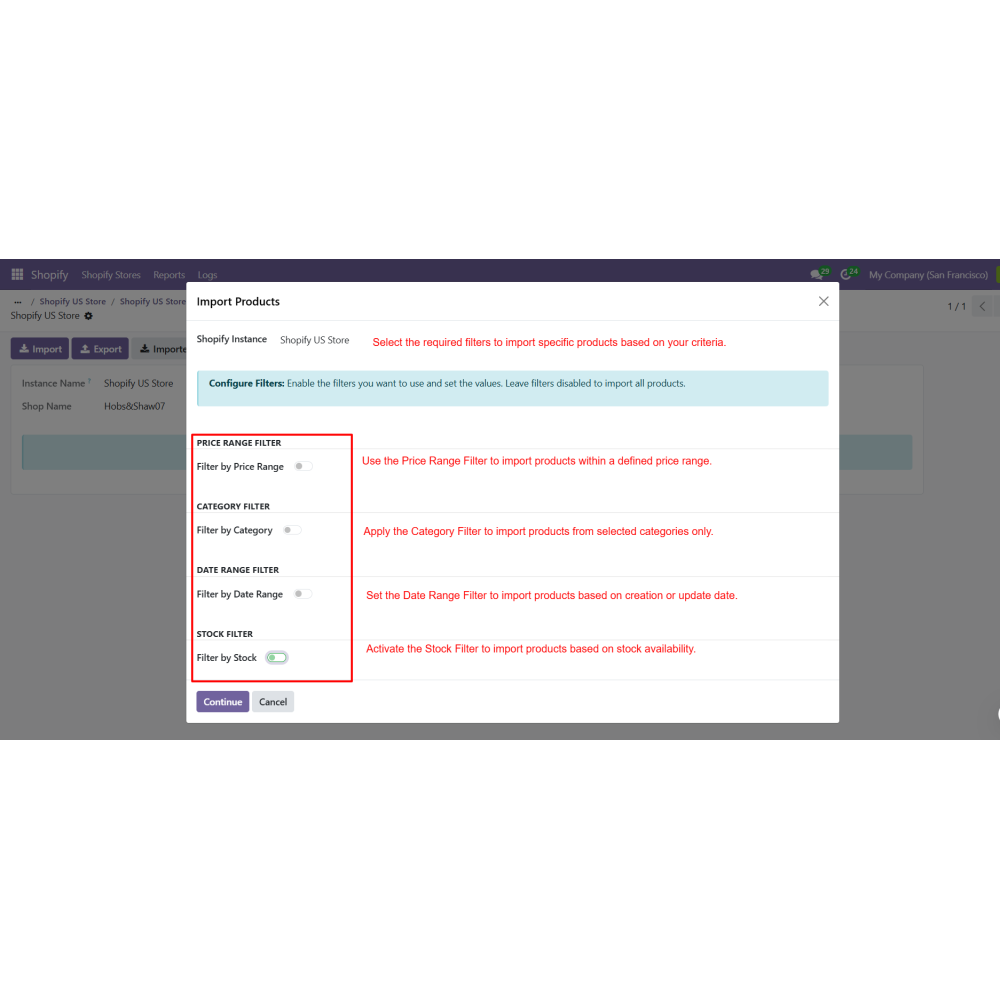
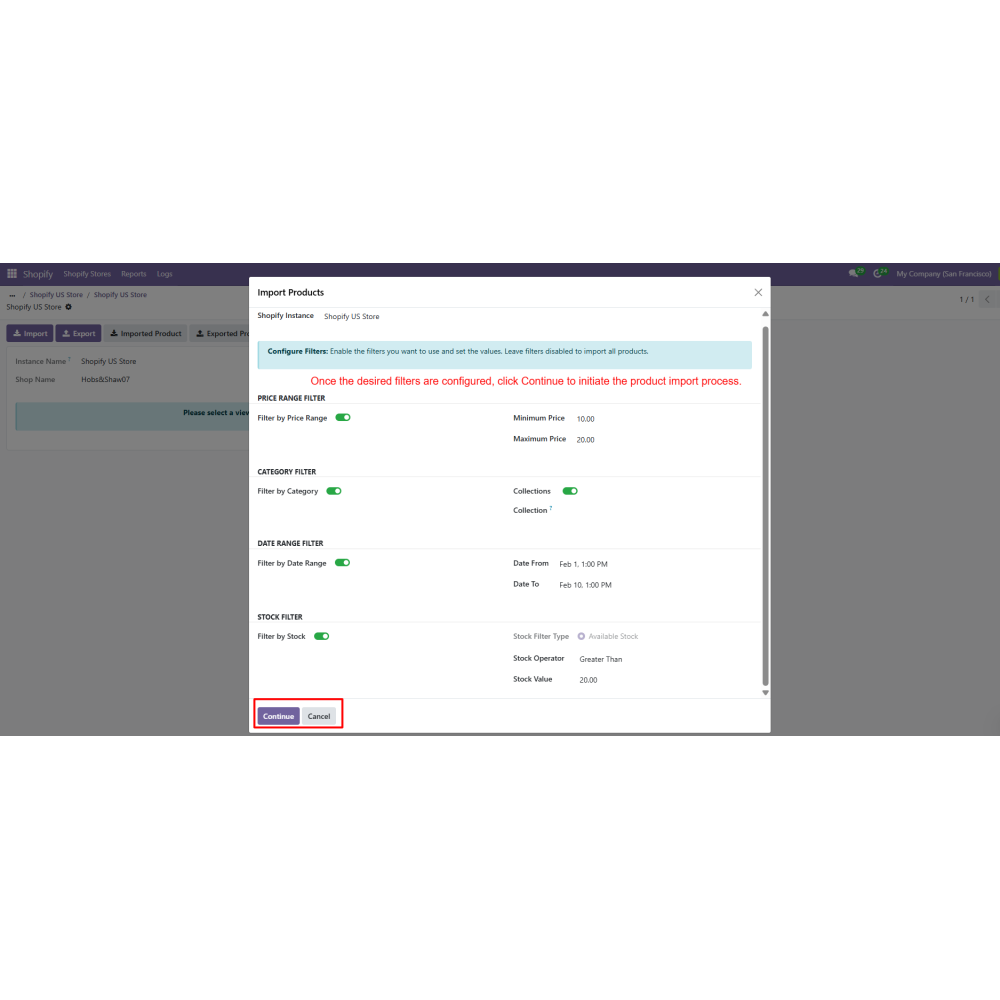
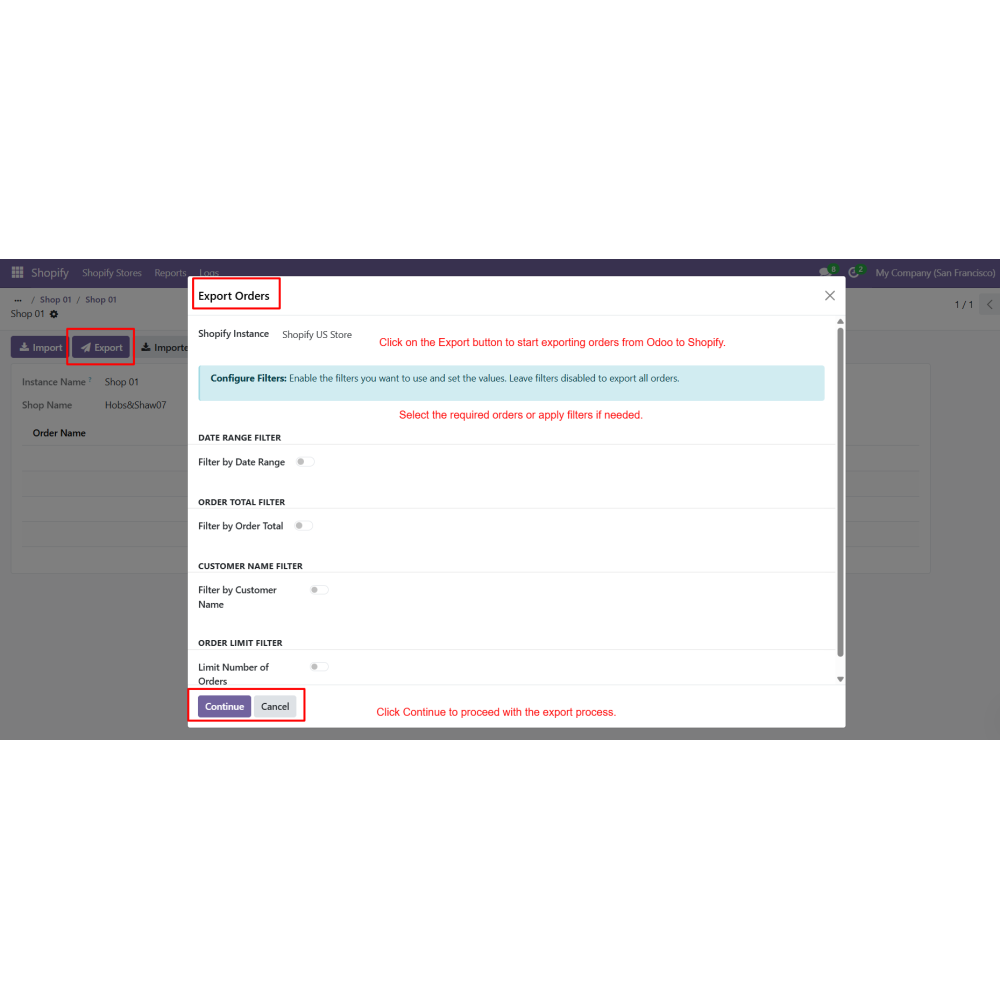
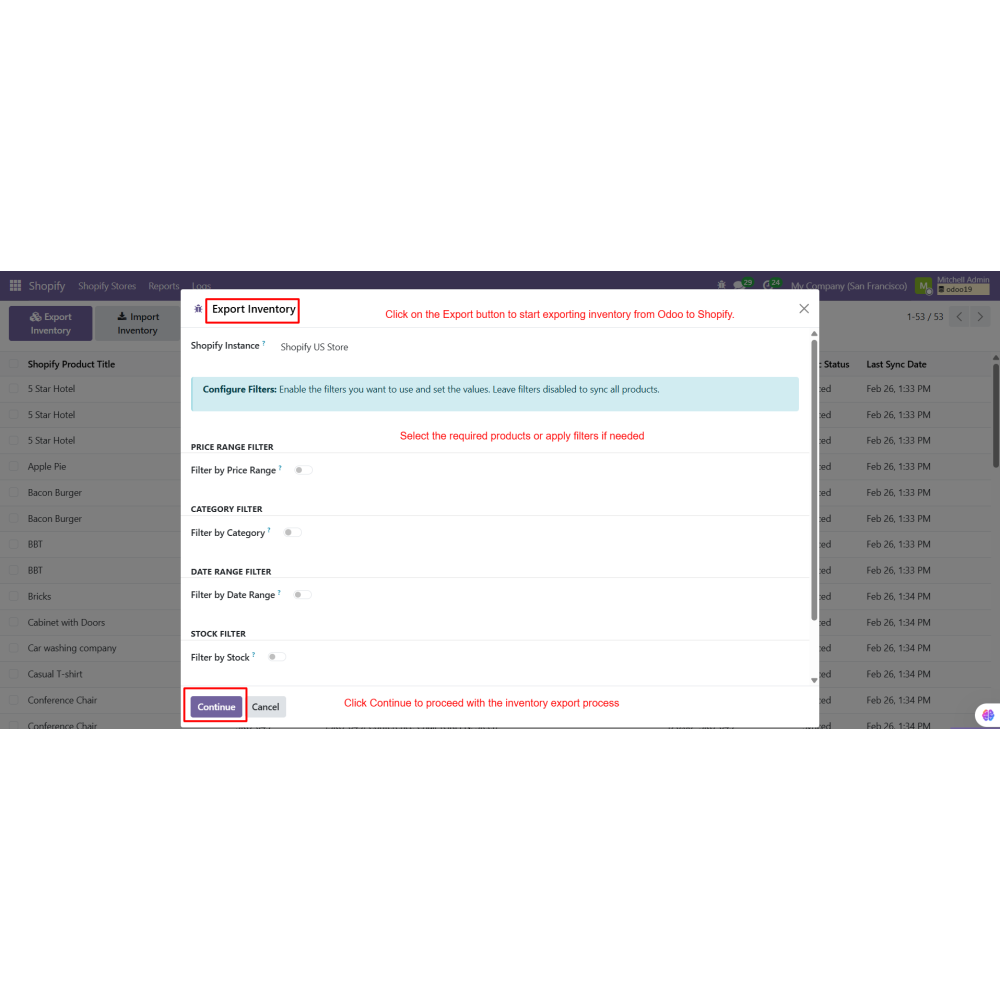
- Apply filters for controlled and flexible data synchronization
- Enhance overall efficiency in eCommerce operations
- Multi-store management with separate configurations
- Secure connection using API credentials and validation
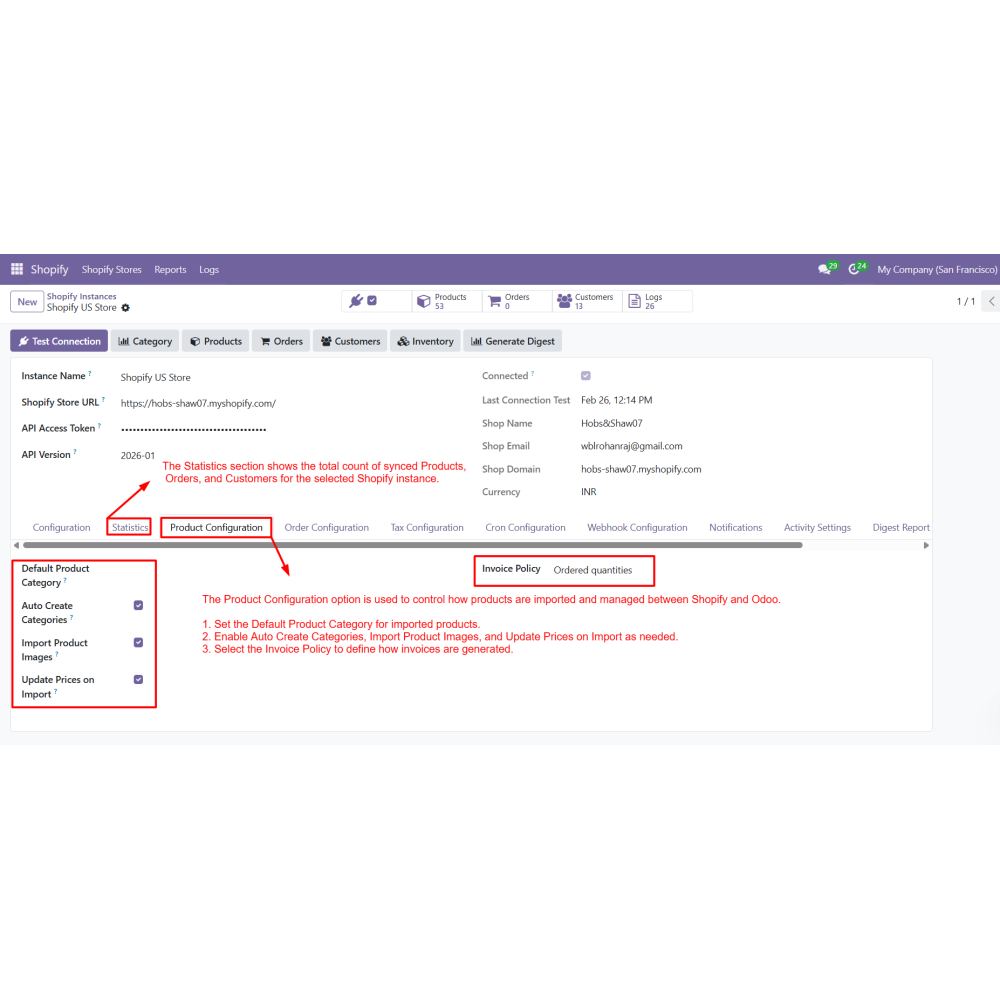
- Product synchronization with images, pricing, and categories
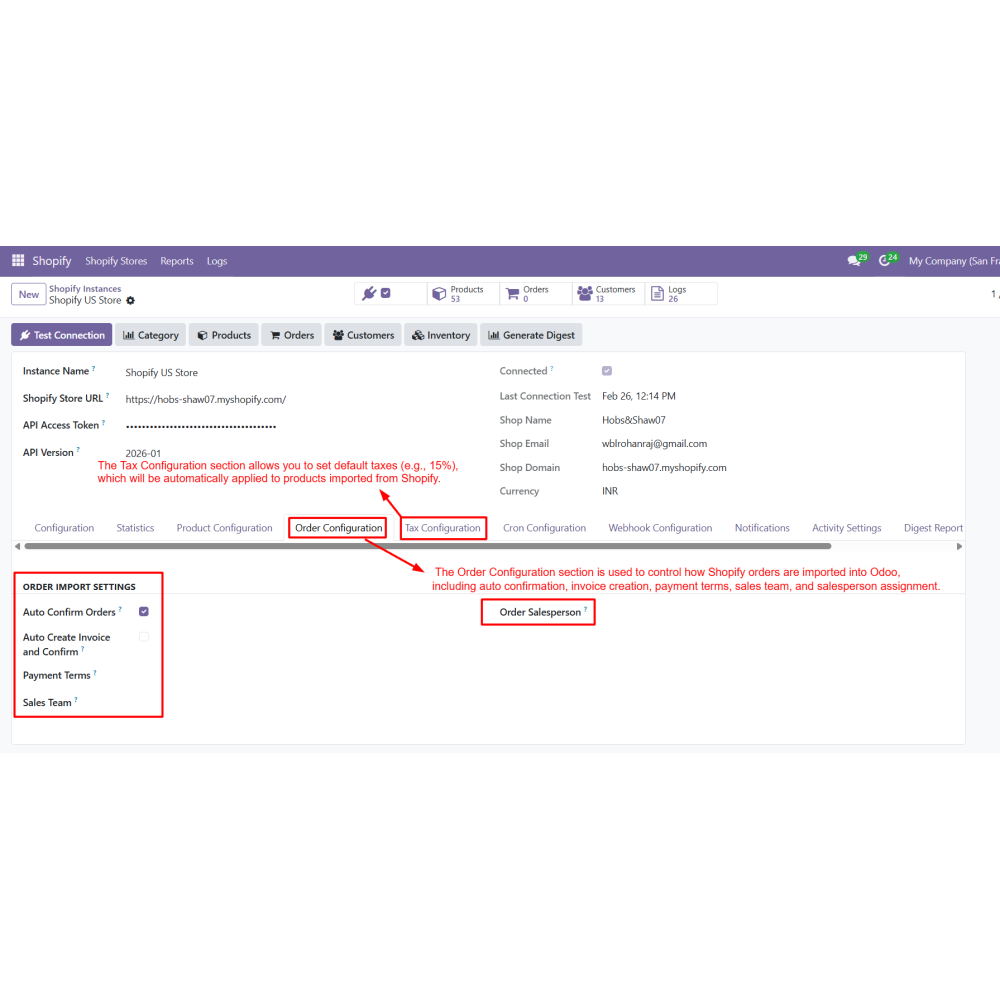
- Order synchronization with invoicing and tax mapping
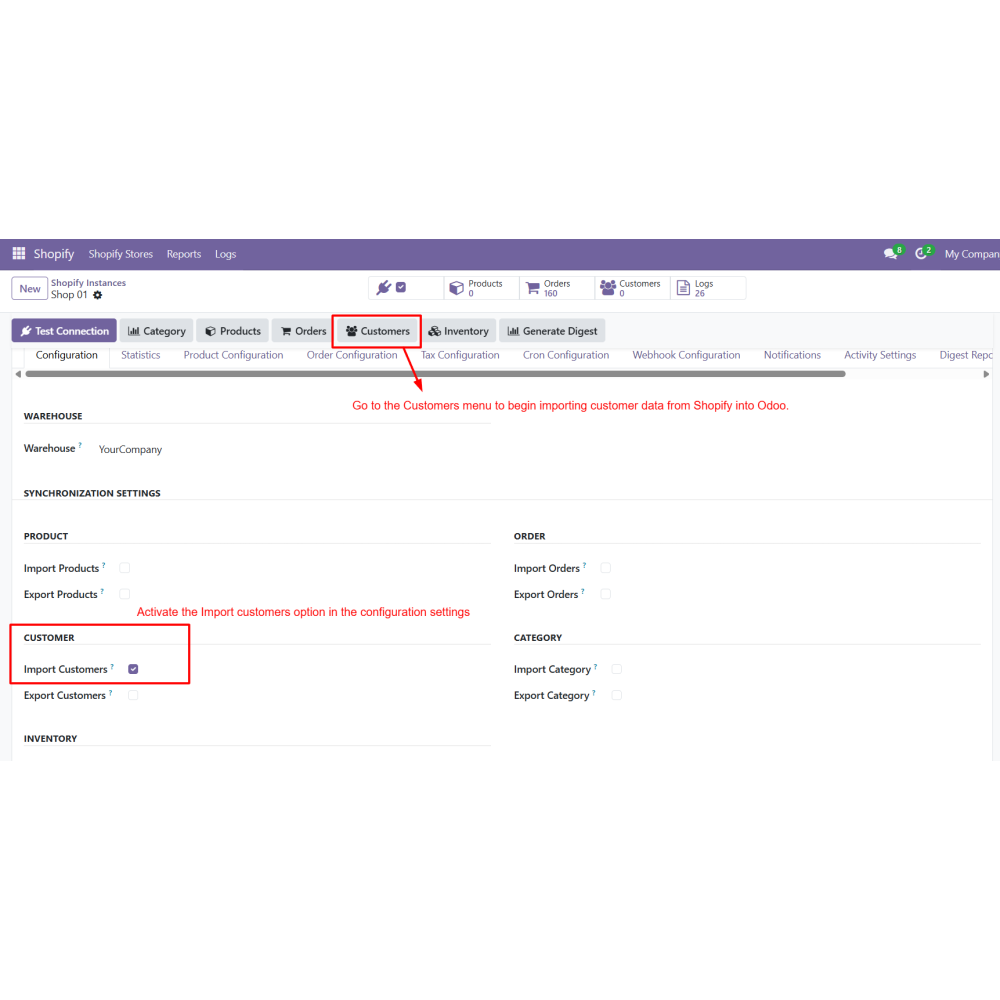
- Customer data import and management in Odoo
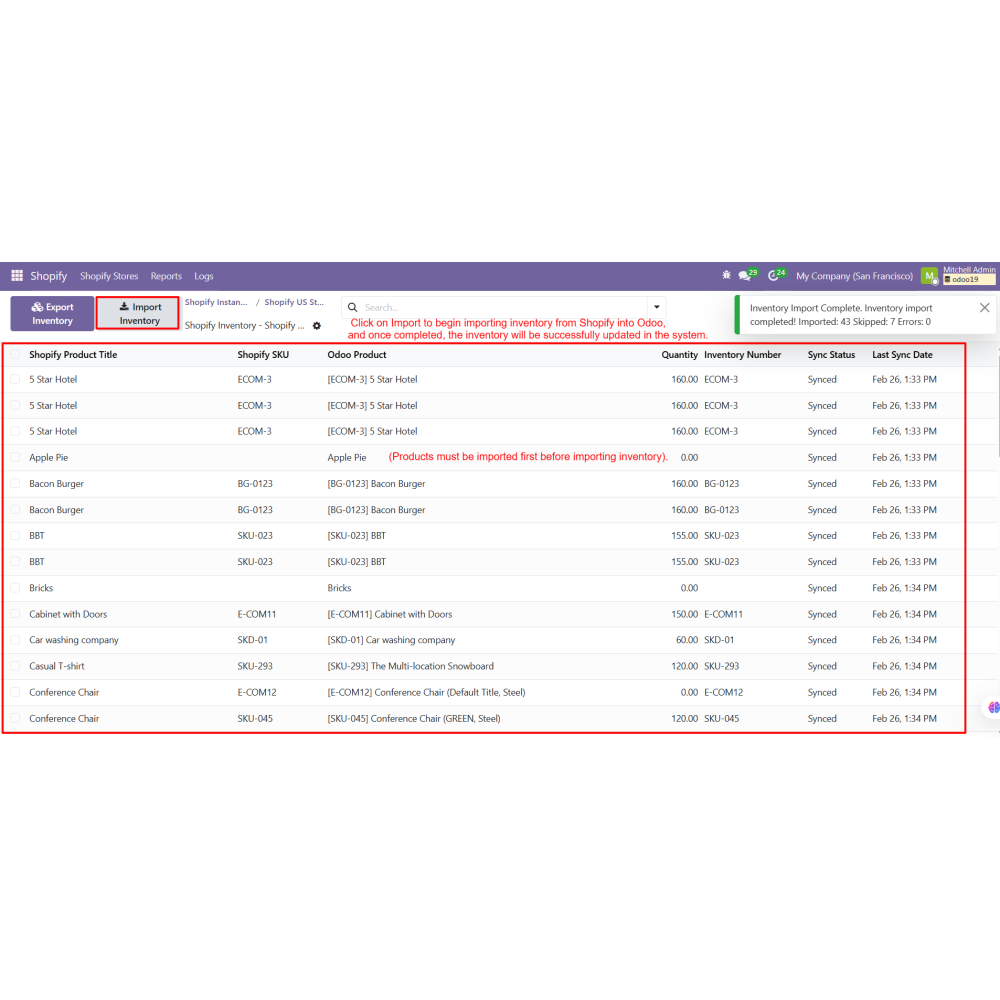
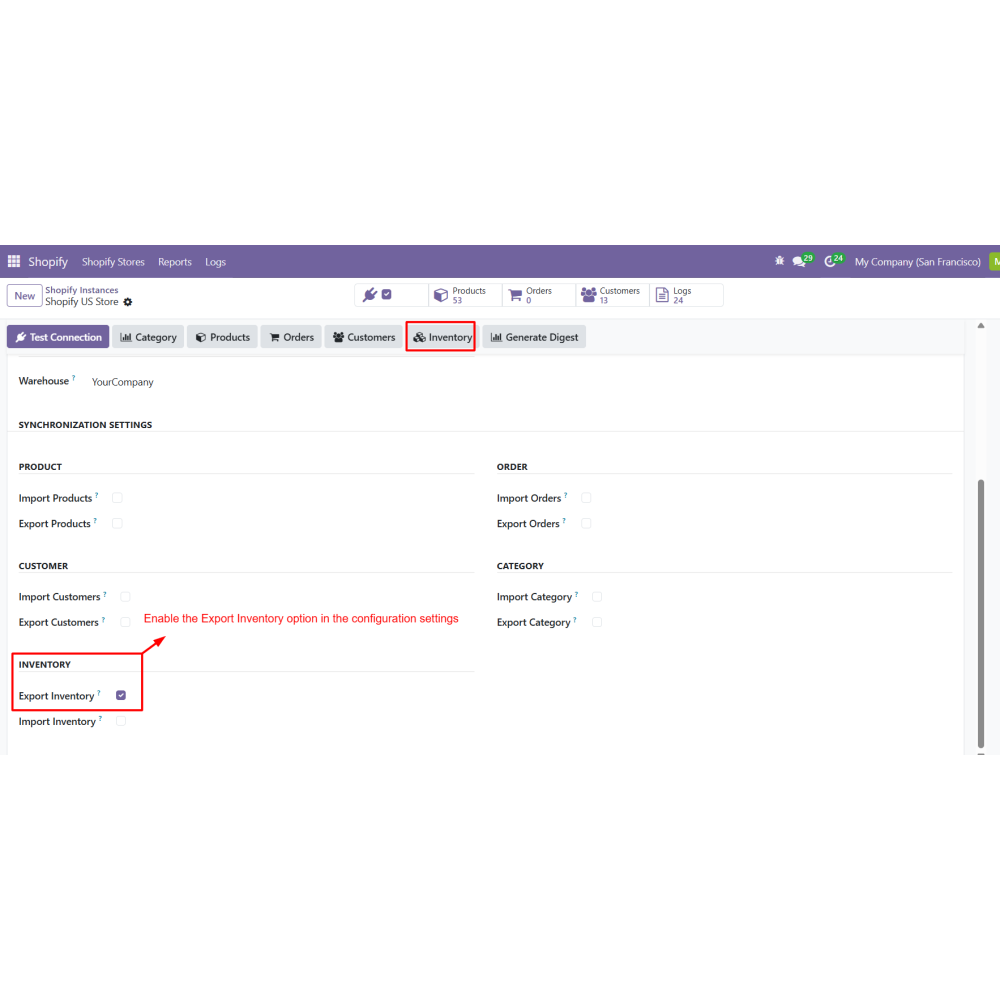
- Inventory synchronization for real-time stock updates
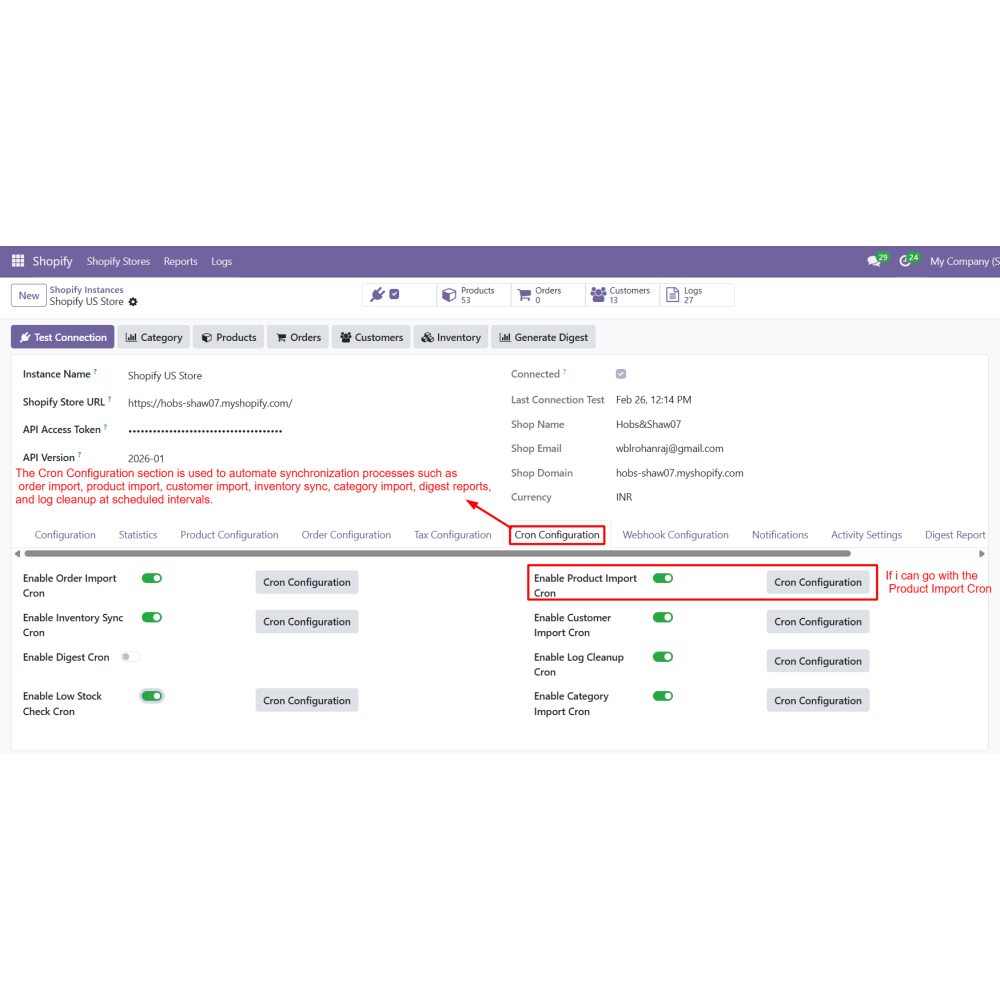
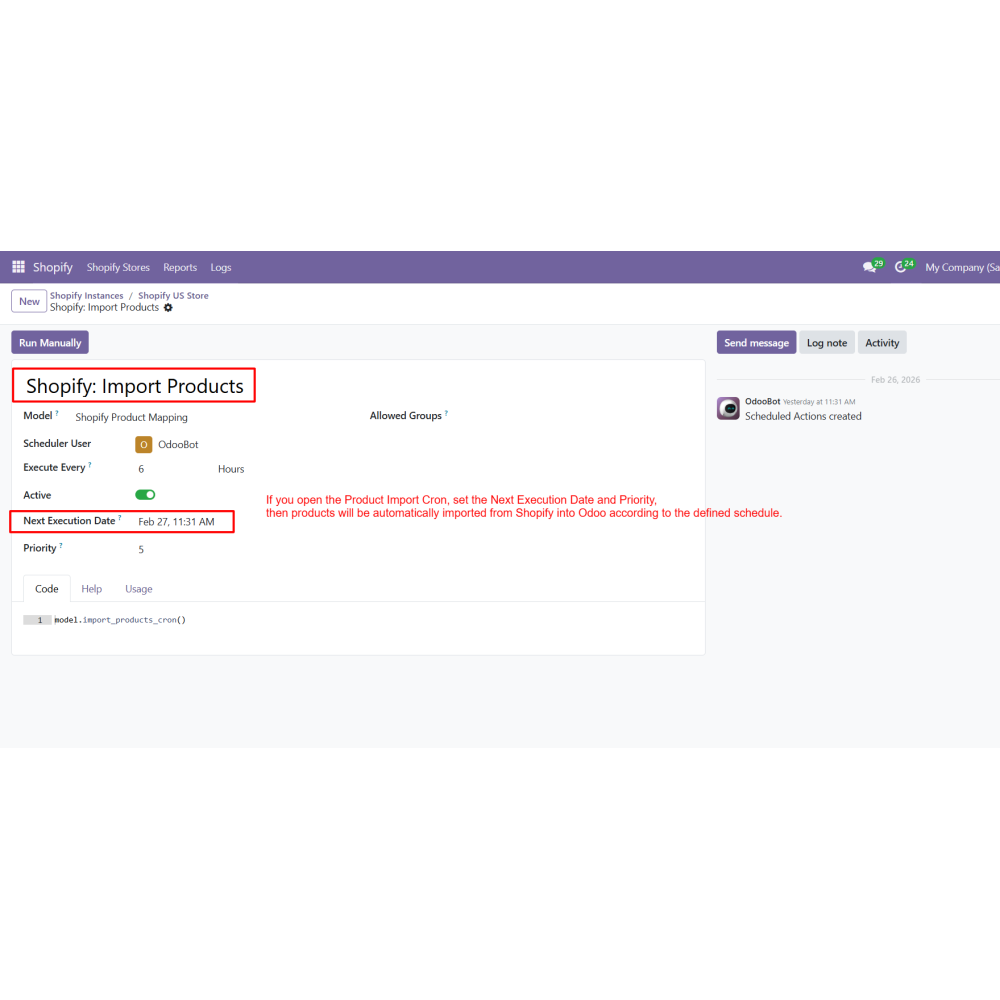
- Automated cron jobs for scheduled synchronization
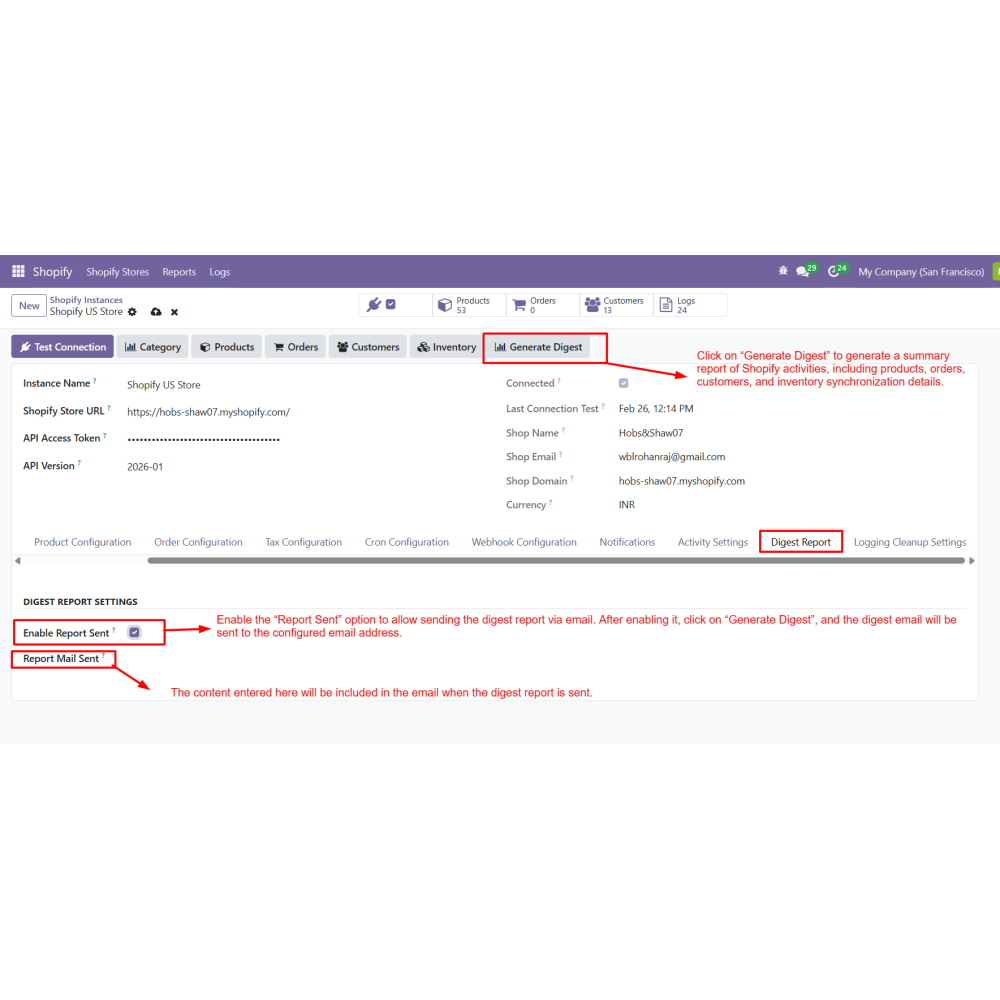
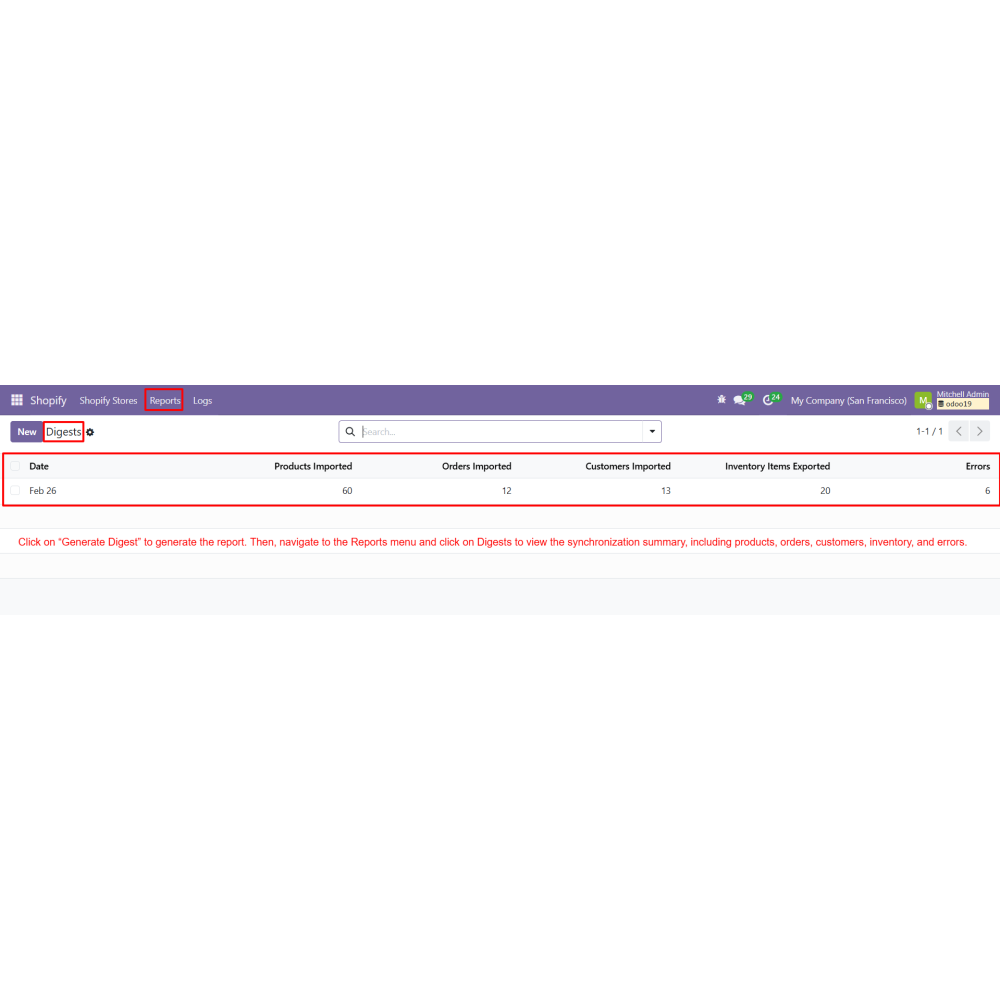
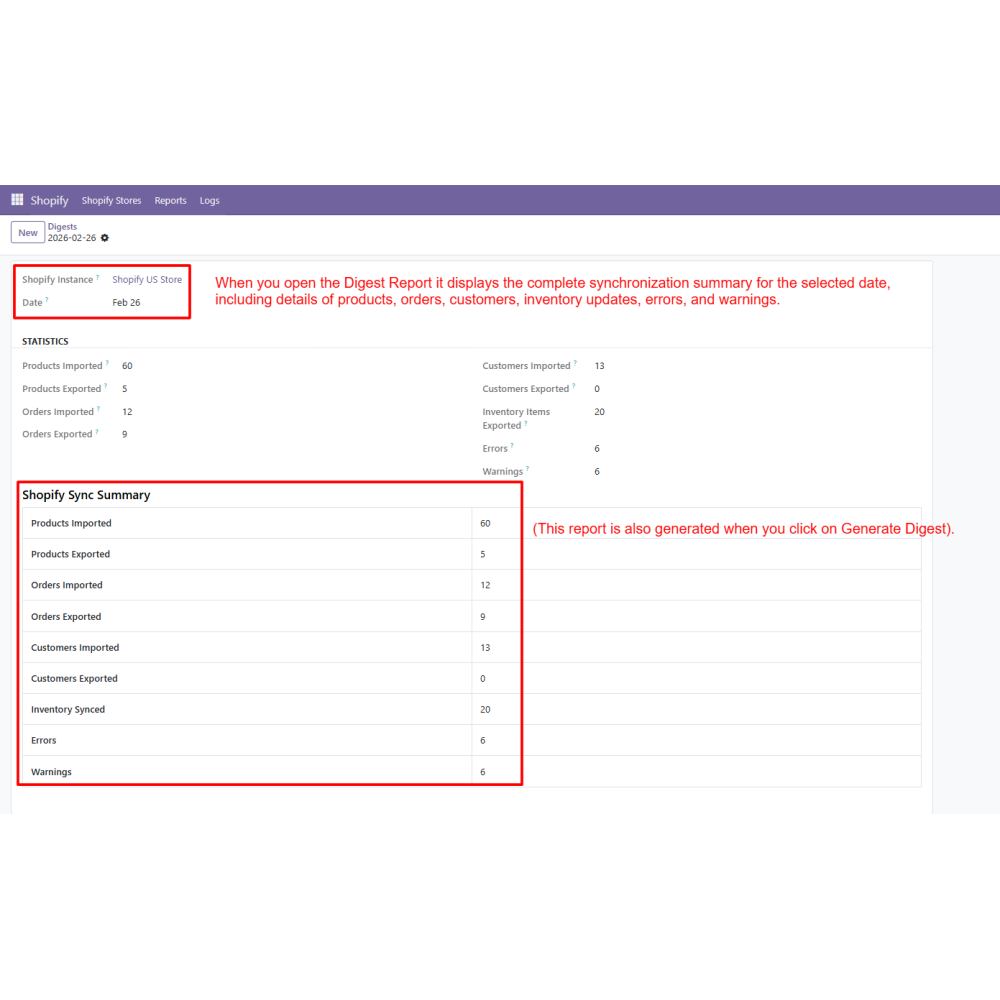
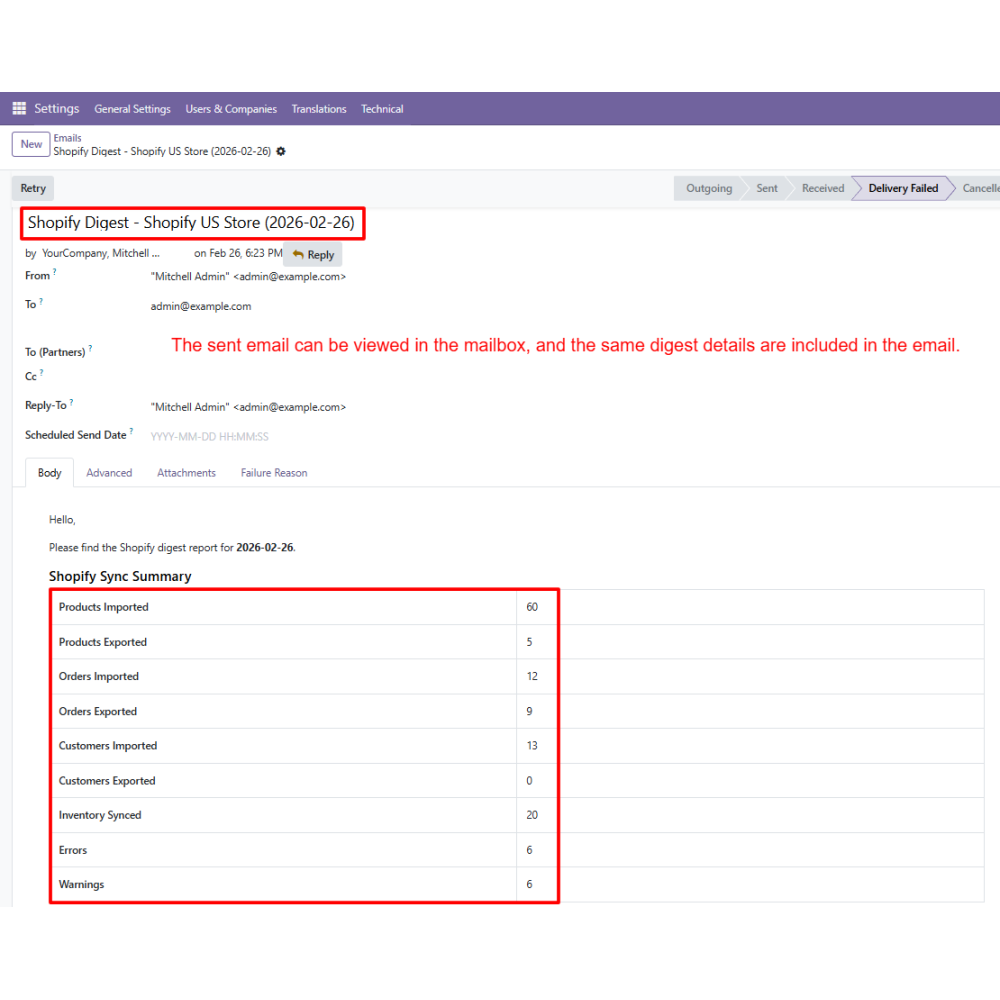
- Detailed logs and digest reports for monitoring operations
- Centralized control of Shopify operations in Odoo
- Real-time data synchronization across platforms
- Better inventory management and stock accuracy
- Reduced manual effort with automation
- Improved data consistency and reliability
- Streamlined workflows for faster operations
- Install the Shopify Connector module in Odoo.
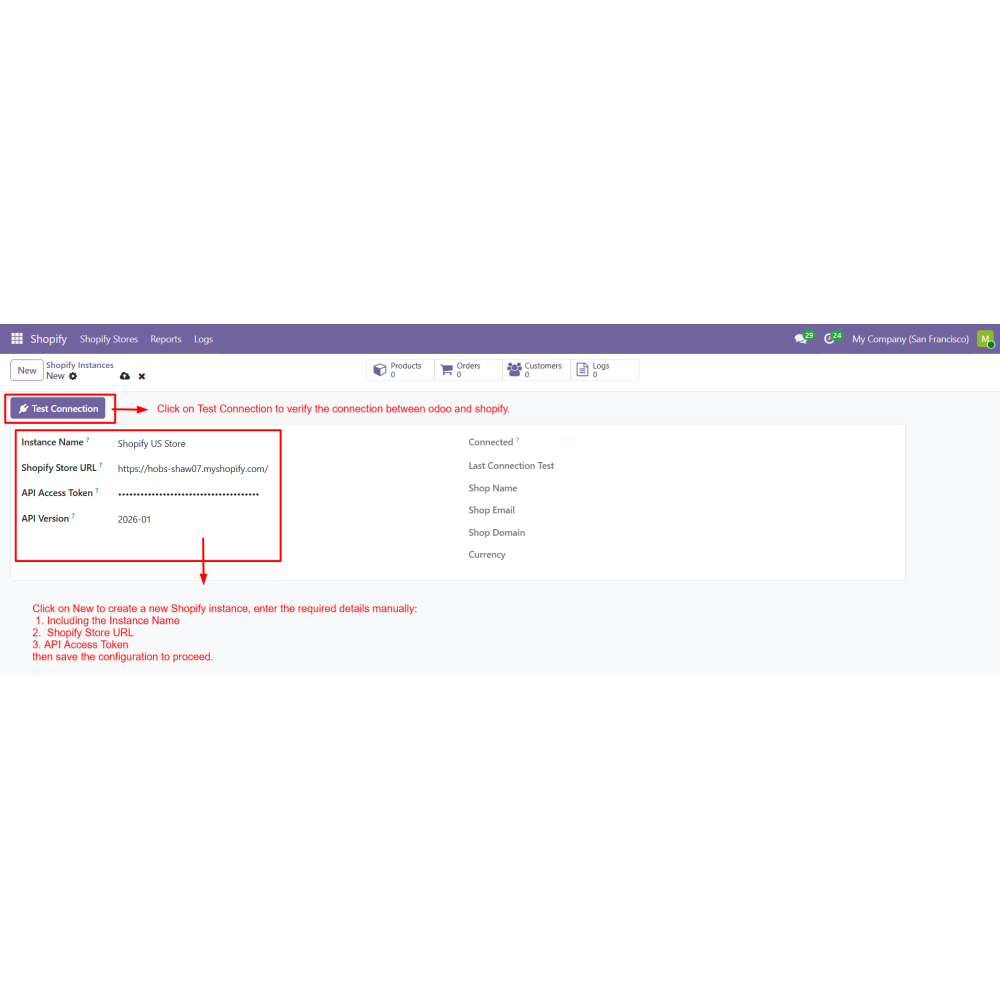
- Go to Shopify Stores and click New to create a Shopify instance.
- Enter the Store URL and API credentials.
- Click Test Connection to verify the Shopify connection.
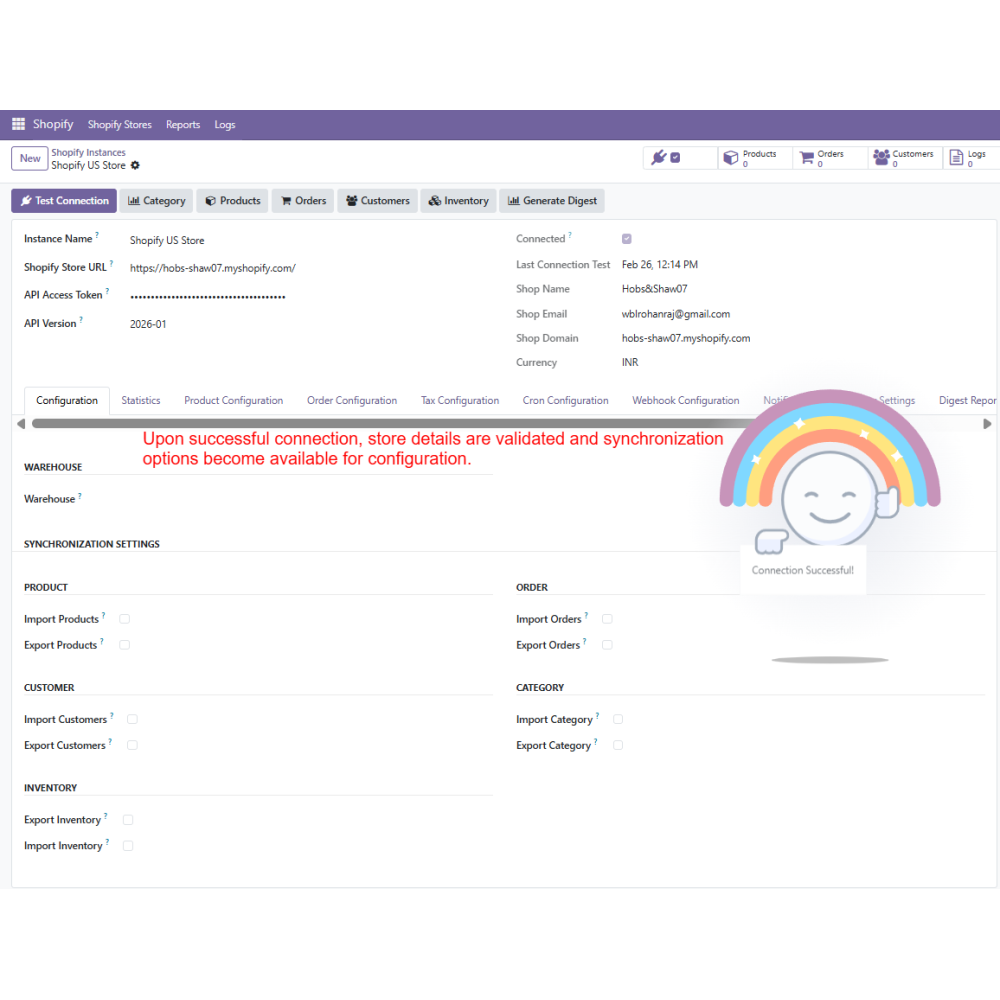
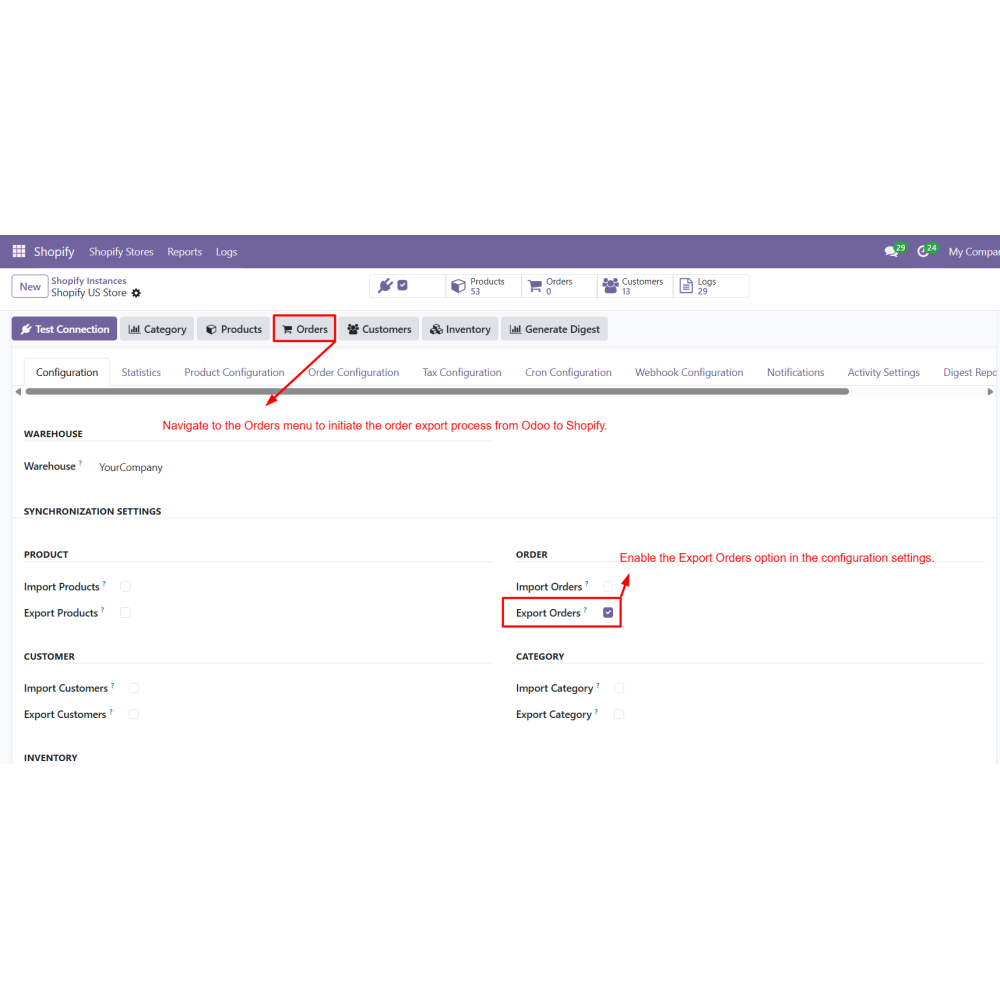
- Configure Product, Order, Tax, and Inventory settings.
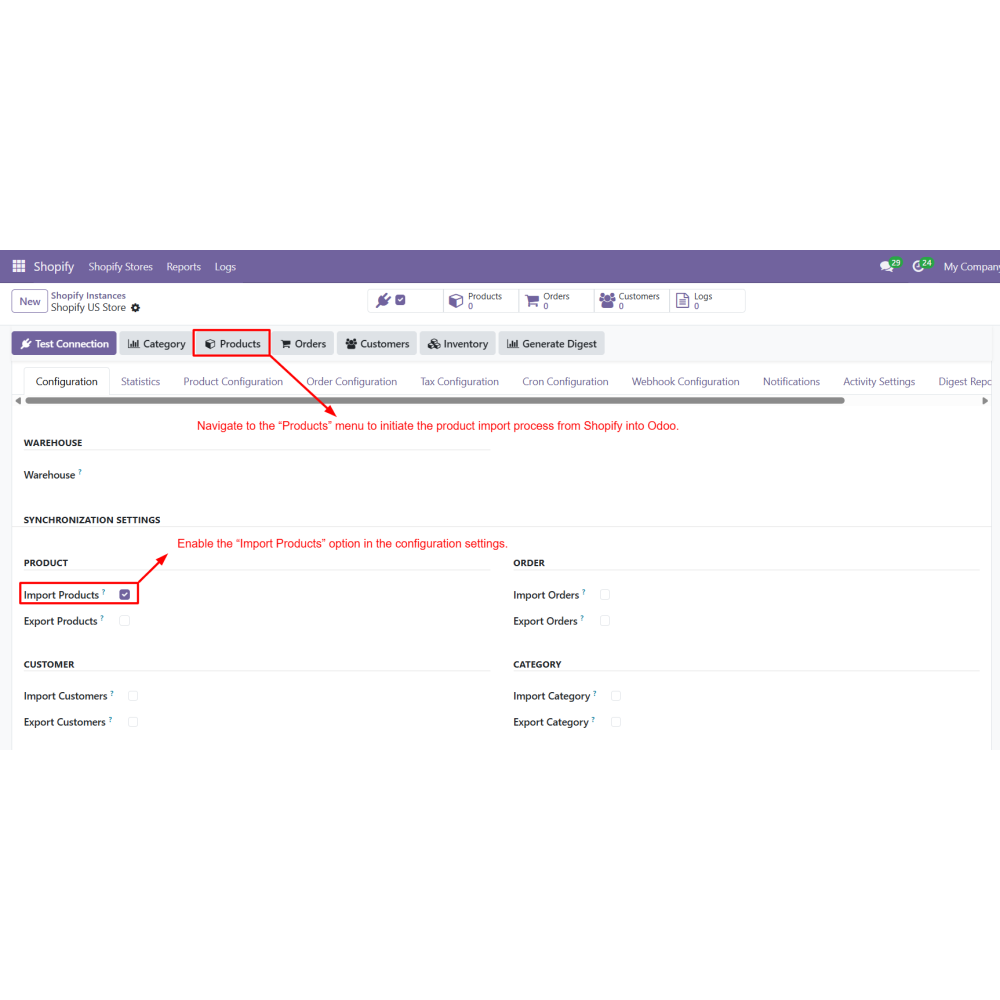
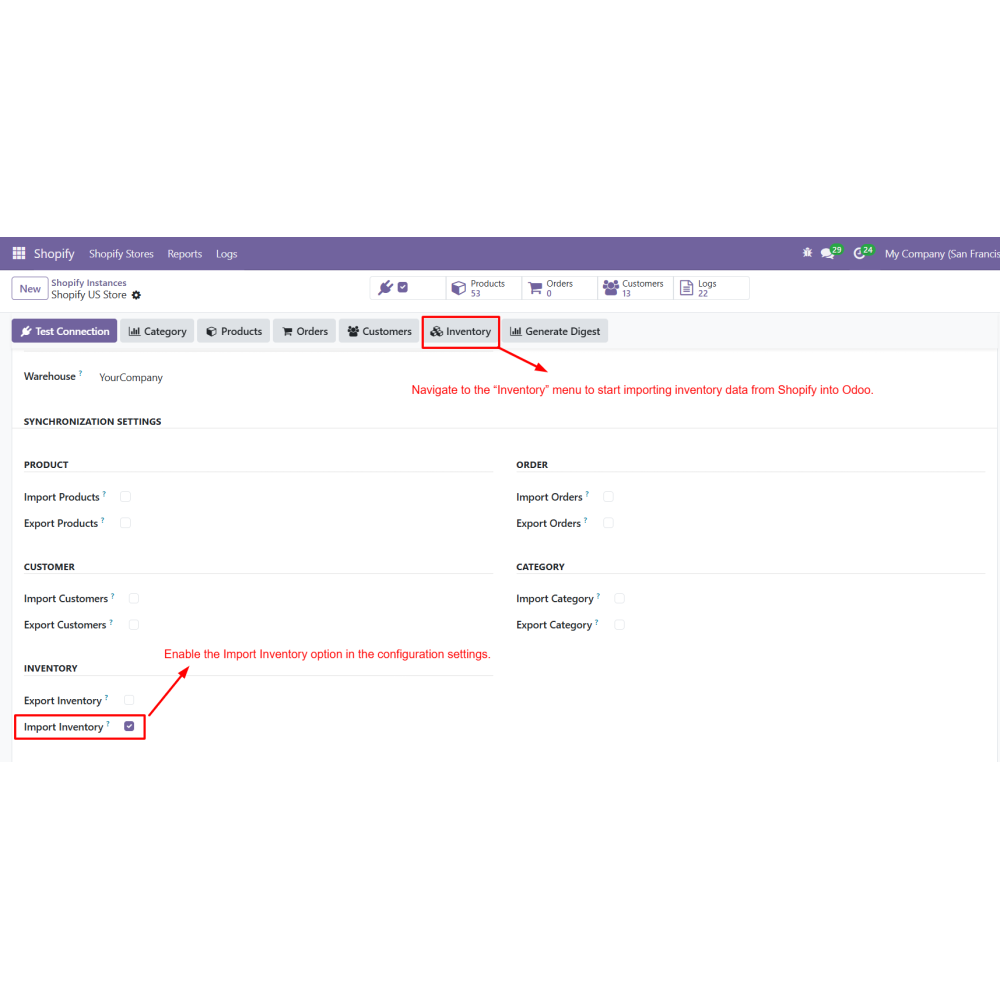
- Enable required options such as Import Products, Import Orders, Import Customers, and Inventory Sync.
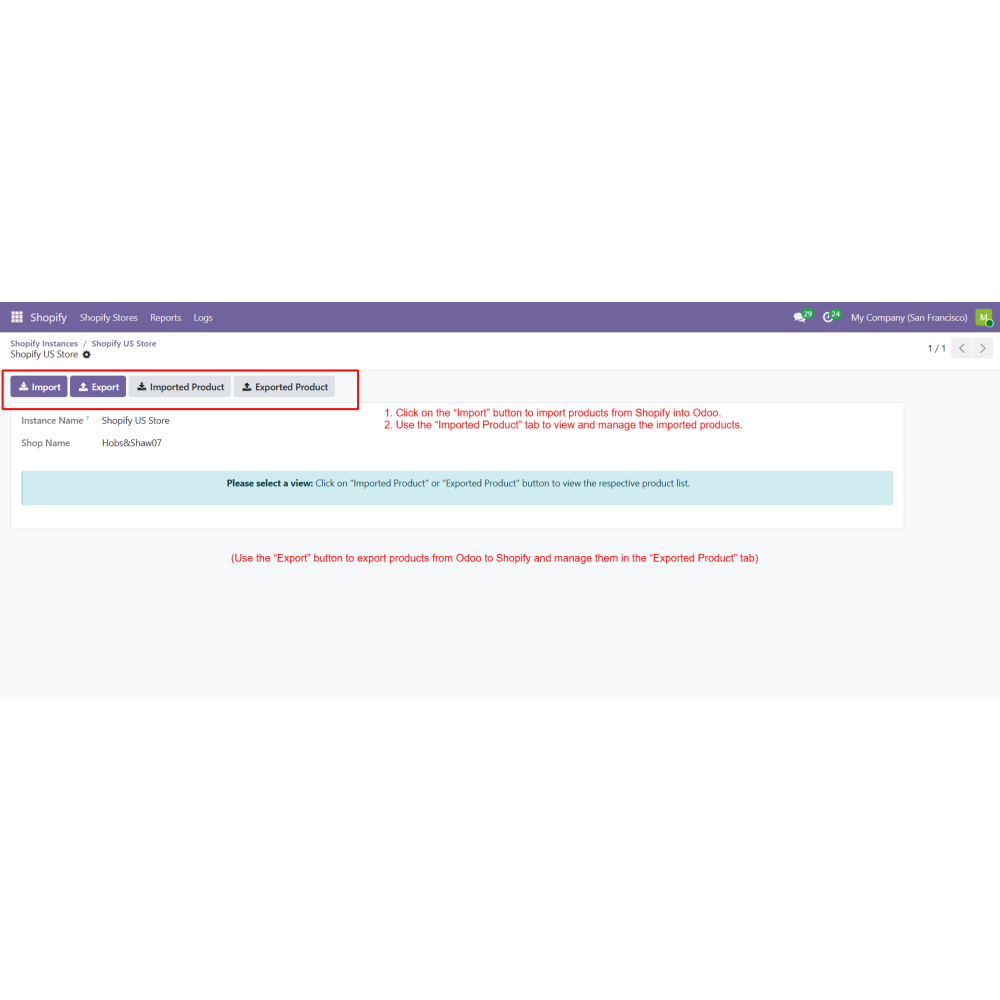
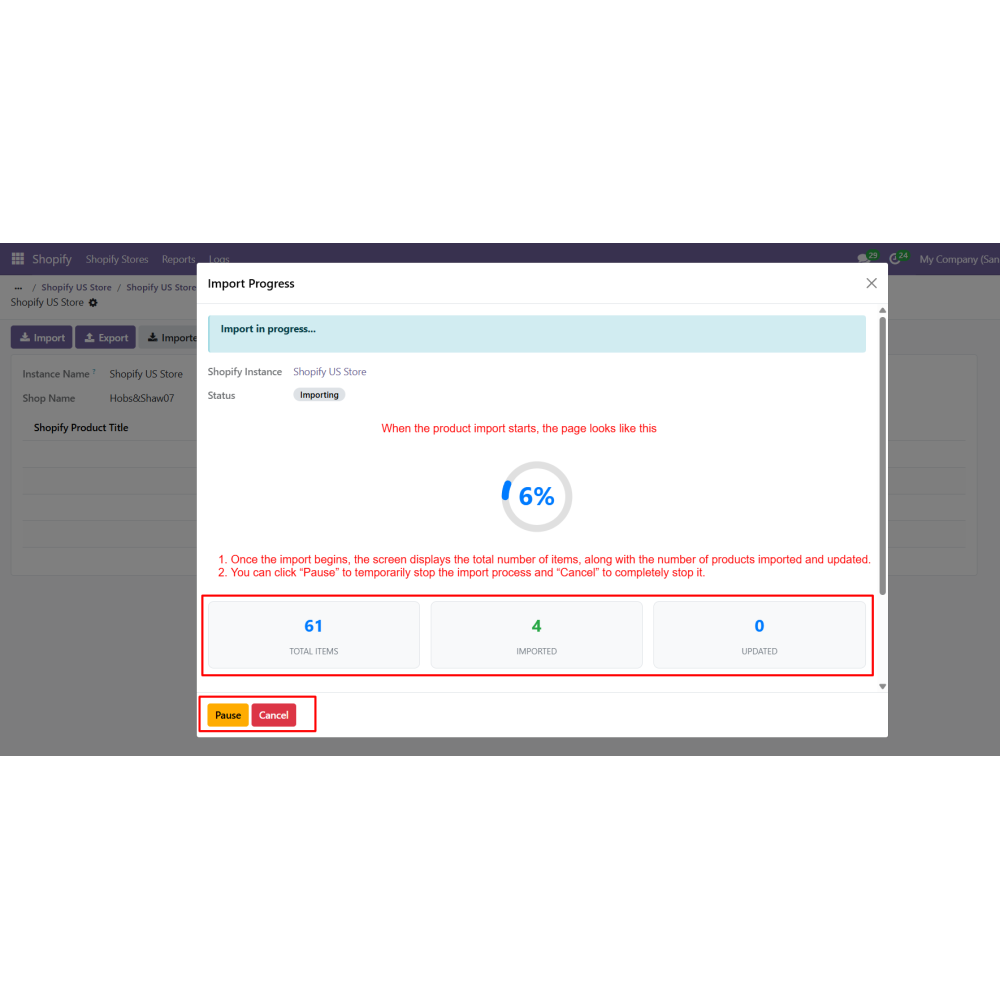
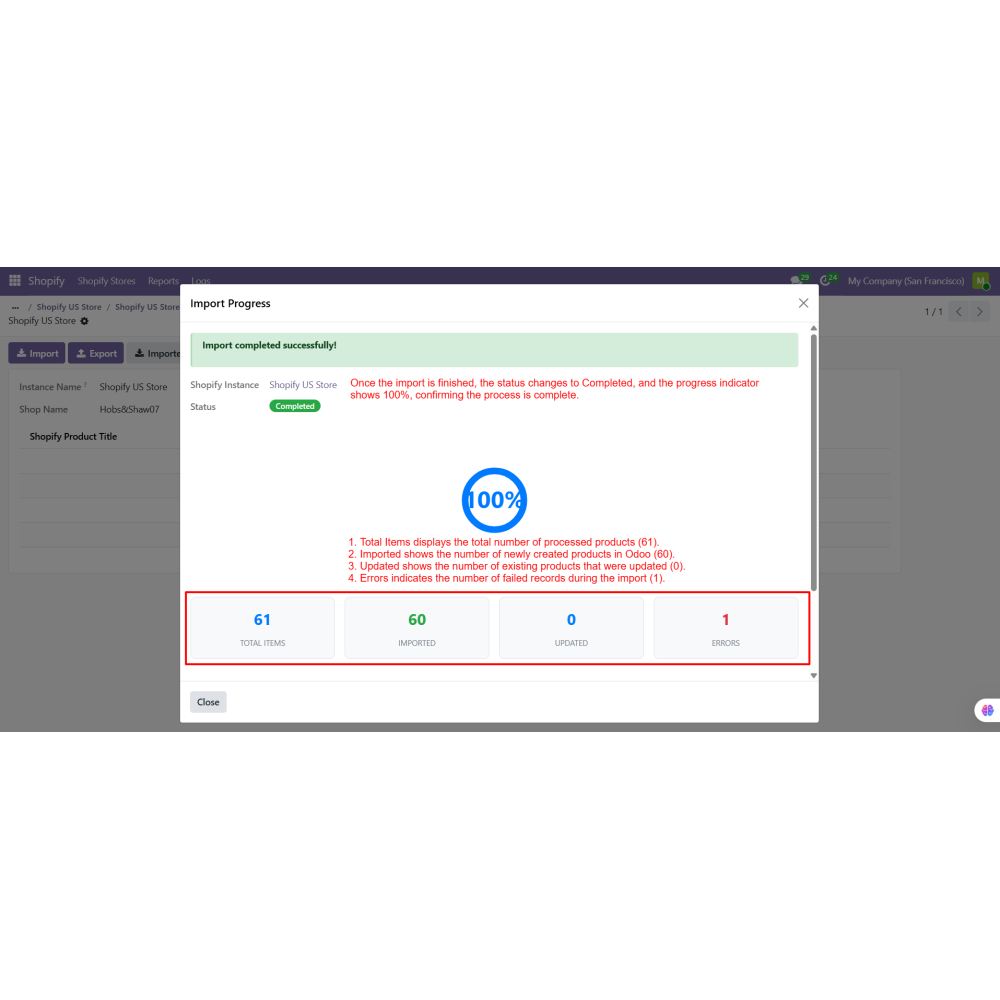
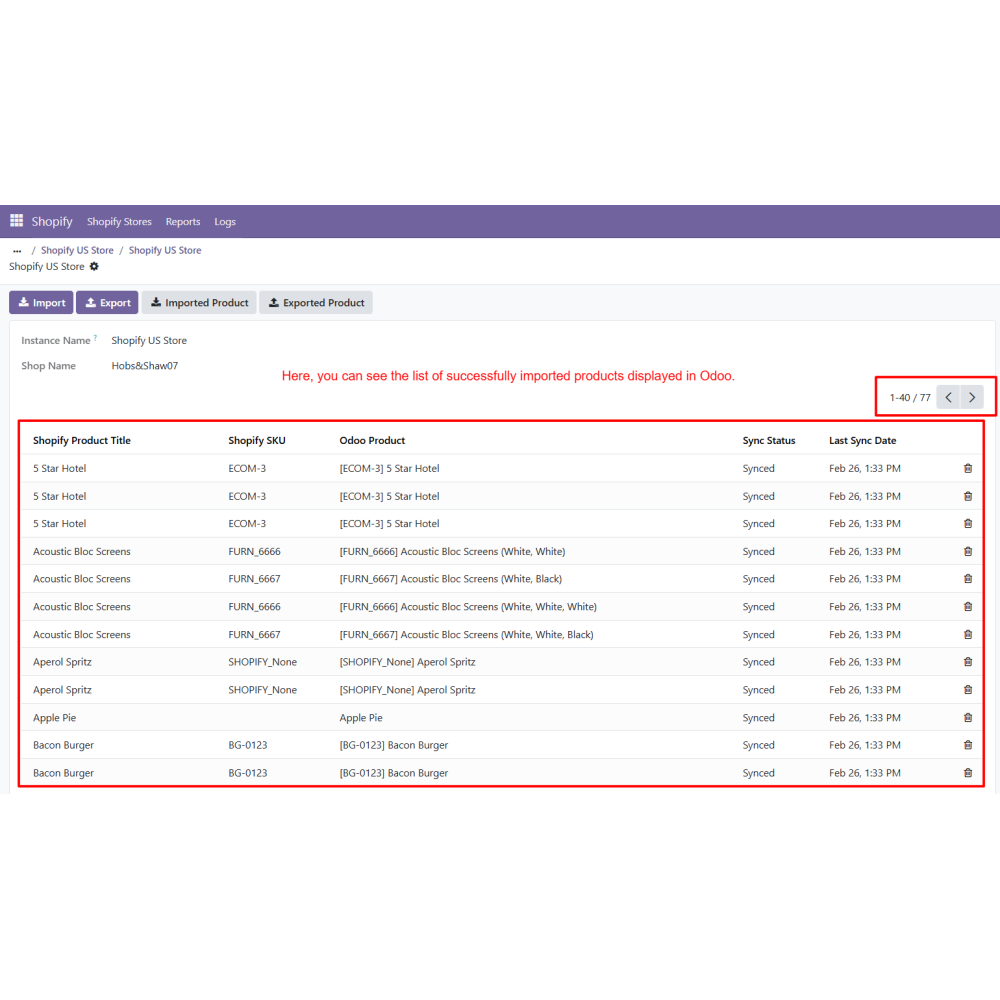
- Import products from Shopify into Odoo (manual or filtered import).
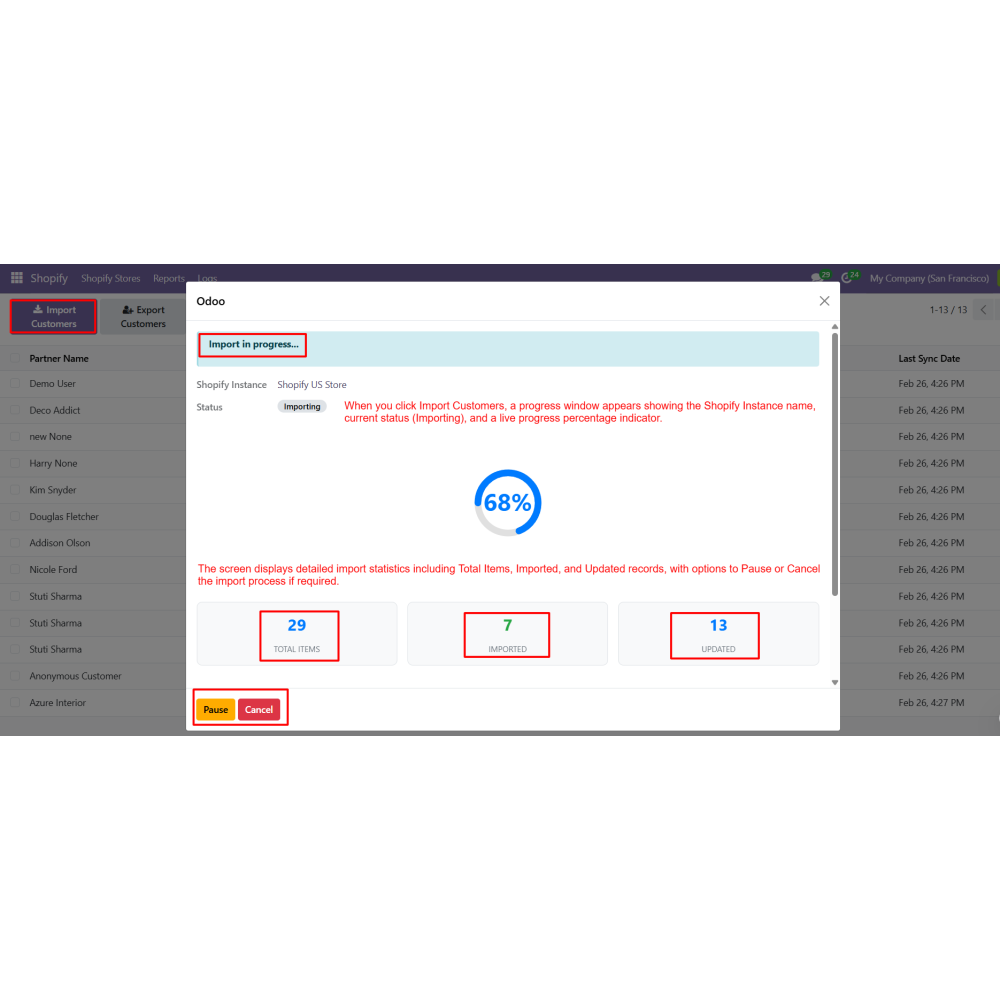
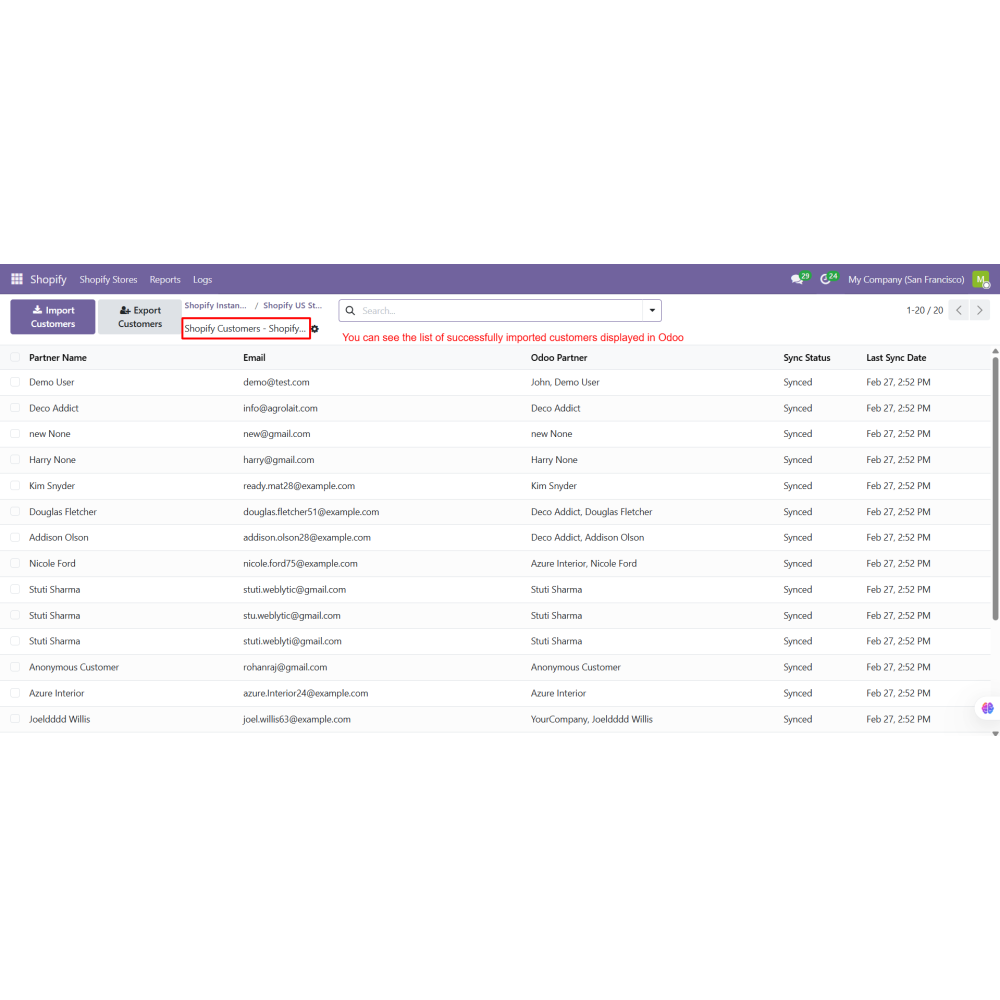
- Import customers from Shopify.
- Import orders from Shopify into Odoo.
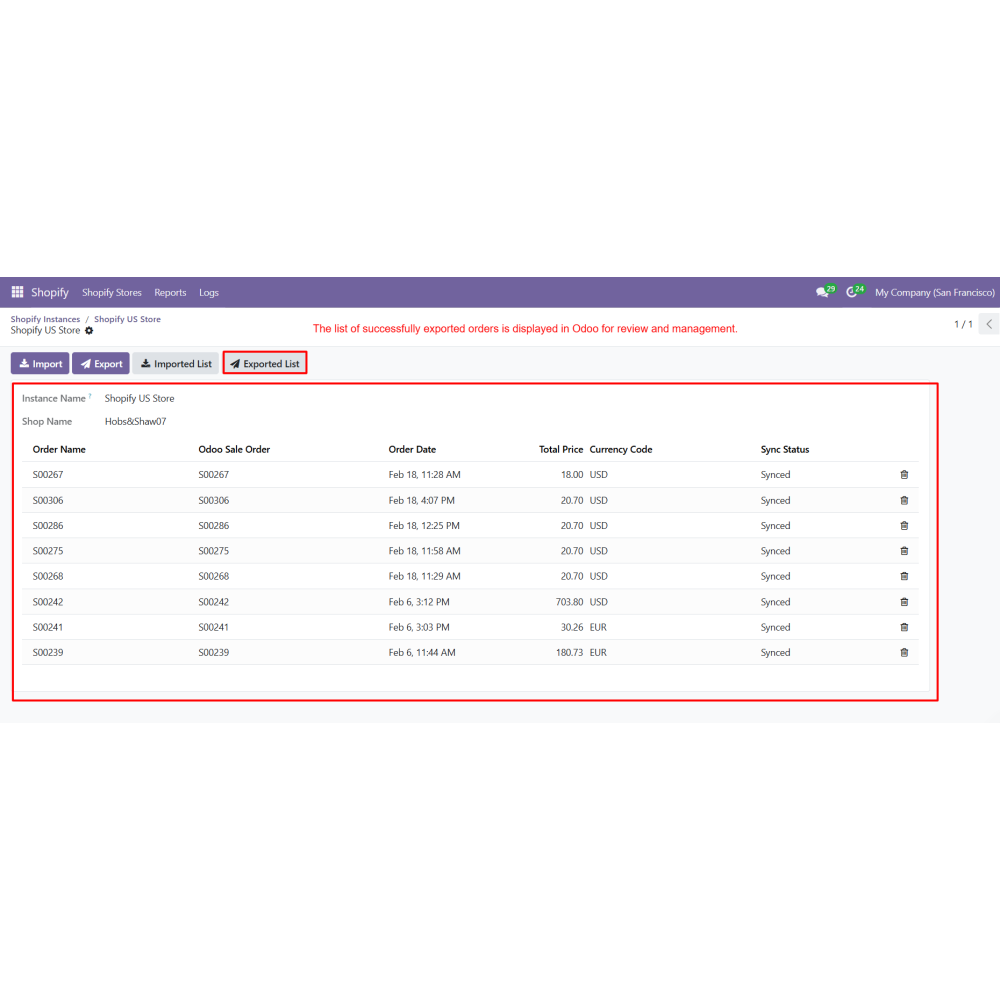
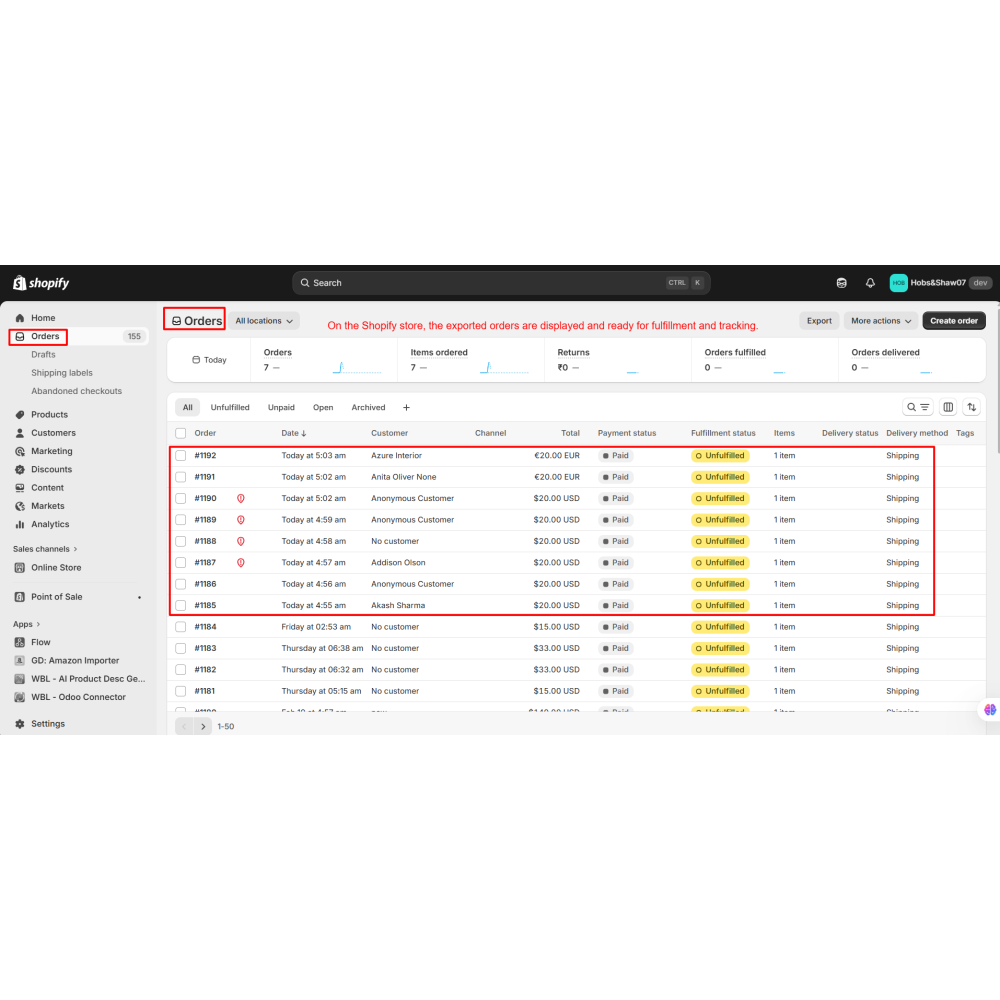
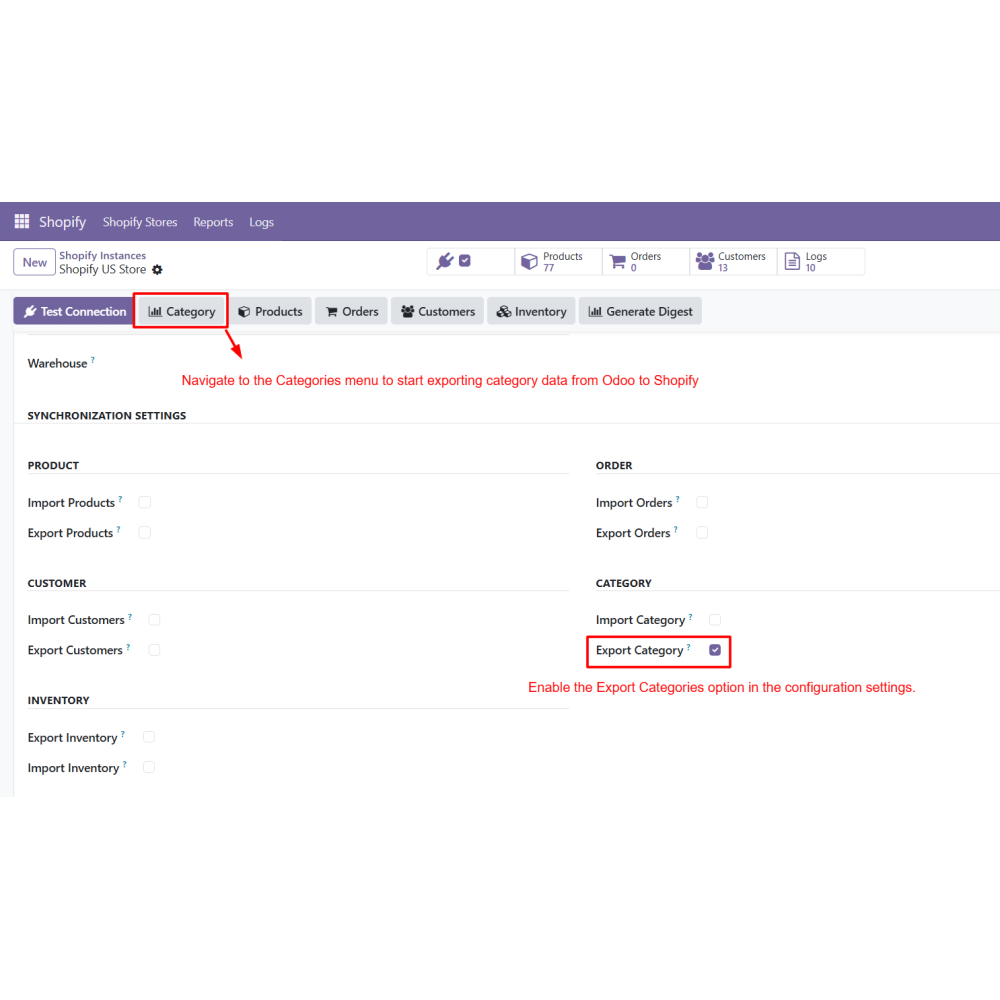
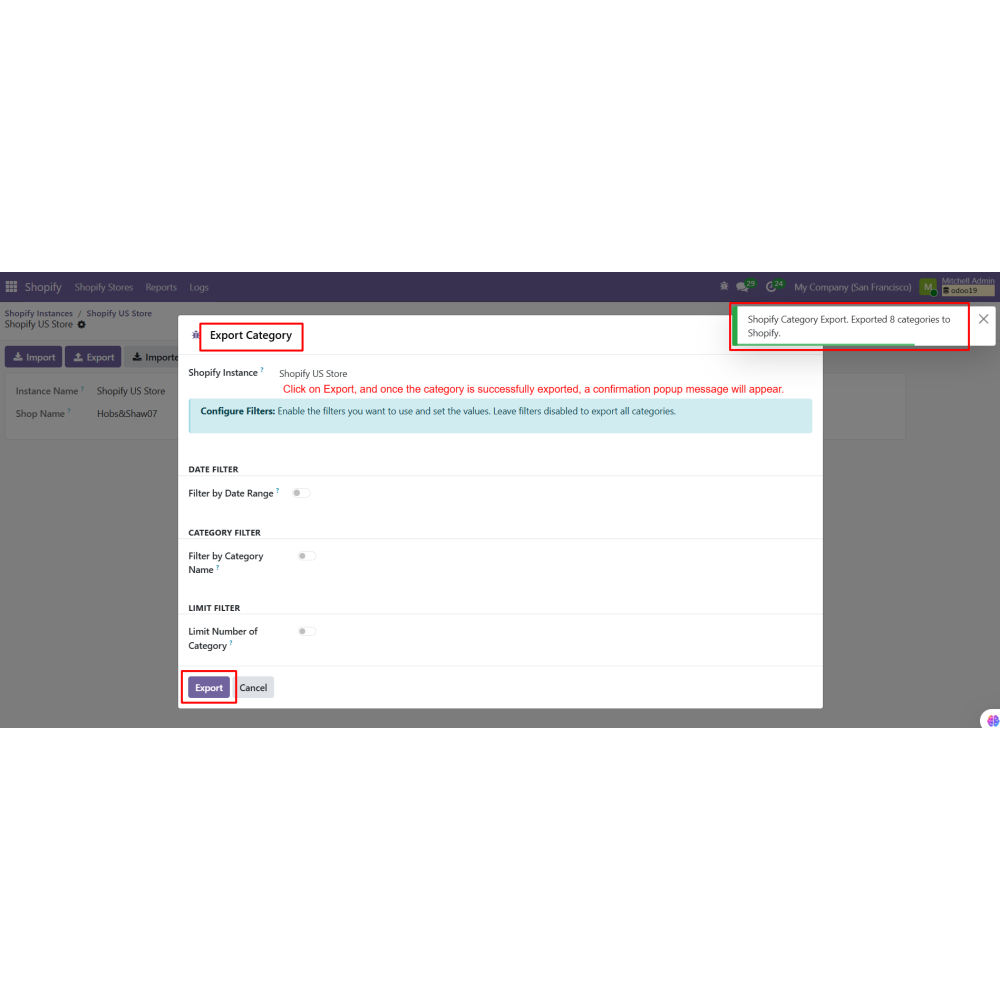
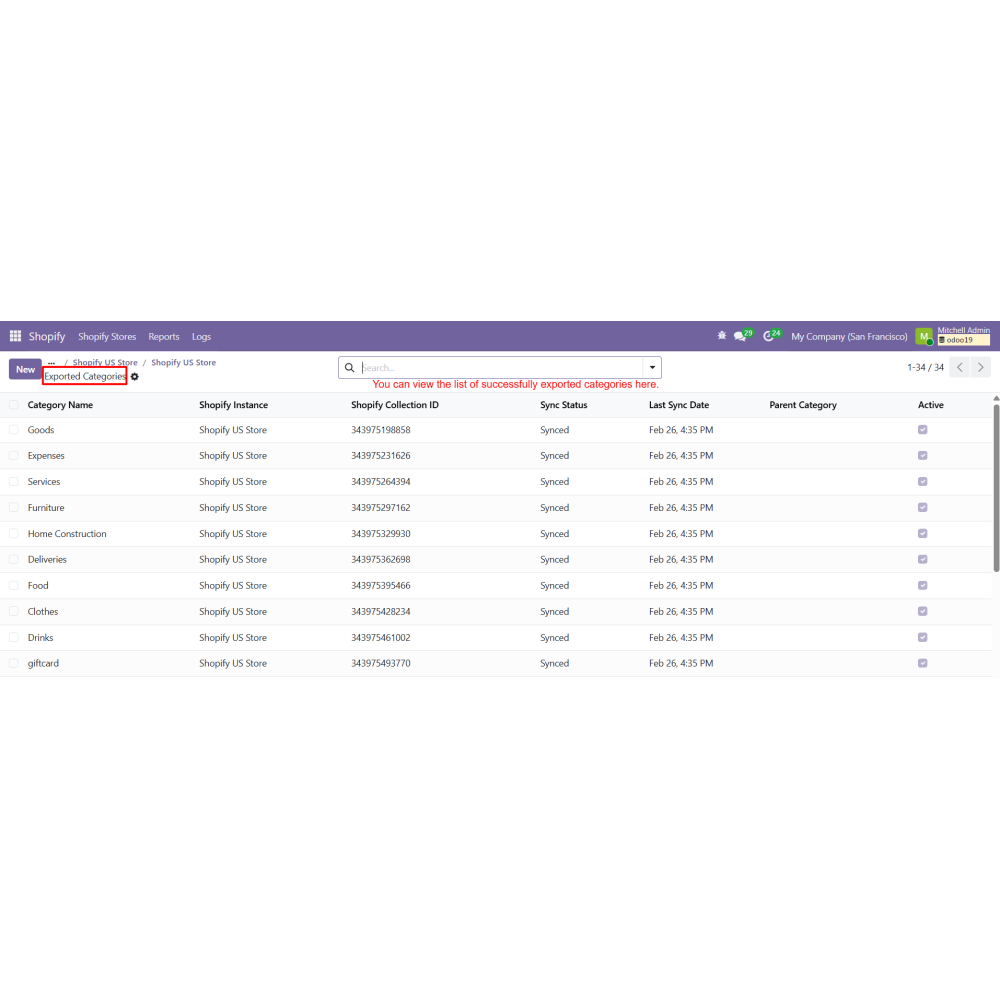
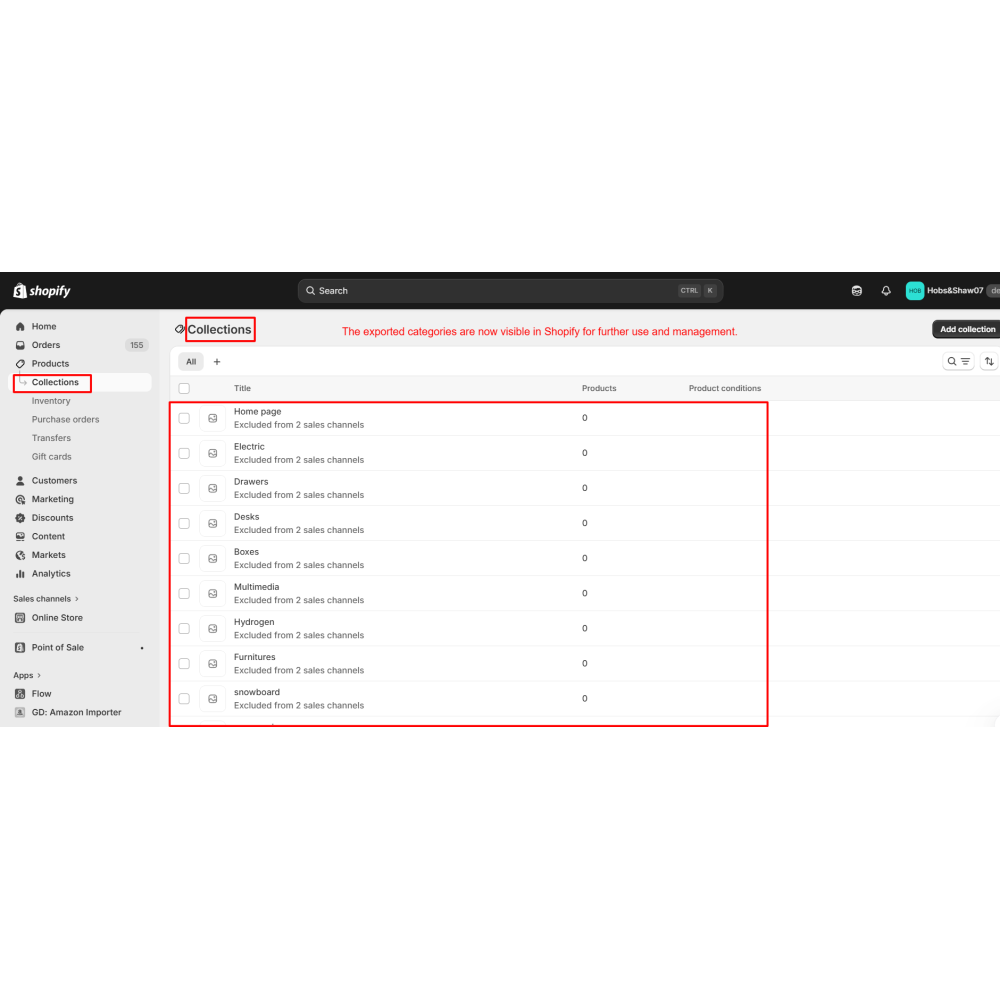
- Export products, categories, or inventory updates from Odoo to Shopify when needed.
What is the Shopify Connector for Odoo?
Can I manage multiple Shopify stores?
Which data can be synchronized?
Does it support automatic synchronization?
Can I control what data is imported?
Is inventory updated in real time?
Can I track synchronization logs?
Do I need technical knowledge to use it?
Customer reviews
Benefits Of Shopify Connector

Centralized Shopify Store Management

Real-Time Data Synchronization

Reduced Manual Work

Improved Data Accuracy

Automated Workflow Control

Better Inventory Management
Features of Shopify Connector
Multi Shopify Store Management
Connect and manage multiple Shopify stores in Odoo with separate configurations and sync settings.
Shopify Instance Configuration
Create Shopify instances using Store URL and API credentials with validation.
Product Synchronization
Import and export products with images, categories, pricing, and policies.
Order Synchronization
Import Shopify orders into Odoo with auto confirmation, invoicing, and tax mapping.
Inventory Synchronization
Sync stock quantities between Shopify and Odoo in real time to avoid overselling.
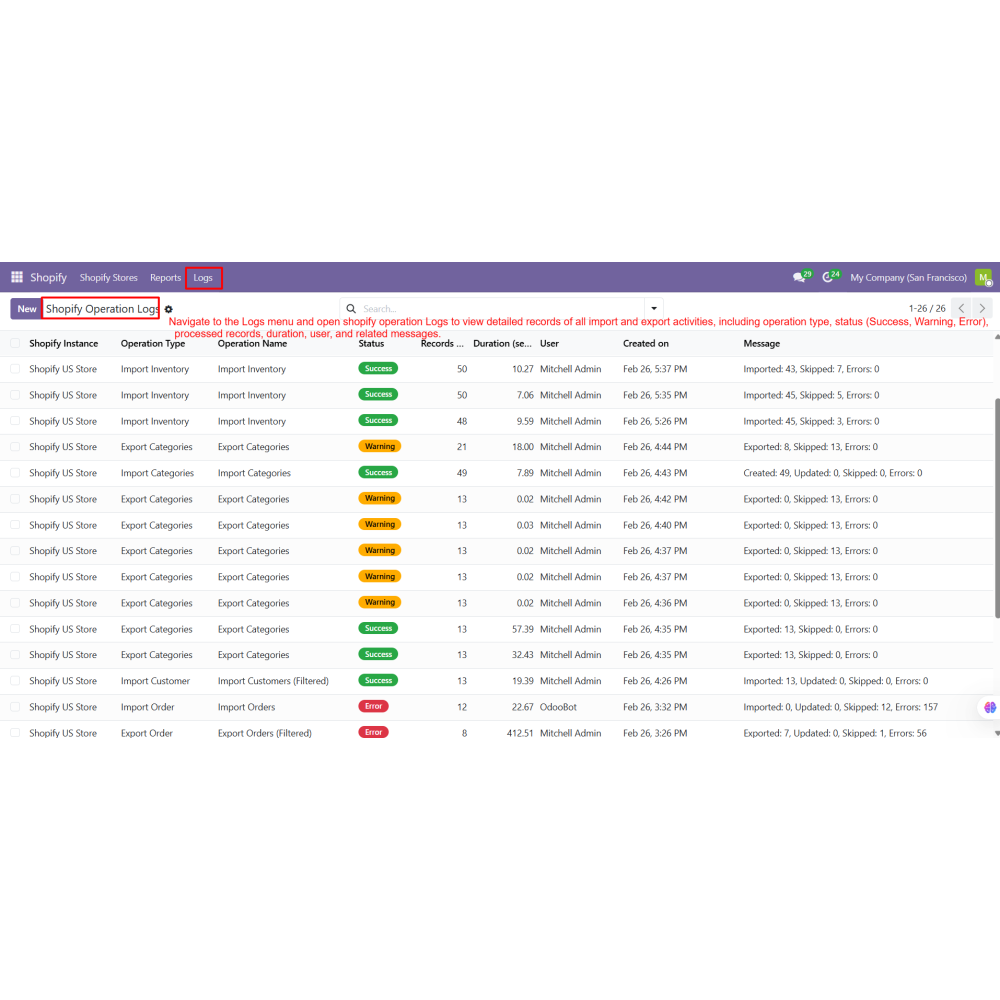
Operation Logs
Track all import and export activities with detailed status, records, and error logs.
Power Up Your
Store — We Handle It All