Odoo Checkout.com Payment Gateway with Refund
The Checkout.com Payment Gateway with Refund supports over 150 currencies in more than 50 countries, offering local acquiring to lower cross-border fees. Admins can easily set up the system, and customers can securely pay by entering their card details. Refunds are quick and recorded automatically. Admins can create and share secure payment links, while all transactions are tracked in the backend and on the sandbox dashboard, ensuring secure, transparent international payments.
Odoo Checkout.com Payment Gateway with Refund
The Checkout.com Payment Gateway with Refund supports over 150 currencies in more than 50 countries, offering local acquiring to lower cross-border fees. Admins can easily set up the system, and customers can securely pay by entering their card details. Refunds are quick and recorded automatically. Admins can create and share secure payment links, while all transactions are tracked in the backend and on the sandbox dashboard, ensuring secure, transparent international payments.
10-day module exchange guarantee
- Checkout.com Payment Gateway with Refund is a payment solution supporting over 150 currencies and available in more than 50 countries, including regions in Europe, North America, the Middle East, and Asia-Pacific.
- By integrating local acquiring options, it helps businesses reduce cross-border fees and optimize foreign exchange costs, making international transactions more affordable.
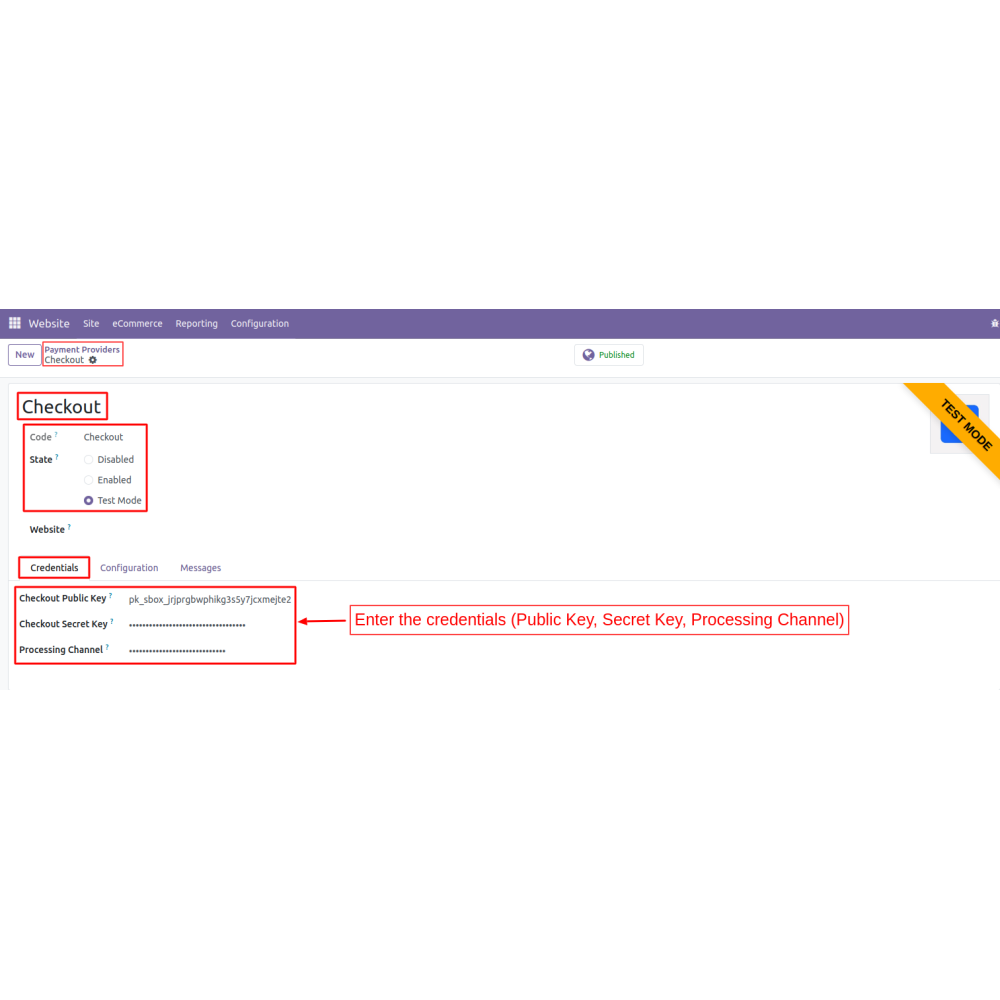
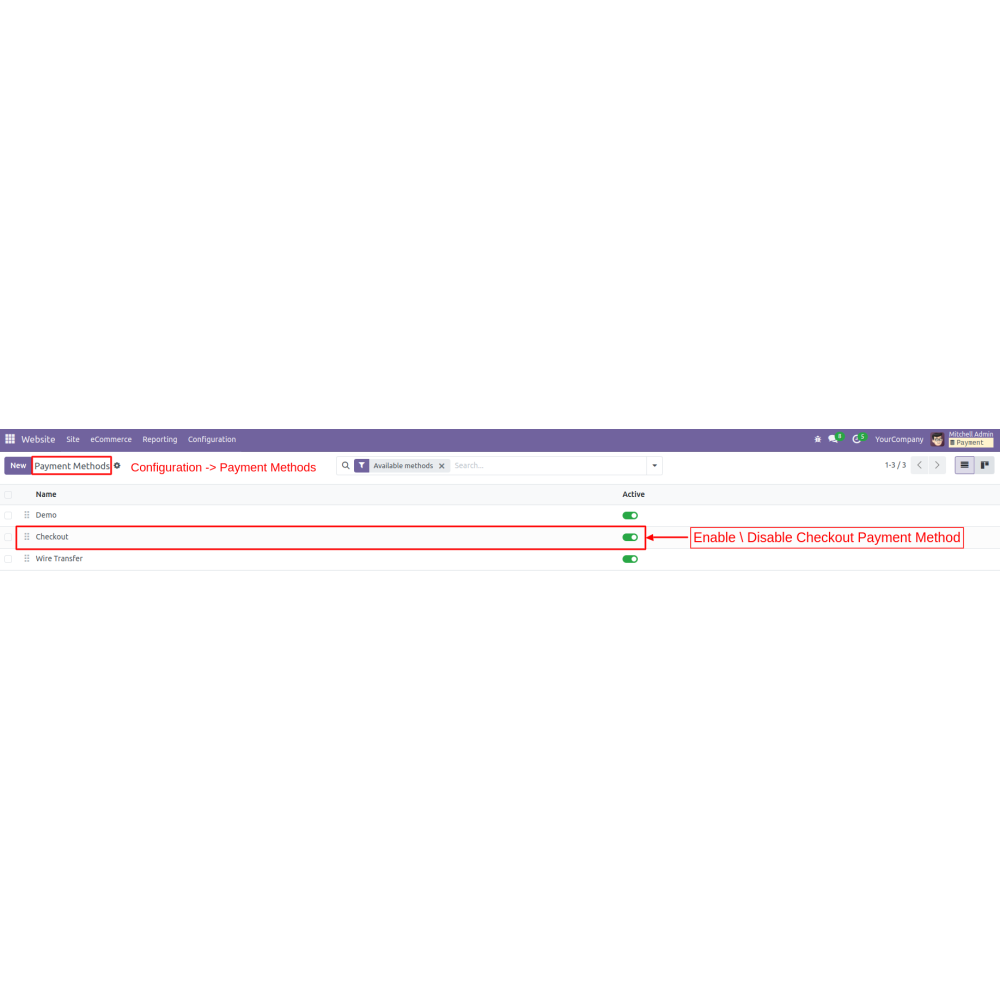
- Admins can set up the system easily by entering essential credentials such as the public key, secret key, and processing channel through the backend.
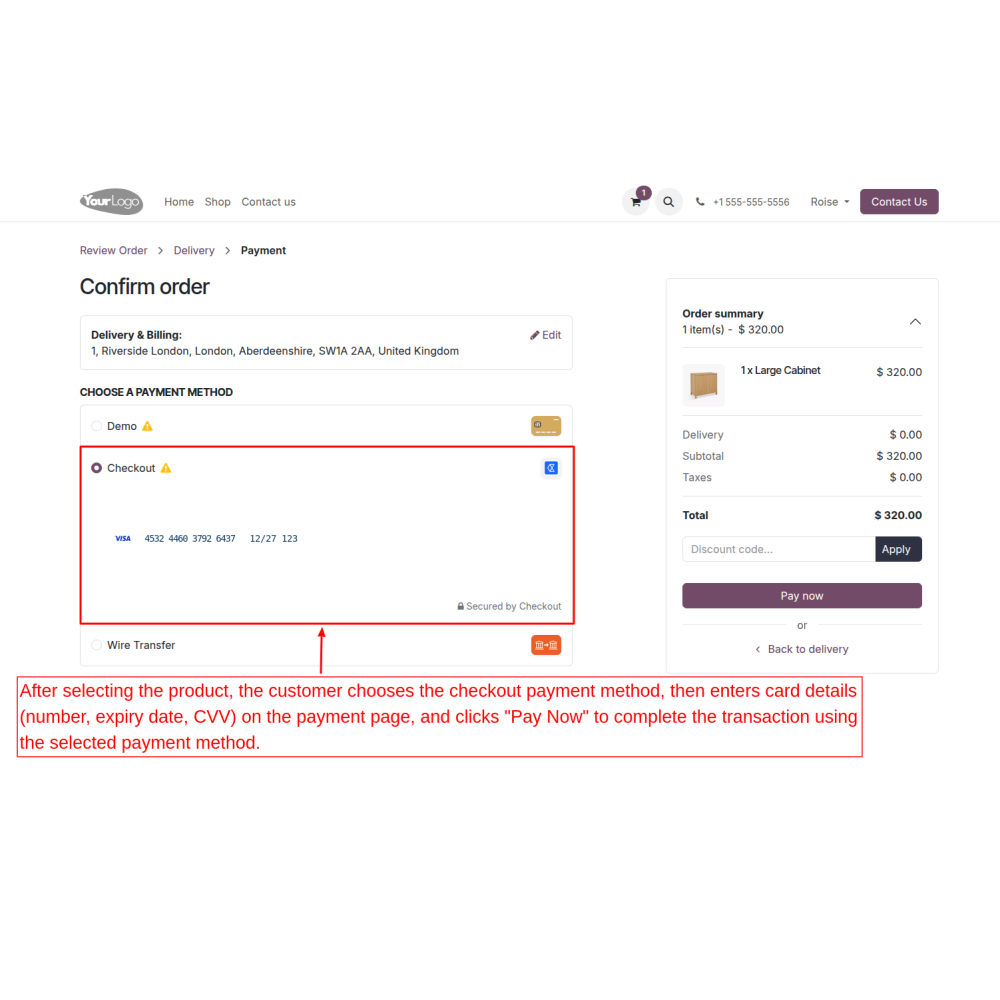
- Once enabled, customers can choose Checkout.com at checkout and open a secure checkout form on the payment page.
- Customers fill in their card details, card number, expiry date, and CVC, then click “Pay Now” to complete the payment securely.
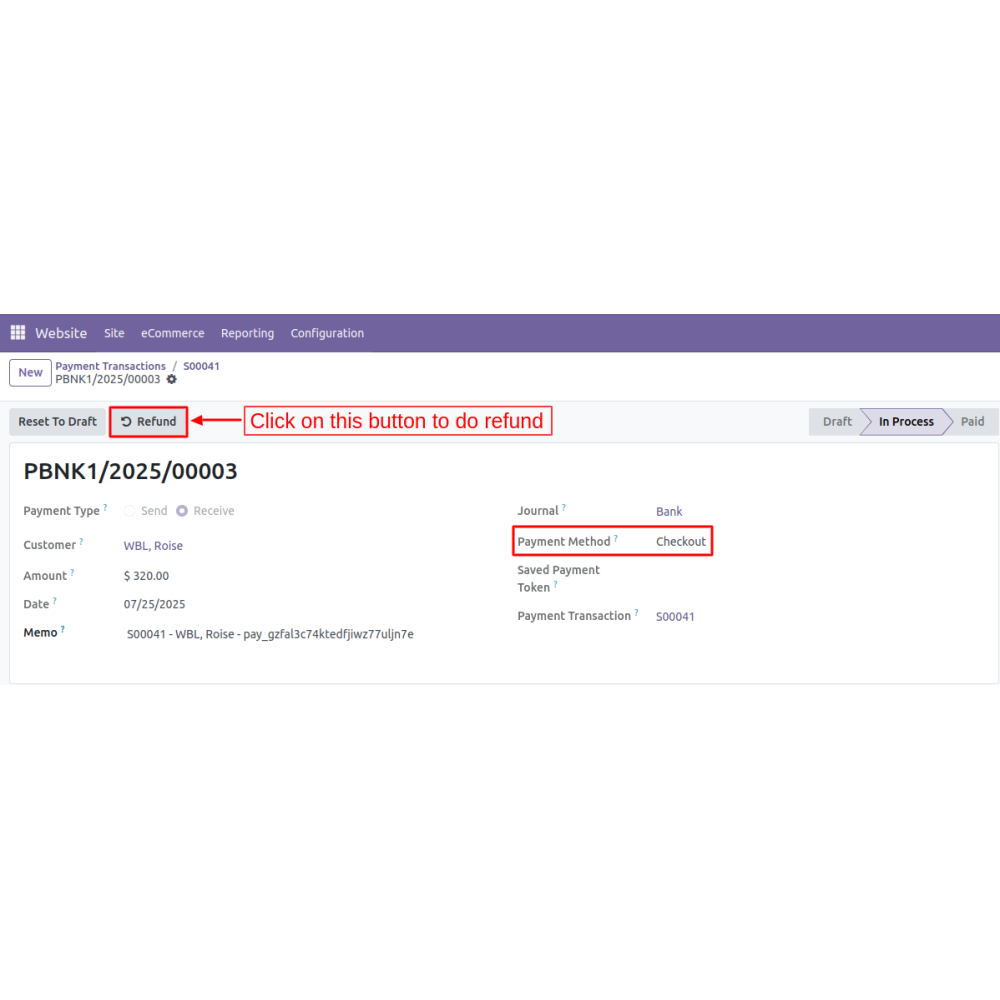
- For refunds, admins simply click the refund button within the backend payment details, which opens a refund wizard.
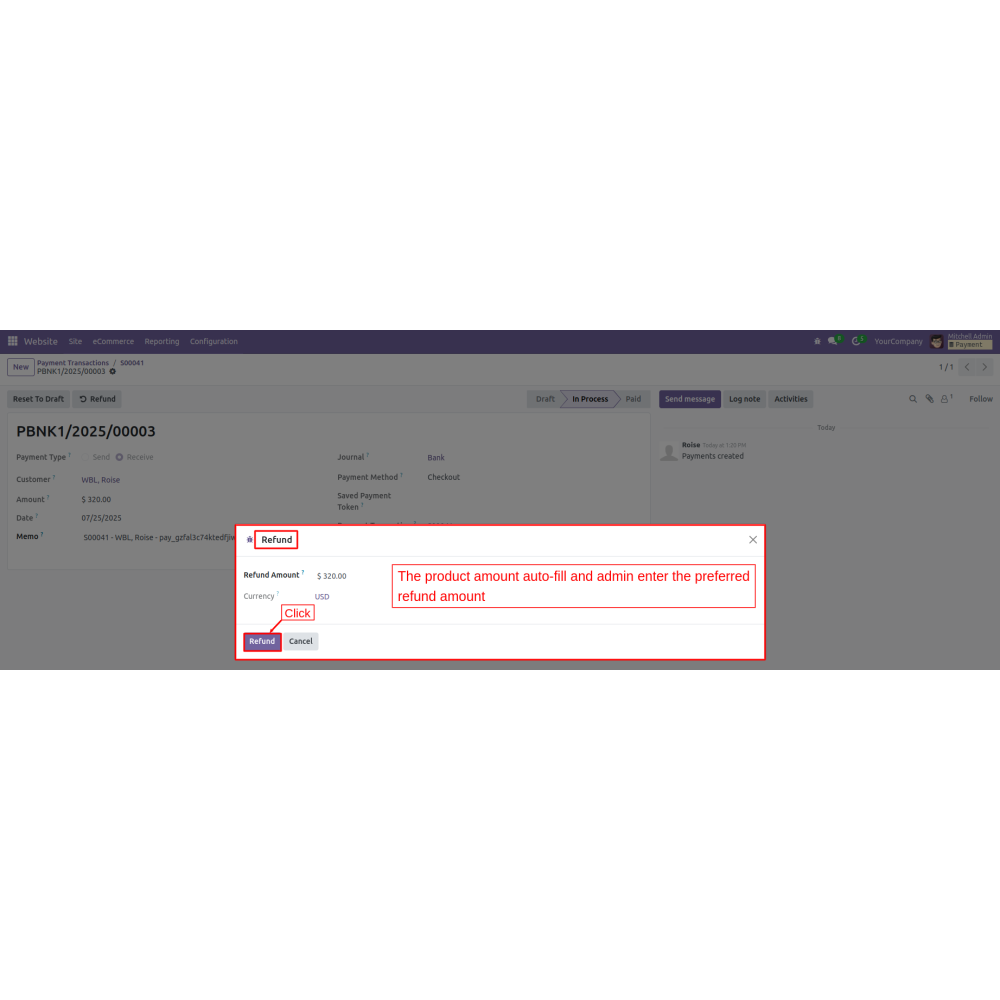
- The refund amount is auto-filled, and the admin can adjust it before confirming.
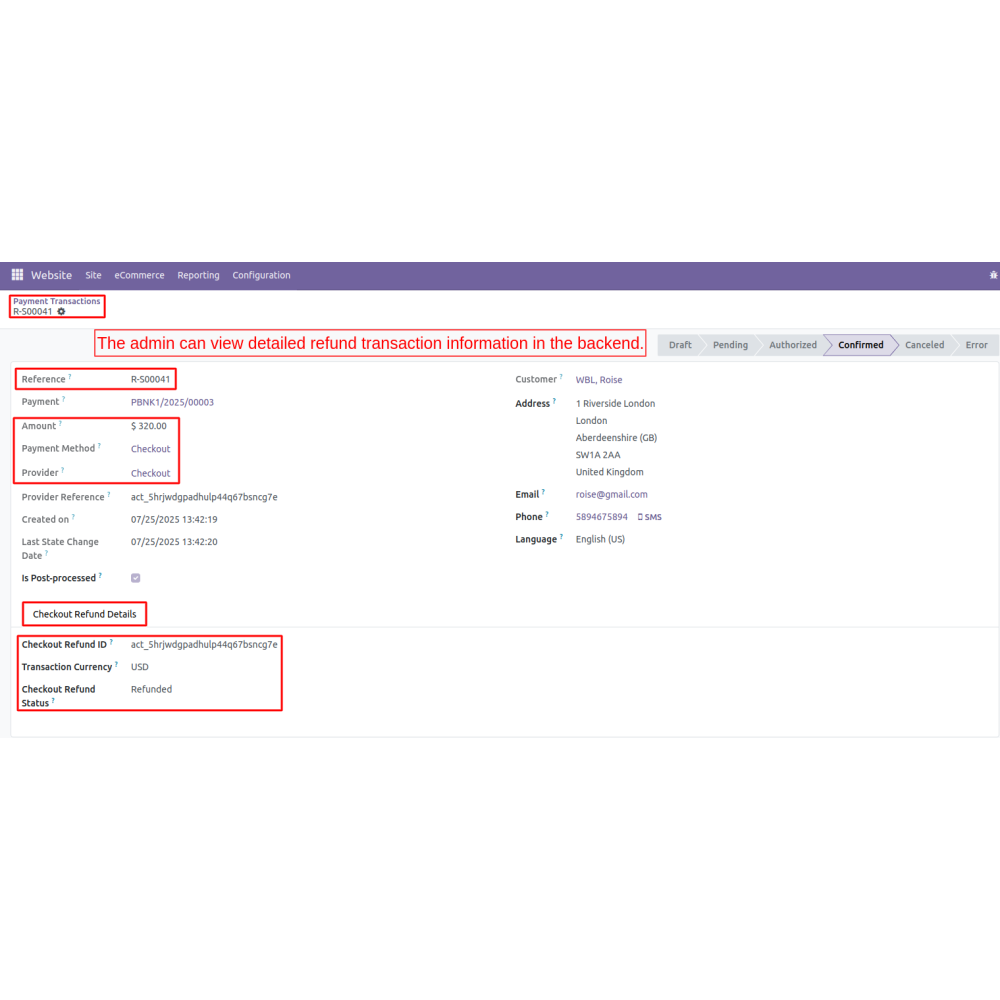
- Refunds are processed instantly, and all transactions are recorded for transparency.
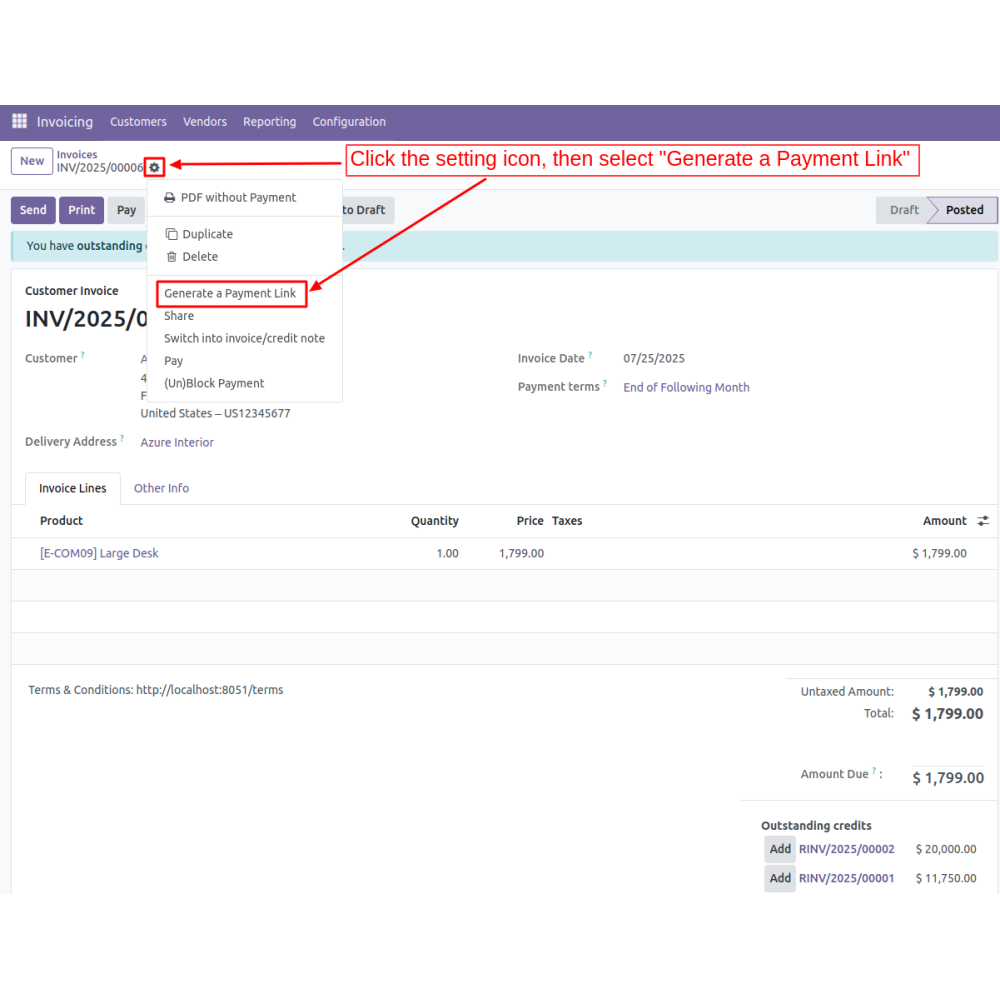
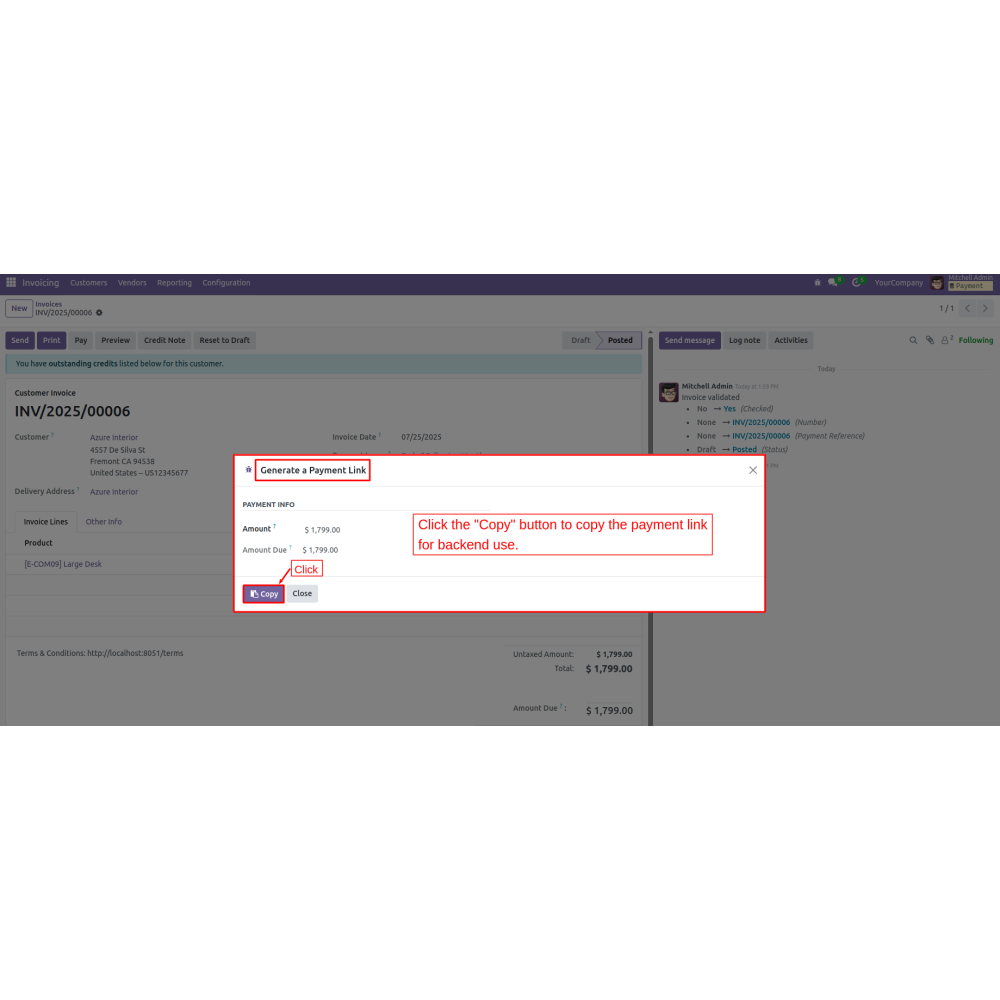
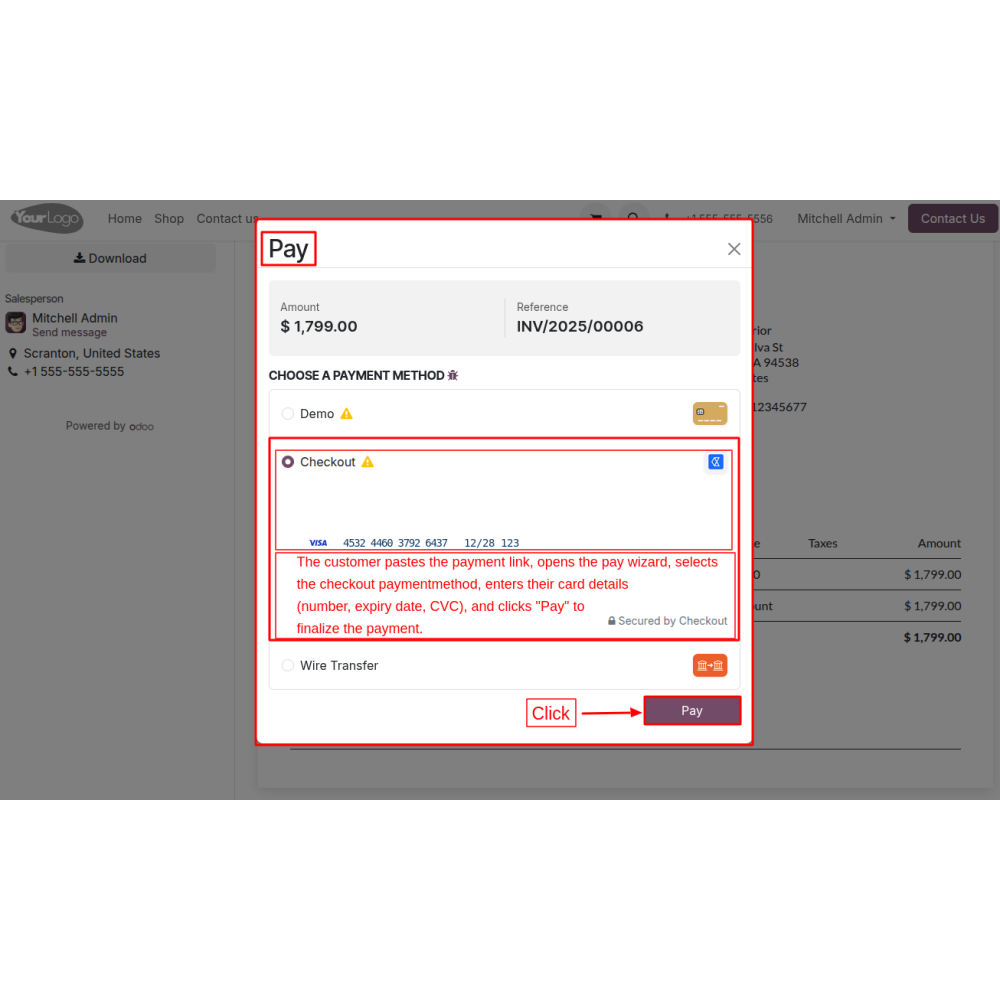
- Admins can generate secure payment links from any backend order, share these links with customers, and allow them to pay securely by filling in card details on the linked page.
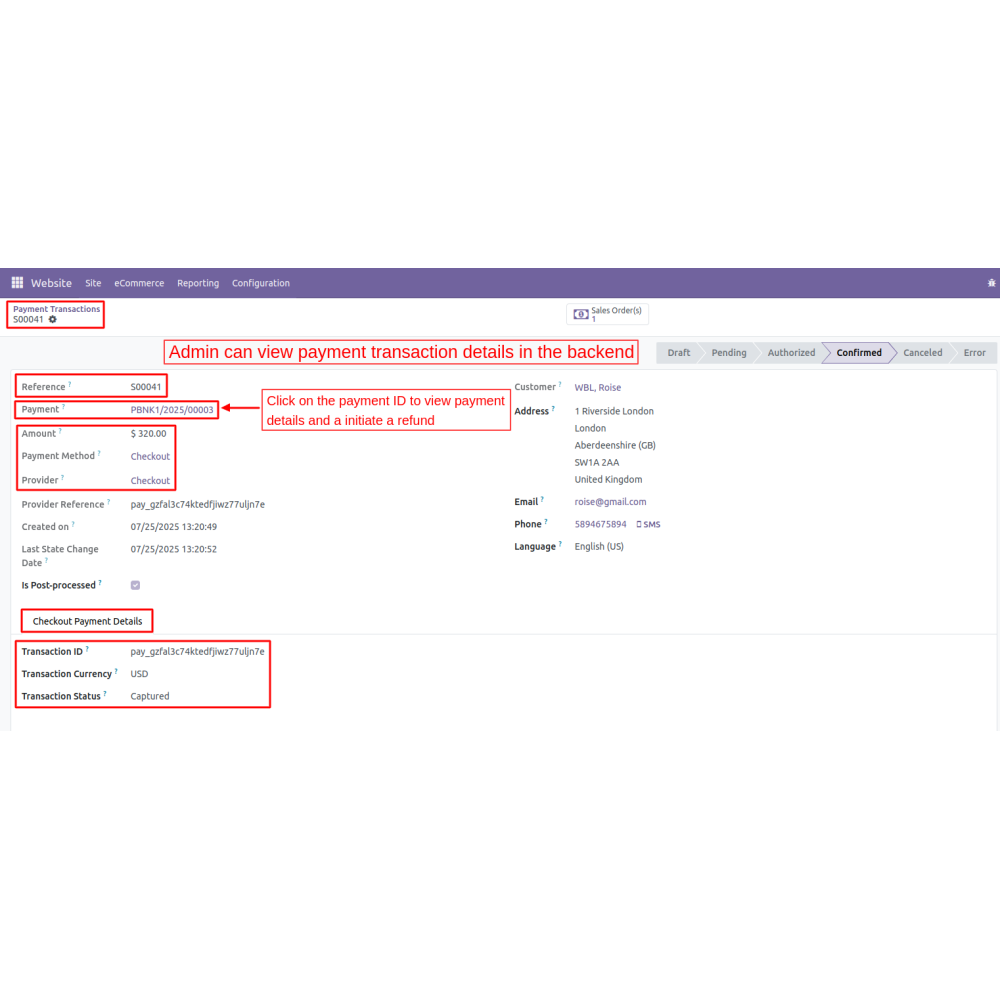
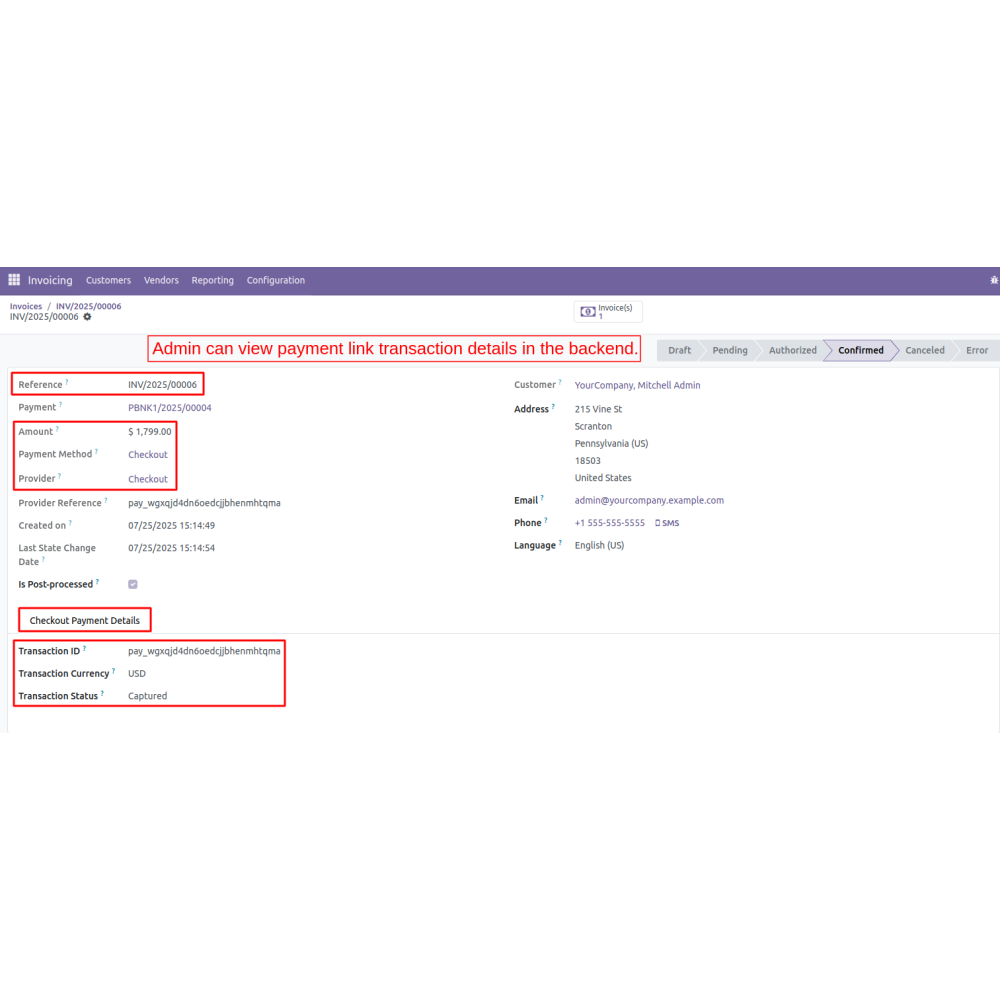
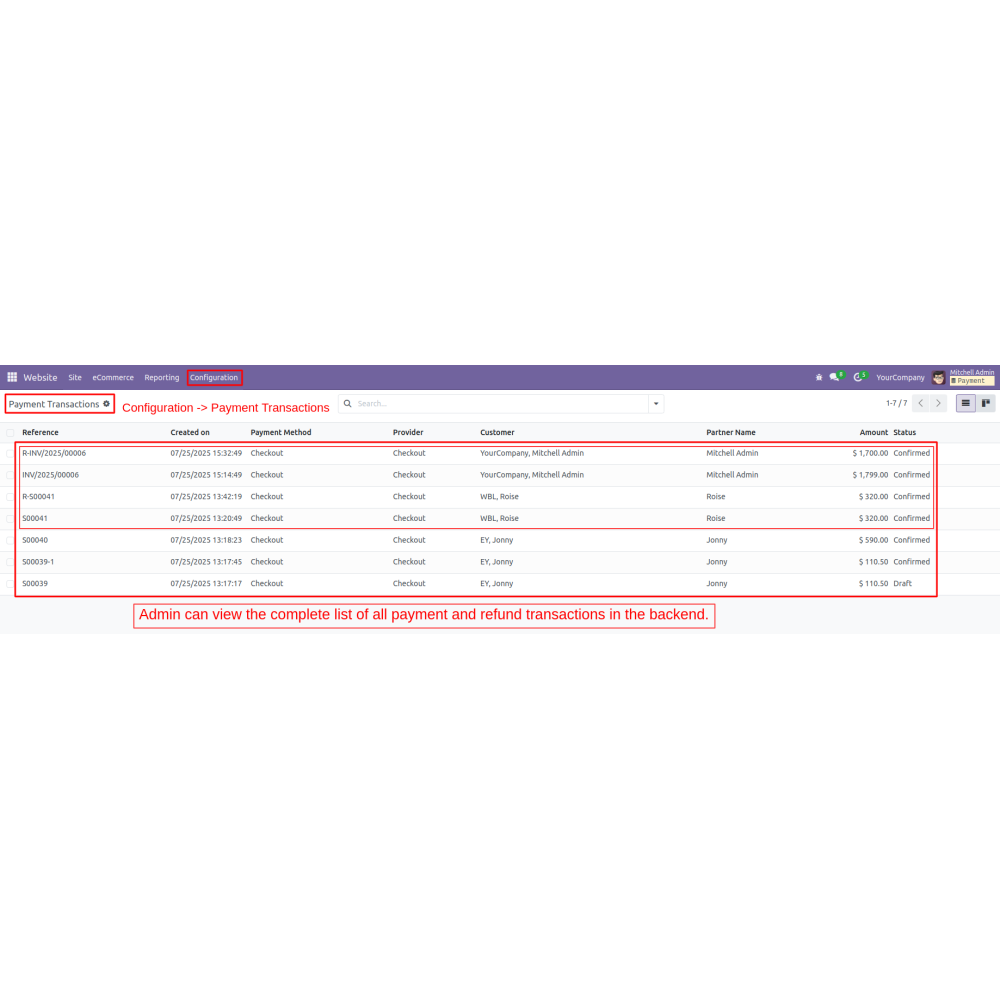
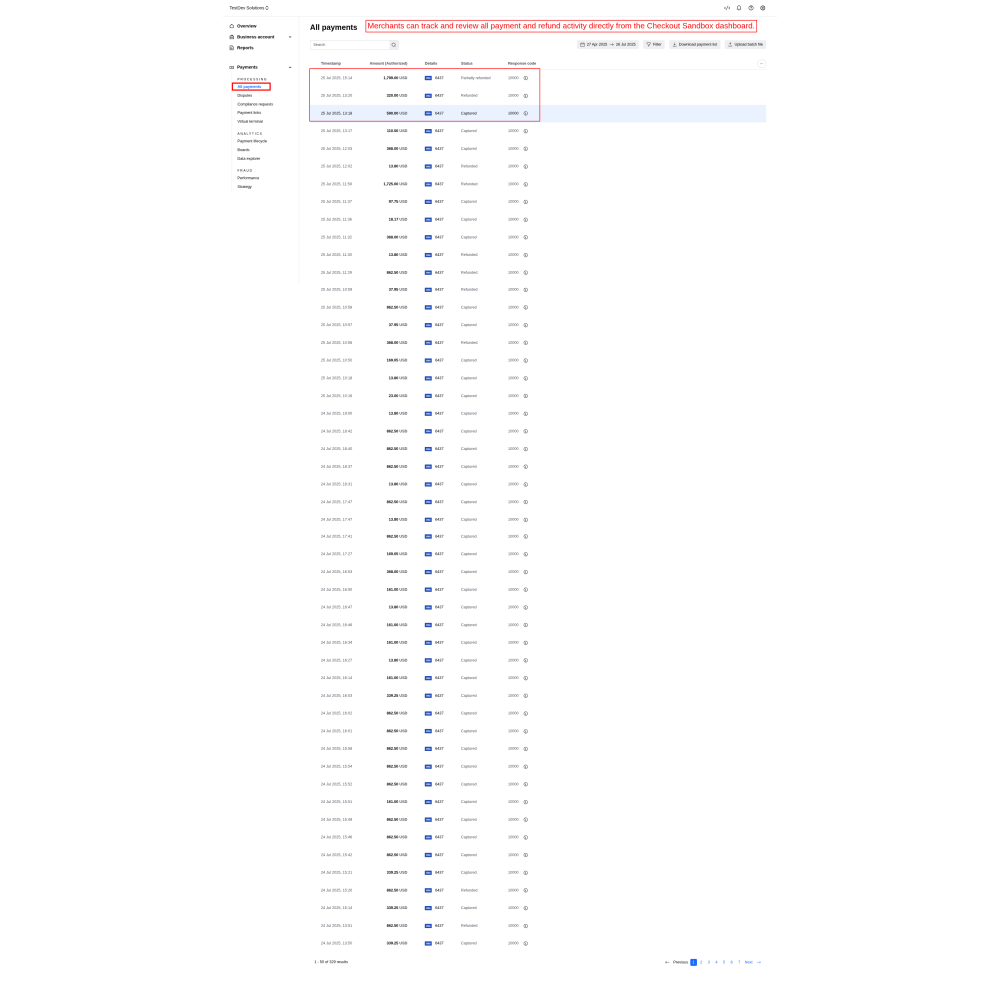
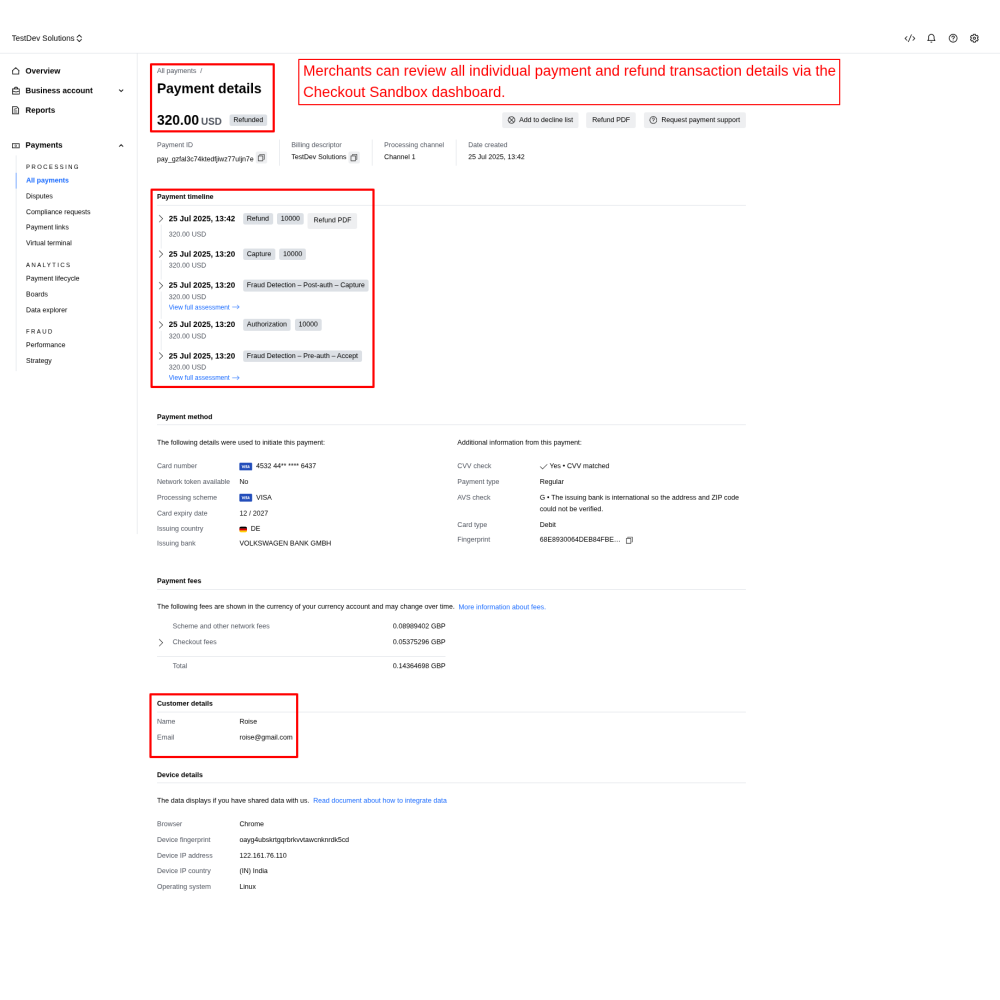
- All payment and refund details and viewable in the backend, with merchants able to review transactions on the Checkout sandbox dashboard.
- This ensures a smooth, secure, and transparent payment process for international sales.
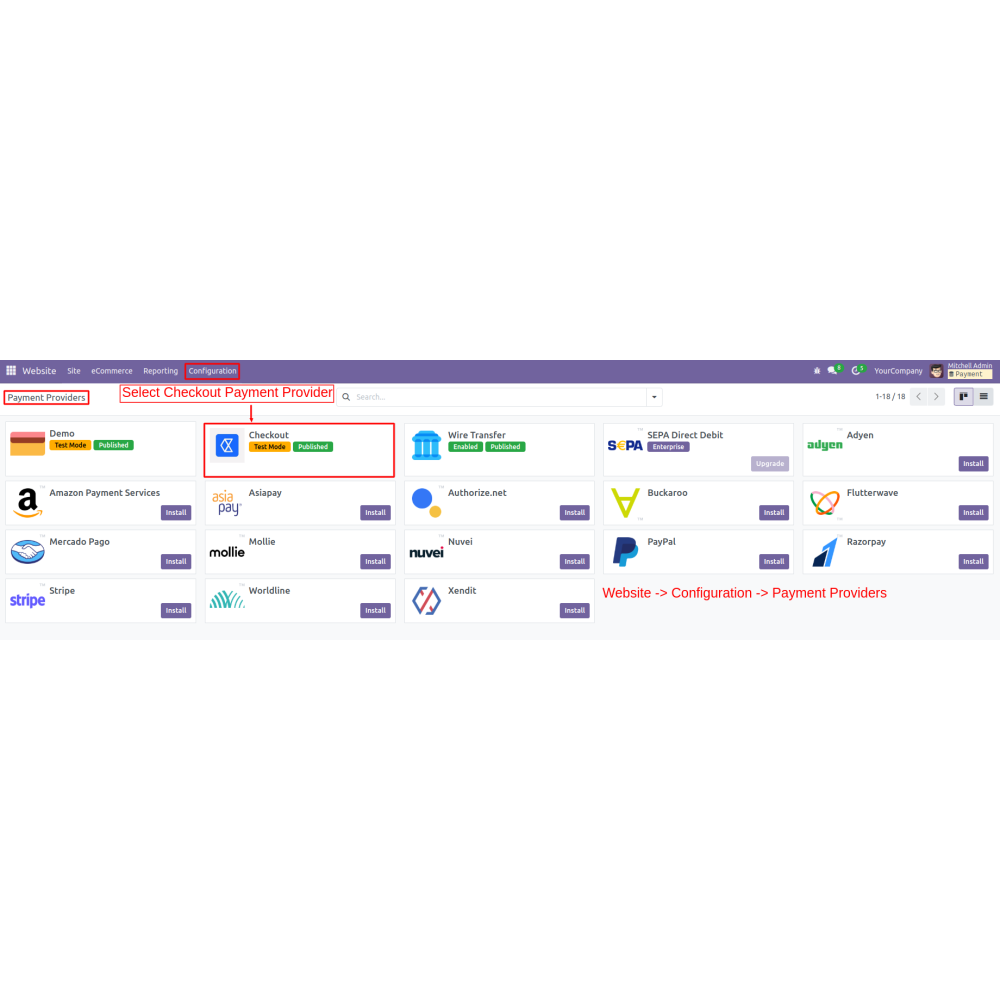
- Admins select Checkout.com as the payment provider, enter their public key, secret key, and processing channel, then activate or deactivate the method seamlessly in the backend.
- Admins can create orders, generate secure payment links, and send them to customers for easy online payments. All transactions, including refunds, are recorded and detailed in the backend.
- Customers choose Checkout.com during checkout. They fill out card details securely on the payment page, then click "Pay Now" for instant processing. The system is PCI-compliant.
- Accept payments in over 150 currencies globally, with regional acquiring options to reduce fees and improve foreign exchange costs.
- Admins can process refunds easily. By clicking the refund button on the payment details page, a wizard opens where the refund amount is auto-filled, and the admin can adjust it as needed before confirming the refund.
- Admins can view all payment and refund records in the backend with detailed statuses. Merchants can also access transaction data and history via the Checkout sandbox dashboard for extensive reporting and reconciliation.
- Ensures all transactions are protected with advanced security protocols.
- Allows quick and simple refunds with automatic record-keeping.
- Enables transactions in various currencies for international commerce.
- Provides instant updates and detailed transaction status.
- Offers a variety of payment methods to suit customer preferences.
- Seamlessly connects with your platform for smooth payment workflows.
- Navigate to payment settings and select Checkout.com as the provider.
- Enter required credentials: Public key, Secret key, and processing channel.
- Enables or disables the payment method as needed.
- Selects "Checkout.com" as the payment method.
- The customer fills in the card number, expiry date, and CVC on the secure form.
- Clicks "Pay Now" to proceed with the transaction.
- To issue a refund, click the "Refund" button on the payment record.
- Opens a refund wizard, where the refund amount auto-fills; the admin can adjust as needed.
- Admin creates backend orders.
- Generates a secure payment link for each, copies the link, and shares it with customers.
- Customers click the link, open the pay wizard, select the checkout payment method, fill in card details, and click "Pay".
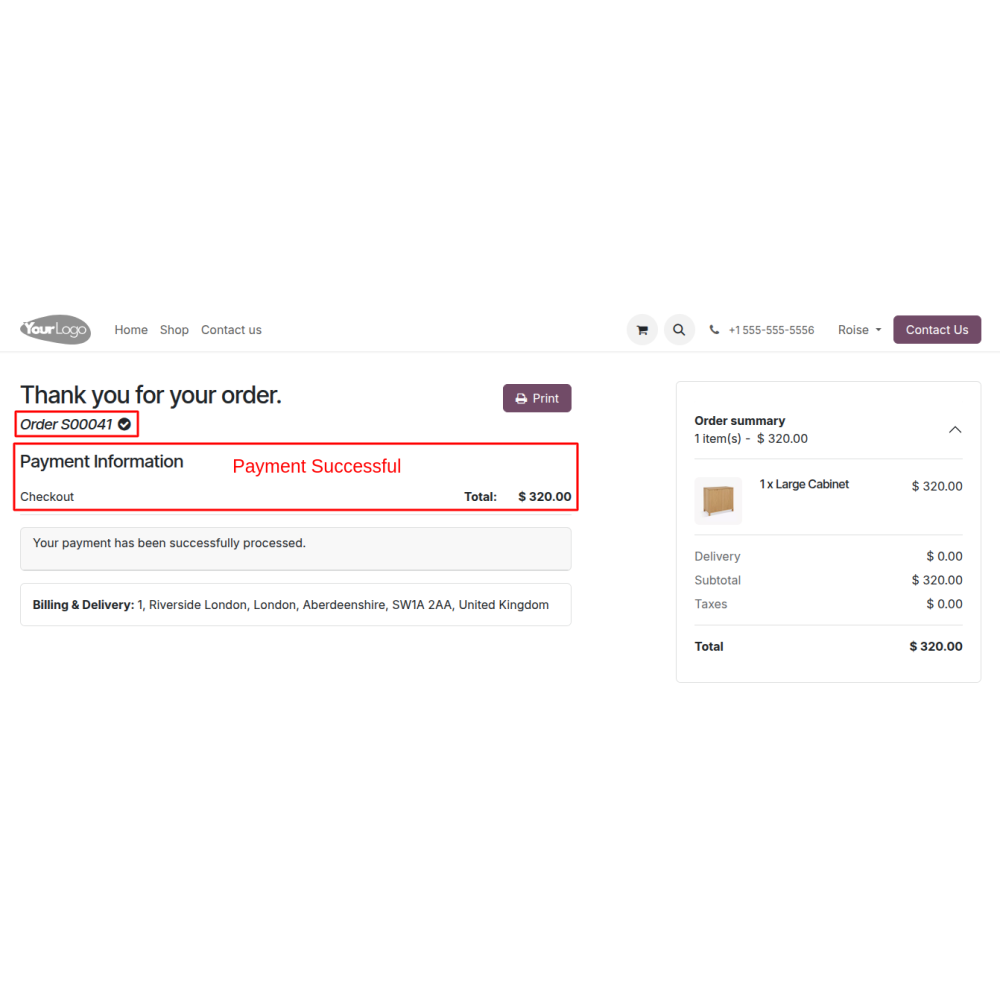
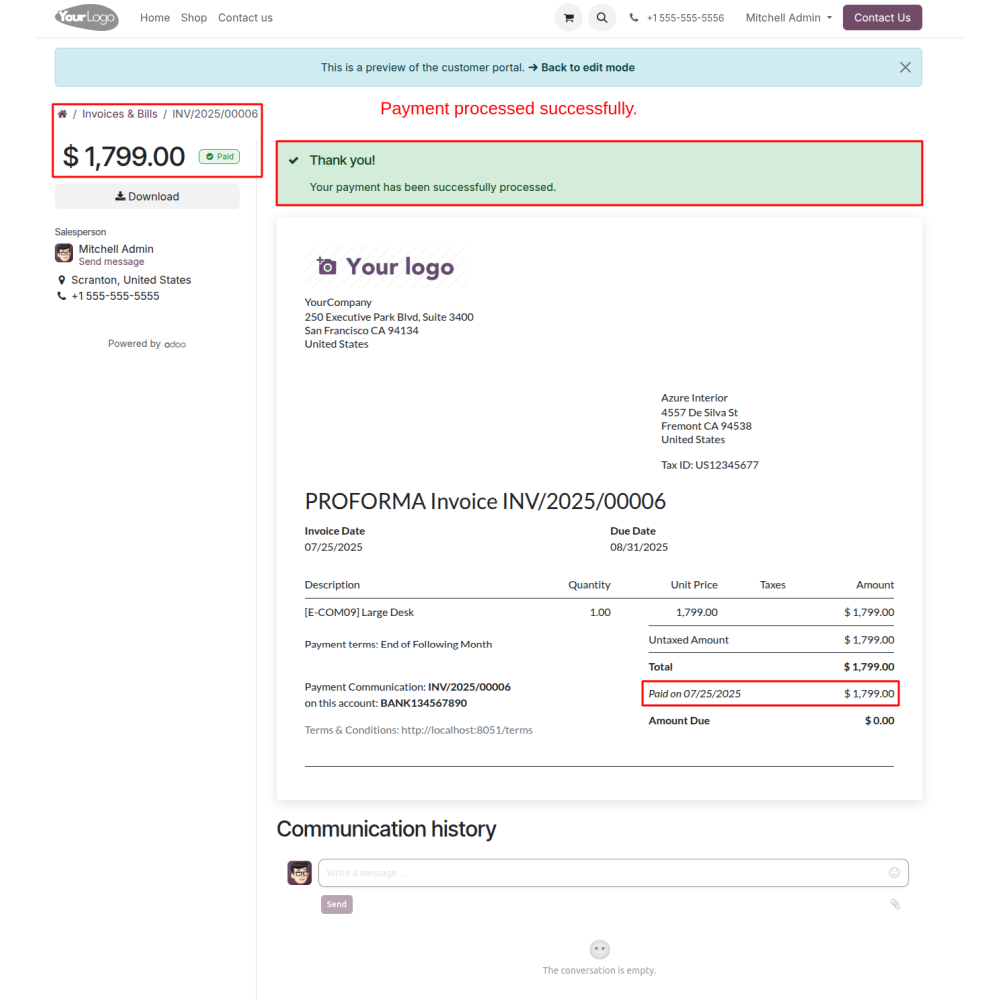
- Payment completes successfully, and a confirmation message is shown.
- All payment and refund transaction details are available in the backend.
- Merchants can review full transaction histories on the Checkout sandbox dashboard for detailed analysis and reconciliation.
What is Checkout.com Payment Gateway with Refund?
How do I set up Checkout.com?
How do customers make payments?
How are refunds processed?
How can I generate and share payment links?
Where can I view transaction records?
What kind of support do you offer after module purchase?
Do your Odoo extensions support multi-language functionality?
What versions of Odoo are compatible with your extensions?
Customer reviews
Efficient Global Payments and Refund Management

Secure Payment Processing

Efficient Refund Management

Supports Multiple Currencies

Real-Time Payment Tracking

Multiple Payment Options

Easy API Integration
Secure Multi-Currency Payment and Refund Integration
Simple Setup Process
Admins select Checkout.com, input credentials, and activate or deactivate the payment method easily from the backend.
Backend Payment Links
Admins can create orders, generate secure payment links, and share them with customers for easy online payments.
Secure Payment Handling
Customers enter their card details securely on a PCI-compliant page and complete transactions instantly by clicking "Pay Now".
Multi-Currency Support
Supports payments in over 150 currencies worldwide, with regional acquiring options to lower fees and foreign exchange costs.
Easy Refund Processing
Admins can quickly initiate refunds with a wizard that auto-fills and allows adjustments of the refund amount before confirming.
Transaction & Refund Records
Admins and merchants can view detailed payment and refund histories in the backend and sandbox dashboard for tracking.
Power Up Your
Store — We Handle It All