Odoo Website Cart Quotation - Quote Manager

€65.00
Tax excluded

The Website Cart Quotation app lets users easily convert shopping carts into quotations. This functionality allows customers to request quotes directly from their cart, enhancing their shopping experience by providing flexibility and clarity regarding pricing. It assists businesses in managing pricing, discounts, and order details more effectively, improving customer engagement and decision-making. The admin can also enable shipping quotations using this app. Customers can choose the delivery method and ask for a quote from the admin.

WATCH DEMO VIDEO

Technical Support
Quantity
  Return policy

10-day module exchange guarantee

  • The Website Cart Quotation - Quote Manager allows users to convert their shopping carts into formal quotations easily. 
  • Customers can request price quotes directly from their cart, making the shopping process more transparent and flexible. 
  • The app supports customizing the quotation process, including setting minimum order amounts, enabling shipping estimates, and configuring notification options.
  • Admins can manage and modify quotes, apply discounts, and approve quotes through the backend, streamlining order and quotation management.
  • Customers can also select shipping methods and request delivery estimates, improving overall communication and engagement. 
  • This setup enhances order accuracy, customer satisfaction, and operational efficiency.
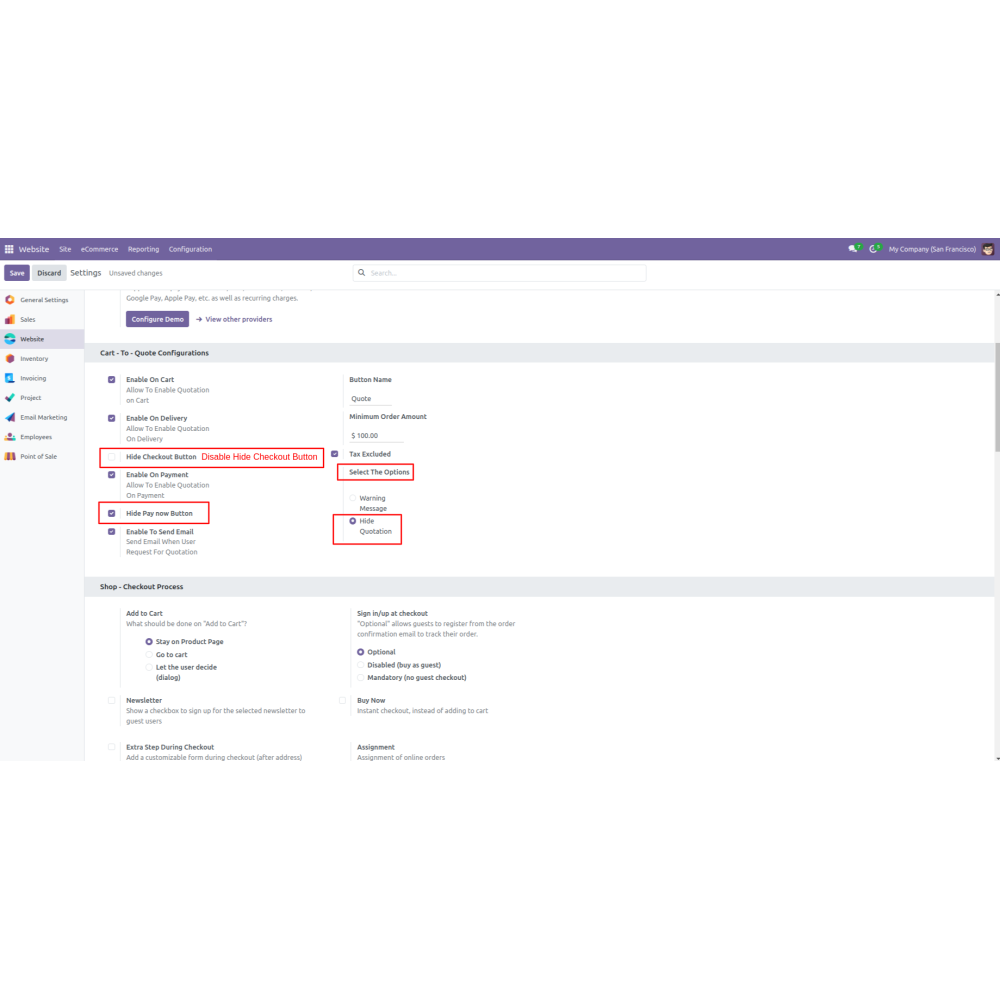
  • Provides settings to enable the quotation button on the cart, allowing customers to convert their carts into formal quotes seamlessly.
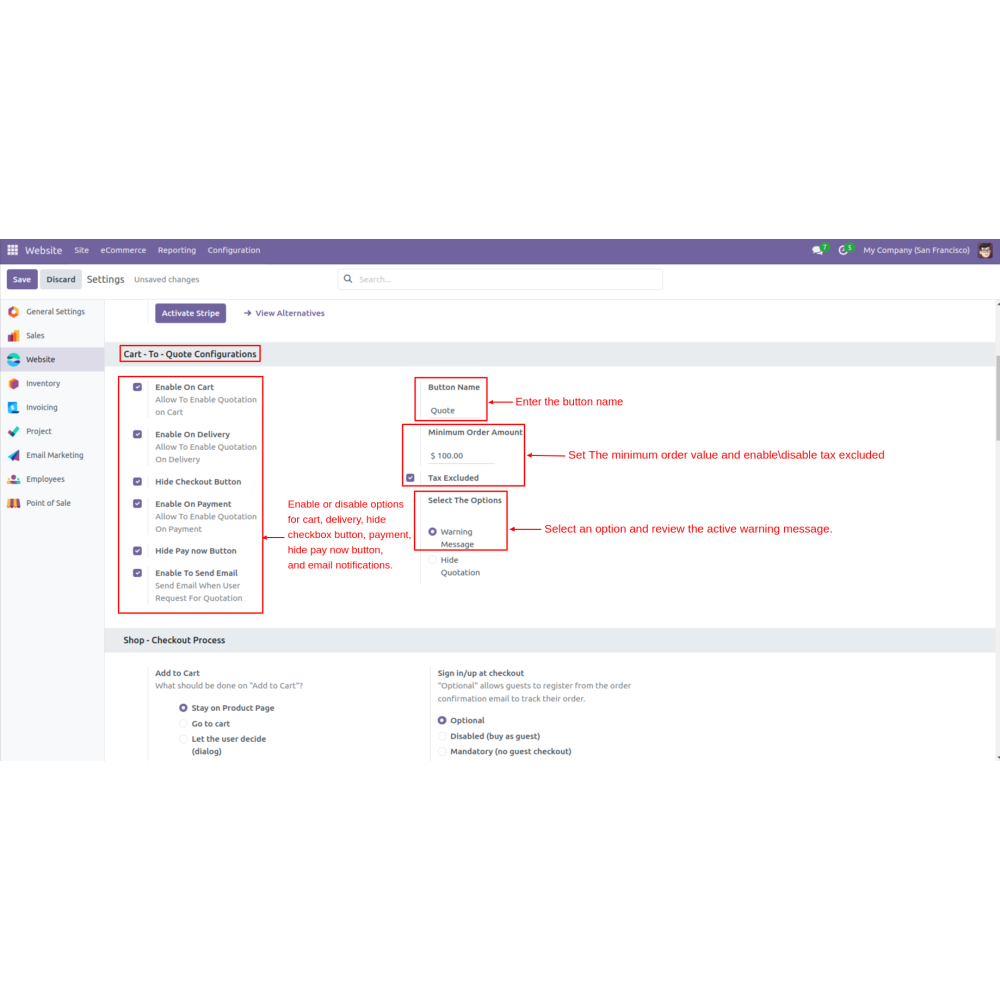
  • Admins can configure settings related to the cart-to-quote process, including enabling options for cart, delivery, payment, and email notifications.
  • Allows the admin to set a minimum order amount required to generate a quotation, ensuring that quotes are relevant and actionable.
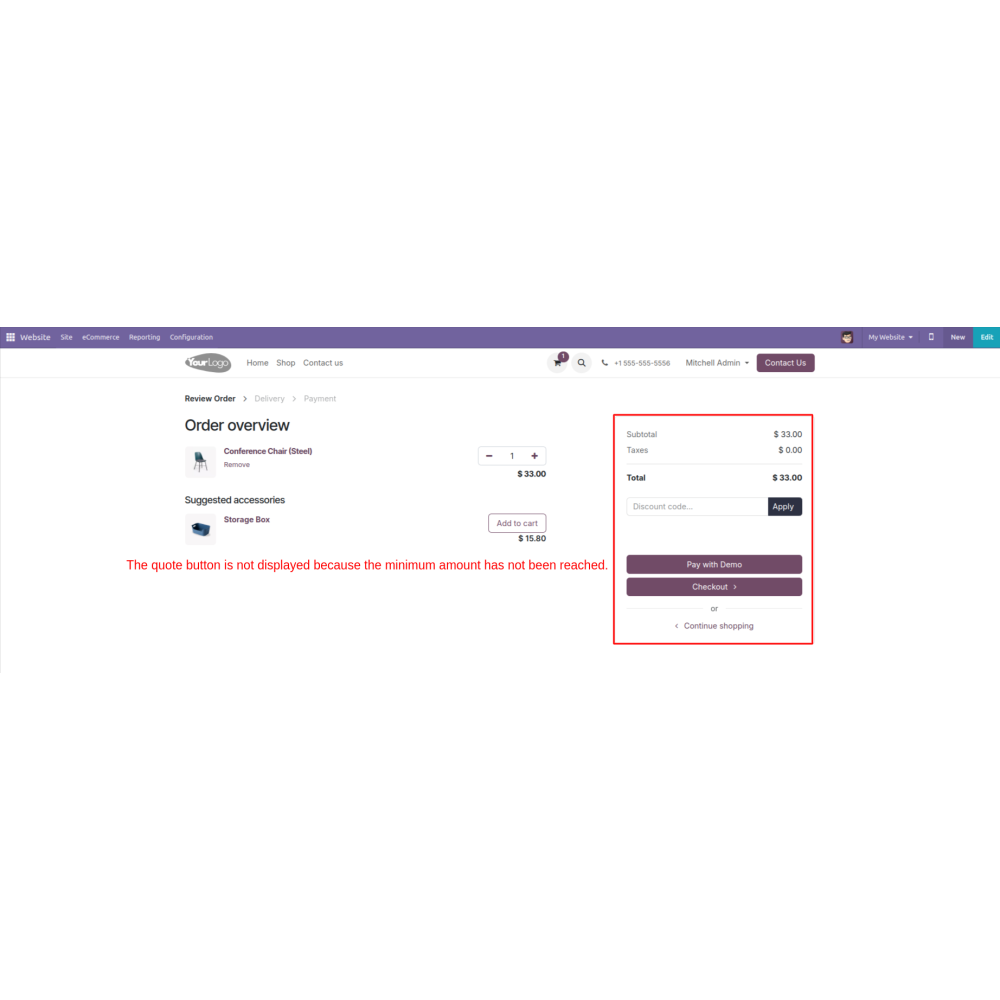
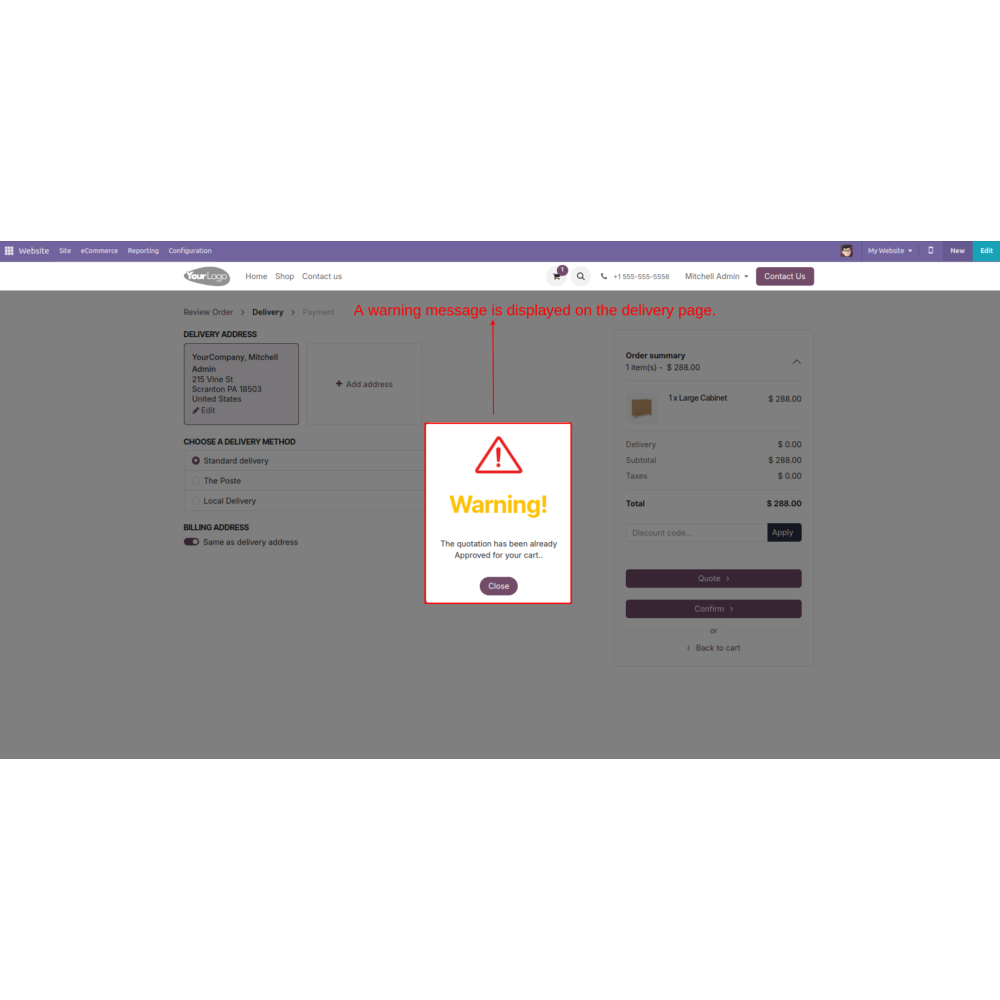
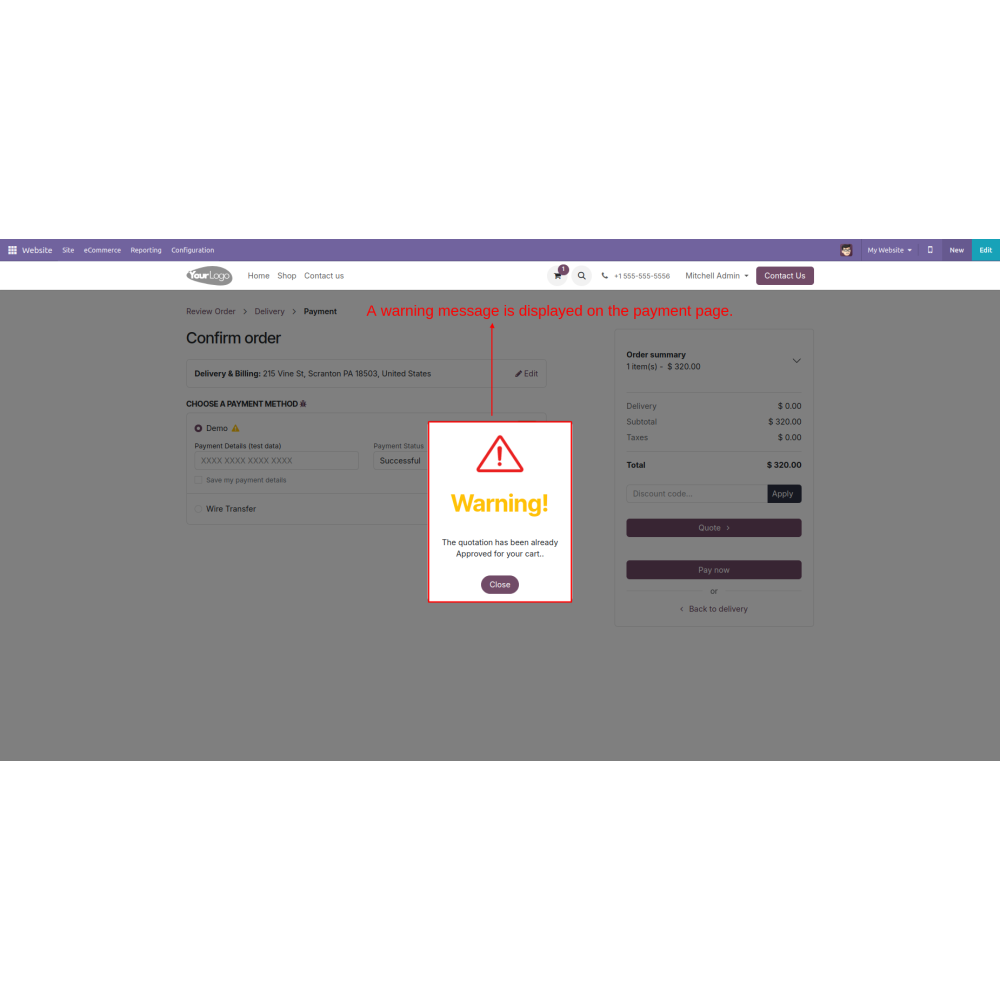
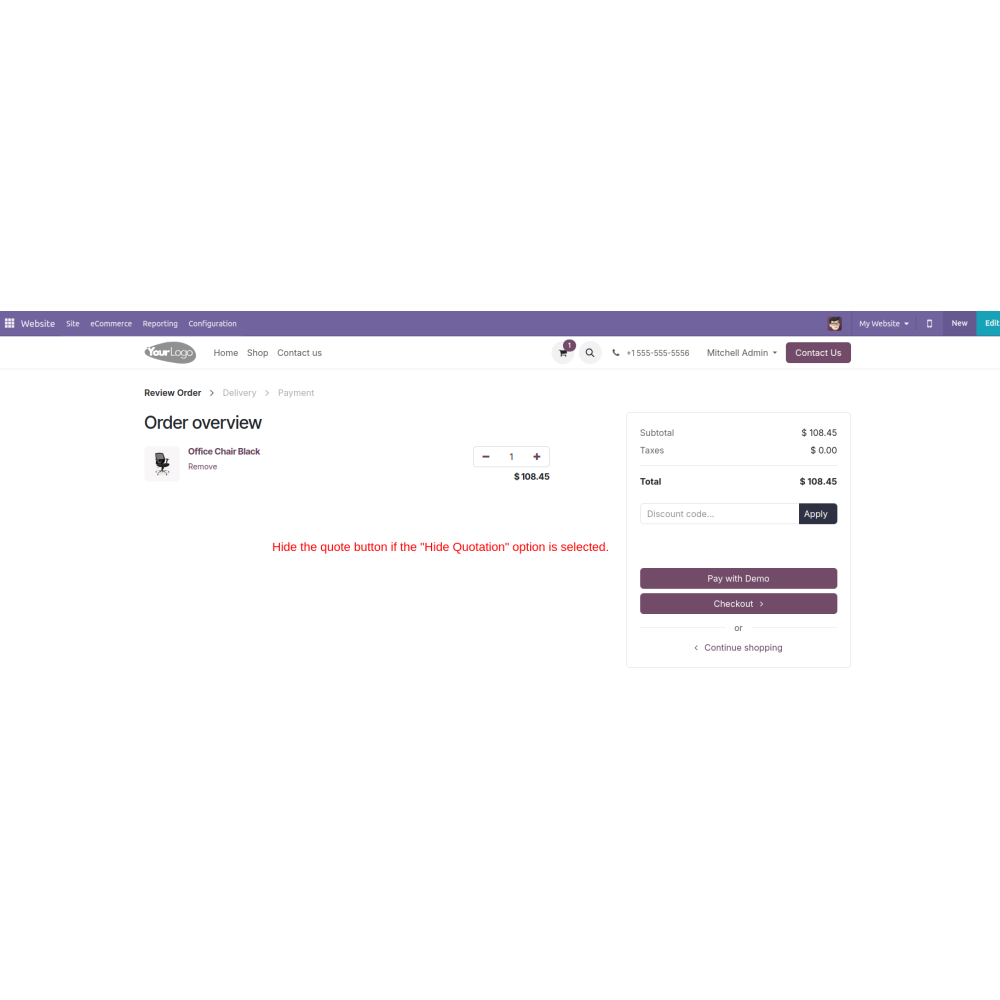
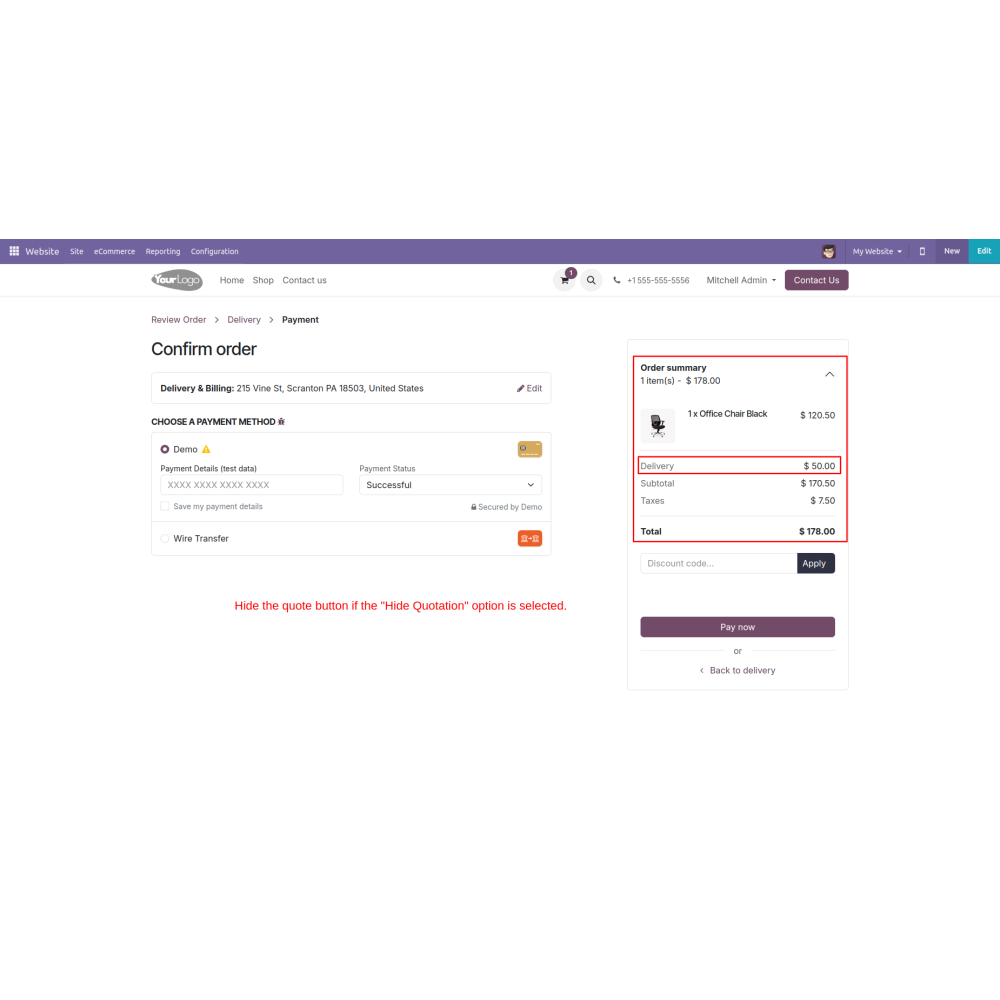
  • Provides options to display a warning message or hide the quotation button if the minimum order criteria are not met, managing customer expectations. 
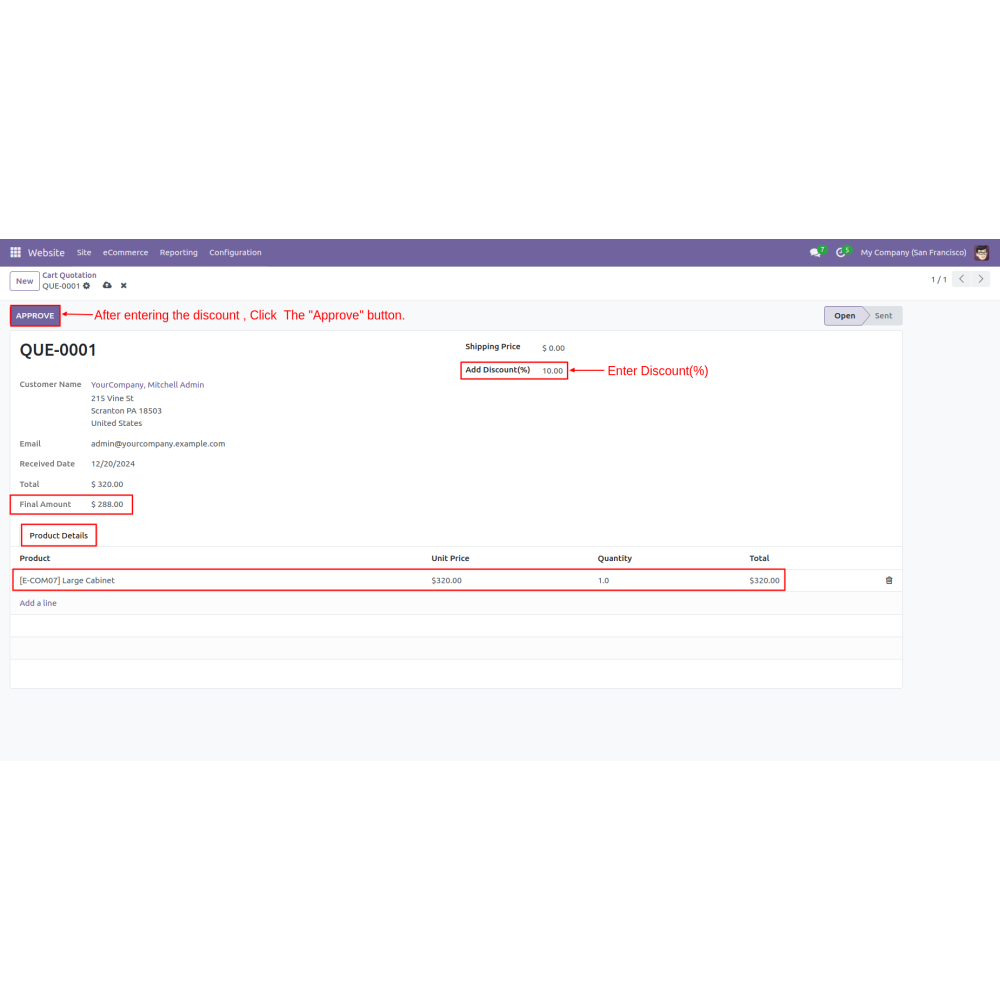
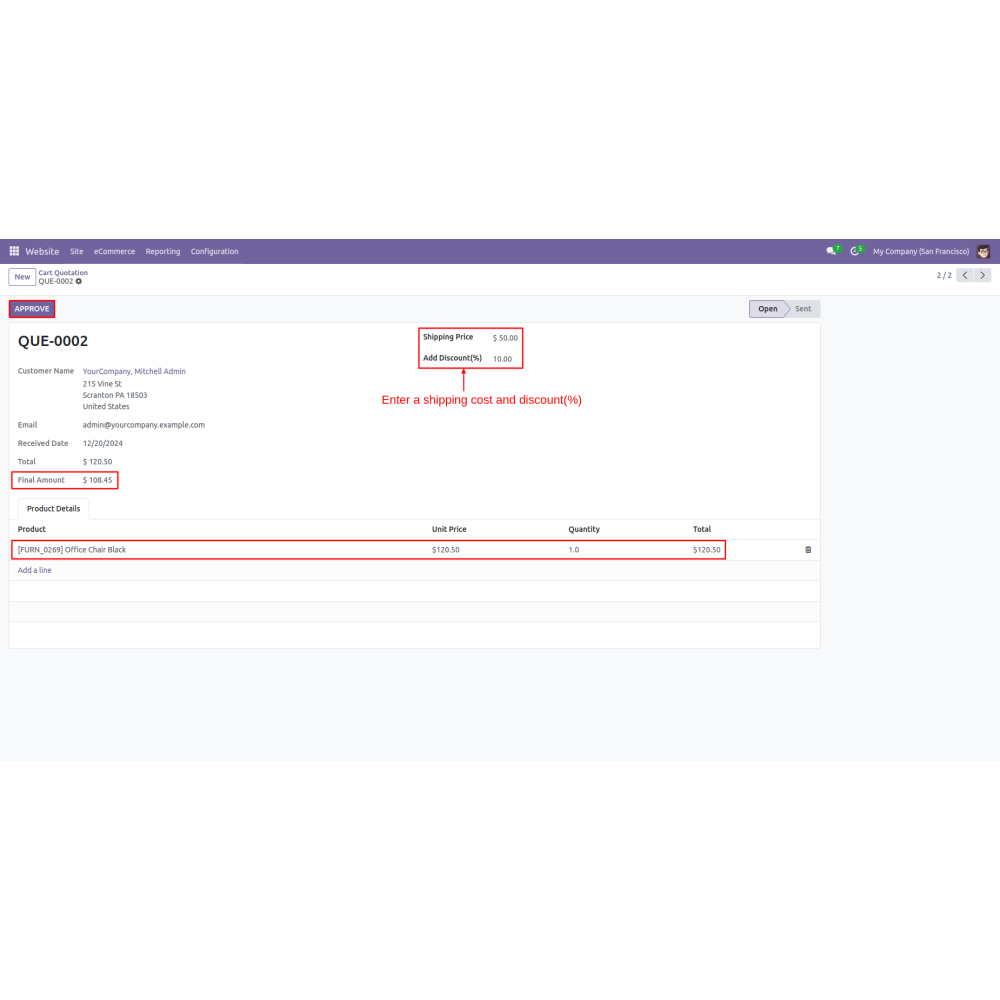
  • Admins can manage the cart quotation directly from the backend, including changing shipping prices and applying percentage-based discounts.
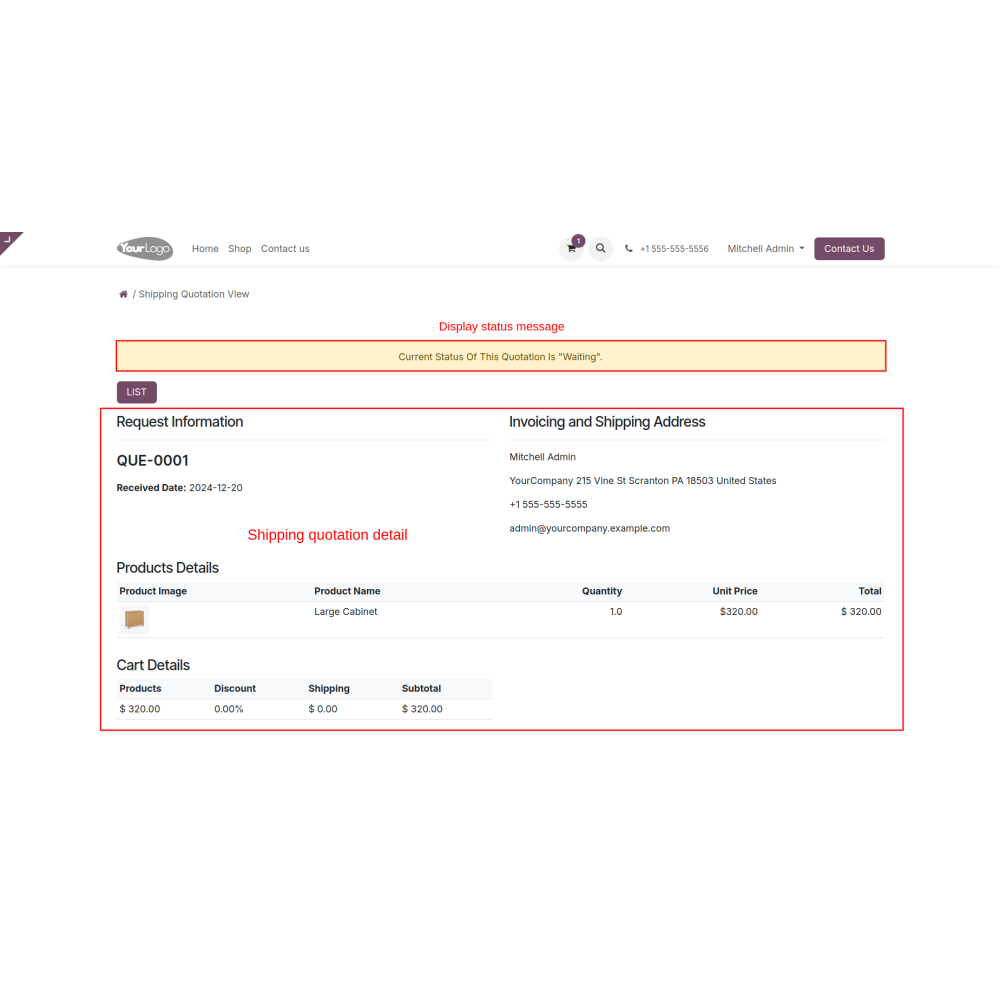
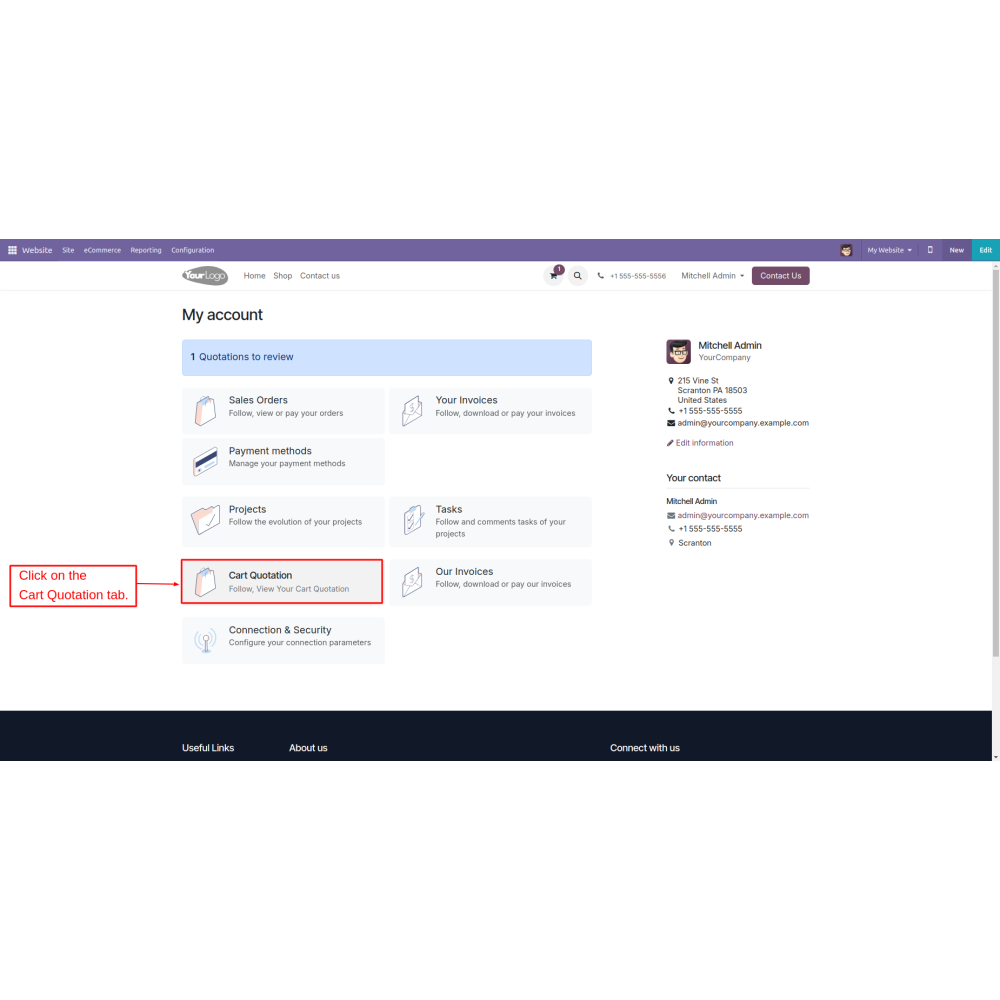
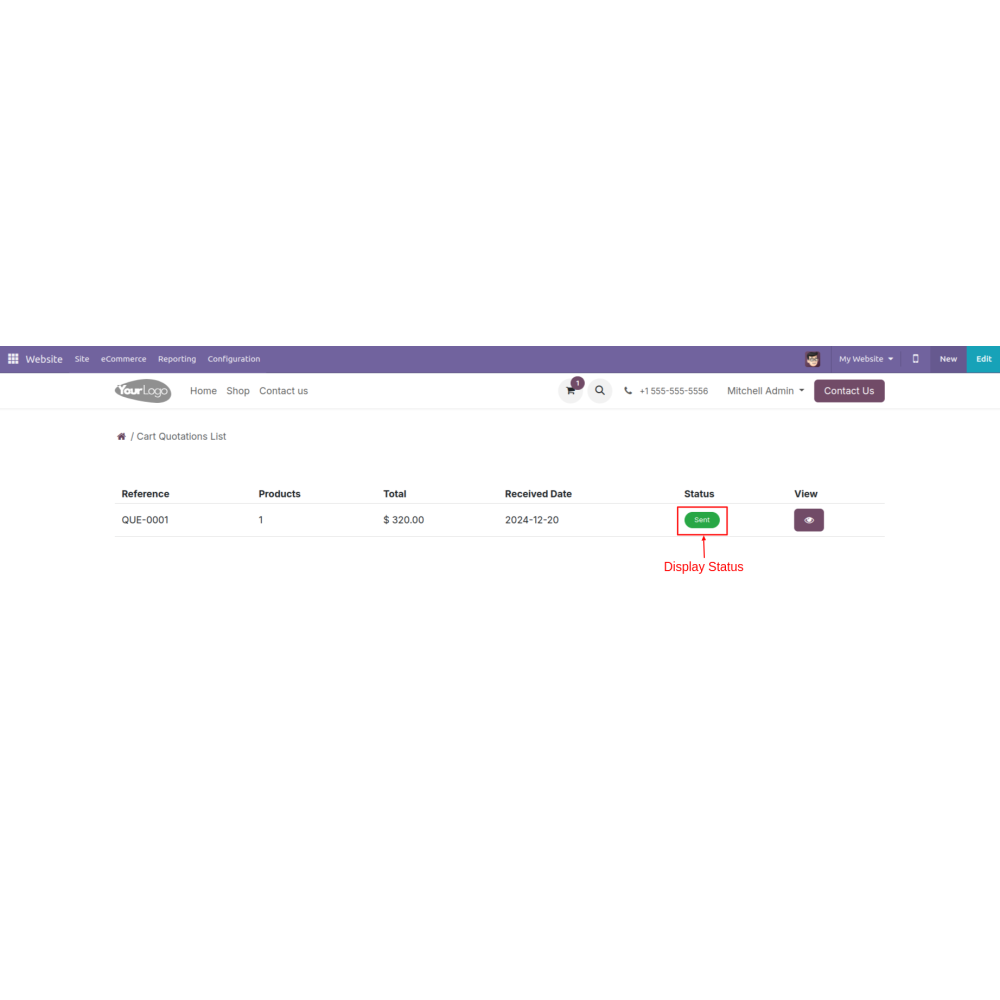
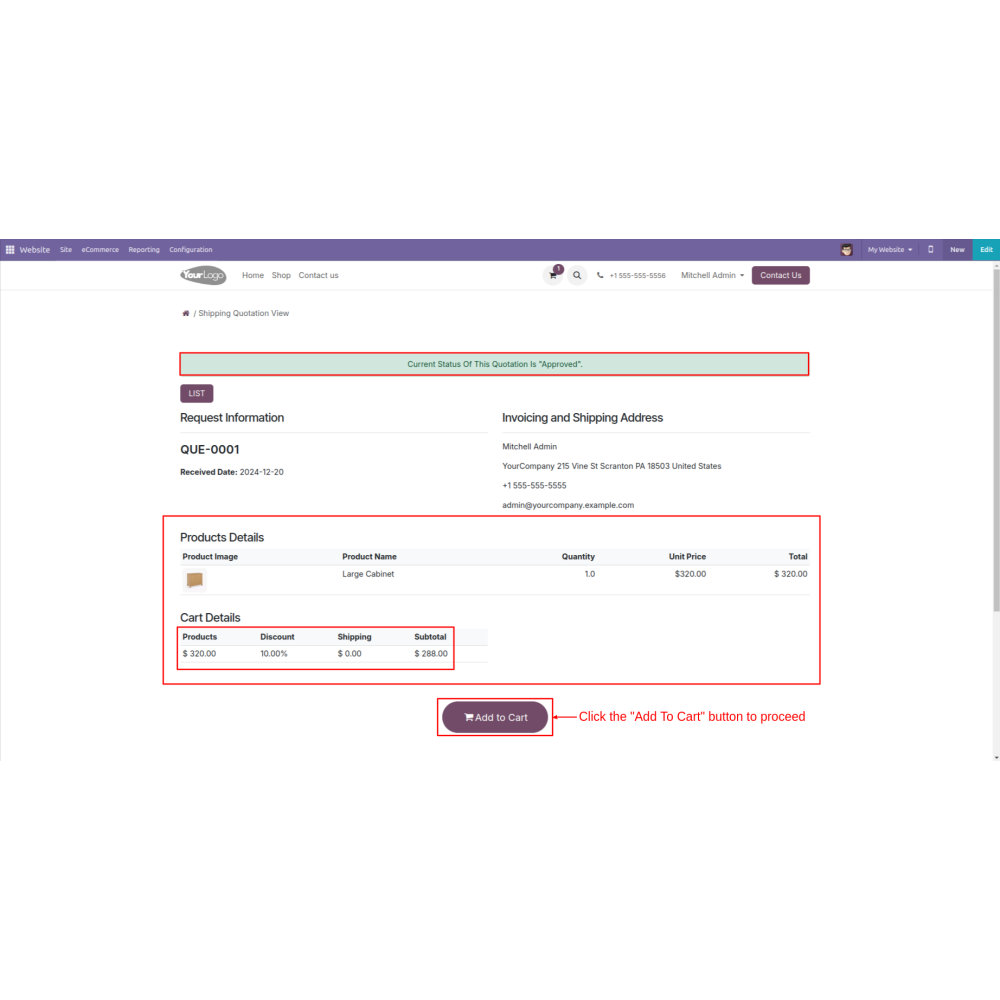
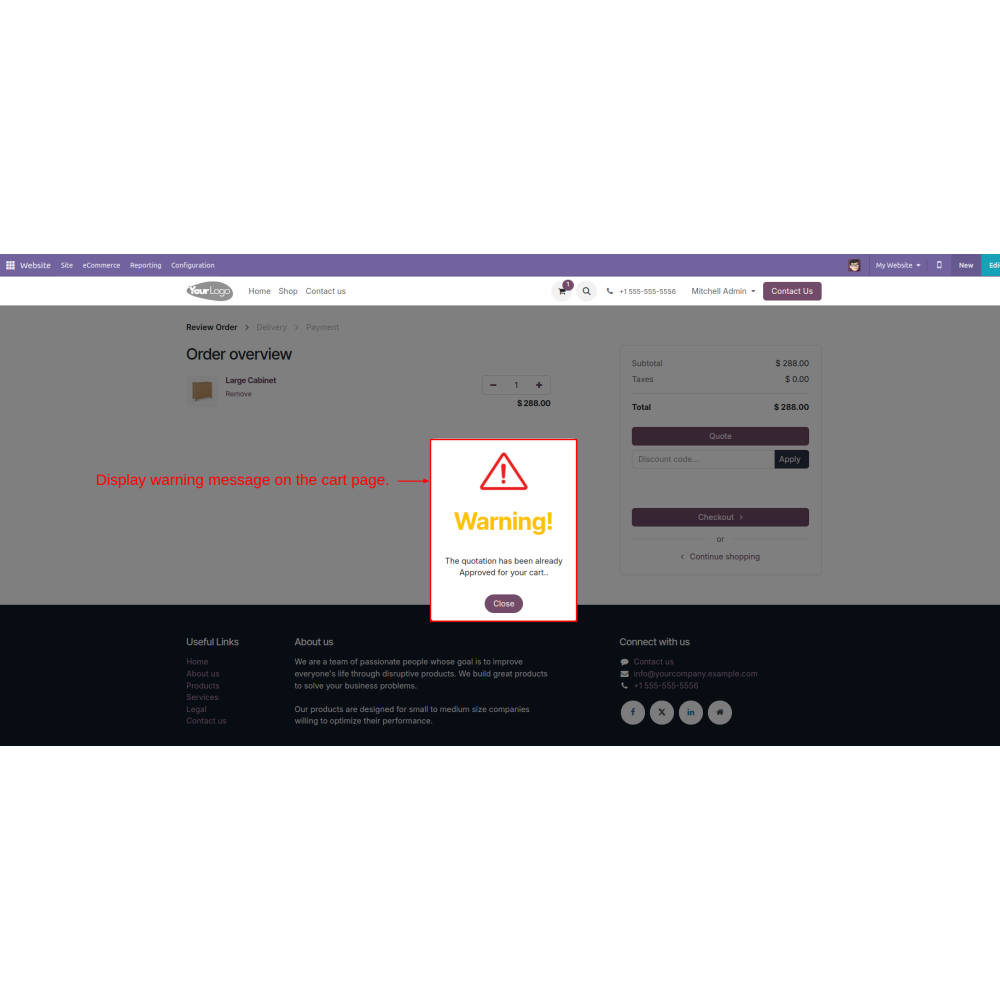
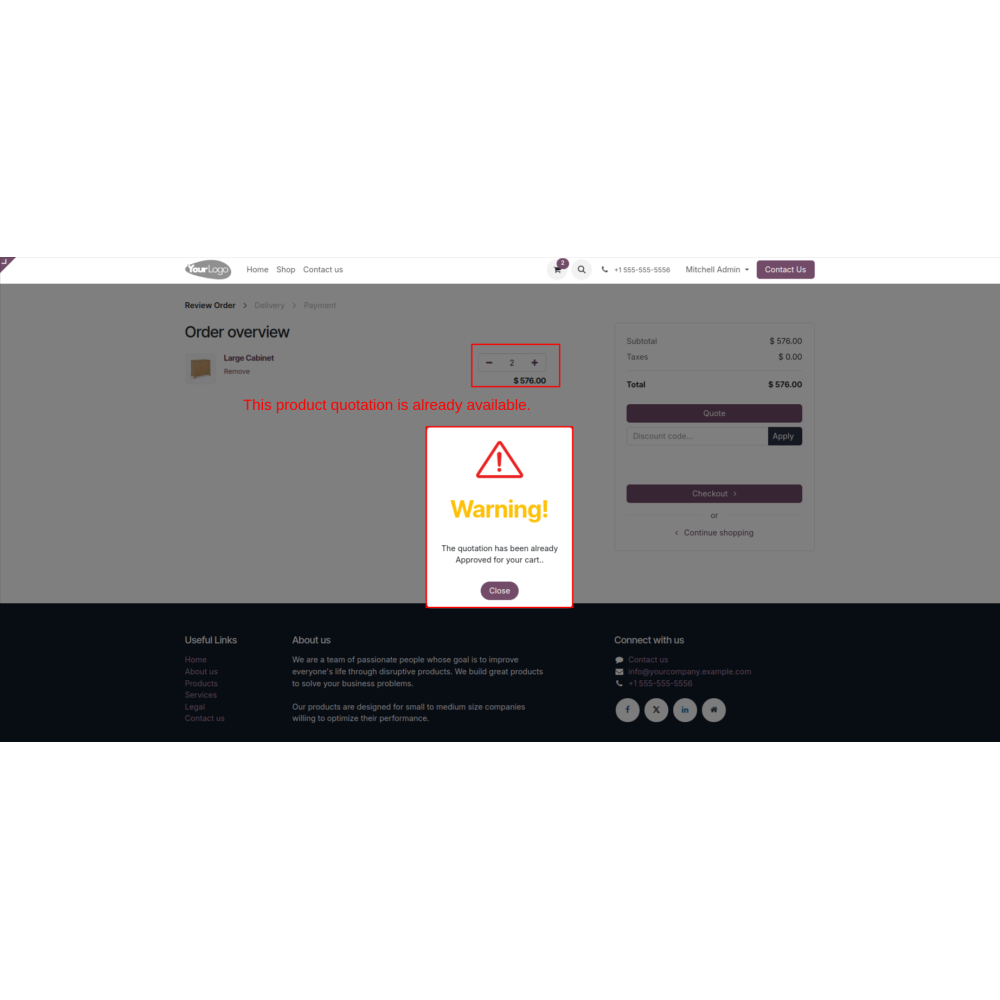
  • Offers an approval button for quotes, and upon approval, the status and detailed information can be viewed in the customer’s account under the cart quotation tab.
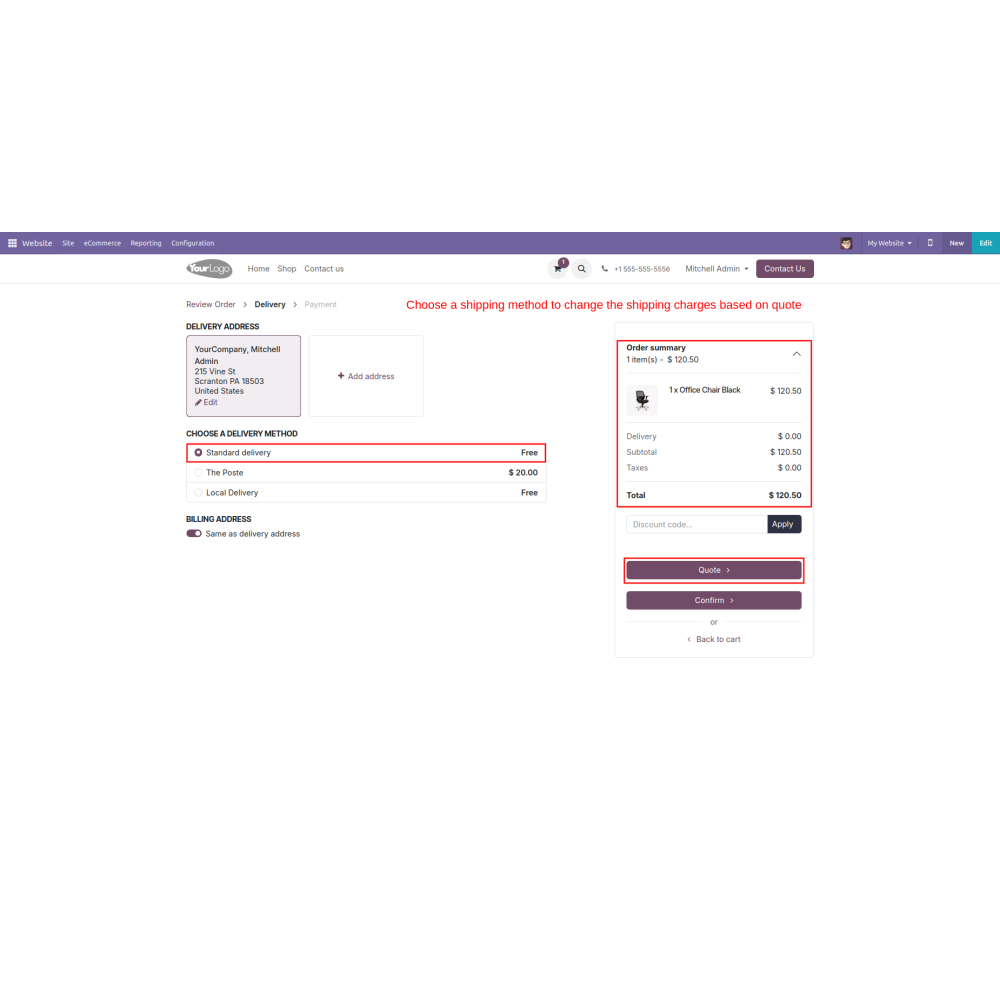
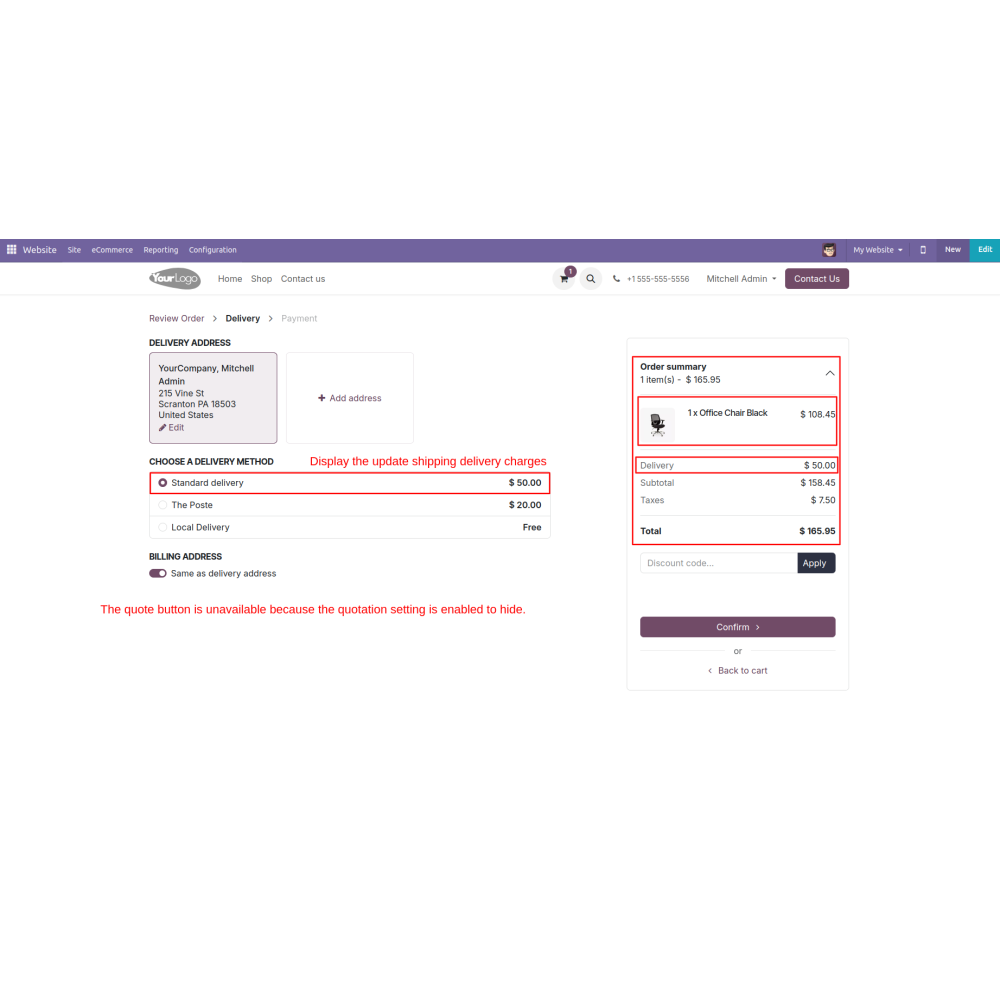
  • Just like a customer converts a cart to a quotation, he can also request a delivery estimate from the admin. 
  • Customers can select the delivery method during checkout and ask for a shipping quotation.
  • Eases the process of converting carts into formal quotes quickly.
  • Allows flexibility in setting discounts, delivery charges, and custom price offers.
  • Streamlines tracking and handling of pending, approved, or rejected quotations.
  • Encourages interaction by allowing customers to request quotes and delivery estimates.
  • Sends email notifications to keep customers updated on quotation status and progress.
  • Ensures transparent communication of quote approval, rejection, or revision stages.
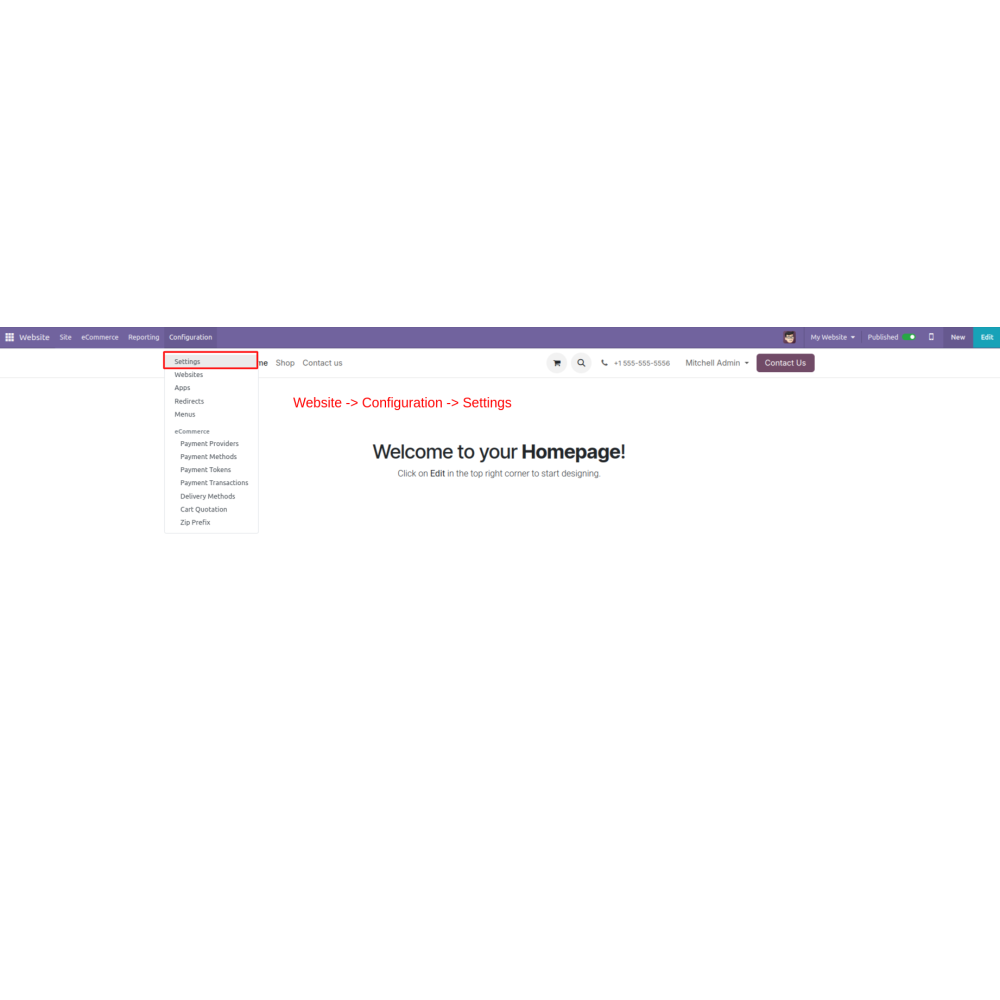
  • Go to Website -> Configuration -> Settings
  • Configure the settings to enable or disable the quotation feature at specific stages, including the cart, delivery, or payment steps. Specify the button label, set a minimum order amount, and choose whether to display a warning message or hide the quotation option when conditions are unmet.
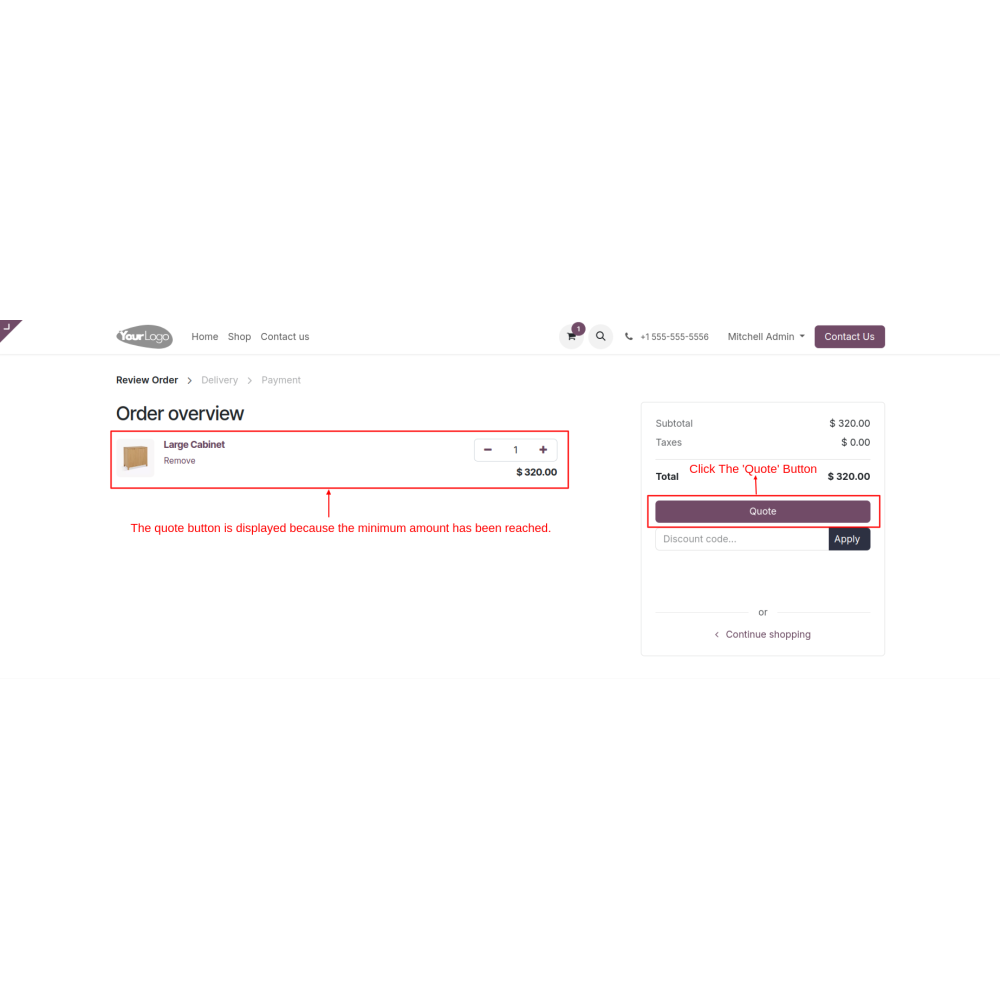
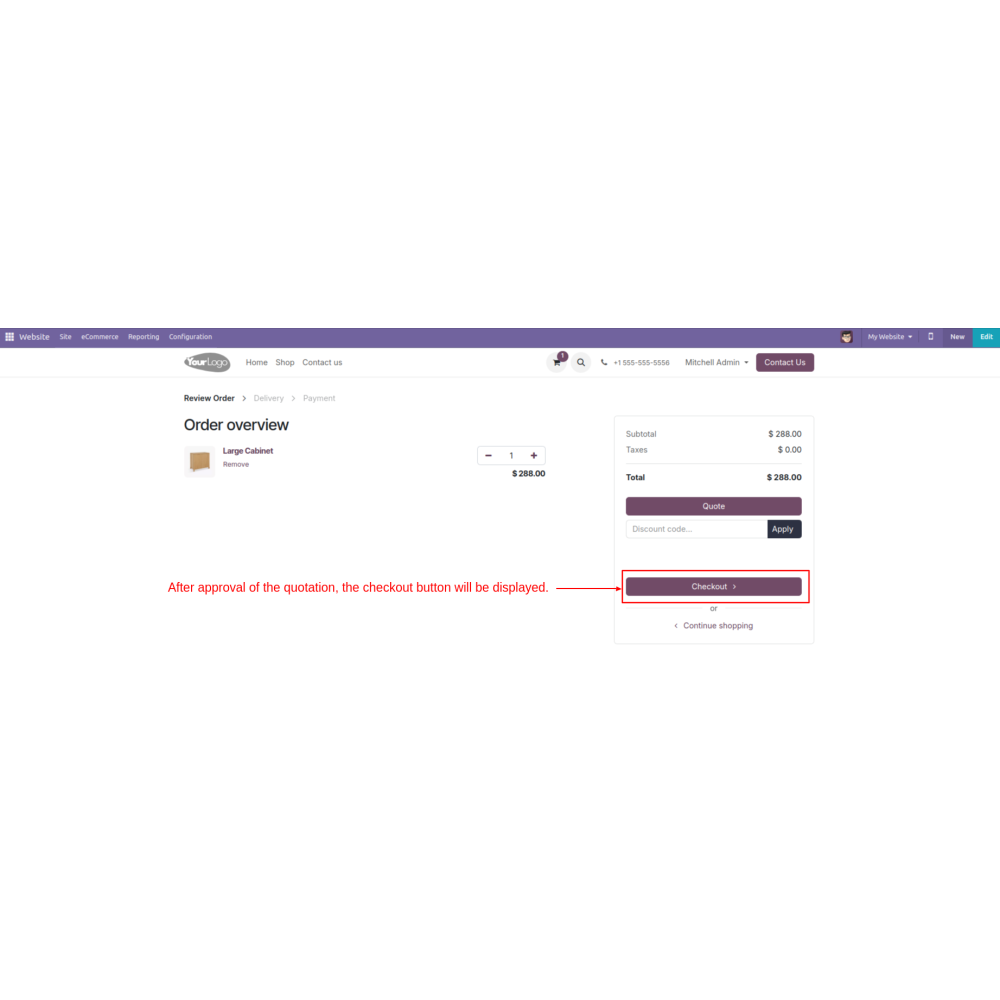
  • Click the “Quote” button. 
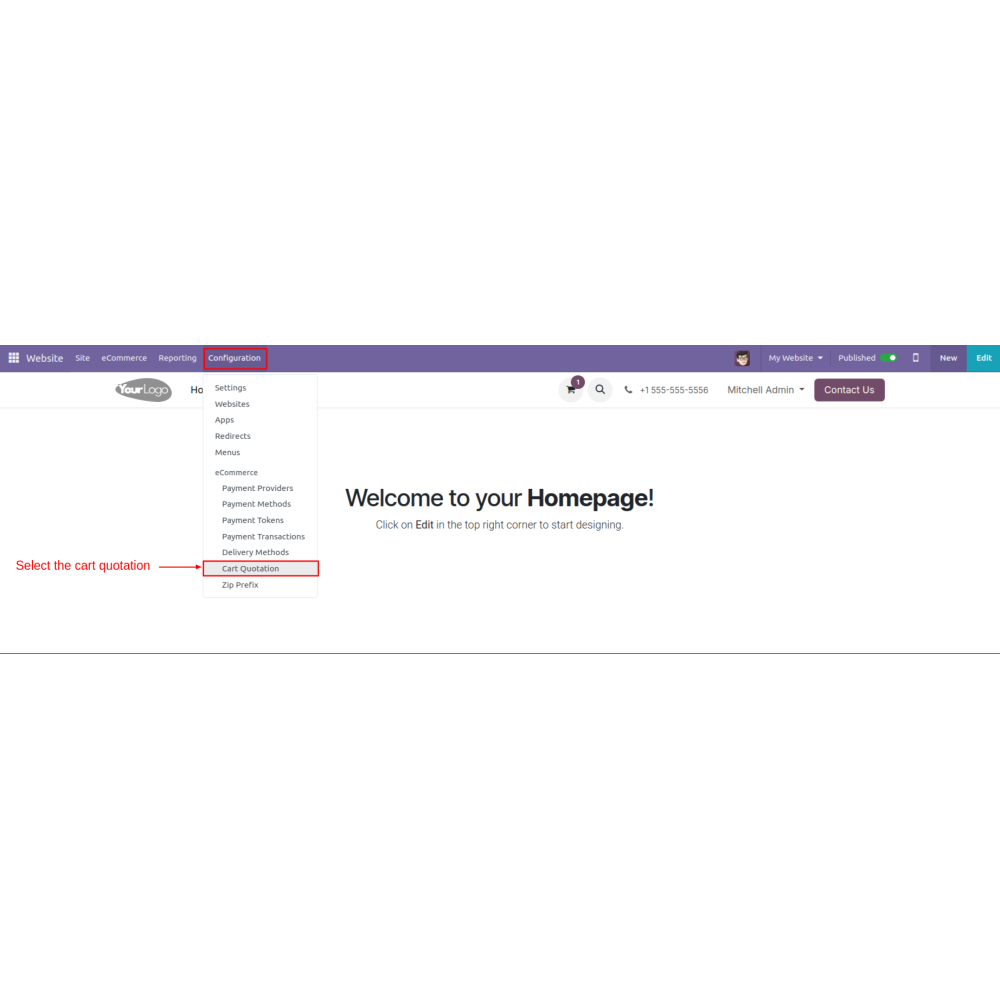
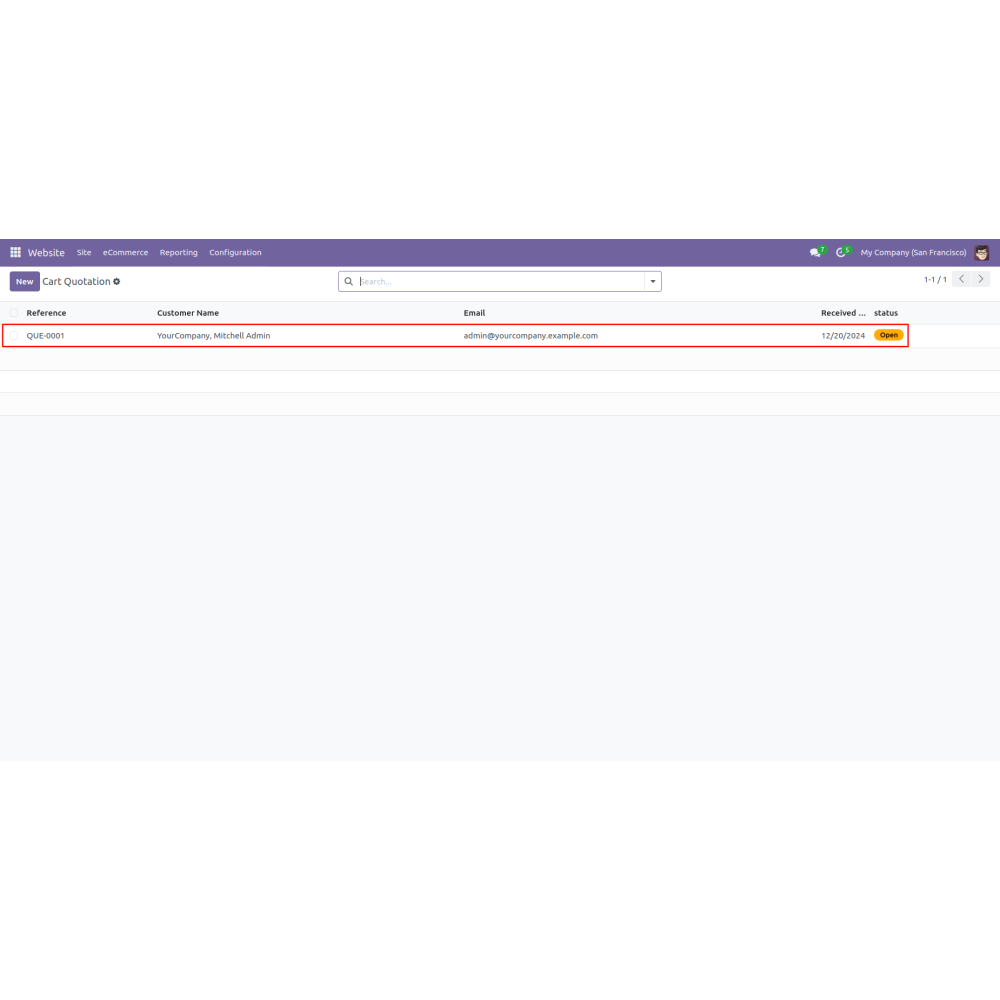
  • Go to Configuration -> Cart Quotation. Input the shipping price and apply a discount (percentage). Click the approve button to proceed with the process.
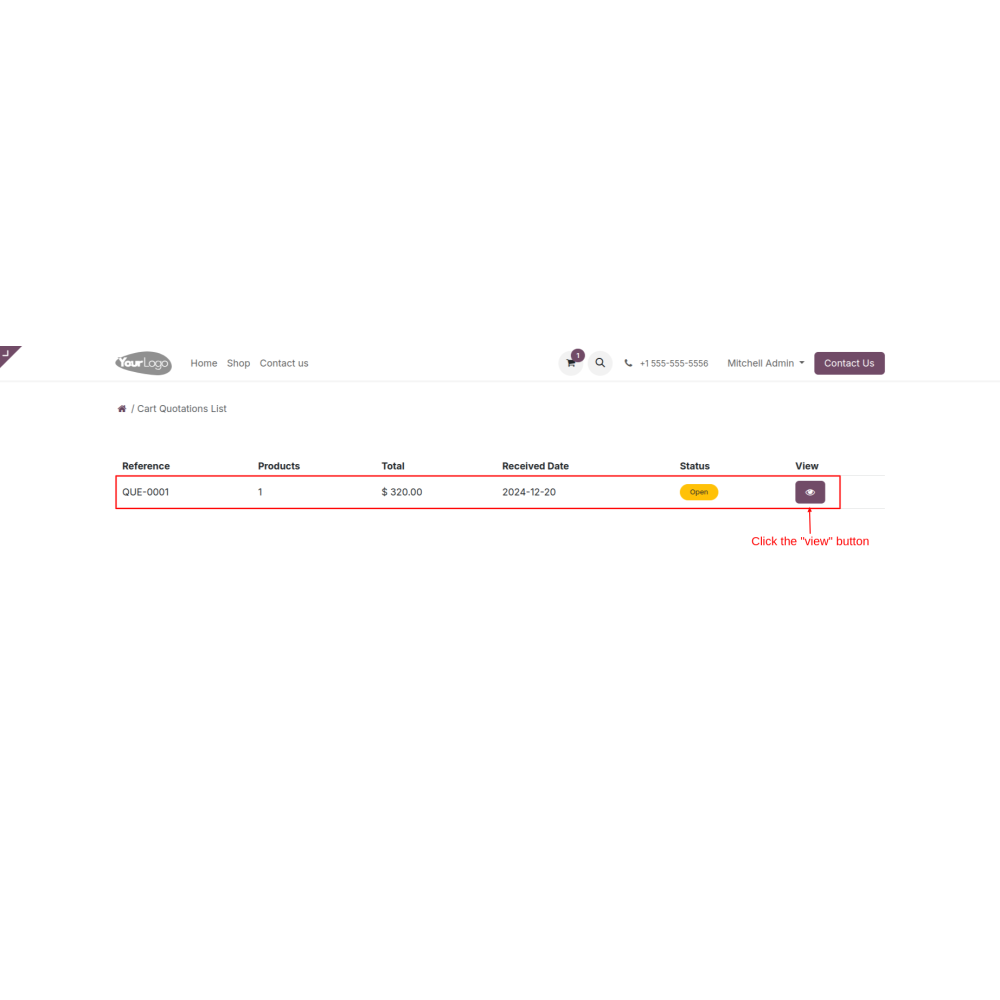
  • Navigate to My Account, click on the cart quotation tab
  • Display the 'Add to Cart' button, click it to proceed, and continue with the process.
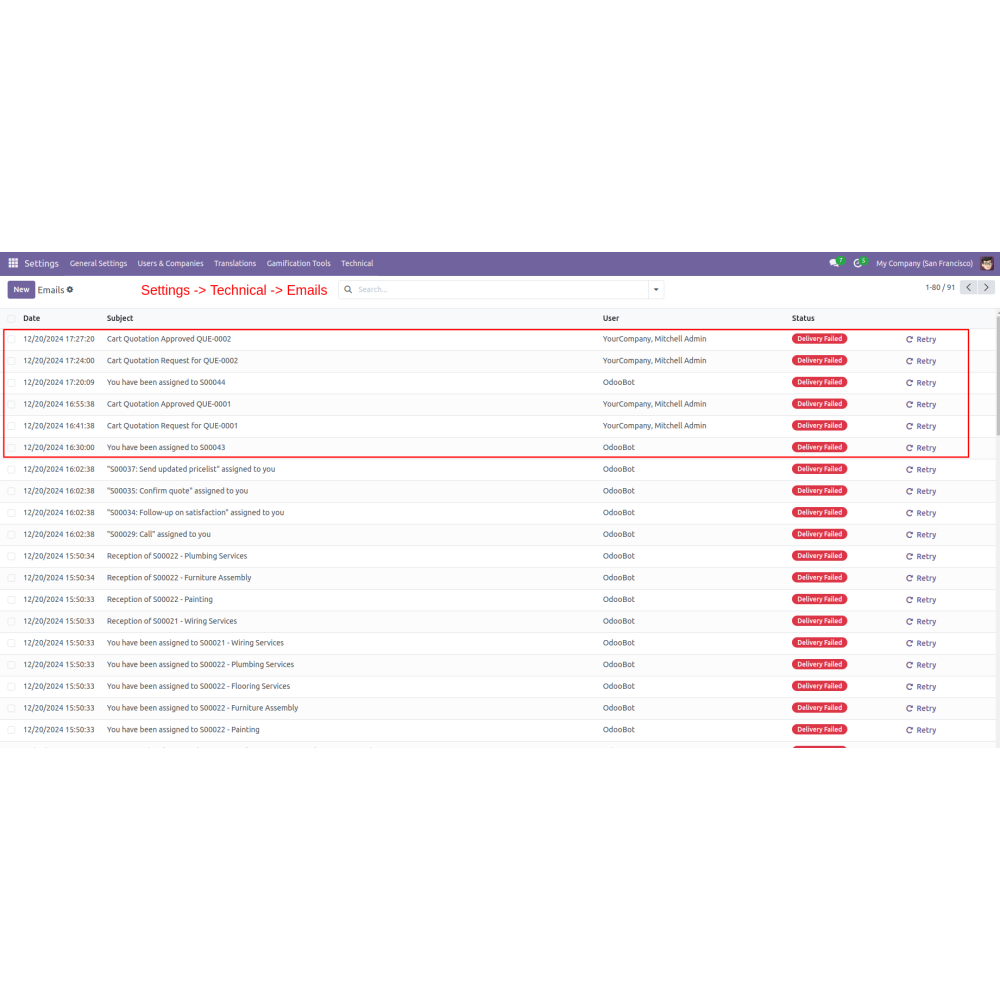
  • Navigate to Settings → Technical → Email to view emails related to cart quotation status.
What is the Website Cart Quotation - Quote Manager?This module allows users to convert their shopping carts into formal quotations easily. Customers can request quotes directly from their cart, improving transparency and flexibility. Admins can also enable shipping quotes, allowing customers to select delivery options and request estimates. The system helps manage pricing, discounts, and order details effectively, enhancing customer engagement and decision-making throughout the purchase process.
How does cart-to-quote conversion work?Admins enable the quote button on the cart. Customers can then convert their cart into a formal quote seamlessly, with options to specify discounts, delivery, and payment details.
Can minimum order amounts be set?Yes, admins can specify a minimum order amount to ensure quotes are generated only for relevant orders.
How are customer expectations managed?Admins can display warning messages or hide the quote button if the minimum order criteria are not met, managing customer expectations effectively.
How are backend quotations managed?Admins can create, modify, and approve quotes directly from the backend, including changing shipping rates or applying discounts.
Can customers request shipping estimates?Yes, customers can select their delivery option during checkout and request a shipping quote from the admin for better planning.
What kind of support do you offer after module purchase?We provide technical support to resolve installation, configuration, and functionality-related issues. Support details are outlined in our support policy. We also customize our Odoo App to meet your business needs.
Do your Odoo extensions support multi-language functionality?Yes, our modules are designed to be multi-language compatible. Follow the provided guidelines to configure language settings within Odoo.
What versions of Odoo are compatible with your extensions?Our extensions are regularly updated to support the latest stable Odoo versions. For compatibility details, refer to the product description page.

Customer reviews

4 Out Of 5
5 star
0%
4 star
100%
3 star
0%
2 star
0%
1 star
0%

Top reviews


Streamlined and Customizable Quote Management

Streamlined Quotation Process

Flexible Pricing Options

Improved Order Management

Enhanced Customer Engagement

Email Notifications Tracking

Clear Communication of Status

Features of the Website Cart Quotation

Cart-to-Quote Setup

Admins enable the quote button on carts, allowing customers to easily convert their shopping cart into a formal quote.

Configurable Options

Admins can customize settings for cart, delivery, payment, and email notifications to tailor the quotation process.

Minimum Order Threshold

Set a minimum purchase amount required for generating a quote, relevance, and operational efficiency.

Customer Expectation Controls

Options to display warning messages or hide the quote button if the minimum criteria aren’t met, managing user expectations.

Backend Quote Management

Admins can create, modify, and approve quotes directly from the backend, including adjusting shipping and applying discounts.

Shipping Estimate Requests

Customers can request delivery estimates and select shipping methods during checkout, facilitating better planning and negotiations.

Power Up Your  Store — We Handle It All

Related products