Odoo POS Happy Hour - Buy one Get one
The POS Happy Hours app provides the functionality to configure and manage happy hour promotions within a point-of-sale environment. This app allows users to set specific time intervals for offers and apply discounts on selected products, enhancing the customer shopping experience. It includes features for both general and specific customer targeting, enabling flexible promotional strategies tailored to various customer groups.
Odoo POS Happy Hour - Buy one Get one
The POS Happy Hours app provides the functionality to configure and manage happy hour promotions within a point-of-sale environment. This app allows users to set specific time intervals for offers and apply discounts on selected products, enhancing the customer shopping experience. It includes features for both general and specific customer targeting, enabling flexible promotional strategies tailored to various customer groups.
10-day module exchange guarantee
- The POS Happy Hour - Buy One, Get One app enables merchants to create timed promotions directly within the point-of-sale system.
- You can set specific hours during which special offers, such as buy one get one free or discounts on selected products, are available to customers.
- The app allows for flexible targeting options, so you can customize promotions for specific customer groups or all shoppers.
- This feature helps increase sales during peak hours, boost customer engagement, and create an attractive shopping environment.
- Users can easily configure promotion timings and product eligibility, making it straightforward to run effective, time-limited deals that enhance the overall shopping experience.
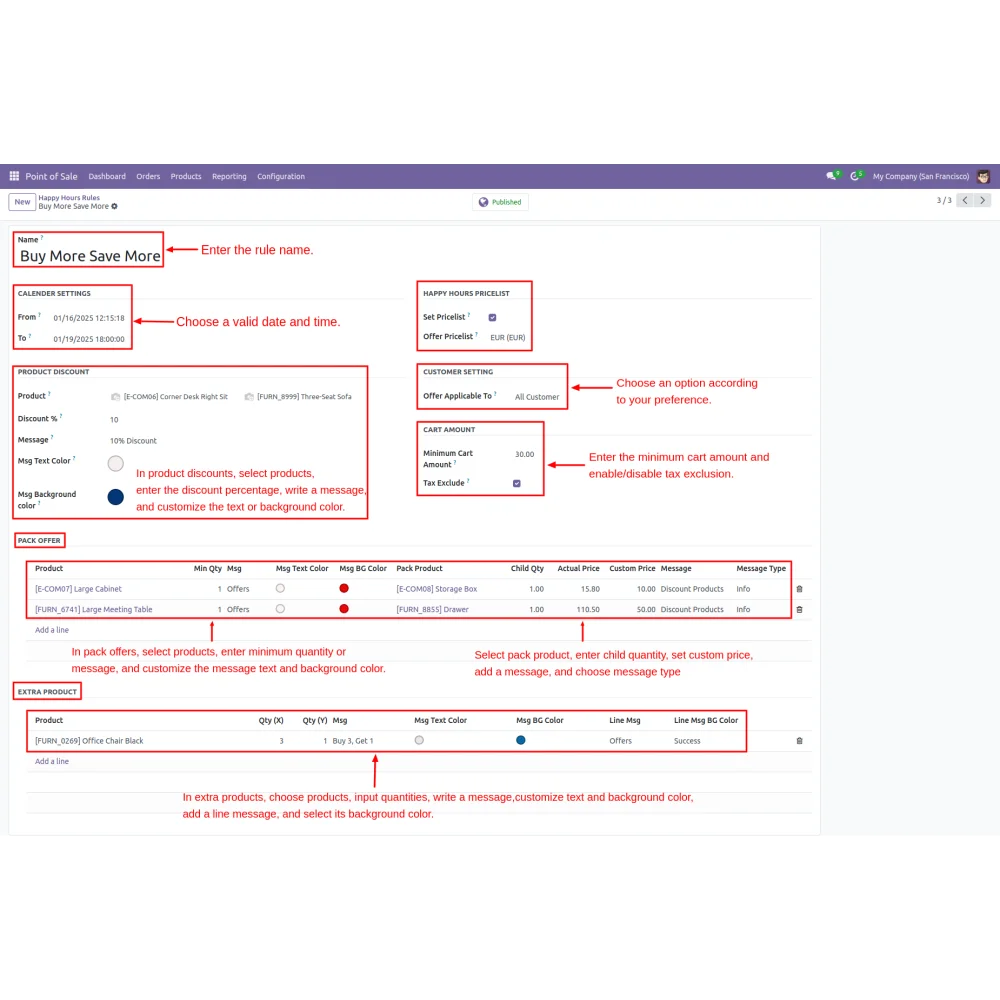
- Set up happy hour promotions by entering an offer name along with start and end times for the discount period.
- Select specific products for discounts, enter discount percentages, and customize promotional messages including text and background colors.
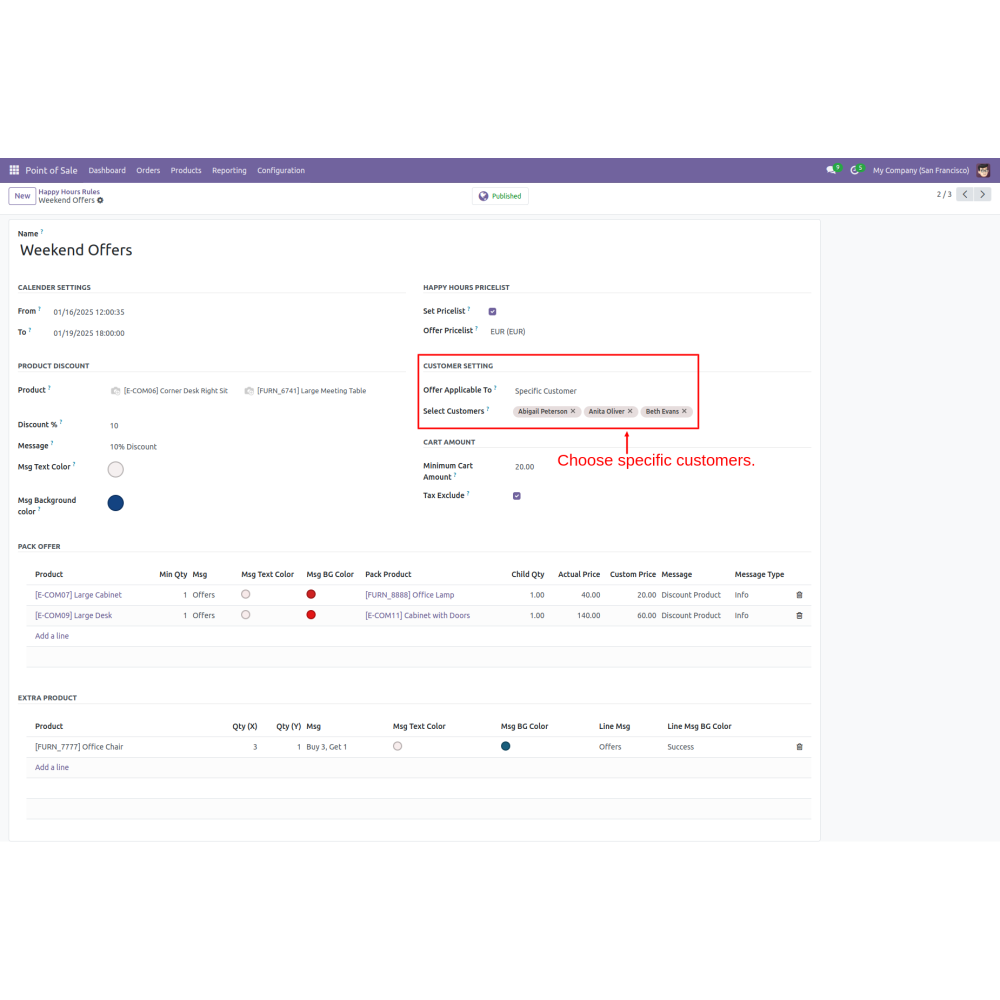
- Choose to apply offers to all customers or specific customers, allowing for targeted marketing strategies based on customer segments.
- Configure a minimum cart amount required to activate discounts, providing a threshold for promotional offers, and encouraging higher spending.
- In-pack offers, select products, define minimum quantities, and customize messages. For extra products, enter quantities and set additional messages while customizing their appearance.
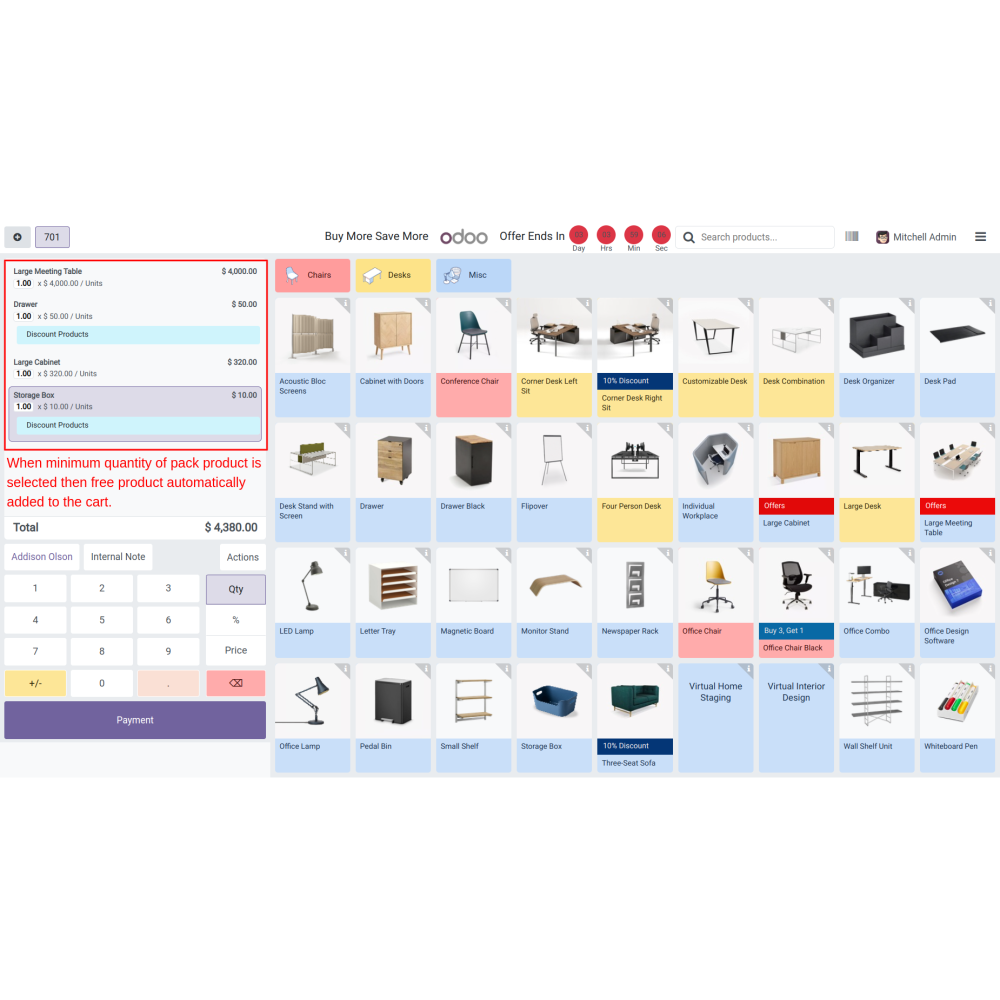
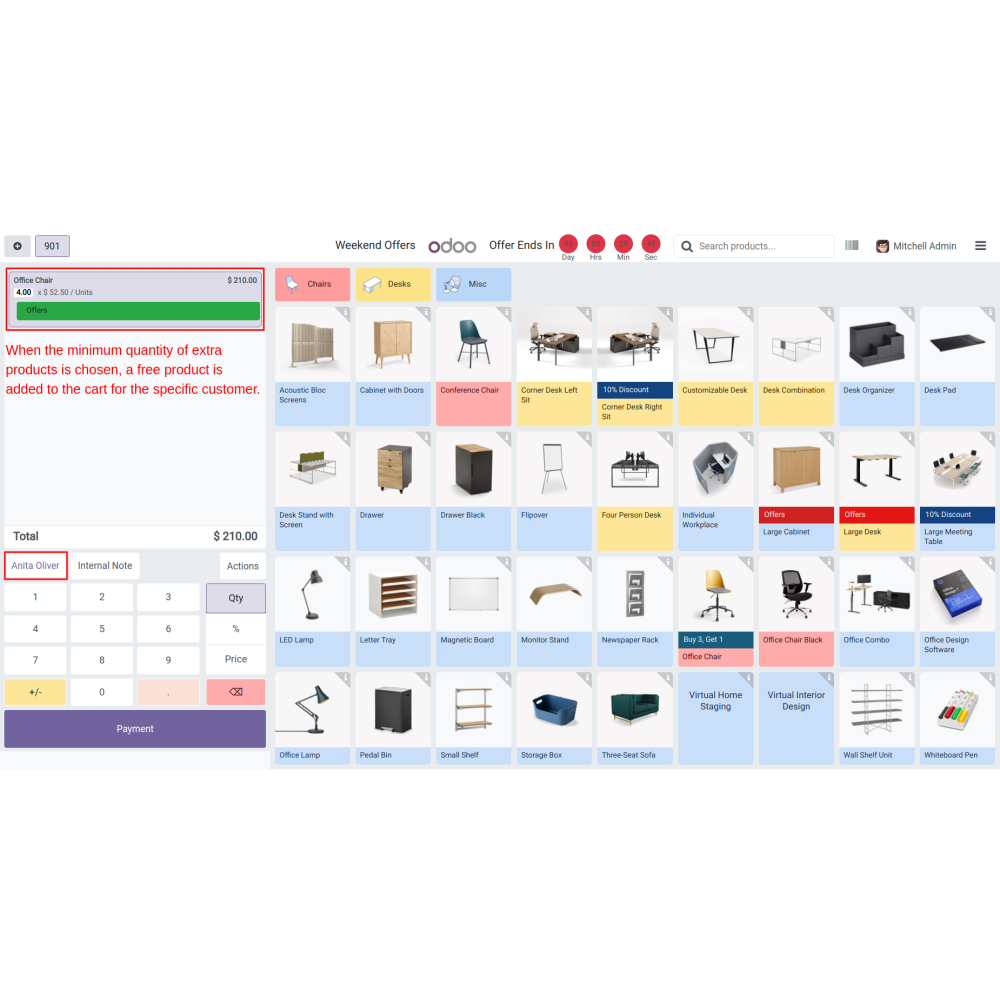
- Automatically add free products to the cart when the minimum quantity for a pack or extra products is selected, enhancing the value proposition for customers.
- Attract customers with time-limited offers, increasing overall revenue.
- Creates a fun shopping environment, encouraging repeat visits and loyalty.
- Allows targeted promotions during specific hours, maximizing marketing impact.
- Incentivizes customers to purchase more during promotional periods.
- Helps manage stock levels by promoting certain products during peak times.
- Streamlines the purchase process with simple, attractive deals, reducing wait times.
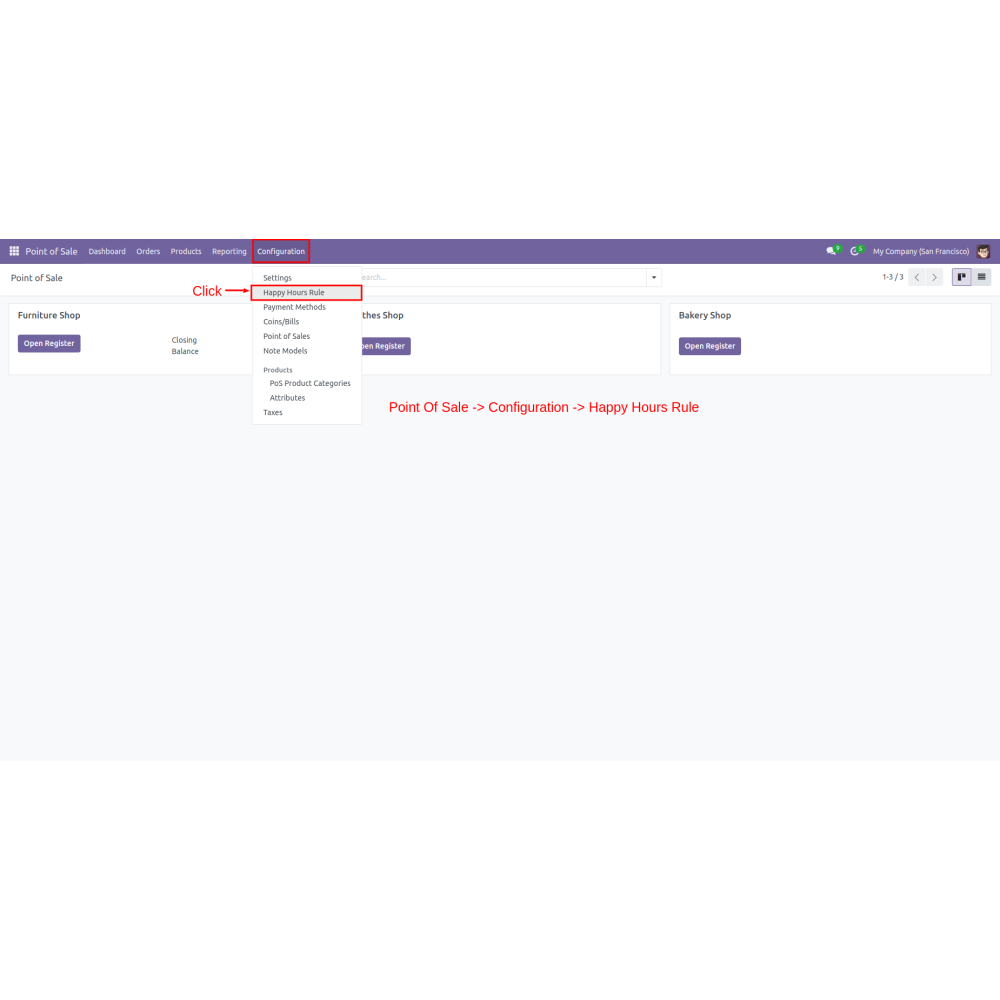
Navigate to Point of Sale > Configuration > Click on Happy Hours Rule.
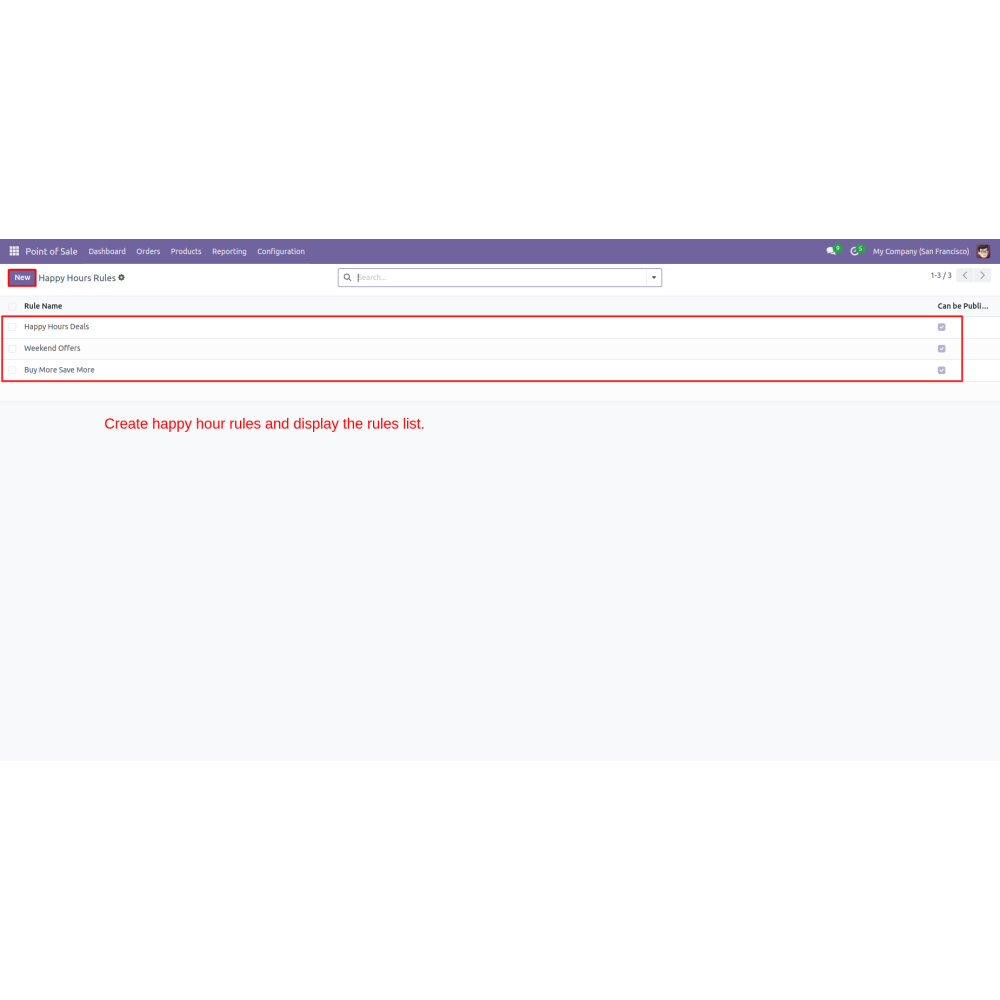
Create a Happy Hours Rule
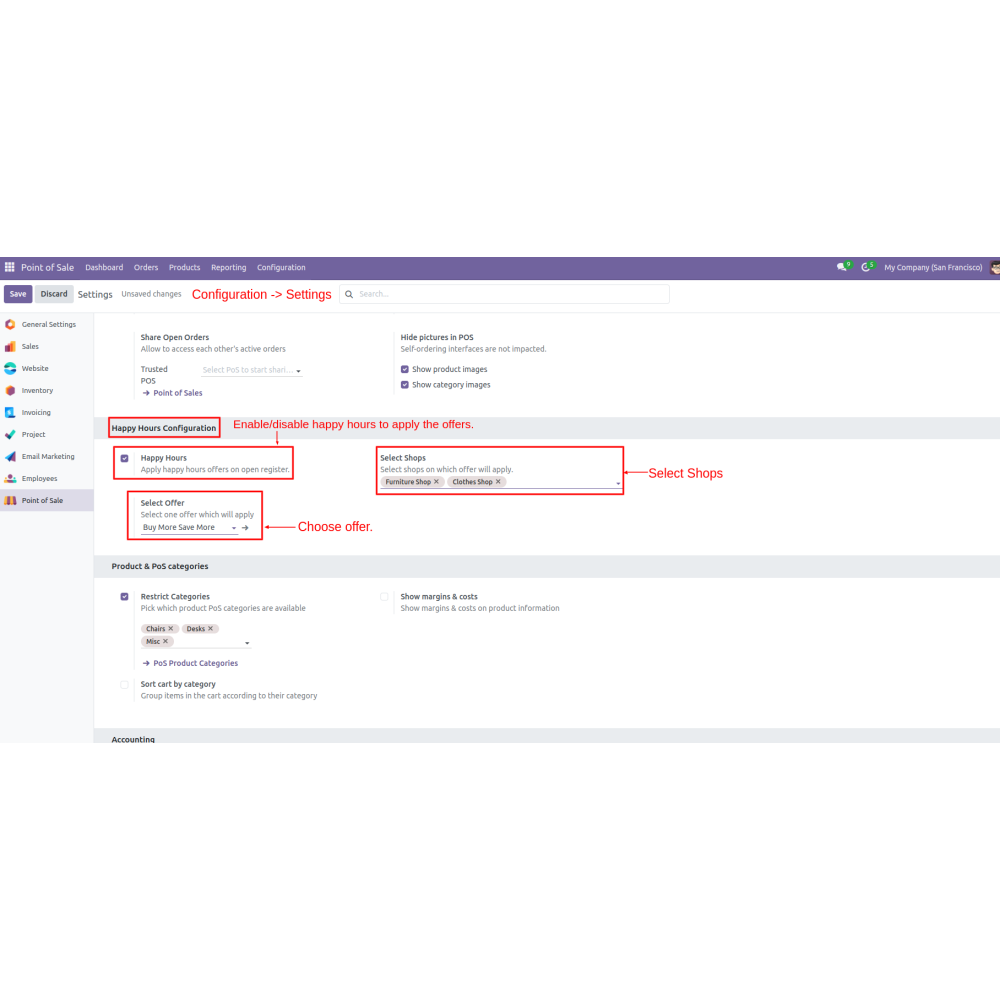
Enable or disable happy hours to apply offers, select offers, and choose shops.
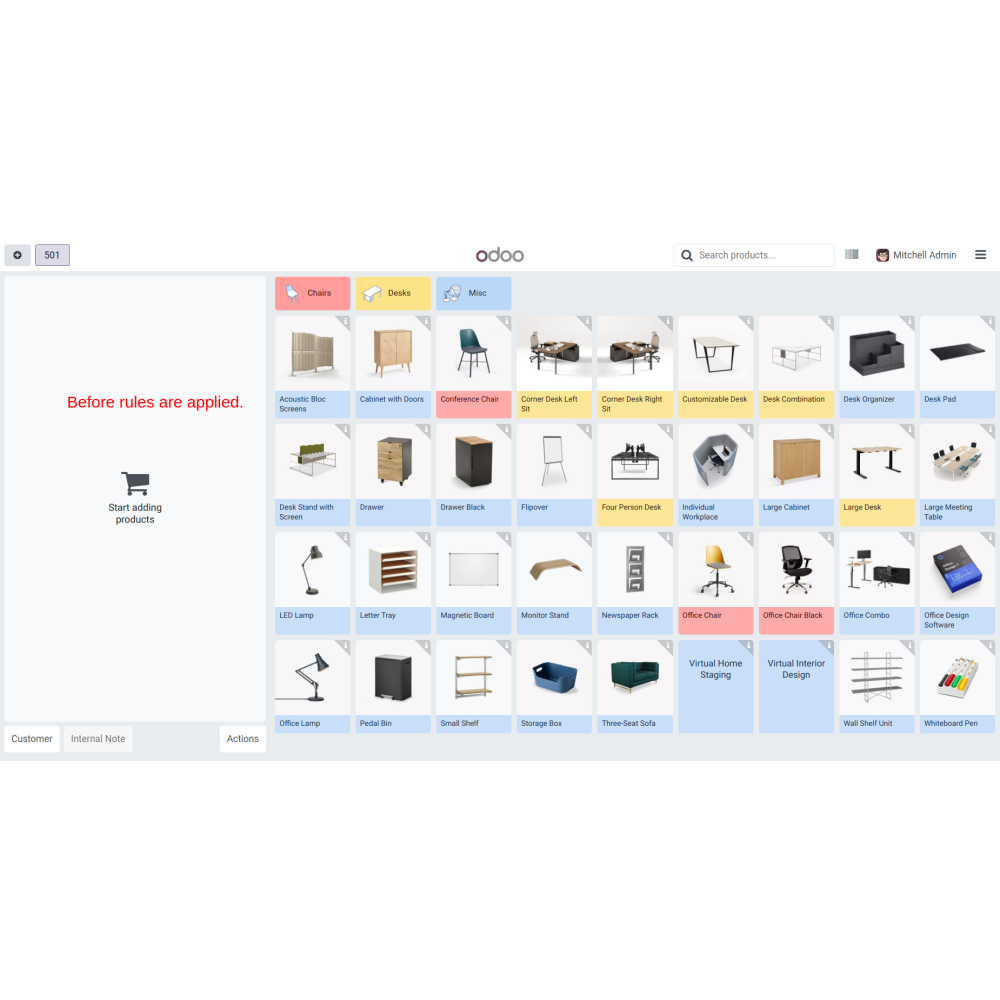
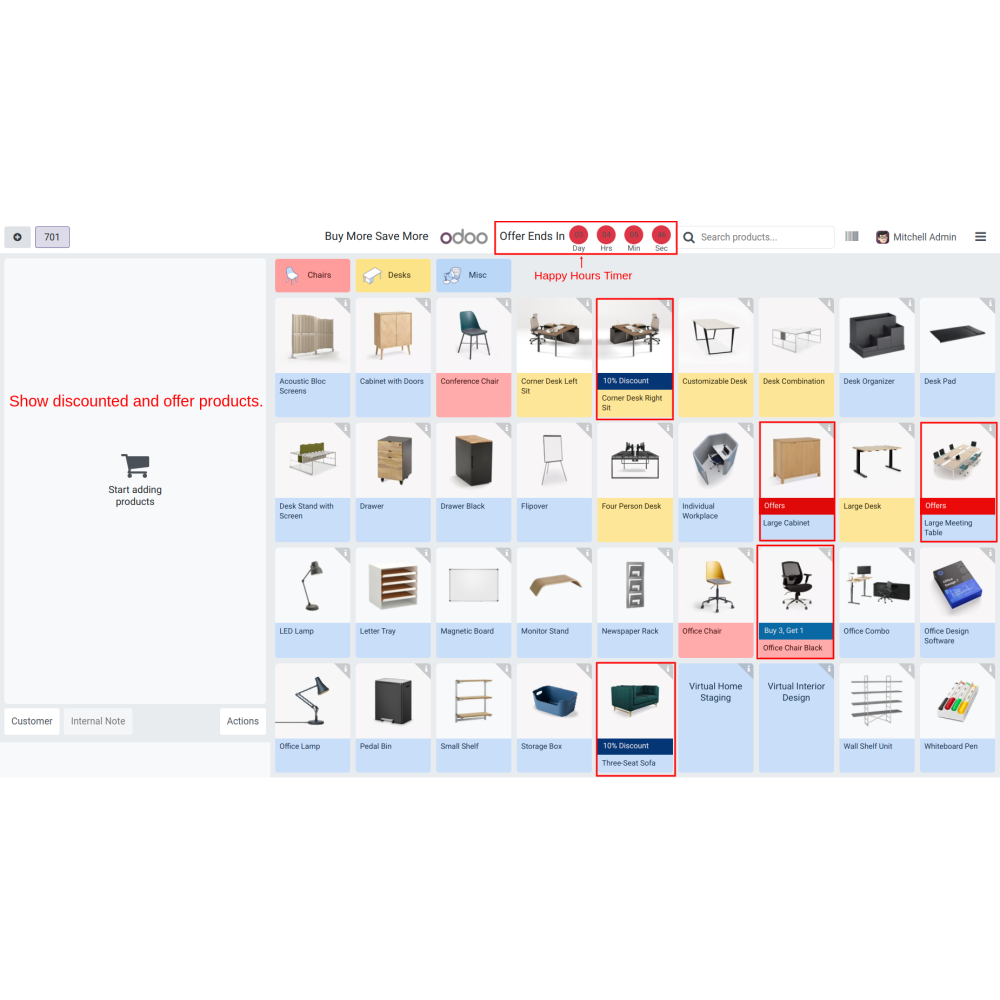
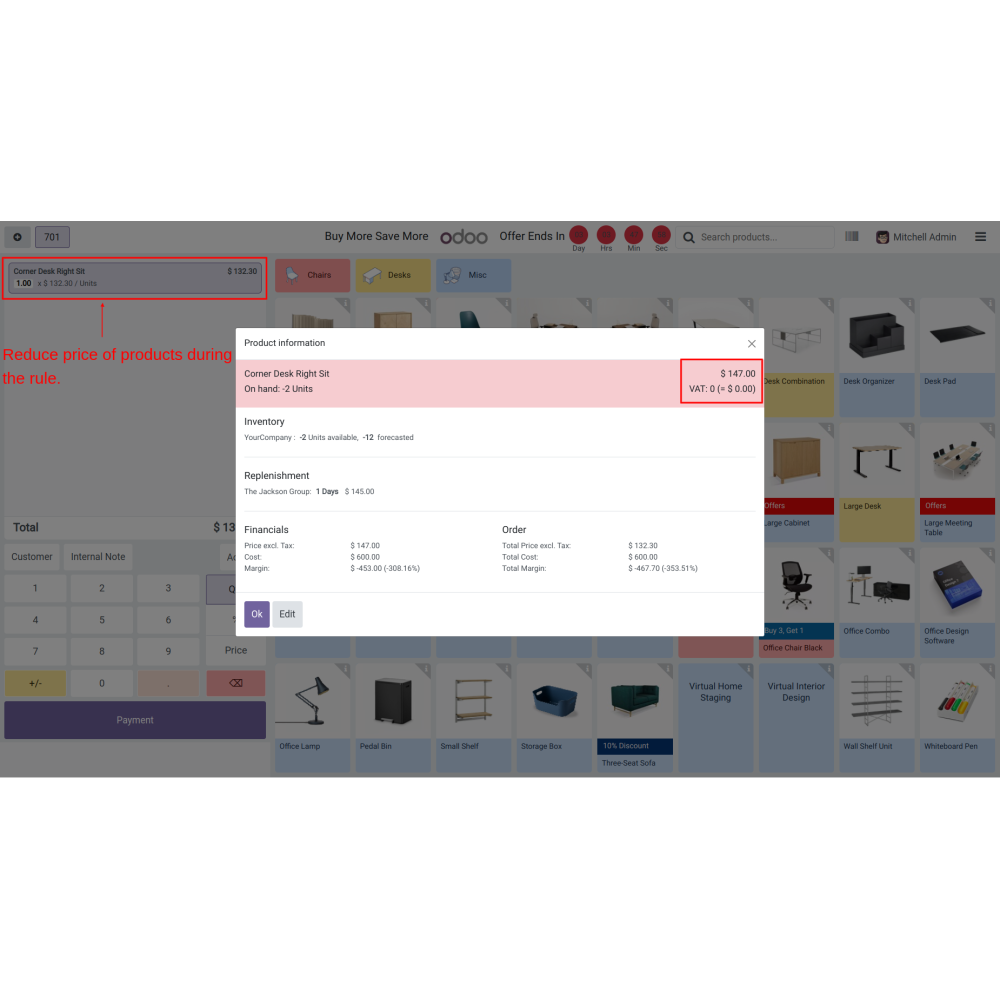
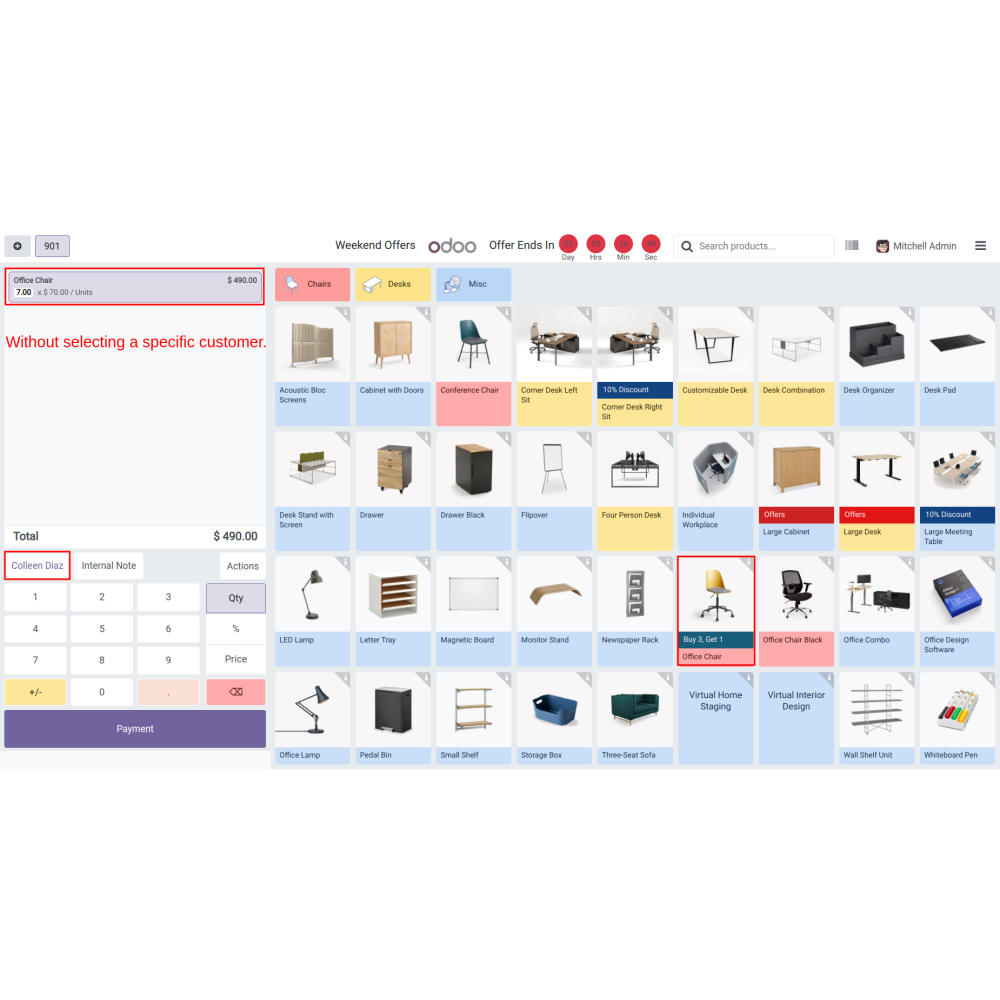
Navigate to the POS screen to show discounted products and offers along with a happy hour timer.
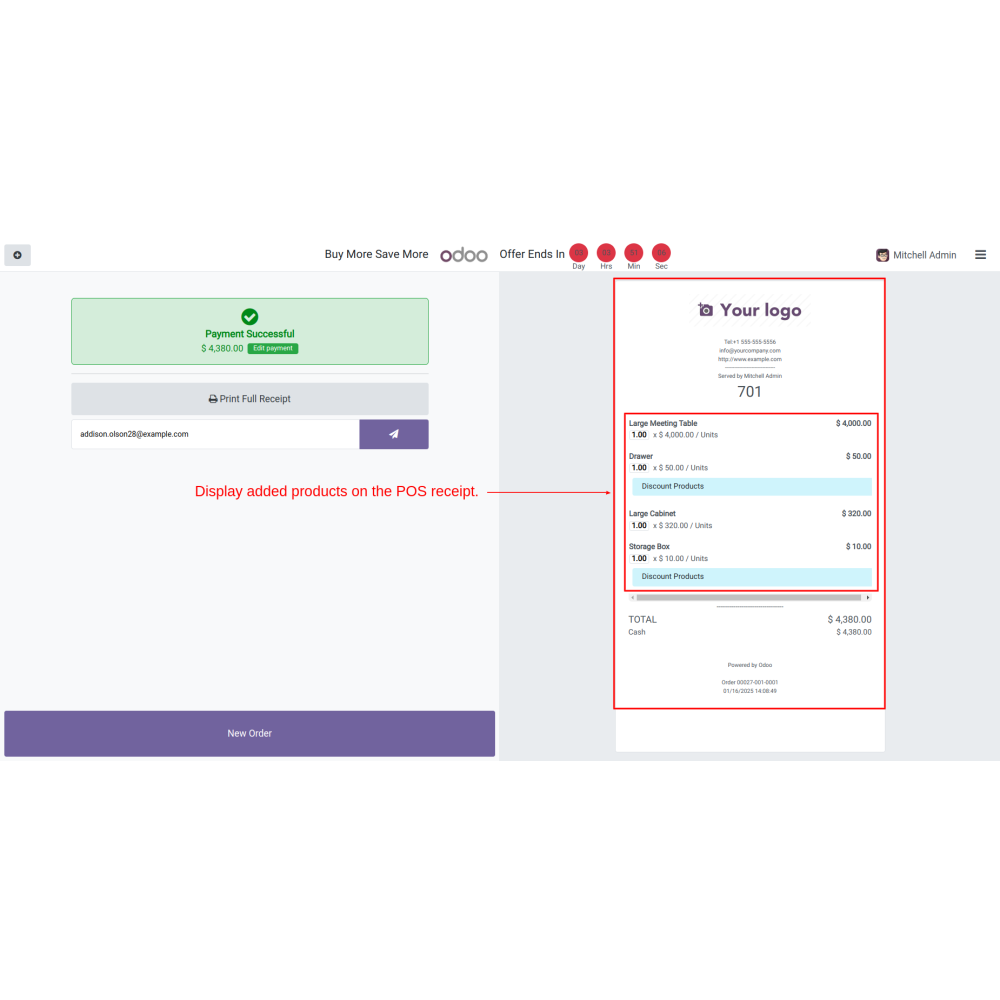
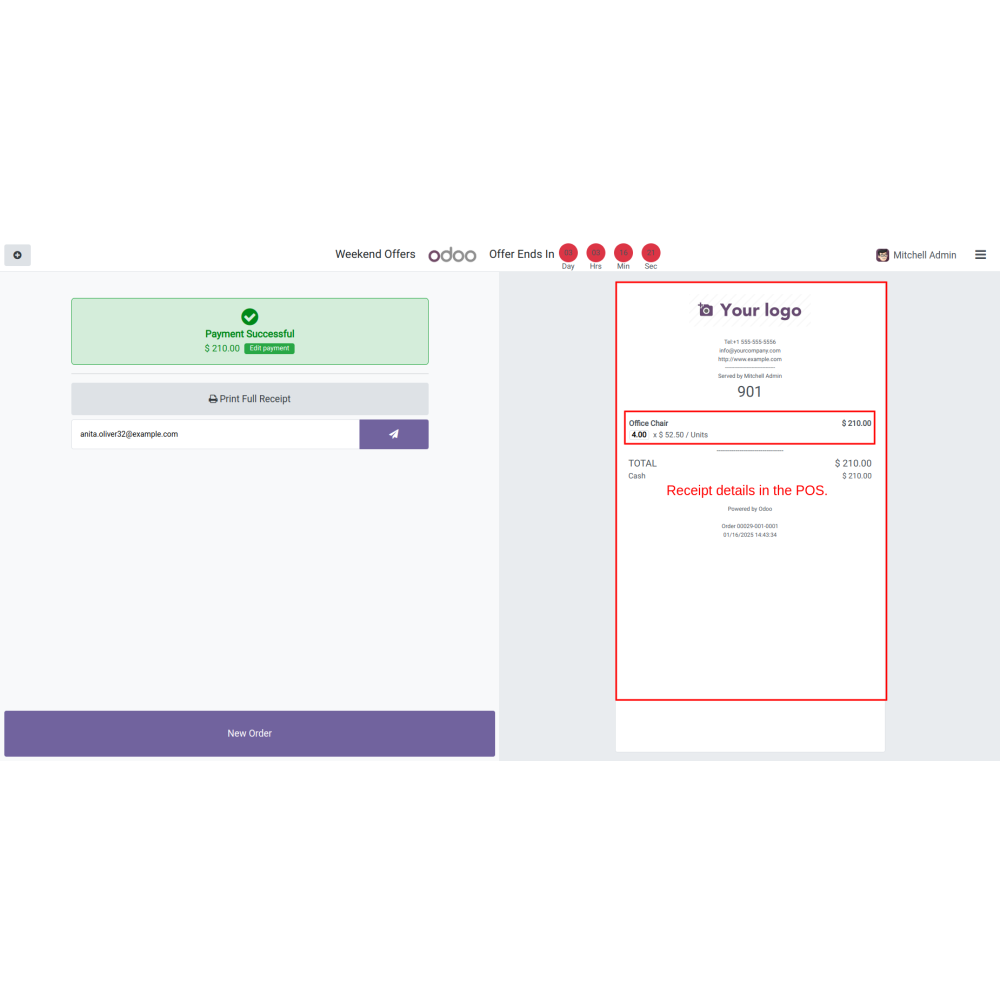
Display details in the POS receipt after choosing a discount and offering products.
What is the POS Happy Hour - Buy One, Get One?
How do I set up a happy hour offer?
Can offers target specific customers?
How are product discounts configured?
What is the minimum cart amount feature?
How do pack and extra product offers work?
What kind of support do you offer after module purchase?
Do your Odoo extensions support multi-language functionality?
What versions of Odoo are compatible with your extensions?
Customer reviews
Benefits Of The POS Happy Hours

Increased Sales Process

Marketing Flexibility

Encouraged Higher Spending

Enhanced Customer Engagement

Improved Inventory Management

Streamlined Checkout Process
Features of the POS Happy Hour - Buy one, Get one
Offer Setup Flexibility
Admins can configure promotional offers with specific start and end times for targeted time-limited discounts.
Custom Product Discounts
Select products, apply discounts, and personalize promotional messages with styled text and colors.
Targeted Customer Groups
Apply offers to all or specific customers for focused promotional campaigns.
Minimum Cart Amount
Set minimum cart amounts to activate offers and encourage higher transaction values.
Pack & Extra Deals
Manage in-pack and extra product offers with flexible quantity rules and custom messaging.
Automatic Gift Addition
Automatically add free items to the cart when quantity conditions are met for bundles.
Power Up Your
Store — We Handle It All