Odoo POS Stock Quantity Pro
The Odoo POS Stock Quantity Pro App enhances your Odoo Point of Sale (POS) system with advanced features such as real-time stock displays, customizable configurations, management of out-of-stock products, tax price displays, and order denial controls based on stock availability and pricing. This comprehensive solution is designed to optimize inventory management and improve POS efficiency, ensuring that both your staff and customers have accurate information.
Odoo POS Stock Quantity Pro
The Odoo POS Stock Quantity Pro App enhances your Odoo Point of Sale (POS) system with advanced features such as real-time stock displays, customizable configurations, management of out-of-stock products, tax price displays, and order denial controls based on stock availability and pricing. This comprehensive solution is designed to optimize inventory management and improve POS efficiency, ensuring that both your staff and customers have accurate information.
10-day module exchange guarantee
- The POS Stock Quantity App enhances your Odoo Point of Sale system by providing essential inventory features that improve efficiency and customer service.
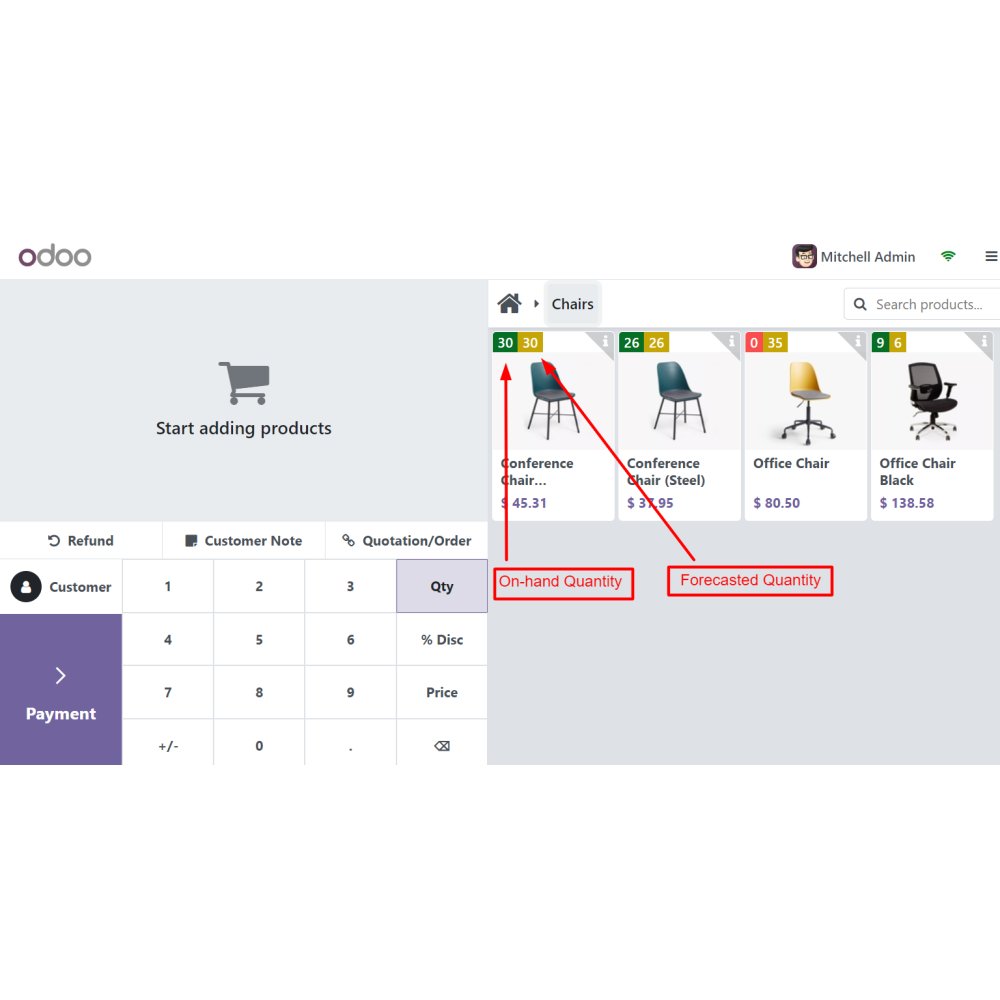
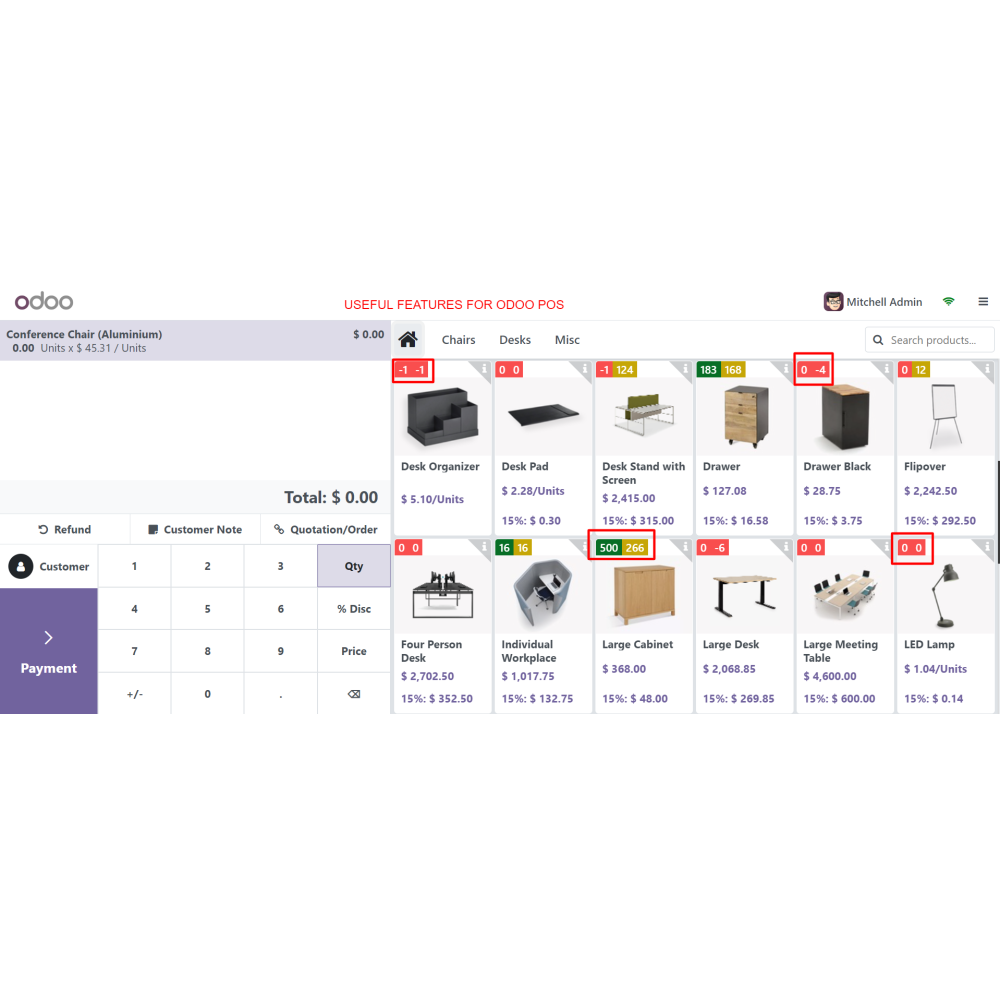
- This app allows real-time display of on-hand and forecasted stock quantities directly on the POS interface.
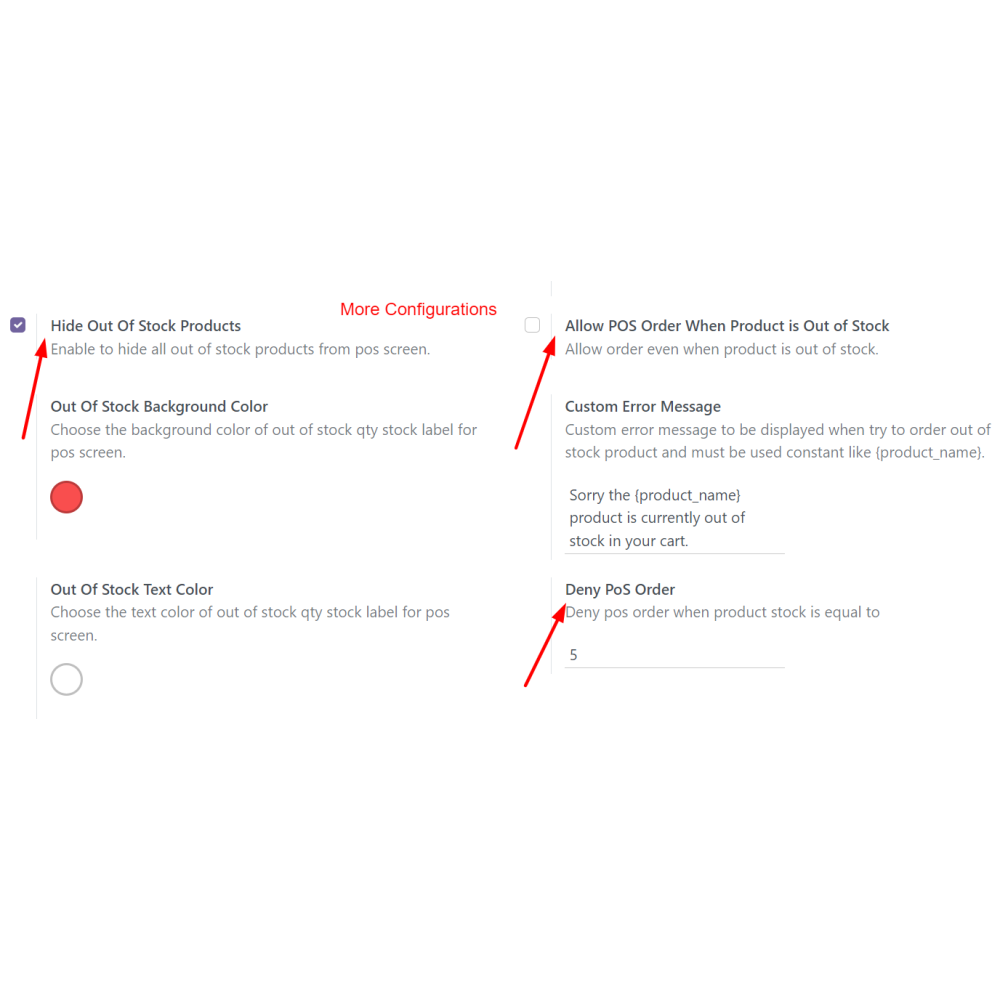
- Customizable settings give staff better visibility by adjusting the background and text colors.
- Manage out-of-stock products efficiently by hiding them or quickly ordering replenishments.
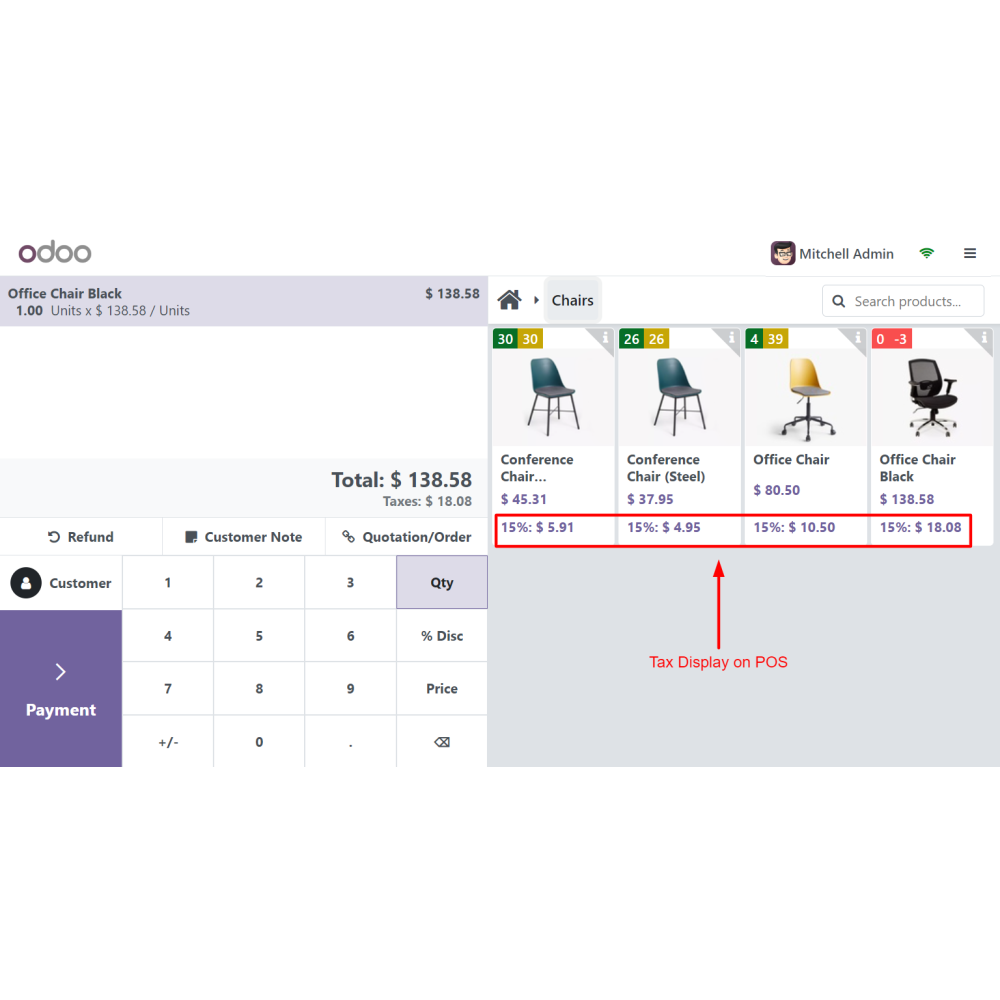
- The app also displays tax-inclusive pricing, ensuring transparency at checkout, and preventing order processing when stock levels are insufficient.
- Streamline your POS operations and optimize inventory management with the Odoo POS Stock Quantity Pro App.
- The app provides configurations to display on-hand and forecasted stock quantities directly on the POS interface. This visibility ensures that staff can make informed decisions during customer interactions.
- Users can tailor the background and text colors in the POS for better visibility. This customization helps staff quickly locate necessary product information and enhances the overall user interface experience.
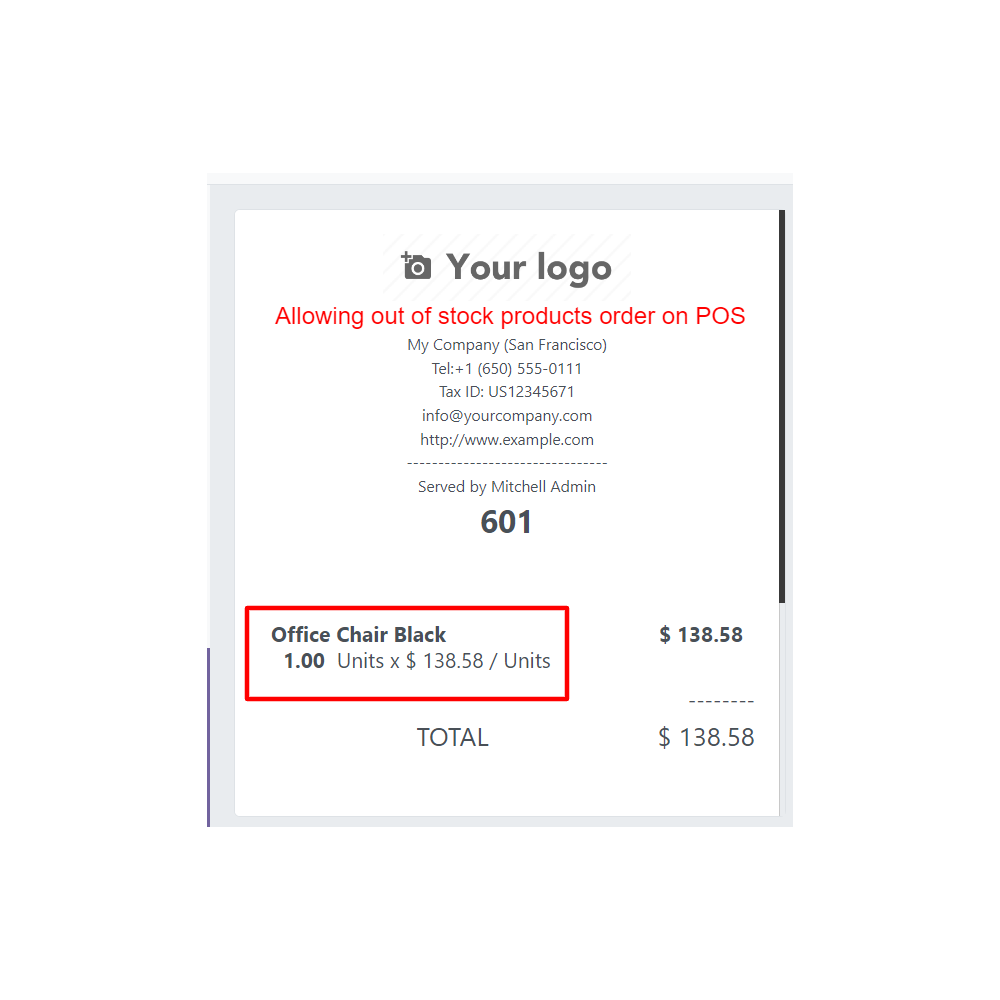
- The app allows businesses to hide out-of-stock products in the POS, minimizing customer frustration while still offering the option to order these products directly from the POS for convenient replenishment.
- Displaying tax-inclusive pricing directly in the POS system allows customers to see the total cost upfront, simplifying the checkout process and improving transparency.
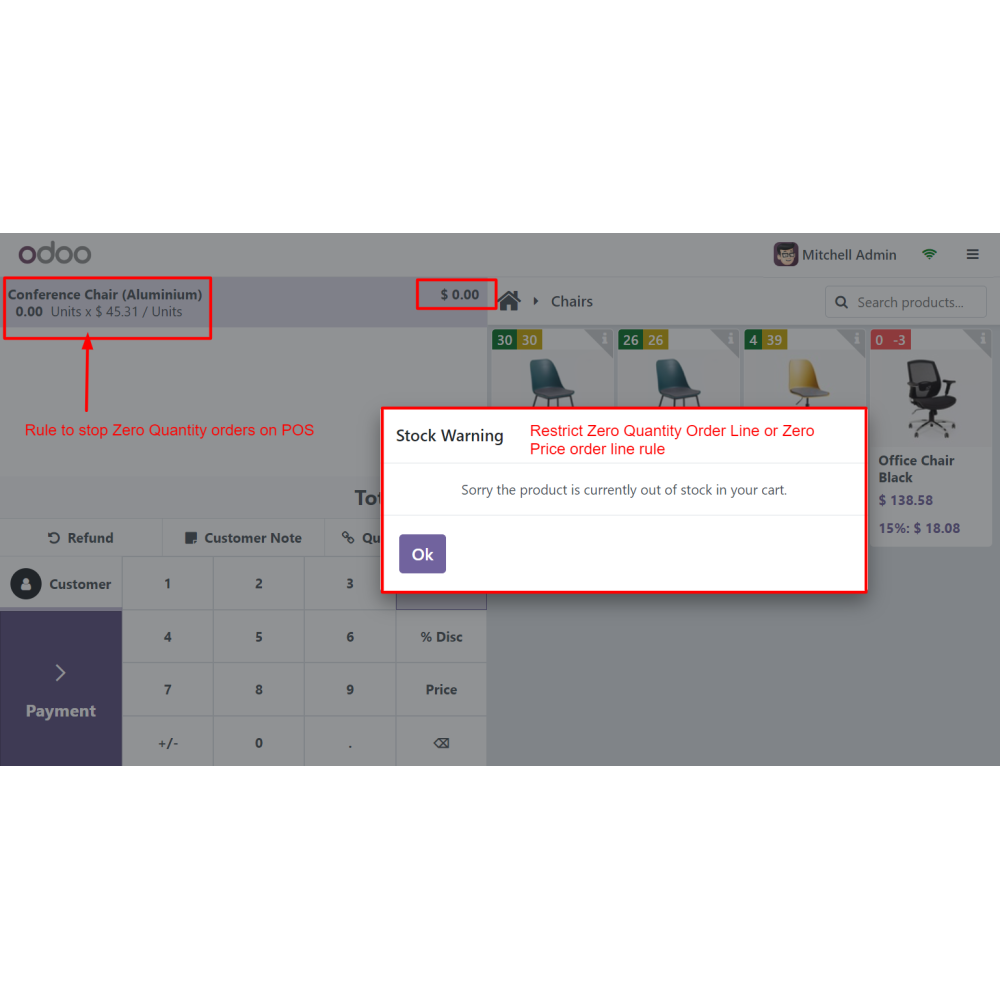
- Prevent overcommitment with the capability to deny POS orders due to insufficient stock or zero pricing. This feature ensures that only viable orders are processed, reducing customer dissatisfaction and operational challenges.
- By integrating inventory management directly with the POS system, businesses can streamline their operations, minimize manual inventory checks, and significantly reduce the risk of errors.
- Track and control stock levels directly from POS.
- Get real-time insights into product availability.
- Prevent sales of unavailable items with automated restrictions.
- Ensure accurate pricing based on live stock data.
- Simplify sales and inventory handling in one system.
- Adjust stock visibility and restrictions based on business needs.
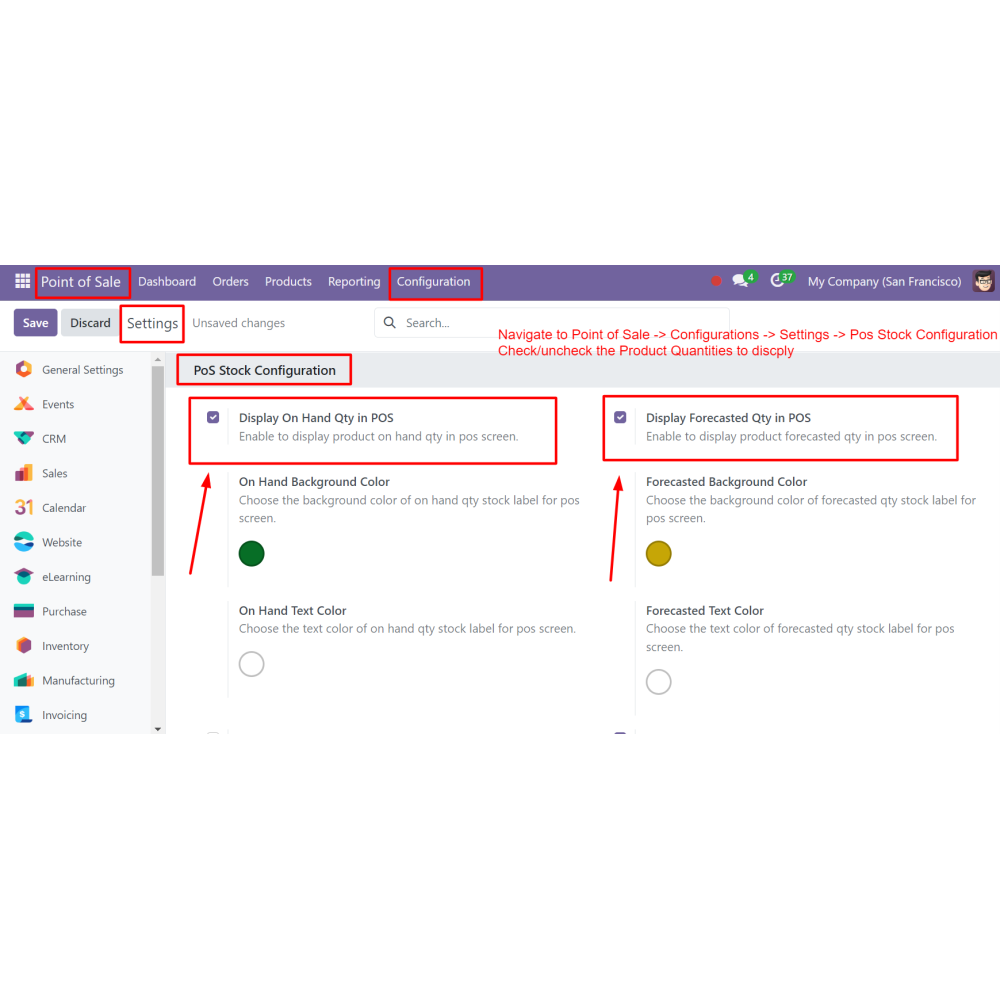
- Navigate to POS App -> Configuration -> Settings -> POS Stock Configuration.
- Select or deselect the required fields according to your business needs.
- Set color combinations for improved visibility based on your preferences.
What is the POS Stock Quantity App?
How does the app improve inventory management?
Can I hide out-of-stock products in the POS?
Does the app support tax-inclusive pricing?
What happens if a product has insufficient stock?
Is the POS display customizable?
How does it streamline POS operations?
Customer reviews
Real-Time Stock Visibility for Smarter Sales

Enhanced Visibility
.png)
Transparent Pricing

Streamlined Operations
.png)
Customizable Controls

Improved Inventory Management

Efficient Out-of-Stock Management
Display Real-Time Stock Levels in POS
Real-Time Stock Display
Show on-hand and forecasted stock directly in the POS for better decision-making during sales.
Customizable Visibility
Adjust background and text colors in the POS interface for clearer product information display.
Out-of-Stock Management
Hide unavailable products or enable direct reordering from the POS to manage stock efficiently.
Tax-Inclusive Pricing
Display total prices with tax included at checkout, complete transparency for customers.
Order Denial Control
Block orders for products with insufficient stock or zero pricing, preventing invalid transactions.
Seamless Inventory Integration
Integrate POS with inventory management to reduce errors, avoid manual checks, and streamline operations.
Power Up Your
Store — We Handle It All