The Website Cart Cleaner app helps simplify and speed up shopping on e-commerce sites by allowing users or admins to easily clear all items from the cart with a single click, improving the overall shopping experience.
The Website Cart Cleaner app helps simplify and speed up shopping on e-commerce sites by allowing users or admins to easily clear all items from the cart with a single click, improving the overall shopping experience.
The Website Cart Cleaner is designed to improve the shopping experience on e-commerce platforms by offering easy management of shopping carts.
It allows users and admins to quickly clear all items from the cart with a single click, helping customers start fresh and reducing frustration.
The app also provides options to save items for later, automatically remove inactive carts through scheduled processes, and display timers that create urgency for checkout.
Admins have control over cart expiration messages and the frequency of automatic cart clearing, making the shopping process smoother, cleaner, and more efficient.
Key Features
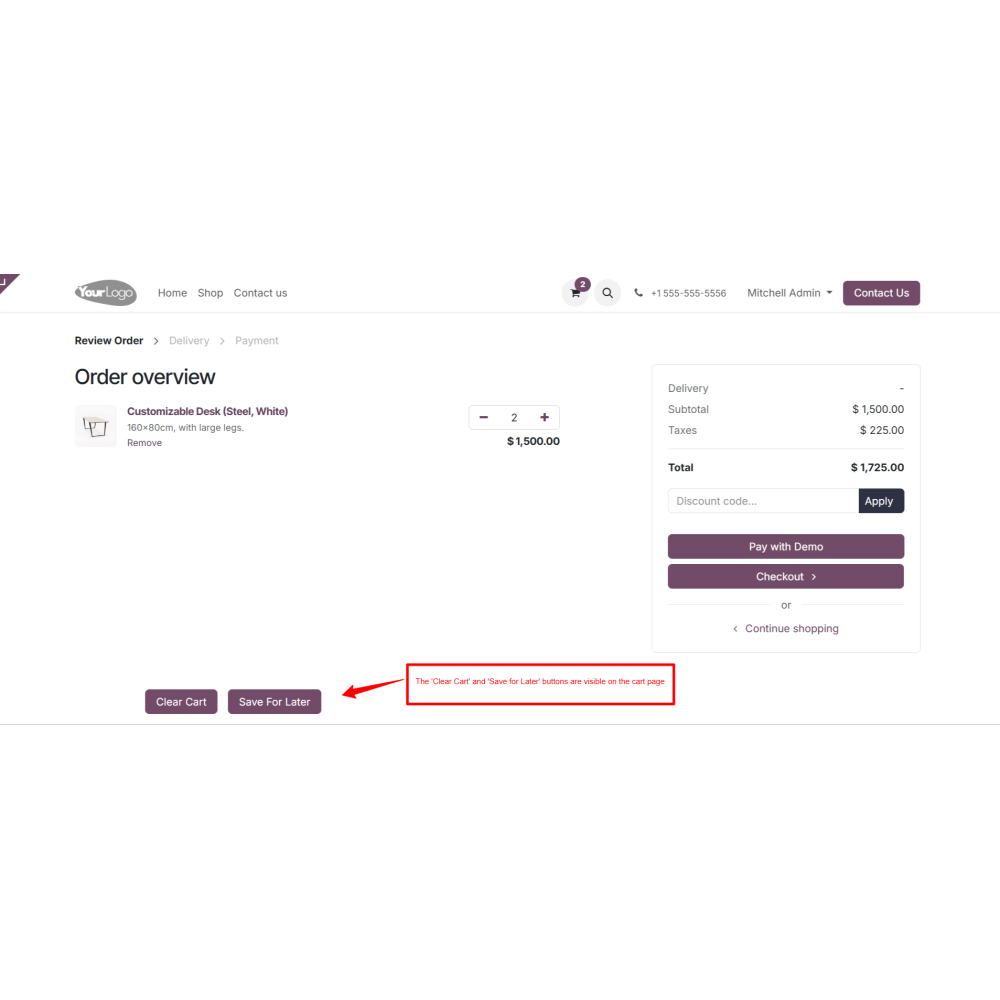
This feature adds a "Clear Cart" button to the shopping cart page. It allows customers to instantly remove all items from their cart with a single click, instead of removing products one by one. It helps customers start fresh and reduces frustration caused by cluttered carts.
This feature lets customers move selected items from their cart to a “Save for Later” list. It’s helpful when customers are not ready to buy something now but may want to return to it later. These saved items stay linked to their account and can be added back to the cart when needed.
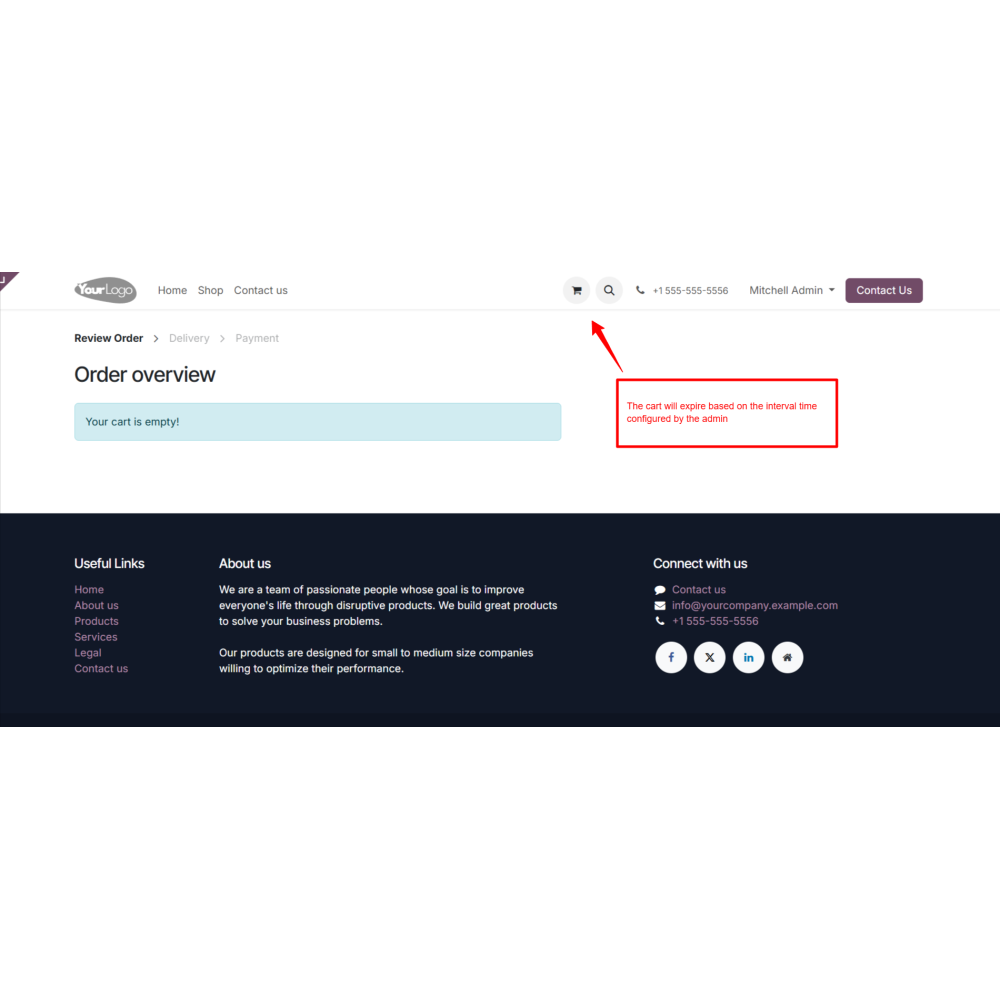
This feature automatically clears abandoned or inactive carts after a set time. It uses a scheduled cron to check for outdated carts based on admin-defined timing rules. This keeps your database clean and improves store performance by removing unnecessary cart data.
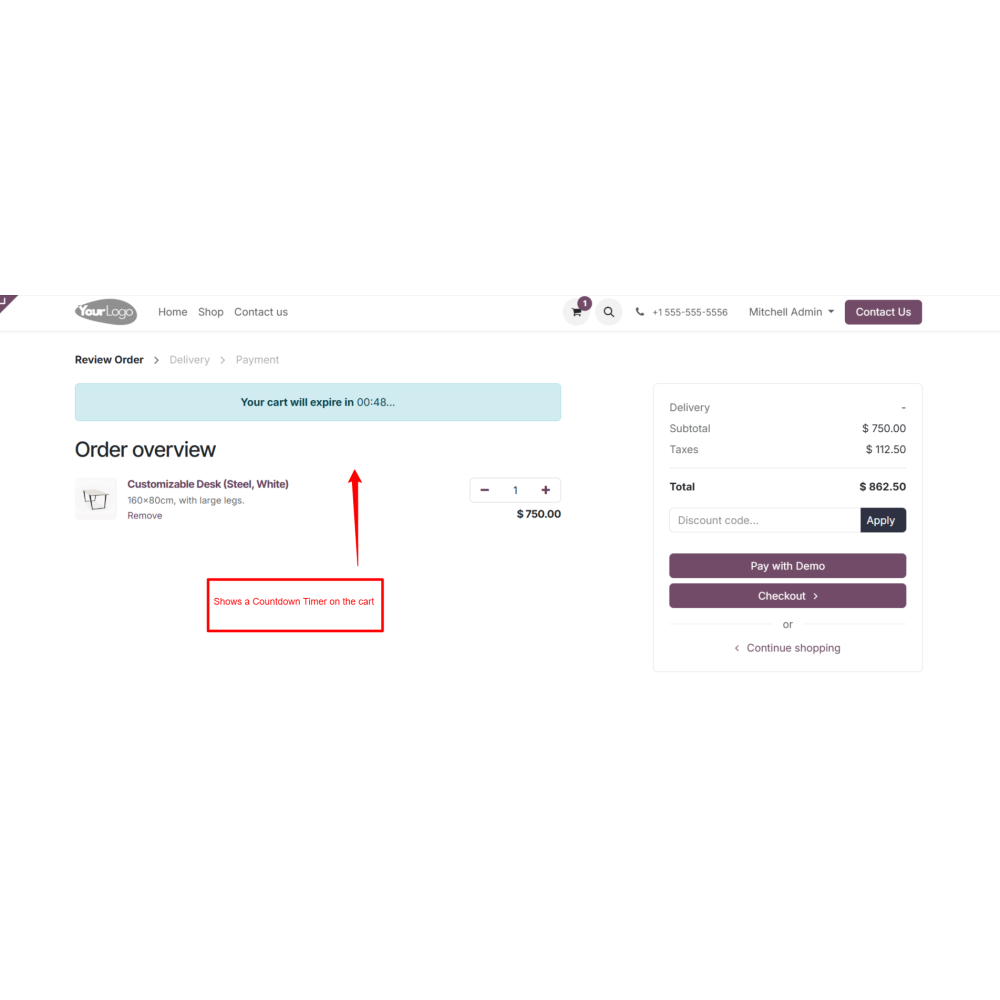
This option shows a countdown timer on the cart page. The timer tells customer how long their cart will remain active before it gets cleared. This creates a sense of urgency, helping reduce cart abandonment and encouraging faster checkout decisions.
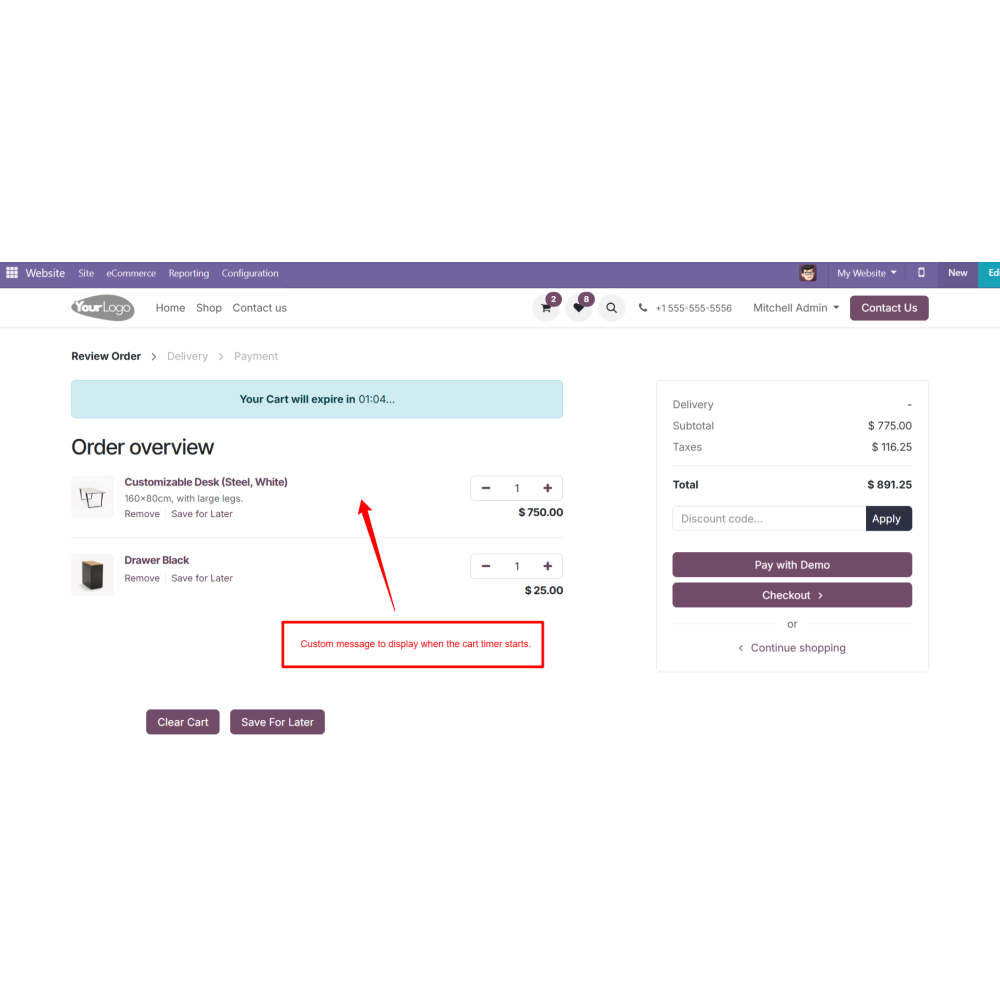
Admin can customize the message displayed with the timer (e.g., “Your cart will expire in...”).
This feature gives admins control over how they communicate cart expiry, making it more user-friendly or marketing-focused.
This setting defines the frequency at which the cron job runs — for example, every 10 minutes or once every 2 weeks. It controls how often it checks for and clears expired carts.
Admins can choose the unit of time for the interval.
Minutes: Clear carts every minute
Hours: Run the task every hour
Weeks: Clean up weekly on a specific day
Months: Reset carts once per month
Years: Only apply for yearly cycles (e.g., promotions, testing)
Benefits
Simplifies shopping, making it easier for customers to manage carts.
Faster checkout encourages more completed purchases.
Reduces effort by allowing quick cart clearance.
Keeps carts clean and organized for better shopping flow.
Timely and easy options prevent customers from leaving carts abandoned.
Works smoothly with existing e-commerce platforms for effortless use.
Workflow
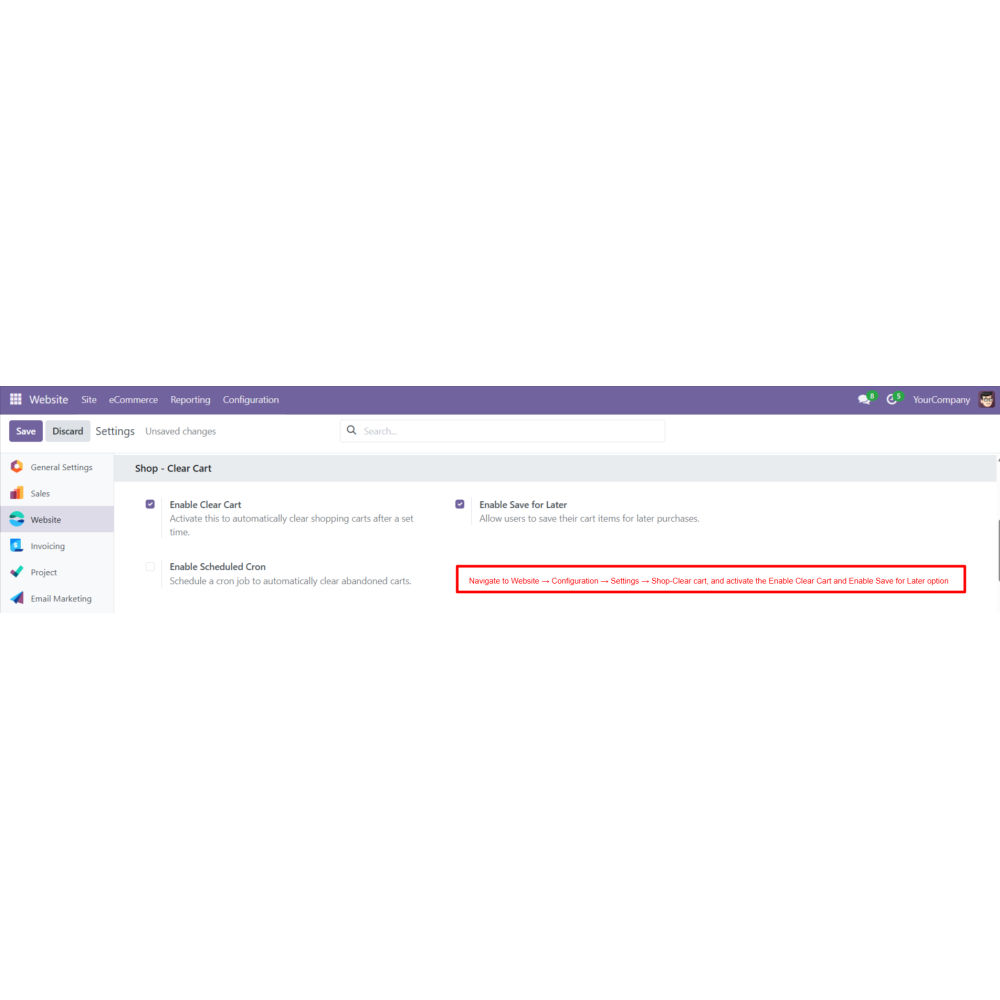
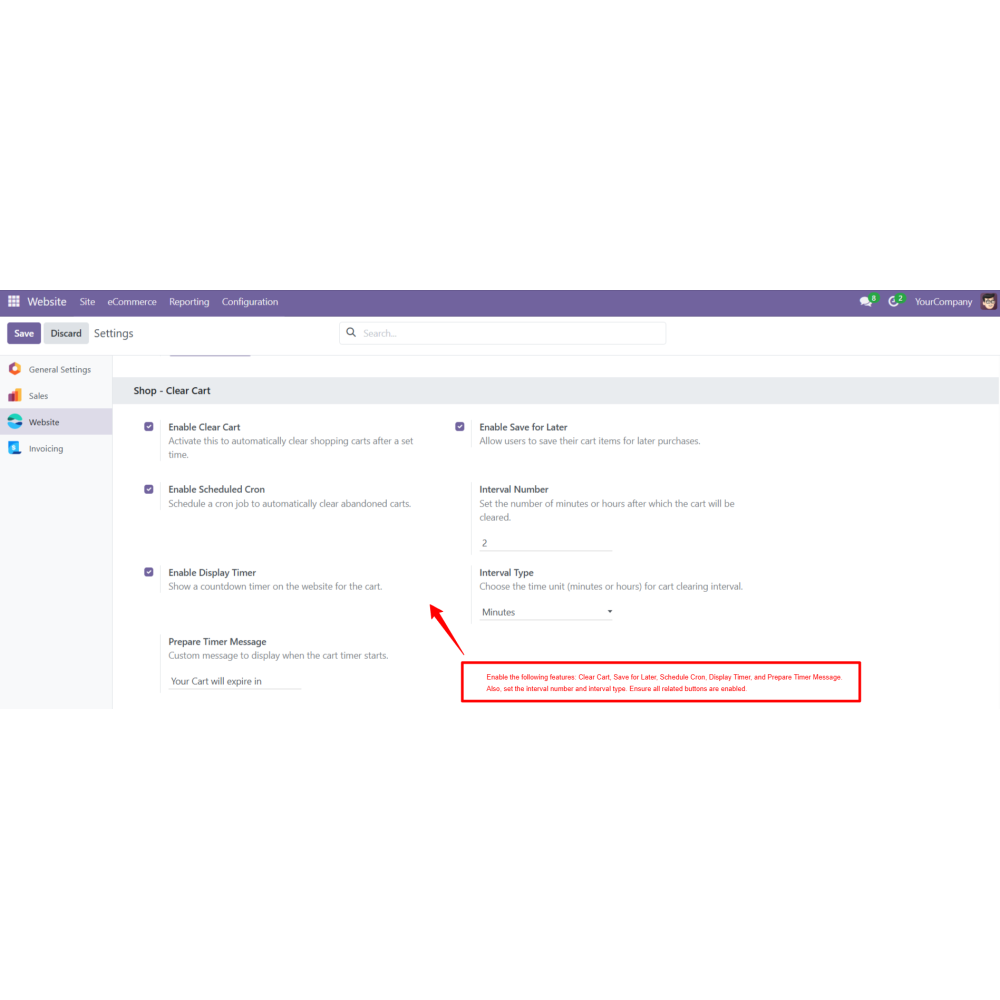
Navigate to the Website→Configuration menu.
Open the settings and navigate to Shop Clear Cart.
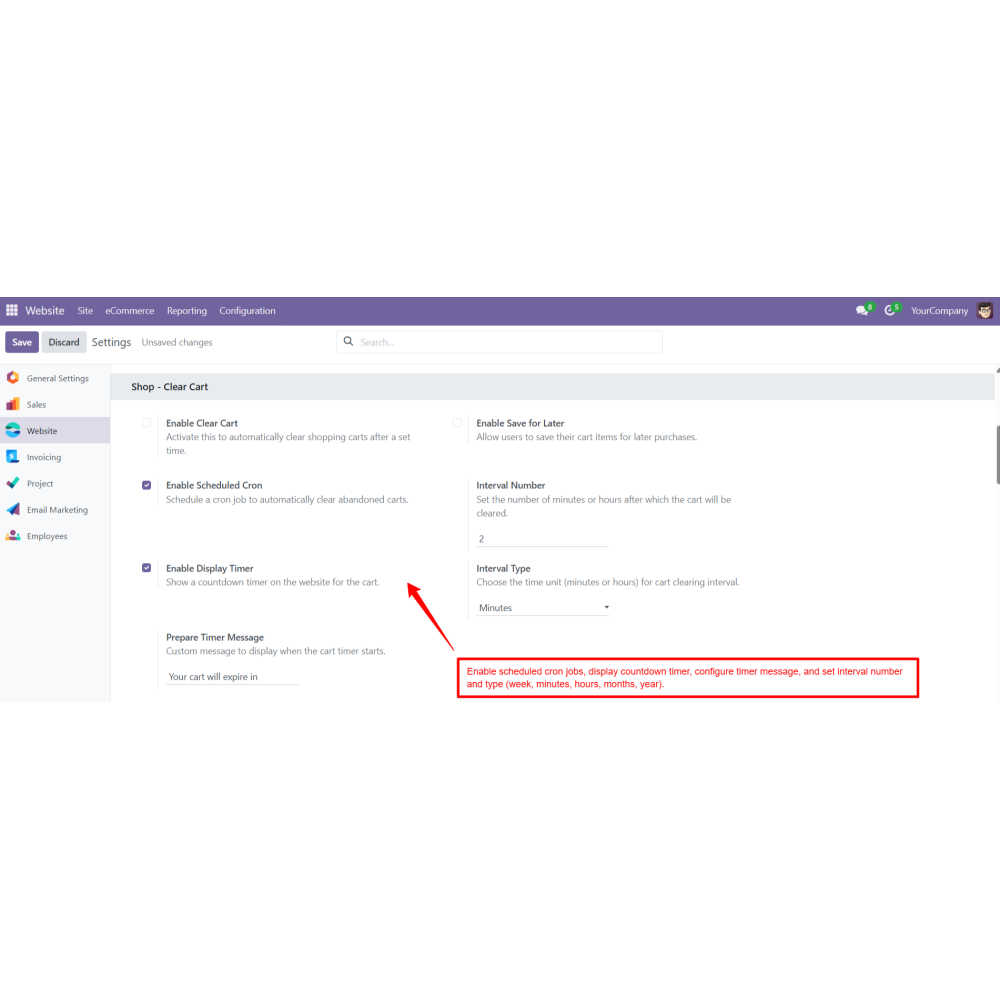
Toggle the available options: Enable Clear Cart, Enable Save for Later, Enable Schedule Cron, and Enable Display Timer.
Configure the following settings: Custom Timer Message, Interval Number, and Interval Type (Minutes, Hours, Days, Weeks, Months, Years).
Customer adds products to the cart on the Odoo website.
If Clear Cart is enabled, a Clear Cart button appears on the cart page; the customer can click it to instantly remove all items from the cart.
Admin Save for Later is enabled, the customer can move items from the cart to a "Save for Later" list; saved items can be added back to the cart at any time.
If the Timer is enabled, a countdown timer appears showing when the cart will expire, along with a custom message such as “Your cart will expire in 15 minutes”.
If Scheduled Cron is enabled, inactive carts are automatically cleared at the interval set by the admin.
FAQ
How does the Website Cart Cleaner improve the shopping experience?It allows customers to quickly clear their cart with a single click, reducing frustration and making it easier to start fresh, which boosts overall satisfaction.Can the admin control how and when carts are cleared?Yes, admins can set automatic cart clearing schedules, customize expiry messages, and manage cart management rules to keep the store efficient and organized.What kind of support do you offer after module purchase?We provide technical support to resolve installation, configuration, and functionality-related issues. Support details are outlined in our support policy. We also customize our Odoo App to meet your business needs.Do your Odoo extensions support multi-language functionality?Yes, our modules are designed to be multi-language compatible. Follow the provided guidelines to configure language settings within Odoo.What versions of Odoo are compatible with your extensions?Our extensions are regularly updated to support the latest stable Odoo versions. For compatibility details, refer to the product description page.
Reviews
Customer reviews
4.2 Out Of 5
5 star
25%
4 star
75%
3 star
0%
2 star
0%
1 star
0%
Top reviews
by
Enhance User Experience with Quick Cart Clearance
Better Customer Satisfaction
Higher Sales Conversion
Faster Checkout Process
Improved Cart Management
Reduced Cart Abandonment
Easy System Integration
Effortless Cart Management and Clearing
Clear Cart Button
Adds a "Clear Cart" button that instantly removes all items with one click, helping customers start fresh and reducing cart clutter.
Save for Later
Allows customers to move items to a "Save for Later" list linked to their account, enabling easy retrieval for future purchases.
Scheduled Cart Clearing
Automatically removes inactive carts after a set period using cron jobs, keeping the database clean and improving.
Cart Expiry Timer
Displays a countdown timer on the cart page, creating urgency and encouraging faster checkout to prevent abandonment.
Custom Timer Message
Admins can personalize the expiry message displayed with the timer to match branding or marketing goals.
Flexible Clearing Schedule
Admins set the interval time and unit (minutes, hours, weeks, etc.) for automatic cart clearing, timely cleanup.

.png)


 Return policy





 Store — We Handle It All