Odoo List View Manager

€75.00
Tax excluded

List View Manager adds a dedicated panel to Odoo list views, allowing you to manage columns, order, and inline search dynamically. It allows users to customize list view layouts, control field visibility, reorder columns, and apply inline filters in real-time without requiring a page reload. The app works across standard Odoo modules, including Sales Orders and Quotations, Products, CRM (Leads and Opportunities), Invoices, Inventory and Stock Operations, and other standard Odoo list views.

WATCH DEMO VIDEO

Technical Support
Quantity
  Return policy

10-day module exchange guarantee

  • Customize and manage Odoo list views with a dedicated control panel.
  • Show or hide columns and adjust field visibility instantly.
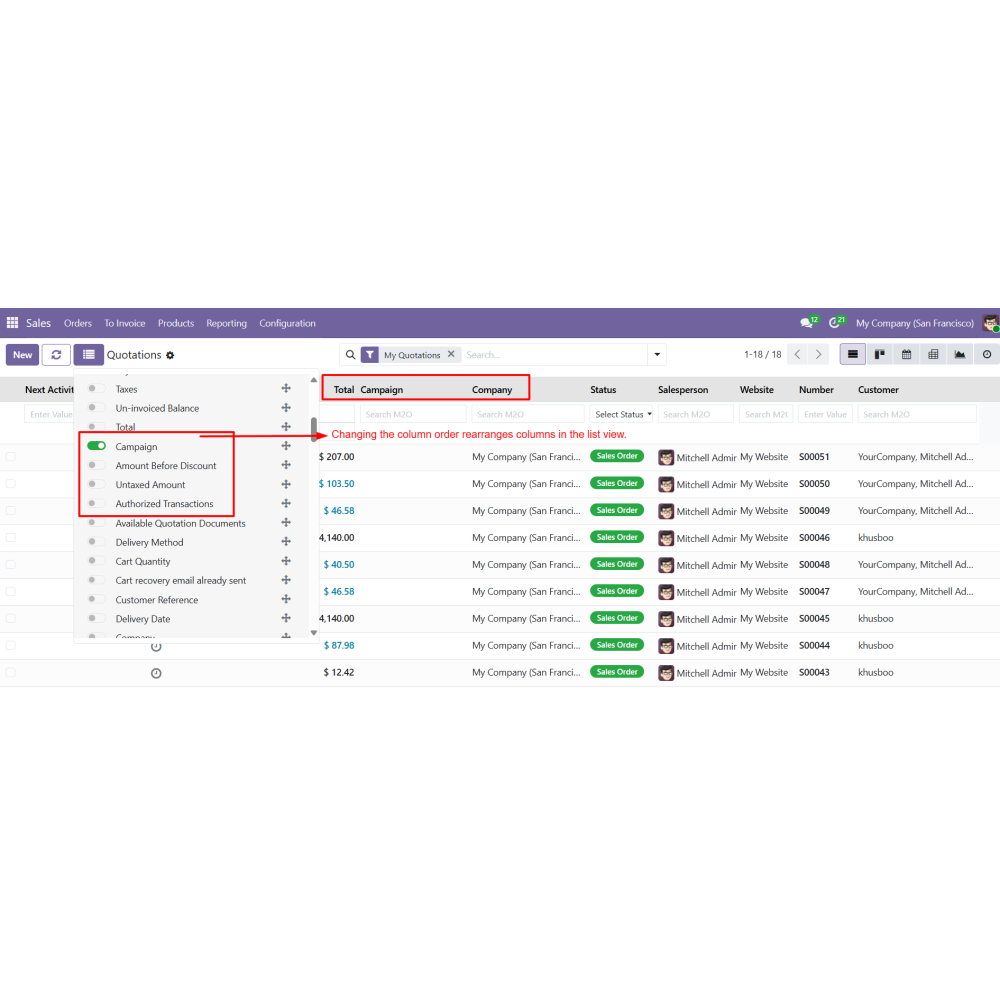
  • Reorder columns using simple drag-and-drop functionality.
  • Apply inline search and advanced filters in real time.
  • Get instant updates without page reload or technical effort.
  • Works seamlessly across Sales, CRM, Inventory, Invoices, and more.
  • Enable user-specific layouts for personalized data views.
  • Improve data visibility and accessibility across all modules.
  • Handle large datasets efficiently with better navigation control.
  • Enhance overall Odoo productivity with flexible list view management.
  • Adds a dedicated List View Manager panel in Odoo list views
  • Enables show/hide columns with simple toggle options
  • Supports drag-and-drop column reordering for custom layouts
  • Provides inline search and advanced filtering per column
  • Applies changes instantly without page reload
  • Includes field search to quickly find and manage columns
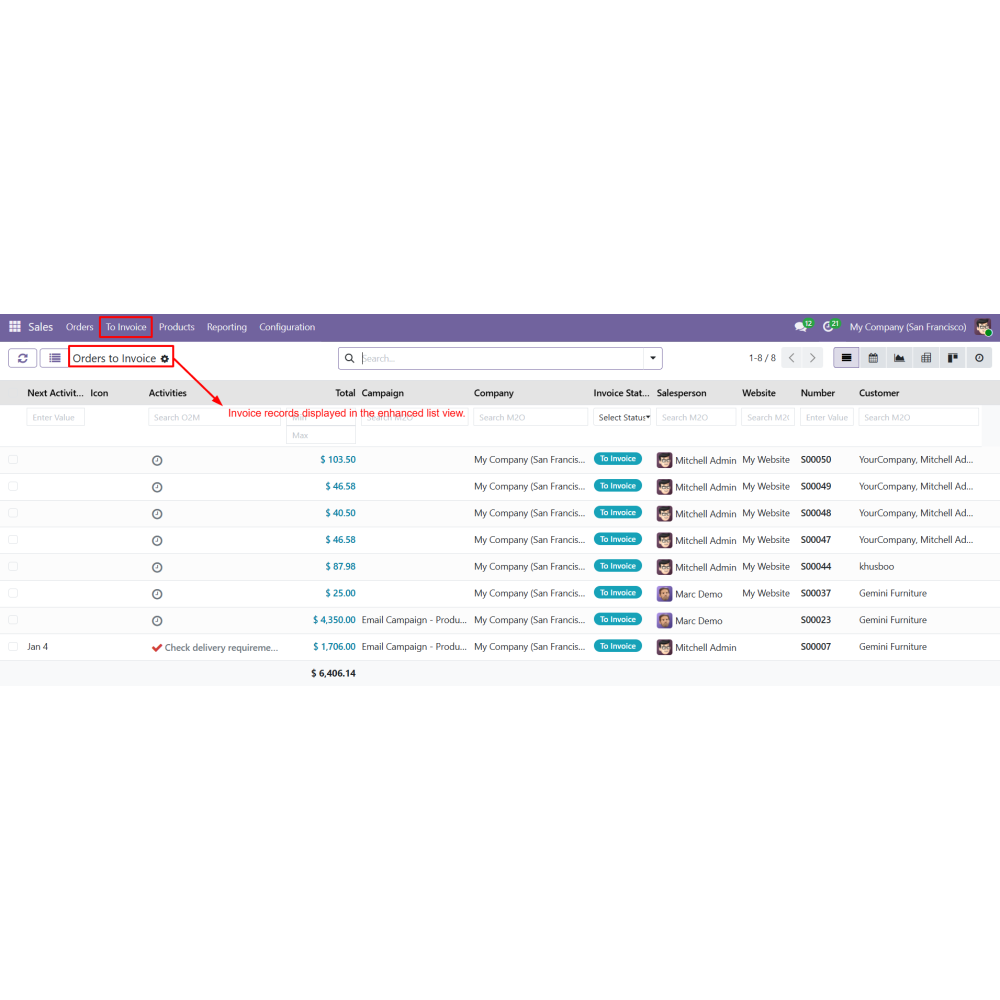
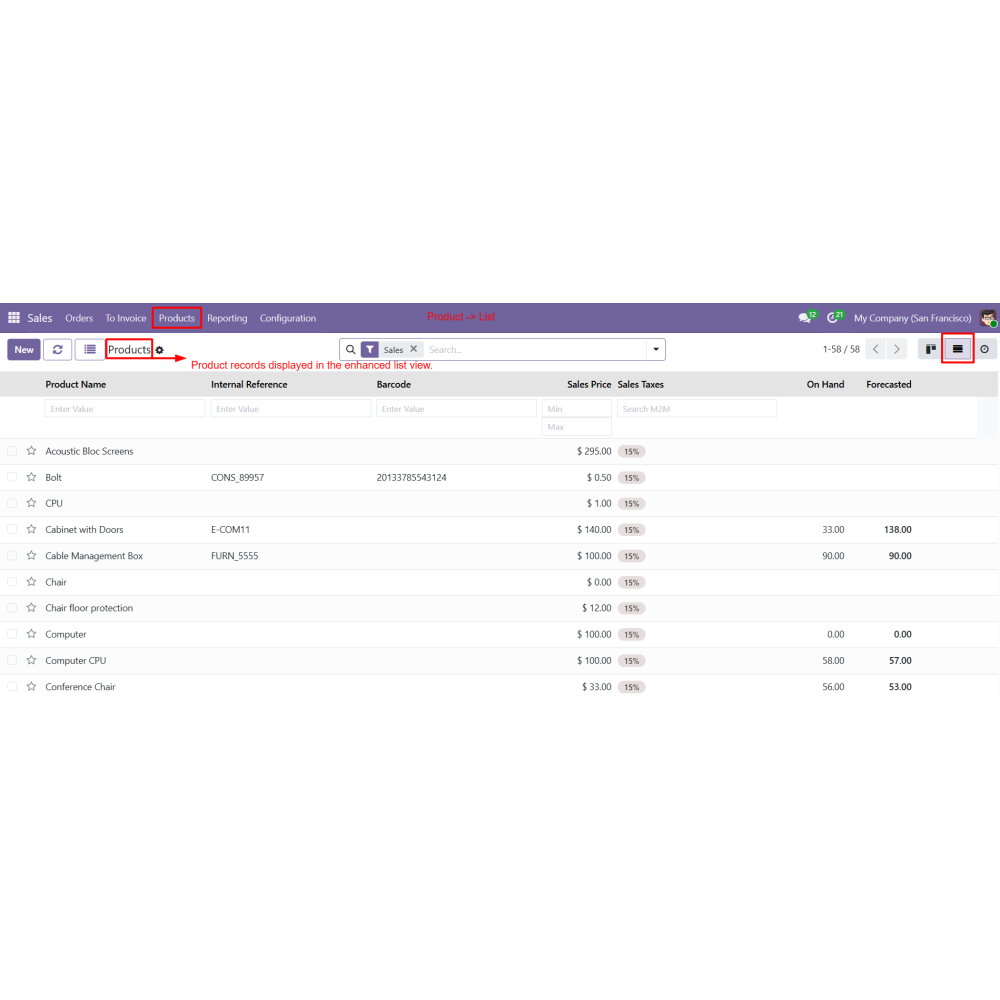
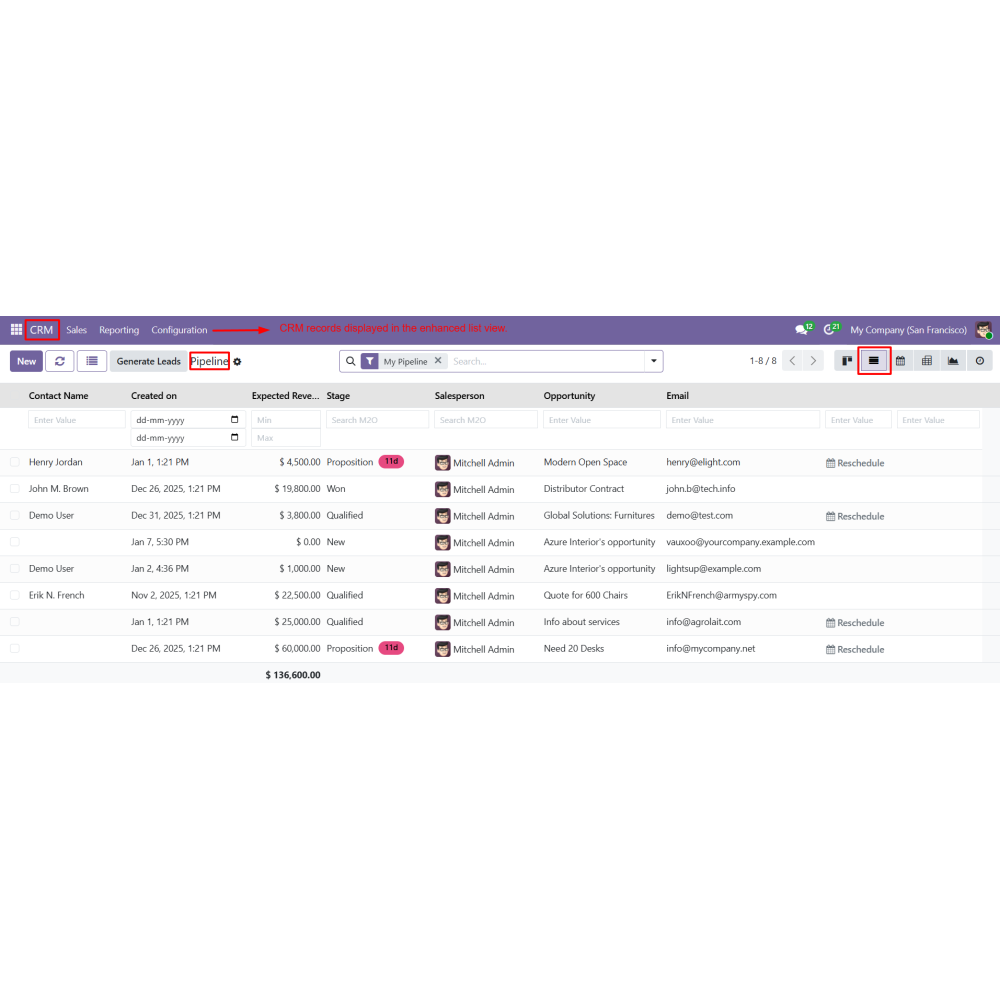
  • Works across Sales, CRM, Inventory, Invoices, and other Odoo modules
  • Allows user-specific list view customization for better productivity
  • Improves data visibility with customizable list views
  • Increases productivity with faster data access
  • Enables user-specific list view personalization
  • Reduces manual effort with real-time filtering and search
  • Saves time with quick column control and reordering
  • Enhances efficiency in managing large datasets across Odoo modules
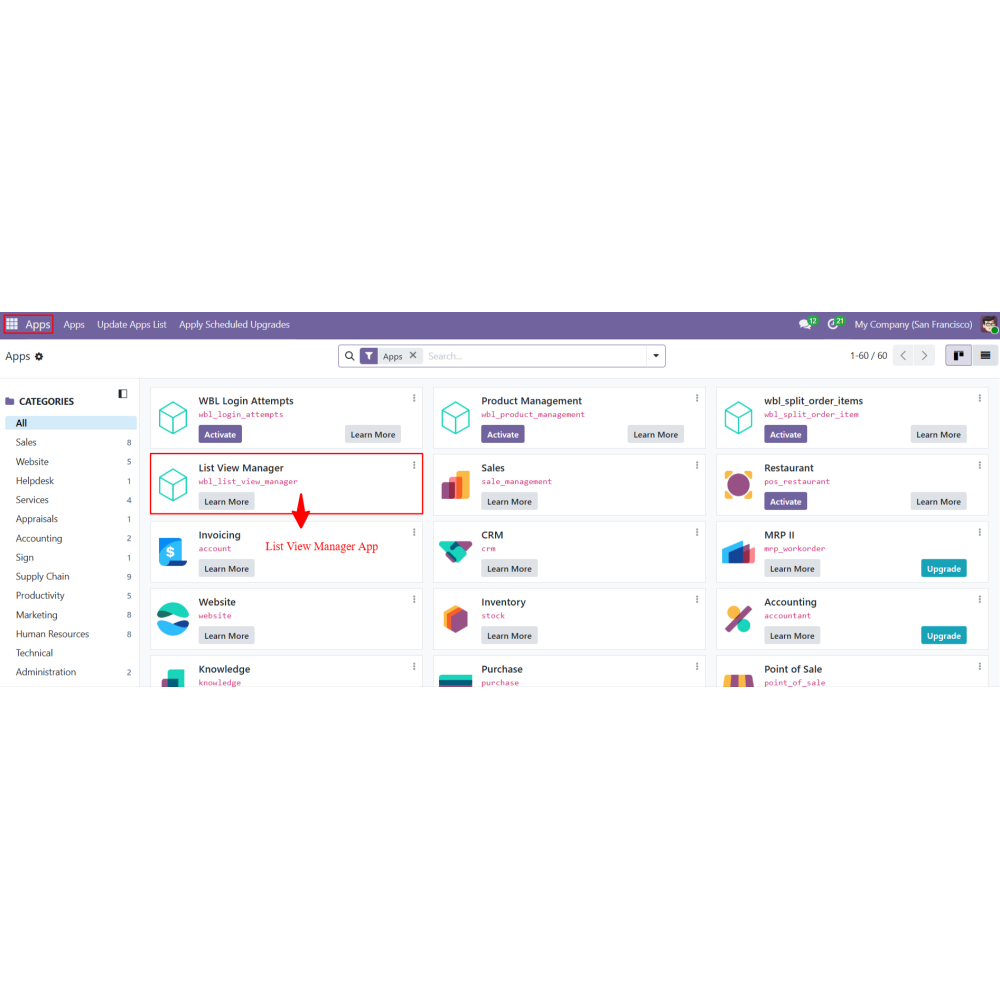
  • Install the List View Manager app.
  • Open any Odoo module that supports list view (Sales, Products, CRM, Invoices, Inventory, etc.).
  • Navigate to the List View of records.
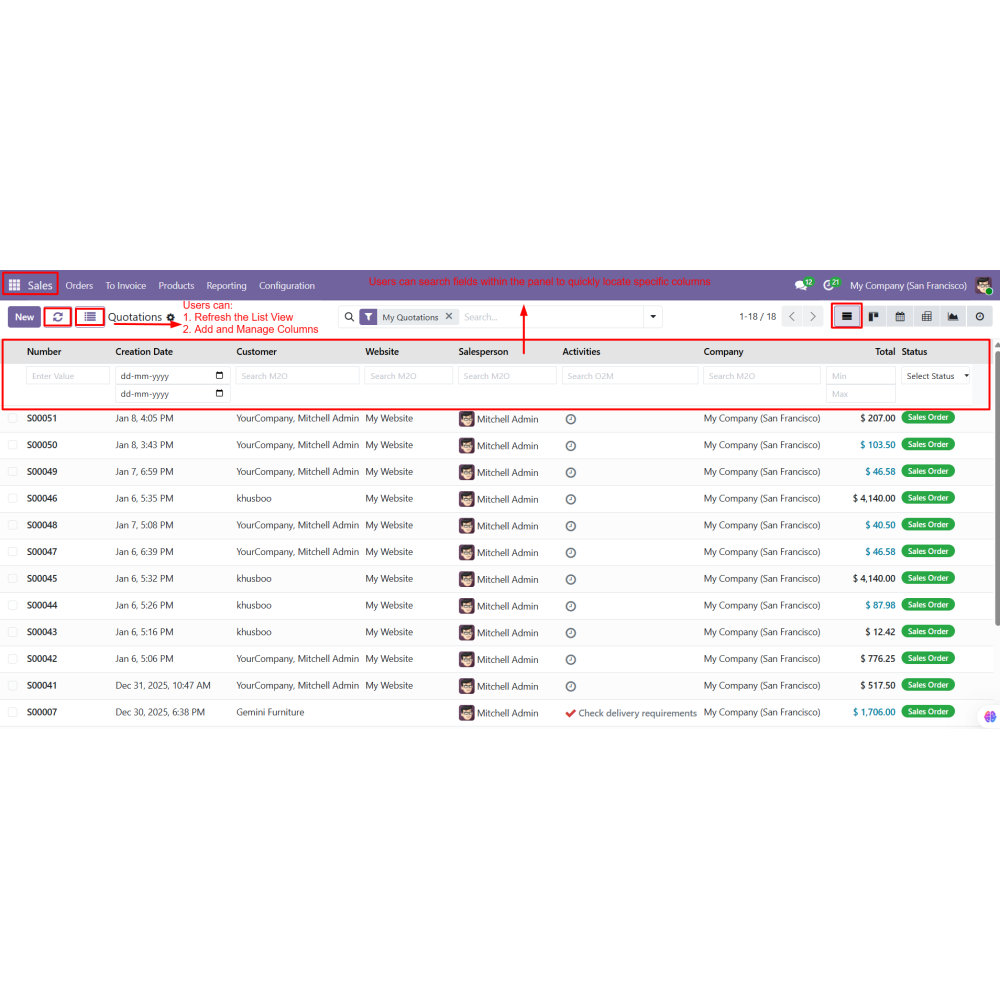
  • The List View Manager panel appears on the screen.
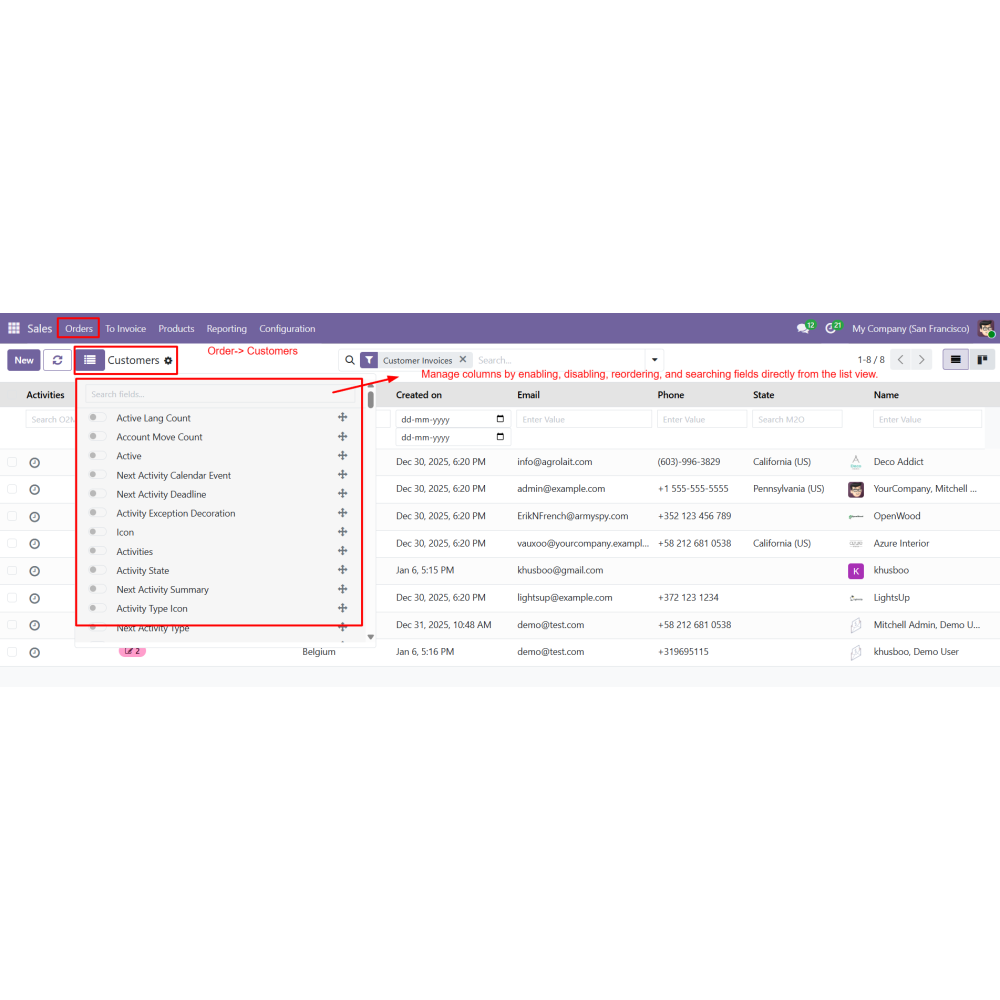
  • Search fields within the panel to quickly find required columns.
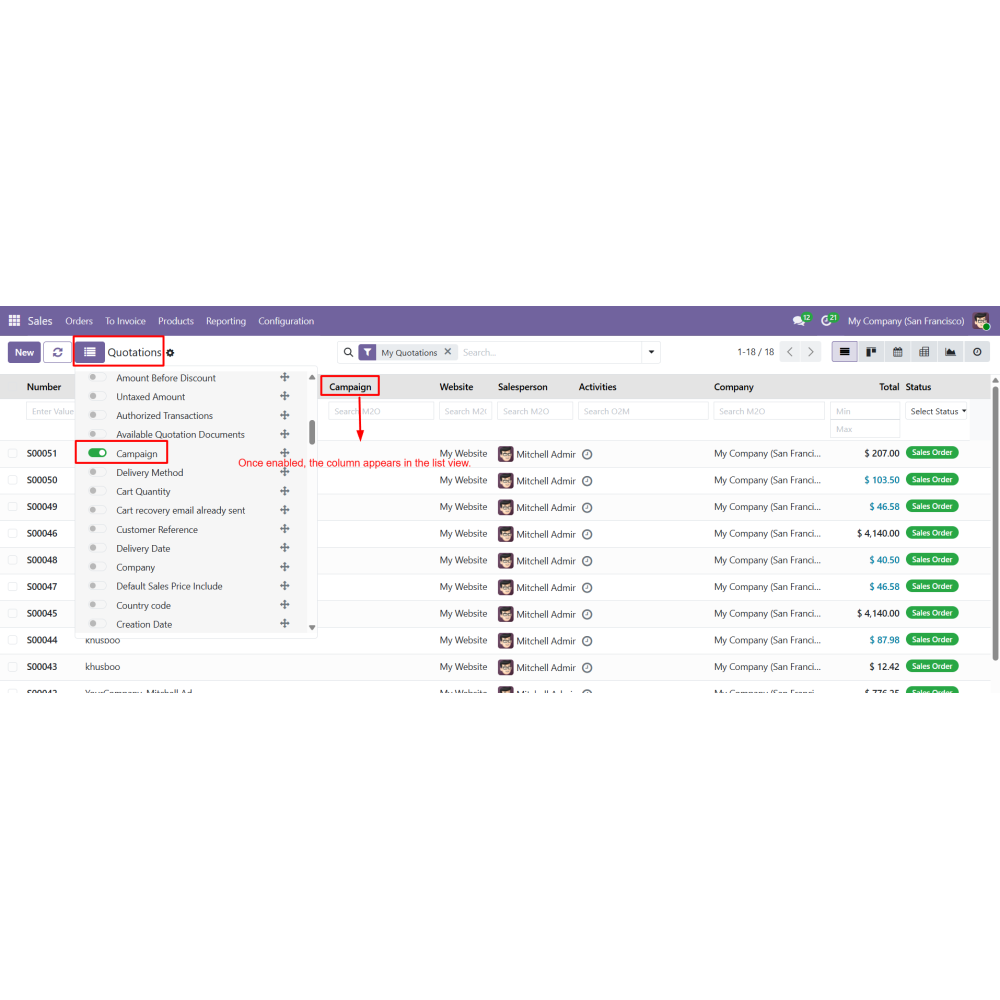
  • Enable or disable columns to control visibility in the list view.
  • Reorder columns using drag-and-drop.
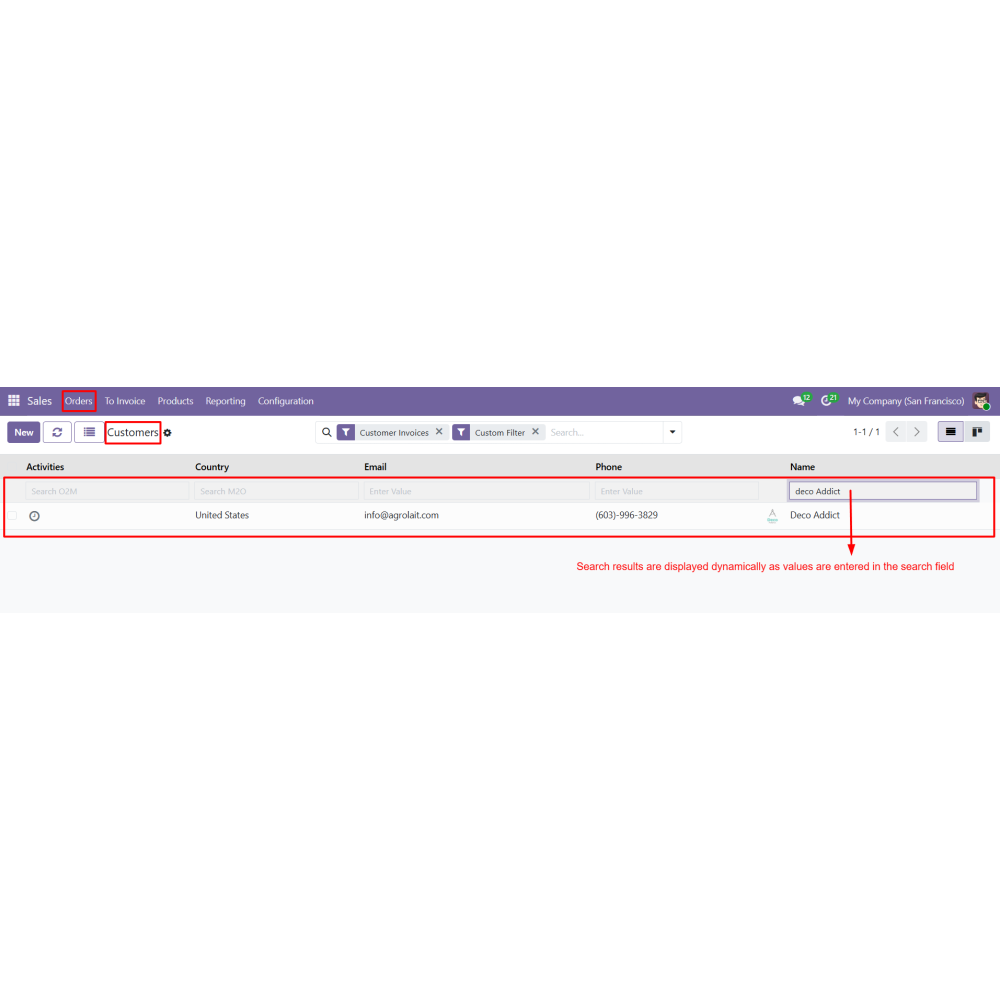
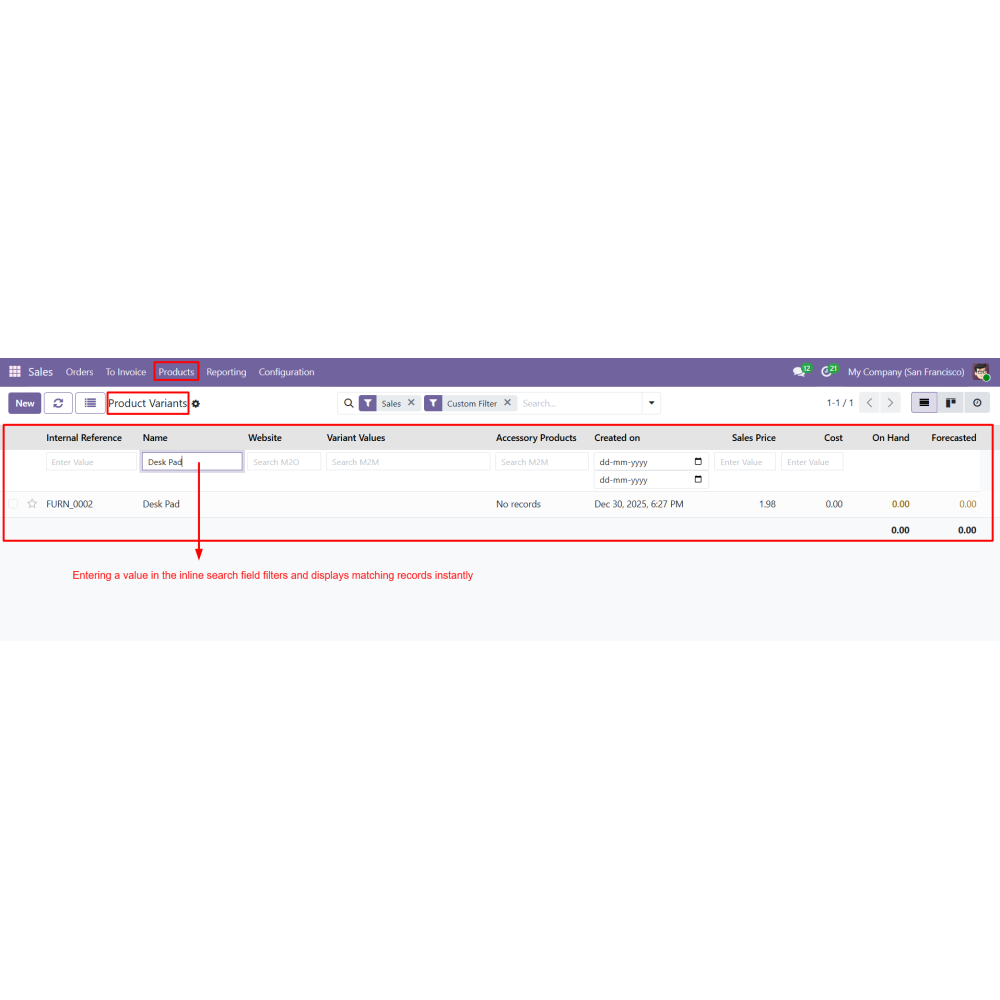
  • Use inline search fields on columns to filter records.
  • View instant updates in the list view without page reload.
  • Continue working with the customized list view layout.
What is the List View Manager app in Odoo?It is a module that enhances Odoo list views by allowing users to manage columns, apply filters, and customize layouts without coding.
Which Odoo modules does this app support?It works across standard Odoo modules such as Sales, CRM, Inventory, Invoices, Products, and other list view-based modules.
Can users customize their own list view layouts?Yes, each user can personalize list views by showing/hiding columns, reordering fields, and saving their preferred layout.
Does the app require page reload after changes?No, all changes such as filtering, column updates, and layout adjustments are applied instantly without reloading the page.
Does it support inline search and filtering?Yes, it provides inline search and advanced filters for each column, enabling fast and efficient data access.
Is it useful for large datasets in Odoo?Yes, the app improves performance and usability, making it easier to manage and filter large amounts of data efficiently.

Customer reviews

0.0 Out Of 5
5 star
0%
4 star
0%
3 star
0%
2 star
0%
1 star
0%

No customer reviews

Benefits of List View Manager

Faster data access

Improved productivity

Better data visibility

User-specific customization

Reduced navigation effort

Efficient handling of large datasets

Features of List View Manager

List View Manager Panel

A side panel is added to list views for quick column and search management.

Field Search in Panel

Users can search and locate columns instantly within the manager panel.

Enable / Disable Columns

Toggle options allow showing or hiding columns directly from the list view.

Inline Column Search

Each column supports inline filters such as text search, date range, numeric range, and dropdown selection.

Multi-Module Support

Works with Sales Orders, Quotations, Products, CRM (Leads/Opportunities), Invoices, Inventory, and other Odoo list views.

Drag-and-Drop Column Reordering

Columns can be reordered easily to match user preferences.

Power Up Your  Store — We Handle It All

Related products