Odoo Set Expiry Date on Manufacturing Order

€11.00
Tax excluded

The Set Expiry Date on Manufacturing Order app significantly enhances Odoo's functionality by allowing users to manage and modify expiry dates for products scheduled for manufacturing. This app ensures that manufacturers can efficiently track and control the shelf life of their products, thereby facilitating better inventory management and compliance with industry standards.

WATCH DEMO VIDEO

Technical Support
Quantity
  Return policy

10-day module exchange guarantee

  • The "Set Expiry Date on Manufacturing Order" app is enhanced by allowing the admin to manage and adjust the expiry dates of products scheduled for manufacturing. 
  • This app ensures that manufacturers can easily verify and modify expiry dates directly within the Manufacturing Order interface.
  • With improved workflow efficiency, compliance, and traceability, businesses can maintain accurate records and meet regulatory requirements, thus optimizing their manufacturing processes.
  • Admin can seamlessly check and modify product expiry dates within the Manufacturing Order interface.
  • Upon installation, instantly view and validate product expiration dates.
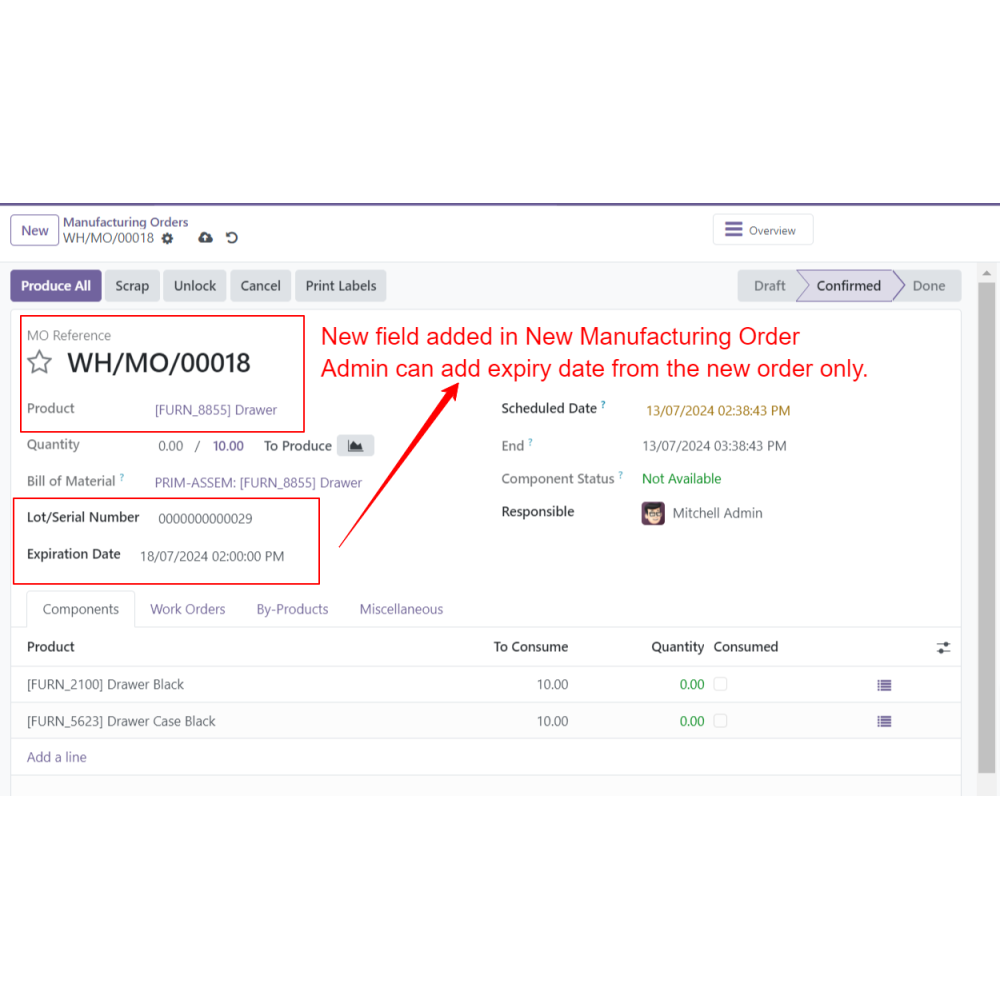
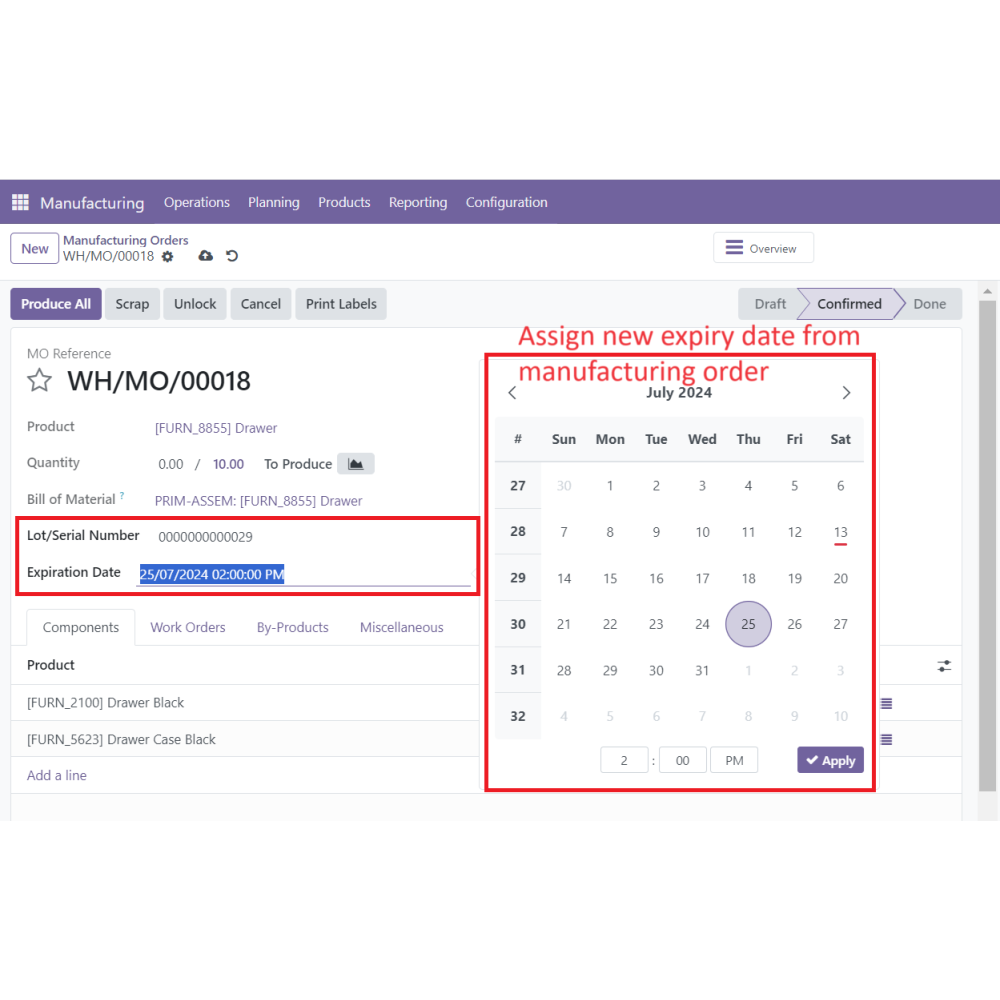
  • Edit expiry dates directly from the Manufacturing Order (MO) screen, providing accuracy for specific Lot or Serial Number products without navigating away from the main interface.
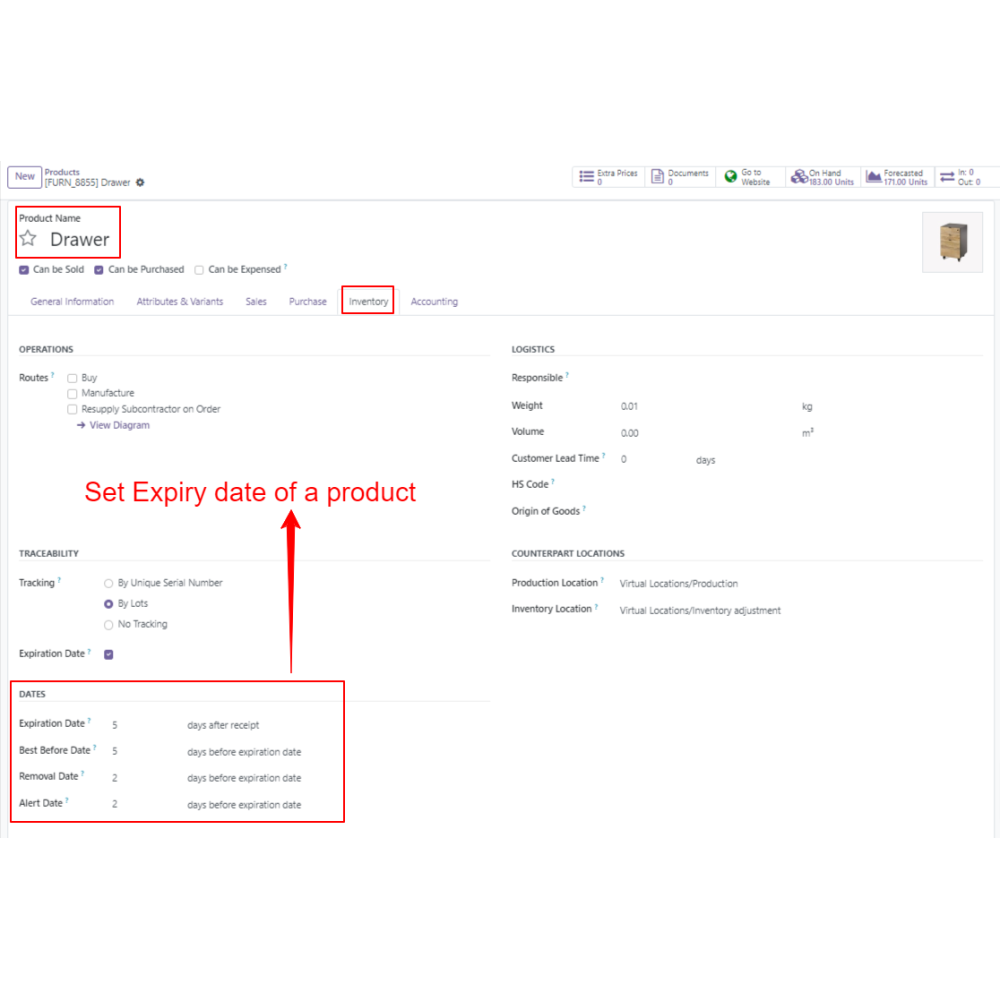
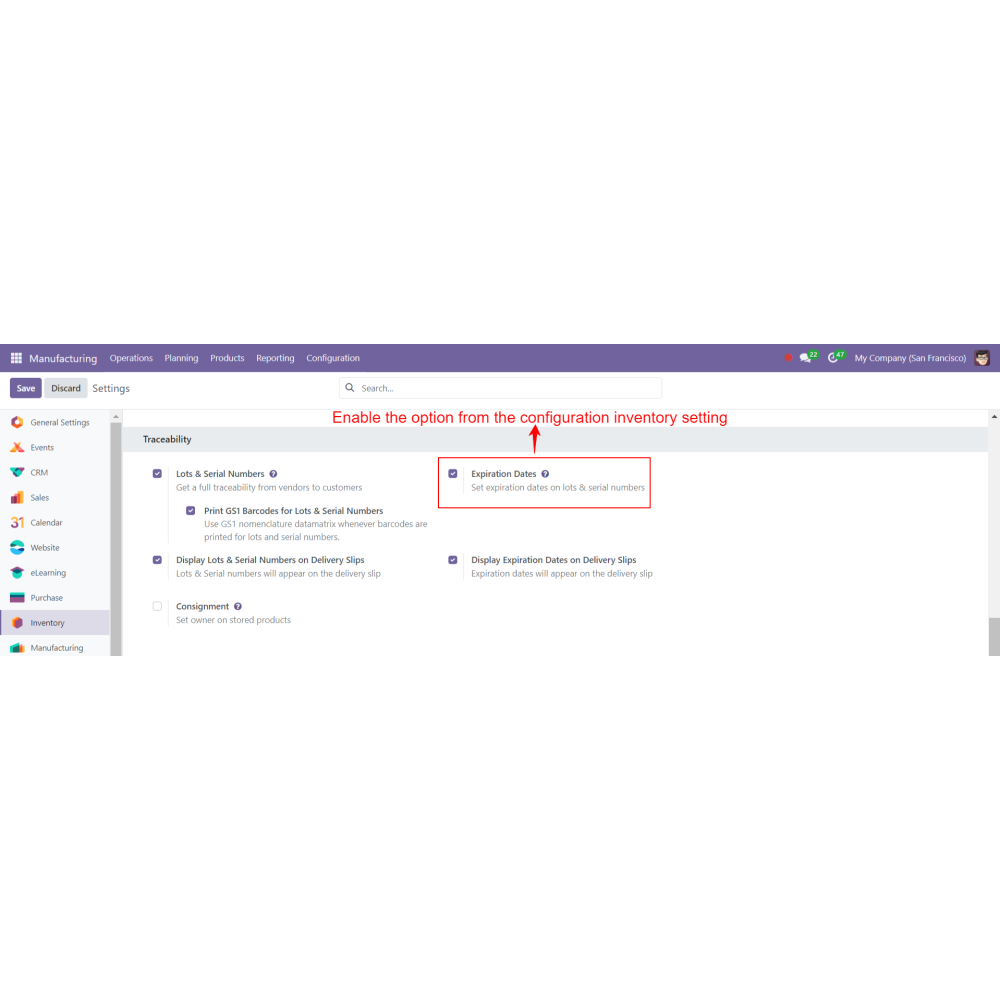
  • Product lot/Serial Number tracking and expiration features are enabled to take full advantage of this app's functionalities.
  • Admins can define customer permissions for managing expiry dates, and only authorized personnel can make changes.
  • The app facilitates better traceability of the product lifecycle from manufacturing to consumption, supporting quality assurance processes.
  • Allows precise management of expiry dates for better quality and safety.
  • Simplifies expiry date setting, saving time during manufacturing.
  • Ensures products meet expiry regulations and standards.
  • Improves tracking of product shelf life and expiry status.
  • Integrates expiry date management seamlessly into production processes.
  • Helps maintain product freshness, reduce waste, and improve inventory control.
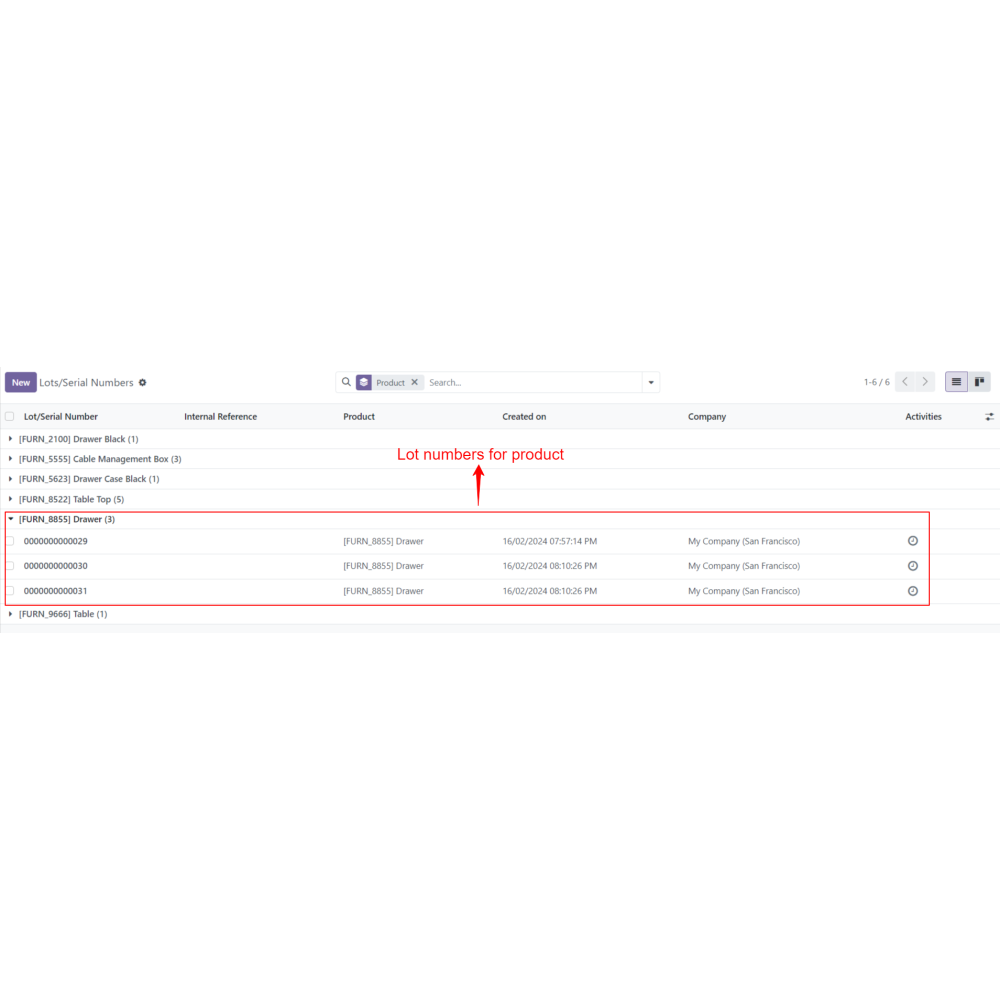
  • Admin ensures lot or serial number tracking with expiry date features are activated on products.
  • Admin opens a manufacturing order (MO) during production planning or execution.
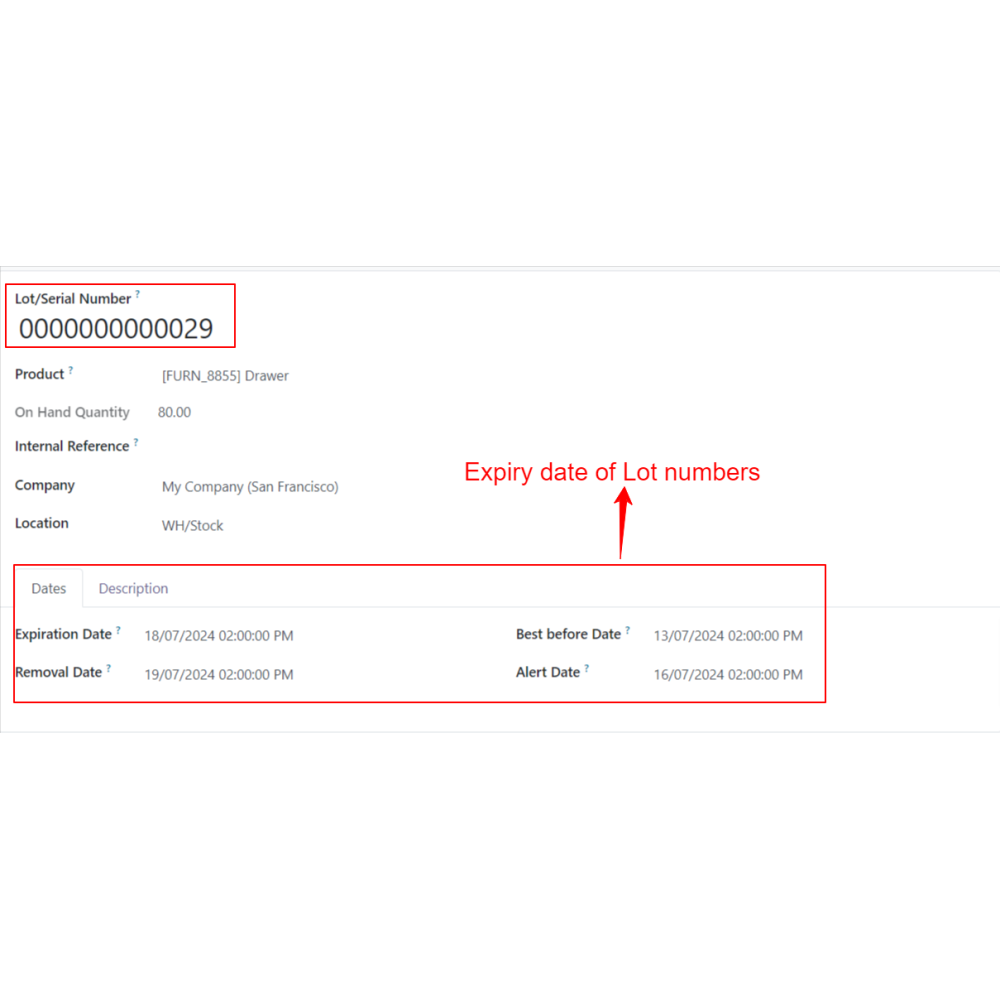
  • Within the MO interface, admin checks existing expiry dates.
  • Directly edit or update expiry dates for specific Lot or Serial Number products on-screen.
  • Admin can instantly verify the expiration dates during the manufacturing process for compliance and quality control.
  • All modifications are saved within the MO, ensuring accurate and up-to-date expiry information.
What is the Set Expiry Date in Manufacturing Order?The Set Expiry Date app allows admins to manage and update expiry dates for products in the manufacturing process directly within the MO interface. It ensures accurate, compliant, and traceable expiry data, enhancing overall production quality and regulatory adherence.
How do I set or modify expiry dates?Admins can check and edit expiry dates directly on the manufacturing order screen, ensuring real-time accuracy for Lot or Serial Number products.
Is expiration date verification automatic?Yes, instantly view and validate product expiration dates upon installation or during production, maintaining compliance.
Can expiry dates be edited directly?Yes, expiry dates can be modified directly within the MO interface, ensuring precise management without navigating away from the main screen.
Are there permissions for expiry date management?Admins can set user permissions, allowing only authorized personnel to update or verify expiry dates for products.
Why is expiry date management important?It enhances traceability, supports quality control, and ensures compliance with safety and regulatory standards during manufacturing and distribution.
What kind of support do you offer after module purchase?We provide technical support to resolve installation, configuration, and functionality-related issues. Support details are outlined in our support policy. We also customize our Odoo App to meet your business needs.
Do your Odoo extensions support multi-language functionality?Yes, our modules are designed to be multi-language compatible. Follow the provided guidelines to configure language settings within Odoo.
What versions of Odoo are compatible with your extensions?Our extensions are regularly updated to support the latest stable Odoo versions. For compatibility details, refer to the product description page.

Customer reviews

0.0 Out Of 5
5 star
0%
4 star
0%
3 star
0%
2 star
0%
1 star
0%

No customer reviews

Improve product safety with expiry date management

Enhanced Control

Operational Efficiency

Improved Traceability

Regulatory Compliance

Streamlined Workflow

Better Product Management

Easy expiry date management during production

Seamless Expiry Handling

Admins can efficiently view and update product expiry dates directly within the Manufacturing Order interface.

Immediate Expiration Check

On installation, instantly verify and validate expiry dates to maintain product quality and compliance.

Direct On-Screen Editing

Modify expiry dates for Lot or Serial Number products straight from the MO screen without extra navigation.

Tracking Enabled

Requires product lot/serial number tracking and expiration features to be activated for full functionality.

Controlled Access

Admins can assign permissions, ensuring only authorized users can manage expiry dates.

Enhanced Traceability

Supports detailed product lifecycle monitoring from manufacturing to consumption, improving quality.

Power Up Your  Store — We Handle It All
Related products