Odoo All in One Cloud Storage

€75.00
Tax excluded

All-in-One Cloud Storage for Odoo integrates Google Drive and Dropbox into a unified platform for secure document storage and management. It enables automatic attachment synchronization, flexible folder mapping, and direct cloud access from Odoo records. With centralized control, secure backup, and real-time file visibility, the solution enhances data security, simplifies document workflows, and ensures reliable cloud-based storage across all business operations.

WATCH DEMO VIDEO

Technical Support
Quantity
  Return policy

10-day module exchange guarantee

  • Integrates Google Drive and Dropbox in a single Odoo app
  • Centralized cloud storage for all Odoo documents
  • Securely store and manage attachments in the cloud
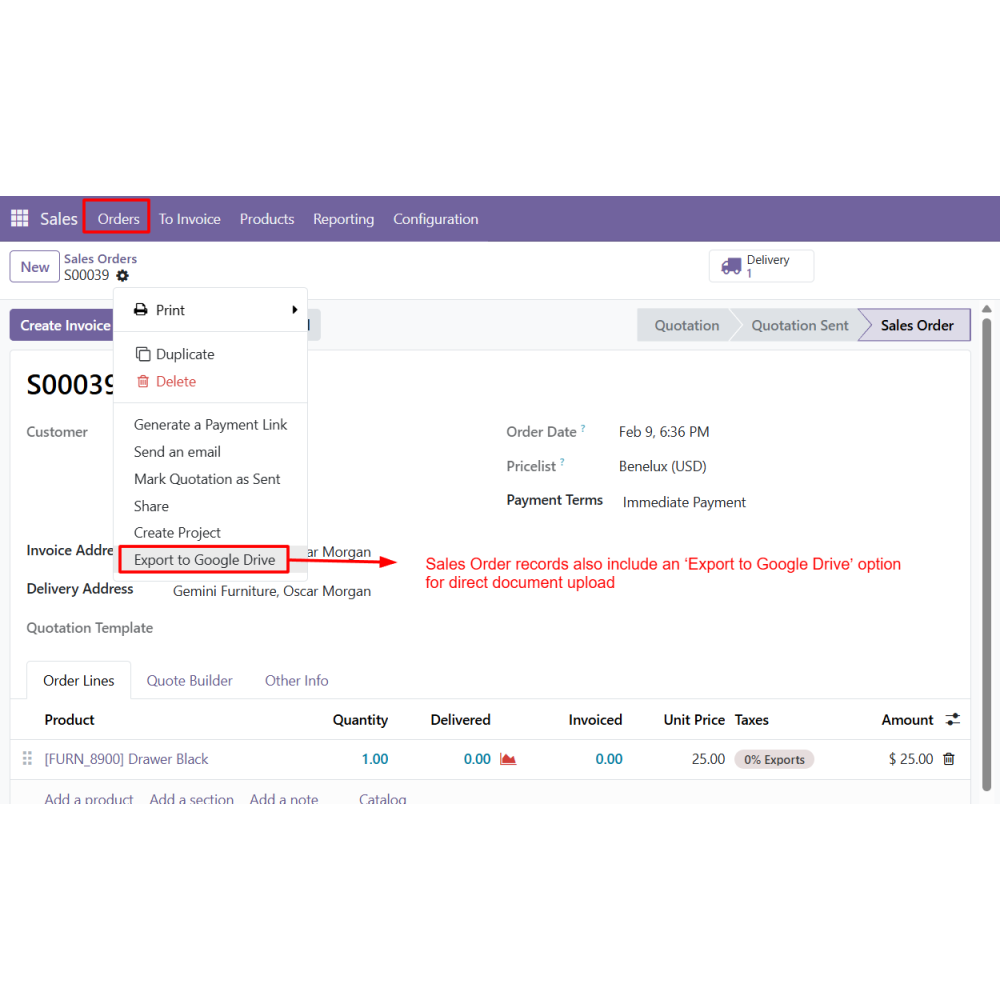
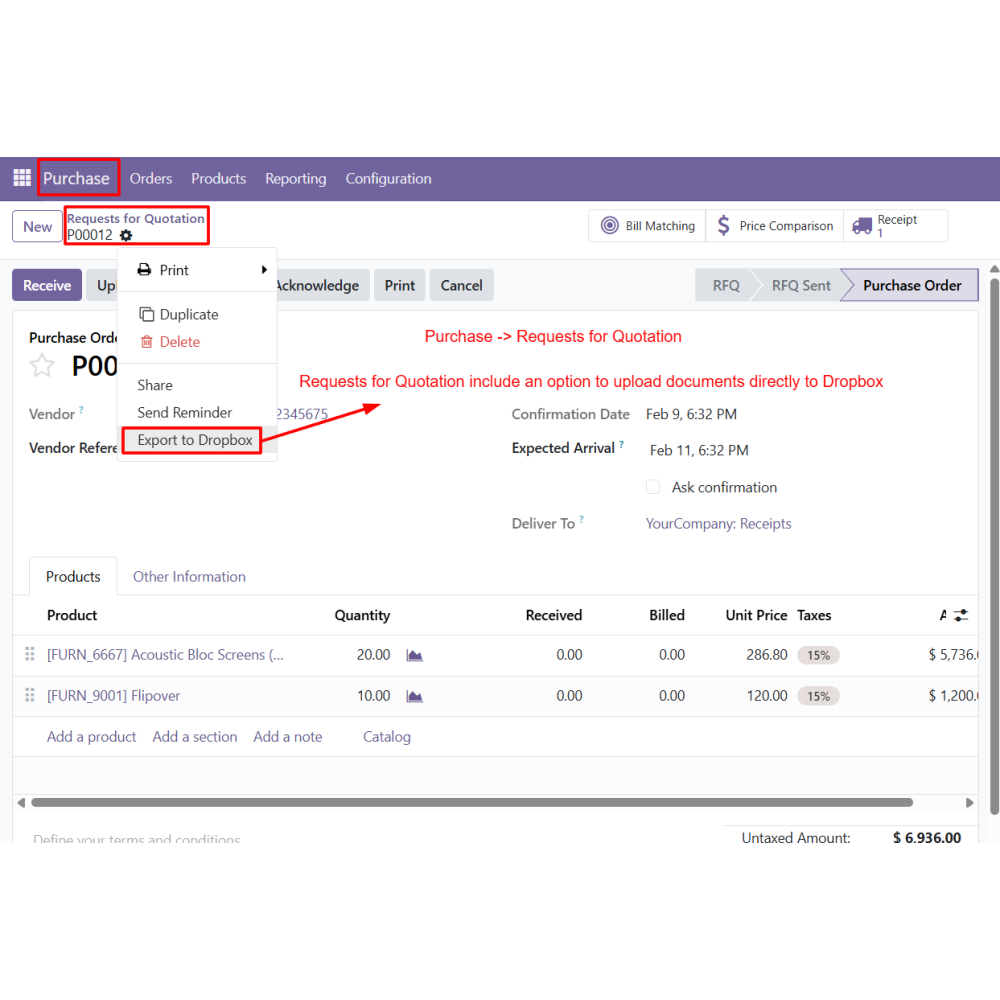
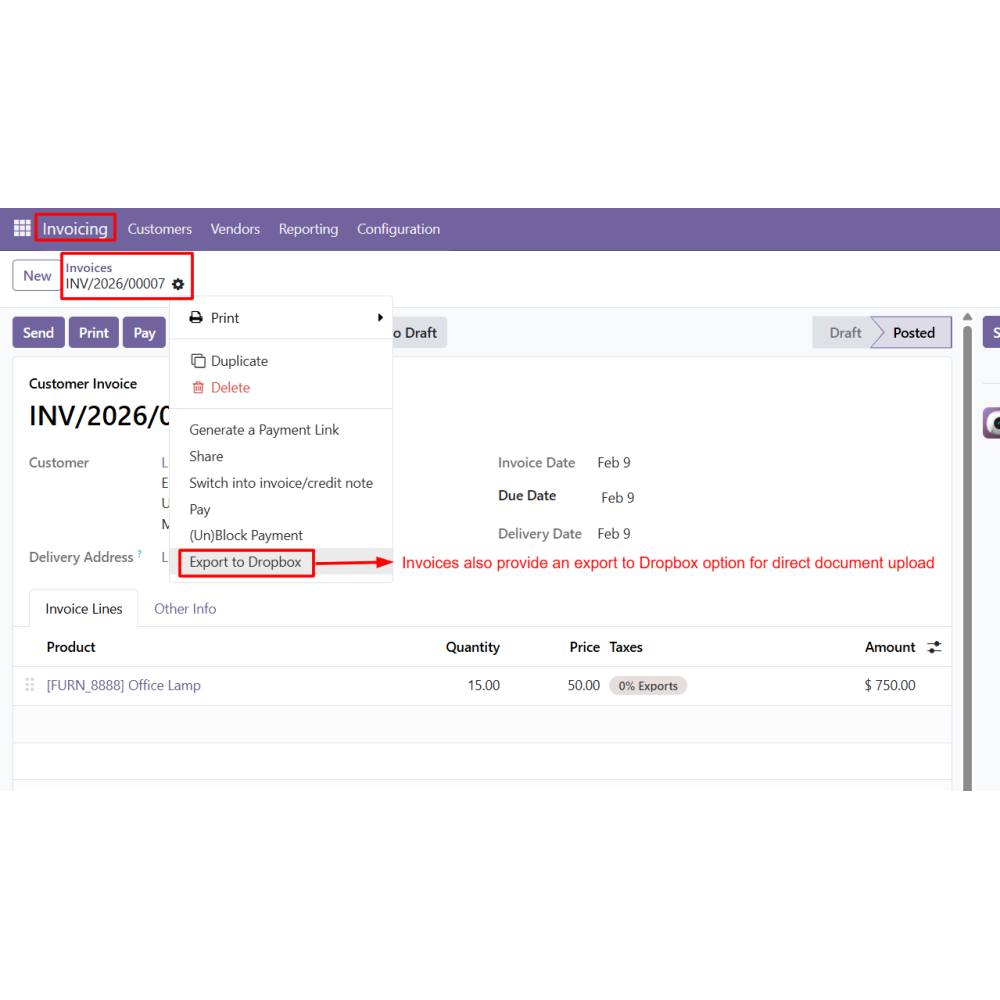
  • Access documents from Sales, CRM, Purchase, Invoices, and Products
  • Automatic synchronization of attachments to cloud storage
  • Flexible folder mapping based on Odoo models
  • Supports unrestricted document storage (no model required)
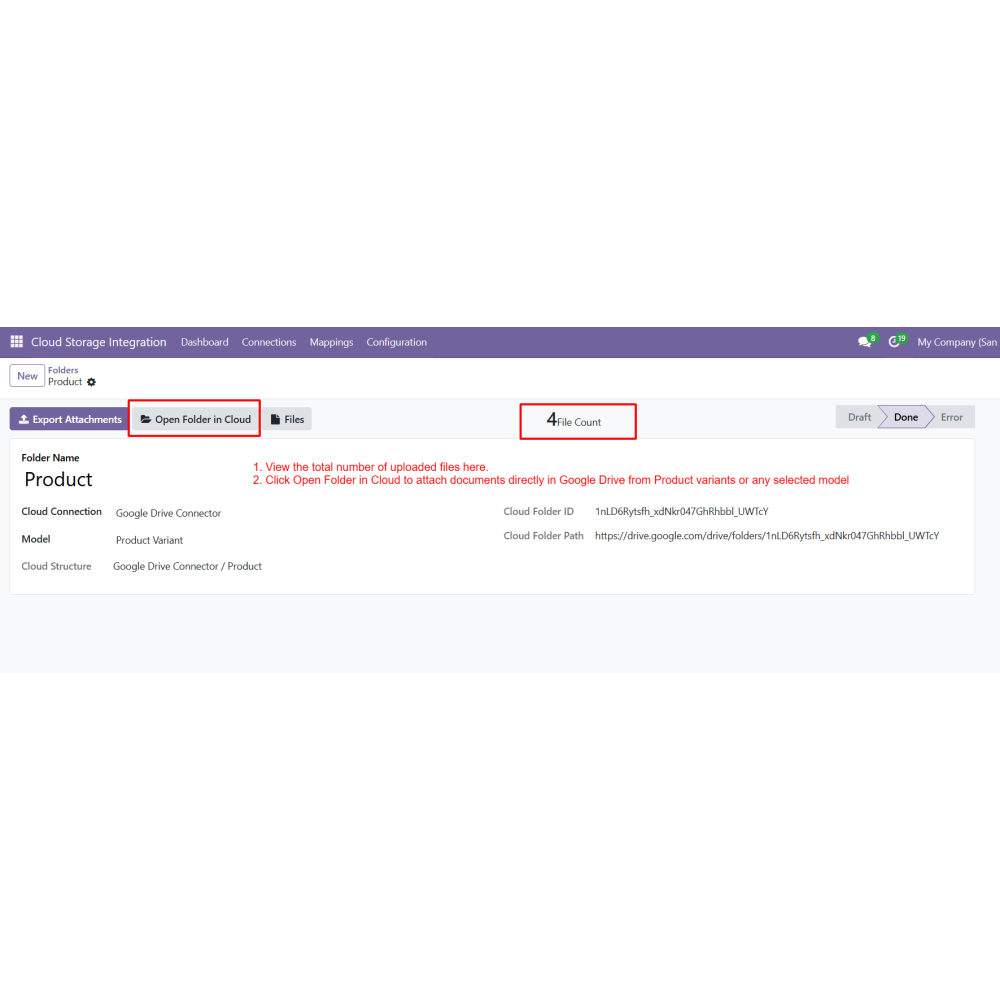
  • Open cloud folders directly from Odoo records
  • Supports multiple cloud connections
  • Improves document workflow and accessibility
  • Connect Google Drive and Dropbox in one Odoo app
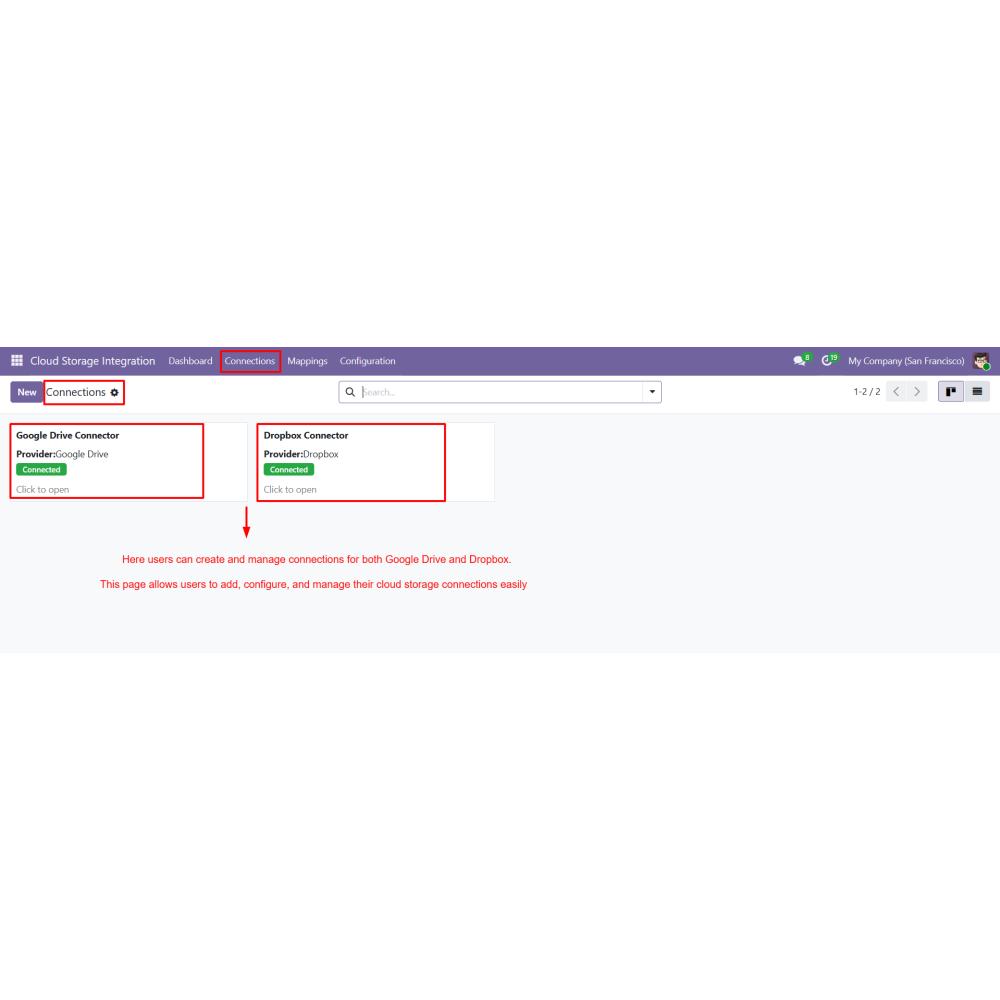
  • Configure and manage multiple cloud connections
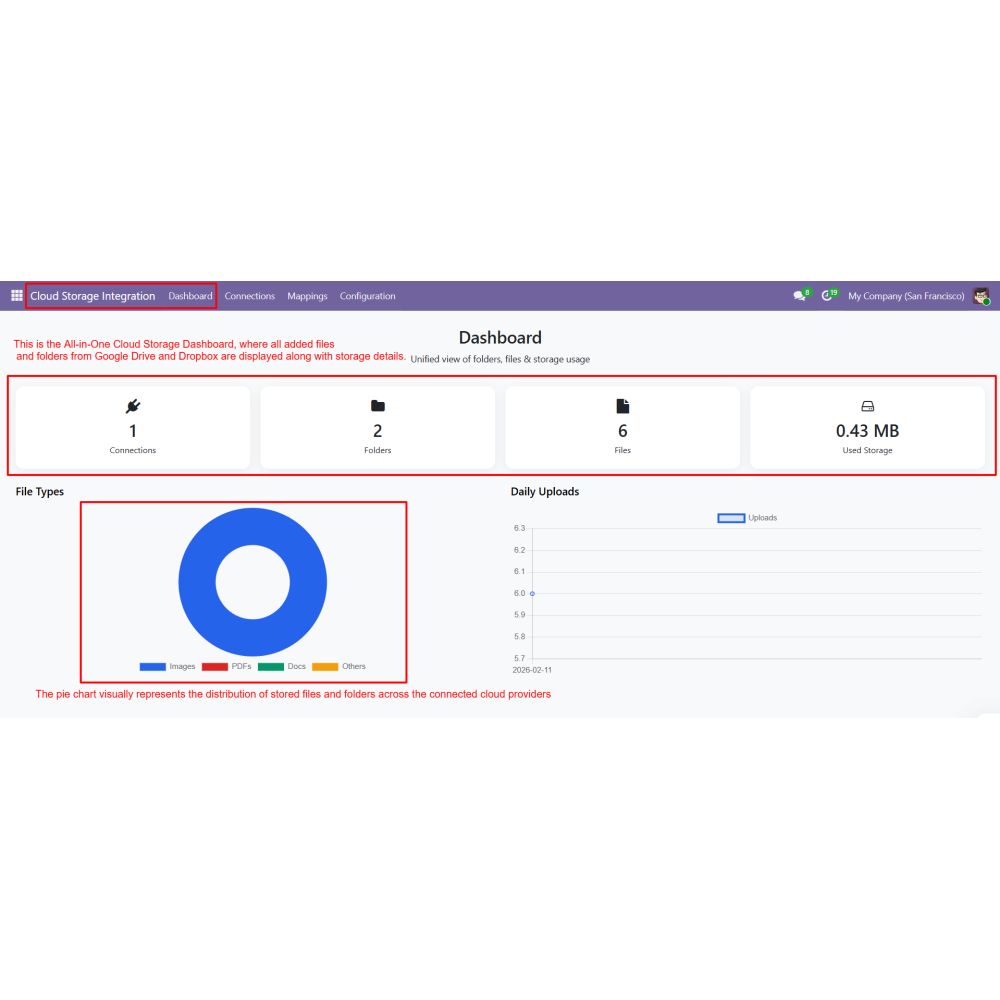
  • Central dashboard for files, folders, and storage usage
  • Create and manage folder mappings with or without models
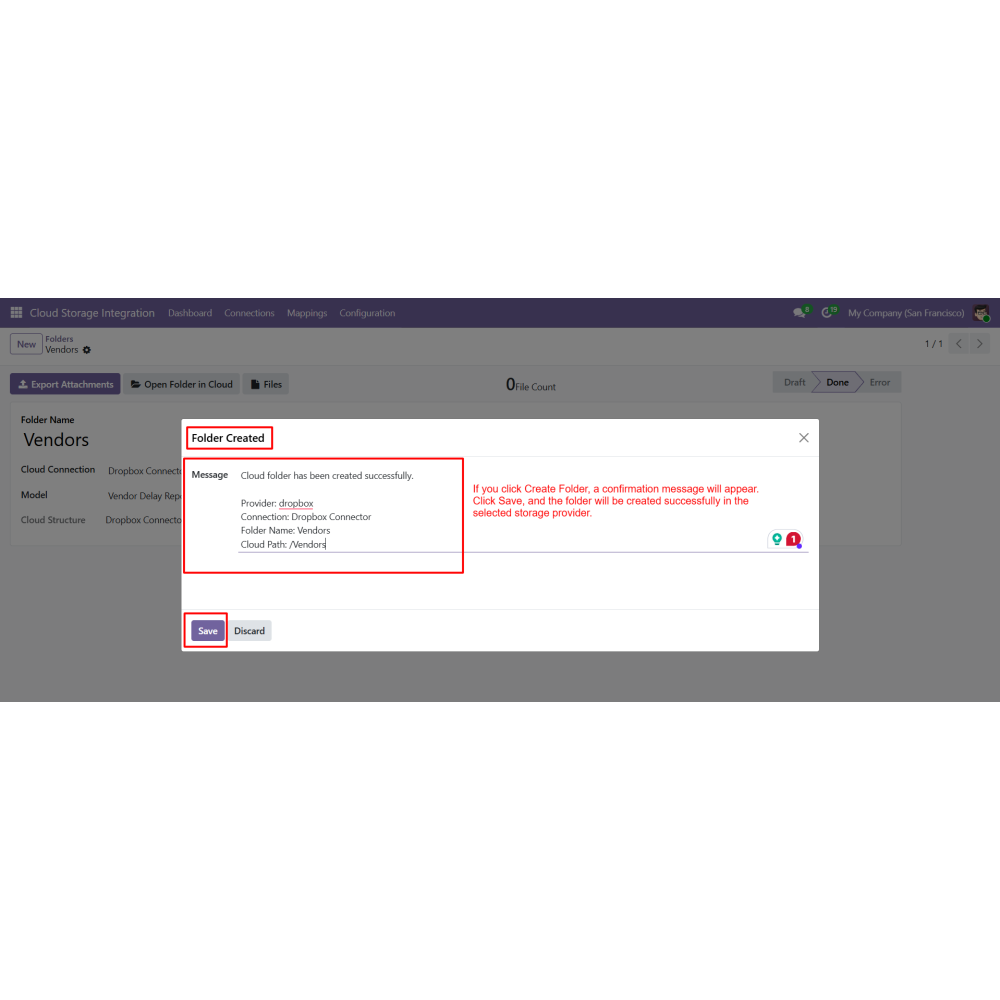
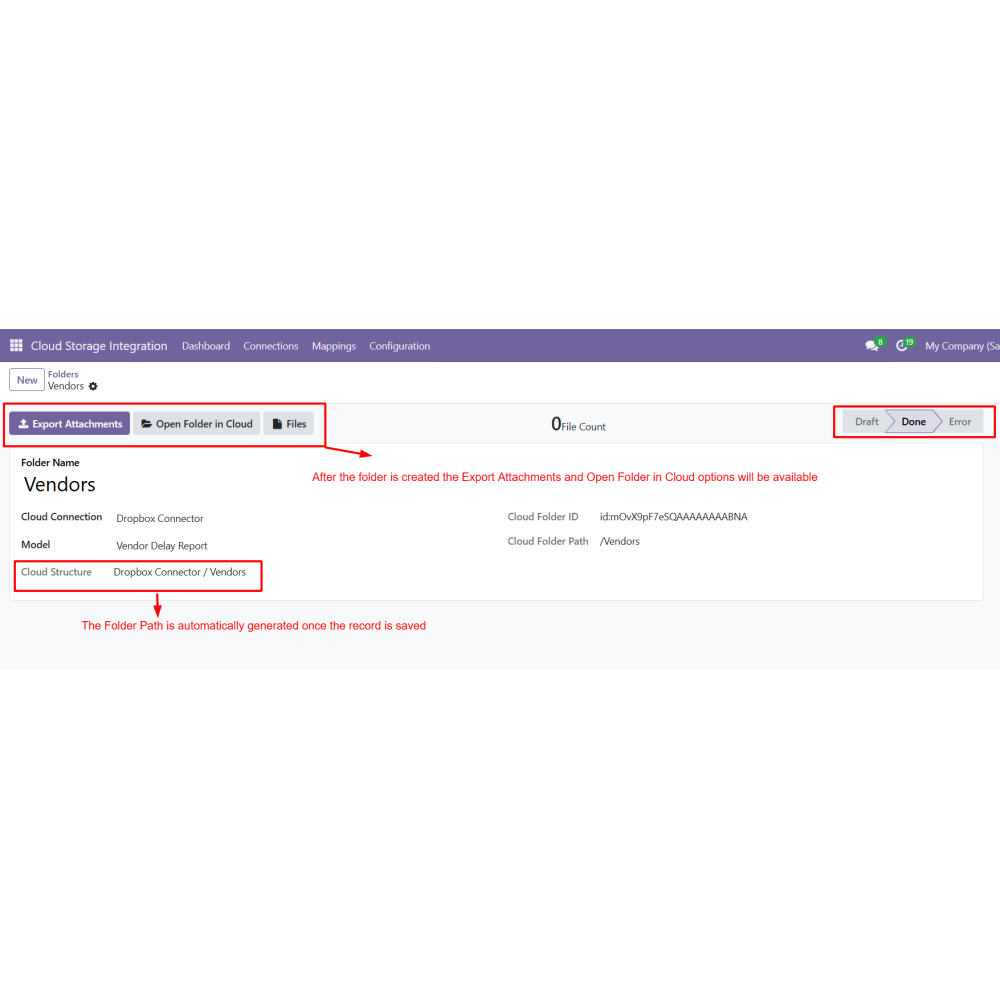
  • Automatically generate folder paths after saving
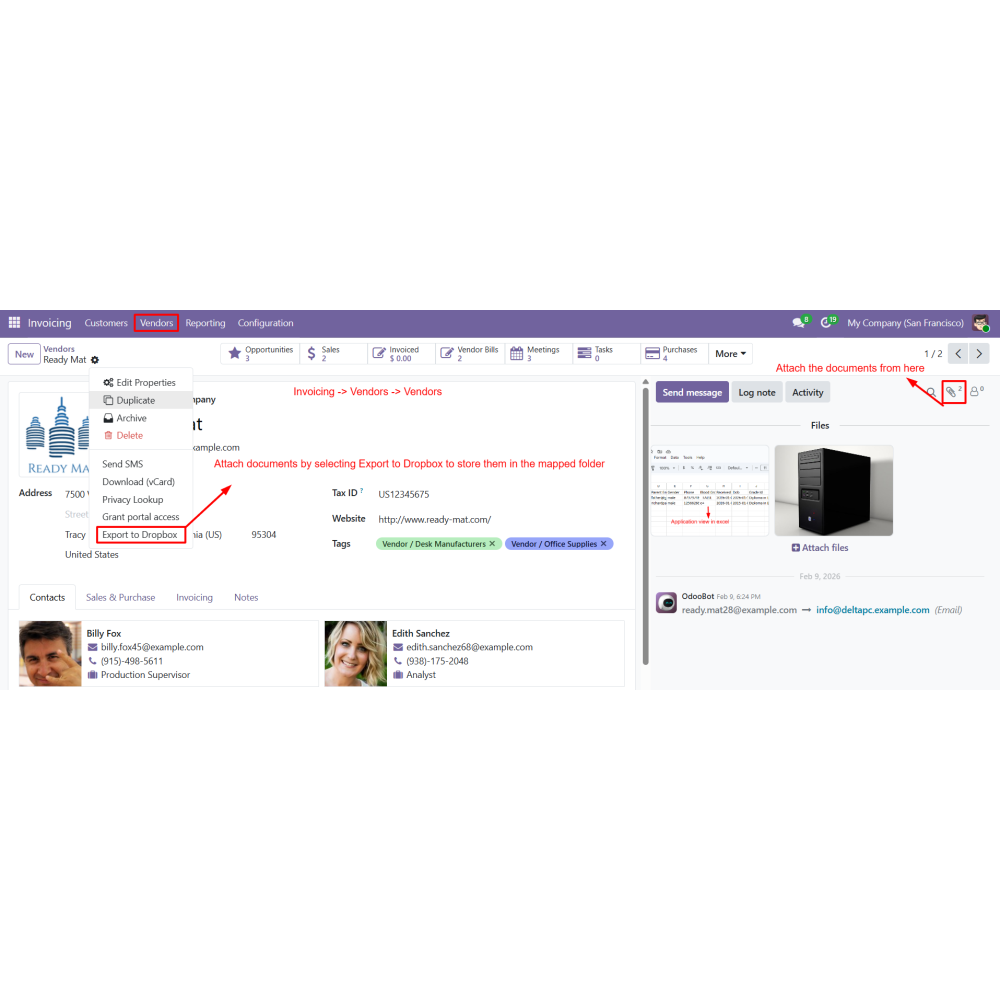
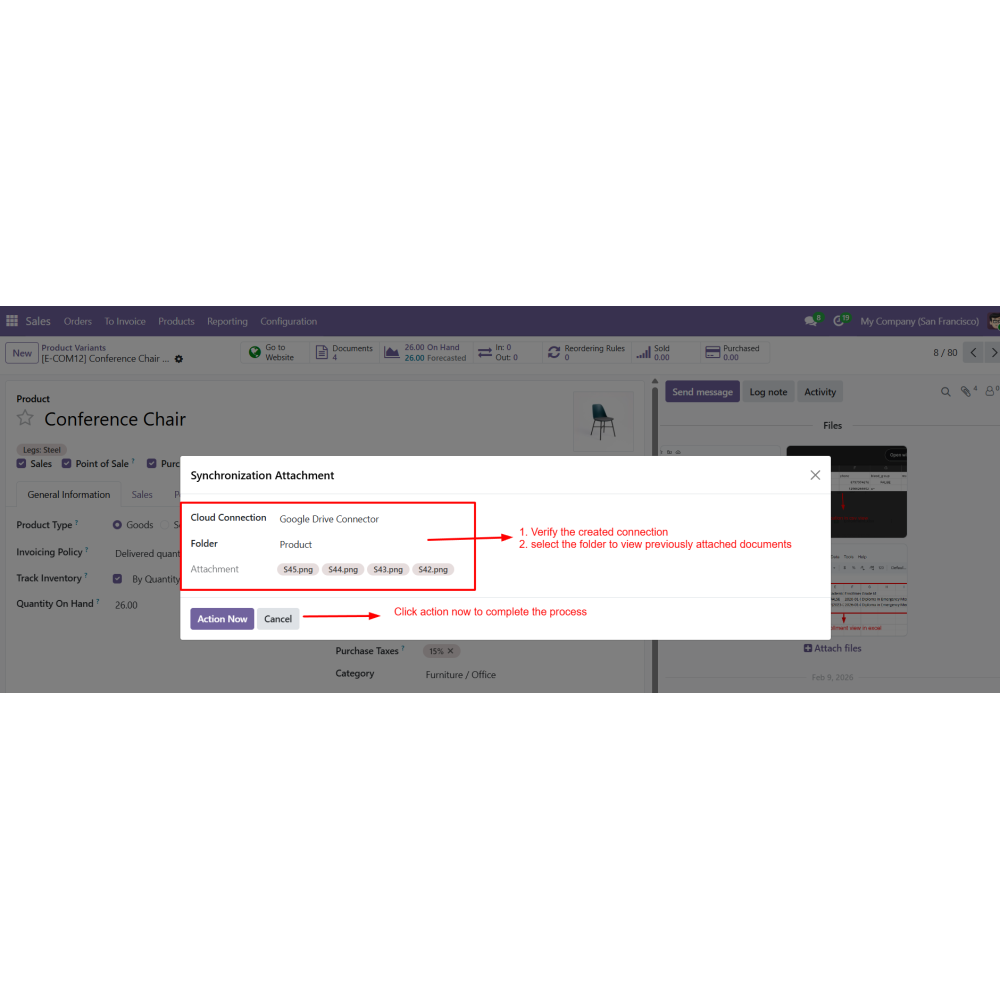
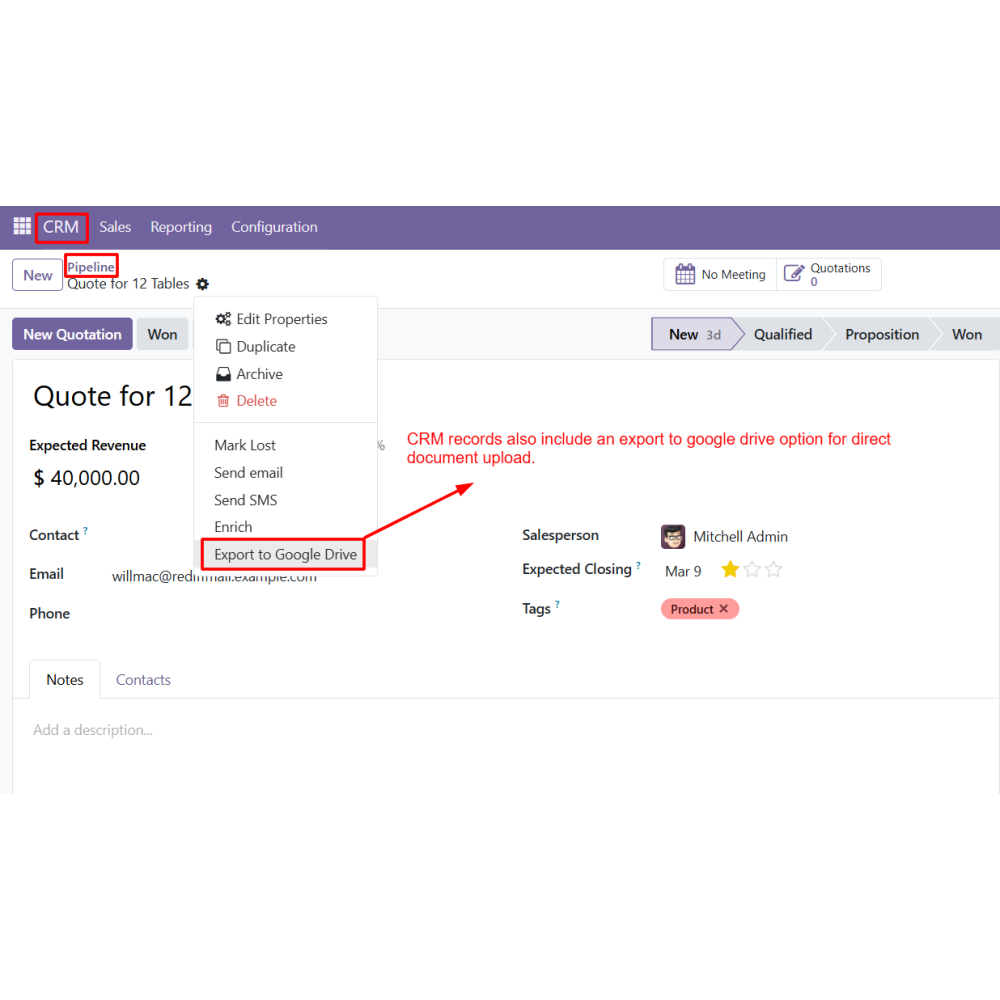
  • Export attachments directly from Odoo to cloud storage
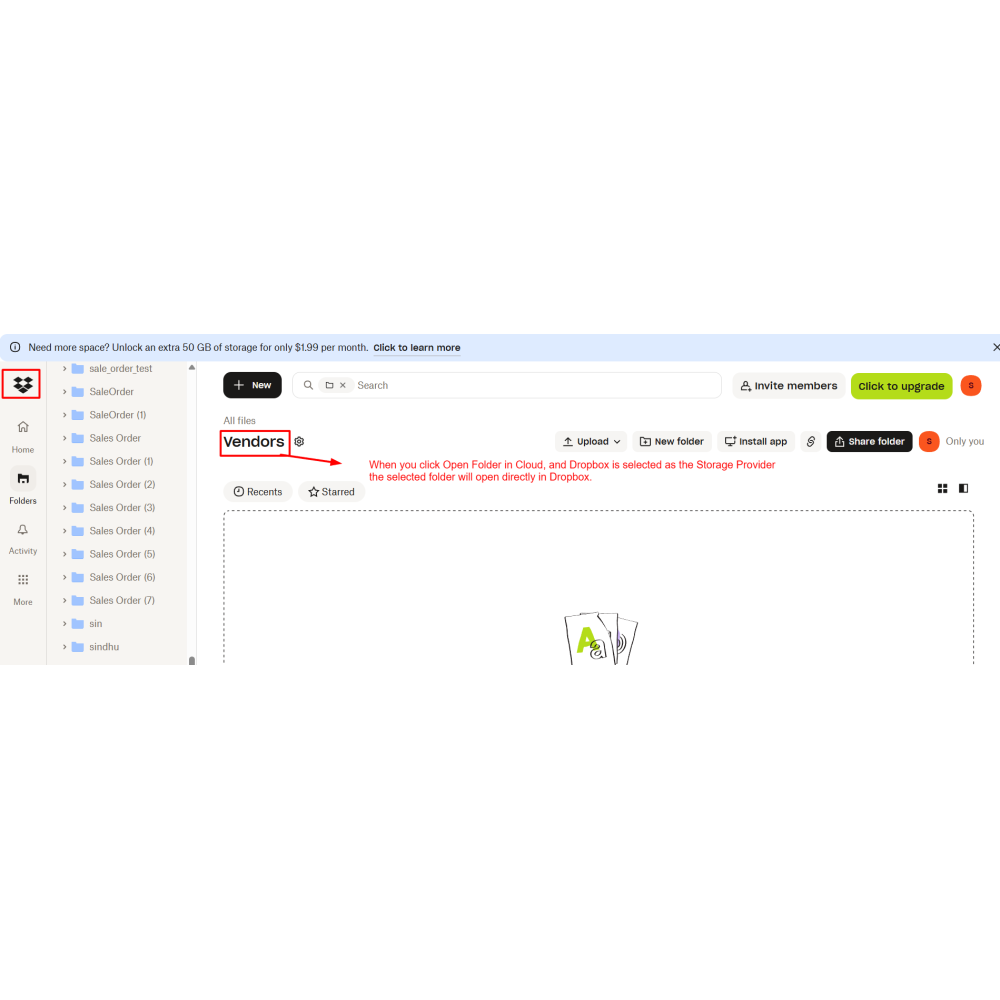
  • Open cloud folders directly from Odoo records
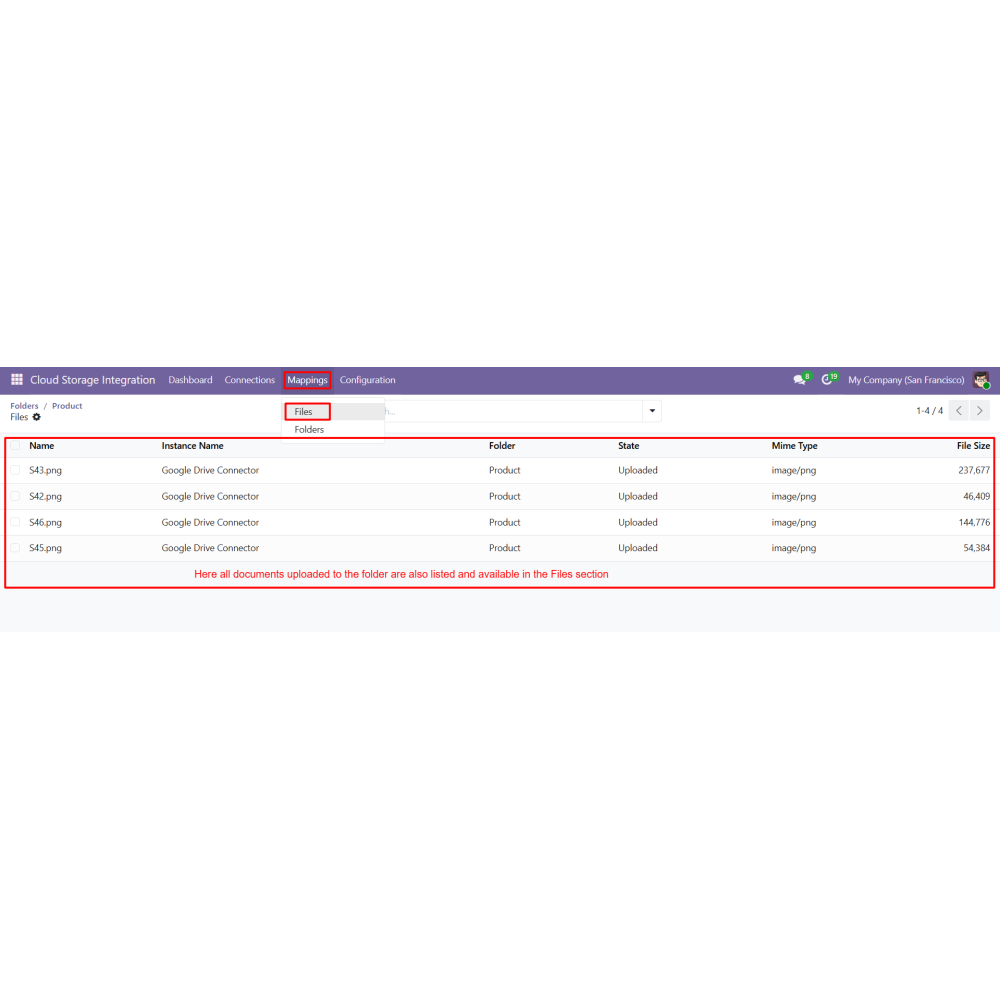
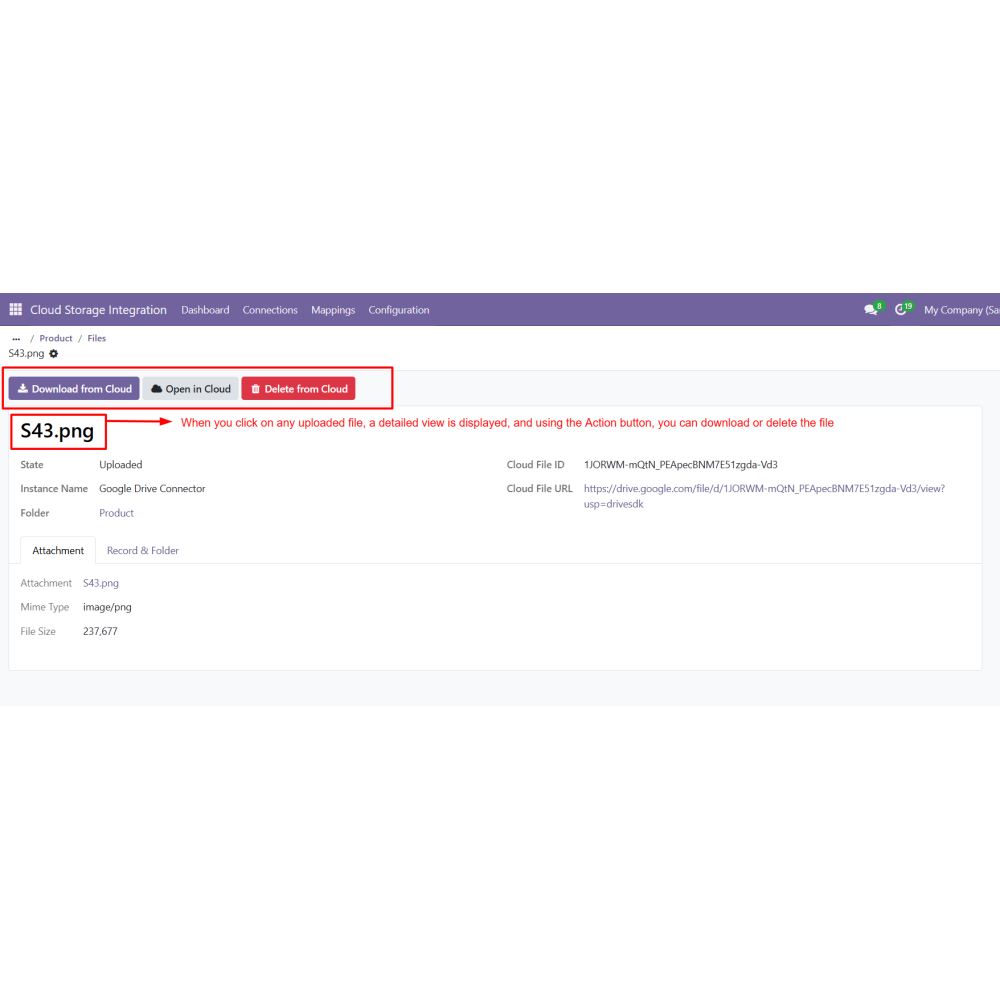
  • View, download, and delete files within Odoo
  • Keeps all business documents organized in one unified cloud system
  • Protects important files with reliable external storage backup
  • Saves time with automatic syncing of attachments
  • Simplifies document access directly from Odoo records
  • Supports flexible organization with smart folder mapping
  • Enhances overall productivity by streamlining document workflows
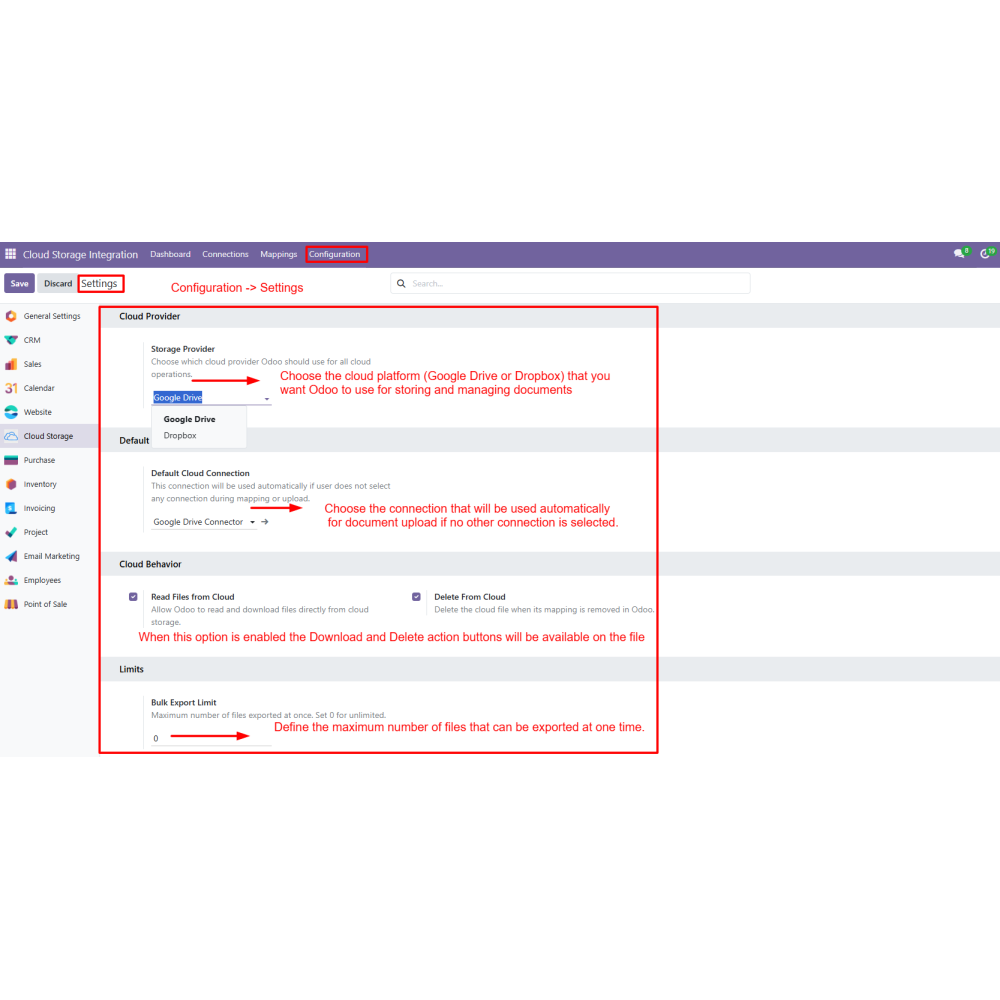
  • Go to Configuration → Settings.
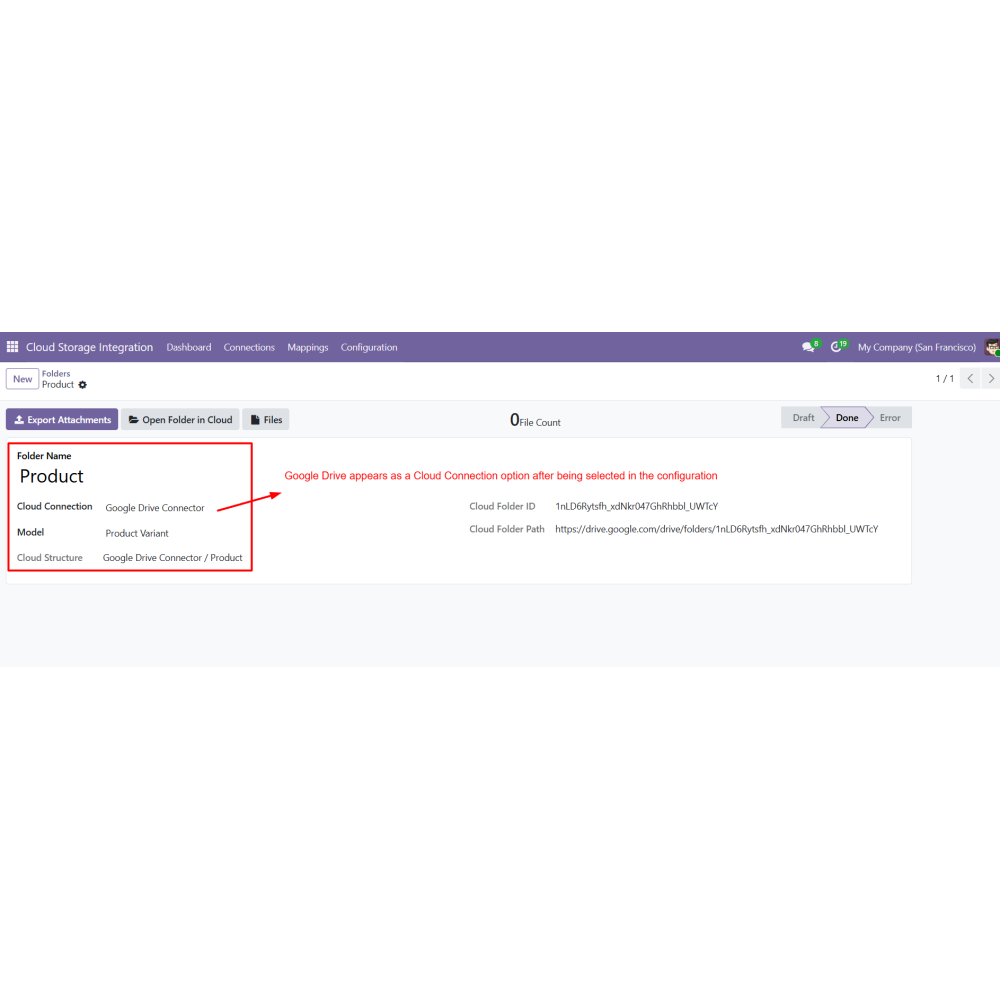
  • Select the preferred Storage Provider (Google Drive or Dropbox).
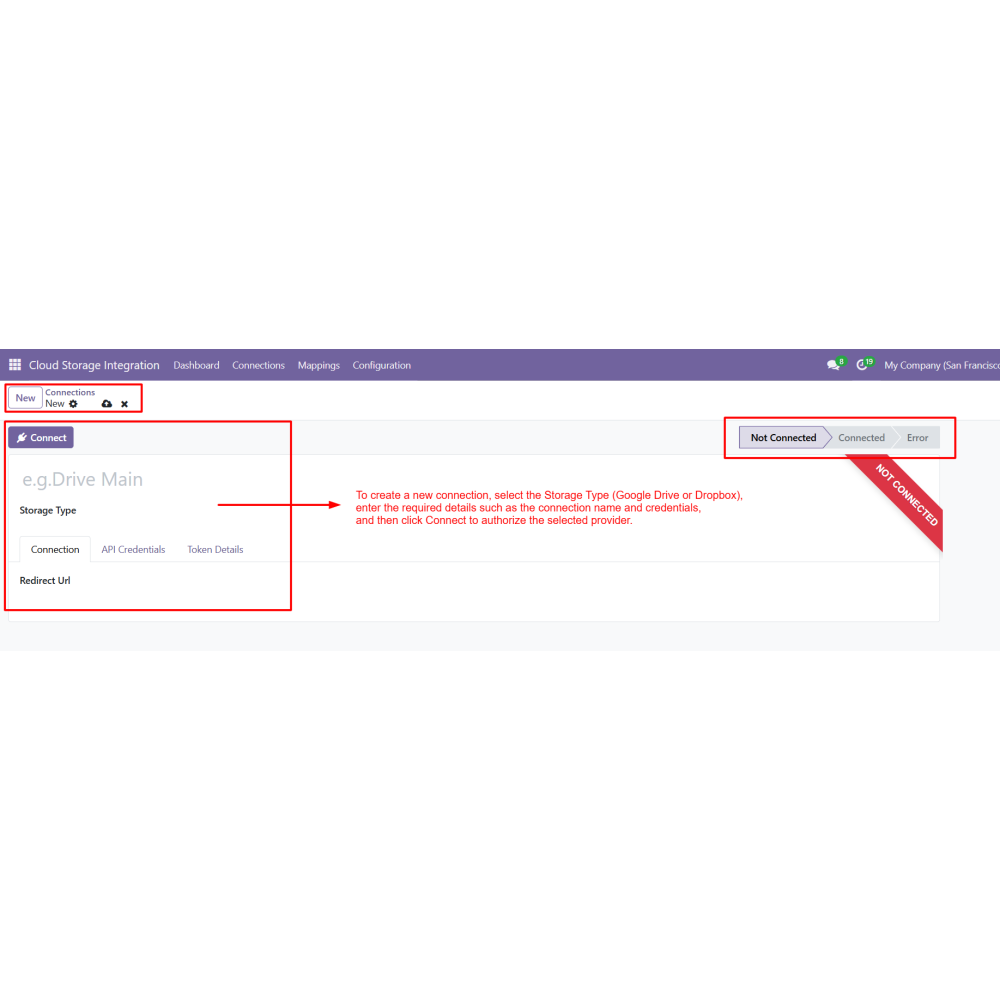
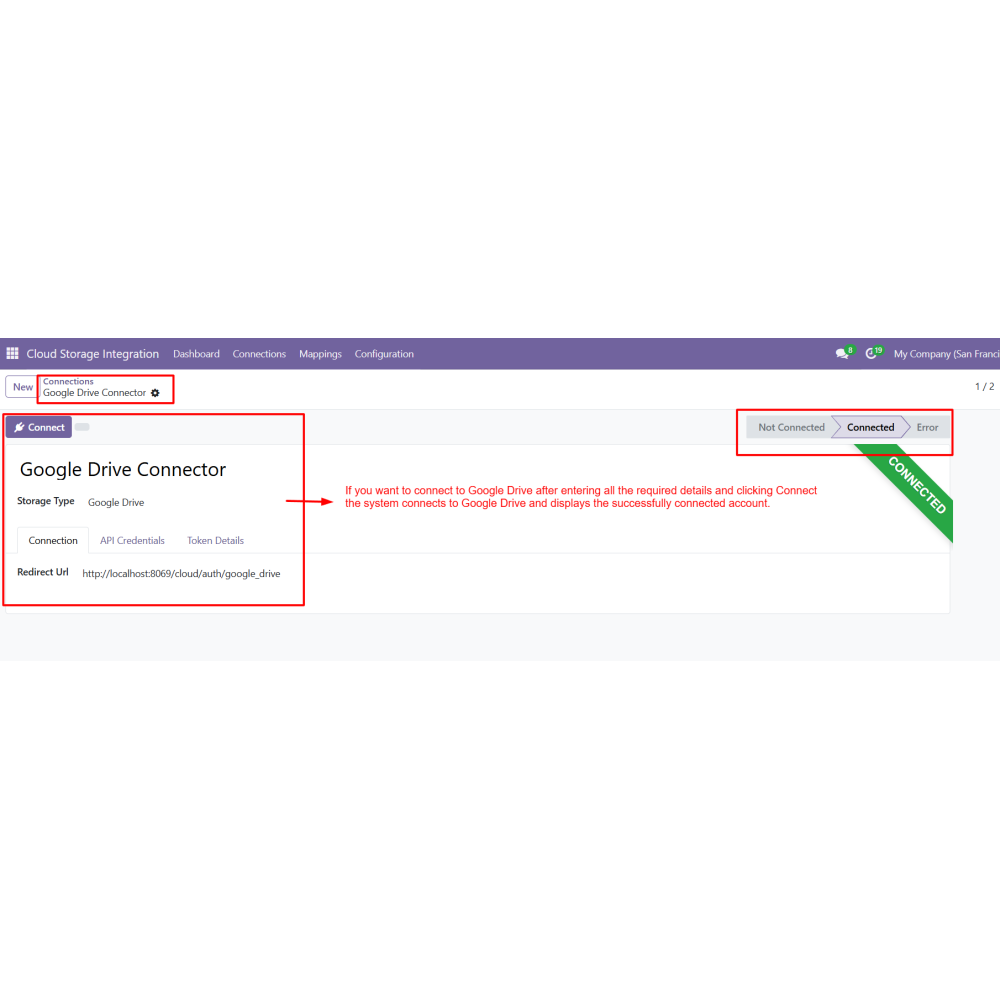
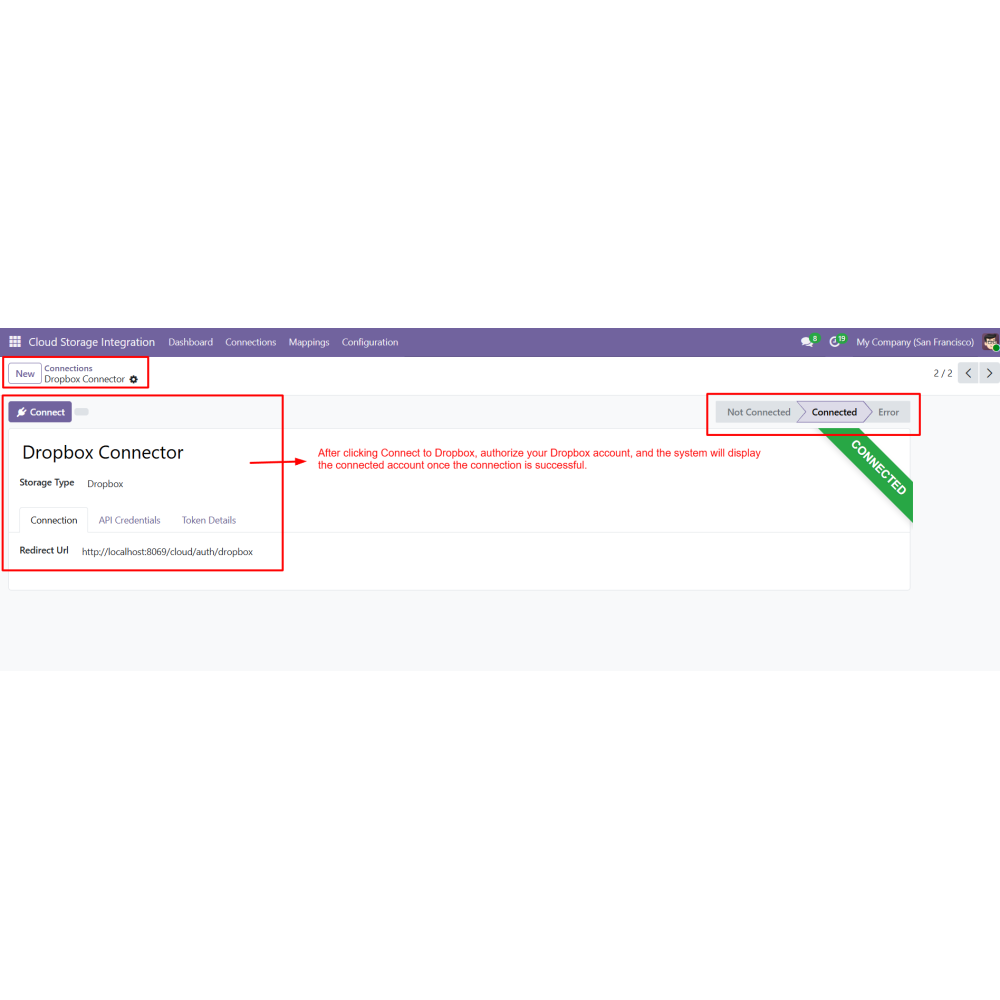
  • Create a new Cloud Connection.
  • Enter connection details and authorize the account.
  • Verify that the connection is successfully established.
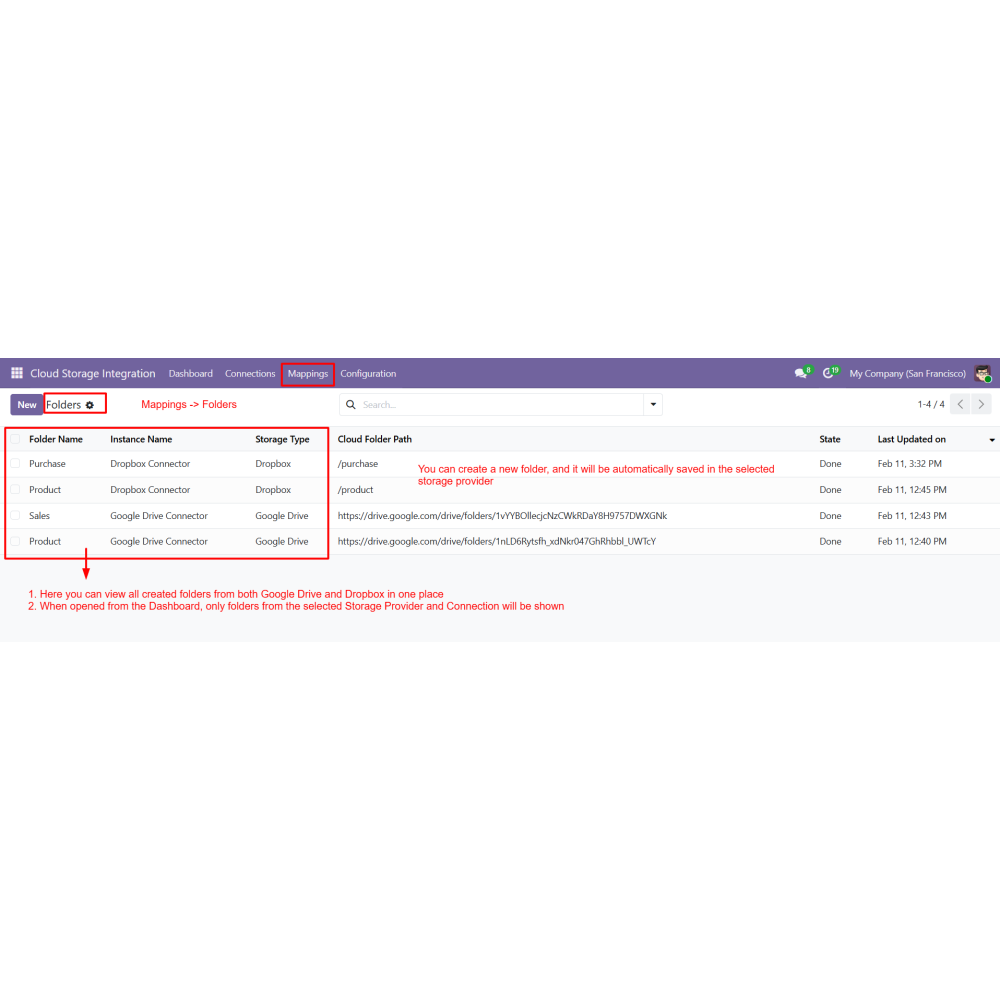
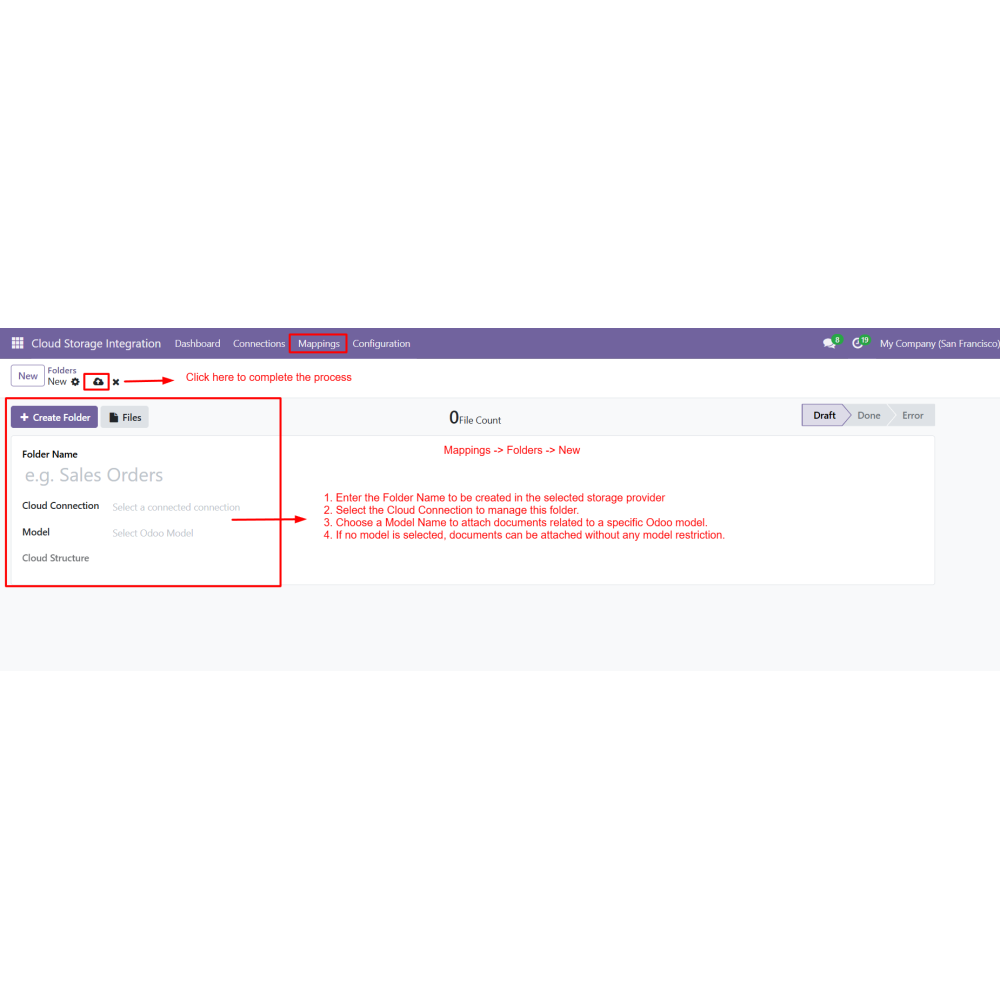
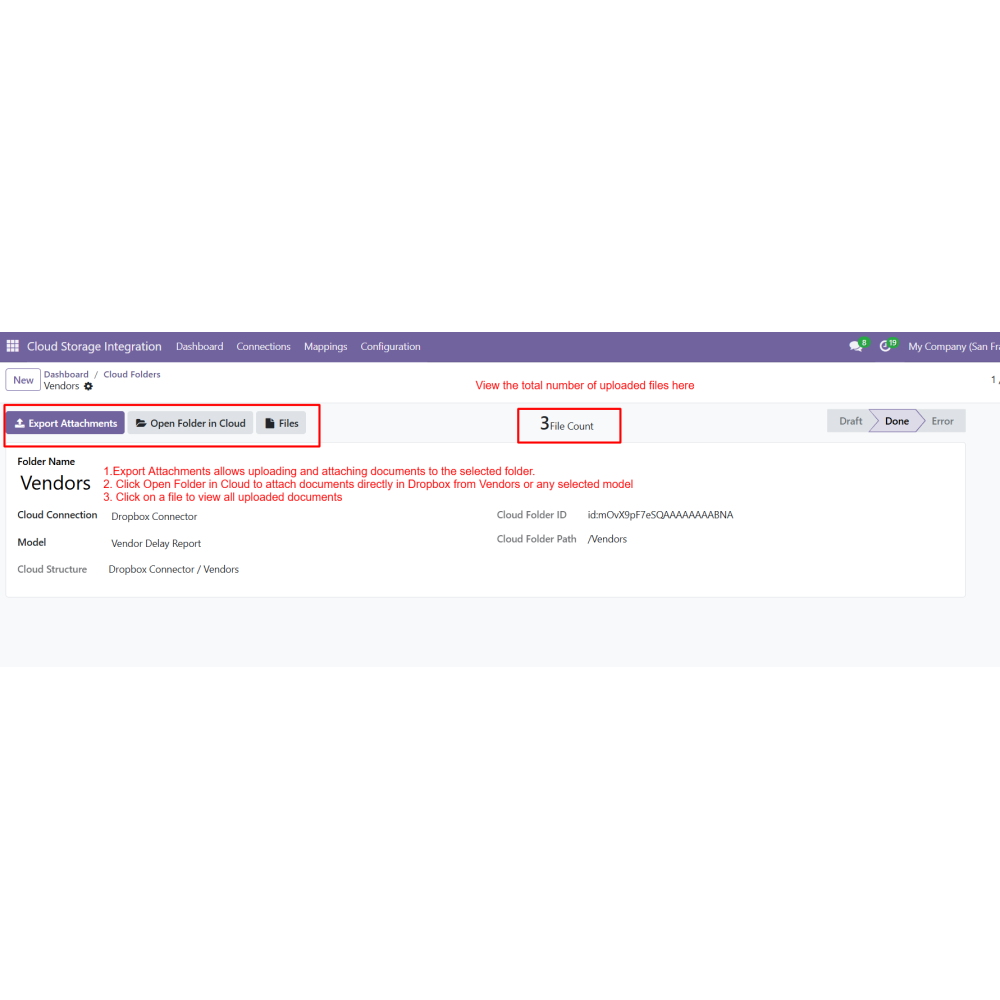
  • Go to Mappings → Folder.
  • Click Create to add a new folder.
  • Enter the folder name and select the cloud connection.
  • Select an Odoo model to link documents or leave it unrestricted.
  • Save the record to automatically generate the folder path.
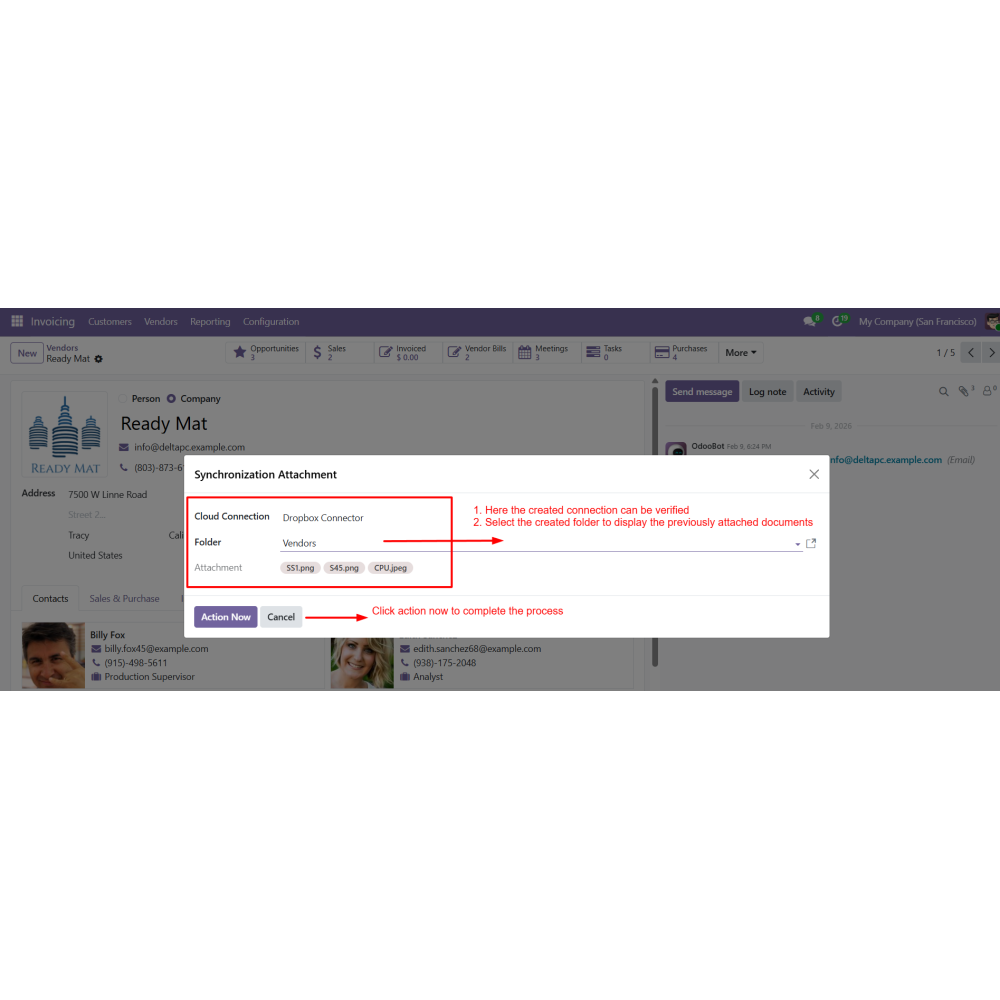
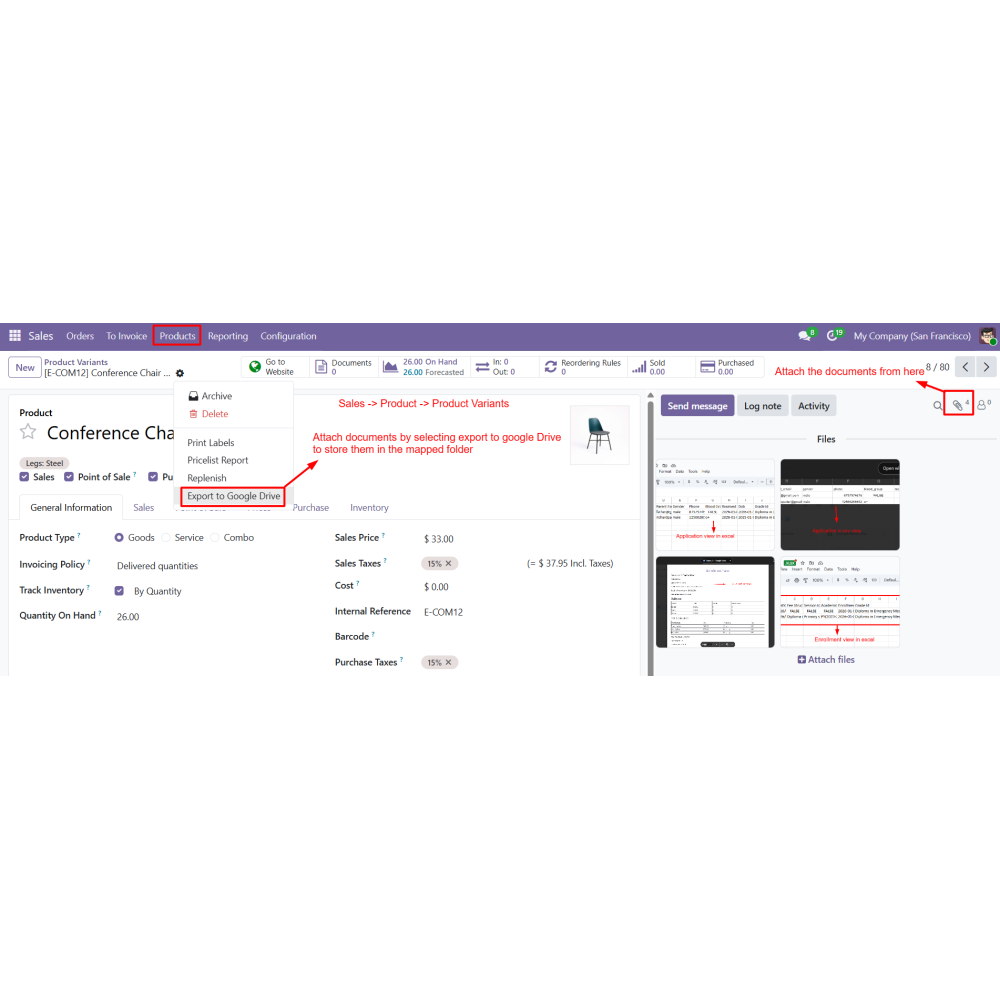
  • Open any Odoo record and export attachments to cloud storage.
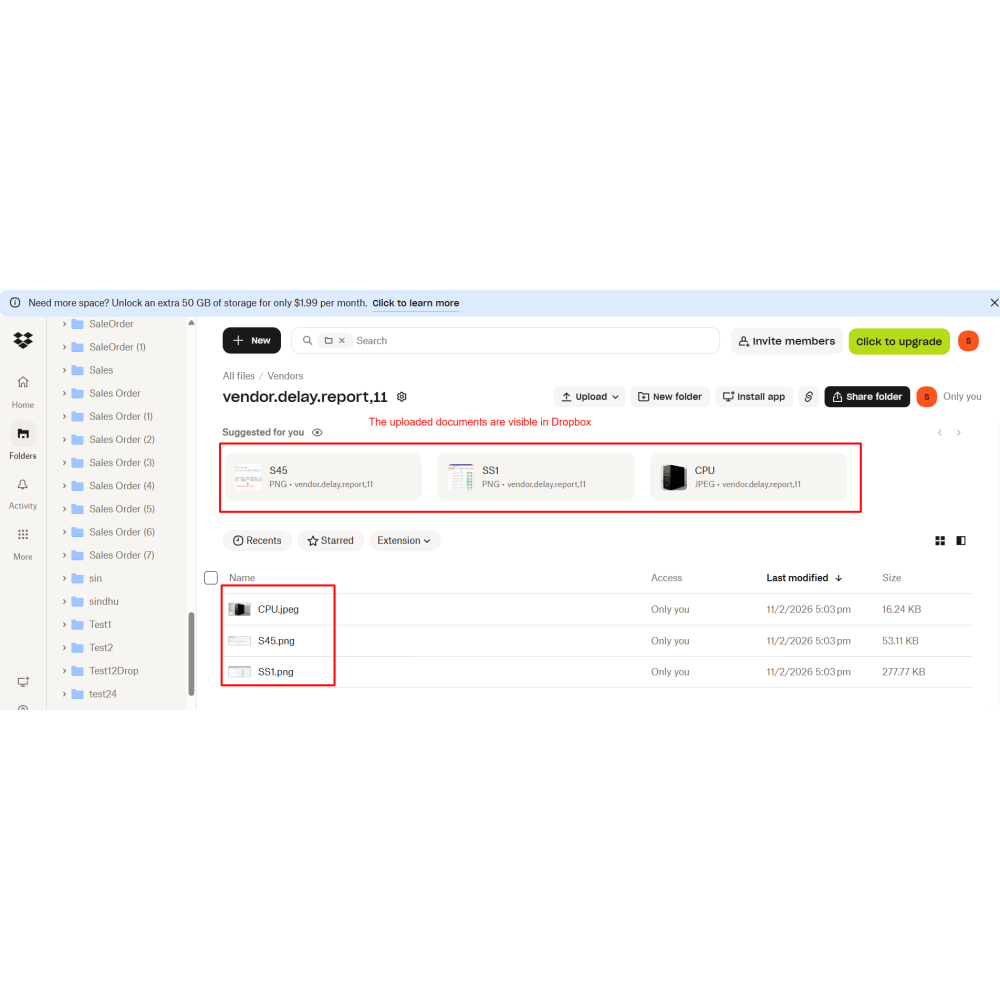
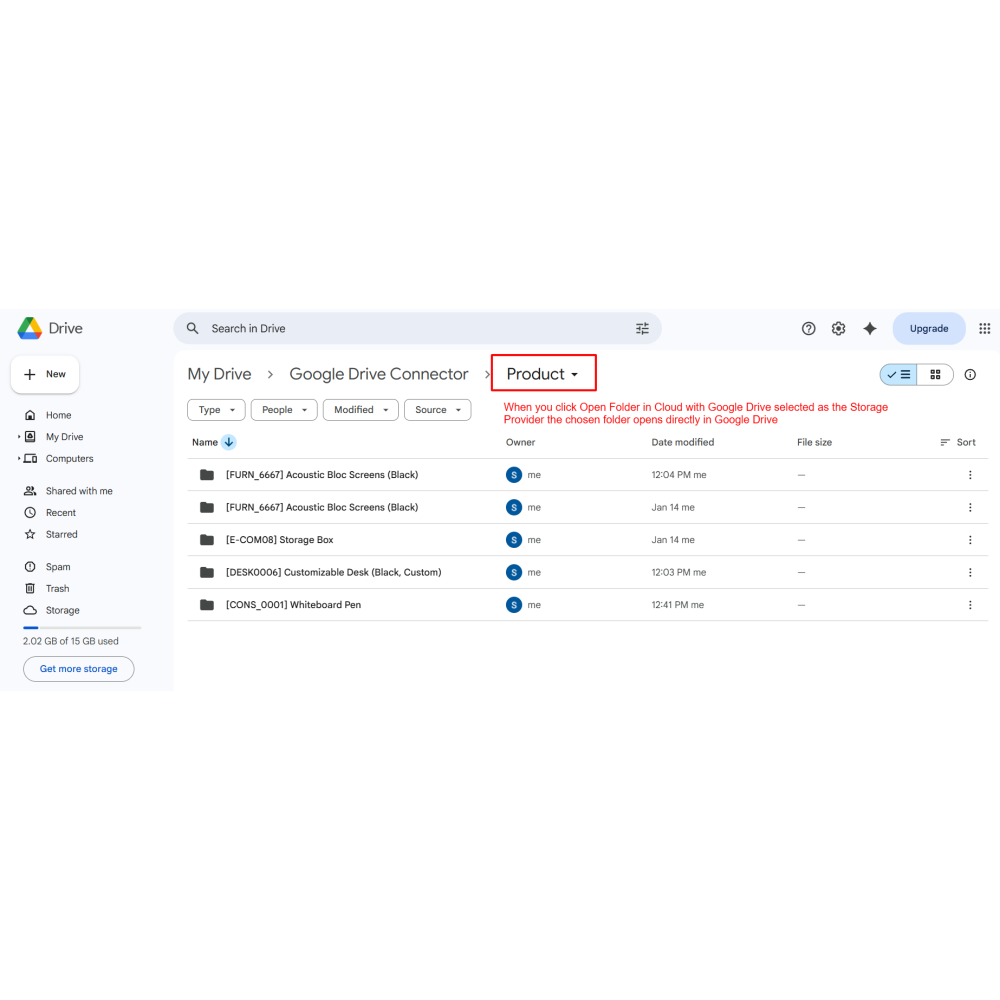
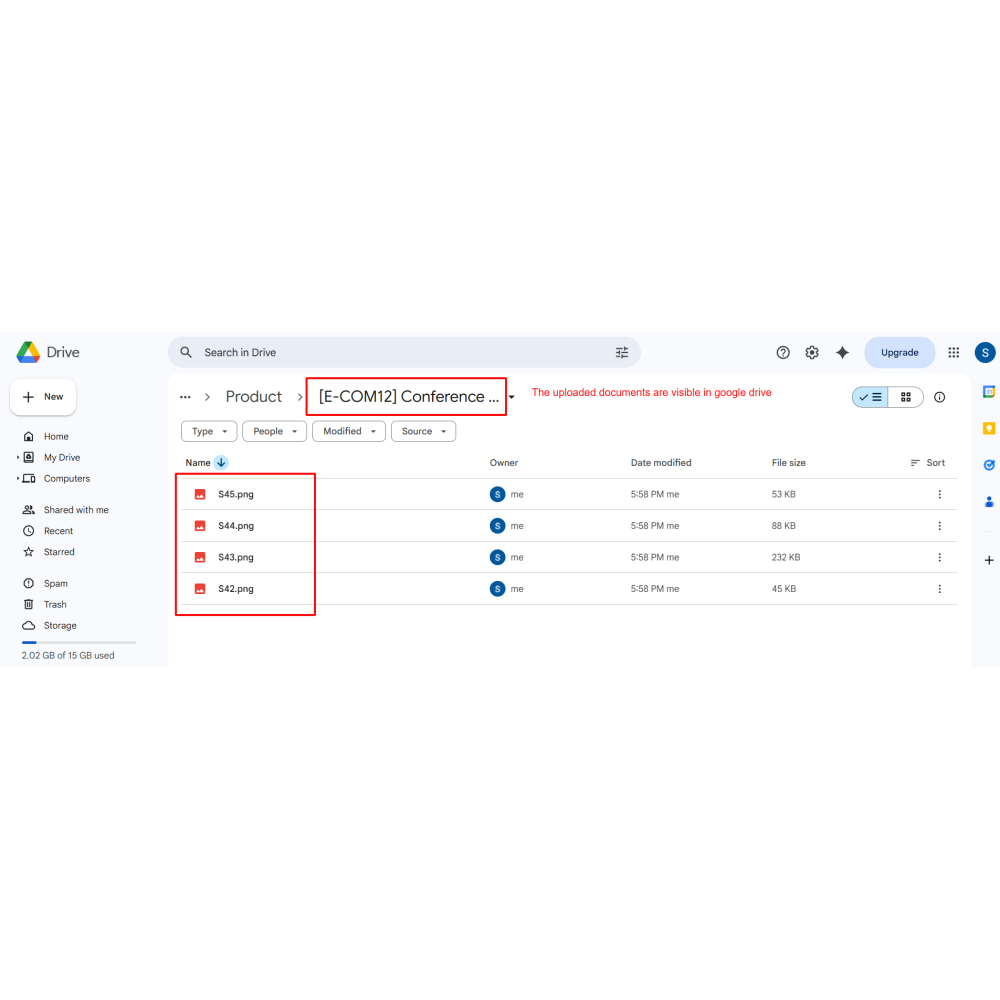
  • Click Open Folder in Cloud to view uploaded documents.
What does this module do?This module integrates Google Drive and Dropbox with Odoo for secure cloud-based document storage and management.
Which cloud platforms are supported?The module supports both Google Drive and Dropbox within a single unified system.
Can I manage multiple cloud accounts?Yes, you can create and manage multiple Google Drive and Dropbox connections in Odoo.
Can documents be stored without linking to an Odoo model?Yes, the module allows unrestricted storage without selecting any specific Odoo model.
Can I upload documents directly from Odoo records?Yes, documents can be uploaded directly from Sales, CRM, Purchase, Products, Invoices, and other records.
Can I access cloud folders directly from Odoo?Yes, you can open mapped folders directly in Google Drive or Dropbox from Odoo.
Are my documents safe if Odoo data is lost?Yes, files remain securely stored in the cloud even if Odoo faces data loss or system issues.
Is coding required to configure this module?No, the module can be easily configured from Odoo settings without any coding.

Customer reviews

0.0 Out Of 5
5 star
0%
4 star
0%
3 star
0%
2 star
0%
1 star
0%

No customer reviews

Benefits of All in One Cloud Storage

Centralized Cloud Document Management

Secure external storage backup

Automatic attachment synchronization

Boosts Customer Satisfaction

Direct cloud access from Odoo records

Scalable and reliable storage solution

Features of All in One Cloud Storage

Dual Cloud Integration

Connect Google Drive and Dropbox in a single app and manage multiple connections from one dashboard.

Storage Provider Configuration

Select the cloud platform, set default connection, enable actions, and define export limits.

Centralized Dashboard

View all accounts, files, folders, and storage details with a visual chart.

Folder Mapping System

Create folders and map them to Odoo models or allow unrestricted uploads.

Direct Export from Odoo Modules

Upload documents directly from Sales, CRM, Products, Vendors, and Invoices.

File Management Controls

View, download, delete, and manage files directly within Odoo.

Power Up Your  Store — We Handle It All

Related products