Odoo POS Home Delivery

€50.00
Tax excluded

The POS Home Delivery app for Odoo enables businesses to offer free home delivery directly from the POS system, allowing customers to customize their delivery addresses for added convenience. It improves customer experience by providing flexible delivery options, whether to home, office, or other locations, ensuring a smooth and efficient order-to-delivery process with no extra delivery charges.

WATCH DEMO VIDEO

Technical Support
Quantity
  Return policy

10-day module exchange guarantee

  • The POS Home Delivery app for Odoo allows businesses to offer home delivery services at no additional charge, while also allowing customers to customize their shipping address as per their needs.
  • This module enhances the customer experience by offering the convenience of home delivery directly from the Point of Sale (POS) system without extra delivery fees. 
  • It also gives customers the flexibility to adjust their delivery address, ensuring that orders are sent to the most convenient location for them. 
  • Whether they want items delivered to a home, office, or another address, this module provides seamless integration for a smooth order-to-delivery process.
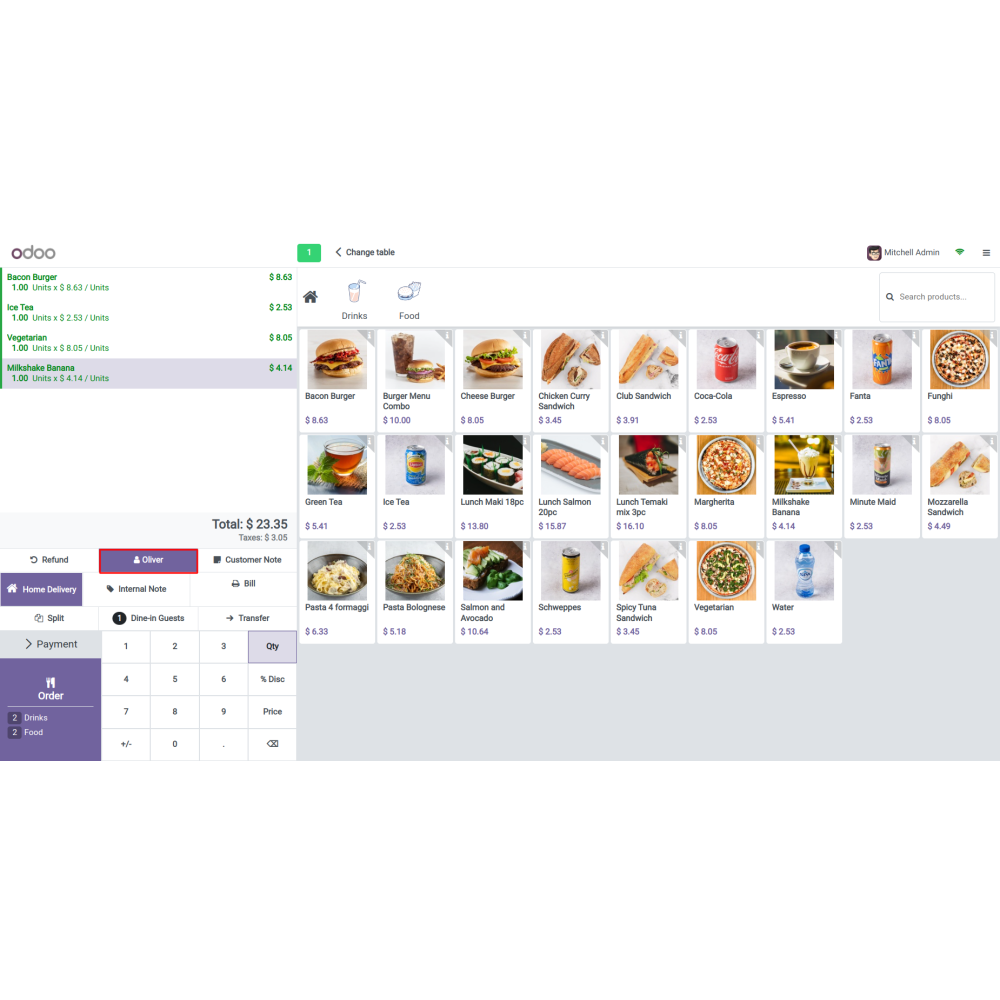
  • Allows customers to choose a home delivery option directly from the POS interface, facilitating convenient order fulfillment.
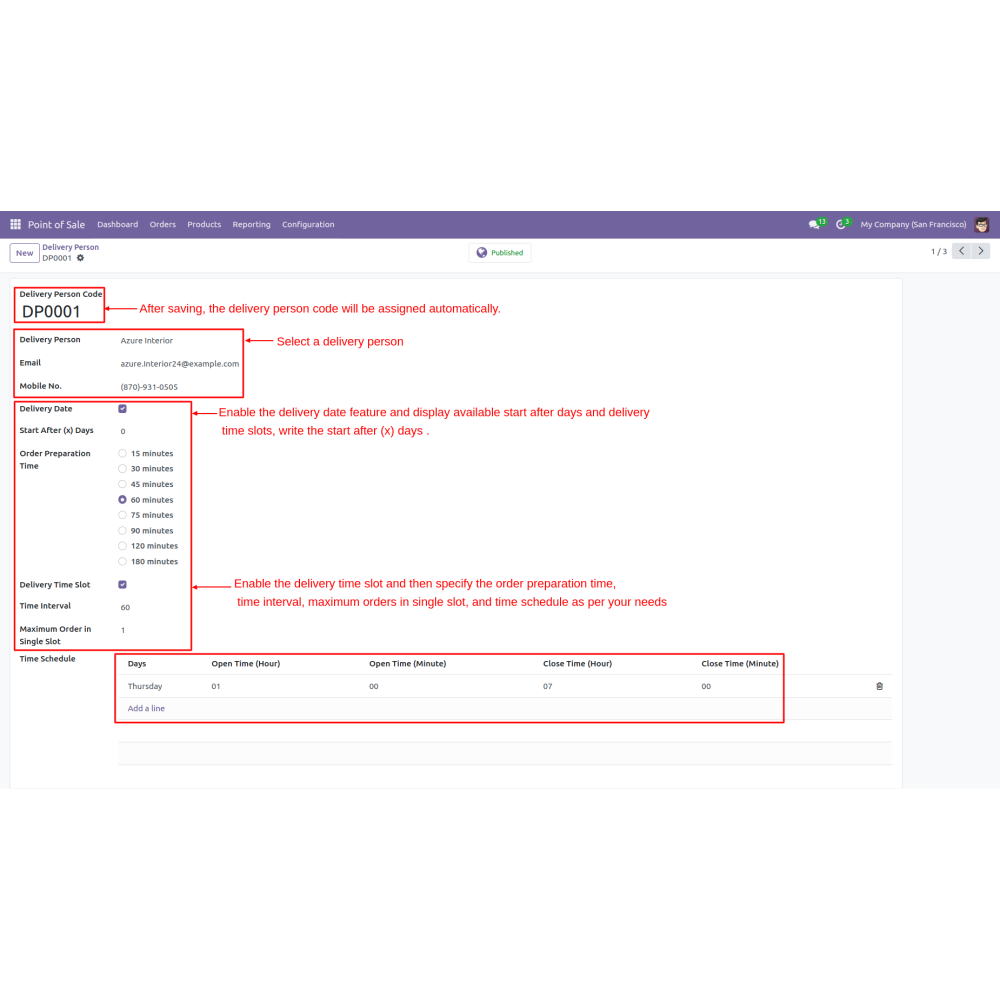
  • Once the configuration is saved, a delivery person code is assigned automatically, streamlining the setup process.
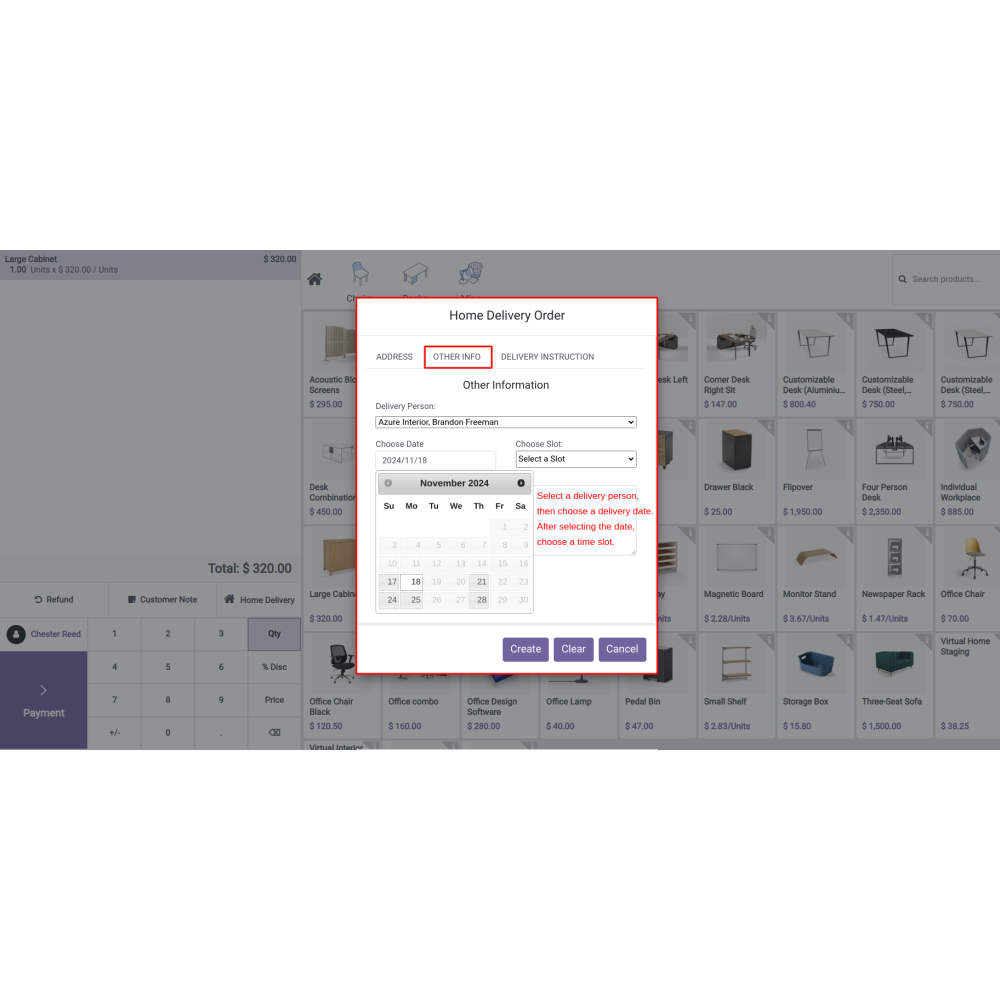
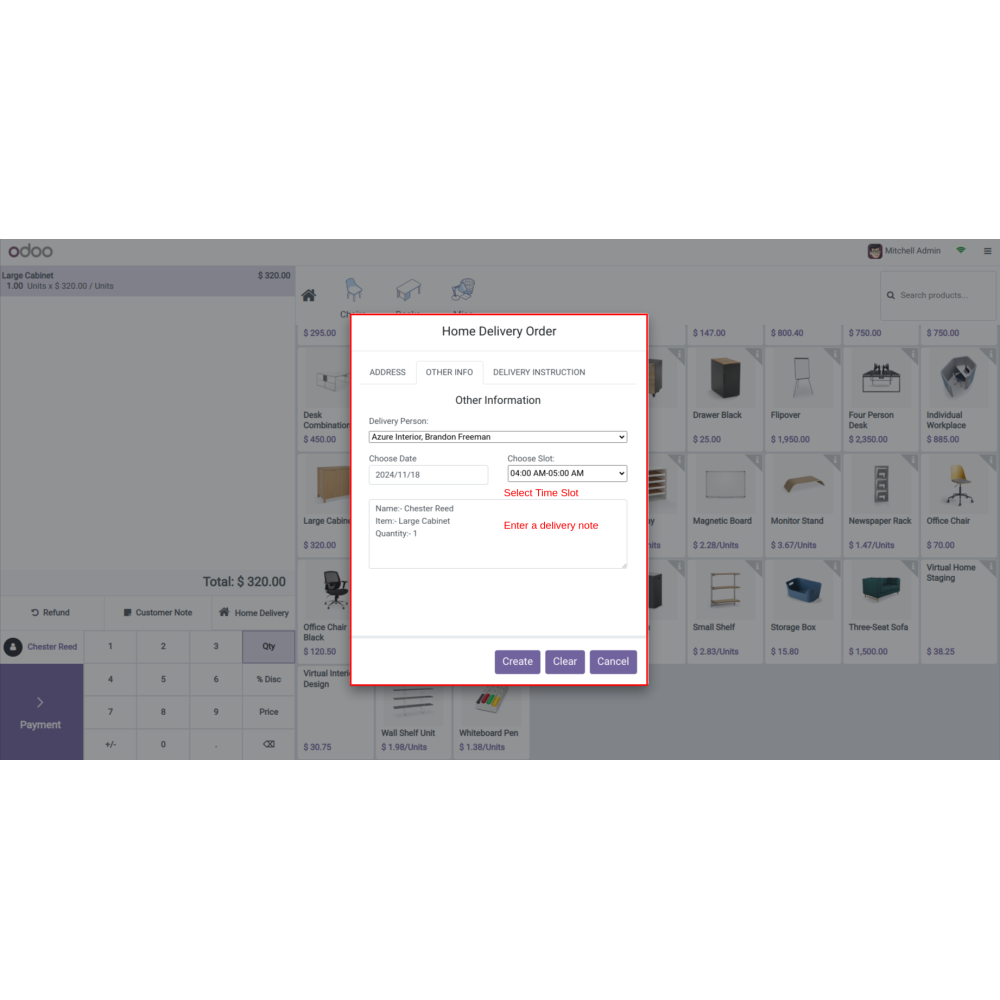
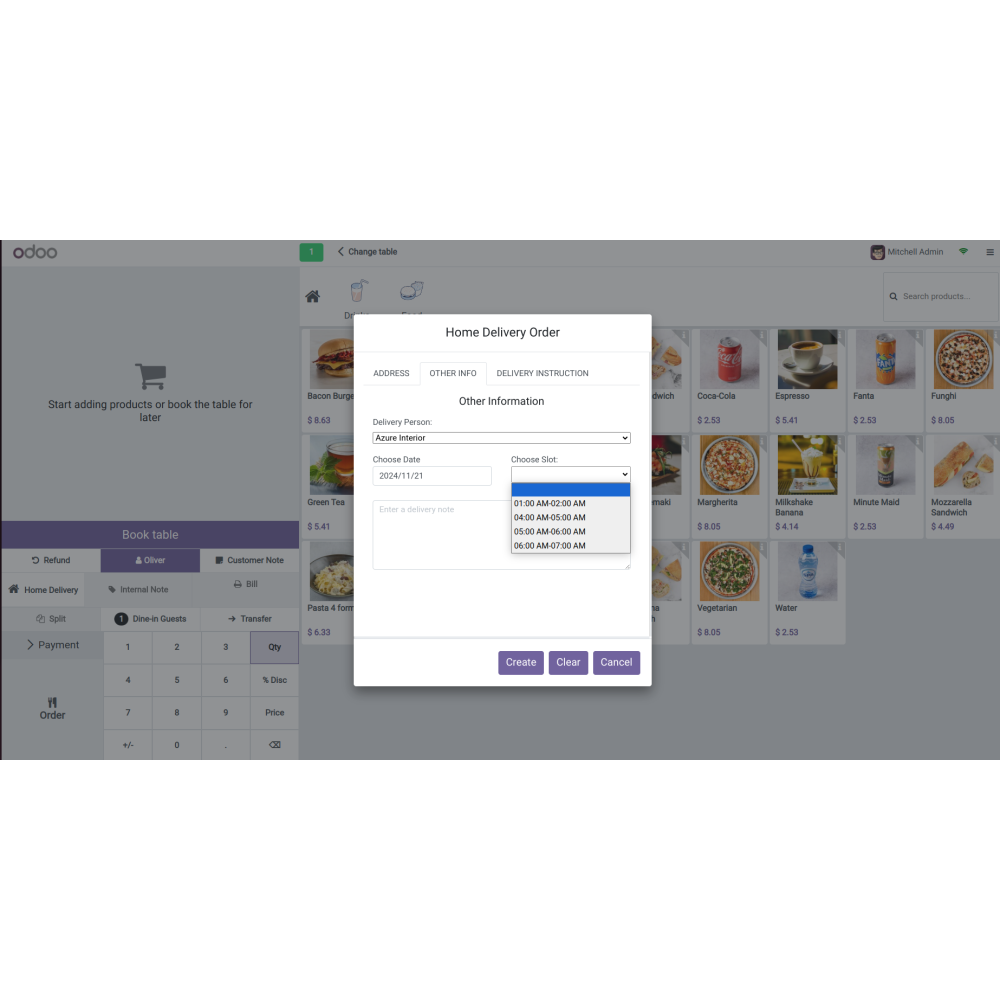
  • Enable the delivery date feature, allowing users to define available start-after days and delivery time slots, which provides flexibility for scheduling deliveries.
  • Specify order preparation time, time intervals, and maximum orders that can be accommodated within a single delivery time slot, allowing businesses to customize delivery schedules based on their operational requirements.
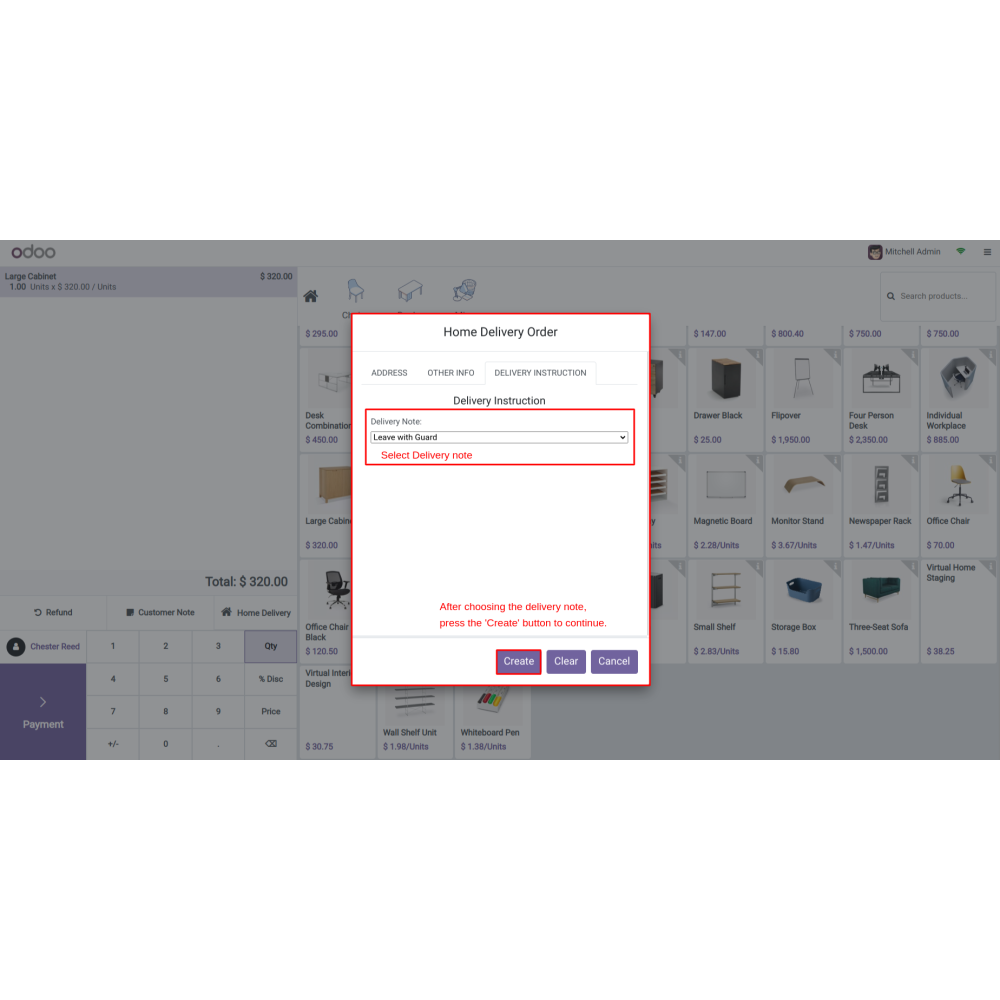
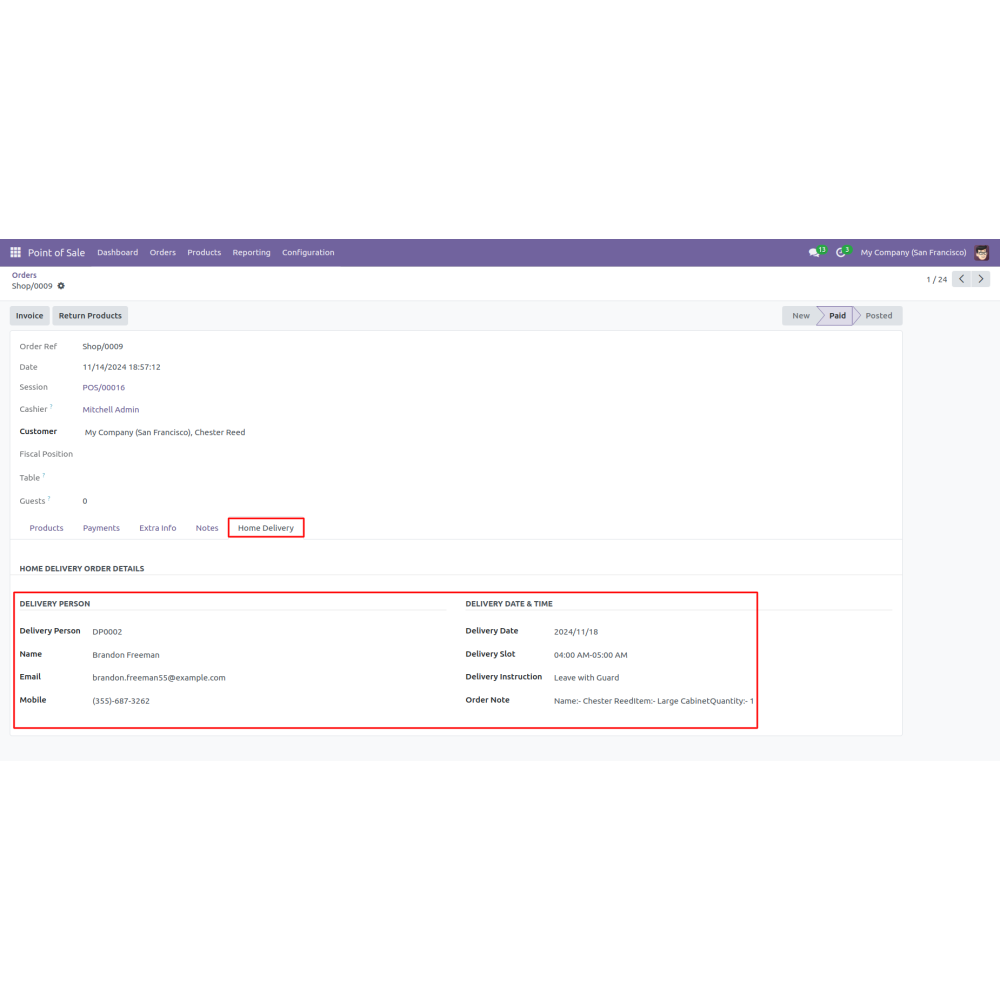
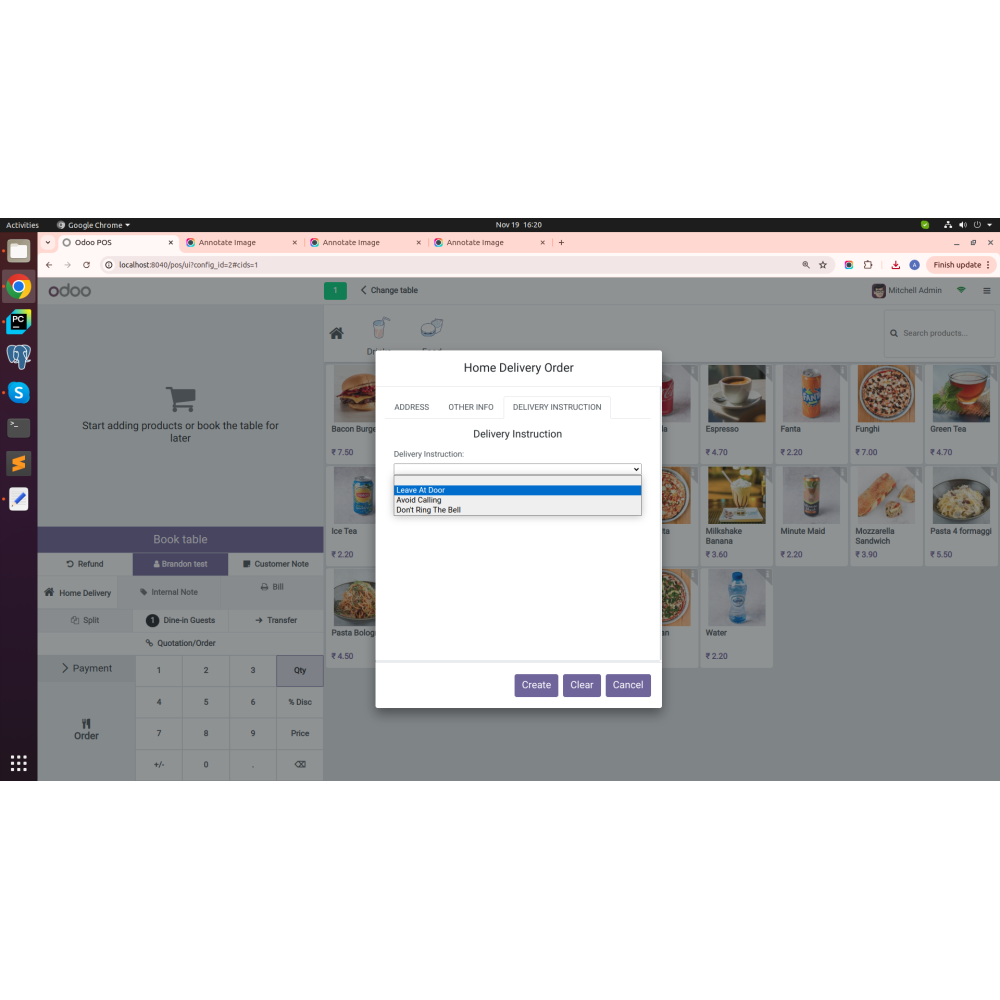
  • Users can add special notes or delivery instructions when creating an order, ensuring that specific customer needs are met.
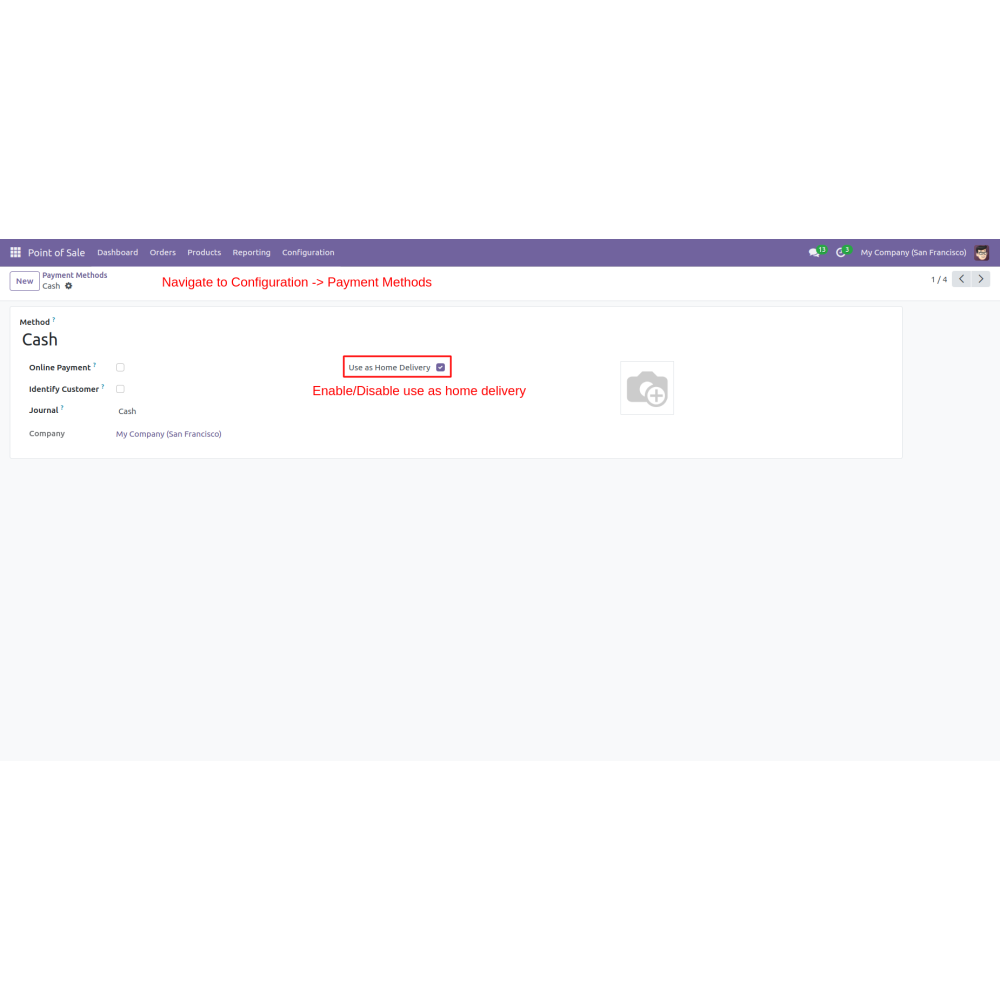
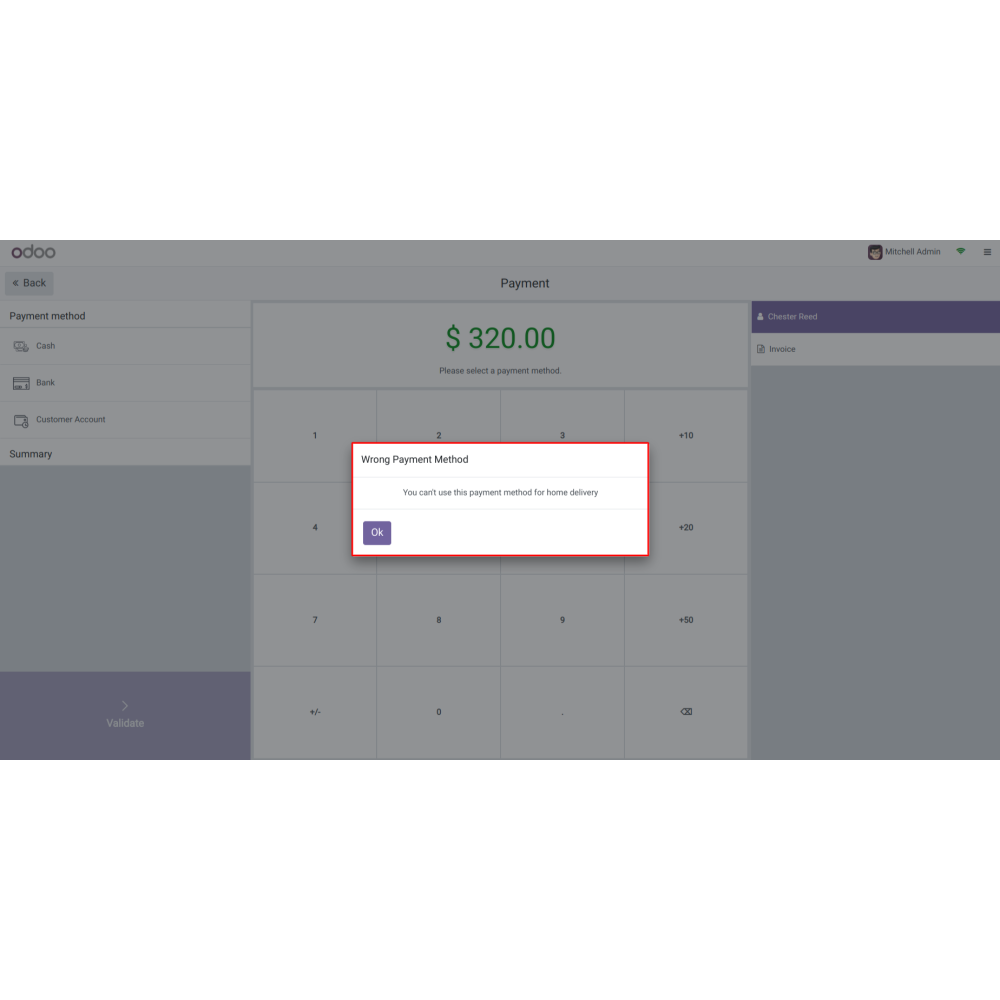
  • Payment Methods to enable or disable the option for home delivery, ensuring that the payment process aligns with delivery functionalities.
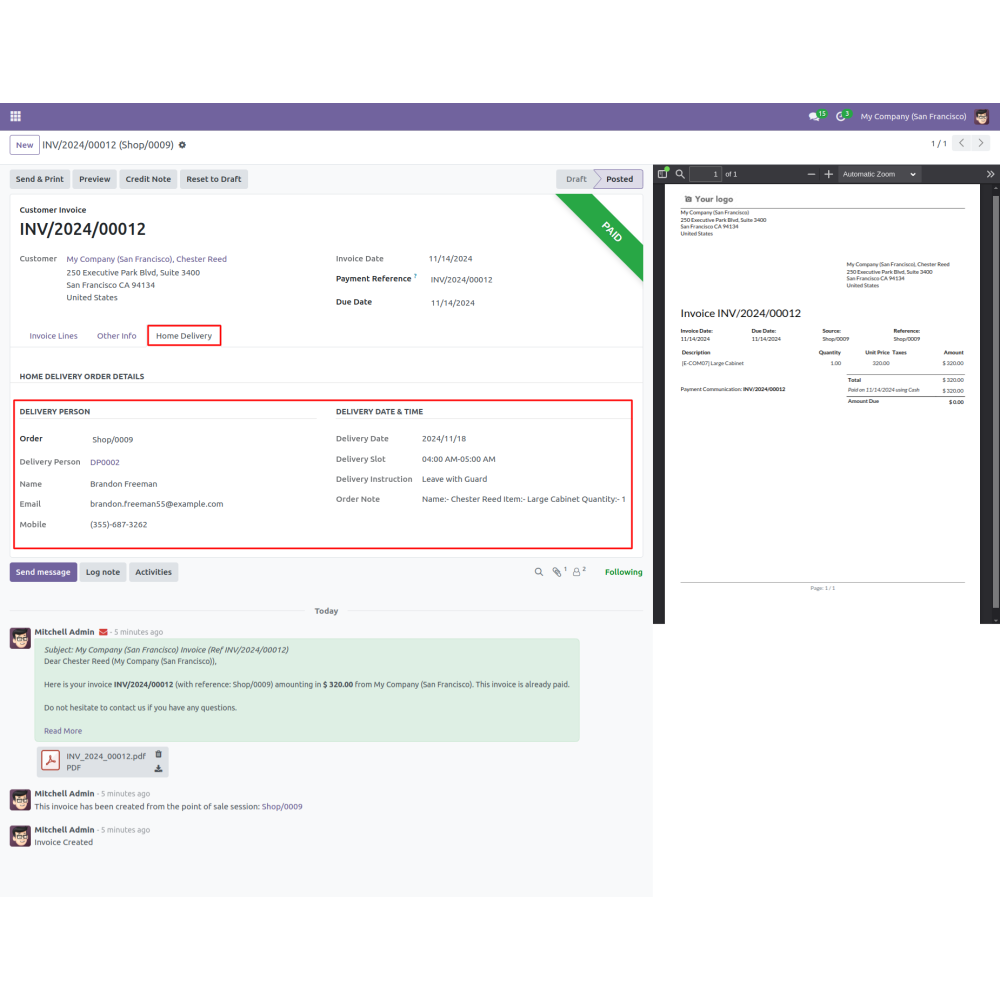
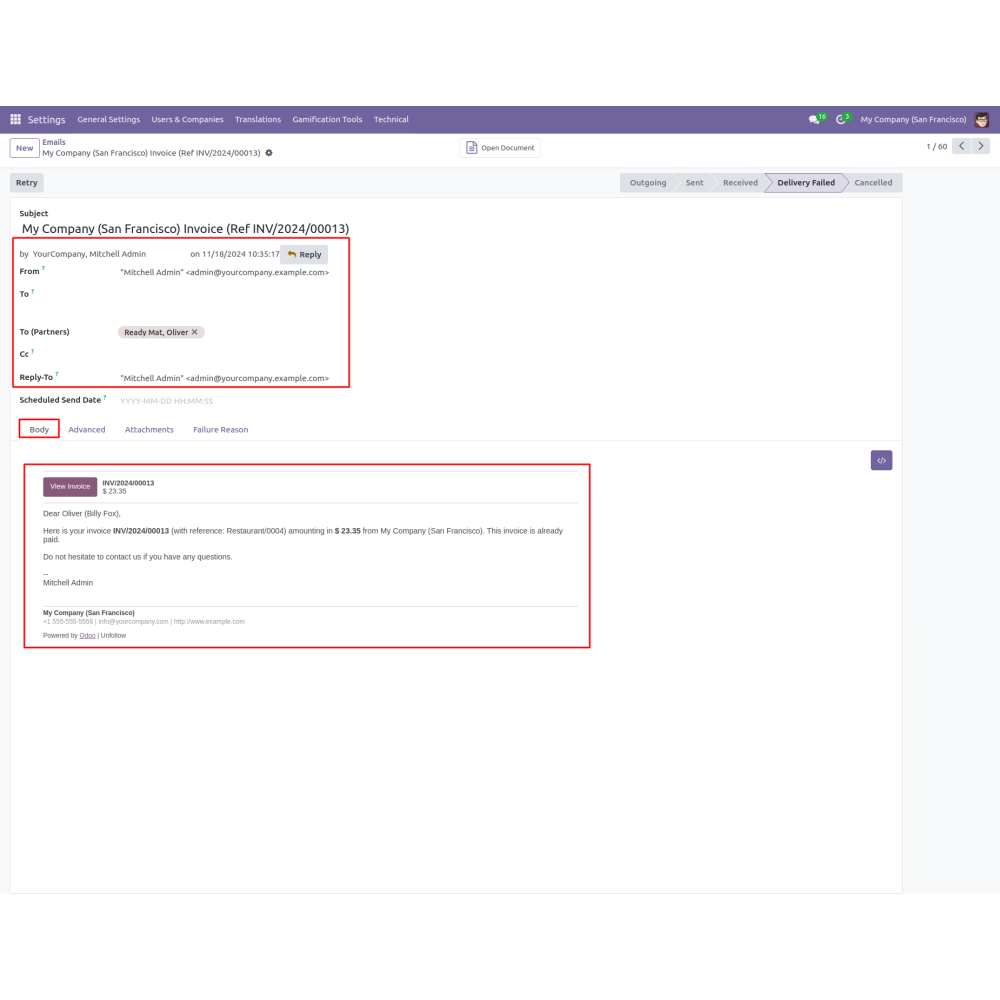
  • Emails are used to customize email notifications related to home delivery orders, enhancing communication with customers regarding their delivery statuses.
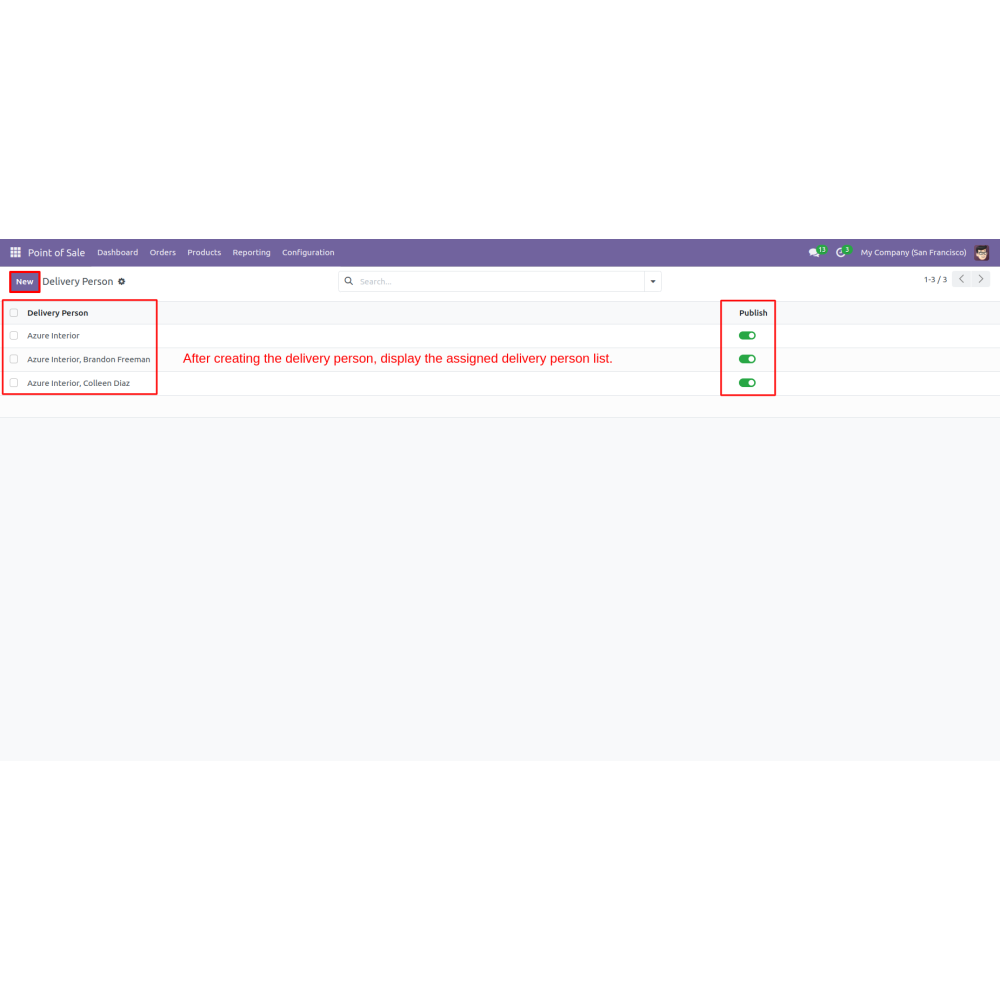
  • Easily add and manage delivery personnel within the system for streamlined dispatch.
  • Allow customization of payment methods for delivery charges, including cash, card, or other options.
  • Send automated emails for order confirmations, delivery updates, and notifications to customers.
  • Set and manage delivery date and time slots to suit customer preferences and operational capacity.
  • Automatically trigger order preparation and dispatch workflows for faster delivery.
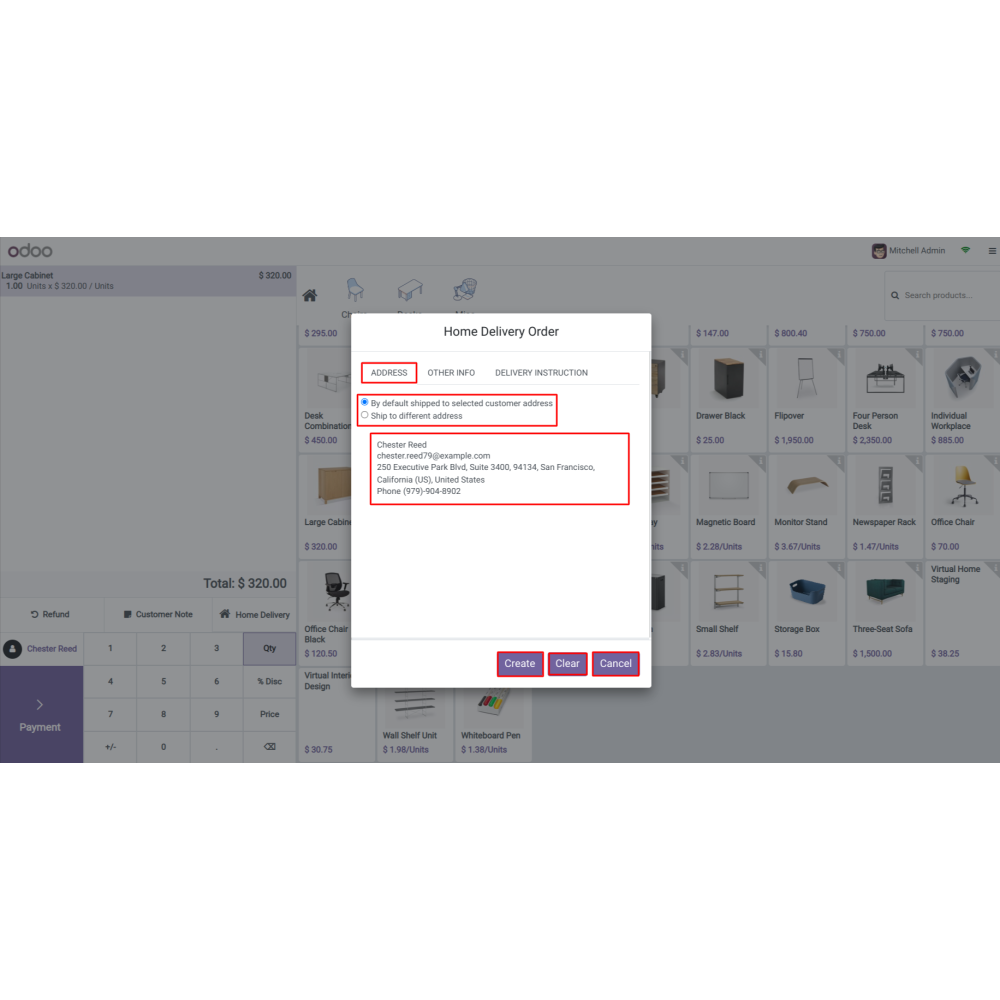
  • Enable customers to choose or update delivery addresses during checkout for convenience and accuracy.
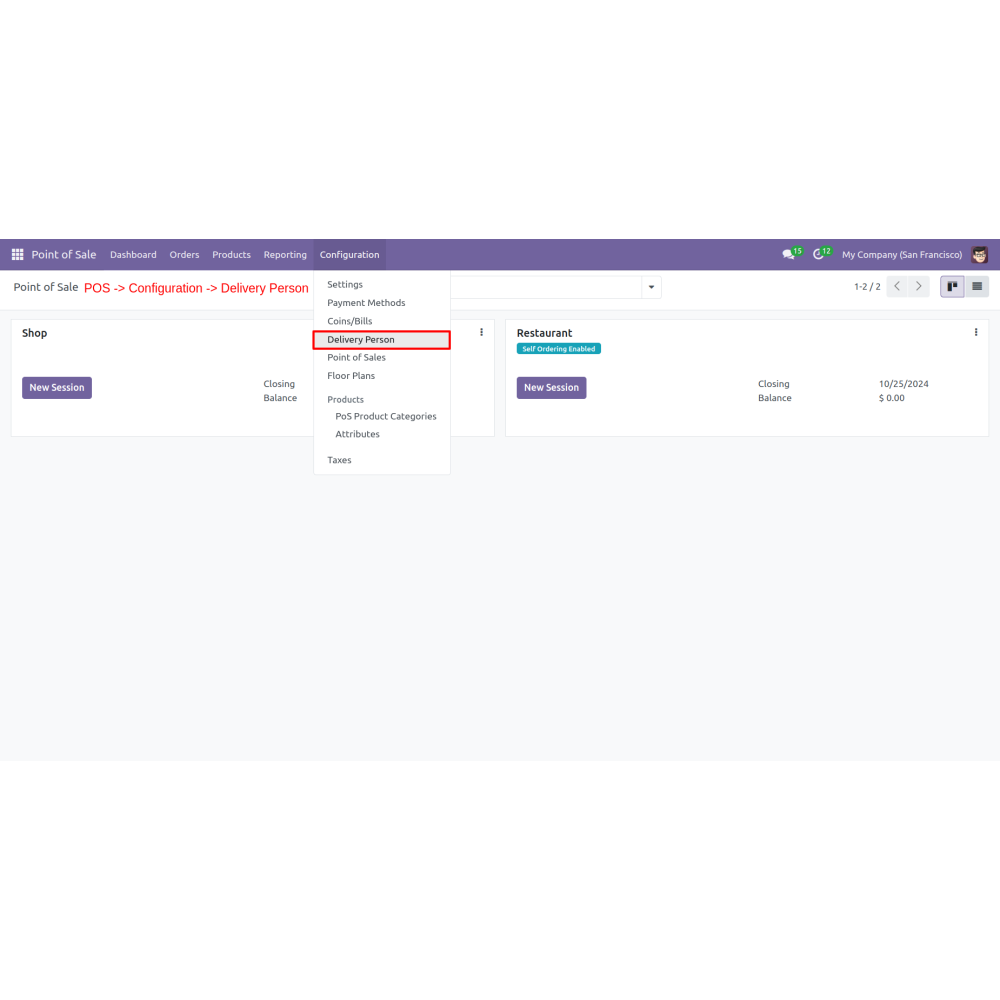
  • Go to POS (Point Of Sale) > Configuration > Delivery Person.
  • Enable the delivery date feature and set available start-after days and delivery time slots as needed
  • Set Delivery Time Slots
  • Navigate to Configuration > Payment Methods. Enable or disable the option for home delivery.
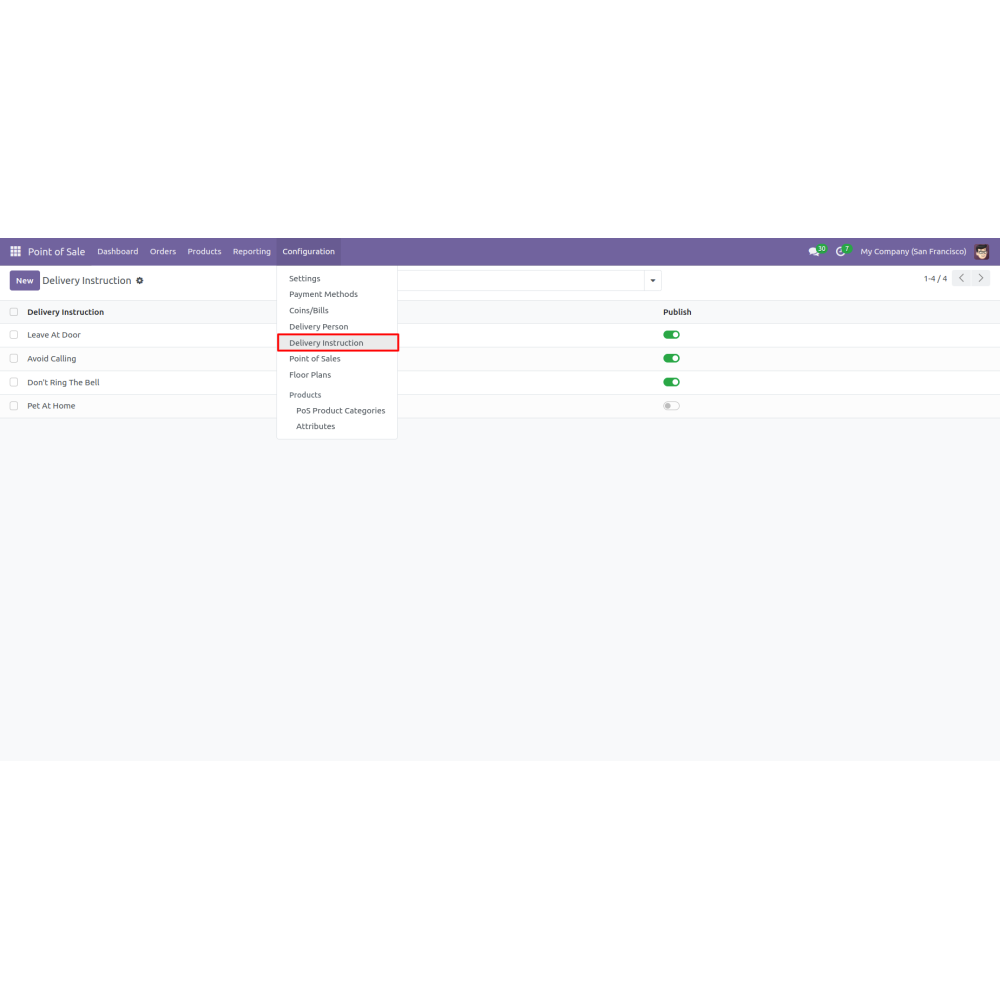
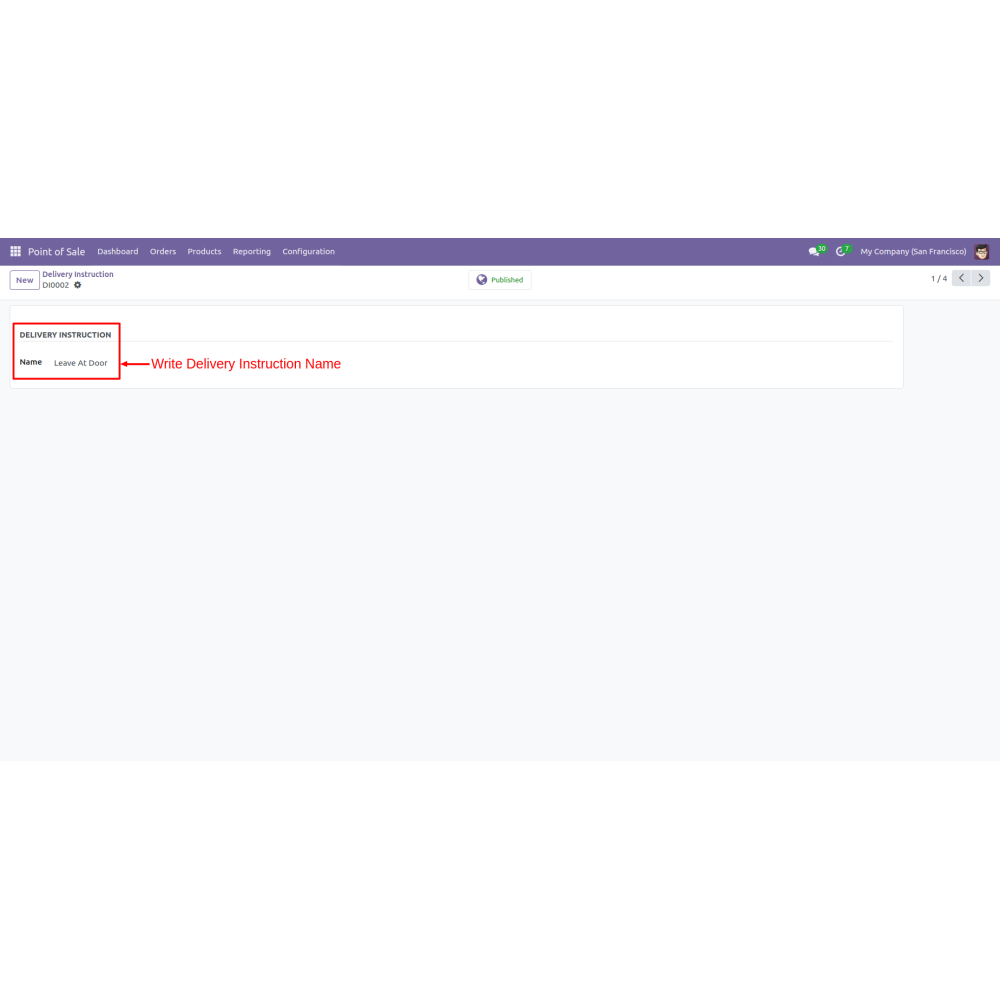
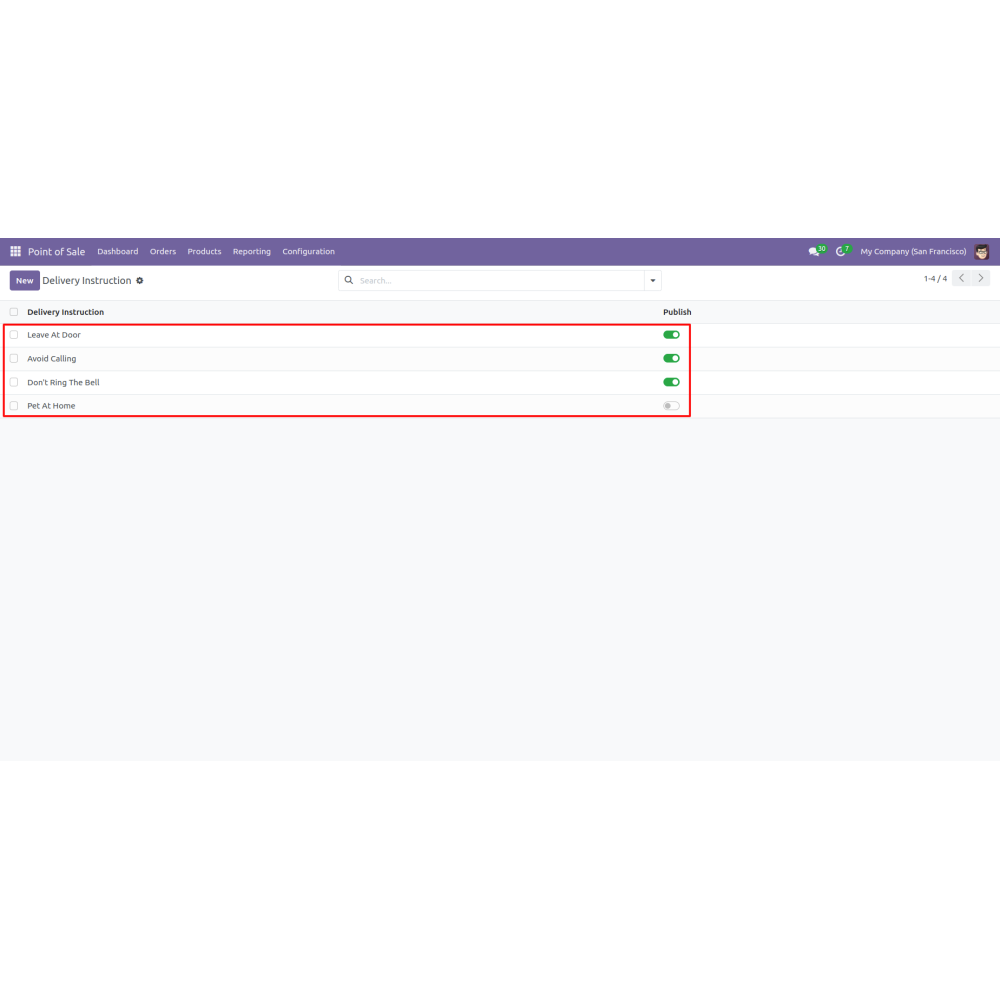
  • Go to Configuration > Delivery Instruction,
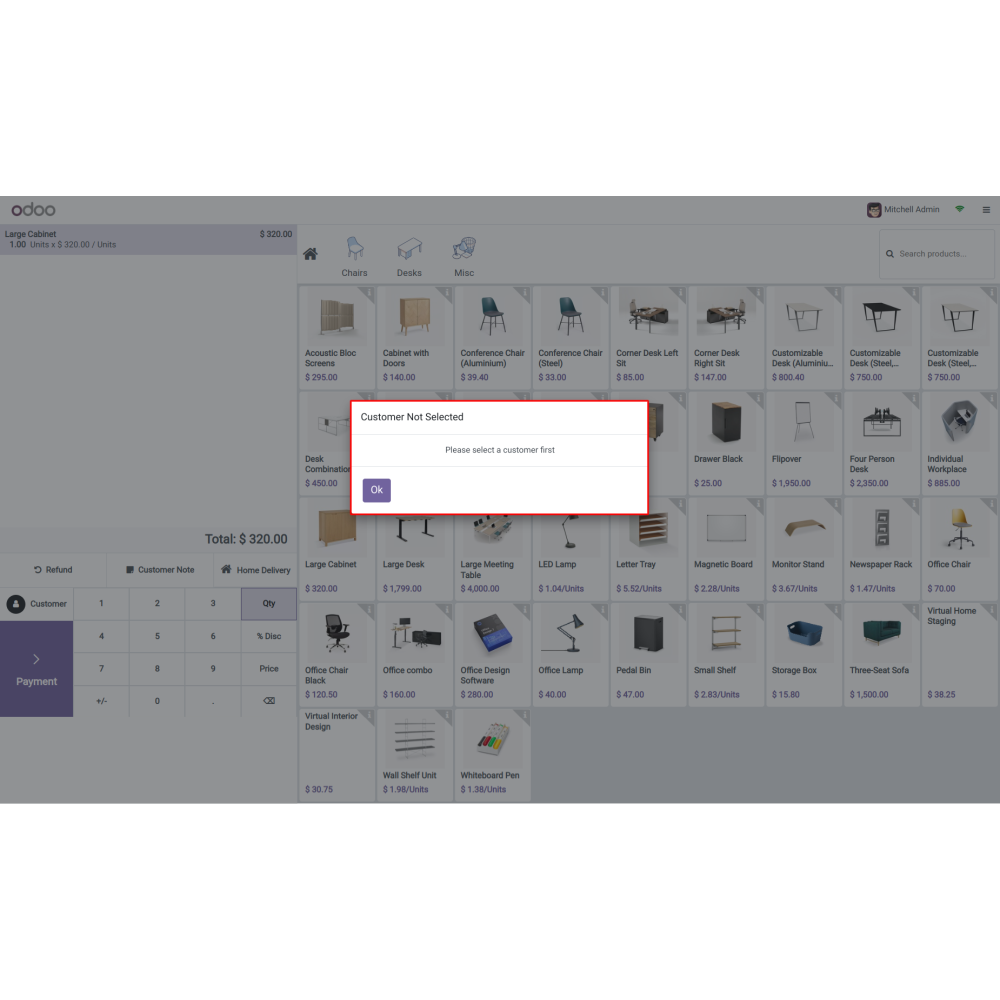
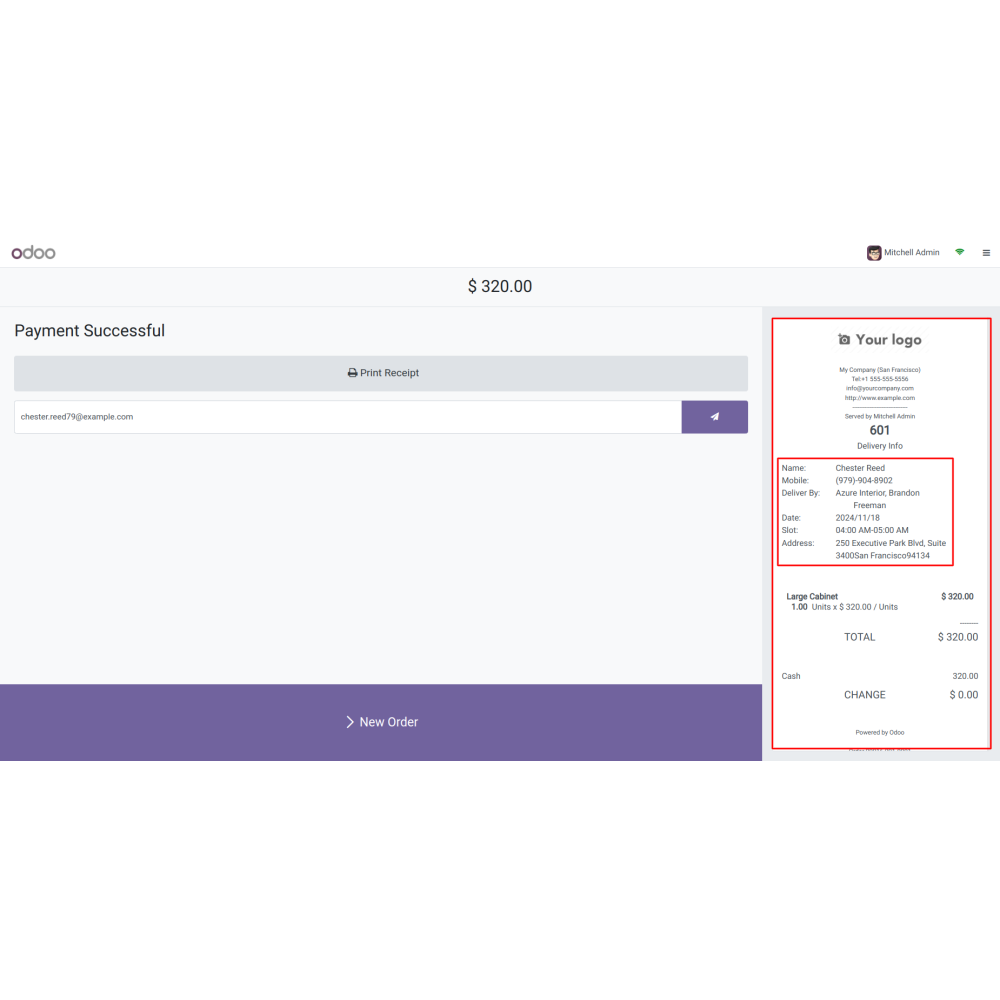
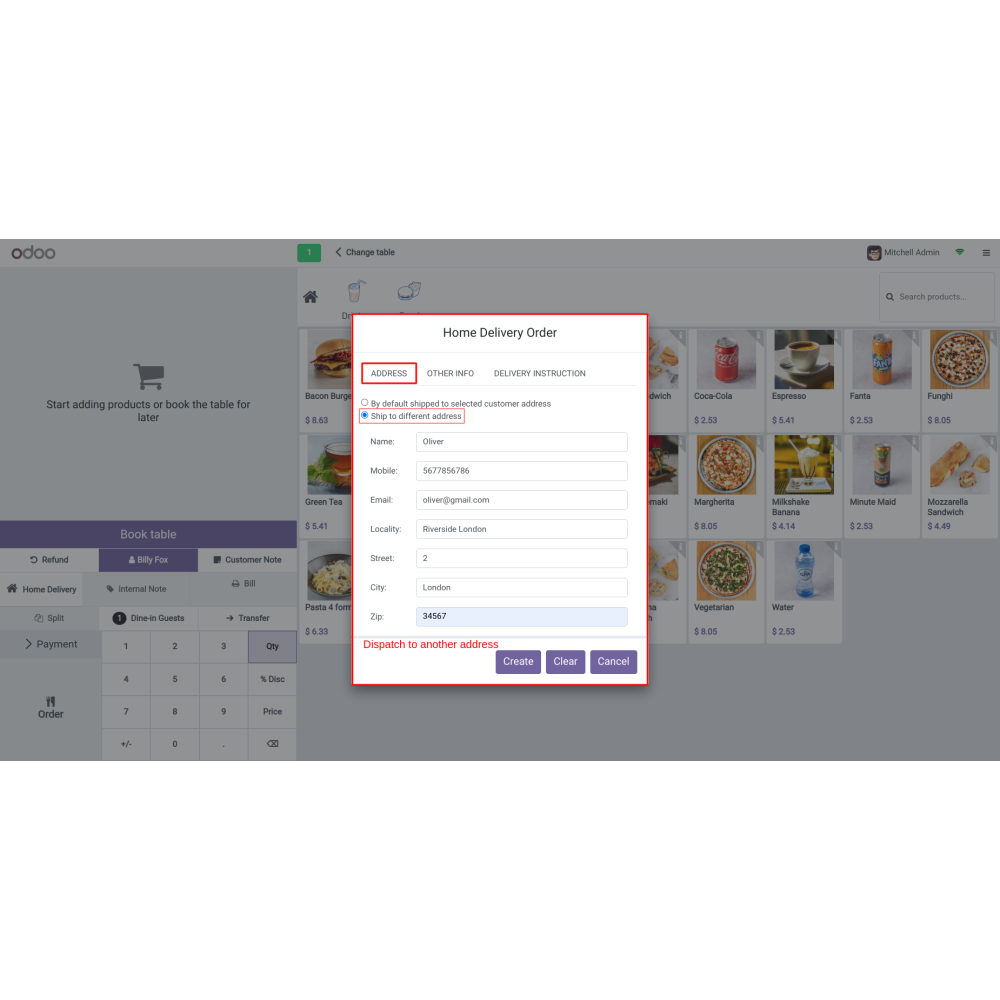
  • Choose a customer and select the shipping address; you can also enter a different delivery address if necessary.
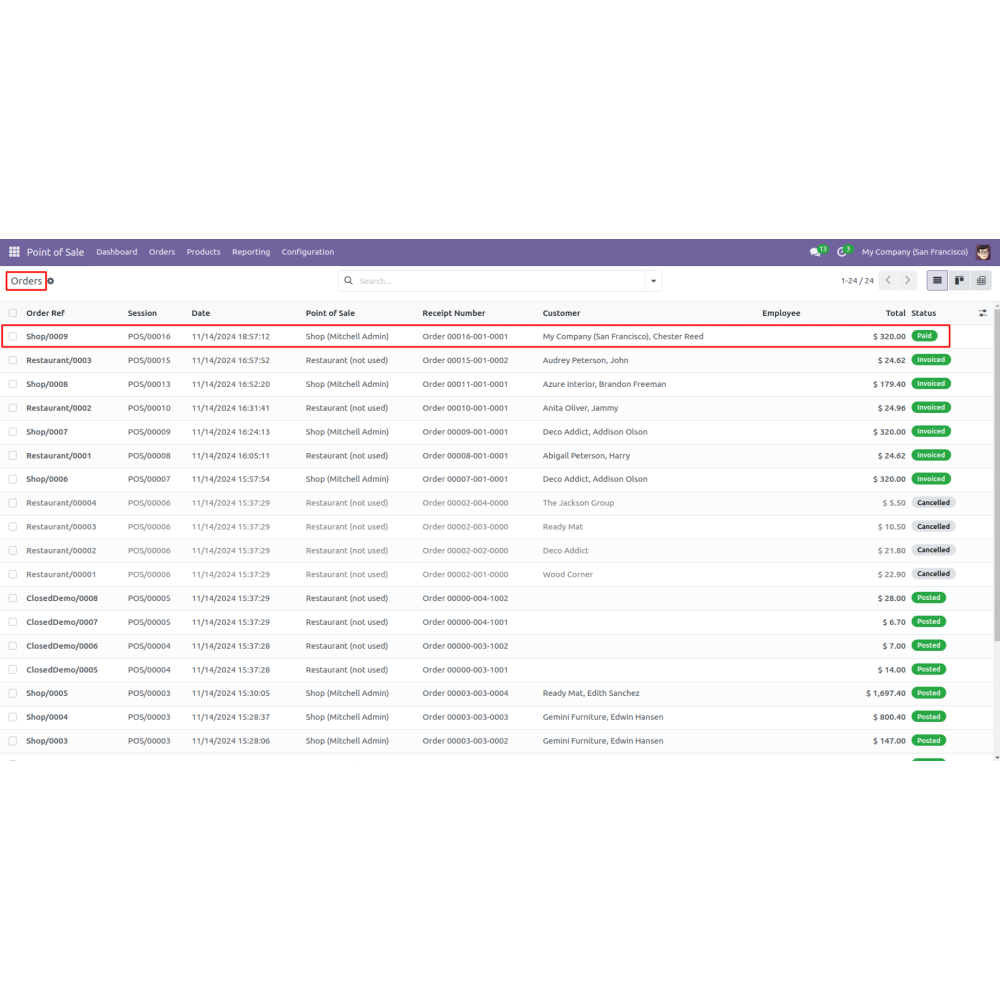
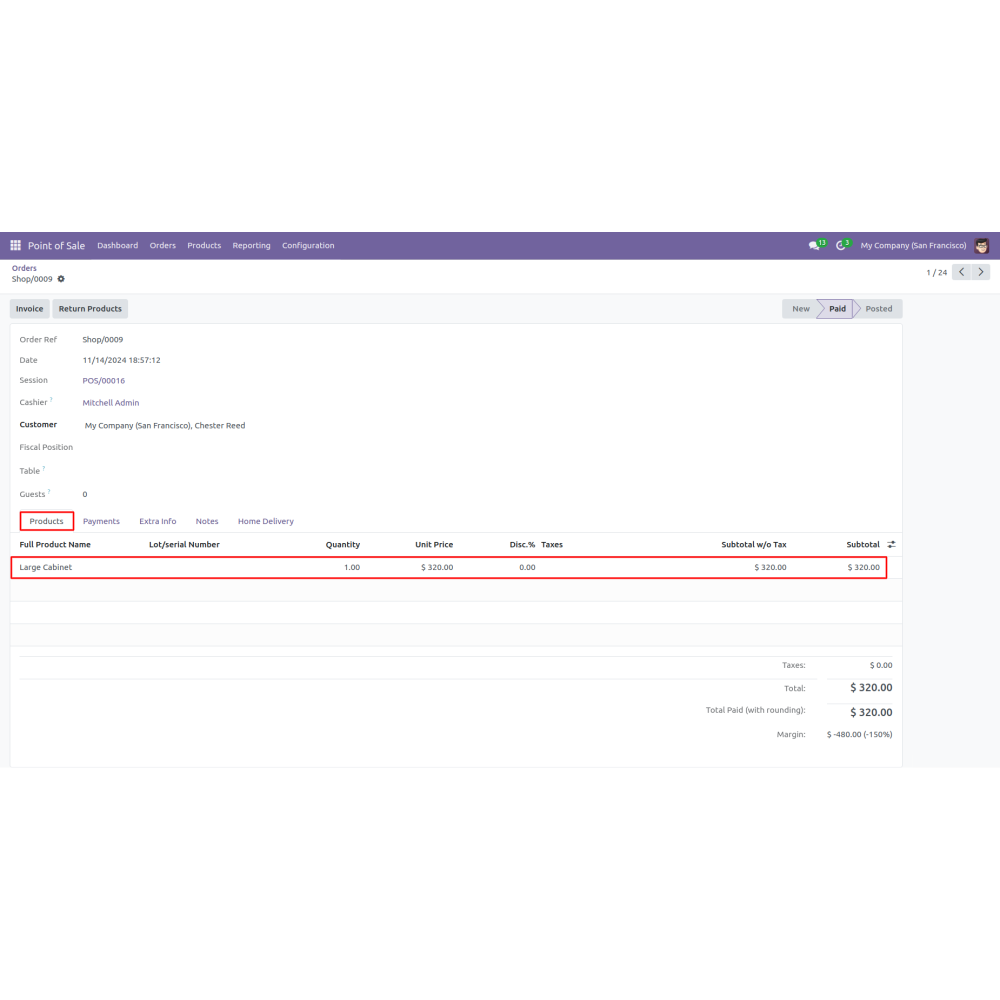
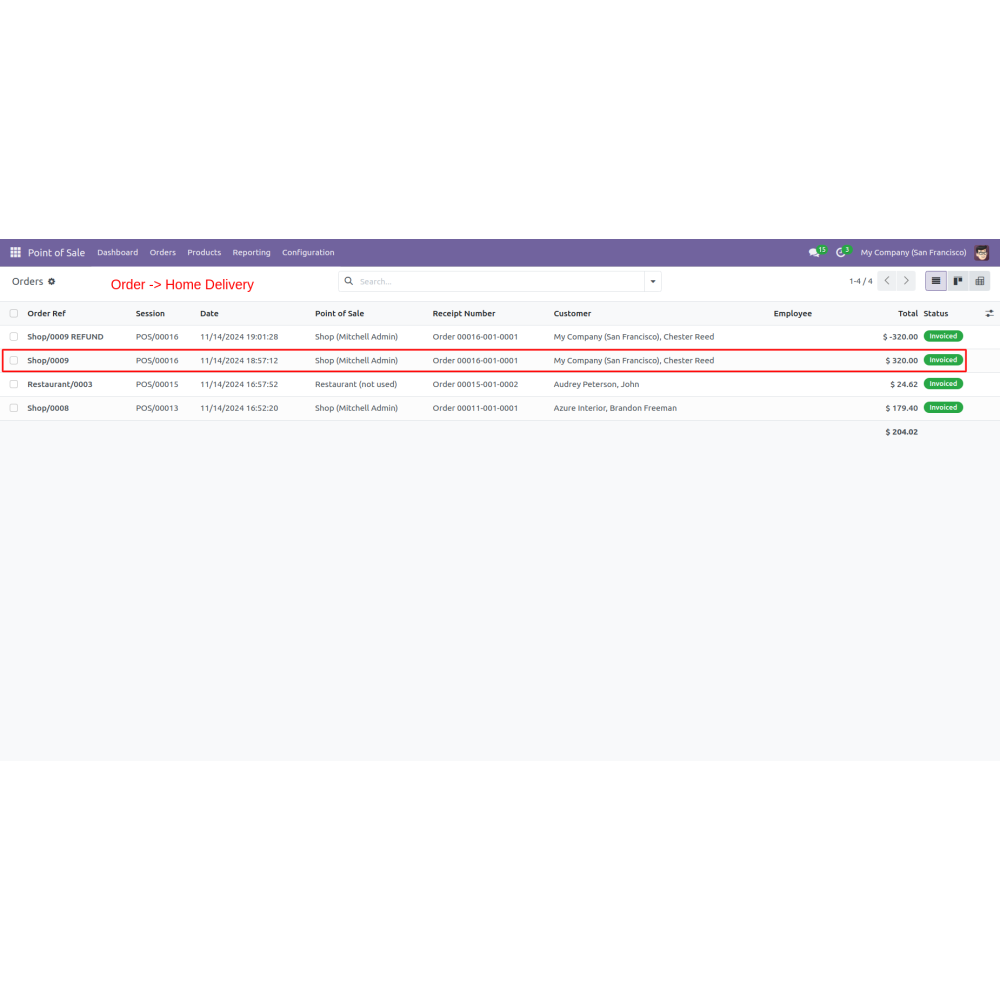
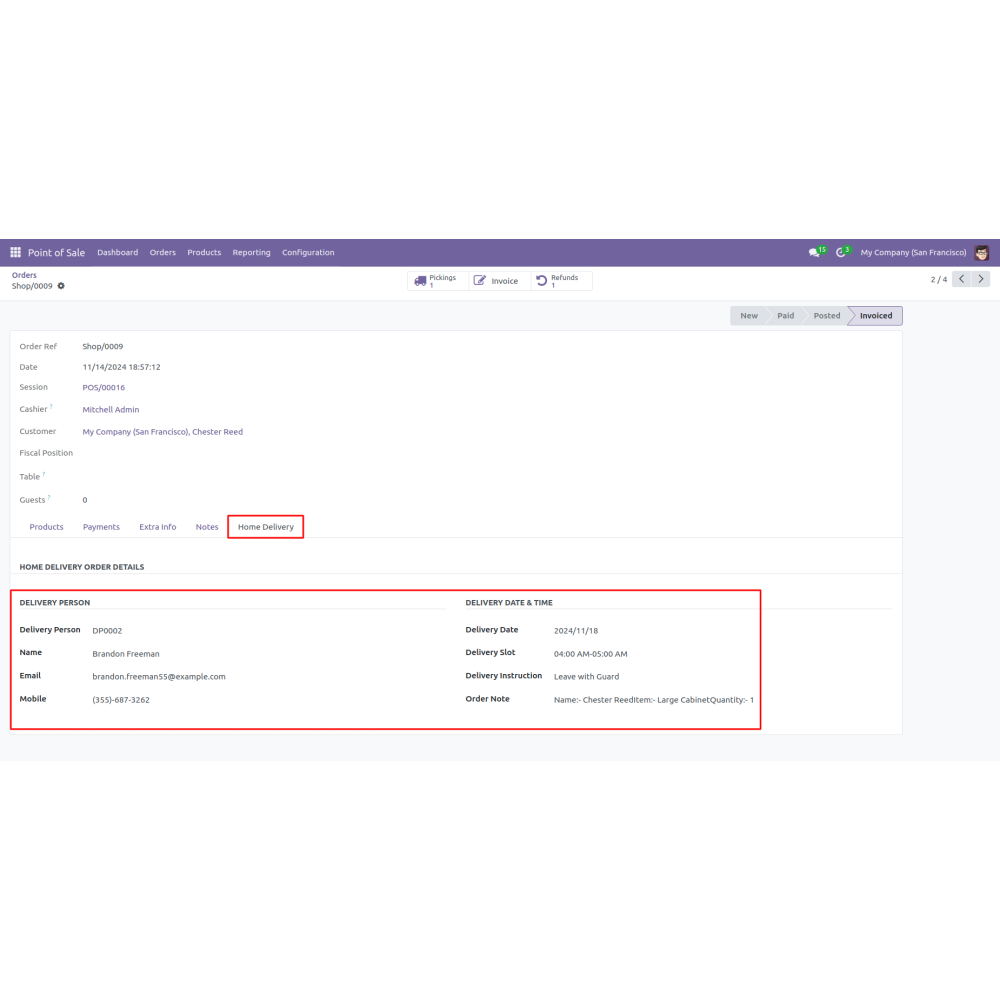
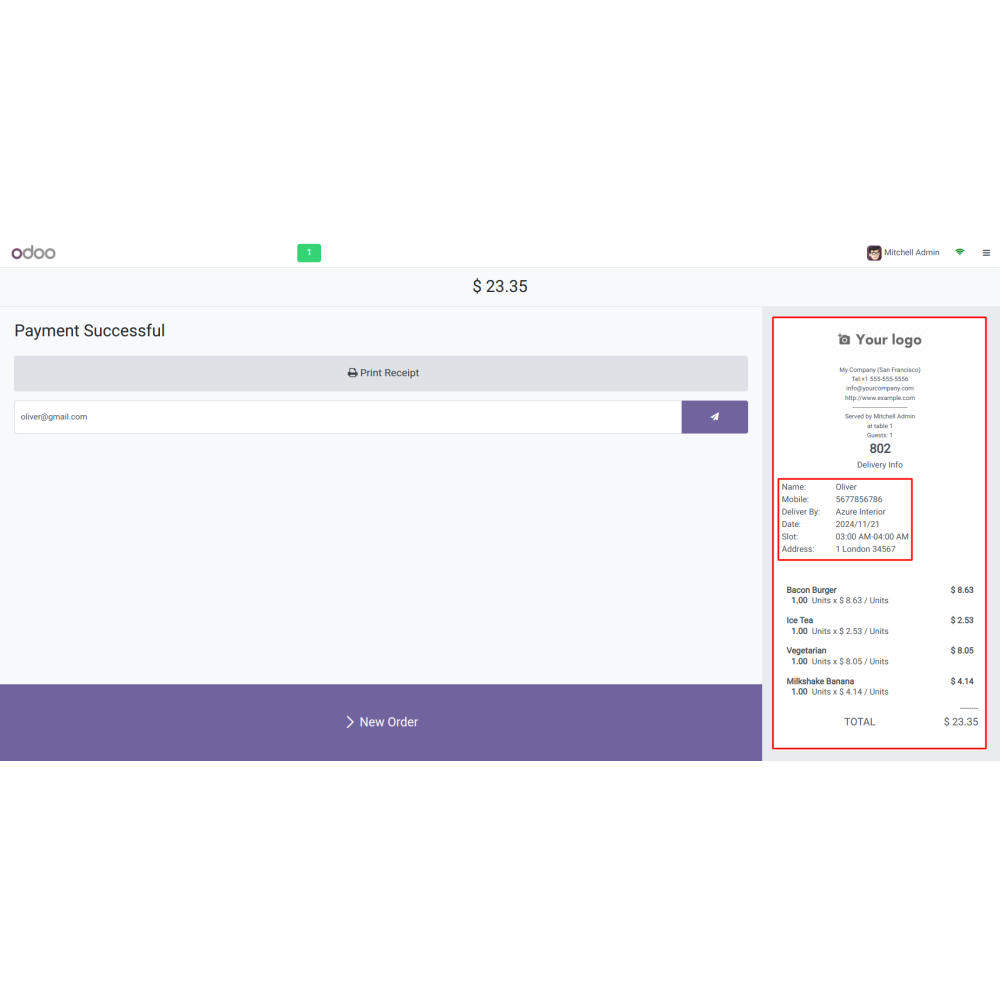
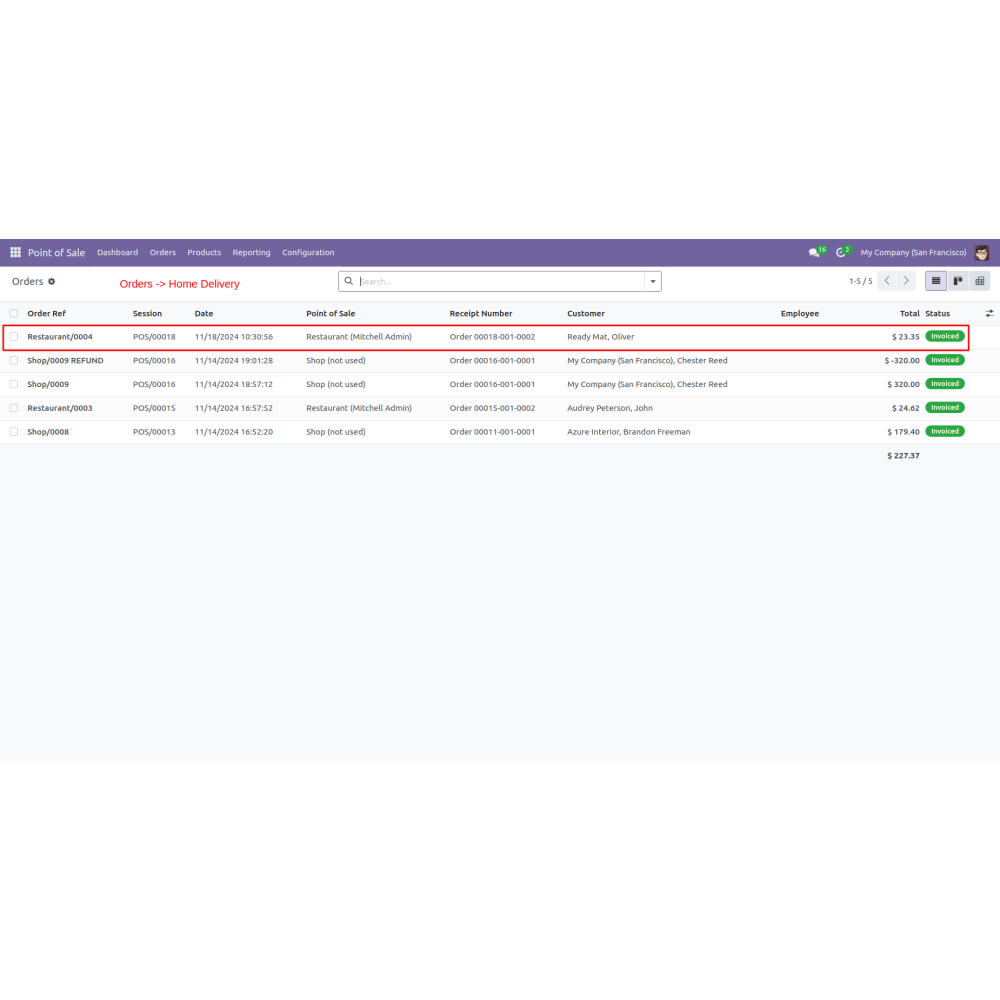
  • Access Orders > Home Delivery to view all information about the shipping address and delivery status.
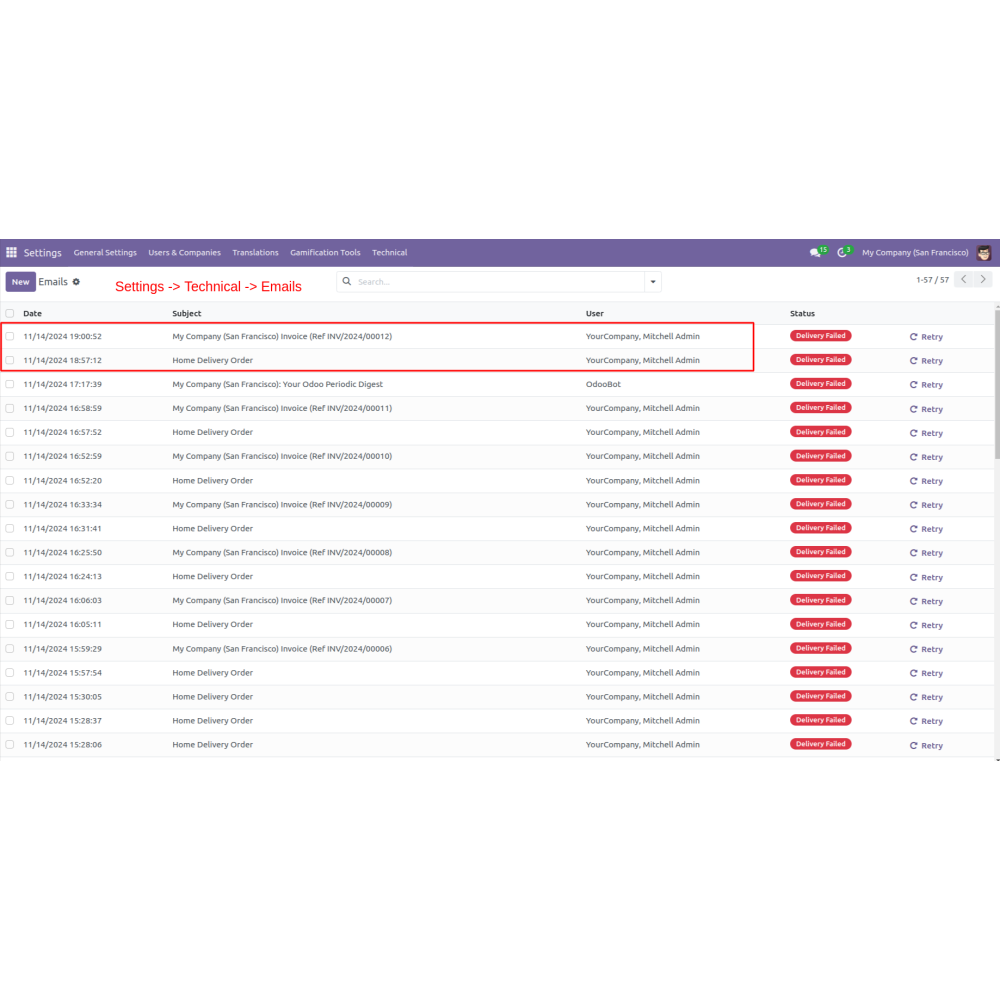
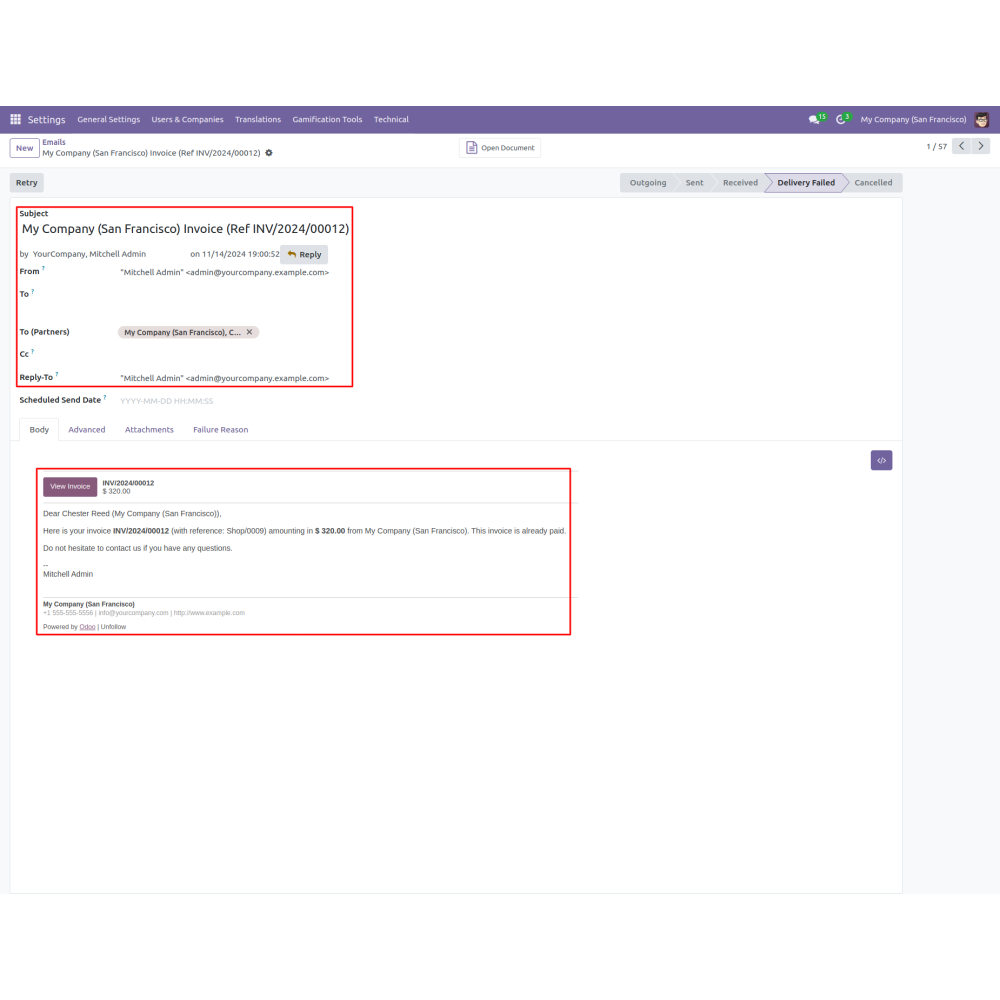
  • Navigate to Settings > Technical > Email to customize email notifications for home delivery orders.
What is the POS Home Delivery app?The POS Home Delivery app for Odoo enables businesses to offer free home delivery directly from the POS system. Customers can customize their delivery address, select preferred delivery dates and times, and receive automated notifications. It supports seamless order fulfillment to various locations like home or office, enhancing customer satisfaction and operational efficiency.
How do customers select home delivery?Customers choose the home delivery option directly in the POS interface, allowing for a smooth and convenient order fulfillment process.
How are delivery personnel assigned?Once the configuration is saved, the system automatically assigns a delivery person code to streamline dispatch and tracking.
Can delivery schedules be customized?Yes, admins can enable delivery date and time slots, set availability, manage order quantities per slot, and customize scheduling based on operational needs.
How are special instructions handled?Users can add specific delivery notes or instructions during order creation, ensuring customer needs are met precisely.
Can payment options be aligned with delivery?Admins can enable or disable payment methods specifically for home delivery, ensuring payment flow matches delivery options.
How are notifications managed?Custom email notifications inform customers about their delivery status and any special instructions, improving communication and satisfaction.
What kind of support do you offer after module purchase?We provide technical support to resolve installation, configuration, and functionality-related issues. Support details are outlined in our support policy. We also customize our Odoo App to meet your business needs.
Do your Odoo extensions support multi-language functionality?Yes, our modules are designed to be multi-language compatible. Follow the provided guidelines to configure language settings within Odoo.
What versions of Odoo are compatible with your extensions?Our extensions are regularly updated to support the latest stable Odoo versions. For compatibility details, refer to the product description page.

Customer reviews

0.0 Out Of 5
5 star
0%
4 star
0%
3 star
0%
2 star
0%
1 star
0%

No customer reviews

Enhances Customer Convenience with Direct Home Delivery

Delivery Person Creation

Flexible Payment Configuration

Efficient Email Communication

Custom Delivery Scheduling

Automated Order Preparation

Customer Address Selection

Flexible and Efficient Home Delivery Management

Customer Delivery Choice

Customers can select home delivery directly from the POS interface, making order fulfillment more convenient and flexible.

Automatic Delivery Assignment

Once set up, the system automatically assigns a delivery person code, streamlining dispatch and tracking.

Flexible Delivery Scheduling

Admins can define delivery start days, available time slots, and maximum orders per slot for customized scheduling.

Order & Delivery Customization

Set maximum orders per slot, prepare times, and intervals, allowing tailored delivery plans based on business needs.

Custom Delivery Instructions

Users can add specific notes or instructions during order creation to meet customer requirements precisely.

Configurable Payment & Notifications

Admins can enable or disable payment methods for home delivery and customize email notifications to keep customers informed.

Power Up Your  Store — We Handle It All

Related products