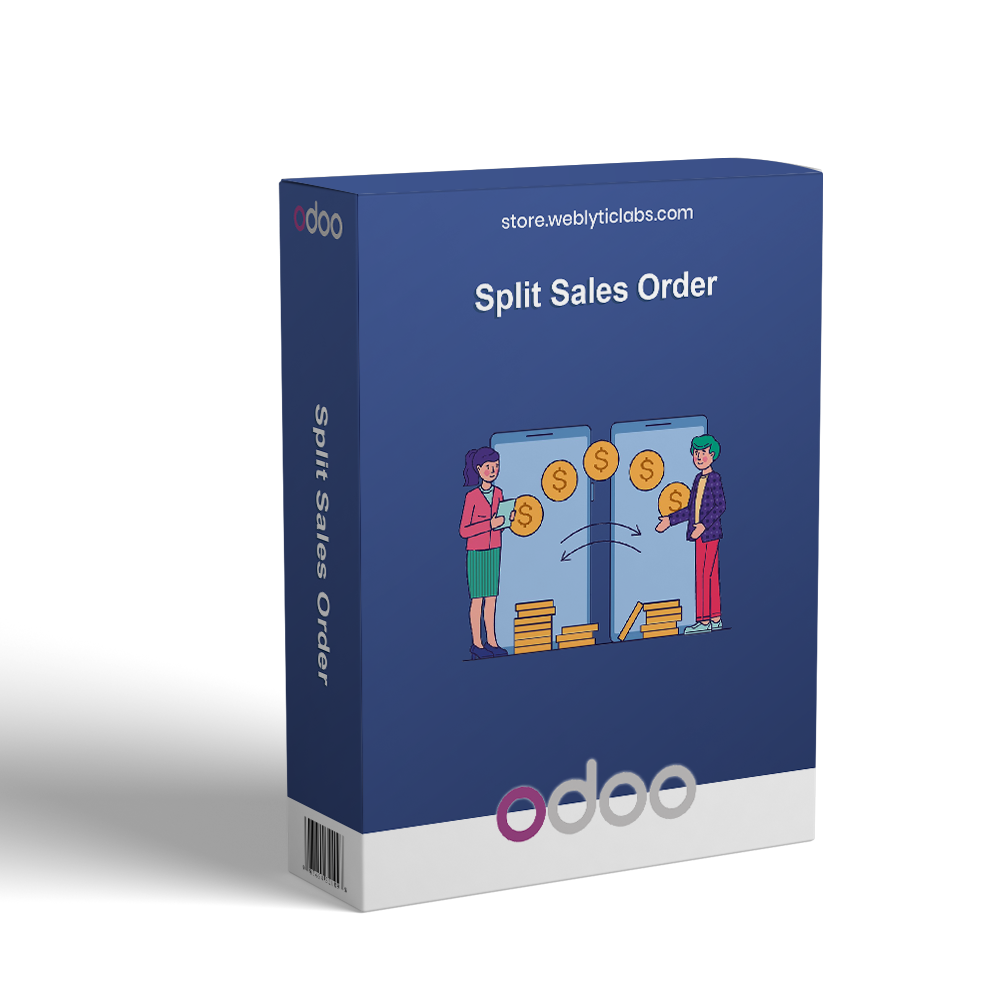
Odoo Split Sales Order

€50.00
Tax excluded

Split Sales Order for Odoo enhances the Website portal and Sales workflow by automatically splitting orders based on Vendor, Product Category, or Product Type. It upgrades the My Orders page with a clean and structured split layout, allowing customers to view detailed product-level information without opening each order individually. The portal UI enhancement applies only to the customer-side view and does not affect backend operations. Sales Orders remain fully organized and traceable according to the selected split rule. All configurations are managed directly from Website settings, providing simple control and smooth integration with Odoo eCommerce and Sales modules.

WATCH DEMO VIDEO

Technical Support
Quantity
  Return policy

10-day module exchange guarantee

  • Automatically splits sales orders by Vendor, Product Category, or Product Type
  • Enhances My Orders page with a clean and structured split view
  • Improves customer experience with easy order navigation
  • Enables quick access to order details, reordering, and invoice download
  • Configurable from Website eCommerce settings without affecting backend flow
  • Supports vendor-wise and category-wise order processing
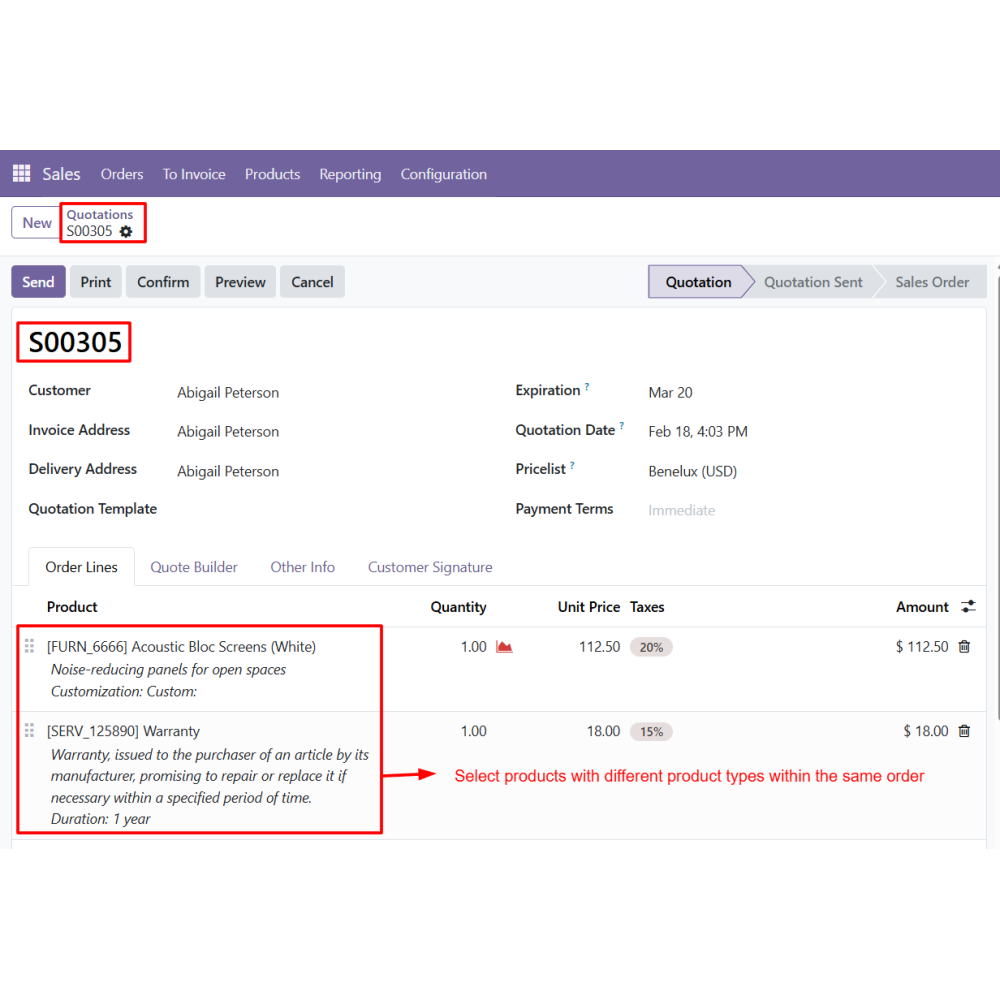
  • Provides product type-based order splitting (Goods, Services, Combo)
  • Applies item-wise split automatically if no rule is selected
  • Splits sales orders automatically based on vendor, category, or product type selection
  • Upgrades My Orders page with a well-organized and user-friendly split view
  • Provides customers a clearer way to track and manage their orders
  • Enables quick actions like viewing order info, reordering products, and downloading invoices
  • Easy setup through Website eCommerce configuration settings
  • Separates orders efficiently for each vendor to improve processing speed
  • Supports flexible splitting by product category and product type
  • Falls back to item-wise splitting when no rule is configured
  • Improves overall order handling efficiency in Odoo
  • Enhances customer experience with clear and structured order views
  • Reduces manual effort in managing complex multi-product orders
  • Speeds up vendor-wise order processing and fulfillment
  • Improves accuracy in order tracking and management
  • Increases operational productivity in sales workflow
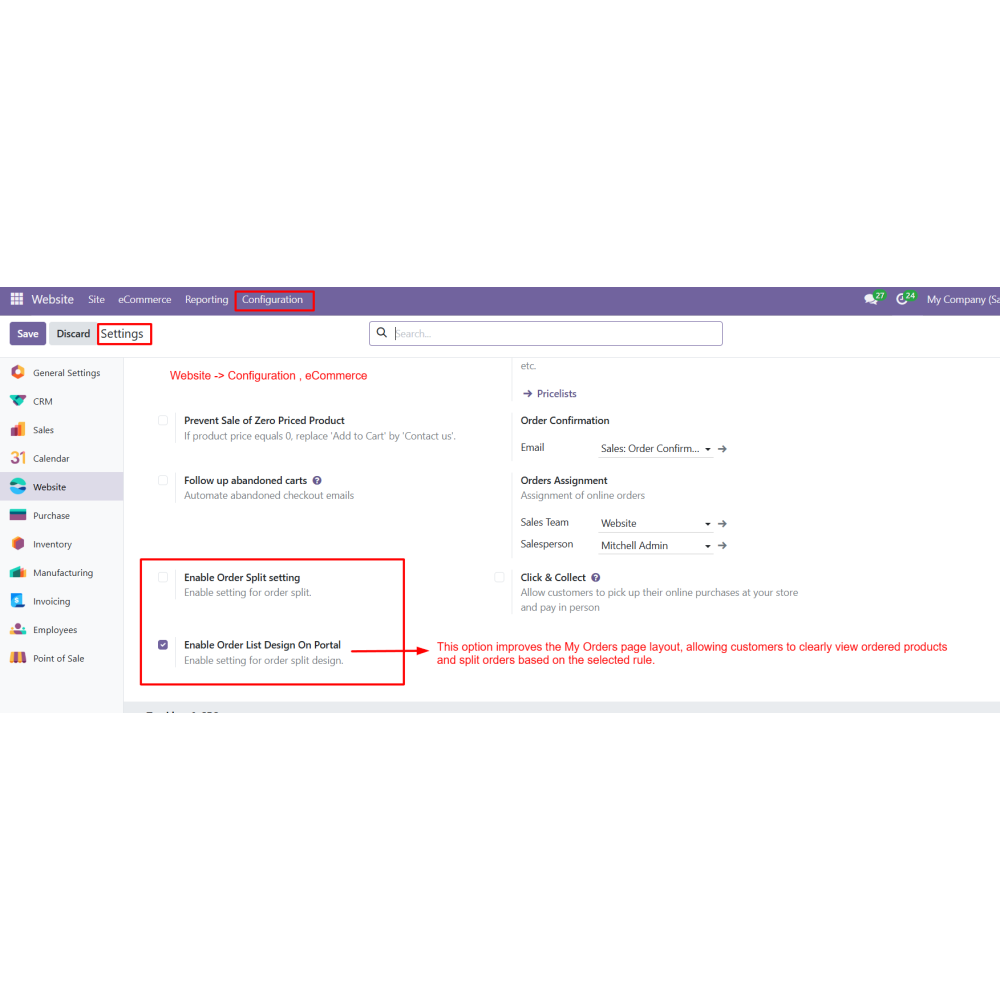
  • Go to Website Configuration eCommerce settings.
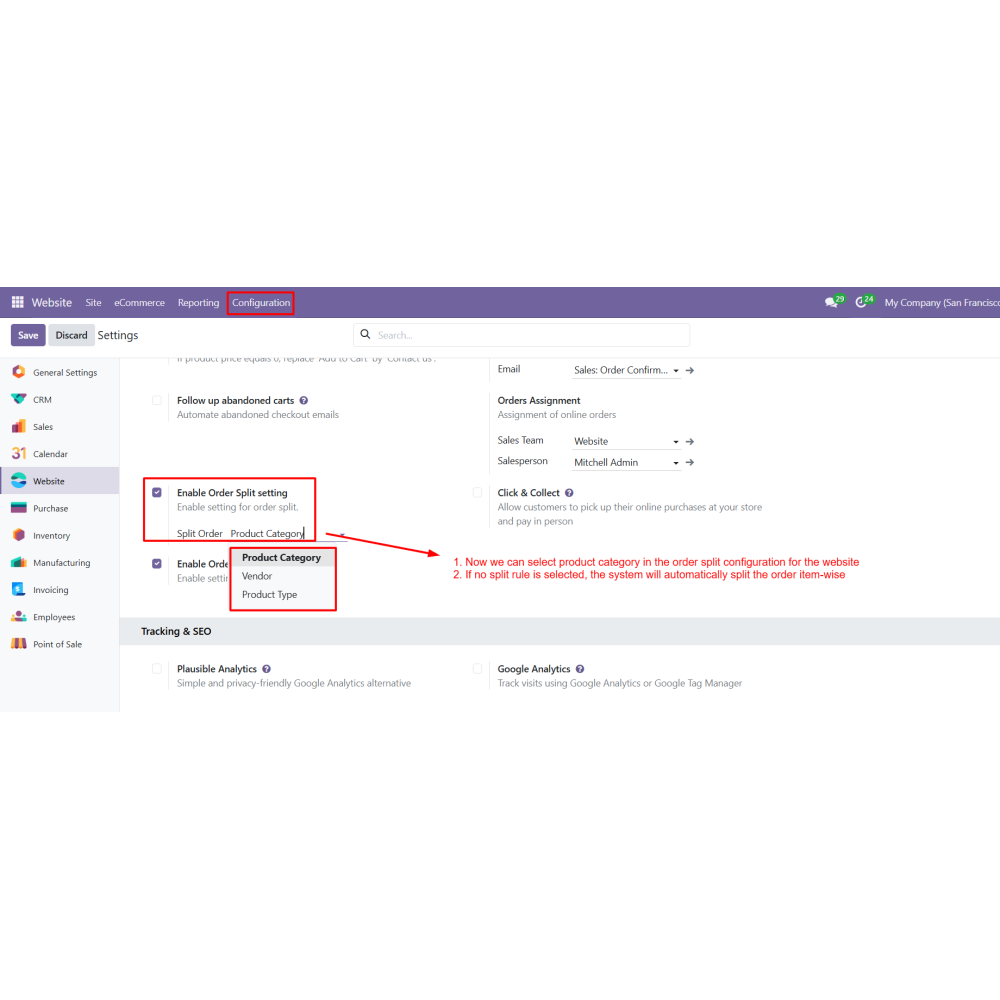
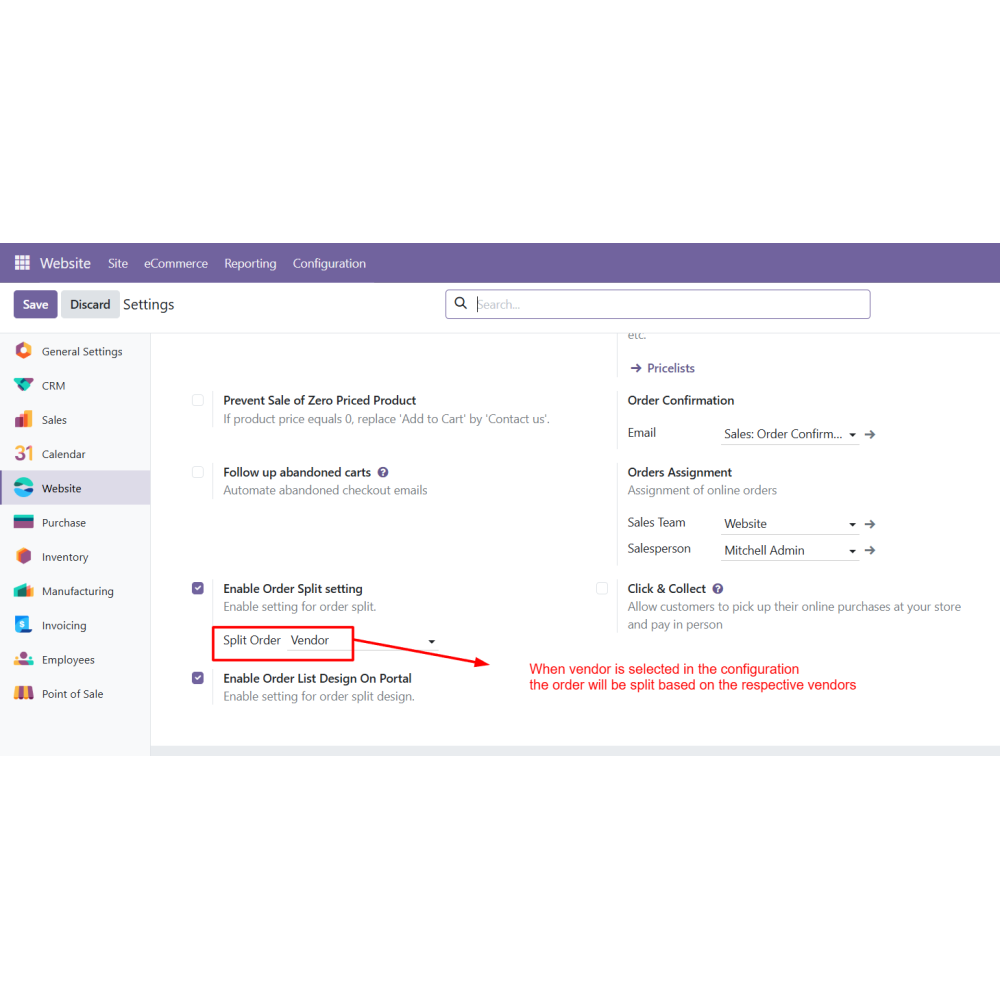
  • Enable Order Split Setting to activate automatic order splitting.
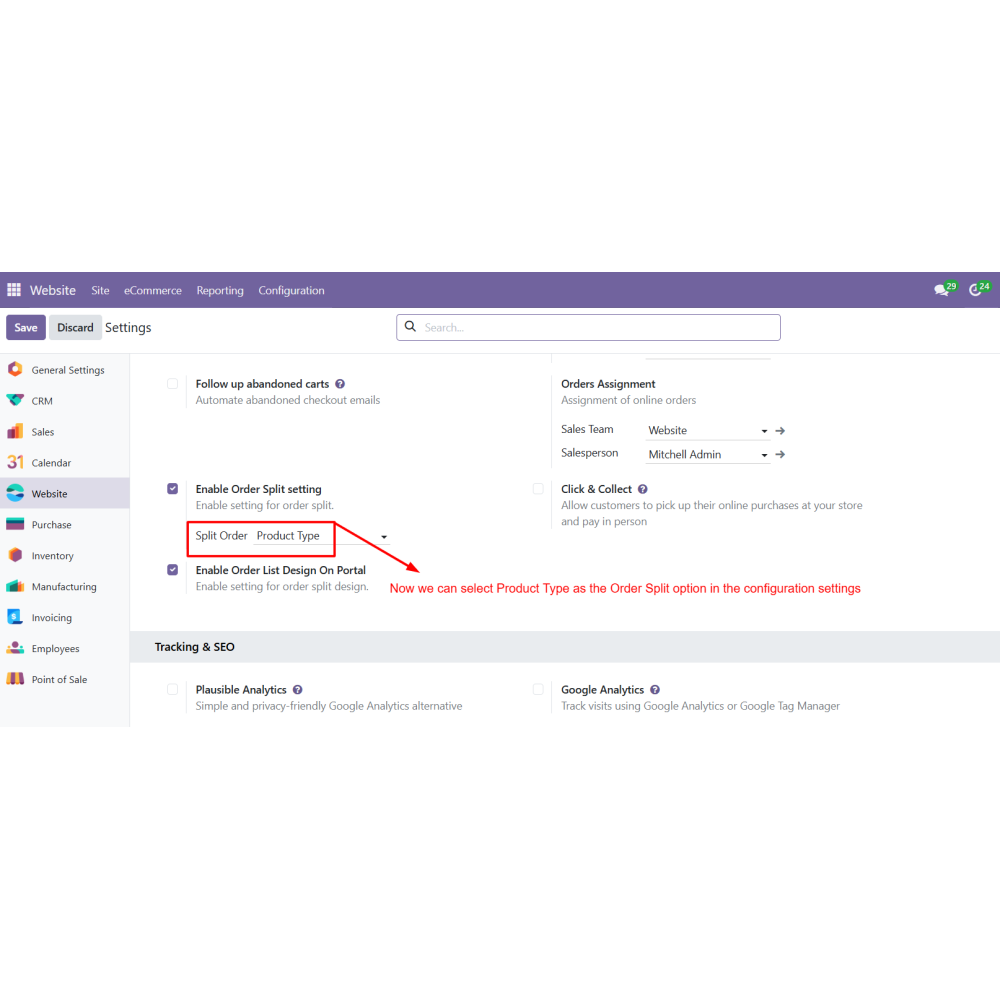
  • Select the split rule: Vendor, Product Category, or Product Type.
  • Enable Order List Design On Portal to activate the enhanced split layout on the customer portal.
  • If no split rule is selected, the system automatically applies item-wise split by default.
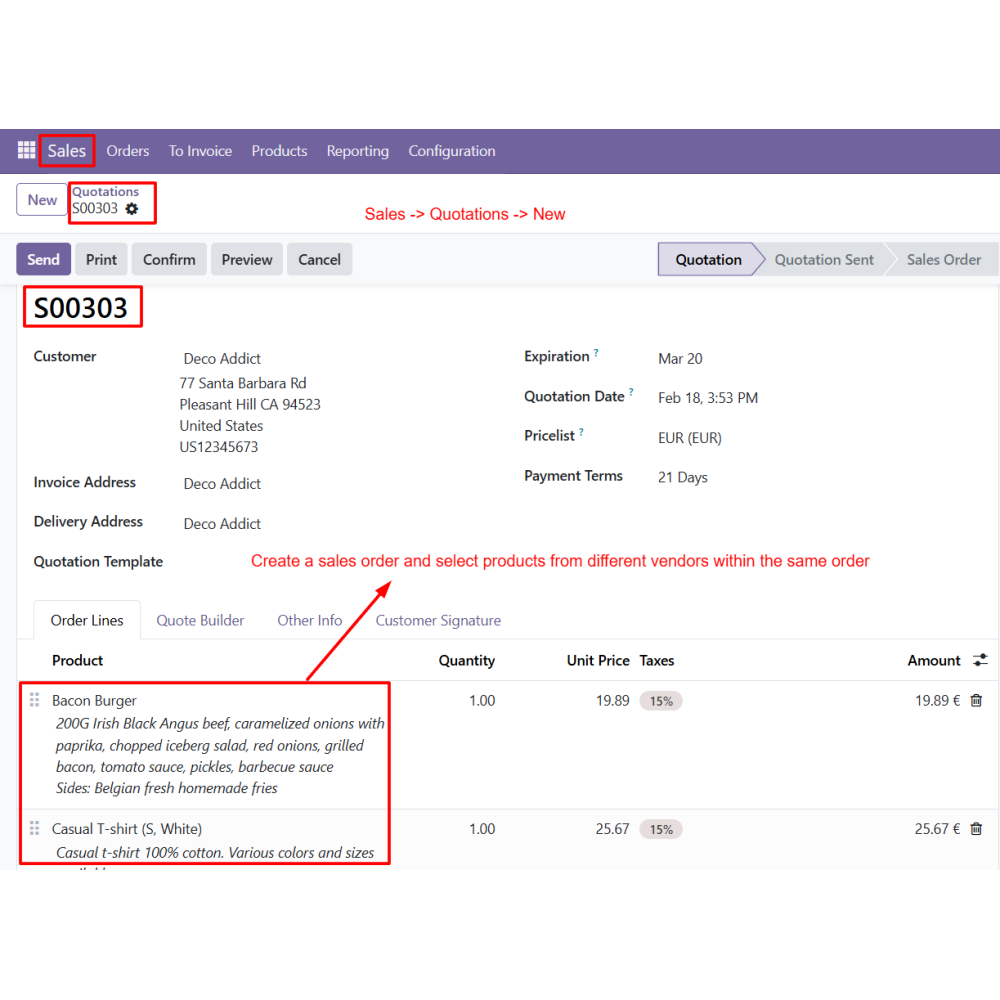
  • Create an order from the Website by adding products from different vendors, categories, or product types.
  • You can also create a Sales Order from the Sales module with mixed products.
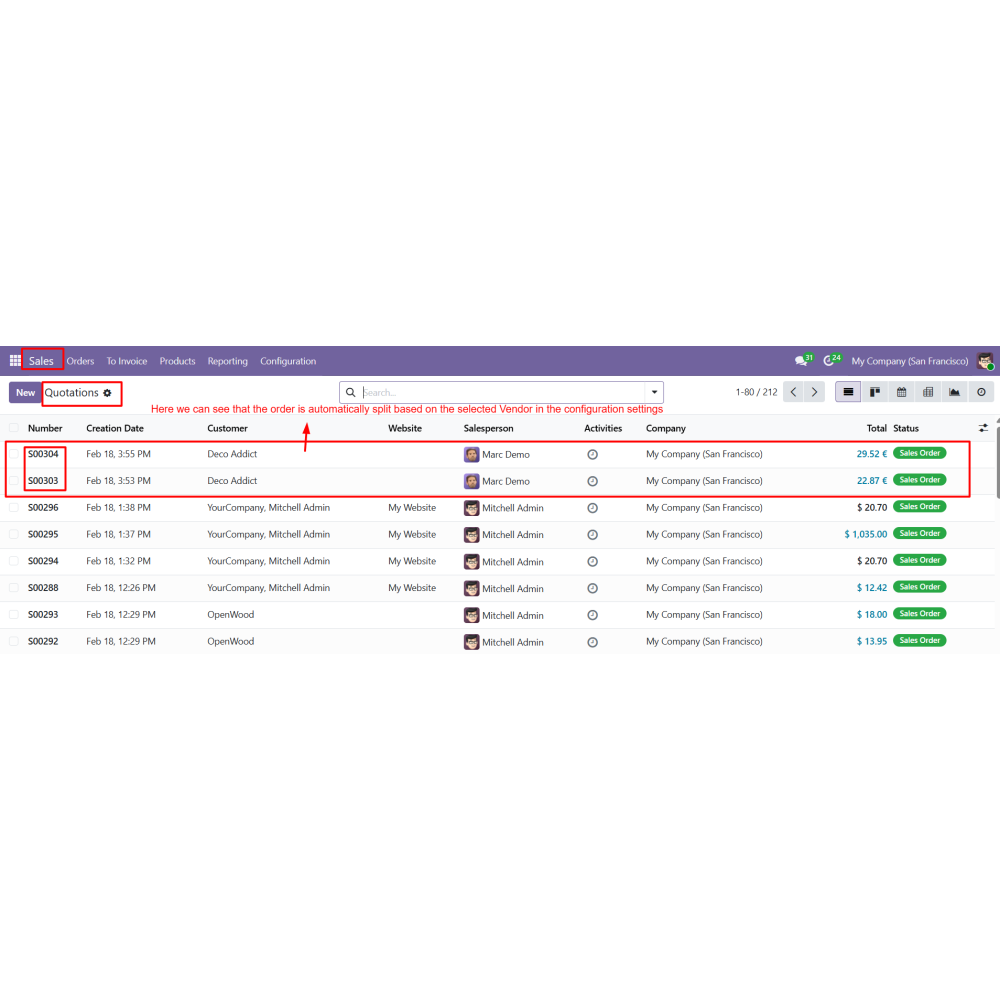
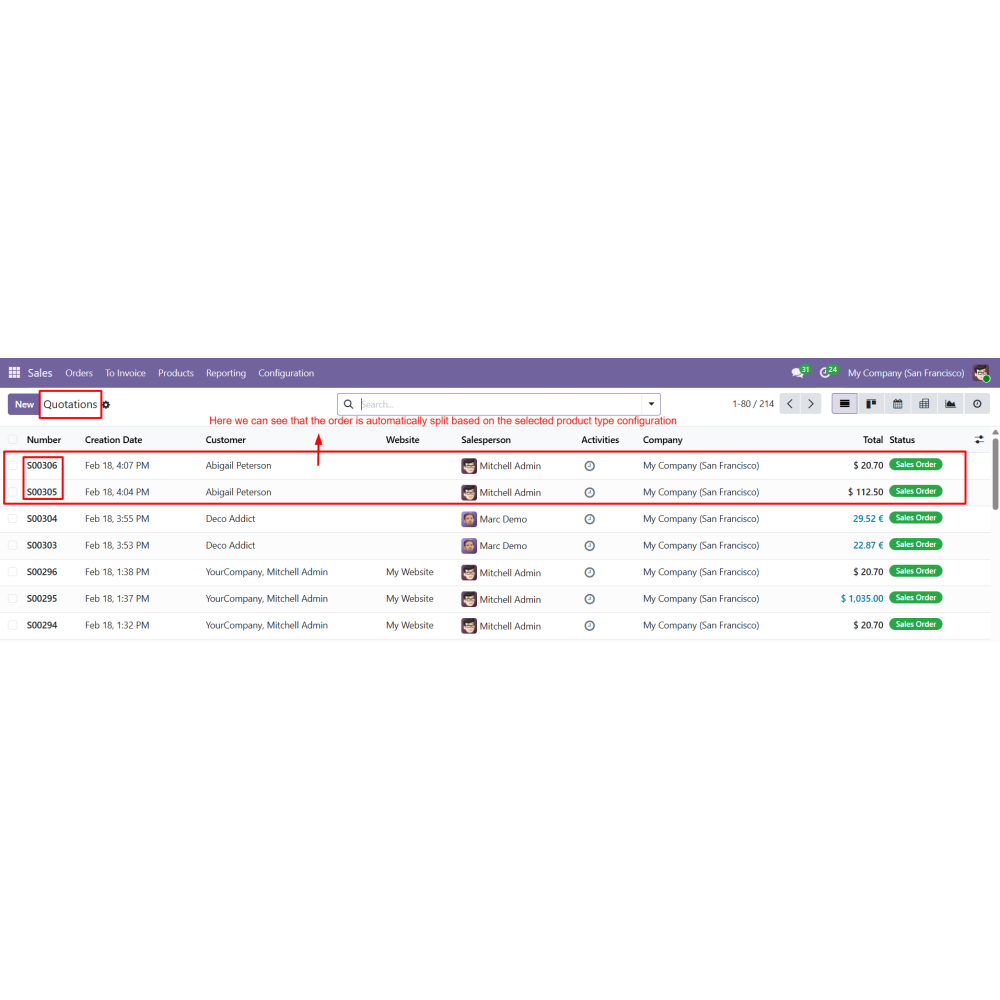
  • Once the order is confirmed, the system automatically applies the selected split configuration.
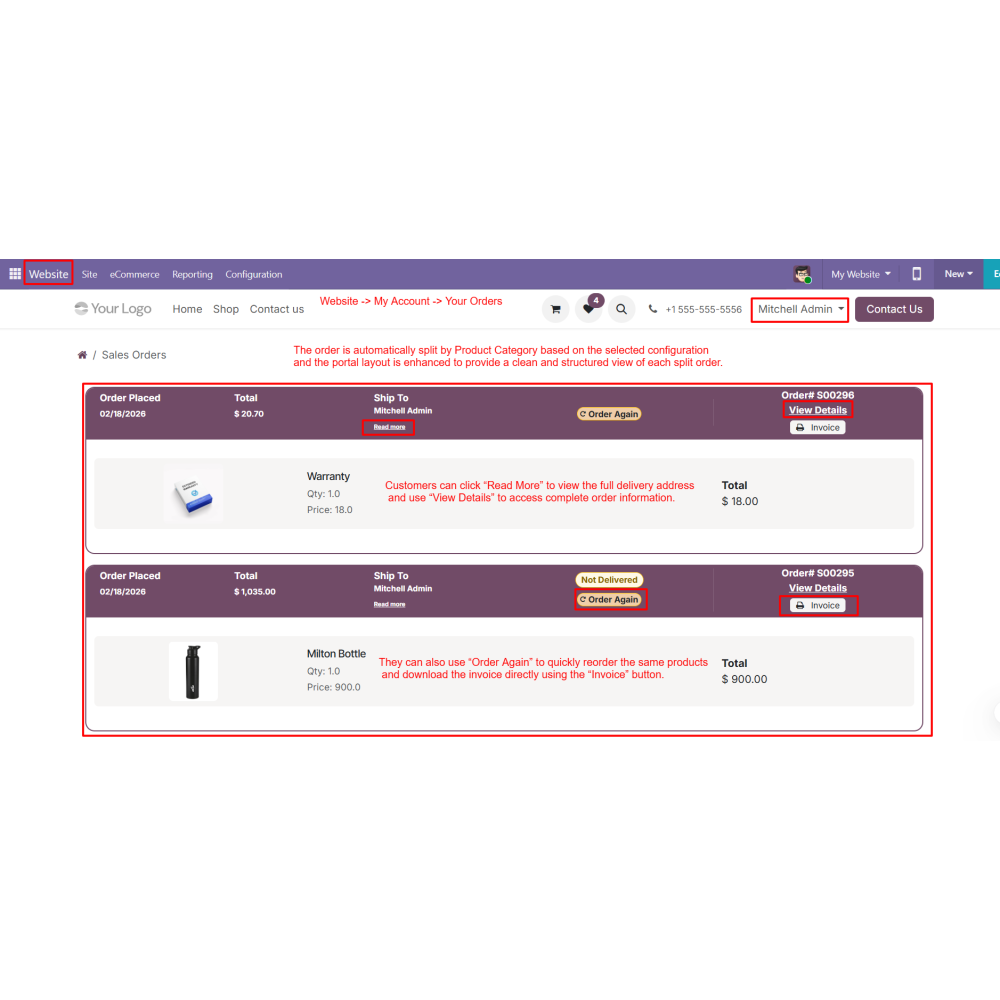
  • Split orders are displayed in Website My Account Your Orders with a structured layout.
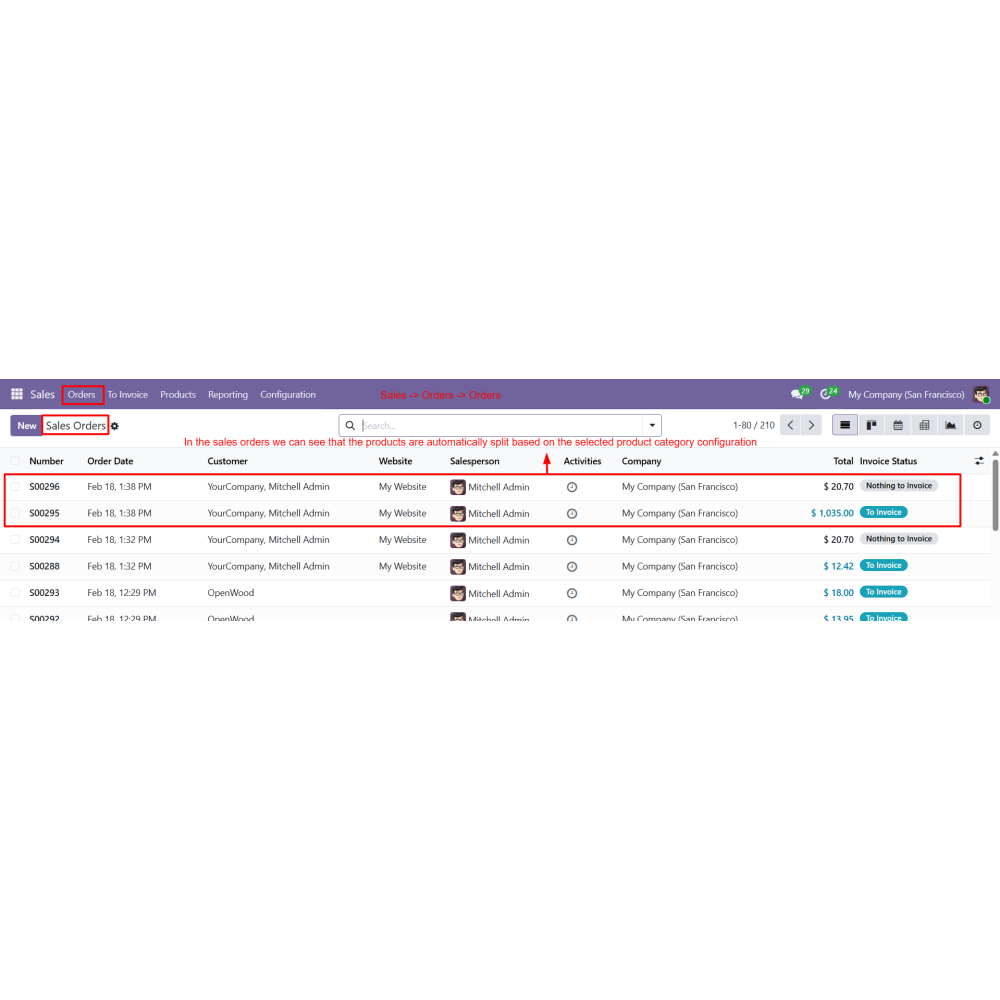
  • The same split structure is reflected in the Sales Order view for backend tracking and management.
How does this module split sales orders?The module automatically splits orders based on Vendor, Product Category, or Product Type as per the selected configuration.
Does it change the backend sales process?No, it only improves order structure and portal display. The backend sales workflow remains unchanged.
Where can I configure the split rules?You can configure split rules from Website → eCommerce Settings in Odoo.
What happens if no split rule is selected?If no rule is selected, the system automatically applies item-wise splitting by default.
Can customers see split orders in the portal?Yes, customers can view structured split orders in the My Orders section of the website portal.
What actions are available in My Orders page?Customers can view order details, reorder products, and download invoices directly from the portal.
Does it support multi-vendor orders?Yes, the module supports multi-vendor orders and splits them automatically based on vendor selection.
Is any coding required for setup?No, the module is fully configurable from backend settings without any coding.

Customer reviews

0.0 Out Of 5
5 star
0%
4 star
0%
3 star
0%
2 star
0%
1 star
0%

No customer reviews

Benefits of Split Sales Order

Better Order Management

Improved Customer Experience

Clean and Structured Portal View

Efficient Vendor-Based Processing

Faster Fulfillment Workflow

Reduced Manual Order Handling

Features of Split Sales Order

Default Item-wise Split

If no split rule is selected, orders are automatically split item-wise.

Order Split by Product Type

Separates orders based on product types such as Goods, Services, or Combo products.

Order Split by Vendor

Splits orders according to vendors when multiple vendor products are included in a single order.

Order Split by Product Category

Automatically splits orders based on selected product categories. Each category appears separately in the portal and Sales Order view.

Enhanced My Orders Page Layout

Enhances the My Orders page with a structured split view, allowing customers to easily view details, reorder, and download invoices.

Website Checkout Order Automation

Order split rules are set in Website eCommerce settings, where admins can choose Vendor, Category, or Product Type, and changes apply automatically to website orders.

Power Up Your  Store — We Handle It All

Related products