Odoo Power BI Integration
Power BI Integration for Odoo enables seamless data synchronization between Odoo and Microsoft Power BI, allowing businesses to transform operational data into interactive reports and dashboards. With features like dataset creation, filtering, incremental sync, and report embedding, users can analyze business performance in real time and make smarter decisions directly from Odoo.
Odoo Power BI Integration
Power BI Integration for Odoo enables seamless data synchronization between Odoo and Microsoft Power BI, allowing businesses to transform operational data into interactive reports and dashboards. With features like dataset creation, filtering, incremental sync, and report embedding, users can analyze business performance in real time and make smarter decisions directly from Odoo.
10-day module exchange guarantee
- Connect Odoo with Microsoft Power BI for advanced analytics
- Export and synchronize Odoo data to Power BI
- Create workspaces, datasets, and tables from Odoo
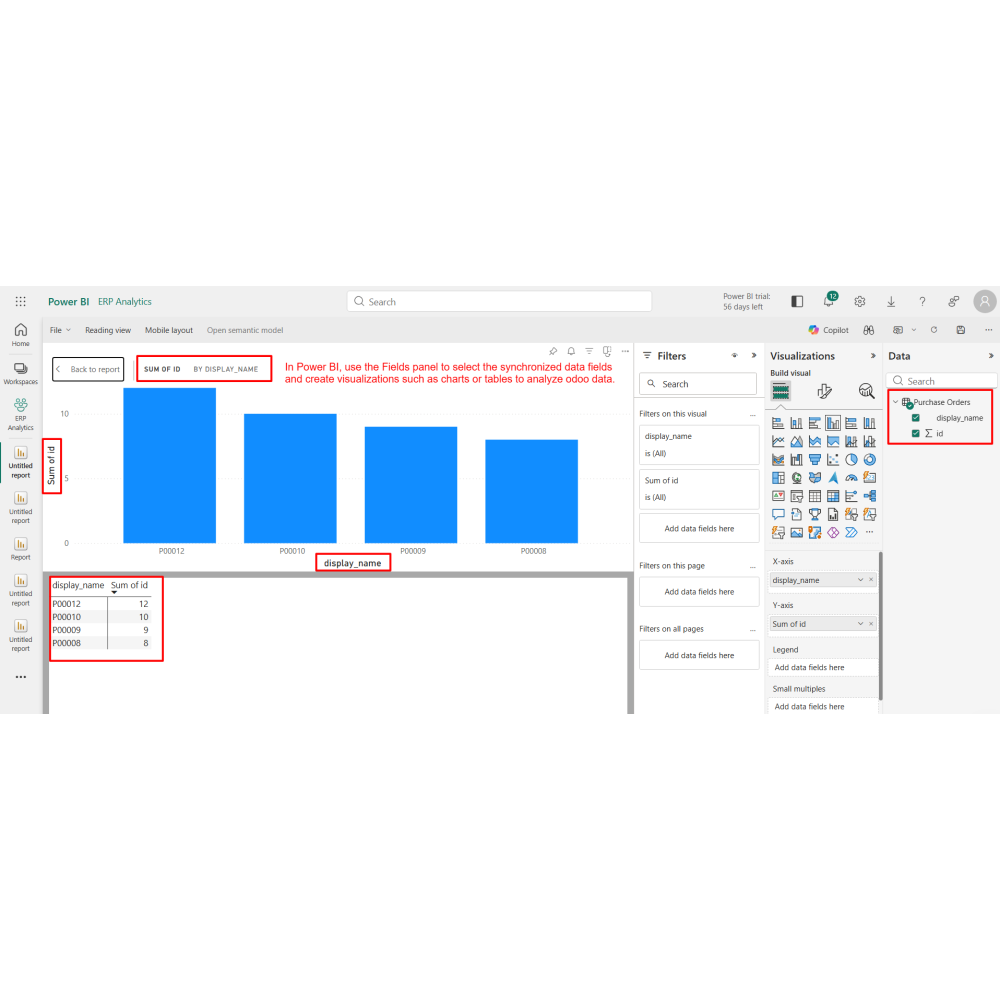
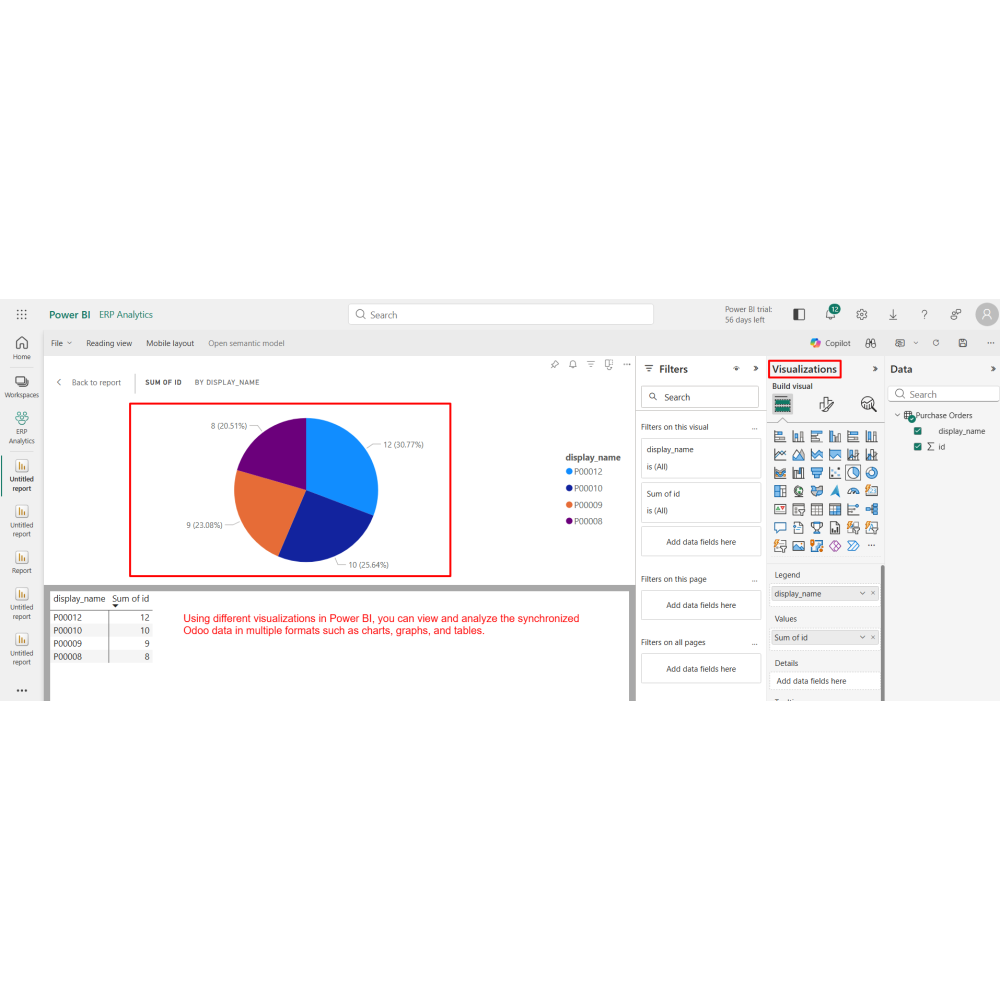
- Build interactive reports and dashboards
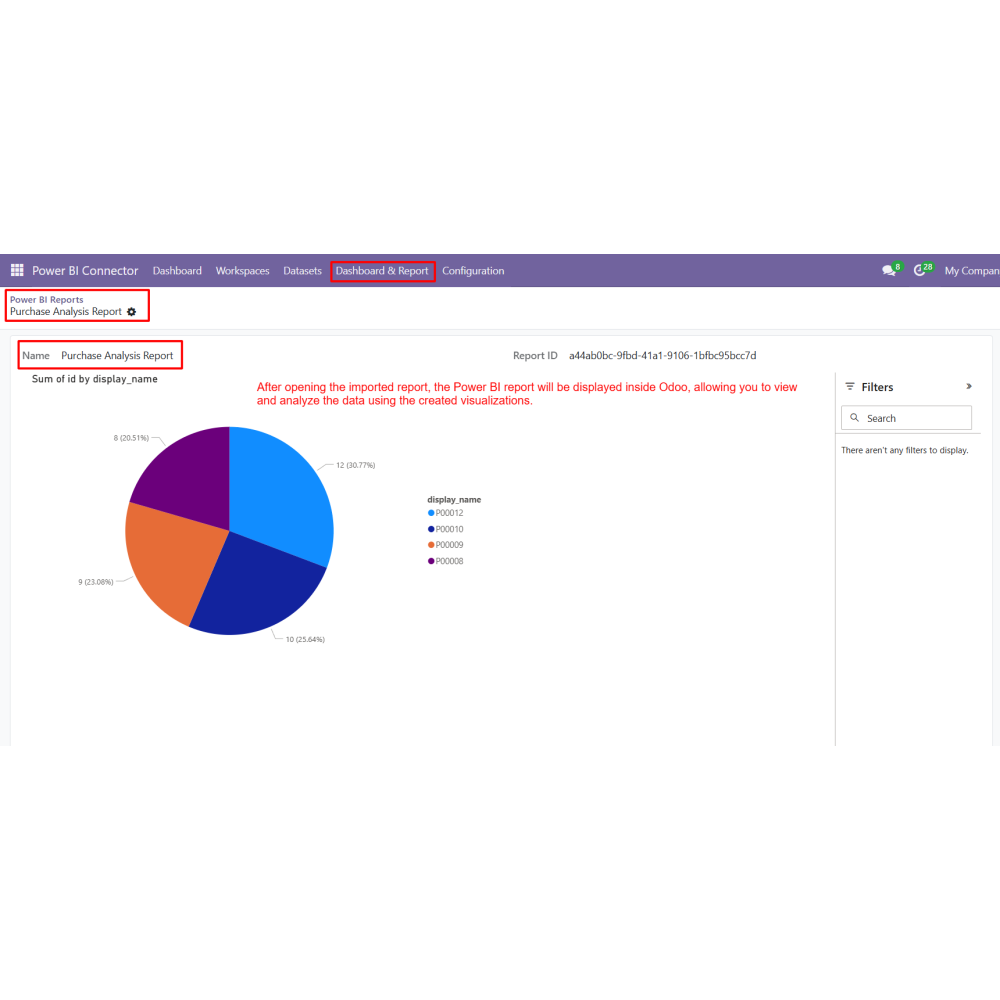
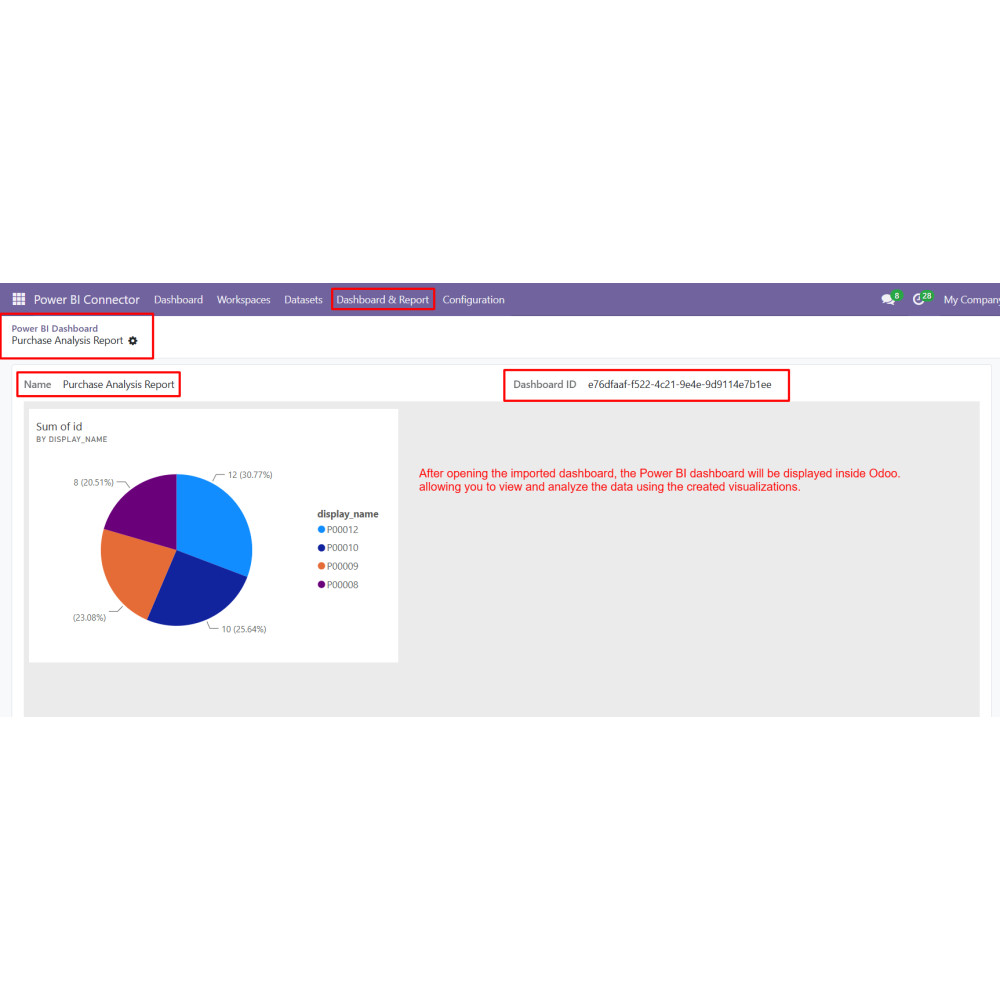
- Import Power BI reports and dashboards into Odoo
- Enable real-time data visualization and insights
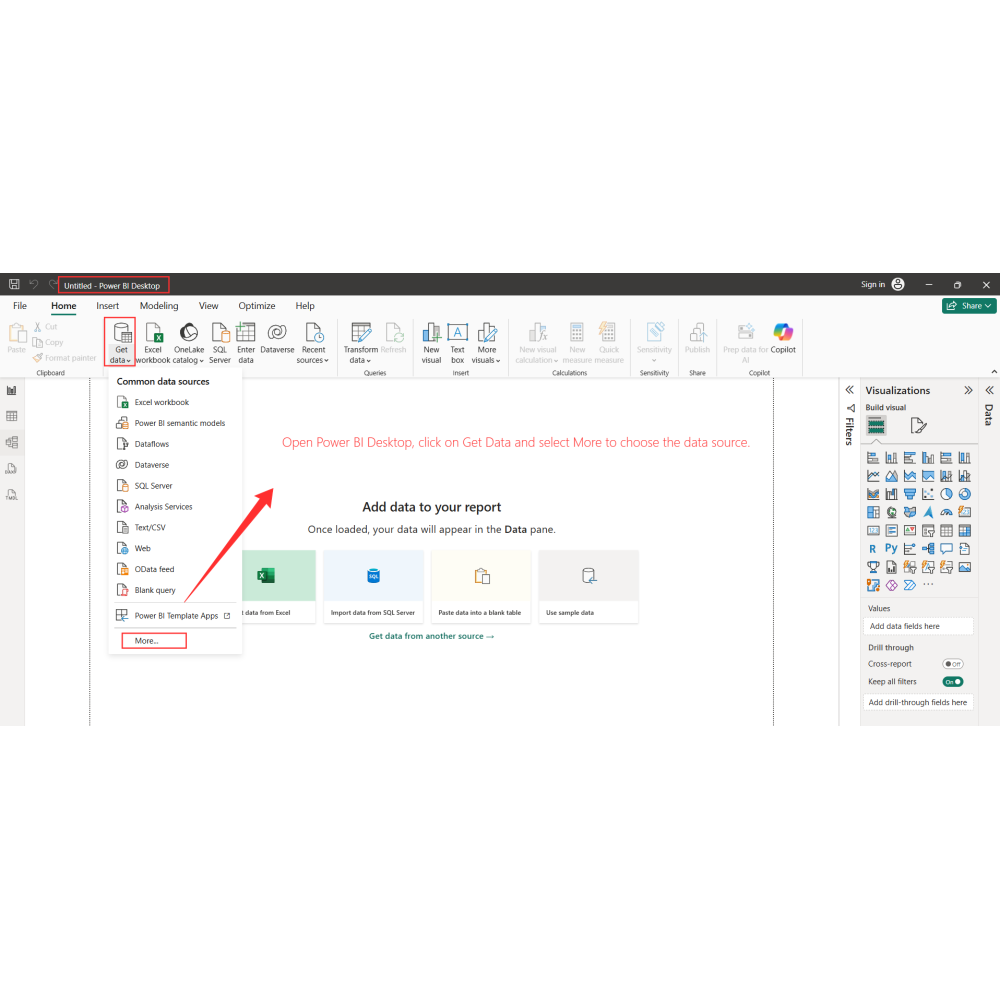
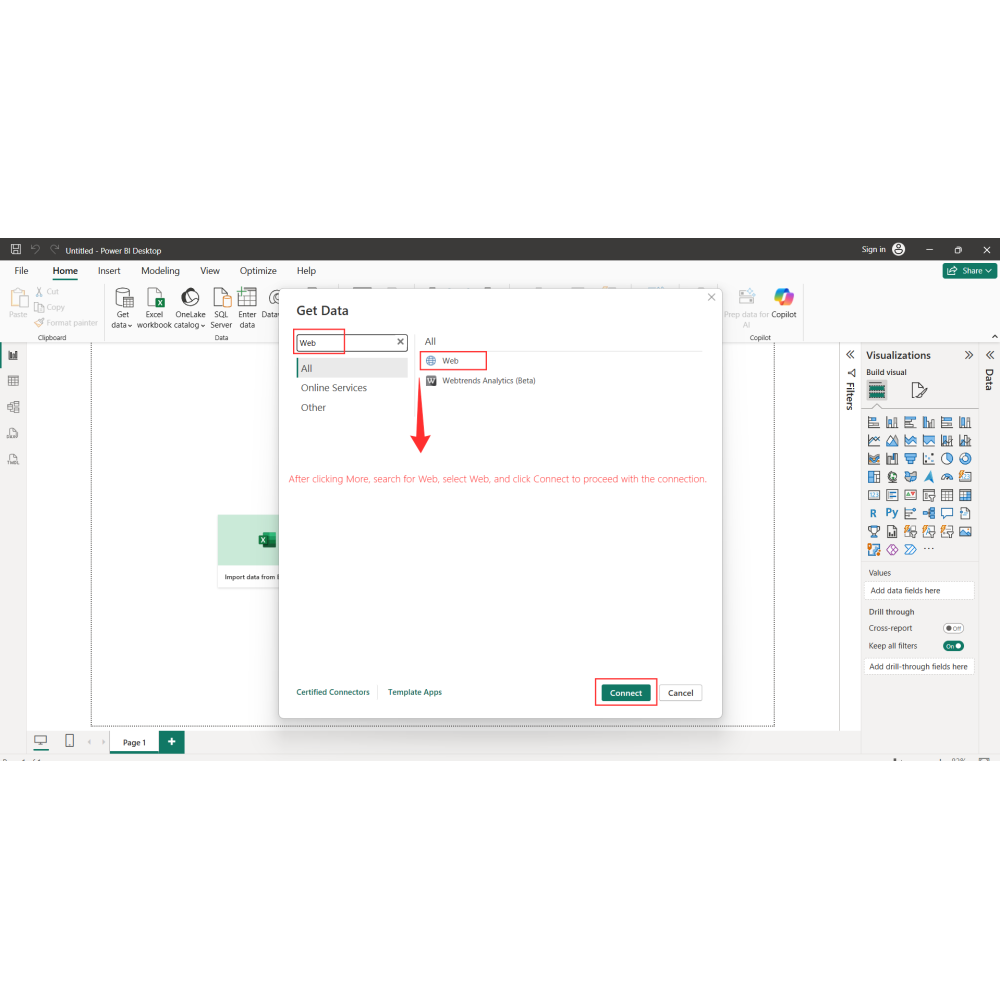
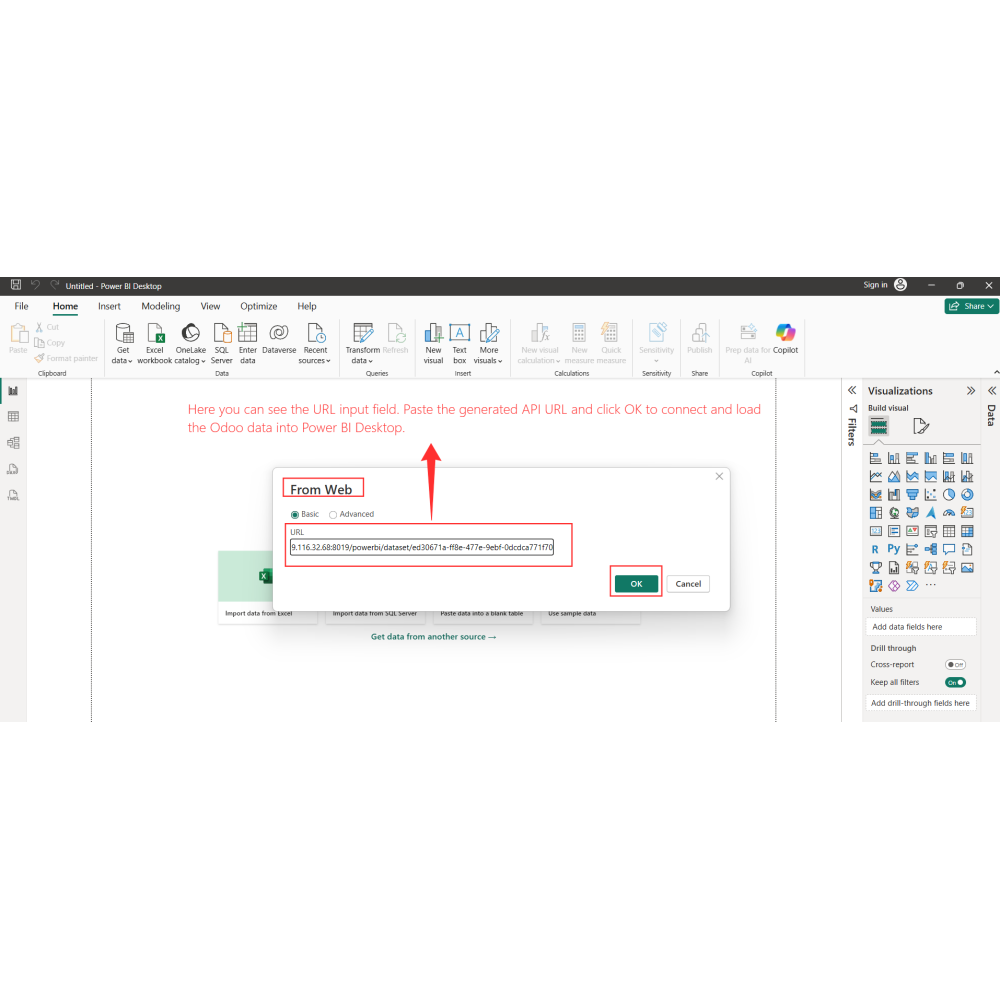
- Support both Power BI Online and Desktop integration
- Improve reporting and business performance analysis
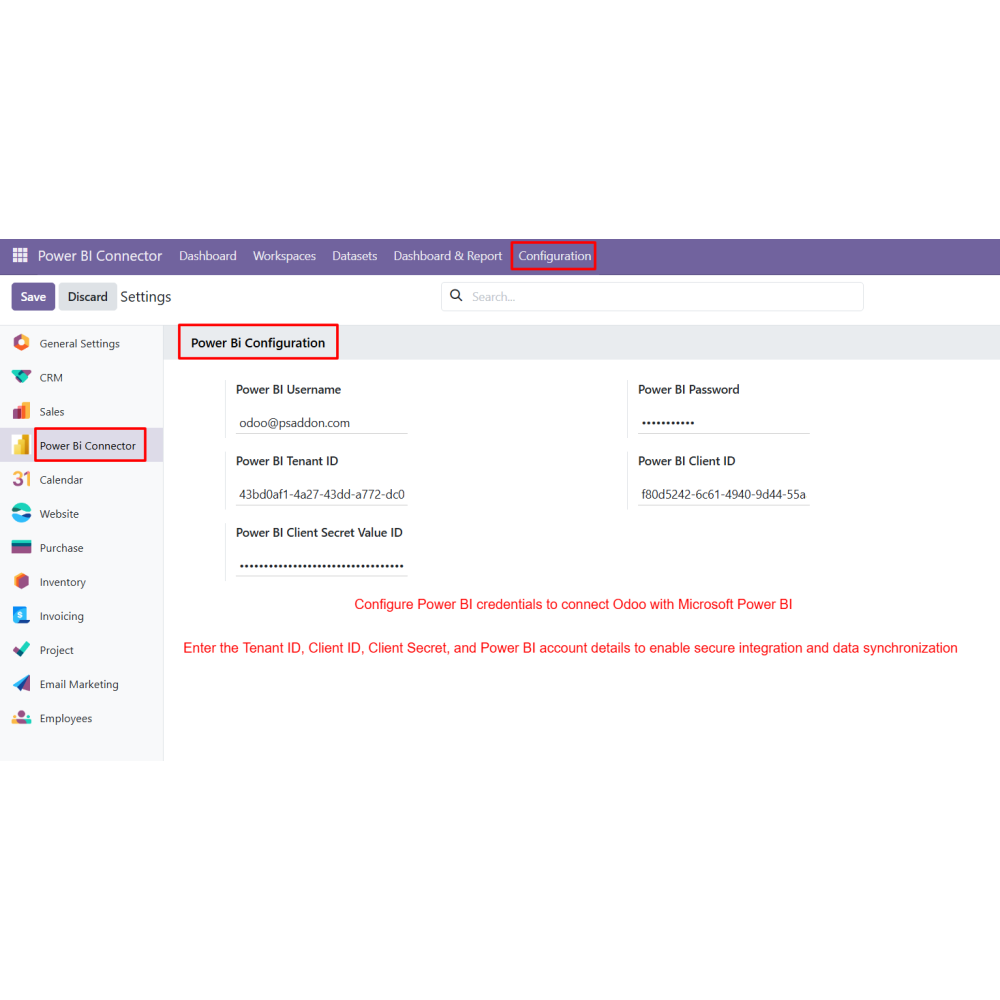
- Secure authentication using Tenant ID, Client ID, and Secret
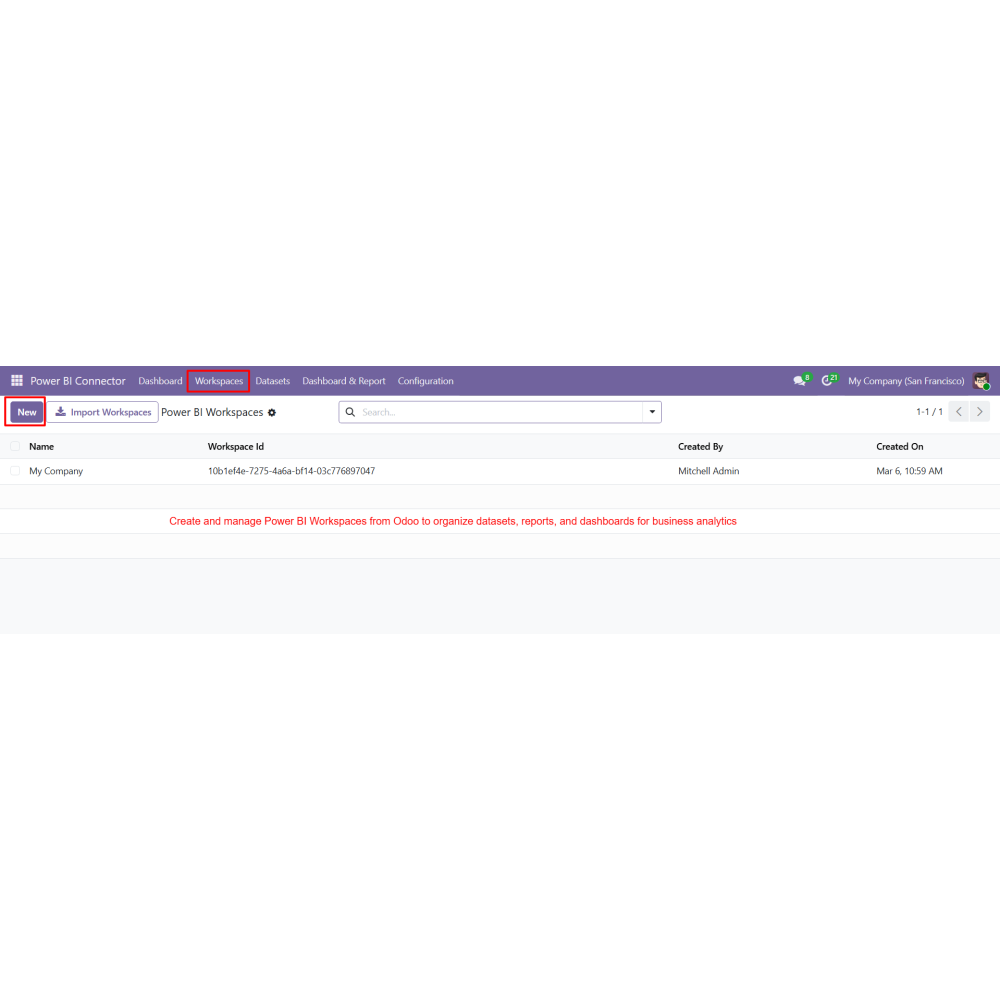
- Create and manage Power BI workspaces from Odoo
- Configure datasets and tables using Odoo models
- Select specific fields or export complete data
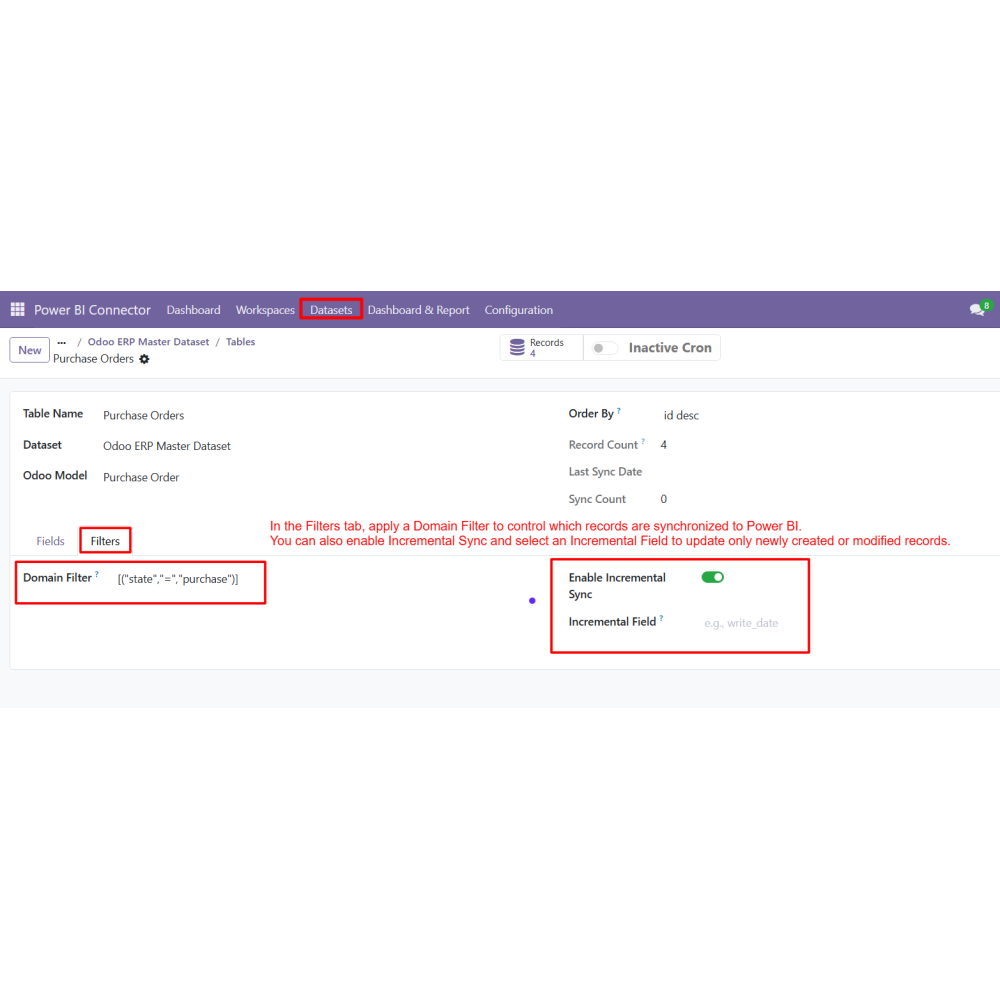
- Apply domain filters for controlled data export
- Incremental synchronization for faster updates
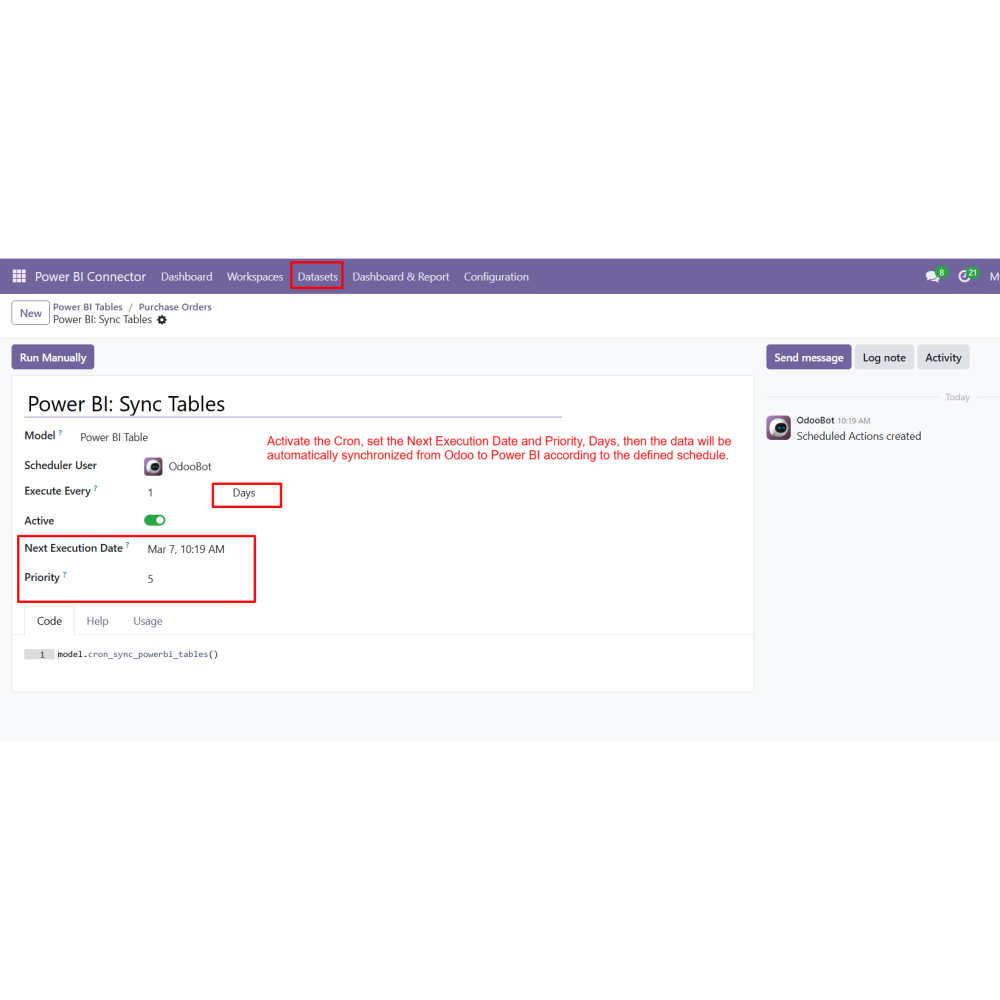
- Manual and scheduled (cron) data synchronization
- Import Power BI reports and dashboards into Odoo
- Turn Odoo data into actionable business insights
- Improve decision-making with visual analytics
- Save time with automated data synchronization
- Get real-time business performance tracking
- Centralize reporting within Odoo
- Enhance data visibility across departments
- Configure Power BI credentials in Odoo to establish the integration.
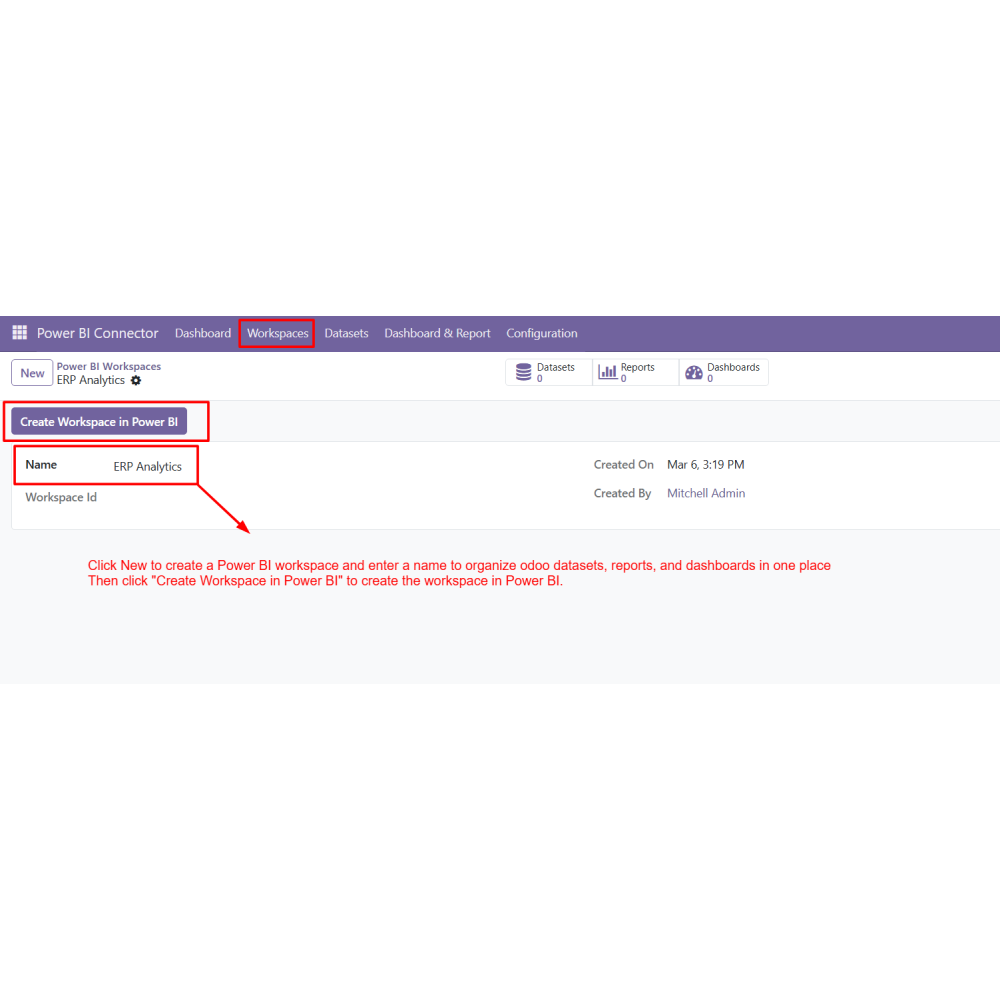
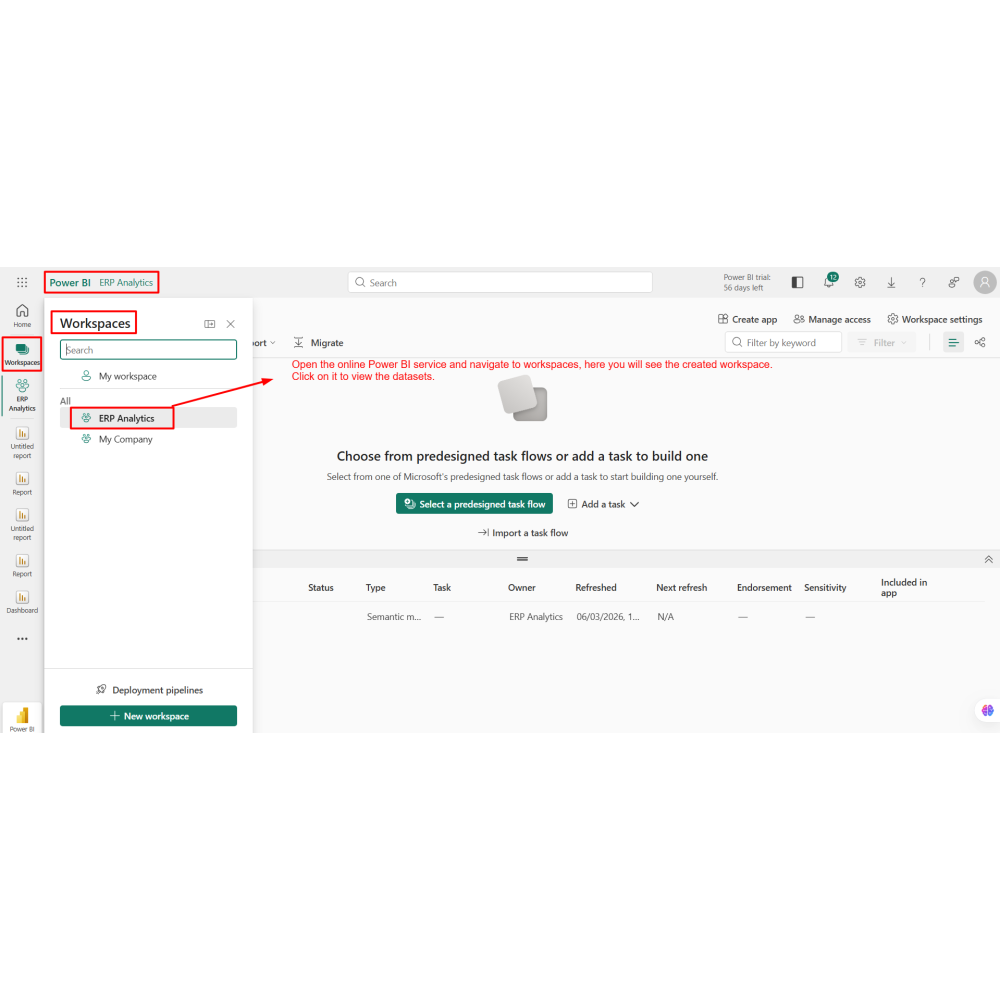
- Create a Power BI Workspace from Odoo.
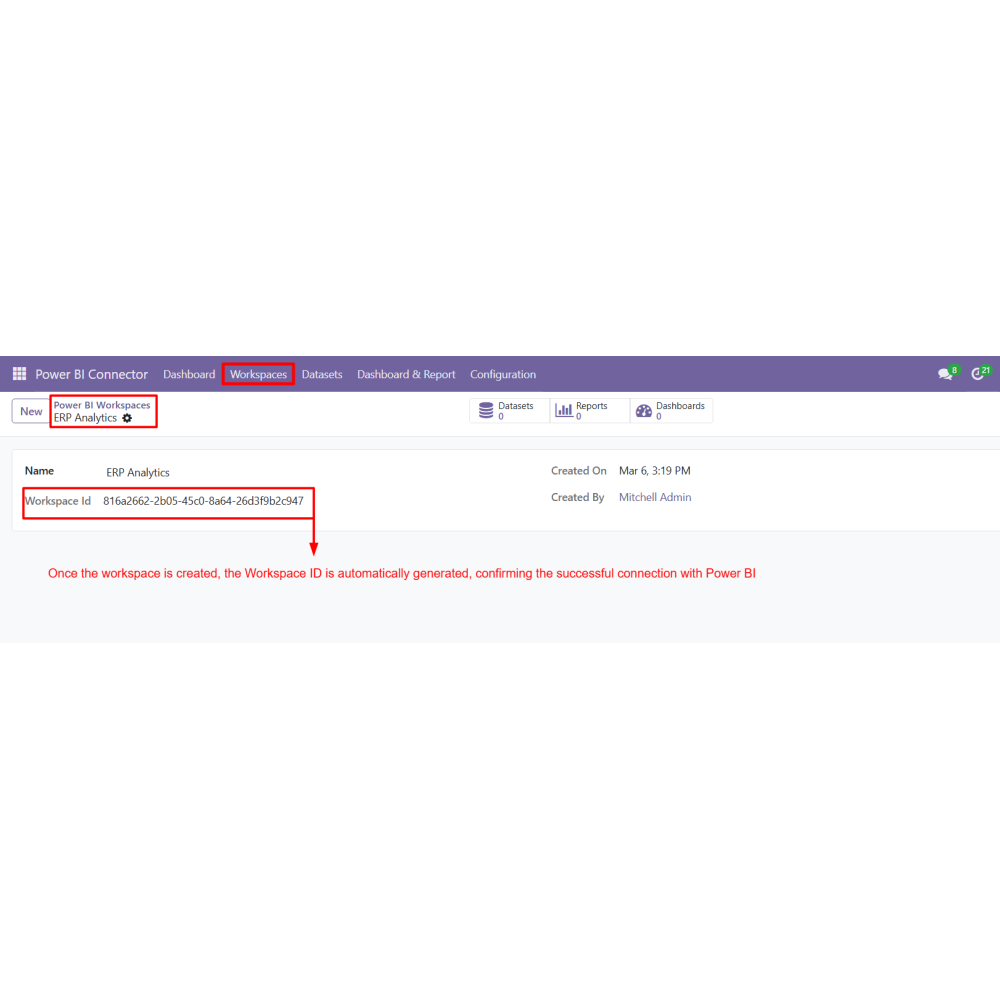
- The system automatically generates a Workspace ID after successful creation.
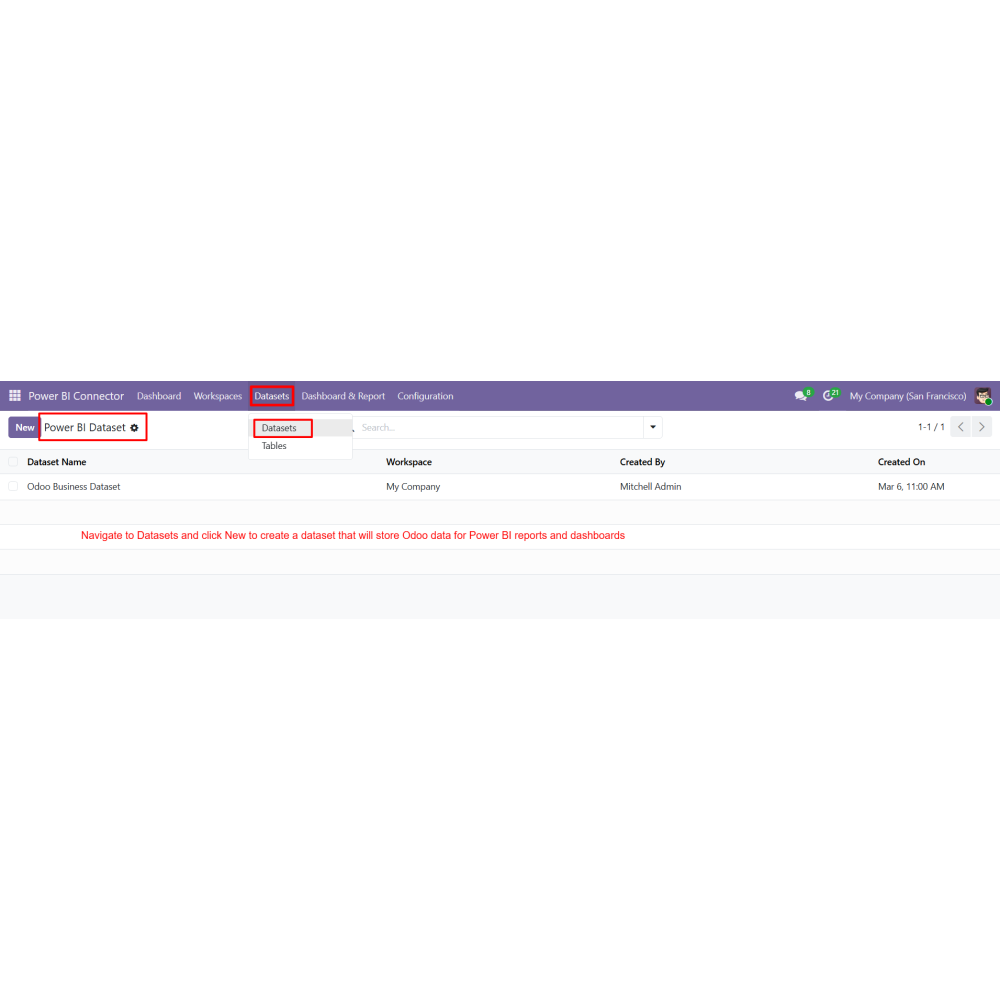
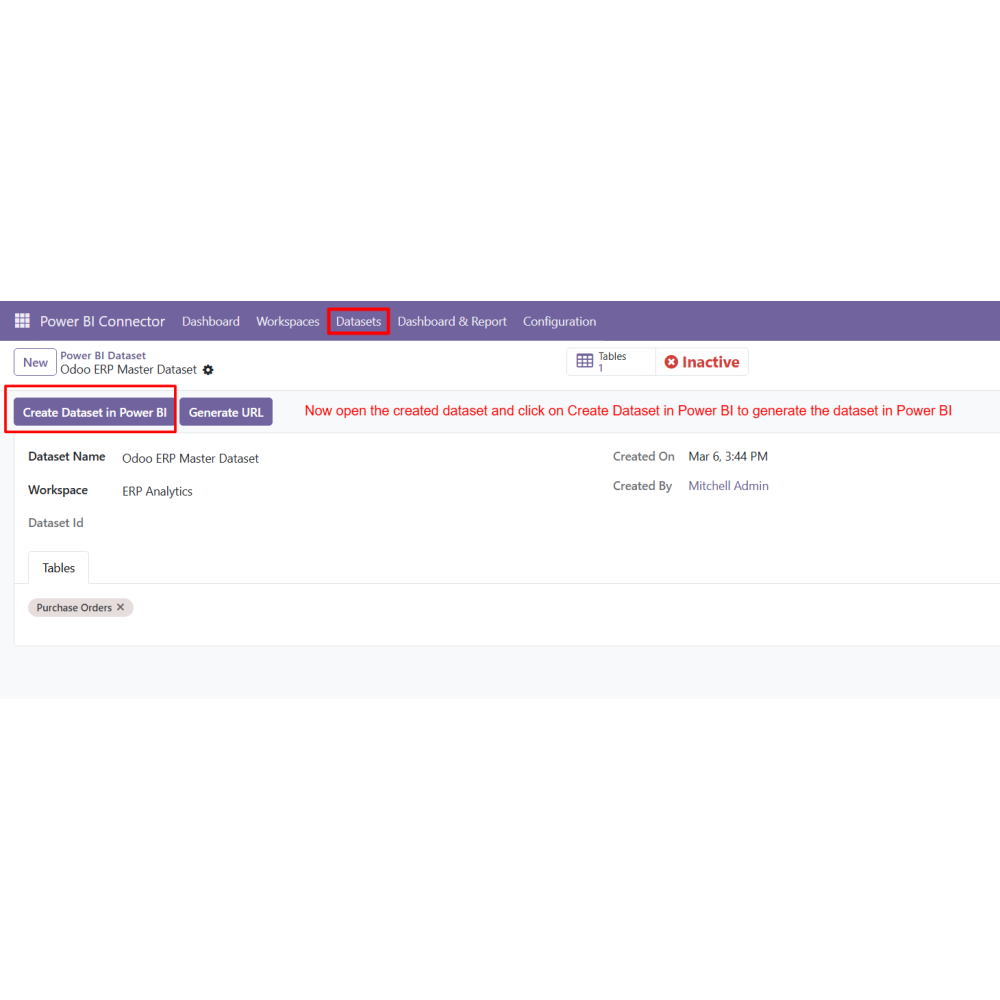
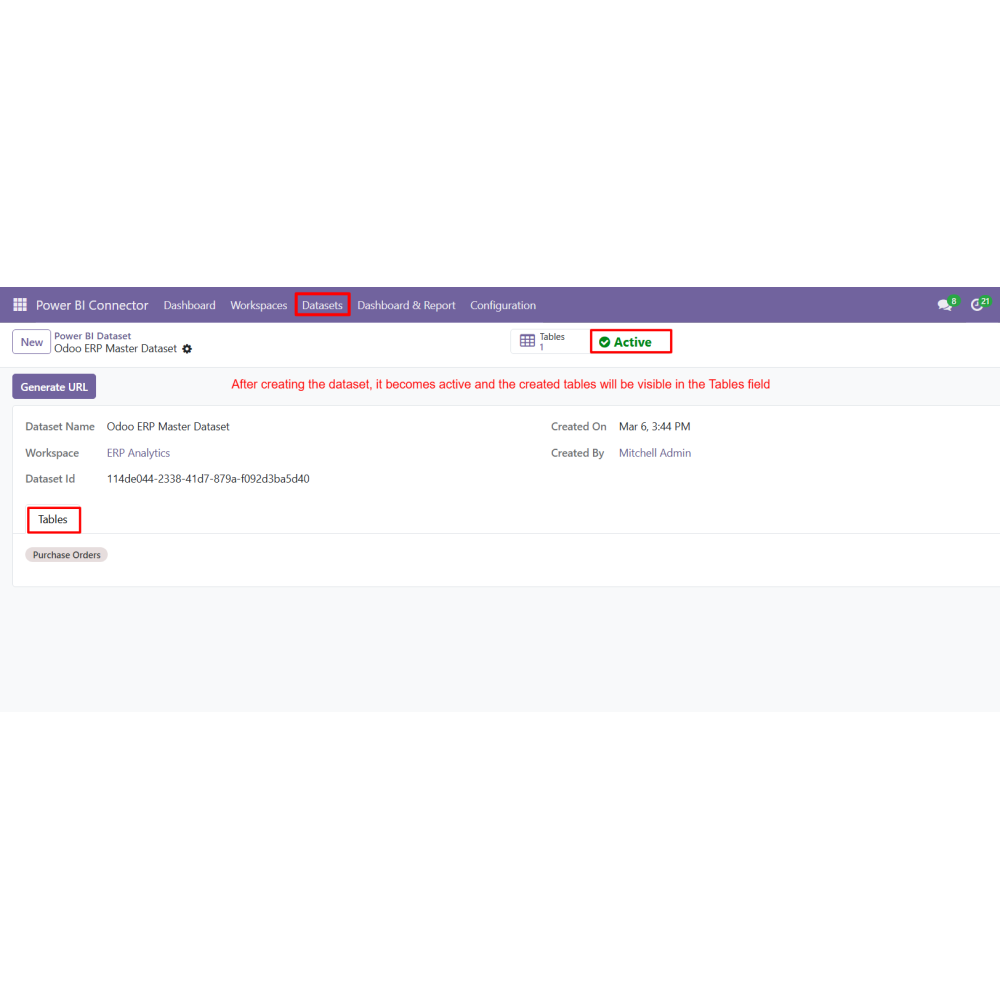
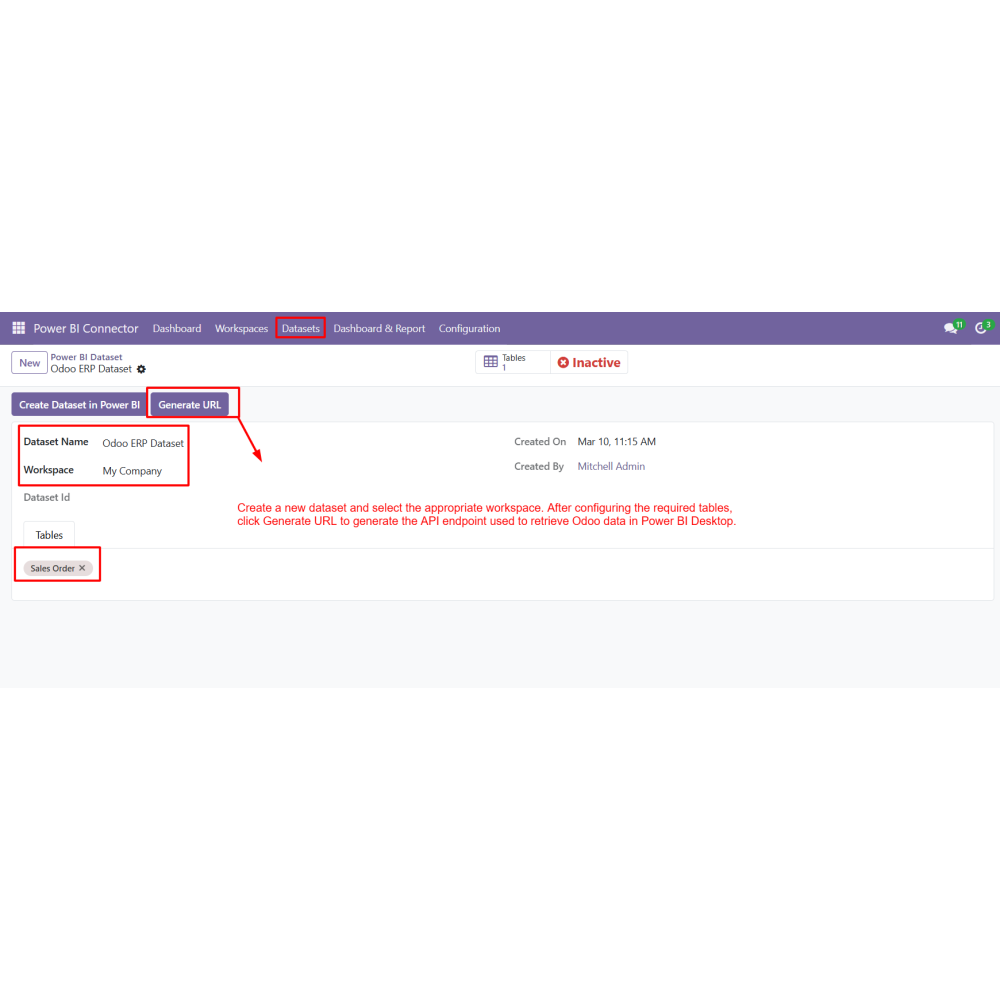
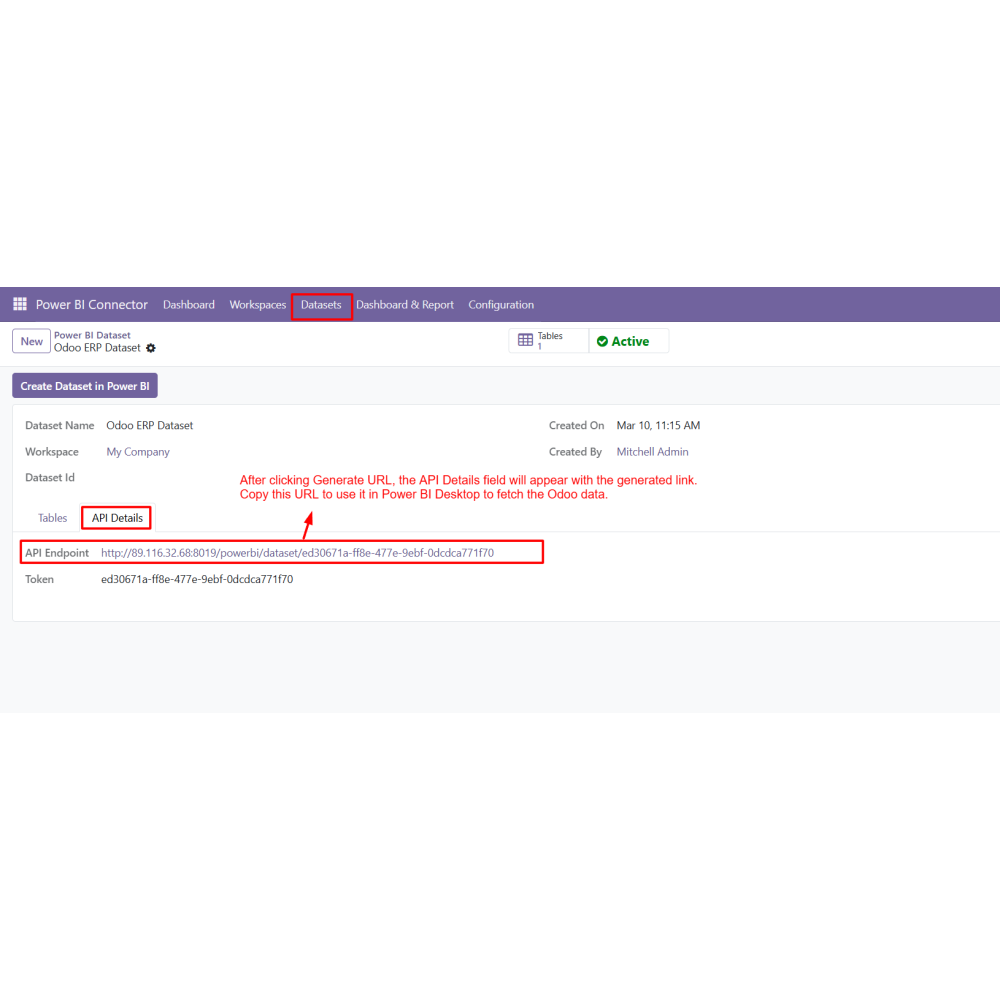
- Navigate to Datasets and create a new dataset.
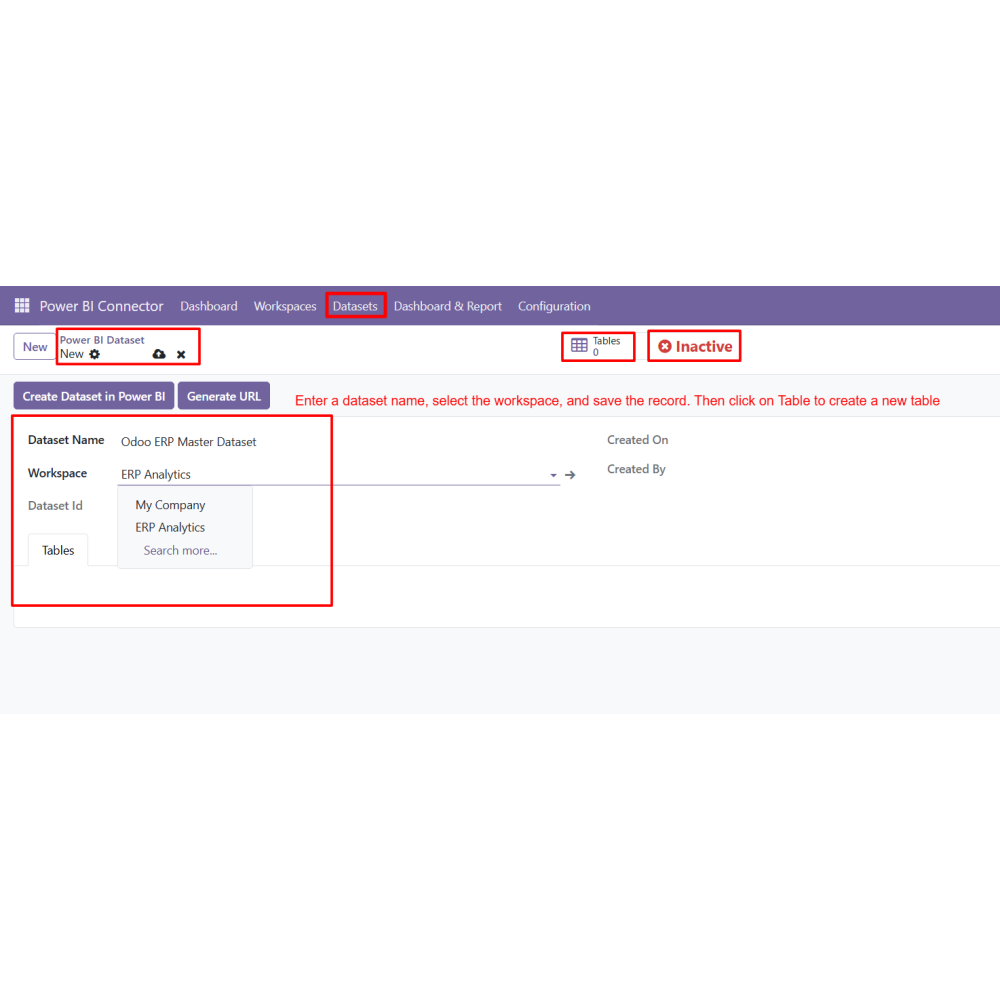
- Select the workspace and save the dataset configuration.
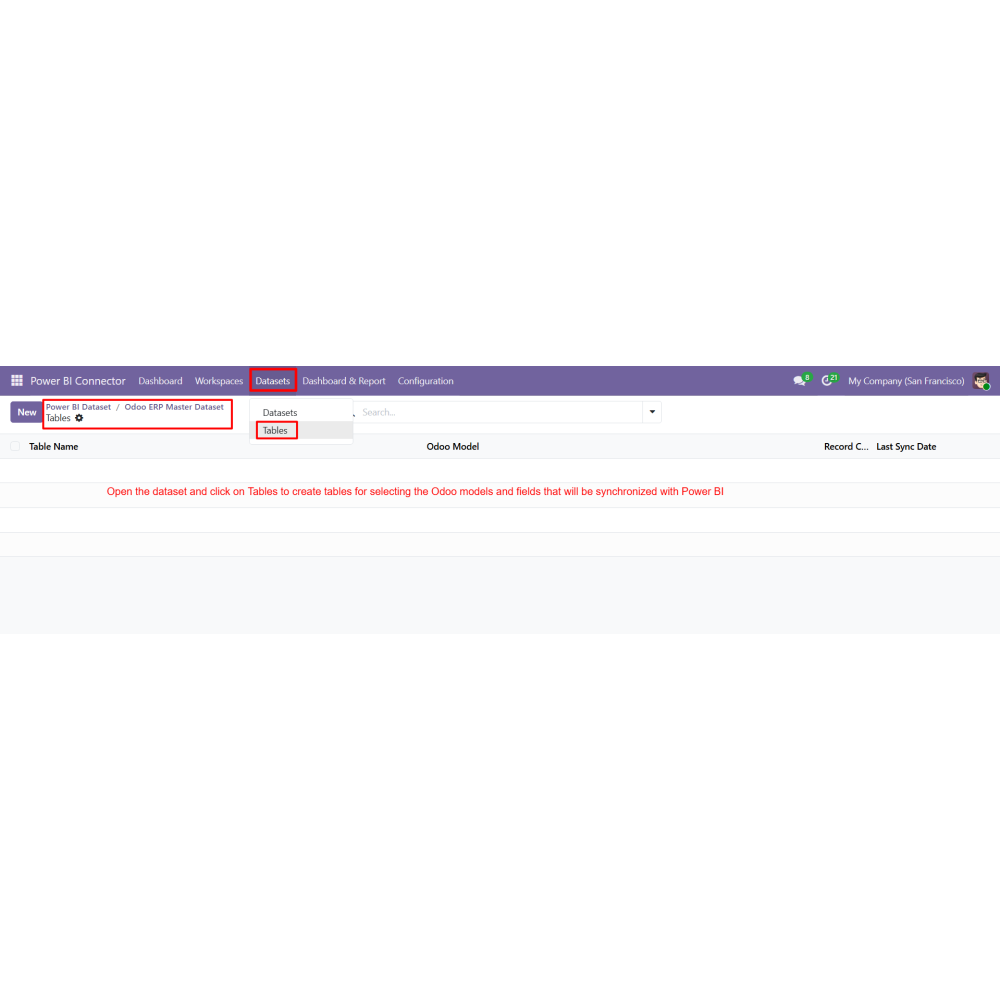
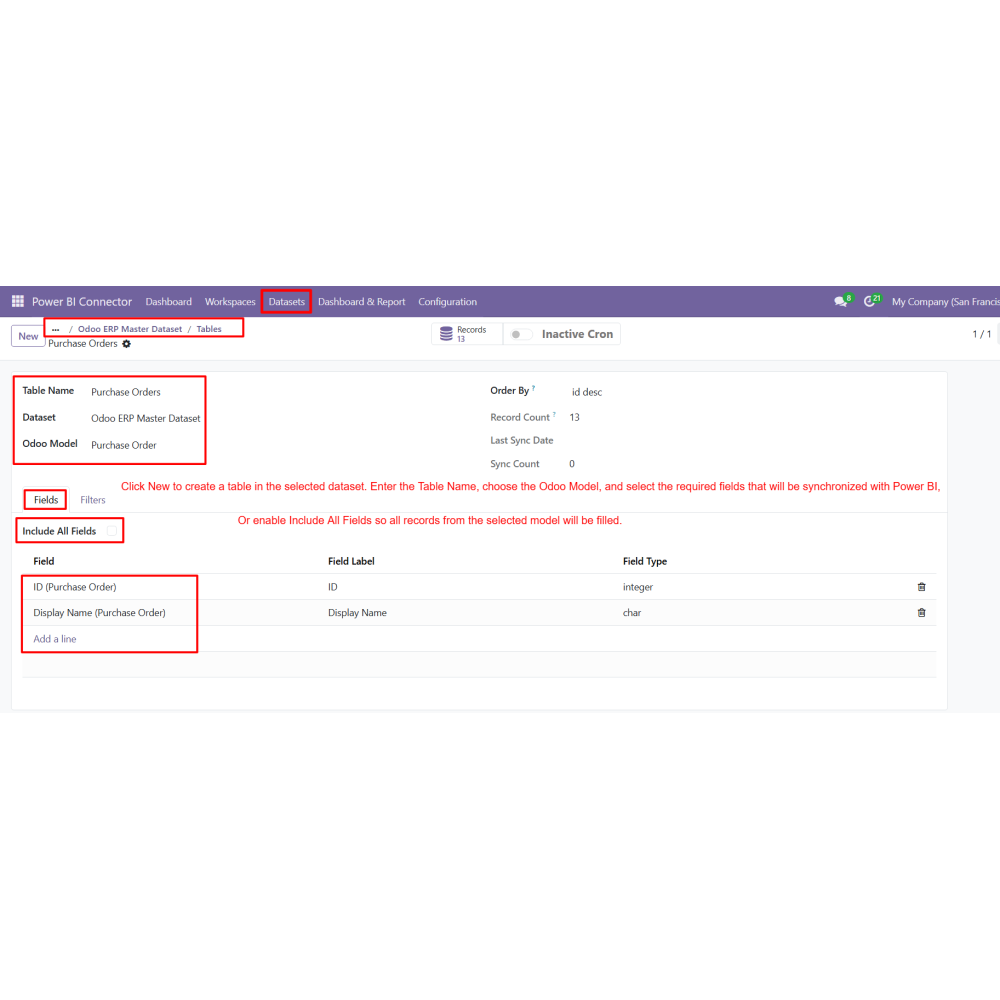
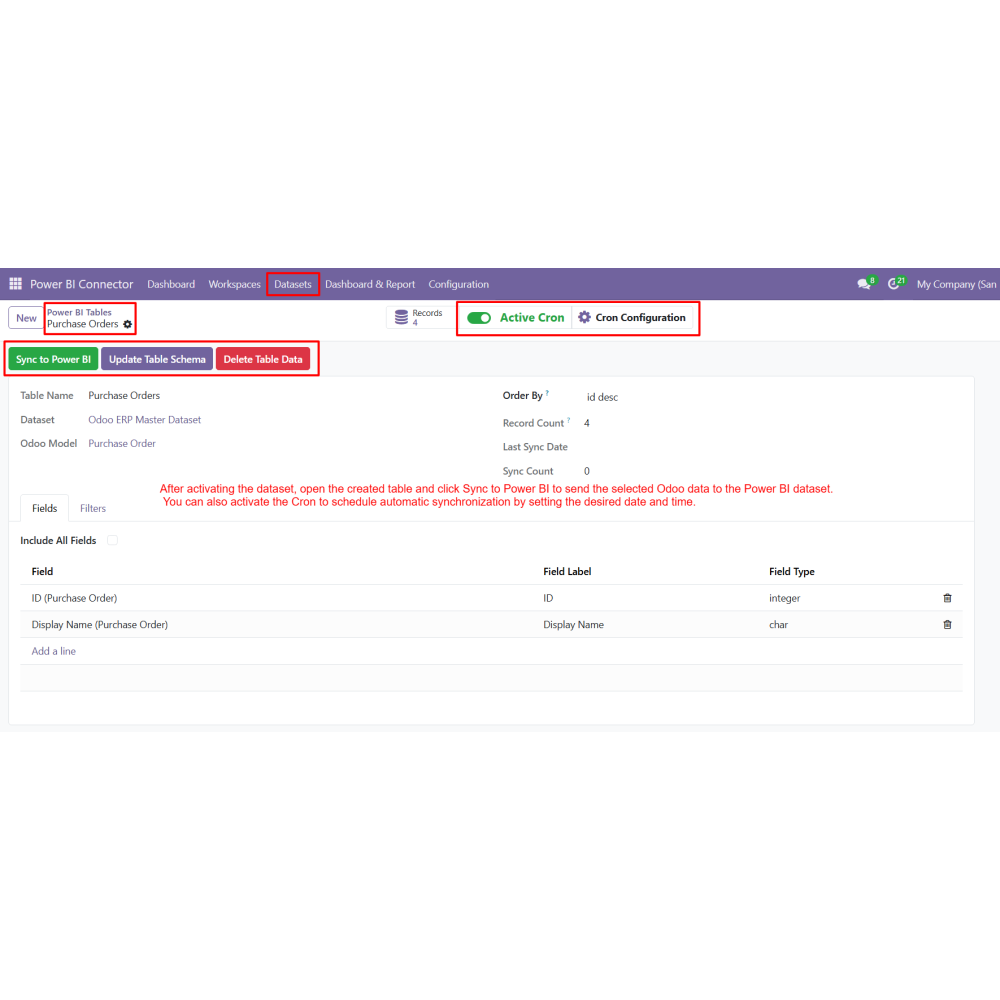
- Open the dataset and create tables by selecting Odoo models.
- Choose required fields or enable Include All Fields.
- Apply domain filters and enable incremental sync if required.
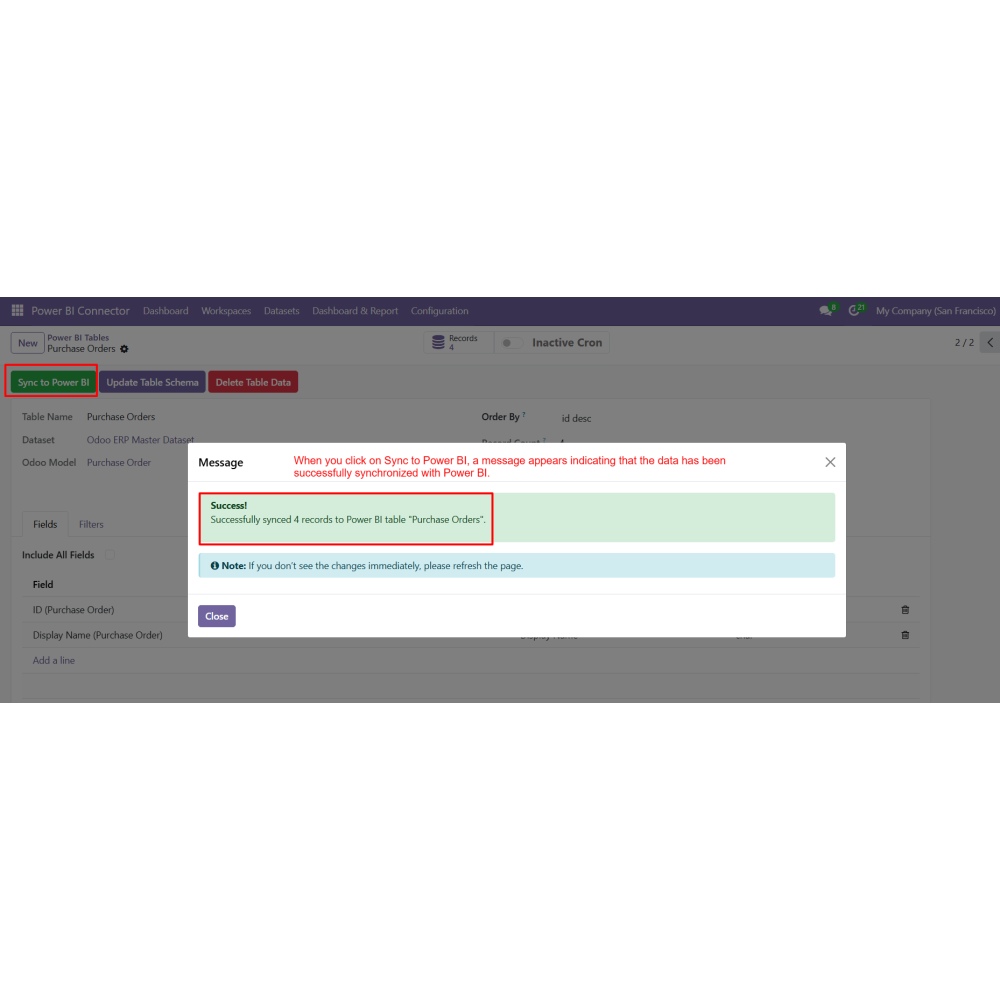
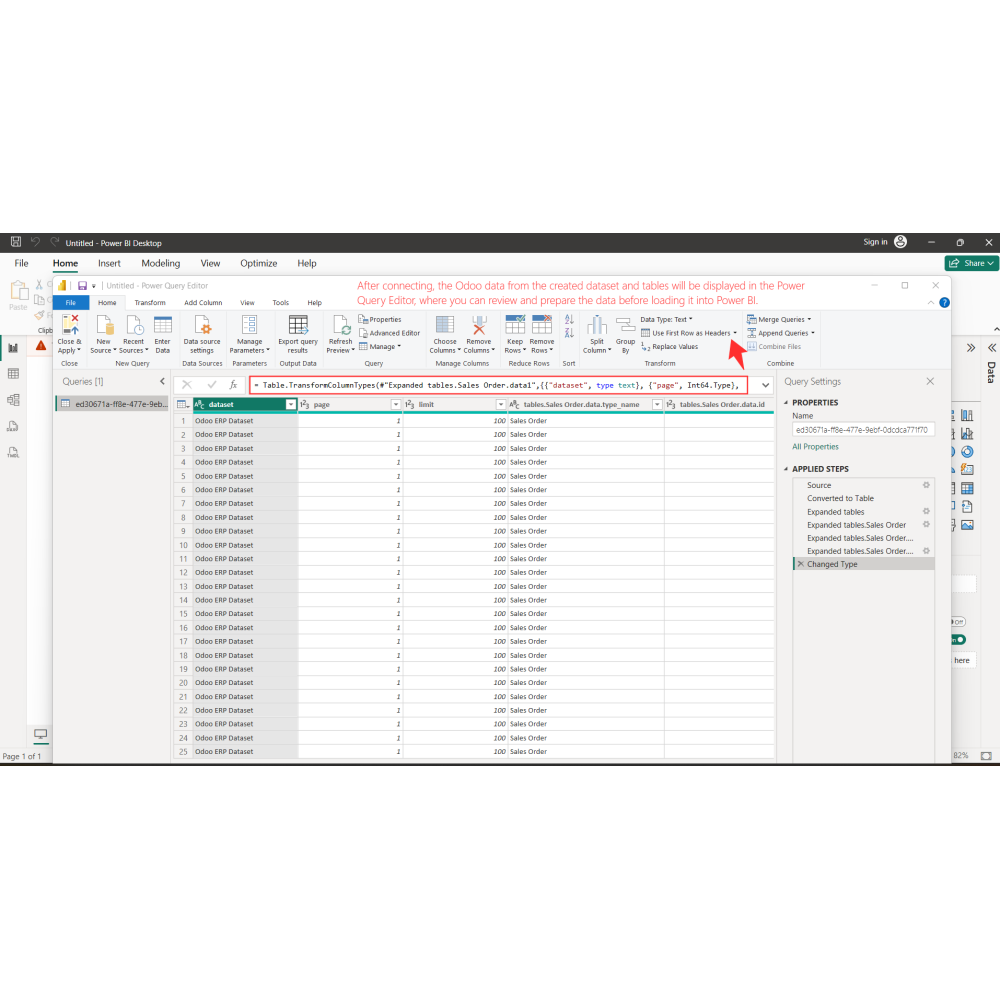
- Click Sync to Power BI to export Odoo data.
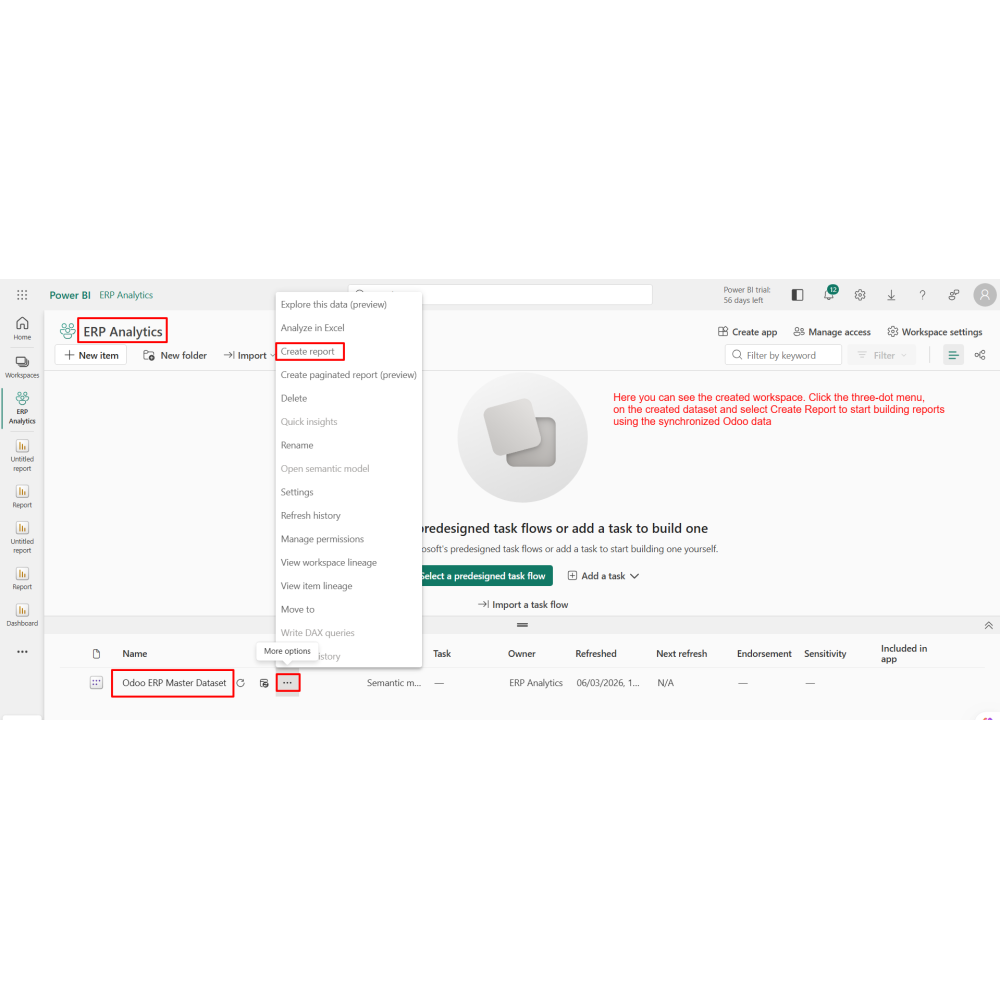
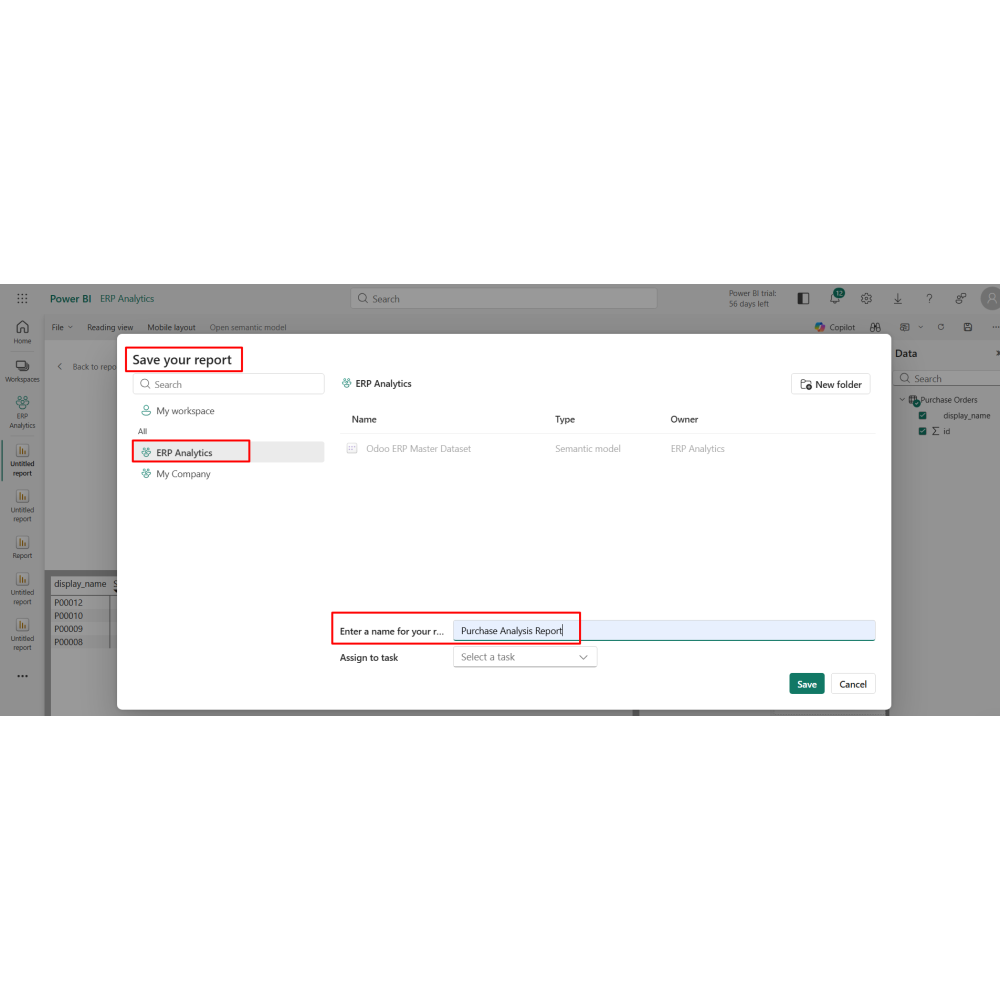
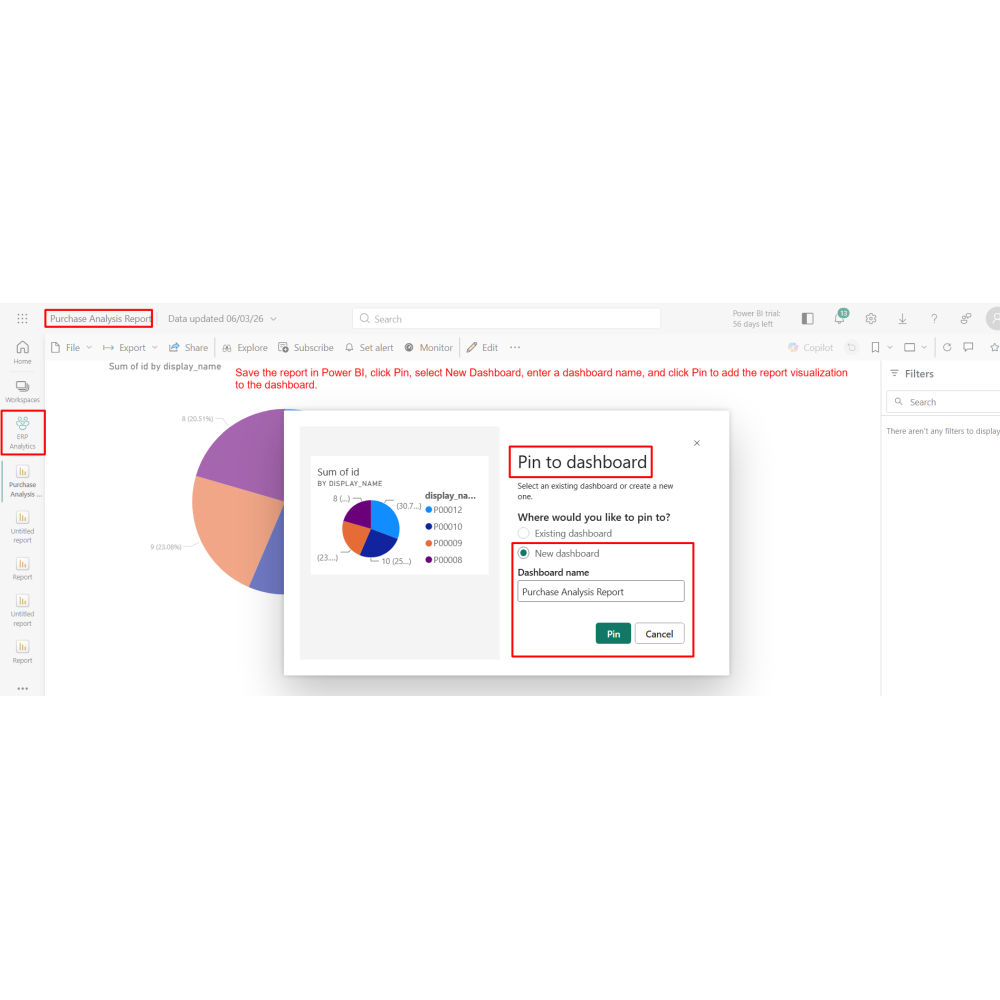
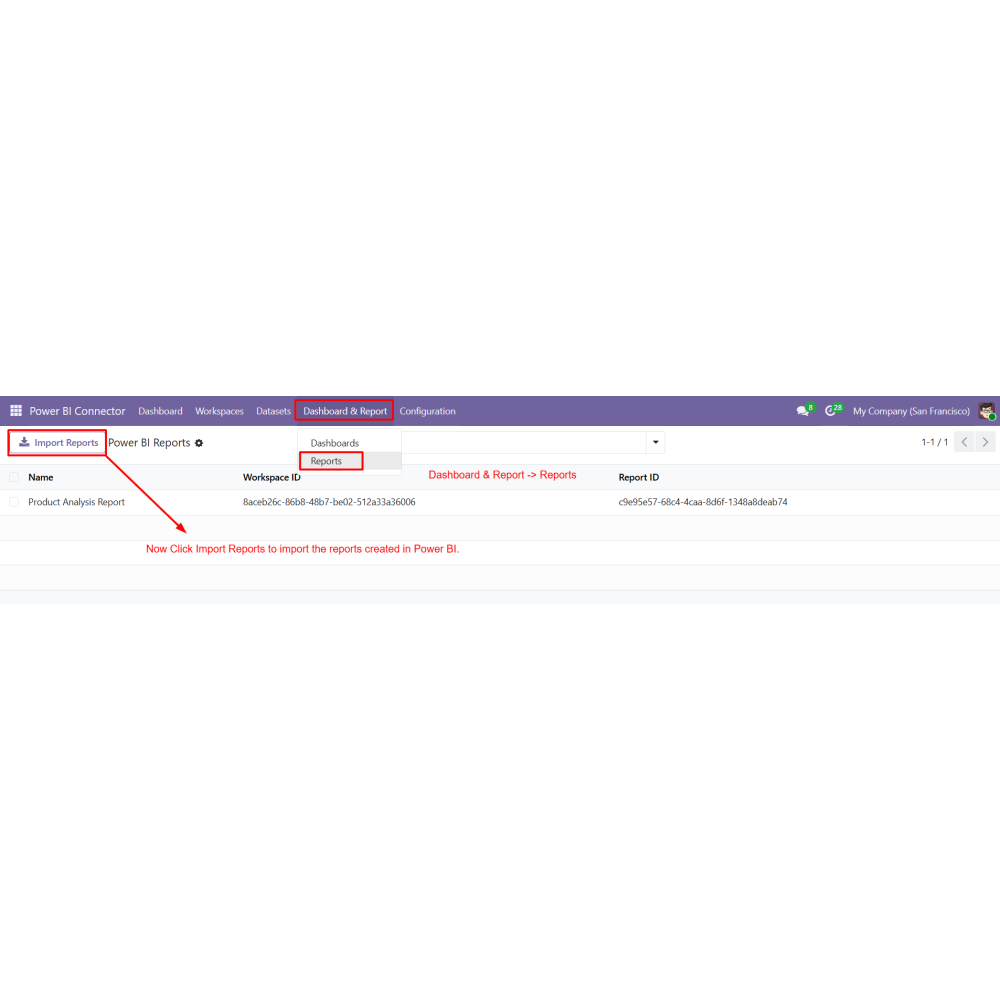
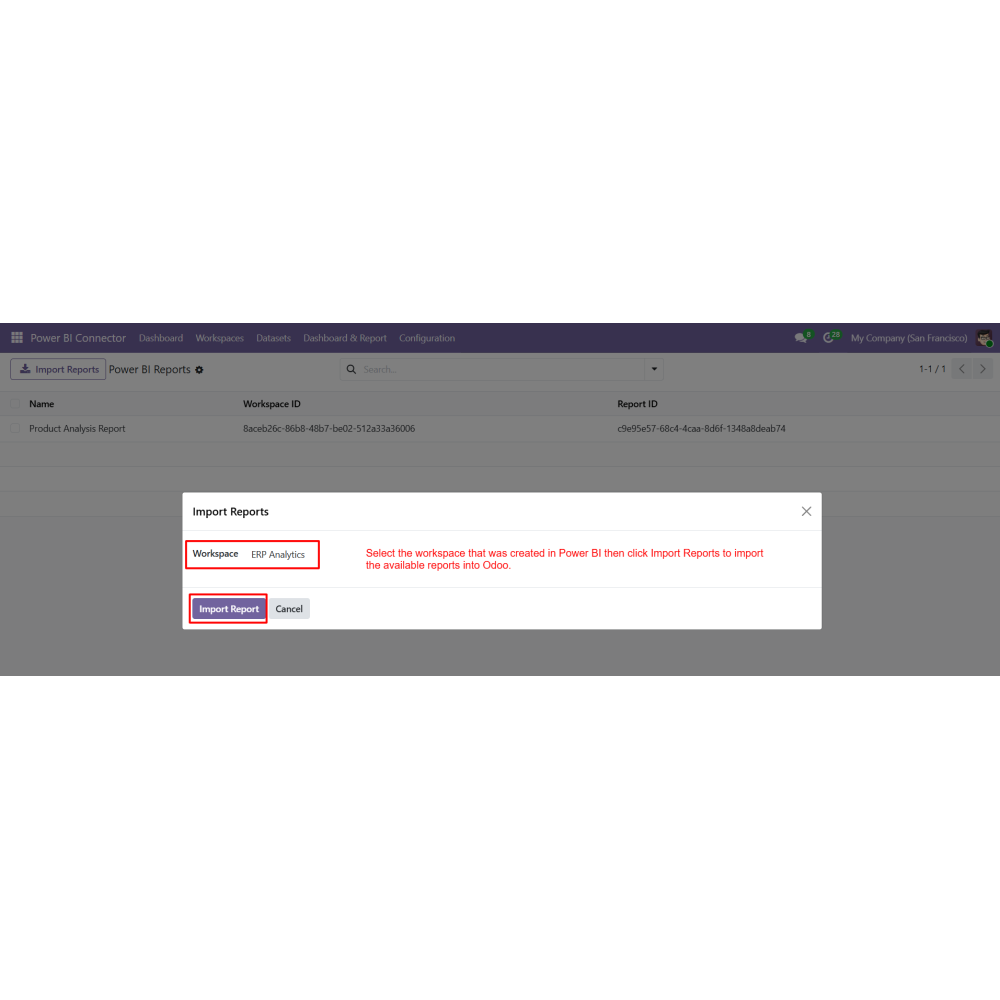
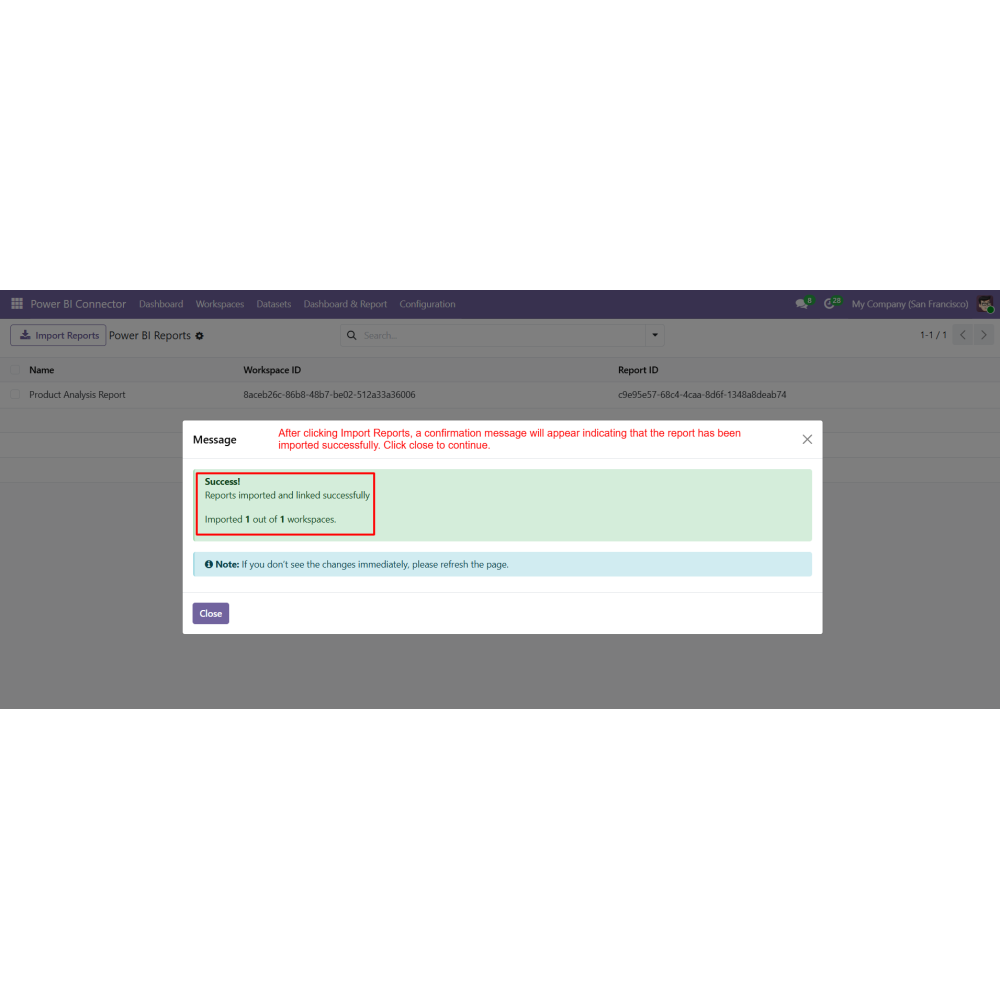
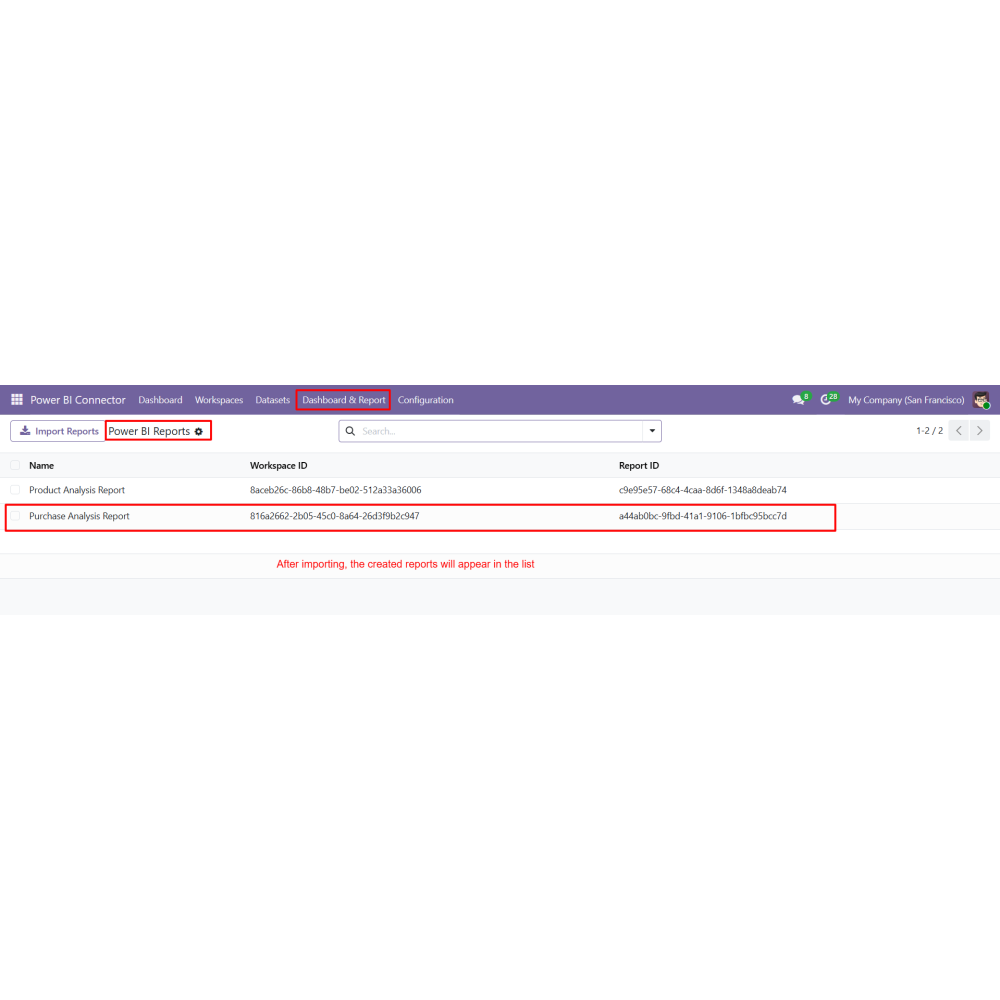
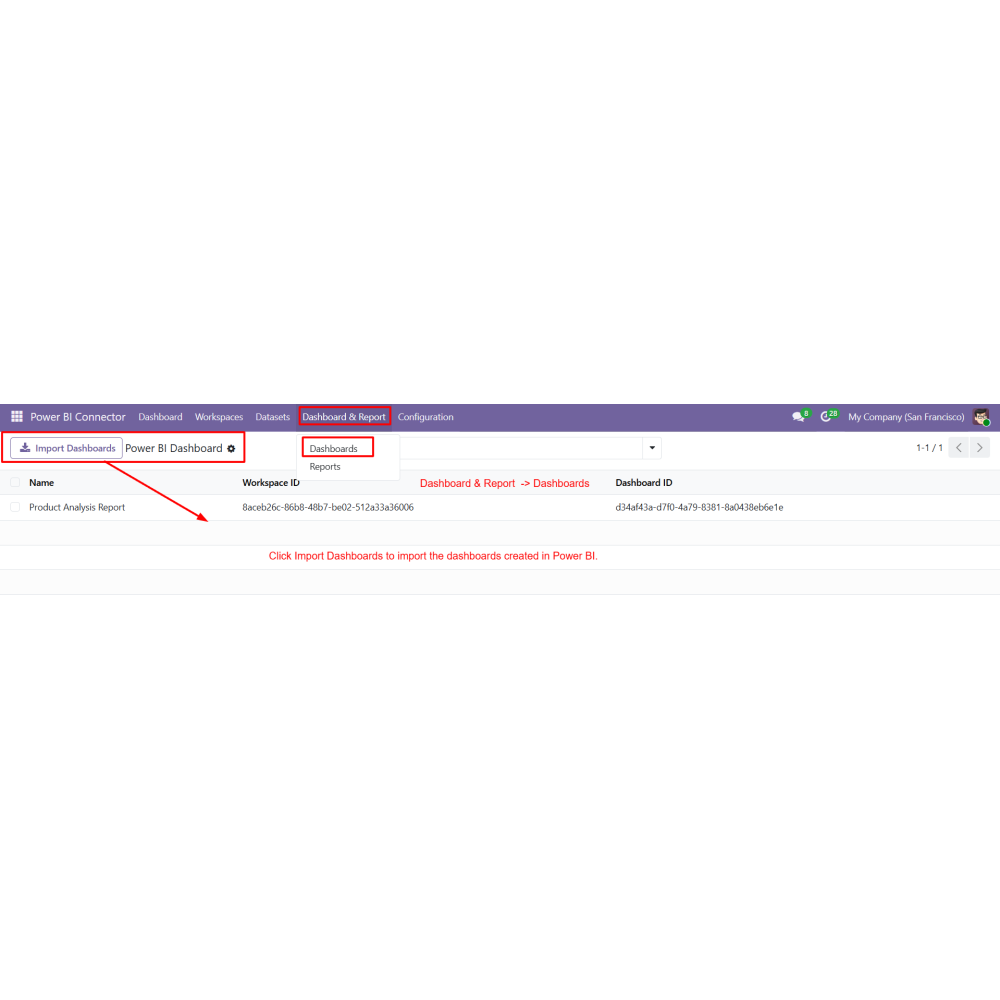
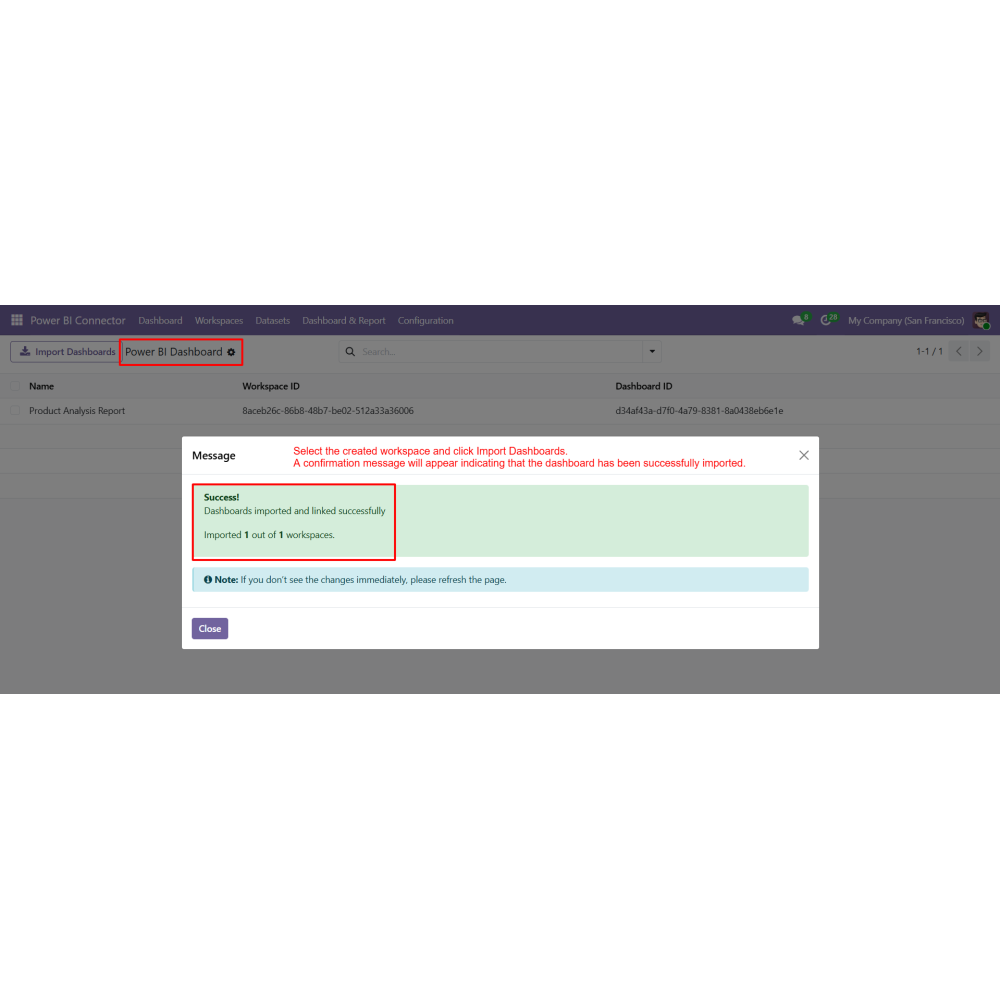
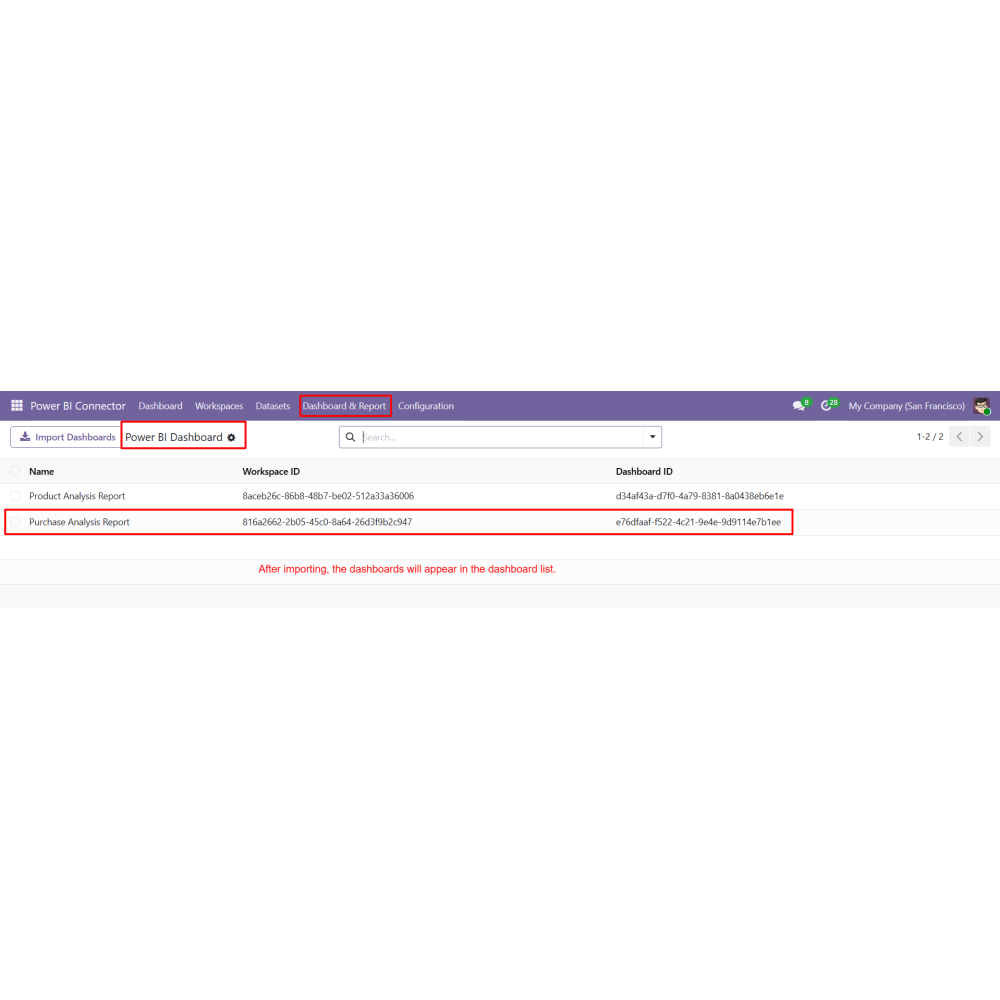
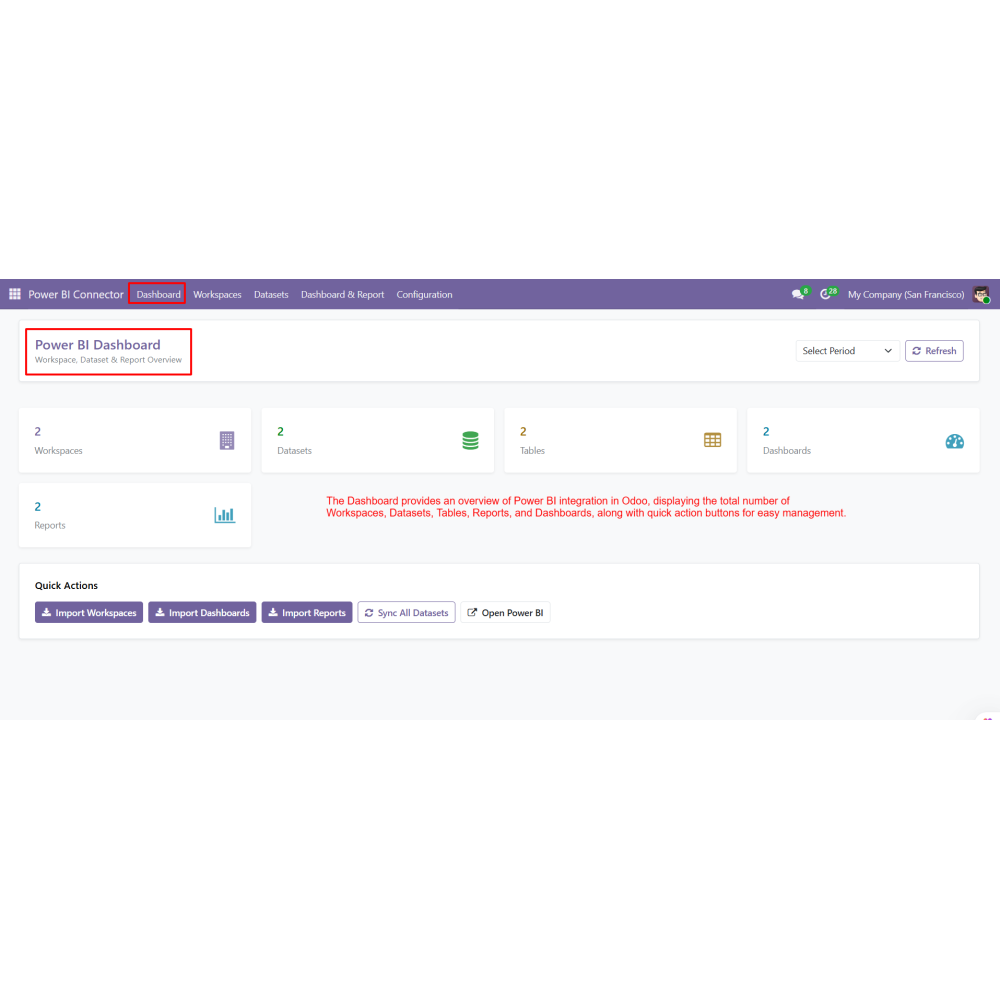
- Import the created Power BI reports and dashboards into Odoo.
What does this module do?
Can I sync Odoo data to Power BI?
Does it support real-time data updates?
Can I filter which data is sent to Power BI?
Can I import Power BI reports into Odoo?
Does it support Power BI Desktop?
Is coding required to use this module?
What type of analysis can be performed?
Customer reviews
Benefits Of Power BI Integration

Advanced Business Analytics

Real-Time Data Visualization

Seamless Odoo and Power BI Integration

Automated Data Synchronization

Better Business Decision Making
.png)
Centralized Analytics Inside Odoo
Features of Power BI Integration
Workspace Management from Odoo
Create and manage Power BI workspaces directly from Odoo.
Secure Power BI Authentication
Configure credentials to securely connect Odoo with Power BI.
Dataset & Table Configuration
Create datasets and define tables using Odoo models and fields.
Incremental & Scheduled Sync
Enable incremental updates and automate synchronization with cron.
Report & Dashboard Integration
Import Power BI reports and dashboards into Odoo for direct access.
Flexible Field Selection & Filters
Select required fields and apply domain filters for controlled data export.
Power Up Your
Store — We Handle It All