

Odoo Split Product Case - Inventory Manager
The Linked Case Product Tracker is designed to facilitate the efficient management of products categorized in case, bundle, and single formats. This app allows users to create and manage products while establishing relationships between different product types. This app is designed to offer flexibility in inventory management by allowing customers to purchase a product in any quantity they desire while maintaining accurate inventory records.
Odoo Split Product Case - Inventory Manager
The Linked Case Product Tracker is designed to facilitate the efficient management of products categorized in case, bundle, and single formats. This app allows users to create and manage products while establishing relationships between different product types. This app is designed to offer flexibility in inventory management by allowing customers to purchase a product in any quantity they desire while maintaining accurate inventory records.
10-day module exchange guarantee
- The Split Product Case - Inventory Manager is designed to enhance stock management for products sold in cases, bundles, or single units.
- It allows admins to create and manage relationships between different product types, such as cases, bundles, and singles.
- You can define the number of units per case and set total prices to determine prices for each product type automatically.
- The system dynamically adjusts inventory levels as products are sold, whether full cases, bundles, or individual units, maintaining accurate stock counts.
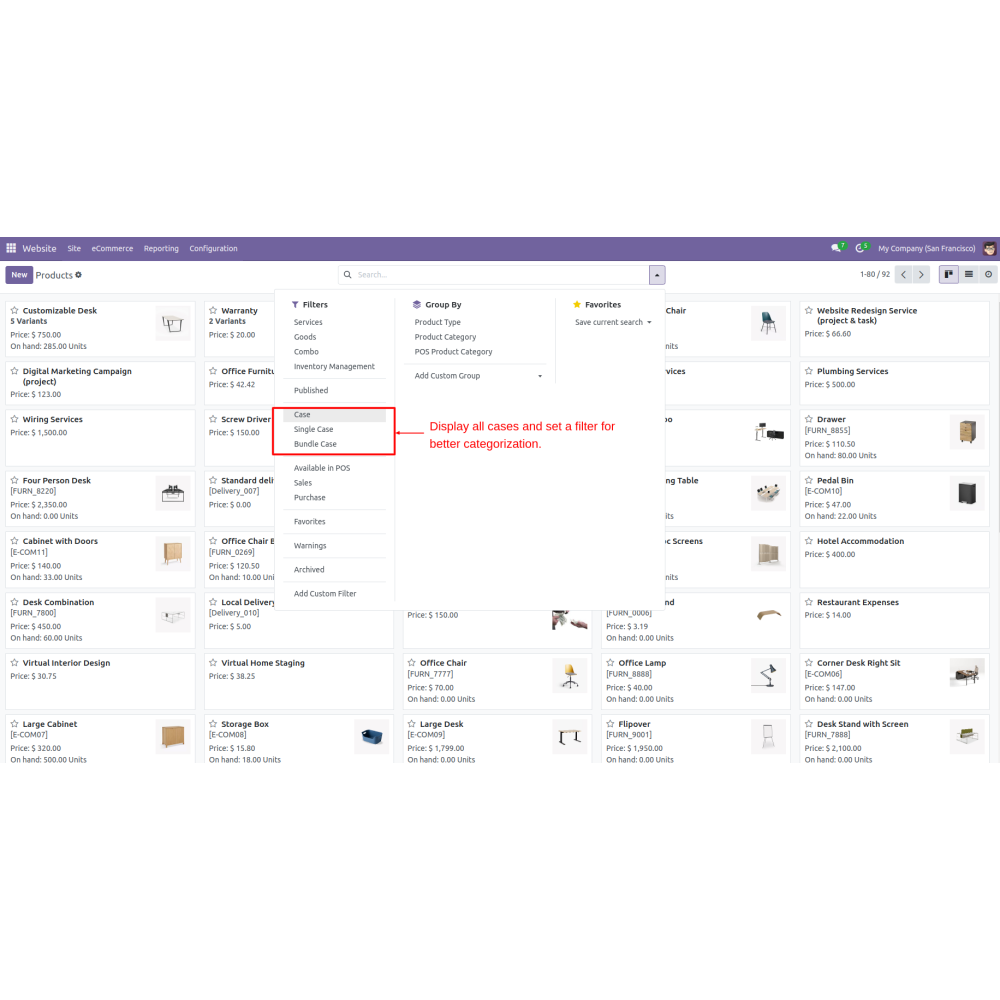
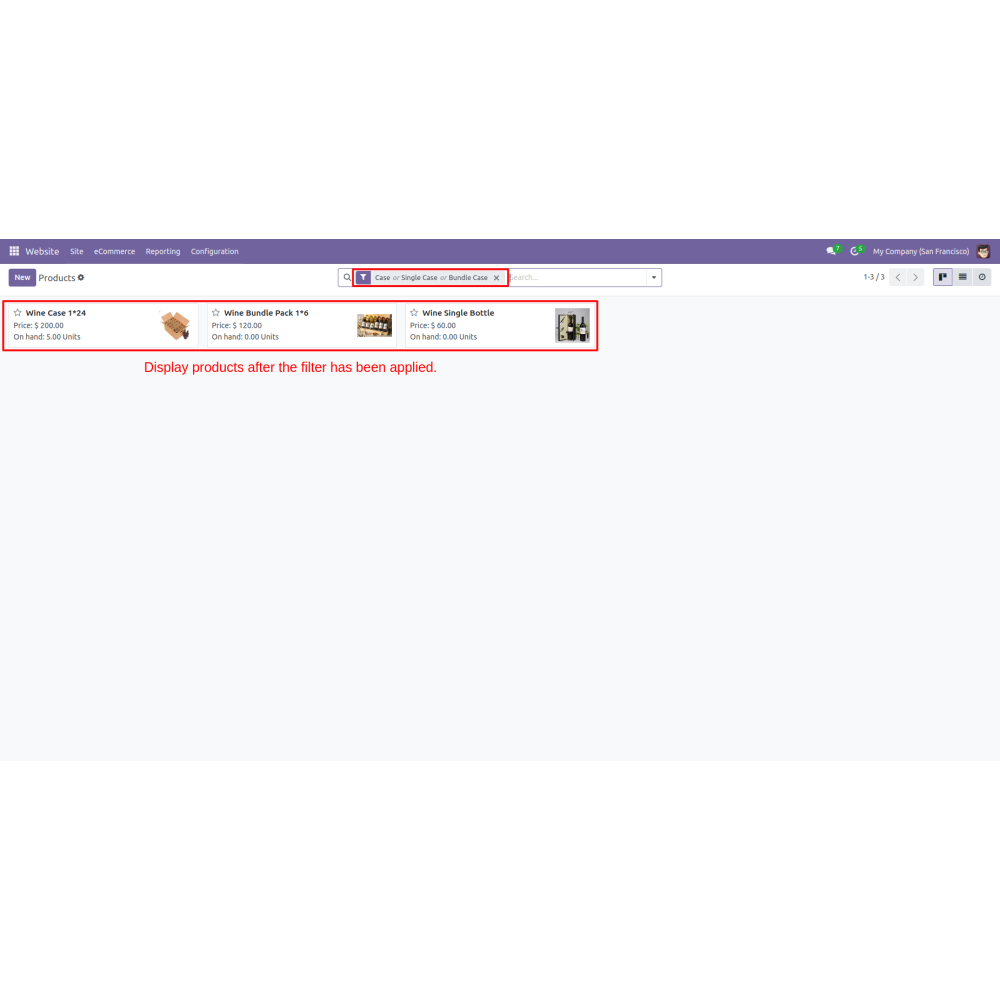
- Admins can filter and track products efficiently using customizable filters.
- The app supports seamless sales operations by updating stock levels in real time, making inventory management flexible, accurate, and easier to handle.
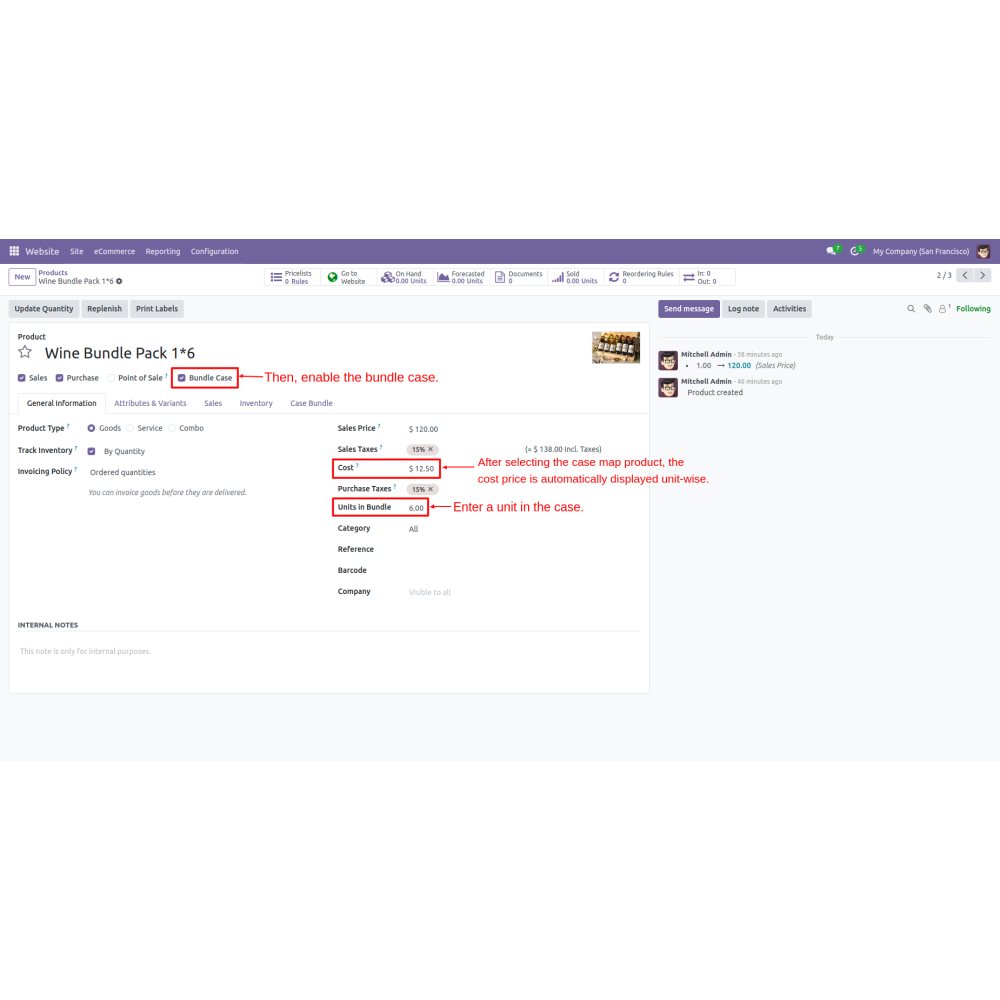
- Admins can enter the number of units in a case and the total price, allowing for precise pricing strategies. This setup facilitates the automatic calculation of bundle and single-item pricing based on the master case price.
- Product bundles and single products can be marked and linked to their parent case. This ensures accurate inventory tracking and real-time adjustments based on customer orders.
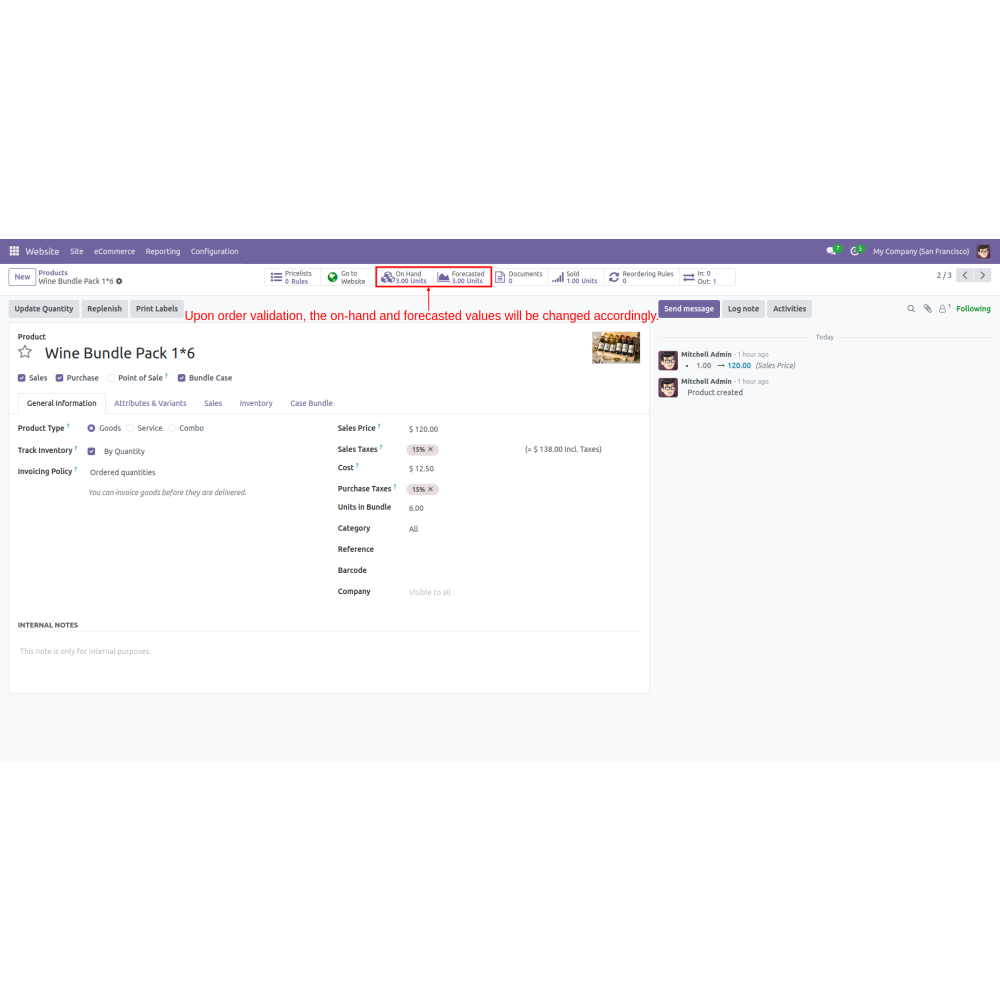
- Inventory levels adjust dynamically as bundles or single units are ordered. When a bundle of 6 is ordered, the system converts a master case into smaller bundles, maintaining efficient stock levels.
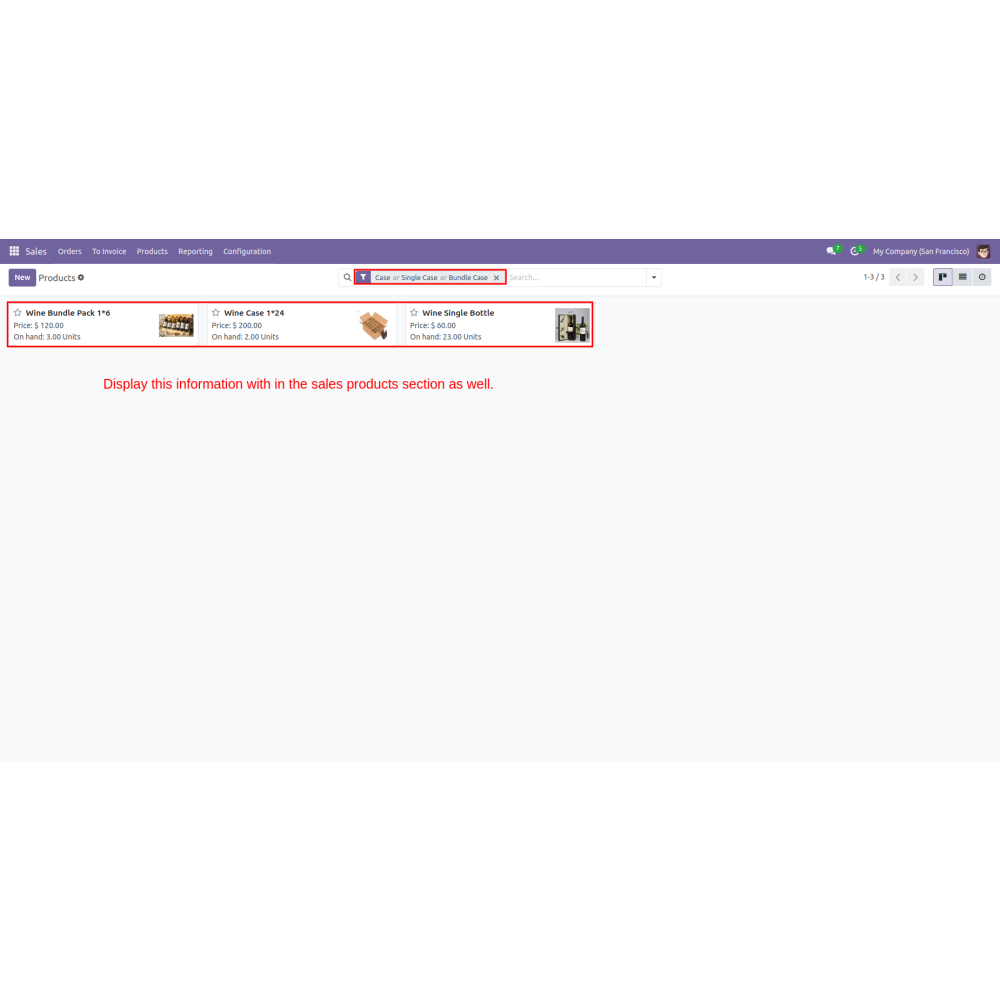
- Admins can use added filters in the product list to easily sort and track different configurations of cases, bundles, and single units.
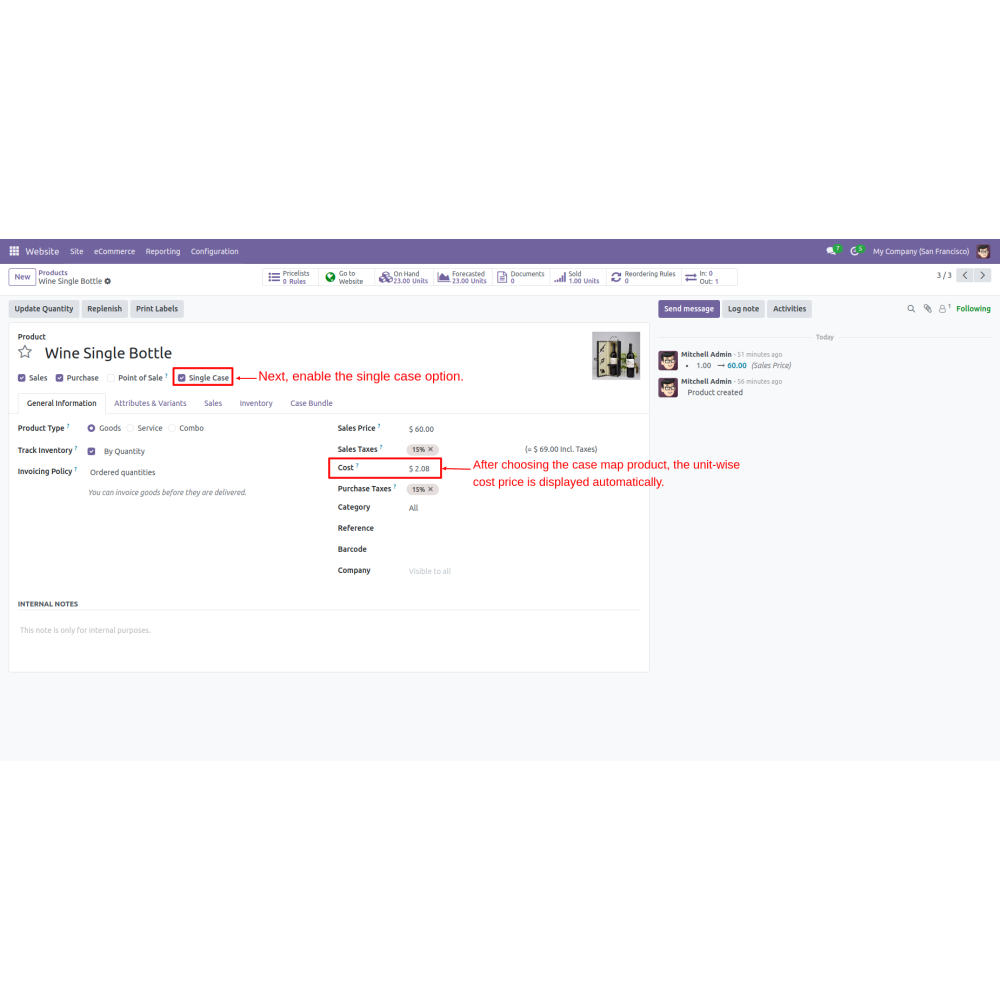
- The app automatically calculates the cost of smaller bundles or single units based on the master case price, streamlining pricing and sales operations.
- As various quantities are sold, the inventory updates reflect accurate stock levels for cases, bundles, and individual units, ensuring precise inventory management.
- Imagine a scenario where a retailer receives a shipment of 10 cases of water bottles. Each master case contains 24 bottles. The retailer wants to offer flexible purchasing options to customers: selling entire cases, bundles of 6 bottles, or single bottles
- Here's how the app can help:
- Inventory Setup:- The admin enters the received inventory: 10 cases with 24 bottles each. The app calculates the total initial stock as 10 cases.
- Pricing Configuration:- The admin sets the total price for a master case at $240, meaning each bottle costs $10. The app then automatically calculates the price for a bundle of 6 bottles at $60.
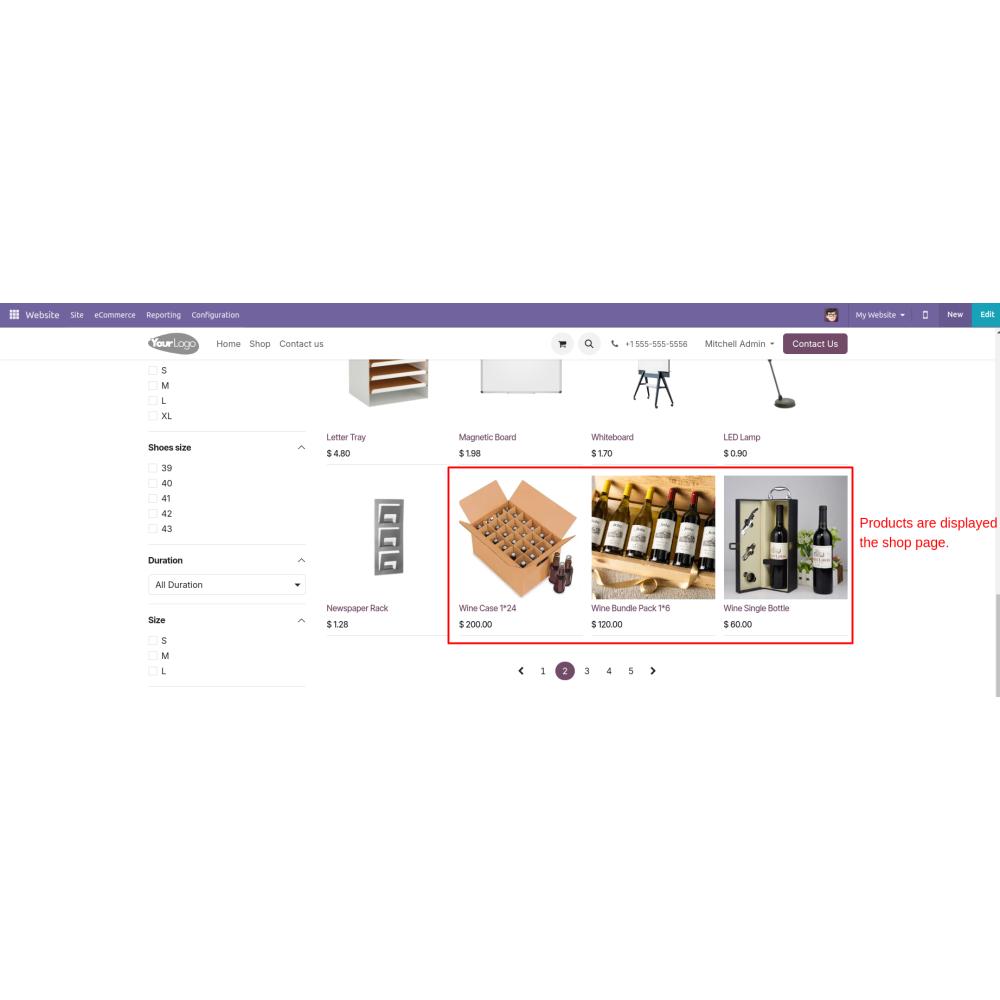
- Product Offering:- Customers visiting the online store can choose to buy:
1. A full case of 24 bottles for $240
2. A bundle of 6 bottles for $60
3. A single bottle for $10
- Dynamic Inventory Management:-
1. If a customer orders a bundle of 6, the system automatically deducts one master case from the inventory and adds 4 bundles of 6 (since 24/6 = 4).
2. If a customer orders a single bottle, the app decreases one master case from the inventory and adds 24 single bottles to the stock.
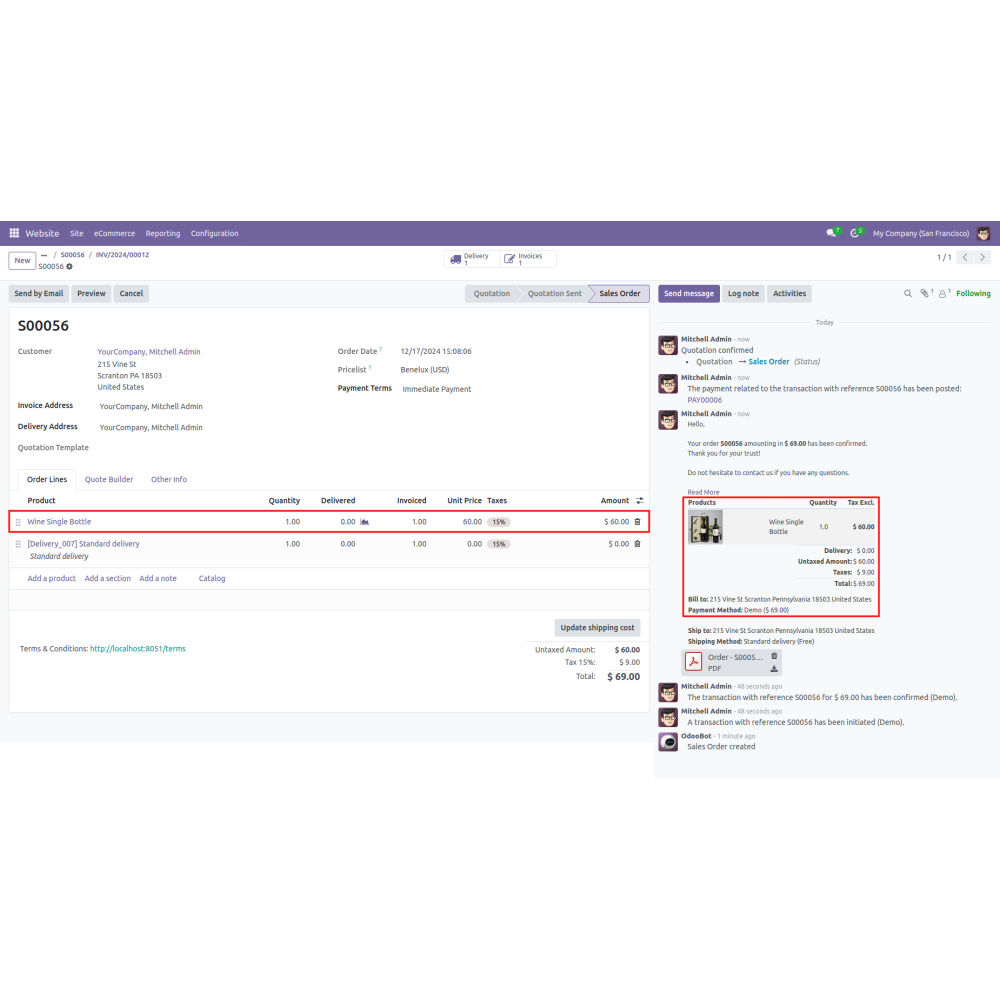
- Sales Example:- A customer buys 1 master case, 1 bundle of 6, and 1 single bottle:
1. Inventory decreases by 1 case, leaving 7 cases. (2 master cases opened to create a bundle of 6 and a single bottle product)
2. Bundles of 6 are shown as 3 remaining (4 initially, minus 1 sold).
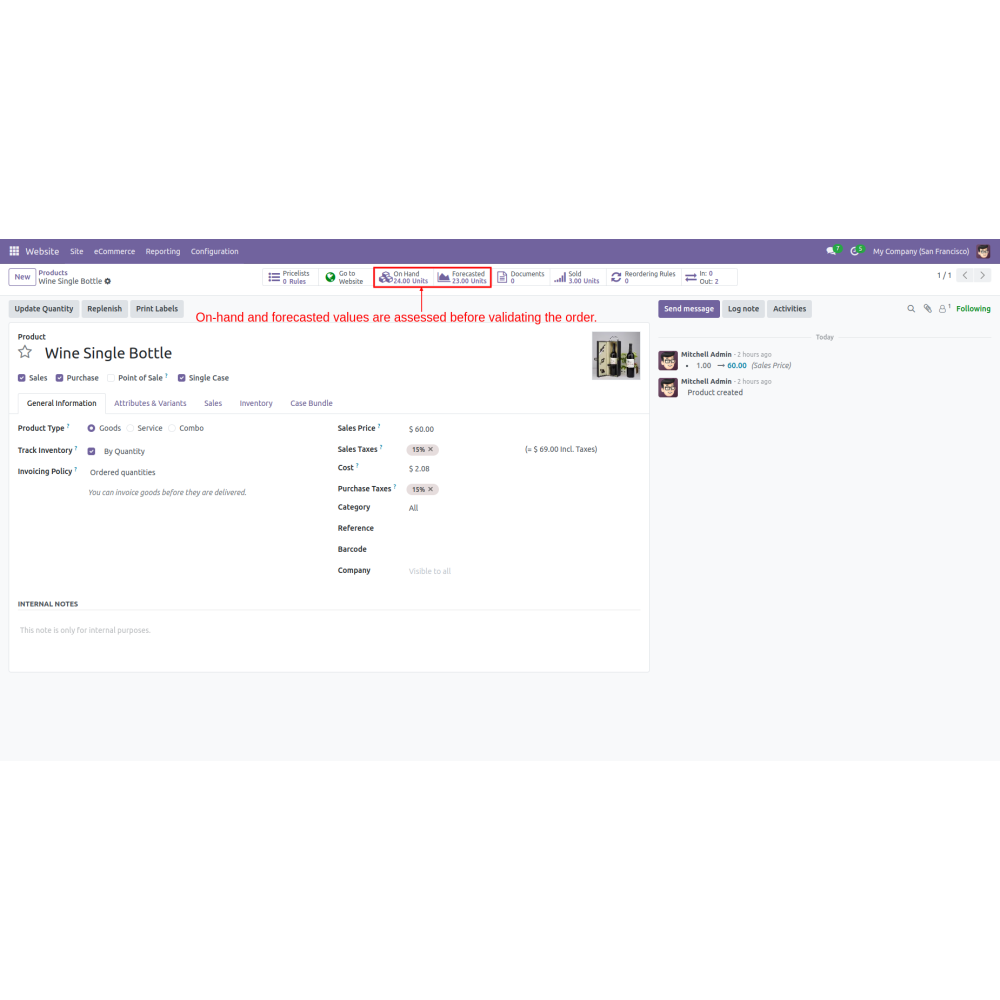
3. Single bottles are shown as 23 remaining (24 initially, minus 1 sold).
- Eases handling of case, bundle, and single products within inventory.
- Automatically updates costs based on product relationships and sales.
- Provides real-time updates on stock levels across all product types.
- Automatically manages order validations and approvals.
- Keeps comprehensive records of sales and product movements.
- Offers an intuitive experience for managing complex product configurations.
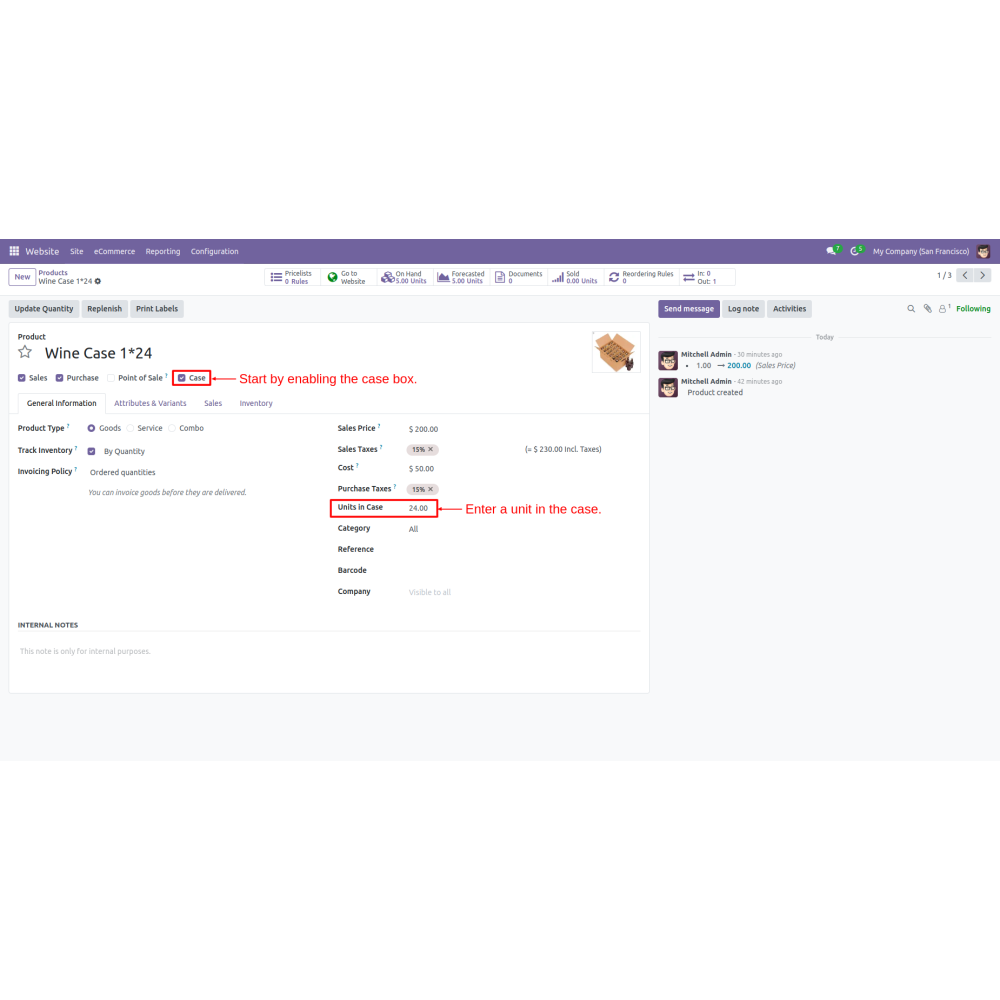
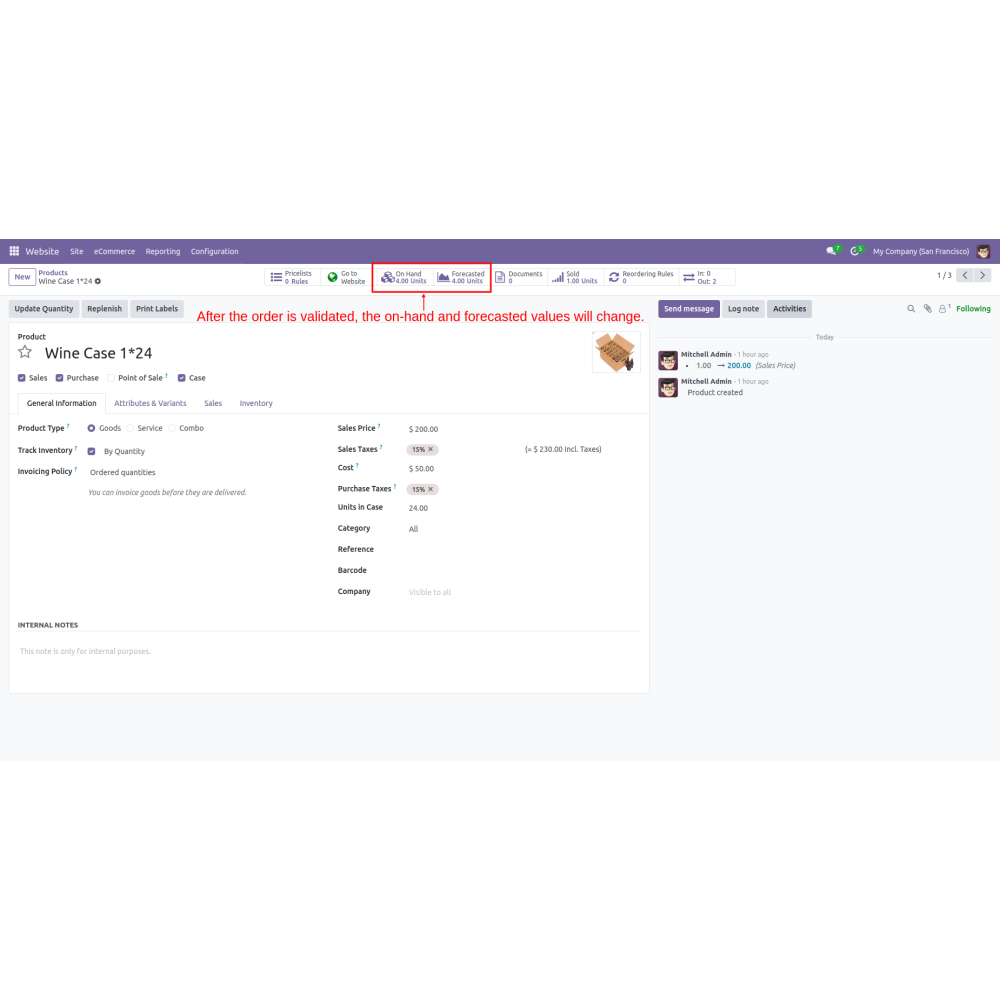
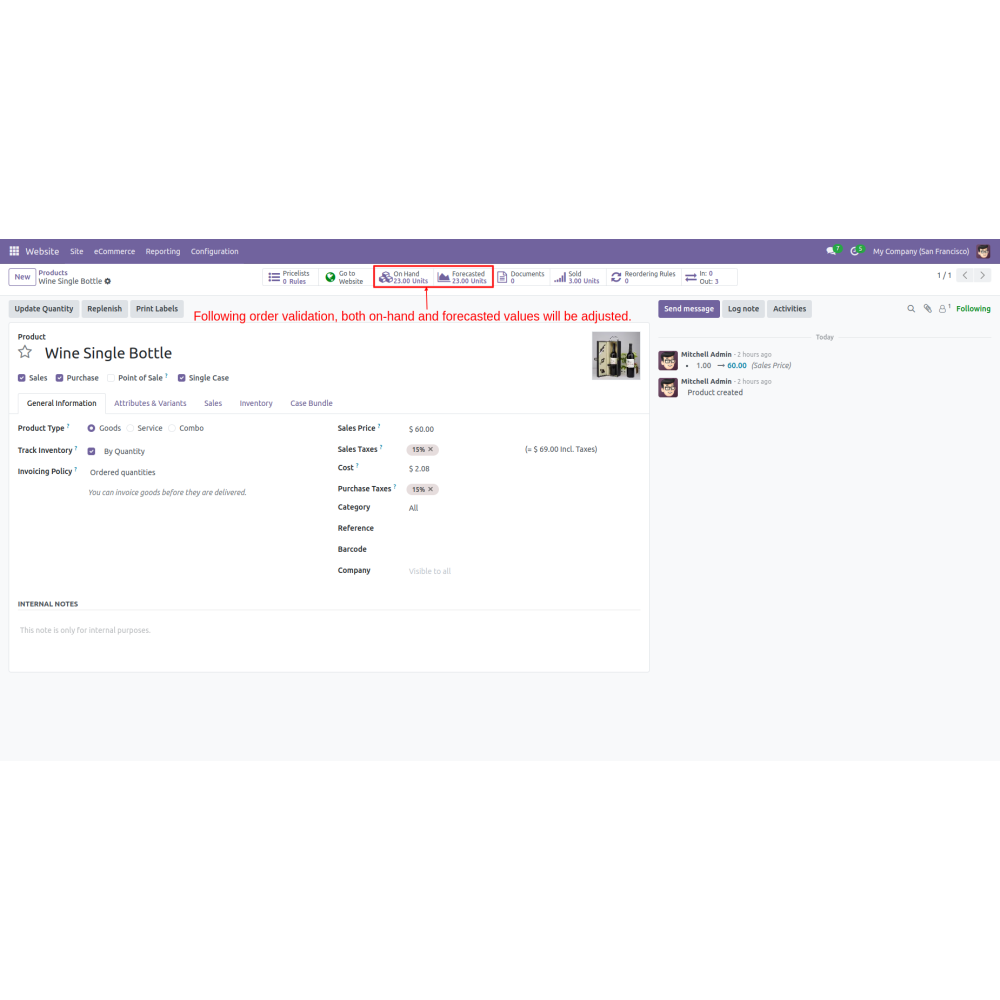
- Go to Website -> eCommerce -> Products. Create products, enable the case box, and enter the value for units in the case.
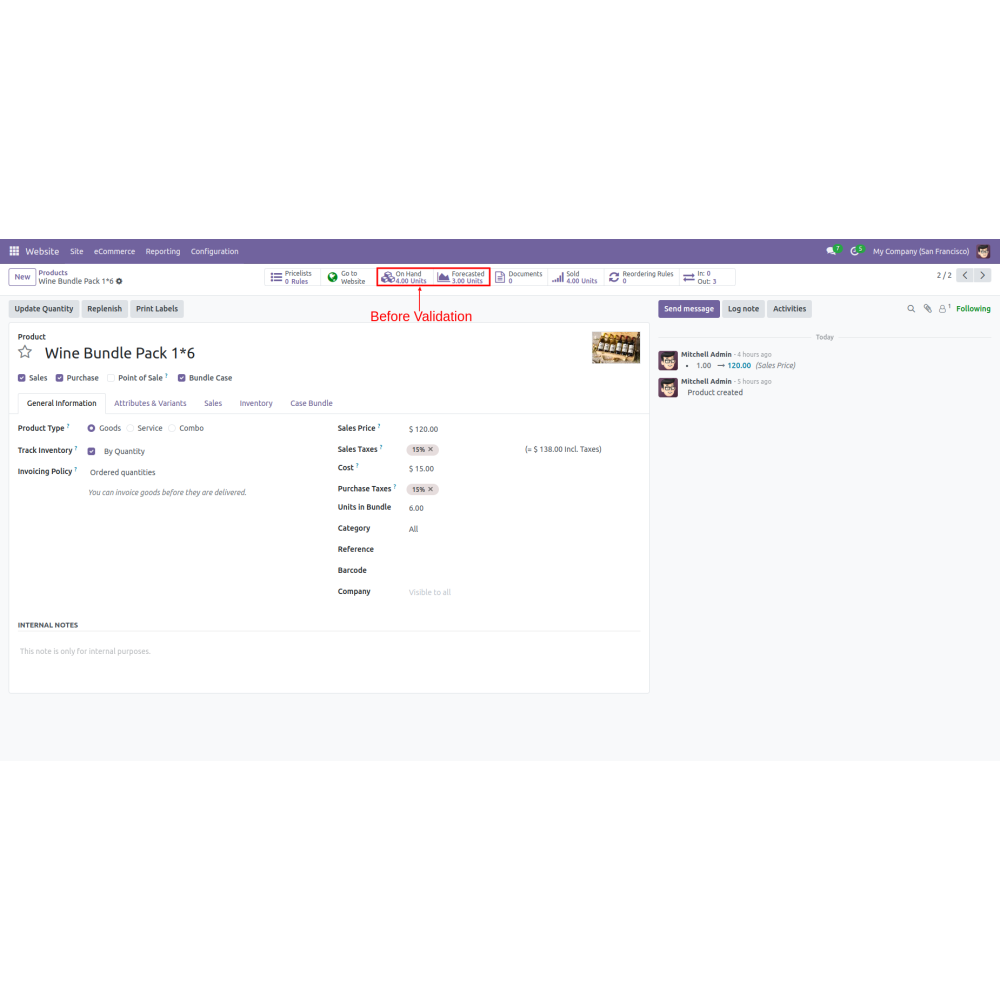
- Create another product, enable the bundle case, and enter the value for units.
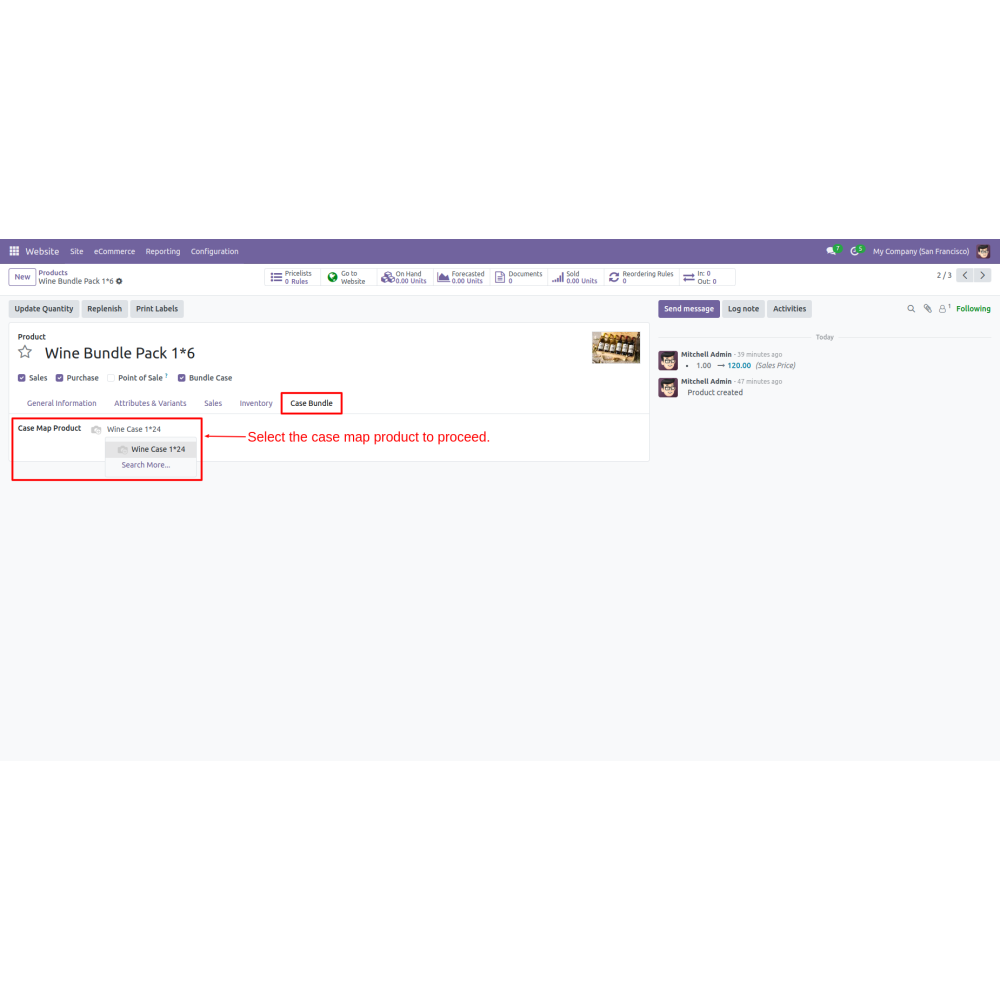
- Navigate to the case bundle tab and select case map products.
- Create a product, and next enable the single case. Go to the case bundle tab and select the case map product.
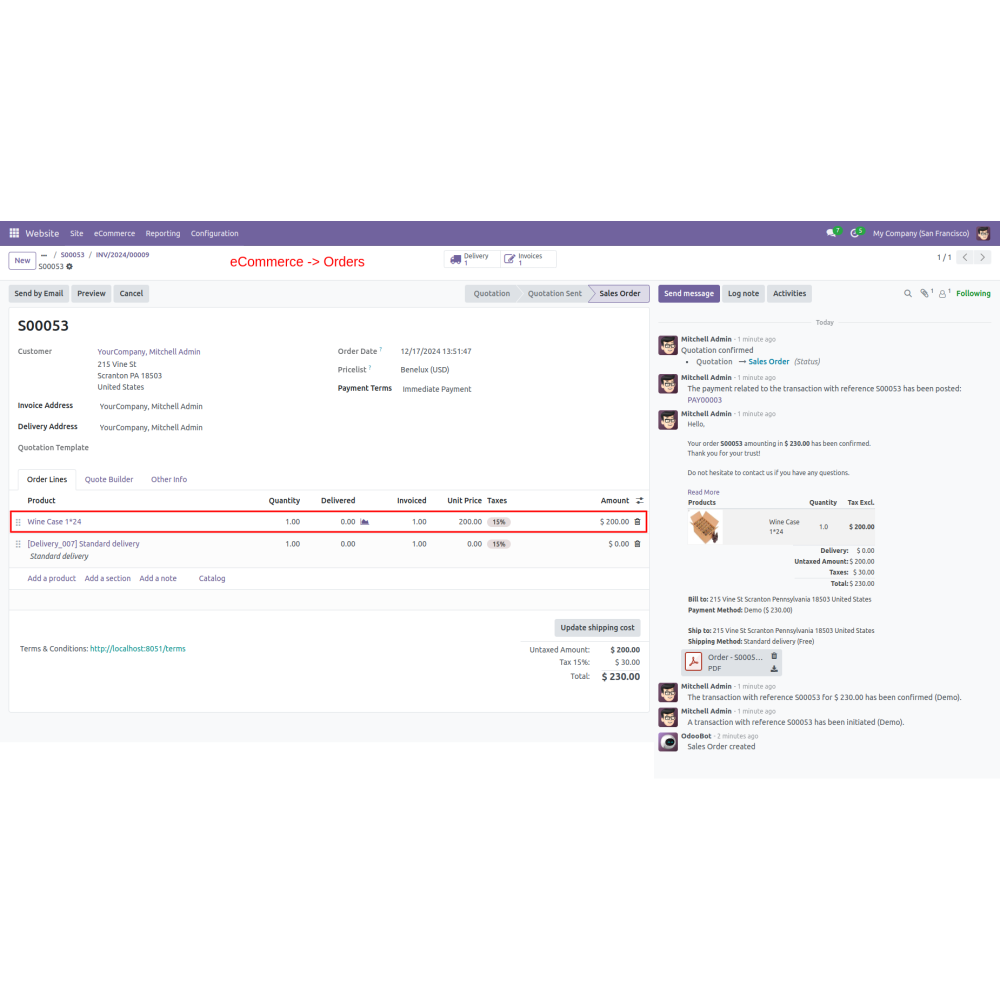
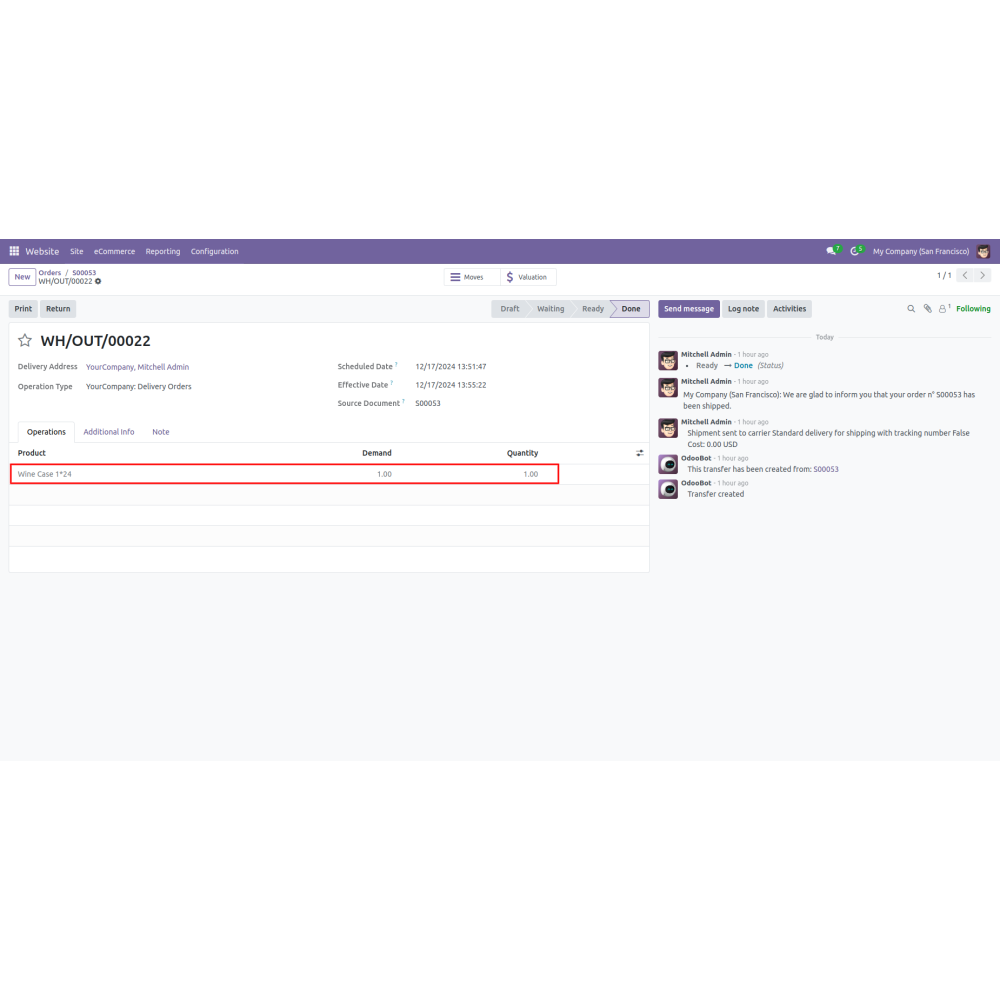
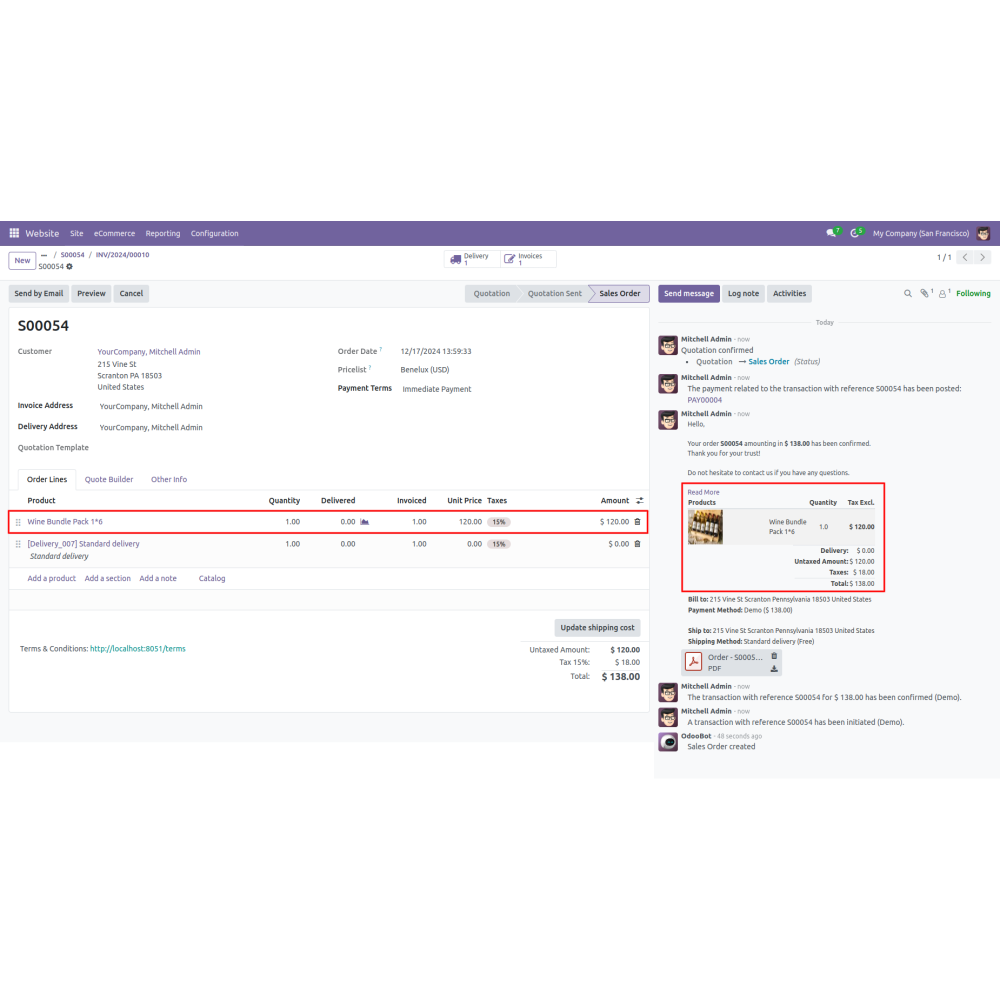
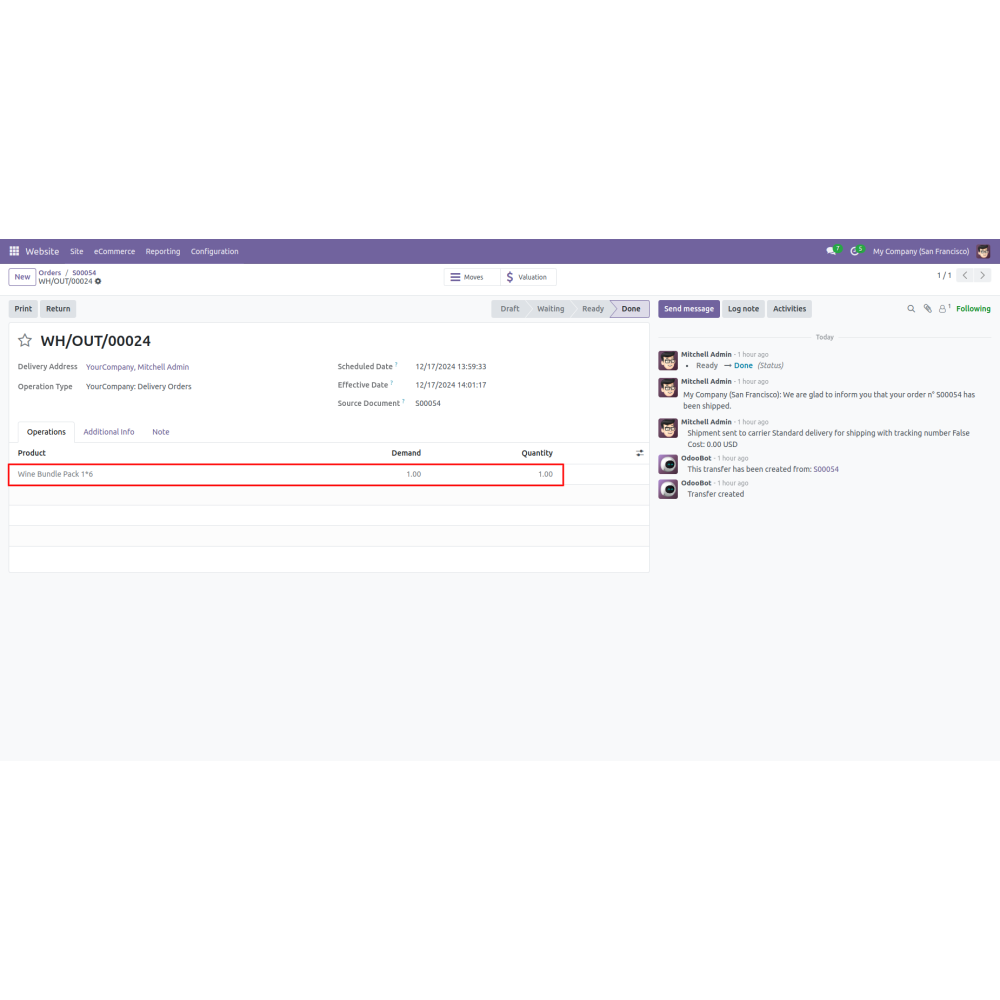
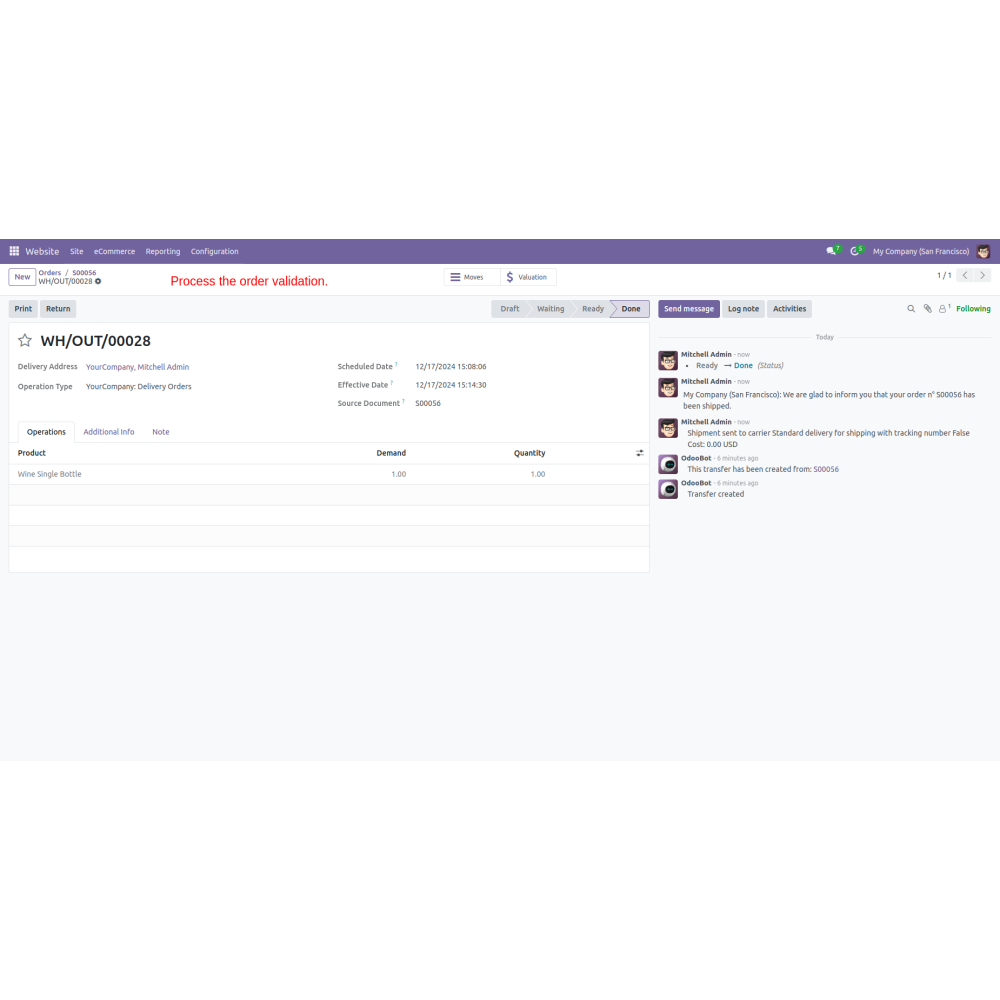
- After confirming the order, the on-hand and forecast values are automatically adjusted according to the case map product.
What is the purpose of the Split Product Case - Inventory Manager?
How does the bundle and case setup work?
How are products linked and tracked?
What happens during inventory adjustments?
How can admins filter products?
How are costs calculated?
What is the benefit of seamless sales operations?
What kind of support do you offer after module purchase?
Do your Odoo extensions support multi-language functionality?
What versions of Odoo are compatible with your extensions?
Customer reviews
Top reviews
Christopher Parker
John West
John West
Efficient management of case, bundle, and single products.

Simplified Product Management

Automatic Cost Adjustments

Real-Time Inventory Tracking

Enhanced Order Confirmation

Sales Order History Tracking

Streamlined User Experience
Automated Inventory Adjustment for Cases and Bundles
Precise Pricing Setup
Admins set unit counts and total prices for cases, enabling automatic pricing for bundles and singles.
Product Linking System
Bundles and single products are linked to parent cases, ensuring accurate and synchronized inventory tracking.
Dynamic Inventory Updates
Stock levels automatically adjust as bundles or single units are sold, maintaining optimal stock levels.
Custom Product Filters
Admins can filter and sort products by case, bundle, or single units for better inventory management.
Automated Cost Calculation
Costs for small or single items are automatically calculated based on the master case price.
Seamless Stock Management
Inventory levels update in real-time during sales, and precise stock control is maintained at all product levels.
Power Up Your
Store — We Handle It All