PrestaShop Restrict Payment Methods Pro - Hide Payment Provider

€34.30
€49.00
Save 30%

Hurry up

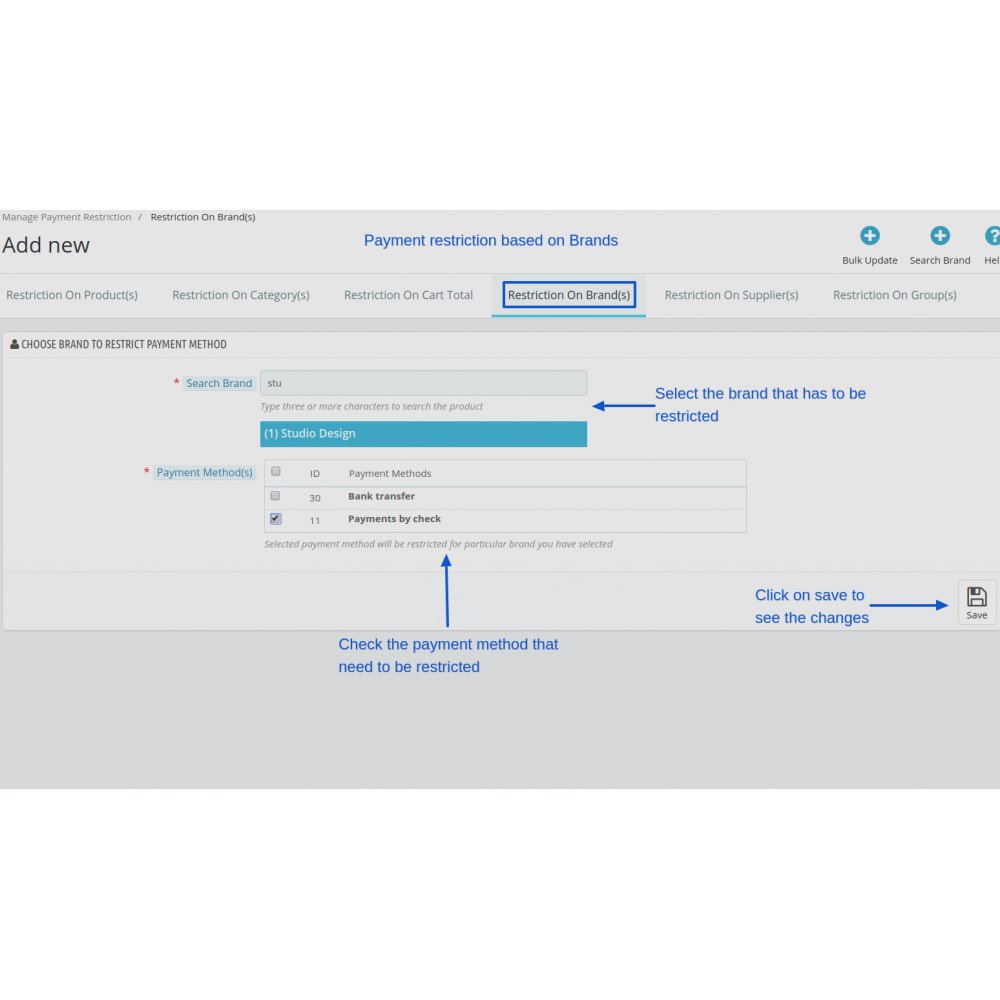
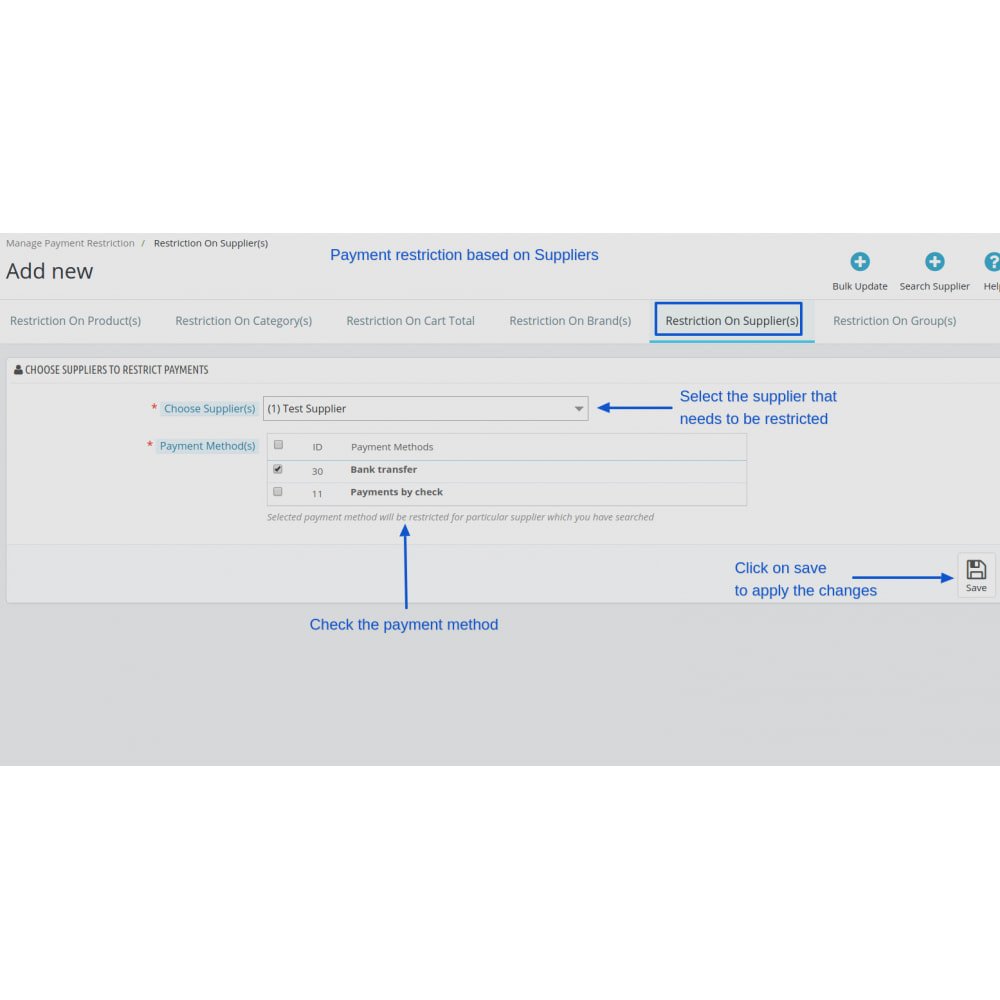
The Payment Restriction Module for PrestaShop enables merchants to customize payment options in their store, enhancing the shopping experience by offering tailored payment methods based on specific criteria such as products, categories, brands, and more.

Technical Support
Quantity
  Return policy

10-day module exchange guarantee

  • Customize which payment methods are available based on products, categories, brands, or suppliers.

  • Set payment method visibility according to customer groups and cart total ranges.

  • Streamline the checkout experience by hiding irrelevant payment options for certain conditions.

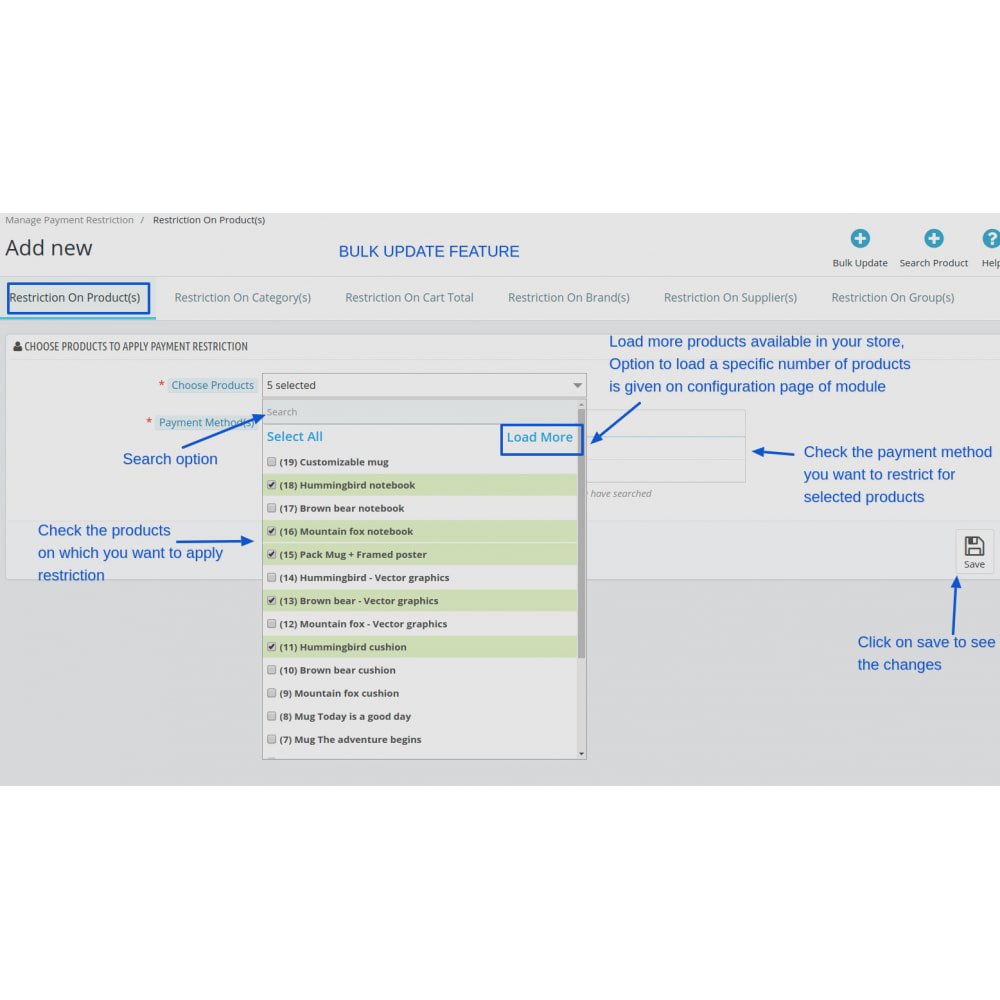
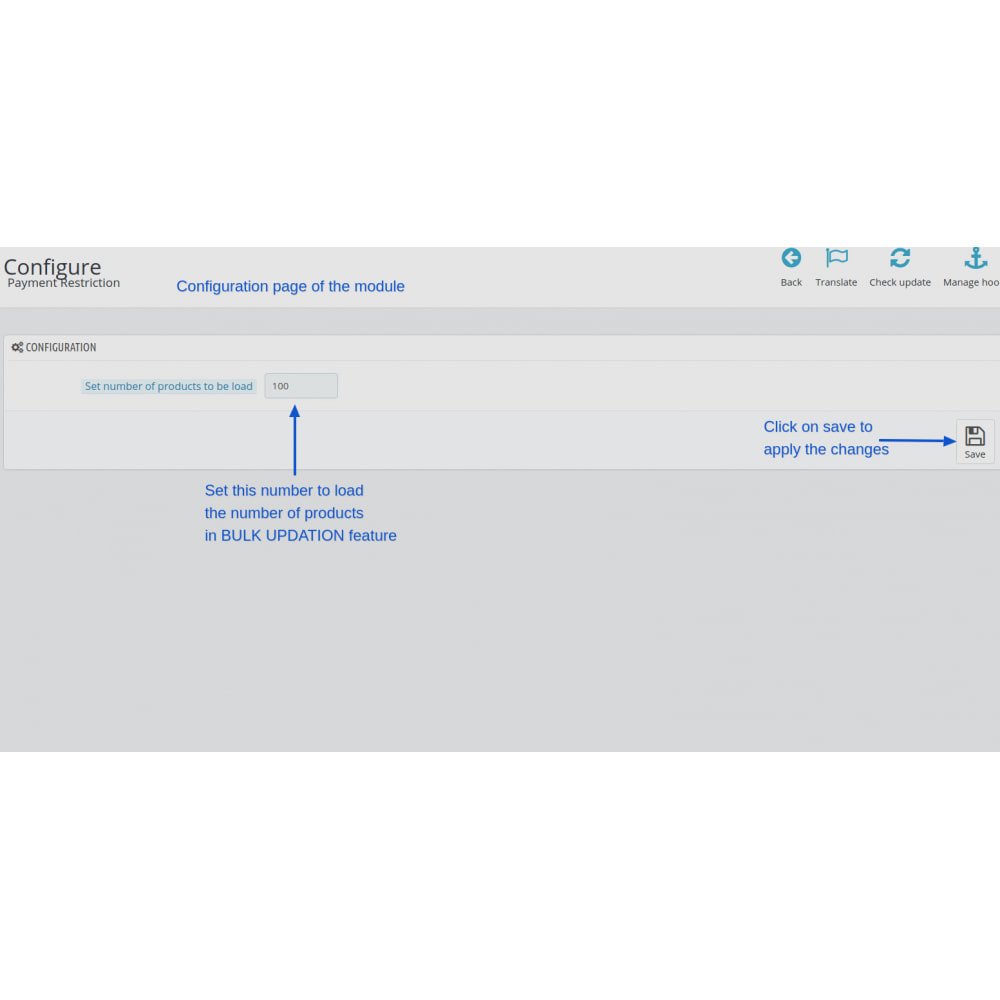
  • Easily apply restrictions in bulk across multiple products or categories to save time.

  • Define cart conditions with or without tax, shipping, or discounts for precise control.

  • Enhance checkout flow by showing only relevant payment providers to your customers.

  • Supports multi-shop setups and adapts settings per shop for flexible management.

  • Fully multilingual, making it suitable for international stores and diverse customers.

  • Helps reduce cart abandonment by offering a more intuitive and logical payment process.

  • Intuitive configuration interface that allows merchants to manage restrictions without technical knowledge.

  • Show or hide payment methods based on specific products selected in the cart.

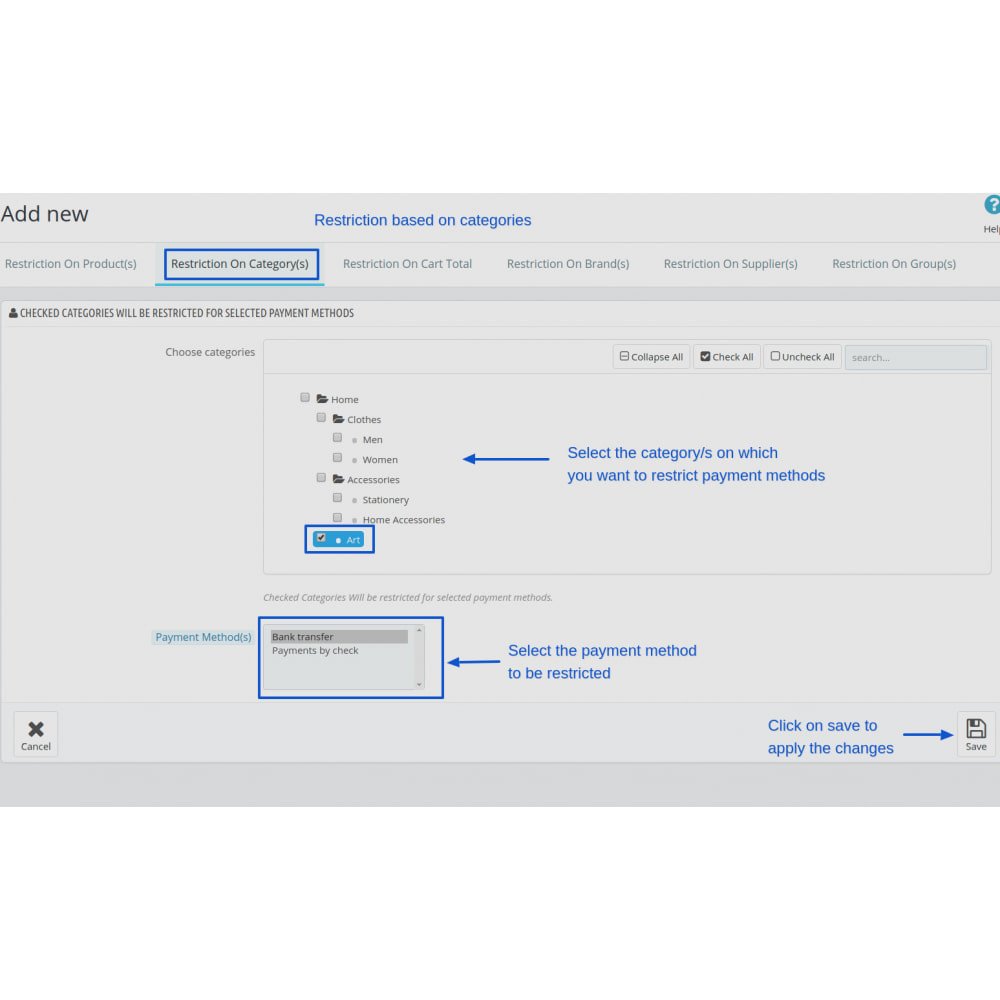
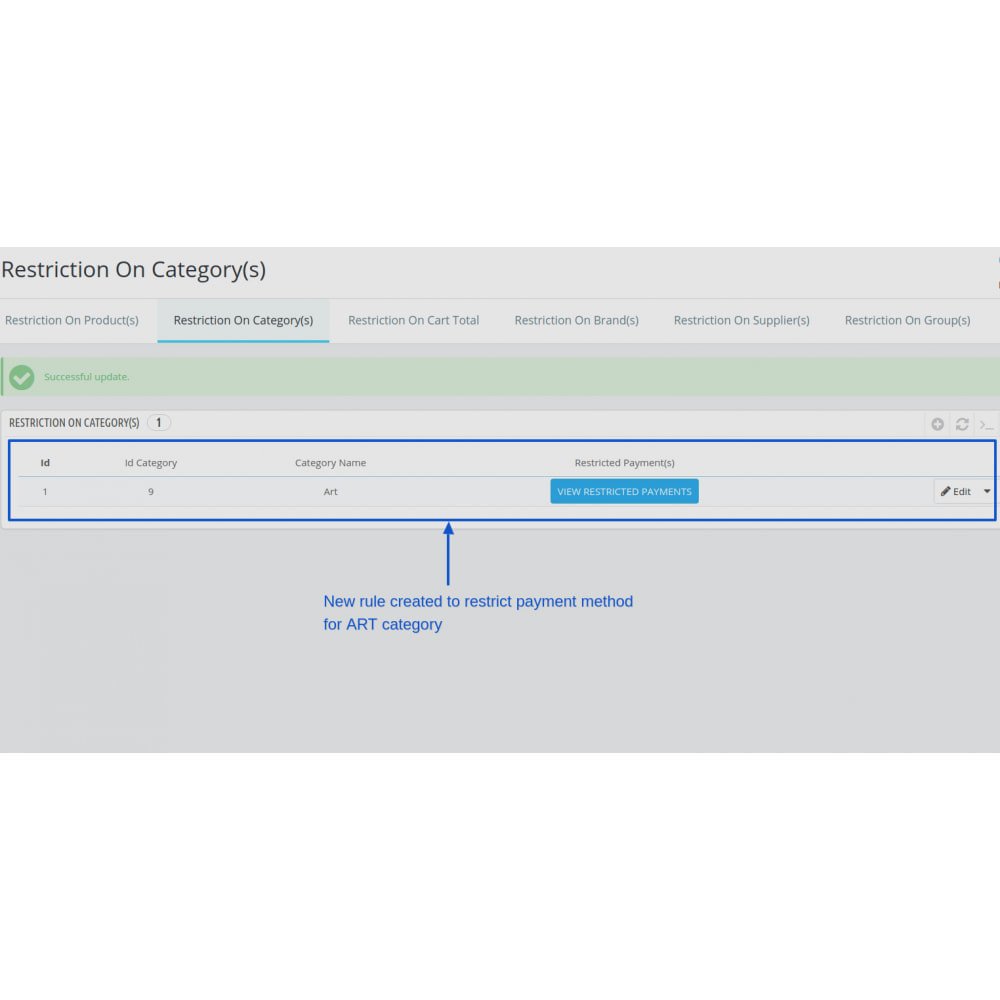
  • Apply restrictions using product categories, brands, or suppliers.

  • Limit available payment methods for defined customer groups.

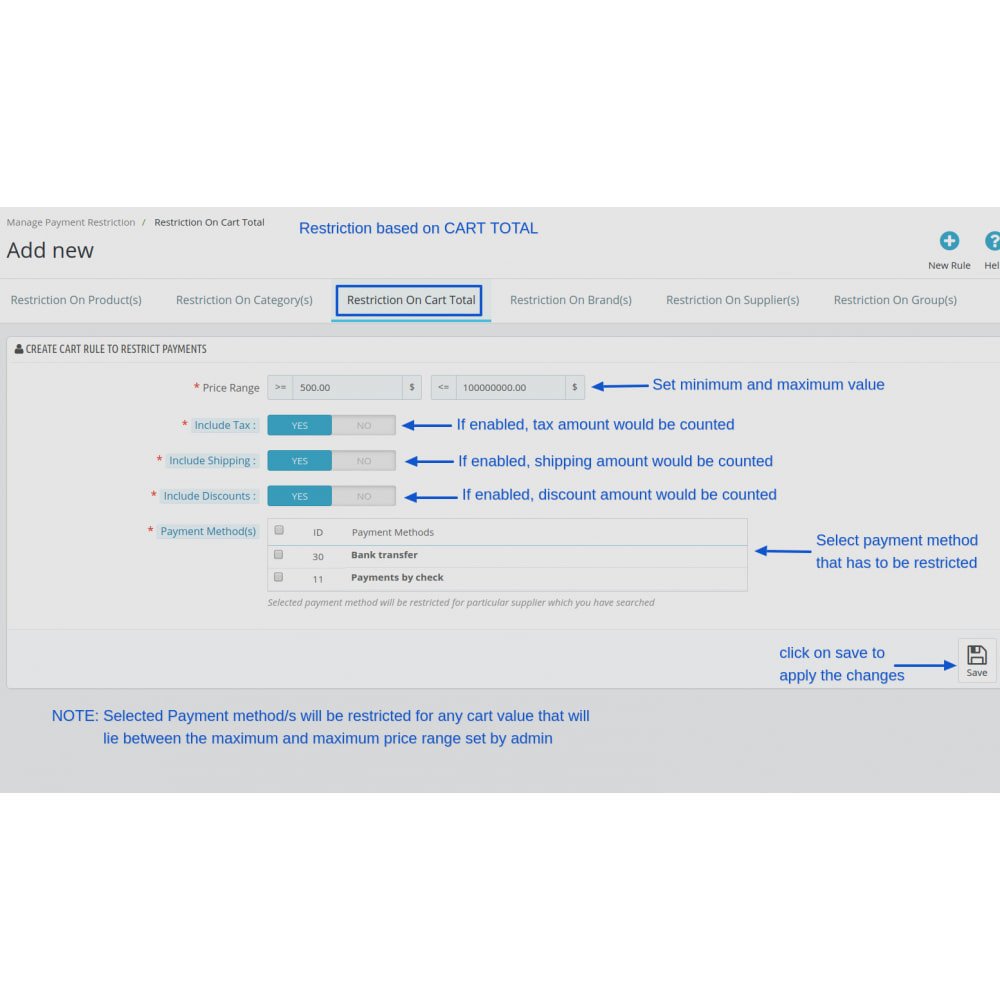
  • Set rules based on total cart value, with or without taxes and shipping.

  • Configure multiple products or categories at once using bulk tools.

  • Work seamlessly across multiple shops in a multi-store setup.

  • Support for multiple languages to serve international customers.

  • Include or exclude tax, shipping, and discount values in condition rules.

  • Automatically adjust payment options at checkout depending on cart content.

  • Easily manage settings with a clean and intuitive configuration interface.

  • Simplifies the checkout process by displaying only relevant payment methods.
  • Reduces customer confusion and increases conversion rates.
  • Enhances store flexibility with precise control over payment visibility.
  • Improves customer satisfaction through a tailored shopping experience.
  • Saves time with bulk configuration and easy rule management.
  • Helps enforce business policies, such as limiting COD to specific products or customers.
  • Prevents payment method misuse by restricting access based on cart conditions.
  • Supports global expansion with multilingual and multi-shop compatibility.
  • Decreases cart abandonment by offering appropriate payment choices.
  • Provides a professional, streamlined purchase experience that builds trust.
  • Log into your PrestaShop back office as an administrator.

  • Navigate to the “Modules” or “Module Manager” section.

  • Click on “Upload a module” and select the module’s ZIP file from your computer.

  • Wait for the upload to complete and the module package to be recognized.

  • Click “Install” to initiate the module installation process.

  • Once installed, access the module’s settings via the Modules list.

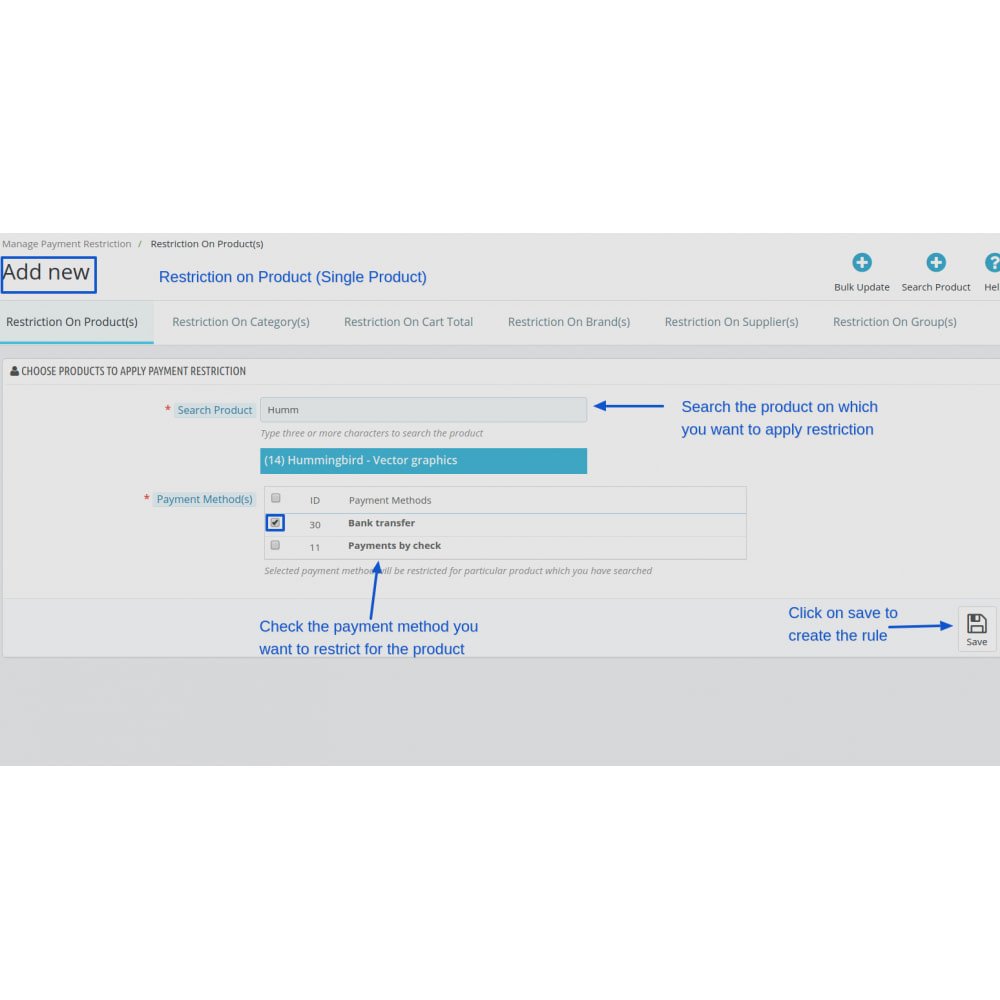
  • Define which products, categories, brands, suppliers, or customer groups require payment restrictions.

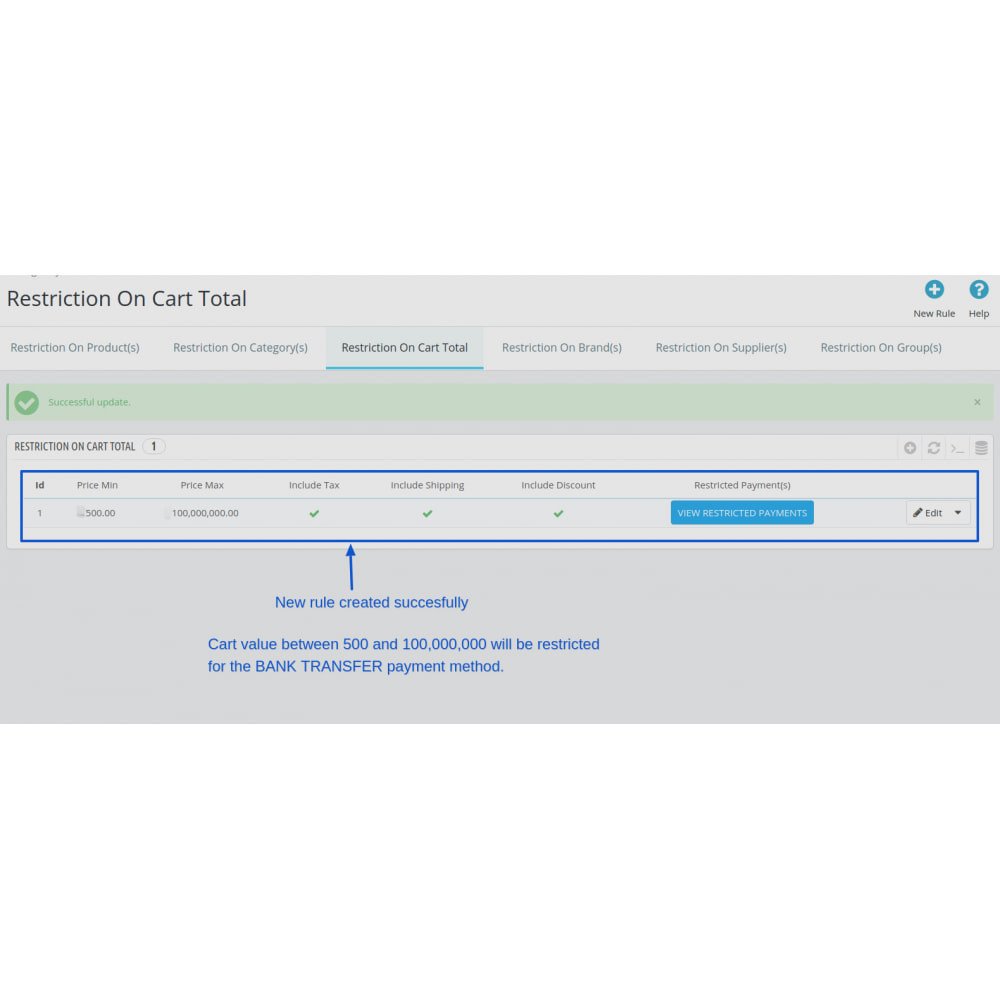
  • Set up cart total rules specifying values, and choose whether to include tax, shipping, or discounts.

  • Optionally apply rules in bulk to multiple items or categories for faster setup.

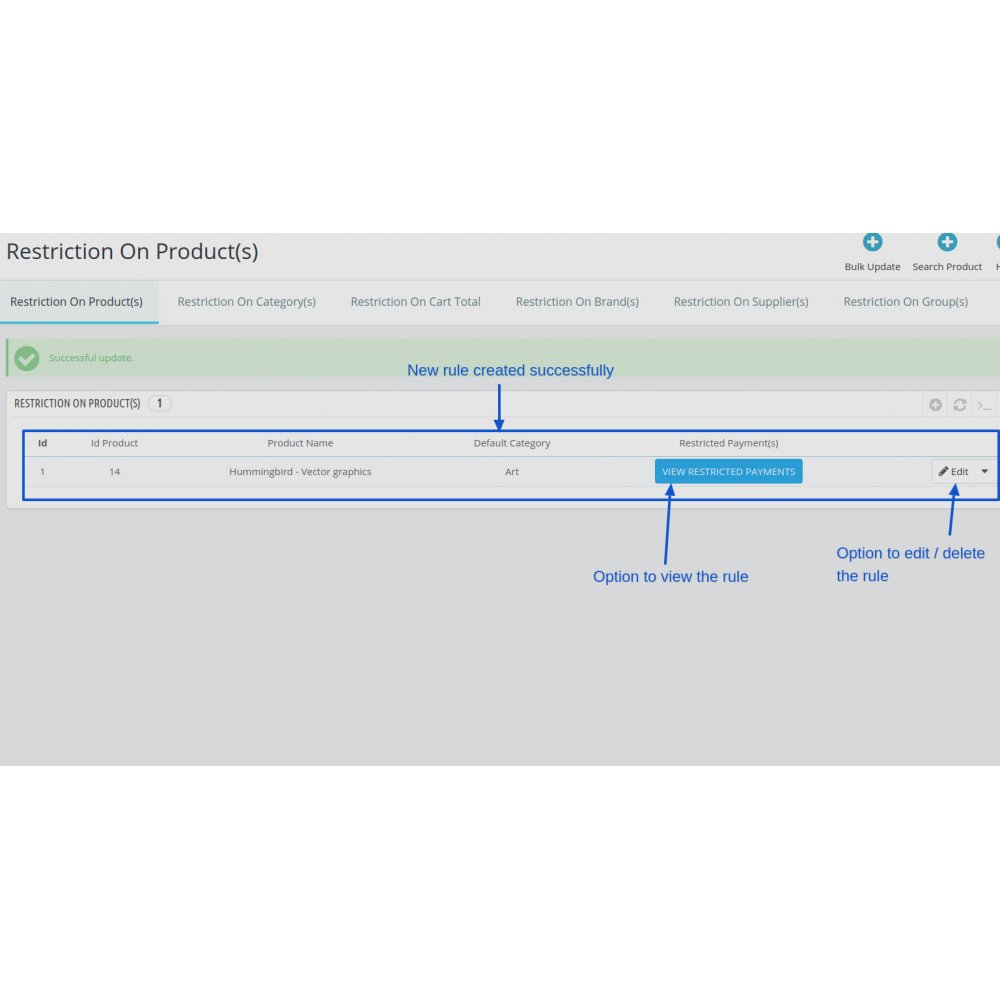
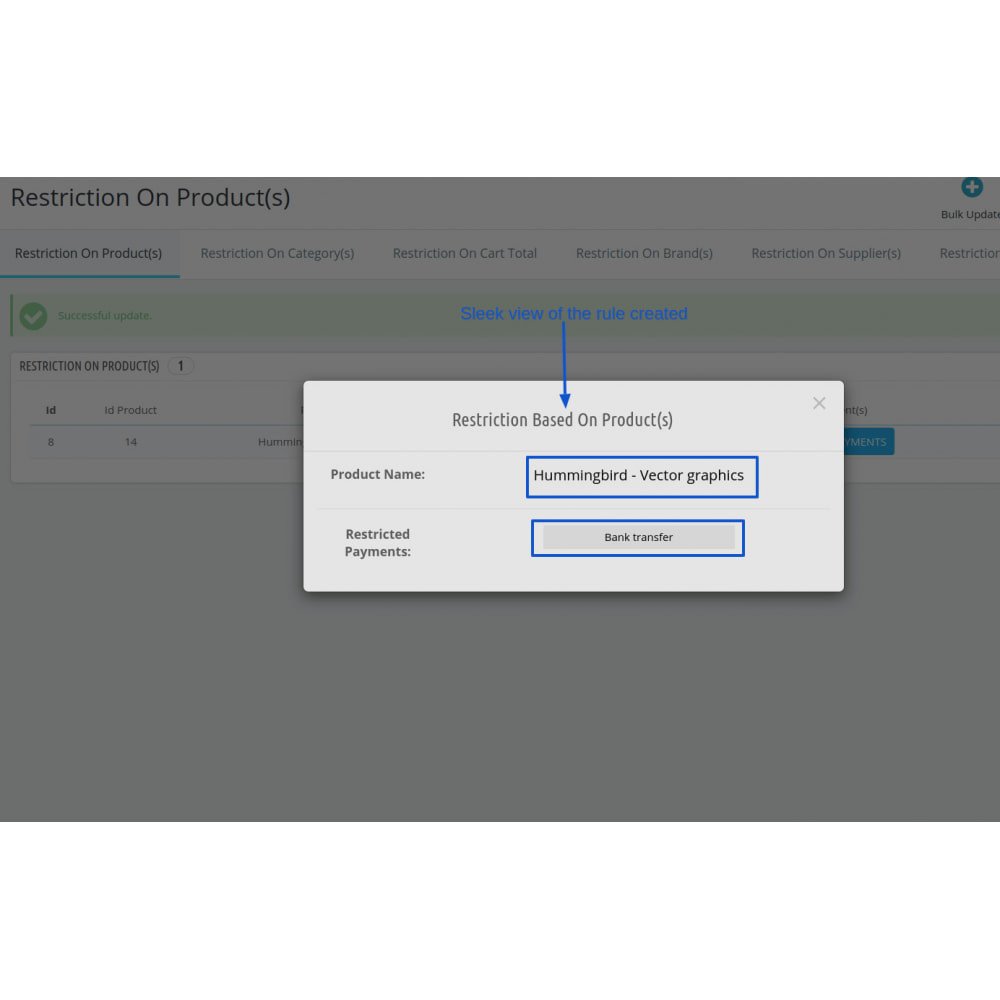
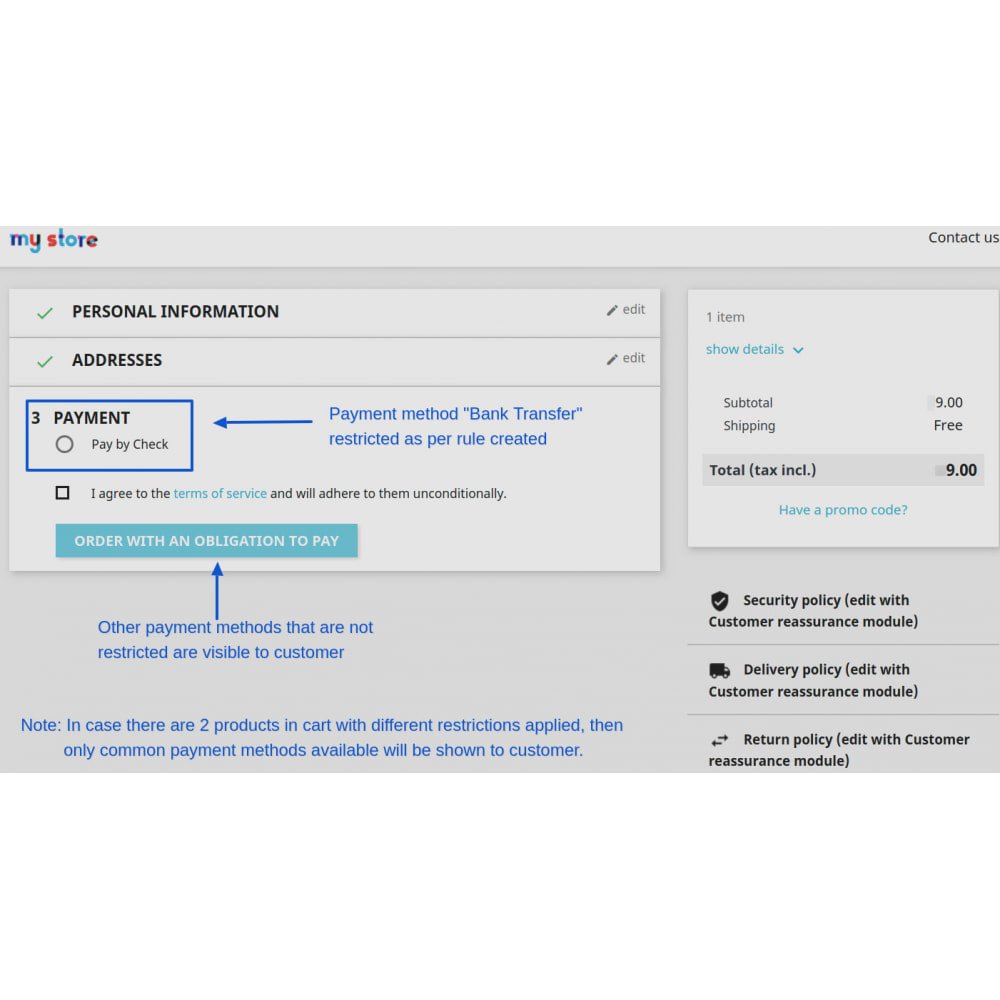
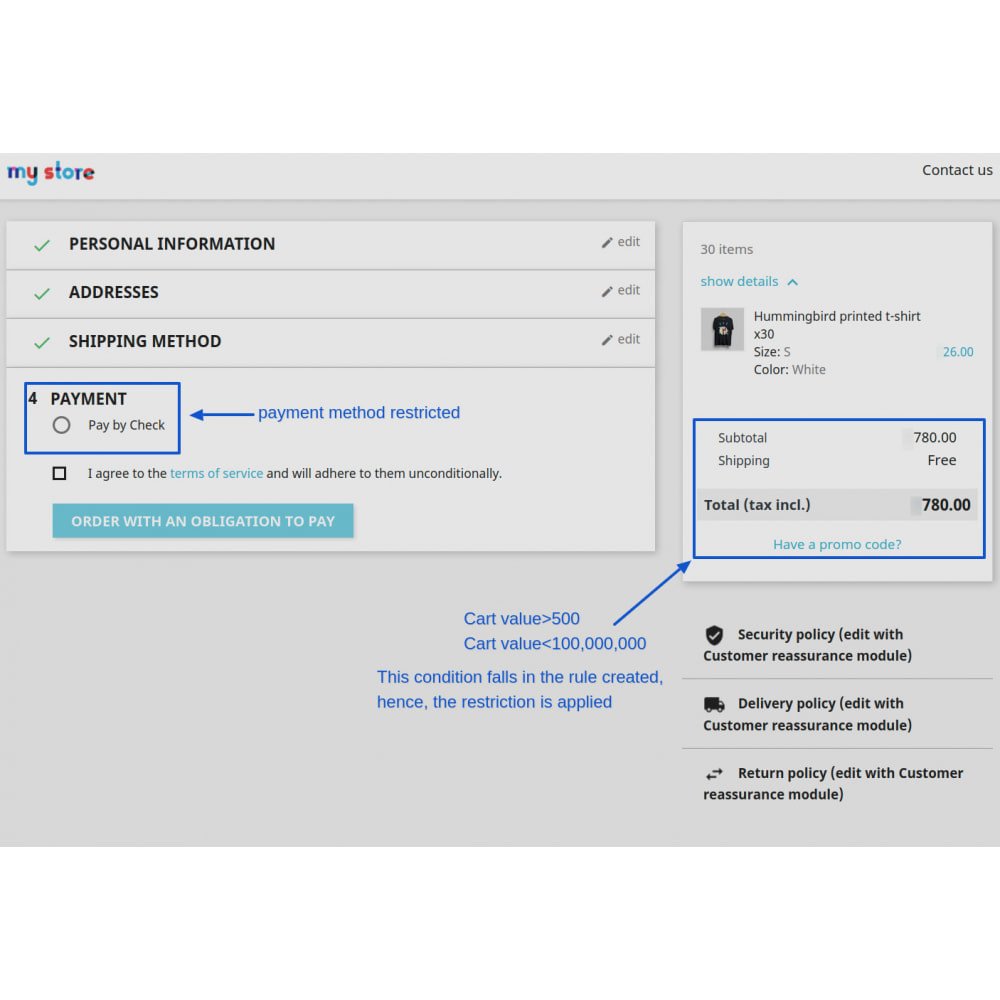
  • Save your configuration and test the checkout flow to confirm that appropriate payment methods are hidden based on your rules.

Can I restrict payment methods based on specific products?Yes, you can show or hide payment options depending on the products added to the cart.
Does the module work with multi-shop setups?Yes! It fully supports PrestaShop’s multi-shop feature, allowing rule configurations per store.
Is it possible to apply restrictions to customer groups?Yes, the module allows you to restrict payment methods based on customer groups such as B2B or wholesale customers.
Can I configure rules using cart total values?Absolutely. You can set conditions based on total cart value, including or excluding tax, shipping, and discounts.
Are brand, category, and supplier filters available?Yes, you can restrict payment providers using product categories, brands, or suppliers as filters.
Will the restrictions update in real-time at checkout?Yes, the module dynamically updates available payment methods during the checkout process.
Is the module compatible with third-party payment gateways?Yes, it works with most third-party payment modules that follow PrestaShop’s standard hook system.
Can I apply rules to multiple products or categories at once?Yes, the module includes bulk configuration tools to apply restrictions across multiple items efficiently.
Do I need coding skills to use this module?No, the module features a user-friendly interface that requires no technical knowledge.
Is it multilingual?Yes, the module supports multiple languages for configuration and display in international stores.

Customer reviews

0.0 Out Of 5
5 star
0%
4 star
0%
3 star
0%
2 star
0%
1 star
0%

No customer reviews

Operational Benefits of Restrict Payment Methods Pro - Hide Payment Provider Module

Streamlined Checkout

Fewer Errors

Faster Transactions

Customer Targeting

Rule-Based Control

Improved Efficiency

Core Features of Restrict Payment Methods Pro - Hide Payment Provider Module

Product & Category Restrictions

Restrict payment methods based on selected products, categories, brands, or suppliers to fine-tune checkout options.

Customer Group Targeting

Show or hide payment methods for specific customer groups like B2B, wholesale, or VIPs to personalize the shopping journey.

Cart Total Conditions

Define rules using cart total values, with the flexibility to include or exclude tax, shipping, and discounts in calculations.

Bulk Rule Configuration

Apply restrictions across multiple products or categories at once, simplifying and speeding up the setup process.

Dynamic Checkout Updates

Automatically adjusts visible payment methods during checkout based on real-time cart content for a smoother user experience.

Multi-Shop & Multilingual Support

Fully compatible with multi-shop setups and supports multiple languages for international and scalable store management.

Power Up Your rESTASHOP Store — We Handle It All​

Related products