Odoo User Login Attempts

€35.00
Tax excluded

User Login Attempts for Odoo helps secure user authentication by controlling failed login attempts and preventing unauthorized access. The module allows administrators to configure maximum login attempts, define temporary lockout durations, and display custom warning messages for failed logins. Once the configured limit is exceeded, login access is temporarily restricted and automatically restored after the waiting period. With flexible security settings, clear notifications, and simple configuration, the app enhances login protection while maintaining a smooth user experience.

WATCH DEMO VIDEO

Technical Support
Quantity
  Return policy

10-day module exchange guarantee

  • Improves login security by controlling failed login attempts and protecting user accounts
  • Protects the system against brute-force attacks by limiting repeated login failures
  • Provides flexible authentication control with configurable security settings
  • Enhances user experience with clear and informative warning messages
  • Allows customizable security messages for better user communication
  • Reduces unauthorized access by temporarily blocking excessive login attempts
  • Configure maximum failed login attempts for users
  • Set waiting time after failed login limit is exceeded
  • Display customizable warning pop-up messages
  • Automatically restore login access after waiting period
  • Show default Odoo login error messages before restriction
  • Manage all login security settings from a simple configuration panel
  • Enhances overall system security by controlling repeated login attempts and protecting user accounts
  • Prevents unauthorized access by blocking repeated password guessing attempts
  • Gives administrators control to set login attempt limits and security rules
  • Improves user experience with clear warnings and smooth access recovery
  • Allows customization of warning messages for better user communication
  • Reduces security risks by restricting excessive failed login attempts
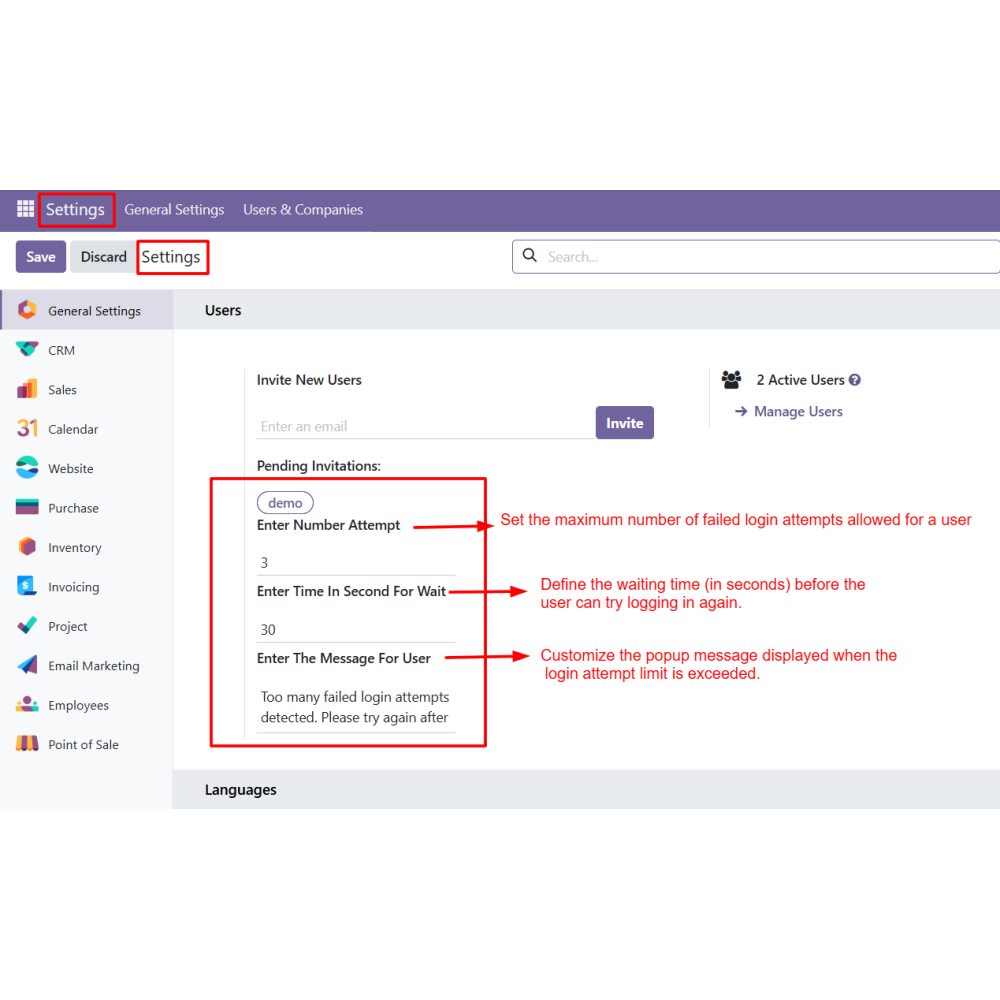
  • Go to the Settings menu and locate the Login Attempt configuration section.
  • Enter the maximum number of incorrect login attempts allowed for a user.
  • Define the waiting period (in seconds) during which login access will be restricted after the limit is reached.
  • Enter the message to display when the login attempt limit is exceeded.
  • Save the settings to activate the login protection rules.
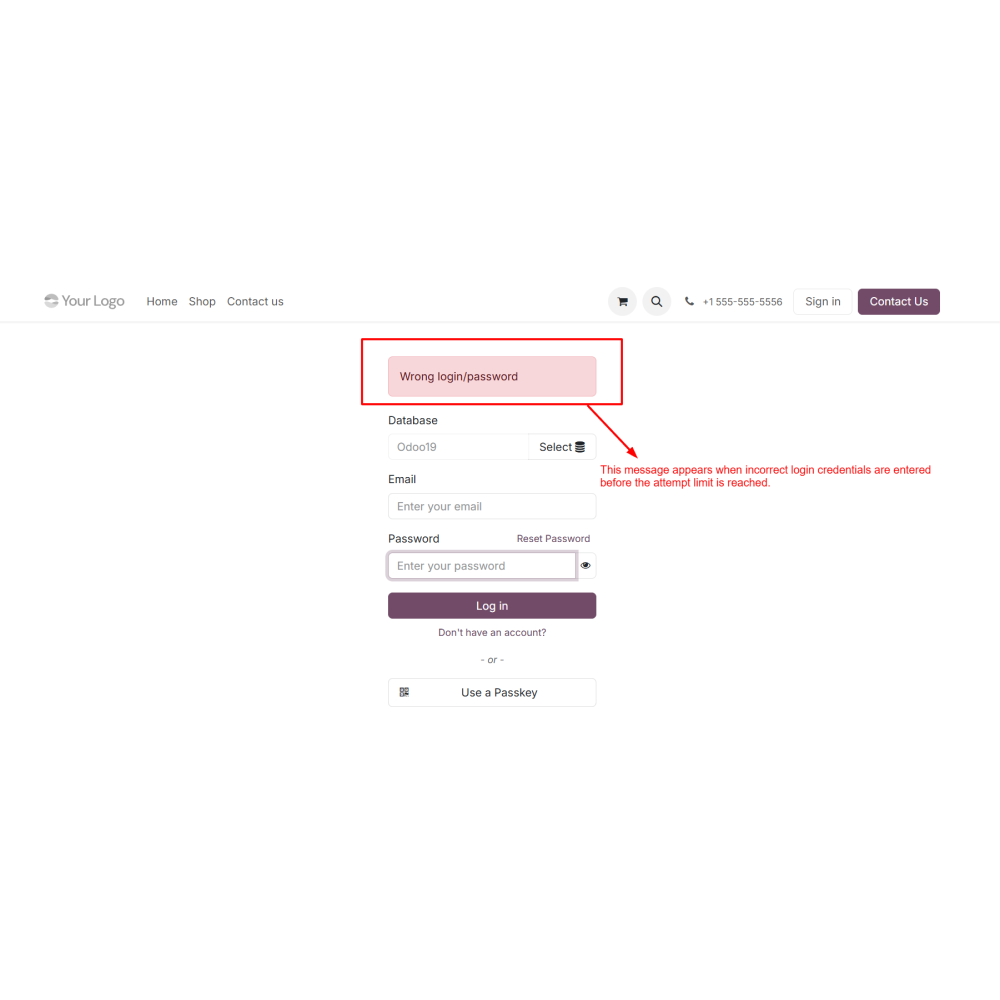
  • When incorrect login details are entered, the standard warning message is displayed until the limit is reached.
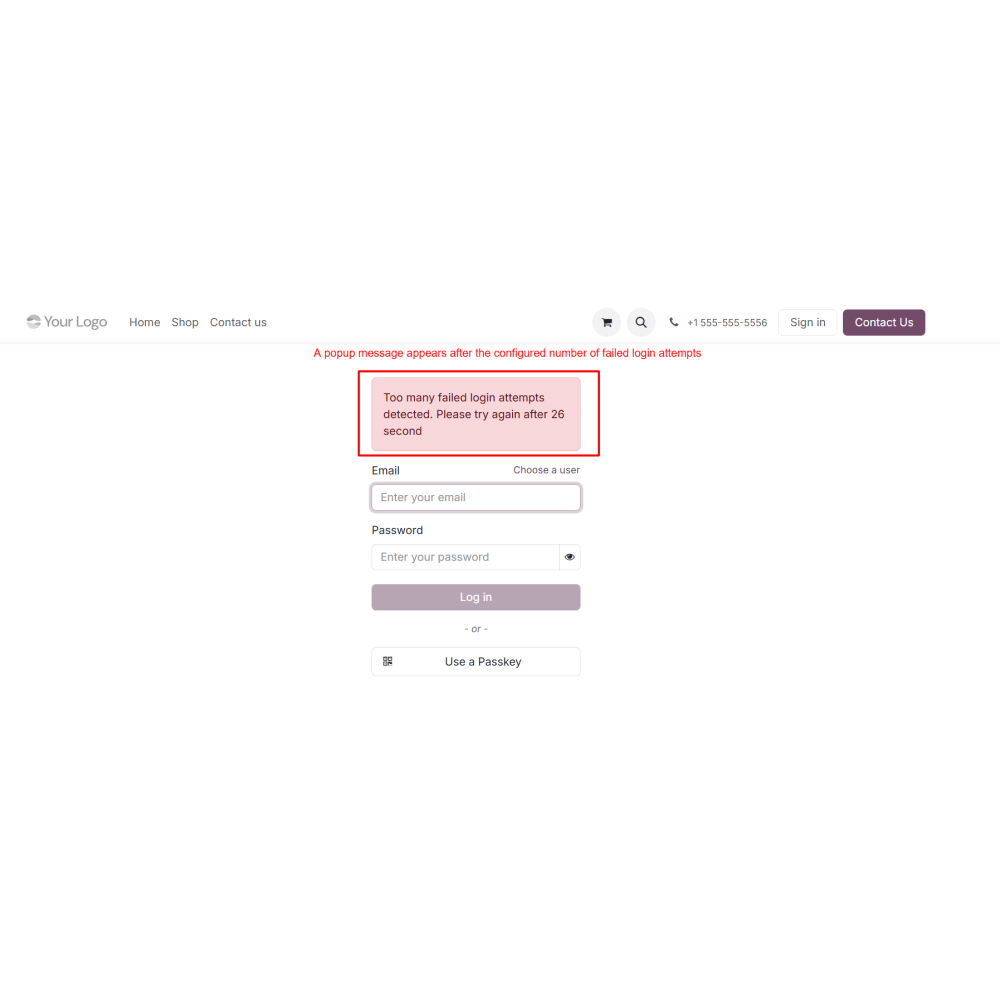
  • After the configured attempt limit is exceeded, a pop-up message appears, and login access is temporarily blocked.
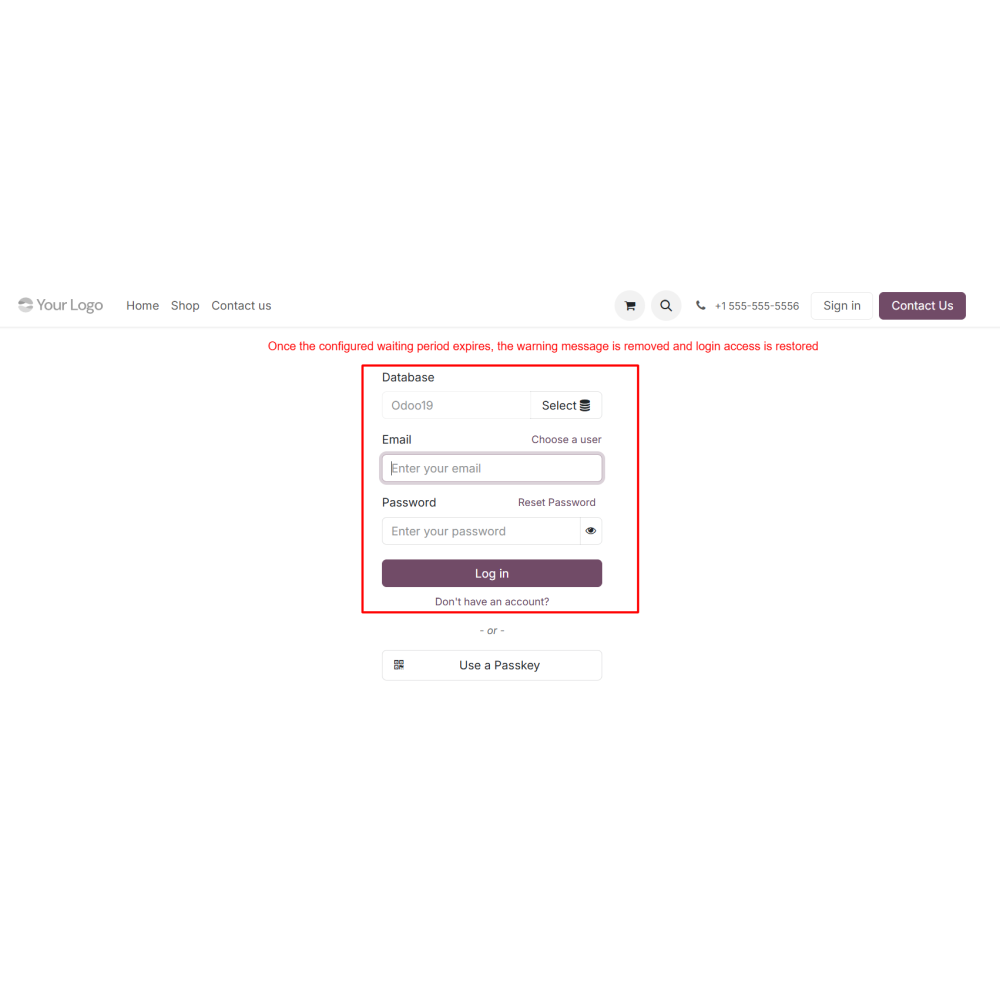
  • Once the waiting time expires, the warning message is removed, and the user can log in again.
What is User Login Attempts in Odoo?It is a security module that controls failed login attempts and helps prevent unauthorized access to Odoo.
Can admins define the maximum login attempt limit?Yes, administrators can configure the maximum number of failed login attempts allowed for users.
What happens when the login limit is exceeded?Once the configured limit is reached, login access is temporarily restricted for the defined waiting period.
Can I customize the warning message shown to users?Yes, the module allows admins to configure custom warning messages displayed after failed login attempts.
Is login access restored automatically?Yes, once the waiting period expires, login access is automatically restored.
Does the module improve Odoo security?Yes, it helps protect the system against brute-force attacks and unauthorized login attempts.
Is the configuration process simple?Yes, all settings can be managed easily from the Odoo configuration panel.
Does the module work with standard Odoo login behavior?Yes, it continues to display Odoo’s default login error messages until the configured attempt limit is reached.

Customer reviews

0.0 Out Of 5
5 star
0%
4 star
0%
3 star
0%
2 star
0%
1 star
0%

No customer reviews

Benefits of User Login Attempts

Improved Login Security

Protection Against Brute-Force Attacks

Flexible Authentication Control

Better User Experience

Customizable Security Messages

Reduced Unauthorized Access

Features of User Login Attempts

Configurable Login Attempt Limit

Admins can define the maximum number of incorrect email or password attempts allowed before login access is restricted.

Configurable Wait Time

Set a waiting period in seconds after which the user cannot log in if they have exceeded the allowed attempts.

Custom Warning Message

Fully customize the pop-up message shown to users when the login attempt limit is reached.

Default Login Error Handling

Before the configured limit is reached, Odoo’s standard “Wrong login/password” message is displayed.

Automatic Access Restoration

Once the waiting period expires, the warning message is removed, and login access is restored.

Easy Configuration

All settings are managed from a simple configuration panel without technical complexity.

Power Up Your  Store — We Handle It All

Related products