The POS DOJO Payment Method integrates the DOJO Payment Terminal with Odoo Point of Sale to enable secure card payments through QR codes, payment links, and the DOJO hosted checkout. It provides real-time payment confirmation, automatic POS order validation, centralized transaction management, and payment intent tracking for complete payment visibility. This integration simplifies retail payment processing, improves checkout efficiency, and delivers a seamless payment experience for both merchants and customers.
The POS DOJO Payment Method integrates the DOJO Payment Terminal with Odoo Point of Sale to enable secure card payments through QR codes, payment links, and the DOJO hosted checkout. It provides real-time payment confirmation, automatic POS order validation, centralized transaction management, and payment intent tracking for complete payment visibility. This integration simplifies retail payment processing, improves checkout efficiency, and delivers a seamless payment experience for both merchants and customers.
Integrate the DOJO Payment Terminal with Odoo Point of Sale for secure and reliable card payment processing.
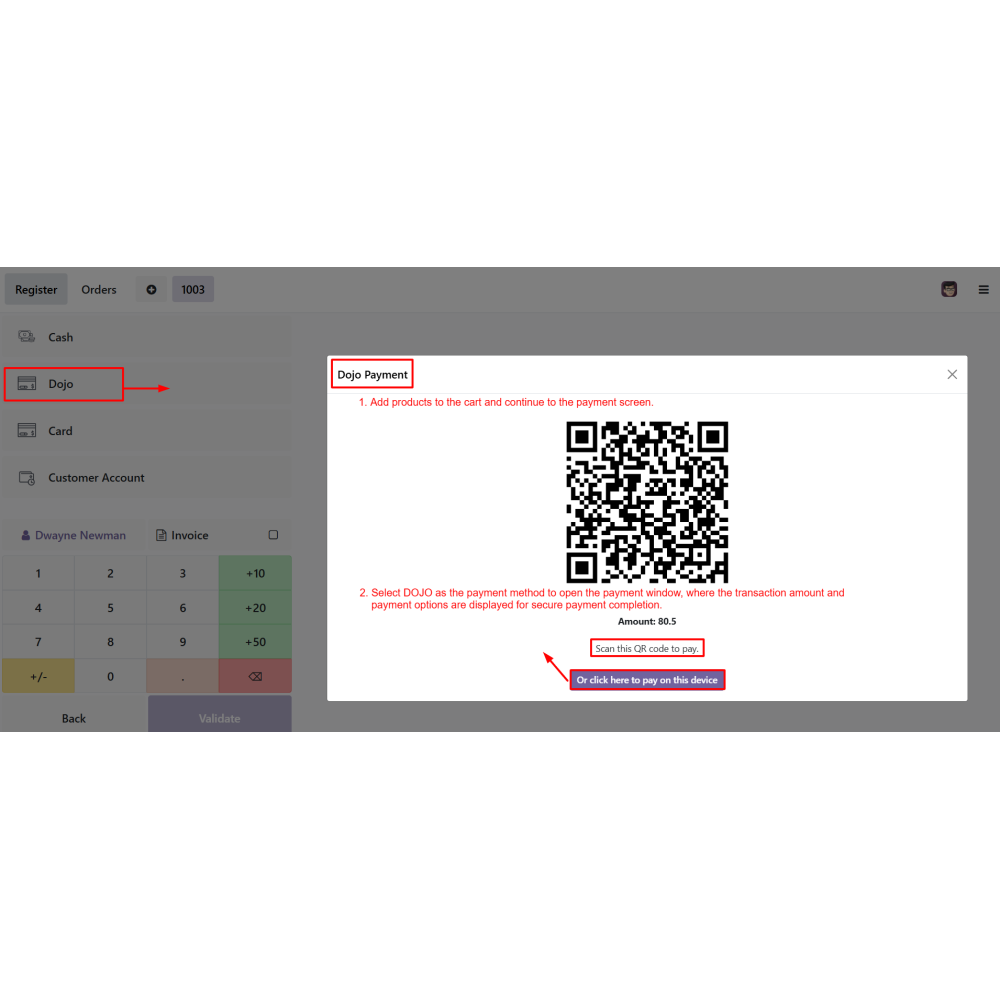
Accept customer payments through QR codes, payment links, or the DOJO hosted checkout page.
Automatically synchronize payment information and update POS orders after successful transactions.
Track payment transactions, payment status, and payment intents from centralized dashboards.
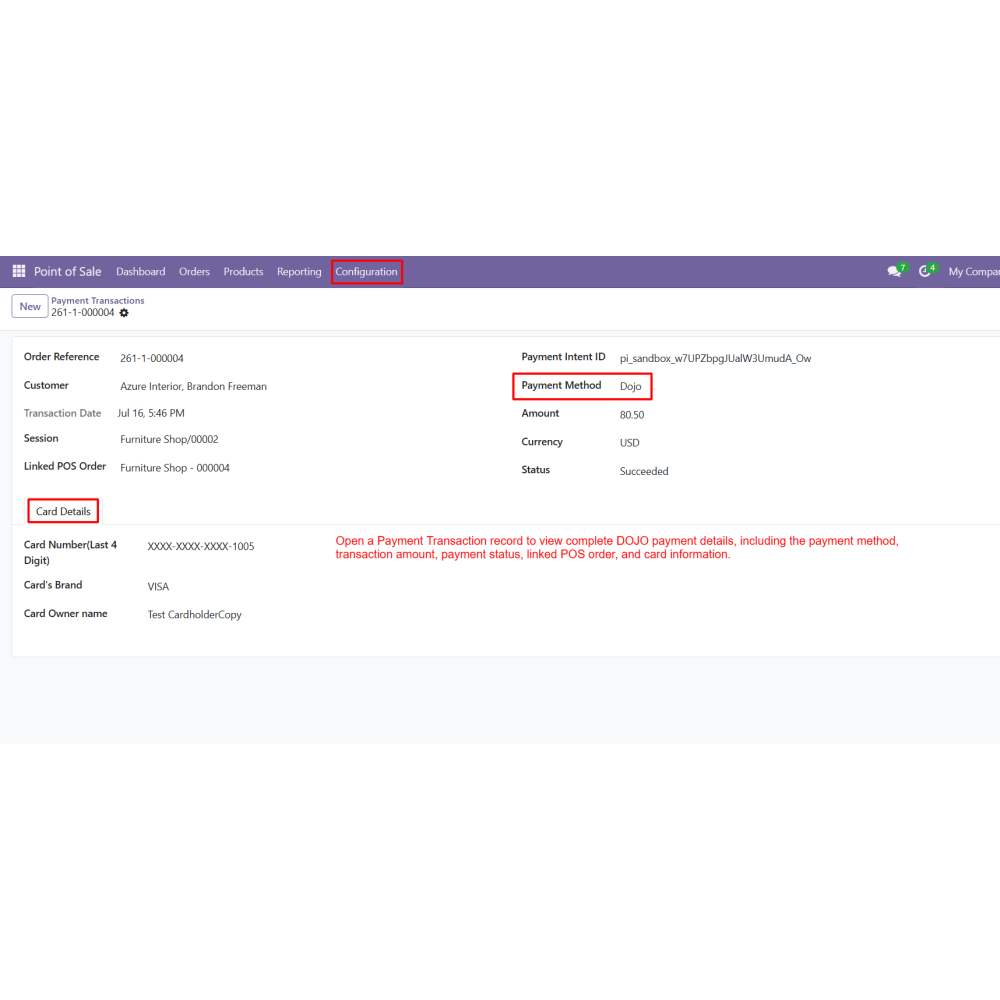
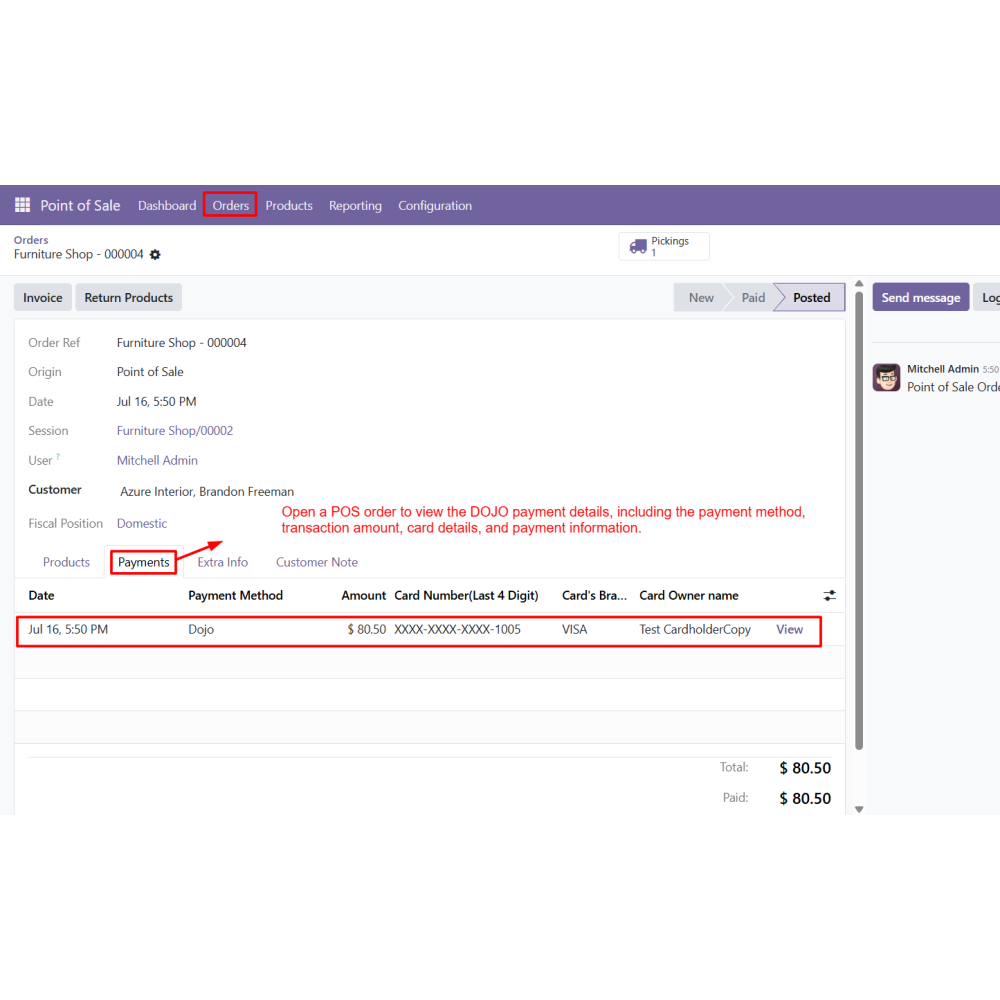
Access complete transaction details, including payment method, card information, and linked POS orders.
Improve retail checkout speed with secure, automated, and real-time payment processing.
Key Features
Integrate the DOJO payment terminal with Odoo POS using secure Customer ID and Secret Key authentication.
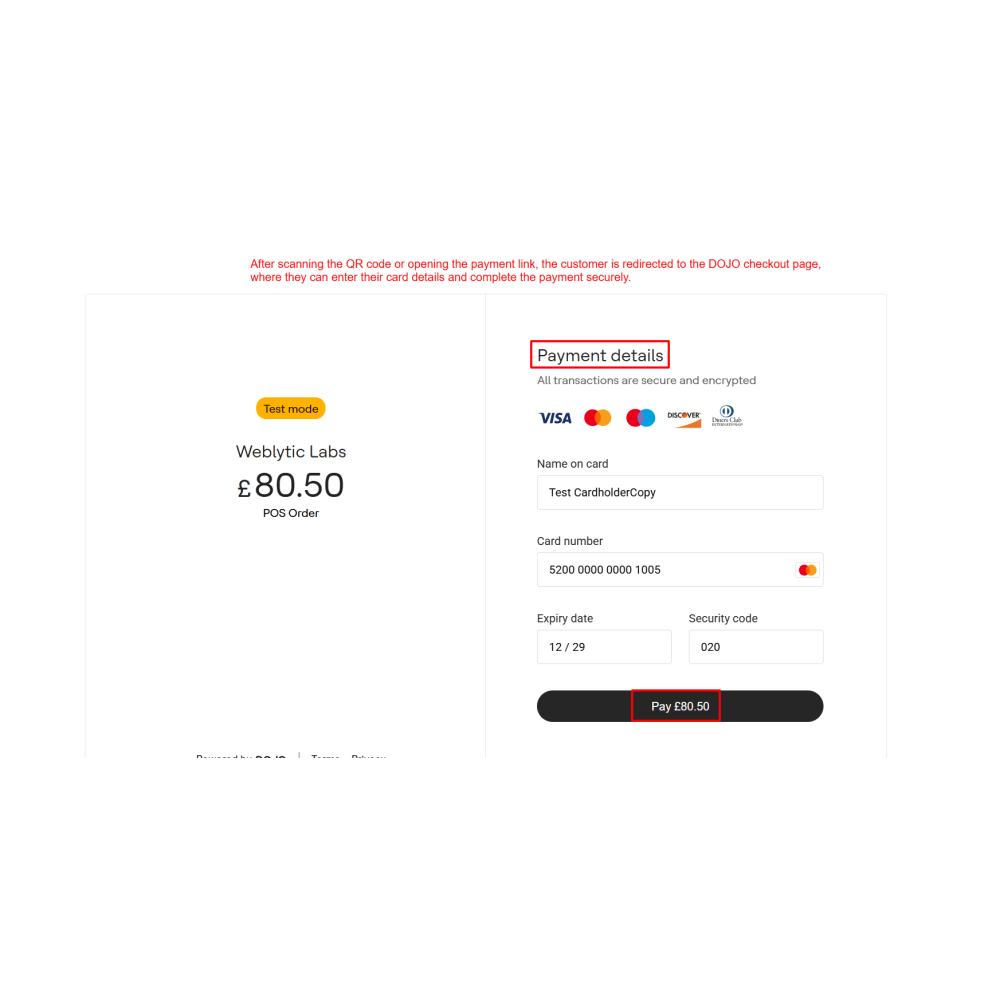
Allow customers to complete payments through QR codes, payment links, or the DOJO hosted checkout page.
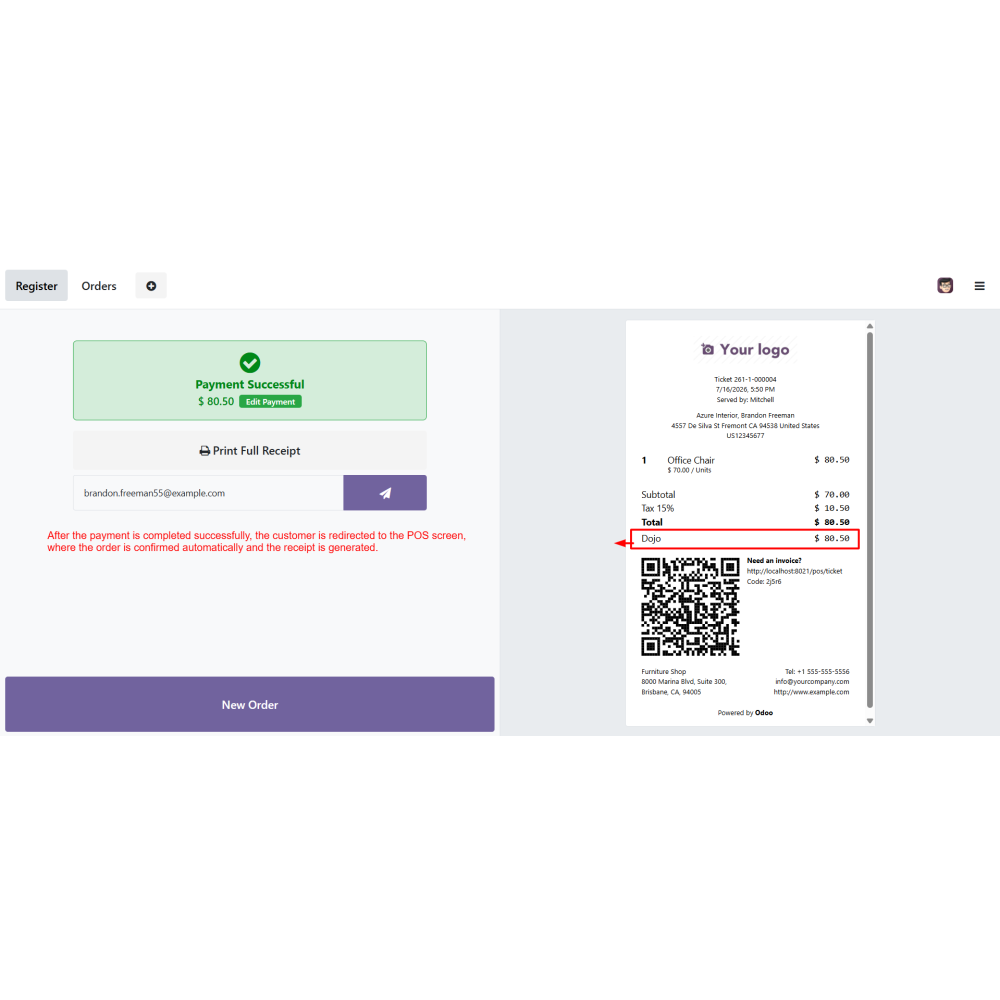
Automatically confirm POS orders and generate receipts after successful payment completion.
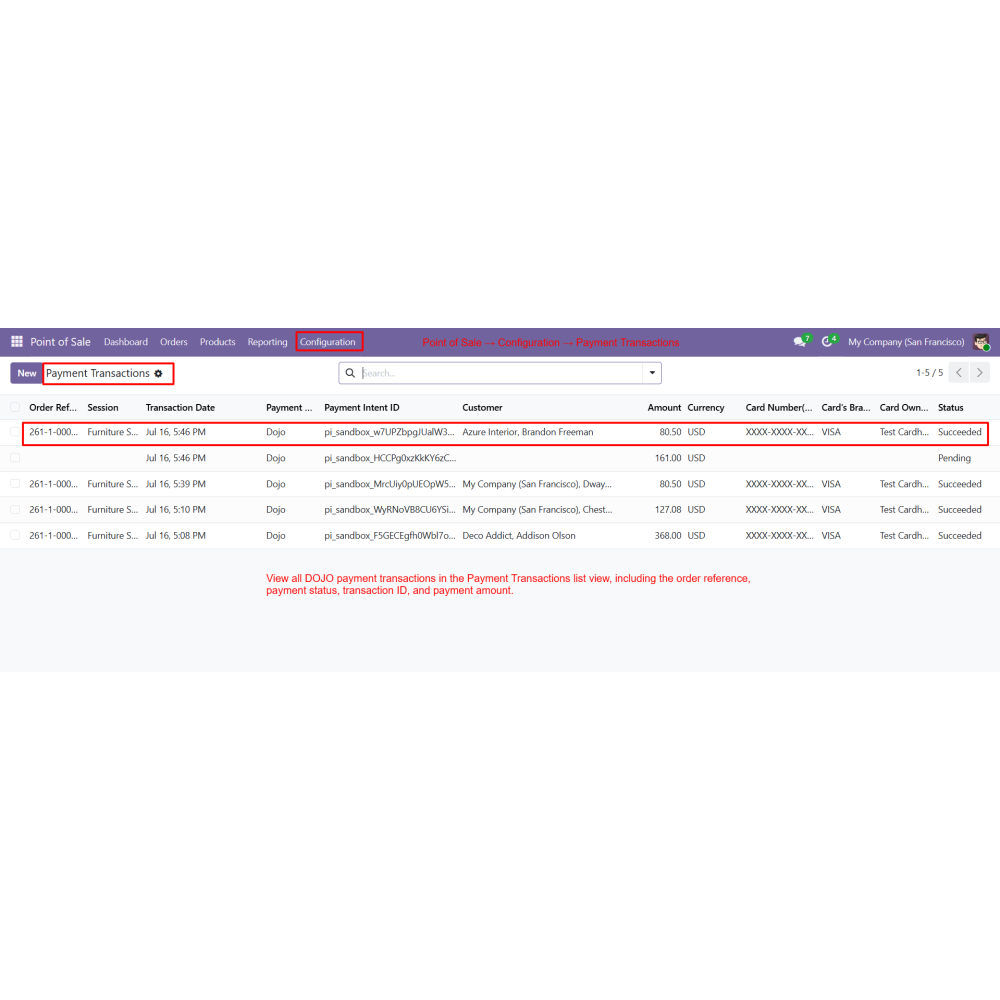
Manage payment transactions with transaction IDs, payment status, order references, and payment amounts.
View detailed transaction records, including payment method, card details, and linked POS orders.
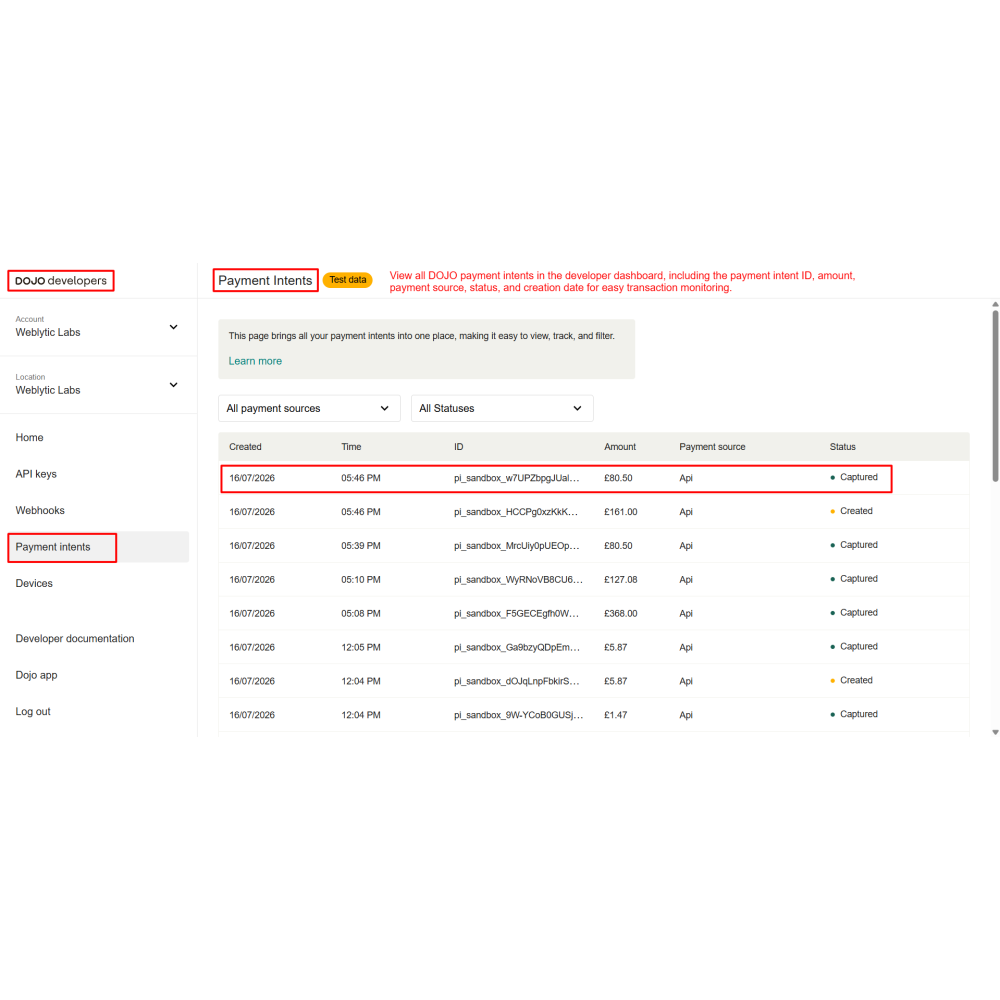
Monitor payment intents from the DOJO Developer Dashboard with real-time payment information.
Benefits
Accept secure card payments directly from the Odoo Point of Sale.
Speed up checkout with QR code, payment link, and hosted checkout support.
Automatically confirm orders and generate receipts after successful payments.
Monitor payment transactions and payment intents from centralized dashboards.
Improve payment accuracy with real-time transaction synchronization.
Deliver a faster, secure, and seamless checkout experience for customers.
Workflow
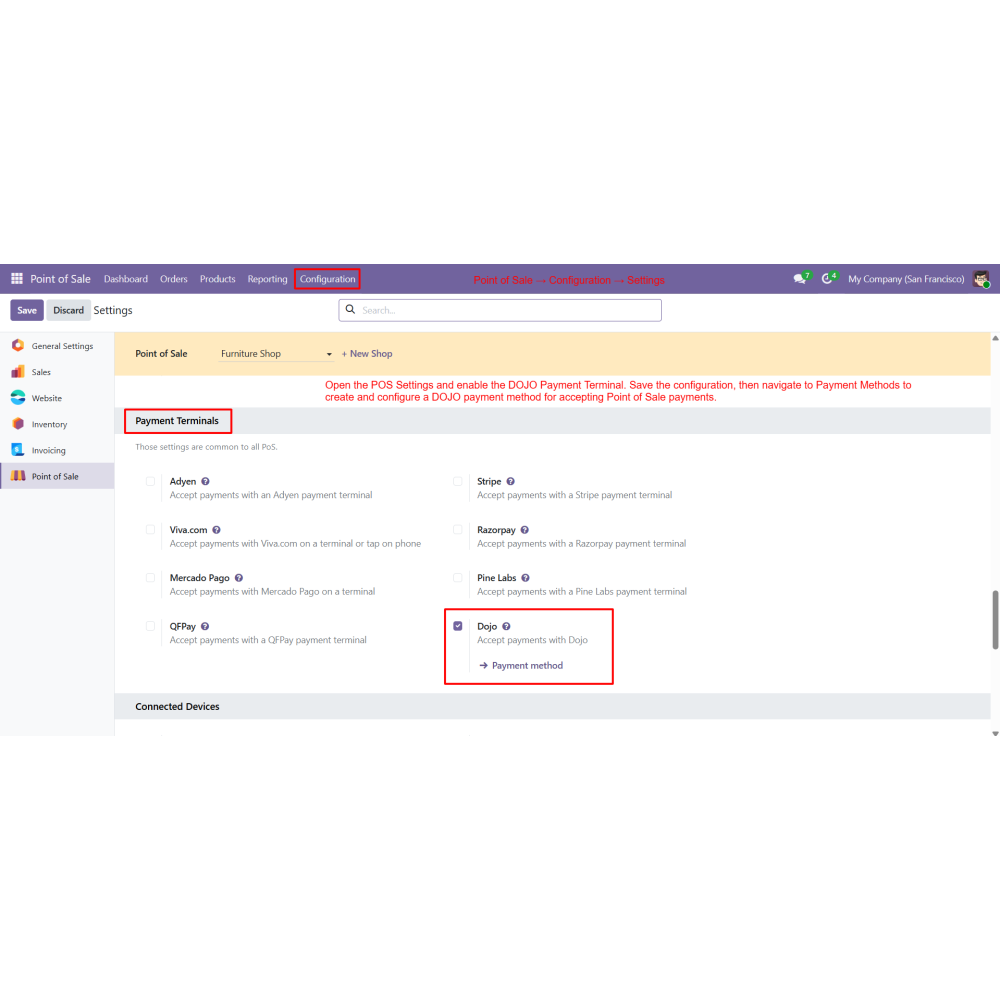
Enable the DOJO Payment Terminal in the POS settings.
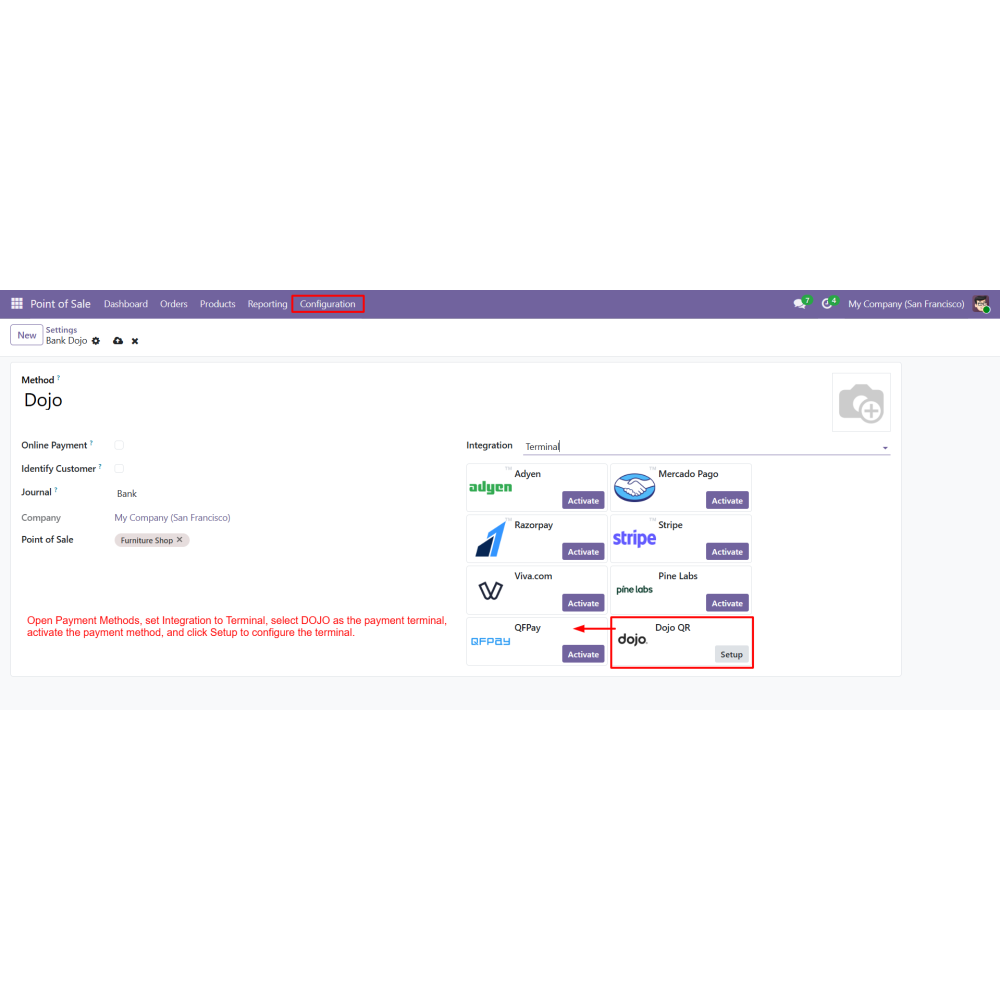
Create a new Payment Method and select DOJO as the payment terminal.
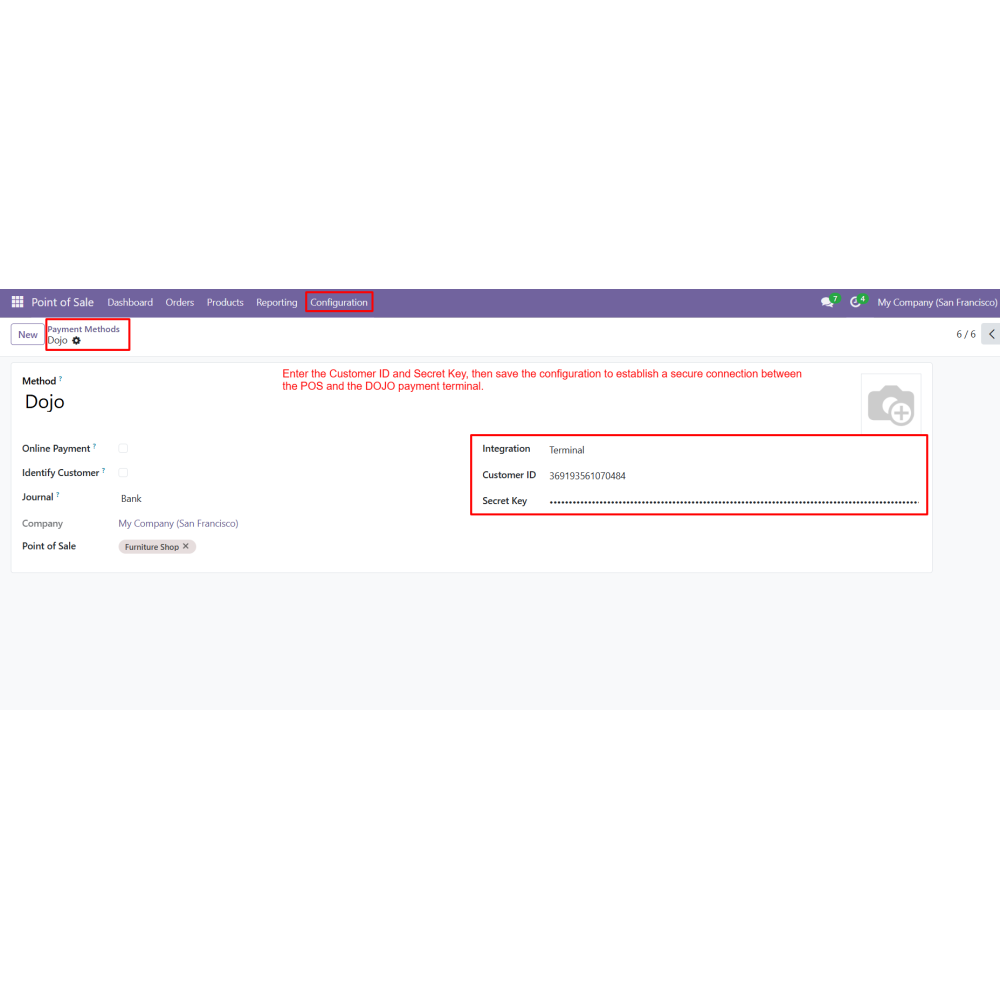
Configure the terminal using the Customer ID and Secret Key.
Save the configuration to establish a secure connection.
Add products to the POS cart and proceed to payment.
Select DOJO as the payment method.
Complete the payment through the DOJO checkout page using a QR code, payment link, or card details.
Automatically confirm the payment and generate the POS receipt.
View payment records in the Payment Transactions list.
Review payment details from the transaction record, DOJO Developer Dashboard, and linked POS order.
FAQ
What is the POS DOJO Payment Method module?The POS DOJO Payment Method integrates the DOJO Payment Terminal with Odoo Point of Sale, enabling secure card payments directly from the POS interface.How does the module connect with DOJO?The integration uses the DOJO Customer ID and Secret Key to establish a secure connection between Odoo POS and the DOJO payment terminal.Can customers pay using QR codes and payment links?Yes, customers can complete payments securely by scanning a QR code or opening a payment link that redirects them to the DOJO hosted checkout page.Does the module support secure card payments?Yes, customers can securely enter their card details on the DOJO hosted checkout page to complete the payment.What happens after a successful payment?After successful payment, the POS order is confirmed automatically, the payment is recorded, and the receipt is generated.Can I track DOJO payment transactions in Odoo?Yes, all payment transactions can be monitored from the Payment Transactions menu with transaction ID, payment status, amount, and linked POS order details.Can I view detailed transaction information?Yes, each Payment Transaction record displays the payment method, transaction amount, payment status, linked POS order, and card information.Can I monitor payment intents?Yes, the DOJO Developer Dashboard provides payment intent details, including payment intent ID, amount, payment source, status, and creation date.Which Odoo application is supported?This module is designed specifically for the Odoo Point of Sale and integrates seamlessly with Odoo Payment Transactions.Is the payment process secure?Yes, all payments are processed through the secure DOJO hosted checkout using authenticated API credentials and encrypted payment communication.
Reviews
Customer reviews
0.0 Out Of 5
5 star
0%
4 star
0%
3 star
0%
2 star
0%
1 star
0%
No customer reviews
by
Benefits Of POS Dojo Payment Method
Secure POS Card Payments
Fast Payment Processing
Automatic Order Confirmation
Real-Time Transaction Tracking
Centralized Payment Management
Improved Customer Checkout Experience
Features of POS Dojo Payment Method
DOJO Payment Terminal Integration
Connect the DOJO payment terminal with Odoo POS using the Customer ID and Secret Key to securely process in-store card payments.
Secure Online Checkout
Customers can complete payments through the DOJO-hosted checkout page using a QR code or payment link with secure card authentication.
Automatic Payment Confirmation
Successful payments automatically update the POS order, confirm the transaction, and generate the receipt without manual intervention.
Centralized Payment Transactions
View all DOJO payment transactions in one place with payment status, transaction ID, order reference, and payment amount.
Detailed Transaction Records
Access complete payment information, including payment method, linked POS order, card details, transaction amount, and payment status.
Payment Intent Monitoring
Track all payment intents from the DOJO Developer Dashboard with payment intent ID, payment source, amount, status, and creation date.

.png)

 Return policy






 Store — We Handle It All