Odoo Multi Warehouse Order

€35.00
Tax excluded

Multi Warehouse Order for Odoo enables businesses to fulfill a single Sales, Website, or POS order from multiple warehouses without manually splitting orders. Users can assign different warehouses to products in Sales Orders, while website and POS orders are automatically allocated based on warehouse configuration and stock availability. The module improves inventory utilization, streamlines order fulfillment, and provides clear delivery tracking through separate warehouse-based delivery orders. With centralized multi-warehouse management and seamless Odoo integration, businesses can efficiently manage stock across locations and ensure faster, more accurate order processing.

WATCH DEMO VIDEO

Technical Support
Quantity
  Return policy

10-day module exchange guarantee

  • Manage and fulfill a single order using multiple warehouses within Odoo.
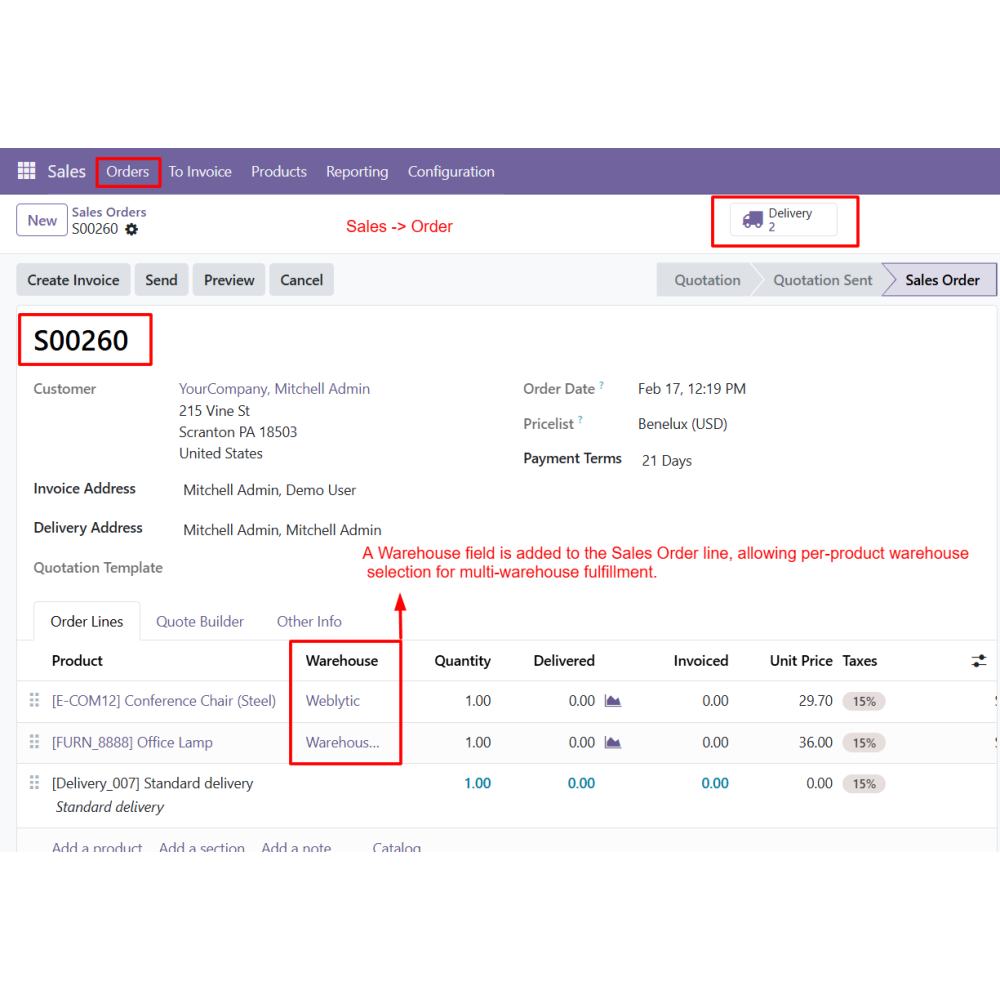
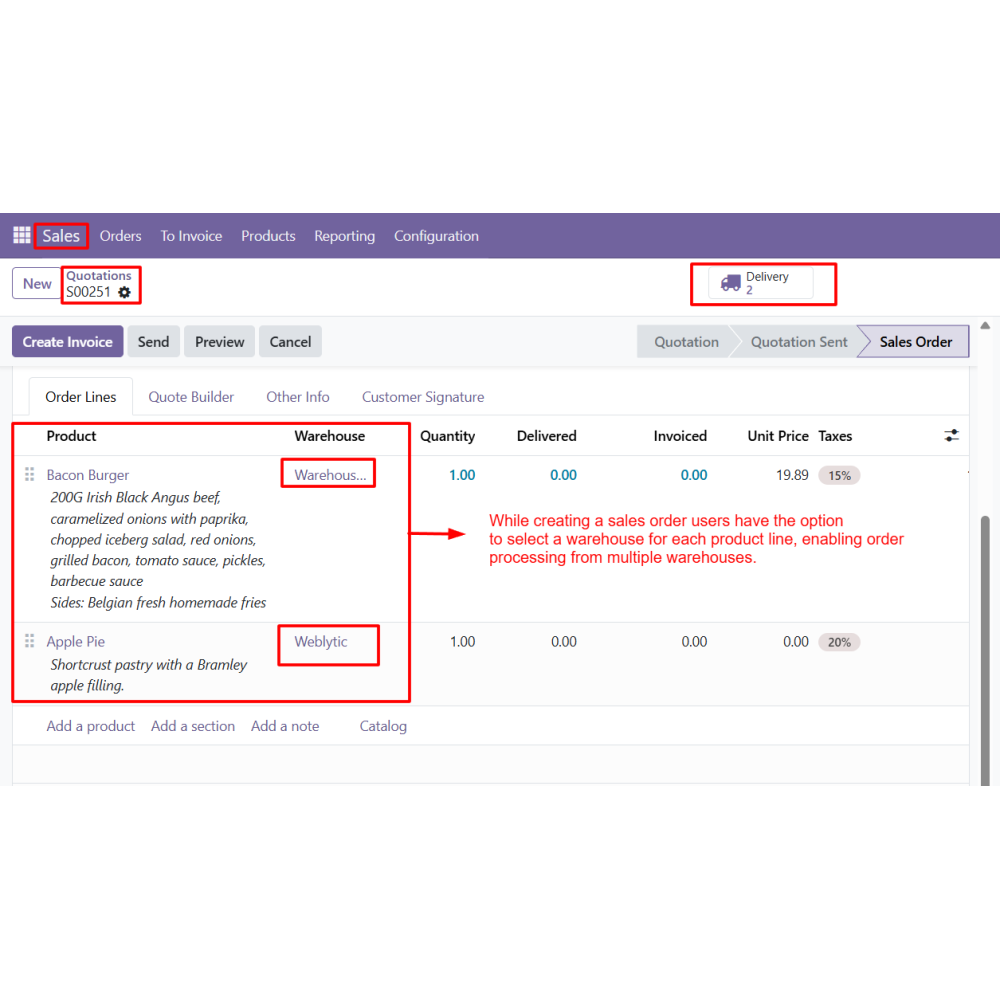
  • Assign different warehouses to products in the same Sales Order based on stock availability.
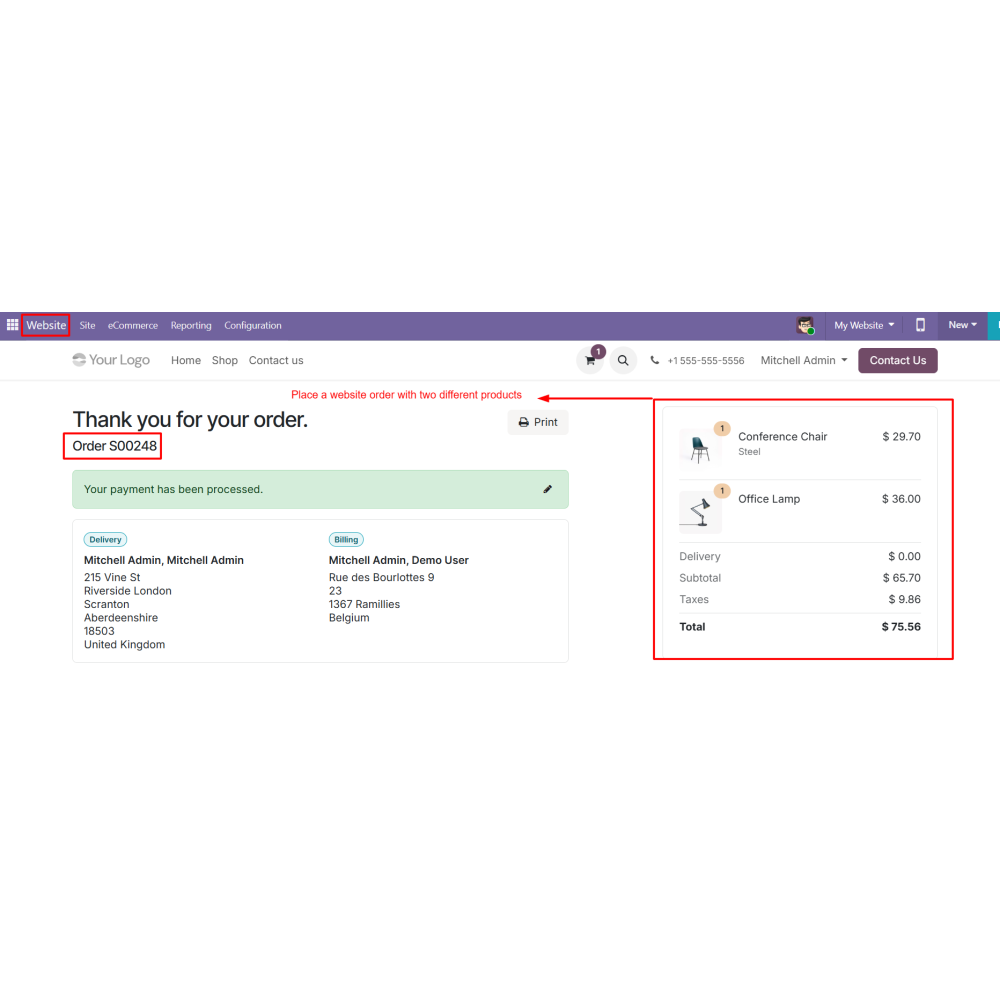
  • Process website orders with warehouse allocation directly from the Sales Order backend.
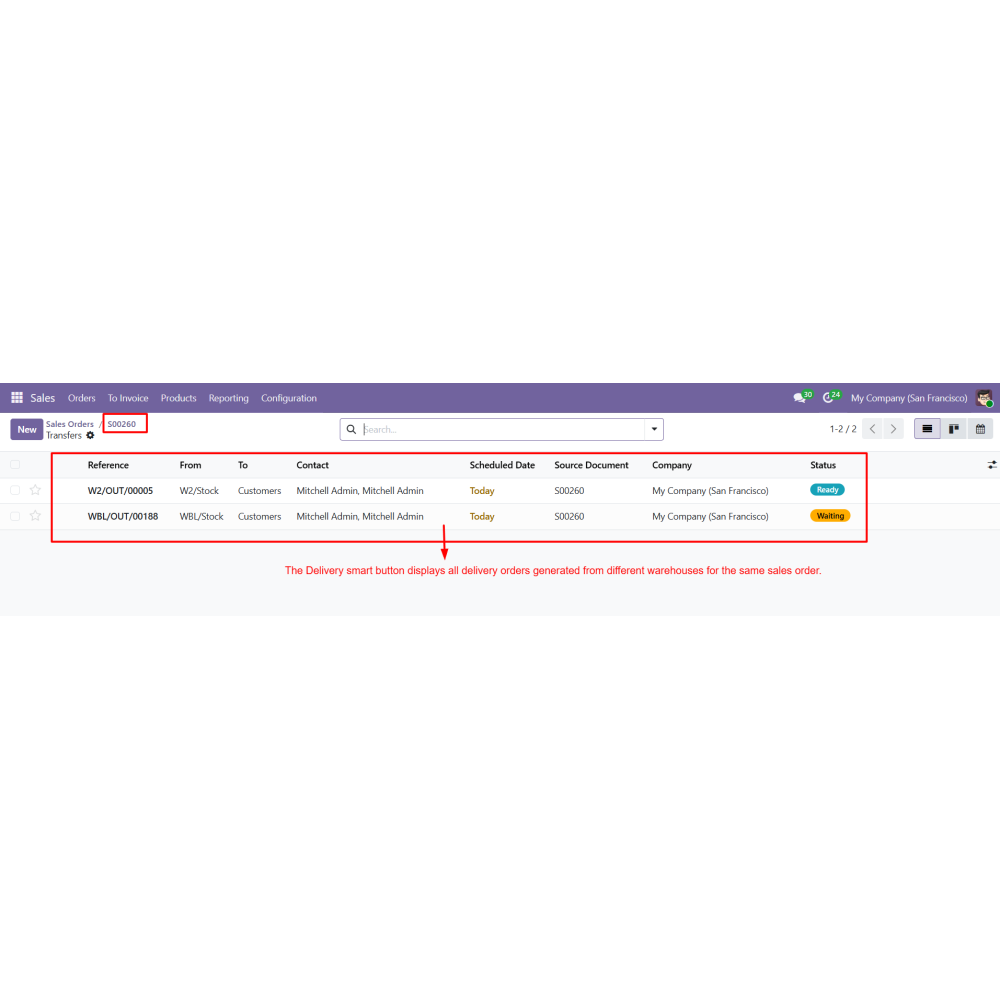
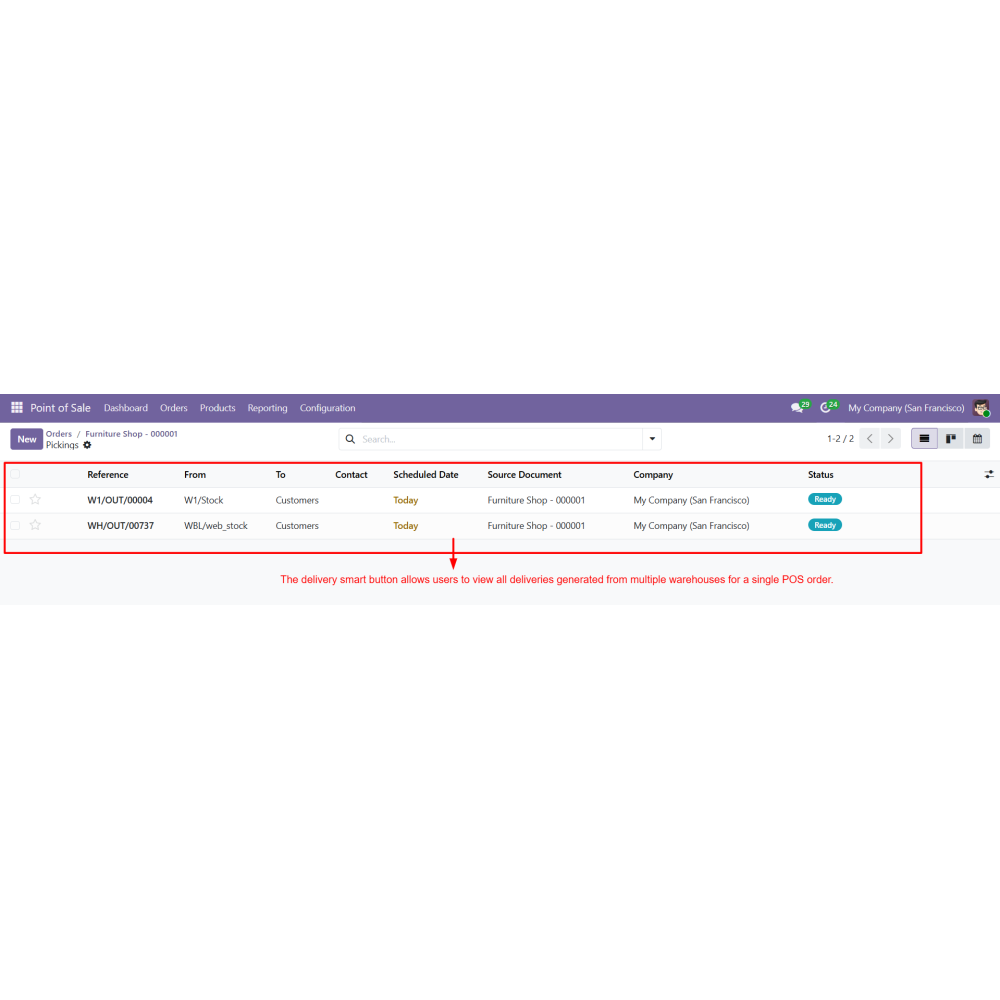
  • Automatically generate separate delivery orders for each selected warehouse.
  • Improve inventory utilization by sourcing products from multiple warehouse locations.
  • Track all warehouse-wise deliveries from a single order using the Delivery smart button.
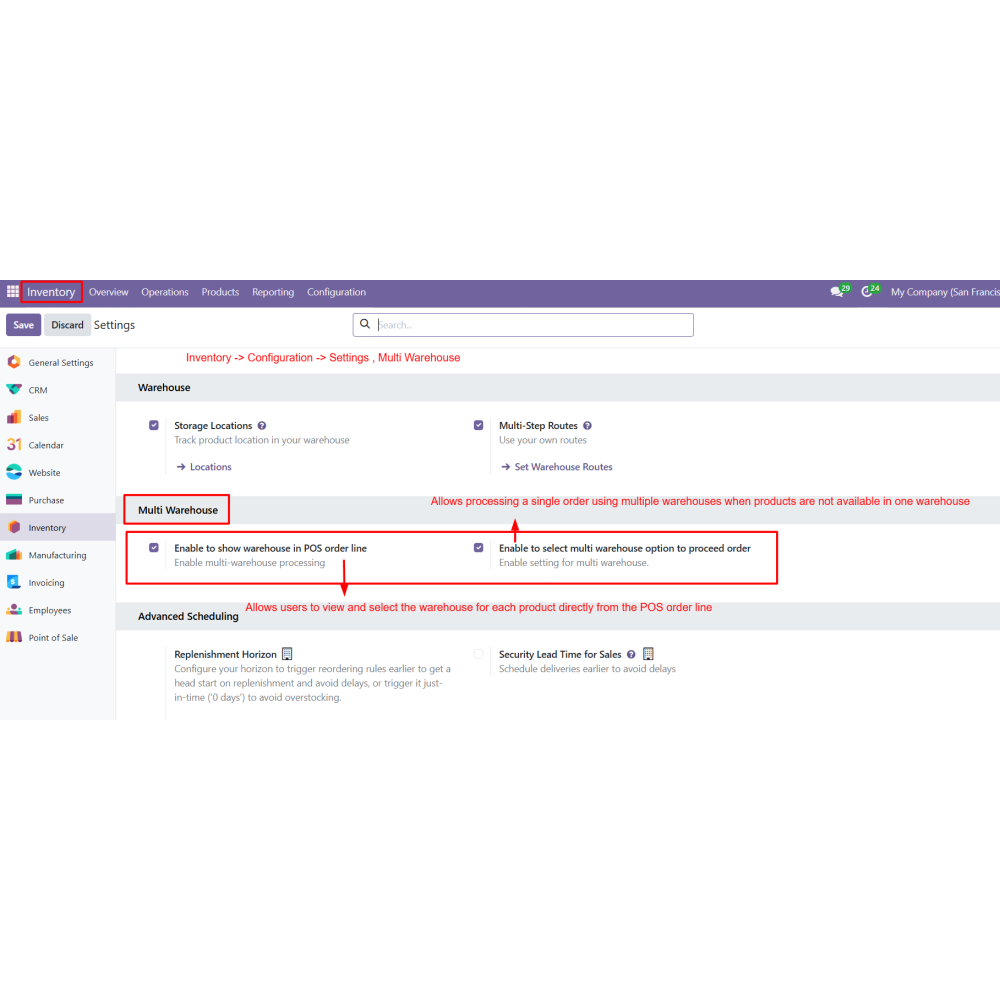
  • Enable multi-warehouse processing from Inventory settings for Sales and Website orders.
  • Assign different warehouses to individual Sales Order lines.
  • Allocate warehouses for website order products from the Sales Order backend.
  • Fulfill a single order using products from multiple warehouses.
  • Automatically generate warehouse-specific delivery orders.
  • View and manage all deliveries related to a multi-warehouse order from one screen.
  • Improve stock availability by sourcing products from multiple warehouses.
  • Speed up order fulfillment with flexible warehouse allocation.
  • Reduce manual effort by eliminating order splitting.
  • Maintain accurate delivery tracking across warehouse locations.
  • Optimize inventory utilization and stock distribution.
  • Centralize multi-warehouse order management within Odoo.
  • Multi Warehouse is enabled from the Inventory settings to activate warehouse selection across Sales, Website, and POS.
  • A customer places an order with multiple products through the website or a user creates a Sales Order with multiple items.
  • While adding products to the Sales Order, a separate warehouse can be assigned to each product line based on stock availability.
  • After confirming the Sales Order, the system automatically generates separate delivery orders according to the selected warehouses.
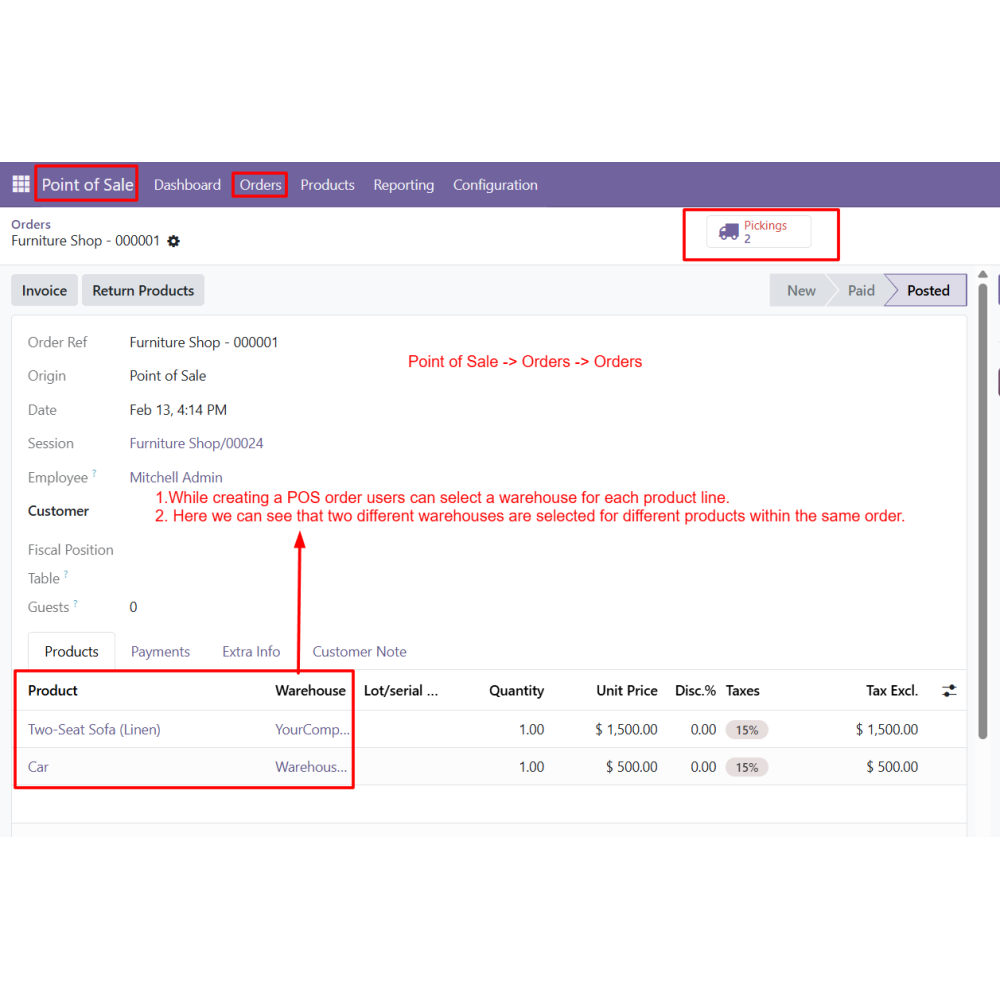
  • In POS, the warehouse must be selected at the time of adding each product to the cart.
  • Different products within the same POS order can be assigned to different warehouses during product selection.
  • The Delivery smart button allows users to view all delivery orders created from multiple warehouses for the same Sales or POS order.
What is the WooCommerce Connector for Odoo?WooCommerce Connector integrates WooCommerce with Odoo for seamless synchronization of products, orders, customers, categories, attributes, and inventory.
Can I manage multiple WooCommerce stores from Odoo?Yes, you can connect and manage multiple WooCommerce stores from a single Odoo instance with centralized control.
Does it support product import and export?Yes, products can be easily imported from WooCommerce to Odoo and exported from Odoo to WooCommerce.
Can WooCommerce orders be synced with Odoo?Yes, WooCommerce orders are automatically imported into Odoo for processing, fulfillment, and management.
How does inventory synchronization work?The module keeps stock levels updated between WooCommerce and Odoo through automatic inventory synchronization.
Does it support real-time updates?Yes, webhook-based synchronization enables real-time updates between WooCommerce and Odoo.
Can product categories and attributes be synchronized?Yes, categories and attributes can be imported and synchronized to maintain consistent product structure across both systems.
How can synchronization activities be tracked?All operations, including imports, exports, and errors, can be monitored using the Operation Logs feature.

Customer reviews

0.0 Out Of 5
5 star
0%
4 star
0%
3 star
0%
2 star
0%
1 star
0%

No customer reviews

Benefits Of Multi Warehouse Order

Centralized Multi Warehouse Order Processing

Improved Stock Availability Management

Faster Order Fulfillment

Reduced Manual Order Splitting

Accurate Warehouse-Based Delivery Tracking

Enhanced POS Multi Warehouse Control

Features of Multi Warehouse Order

Multi Warehouse Configuration

Enable multi-warehouse functionality from Inventory settings to allow warehouse selection in Sales, Website, and POS orders.

Warehouse Selection in Sales Order Line

Select a different warehouse for each product directly from the Sales Order line for multi-warehouse fulfillment.

Automatic Warehouse Assignment in POS

Products in POS orders are automatically assigned to warehouses based on configured allocation rules.

Website Order Multi Warehouse Support

Process website orders and assign different warehouses per product from the Sales Order backend.

Single Order – Multiple Warehouses

Fulfill one order from multiple warehouses without manually splitting the order.

Delivery Smart Button View

View all delivery orders generated from different warehouses for a single Sales or POS order.

Power Up Your  Store — We Handle It All

Related products