Odoo Order Status Tracking

€99.00
Tax excluded

Order Status Tracking for Odoo enables businesses and customers to monitor order progress in real time. It allows the creation of custom order stages with messages, dates, and icons, while providing seamless status updates directly from sales orders. Customers can track orders using a Reference ID through a dedicated website page or customer portal, where they can view complete order timelines and tracking history. With bulk status updates, improved transparency, and self-service tracking, the module enhances customer experience and streamlines order management.

WATCH DEMO VIDEO

Technical Support
Quantity
  Return policy

10-day module exchange guarantee

  • Order Status Tracking for Odoo provides real-time visibility into order progress across sales and website channels.
  • Create and manage custom order status stages with messages, dates, priorities, and icons.
  • Update order statuses directly from sales orders through a simple and user-friendly workflow.
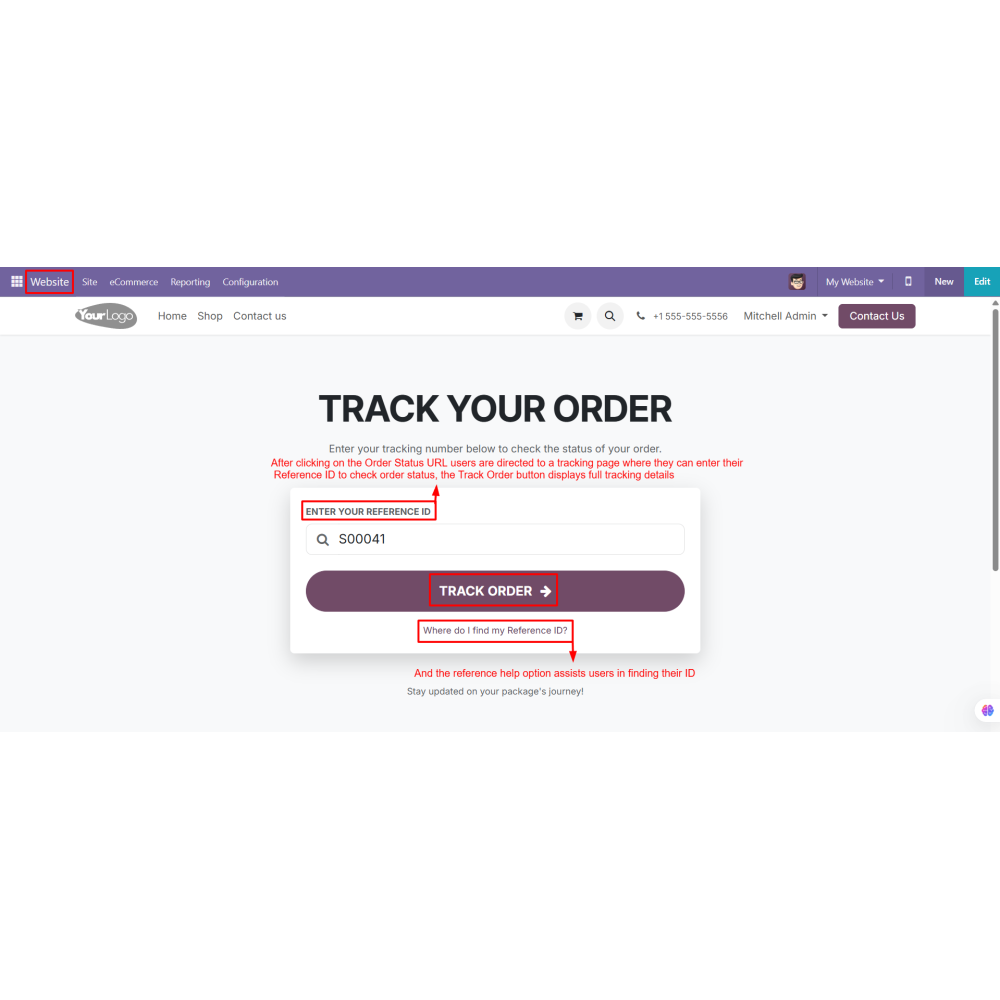
  • Allow customers to track orders using a Reference ID from a dedicated website tracking page.
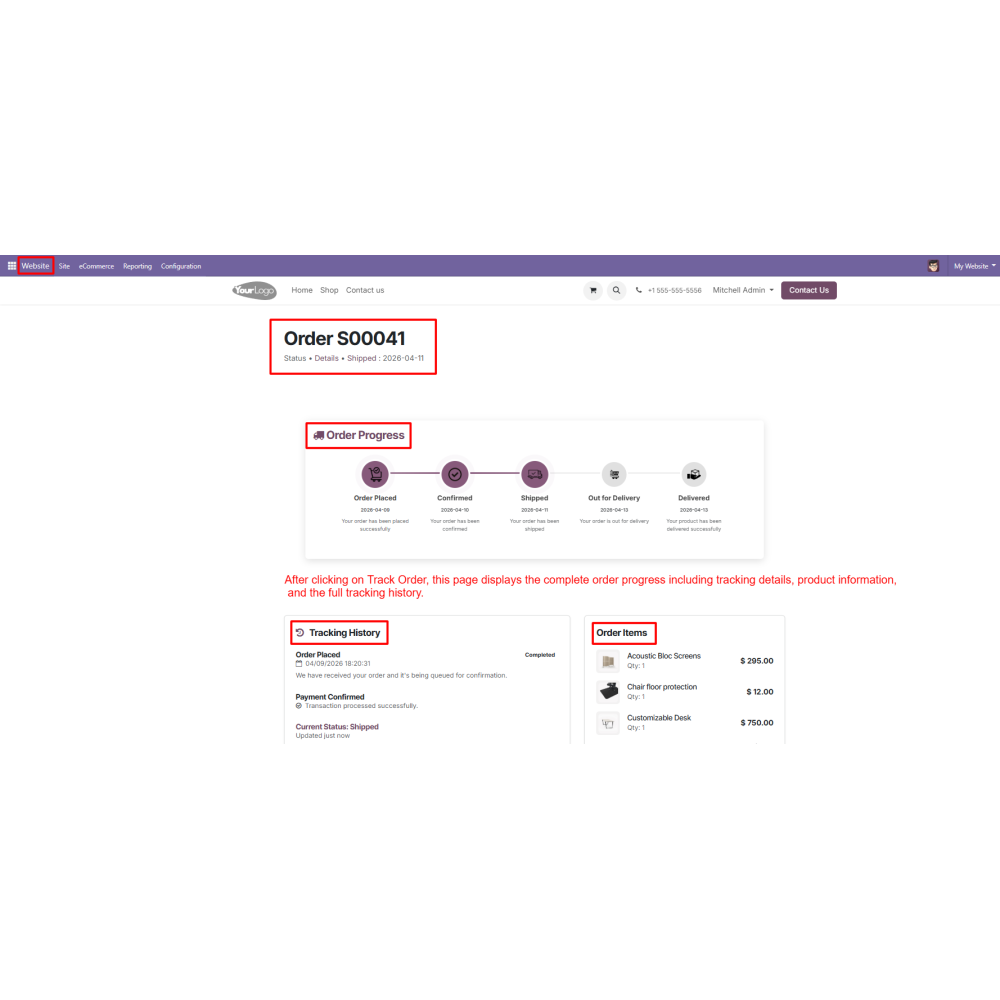
  • Display complete order timelines, tracking history, and product details for better transparency.
  • Support bulk status updates to efficiently manage multiple orders at the same time.
  • Adds an Order Status option to the website menu for quick access to order tracking.
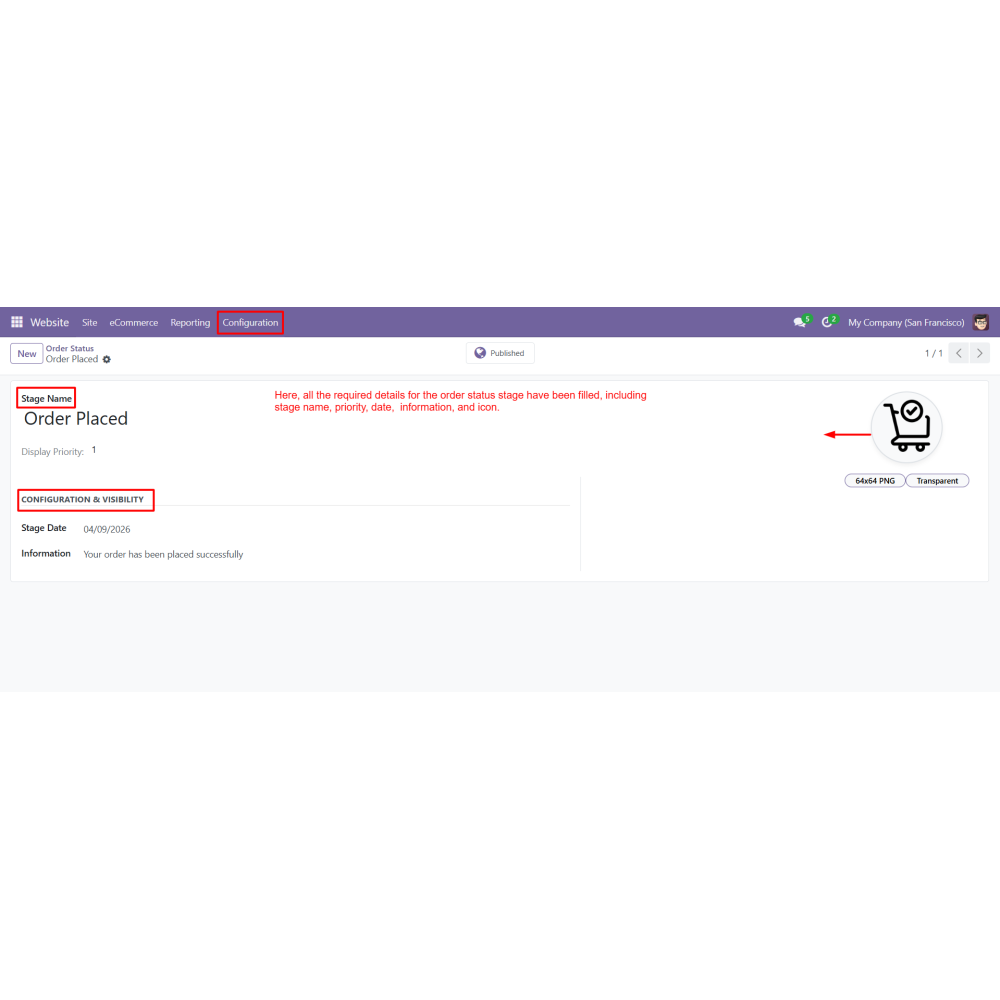
  • Creates custom order status stages with stage name, priority, date, message, and icon.
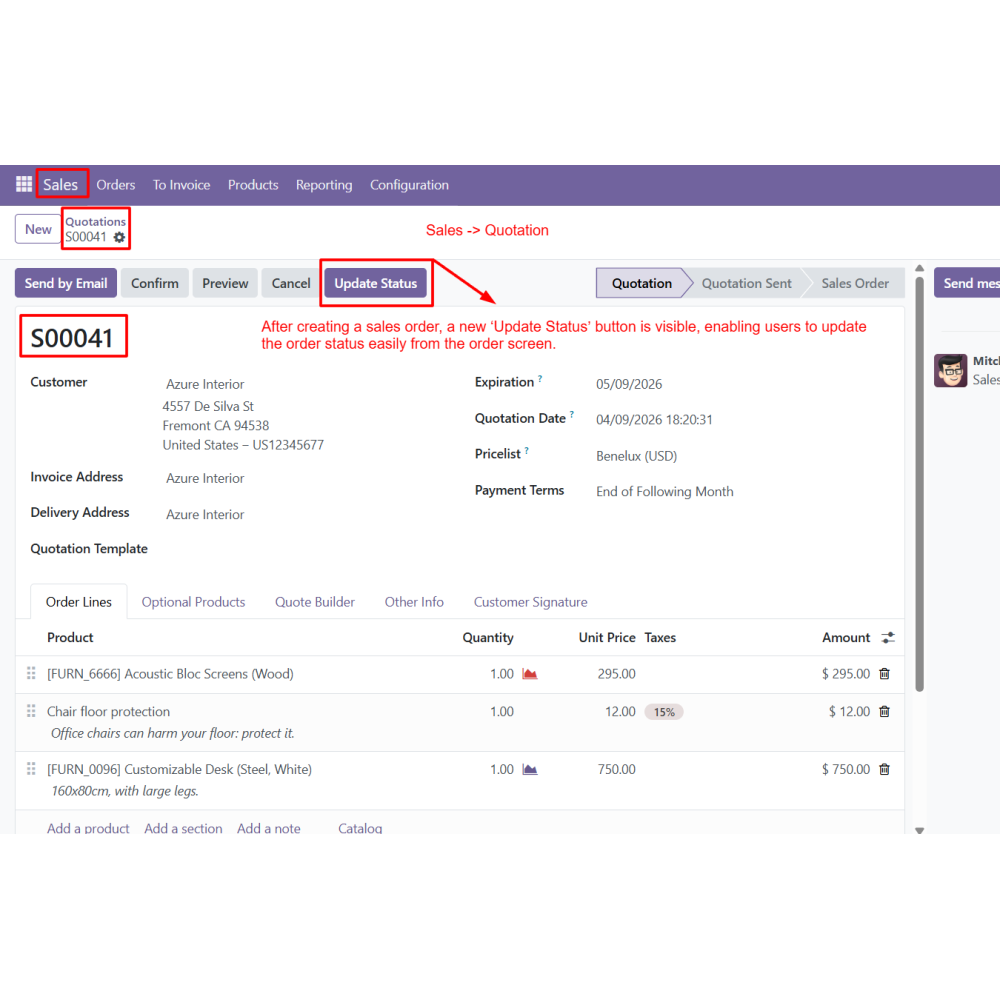
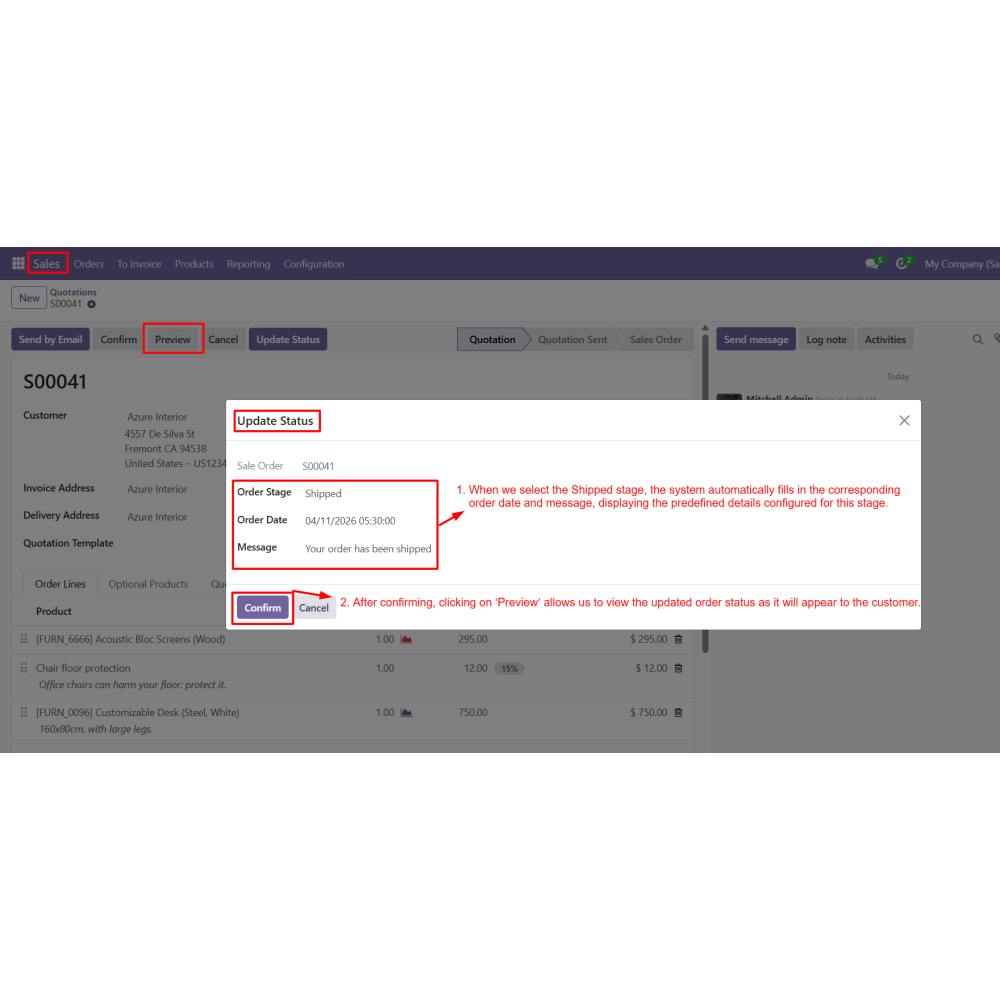
  • Updates order status directly from sales orders using the Update Status button.
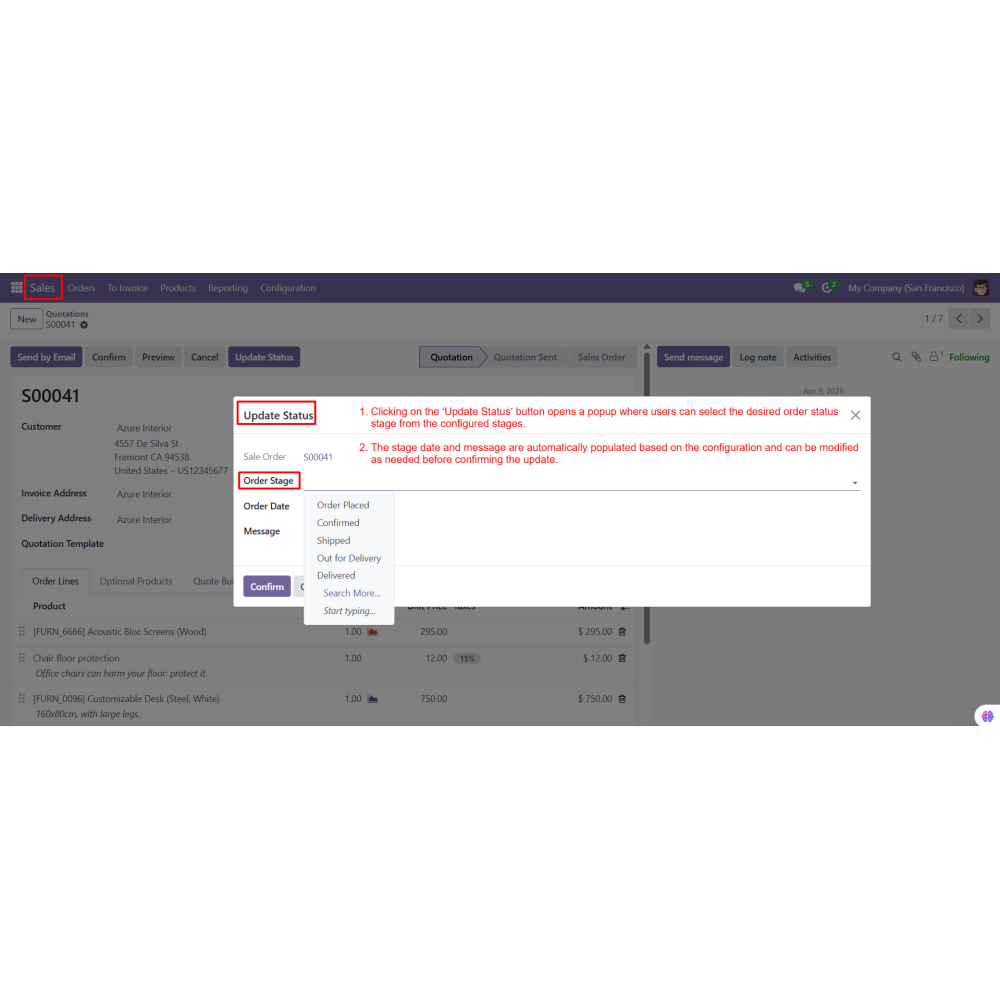
  • Provides a popup-based status update with auto-filled date and message that can be edited before confirmation.
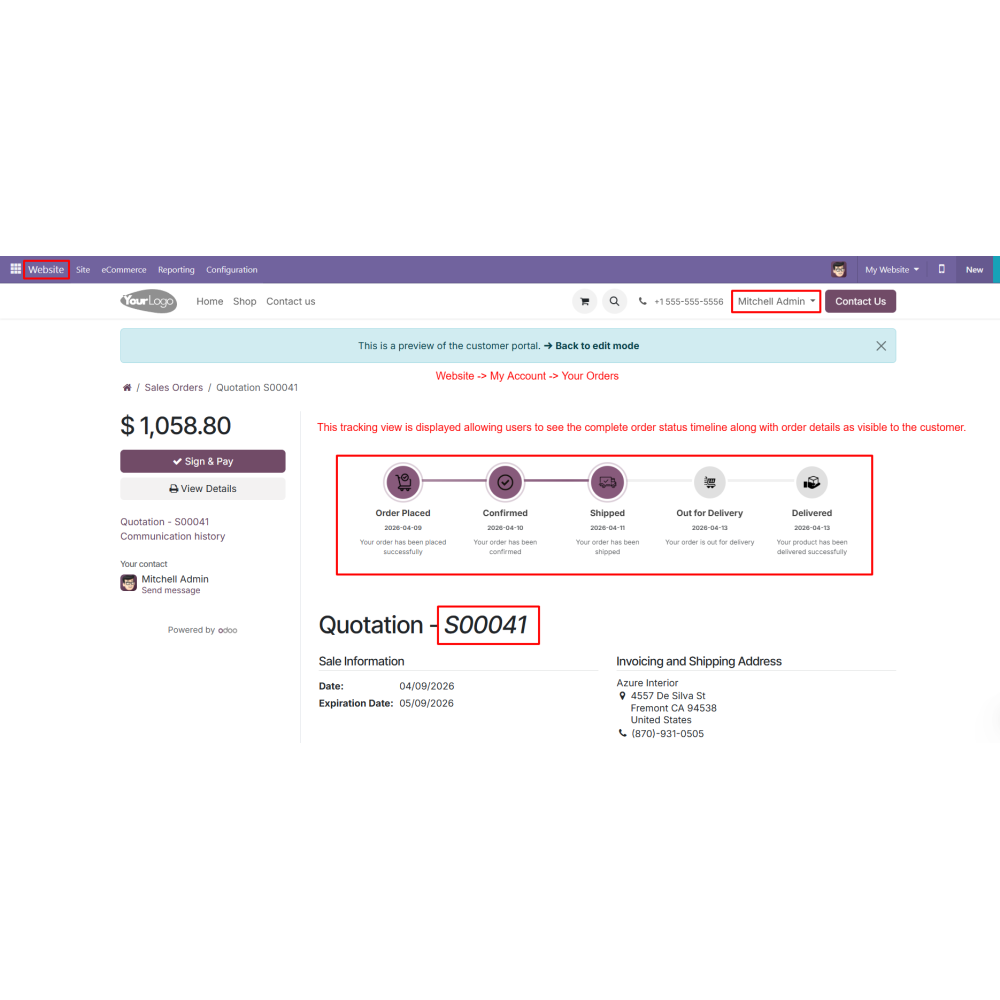
  • Allows customers to track orders through the customer portal and dedicated website tracking page.
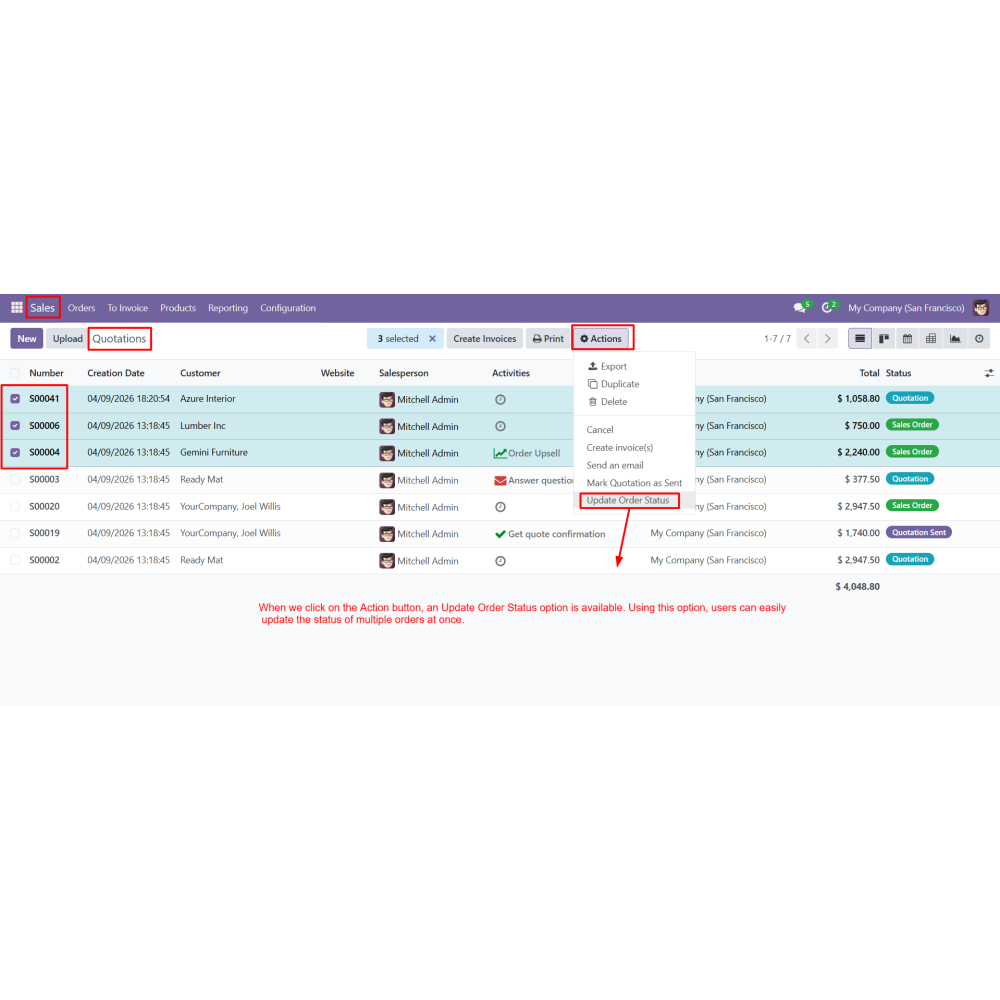
  • Supports bulk status updates for multiple orders using the Action menu.
  • Improves customer experience by providing clear and accessible order tracking information.
  • Enables real-time order tracking with complete status visibility throughout the order lifecycle.
  • Reduces support queries by allowing customers to track orders independently.
  • Speeds up order management with quick status updates and streamlined workflows.
  • Increases transparency through detailed order timelines and tracking history.
  • Saves time by allowing multiple orders to be updated simultaneously.
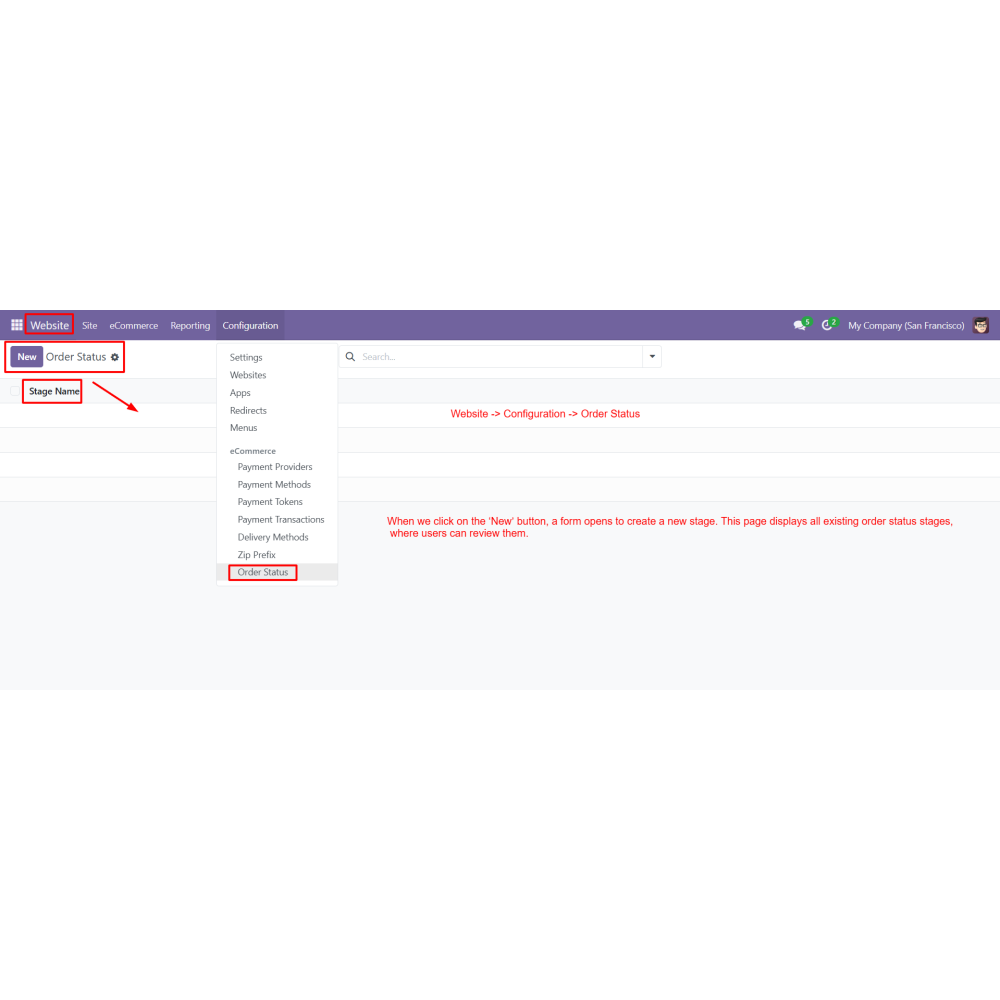
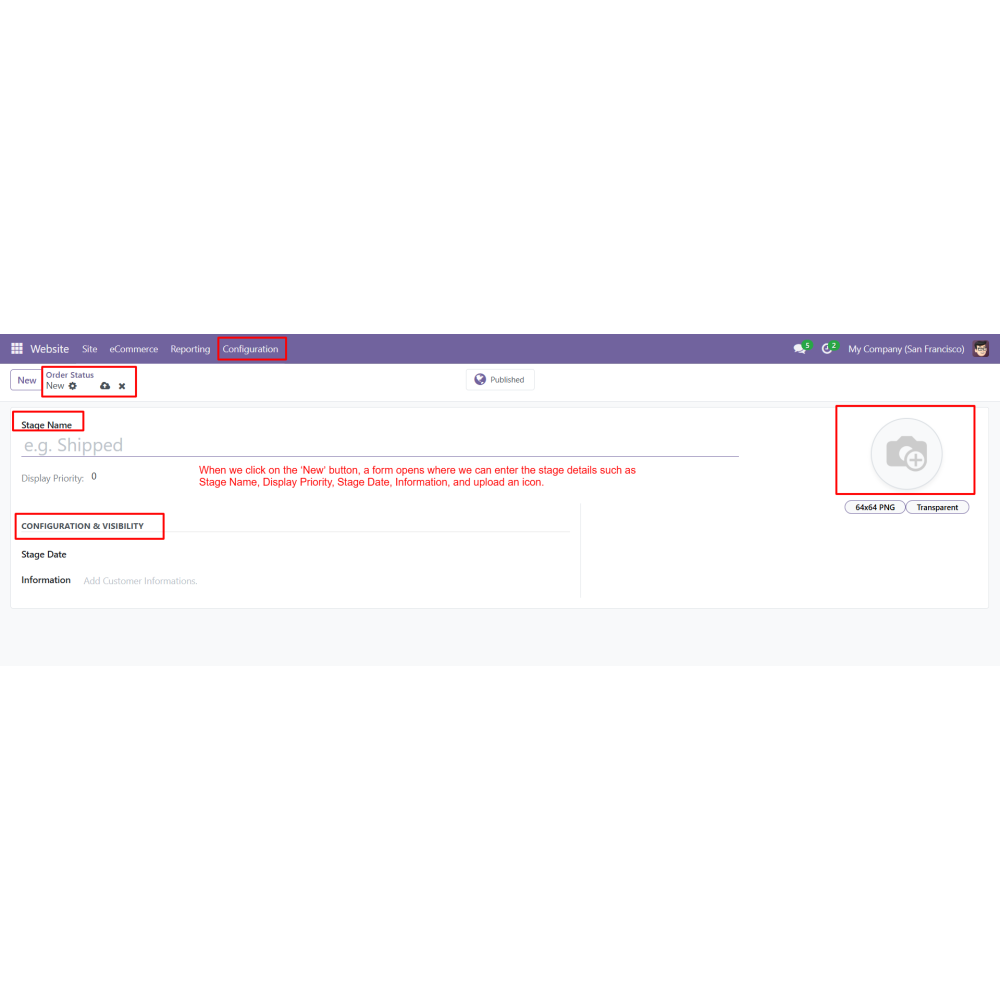
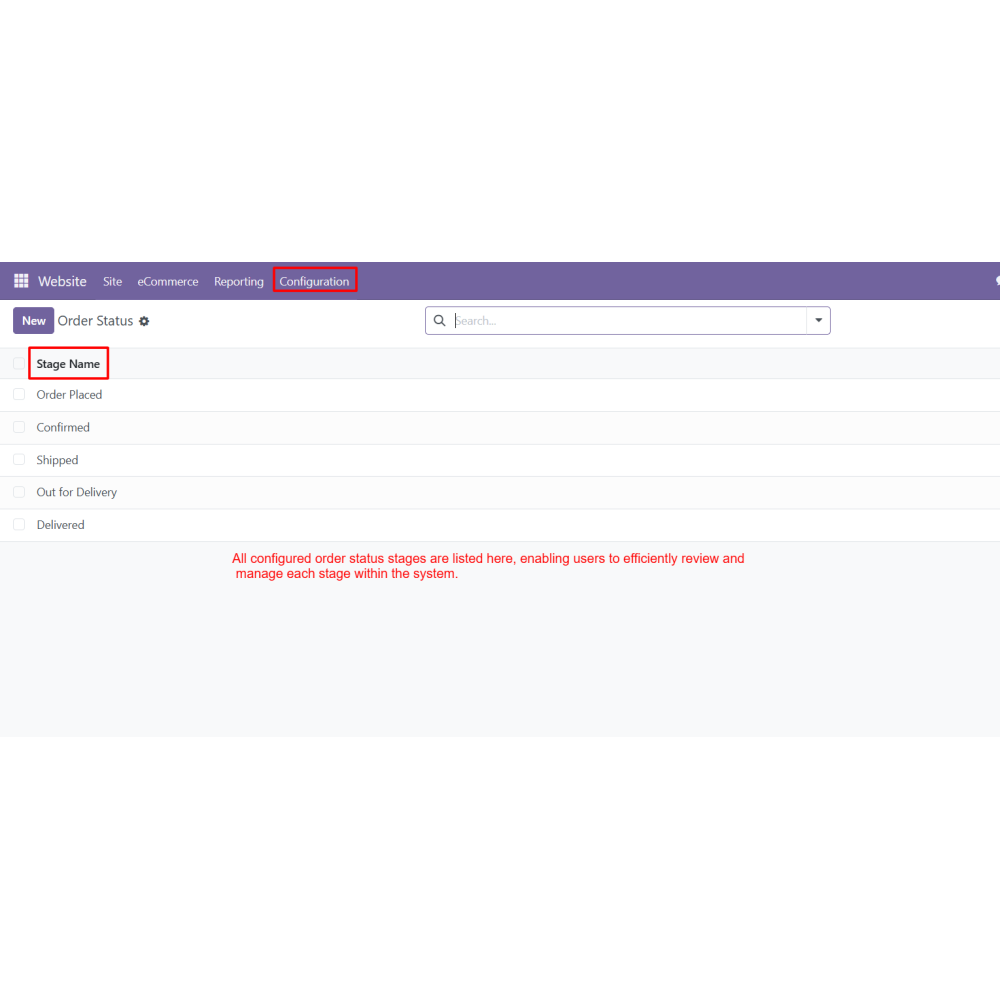
  • Create order status stages from configuration
  • Define stage details (name, priority, date, message, icon)
  • Manage and review all created stages
  • Create a new sales order
  • Update order status using the “Update Status” button
  • Select stage from popup and confirm update
  • Auto-fill and edit stage date and message
  • Preview tracking view before confirming
  • Display tracking timeline in customer account
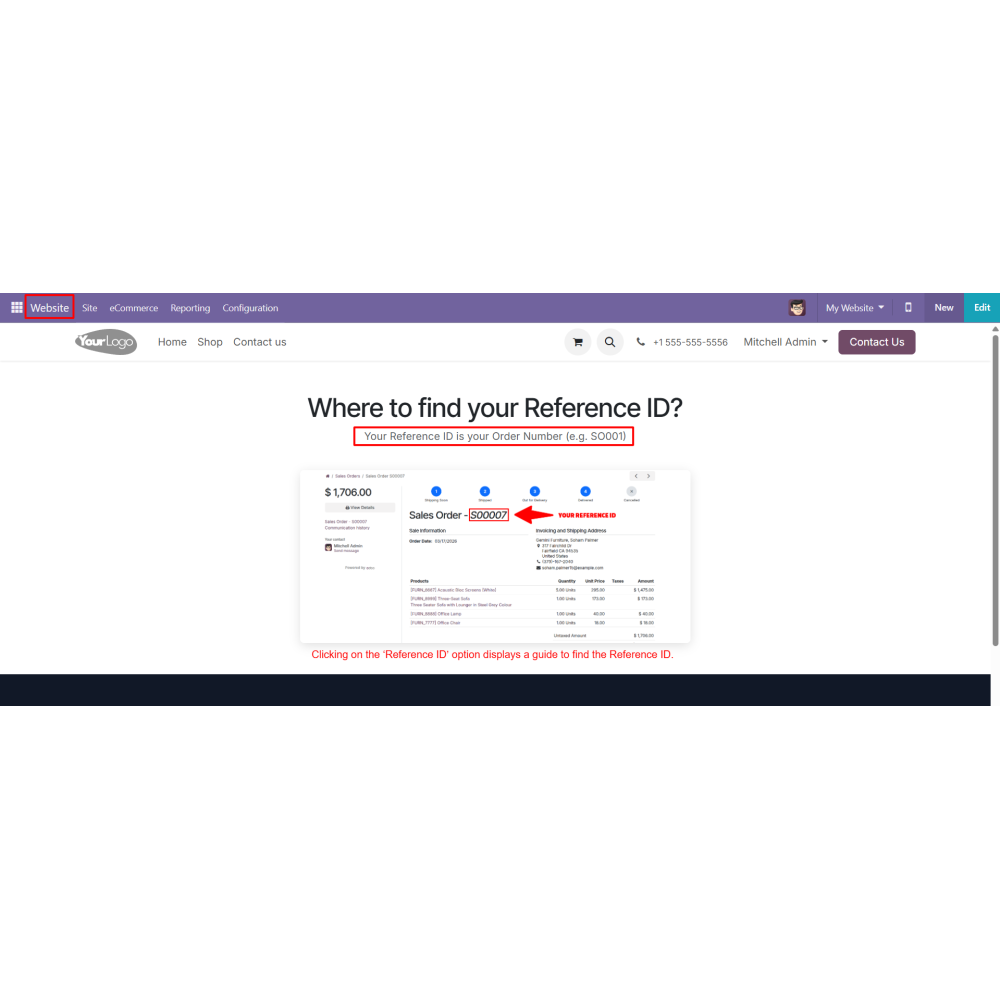
  • Track order using Reference ID on website
  • View complete order progress and tracking history
  • Update multiple order statuses using bulk action
What is Order Status Tracking for Odoo?Order Status Tracking for Odoo allows businesses to manage and track order progress in real time using custom order stages and customer-facing tracking pages.
Can I create custom order status stages?Yes, you can create multiple order stages with custom names, priorities, dates, messages, and icons.
How can order statuses be updated?Order statuses can be updated directly from the sales order using the Update Status button.
Can customers track their orders online?Yes, customers can track their orders using a Reference ID through the dedicated Order Status page on the website.
Is order tracking available in the customer portal?Yes, customers can view their order timeline, status updates, and order details from their account portal.
What information is shown in the tracking view?The tracking view displays order progress, status timeline, product details, and complete tracking history.
Can I preview the tracking view before updating the status?Yes, the Preview option allows users to see how the tracking information will appear to customers before confirming the update.
Does the module support bulk status updates?Yes, multiple orders can be updated at once using the bulk update option available in the Action menu.
How do customers find their Reference ID?The tracking page includes a Reference ID Help option that guides customers in locating their tracking ID.
How does this module improve customer experience?By providing real-time order tracking, clear status updates, and self-service access to order information, the module improves transparency and customer satisfaction.

Customer reviews

0.0 Out Of 5
5 star
0%
4 star
0%
3 star
0%
2 star
0%
1 star
0%

No customer reviews

Benefits Of Order Status Tracking

Improved Customer Experience

Real-Time Order Tracking

Reduced Support Queries

Faster Order Management

Better Transparency

Time-Saving Bulk Updates

Features of Order Status Tracking

Custom Order Status Stages

Create multiple order stages with stage name, priority, date, message, and icon for clear tracking.

Sales Order Integration

Update order status directly from the sales order using the Update Status button.

Popup Status Update

Select stages from a popup with auto-filled date and message, editable before confirmation.

Customer Portal Tracking

Customers can track their orders from their account section, where they can view the complete order timeline and details.

Website Tracking Page

Track orders using Reference ID on a dedicated Order Status page with complete tracking view.

Bulk Status Update

Update multiple orders at once using the Action menu to save time and effort.

Power Up Your  Store — We Handle It All

Related products