Odoo QuickBooks Online Connector

€99.00
Tax excluded

Viva Wallet Payment Provider for Odoo enables secure online payment processing directly from Odoo eCommerce and Sales. Customers can complete payments through the hosted Viva payment page, while administrators can manage transactions, refunds, payment status, and invoices from the Odoo backend. The module supports payment links, partial refunds, automatic sales order confirmation, and real-time transaction synchronization. It improves checkout experience, simplifies payment management, and provides secure API-based integration for efficient digital payment processing in Odoo.

WATCH DEMO VIDEO

Technical Support
Quantity
  Return policy

10-day module exchange guarantee

  • Seamlessly integrates Odoo with QuickBooks for smooth data exchange.
  • Enables real-time synchronization of accounting and business data.
  • Supports import and export of customers, products, and vendors.
  • Allows invoice, bill, and sales order synchronization between platforms.
  • Provides centralized control for managing all sync operations.
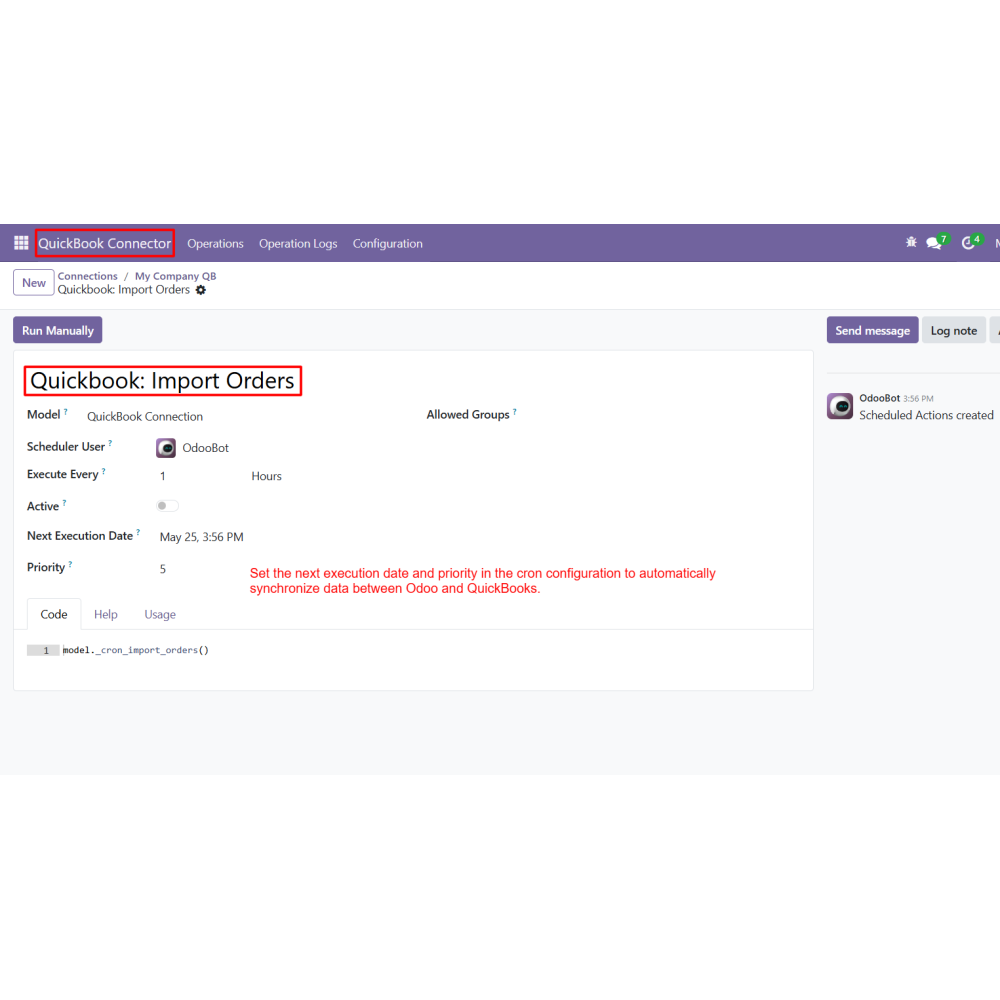
  • Includes automated cron scheduling for periodic data sync.
  • Offers detailed operation logs for tracking success and errors.
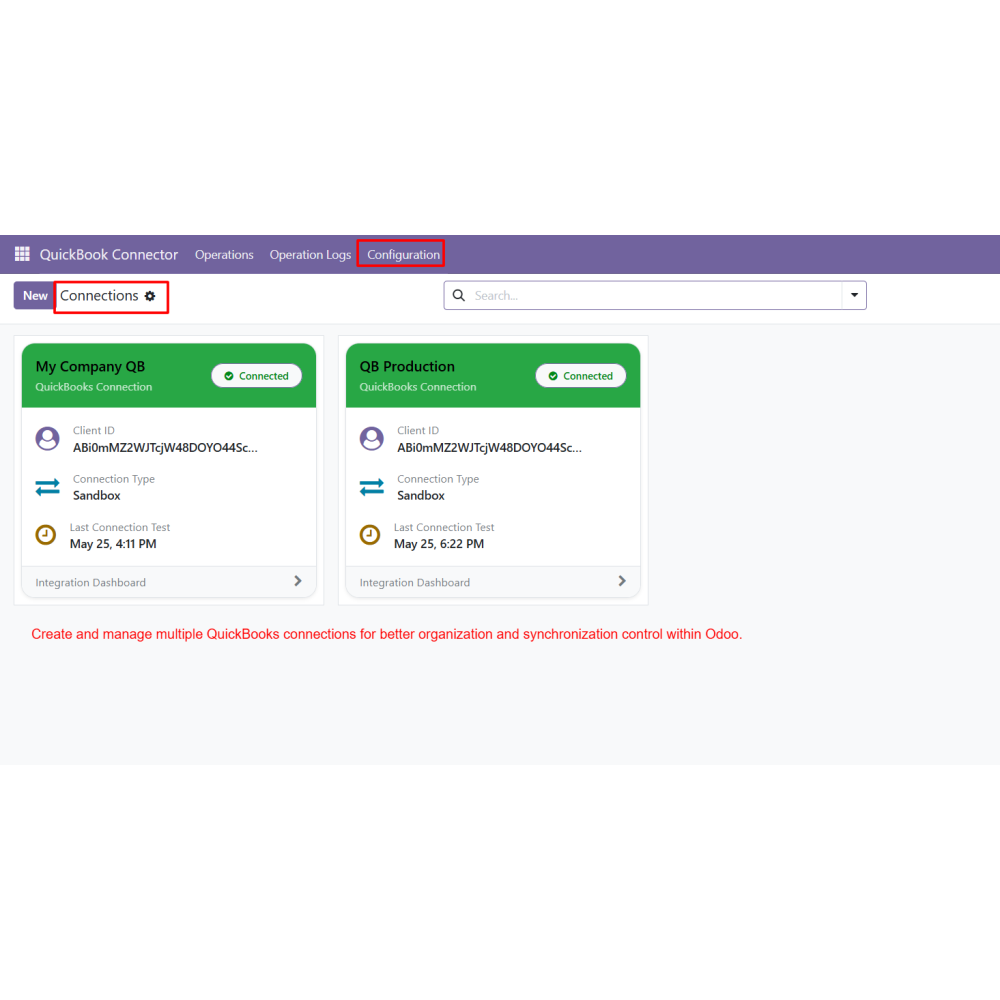
  • Supports multiple QuickBooks connections for better organization.
  • Reduces manual data entry and saves operational time.
  • Improves financial accuracy across Odoo and QuickBooks.
  • Ensures real-time and reliable data synchronization.
  • Enhances accounting workflow efficiency and speed.
  • Provides better control with centralized sync management.
  • Minimizes errors through automated synchronization processes.
  • Supports scalable business growth with multiple connections.
  • Simplifies accounting integration for non-technical users.
  • Automates seamless data synchronization between Odoo and QuickBooks, reducing manual effort and improving operational efficiency.
  • Eliminates repetitive data entry tasks by directly syncing customers, products, invoices, and other records across both platforms.
  • Ensures high accounting accuracy by maintaining consistent and up-to-date financial data in real time.
  • Provides real-time synchronization of business records, helping teams make faster and more informed decisions.
  • Reduces human errors in accounting and data handling through automated and structured integration workflows.
  • Improves financial management by centralizing all accounting and operational data within a unified system.
  • Enhances productivity by streamlining daily accounting processes and reducing dependency on manual operations.
  • Supports scalable business growth by allowing smooth management of complex and multi-connection QuickBooks environments.
  • Install the QuickBooks Connector module in Odoo.
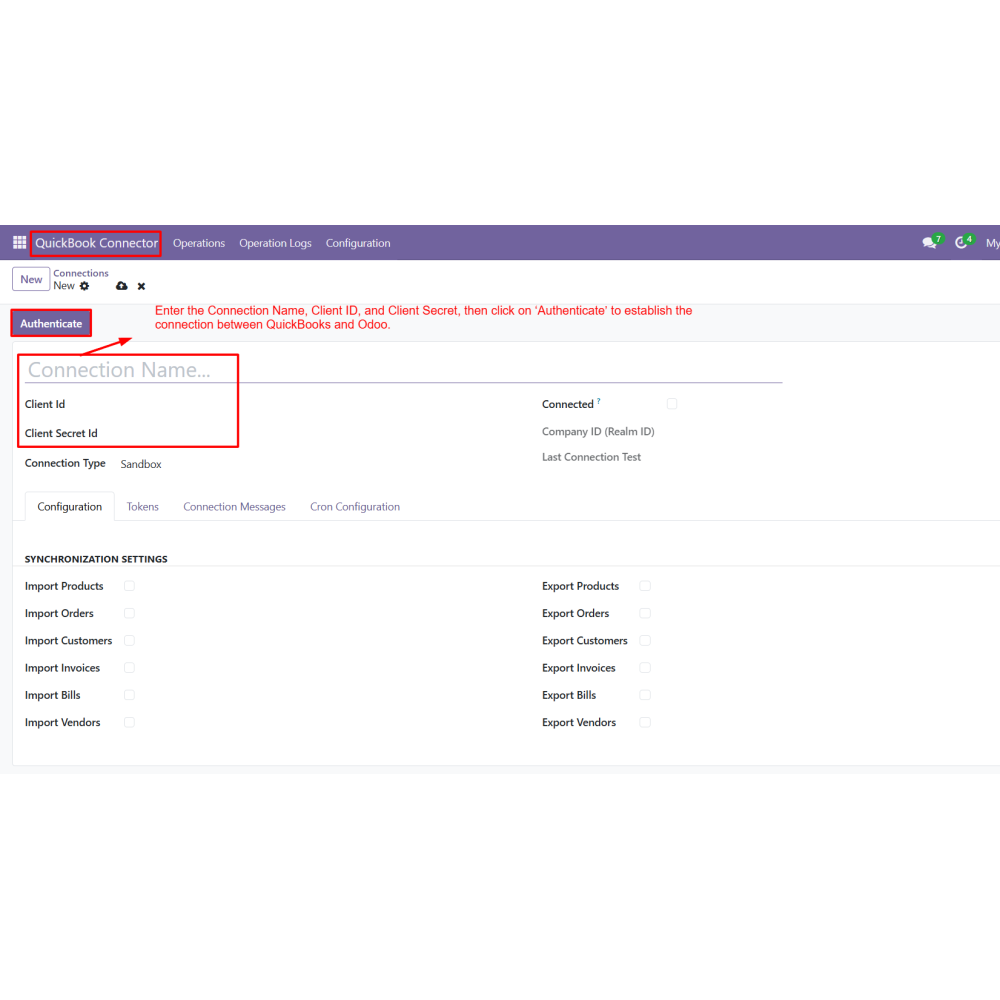
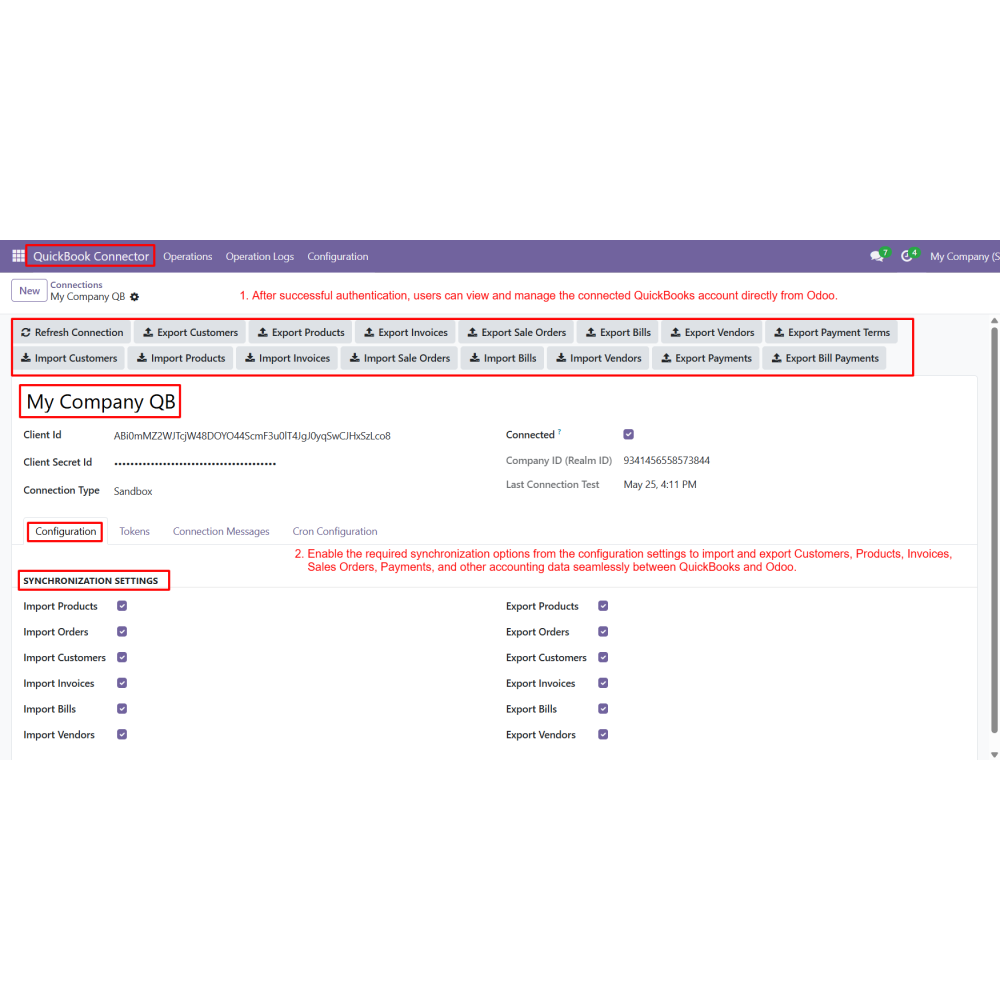
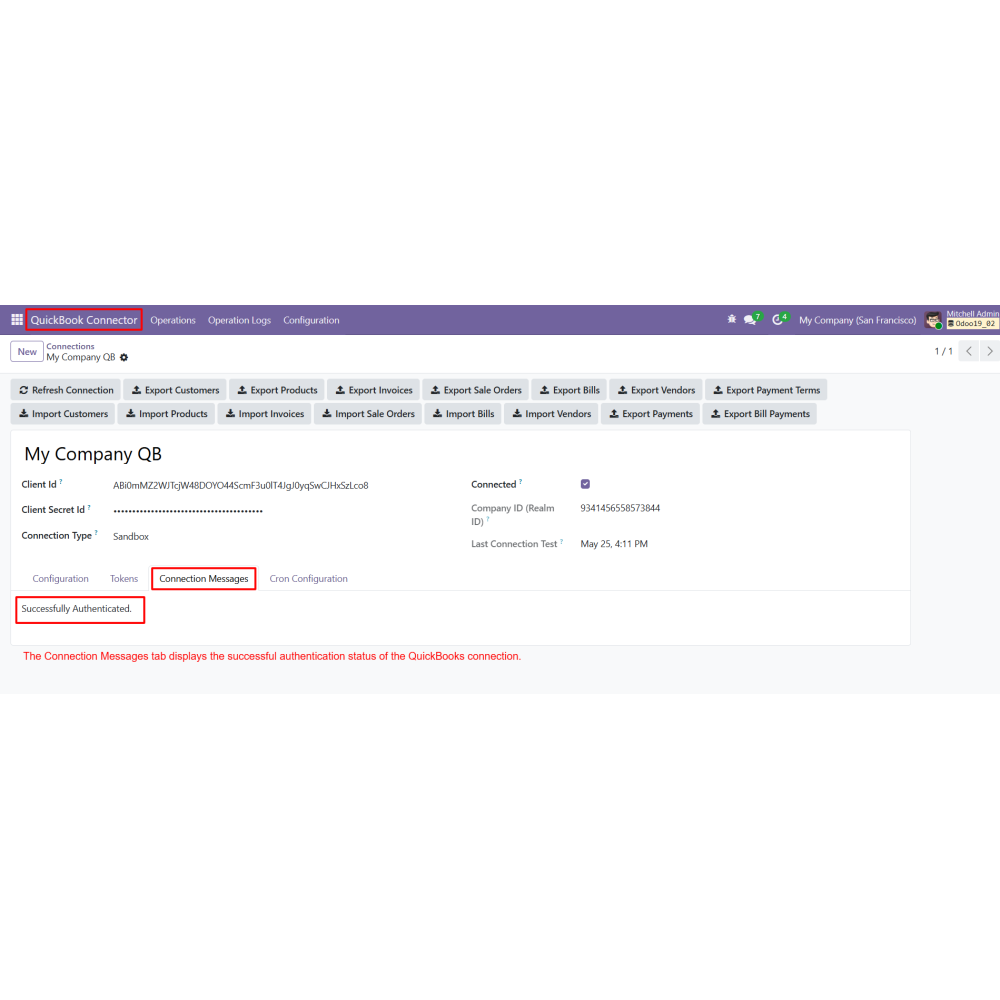
  • Configure the Connection Name, Client ID, and Client Secret for QuickBooks authentication.
  • Click on Authenticate to establish the connection between Odoo and QuickBooks.
  • Enable the required import and export synchronization options from the configuration settings.
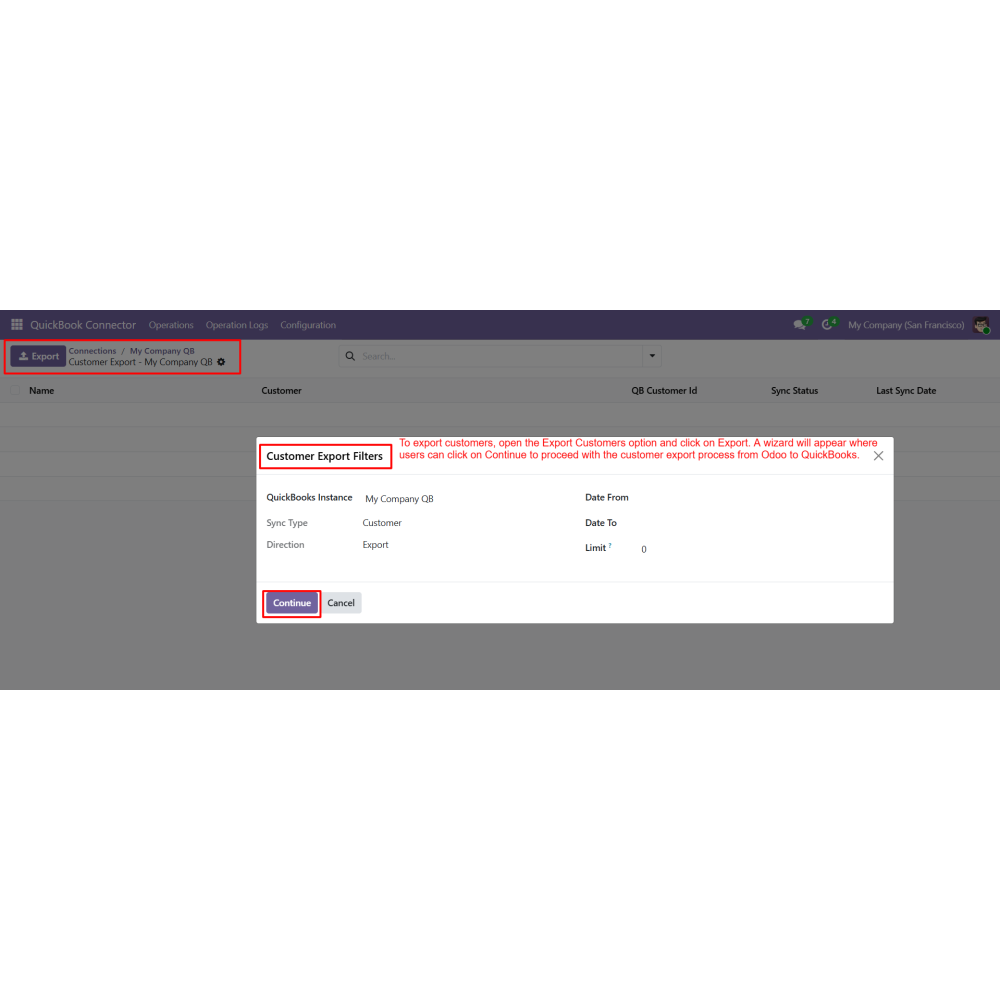
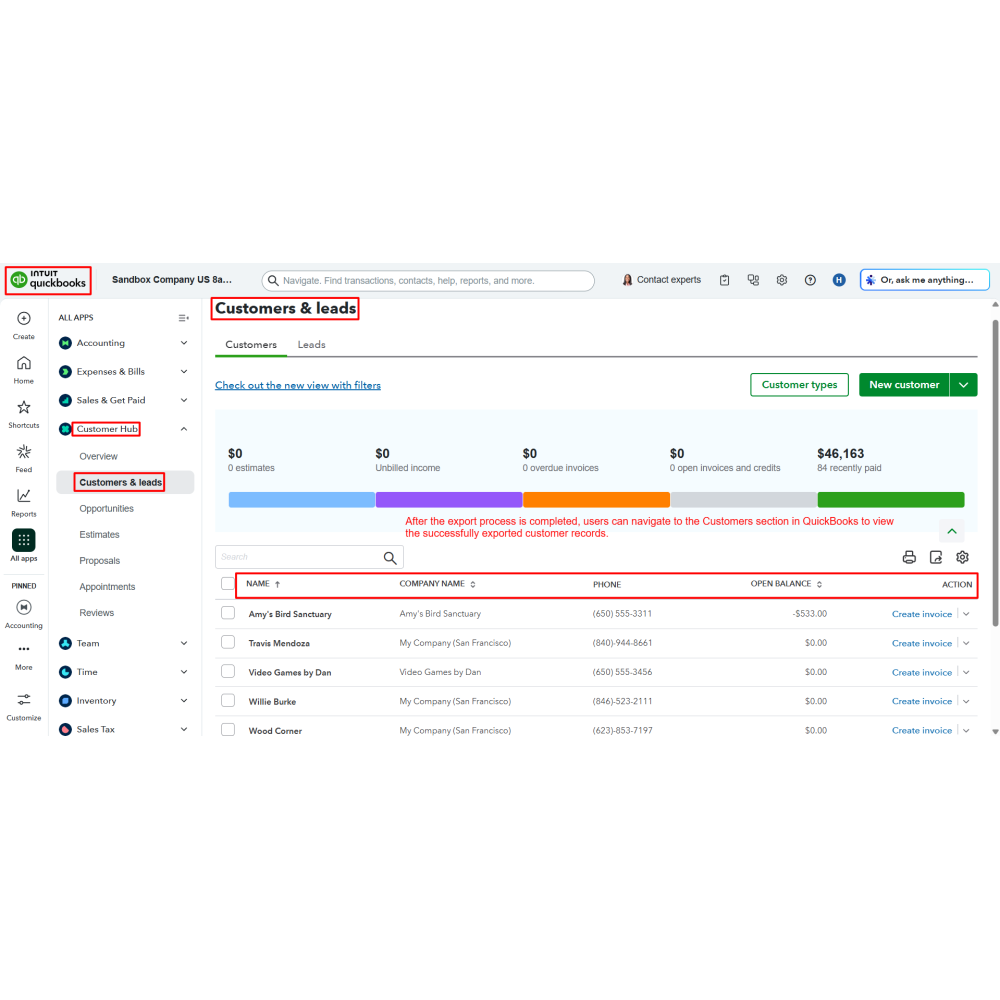
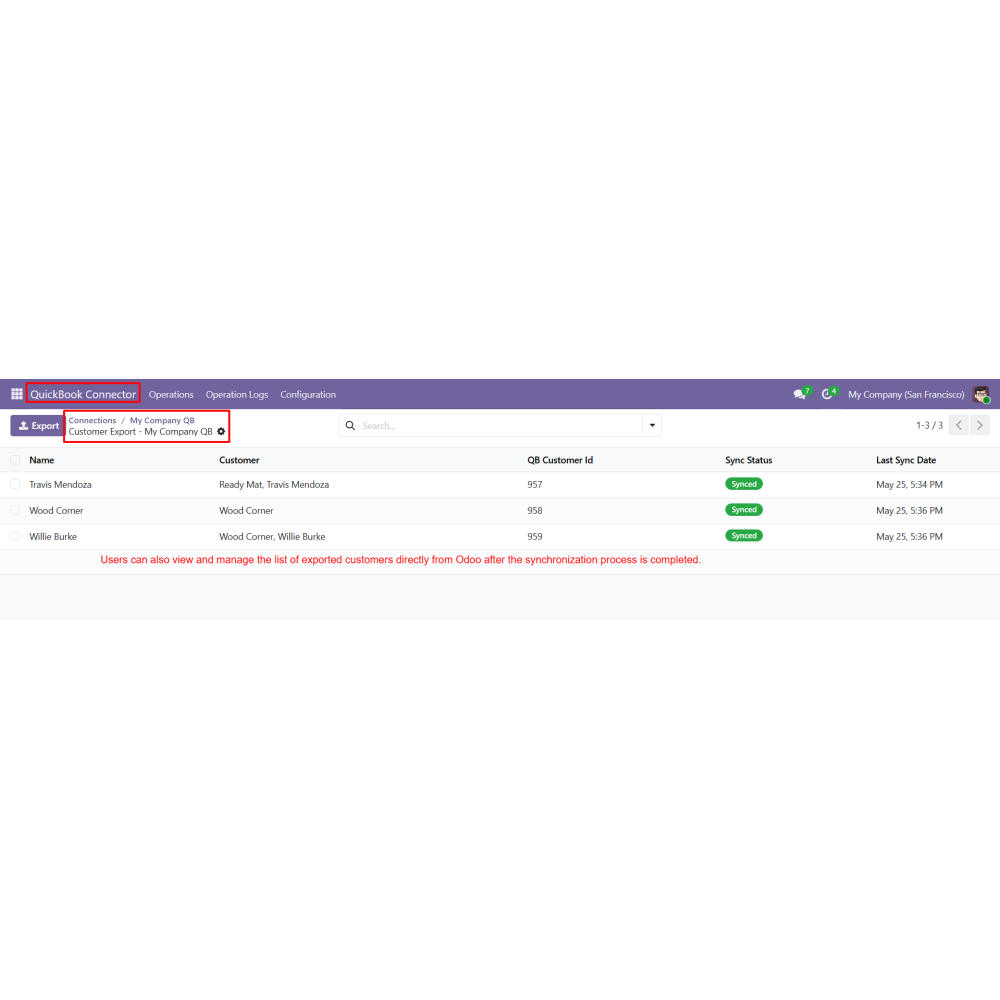
  • Export customer records from Odoo to QuickBooks using the Export Customers operation.
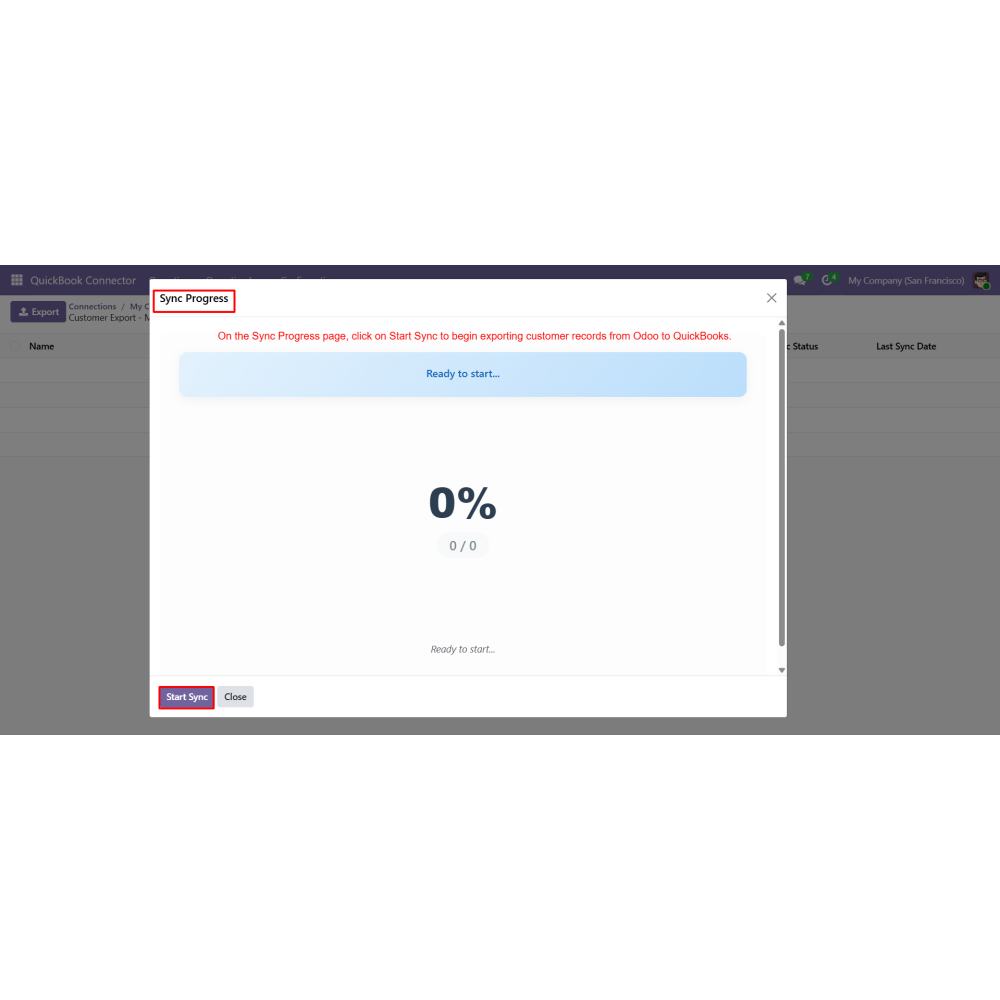
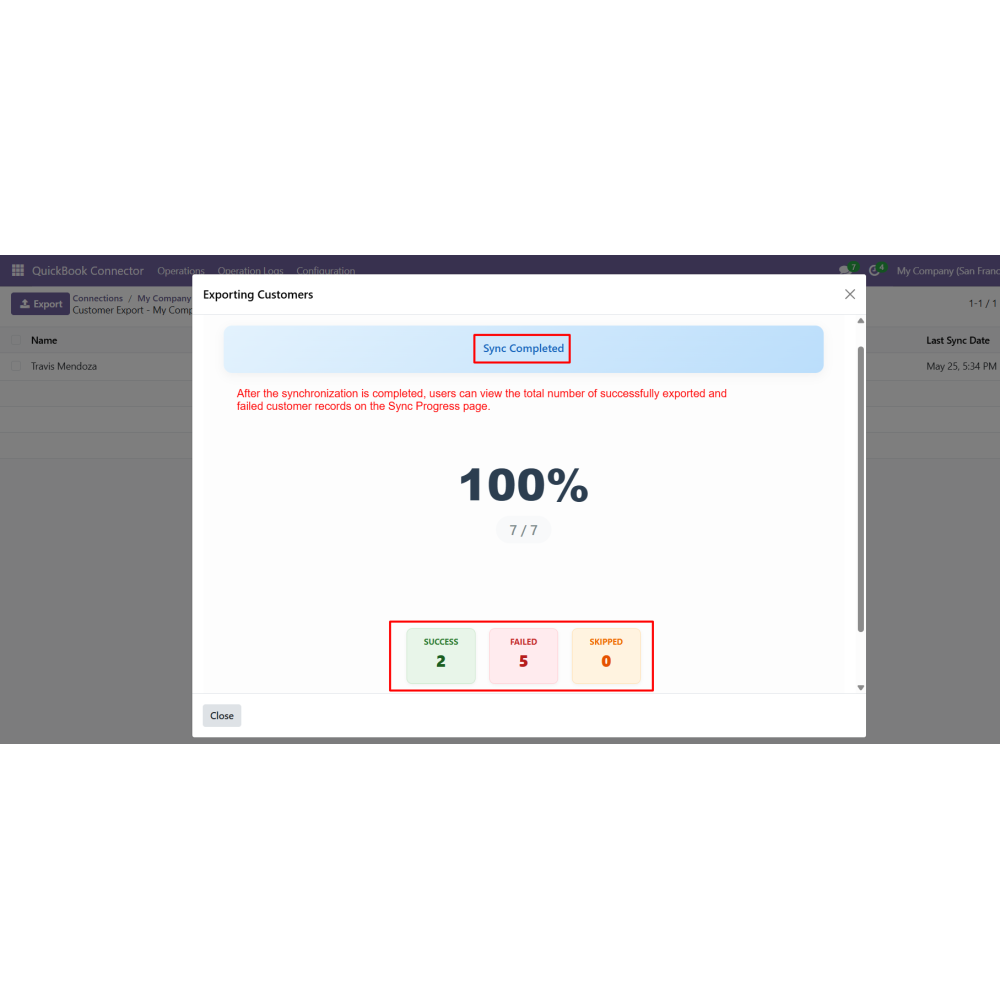
  • Monitor the synchronization progress and view successful or failed customer export records.
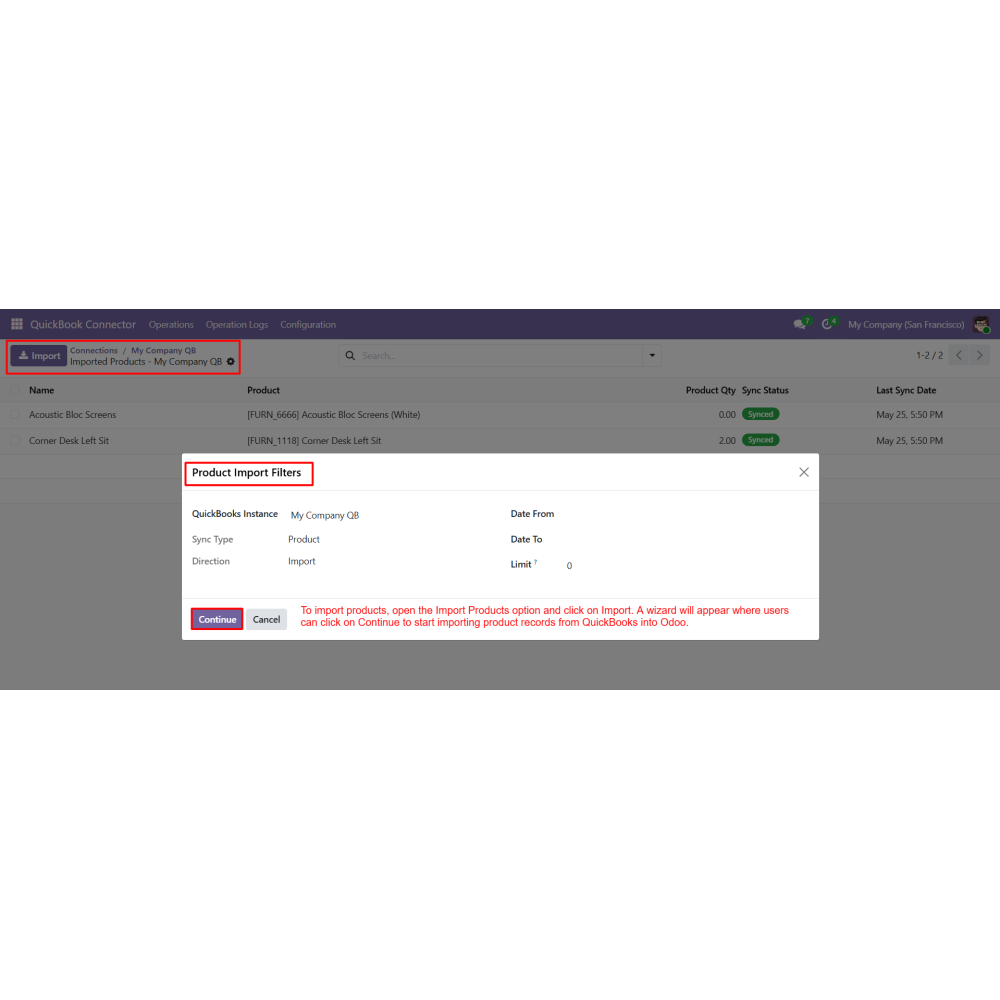
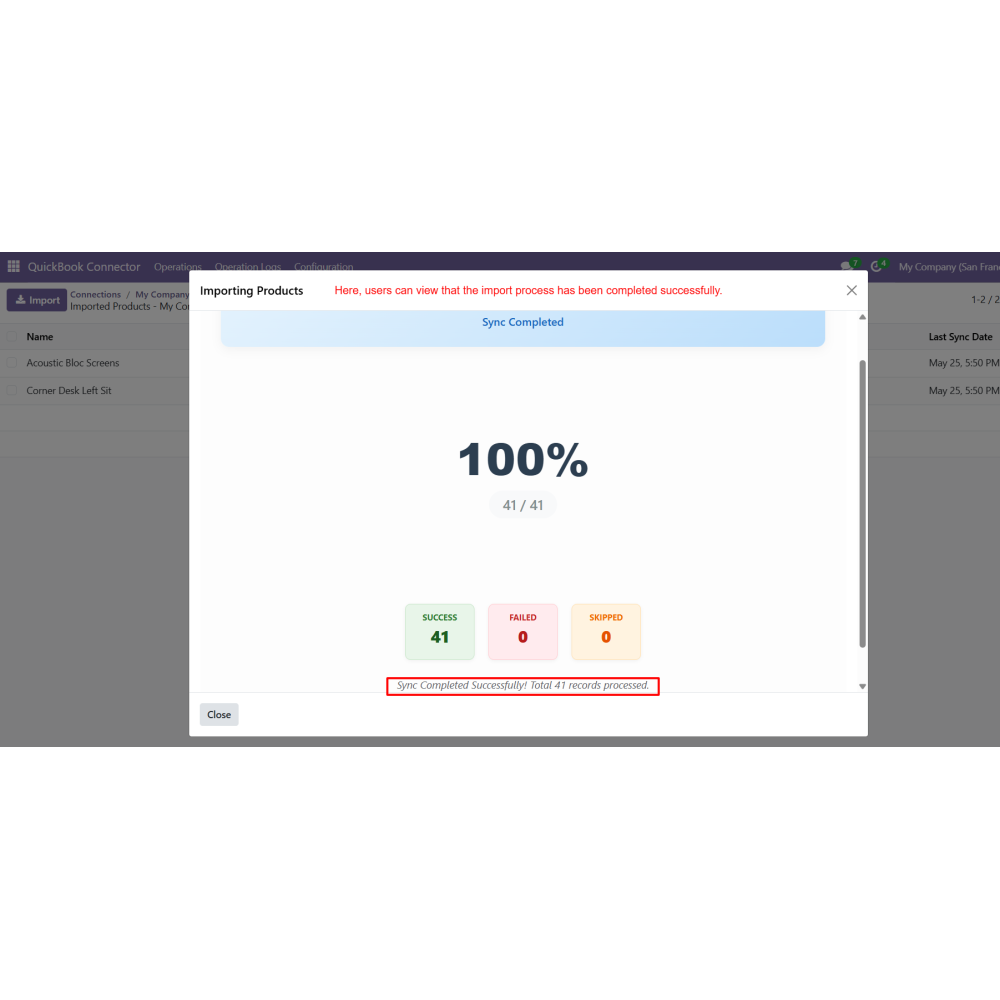
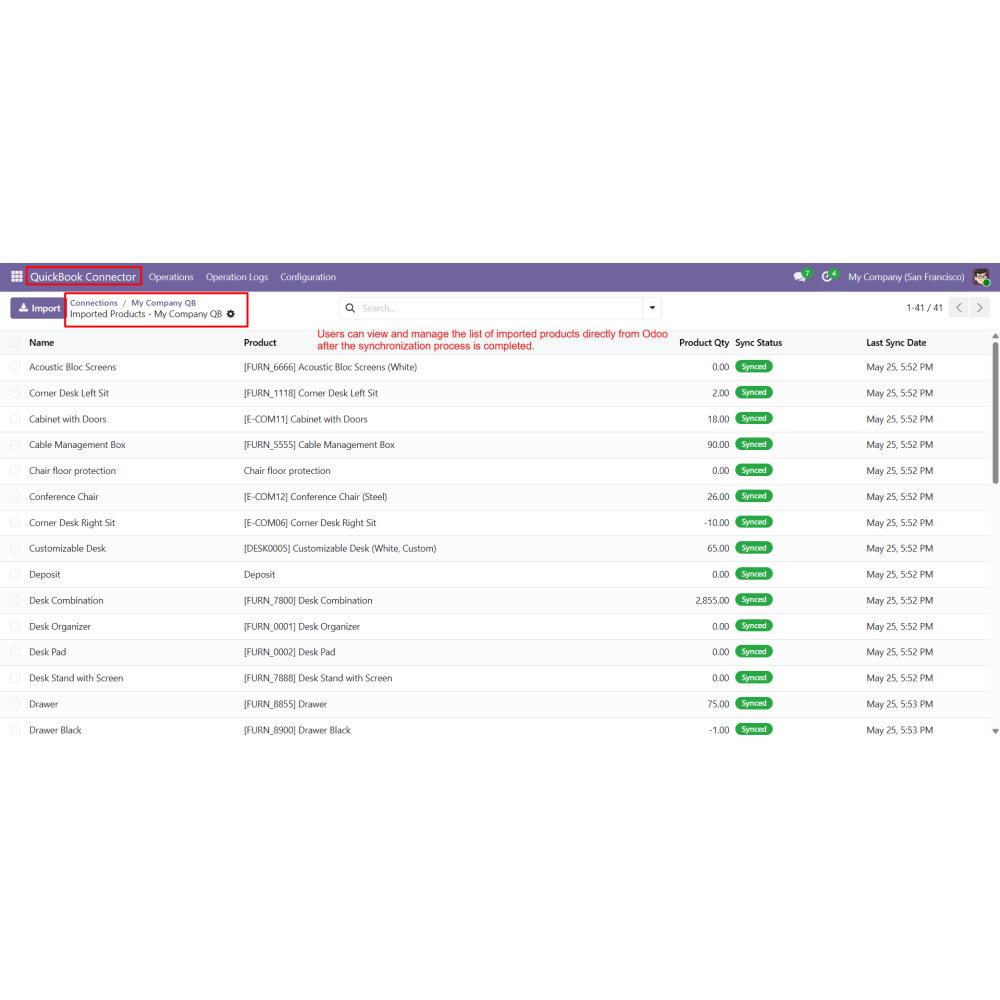
  • Import product records from QuickBooks into Odoo using the Import Products operation.
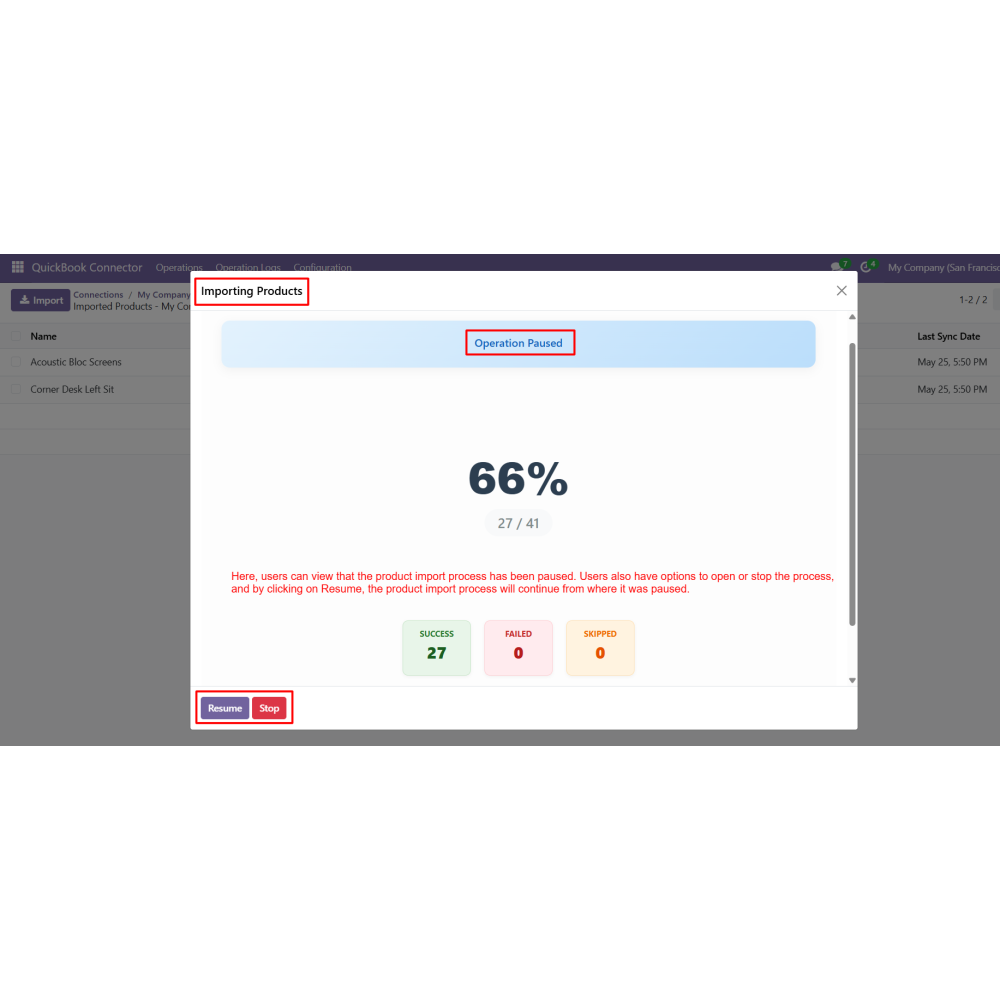
  • Pause, resume, or stop synchronization processes directly from the sync progress screen.
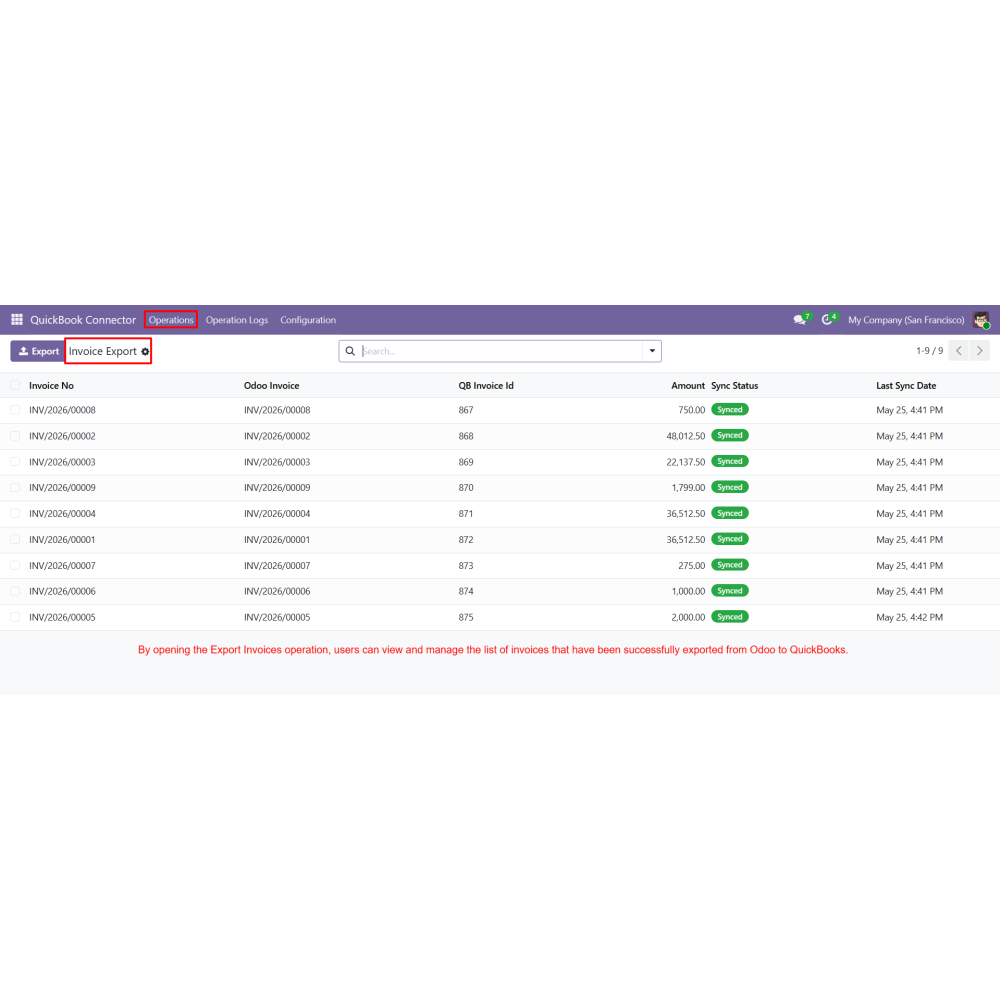
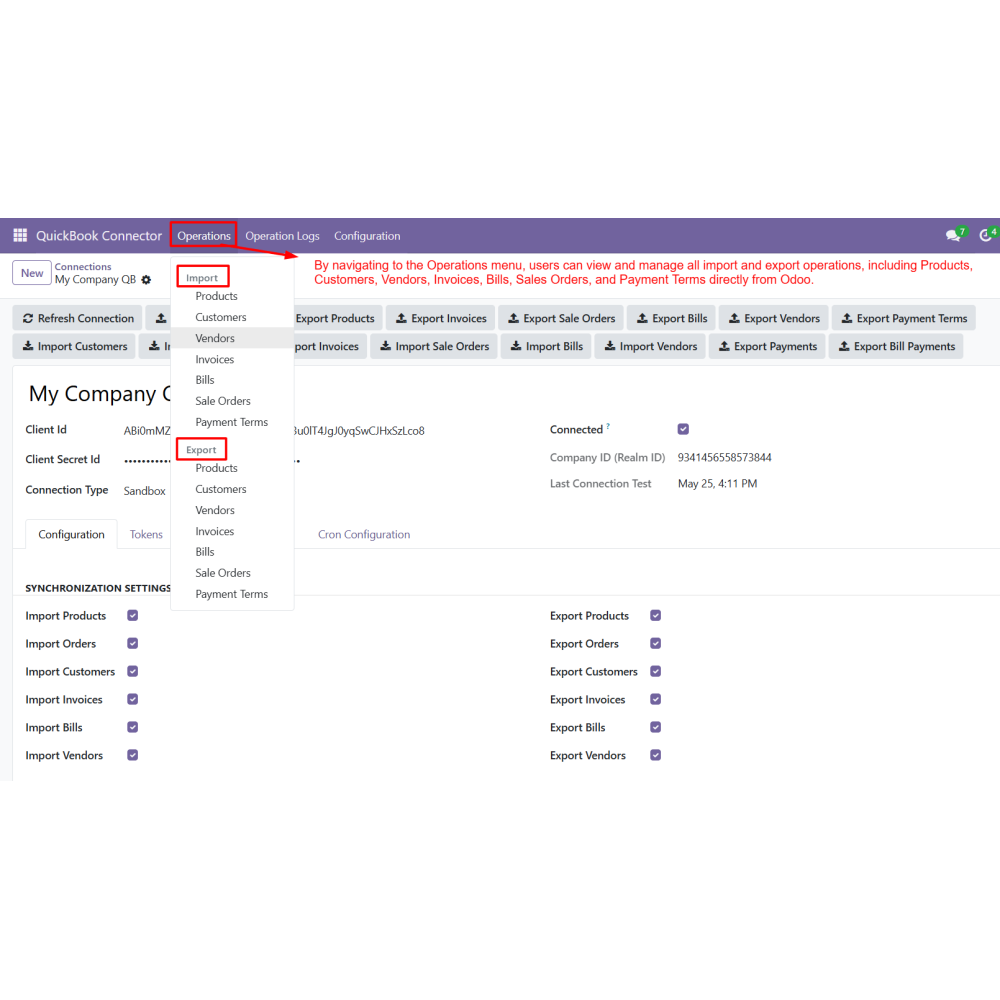
  • Synchronize invoices, vendors, payments, bills, and sales orders between Odoo and QuickBooks.
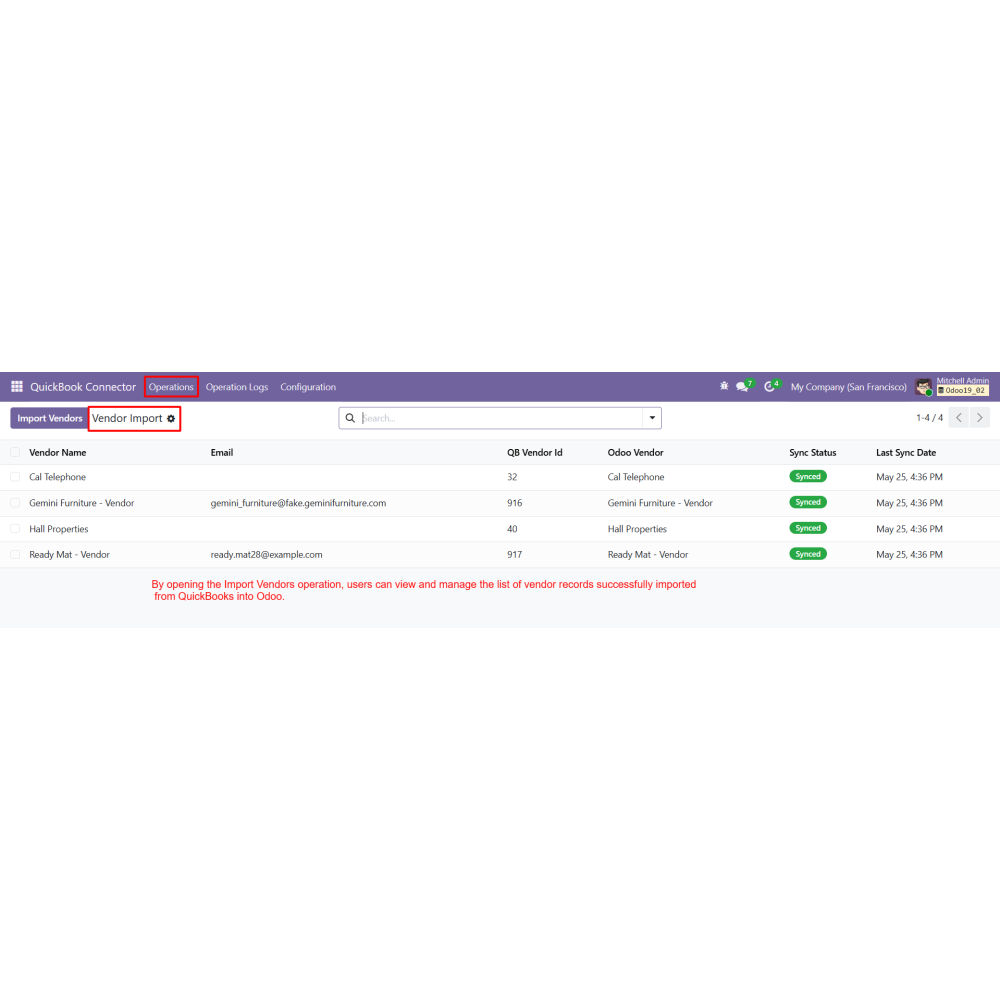
  • Manage all import and export operations from the centralized Operations menu.
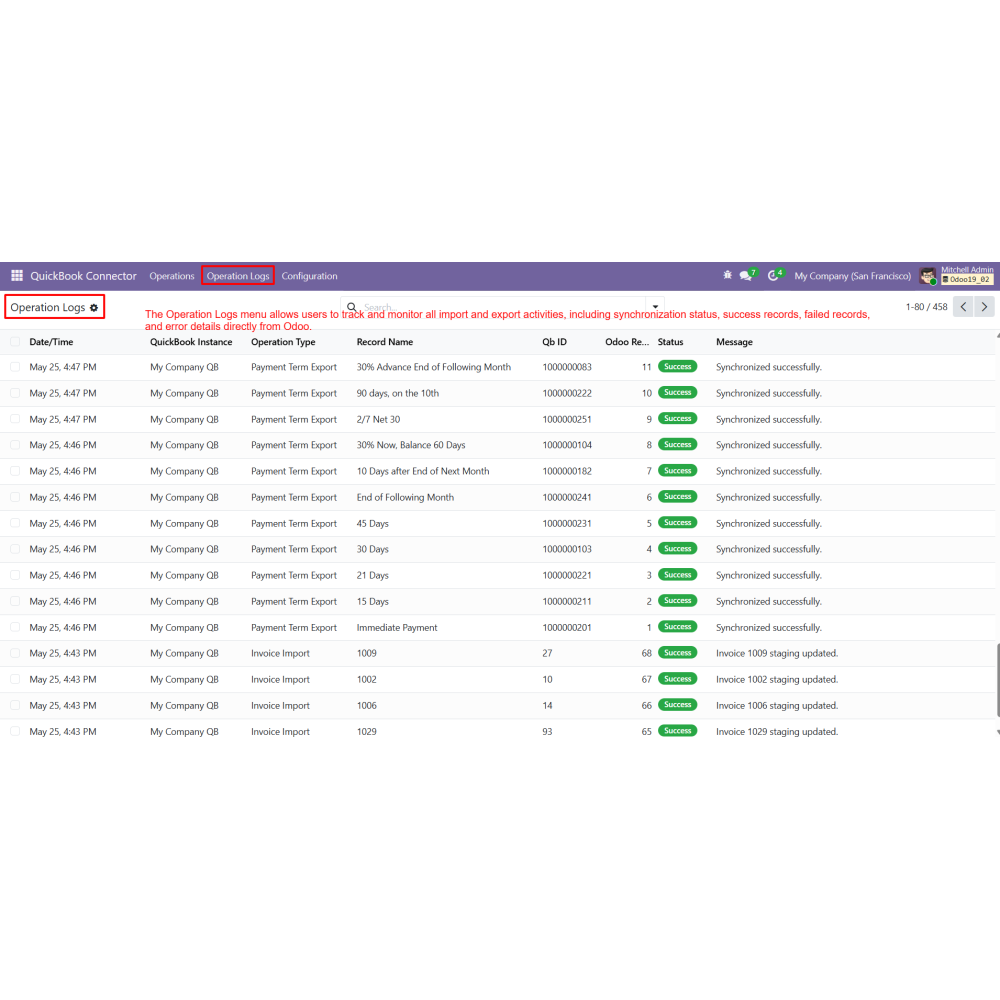
  • Track synchronization activities, operation status, and error details from the Operation Logs menu.
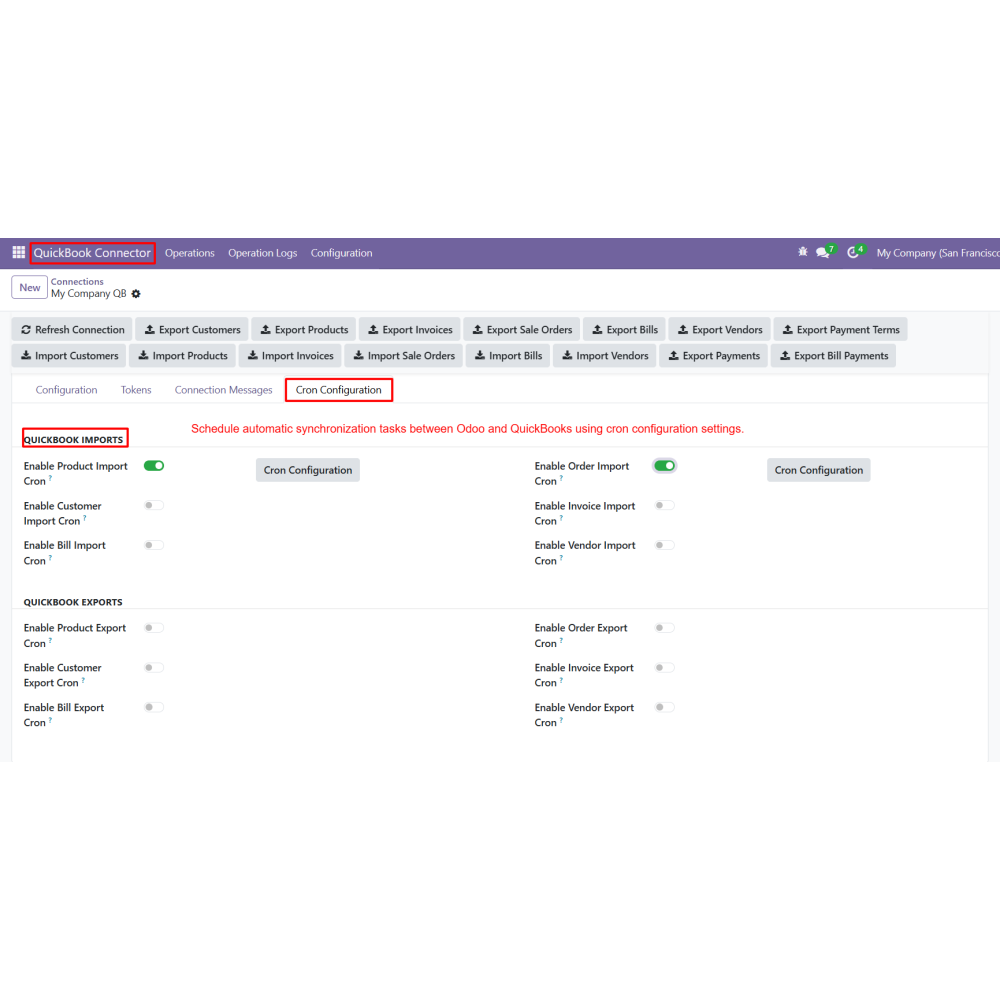
  • Configure cron jobs for automatic synchronization between Odoo and QuickBooks.
What is the QuickBooks Online Connector for Odoo?It is an Odoo integration that enables seamless synchronization of accounting and business data between Odoo and QuickBooks Online.
Which data can be synchronized using this module?You can sync customers, products, vendors, invoices, bills, sales orders, payments, and payment terms between Odoo and QuickBooks.
Does it support real-time synchronization?Yes, the module supports real-time data synchronization to ensure accurate and up-to-date records across both systems.
Can I automate synchronization tasks?Yes, you can configure cron jobs to automate import and export operations at scheduled intervals.
Is it possible to manage multiple QuickBooks accounts?Yes, the module allows you to create and manage multiple QuickBooks connections from a single Odoo instance.
How can I monitor synchronization activities?You can track all operations, including success and failure logs, using the Operation Logs menu in Odoo.
Can I control sync processes manually?Yes, users can pause, resume, or stop synchronization from the Sync Progress screen anytime.
Does it reduce manual accounting work?Yes, it minimizes manual data entry and improves accuracy by automating accounting data synchronization.

Customer reviews

0.0 Out Of 5
5 star
0%
4 star
0%
3 star
0%
2 star
0%
1 star
0%

No customer reviews

Benefits Of QuickBooks Online Connector

Automated Accounting Synchronization

Reduced Manual Data Entry

Faster Financial Management

Real-Time Data Synchronization

Improved Accounting Accuracy

Centralized Business Operations

Features of QuickBooks Online Connector

Secure QuickBooks Authentication

Connect Odoo with QuickBooks using secure API credentials for safe and reliable integration.

Customer & Product Synchronization

Import and export customers and products seamlessly between Odoo and QuickBooks.

Invoice & Sales Order Sync

Synchronize invoices, bills, and sales orders to maintain consistent accounting data across both systems.

Operation Logs Tracking

Monitor all synchronization activities, including success, failure records, and detailed error logs.

Automated Cron Synchronization

Schedule automatic data sync using cron jobs for continuous and hands-free operation.

Multiple QuickBooks Connections

Manage multiple QuickBooks accounts from a single Odoo database for better organization and scalability.

Power Up Your  Store — We Handle It All
Related products