The Stripe Payment Recurring module integrates Stripe subscriptions with Odoo to automate recurring payments and subscription billing. It enables customers to subscribe securely through Stripe, supports flexible billing cycles, and automatically charges saved payment methods on each renewal. Admins can manage recurring plans, monitor subscriptions, track payments, and synchronize subscription data with the Stripe Dashboard. With customer self-service, automated billing, and centralized subscription management, the module simplifies recurring revenue management while ensuring accurate payment tracking and financial transparency.
The Stripe Payment Recurring module integrates Stripe subscriptions with Odoo to automate recurring payments and subscription billing. It enables customers to subscribe securely through Stripe, supports flexible billing cycles, and automatically charges saved payment methods on each renewal. Admins can manage recurring plans, monitor subscriptions, track payments, and synchronize subscription data with the Stripe Dashboard. With customer self-service, automated billing, and centralized subscription management, the module simplifies recurring revenue management while ensuring accurate payment tracking and financial transparency.
Integrate Stripe Recurring Payments with Odoo to automate subscription billing and recurring payment collection.
Create flexible subscription plans with daily, weekly, monthly, yearly, or custom billing intervals.
Allow customers to subscribe securely through the Stripe hosted checkout using saved payment methods.
Automatically charge customers on each billing cycle with AutoPay, reducing missed payments and manual invoicing.
Manage subscriptions, recurring payments, invoices, and billing records from a centralized Odoo backend.
Synchronize subscription data with the Stripe Dashboard for real-time payment tracking and subscription management.
Key Features
Configure flexible recurring plans with customizable billing intervals and subscription cycles.
Process secure recurring payments through the Stripe hosted checkout using saved customer payment methods.
Automatically charge customers at every billing cycle with Stripe AutoPay for uninterrupted subscriptions.
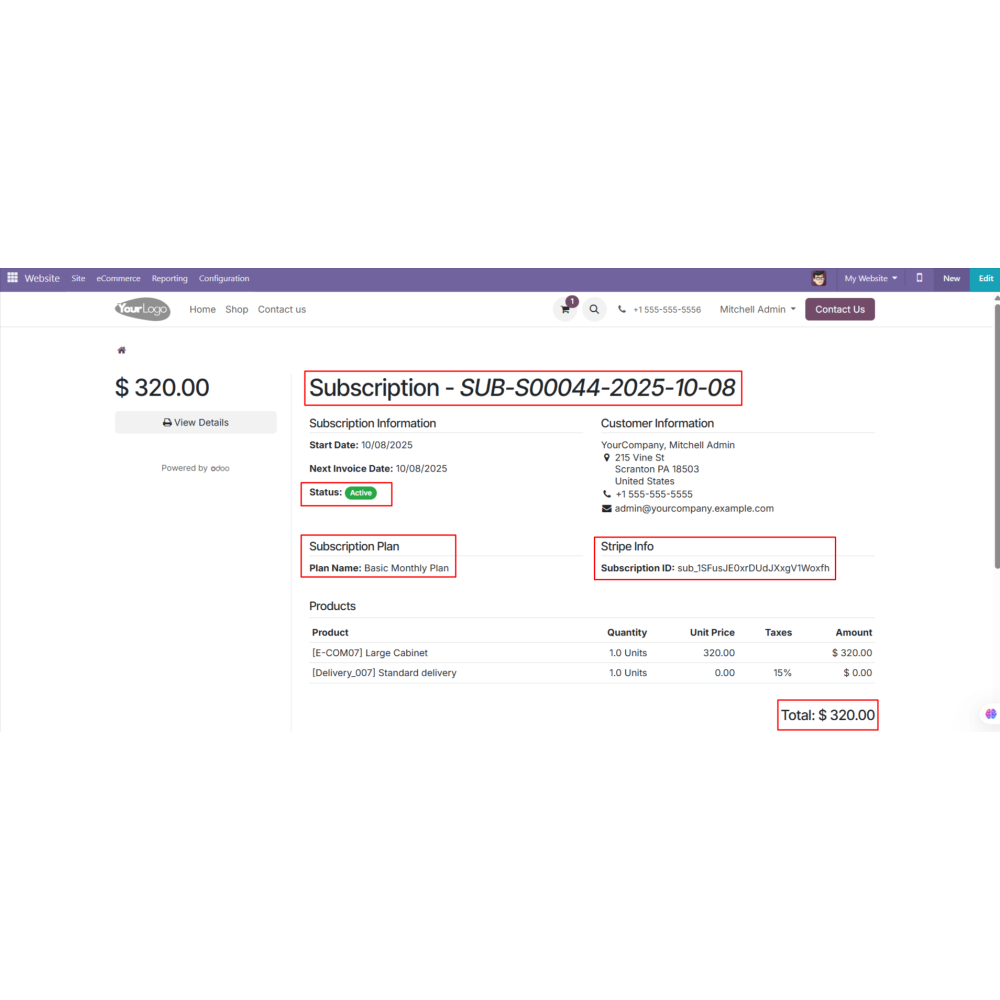
Allow customers to view, manage, and cancel subscriptions anytime from the My Subscriptions section.
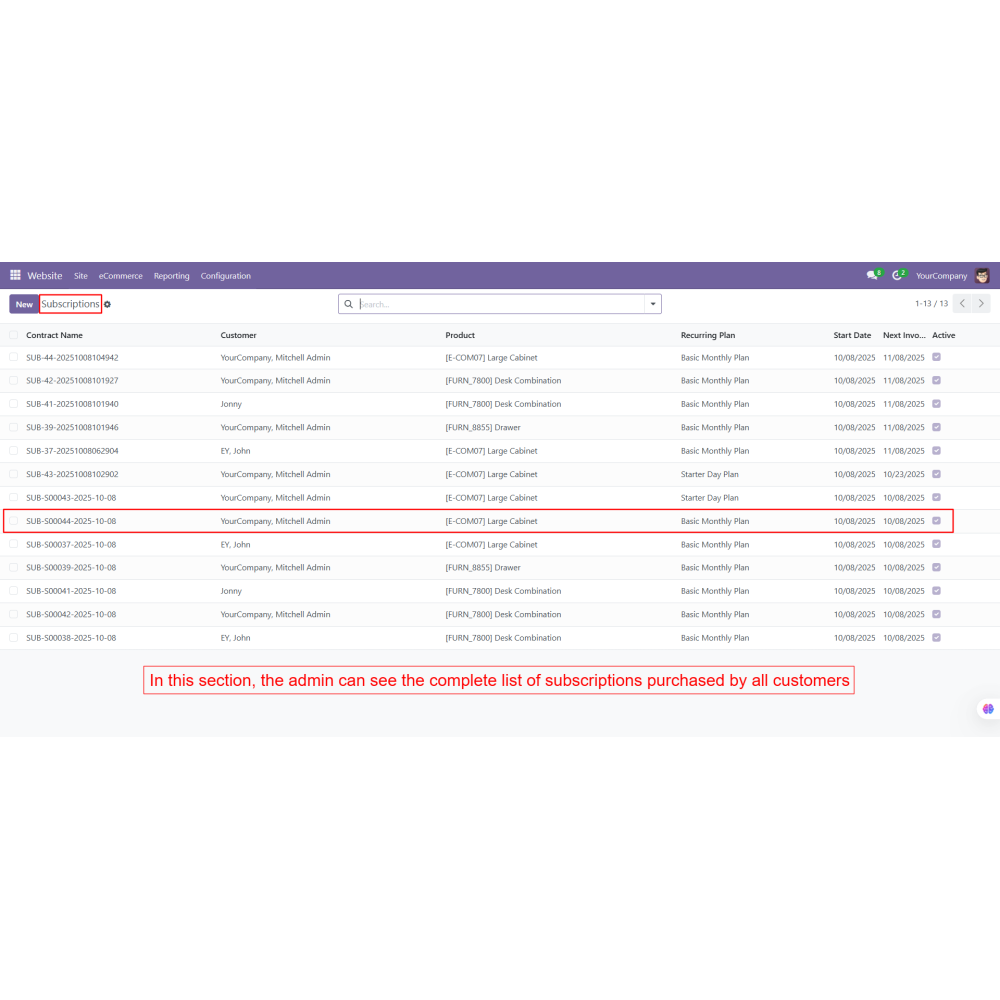
Manage all active, expired, and cancelled subscriptions from the centralized Odoo backend.
Synchronize subscription status, payment history, and billing information with the Stripe Dashboard in real time.
Benefits
Automate recurring billing to save time and reduce manual payment processing.
Generate predictable recurring revenue through subscription-based payments.
Provide customers with secure and convenient automatic payment renewals.
Centralize subscription management for easier tracking and administration.
Improve payment accuracy with real-time synchronization between Odoo and Stripe.
Increase customer satisfaction with flexible subscription plans and self-service account management.
Workflow
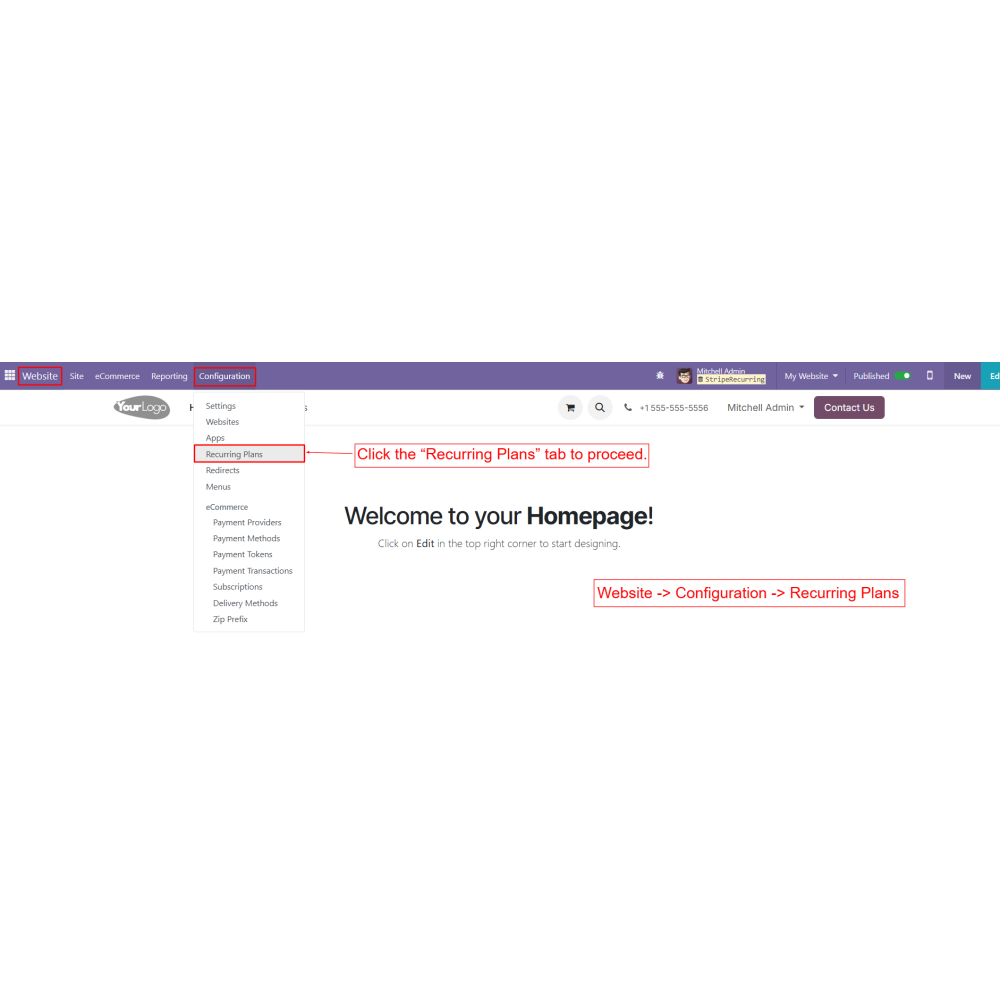
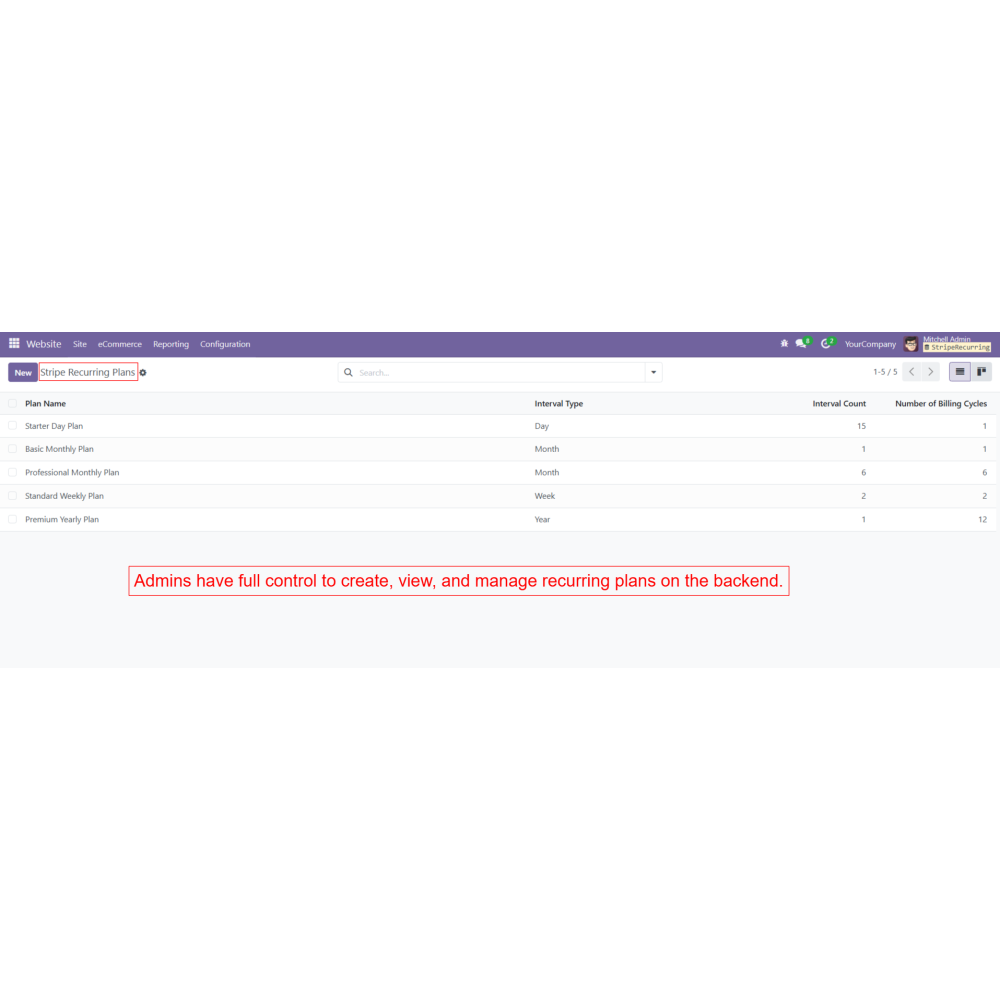
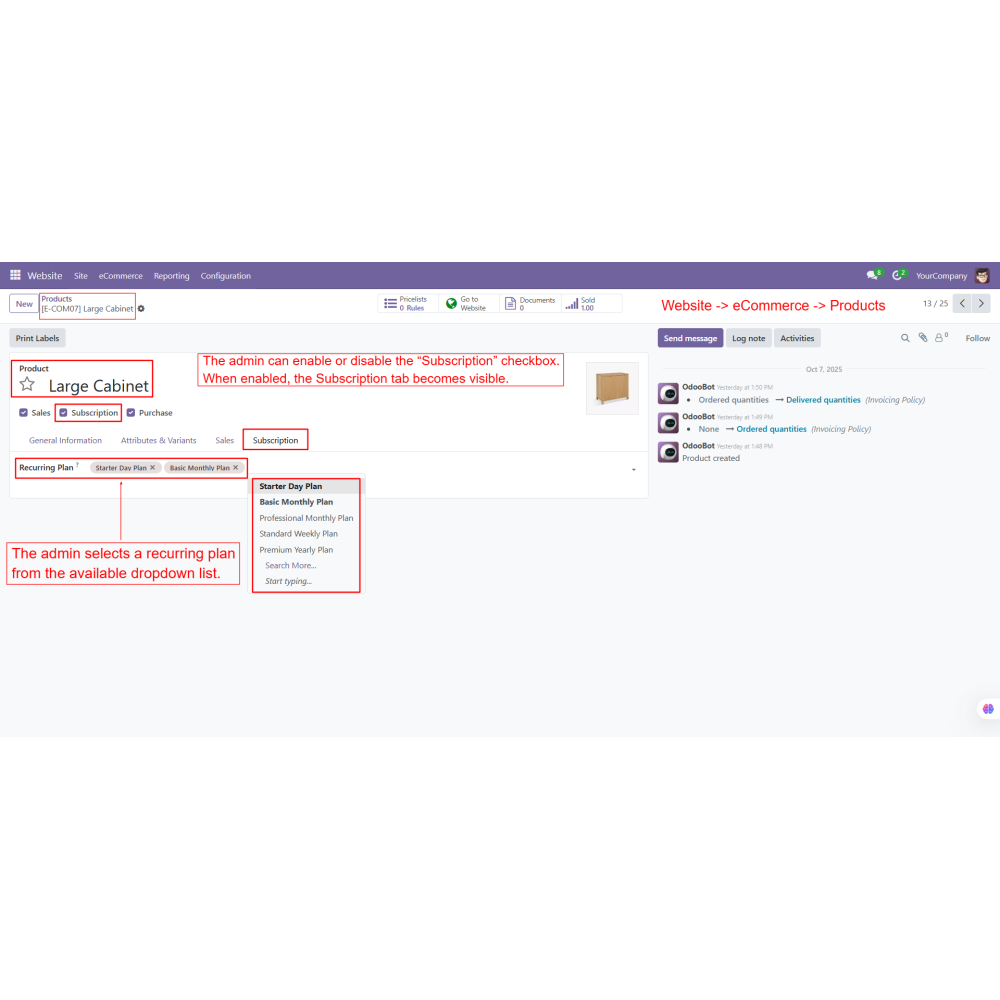
From the backend, the admin sets up recurring plans under Website -> Configuration -> Recurring Plan.
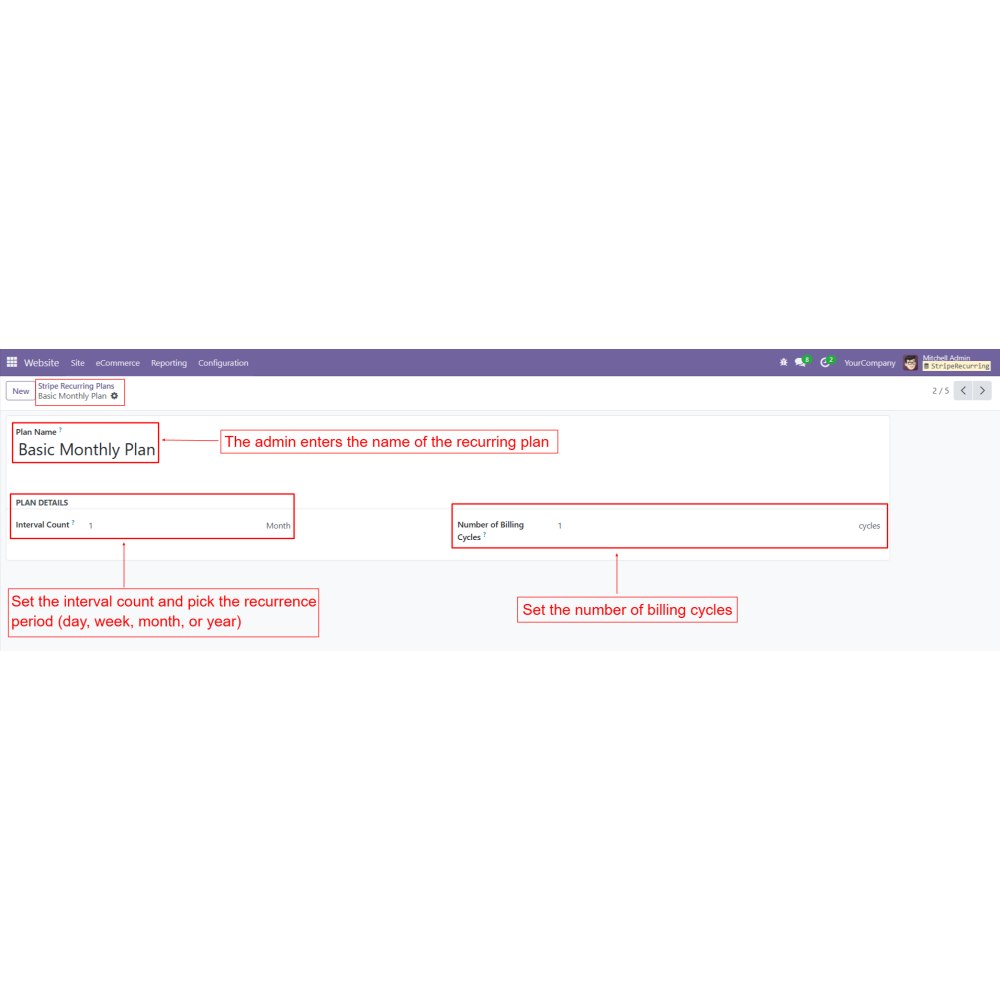
Each plan defines the interval count and billing period (daily, weekly, monthly, yearly, or custom).
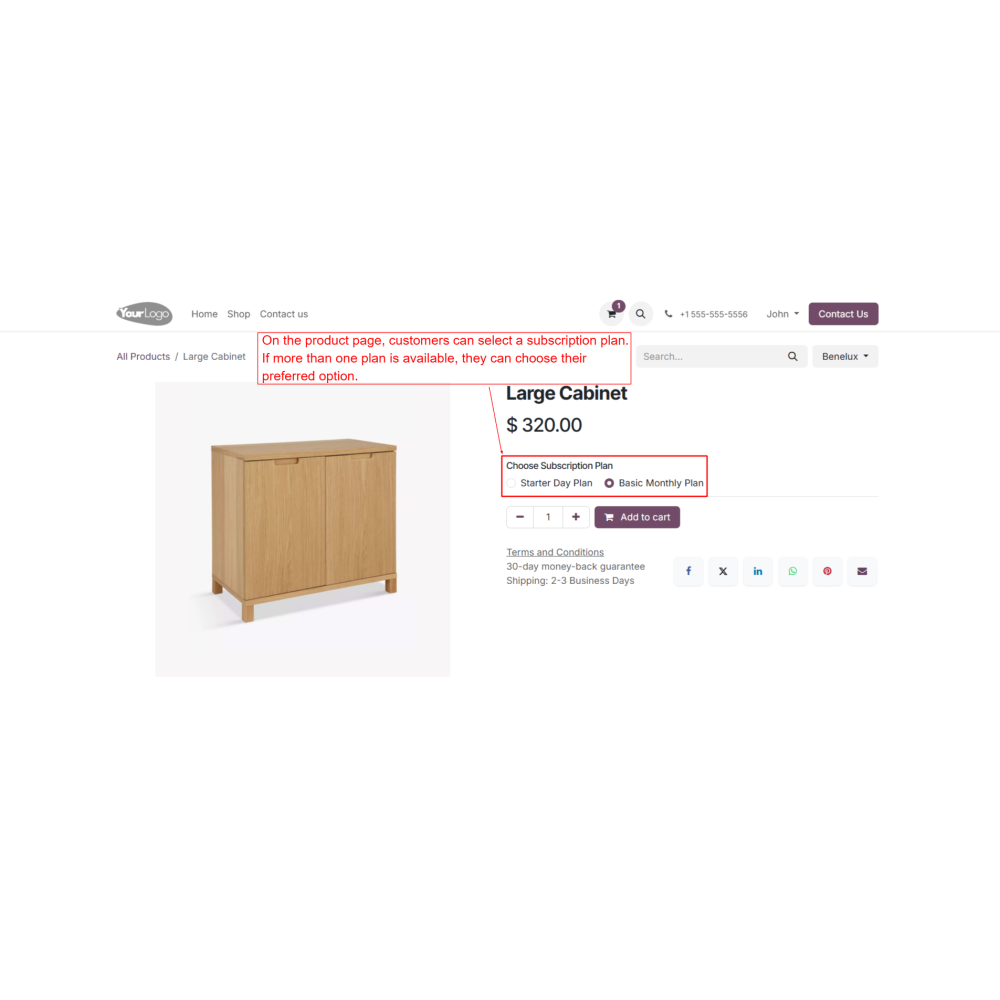
On the website, the customer selects a product or service.
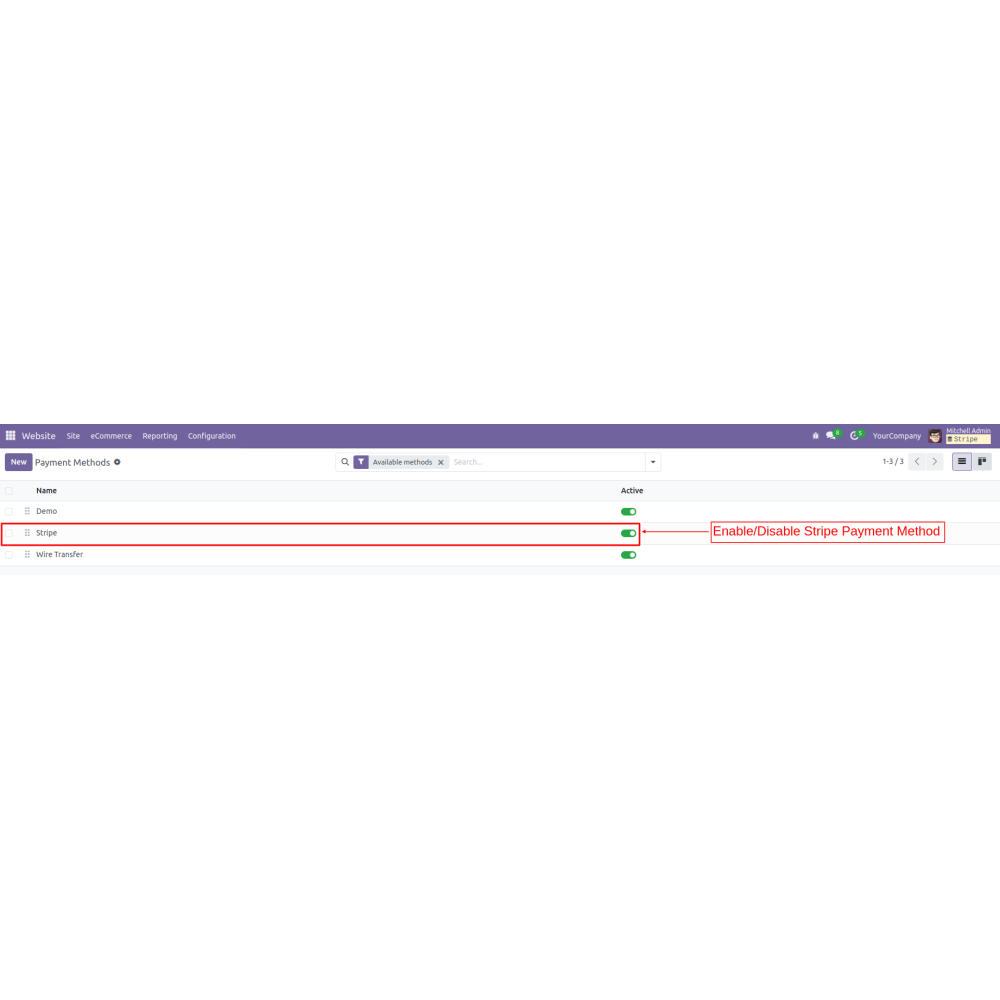
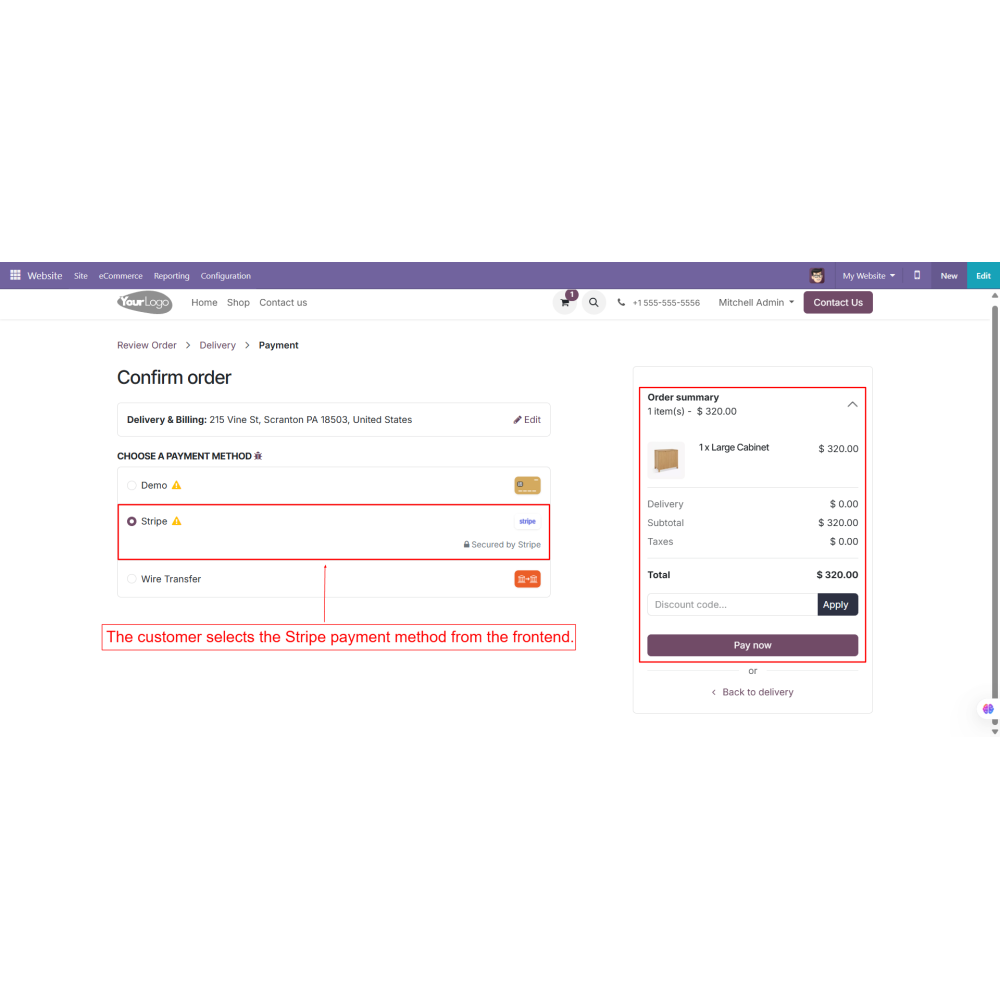
During checkout, they choose the Stripe payment method.
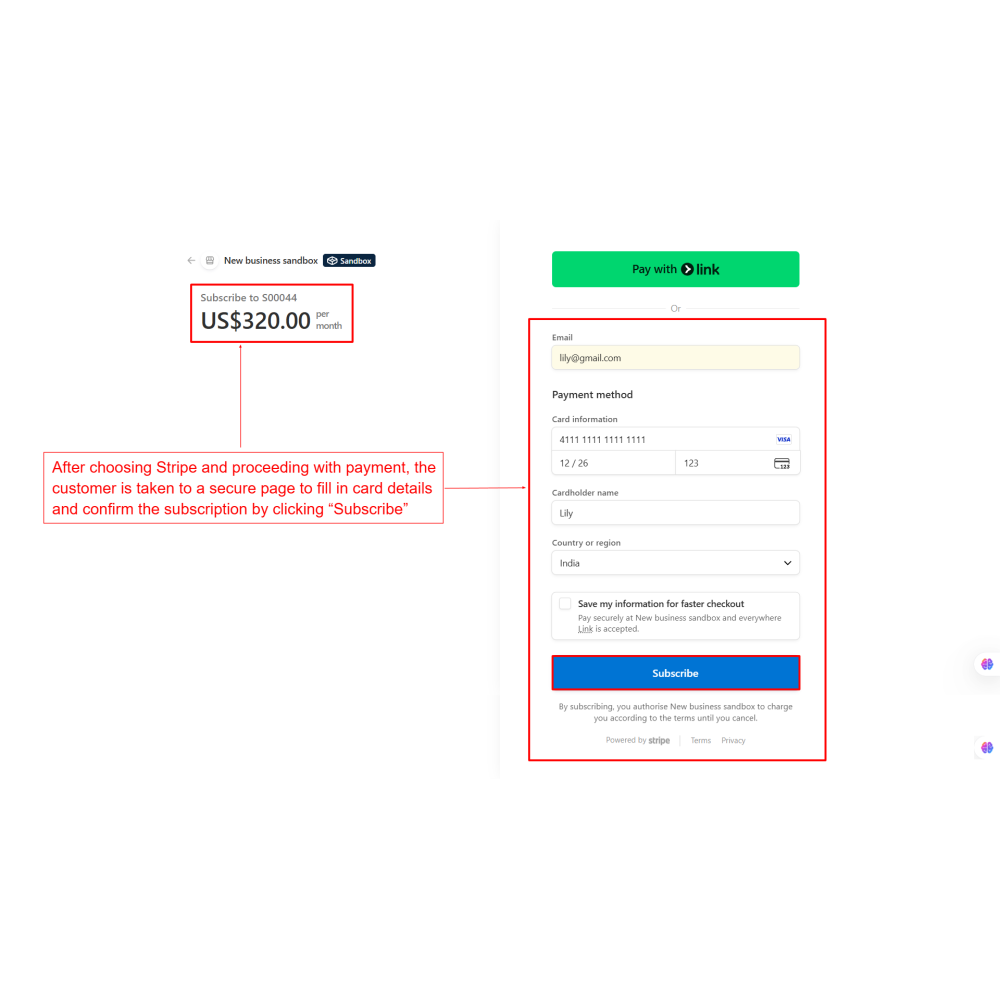
Customers enter their card details on a secure Stripe payment page and click “Subscribe.”
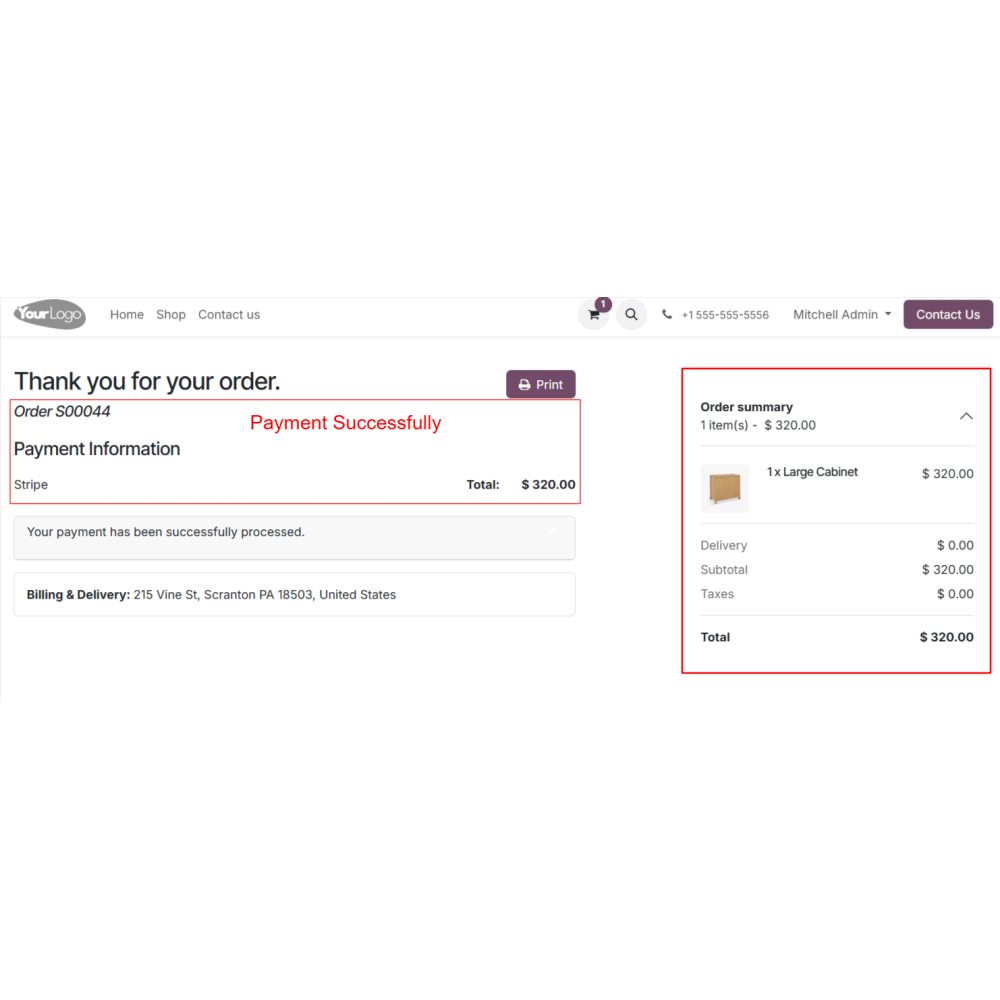
Once subscribed, AutoPay recurring payments are activated according to the plan.
Stripe automatically charges the customer’s saved card on each billing cycle (monthly, weekly, yearly, or as per a custom interval).
Payments are processed on time, reducing missed payments or late fees.
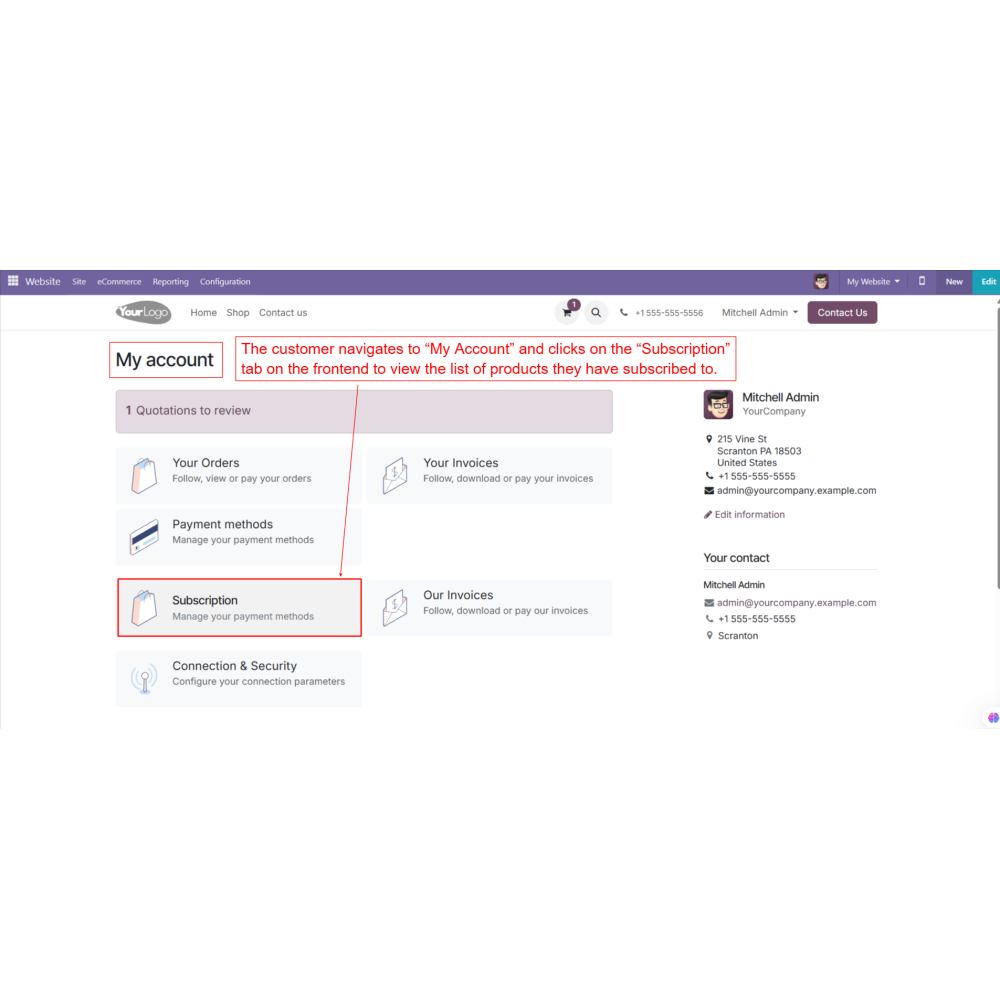
Customers can log in to their account and open the “My Subscriptions” tab.
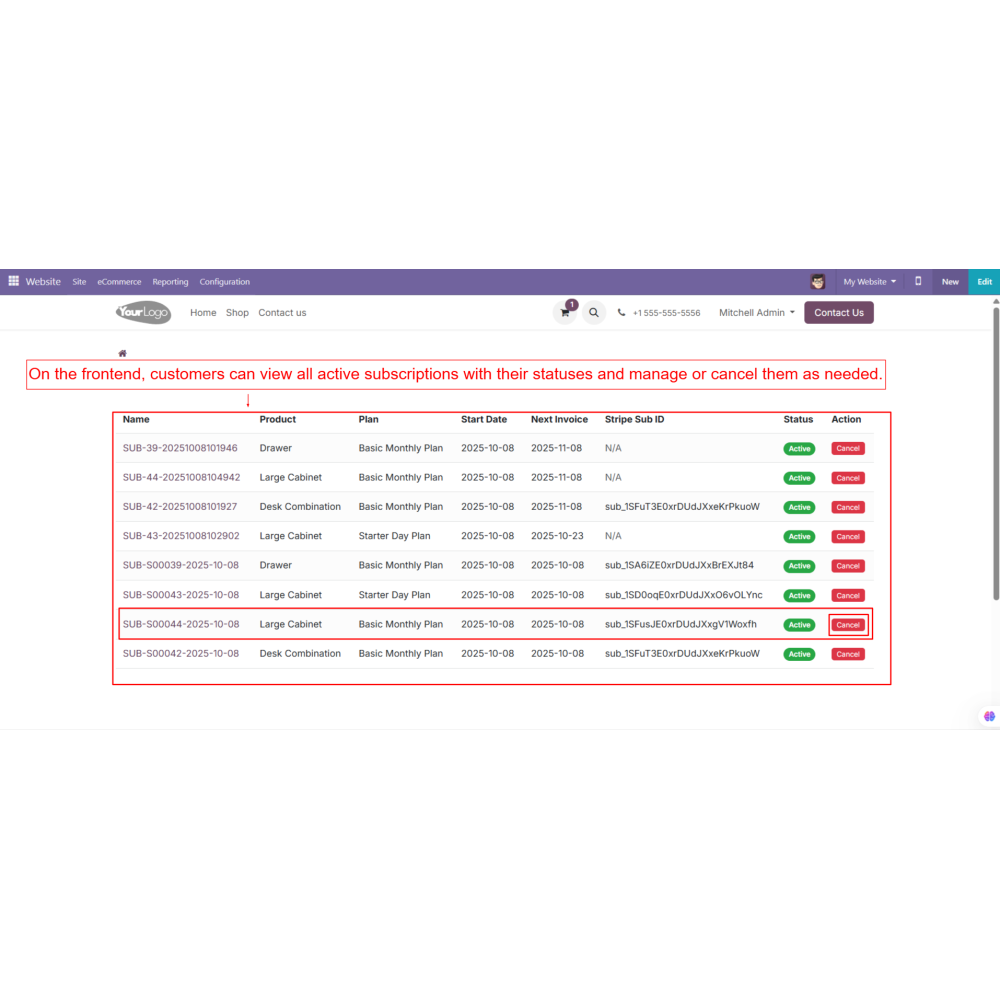
They can view subscription details, billing cycles, next payment dates, and cancel subscriptions if needed.
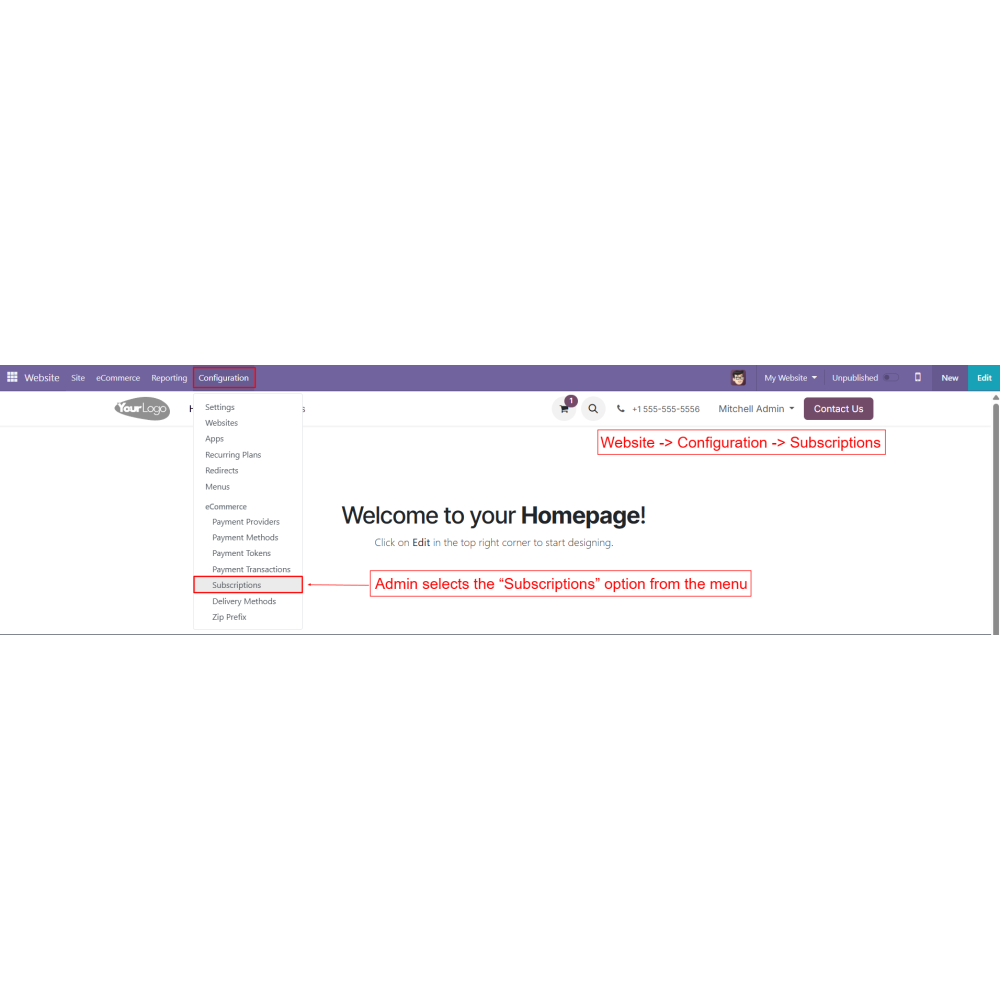
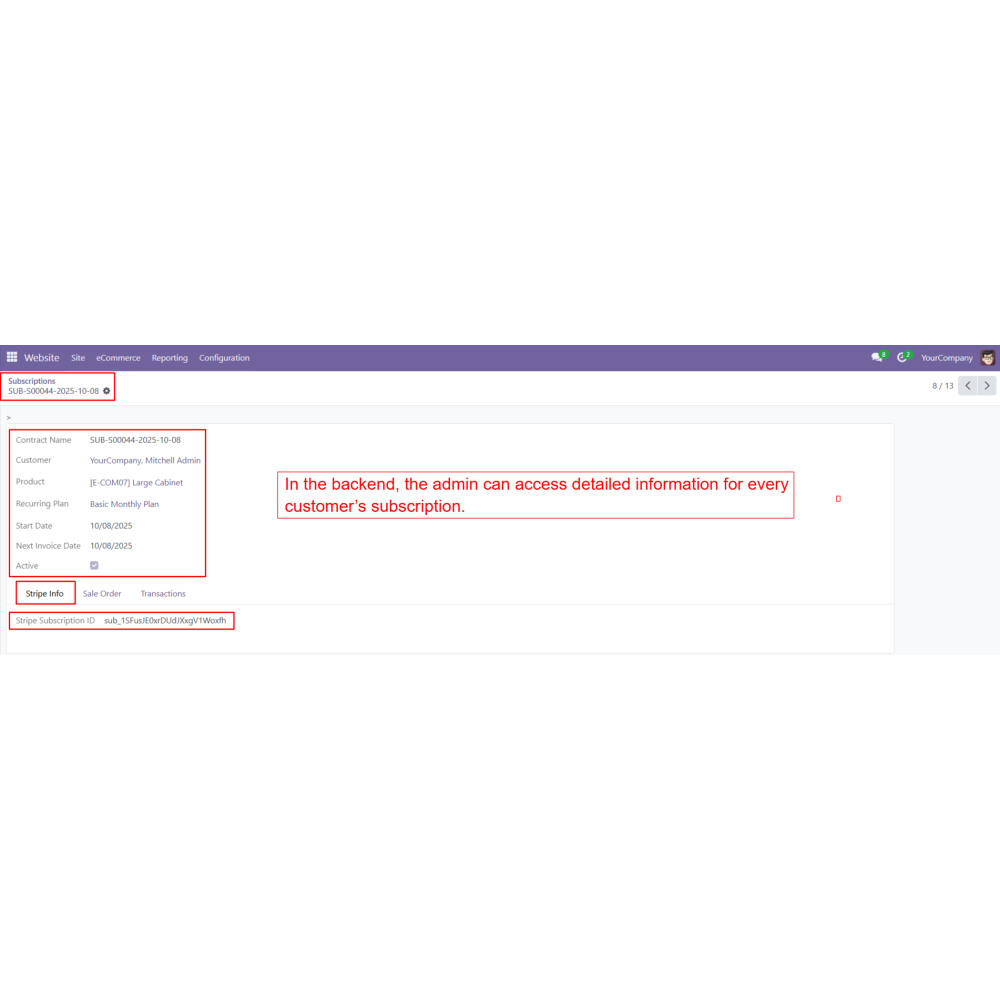
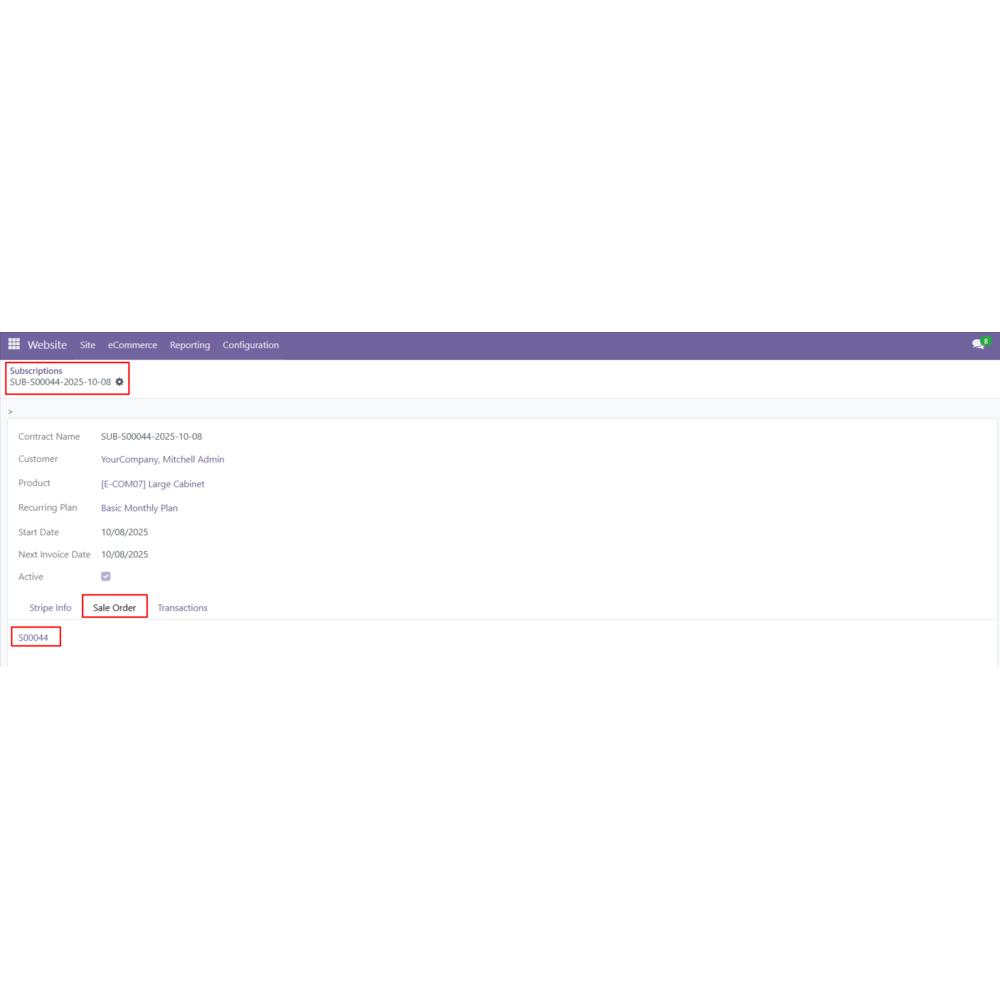
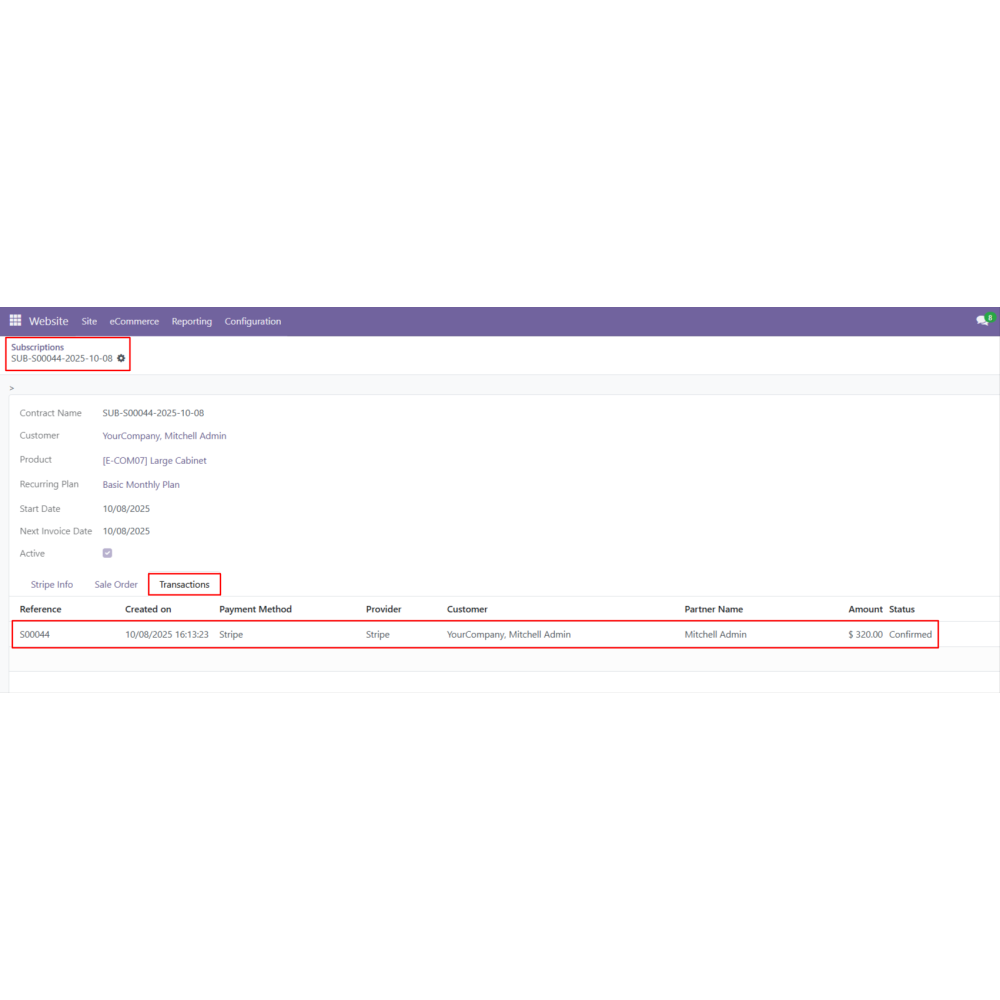
Admin can track all subscriptions (active, expired, or cancelled) in the Odoo backend under Website → Configuration → Subscription.
Admin can manually cancel subscriptions or update plan details.
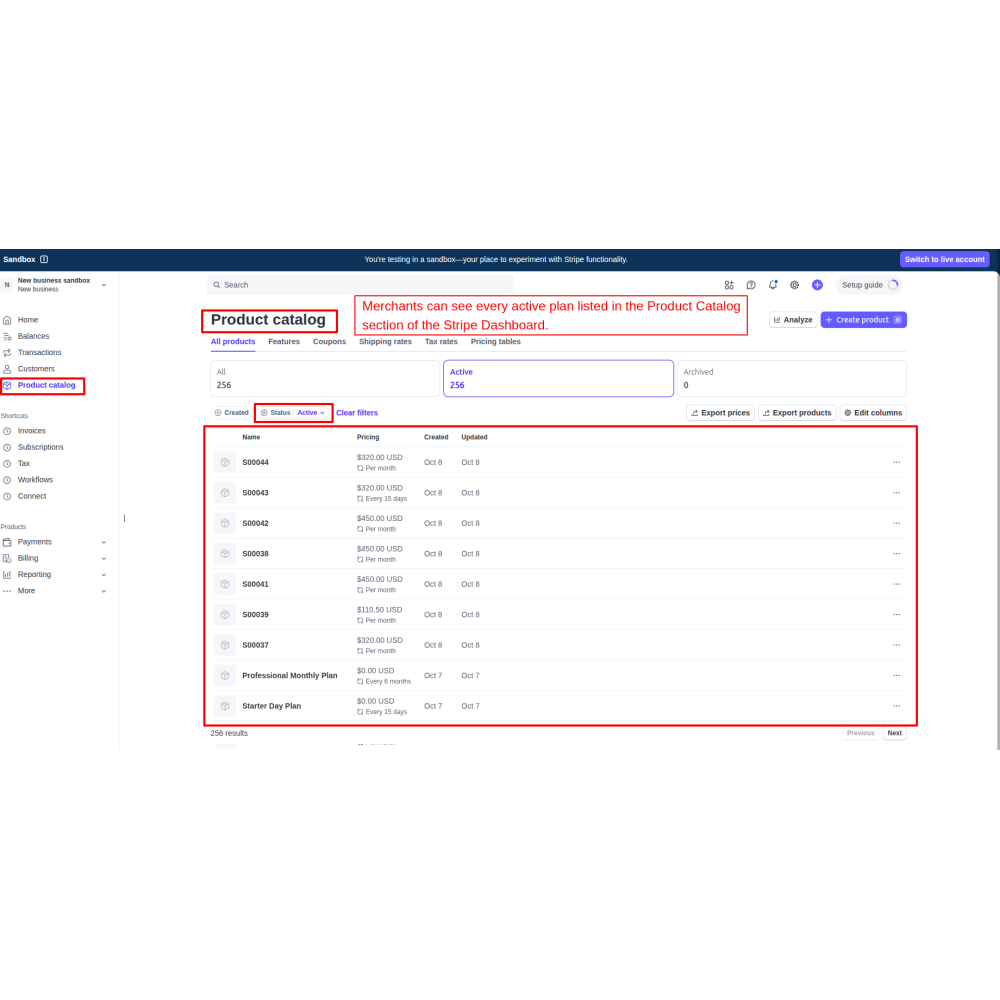
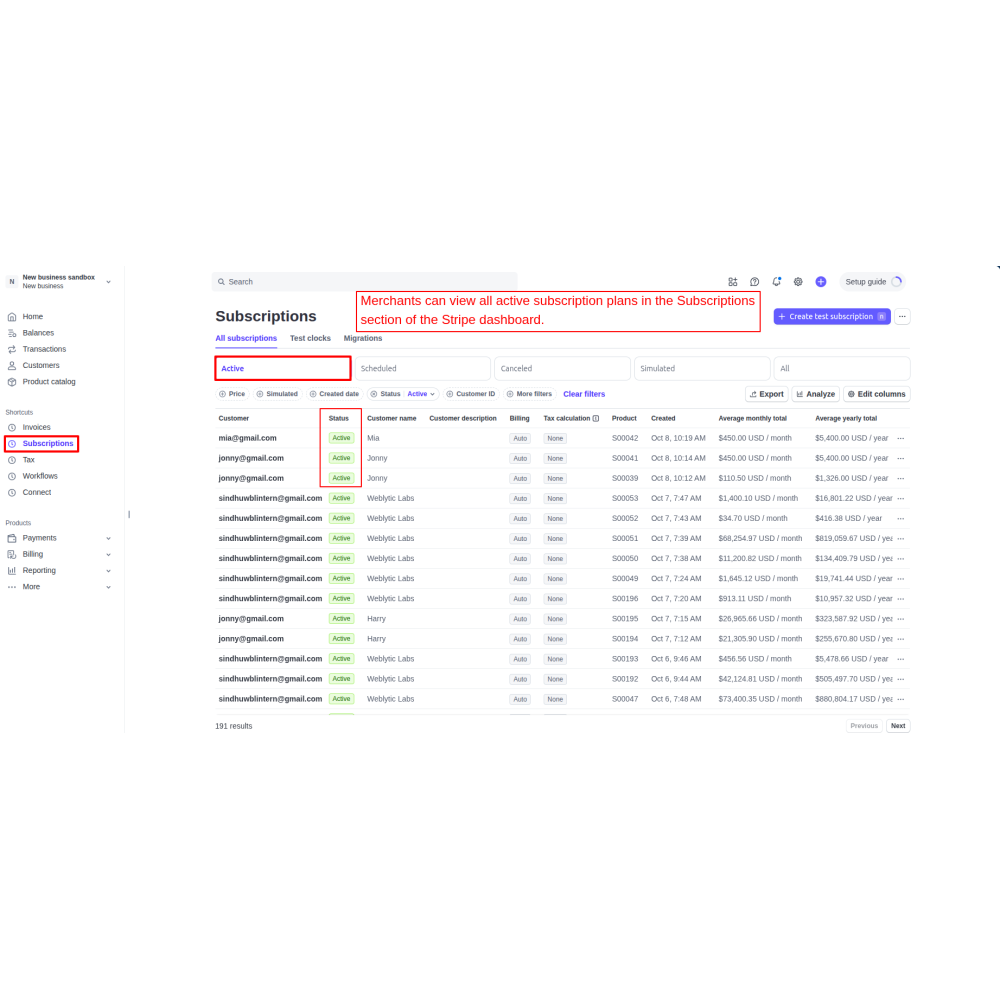
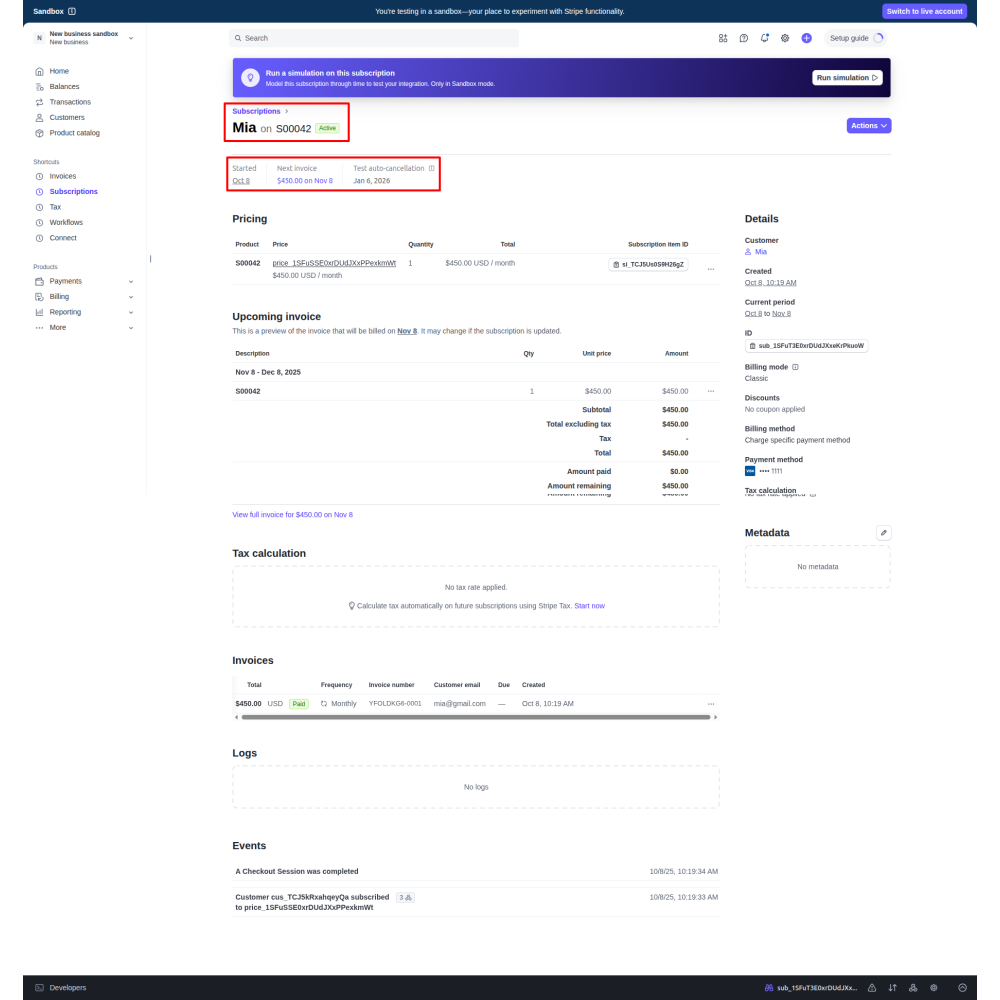
Subscription statuses are automatically reflected in the Stripe Dashboard.
All subscription payments, invoices, and billing details appear in Odoo Sales and Invoicing.
FAQ
What is the Stripe Payment Recurring module?The Stripe Payment Recurring module integrates Stripe subscriptions with Odoo to automate recurring billing and securely process subscription payments.Can I create different recurring billing plans?Yes, you can configure recurring plans with daily, weekly, monthly, yearly, or custom billing intervals directly from the Odoo backend.How do customers subscribe to recurring payments?Customers select a subscription plan during checkout, choose Stripe as the payment method, enter their card details on the secure Stripe checkout page, and activate AutoPay.Does the module support automatic recurring payments?Yes, once a subscription is activated, Stripe automatically charges the customer's saved payment method according to the configured billing cycle.Can customers manage their subscriptions?Yes, customers can log in to their account, view active subscriptions, check billing details, and cancel subscriptions from the My Subscriptions section.Can administrators manage subscriptions from Odoo?Yes, administrators can create recurring plans, monitor active and canceled subscriptions, update subscription details, and manage customer subscriptions from the Odoo backend.Is subscription data synchronized with Stripe?Yes, subscription status, payment history, and billing information are synchronized with the Stripe Dashboard in real time.Can I track recurring payments and invoices?Yes, all recurring payments, invoices, subscription transactions, and billing records are available in Odoo Sales and Invoicing for complete tracking.Does the module support secure payment processing?Yes, all subscription payments are processed through Stripe's secure hosted checkout, ensuring encrypted and reliable payment processing.Which Odoo applications are supported?The module integrates with Odoo Website, eCommerce, Sales, Invoicing, and Stripe to provide complete subscription and recurring payment management.
Reviews
Customer reviews
0.0 Out Of 5
5 star
0%
4 star
0%
3 star
0%
2 star
0%
1 star
0%
No customer reviews
by
Benefits Of Stripe Payment Recurring
Predictable Recurring Revenue
Less Manual Billing Workload
Unified Subscription Control
Improved Financial Clarity
Fewer Payment Failures
Customer Self Service
Features of Stripe Payment Recurring
Real-Time Sync with Stripe Dashboard
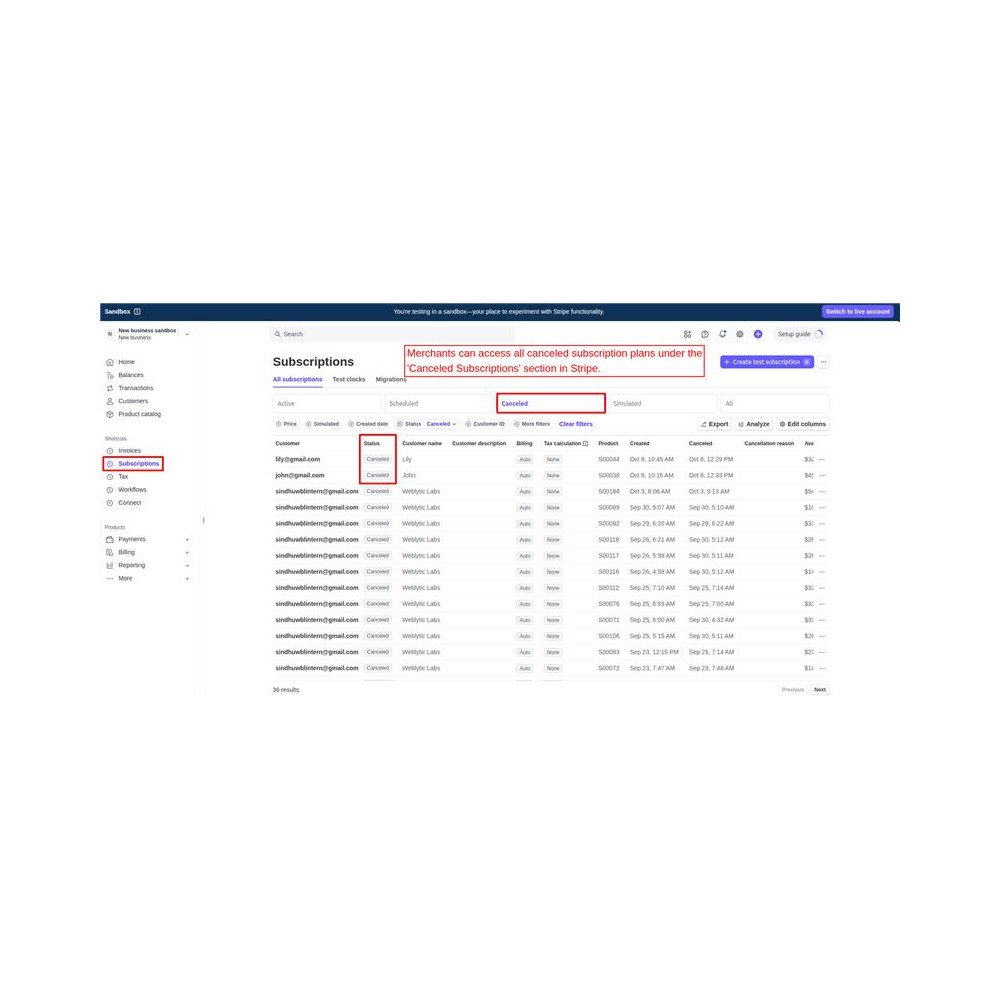
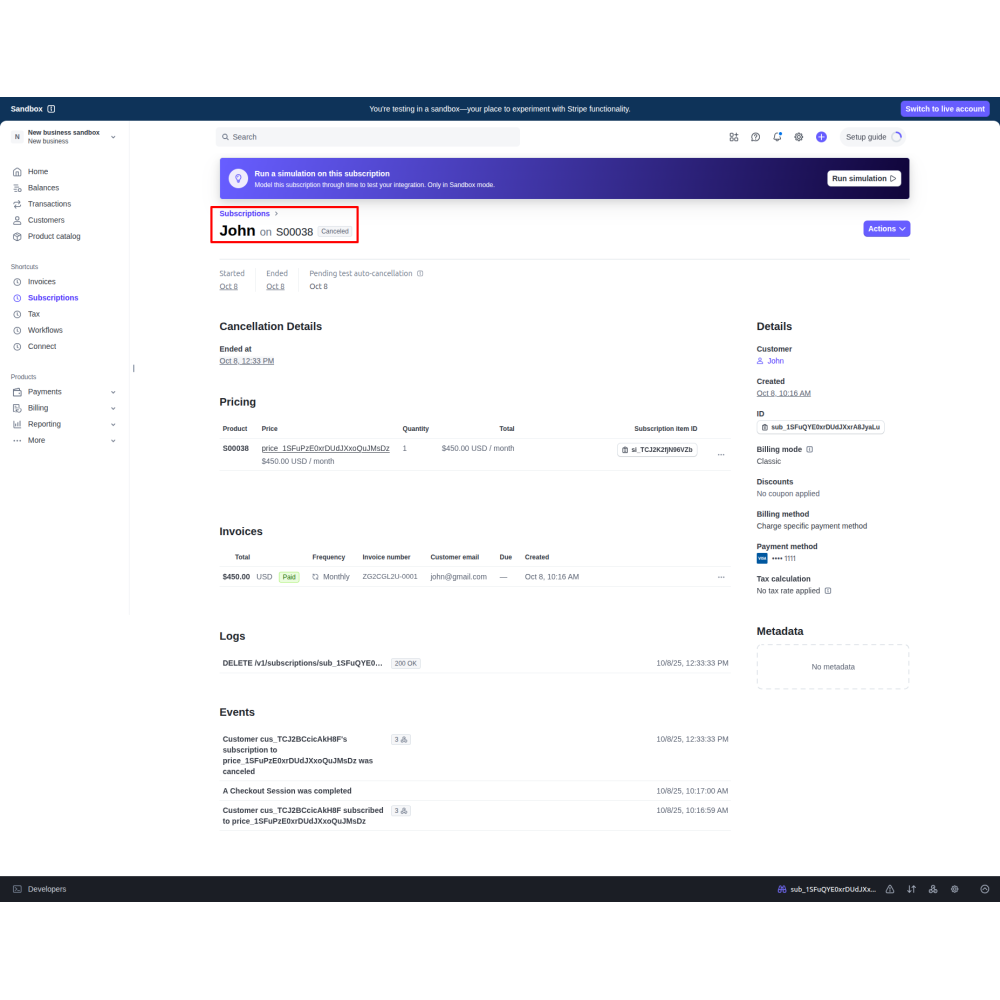
All subscription data, including active and cancelled plans, is automatically synced with the Stripe dashboard. Merchants can easily check subscription details, payment history, and billing status directly from Stripe.
Centralized Backend Control for Admin
Admin can view, manage, and track all customer subscriptions from the backend. When a customer cancels a subscription, the system automatically updates and removes it from the backend list in real time.
Customer Subscription Management
Customers can log in to their account on the website, open the “My Account” section, and view all active subscriptions under the “Subscriptions” tab. They can also cancel their subscriptions anytime according to their preference.
Flexible Recurring Plan Configuration
Admin can easily create and customize recurring plans from the backend by setting the interval count and billing period daily, weekly, monthly, or yearly. Each plan works automatically based on the selected billing cycle.
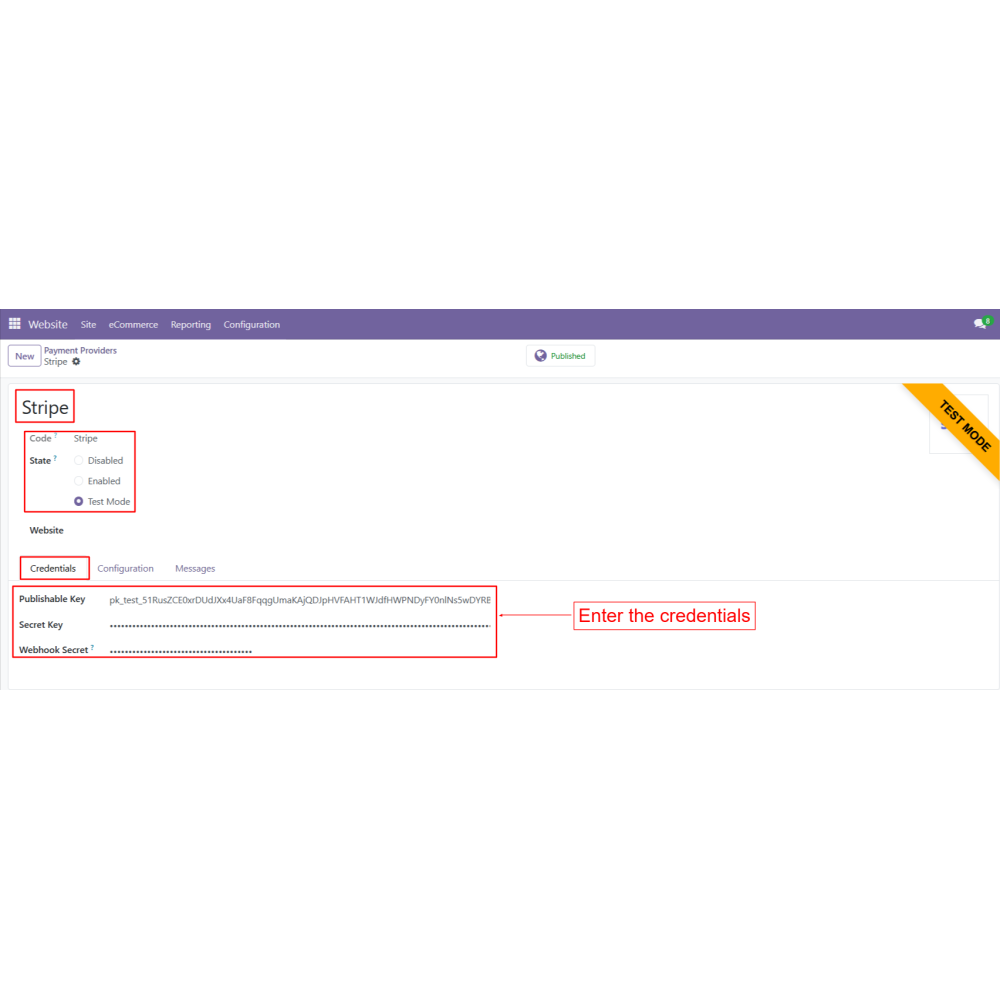
Secure Stripe Payment Integration
The app is fully integrated with Stripe, allowing customers to complete their payments safely through a secure Stripe checkout page. Card details are protected, ensuring smooth and trusted transactions every time.
Automatic Billing and AutoPay
Once subscribed, the customer’s card is automatically charged at the start of each billing cycle. This AutoPay system makes timely payments without any manual effort, preventing late fees or missed renewals.

.png)


 Return policy





 Store — We Handle It All