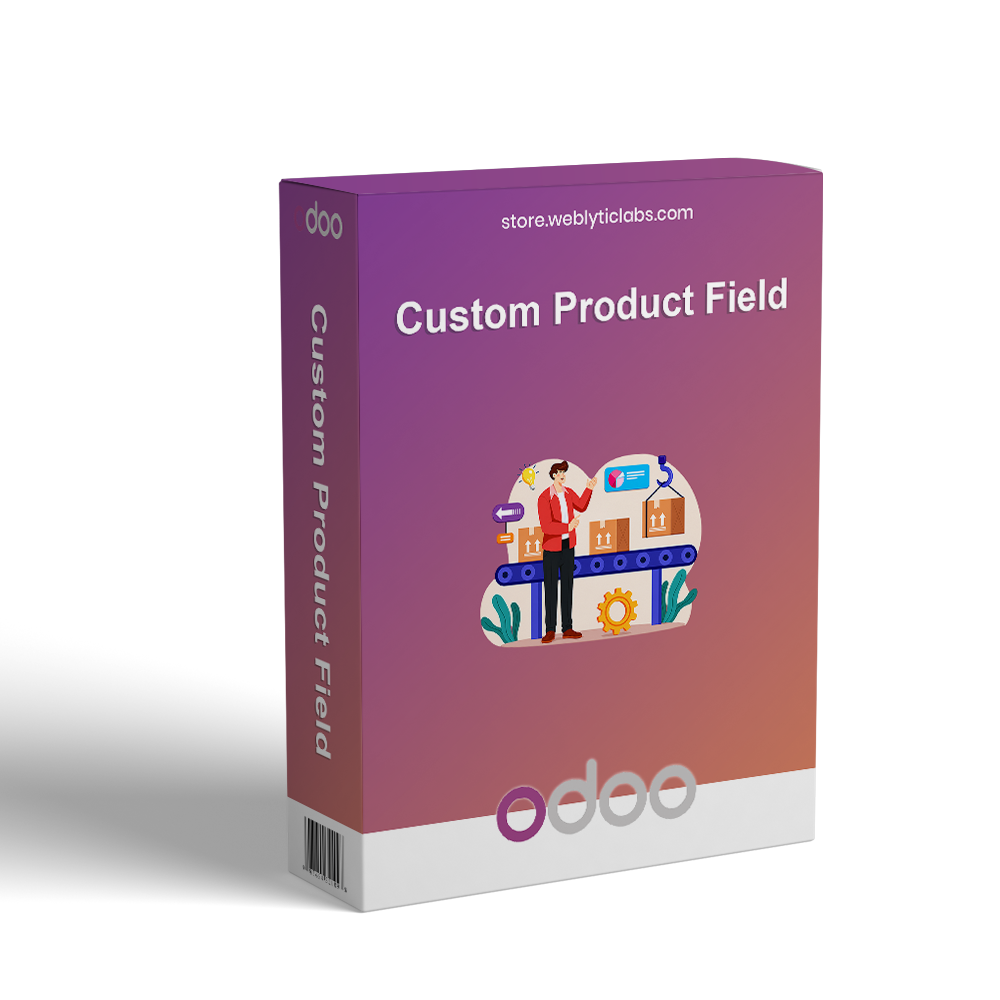
Custom Product Field for Odoo enables businesses to add dynamic and flexible product customization options on eCommerce product pages. It allows customers to submit personalized requirements using multiple field types such as text, dropdown, checkbox, date, color, and file upload before adding products to the cart. The module supports dependent fields, structured data collection, and group-based field management. All submitted information is automatically transferred to Sales Orders, Delivery Orders, and Invoices, ensuring better accuracy, improved customer experience, and seamless eCommerce integration.
Custom Product Field for Odoo enables businesses to add dynamic and flexible product customization options on eCommerce product pages. It allows customers to submit personalized requirements using multiple field types such as text, dropdown, checkbox, date, color, and file upload before adding products to the cart. The module supports dependent fields, structured data collection, and group-based field management. All submitted information is automatically transferred to Sales Orders, Delivery Orders, and Invoices, ensuring better accuracy, improved customer experience, and seamless eCommerce integration.
Custom Product Field for Odoo enables businesses to add dynamic product customization fields on eCommerce product pages.
It allows customers to provide personalized product requirements before adding items to the cart.
Supports multiple field types including text, number, dropdown, checkbox, date, color, and file upload.
Helps businesses collect structured and accurate customer input for better order processing.
Enables dynamic dependent fields that change based on customer selections.
Ensures all custom field data is passed to Sales Orders, Delivery Orders, and Invoices.
Improves product customization experience for customers on the website.
Enhances overall eCommerce workflow with better data handling and flexibility.
Key Features
Multiple Custom Field Types support text, textarea, number, date, dropdown, checkbox, radio, color, attachment, and more.
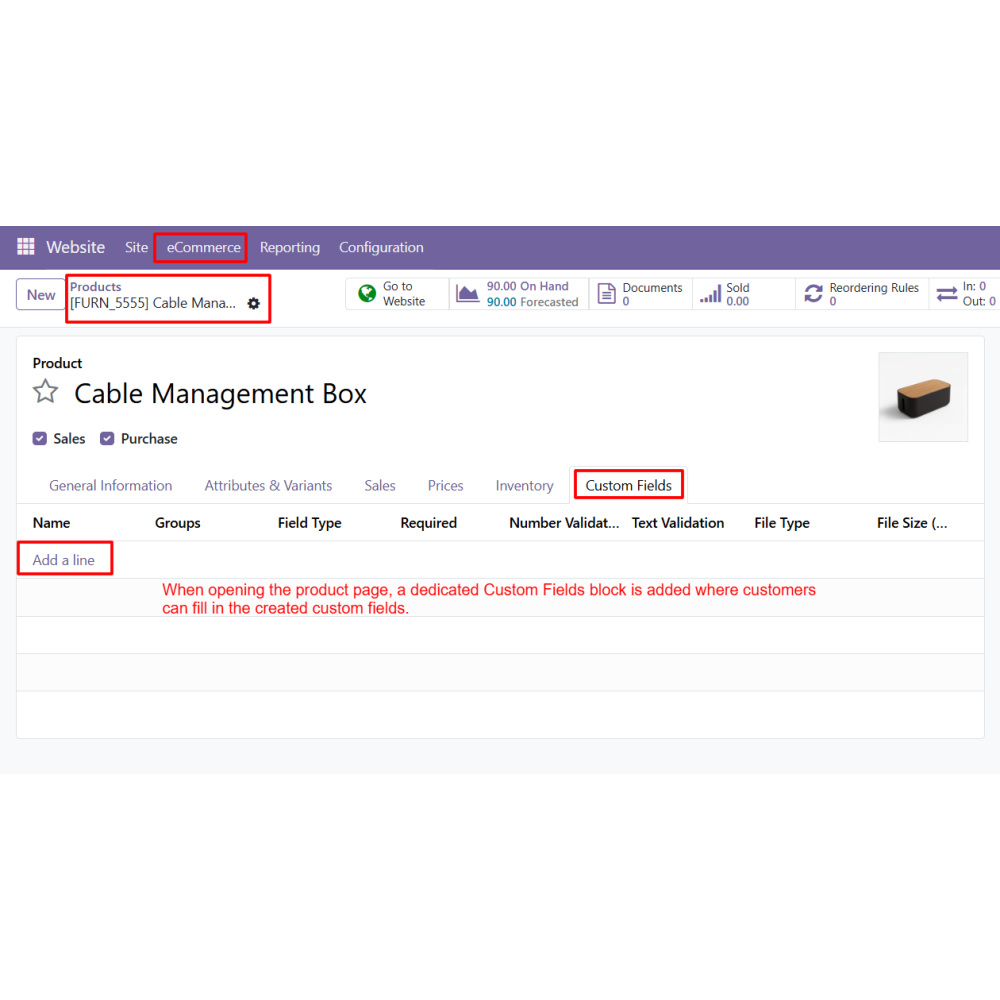
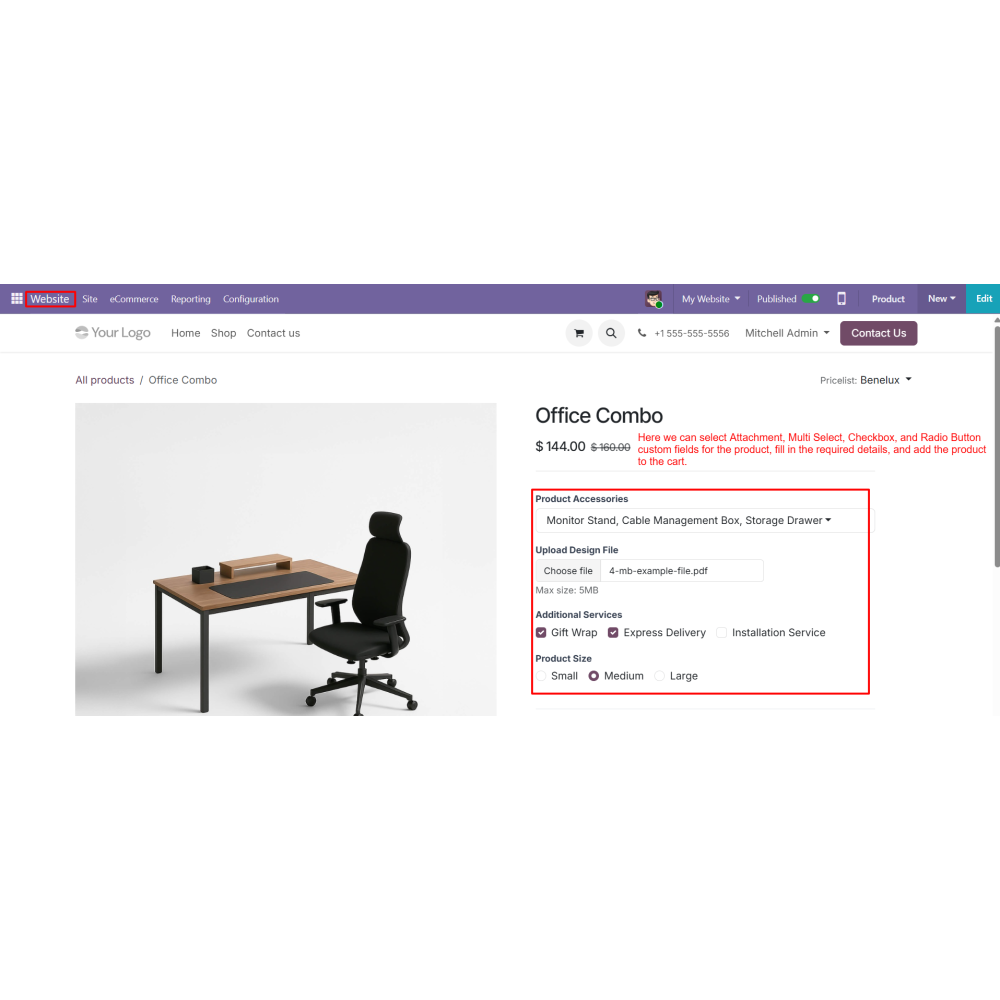
Product Page Customization displays custom fields directly on product pages for customer input.
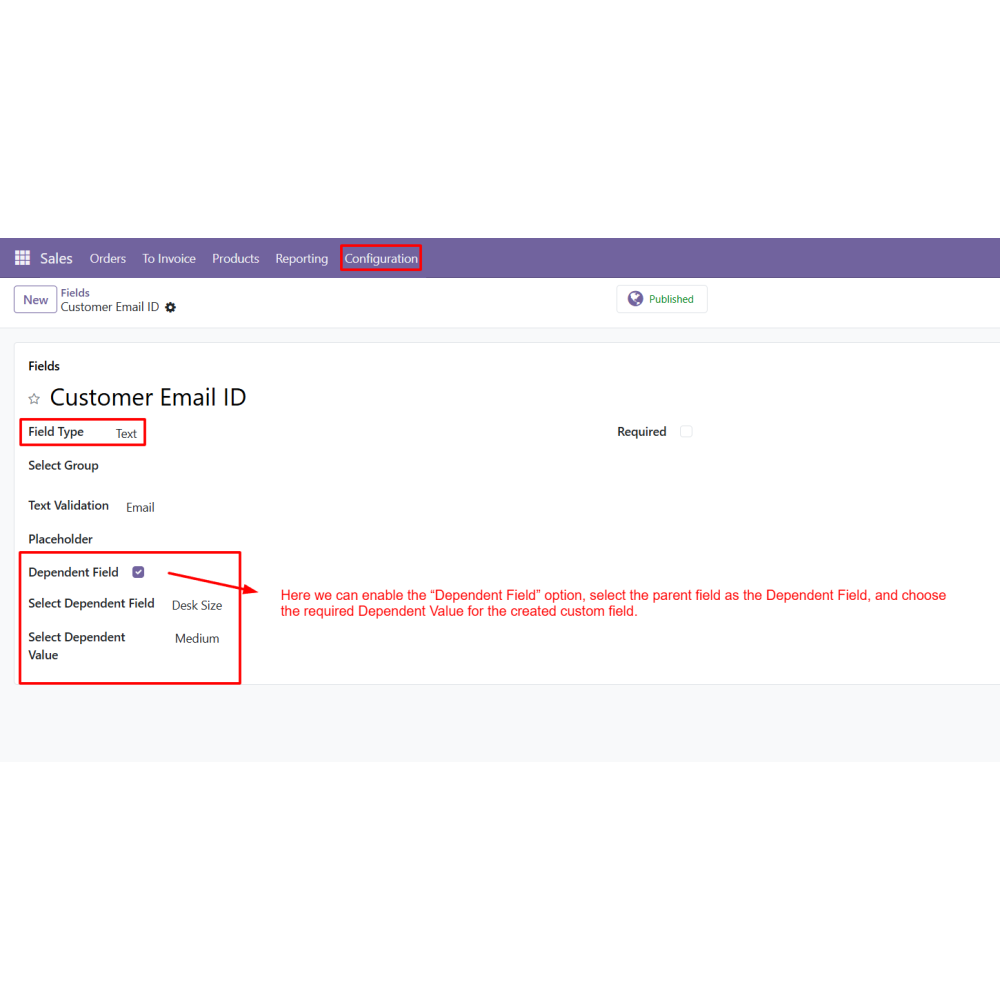
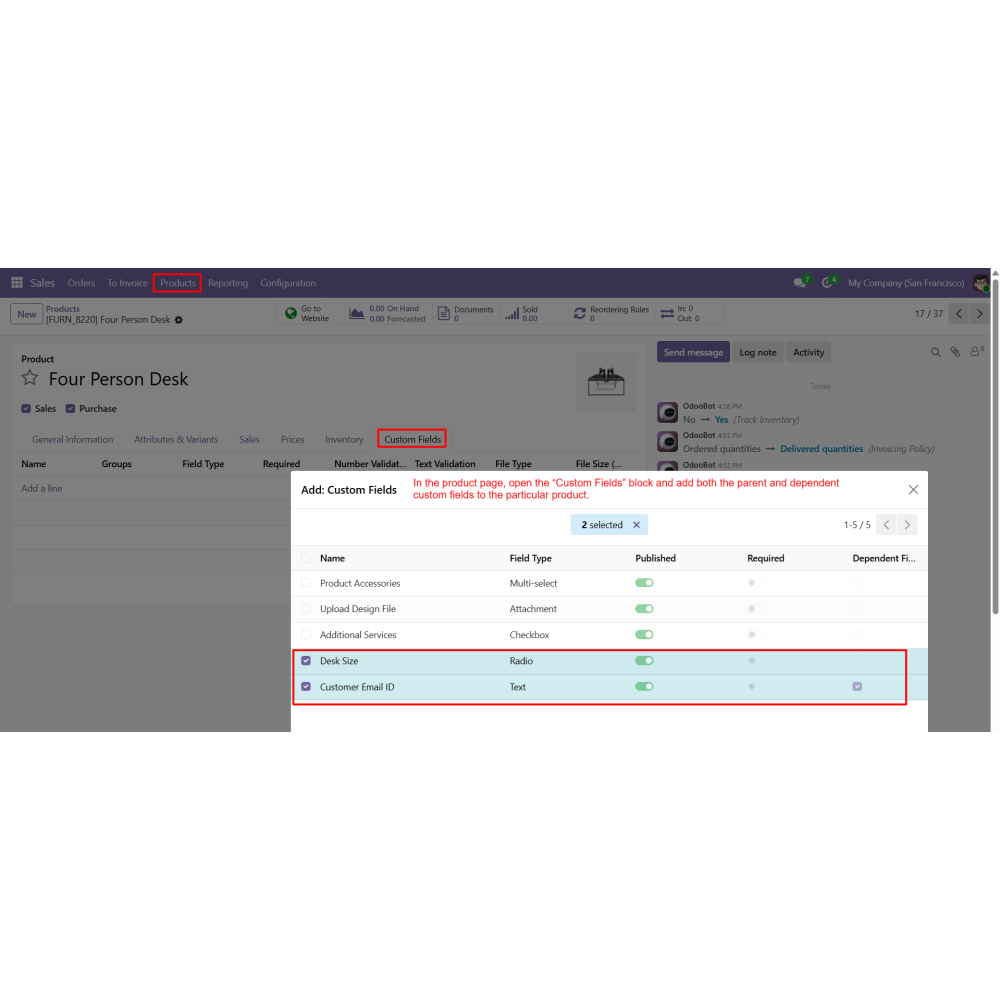
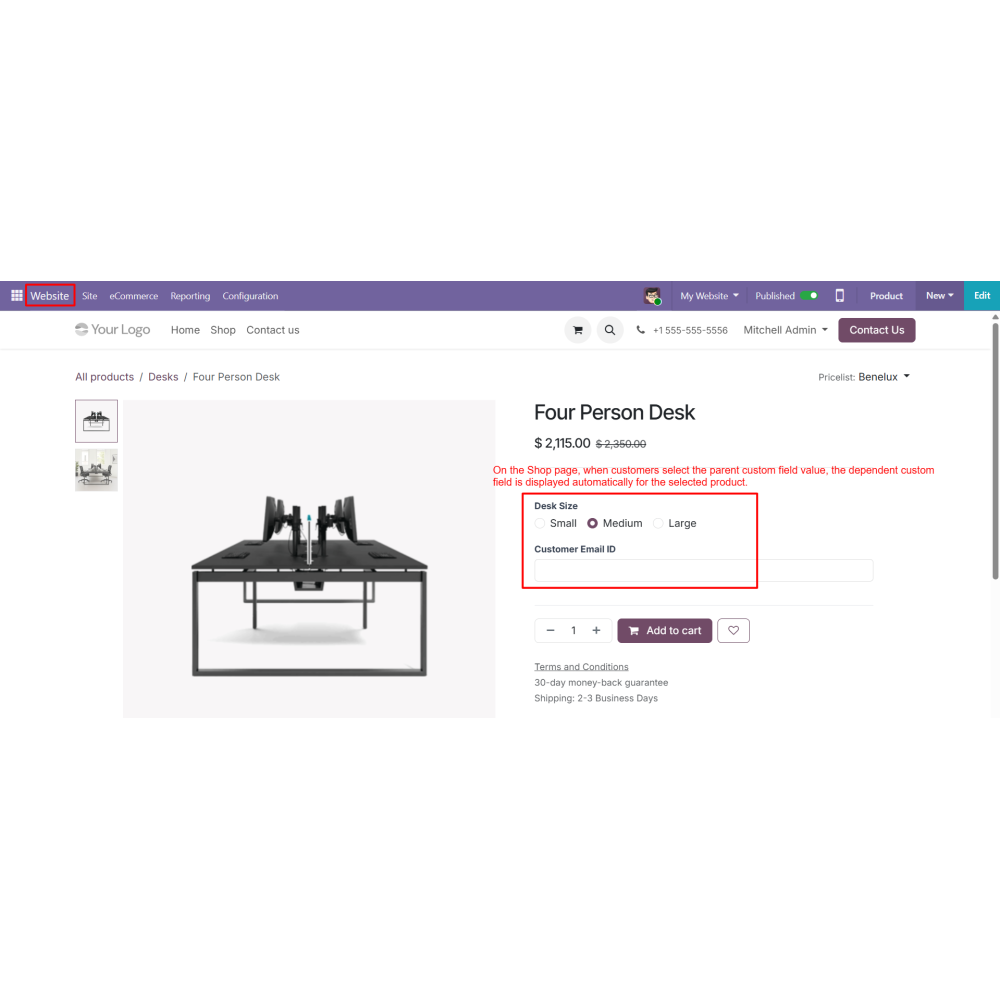
Dependent Field Logic shows or hides fields based on selected values dynamically.
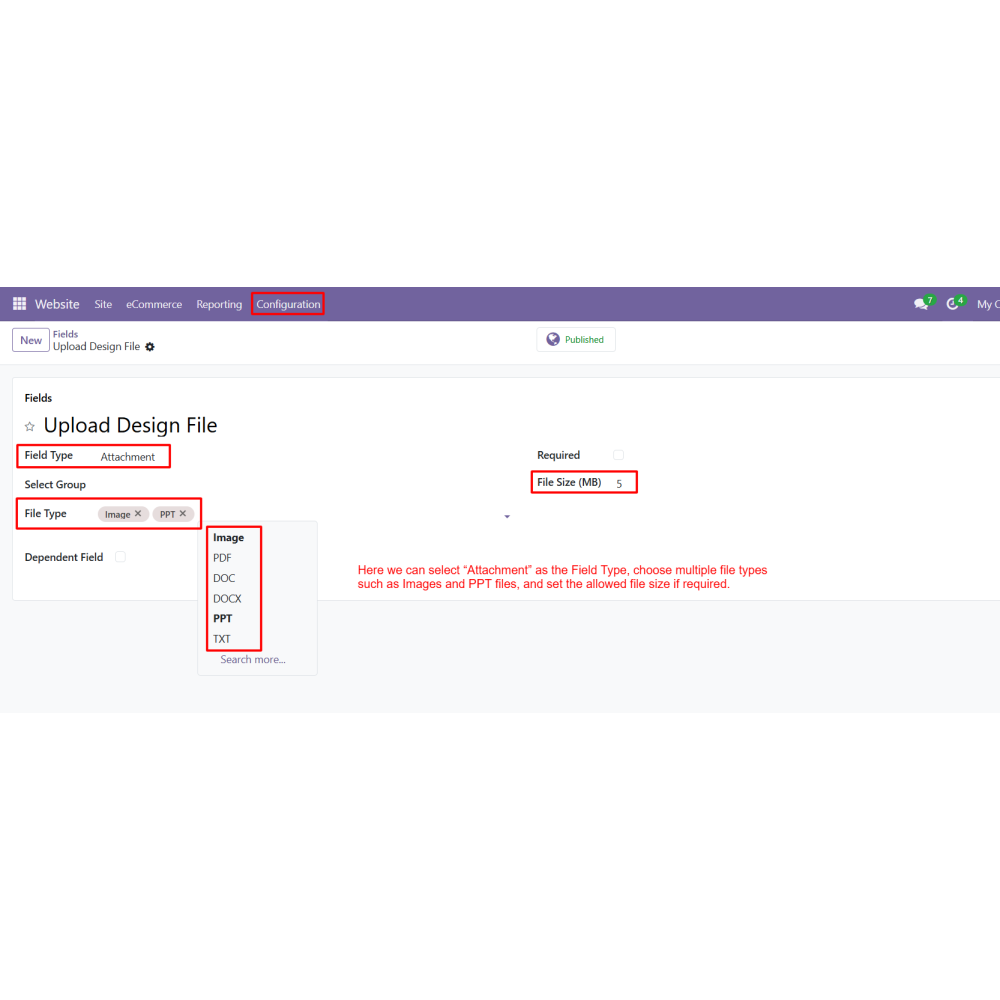
Attachment Upload Support allows customers to upload images, PDFs, and documents.
Group-Based Field Management organizes fields into structured groups for better control.
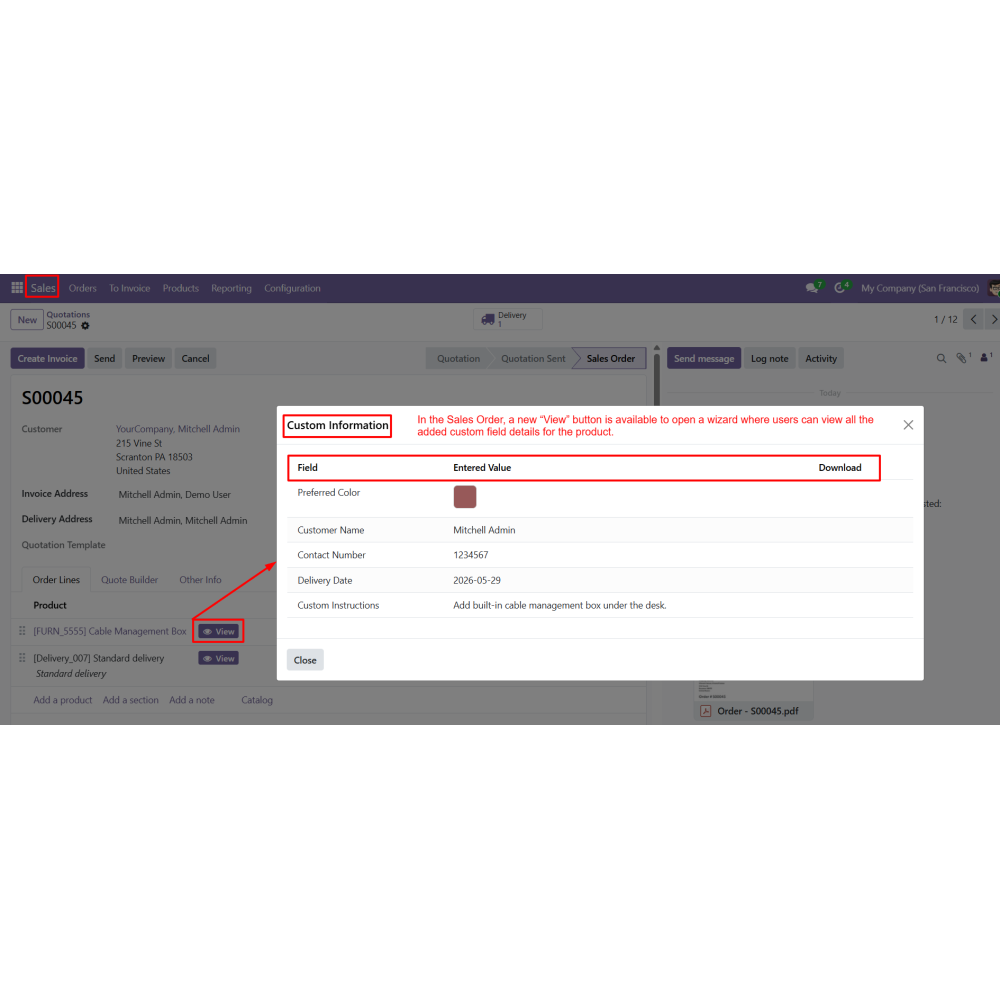
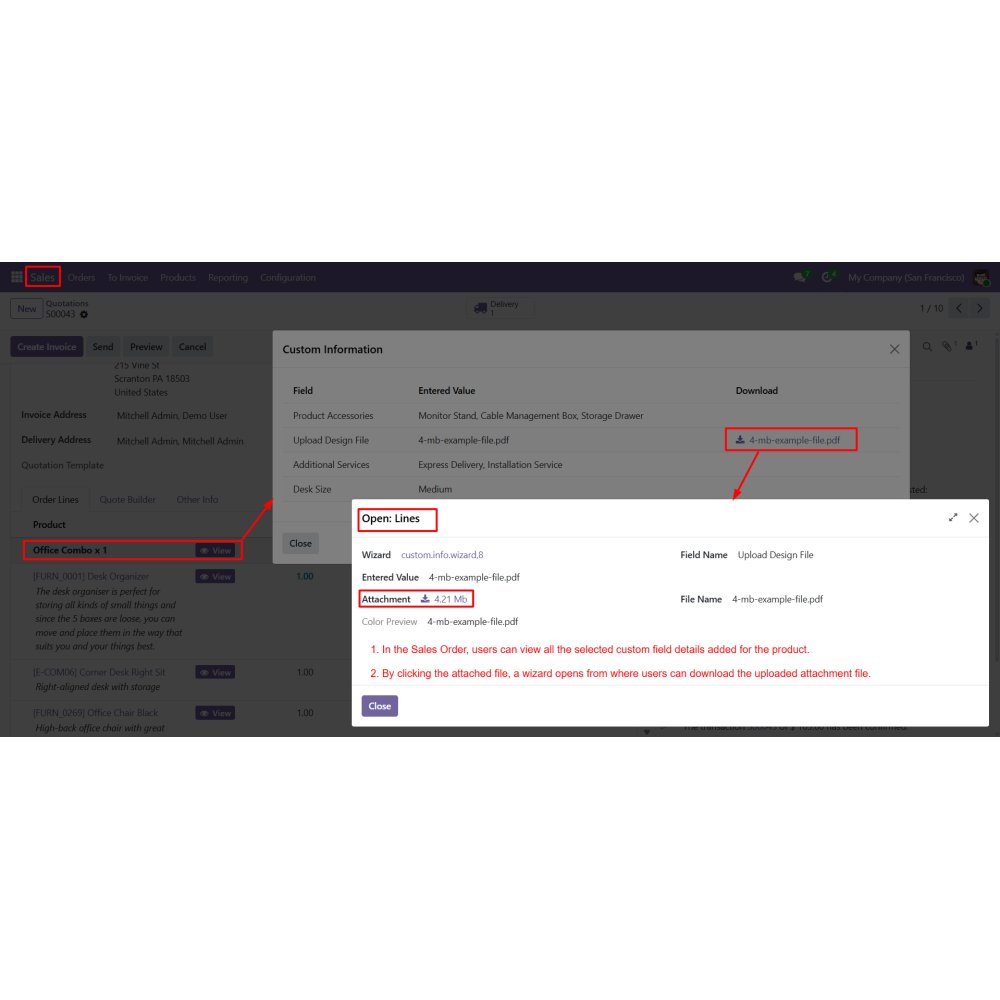
Sales Order Integration automatically transfers custom data to sales orders.
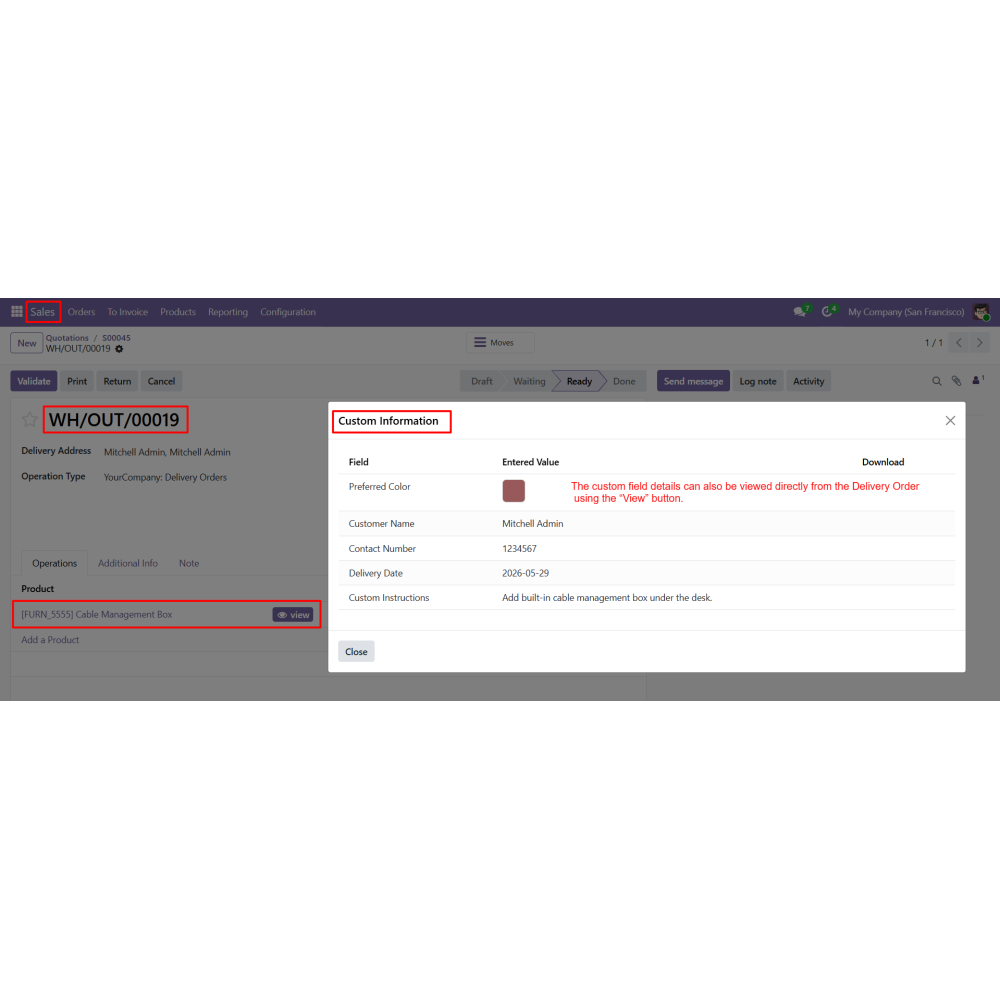
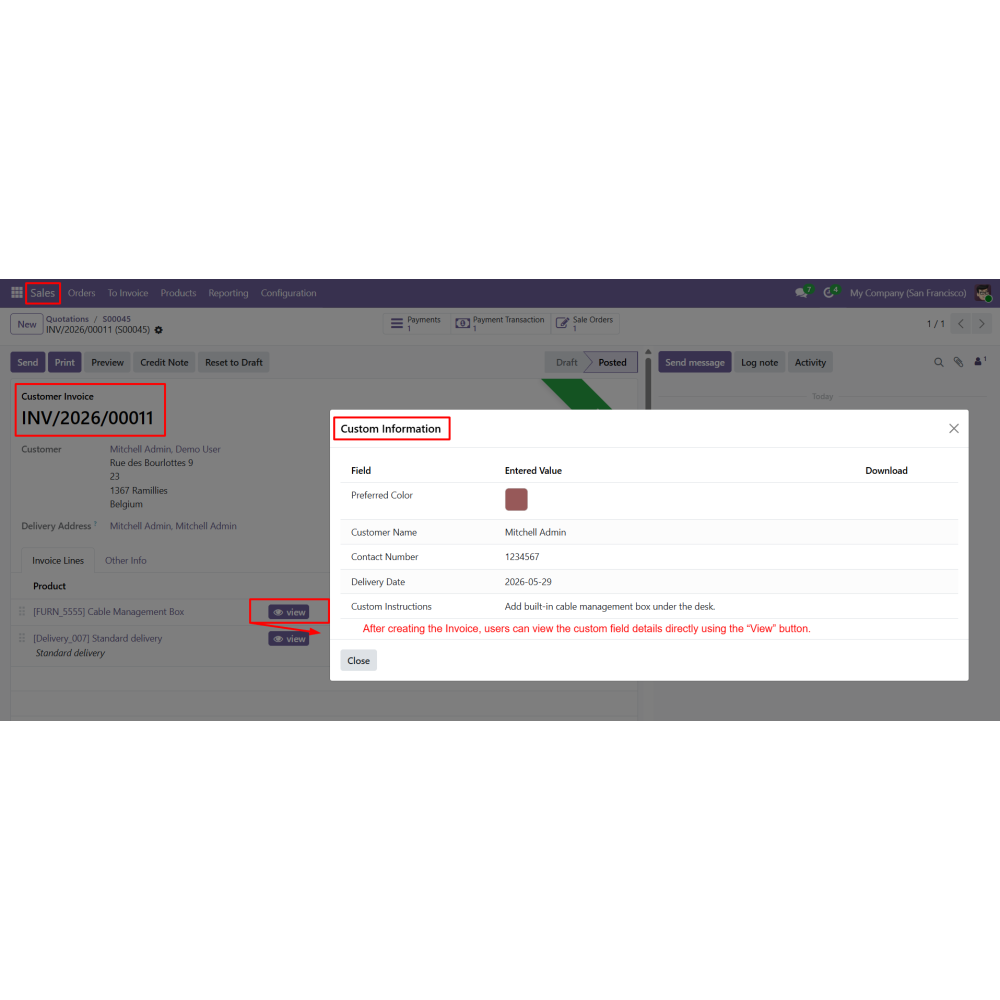
Delivery & Invoice Integration ensures custom field data is visible in delivery orders and invoices.
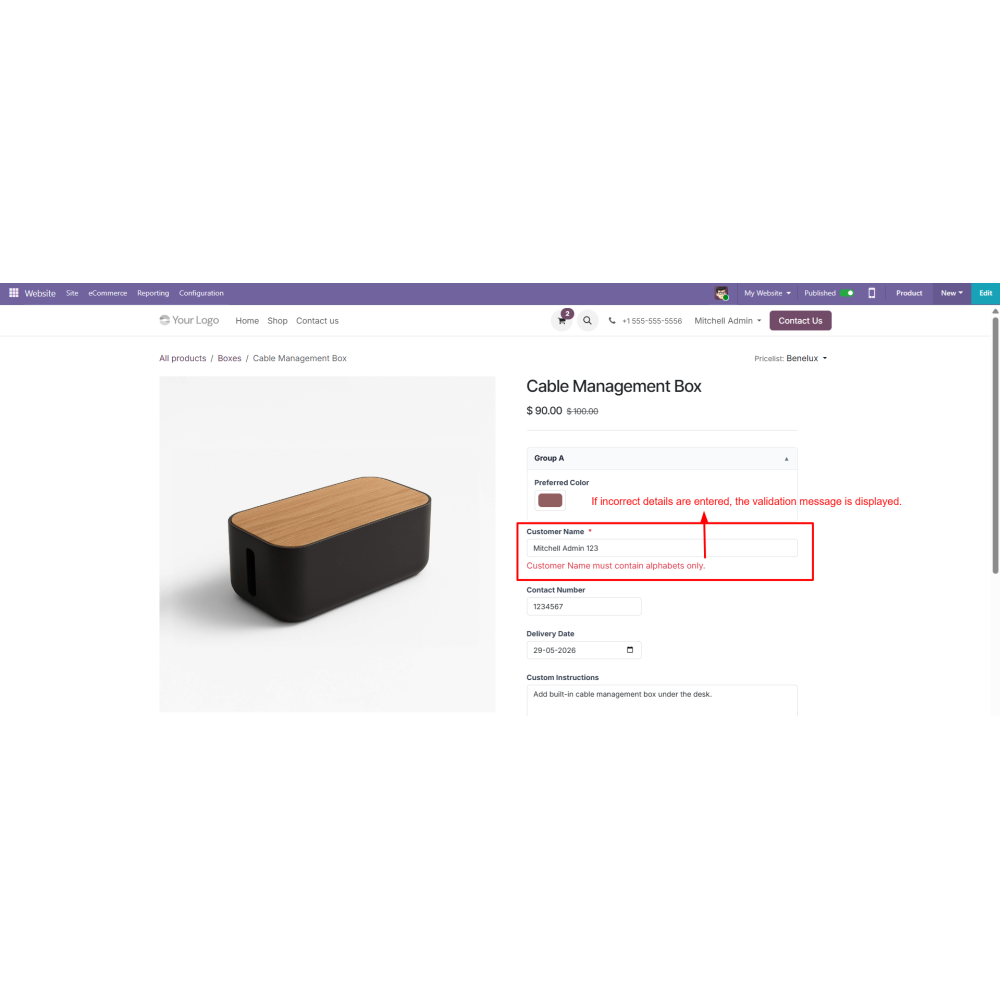
Validation & Control ensures proper input using required fields and validation rules.
Benefits
Easy Product Personalization allows customers to customize products as per their needs.
Improved Customer Experience provides a smooth and interactive shopping journey.
Better Order Accuracy reduces errors by capturing exact customer requirements.
Faster Order Processing improves efficiency in handling customized orders.
Flexible Product Configuration supports multiple field types and dynamic conditions.
Seamless Odoo Integration ensures smooth flow across sales, delivery, and invoicing.
Increased Customer Engagement encourages users to interact more with products.
Enhanced Business Efficiency improves overall eCommerce operations and workflow management.
Workflow
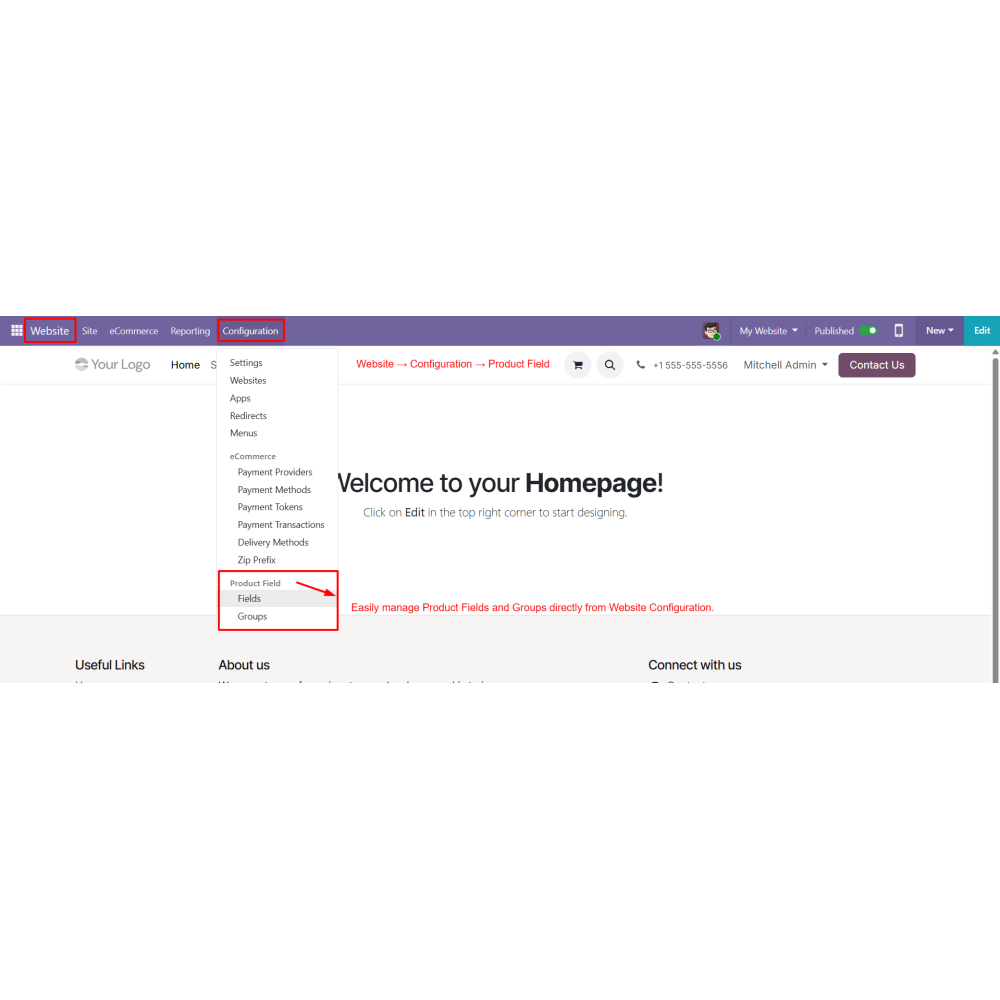
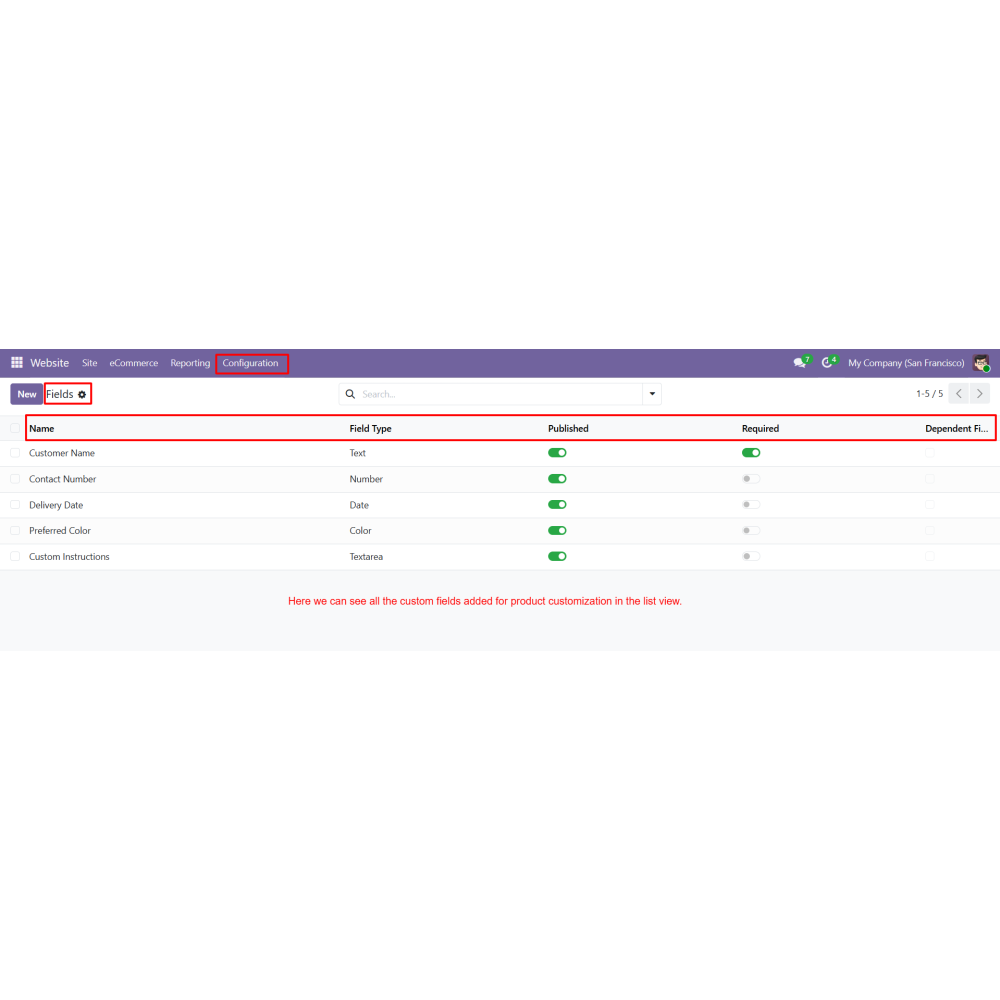
Go to Website → Configuration → Product Field to manage custom fields and groups.
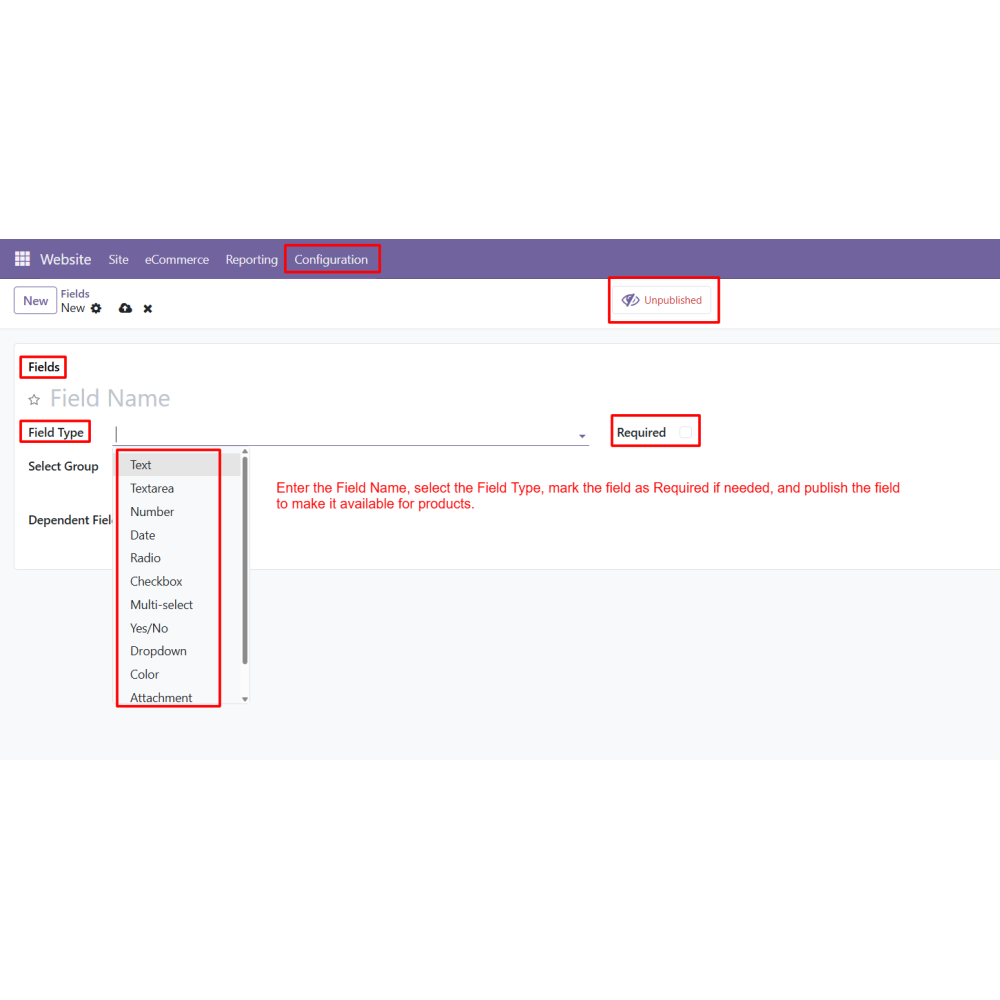
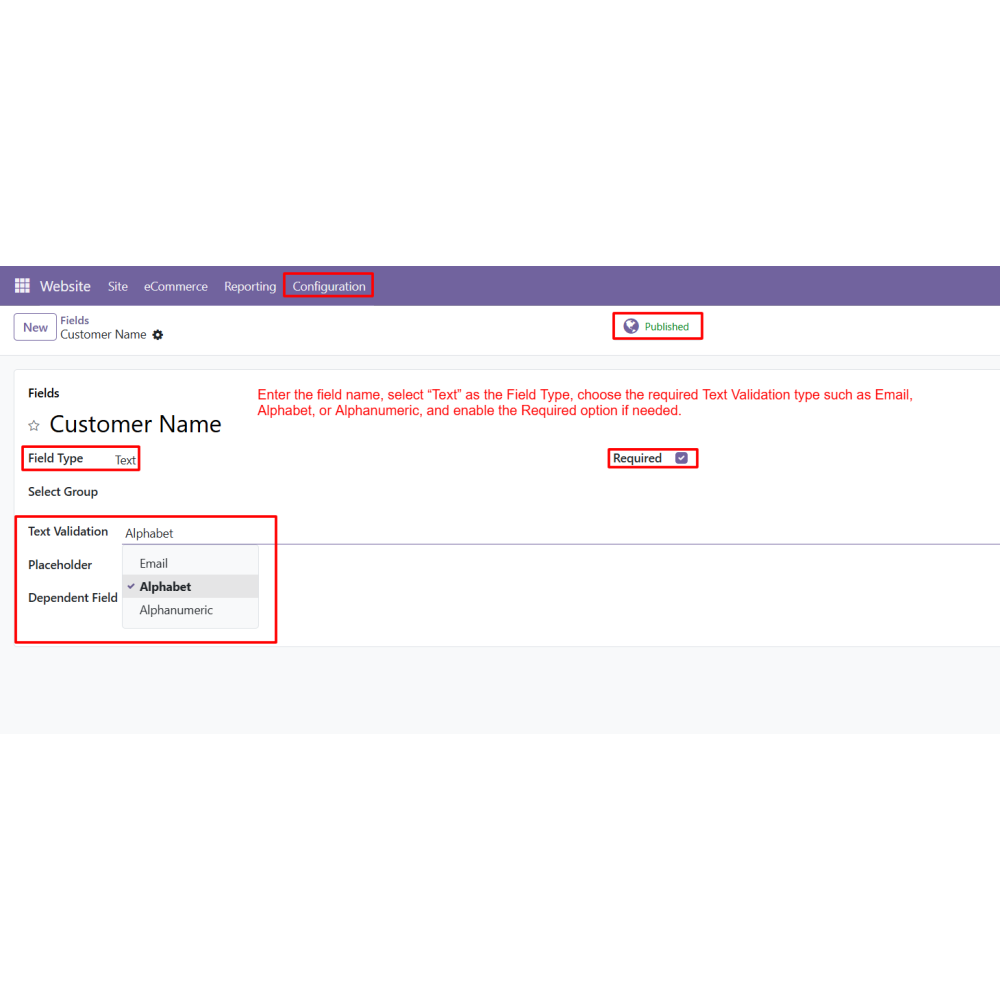
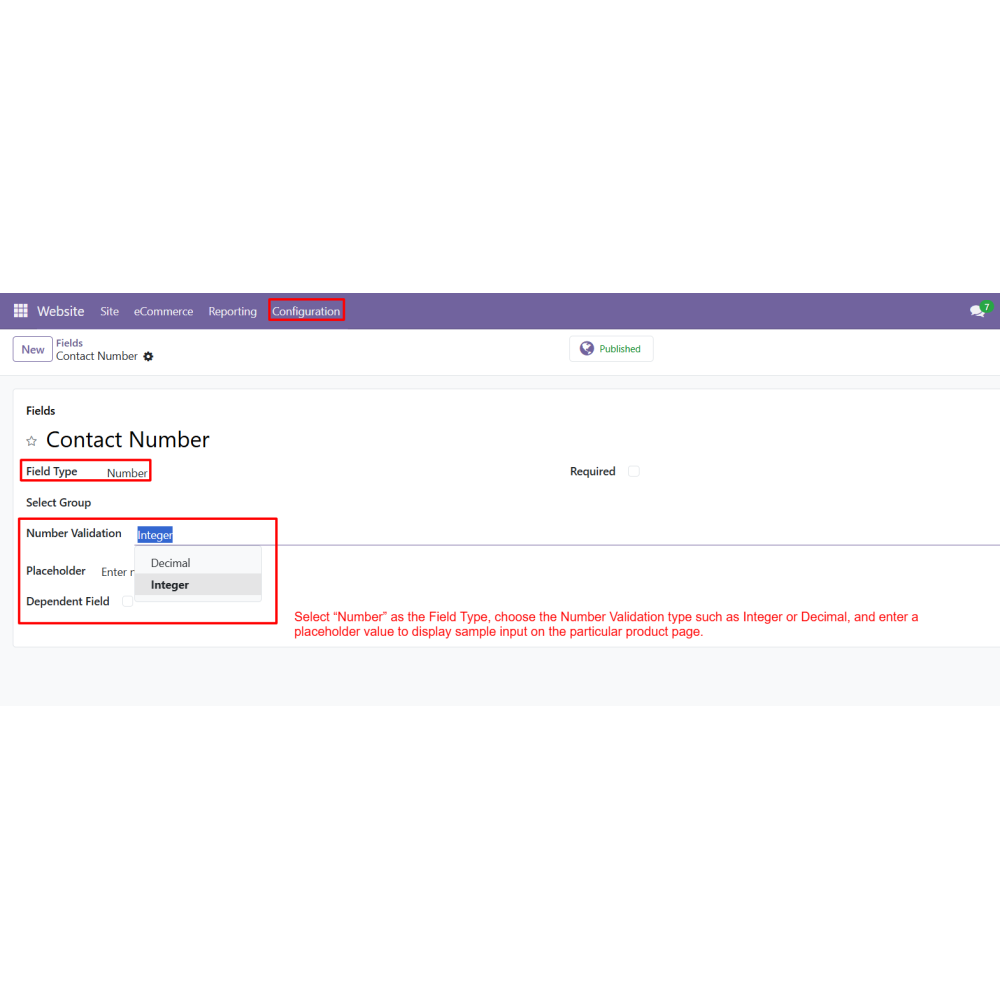
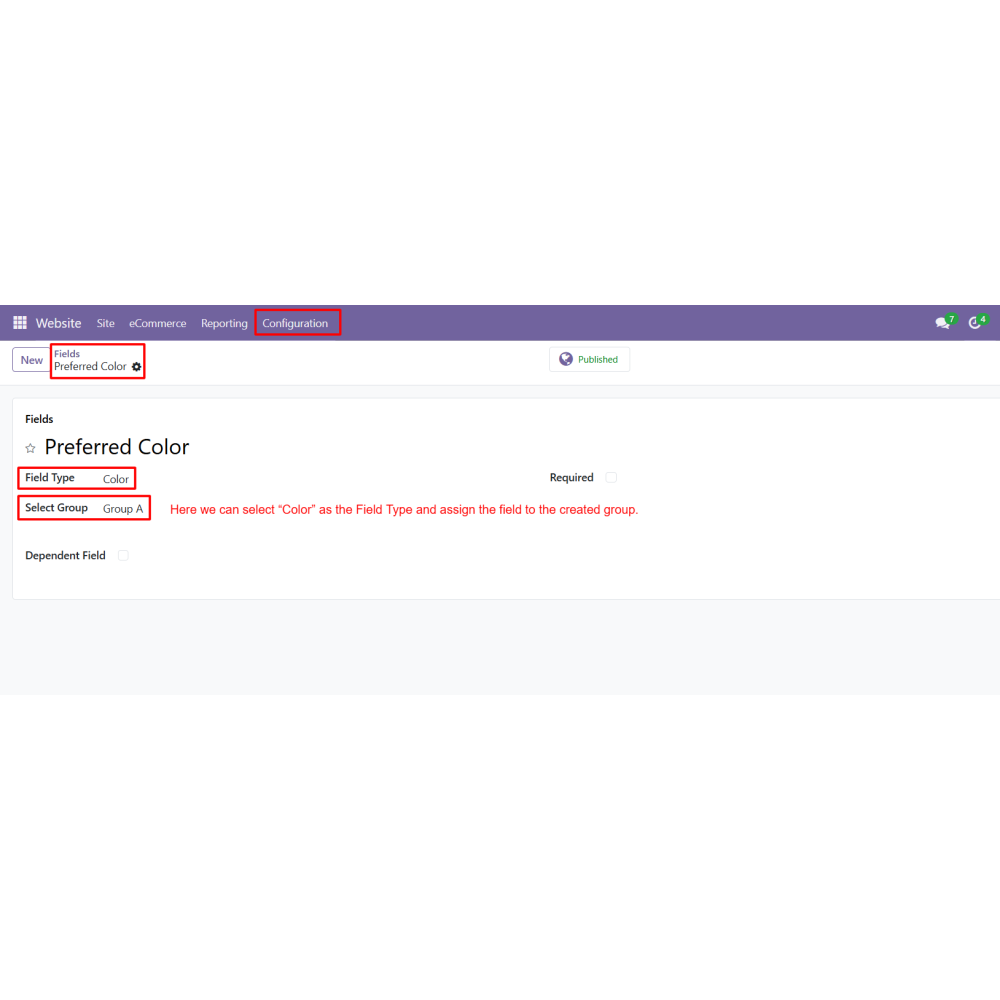
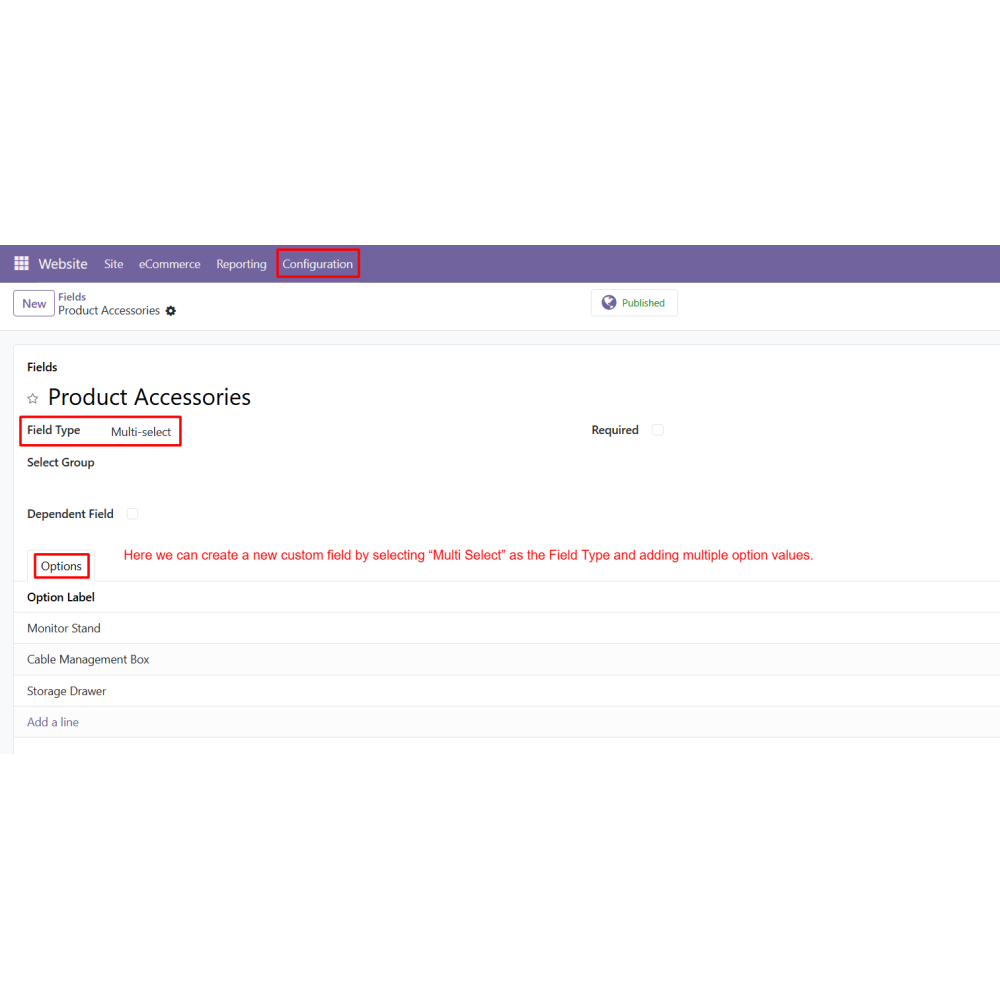
Create a new custom field by entering the Field Name and selecting the Field Type.
Configure additional options such as Validation, Placeholder, File Type, File Size, and Required fields.
Publish the custom field to make it available for products.
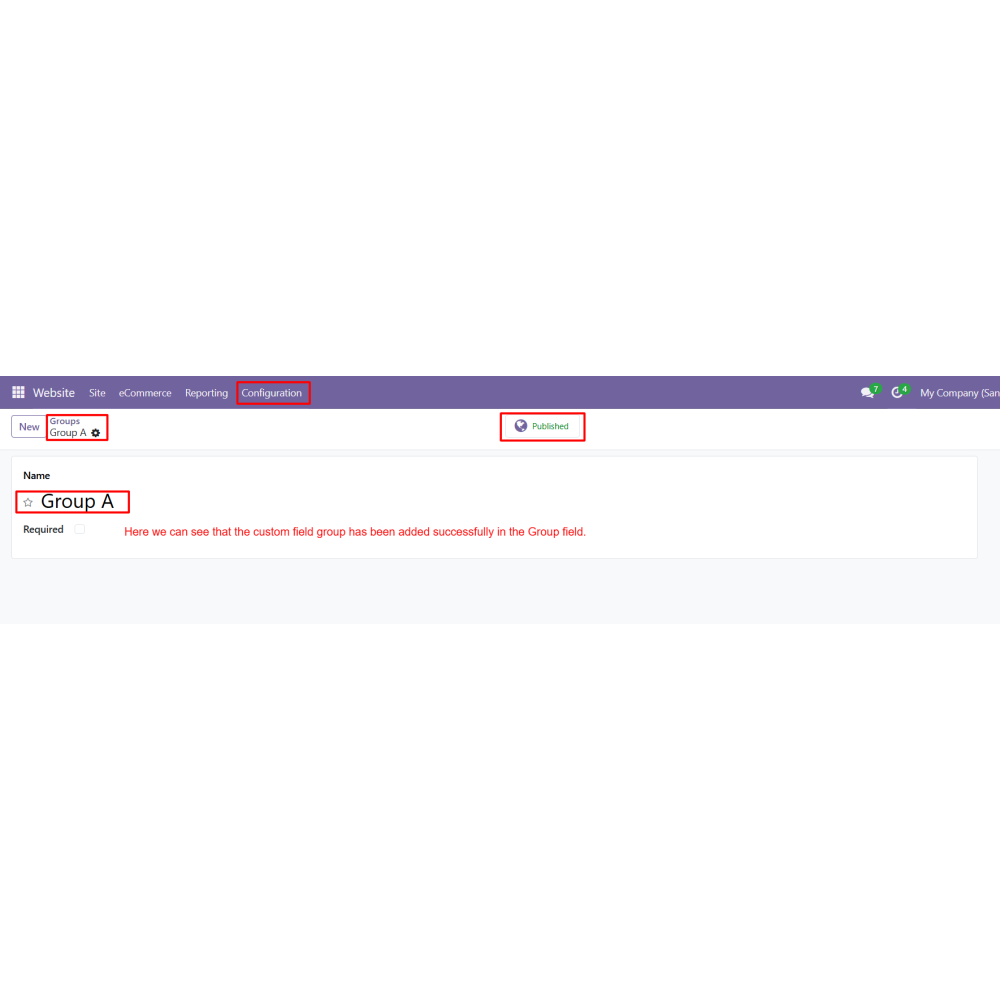
Create custom field groups for organizing multiple product fields.
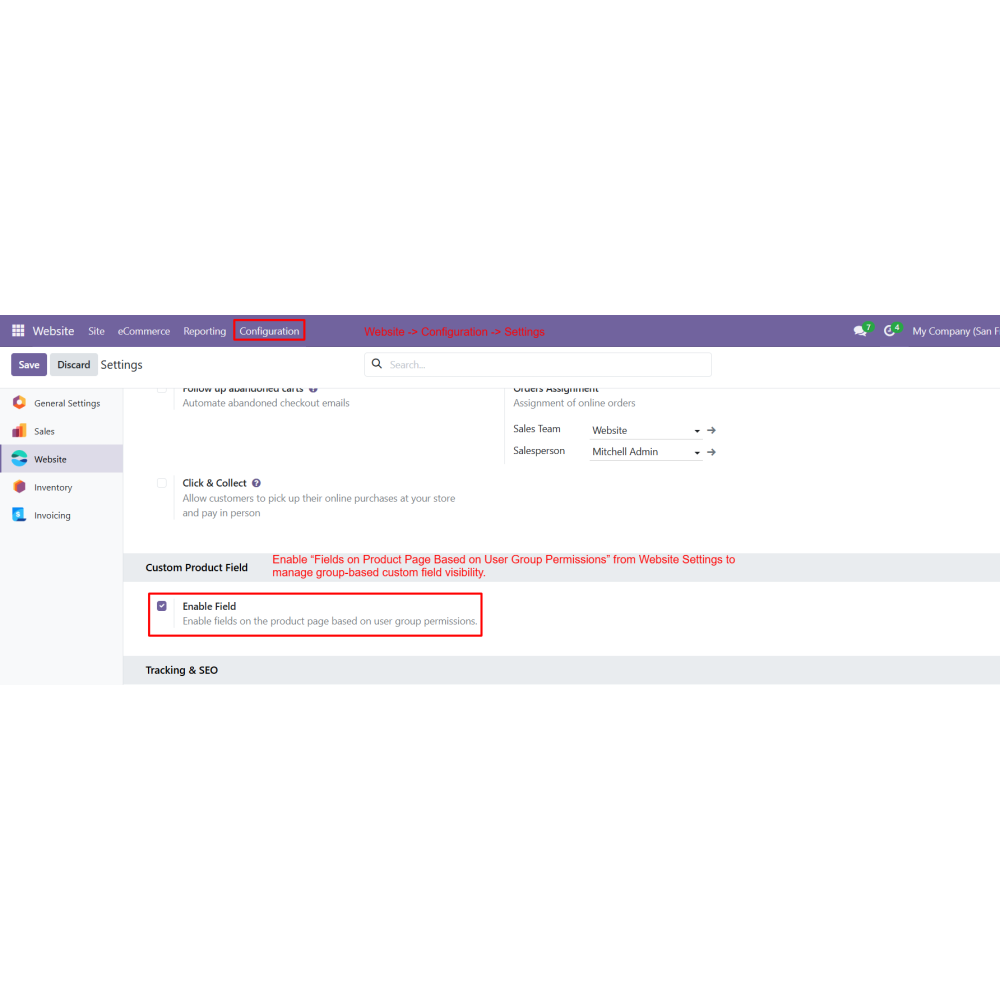
Enable “Enable Field on Product Page by Group” from Website Settings.
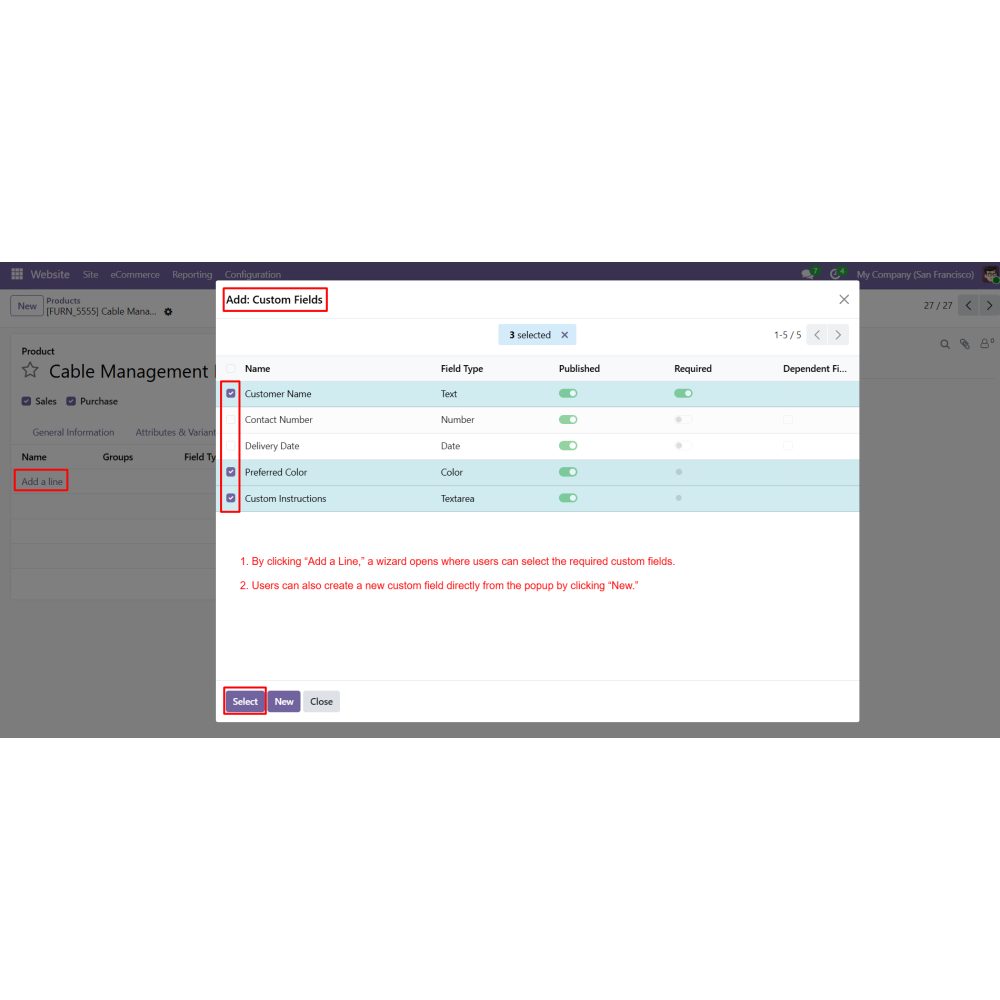
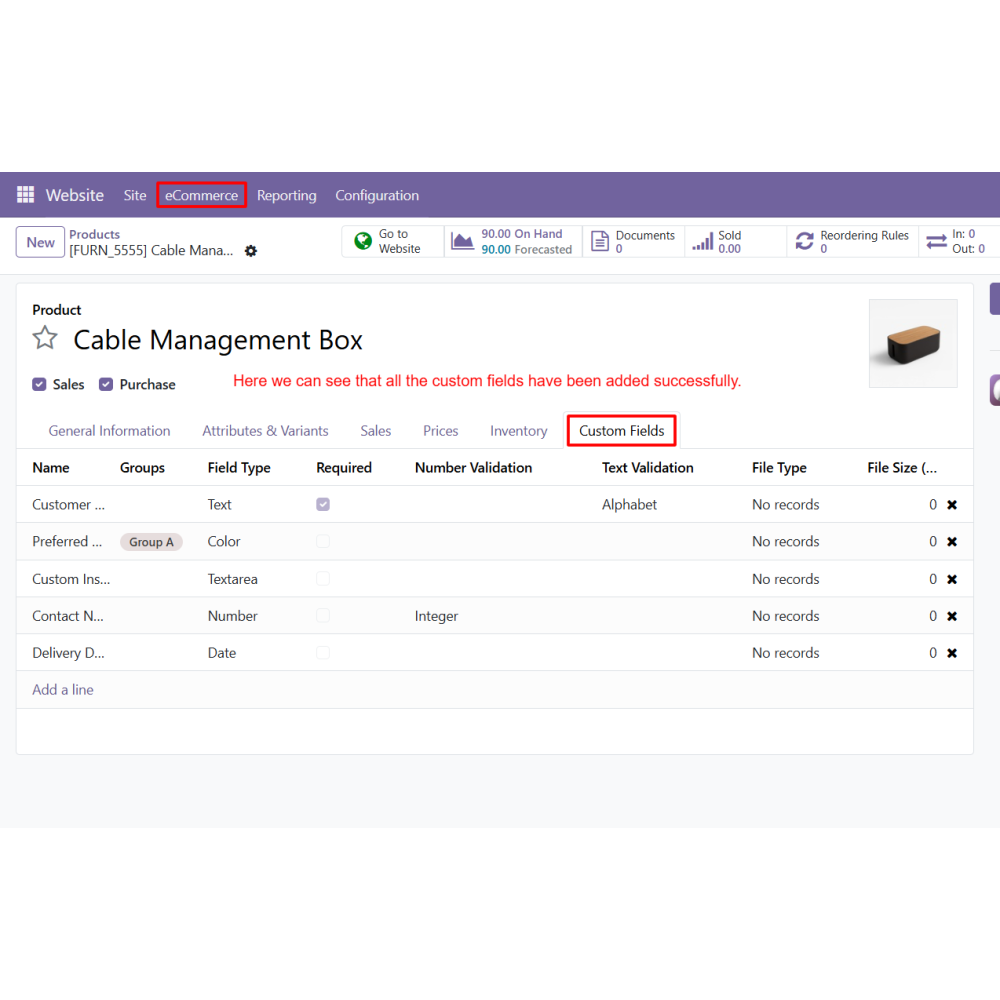
Open the product page and add custom fields from the Custom Fields block.
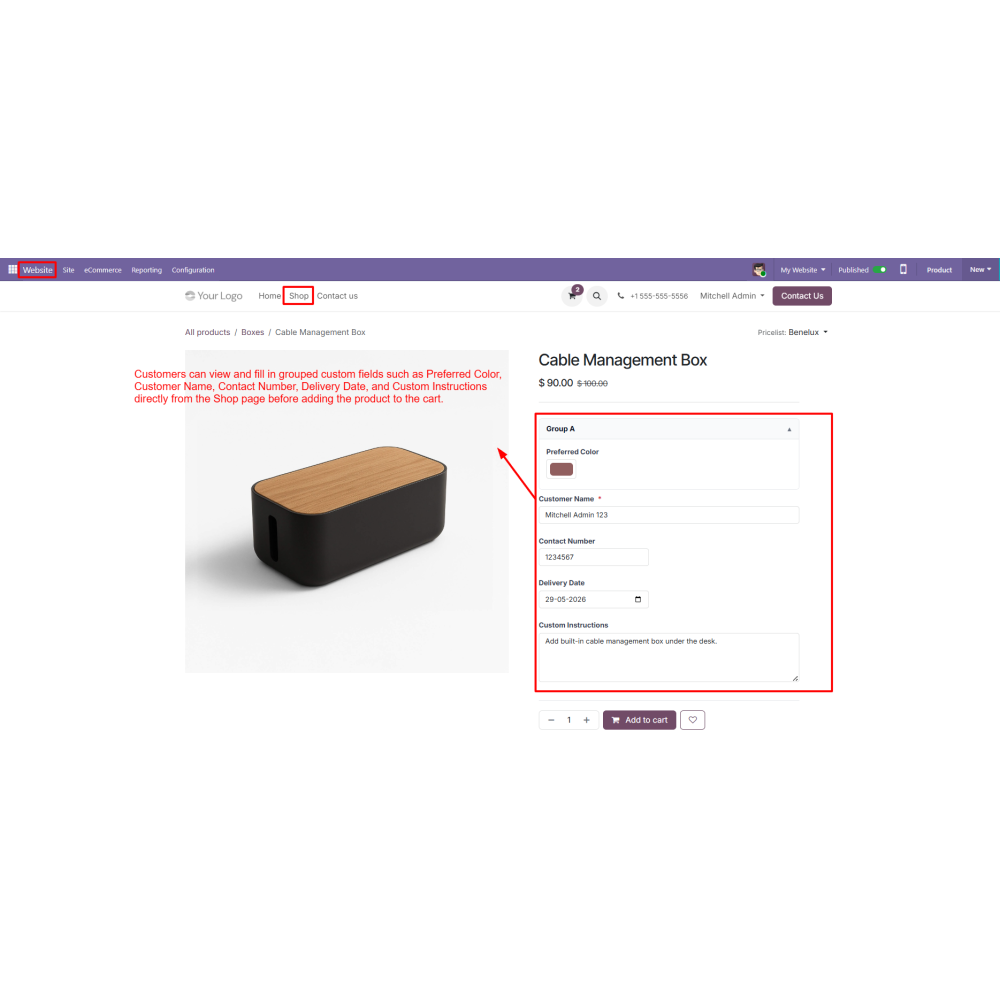
Customers can fill in custom product details directly from the Shop page before adding products to the cart.
View submitted custom field details from the Sales Order using the “View” button.
Access custom product details directly from Delivery Orders and Invoices.
FAQ
What is Custom Product Field for Odoo?It is a module that allows you to add custom fields on product pages so customers can submit personalized requirements before checkout.Which field types are supported?It supports text, textarea, number, date, dropdown, checkbox, radio button, color, attachment, and more.Can customers upload files?Yes, customers can upload files such as images, PDFs, and documents directly from the product page.Does it support dependent fields?Yes, fields can be shown or hidden dynamically based on selected values from other fields.Where is the custom field data stored?All submitted data is automatically stored in Sales Orders, Delivery Orders, and Invoices.Can I group custom fields?Yes, custom fields can be organized into groups for better management and display.Is it compatible with Odoo eCommerce?Yes, it works fully with Odoo Website and eCommerce modules for seamless product customization.Does it affect checkout process?No, it enhances checkout by collecting required customization details before adding products to cart.Can I make fields mandatory?Yes, you can set validation rules and mark fields as required.Who can use this module?It is ideal for businesses selling customizable or made-to-order products online.
Reviews
Customer reviews
0.0 Out Of 5
5 star
0%
4 star
0%
3 star
0%
2 star
0%
1 star
0%
No customer reviews
by
Benefits Of Custom Product Field
Easy Product Personalization
Improved Customer Experience
Better Order Accuracy
Faster Custom Product Management
Flexible Product Configuration
Seamless Odoo eCommerce Integration
Features of Custom Product Field
Multiple Custom Field Types
Create product fields using Text, Textarea, Number, Date, Dropdown, Multi Select, Checkbox, Radio Button, Color, Attachment, Yes/No, and Editor field types.
Product Page Customization
Display custom fields directly on the product page to collect personalized customer requirements before checkout.
Dependent Custom Fields
Show or hide custom fields dynamically based on the selected value of another field.
Attachment Upload Support
Allow customers to upload files such as Images, PDFs, PPTs, and documents directly from the Shop page.
Sales, Delivery, and Invoice Integration
Automatically display submitted custom field details in Sales Orders, Delivery Orders, and Invoices.
Group-Based Custom Fields
Organize and display custom fields using custom groups for better product customization management.

.png)

 Return policy






 Store — We Handle It All