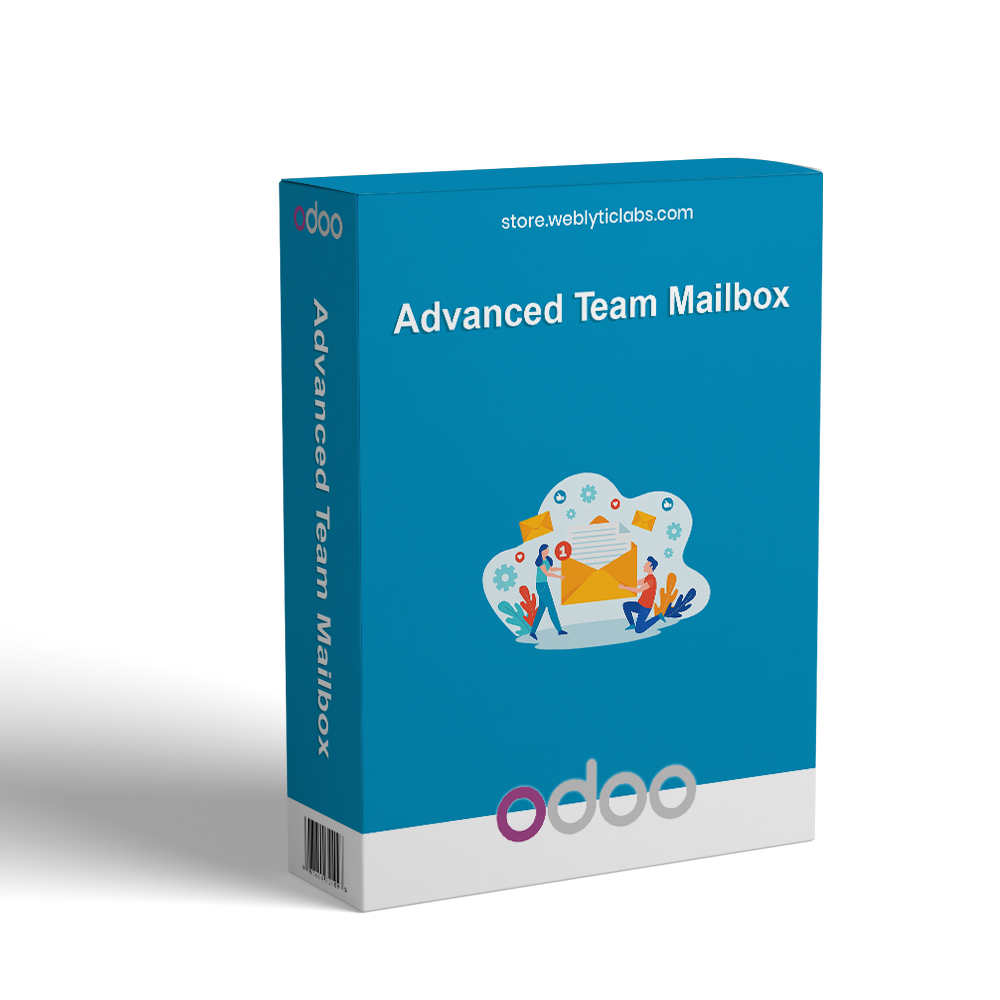
Advanced Team Mailbox is a complete shared inbox solution for Odoo that centralizes customer emails into one collaborative workspace. It enables teams to manage, assign, and track conversations with SLA monitoring, automation, and real-time updates. Users can integrate Gmail, Outlook, Zoho, or IMAP/SMTP servers to sync emails seamlessly. The module supports smart threading, canned responses, macros, role-based access, and escalation rules to improve productivity. With unified communication, teams can streamline workflows, enhance collaboration, and deliver faster, more organized customer support directly inside Odoo.
Advanced Team Mailbox is a complete shared inbox solution for Odoo that centralizes customer emails into one collaborative workspace. It enables teams to manage, assign, and track conversations with SLA monitoring, automation, and real-time updates. Users can integrate Gmail, Outlook, Zoho, or IMAP/SMTP servers to sync emails seamlessly. The module supports smart threading, canned responses, macros, role-based access, and escalation rules to improve productivity. With unified communication, teams can streamline workflows, enhance collaboration, and deliver faster, more organized customer support directly inside Odoo.
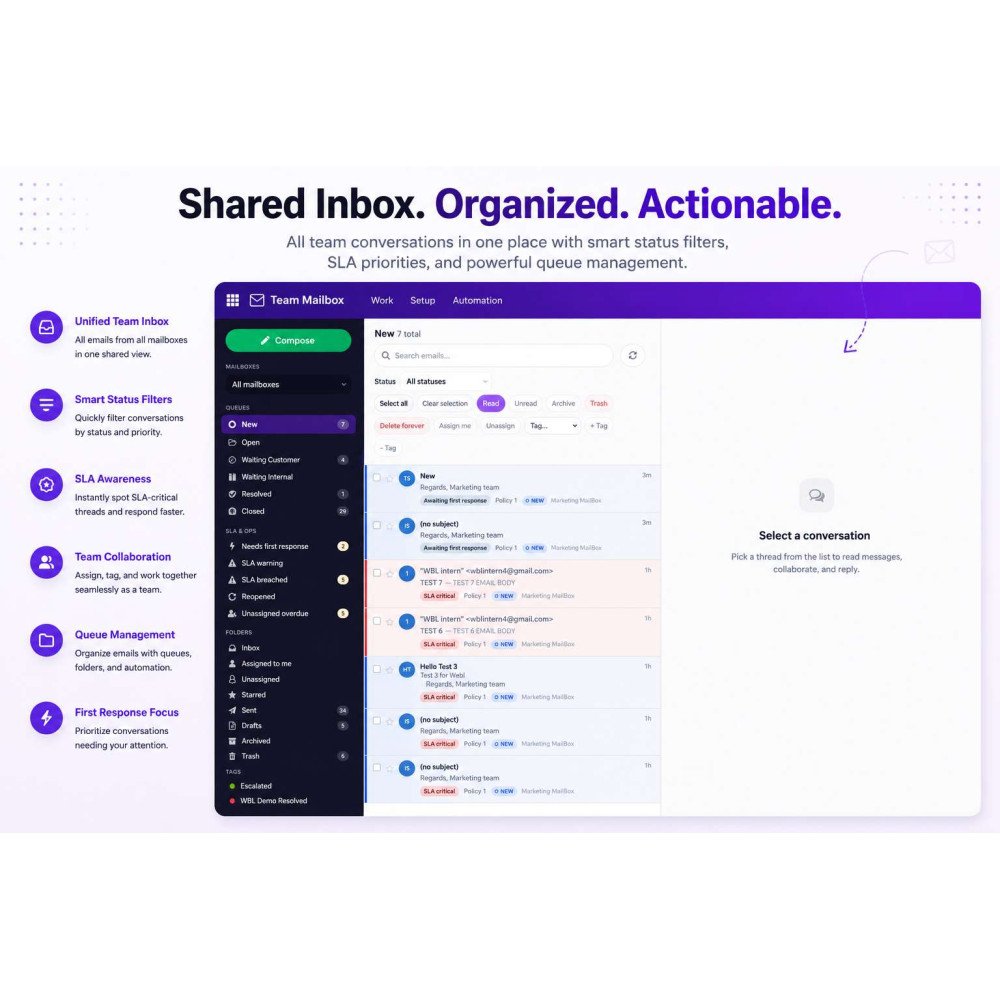
Centralizes all customer emails into one shared workspace for better team collaboration and management.
Enables seamless integration with Gmail, Outlook, Zoho, and IMAP/SMTP servers for unified email handling.
Organizes conversations into structured threads for easy tracking and follow-ups.
Provides real-time email synchronization for accurate and up-to-date communication.
Supports SLA tracking, escalations, and automation for efficient support operations.
Helps teams manage, assign, and resolve customer emails directly inside Odoo.
Key Features
Centralize all customer emails in a unified workspace to improve team collaboration and streamline communication.
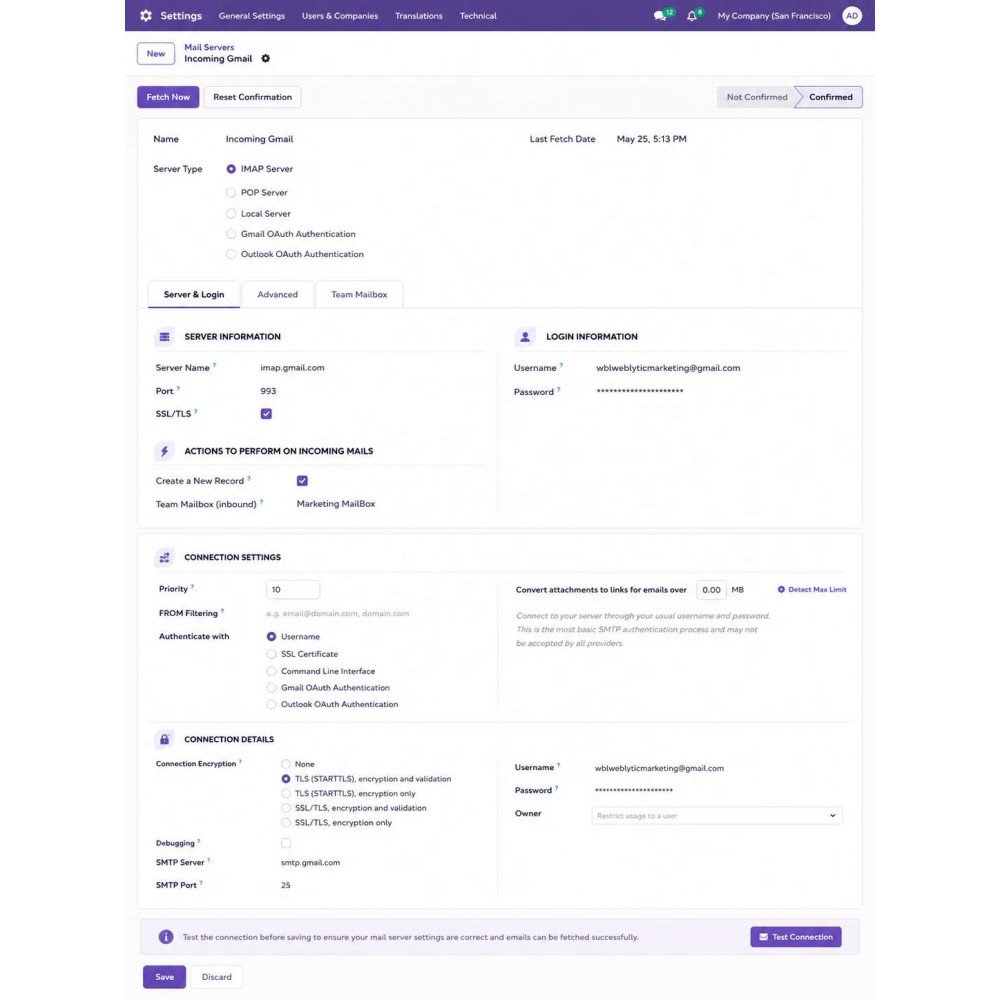
Connect Gmail, Outlook, Zoho, and IMAP/SMTP servers for seamless email synchronization inside Odoo.
Automatically organize conversations into smart threads for better tracking and clarity.
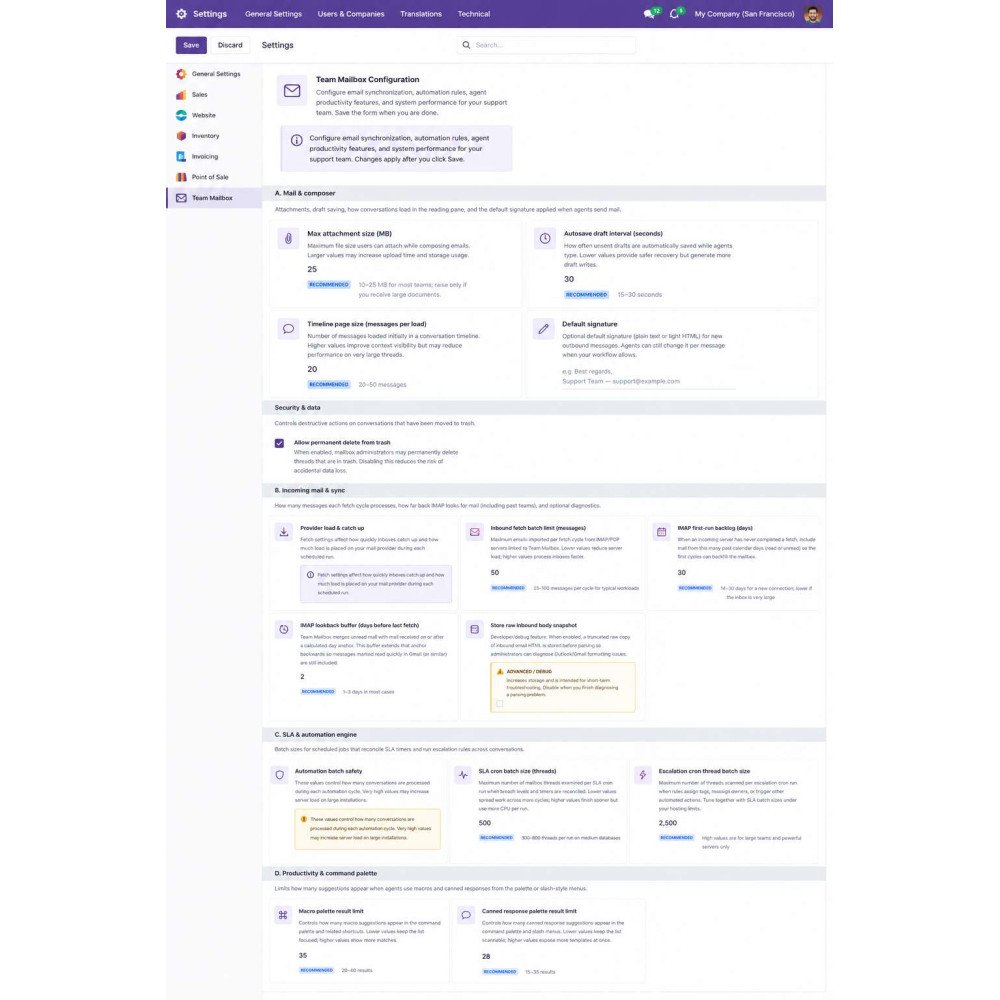
Define SLA rules, monitor response times, and automate escalations for better support control.
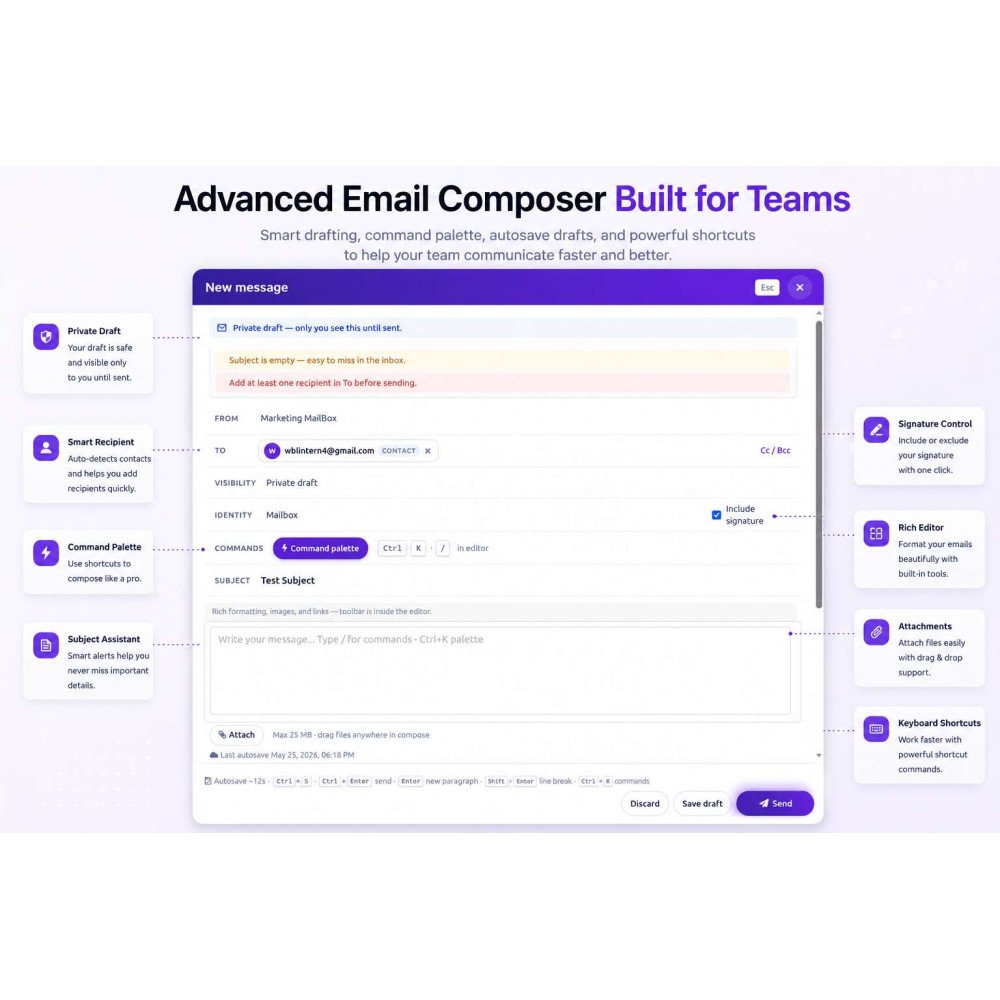
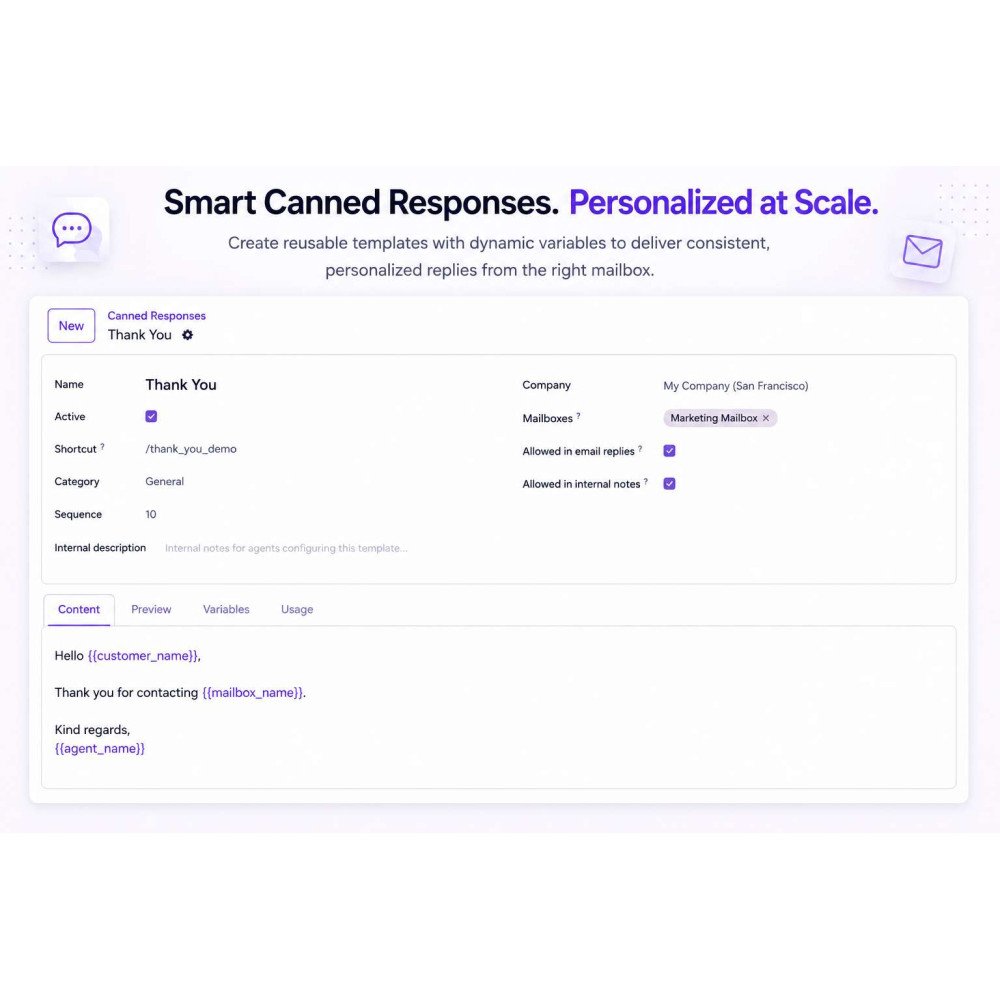
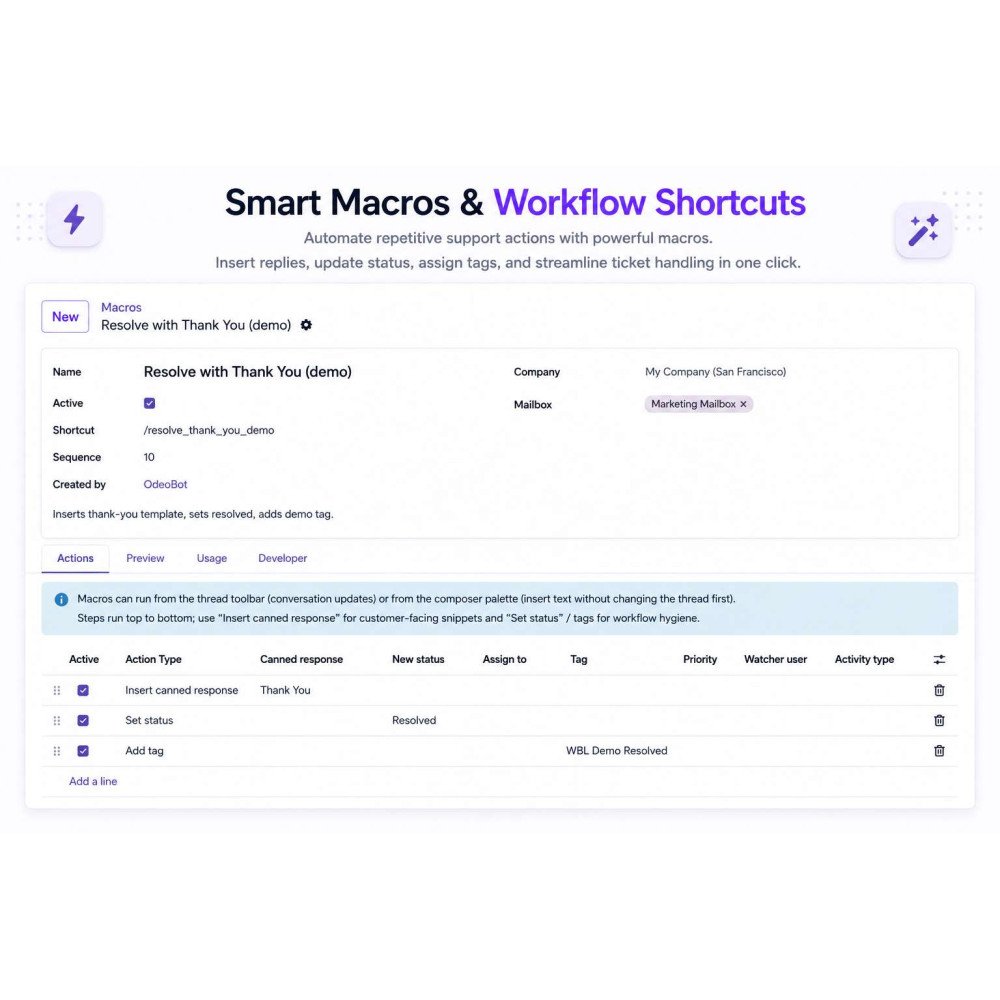
Use macros, canned responses, and automation tools to speed up repetitive email handling.
Manage user roles and permissions to ensure secure and controlled mailbox access.
Benefits
Improve team collaboration by enabling smooth coordination across support agents.
Increase response speed with SLA tracking and automated workflows.
Centralize all customer communication for better visibility and control.
Boost productivity by reducing manual email handling and repetitive tasks.
Enhance customer experience with faster and more organized replies.
Scale support operations easily as your business grows within Odoo.
Workflow
Install the Advanced Team Mailbox module in Odoo and activate the shared inbox environment.
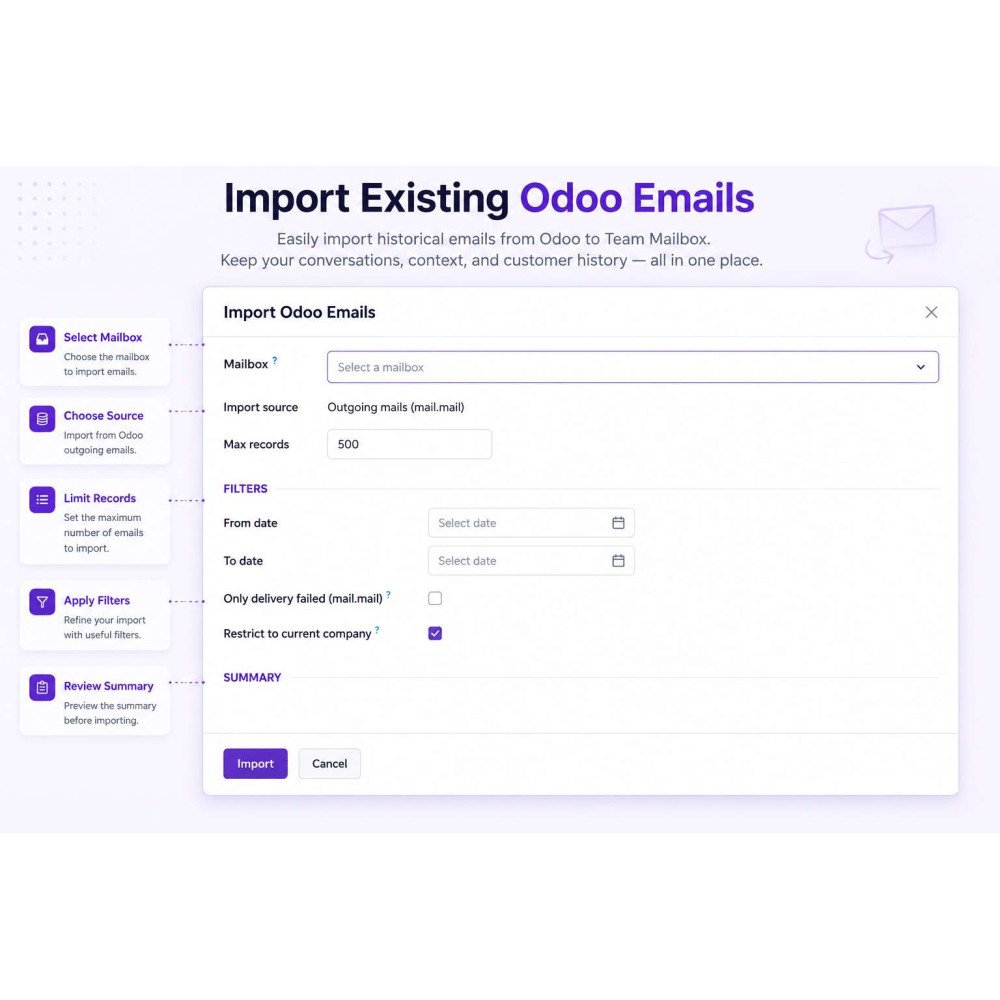
Configure email servers (Gmail, Outlook, Zoho, or IMAP/SMTP) to start syncing incoming and outgoing emails.
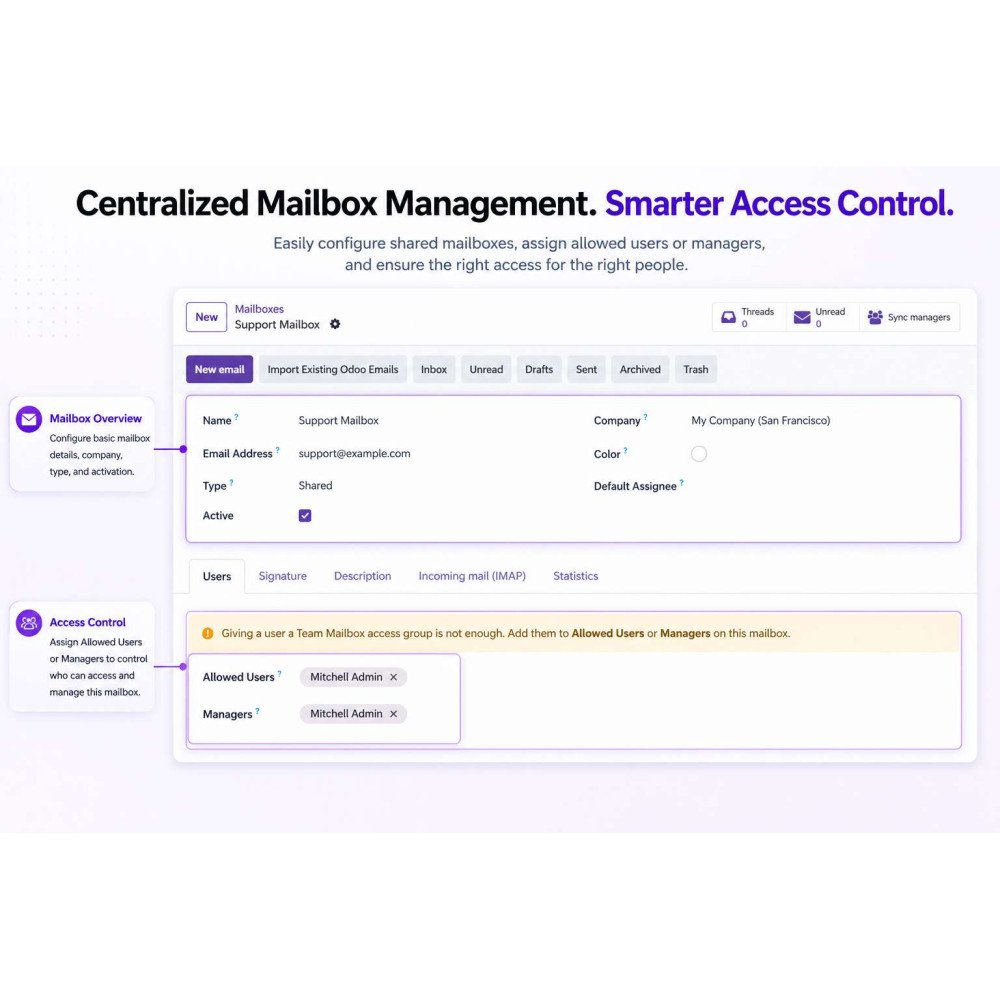
Create and set up shared mailboxes for different teams, departments, or support categories.
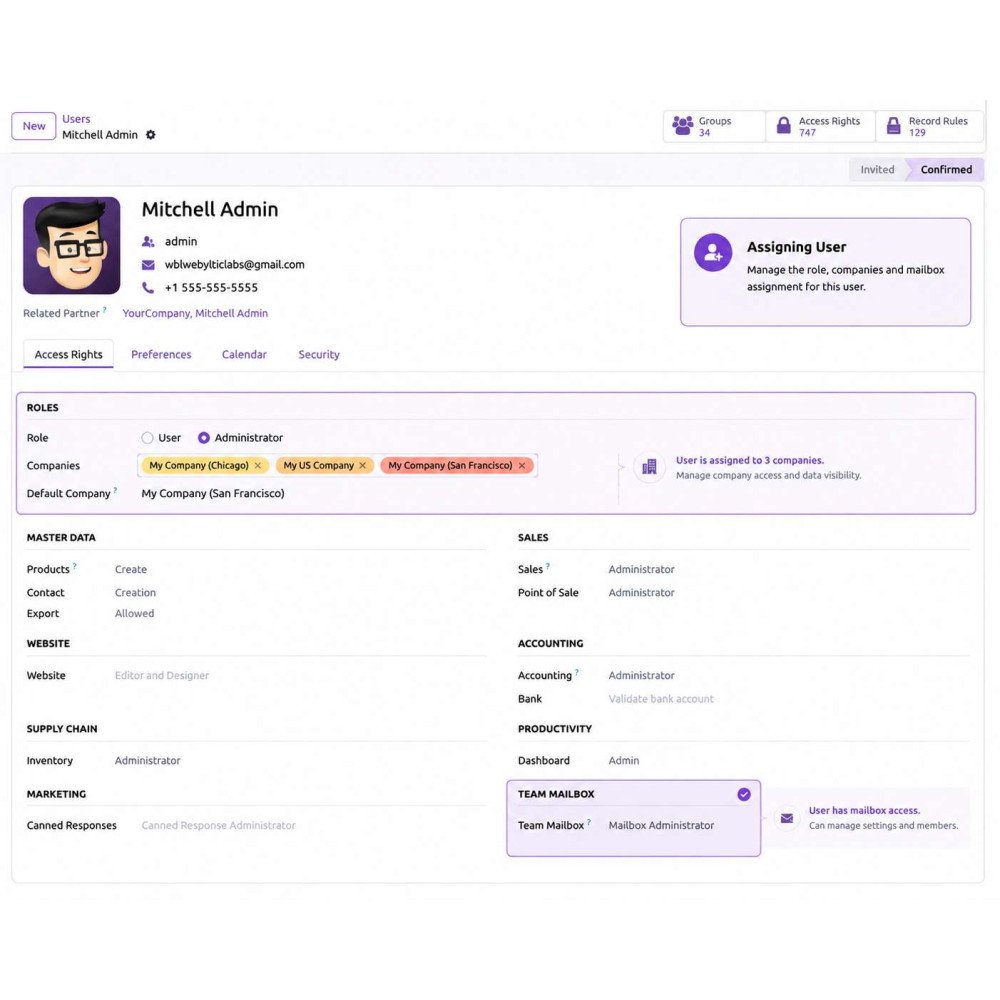
Assign users and managers to each mailbox with role-based access permissions.
Emails are automatically fetched and organized into structured conversation threads.
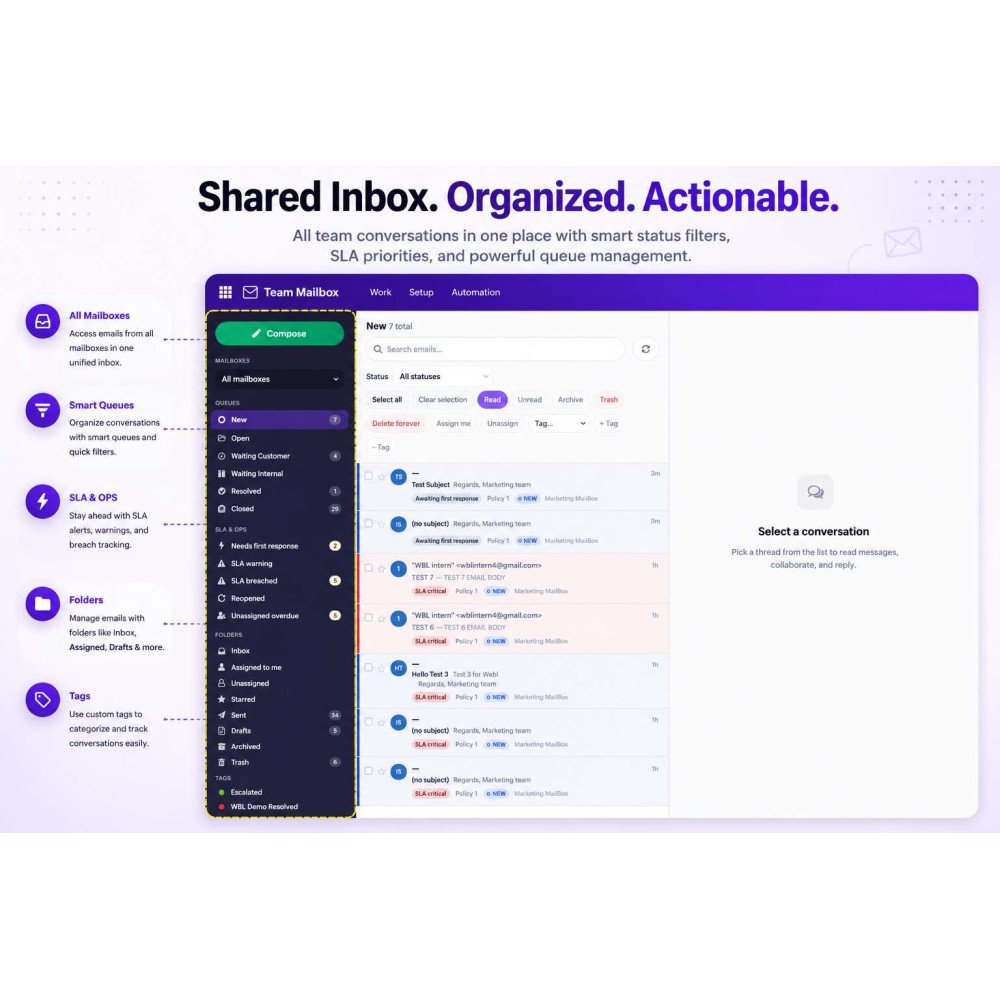
Team members can view, assign, and manage emails from a centralized inbox interface.
Use tags, filters, and priority settings to categorize and organize customer conversations.
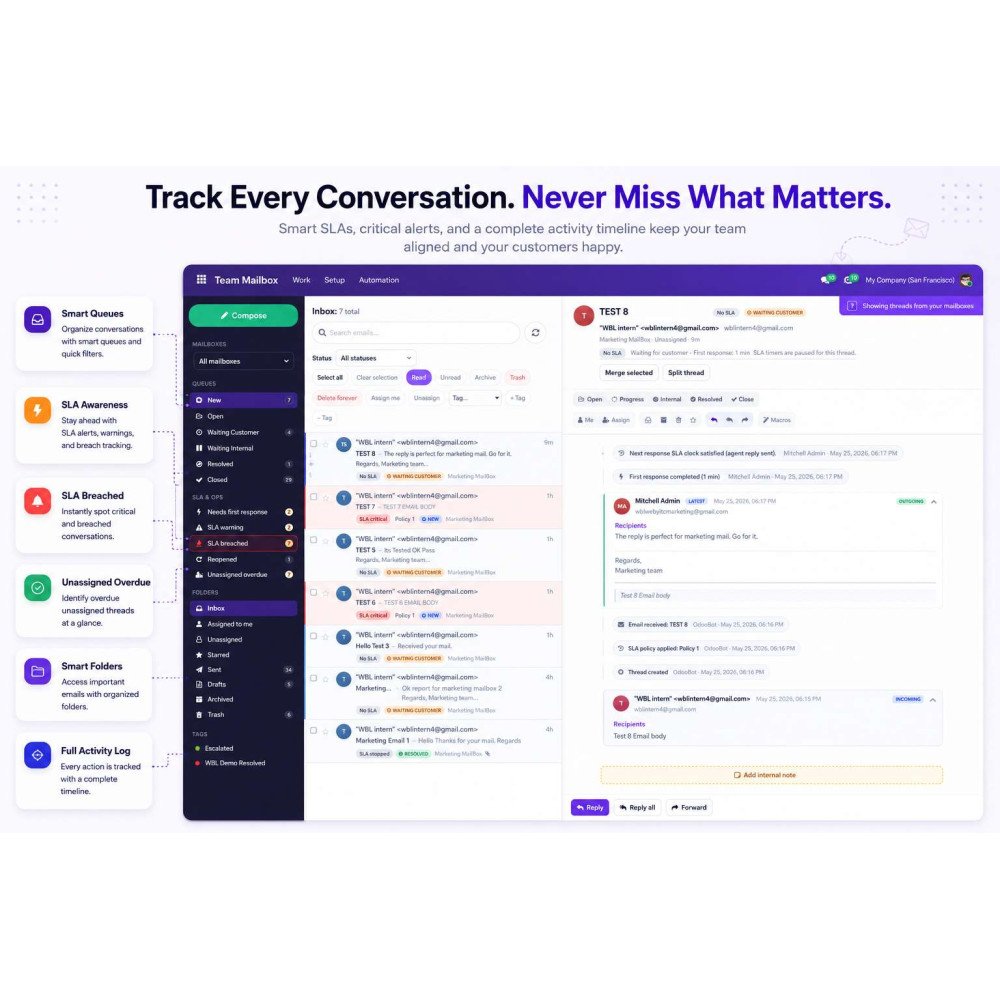
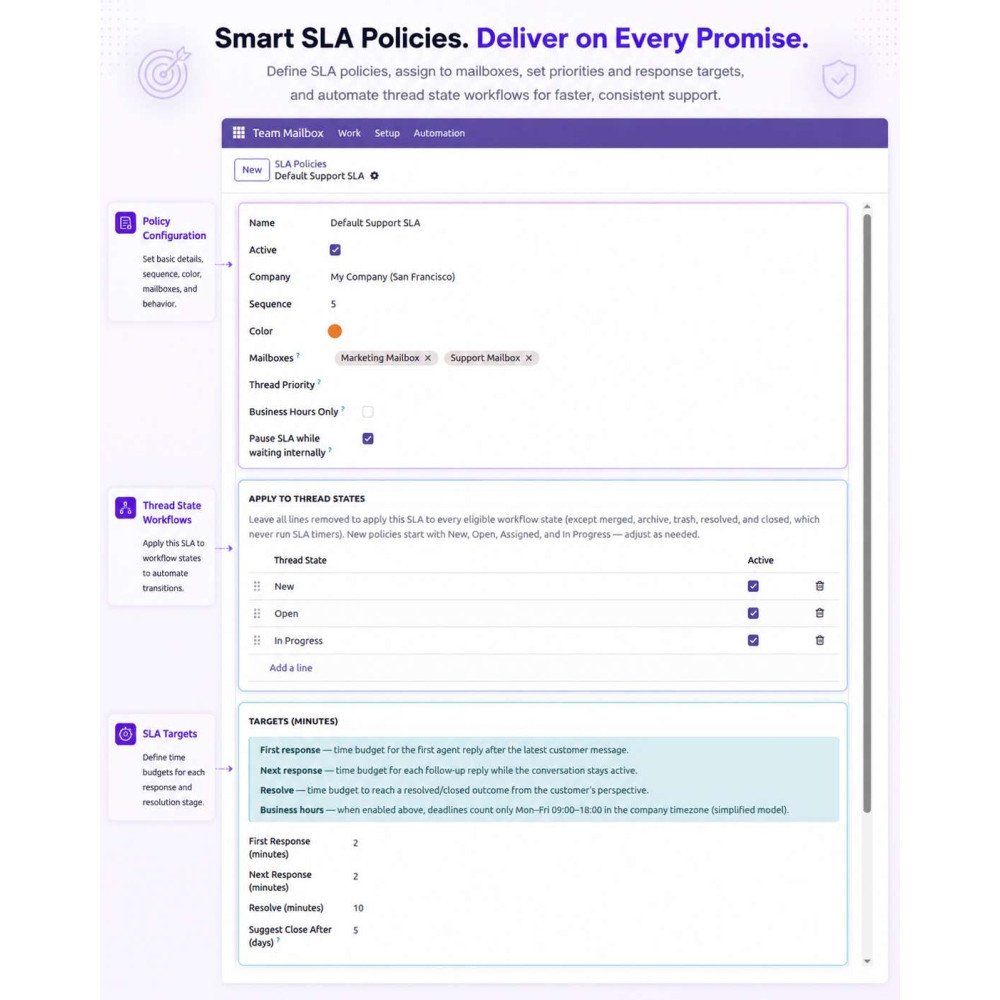
Apply SLA rules to define response deadlines and track performance automatically.
Use macros, canned responses, and automation rules to handle repetitive support actions.
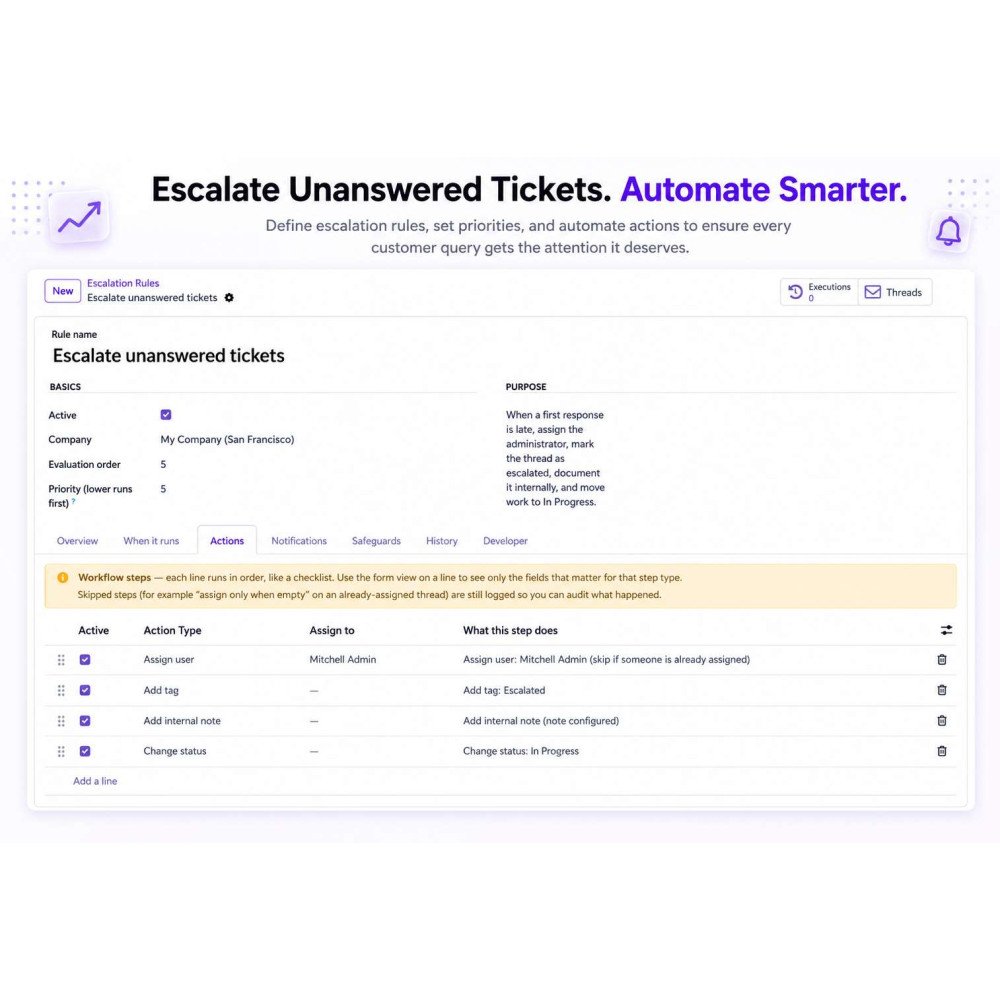
Monitor real-time updates, escalations, and full conversation history from the activity dashboard.
FAQ
What is Advanced Team Mailbox in Odoo?Advanced Team Mailbox is a shared inbox solution that allows teams to manage, assign, and track customer emails directly inside Odoo.Which email providers are supported?It supports Gmail, Outlook, Zoho, Microsoft 365, and custom IMAP/SMTP servers for full email synchronization.Can multiple users work on the same mailbox?Yes, multiple users can collaborate in shared mailboxes, assign emails, and manage conversations together.Does it support SLA tracking and escalation?Yes, it includes SLA policies, response tracking, and automatic escalation for overdue conversations.Can we automate email workflows?Yes, you can use macros, canned responses, and automation rules to automate repetitive support tasks.Is email activity tracking available?Yes, the module provides full email history, activity logs, assignments, and workflow tracking.Can emails be assigned to specific users?Yes, emails can be assigned to team members with role-based access control for better management.Does it integrate with other Odoo apps?Yes, it integrates seamlessly with Odoo Email, Sales, Helpdesk, and other business applications.
Reviews
Customer reviews
0.0 Out Of 5
5 star
0%
4 star
0%
3 star
0%
2 star
0%
1 star
0%
No customer reviews
by
Benefits Of Advanced Team Mailbox
Manage all emails from one centralized place
Improve team collaboration across support members
Never miss important customer emails or requests
Track SLA and response times effectively
Automate repetitive workflows to save time
Increase overall support team productivity
Features of Advanced Team Mailbox
Shared Team Mailbox
Create centralized mailboxes where multiple users can manage, assign, and collaborate on customer emails in one place.
Multi Mail Server Integration
Connect Gmail, Outlook, Zoho, Microsoft 365, or custom IMAP/SMTP servers to sync incoming and outgoing emails directly with Odoo.
Smart Email Threading & Workflow Management
Automatically organize emails into structured threads and manage inbox, drafts, sent, archive, and assigned conversations efficiently.
SLA Policies & Escalation Rules
Define response deadlines, track SLA compliance, and automatically escalate overdue conversations with workflow actions.
Macros & Canned Responses Automation
Speed up support operations using reusable templates, dynamic replies, and automated actions like tagging and status updates.
User Assignment & Access Control
Assign emails to team members with role-based permissions, ensuring secure and organized handling of customer communication.

.png)

 Return policy






 Store — We Handle It All