Odoo Xero Connector
The Xero Connector for Odoo enables seamless integration between Odoo and Xero, allowing efficient synchronization of products, customers, orders, taxes, accounts, inventory, currencies, invoices, purchase orders, and bills. Users can import and export data with flexible filter options, automate synchronization using cron jobs, and manage multiple Xero instances through secure authentication. Detailed logs, digest reports, activity tracking, and configuration settings provide complete visibility and control over synchronization processes, helping businesses reduce manual effort, improve data accuracy, and streamline operations.
Odoo Xero Connector
The Xero Connector for Odoo enables seamless integration between Odoo and Xero, allowing efficient synchronization of products, customers, orders, taxes, accounts, inventory, currencies, invoices, purchase orders, and bills. Users can import and export data with flexible filter options, automate synchronization using cron jobs, and manage multiple Xero instances through secure authentication. Detailed logs, digest reports, activity tracking, and configuration settings provide complete visibility and control over synchronization processes, helping businesses reduce manual effort, improve data accuracy, and streamline operations.
10-day module exchange guarantee
- Seamlessly connect Odoo with Xero for efficient accounting and business data synchronization.
- Synchronize products, customers, orders, invoices, taxes, accounts, inventory, currencies, purchase orders, and bills between both platforms.
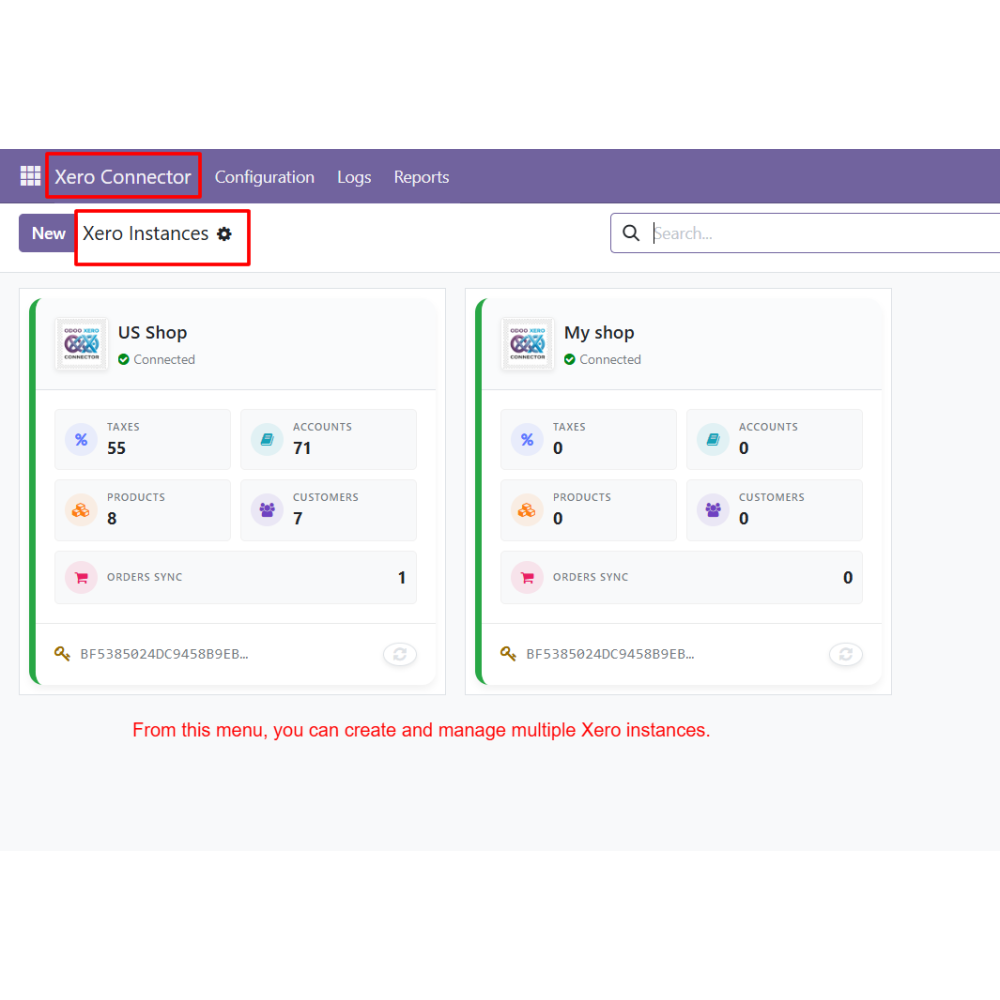
- Manage multiple Xero accounts from a single Odoo environment with secure authentication.
- Configure synchronization preferences and data mapping according to business requirements.
- Support both manual and automated synchronization processes for maximum flexibility.
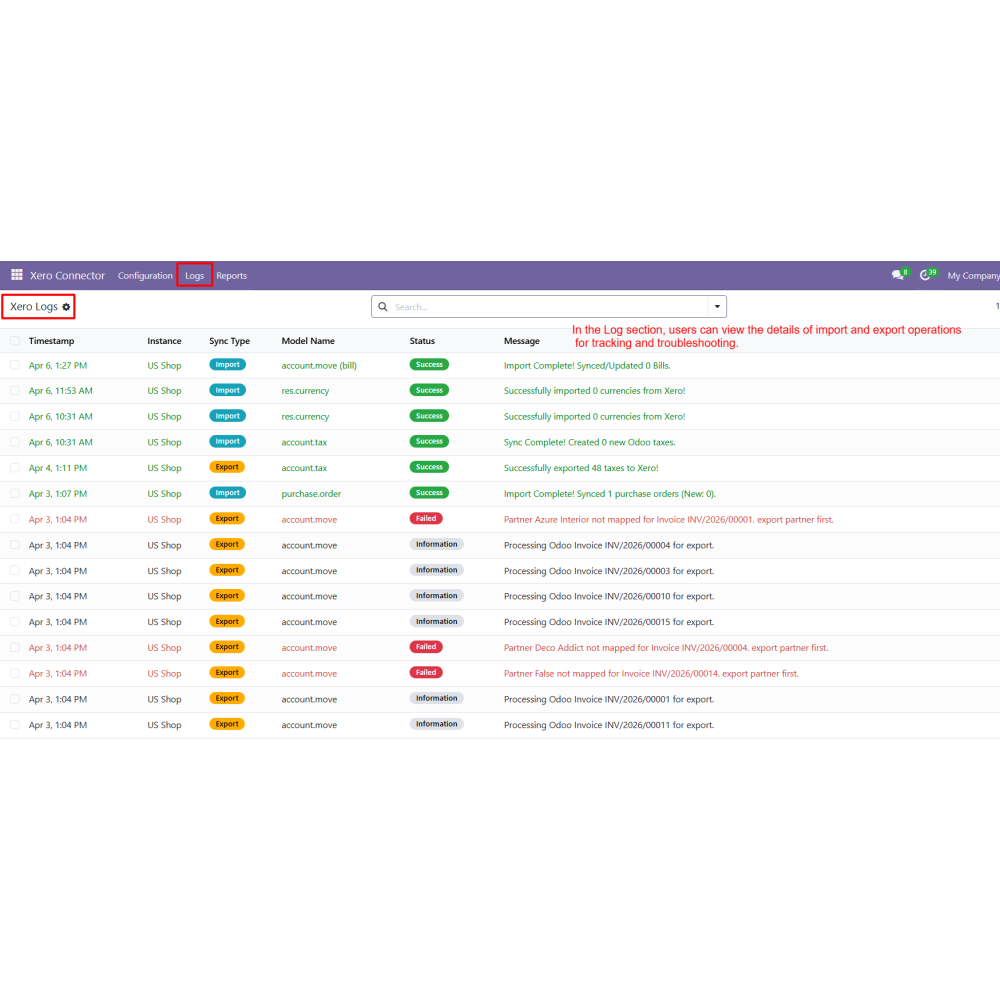
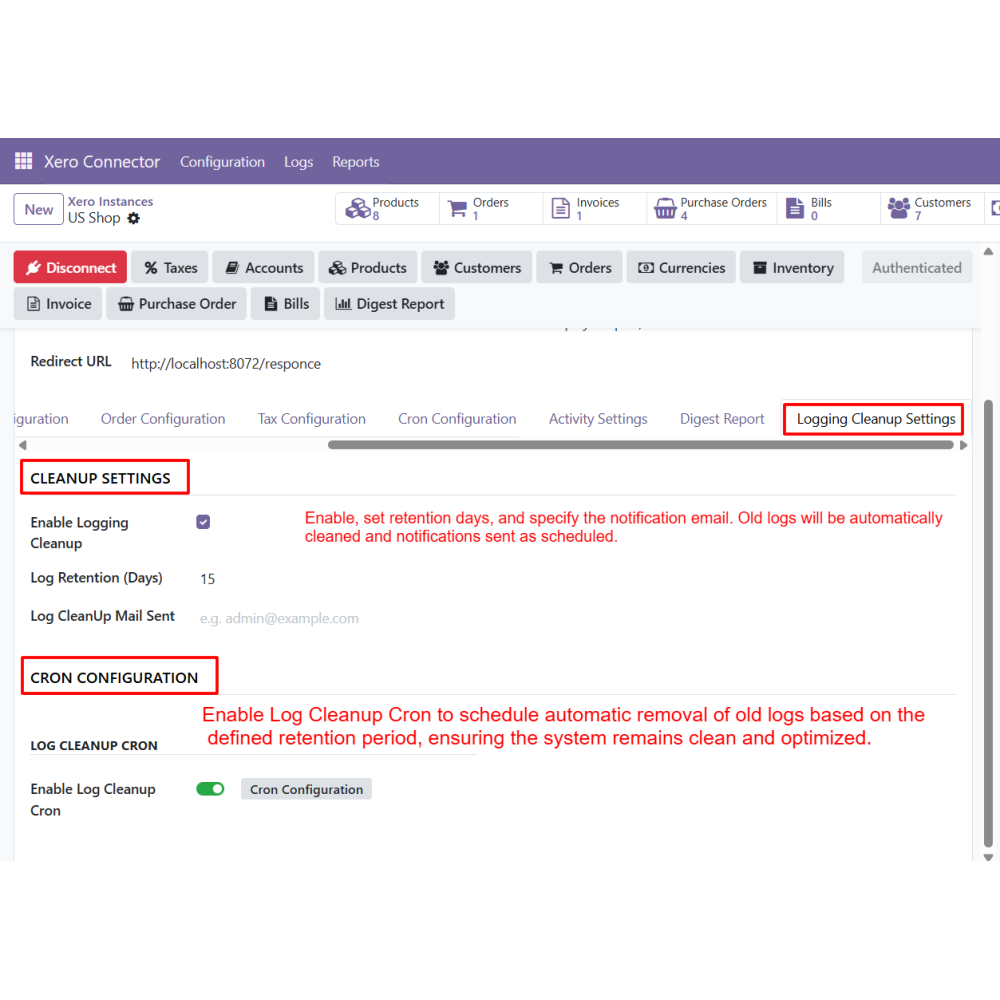
- Track all import and export operations through detailed logs and monitoring tools.
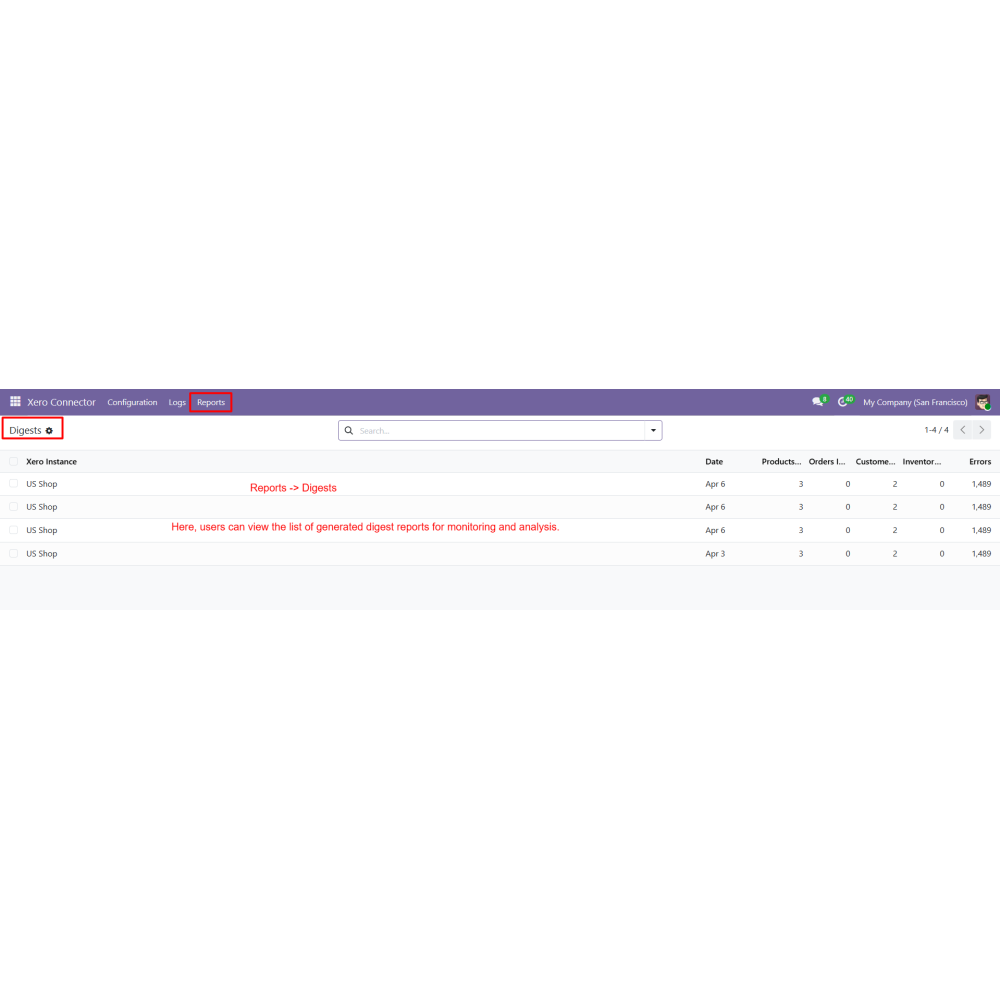
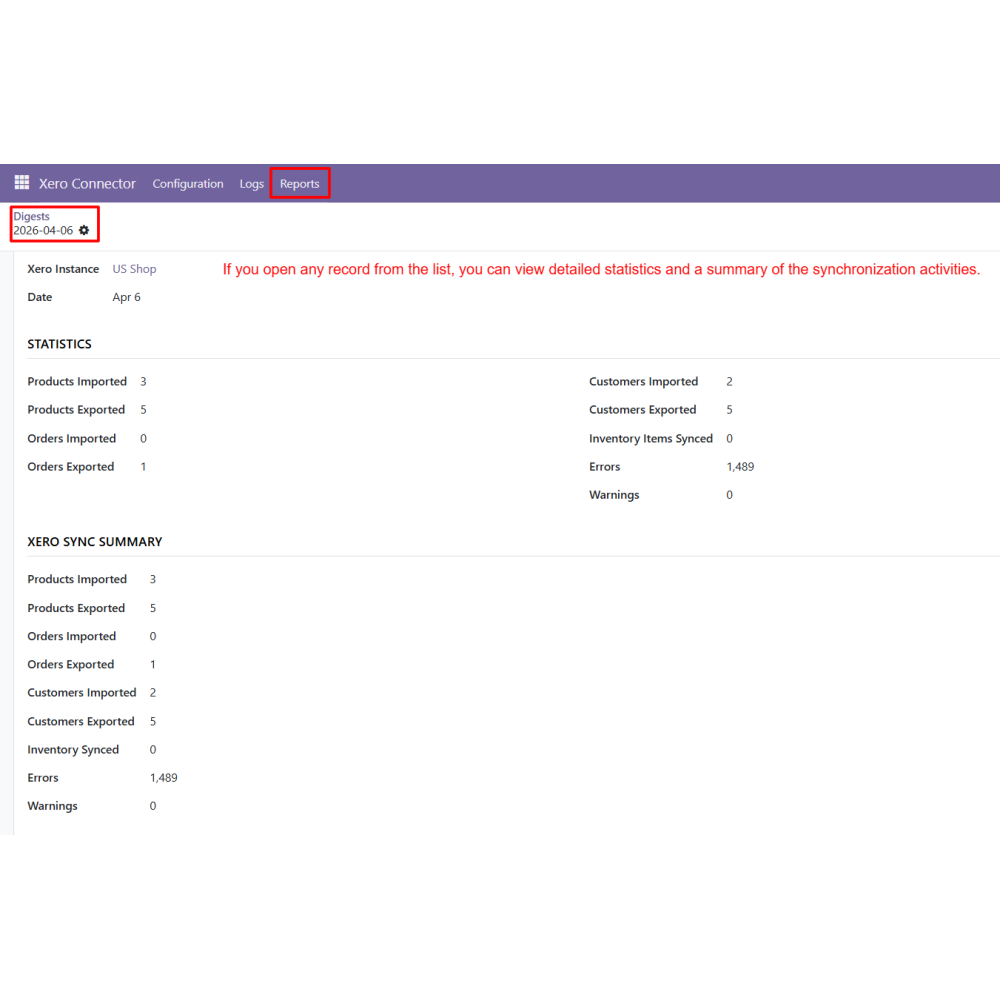
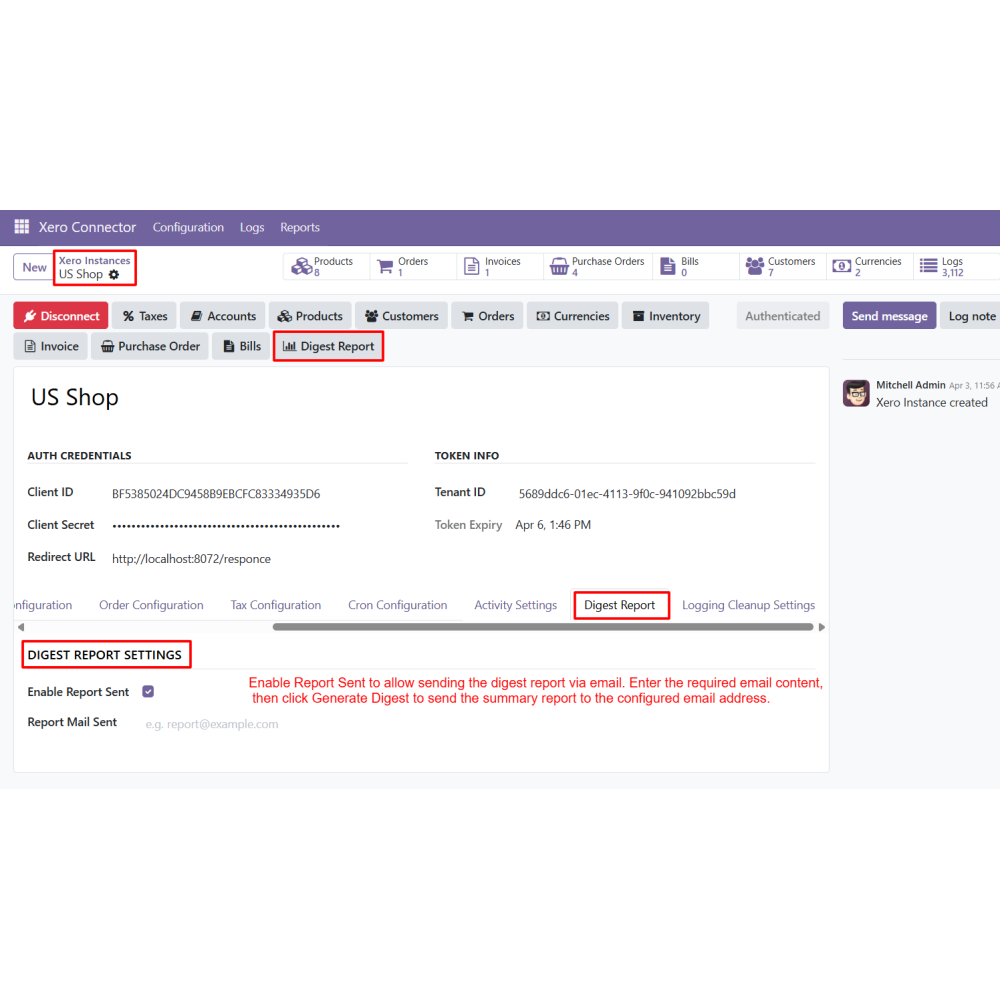
- Generate digest reports to review synchronization performance and activity history.
- Improve operational efficiency by reducing manual effort and maintaining data consistency.
- Secure OAuth 2.0 authentication and Xero connection validation.
- Bi-directional import and export of business and accounting records.
- Product synchronization with configurable import and export controls.
- Customer, invoice, bill, and purchase order synchronization support.
- Tax, account, currency, and inventory synchronization capabilities.
- Advanced filter-based import and export operations.
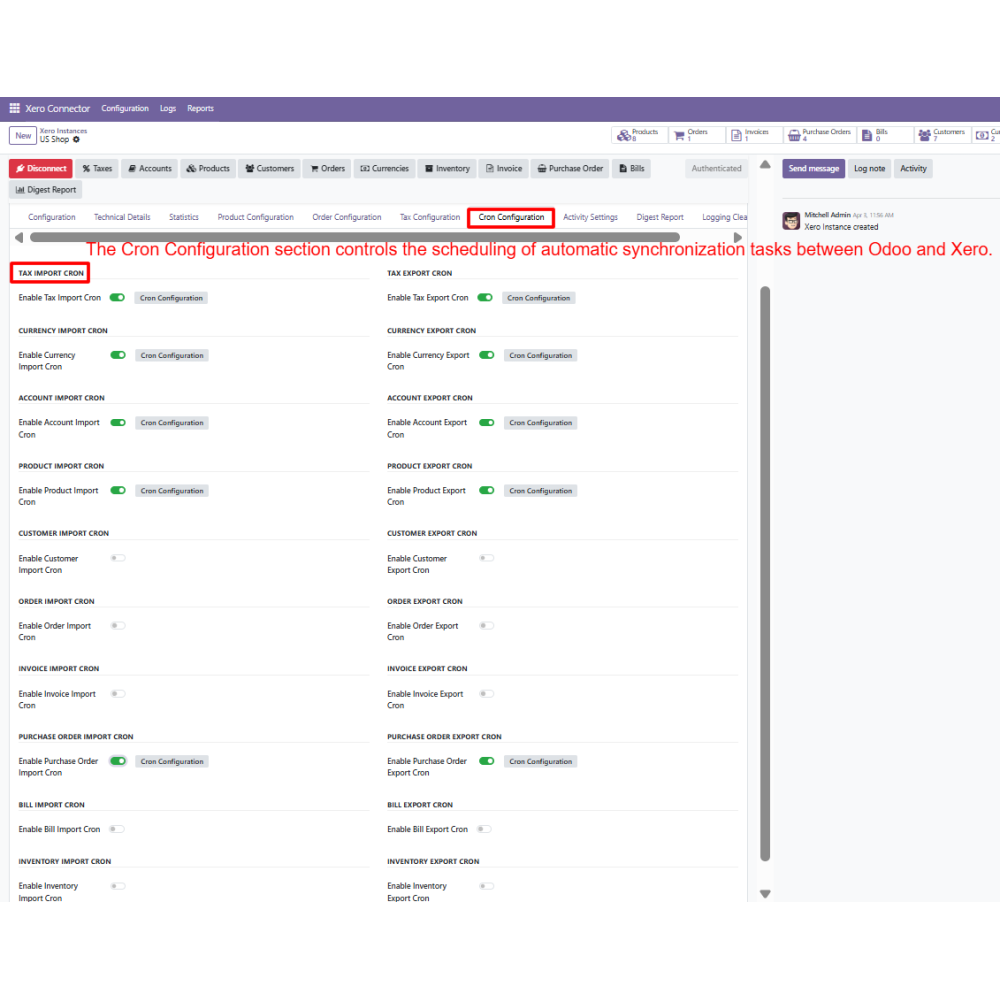
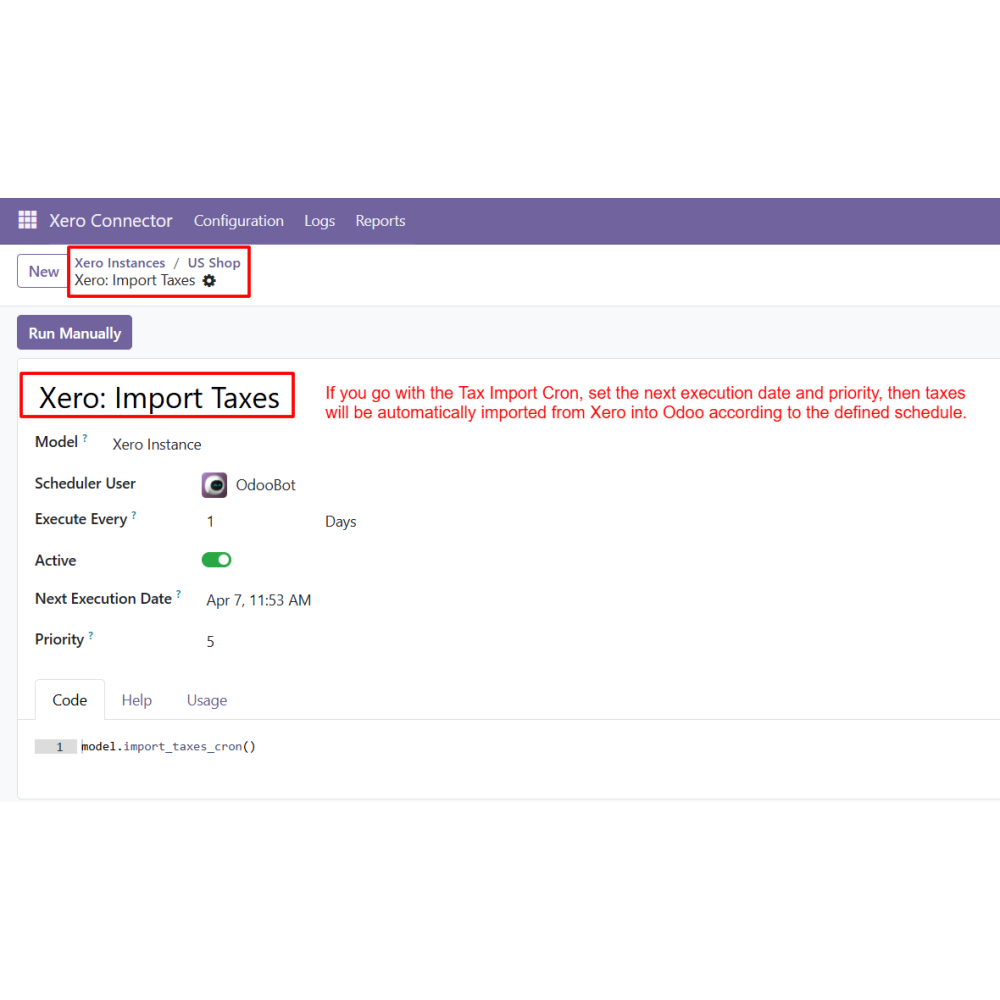
- Automated synchronization using configurable cron schedules.
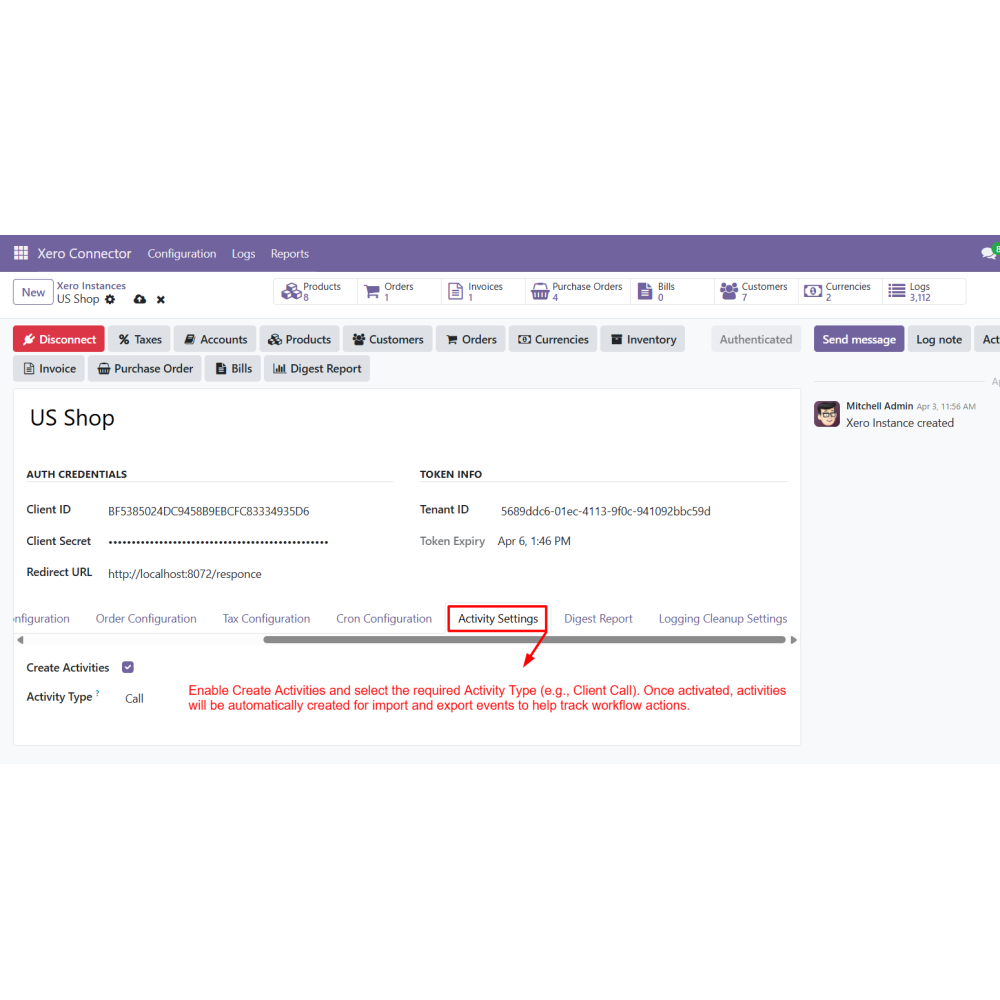
- Comprehensive logs, activity tracking, and digest reporting.
- Eliminates repetitive manual data entry across systems.
- Ensures accurate and consistent business data synchronization.
- Saves time through automated synchronization workflows.
- Reduces the risk of errors in accounting and operational records.
- Provides complete visibility into synchronization activities.
- Simplifies management of accounting and business processes.
- Supports business scalability with multi-instance integration.
- Enhances productivity through centralized data management.
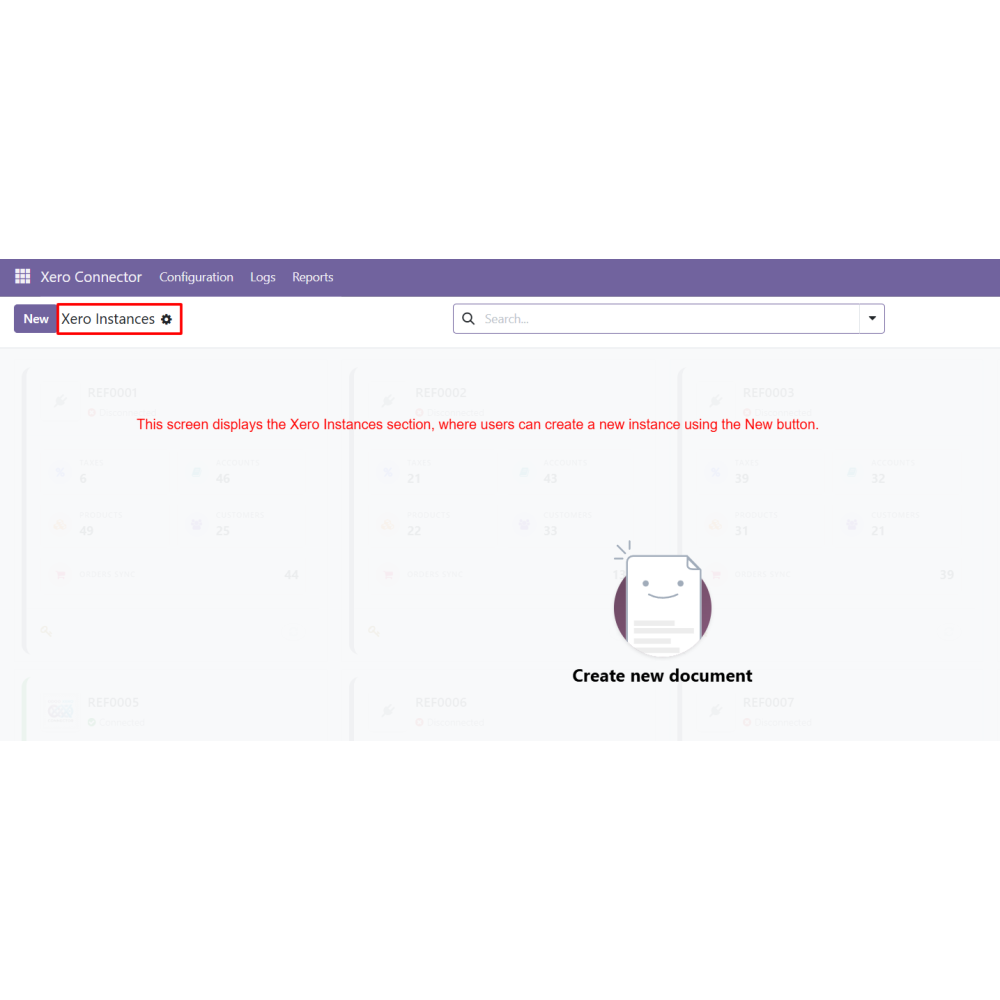
- Create a new Xero instance from the Xero Instances menu.
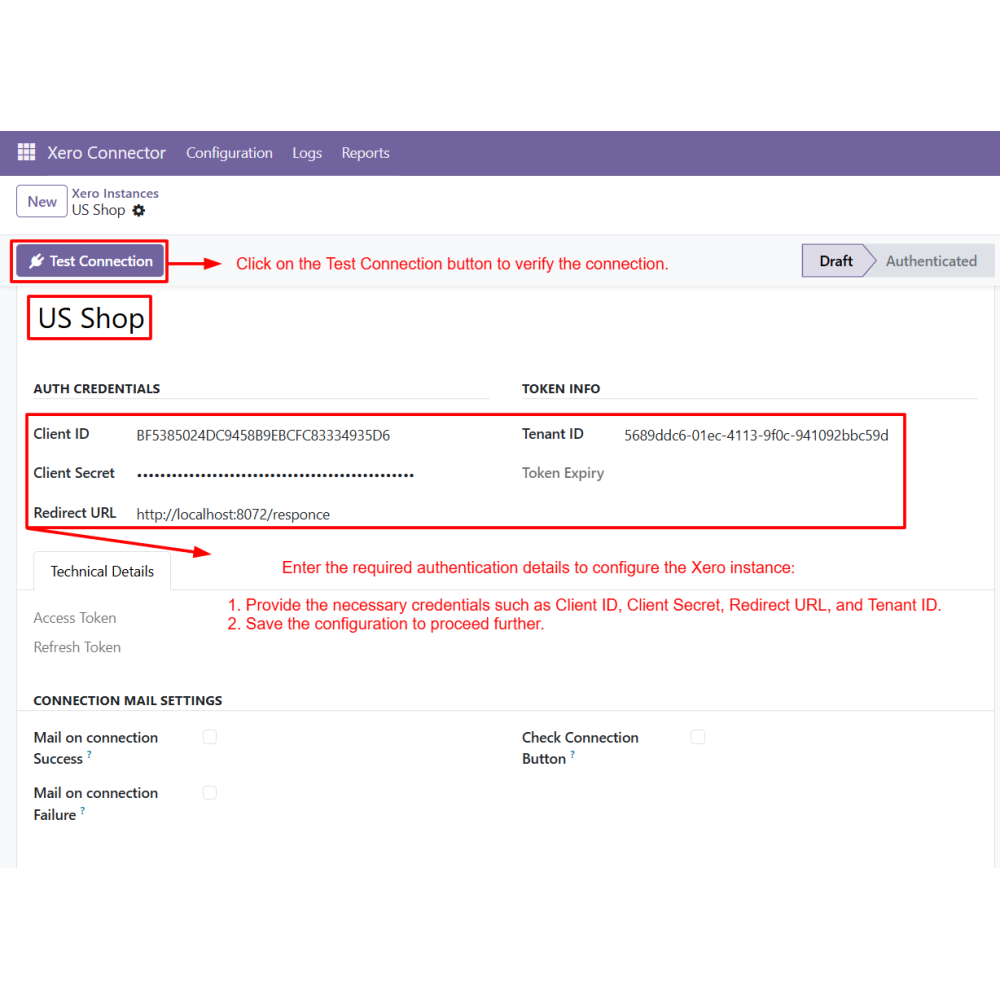
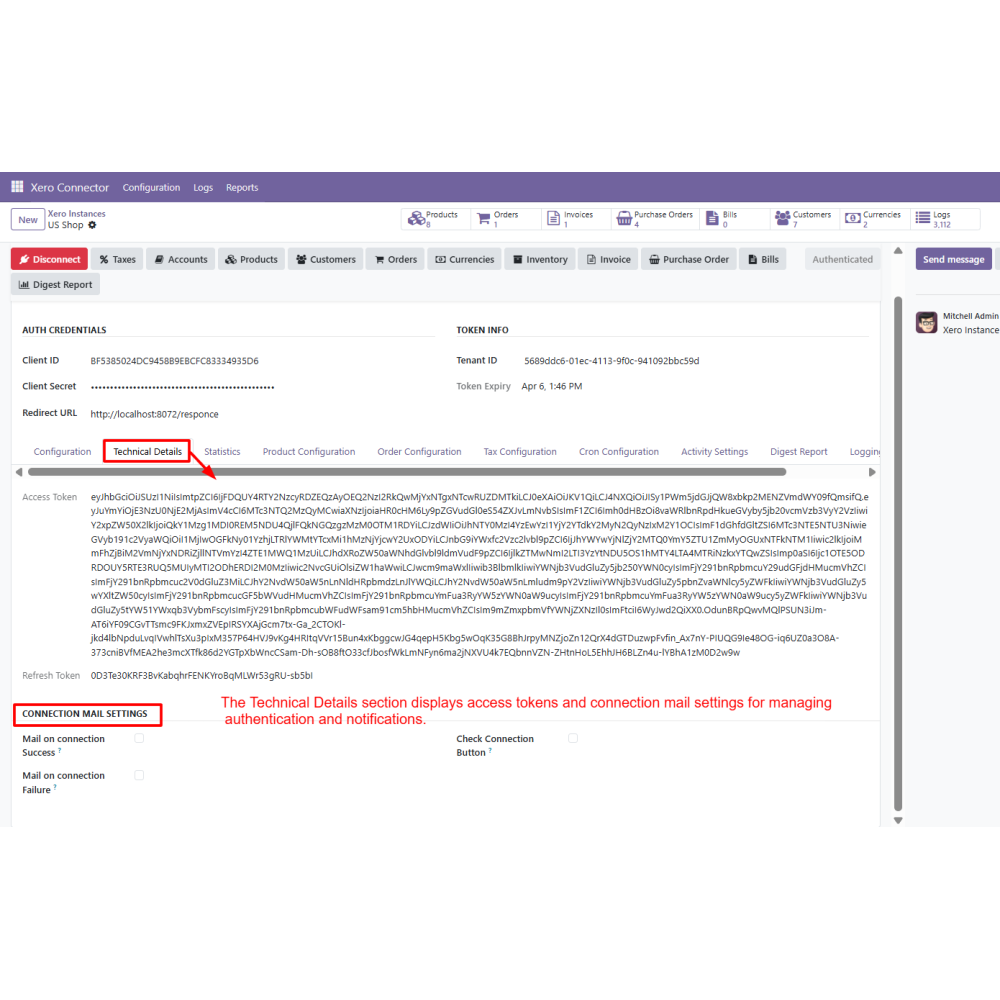
- Enter the required authentication details such as Client ID, Client Secret, Redirect URL, and Tenant ID.
- Click on the Test Connection button to verify the connection.
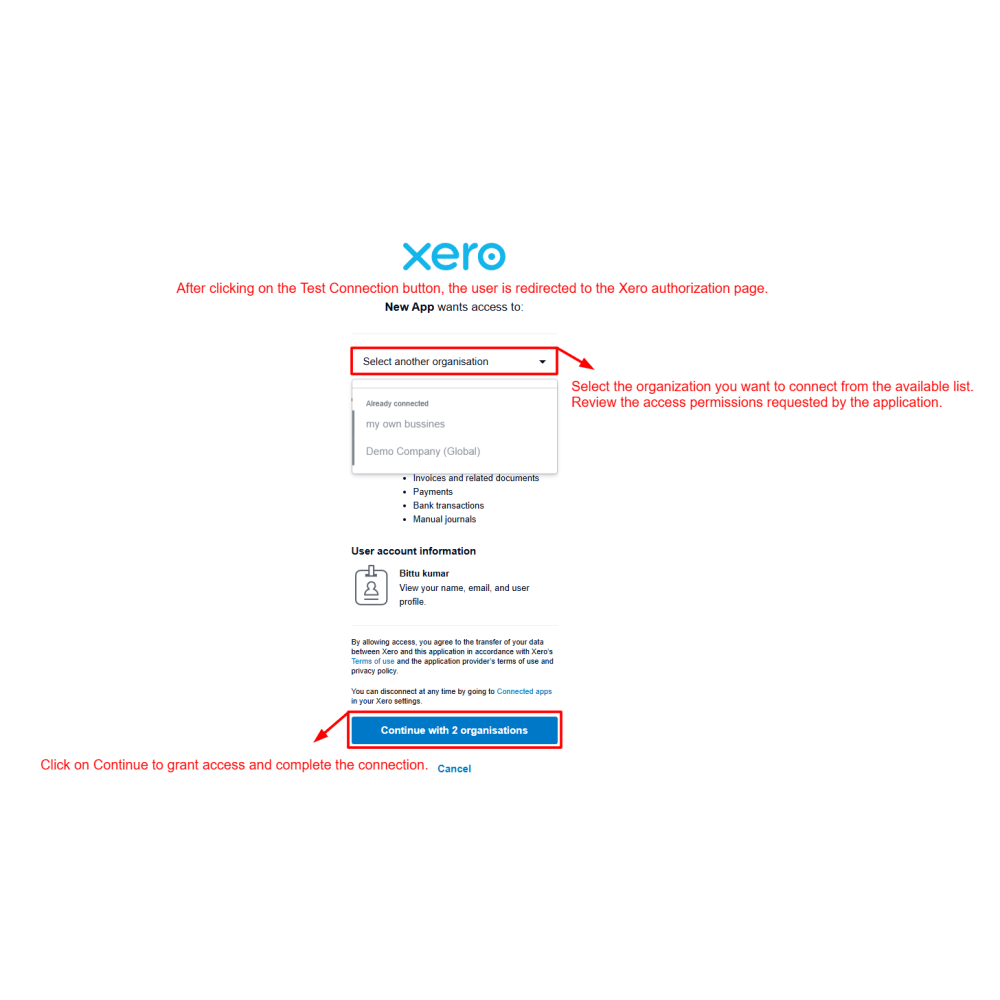
- Select the organization and grant access to complete authorization.
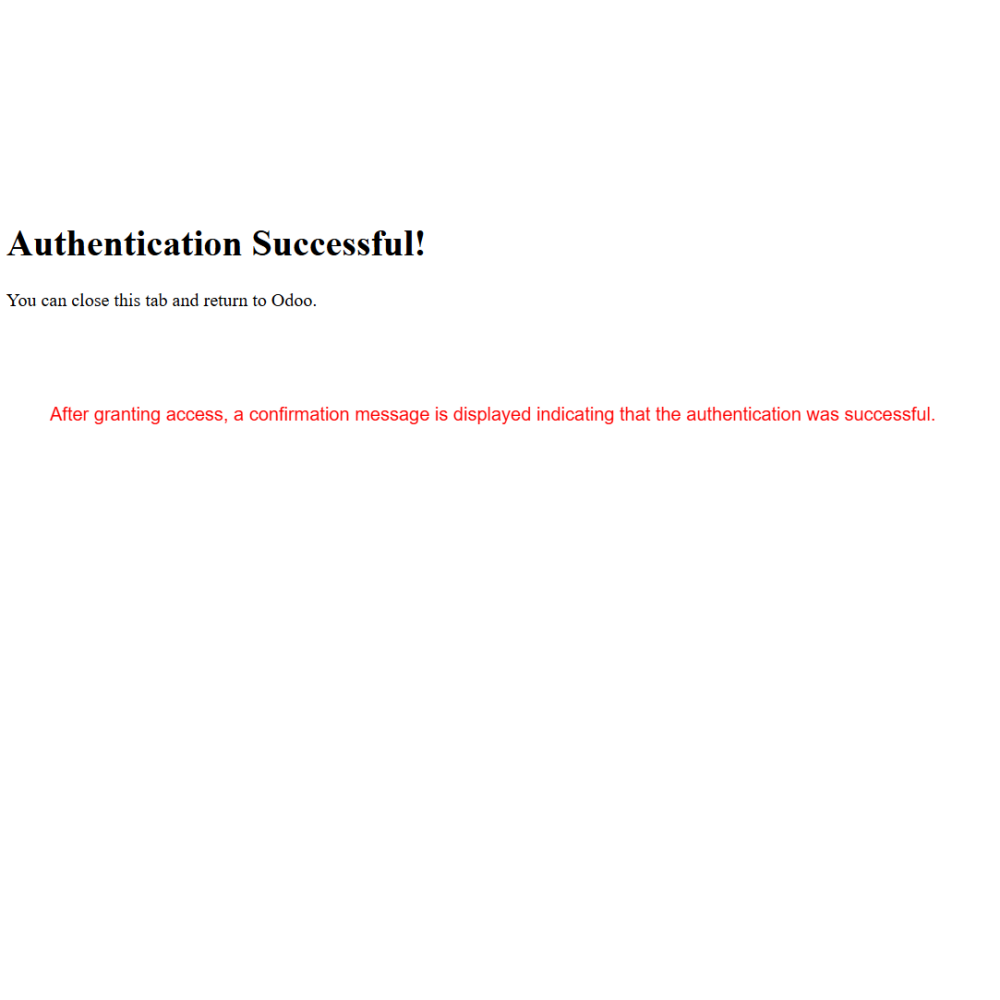
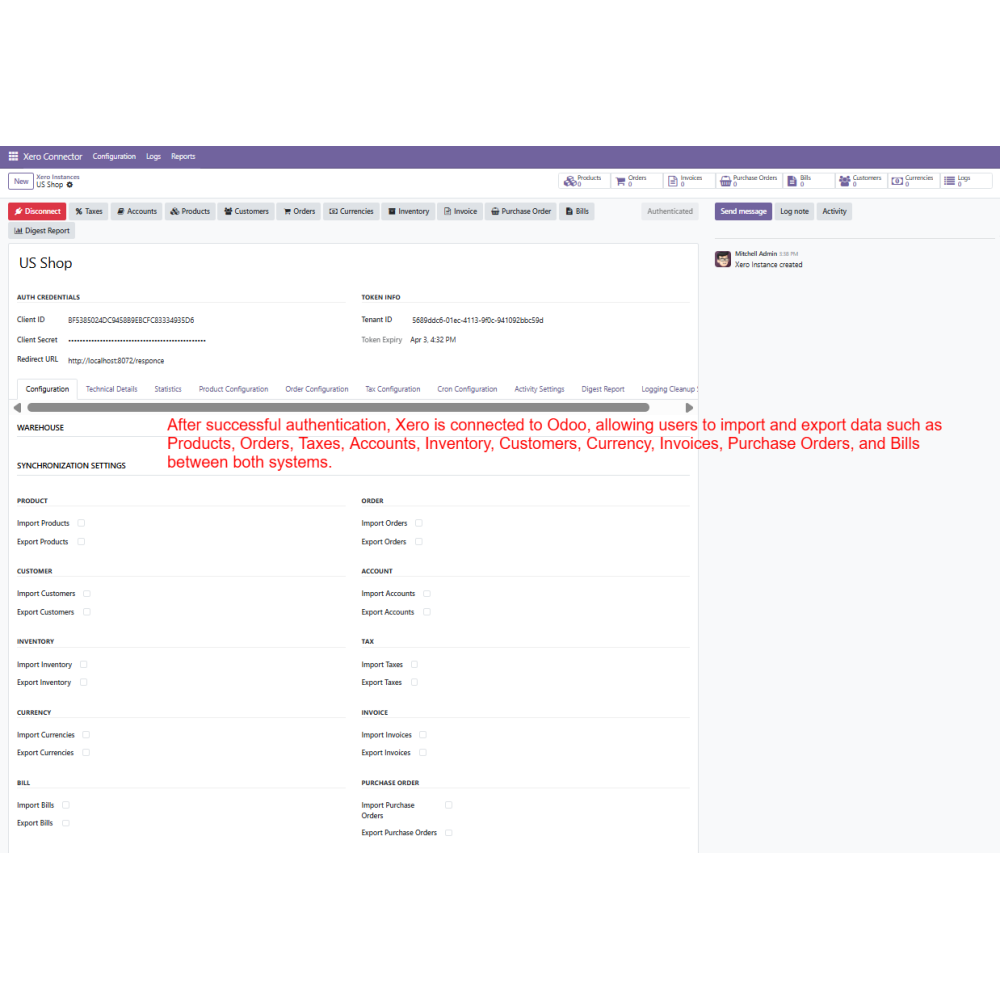
- After successful authentication, Xero is connected with Odoo.
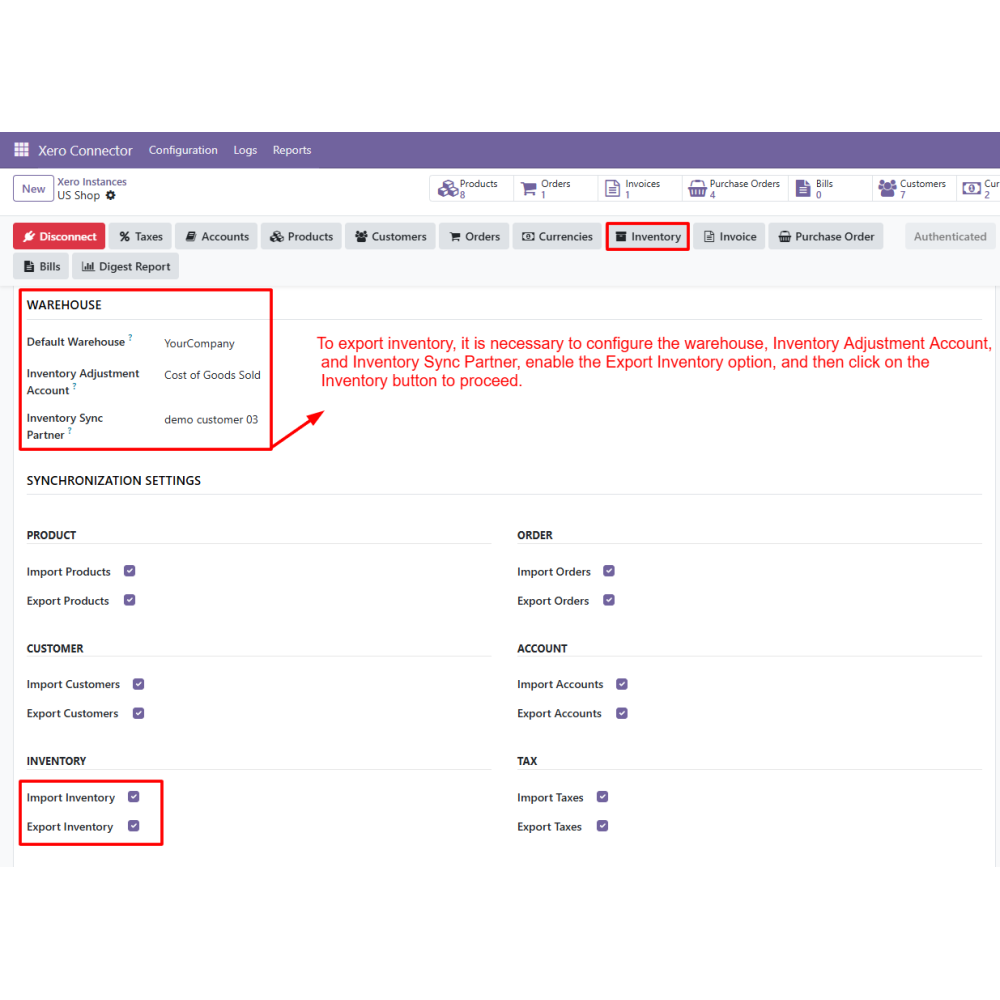
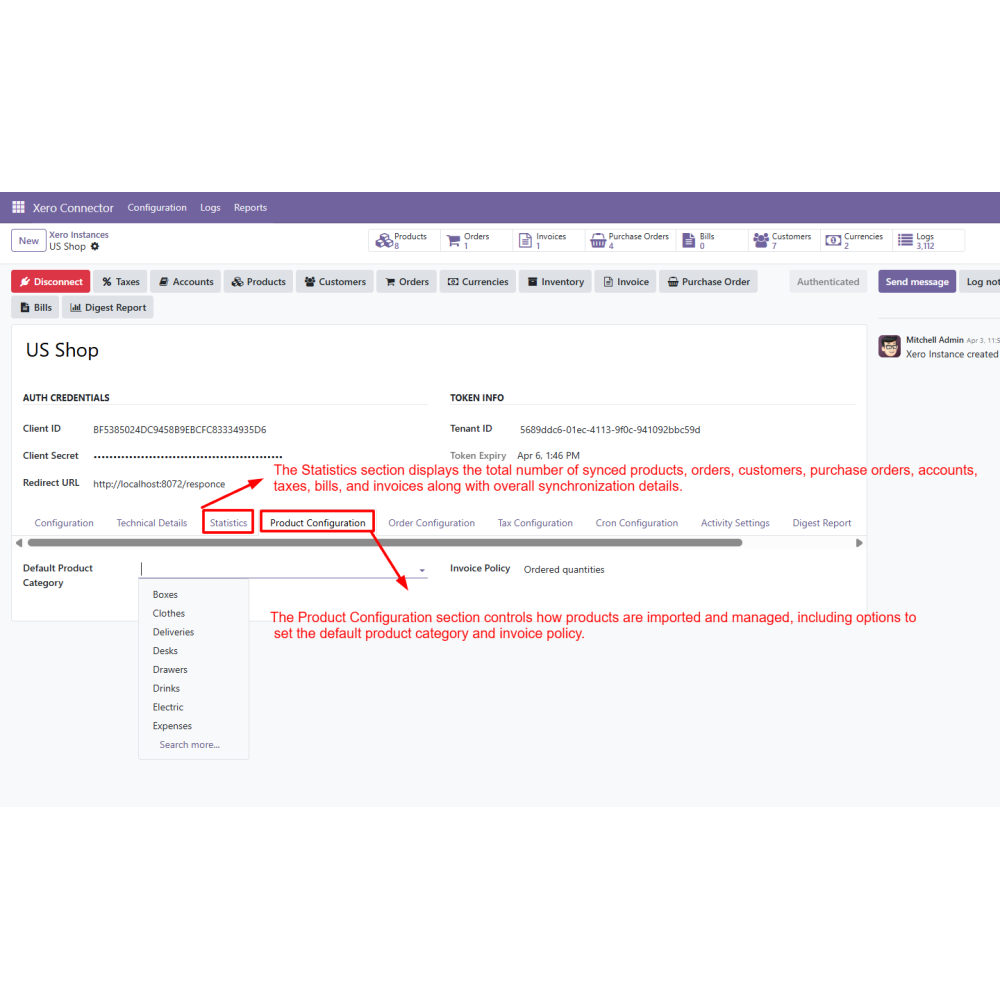
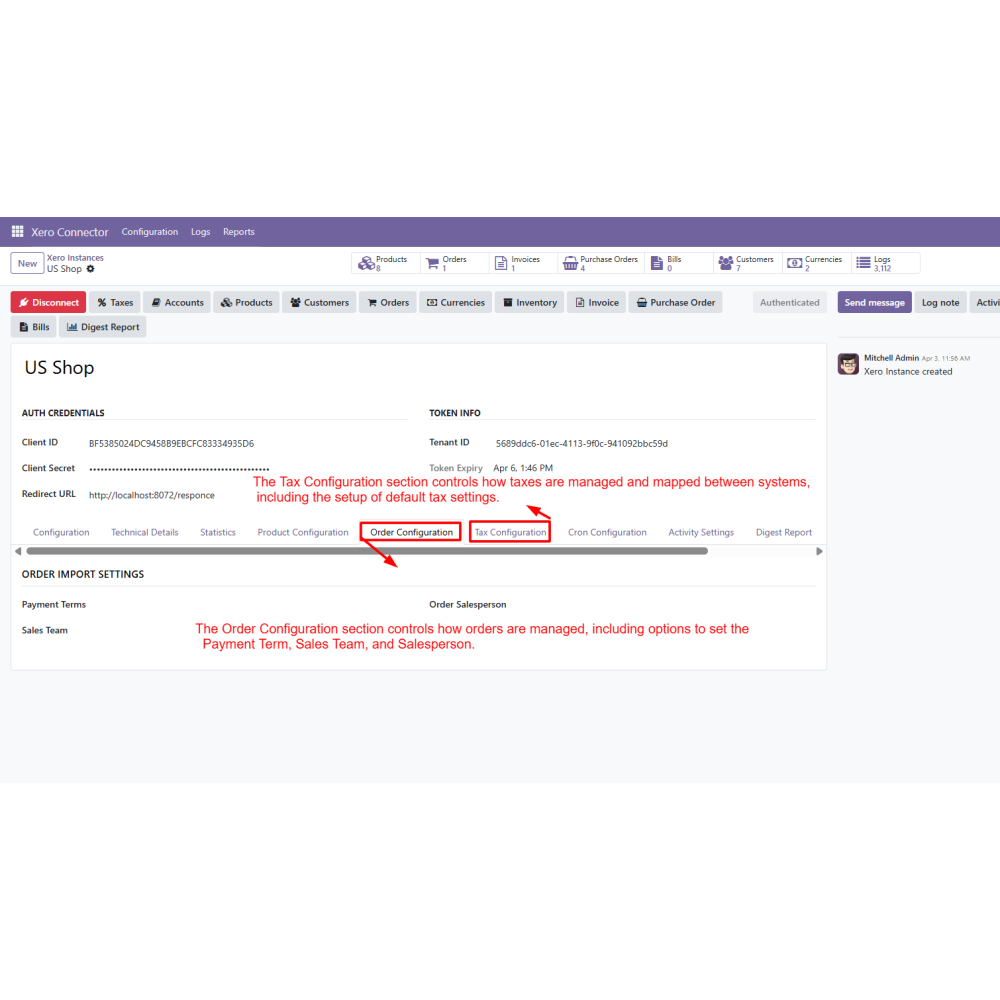
- Configure product, order, tax, and inventory settings as required.
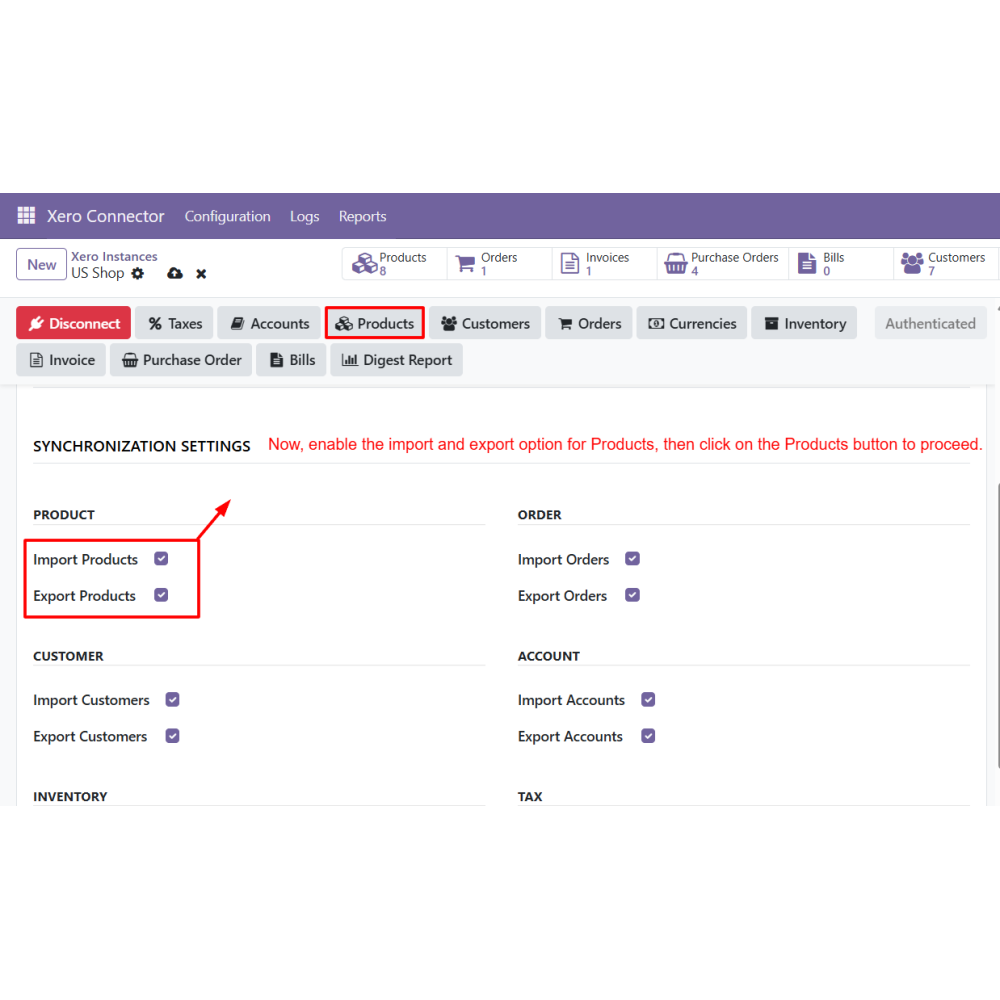
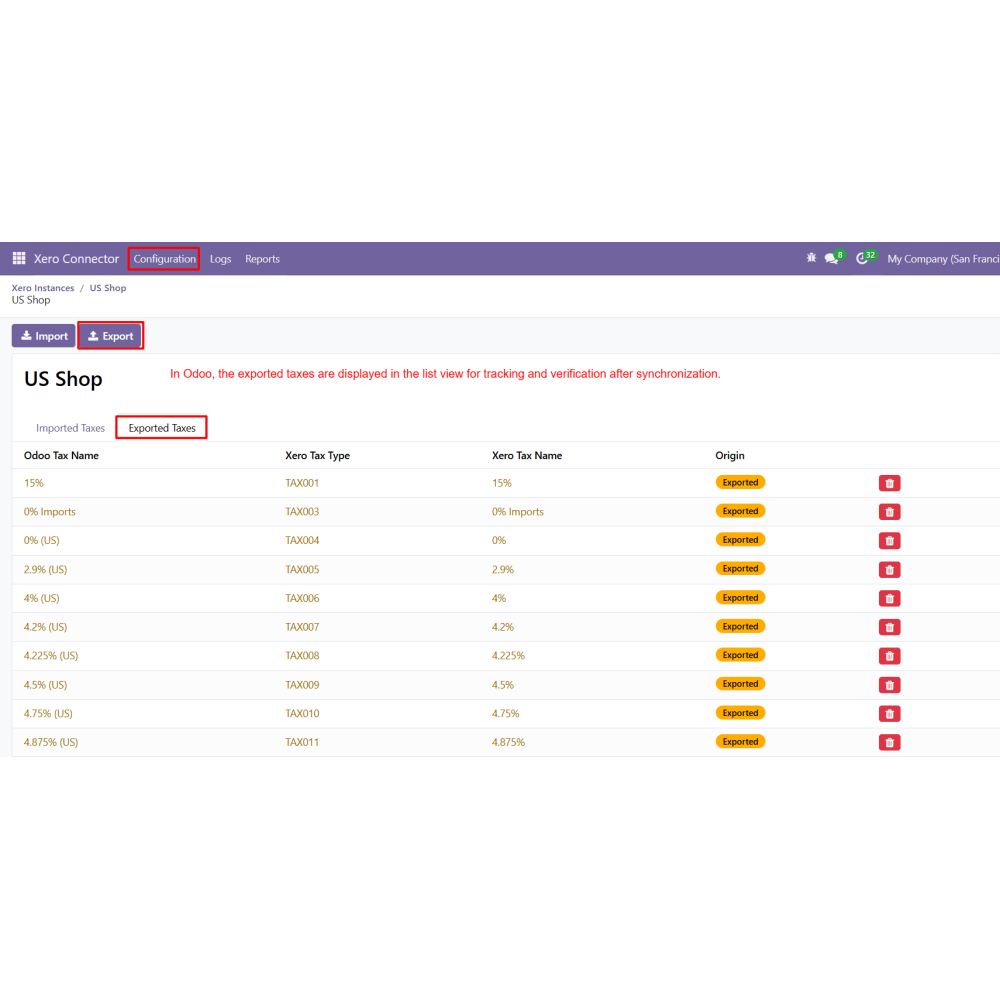
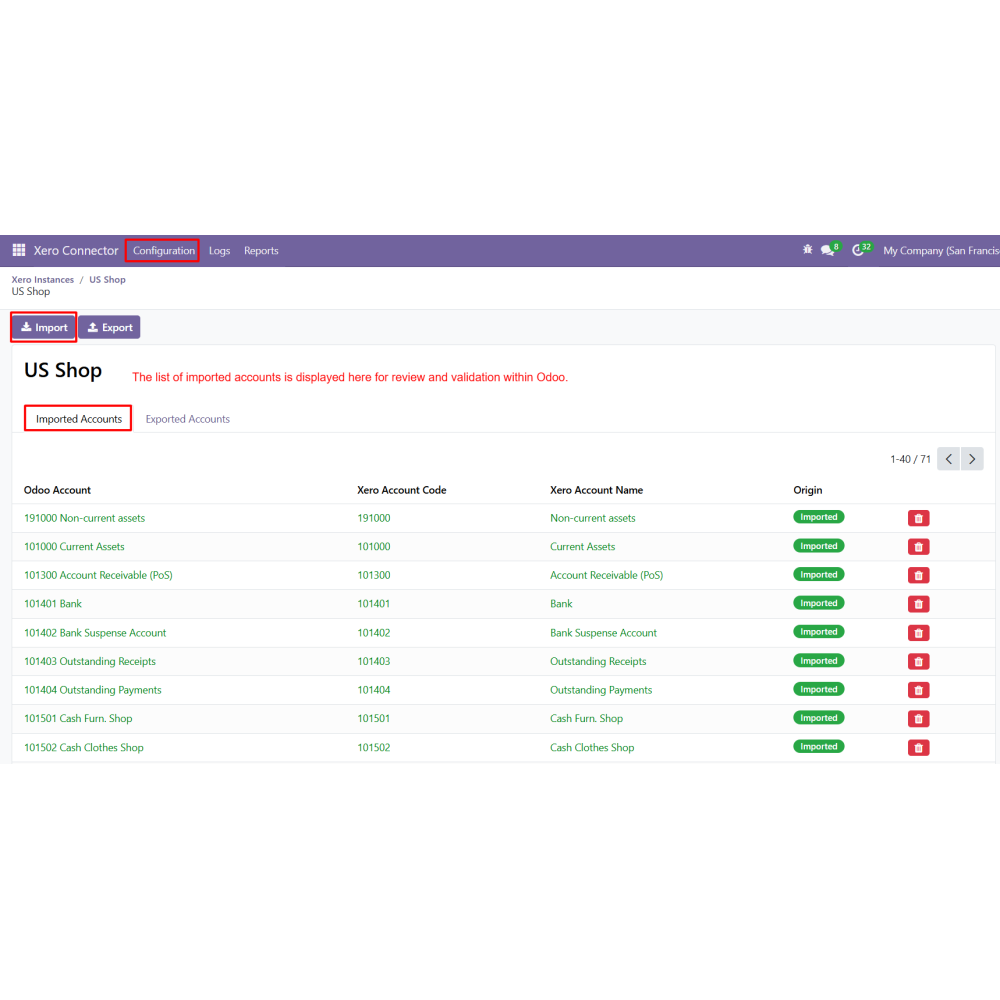
- Enable import and export options for data such as Products, Customers, Orders, Taxes, Accounts, Inventory, Currency, Invoices, Purchase Orders, and Bills.
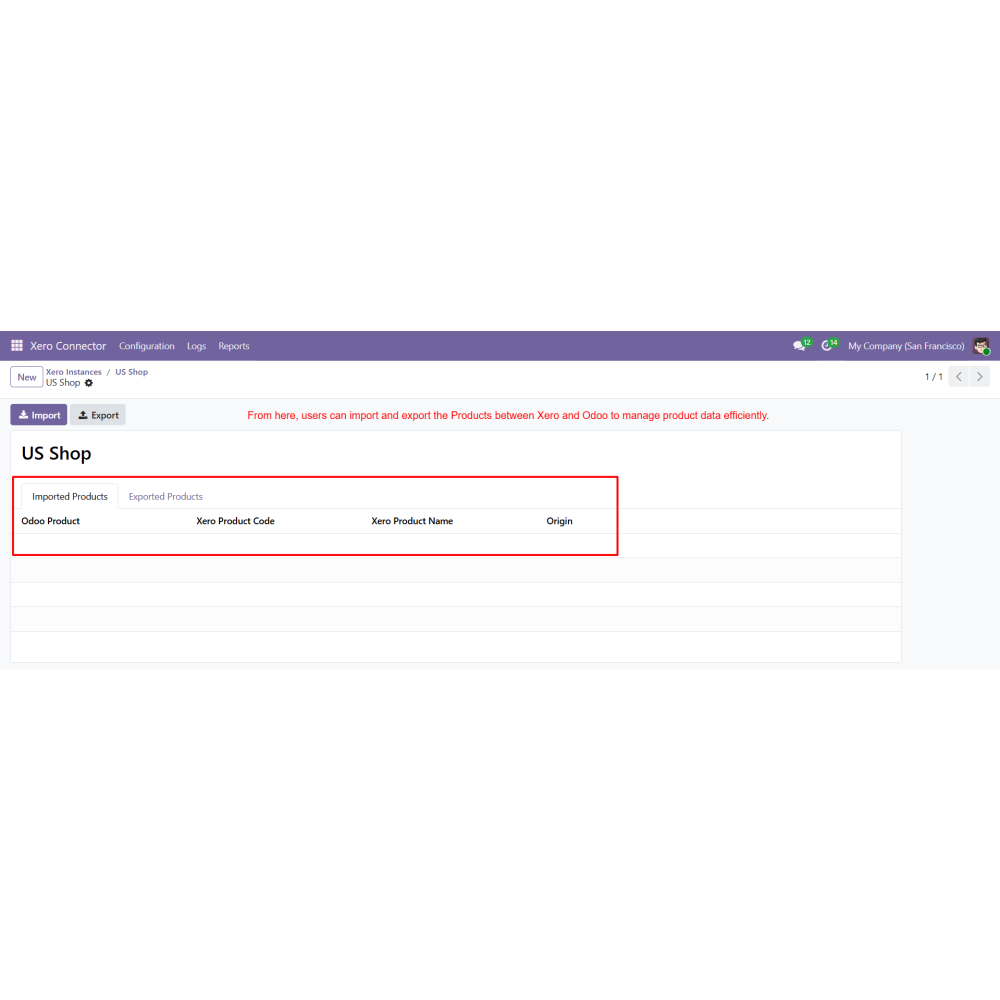
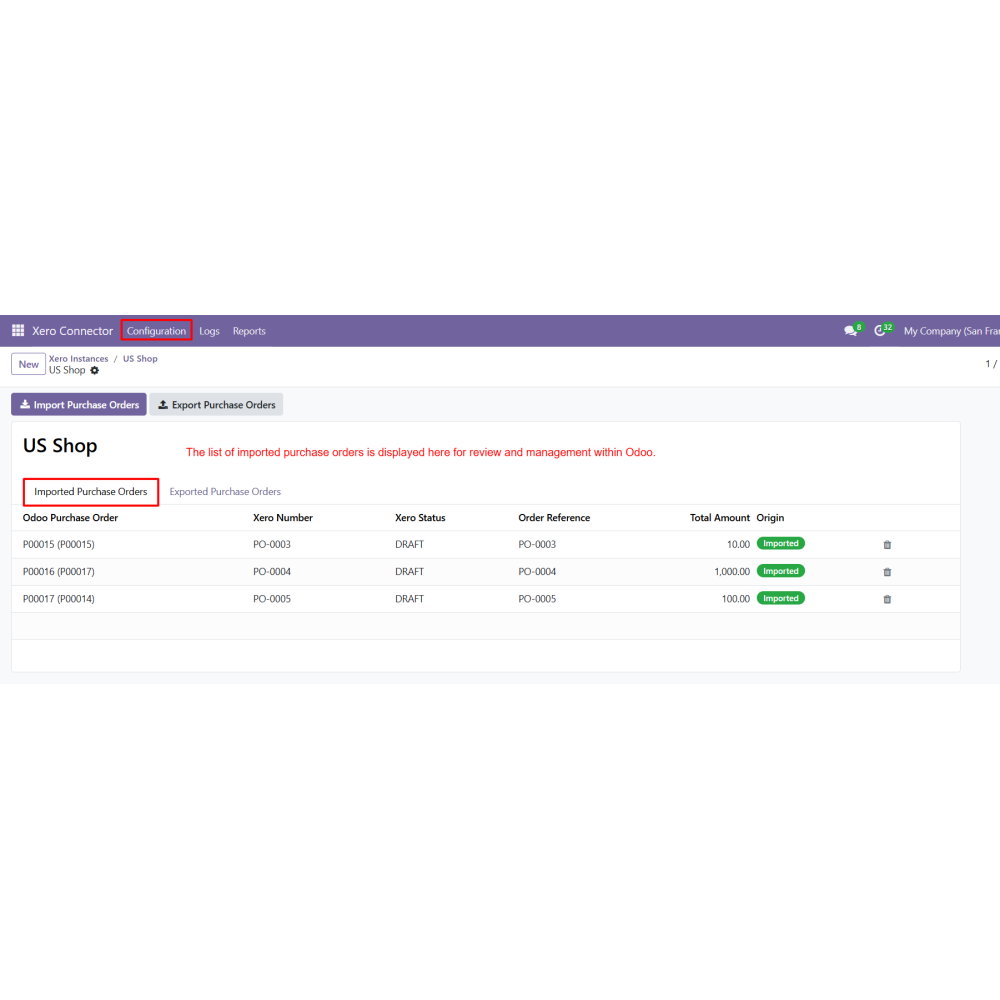
- Select the desired module such as Products, Customers, Orders, Taxes, Accounts, Inventory, Currency, Invoices, Purchase Orders, or Bills.
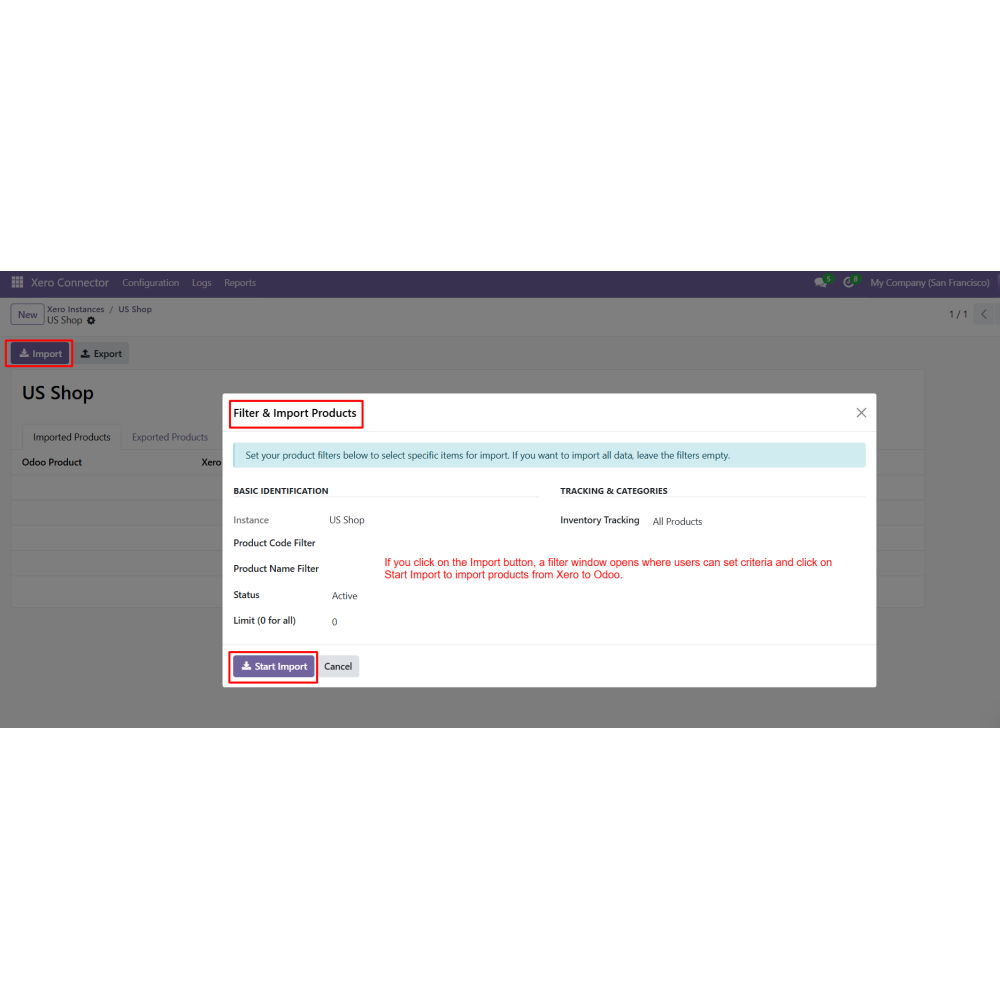
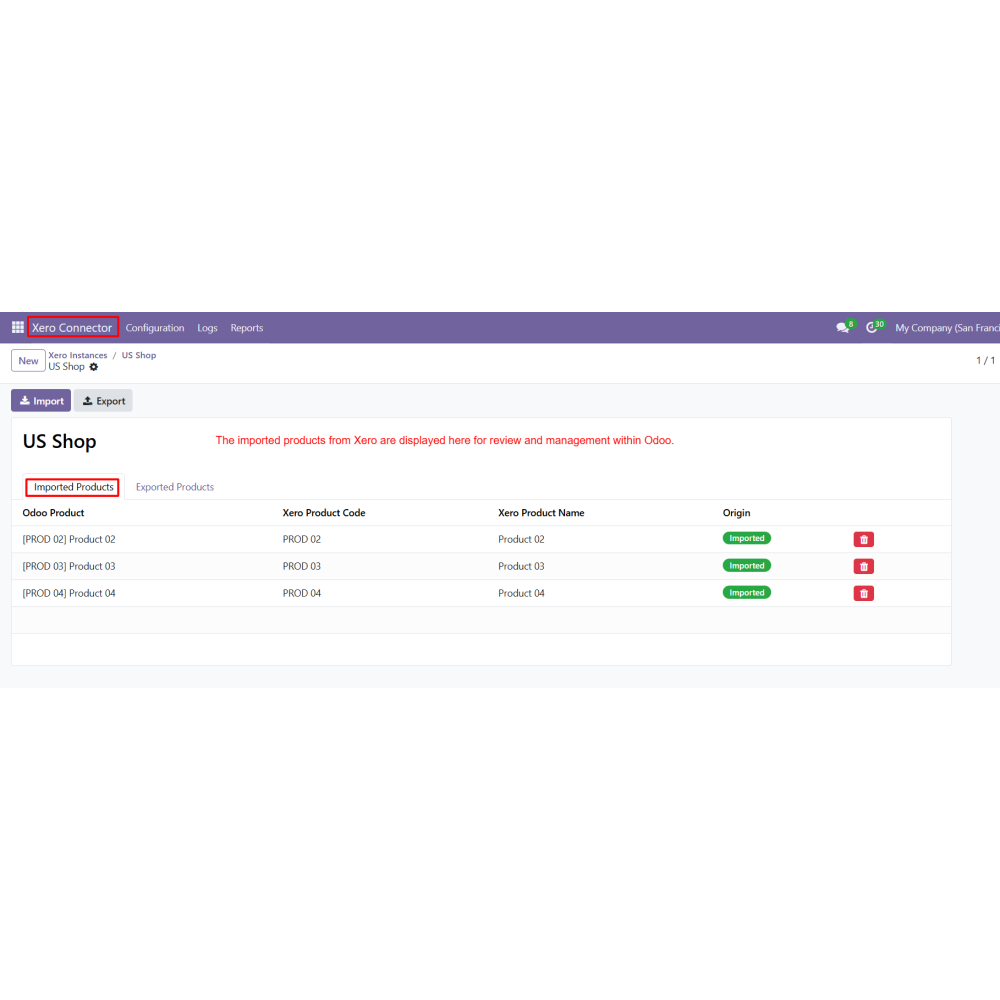
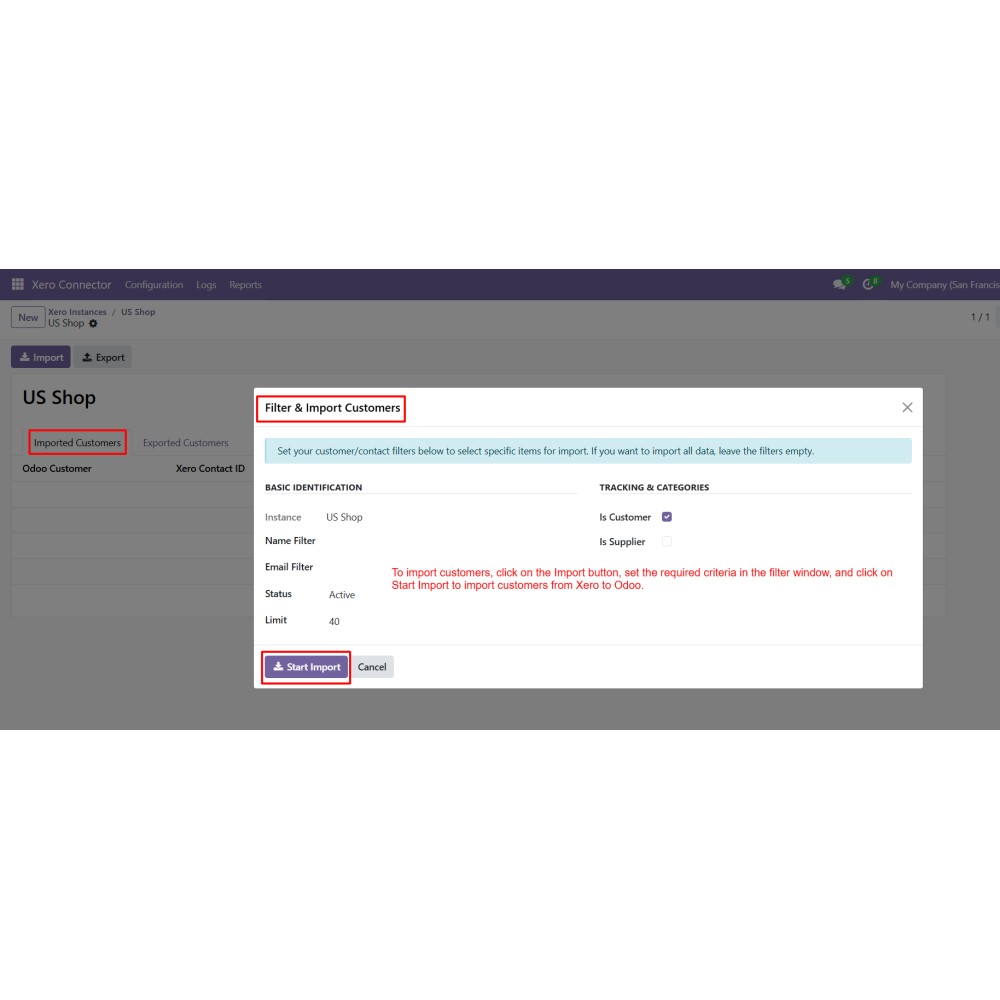
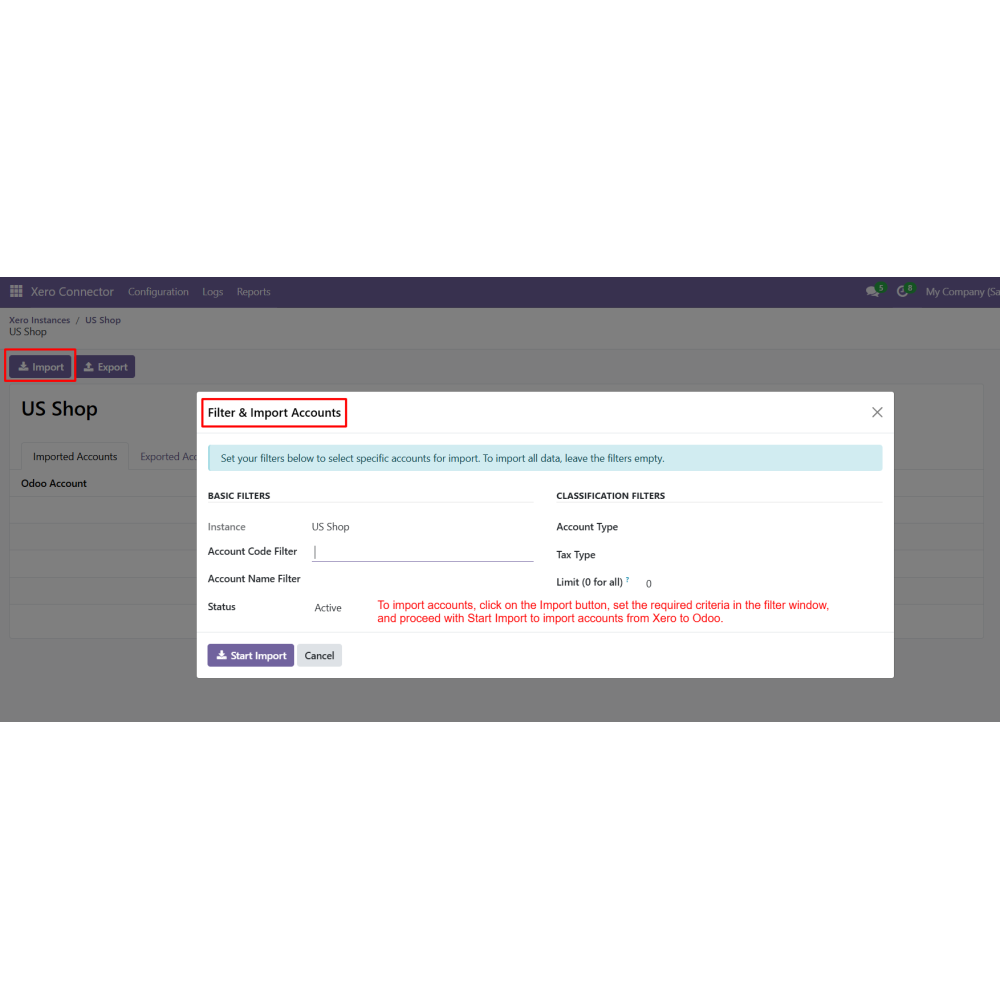
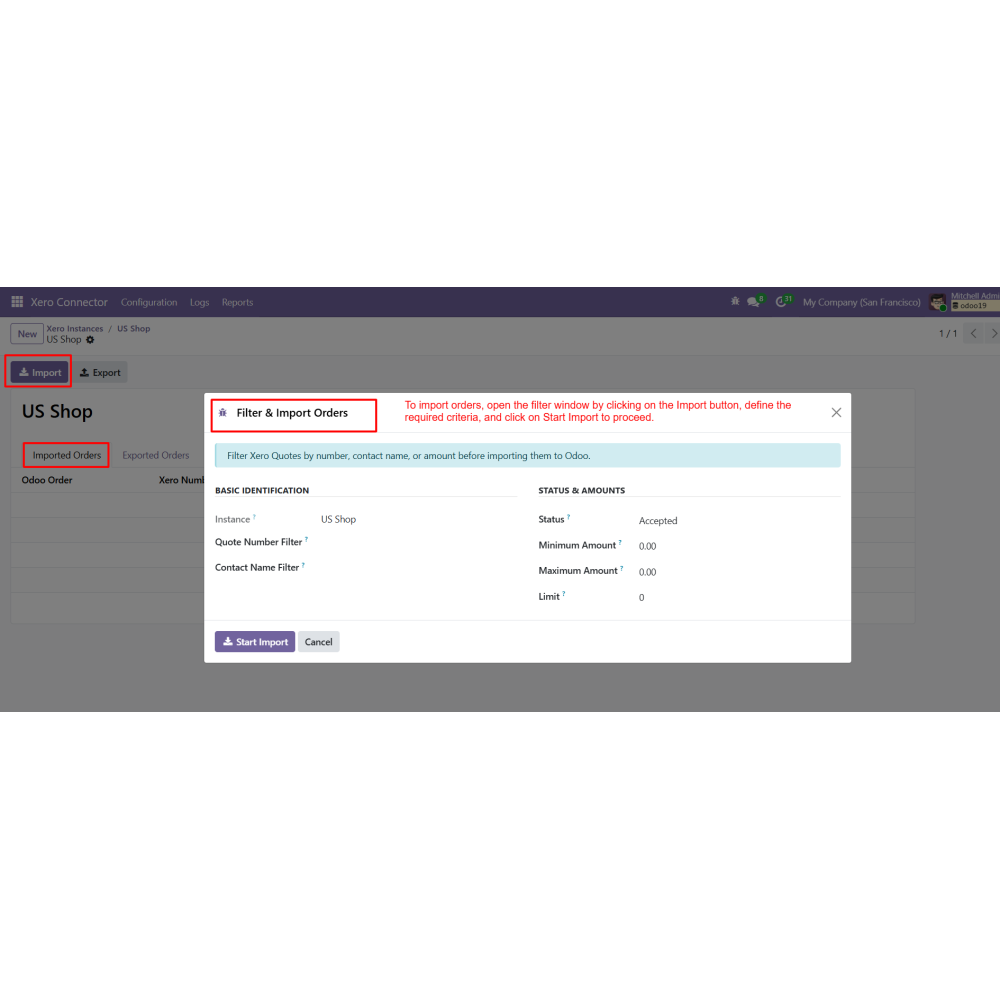
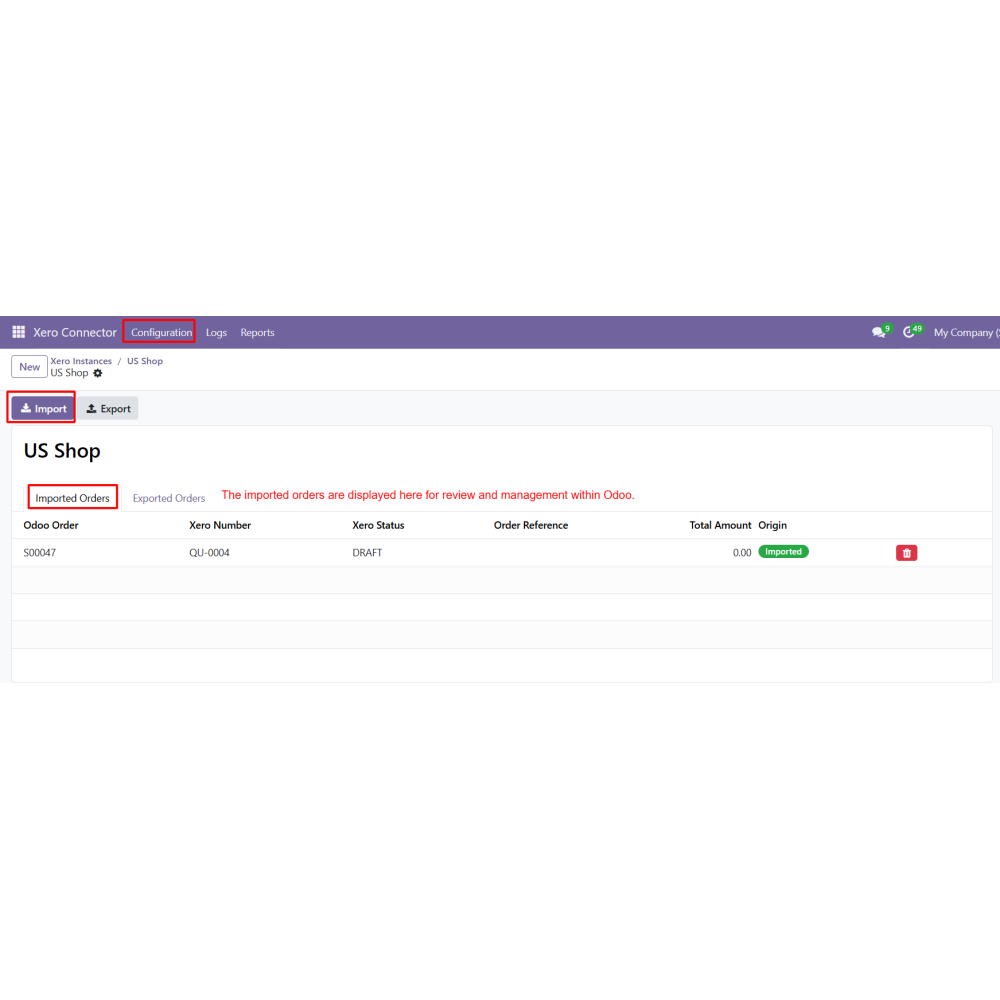
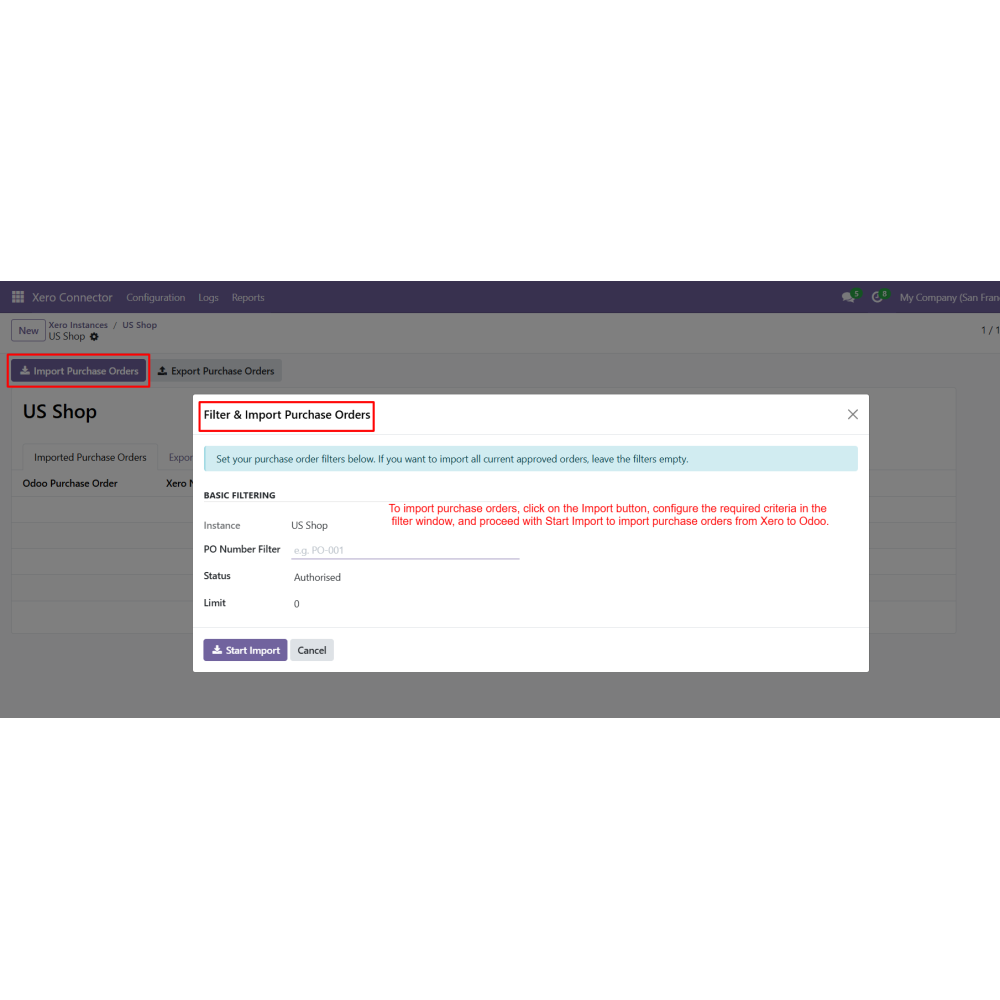
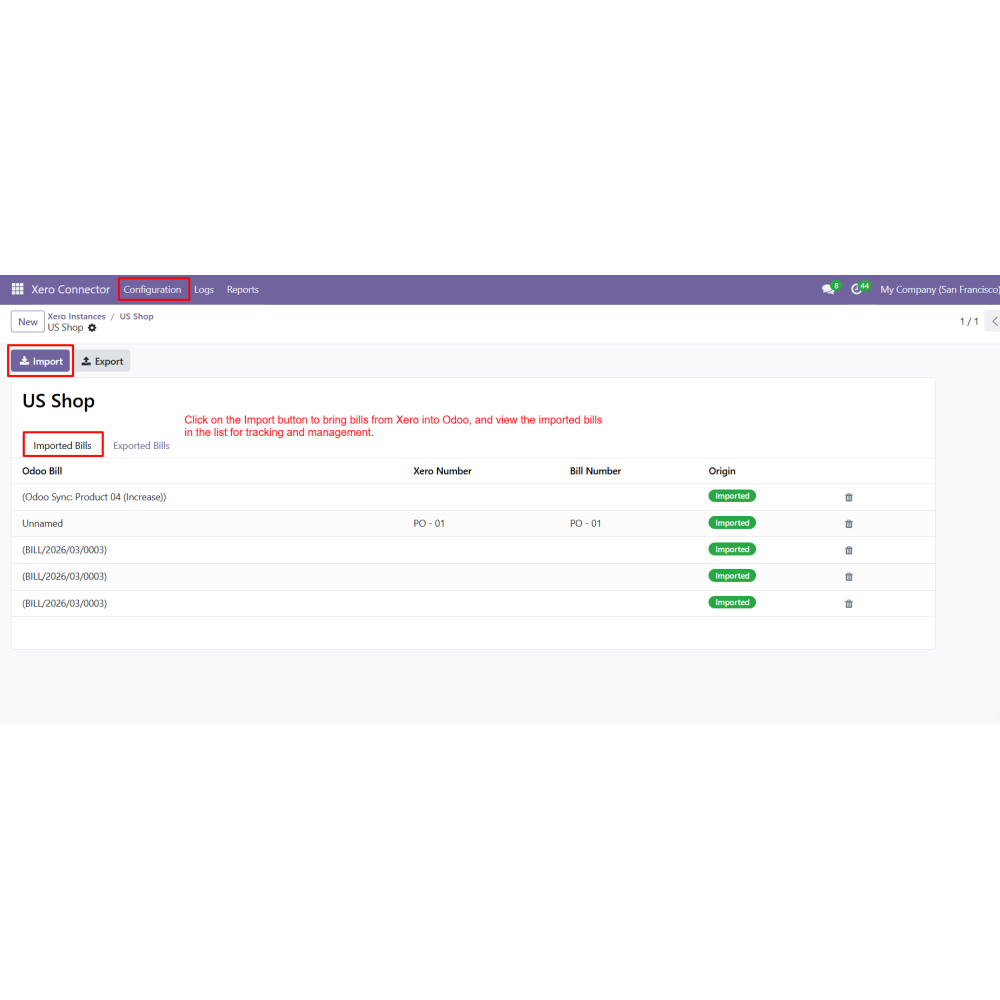
- Click on the Import button to open the filter window.
- Set the required criteria and click on Start Import to import data from Xero to Odoo.
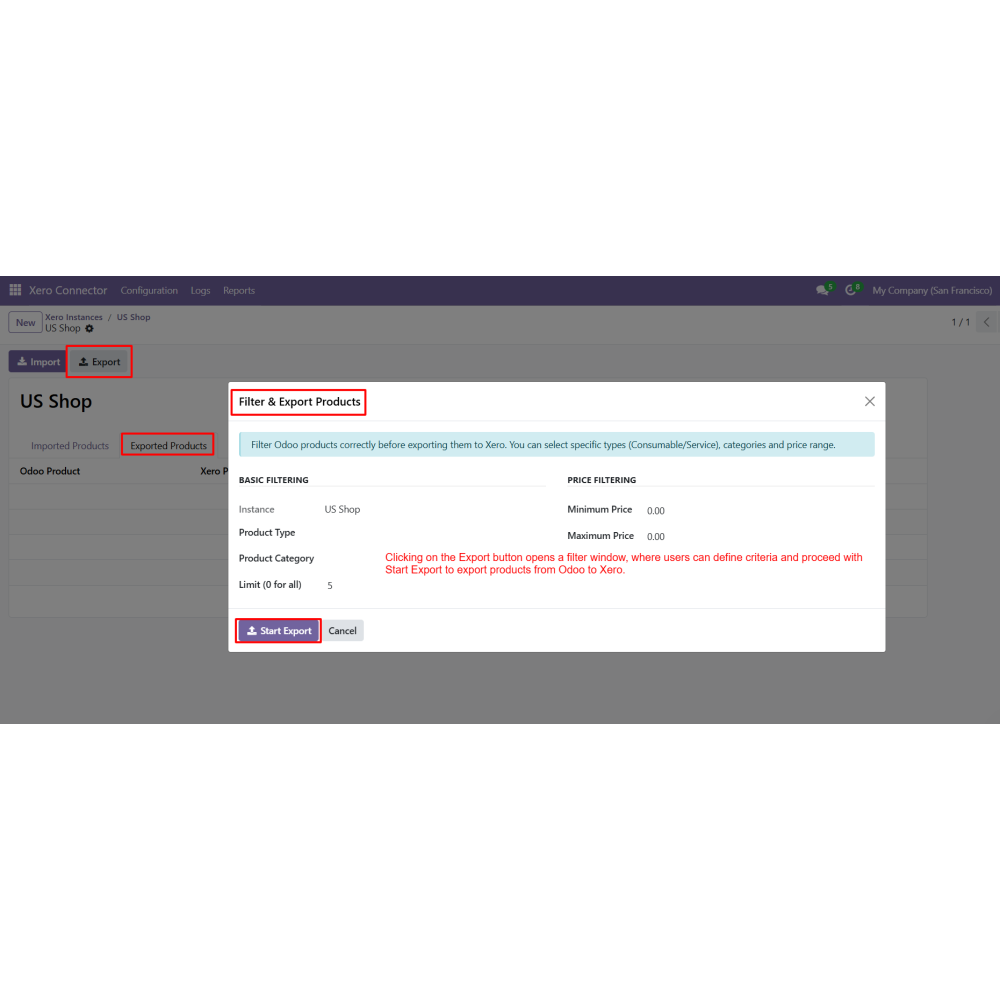
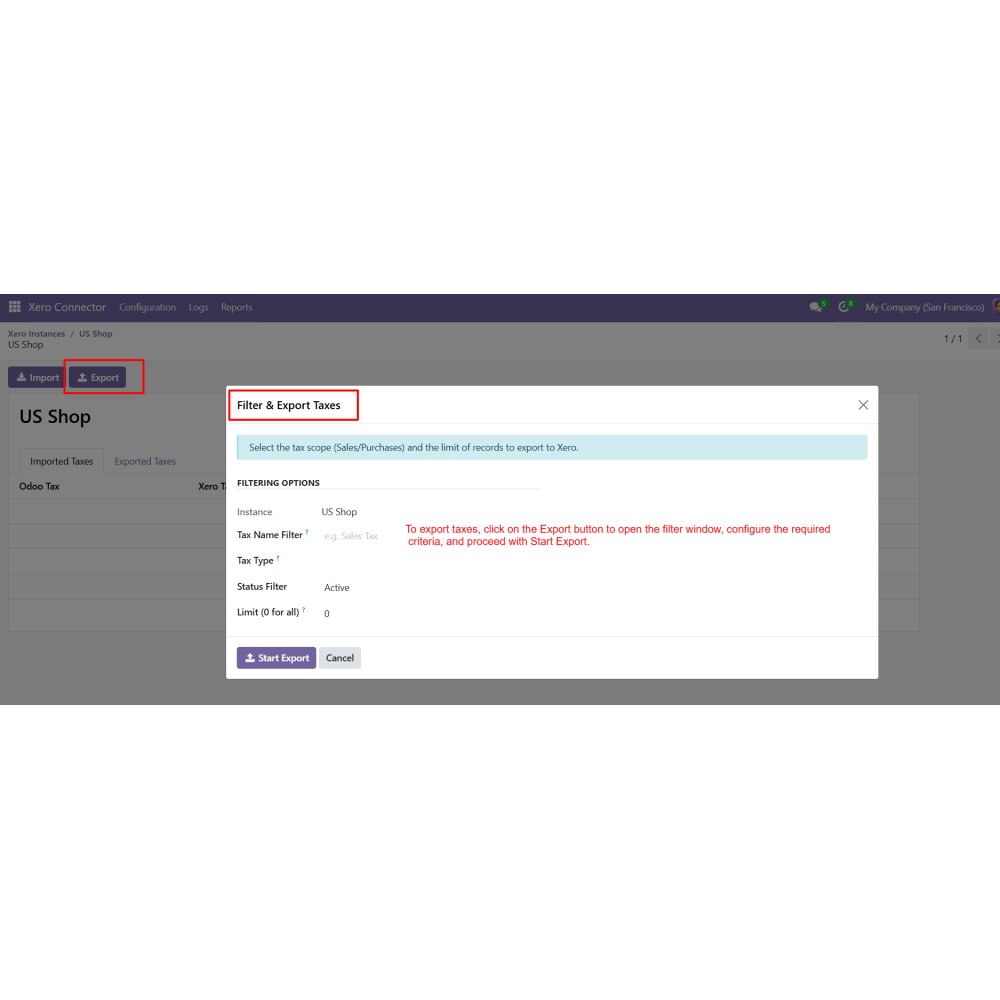
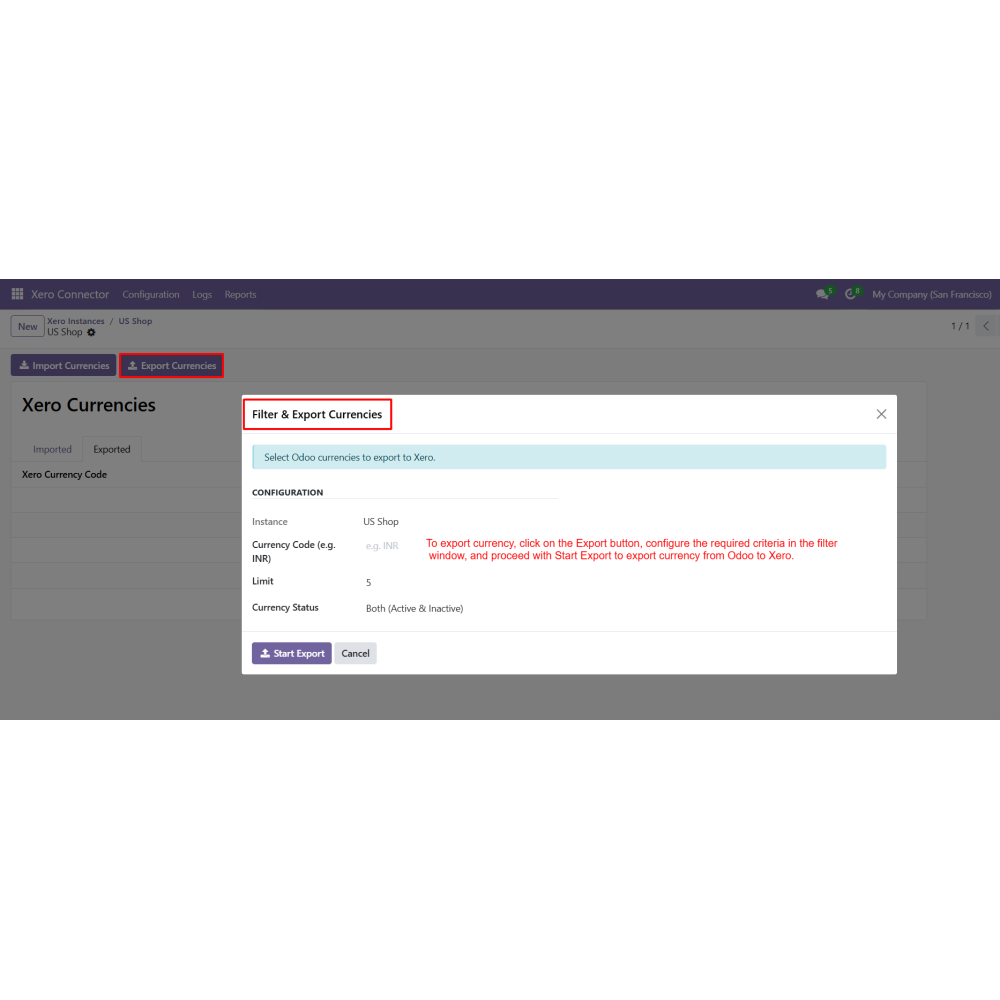
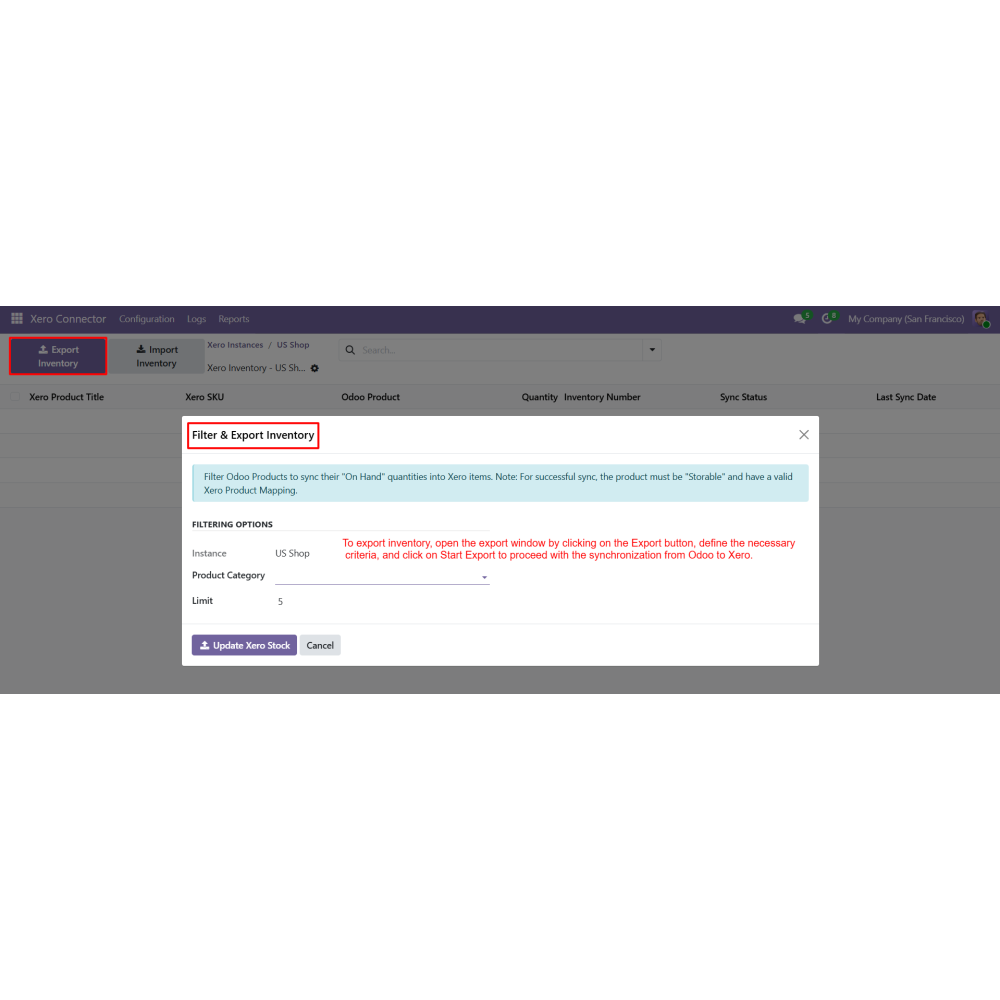
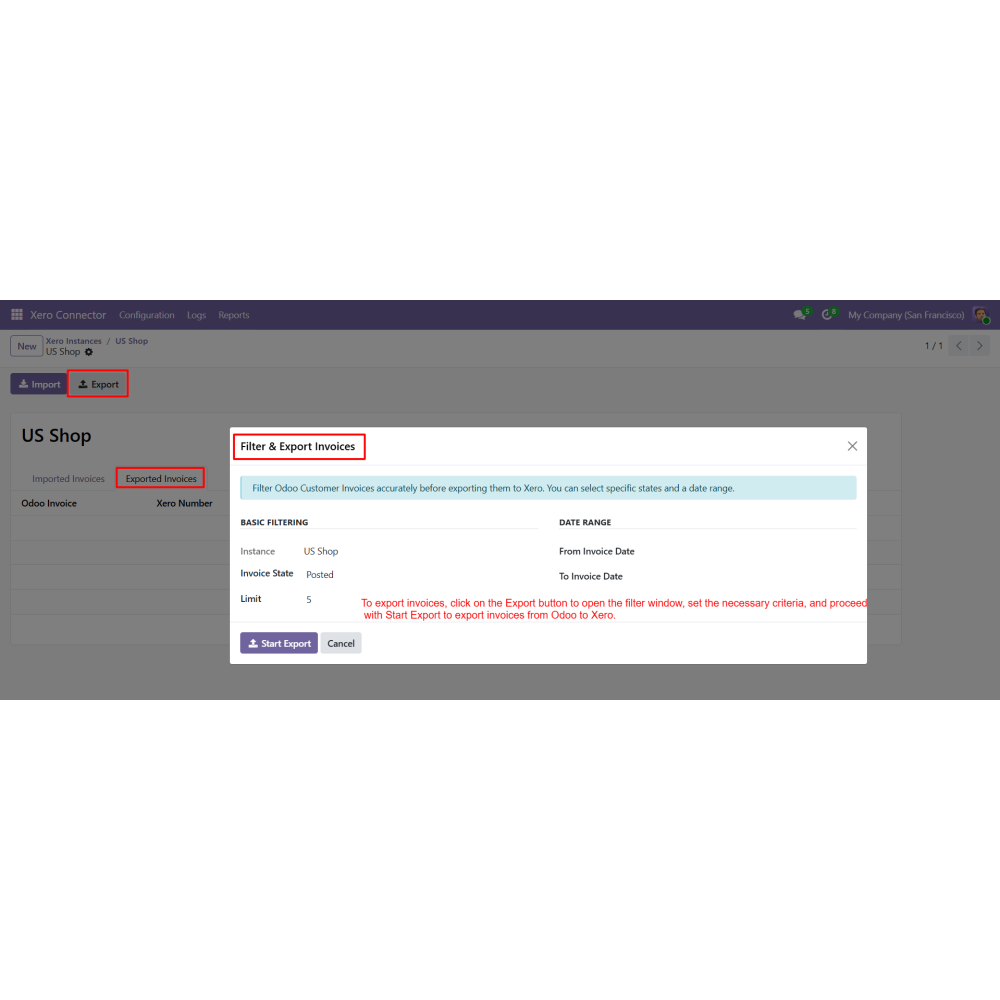
- Click on the Export button to open the filter window.
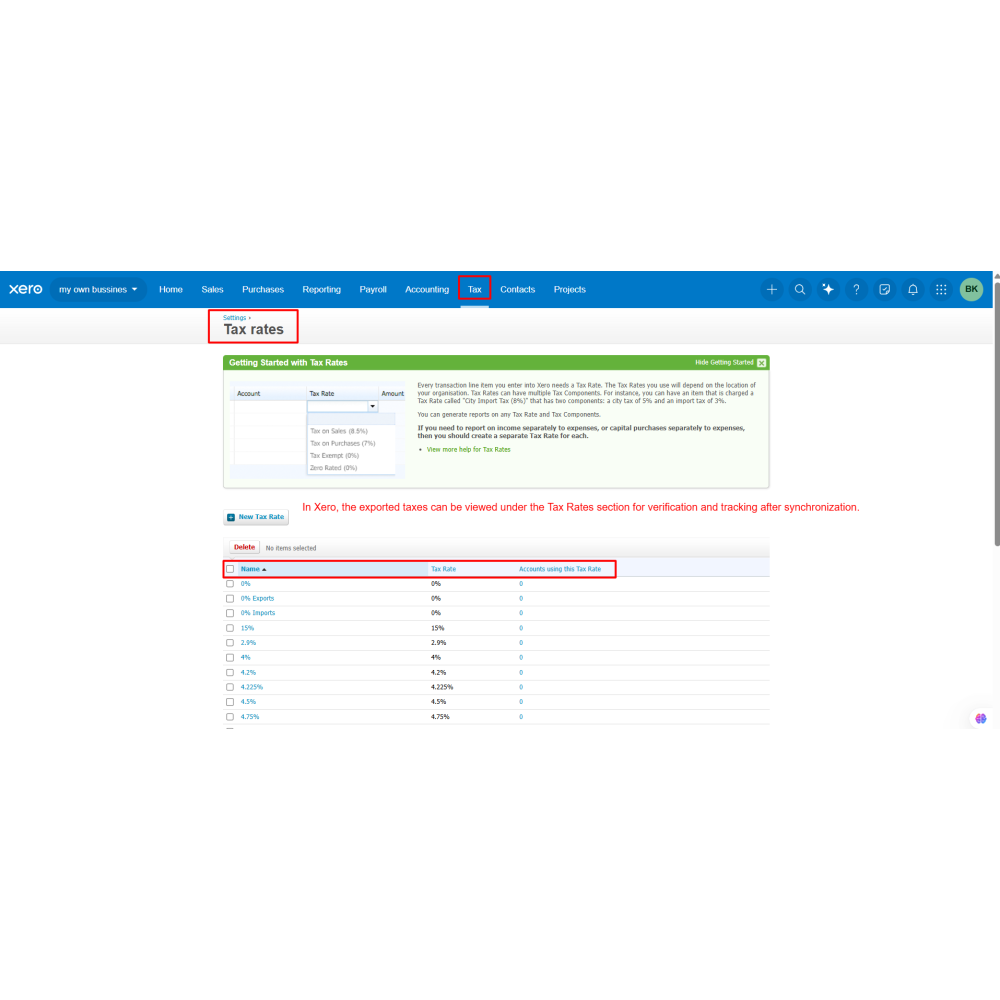
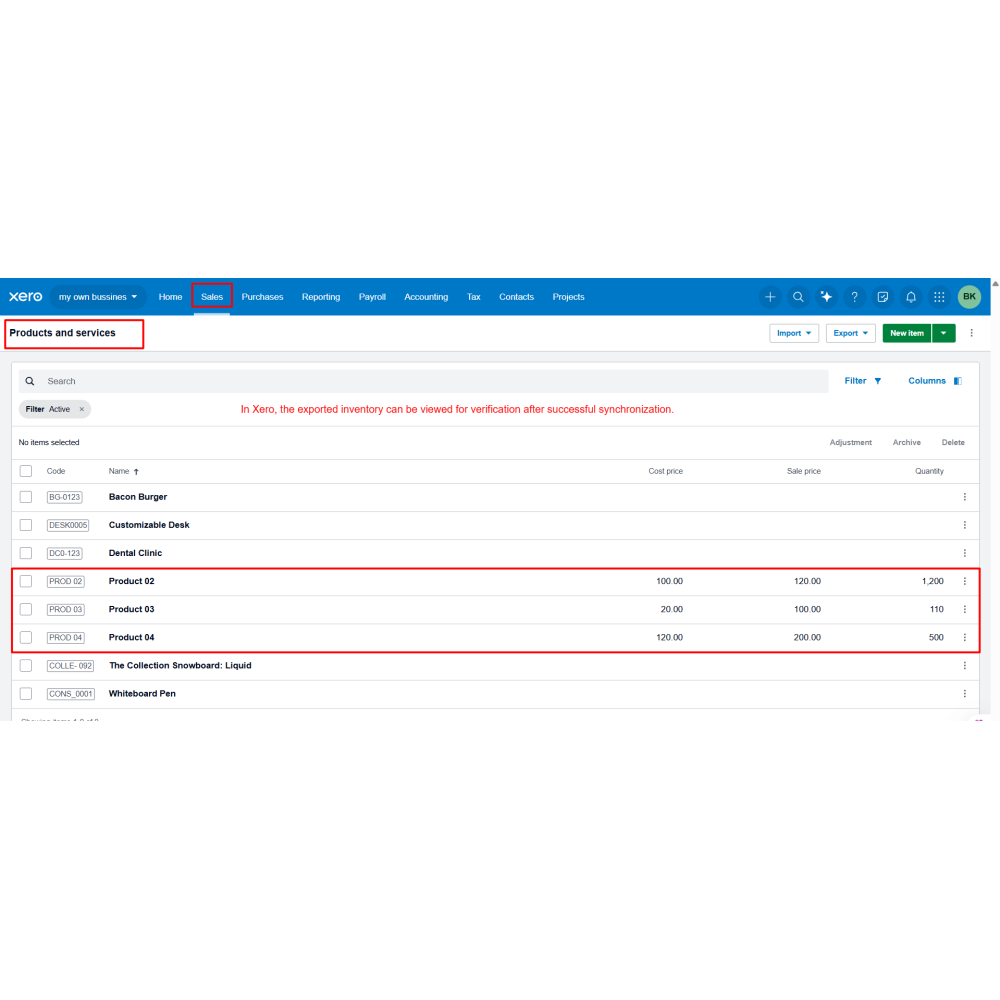
- Define the criteria and click on Start Export to export data from Odoo to Xero.
What is the Xero Connector for Odoo?
Which data can be synchronized between Odoo and Xero?
Does the connector support both import and export operations?
Can I manage multiple Xero accounts in Odoo?
Is automatic synchronization available?
How is the connection between Odoo and Xero secured?
Can I control which records are synchronized?
Are synchronization activities logged?
Does the connector support inventory synchronization?
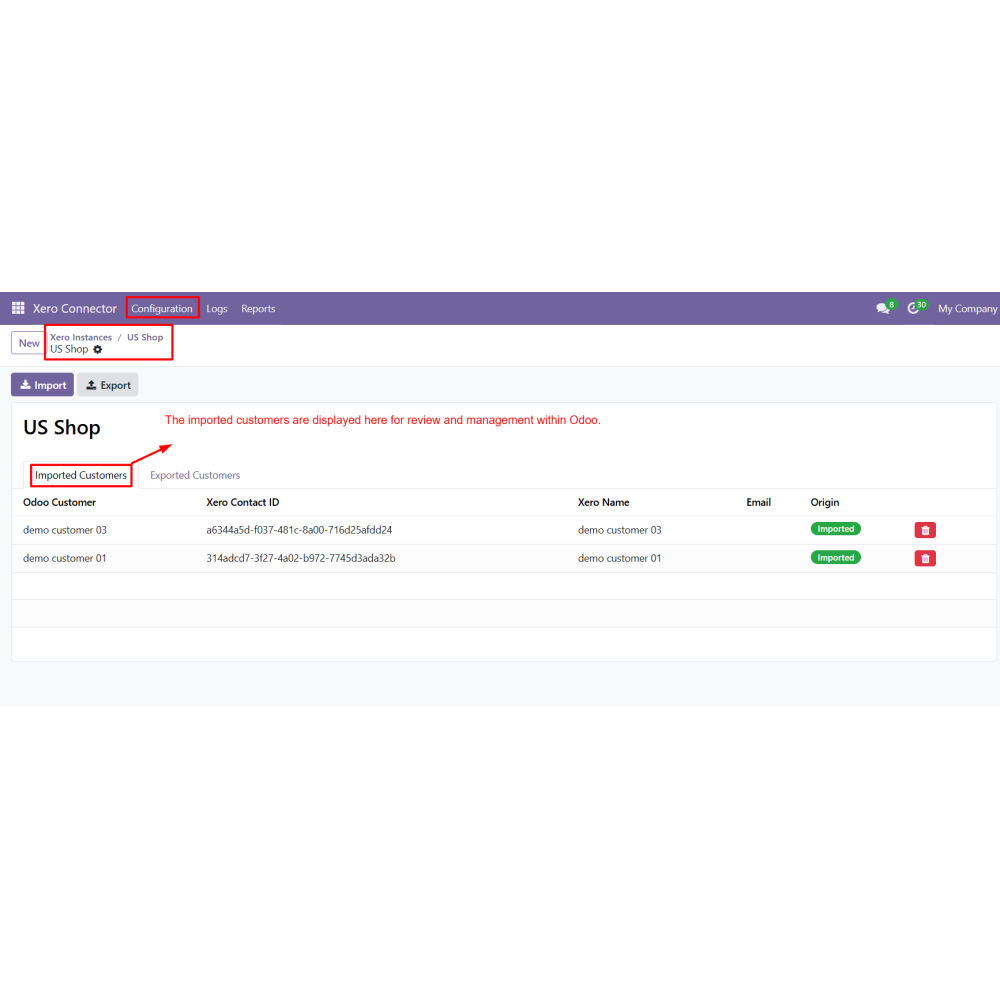
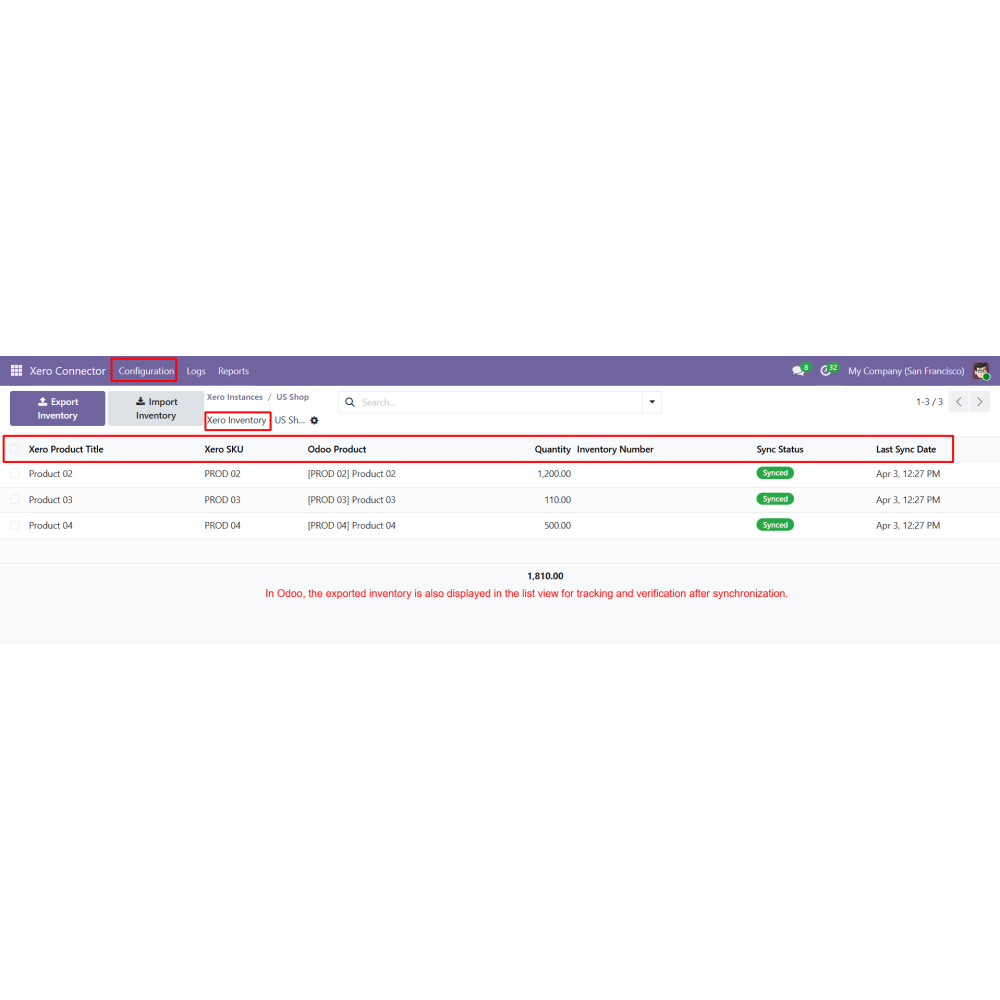
Can I track synchronized records in Odoo?
Customer reviews
Benefits Of Xero Connector

Automated Data Synchronization

Reduced Manual Work

Improved Data Accuracy

Real-Time Integration

Better Workflow Management

Centralized Data Control
Features of Xero Connector
Xero Instance Management
Create and manage multiple Xero instances with secure authentication and connection verification.
Bi-directional Data Synchronization
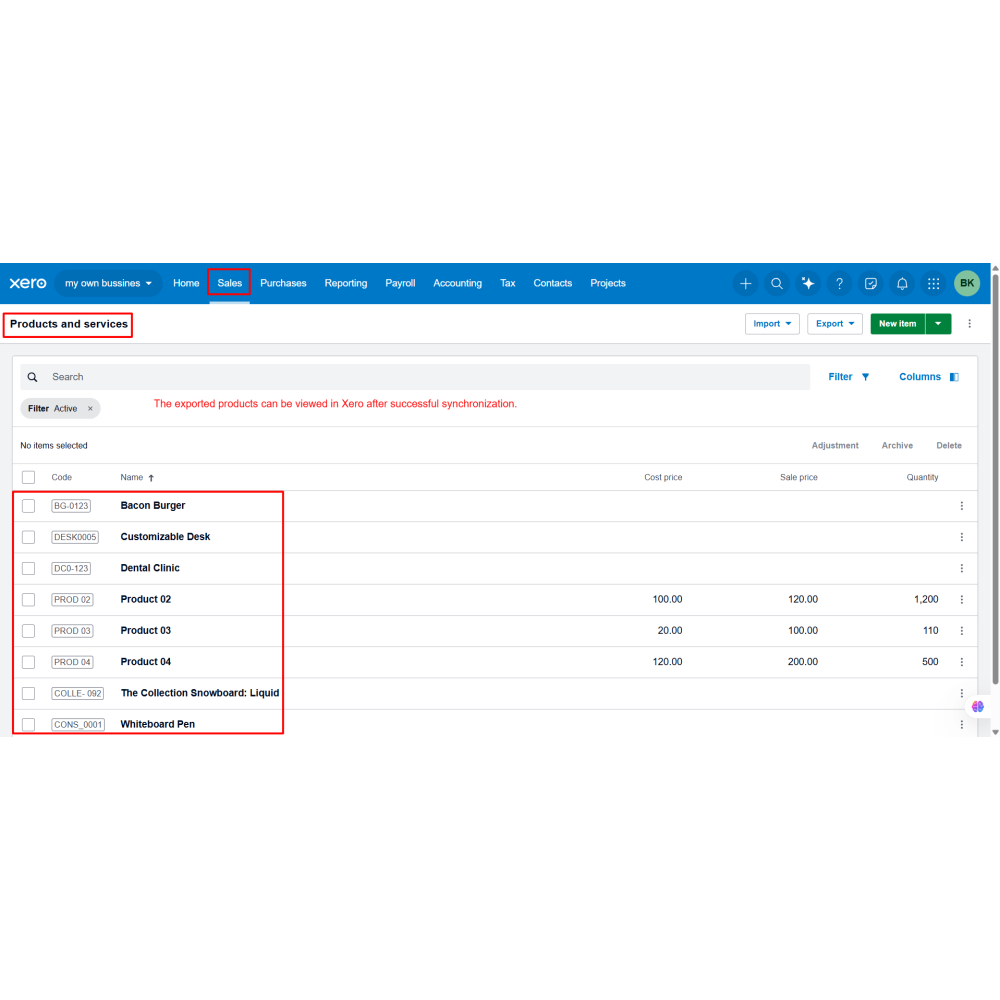
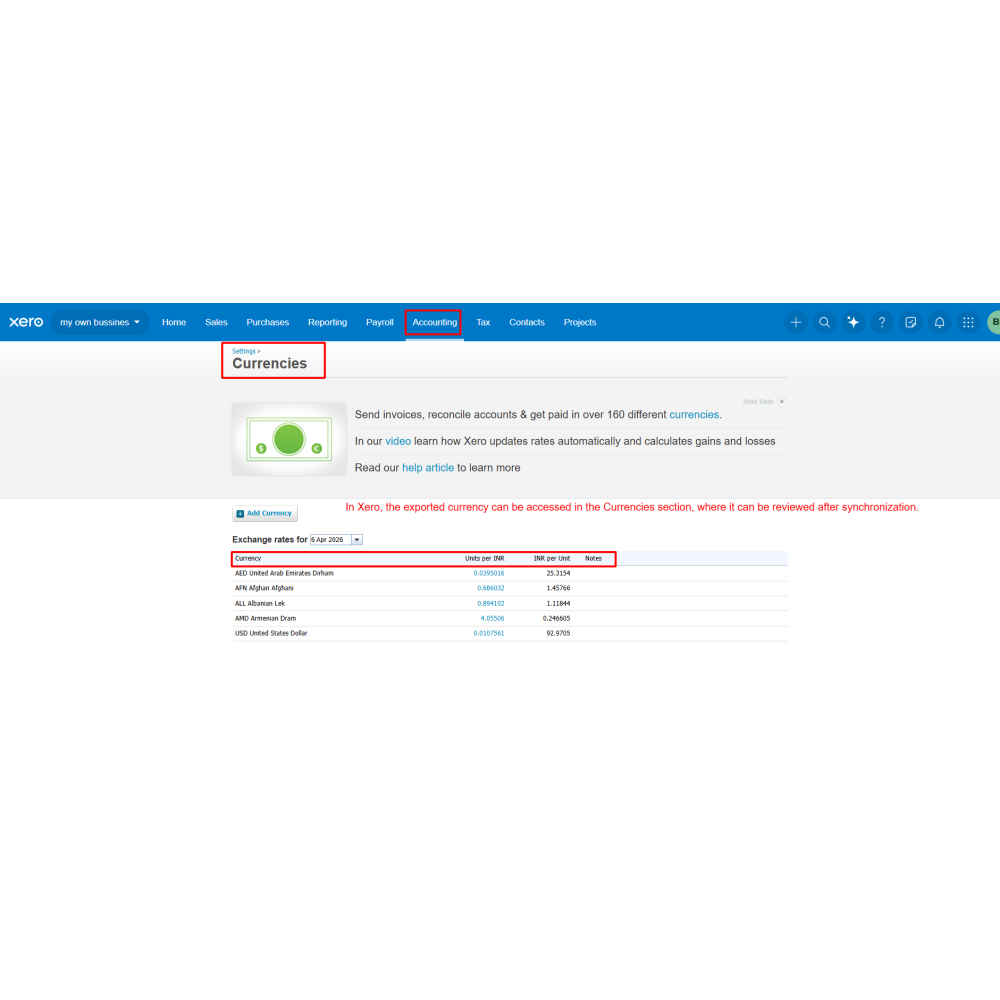
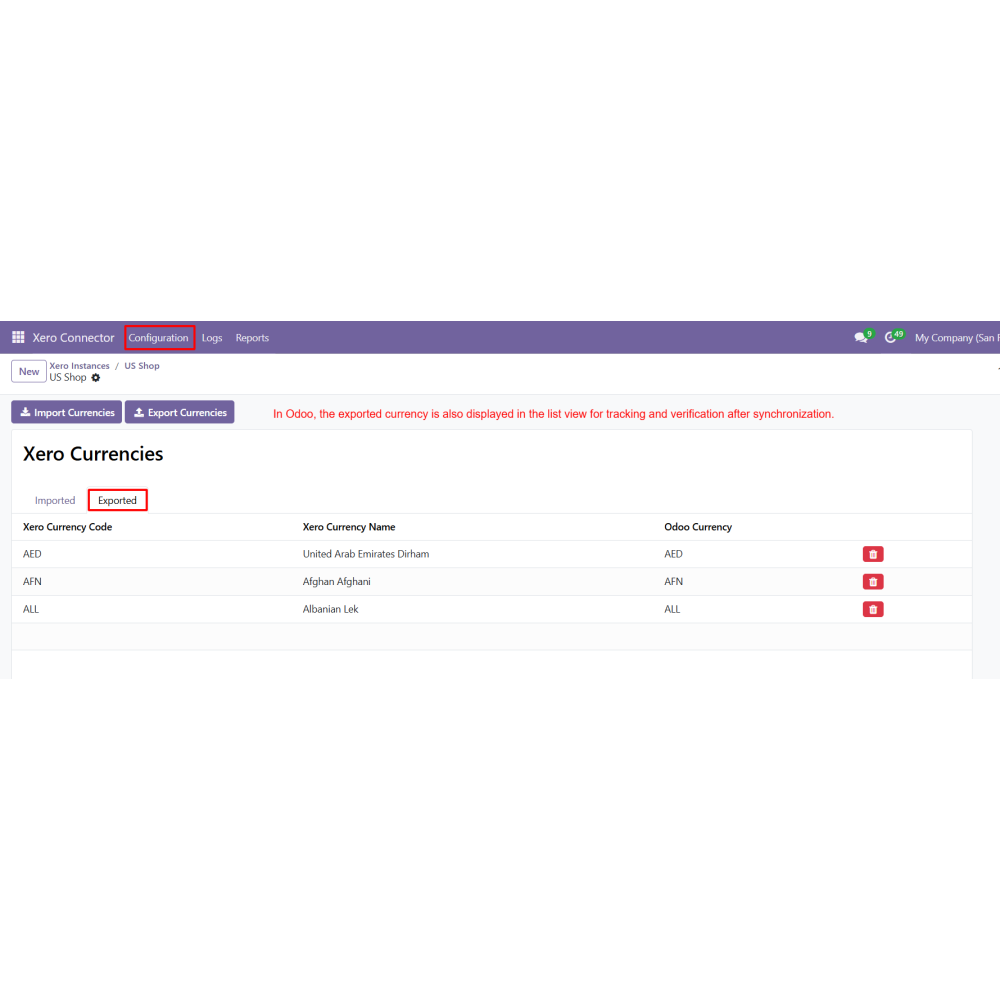
Import and export data including Products, Customers, Orders, Taxes, Accounts, Inventory, Currency, Invoices, Purchase Orders, and Bills between Odoo and Xero.
Product Synchronization
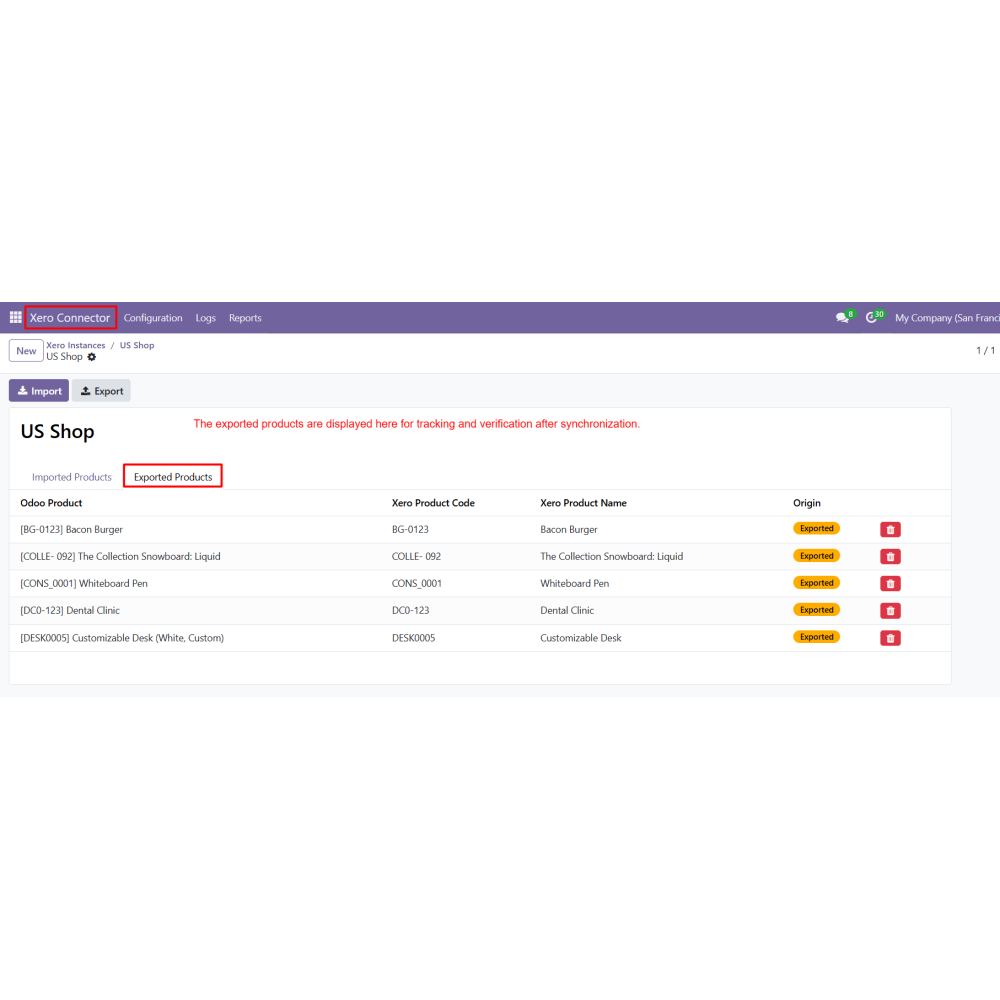
Import products from Xero and export products from Odoo with filter-based control and list view tracking.
Invoice & Bill Management
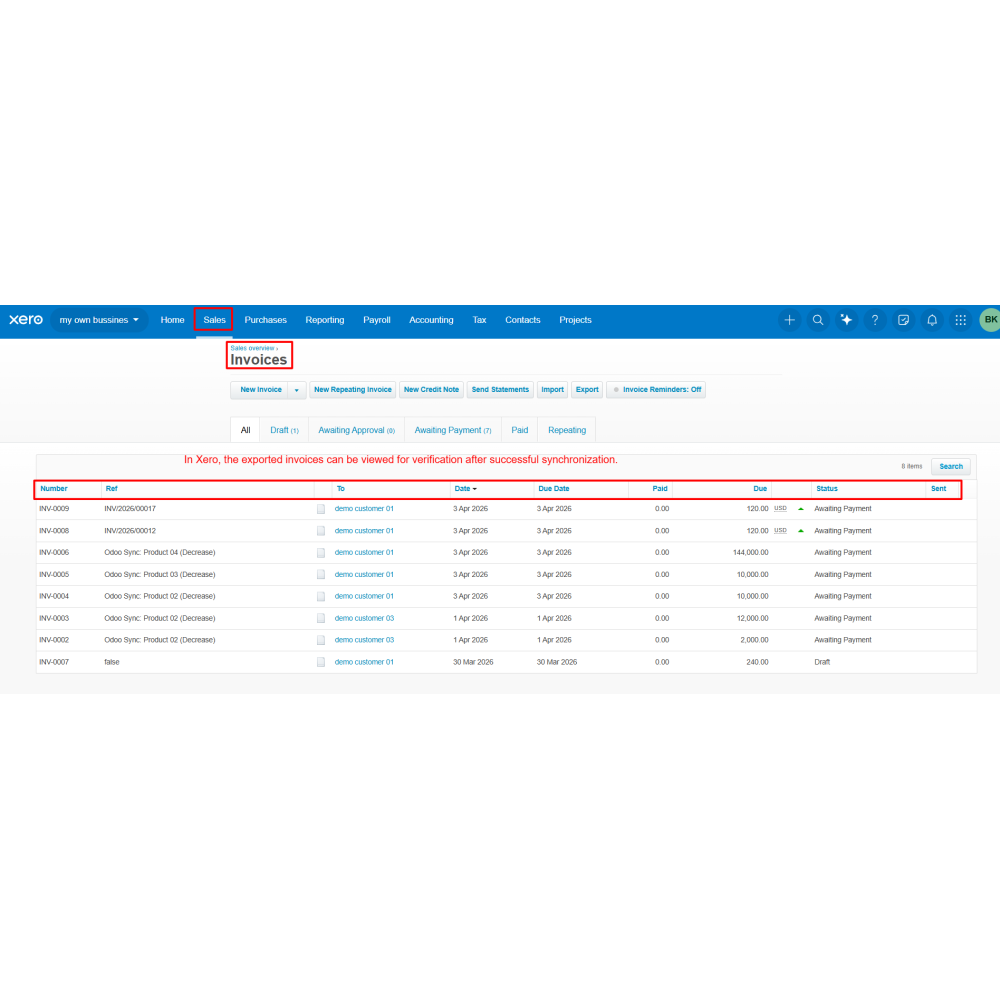
Export invoices and import bills with filter options and list view tracking for verification.
Cron Automation
Schedule automatic synchronization processes using cron jobs to reduce manual effort.
Logs & Digest Reports
Track all synchronization activities using detailed logs and generate reports for monitoring and analysis.
Power Up Your
Store — We Handle It All