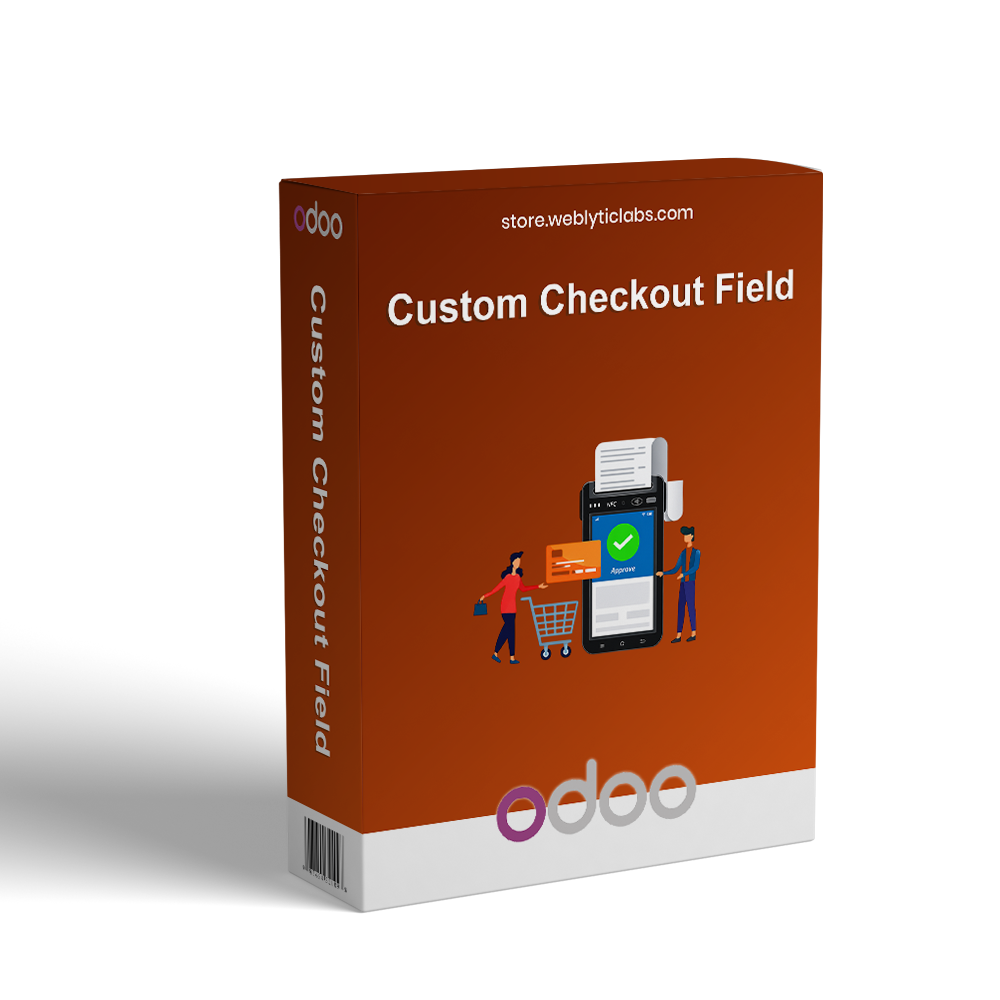
Custom Checkout Field for Odoo allows businesses to collect and manage additional customer information during the checkout process. It enables the creation of custom fields that can be displayed across Cart, Address, Shipping, and Payment steps with flexible configuration options. The module supports validation rules, dependent fields, conditional display logic, and restrictions based on customers, countries, products, payment methods, shipping methods, and order conditions. All submitted data is automatically stored in Sales Orders, Invoices, Delivery Slips, Customer Portal, and Emails. It improves checkout flexibility, enhances data accuracy, reduces order errors, and streamlines order processing for better business efficiency.
Custom Checkout Field for Odoo allows businesses to collect and manage additional customer information during the checkout process. It enables the creation of custom fields that can be displayed across Cart, Address, Shipping, and Payment steps with flexible configuration options. The module supports validation rules, dependent fields, conditional display logic, and restrictions based on customers, countries, products, payment methods, shipping methods, and order conditions. All submitted data is automatically stored in Sales Orders, Invoices, Delivery Slips, Customer Portal, and Emails. It improves checkout flexibility, enhances data accuracy, reduces order errors, and streamlines order processing for better business efficiency.
Custom Checkout Field for Odoo helps businesses collect additional customer information during the checkout process.
Create custom fields and display them on Cart, Address, Shipping, and Payment checkout steps.
Configure validation rules to ensure accurate and complete customer input.
Use dependent fields and conditional logic to create dynamic checkout experiences.
Display fields based on customers, countries, products, categories, websites, and order conditions.
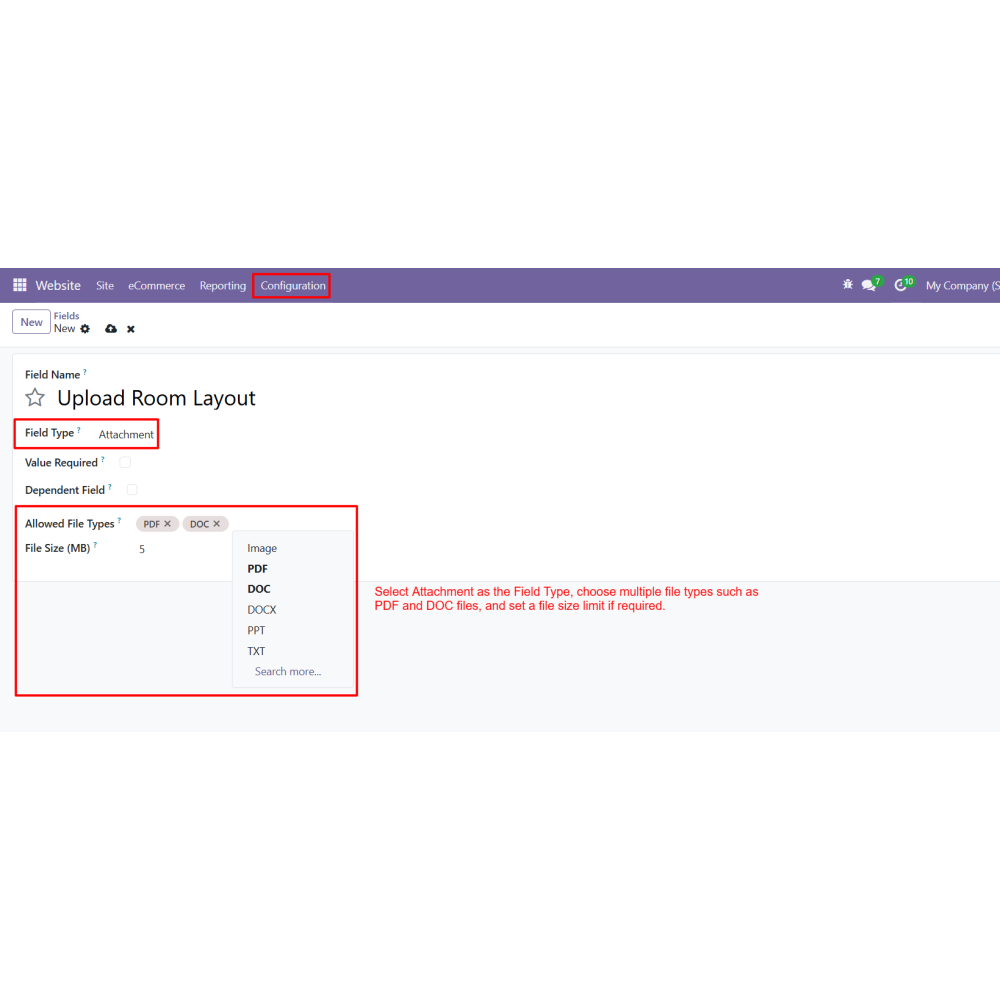
Support file uploads with configurable file types and size restrictions.
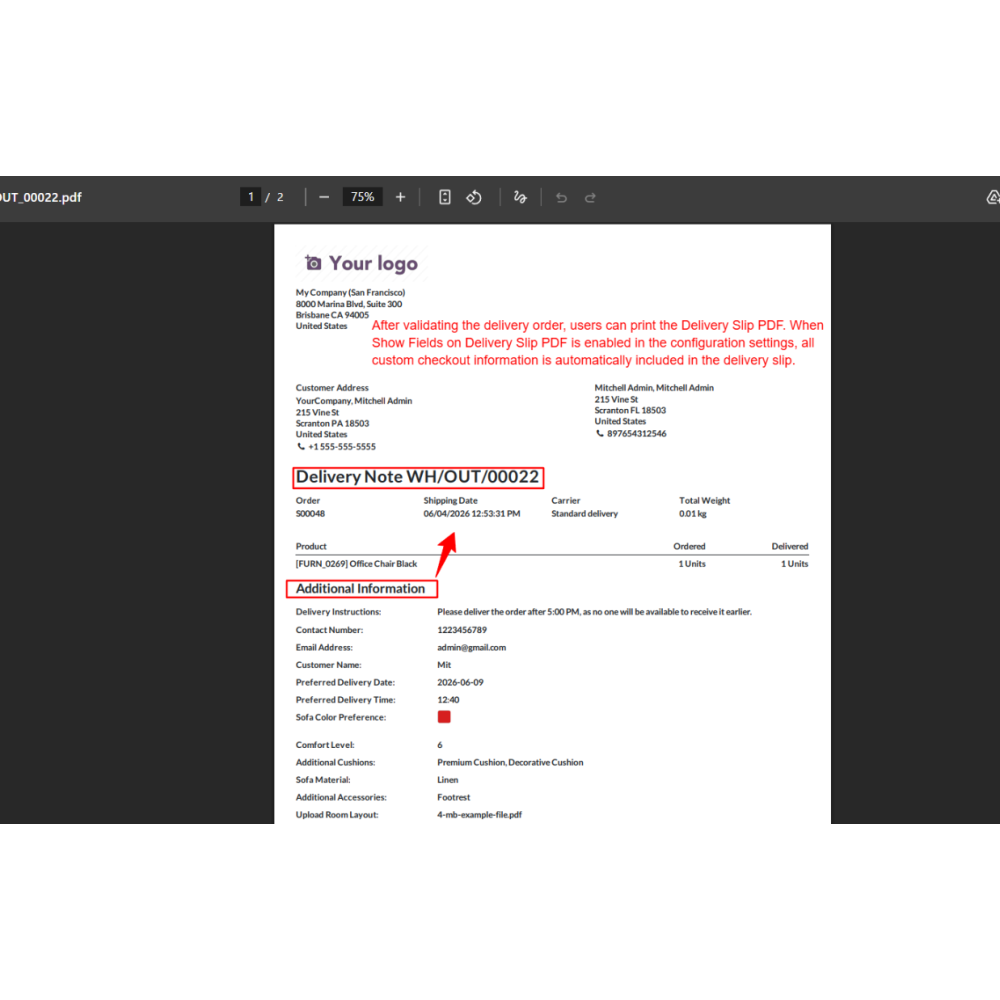
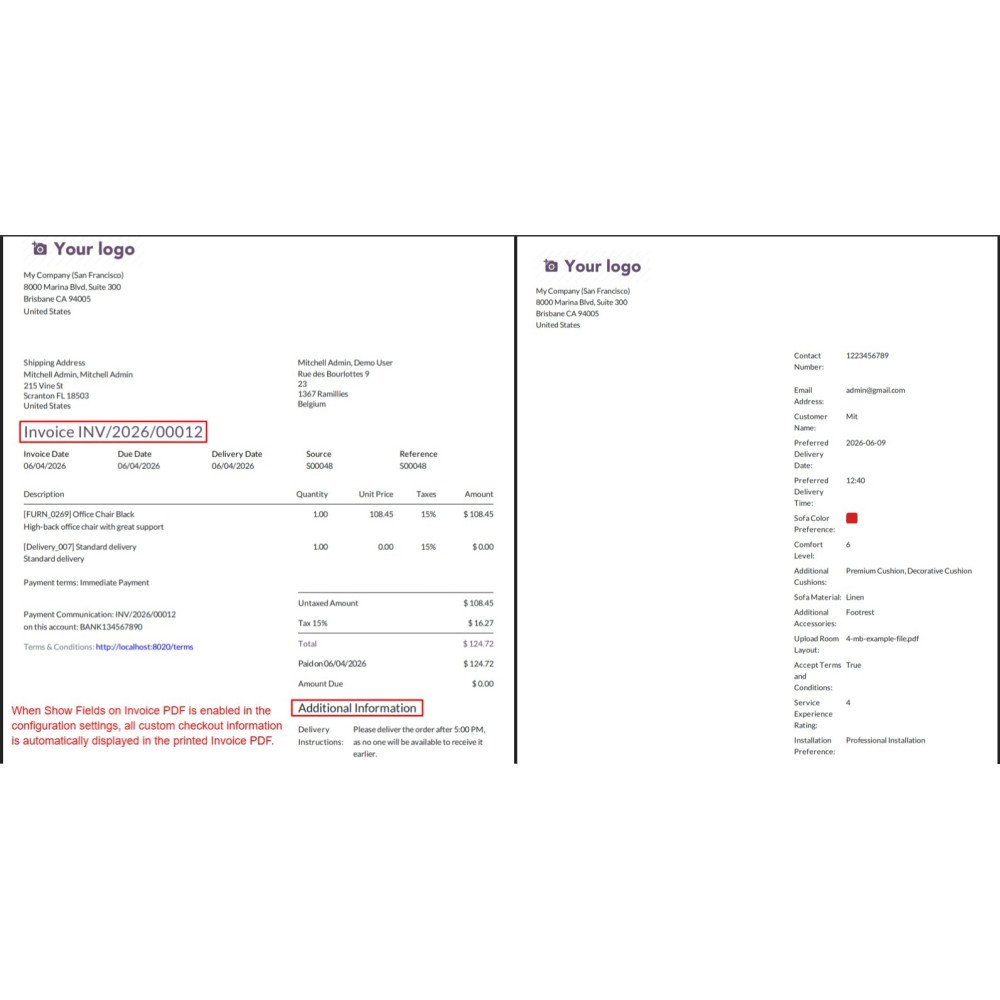
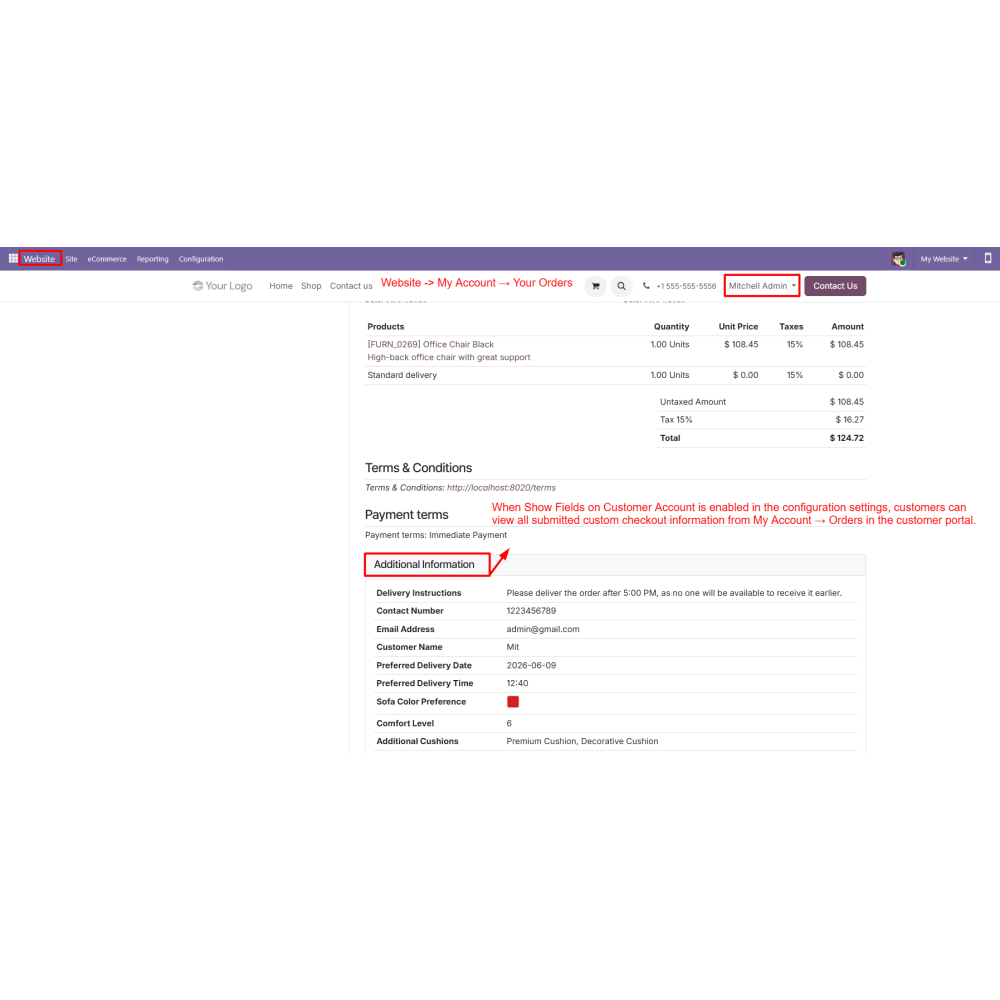
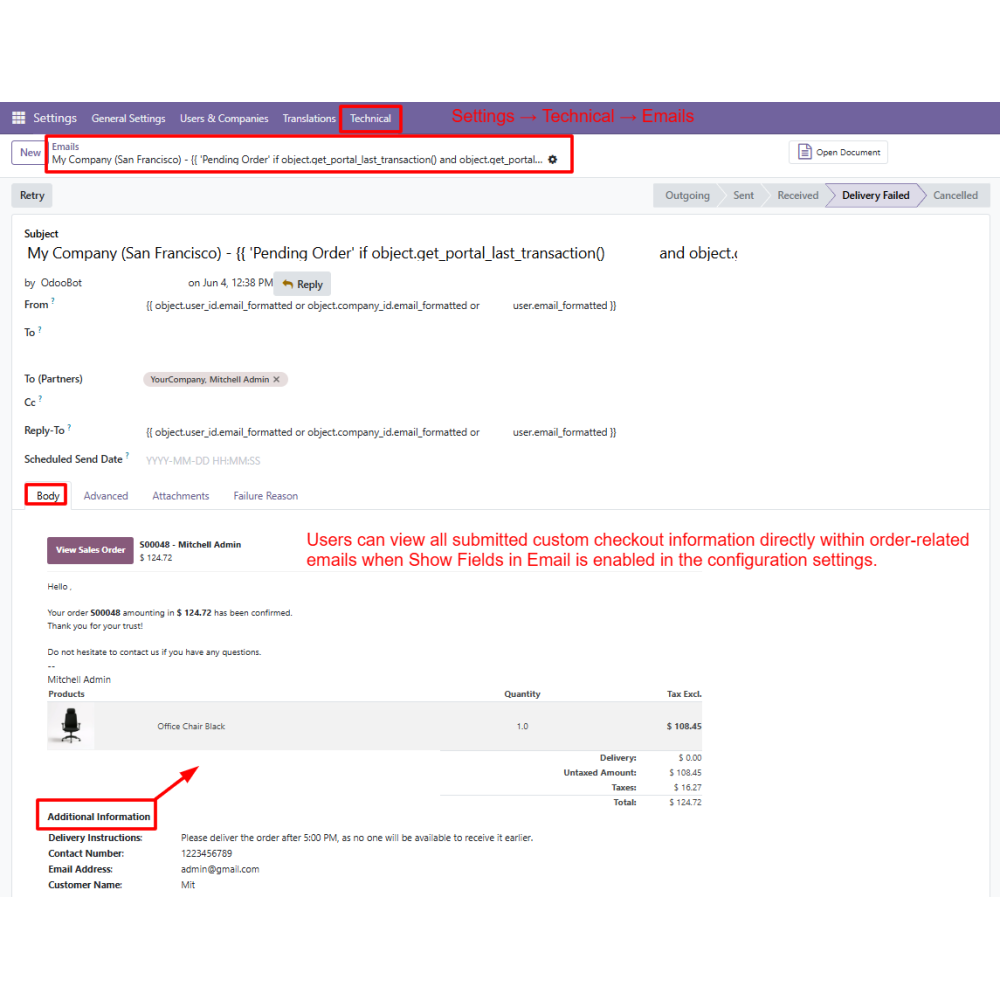
Automatically store submitted information across Sales Orders, Invoices, Delivery Slips, Customer Portal, and Emails.
Improve checkout flexibility, data collection, and overall customer experience.
Key Features
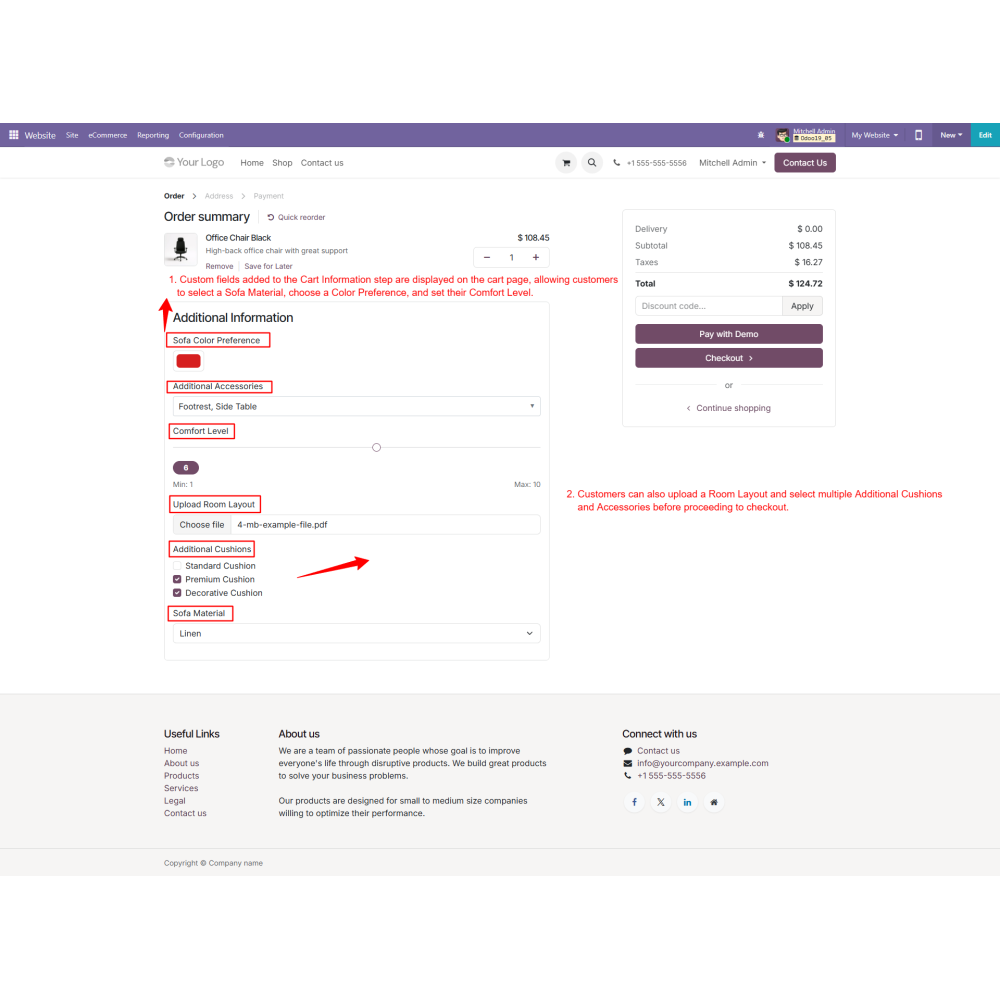
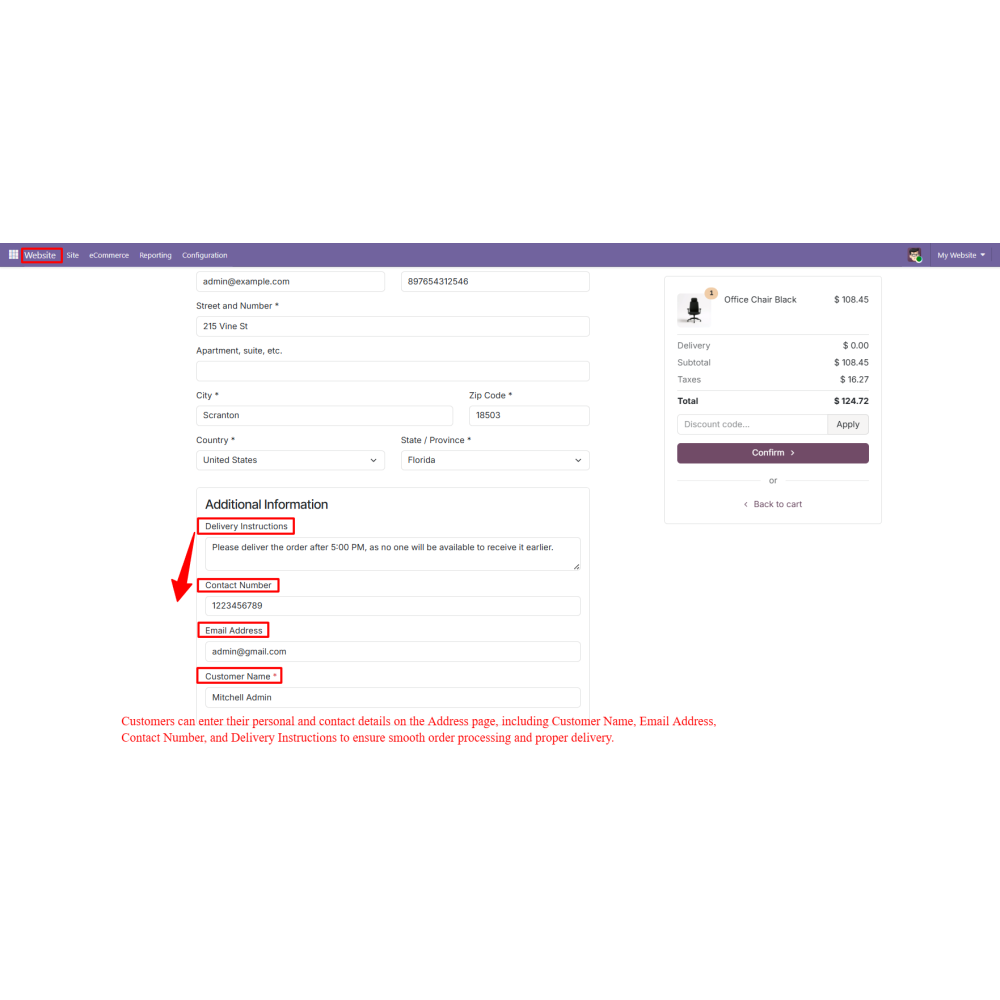
Custom checkout fields can be added to Cart, Address, Shipping, and Payment steps to collect additional customer information.
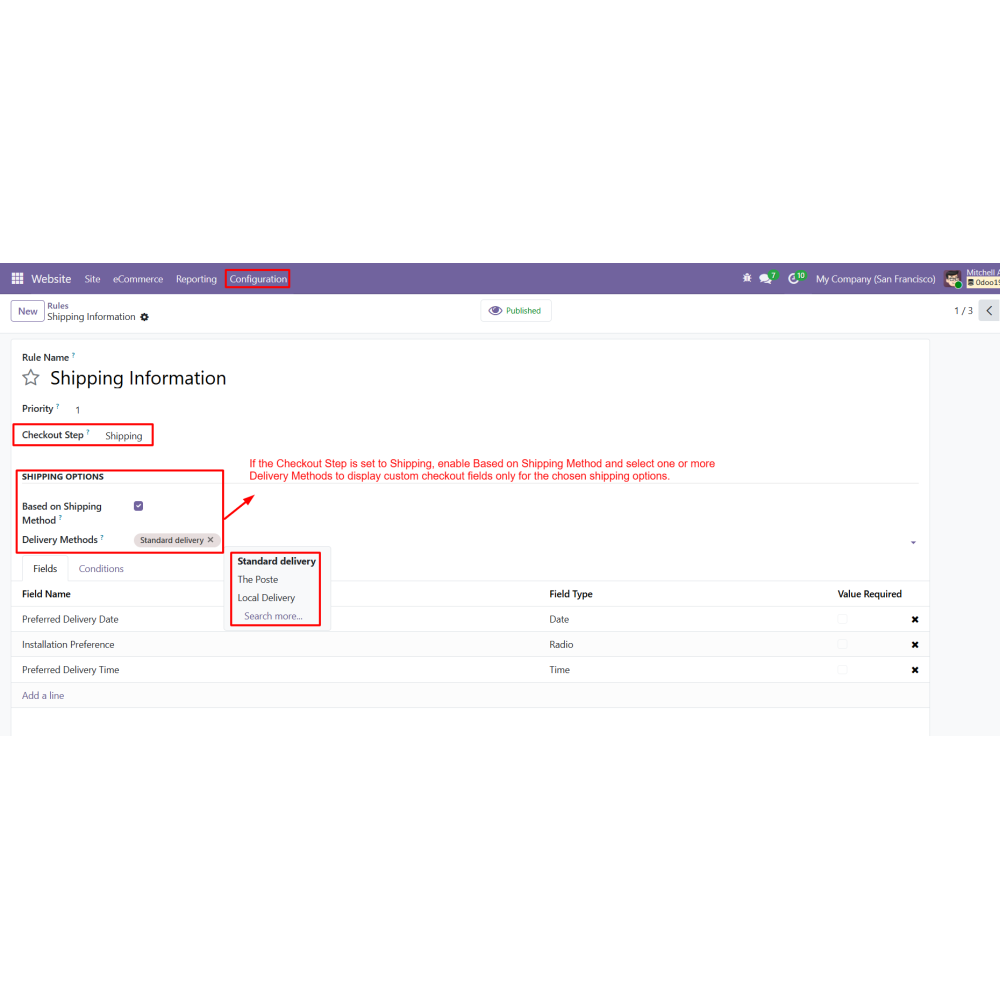
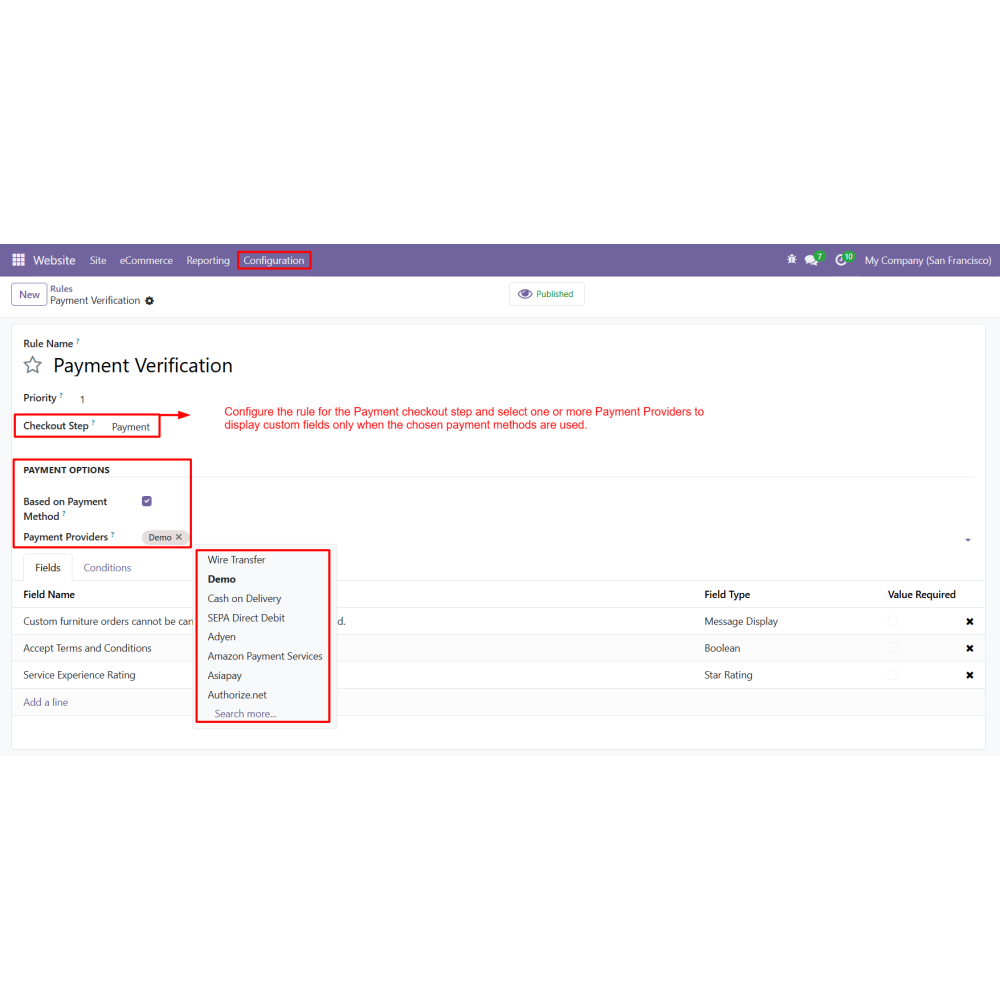
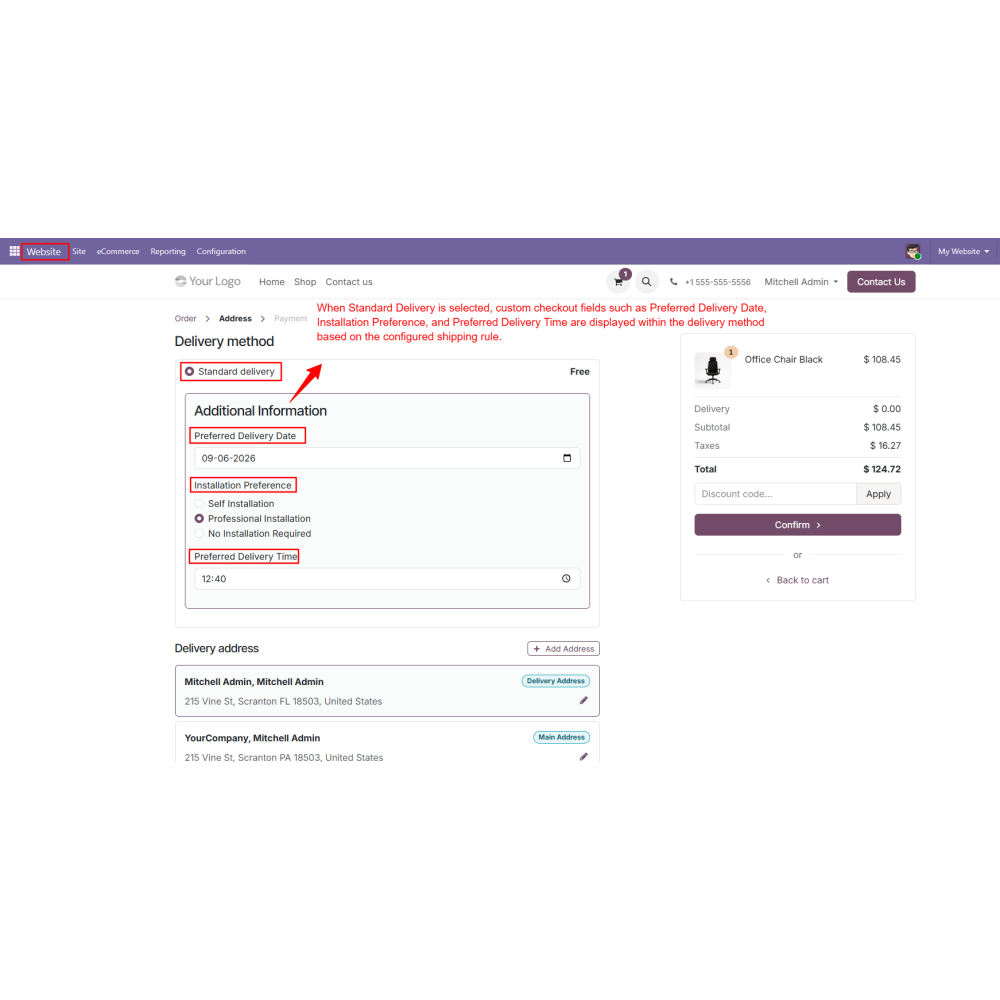
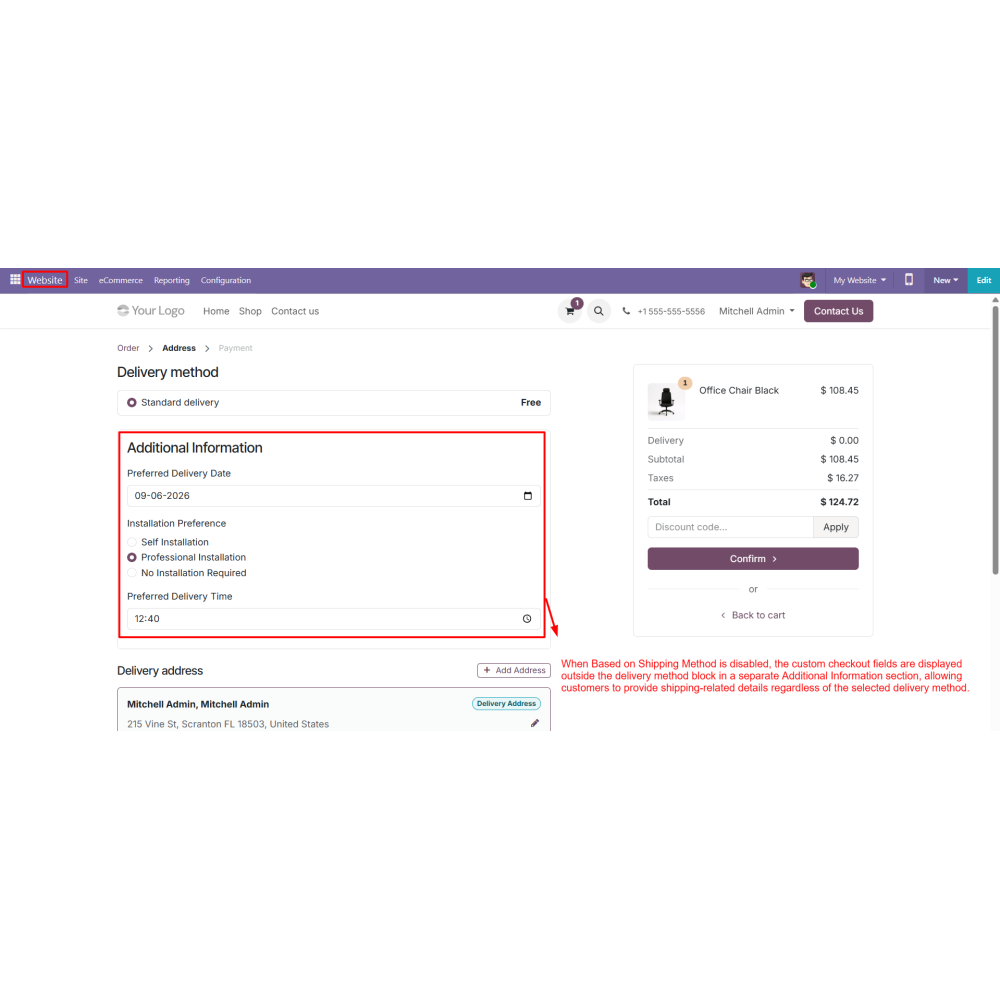
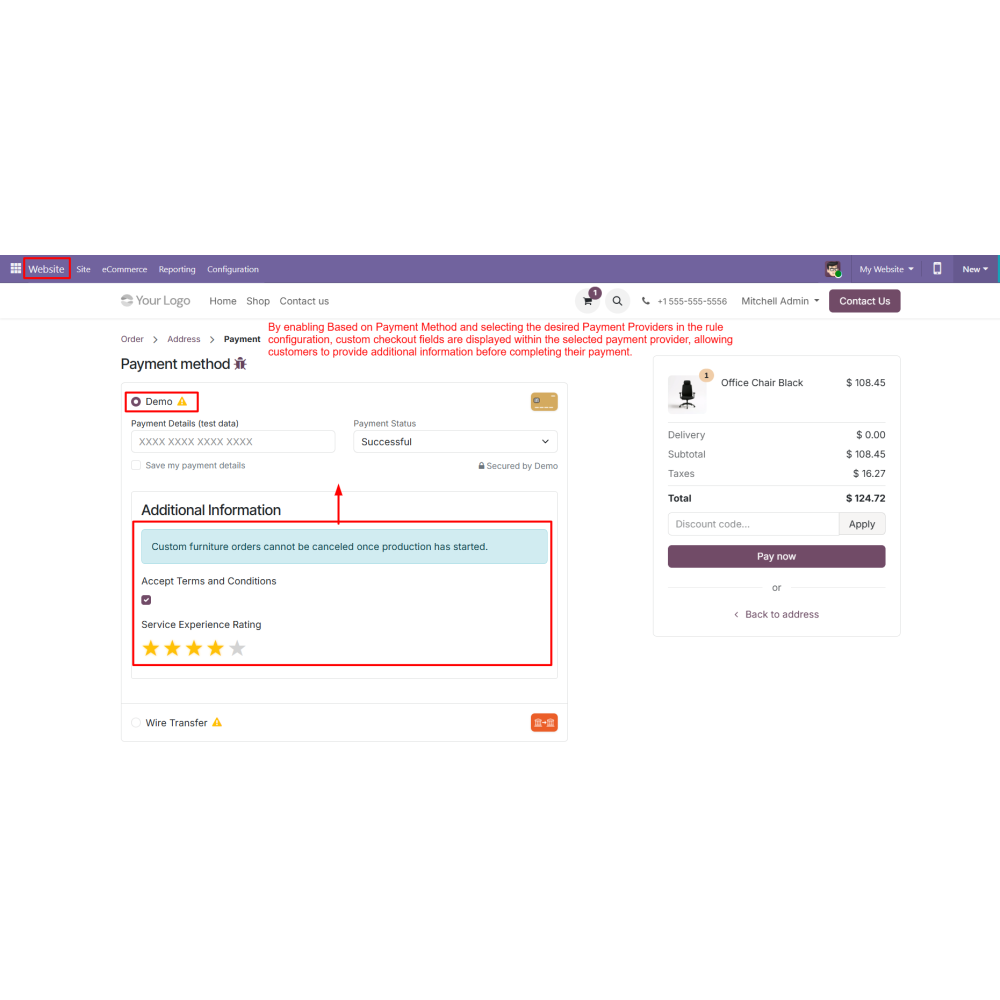
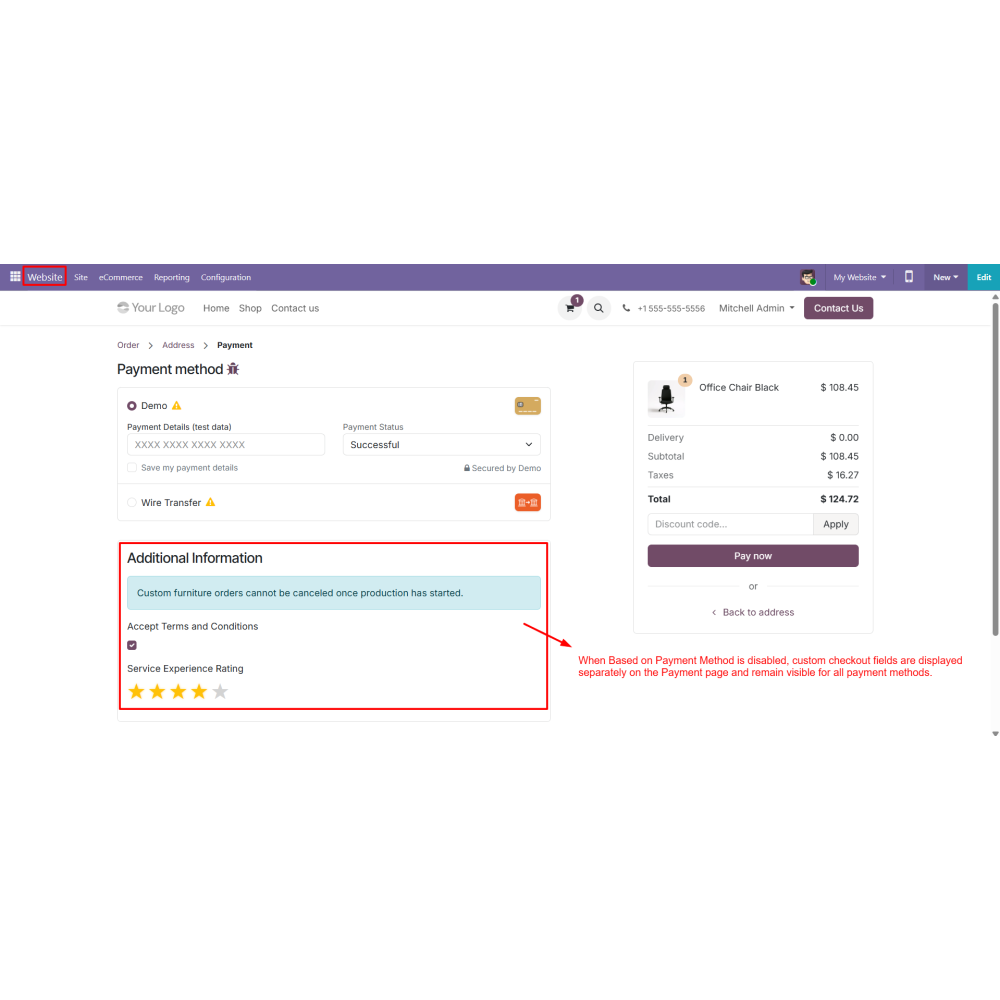
Shipping and payment method conditions allow fields to appear only for selected delivery methods or payment providers.
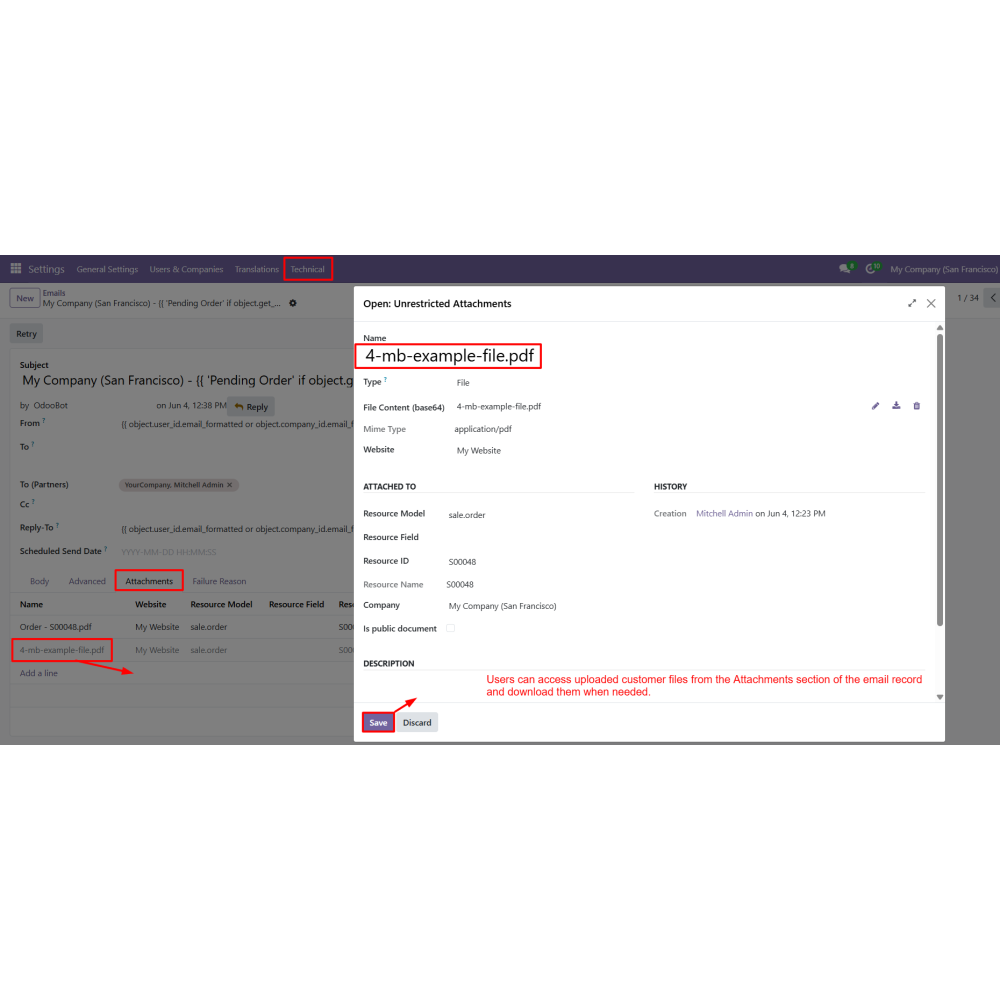
Attachment upload support enables customers to submit files with configurable file type and size restrictions.
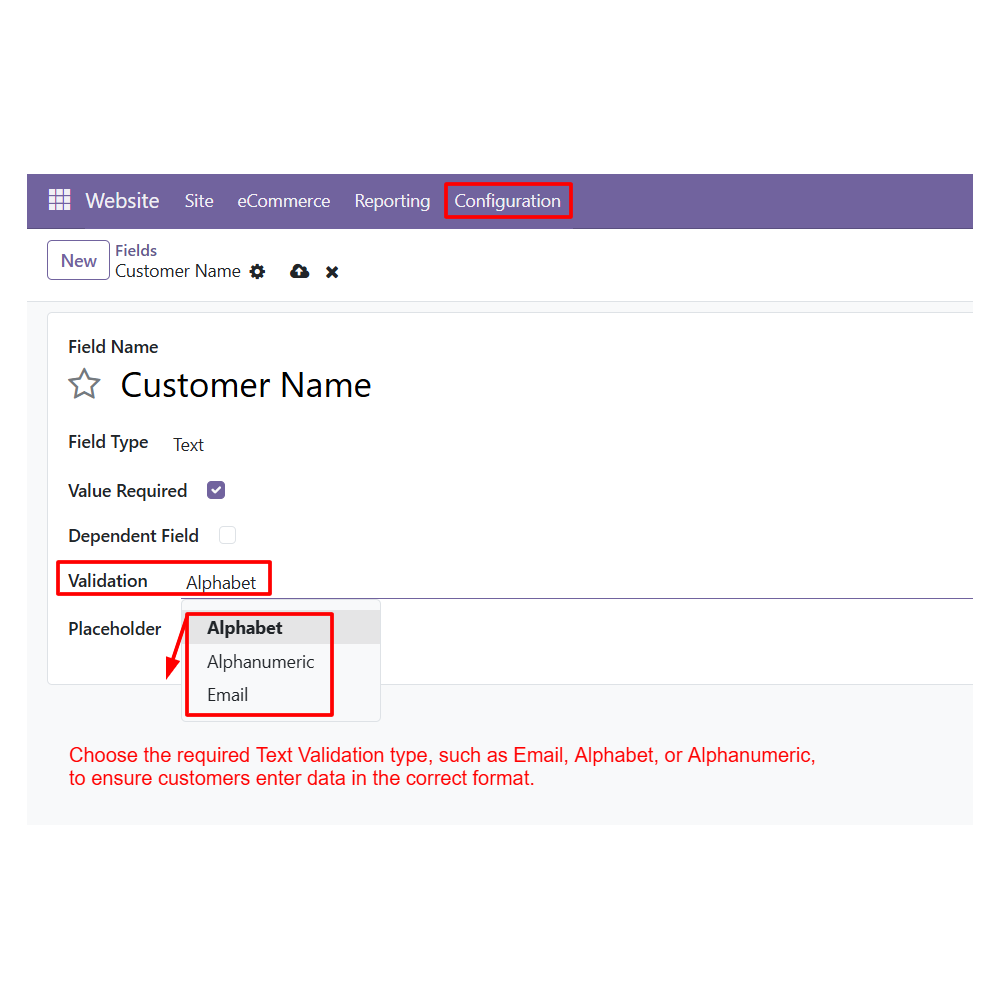
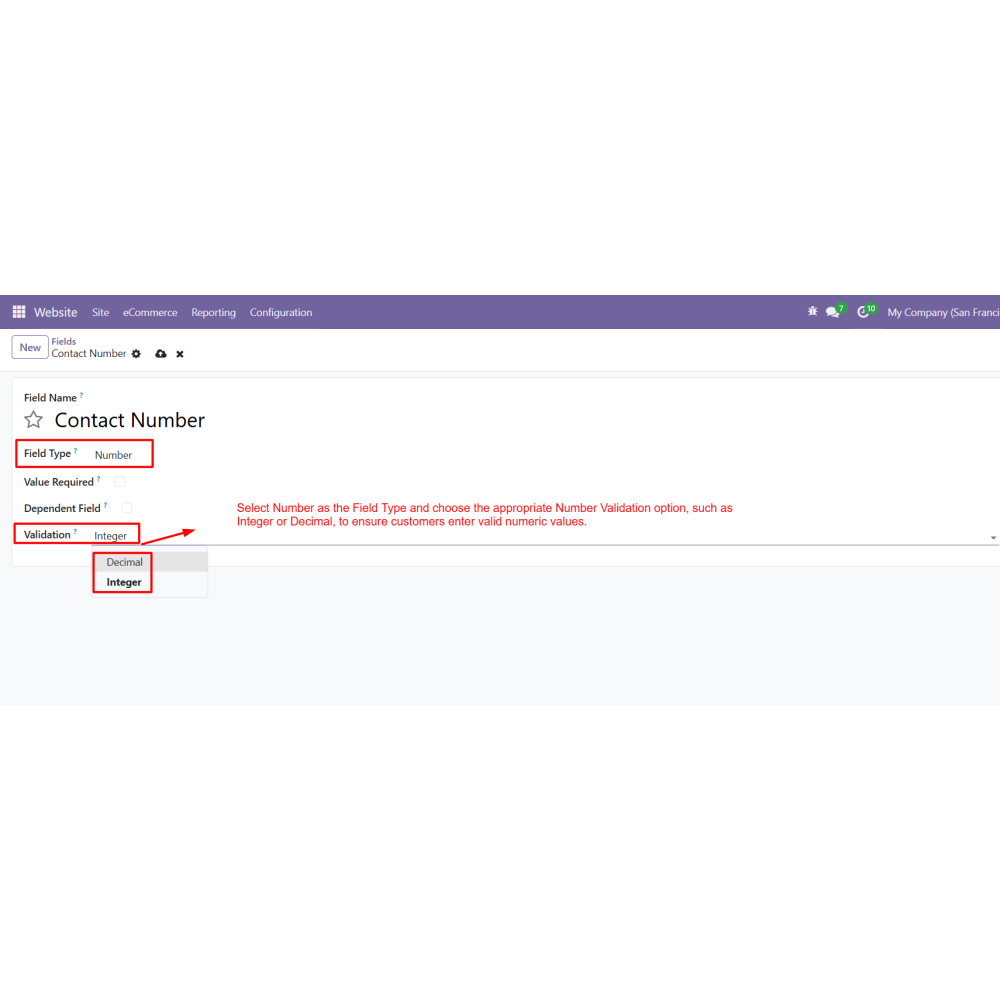
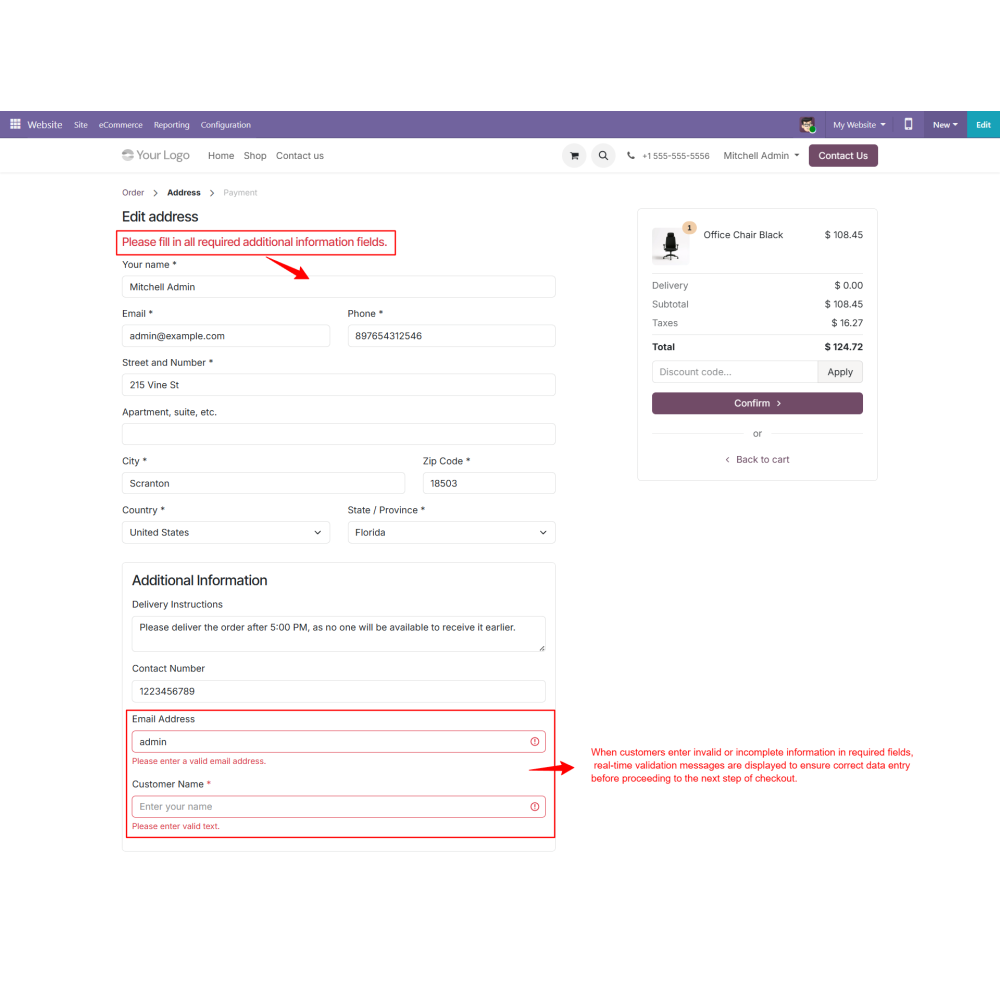
Field validation rules help ensure accurate customer input using Email, Alphabet, Alphanumeric, Integer, and Decimal validations.
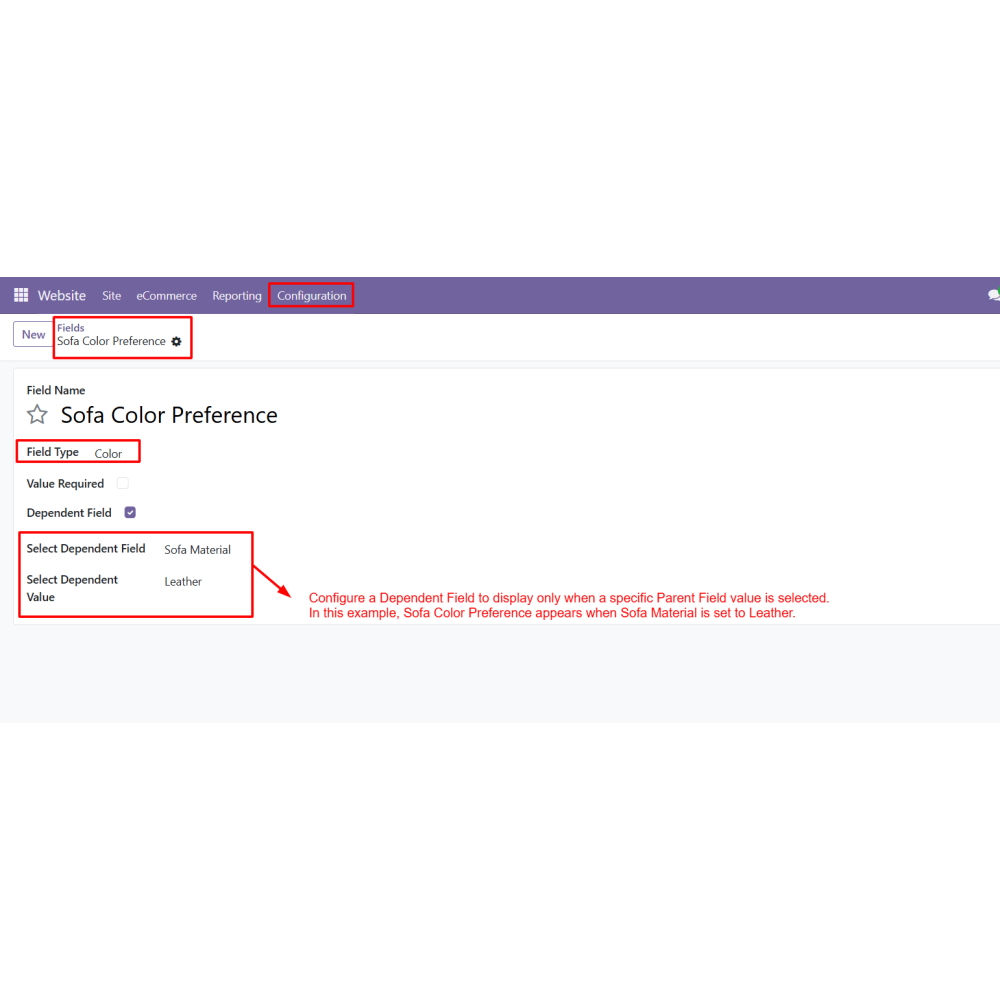
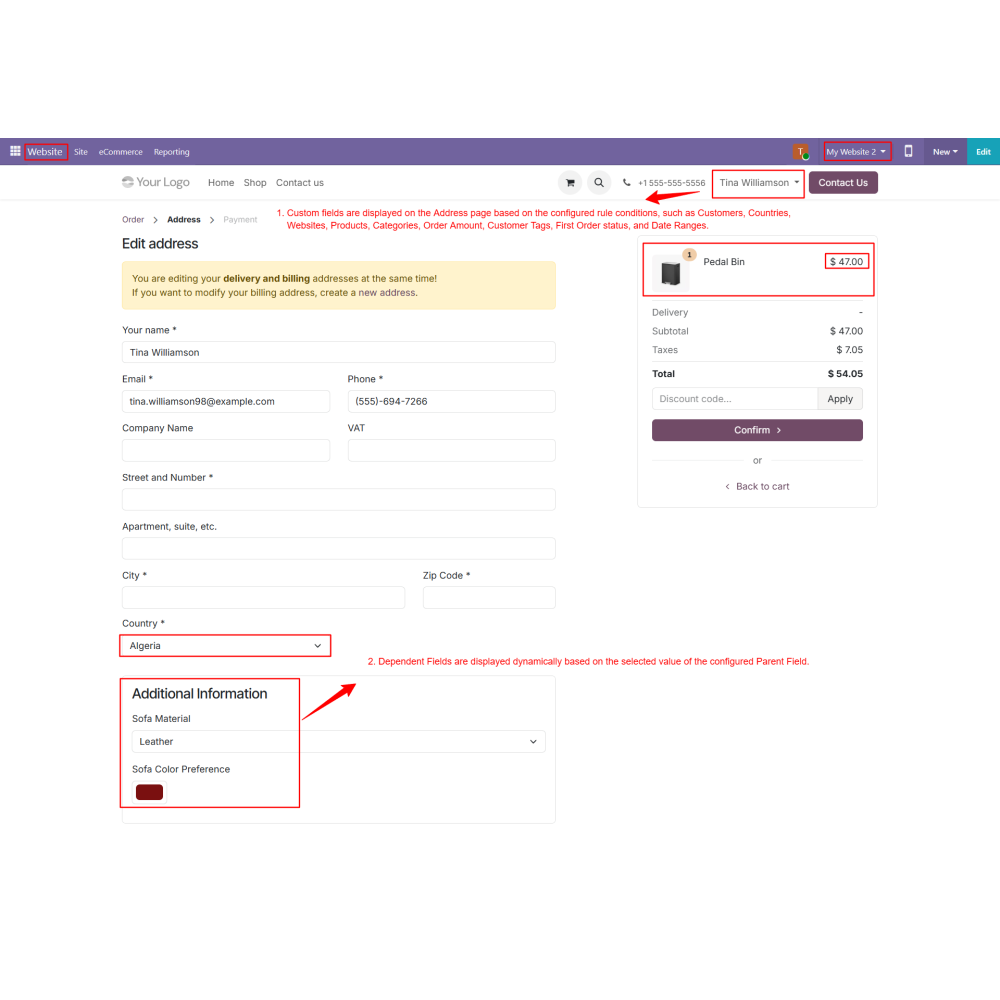
Dependent fields dynamically display additional fields based on selected values in parent fields.
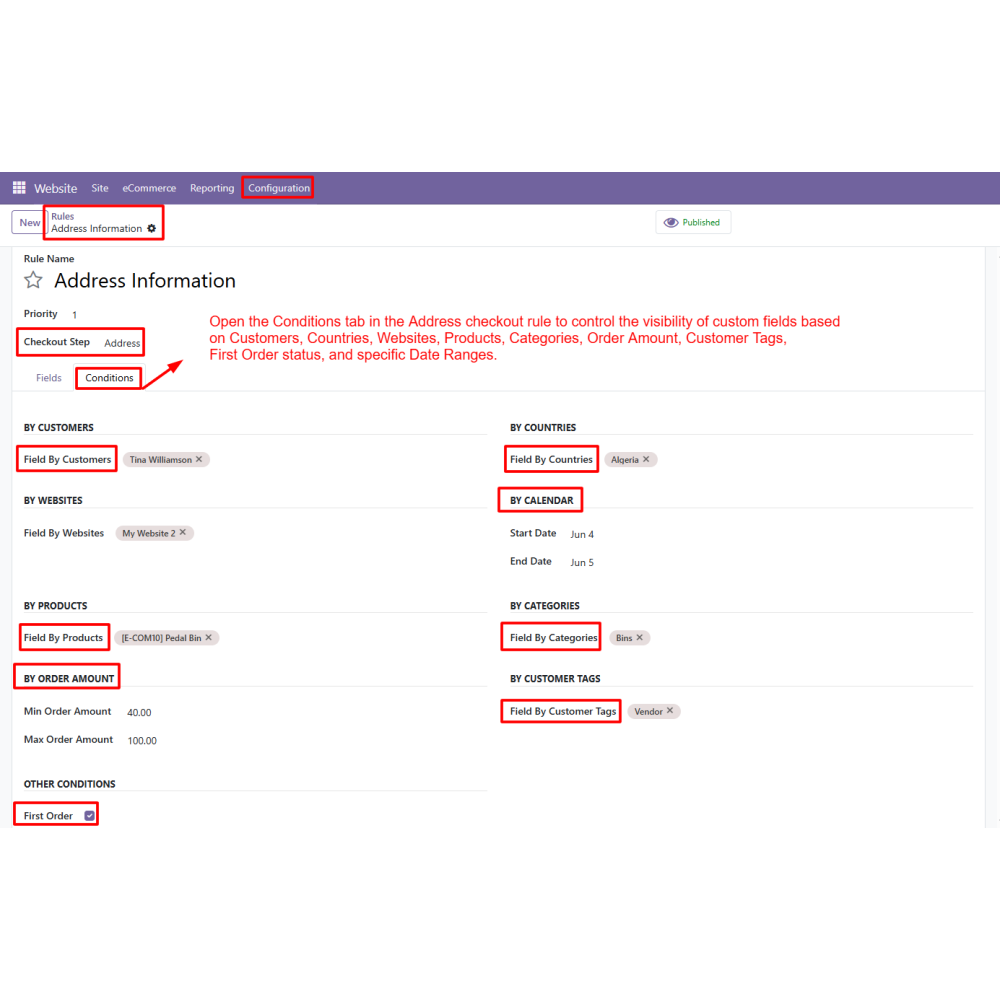
Conditional display rules control field visibility based on customers, countries, products, categories, websites, and order conditions.
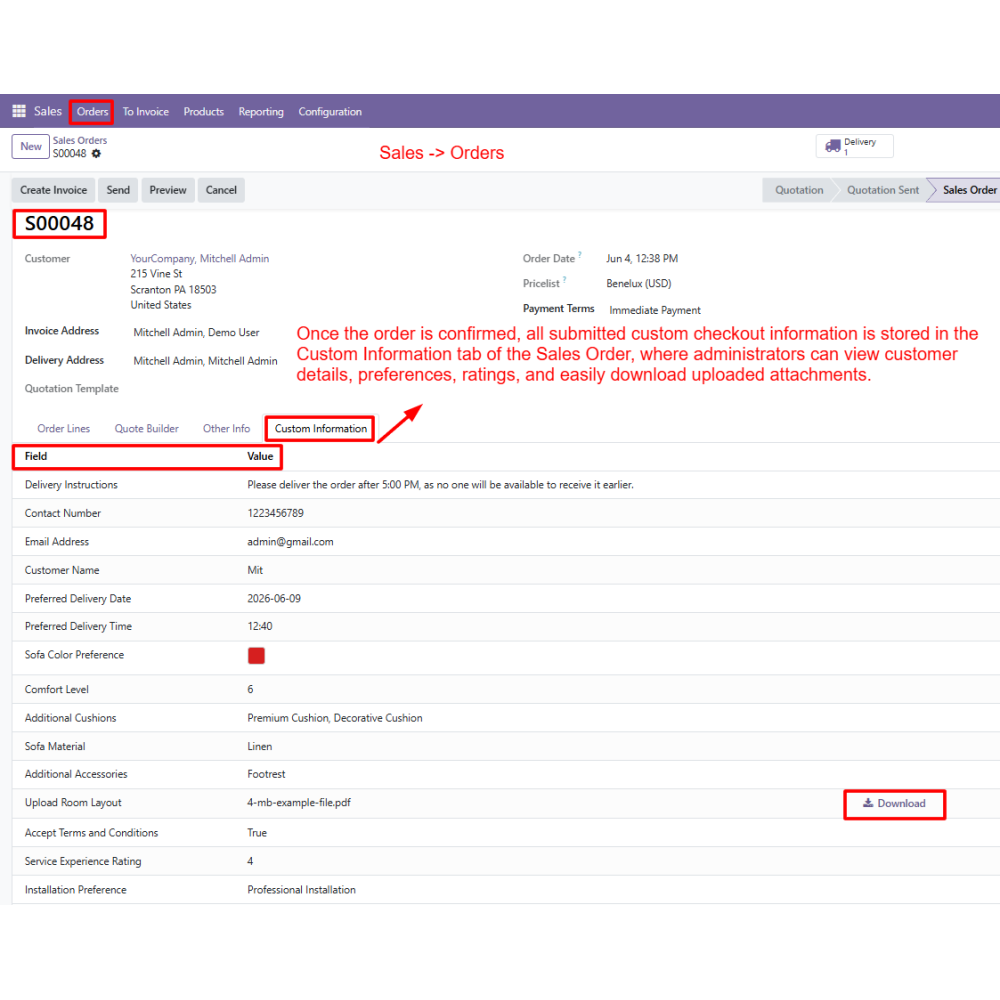
Submitted checkout information is automatically displayed in Sales Orders, Invoices, Delivery Slips, Customer Portal, and Emails.
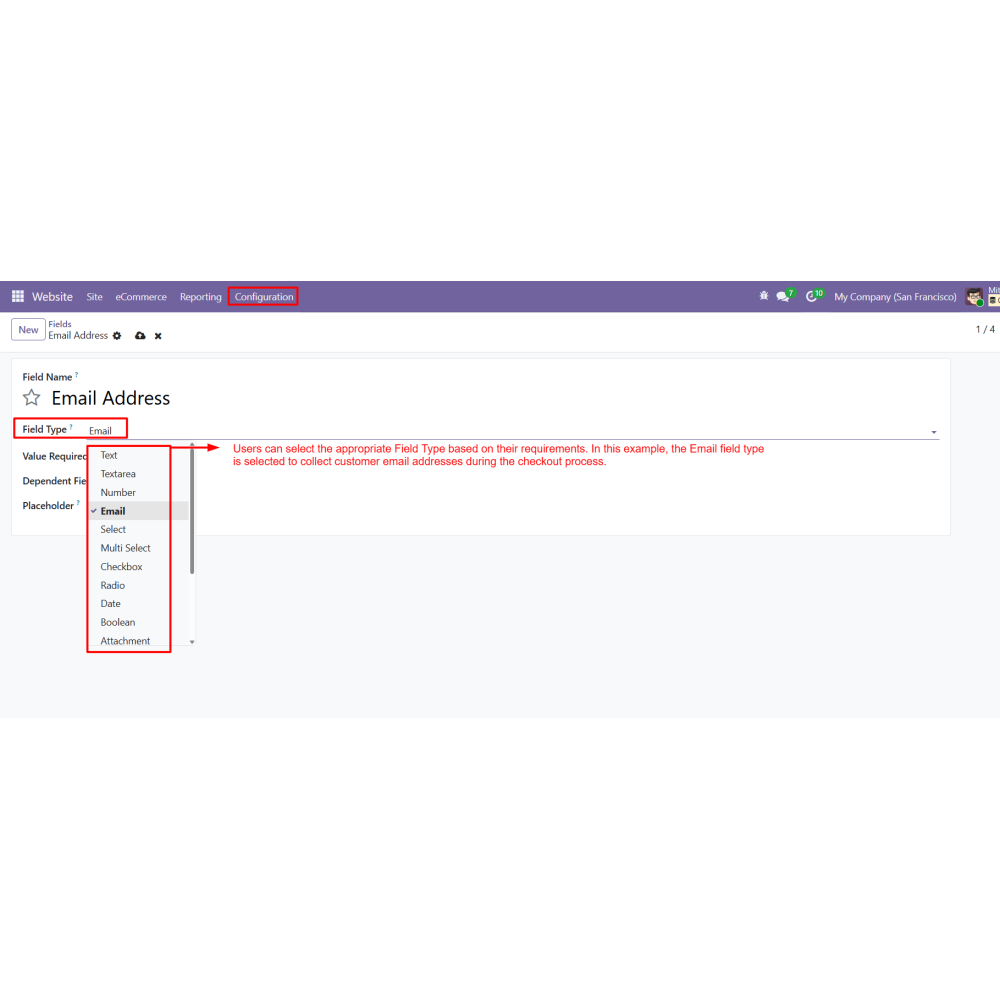
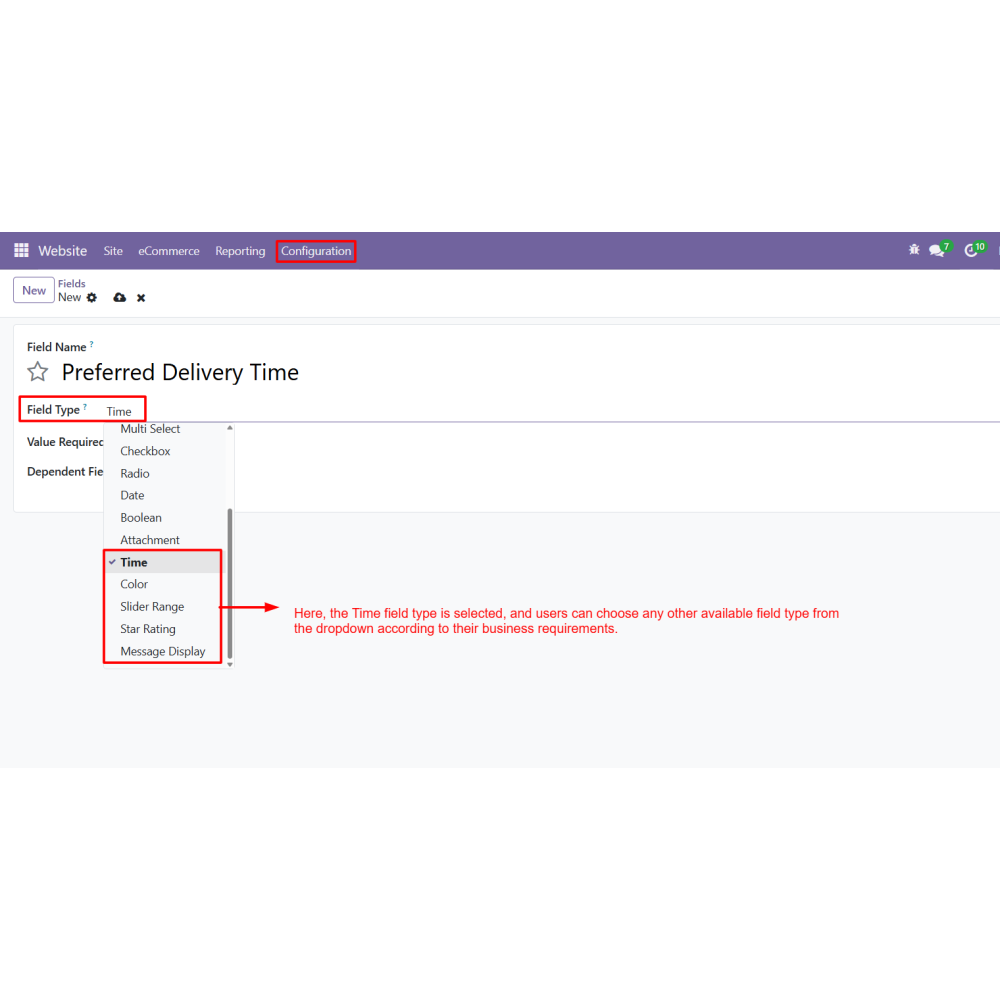
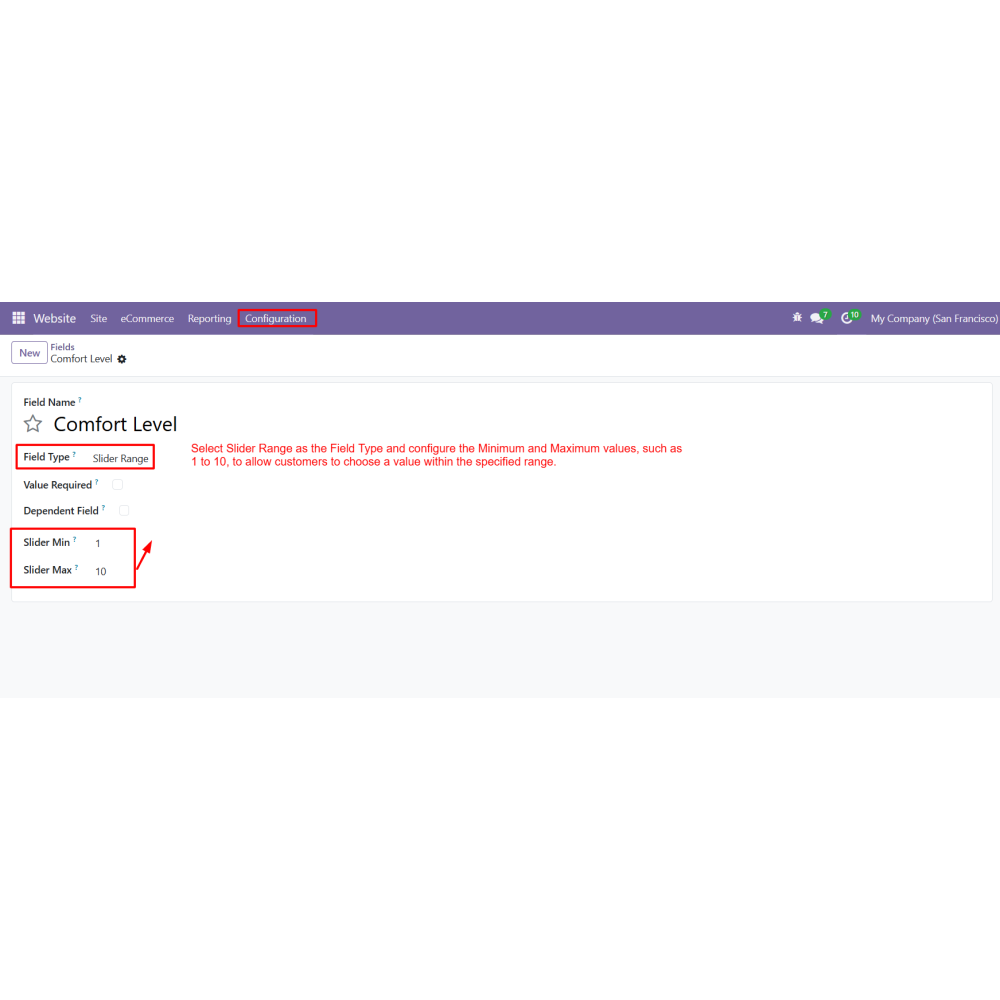
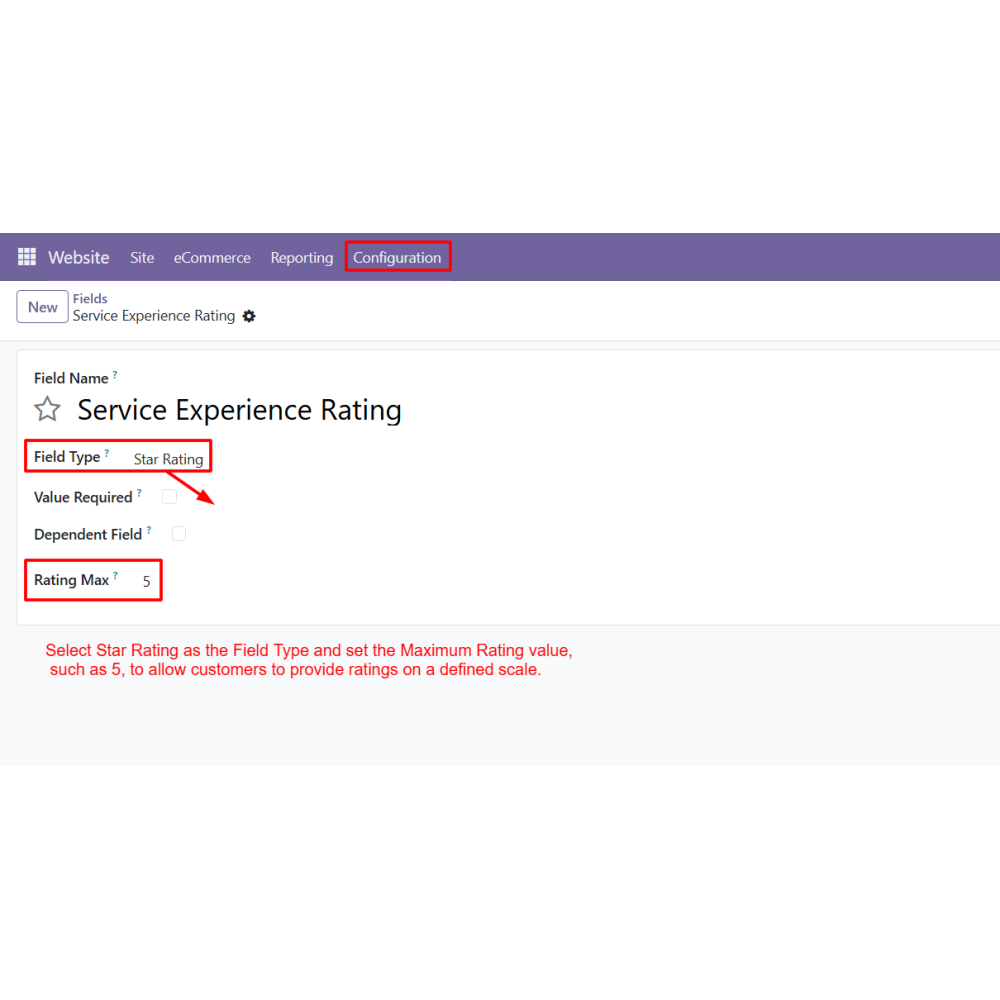
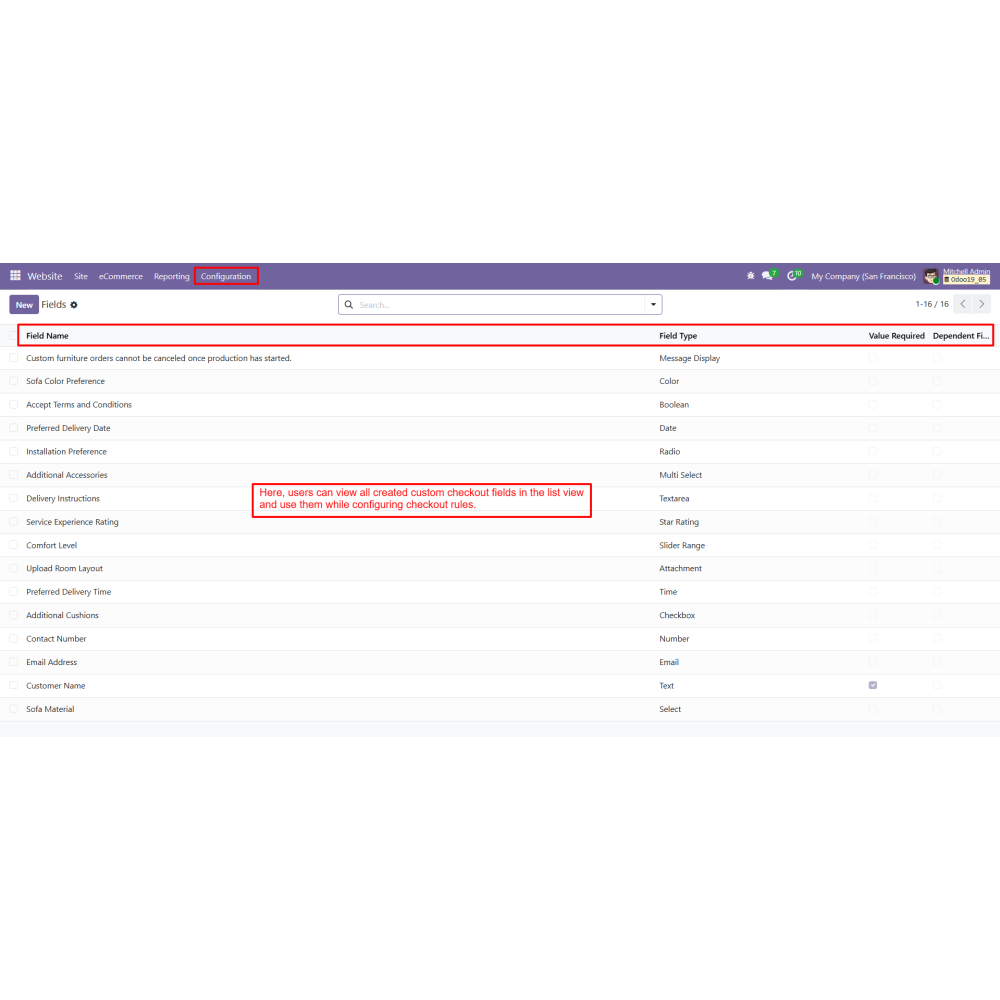
Multiple field types are available, including Text, Number, Email, Attachment, Time, Slider Range, Star Rating, and more.
Benefits
Improves the checkout experience by collecting relevant information in a structured and user-friendly way.
Helps businesses gather accurate customer data required for order processing and fulfillment.
Reduces order errors through validation rules and controlled data entry.
Provides flexible checkout customization to match specific business requirements.
Improves operational efficiency by automating information collection during checkout.
Supports dynamic checkout experiences using conditional and dependent field logic.
Keeps all customer-submitted information available across Odoo documents and communications.
Enhances order management by providing complete customer information throughout the sales workflow.
Workflow
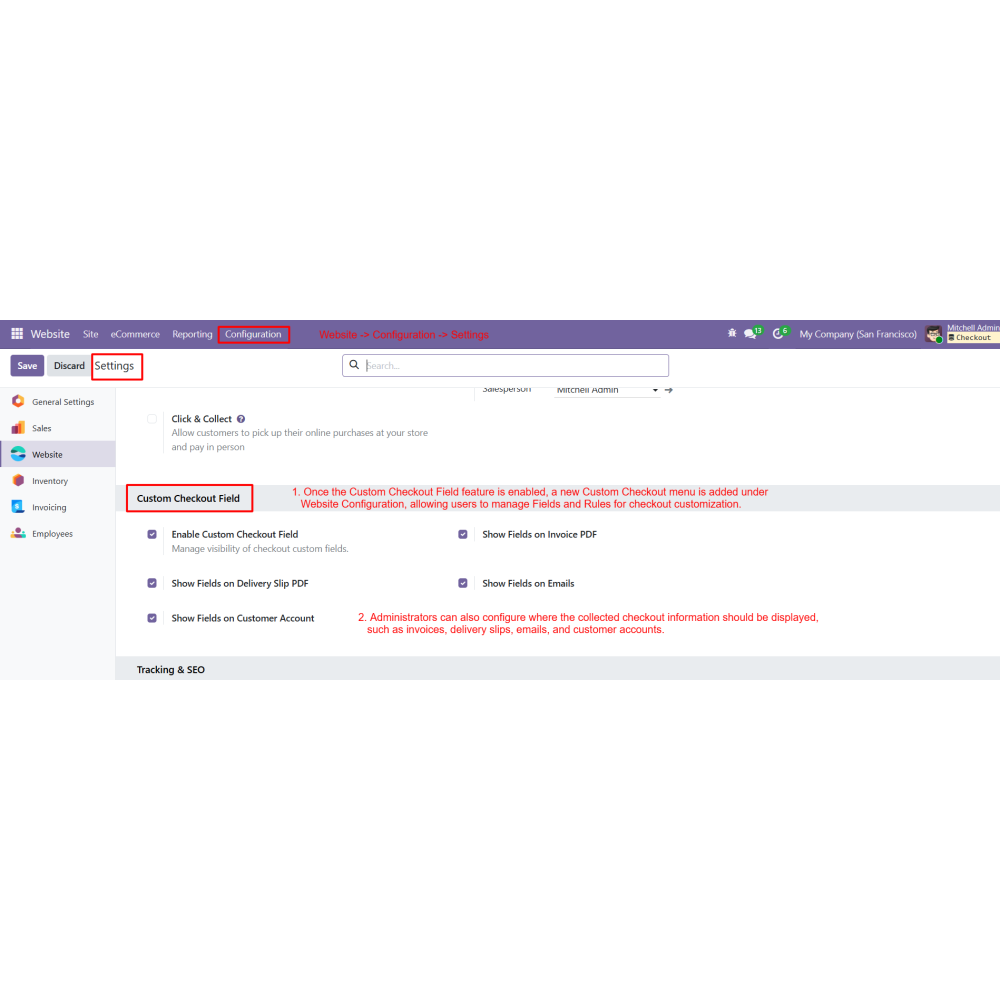
Enable the Custom Checkout Field feature from Website Settings.
Configure where submitted checkout information should be displayed, such as Sales Orders, Invoices, Delivery Slips, Customer Portal, and Emails.
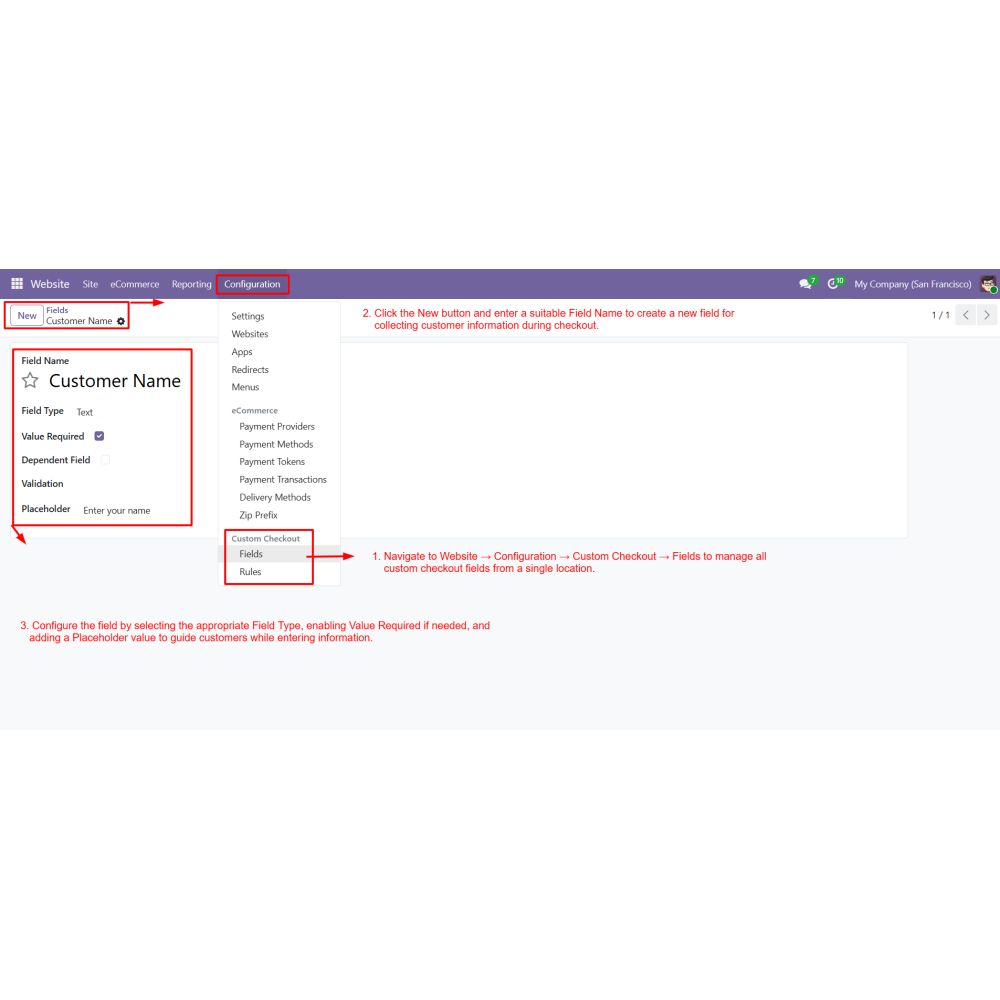
Navigate to Website → Configuration → Custom Checkout → Fields and create custom checkout fields.
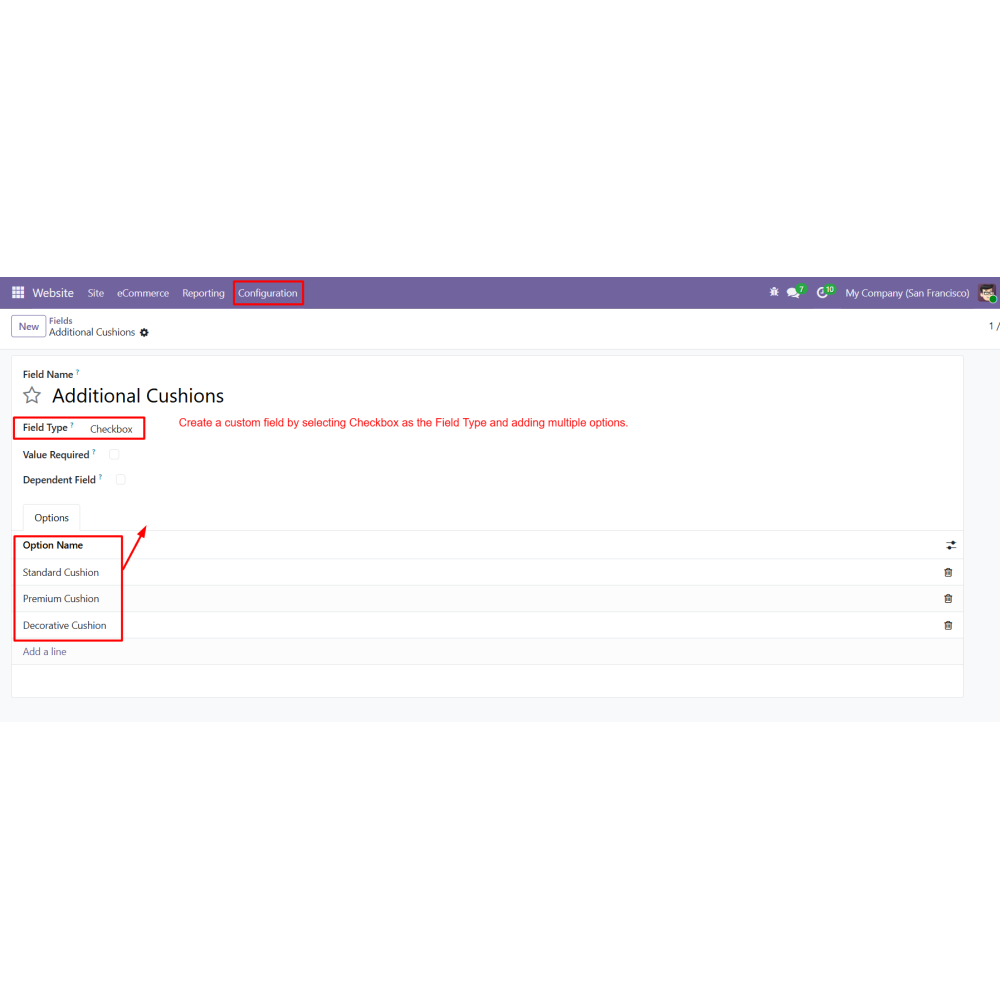
Select the required Field Type and configure validations, placeholders, file restrictions, or rating settings as needed.
Configure Dependent Fields to display additional fields based on selected Parent Field values.
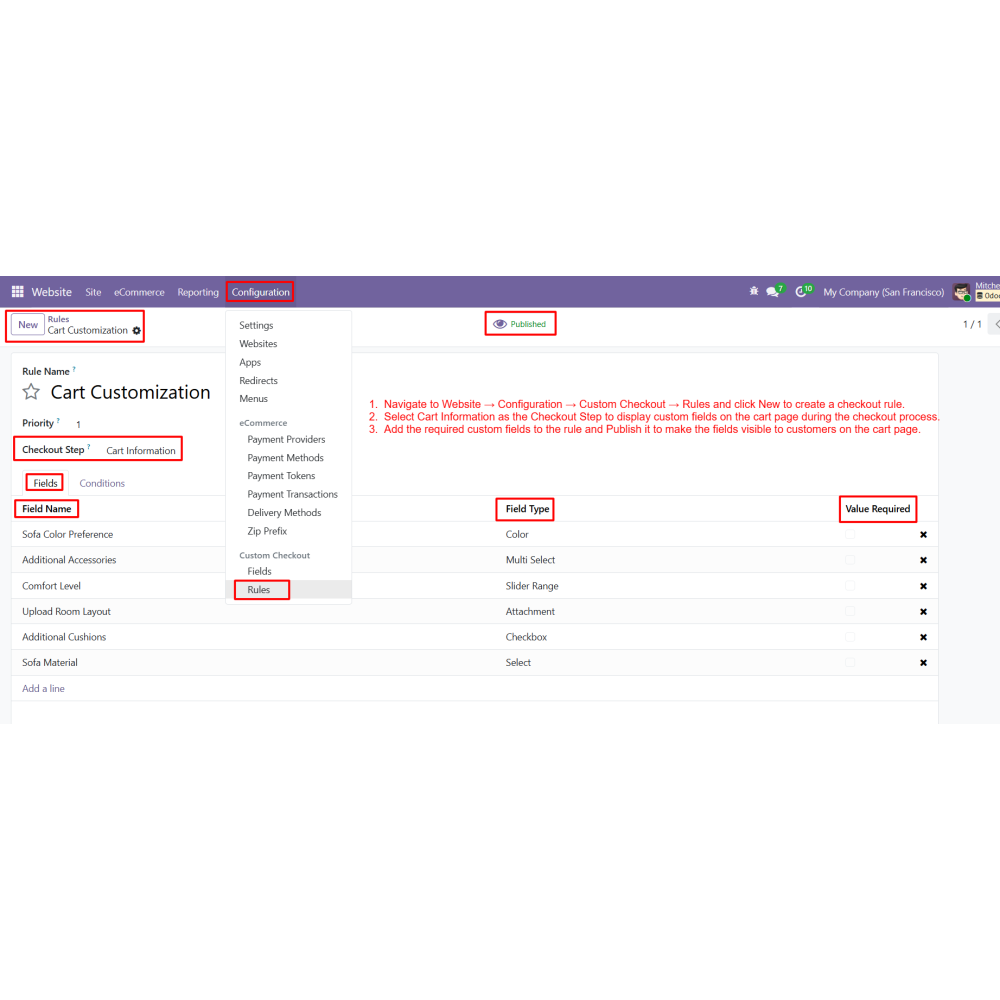
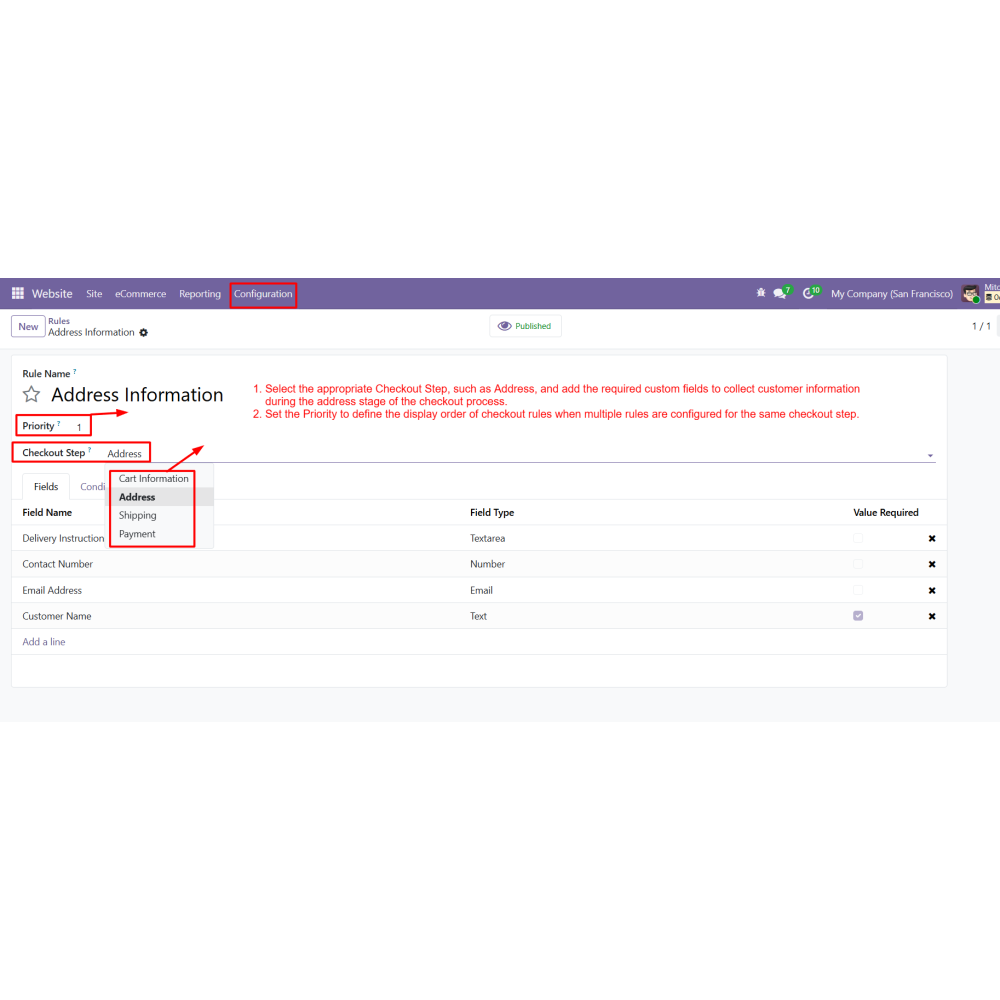
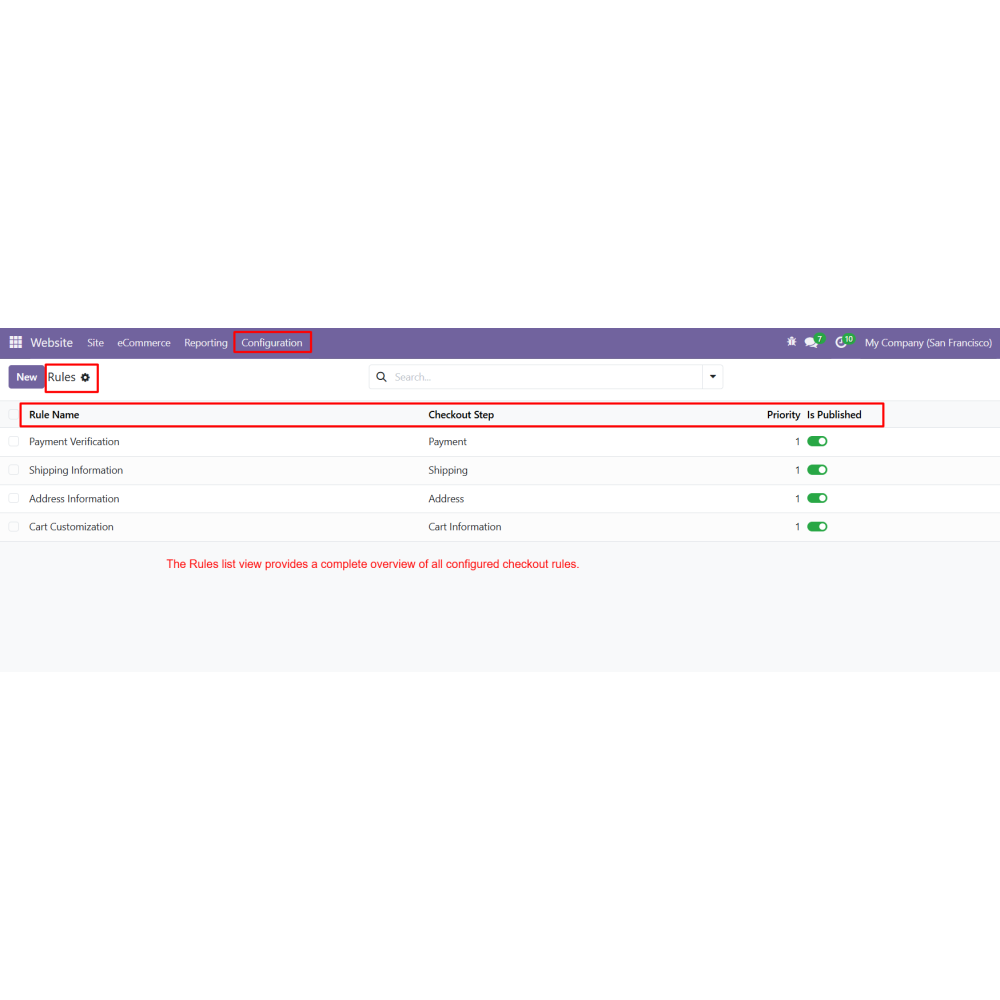
Create a Checkout Rule and select the appropriate Checkout Step (Cart, Address, Shipping, or Payment).
Add the required custom fields to the rule and configure the display priority.
Apply conditional rules based on Customers, Countries, Products, Categories, Websites, Order Amounts, Customer Tags, First Orders, or Date Ranges.
Configure Shipping Method and Payment Method conditions to display fields only for selected delivery methods or payment providers.
Publish the rule and allow customers to submit custom information during checkout, which is automatically stored and displayed throughout the Odoo order workflow.
FAQ
What is Custom Checkout Field for Odoo?Custom Checkout Field for Odoo allows businesses to add custom fields to the checkout process and collect additional customer information during online purchases.On which checkout steps can custom fields be displayed?Custom fields can be displayed on Cart, Address, Shipping, and Payment checkout steps.Can I create different types of checkout fields?Yes, you can create fields such as Text, Number, Email, Select, Attachment, Time, Color, Slider Range, Star Rating, and more.Does the module support file uploads?Yes, customers can upload files during checkout with configurable file type and size restrictions.Can I validate customer input?Yes, the module supports Email, Alphabet, Alphanumeric, Integer, and Decimal validation rules.What are dependent fields?Dependent fields are additional fields that appear dynamically when a customer selects a specific value in a parent field.Can fields be displayed based on specific conditions?Yes, fields can be shown based on customers, countries, products, categories, websites, order amounts, and date ranges.Can custom fields be linked to shipping methods or payment methods?Yes, fields can be displayed only for selected delivery methods or payment providers.Where is the submitted checkout information stored?Submitted information is stored in Sales Orders, Invoices, Delivery Slips, Customer Portal, and Emails.How does this module benefit businesses?It helps collect accurate customer information, reduce order errors, improve checkout flexibility, and streamline order processing.
Reviews
Customer reviews
0.0 Out Of 5
5 star
0%
4 star
0%
3 star
0%
2 star
0%
1 star
0%
No customer reviews
by
Benefits Of Custom Checkout Fields
Improved Checkout Experience
Better Customer Data Collection
Reduced Order Errors
Flexible Checkout Customization
Enhanced Order Processing
Increased Business Efficiency
Features of Custom Checkout Fields
Custom Checkout Fields
Add custom fields to Cart, Address, Shipping, and Payment checkout steps.
Shipping & Payment Method Conditions
Display custom fields only for selected Delivery Methods or Payment Providers.
Attachment Upload Support
Allow customers to upload files with configurable file types and size limits during checkout.
Field Validation
Validate customer input using Email, Alphabet, Alphanumeric, Integer, and Decimal validation rules.
Dependent Fields
Display additional fields dynamically when a specific value is selected in the configured Parent Field.
Odoo Document Integration
Display submitted checkout information in Sales Orders, Invoices, Delivery Slips, Customer Portal, and Emails.

.png)

 Return policy






 Store — We Handle It All