- Home
- PrestaShop
- Prestashop Custom Invoice Field
Prestashop Custom Invoice Field
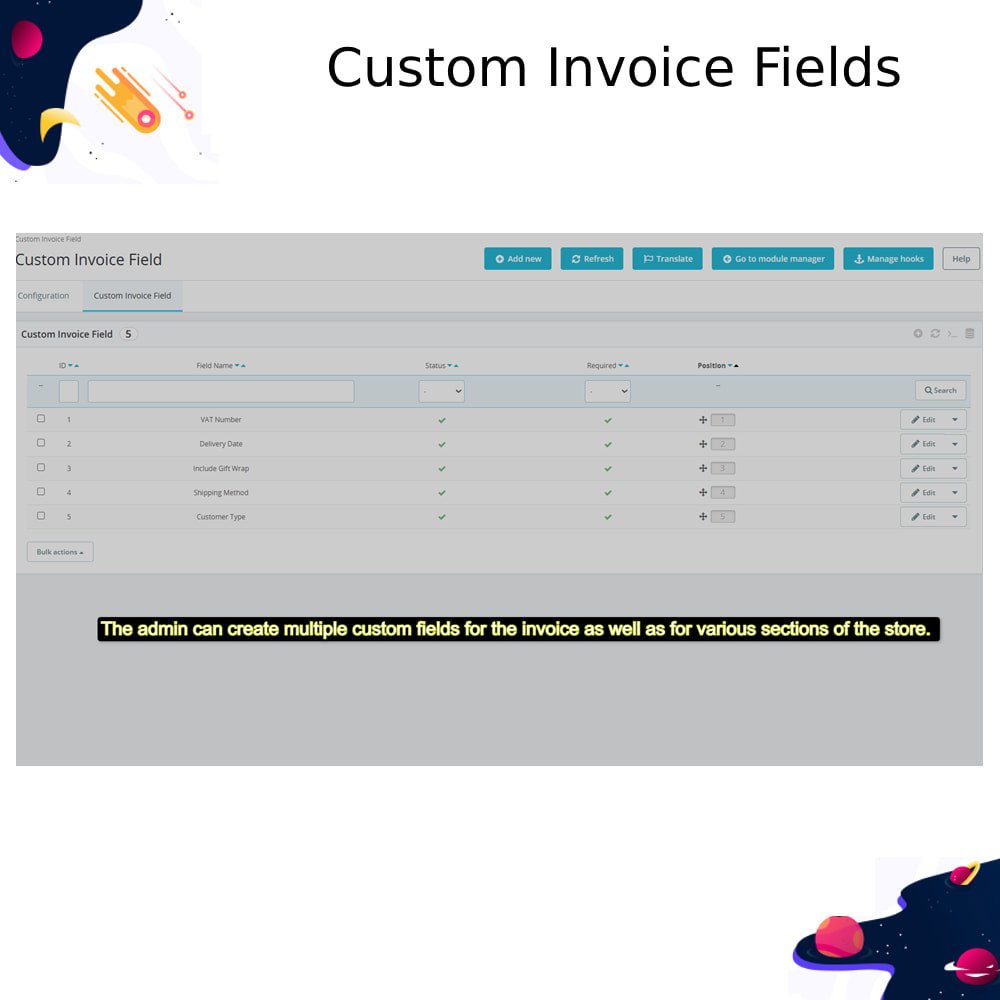
Add custom fields to PrestaShop invoices for B2B, compliance, or extra details. Customize type, visibility, placement, and apply rules based on customers, groups, or products.
Prestashop Custom Invoice Field
Add custom fields to PrestaShop invoices for B2B, compliance, or extra details. Customize type, visibility, placement, and apply rules based on customers, groups, or products.
10-day module exchange guarantee
- Meet B2B and compliance needs with tailored invoice data.
- Improve customer trust by displaying relevant details clearly.
- Increase flexibility by adding dynamic fields based on product, customer, or group.
- Save admin time with reusable field templates and field visibility rules.
- Enhance brand image with professional, customized invoices.
- Collect specific order data without altering core invoice structure.
- Boost accuracy in documentation with required and validated fields.
- 11 Field Types Supported – Text, Date, Yes/No, Dropdown, Checkbox, Radio, etc.
- Field Validation Rules – Apply validation like email, numbers, URL, or custom formats.
- Custom Field Placement – Show fields in header, footer, product section, or customer info.
- Editable & Required Settings – Control if fields are editable or mandatory.
- Product & Customer Filters – Display fields based on specific products or customer groups.
- Default Values & Field Size – Set default values and limit field input size.
- Dynamic Options for Selectable Fields – Add/remove multiple choices for dropdowns, checkboxes, etc.
- Field Status & Positioning – Activate/deactivate fields and sort their display order.
- Clearer Invoices – See relevant order or company details directly on invoices.
- Improved Communication – Add notes or custom info requested by the merchant.
- Personalization – Receive invoices tailored to their specific needs or business type.
- Transparency – View all necessary fields like VAT, PO number, or custom references.
- Ease of Use – Select from dropdowns, checkboxes, or fill required fields during checkout.
- Fewer Follow-ups – Reduce the need to contact support for missing invoice info.
- Better B2B Experience – Get compliance-ready documents with essential business data.
- Go to your store\'s admin panel.
- Go to Modules > Module Manager.
- At the top-right corner, click “Upload a module”.
- Select or drag the module’s .zip file (e.g., prestainvoicefield.zip) and upload it.
- PrestaShop will install the module automatically. You’ll see a success message.
- Click “Configure” to set up custom fields, positions, filters, and visibility.
- After configuration, clear the cache from Advanced Parameters > Performance.
What does the Custom Invoice Field module do?
Where are the custom fields shown?
Can I add multiple fields?
Are the custom fields editable by customers?
What types of fields can I create?
Customer reviews
Benefits for Smarter Invoice Handling

Enhanced Documentation

Personalized Invoices

Tax Compliance

Flexible Field Types

Customer Input Option

Back Office Integration
Smart Tools for Invoice Customization
Custom Field Creation
Add unlimited custom fields to invoices such as text, dropdown, date, or checkbox to collect specific information for orders and billing needs.
Checkout Field Display
Display selected custom fields during the checkout process so customers can easily input required billing or legal data directly before finalizing their purchase.
Invoice PDF Integration
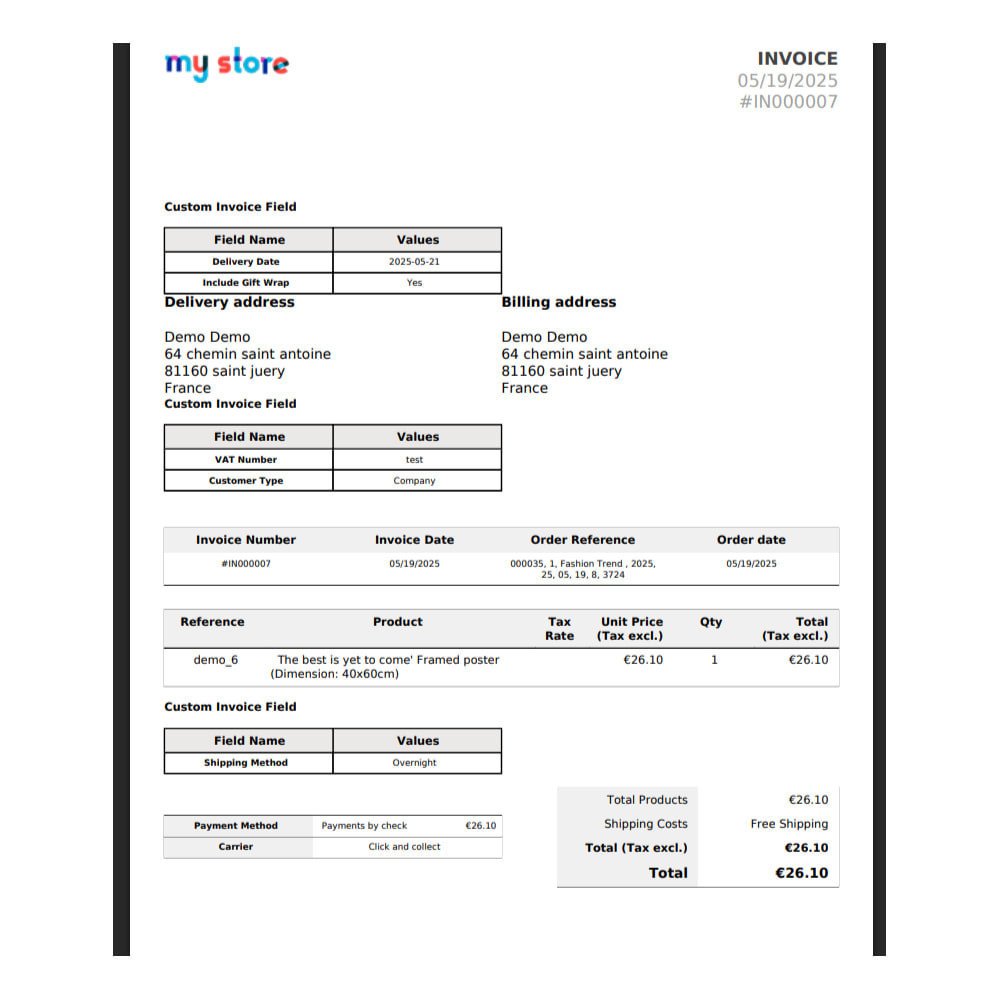
Show custom field values on generated invoice PDFs, ensuring all necessary information is included for compliance and professional documentation.
Admin Order View Support
Custom field data is visible in the back office under order details, helping staff manage and verify customer-submitted information easily.
Multi-language Field Labels
Define custom field labels in multiple languages, ensuring compatibility with multilingual stores and customers across invoice-related touchpoints and communications.
Visibility and Requirement Settings
Set visibility rules and mark fields as required or optional based on customer group, country, cart conditions, or usage needs for complete, flexible, and targeted data control.
Power Up Your
rESTASHOP Store — We Handle It All