Odoo Stripe Payment Recurring
The Stripe Payment Recurring app for Odoo automates subscription billing, allowing admins to create recurring plans and customers to pay securely via Stripe. Subscriptions can be managed or canceled by customers, while admins track all payments and invoices in Odoo and Stripe for seamless recurring billing.
Odoo Stripe Payment Recurring
The Stripe Payment Recurring app for Odoo automates subscription billing, allowing admins to create recurring plans and customers to pay securely via Stripe. Subscriptions can be managed or canceled by customers, while admins track all payments and invoices in Odoo and Stripe for seamless recurring billing.
10-day module exchange guarantee
- The Stripe Payment Recurring app for Odoo automates your subscription billing with secure Stripe recurring payments.
- Also known as AutoPay, recurring payments allow customers to authorize vendors to automatically charge their saved card on each billing cycle, monthly, weekly, yearly, or on a daily basis, as set by the admin.
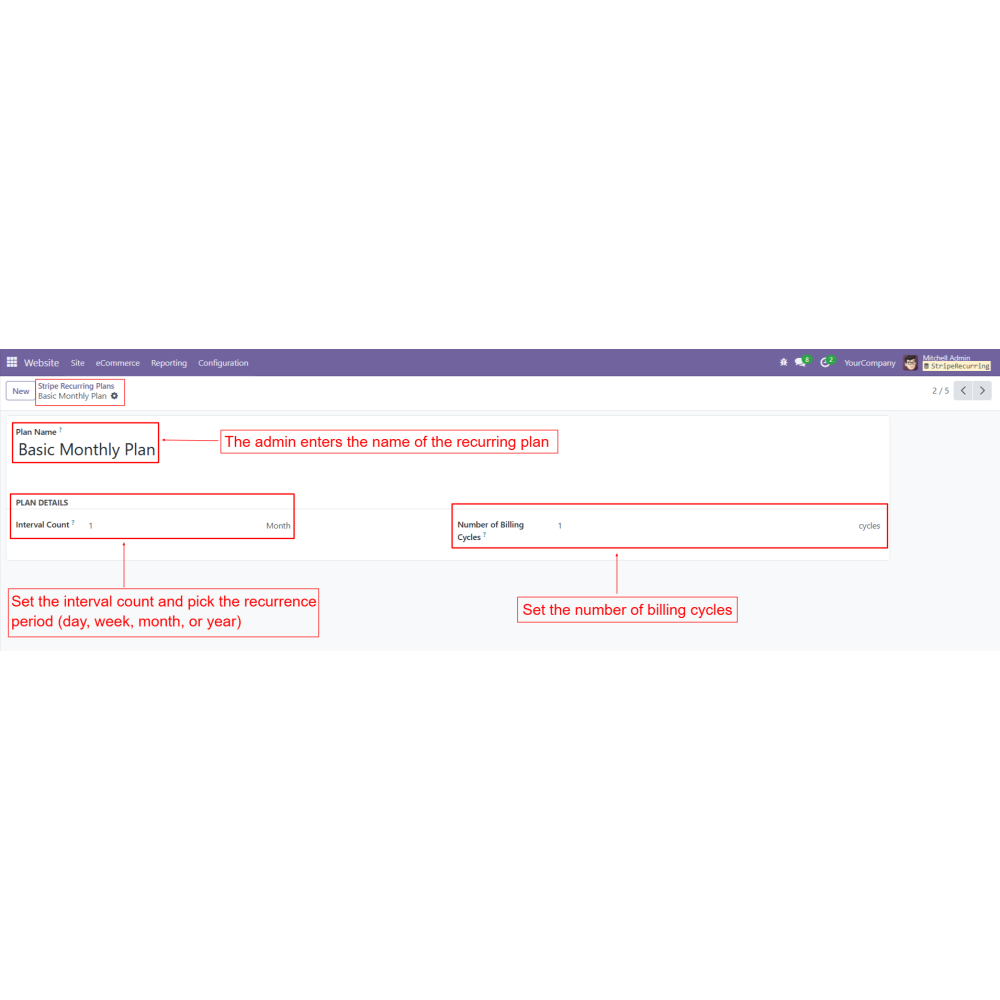
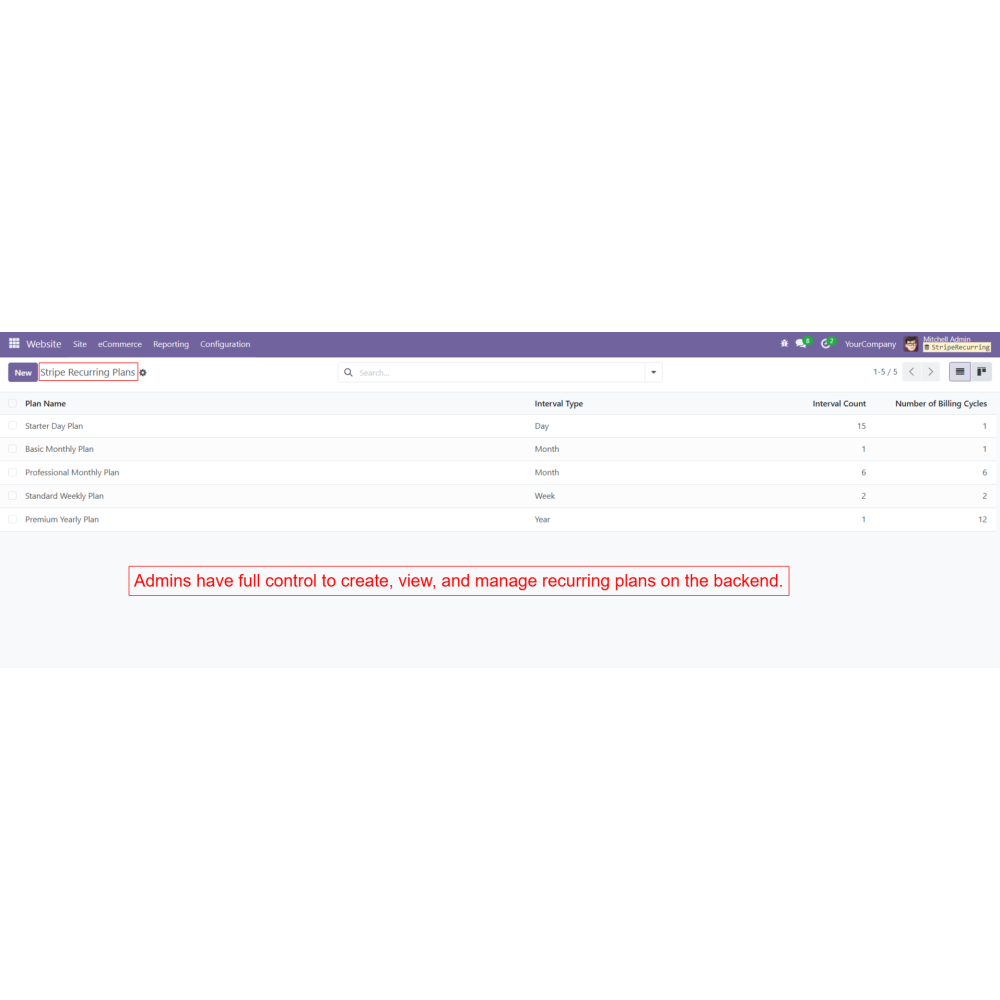
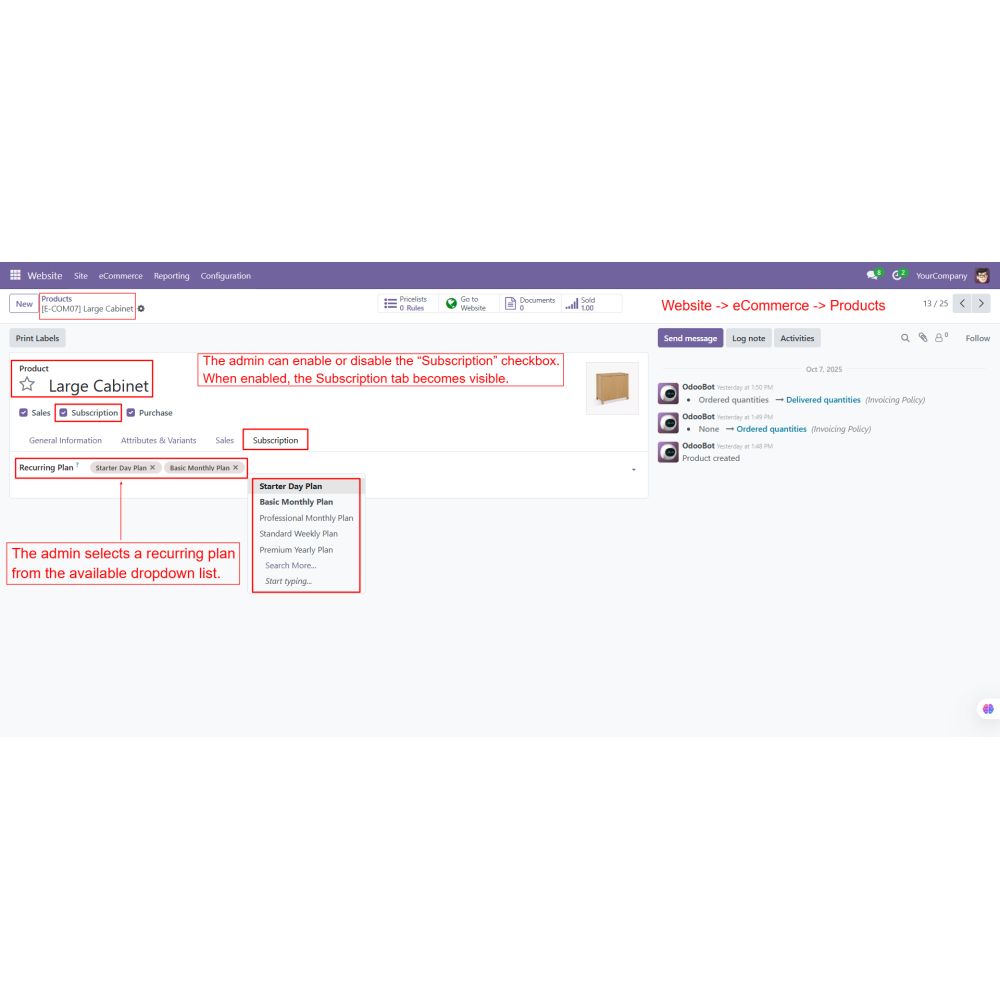
- From the backend, the admin creates and manages recurring plans by defining interval counts and billing periods.
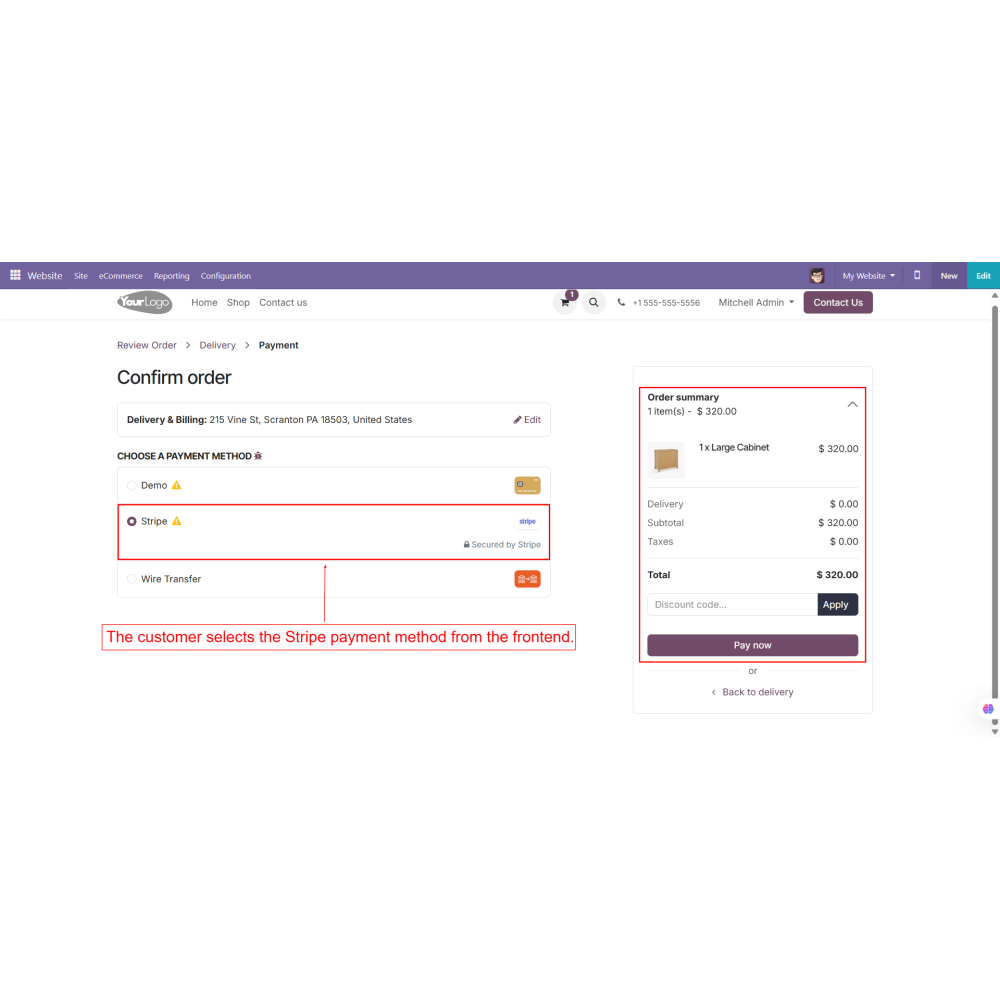
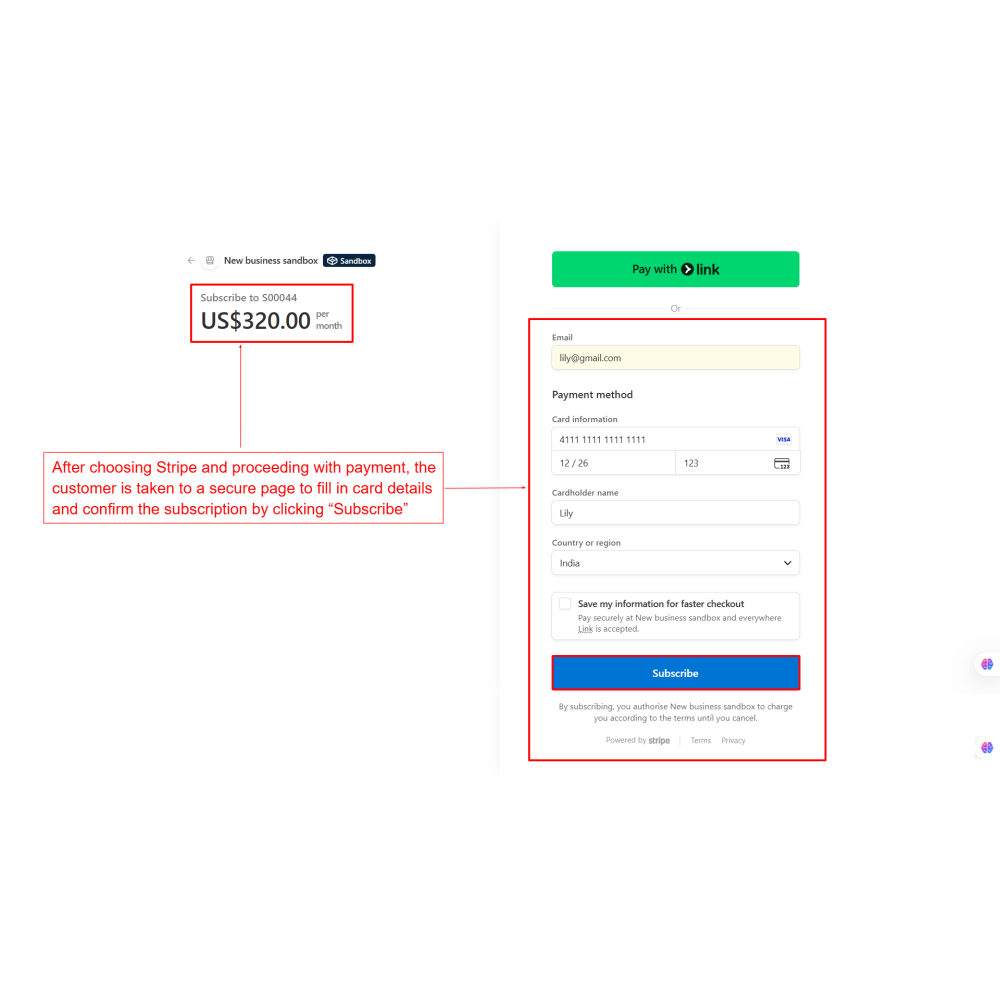
- Customers can subscribe using the Stripe payment method during checkout, enter their card details on a secure Stripe page, and activate auto payments.
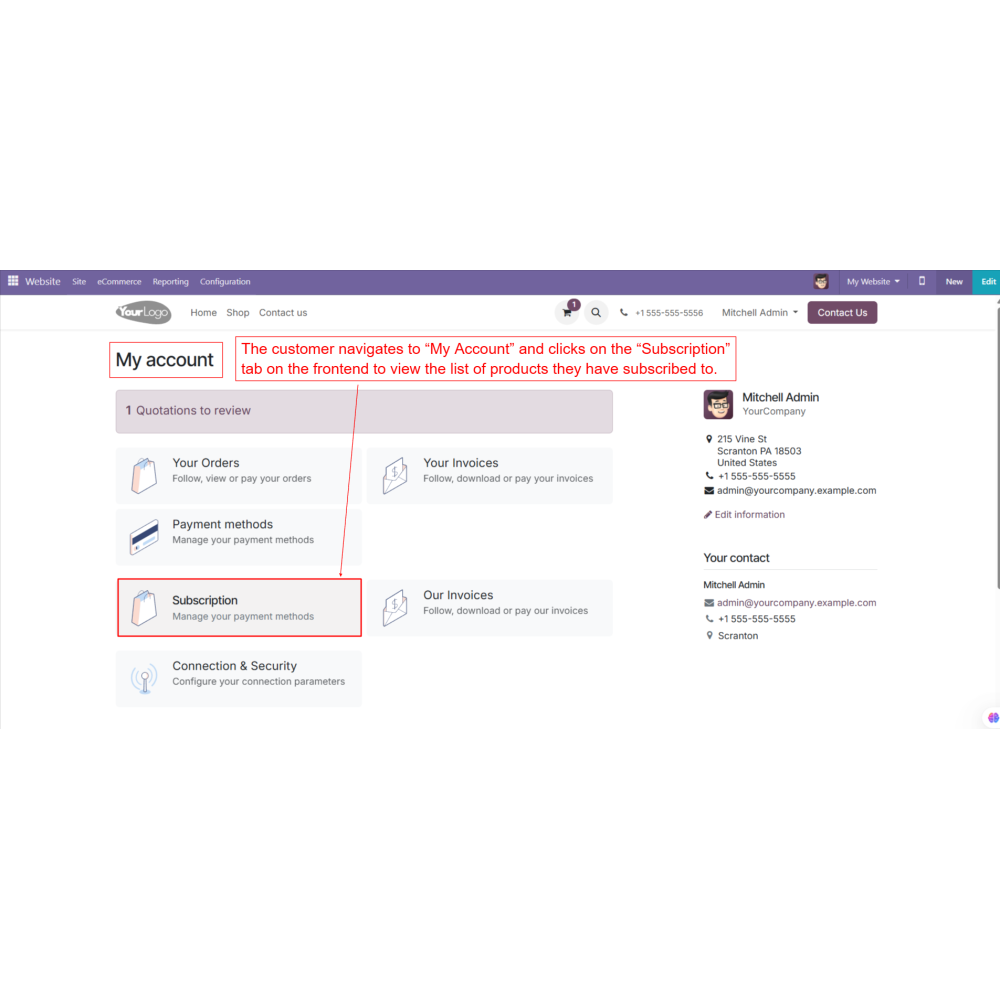
- In their account, customers can view or cancel subscriptions anytime under the “My Subscriptions” tab.
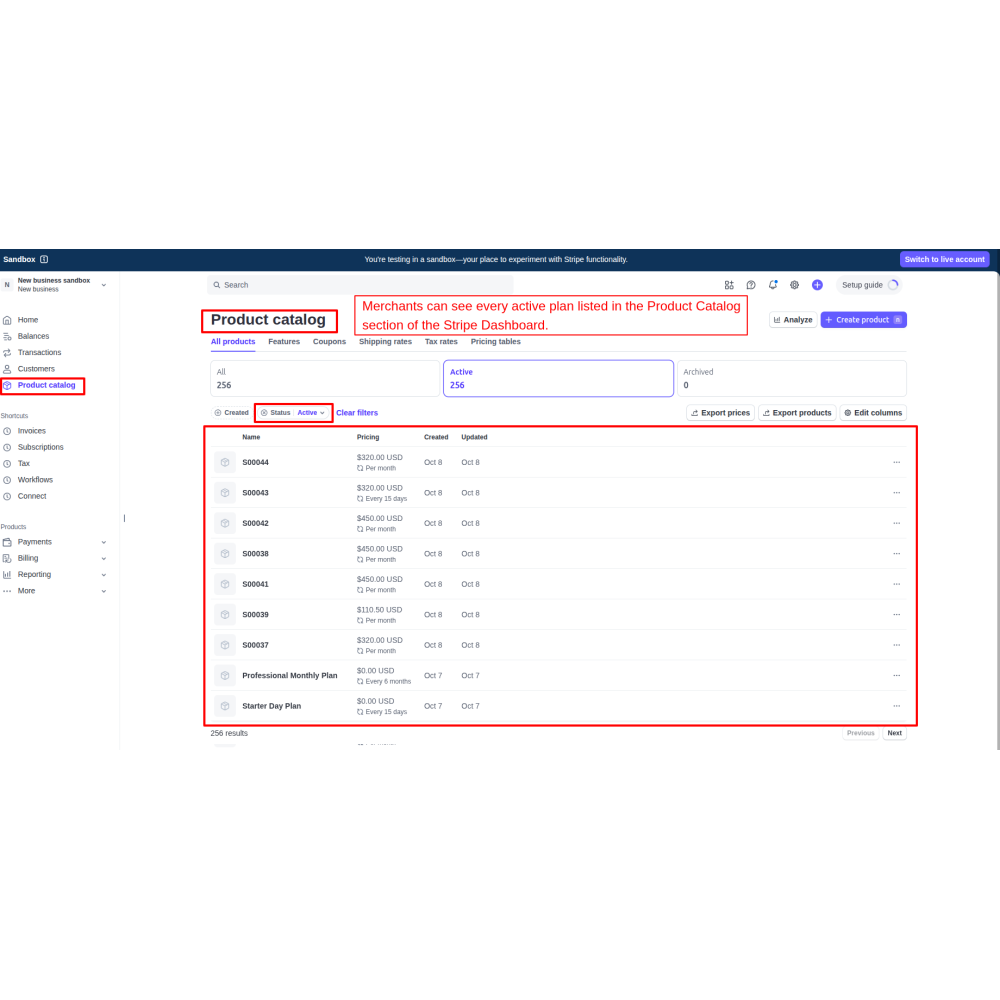
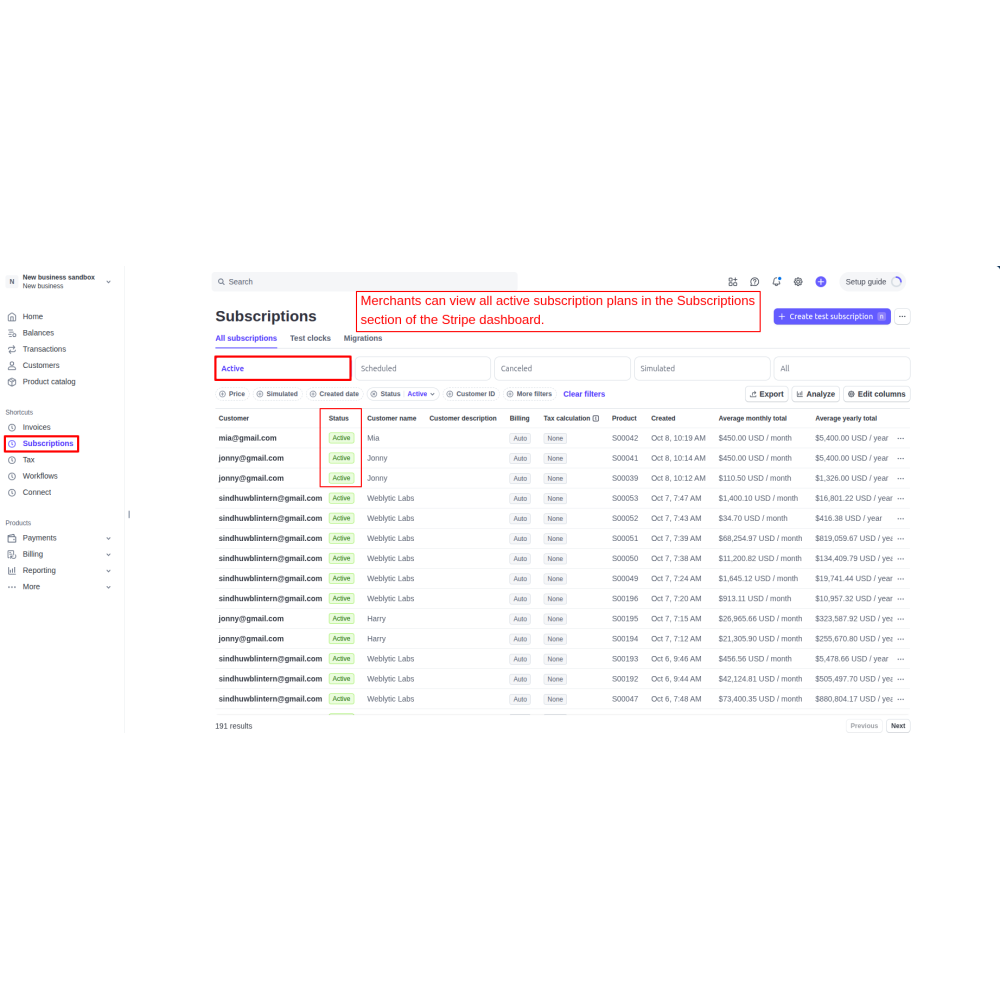
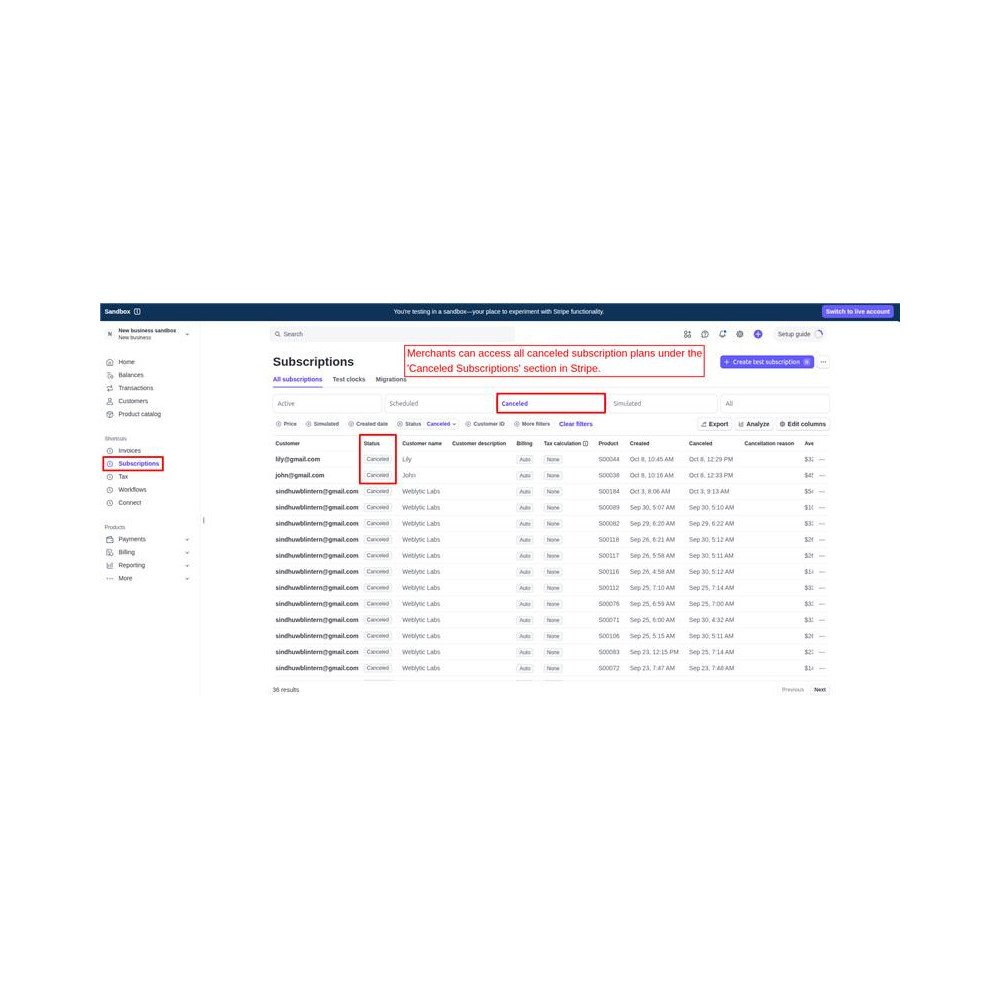
- Admin can view all active and cancelled subscriptions in Odoo’s backend and also track them on the Stripe dashboard, keeping both systems in sync.
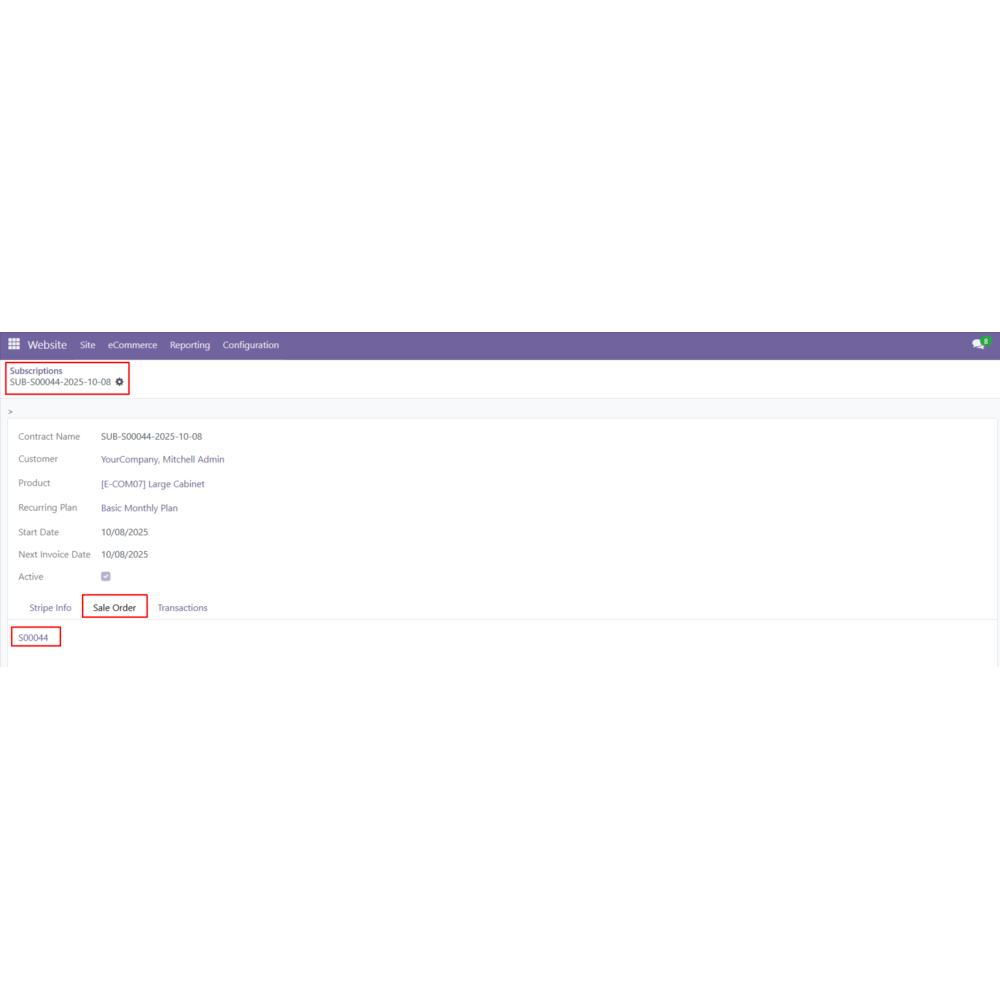
- Payments, invoices, and subscription details appear in Odoo’s Sales and Invoicing, ensuring smooth recurring billing and complete financial transparency.
- Admin can easily create and customize recurring plans from the backend by setting the interval count and billing period daily, weekly, monthly, or yearly. Each plan works automatically based on the selected billing cycle.
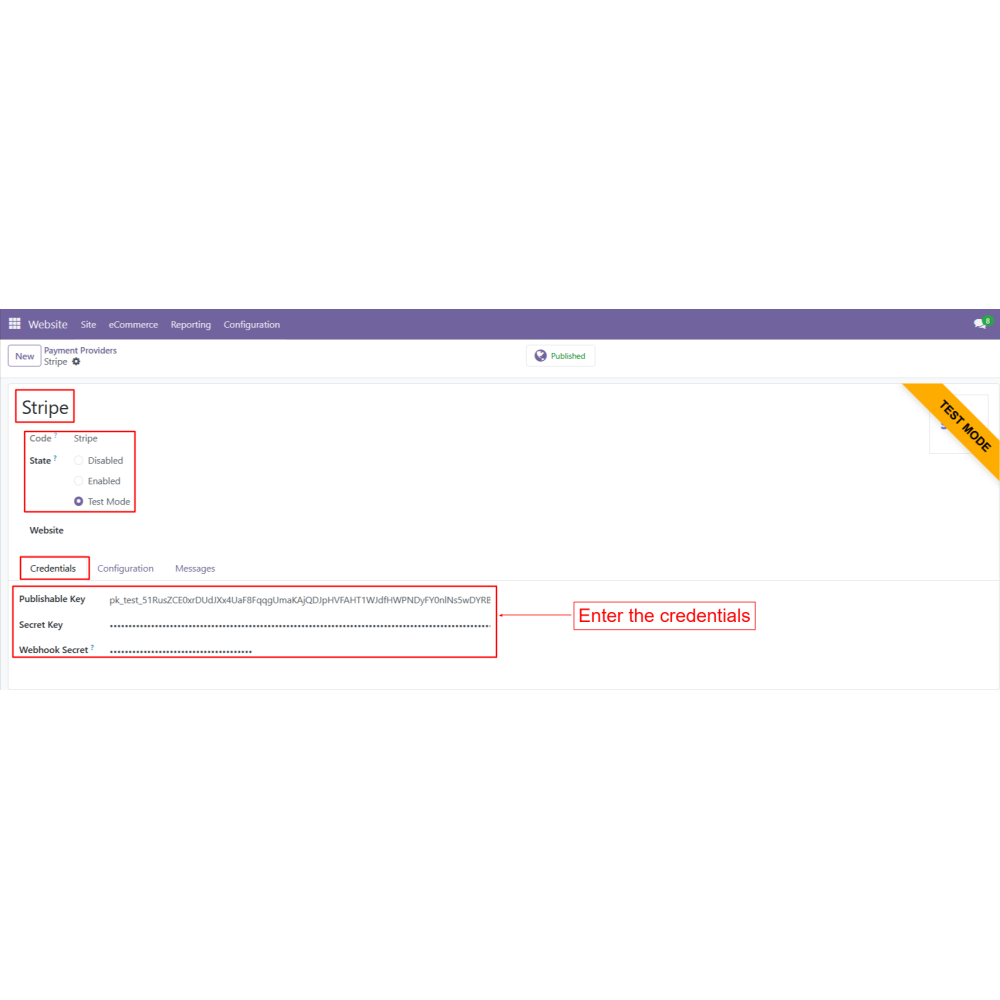
- The app is fully integrated with Stripe, allowing customers to complete their payments safely through a secure Stripe checkout page. Card details are protected, ensuring smooth and trusted transactions every time.
- Once subscribed, the customer’s card is automatically charged at the start of each billing cycle. This AutoPay system makes timely payments without any manual effort, preventing late fees or missed renewals.
- Customers can log in to their account on the website, open the “My Account” section, and view all active subscriptions under the “Subscriptions” tab. They can also cancel their subscriptions anytime according to their preference.
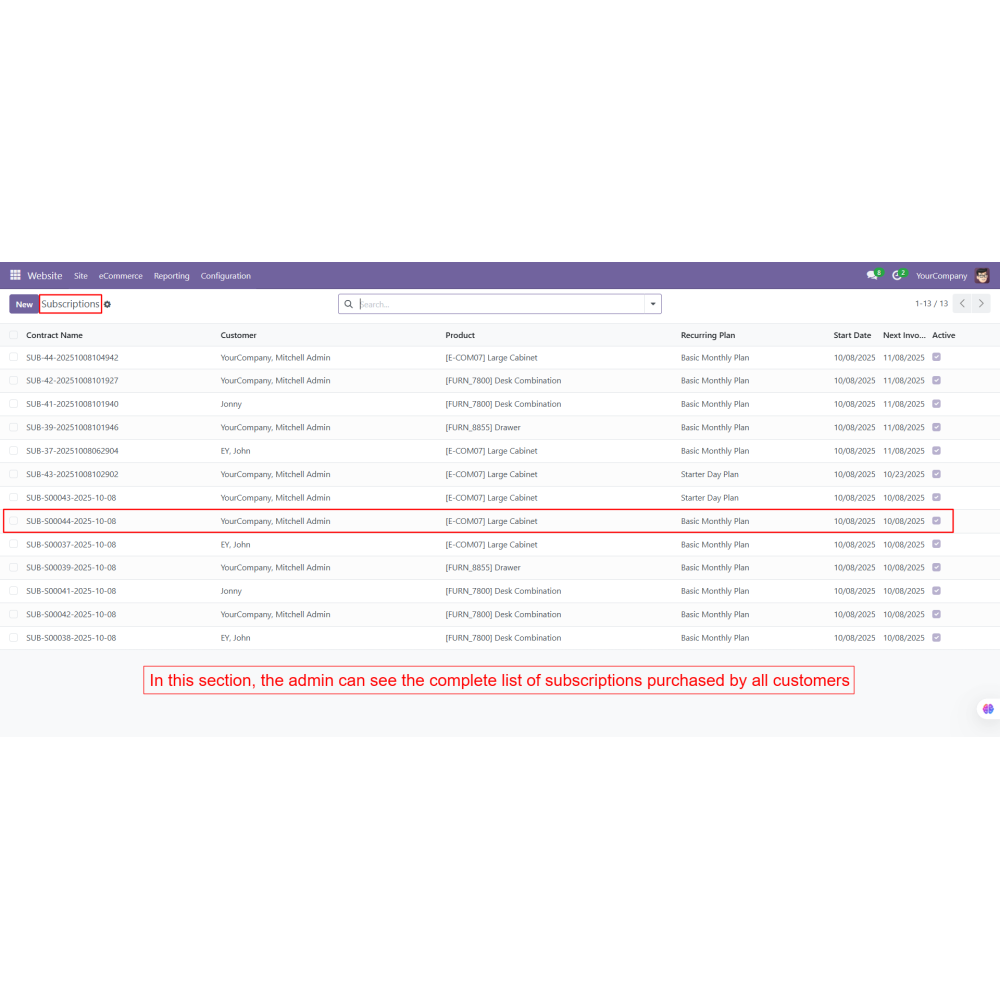
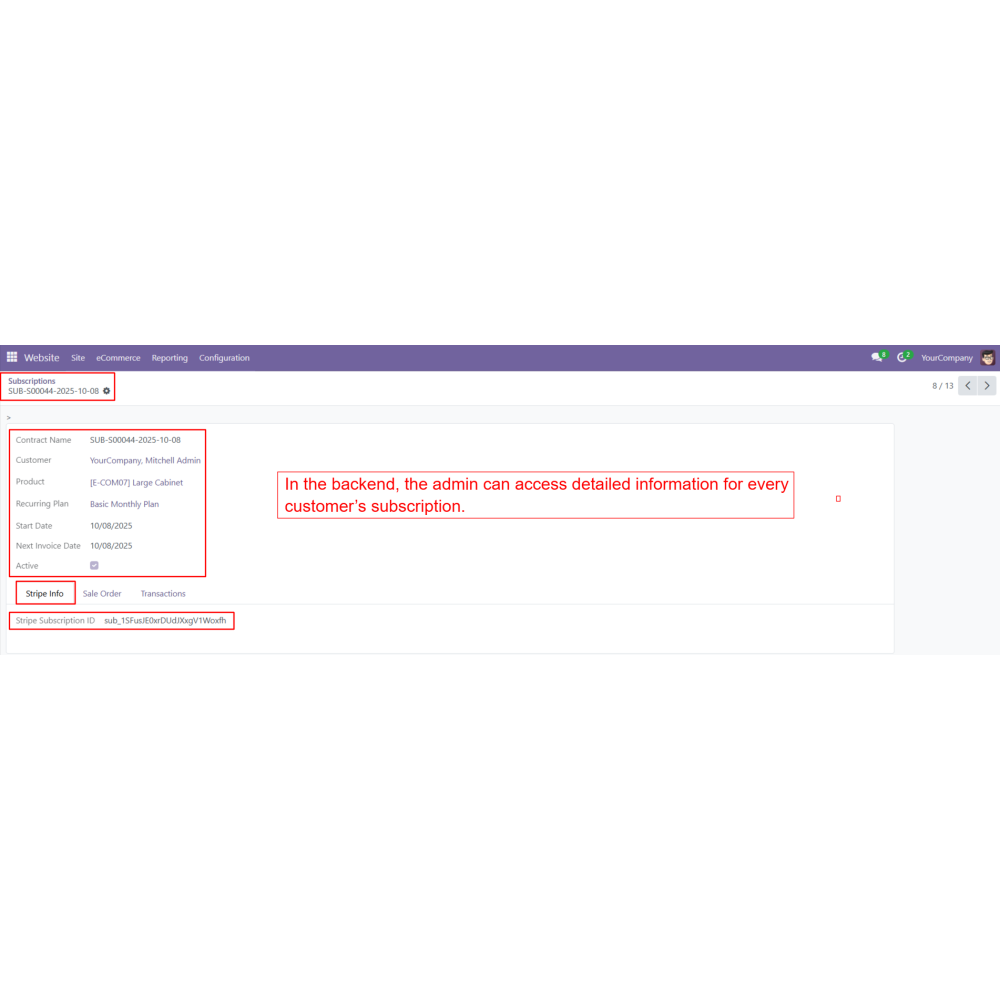
- Admin can view, manage, and track all customer subscriptions from the backend. When a customer cancels a subscription, the system automatically updates and removes it from the backend list in real time.
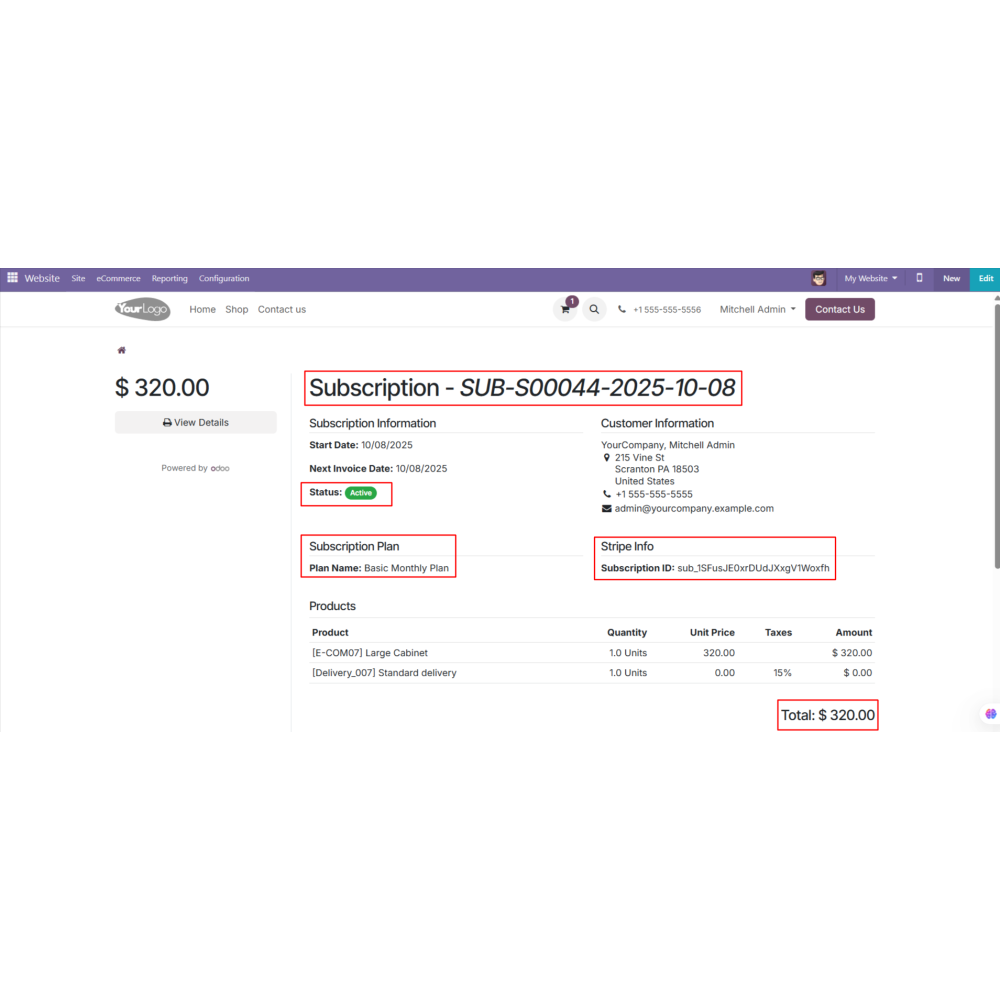
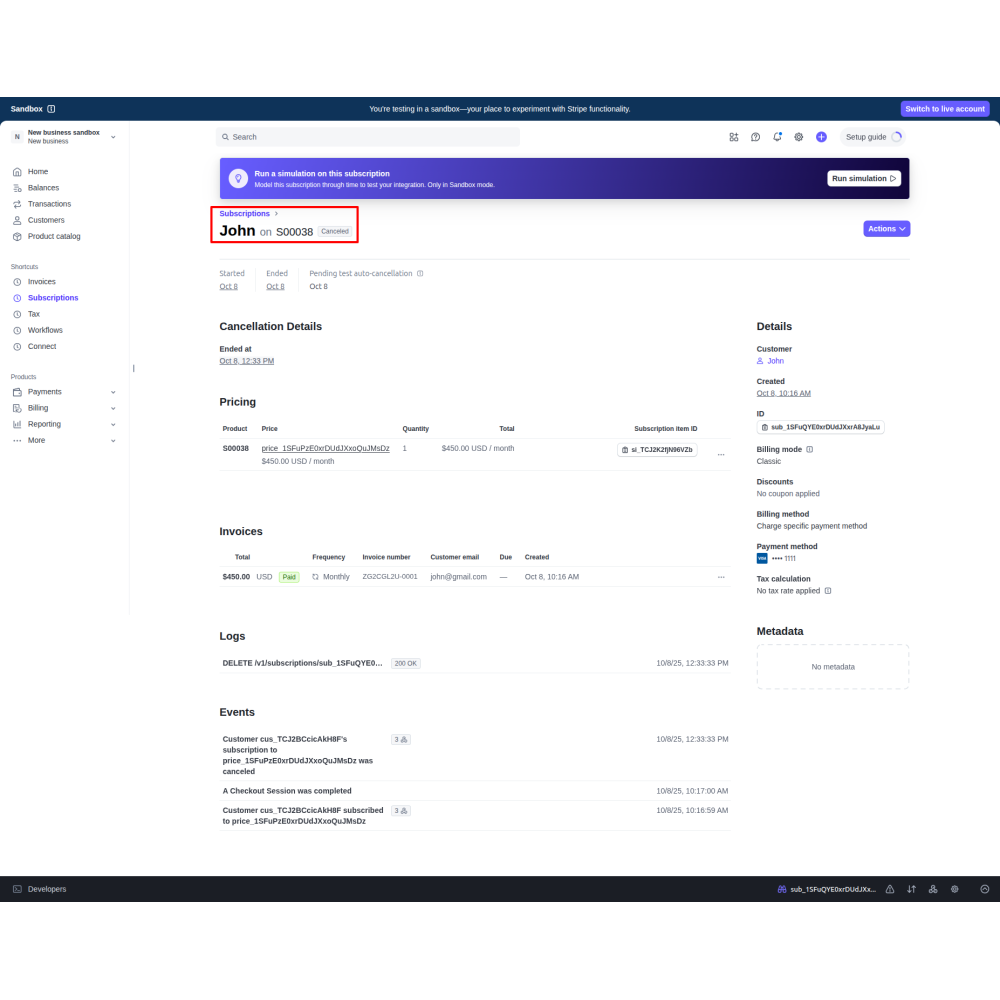
- All subscription data, including active and cancelled plans, is automatically synced with the Stripe dashboard. Merchants can easily check subscription details, payment history, and billing status directly from Stripe.
- Secure automated payments ensure consistent revenue each billing cycle.
- AutoPay reduces time spent on manual invoicing and payment collection.
- Admins can manage all subscriptions from Odoo’s backend and the Stripe dashboard.
- Payments, invoices, and subscription details are fully integrated for transparent reporting.
- Saved card details and recurring charges minimize missed or failed payments.
- Customers can view, manage, or cancel subscriptions anytime from their account.
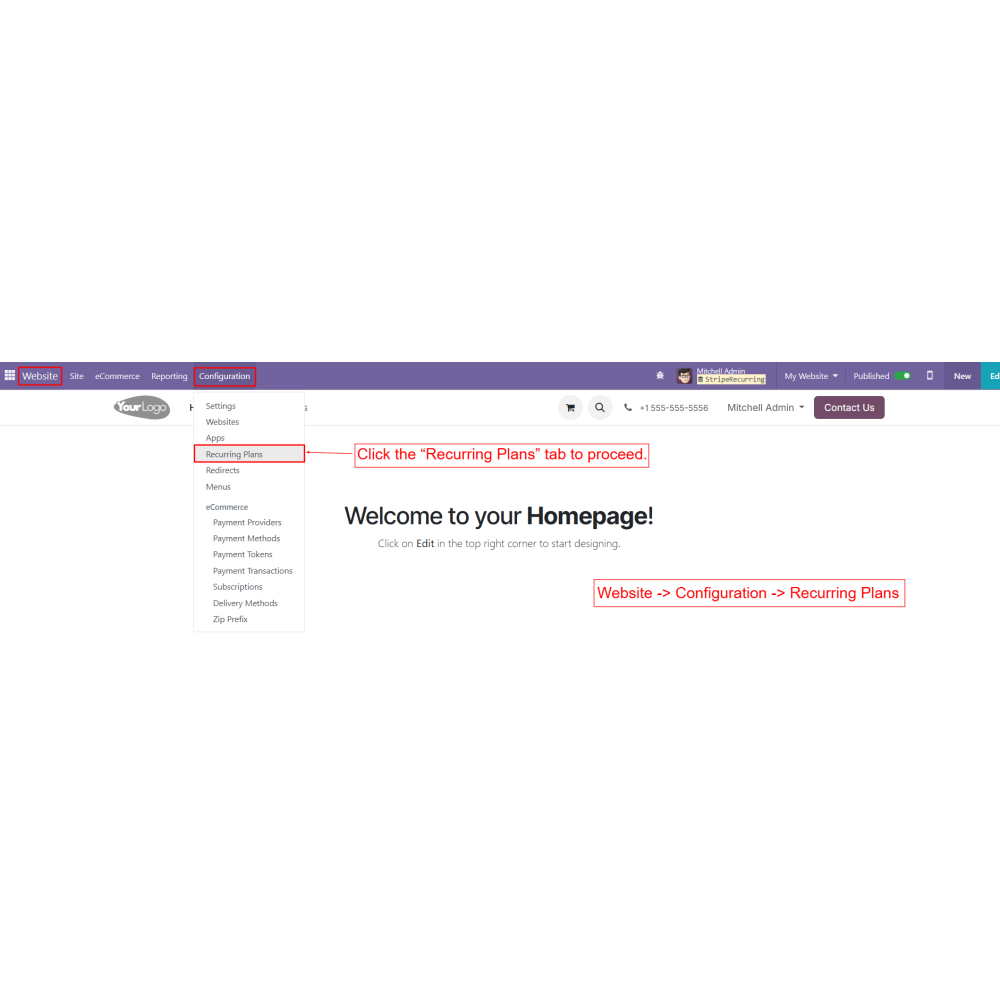
From the backend, the admin sets up recurring plans under Website -> Configuration -> Recurring Plan.
Each plan defines the interval count and billing period (daily, weekly, monthly, yearly, or custom).
On the website, the customer selects a product or service.
During checkout, they choose the Stripe payment method.
Customers enter their card details on a secure Stripe payment page and click “Subscribe.”
Once subscribed, AutoPay recurring payments are activated according to the plan.
Stripe automatically charges the customer’s saved card on each billing cycle (monthly, weekly, yearly, or as per a custom interval).
Payments are processed on time, reducing missed payments or late fees.
Customers can log in to their account and open the “My Subscriptions” tab.
They can view subscription details, billing cycles, next payment dates, and cancel subscriptions if needed.
Admin can track all subscriptions (active, expired, or cancelled) in the Odoo backend under Website → Configuration → Subscription.
Admin can manually cancel subscriptions or update plan details.
Subscription statuses are automatically reflected in the Stripe Dashboard.
All subscription payments, invoices, and billing details appear in Odoo Sales and Invoicing.
What is the Stripe Payment Recurring app?
Who can create and manage recurring plans?
How do customers subscribe to a recurring plan?
Can customers manage their subscriptions?
How does automatic billing work?
How can admins track subscriptions?
Is Stripe payment secure?
Can subscription data be synced with Stripe?
Customer reviews
Benefits of the Stripe Payment Recurring

Predictable Recurring Revenue

Less Manual Billing Workload

Unified Subscription Control

Improved Financial Clarity

Fewer Payment Failures

Customer Self Service
Features of the Stripe Payment Recurring
Flexible Recurring Plan Configuration
Admin can create and customize plans with daily, weekly, monthly, or yearly billing cycles.
Secure Stripe Payment Integration
Customers complete payments safely through Stripe’s secure checkout page.
Automatic Billing and AutoPay
Subscribed customers are charged automatically at the start of each billing cycle.
Customer Subscription Management
Customers can view and cancel active subscriptions anytime from their account.
Centralized Backend Control for Admin
Admins can manage and track all subscriptions with real-time updates.
Real-Time Sync with Stripe Dashboard
All subscription data is automatically synced with Stripe for easy monitoring.
Power Up Your
Store — We Handle It All