The Booking and Reservation – Ticketing System POS module enables businesses to manage ticket bookings for movies, theaters, events, and other reservations directly from the Odoo Point of Sale. Administrators can create auditoriums, configure seating layouts, schedule showtimes, and assign ticket pricing, while POS users can select shows, choose available seats, process payments, and generate tickets seamlessly. The module provides real-time seat availability, prevents duplicate bookings, and centralizes booking management for an efficient and organized reservation process.
The Booking and Reservation – Ticketing System POS module enables businesses to manage ticket bookings for movies, theaters, events, and other reservations directly from the Odoo Point of Sale. Administrators can create auditoriums, configure seating layouts, schedule showtimes, and assign ticket pricing, while POS users can select shows, choose available seats, process payments, and generate tickets seamlessly. The module provides real-time seat availability, prevents duplicate bookings, and centralizes booking management for an efficient and organized reservation process.
Manage movie, theater, event, and reservation bookings directly from the Odoo Point of Sale.
Create and manage multiple auditoriums with customizable seating layouts.
Configure section-wise seating plans with flexible ticket pricing.
Schedule multiple shows by assigning dates, times, and auditoriums.
Display available shows in the POS for fast and convenient ticket booking.
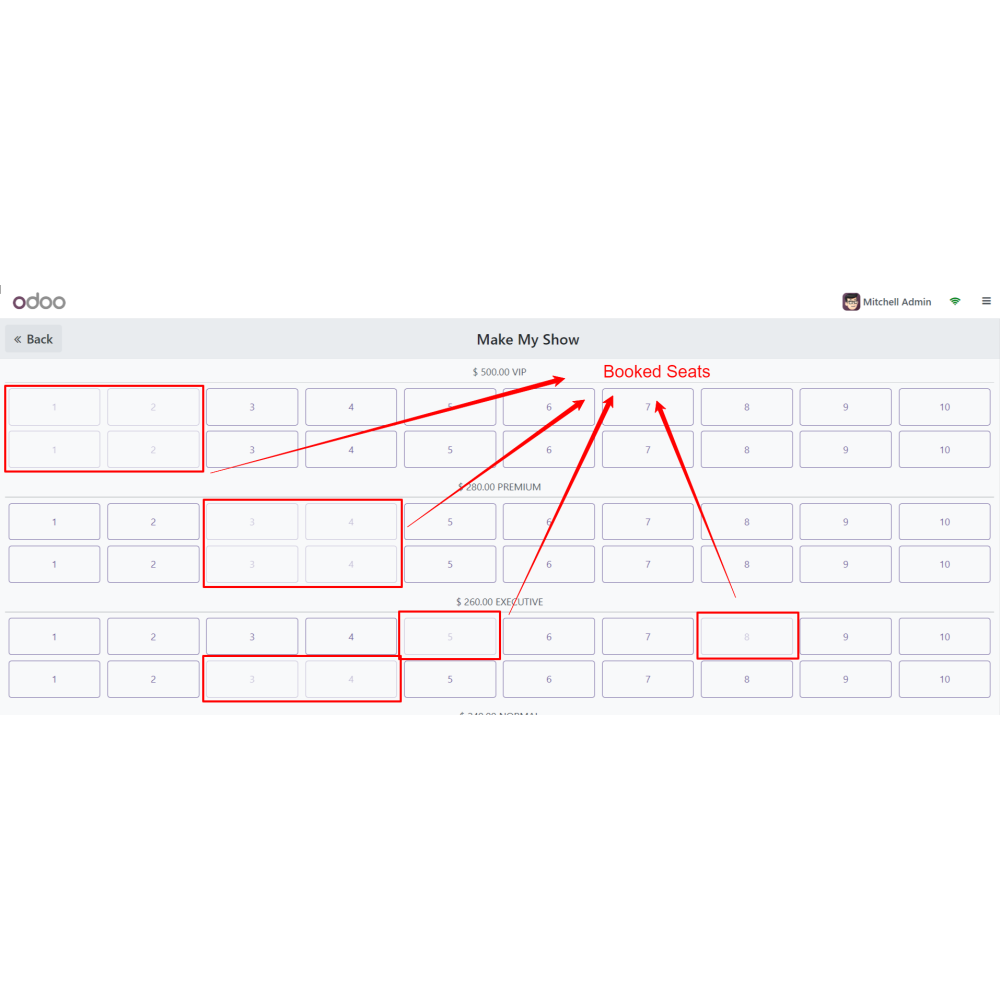
Allow customers to select seats visually based on real-time availability.
Prevent duplicate bookings through automatic seat allocation.
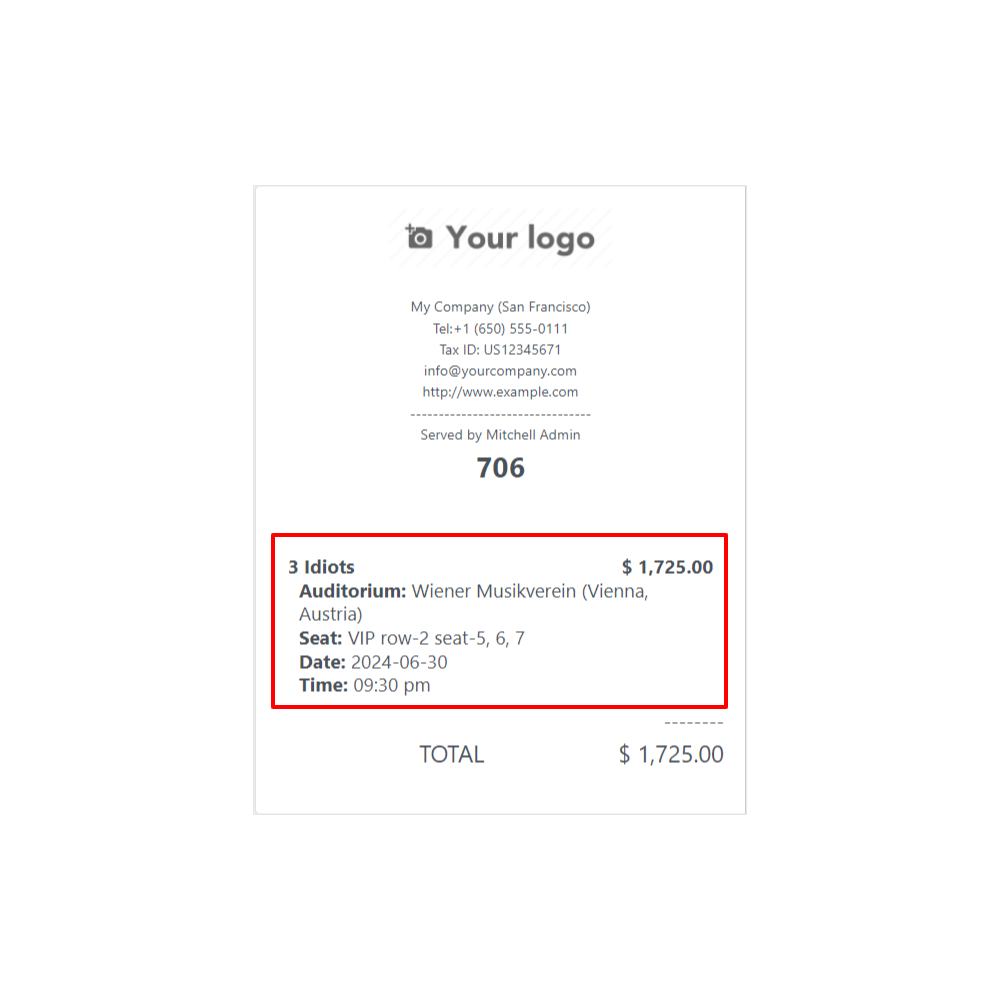
Generate booking tickets and manage all reservations from a centralized backend.
Key Features
Create and manage multiple auditoriums with configurable rows, columns, and seating sections.
Configure section-wise ticket pricing for premium and standard seating.
Schedule multiple show dates and showtimes for each auditorium.
Create show products directly from the product catalog with assigned dates and times.
Display shows in the POS by category for quick selection.
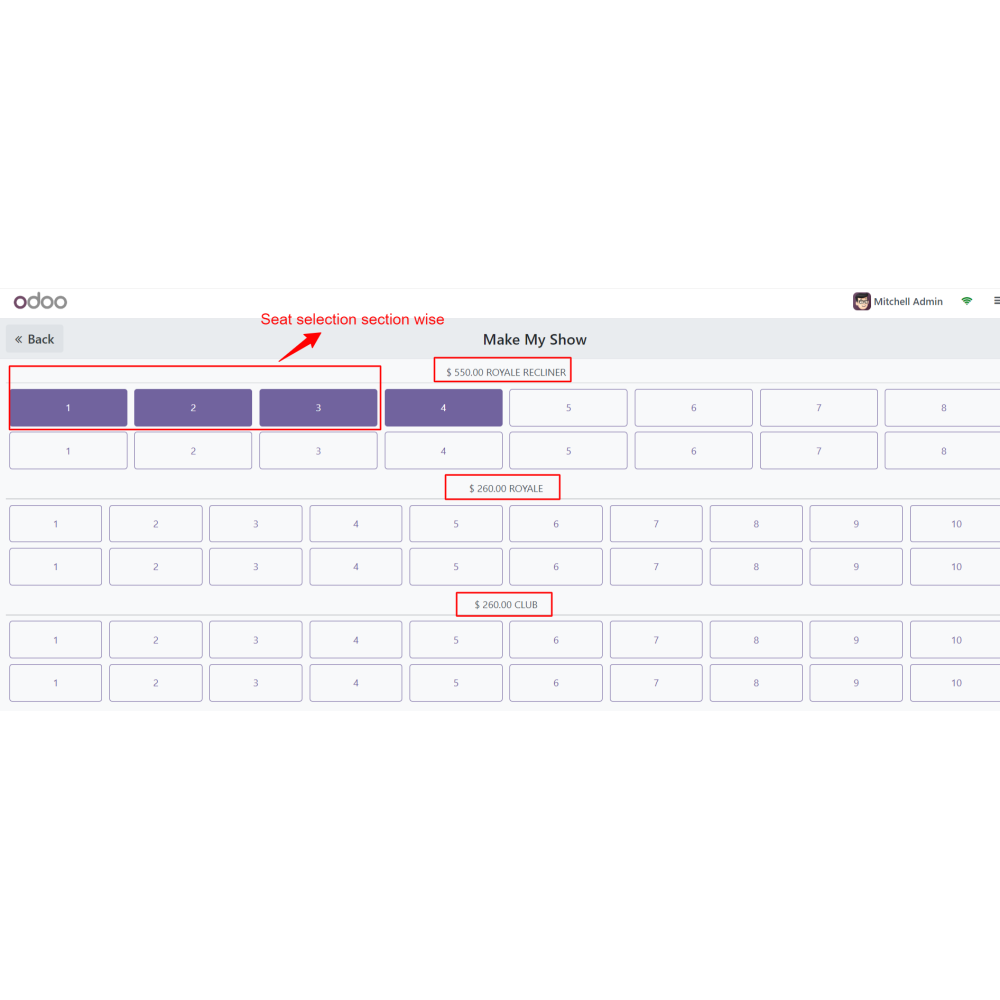
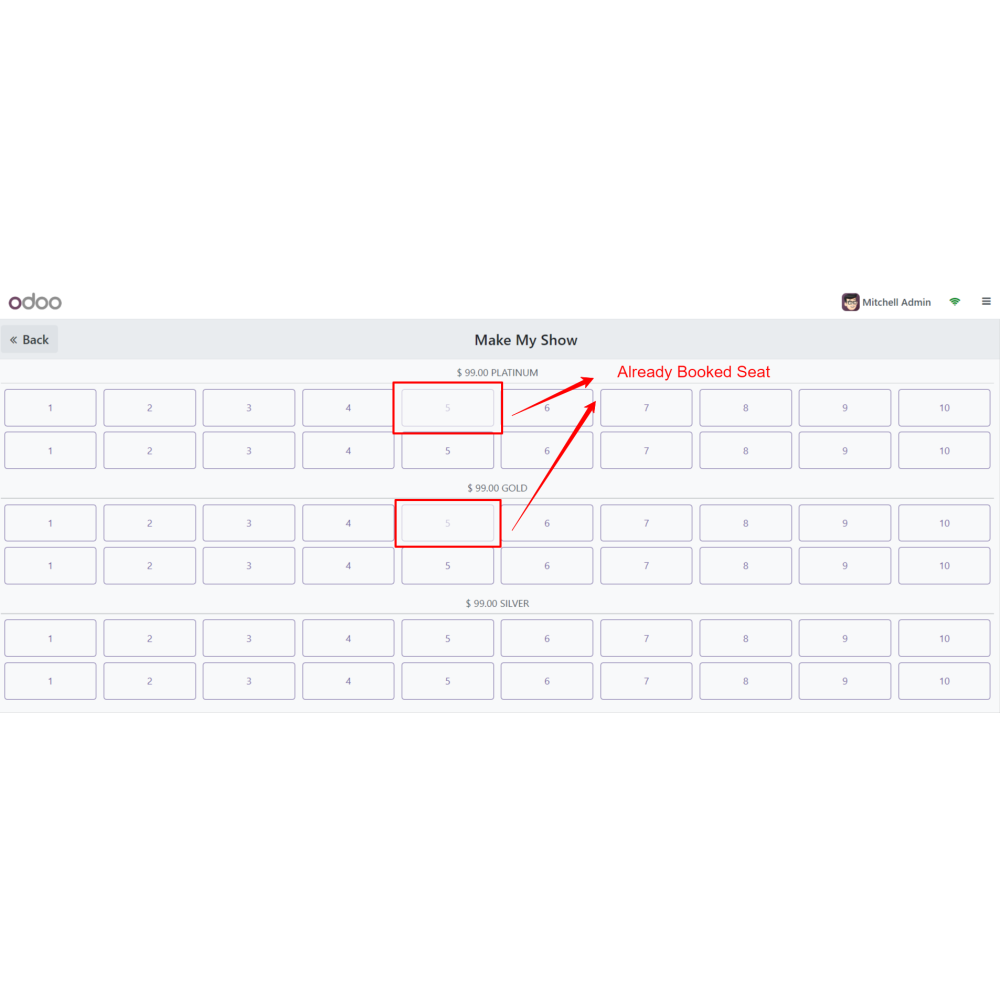
Provide an interactive seat selection screen with real-time seat availability.
Automatically prevent double booking by blocking already reserved seats.
Generate tickets and manage all bookings, orders, and reservations from the backend.
Benefits
Improve the customer booking experience with visual seat selection.
Increase revenue through flexible ticket pricing and premium seating.
Simplify auditorium and event management from one platform.
Organize multiple shows, dates, and venues efficiently.
Reduce booking errors with real-time seat availability.
Speed up ticket sales through an intuitive POS booking interface.
Centralize booking records for easy tracking and management.
Streamline payment processing and ticket generation for faster service.
Workflow
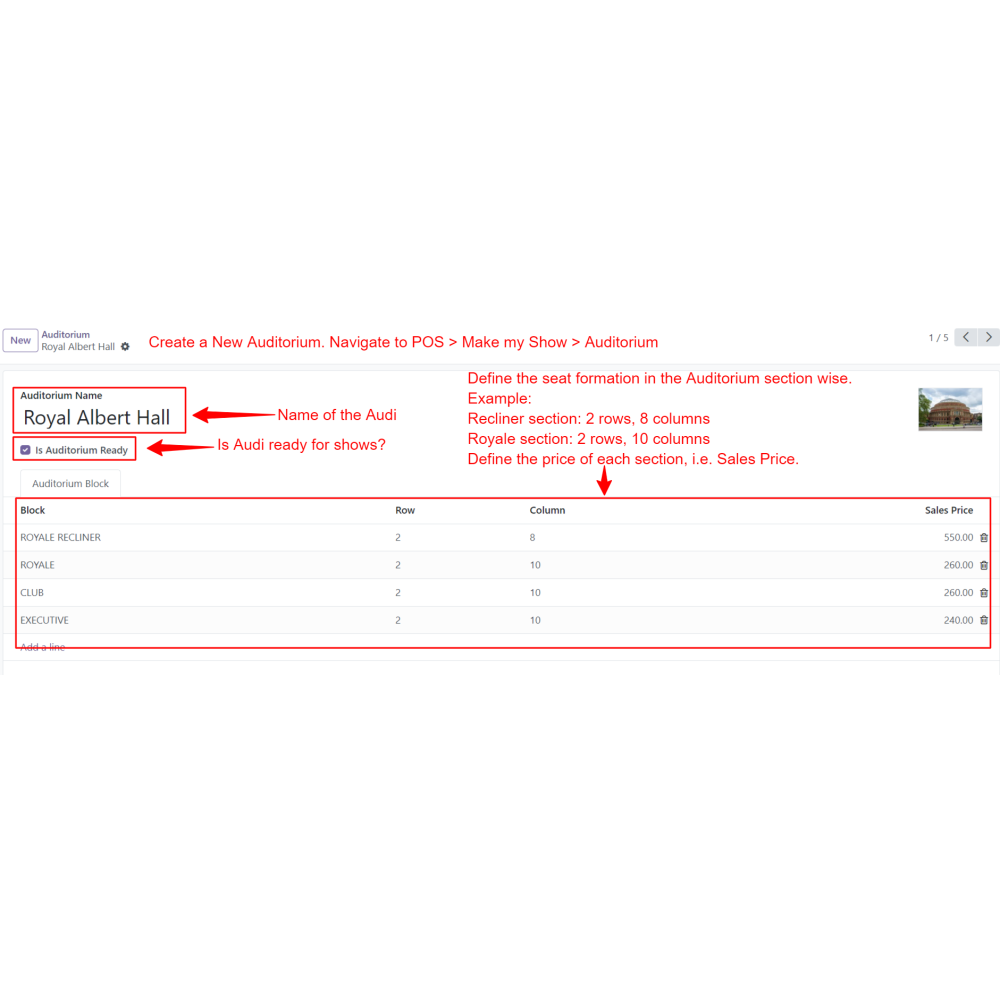
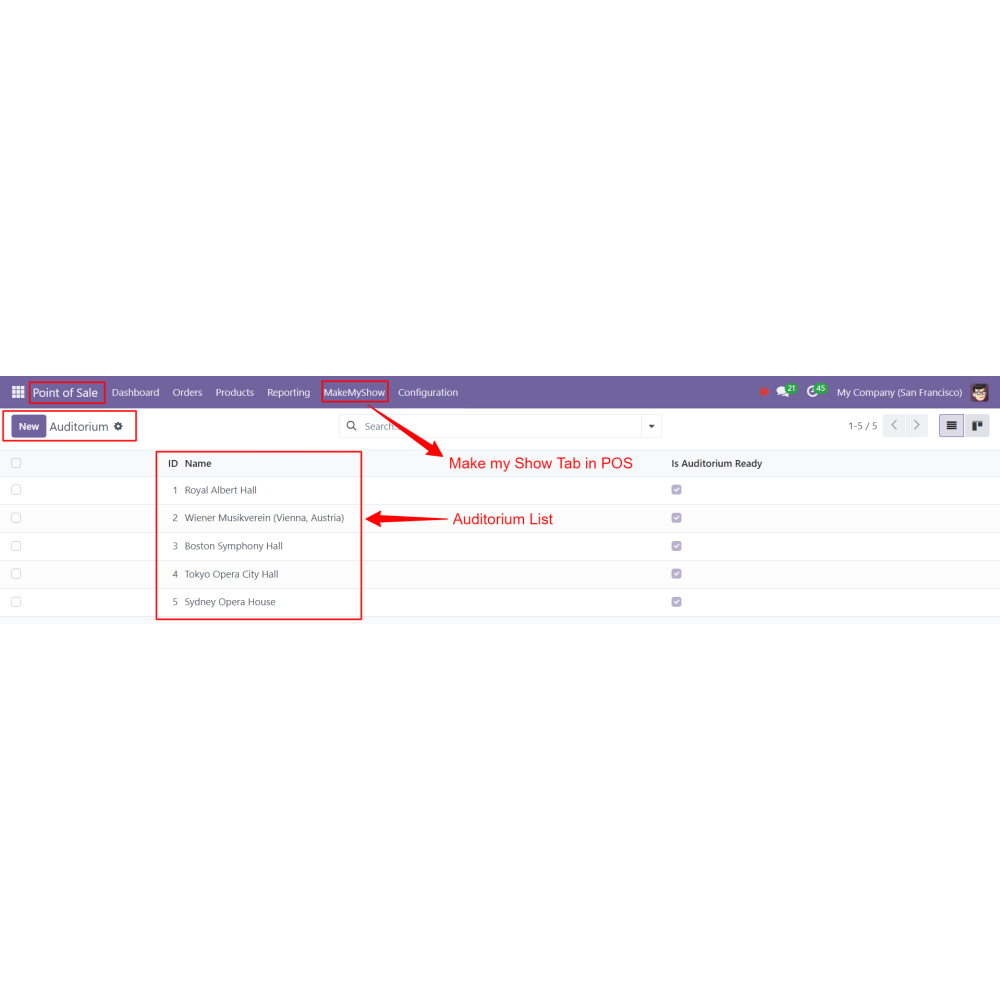
Create a new auditorium.
Navigate to Backend PoS -> Make my Show tab -> Auditorium
Define the rows and columns available section-wise in the auditorium.
Define the price for each section.
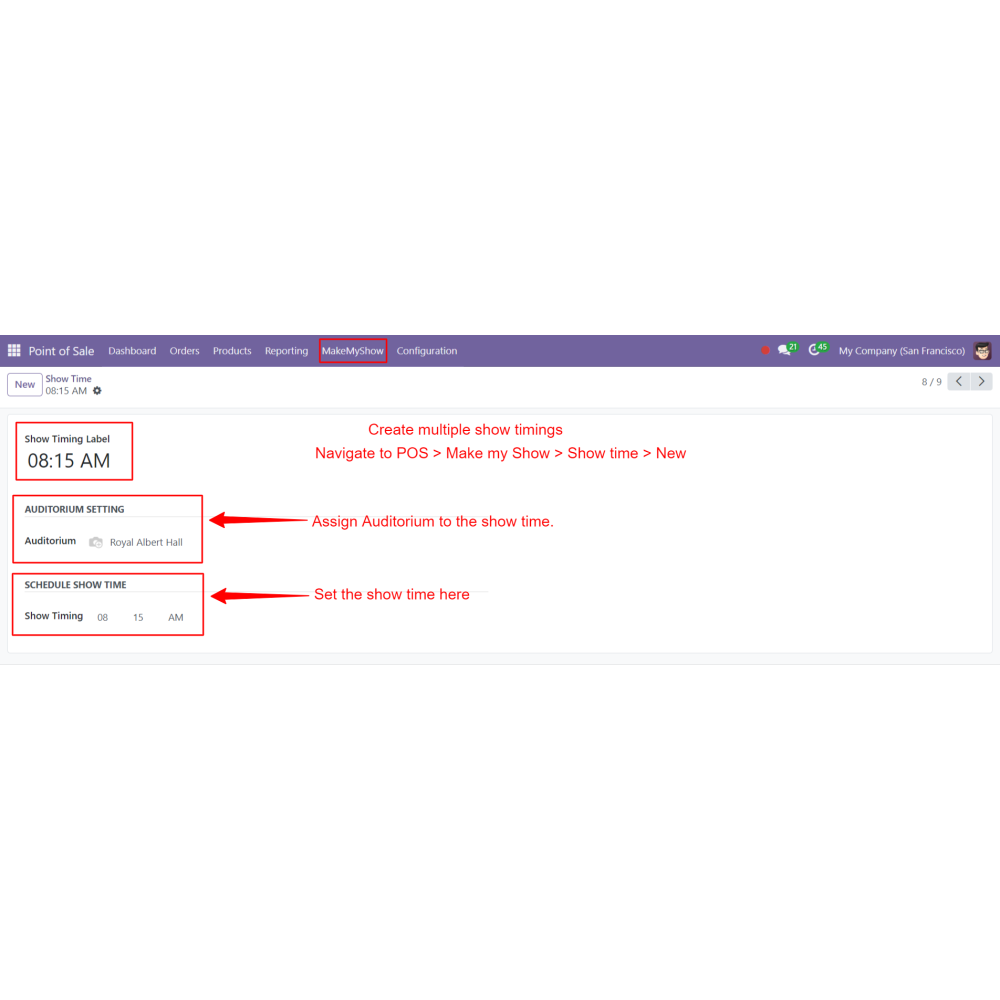
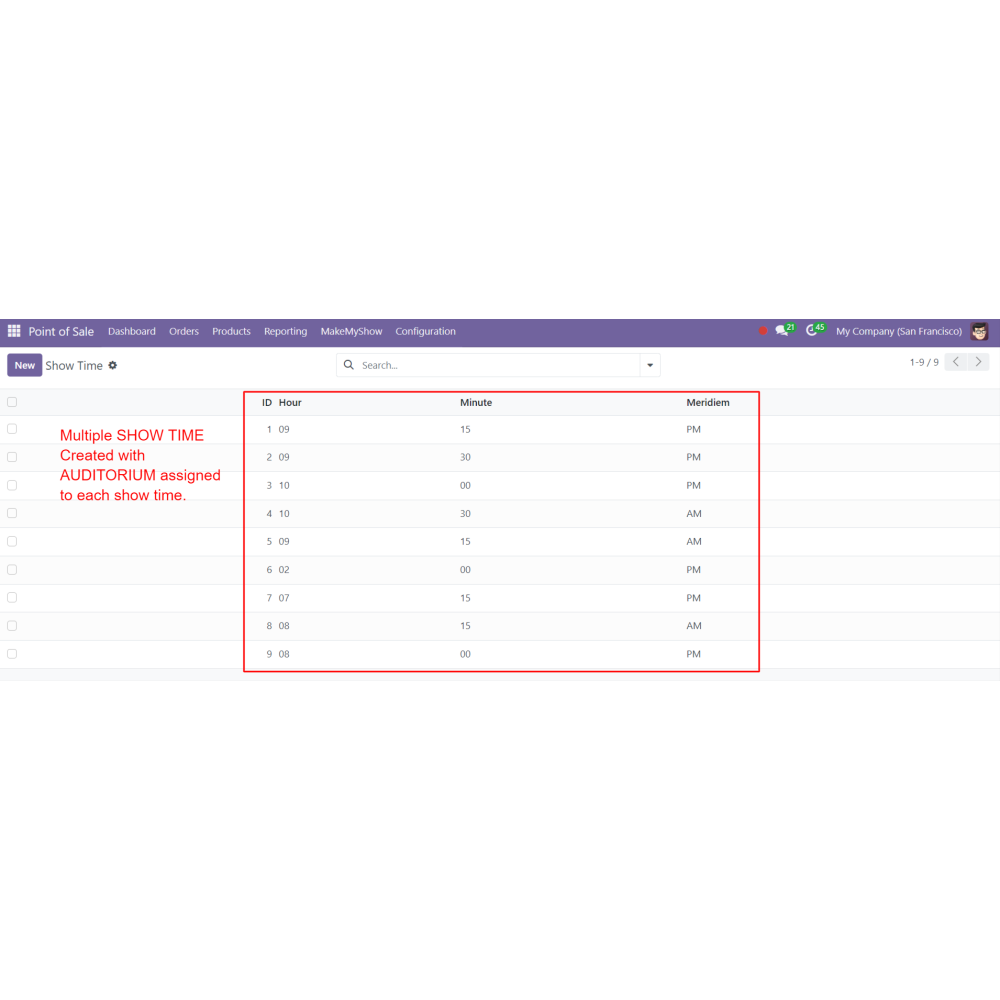
Create multiple show times.
Navigate to Backend PoS -> Make my Show tab -> Showtime
Select the Auditorium and set the show time.
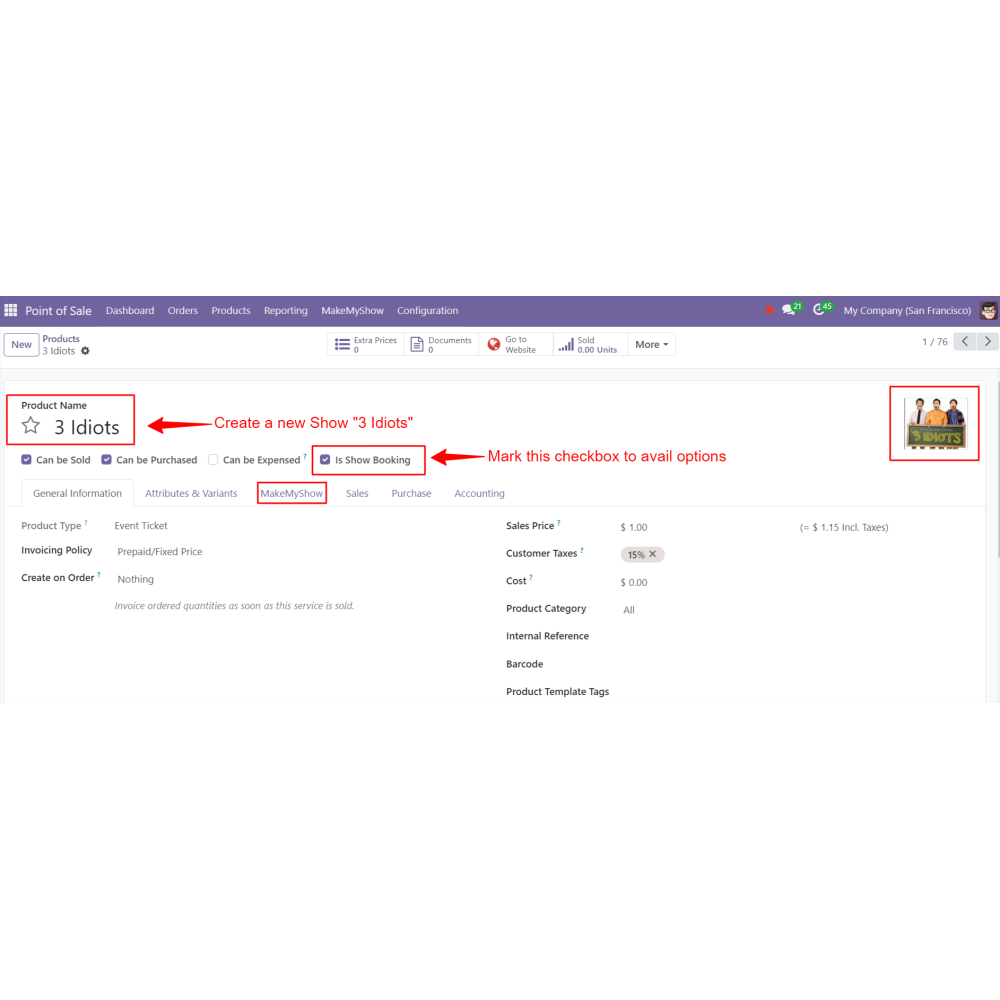
Create a new product, movie, or show like a normal product.
Mark the “Is Show Booking” checkbox to avail of all the options.
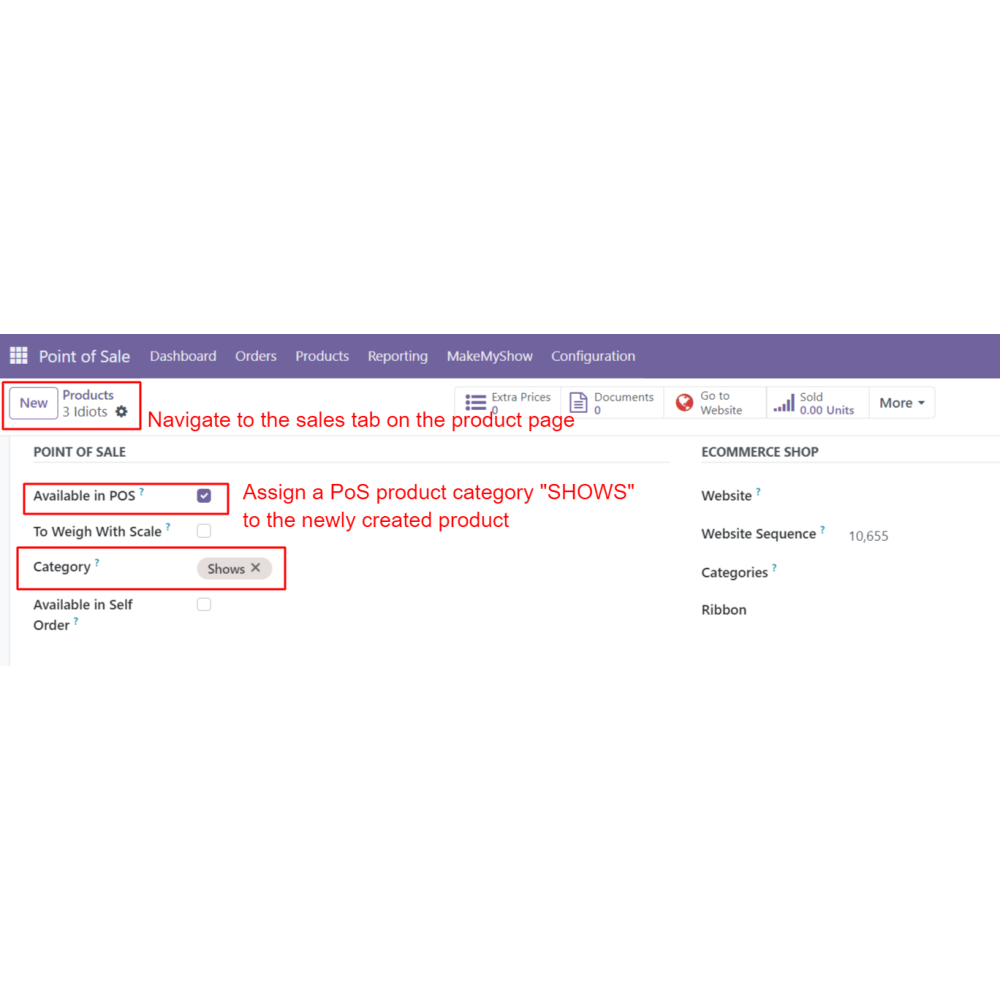
Check “available in POS”, and set the category as shows for ease of use.
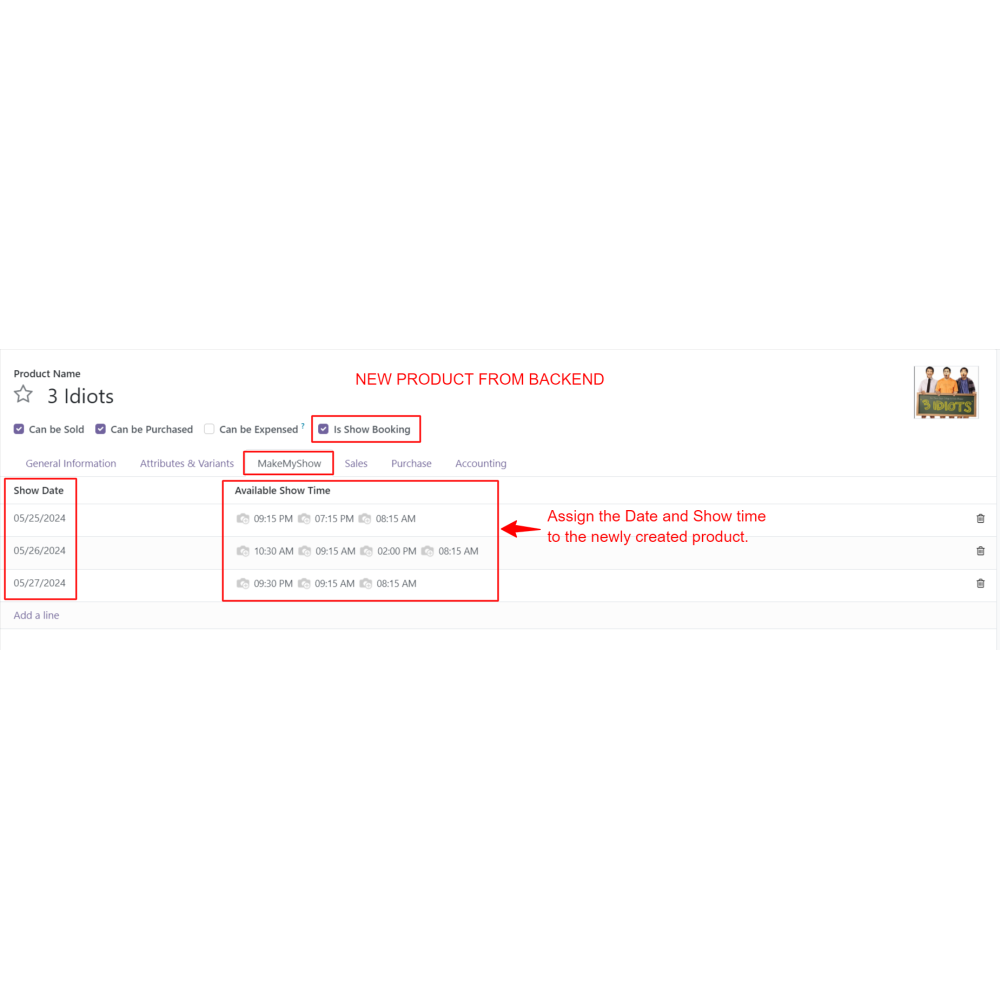
Under the Make My Show tab, Select the date and time for the movie.
Save the product.
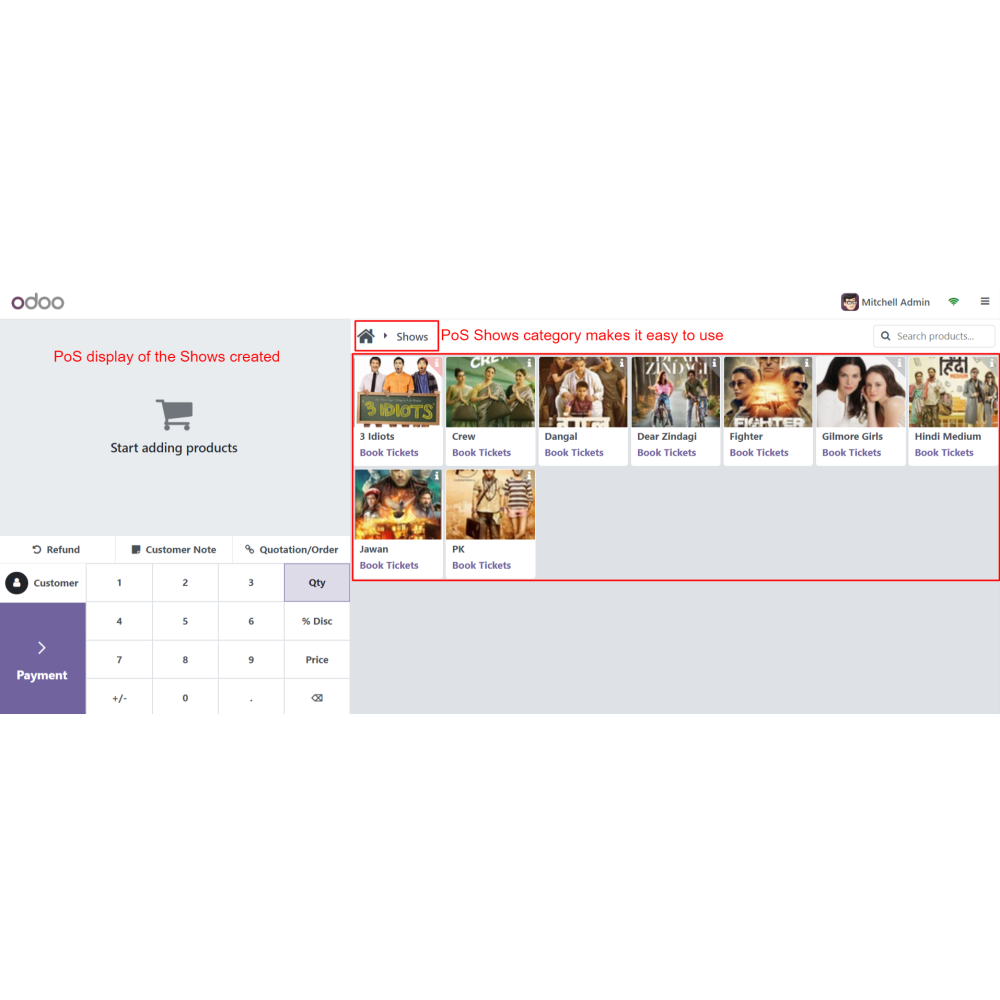
Open the PoS session.
Set the “Shows” category so that the user can easily view available shows.
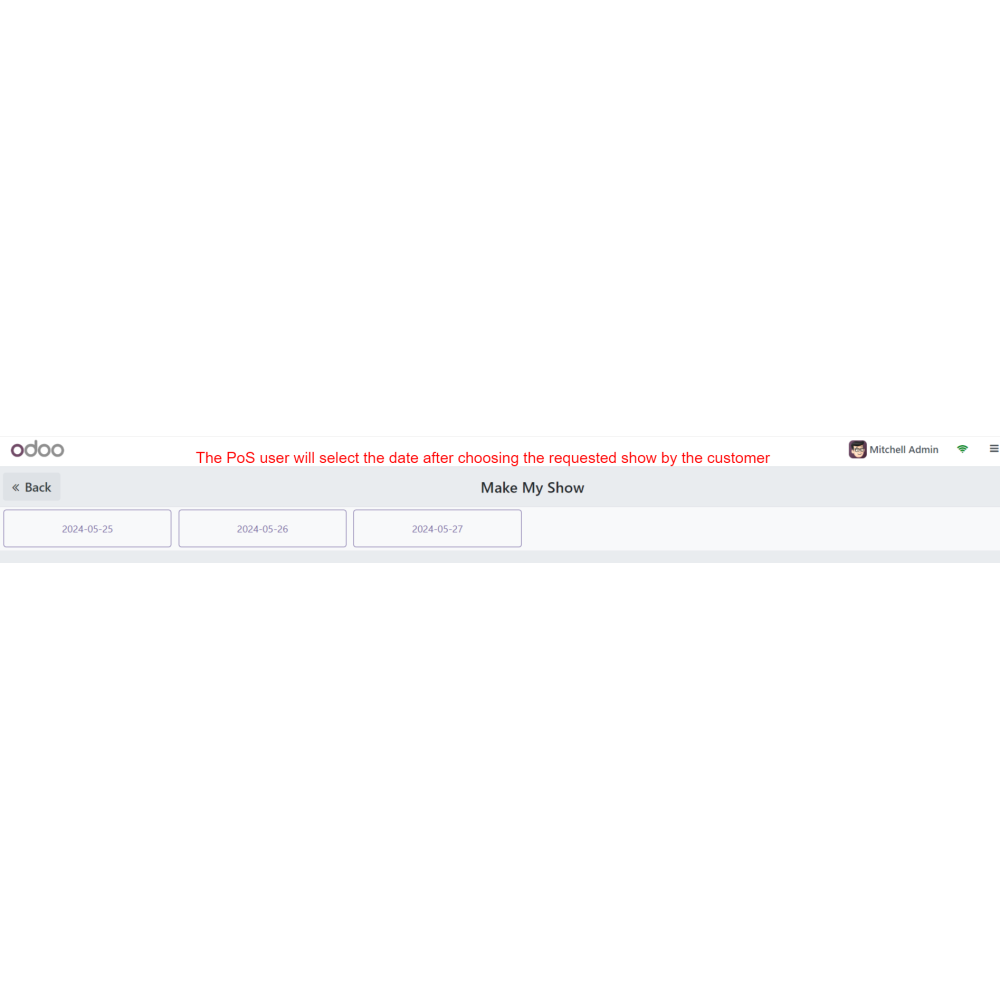
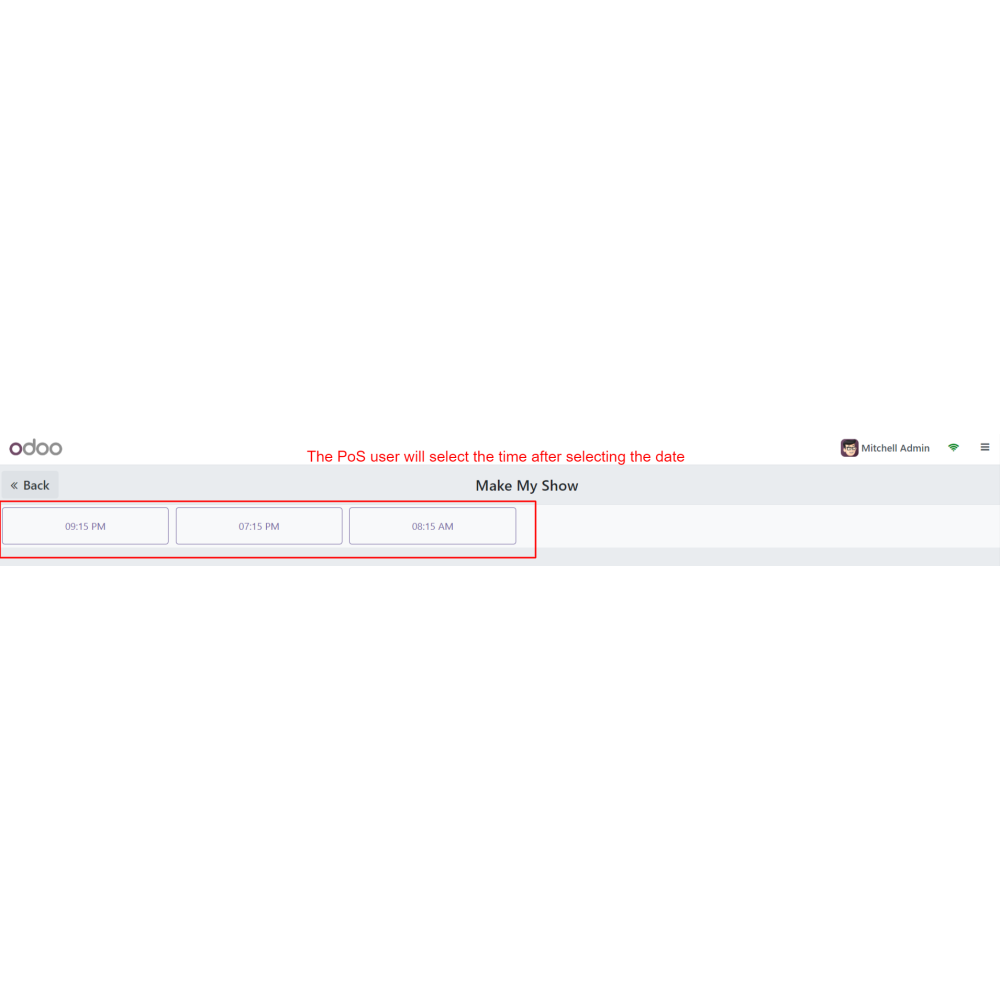
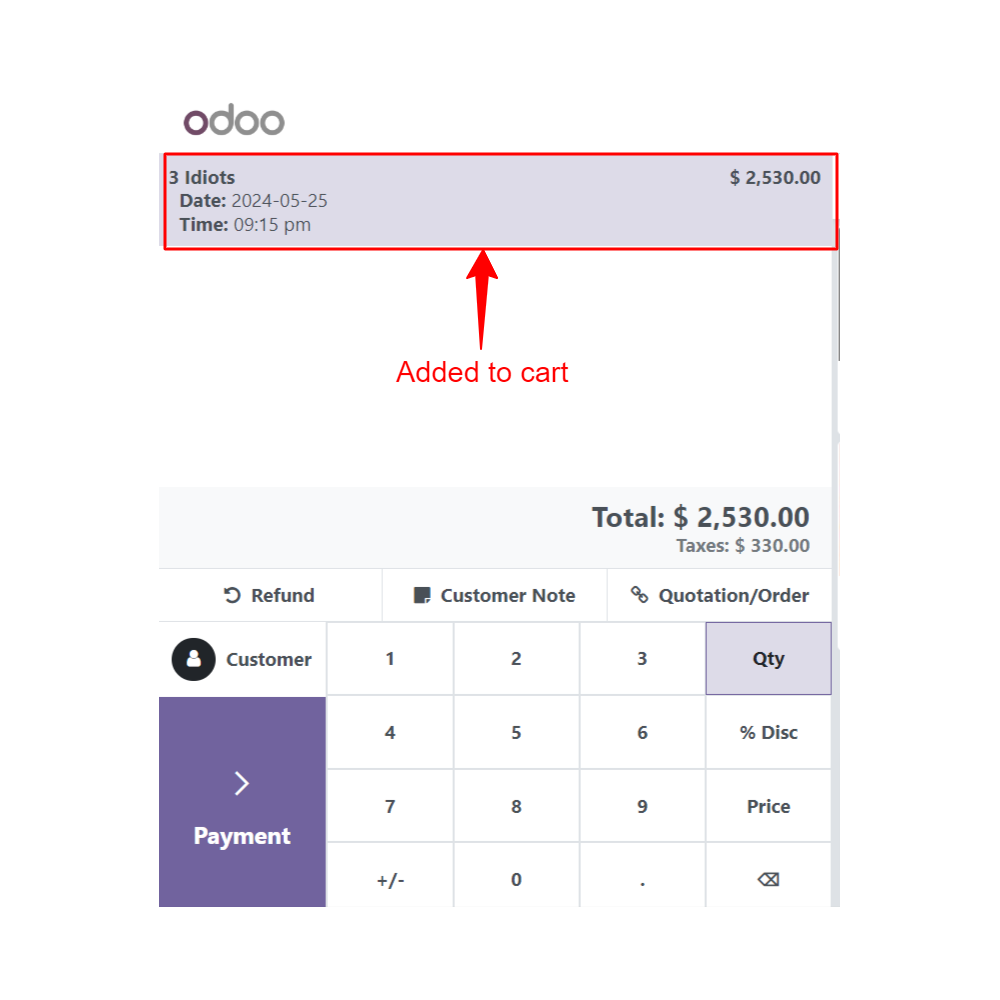
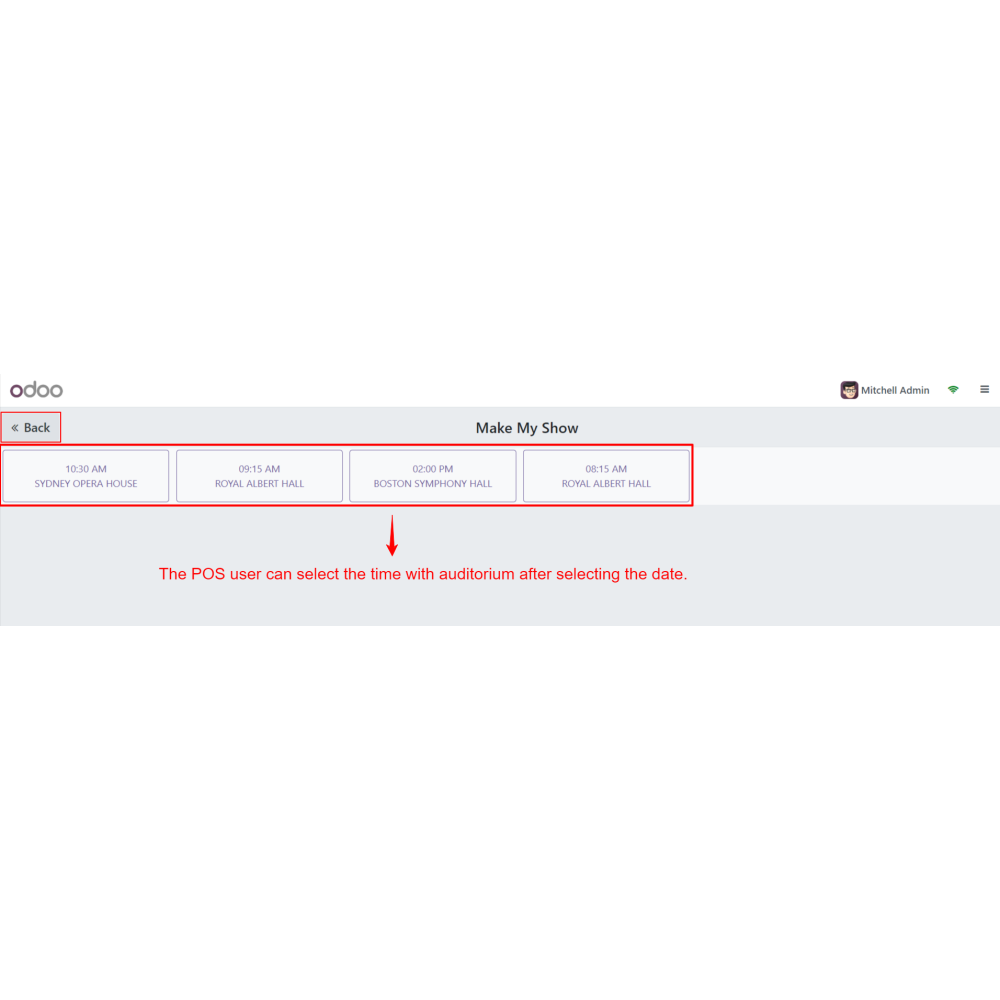
Select the date and time.
Select the seats as chosen by the customer.
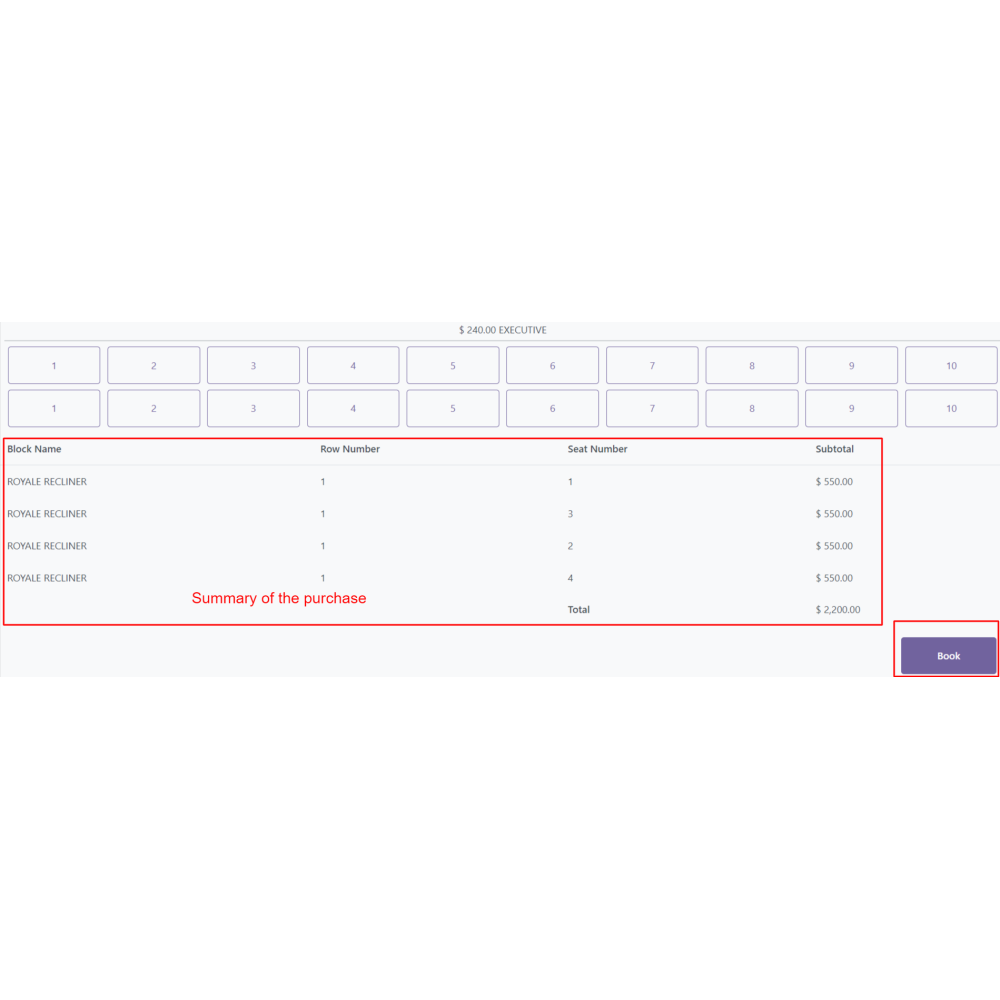
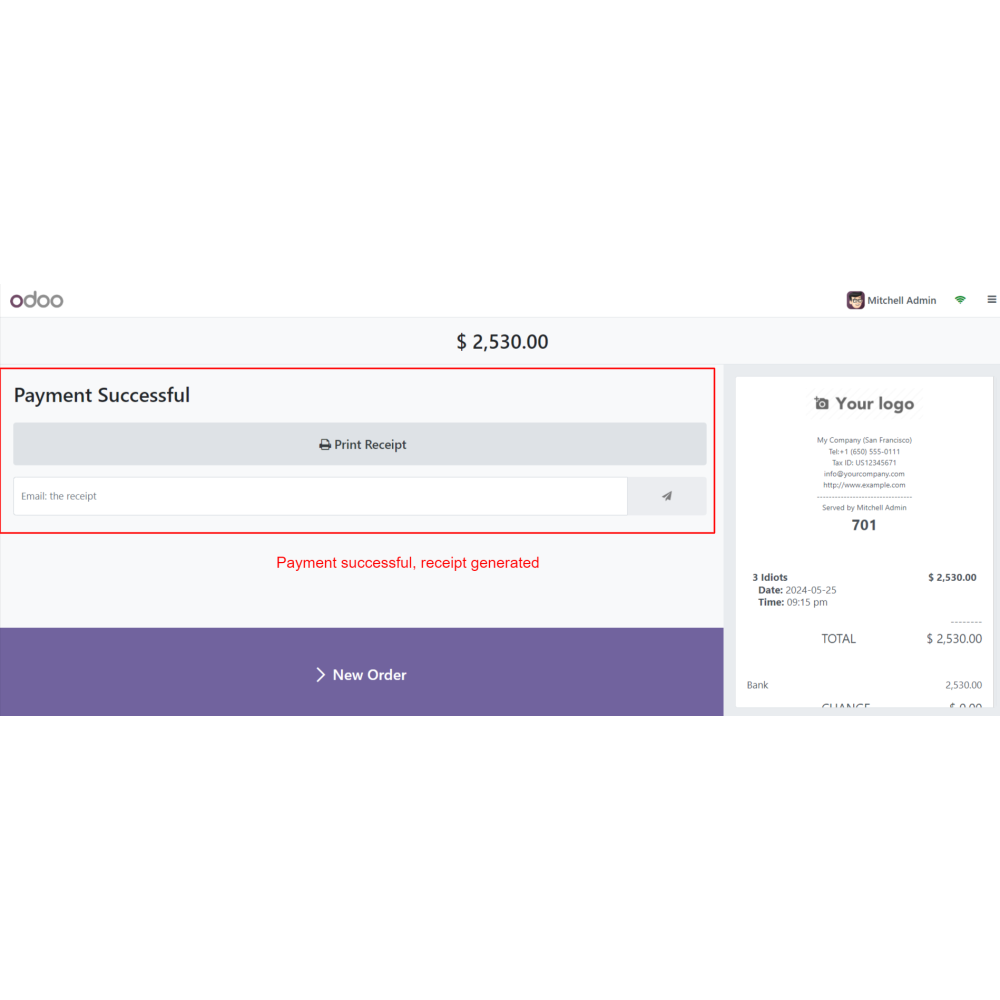
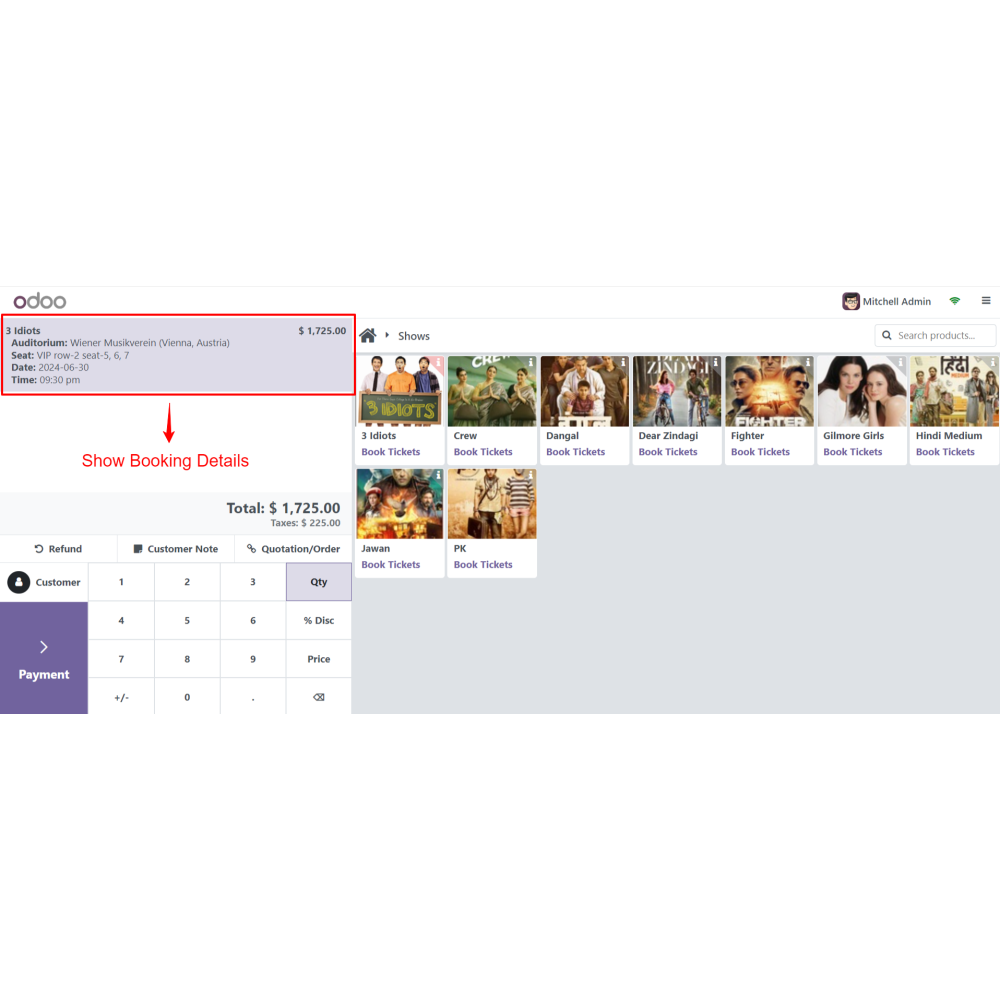
Checkout by paying through PoS.
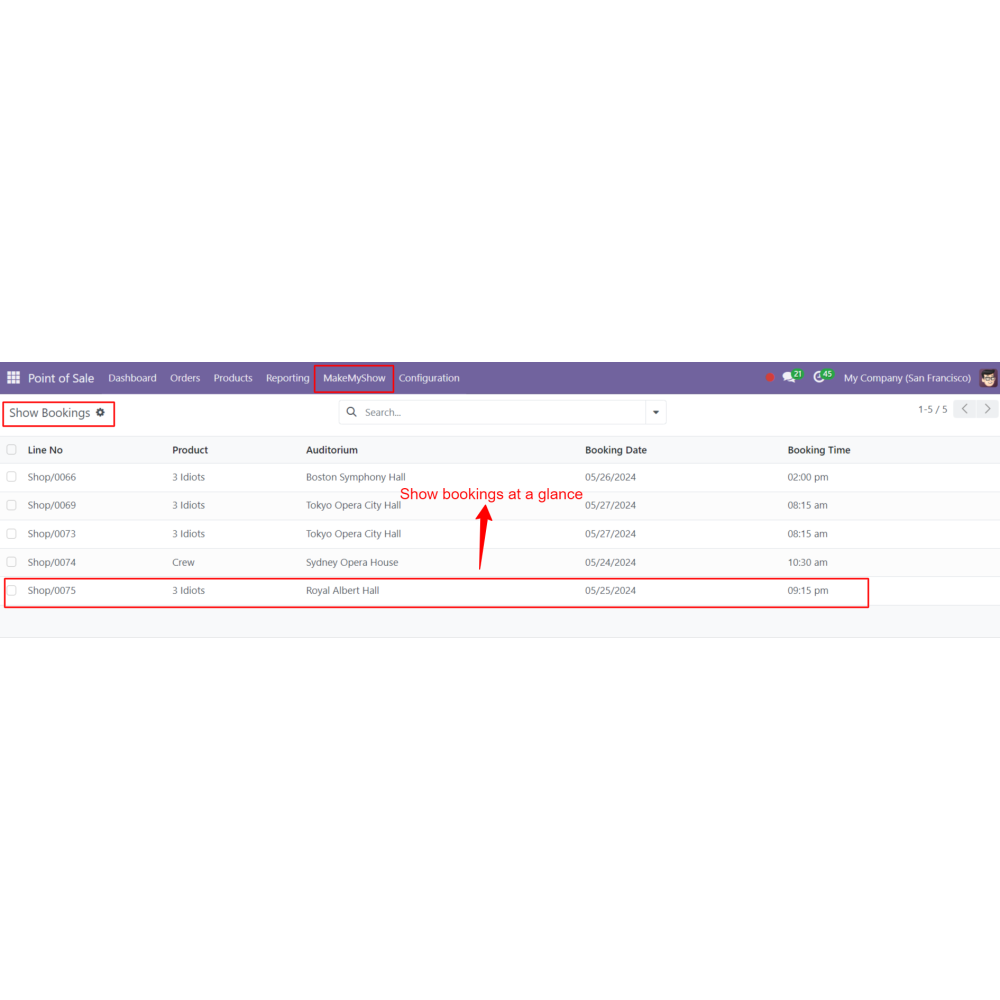
The admin can see the related order created on the backend.
FAQ
What is the Booking and Reservation - Ticketing System POS module?This module allows you to manage ticket bookings for movies, theaters, events, and other reservations directly through the Odoo Point of Sale.Can I create multiple auditoriums?Yes, you can create and manage multiple auditoriums with customizable seating layouts, rows, columns, and seating sections.Can I configure different ticket prices for seating sections?Yes, the module supports section-wise pricing, allowing you to assign different ticket prices for premium and standard seating areas.Can I schedule multiple show dates and times?Yes, you can create multiple showtimes, assign them to specific auditoriums, and manage event schedules efficiently.Can customers choose their own seats?Yes, the POS interface displays a visual seating layout where users can select available seats before completing the booking.Does the module prevent double bookings?Yes, booked seats are automatically marked as unavailable, preventing duplicate seat reservations.Can I process payments directly from the POS?Yes, after seat selection, bookings can be completed using the available POS payment methods, and tickets are generated instantly.Where can I view booking records?All booking records, ticket details, and related POS orders are available in the Odoo backend for easy management.Can I create shows from the product catalog?Yes, you can create show products, assign dates, showtimes, and auditoriums directly from the product configuration.Which Odoo applications are supported?The module integrates with Odoo Point of Sale, Sales, Products, and Inventory to provide complete ticket booking and reservation management.
Reviews
Customer reviews
0.0 Out Of 5
5 star
0%
4 star
0%
3 star
0%
2 star
0%
1 star
0%
No customer reviews
by
Benefits Of POS Ticketing System
Enhanced Customer Experience
Increased Revenue Potential
Streamlined Operations
Organized Show Management
Flexibility and Customization
Real-Time Updates
Features of POS Ticketing System
Multi-Auditorium Management
Create and manage multiple auditoriums with customizable seating layouts based on rows and columns.
Dynamic Seating Plans
Configure section-wise seating with different pricing tiers for premium and standard seats.
Show Time Scheduling
Schedule multiple show dates and times by assigning each show to a specific auditorium.
Product Integration for Shows
Create show products directly from the product catalog with assigned dates, times, and auditoriums.
Seamless Seat Selection
Allow customers to visually select available seats while preventing duplicate bookings.
Efficient Payment Processing
Complete ticket bookings quickly through the POS using supported payment methods and generate tickets instantly.

.png)

 Return policy






 Store — We Handle It All