Odoo Advanced Wishlist

€50.00
Tax excluded

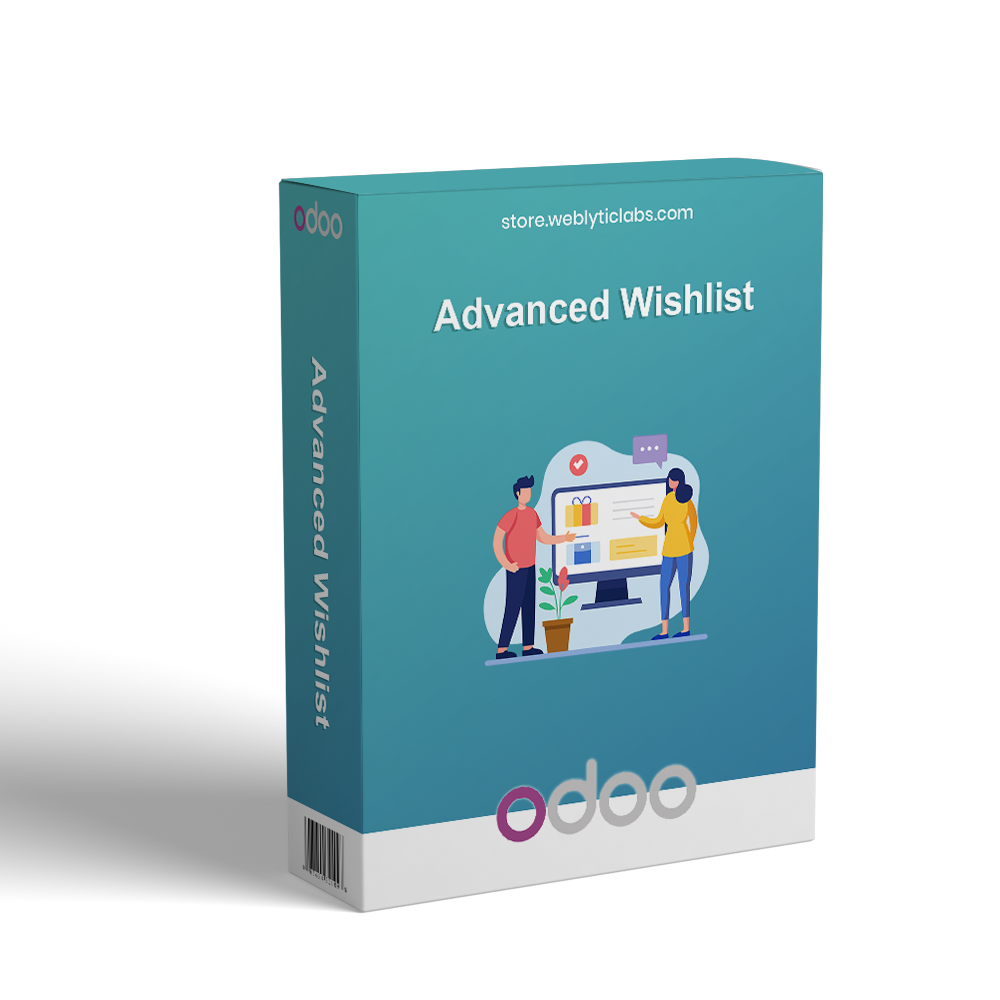
Advanced Wishlist for Odoo enhances the online shopping experience by allowing customers to create multiple wishlists, save favorite products, and organize them with custom names. Users can share wishlists via link, QR code, email, or social media and add all wishlist items to the cart in one click. Automated email reminders help re-engage customers and encourage purchases. The module also displays wishlist recommendations across Shop, Product, and Cart pages, while providing administrators with centralized wishlist management and tracking tools.

WATCH DEMO VIDEO

Technical Support
Quantity
  Return policy

10-day module exchange guarantee

  • Create and manage multiple wishlists to organize products for different shopping needs.
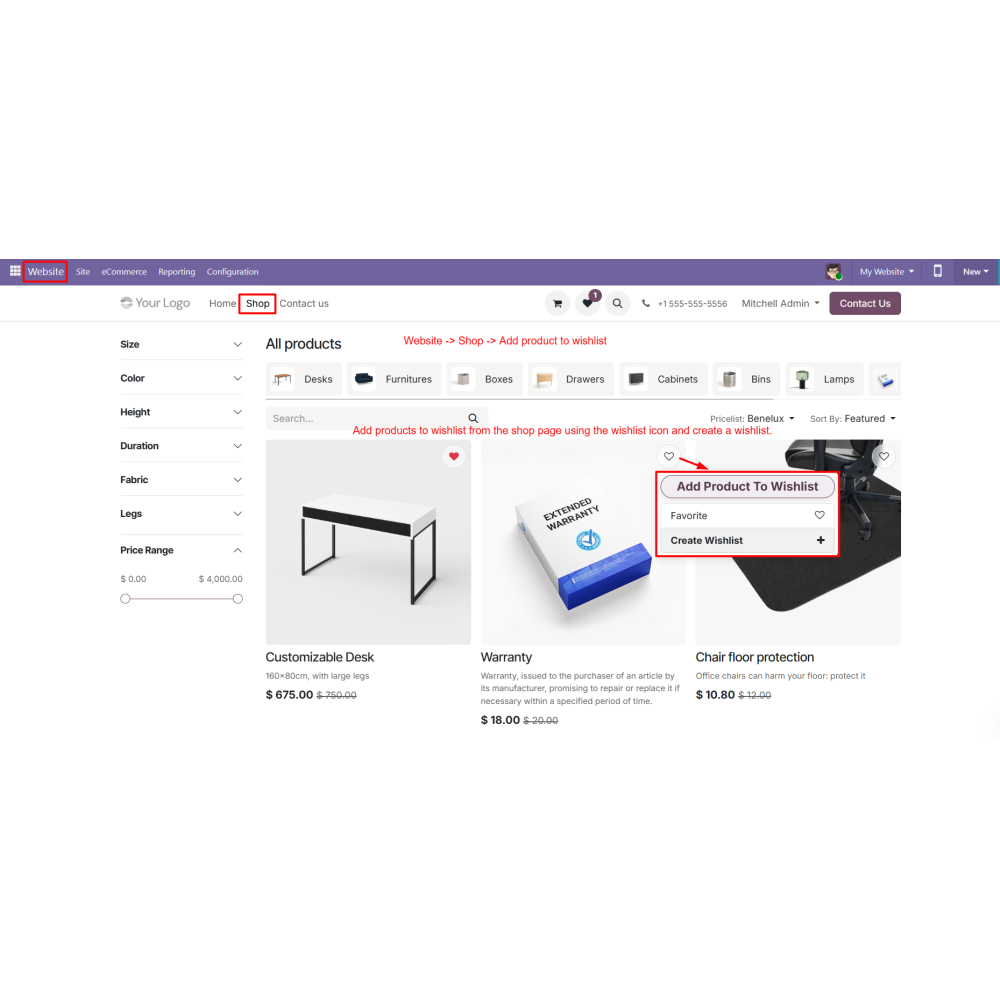
  • Save favorite products directly from the shop page for future purchases.
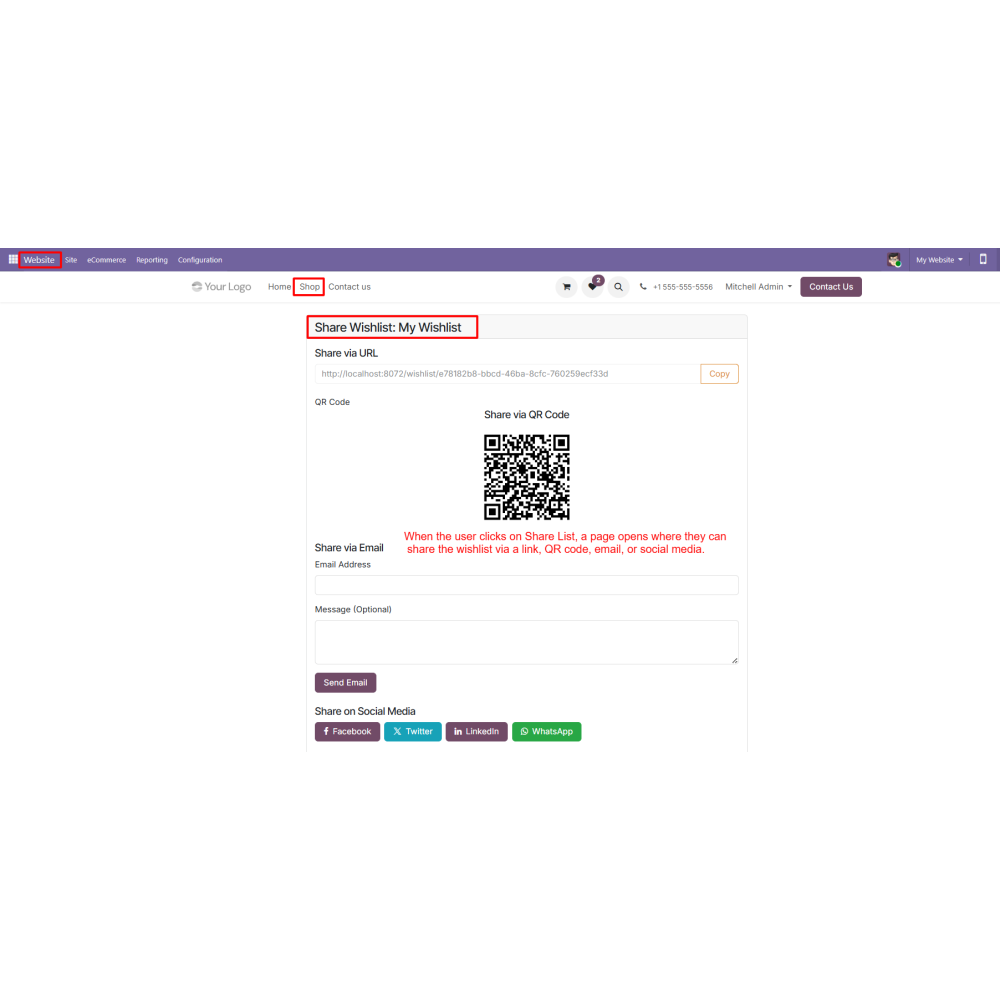
  • Share wishlists through links, QR codes, email, and social media platforms.
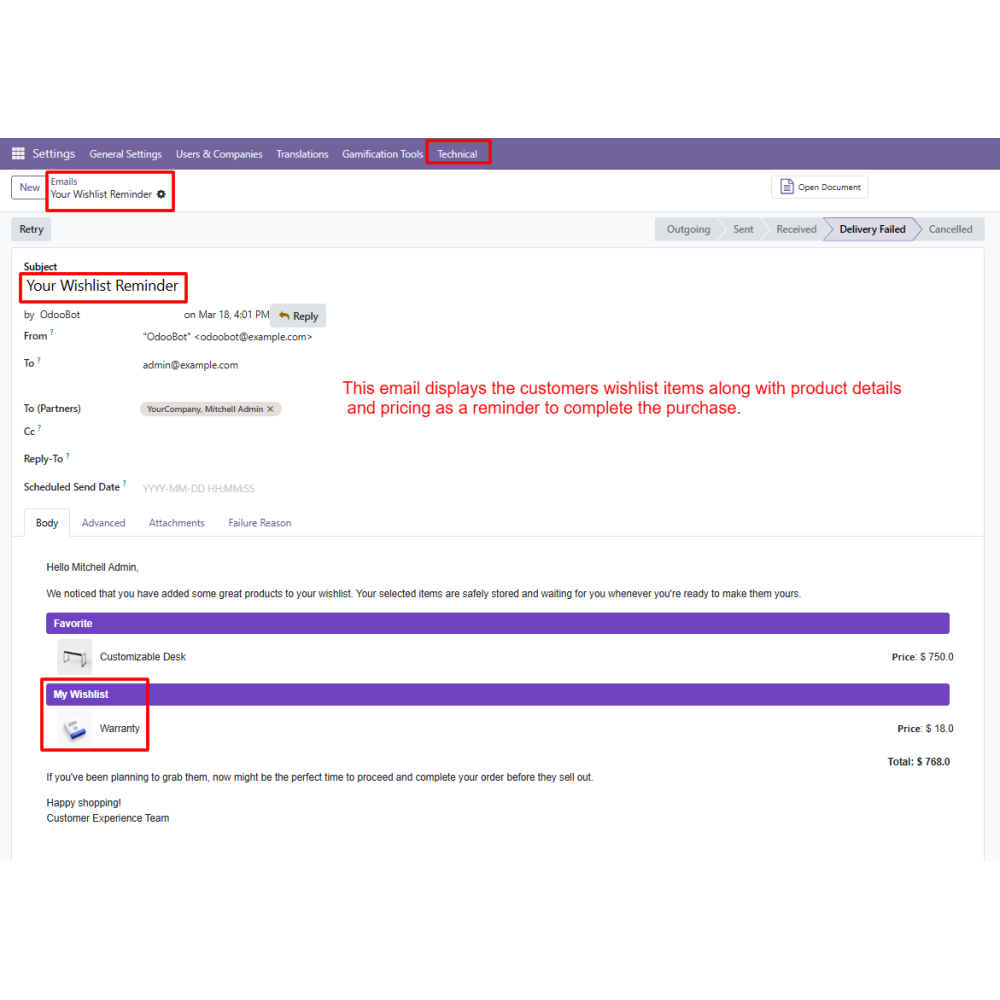
  • Send automated email reminders to encourage customers to revisit saved products.
  • Display wishlist recommendations on Shop, Product, and Cart pages to increase product visibility.
  • Manage and track all customer wishlists from a dedicated admin panel in Odoo.
  • Allow customers to assign custom names to wishlists for easy identification.
  • Help customers maintain a personalized collection of products they plan to purchase later.
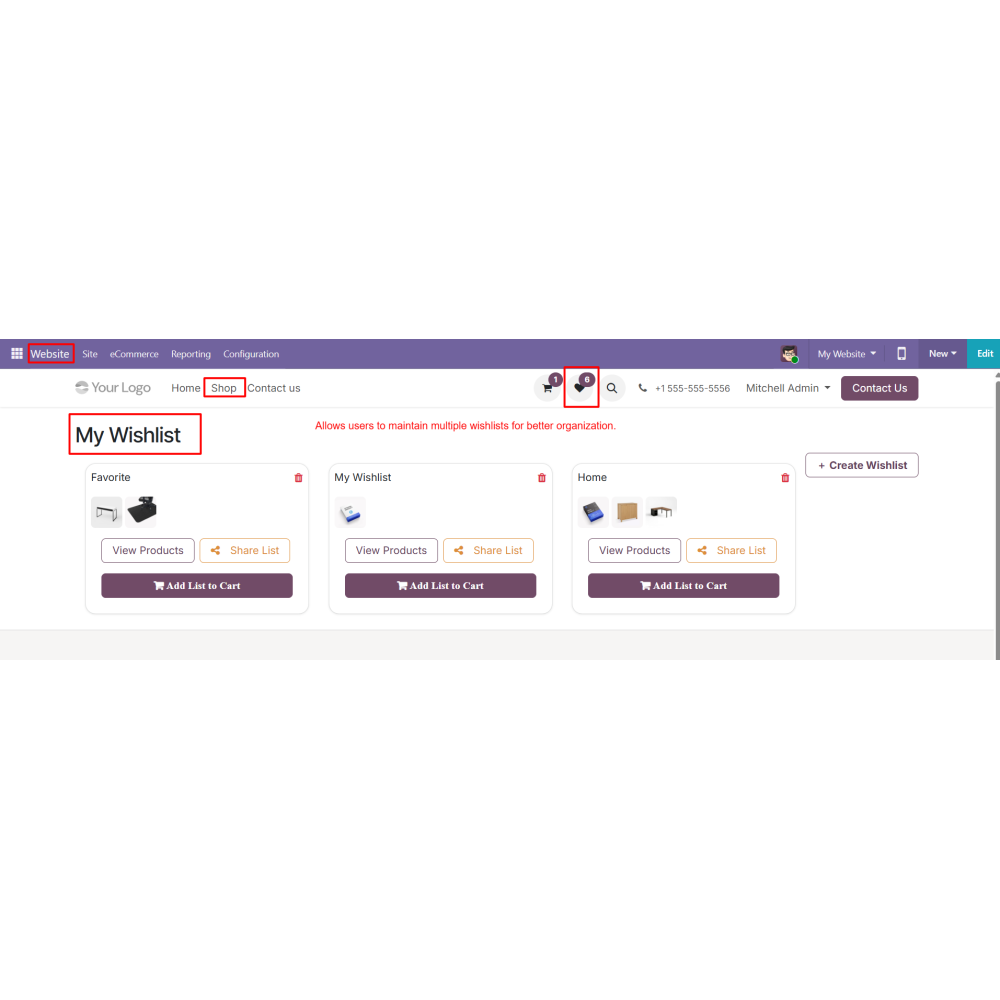
  • Allow customers to create and manage multiple wishlists for better product organization.
  • Enable wishlist sharing through links, QR codes, email, and social media.
  • Send automated email reminders for products saved in wishlists.
  • Add all wishlist products to the cart with a single click.
  • Display wishlist products and recommendations on Shop, Product, and Cart pages.
  • Provide administrators with tools to manage and track all customer wishlists.
  • Allow customers to create personalized wishlist names.
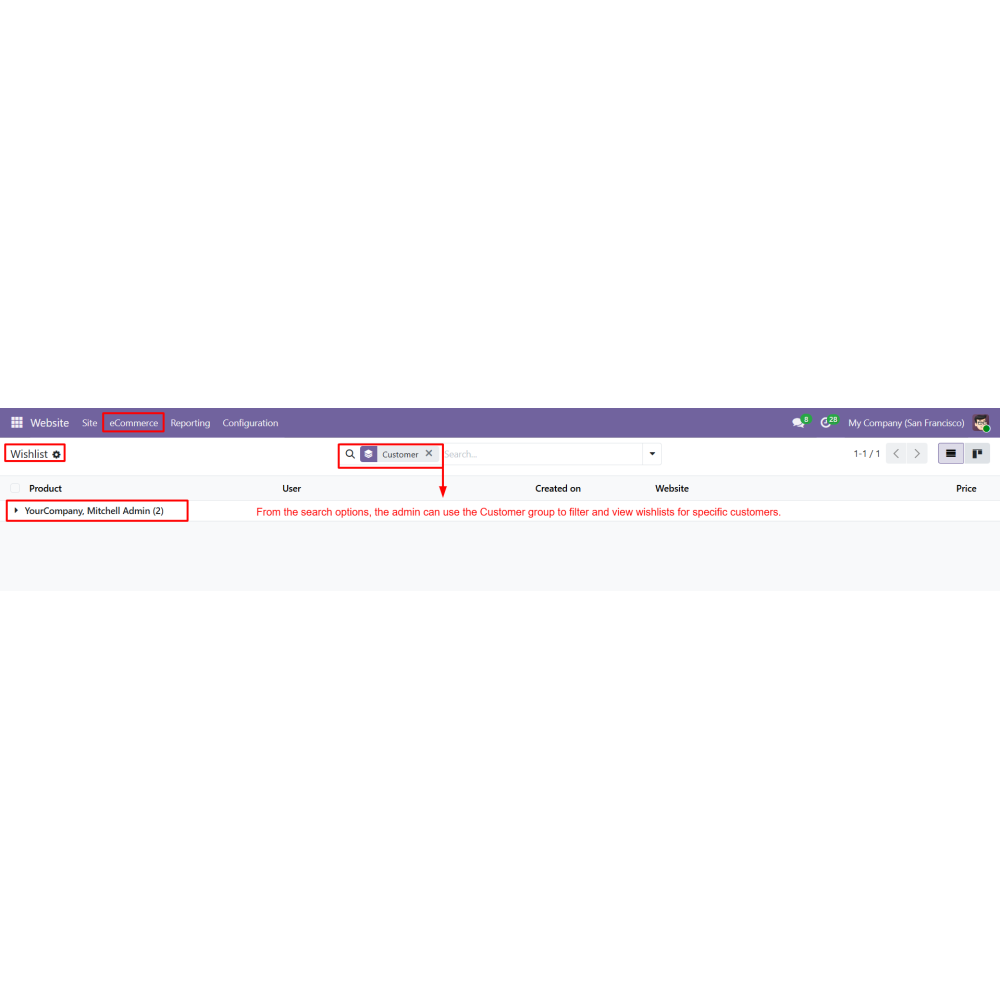
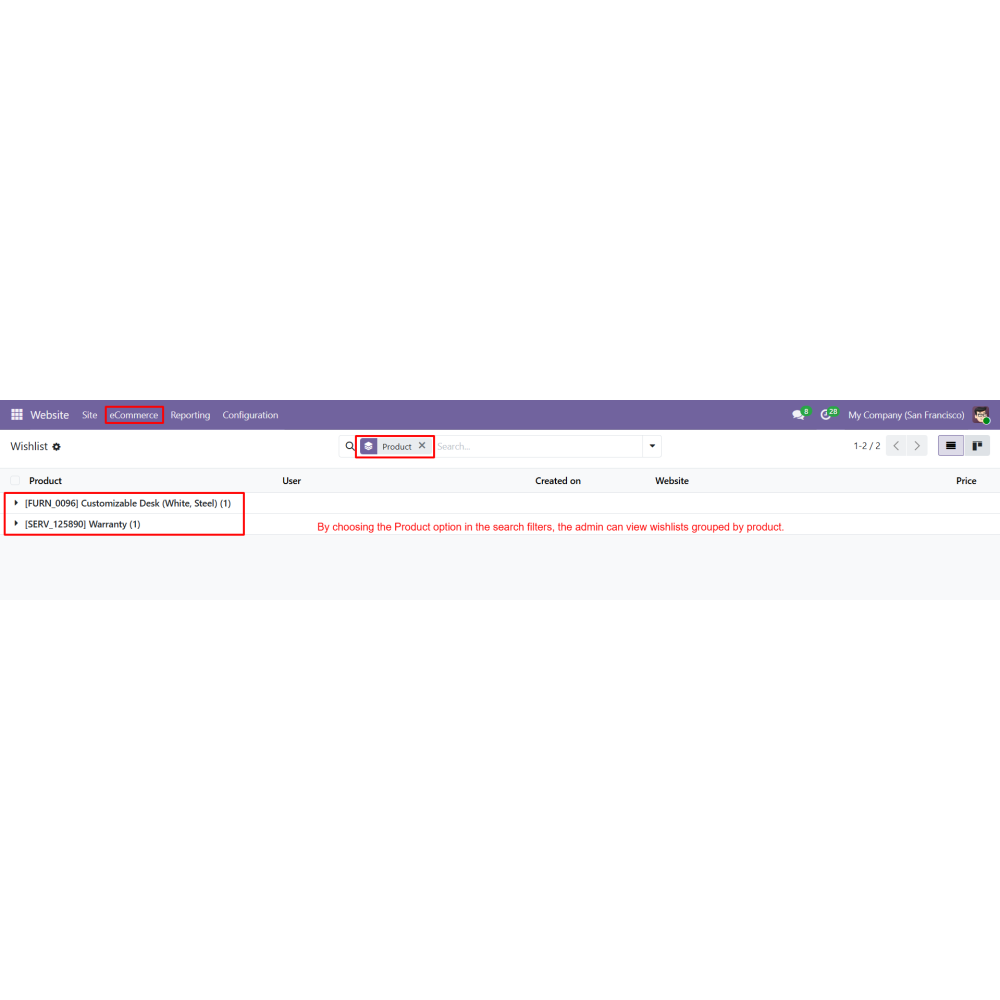
  • Offer advanced filtering options to analyze wishlists by customer and product.
  • Improves customer engagement by encouraging users to save and revisit products.
  • Increases conversion rates through reminders and simplified purchasing.
  • Enhances the shopping experience with organized product management.
  • Boosts product visibility across multiple pages of the website.
  • Encourages customers to share products with friends and family.
  • Helps recover potential sales by reminding customers about saved items.
  • Supports better product discovery through wishlist recommendations.
  • Strengthens customer retention by providing a personalized shopping experience.
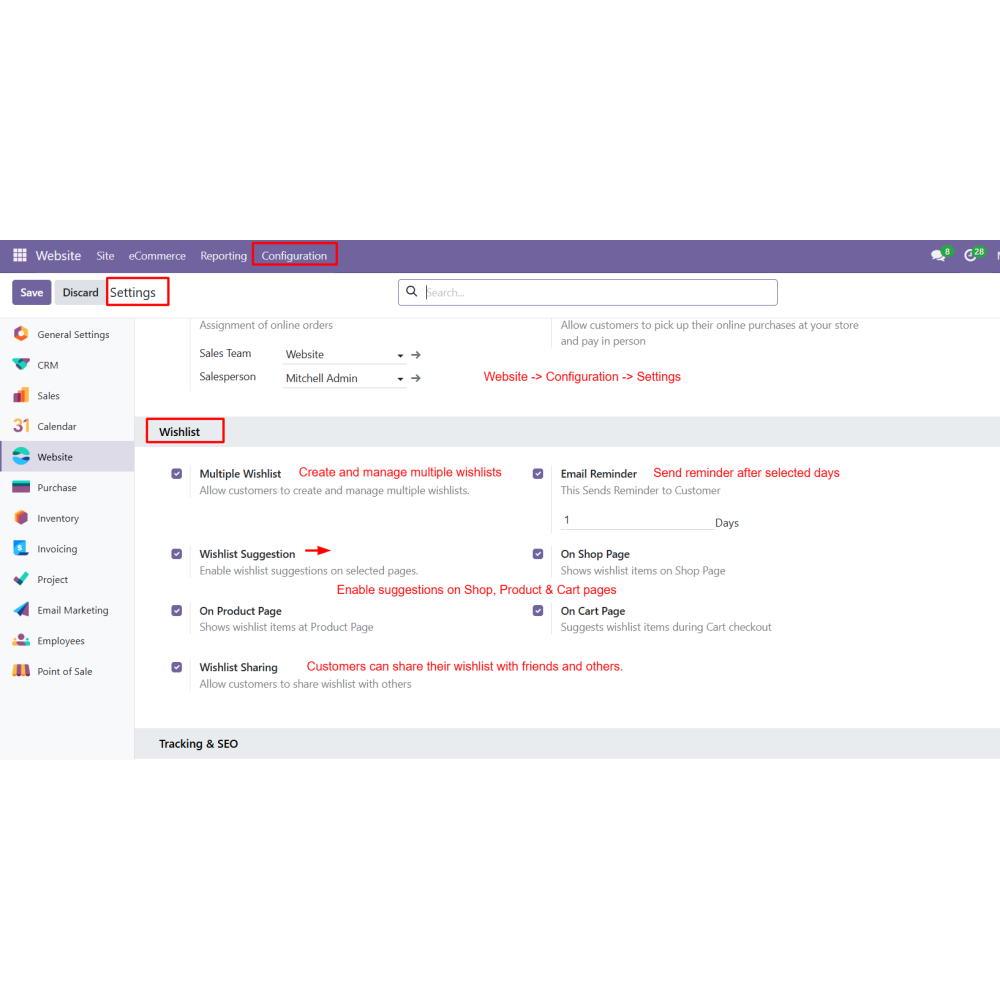
  •  Manage wishlist settings from Website configuration.
  •  Customers can create and manage multiple wishlists.
  •  Add products to the wishlist directly from the shop page using the wishlist icon.
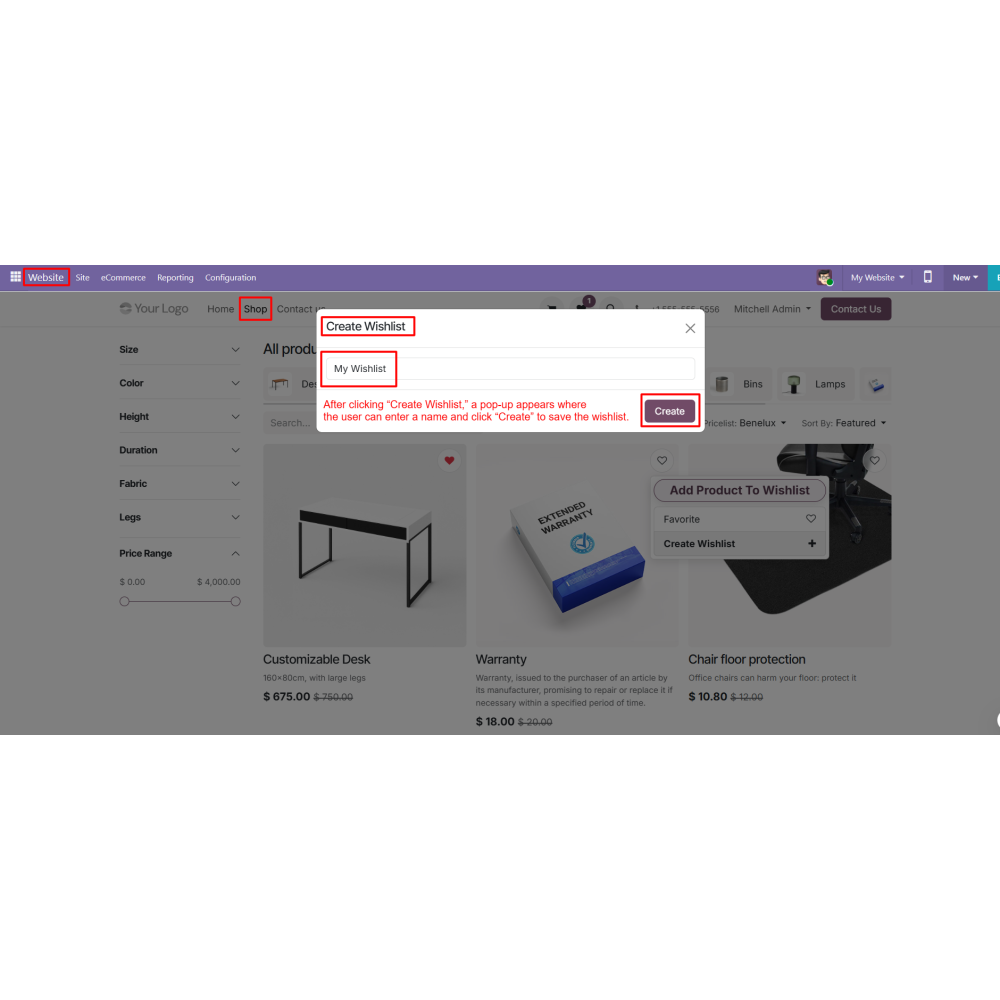
  •  Enter a name while creating a new wishlist.
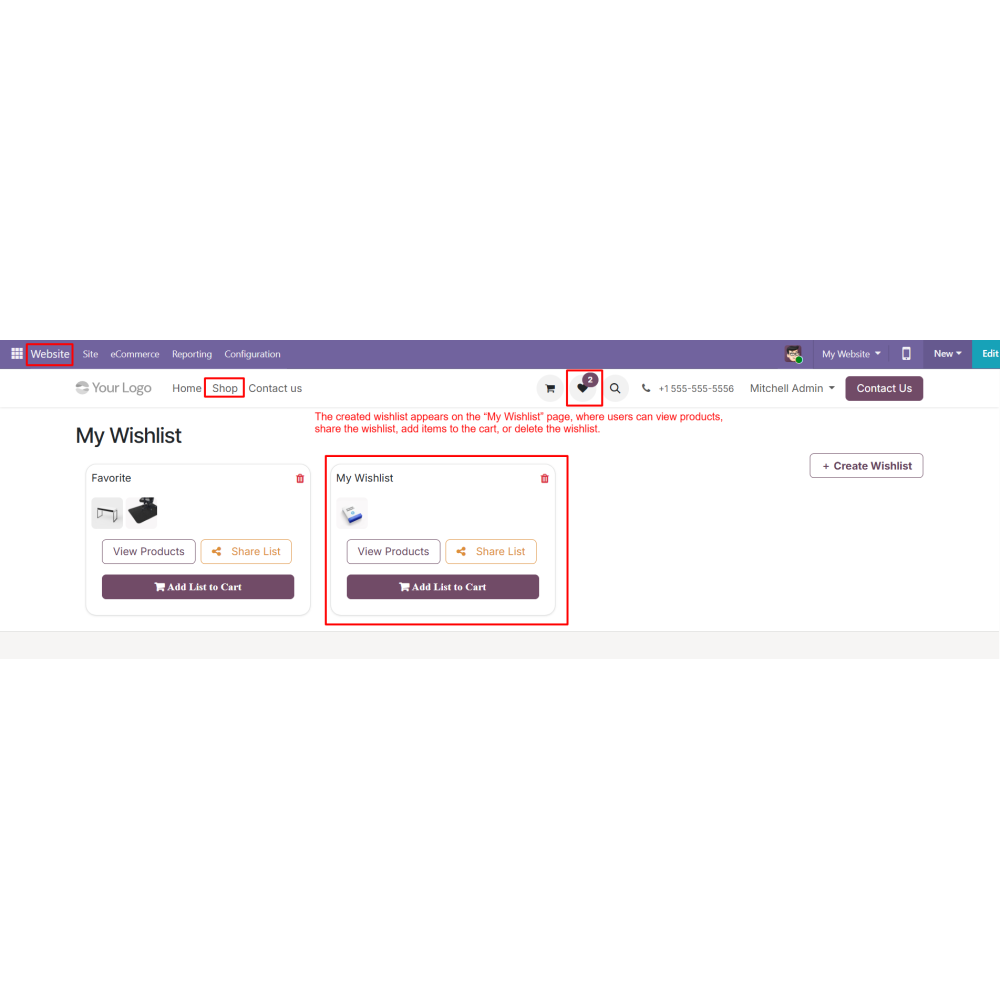
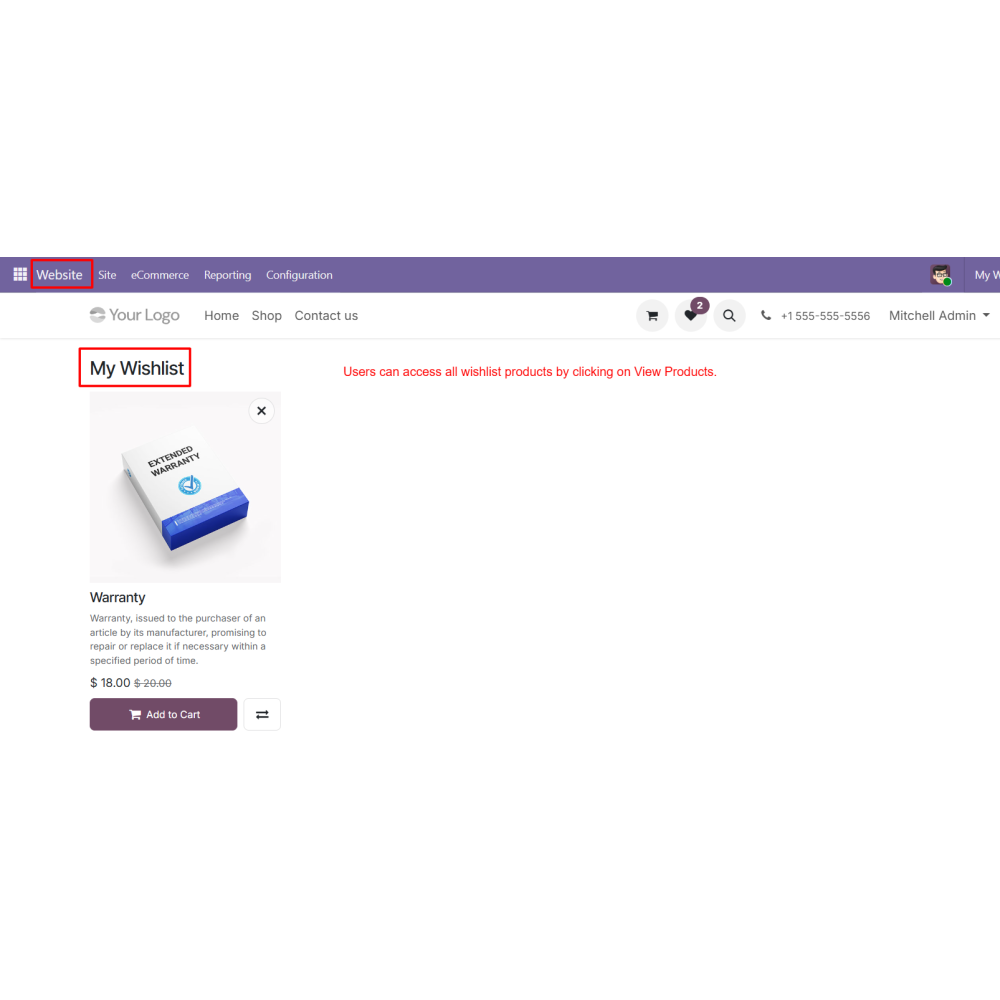
  •  Access all wishlists from the “My Wishlist” page.
  •  View, delete, or manage wishlist products.
  •  Click “View Products” to see all items in a wishlist.
  •  Share wishlist via link, QR code, email, or social media.
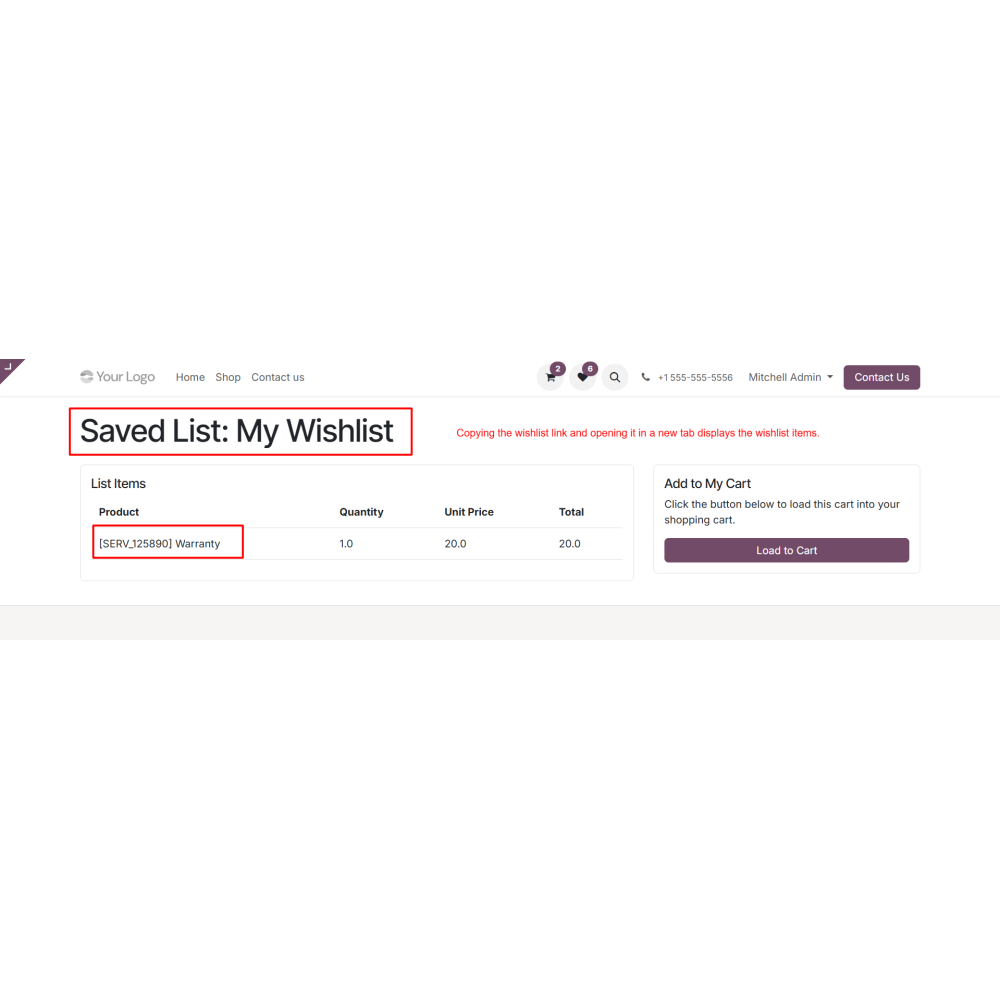
  •  Open the shared link to view wishlist products.
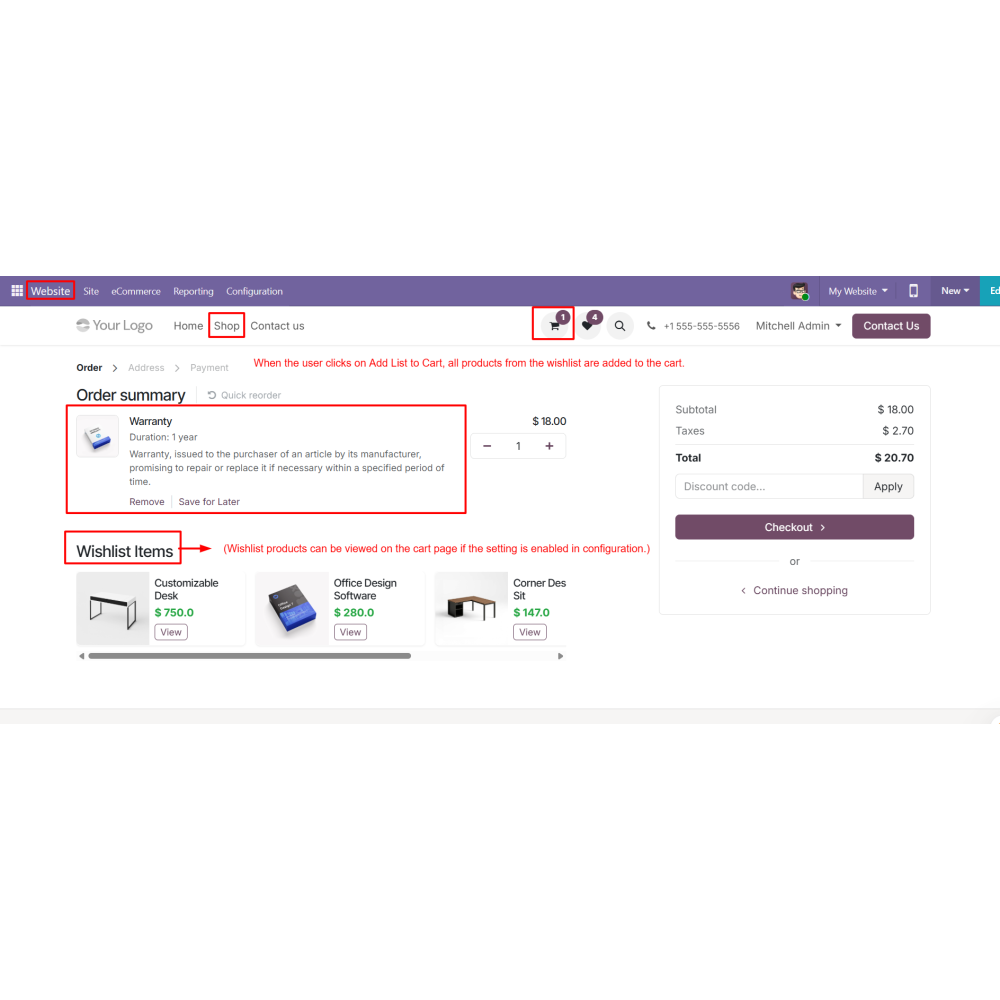
  • Add all wishlist products to the cart in one click.
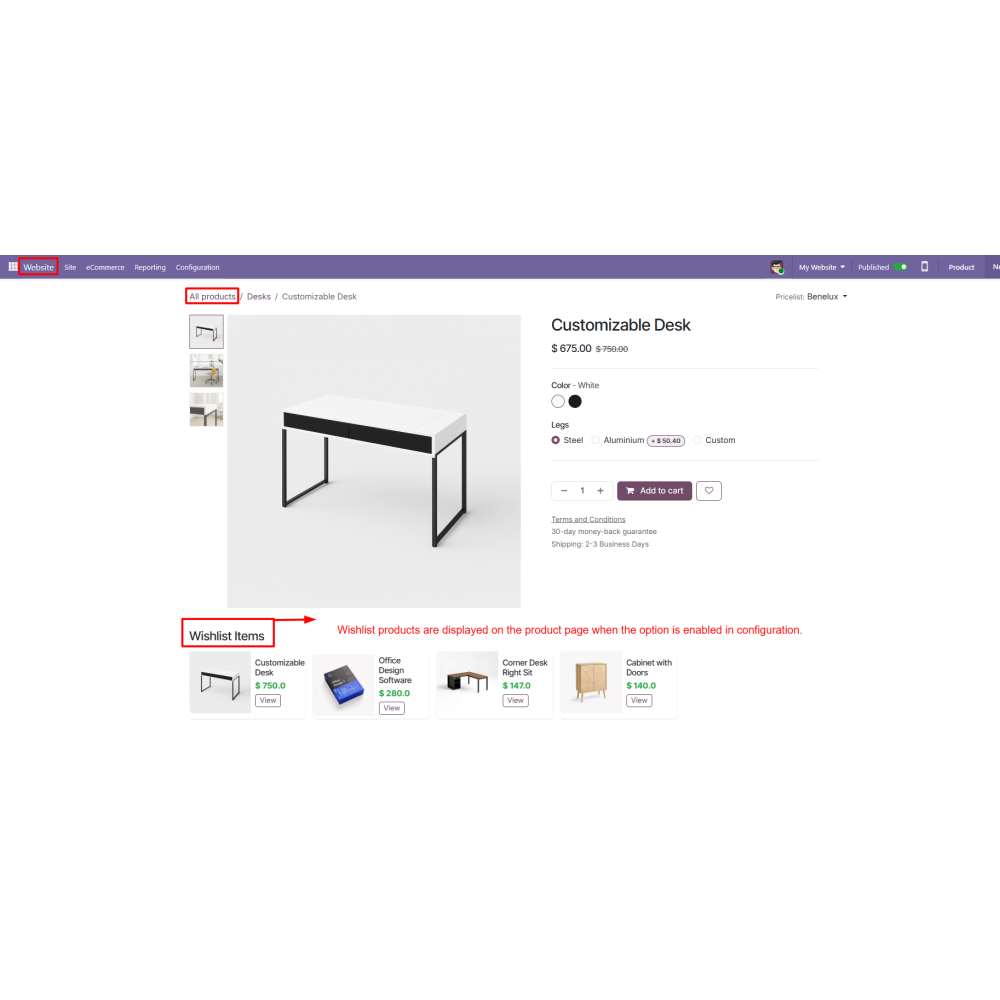
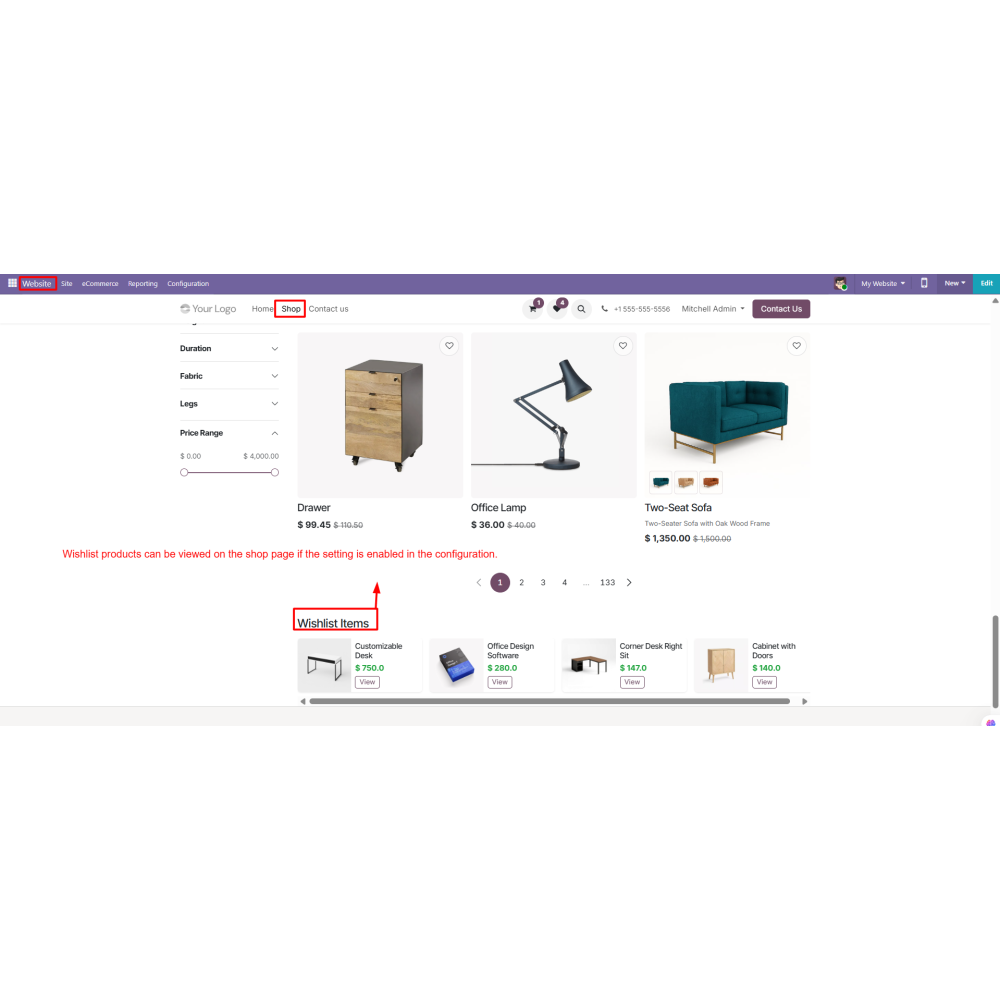
  • Display wishlist items on Shop, Product, and Cart pages based on settings.
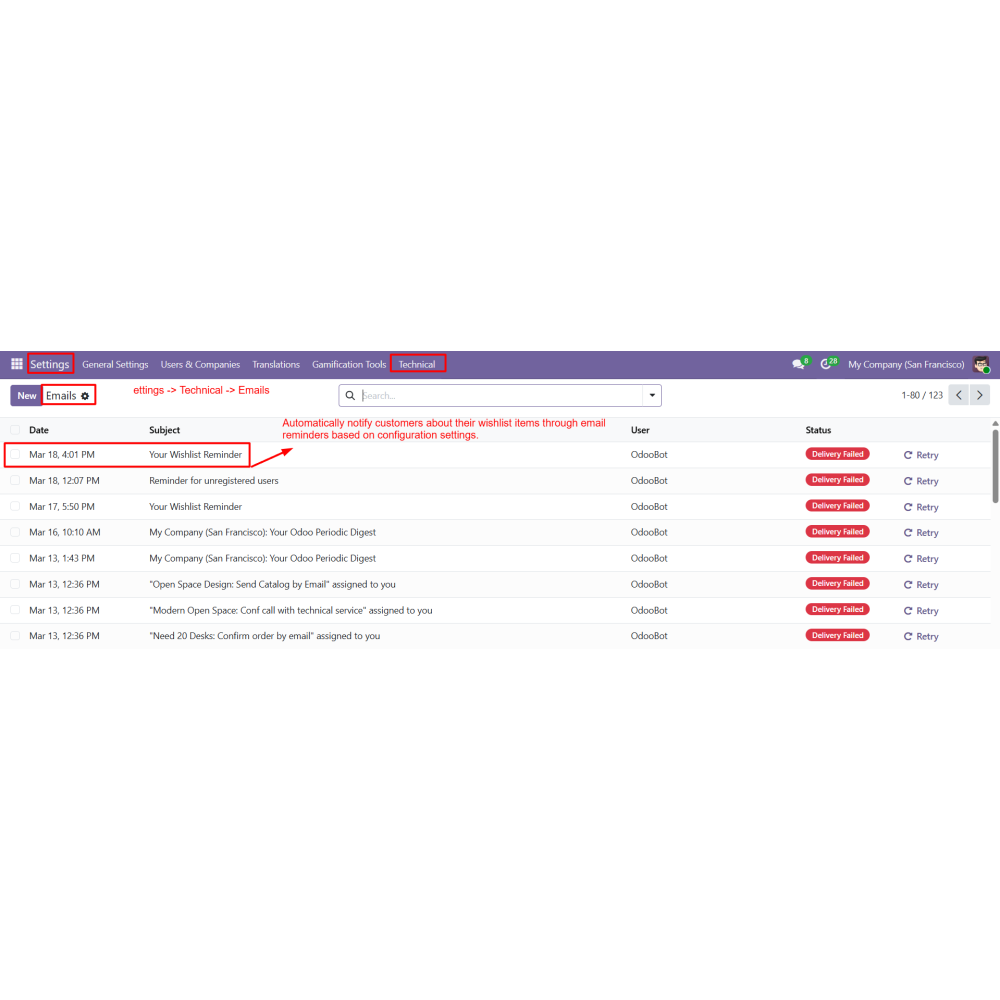
  • Send automated email reminders to customers for wishlist products
What is Advanced Wishlist for Odoo?Advanced Wishlist allows customers to create multiple wishlists, save products, share wishlists, and receive automated reminder emails for saved items.
Can customers create multiple wishlists?Yes, customers can create and manage multiple wishlists with custom names for better product organization.
How can customers add products to a wishlist?Customers can add products directly from the shop page using the wishlist icon.
Can wishlists be shared with others?Yes, wishlists can be shared through a direct link, QR code, email, or social media platforms.
Does the module send reminder emails?Yes, automated reminder emails can be configured to notify customers about products saved in their wishlists.
Can customers add all wishlist items to the cart at once?Yes, all products from a wishlist can be added to the cart with a single click.
Where can wishlist products be displayed?Wishlist products can be displayed on the Shop, Product, and Cart pages based on configuration settings.
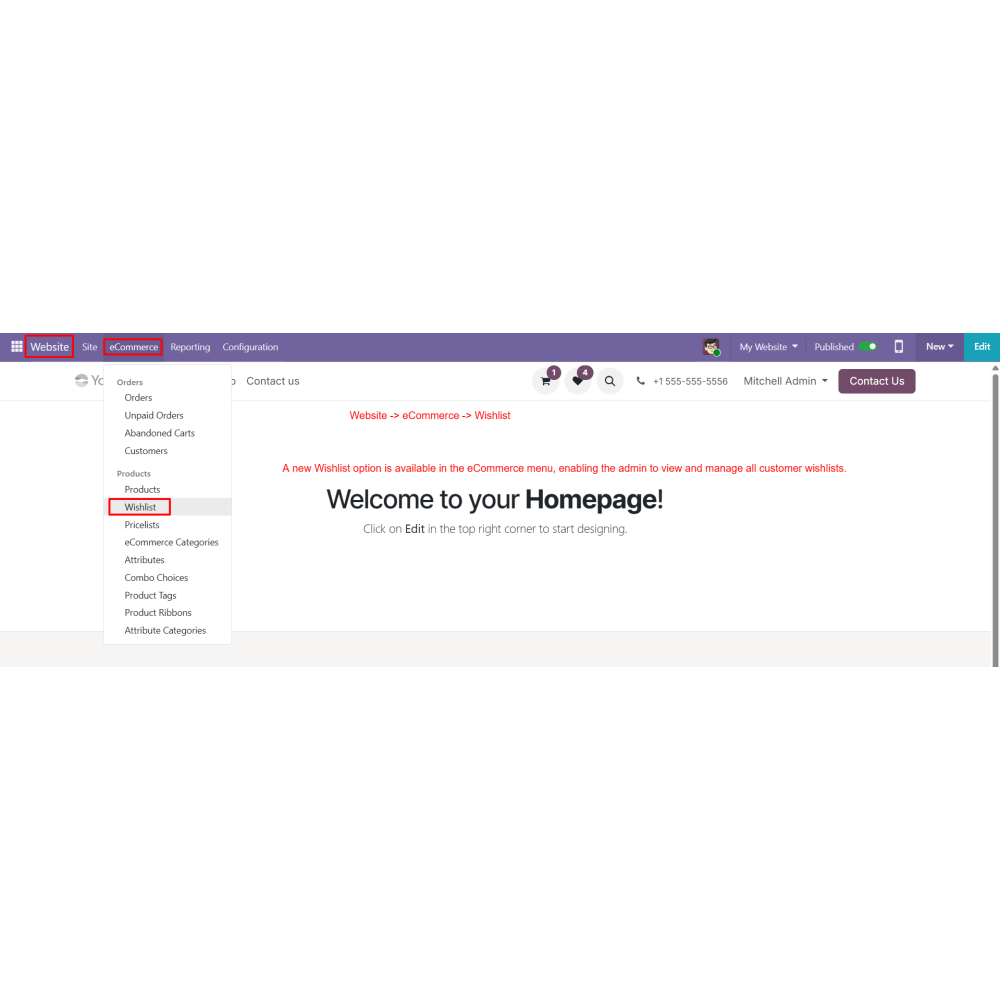
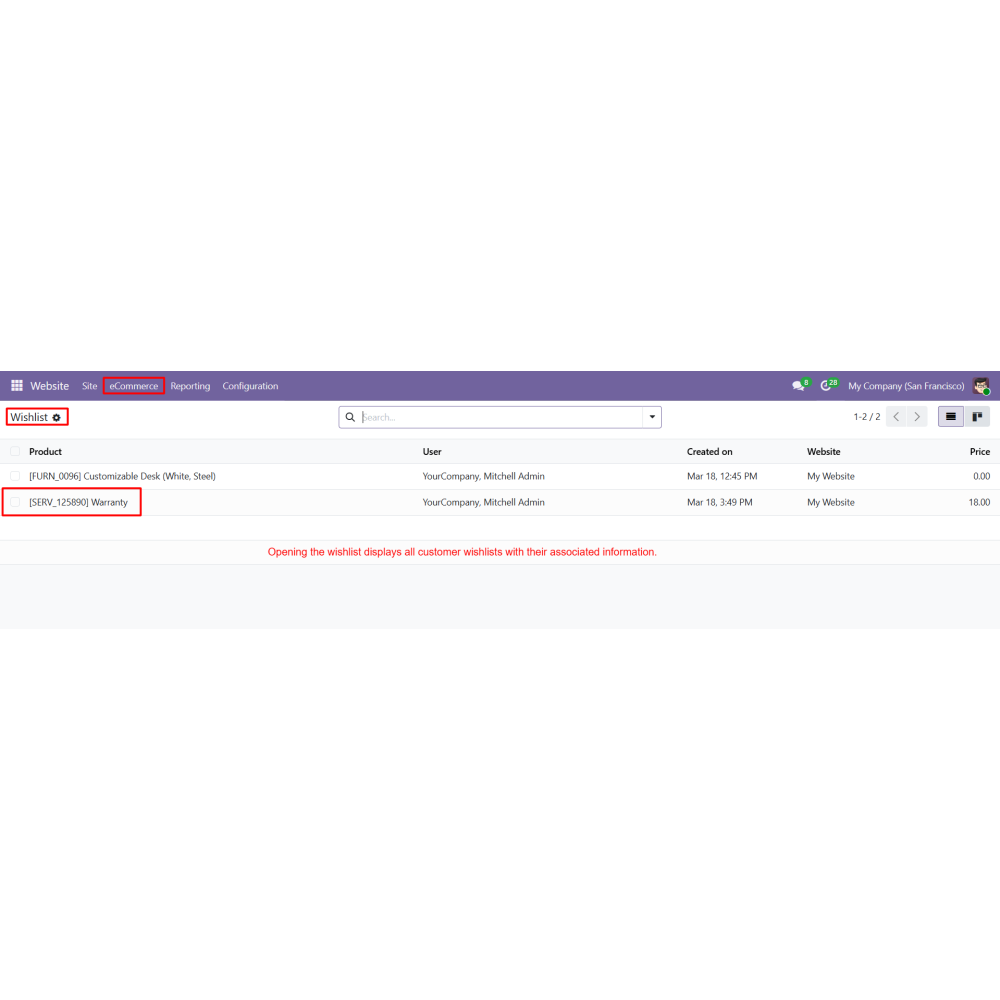
Can administrators manage customer wishlists?Yes, administrators can view and manage all customer wishlists from a dedicated backend menu.
Are filtering options available for wishlists?Yes, administrators can filter wishlists by customer or product for better tracking and analysis.
How does this module help increase sales?Wishlist sharing, reminder emails, and one-click cart addition help improve customer engagement and increase conversions.

Customer reviews

0.0 Out Of 5
5 star
0%
4 star
0%
3 star
0%
2 star
0%
1 star
0%

No customer reviews

Benefits Of Advanced Wishlist

Improved customer engagement

Increased conversion rates

Better product organization

Easy wishlist sharing

Enhanced shopping experience

Automated customer reminders

Features of Advanced Wishlist

Multiple Wishlist Management

Allow customers to create and manage multiple wishlists.

Wishlist Sharing

Share wishlists via link, QR code, email, or social media.

Email Reminder Notification

Send automated email reminders for wishlist products after selected days.

Add Wishlist to Cart

Add all wishlist items to the cart with a single click.

Wishlist on Shop, Product & Cart Pages

Display wishlist items across different pages based on configuration.

Admin Wishlist Management

Admin can view and manage all customer wishlists from the backend.

Power Up Your  Store — We Handle It All

Related products