.png)



Magento Display Total Savings On Cart
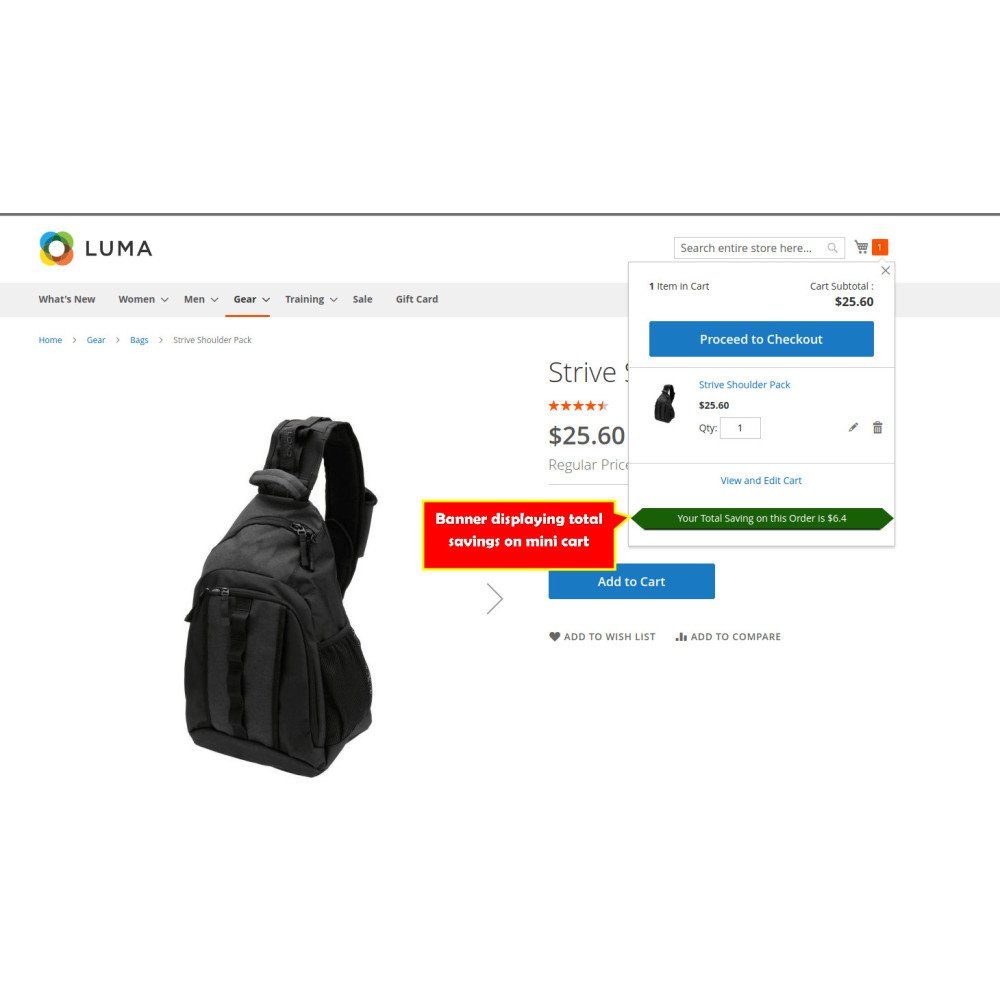
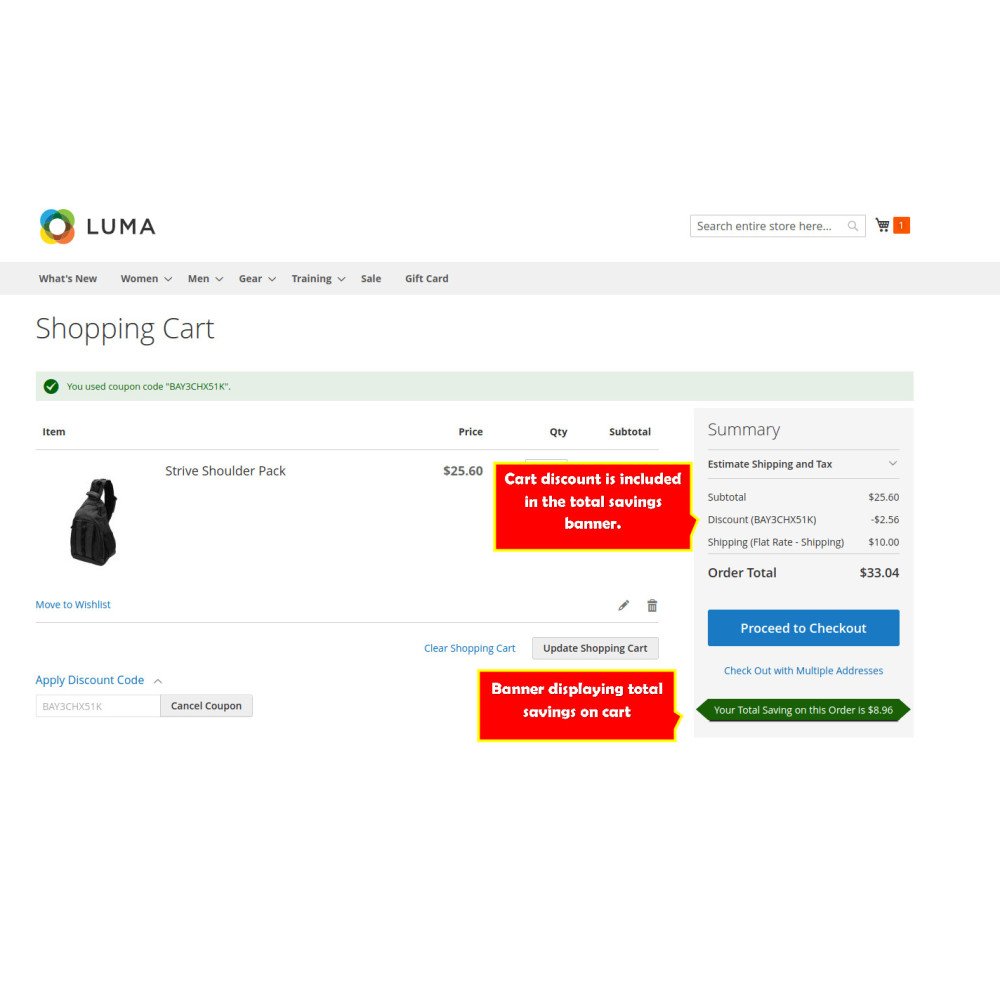
Enhance your customers' shopping experience with the Total Savings Display feature for your e-commerce store. This module prominently shows the total amount saved in the shopping cart, providing customers with transparent information about their discounts and encouraging them to complete their purchases.
Enhance your customers' shopping experience with the Total Savings Display feature for your e-commerce store. This module prominently shows the total amount saved in the shopping cart, providing customers with transparent information about their discounts and encouraging them to complete their purchases.
 Return policy
10-day module exchange guarantee
Show customers the exact total savings in the cart and checkout.
Encourage faster purchase decisions by highlighting discounts.
Reduce cart abandonment through clear and transparent savings display.
Enhance user trust by showing the value of promotions instantly.
Improve the shopping journey with real-time savings visibility.
Automatic calculation of total savings in the cart and checkout.
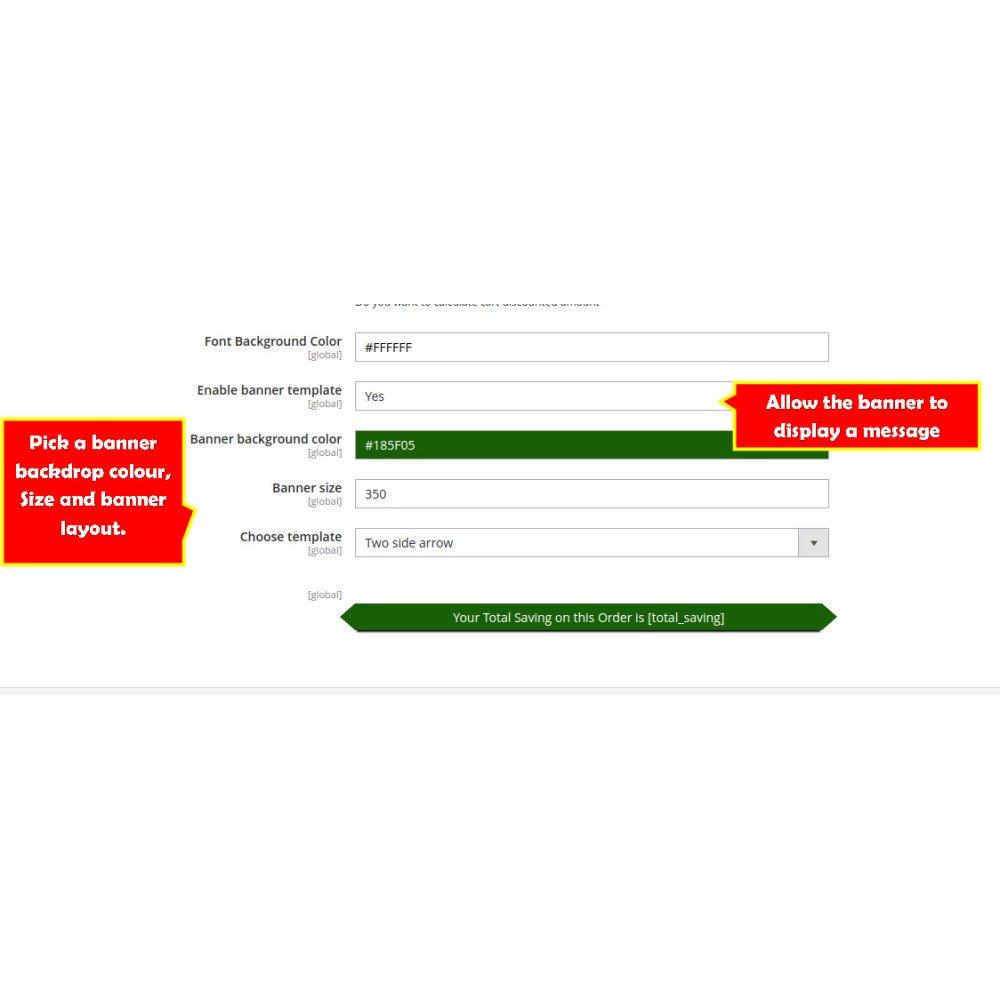
Customizable messages like "Congratulations, you saved €15!"
Flexible display positions for the savings banner.
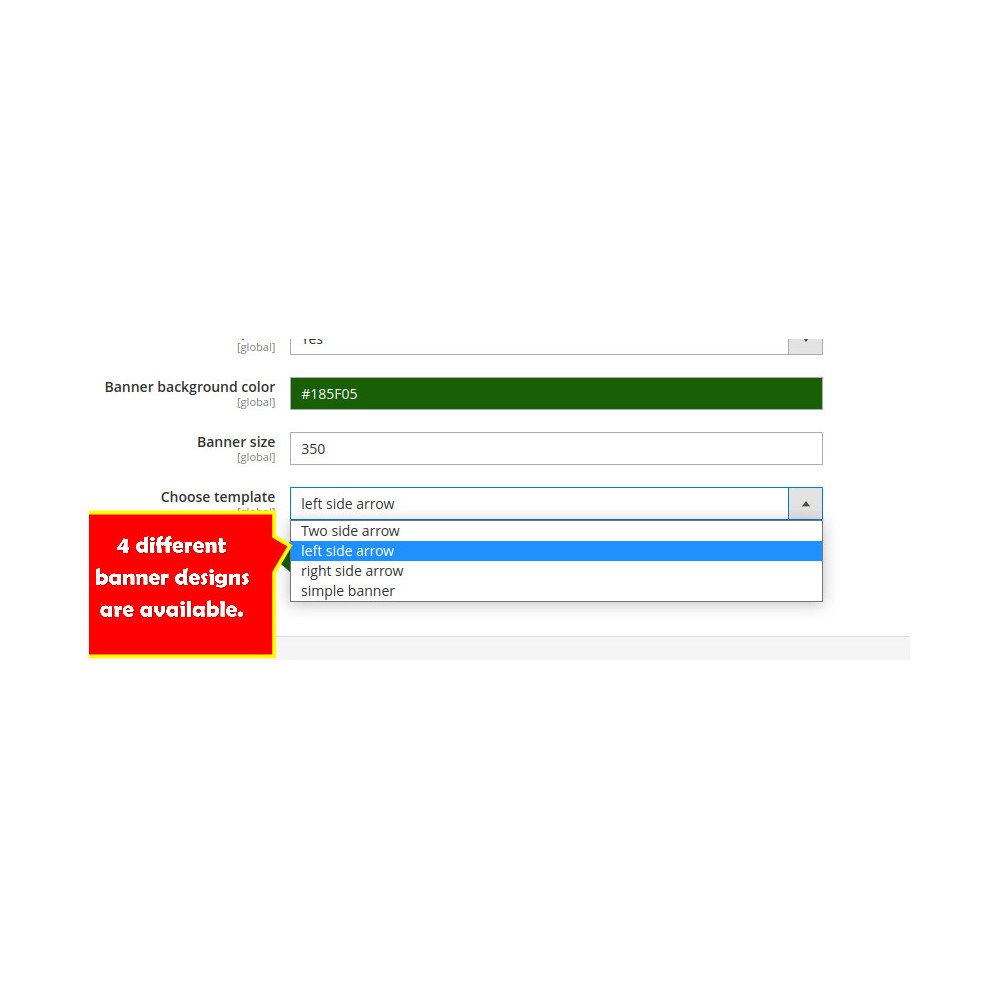
Multiple templates with adjustable background and fonts.
Modern, eye-catching incentive banners.
Real-time preview of design changes before saving.
Encourage purchase completion by reducing hesitation.
Improve transparency and trust with clear pricing.
Increase sales by highlighting the benefits of discounts.
Instant awareness of how much they are saving.
Visual reminder of savings at checkout.
Simplified, clear shopping experience without extra calculations.
php bin/magento setup:upgradephp bin/magento setup:di:compilephp bin/magento setup:static-content:deploy -fphp bin/magento cache:flushLog in to Magento Admin Panel.
Navigate to Stores > Configuration > Display Total Savings.
Configure banner templates, positions, and custom messages.
Save changes and verify savings display on cart and checkout pages.



 Magento Experience — Scalable, Secure, and Built to Grow