Ready to Explore ServiceHub?
Explore the complete service marketplace, try the live demo, or contact our team to get started.
Installation & Setup
ServiceHub is delivered as a complete service marketplace solution with customer, provider, and admin interfaces, along with a customer mobile application.
Weblytic Labs provides complete installation and initial setup of ServiceHub. Our team will configure the required application components, database, API connection, and application environment so the platform is ready for use.
1. Server Requirements
Before installation, your server should meet the following minimum requirements:
- Node.js: Version 20 or higher
- Database: PostgreSQL 16
- Package Manager: npm
- Server: A server capable of running Node.js applications
- SSL: HTTPS is recommended for production environments
2. What Is Included in Installation
Our installation service covers the essential components required to run ServiceHub.
- ServiceHub API installation
- Customer website setup
- Provider panel setup
- Admin panel setup
- PostgreSQL database configuration
- Database schema and migration setup
- Application environment configuration
- API and frontend connection
- Initial application configuration
- Customer mobile application configuration
- Basic installation verification
3. ServiceHub Components
ServiceHub consists of multiple applications connected through a central API and database.
- Customer Website – Customer-facing marketplace and booking experience
- Provider Panel – Service provider and job management
- Admin Panel – Complete marketplace administration
- Customer Mobile App – Customer application for iOS and Android
- API – Central backend connecting all applications
- PostgreSQL Database – Stores application and marketplace data
4. Database Setup
ServiceHub uses PostgreSQL 16 with Prisma ORM for database management.
During installation, the database is configured and connected with the ServiceHub API. Required database migrations and initial data setup are performed as part of the installation process.
5. Application Configuration
The application requires environment configuration for the database, authentication, API communication, CORS, and other integrations.
Depending on the features enabled for your installation, configuration may include:
- Database connection
- API URL
- Authentication configuration
- CORS settings
- Google Maps API
- Email configuration
- SMS / OTP configuration
- Customer storefront URL
- Mobile application API configuration
6. Customer Mobile App Setup
The ServiceHub customer mobile application is built with Expo and React Native and uses the same API as the customer website.
The mobile application is customer-facing and supports browsing services, bookings, checkout, payments, booking confirmation, account management, addresses, coupons, and other customer features.
7. Installation Verification
After installation, the following areas are checked to ensure the platform is working correctly:
- Customer website
- Provider panel
- Admin panel
- Database connection
- API communication
- Customer registration and login
- Service browsing
- Booking workflow
- Checkout process
- Admin booking management
- Provider management
- Customer mobile application connectivity
8. What You Need to Provide
To complete the installation, the customer may need to provide the required server or hosting access and credentials for third-party services that they wish to use.
- Server / hosting access
- Domain access, where required
- Database or server credentials, where applicable
- Google Maps API key, if required
- Email / SMTP credentials, if required
- SMS provider credentials, if OTP SMS is required
- Payment gateway credentials, if applicable
9. Complete Installation by Weblytic Labs
Don't want to handle the technical setup?
No problem. Weblytic Labs provides complete installation assistance for ServiceHub. Our team will configure the application, connect the required services, and verify the installation so you can focus on setting up your marketplace and business operations.
10. Next Step
Once the installation is completed, continue with the Configuration & Customization section to configure your marketplace, services, providers, payments, storefront, notifications, and other business settings.
# Technology & Architecture
ServiceHub is built using a modern, scalable technology architecture designed to support a complete service marketplace across web and mobile platforms.
The platform consists of three web applications and one customer mobile application, all connected through a centralized NestJS API and PostgreSQL database.
Technology Stack
| Layer | Technology | Purpose |
|---|---|---|
| Frontend | Next.js 16, React 19, TypeScript, Tailwind CSS 4 | Modern web applications and responsive interfaces |
| Backend | NestJS 11, Node.js, Express | REST API and business logic |
| Database | PostgreSQL 16 | Application and marketplace data storage |
| ORM | Prisma 6.19 | Database access and migrations |
| Mobile | Expo 57, React Native 0.86, TypeScript | Customer mobile application |
| Authentication | JWT, Passport, bcrypt | Authentication and password security |
| Communication | Nodemailer, Twilio, MSG91 | Email, SMS and OTP communication |
| Maps | Google Maps | Location and map functionality |
System Architecture
ServiceHub follows a centralized API architecture where the different applications communicate with the same backend and database.
↓
NestJS REST API
↑
Provider Panel Admin Panel Customer Mobile App
↓
PostgreSQL Database
Customer Website
The customer website provides the complete customer-facing marketplace experience.
- Browse service categories
- Search and explore services
- View service details
- Select date and time
- Choose service options and add-ons
- Complete checkout
- Manage bookings
- Manage customer account and addresses
Provider Panel
The provider interface is designed for service providers and professionals to manage their assigned work.
- Provider authentication
- View assigned jobs
- Manage bookings
- Track earnings
Admin Panel
The Admin Panel acts as the central back-office system for managing the marketplace.
- Services and categories
- Bookings and schedules
- Customers and providers
- Employees and staff
- Payments and taxes
- Coupons and commissions
- Invoices and reviews
- Complaints and recurring plans
- Storefront and CMS
- Email and SMS configuration
- Reports and analytics
Customer Mobile Application
ServiceHub also includes a dedicated customer mobile application built with Expo and React Native.
The mobile application uses the same API and customer authentication system as the customer website, allowing customers to access their marketplace experience from mobile devices.
- Browse services and categories
- View service details
- Select booking dates and times
- Complete checkout
- Manage bookings
- Manage profile and addresses
- View coupons and offers
- Access the Help Center
API Layer
The NestJS 11 API acts as the central communication layer between the applications and the database.
It handles authentication, catalog management, bookings, payments, customers, providers, administration, storefront content, communication, uploads and other core marketplace operations.
Authentication & Security
ServiceHub uses JWT-based authentication with separate authentication systems for customers, providers and administrators.
- Customer: Customer authentication and account access
- Provider: Provider authentication and job access
- Admin: Administrative and staff access
- Password Security: bcrypt password hashing
- Mobile Security: Secure token storage using Expo SecureStore
Database Architecture
ServiceHub uses PostgreSQL 16 as its primary database with Prisma ORM for database access and migrations.
The database manages customers, providers, services, bookings, payments, invoices, reviews, recurring plans, commissions, conversations, CMS pages and other marketplace data.
Architecture Benefits
- Centralized API: Web and mobile applications use a common backend.
- Scalable Architecture: Separate application layers make the platform easier to extend.
- Modern Frontend: Next.js, React and Tailwind CSS provide a modern web experience.
- Mobile Ready: Dedicated customer application built with React Native and Expo.
- Structured Database: PostgreSQL with Prisma provides organized data management.
- Role-Based Access: Customer, provider and admin environments are separated.
ServiceHub combines modern web technologies, a centralized API, structured database architecture and a dedicated customer mobile application to provide a complete foundation for a scalable service marketplace.
ServiceHub Customer Mobile App
ServiceHub includes a dedicated customer-facing mobile application that allows customers to discover services, manage their account, select services, schedule appointments, complete checkout, and manage their bookings directly from a mobile device.
Technology Stack
Expo SDK 57
React Native 0.86.2
React 19.2.3
TypeScript ~6.0.3
Expo Router 57
React Native Web 0.21
React Native Reanimated 4.5.1
Expo SecureStore
Mobile App Architecture
The mobile application is a standalone Expo project connected to the ServiceHub backend. It uses the same NestJS API, PostgreSQL database, customer catalog, booking system, checkout services, and customer authentication used by the customer website.
API & Authentication
- Uses the central ServiceHub NestJS 11 API.
- Uses the customer JWT authentication system.
- Customer tokens are stored securely using Expo SecureStore on native devices.
- The same customer account can be used on the customer website and mobile application.
- Catalog, services, availability, bookings, checkout and account data are synchronized through the API.
- The API uses Prisma 6.19 with PostgreSQL 16 as the persistence layer.
API Connection & Configuration
The mobile application determines its API address through the EXPO_PUBLIC_API_URL environment variable when configured.
If it is not configured, the application can use the Expo origin and API path, with Android emulator and local development fallbacks available.
Customer Mobile Screens
Booking & Checkout Experience
Customers can browse the service catalog, open individual service pages, view availability, select one-time or recurring services, choose an address, apply available coupons, select payment options, review taxes and fees, and place their booking.
Mobile App Capabilities
Browse categories, featured services and the storefront.
View upcoming, past and cancelled bookings.
Browse and manage supported recurring plans.
Manage customer profile, addresses and payment preferences.
View available offers and apply coupons during booking.
Access the ServiceHub help center and support content.
Platform & Development Support
- Expo-based application architecture.
- React Native native mobile interface.
- Portrait orientation configuration.
- Expo Router file-based navigation.
- Android and iOS platform configuration.
- Expo Web support through React Native Web.
- Metro bundler for development and web builds.
- Secure customer token storage on native devices.
- Local development support for physical devices and Android emulators.
Mobile Application Structure
The mobile application is maintained as a separate project from the main web monorepo.
├── src/
├── app/
├── src/api/client.ts
├── src/config.ts
├── app.json
├── metro.config.js
└── package.json
Development & Local Setup
The mobile application requires Node.js and npm. The ServiceHub API should be running before starting the mobile application.
npm install
npx expo start --web
Expo Go can be used on a physical device connected to the same Wi-Fi network, while Android development can use an Android emulator with Android Studio and ADB.
Customer Web & Mobile Relationship
The customer website and mobile application act as the front-office customer experiences of ServiceHub. Both use the same catalog, booking, checkout and confirmation APIs, while administration and operational management remain available through the web-based admin platform.
# Configuration & Customization
ServiceHub provides a range of configuration and customization options that allow you to adapt the platform to your business requirements, branding, marketplace workflow, and communication preferences.
Most business-level settings can be managed from the Admin Panel, while technical integrations and environment-level settings can be configured during installation and deployment.
1. General Configuration
Configure the core settings required to operate your ServiceHub marketplace.
- Platform and application settings
- Customer storefront URL
- Application configuration
- Authentication settings
- Communication settings
- Other marketplace-level preferences
2. Storefront Customization
Customize the customer-facing storefront to match your business identity and marketplace requirements.
- Storefront branding
- Logo and visual identity
- Homepage content
- Featured services
- Service categories
- CMS content
- Header and navigation
- Footer content
The Admin Panel includes dedicated storefront and CMS functionality, allowing administrators to manage the customer-facing marketplace content.
3. Service Configuration
Configure how services are presented and booked on your marketplace.
- Service categories
- Service descriptions
- Service pricing
- Service images and gallery
- Service add-ons and tasks
- Availability and scheduling
- One-time services
- Recurring services
- Cancellation rules
- Tax configuration
4. Booking & Scheduling Configuration
ServiceHub allows administrators to configure the booking workflow according to the services offered by the marketplace.
- Available booking dates
- Available time slots
- Provider availability
- Booking status management
- Recurring booking settings
- Cancellation configuration
5. Payment & Tax Configuration
Configure the payment and pricing components used during checkout.
- Payment methods
- Payment fees
- Tax rates
- Tax calculation
- Coupon and discount configuration
- Commission rules
ServiceHub supports configurable commission rules across different scopes, including global, category, service, provider, and booking levels.
6. Email Configuration
Configure transactional email communication used throughout the marketplace.
- Email templates
- Booking notifications
- Customer notifications
- Provider notifications
- Transactional emails
- Email logs
ServiceHub uses Nodemailer for transactional email functionality. Email templates can be managed from the Admin Panel.
7. SMS & OTP Configuration
Configure SMS and OTP services for customer authentication and communication.
- Customer OTP verification
- SMS provider configuration
- MSG91 configuration
- Twilio configuration
- SMS-related settings
The available SMS configuration depends on the provider and region used for your installation.
8. Google Maps Configuration
Google Maps integration can be configured for location-based functionality within the customer and administrative interfaces.
- Google Maps API key
- Location selection
- Address and location functionality
- Map-related features
9. Customer Mobile App Configuration
ServiceHub includes a dedicated customer mobile application built with Expo and React Native. The mobile application uses the same backend API as the customer website.
During setup, the mobile application can be configured to connect to the appropriate ServiceHub API environment.
- API connection
- Application configuration
- App branding
- Customer authentication
- Production API configuration
10. Environment Configuration
Technical environment settings are configured during installation and deployment. These settings control how the different ServiceHub components communicate with the backend and external services.
- Database connection
- API URL
- JWT authentication configuration
- CORS configuration
- Storefront URL
- Google Maps API key
- Email credentials
- SMS credentials
- Mobile API URL
11. Customization Support
Need help customizing ServiceHub?
Weblytic Labs can assist with installation, configuration, branding, third-party integrations, and additional customization requirements. Contact our team to discuss your specific marketplace requirements.
Important Note
Configuration options may vary depending on the version, deployment environment, enabled integrations, and specific customization requirements of your ServiceHub installation.
For technical environment configuration, it is recommended to work with your development or hosting team. Weblytic Labs provides complete installation assistance as part of the available installation service.
# Platform Management
The Admin Panel is the central management area of ServiceHub. It allows administrators and authorized staff to manage the marketplace, customers, providers, services, bookings, payments, and day-to-day operations from one place.
1. Dashboard
The dashboard provides an overview of important marketplace activities and operational information.
- Booking overview
- Pending and active bookings
- Service provider information
- Customer activity
- Operational information
- Business and booking statistics
- Recent activity
2. Service Management
Manage the services available on your marketplace from the Admin Panel.
- Create and edit services
- Manage service categories
- Configure service pricing
- Add service images and gallery content
- Configure service availability
- Manage service add-ons and tasks
- Configure recurring services
- Publish or archive services
3. Category Management
Organize your marketplace services into categories to make service discovery easier for customers.
- Create categories
- Edit category information
- Manage category content
- Organize services by category
4. Booking Management
Administrators can manage customer bookings throughout the complete booking lifecycle.
- View bookings
- Review booking details
- Assign service providers
- Manage booking status
- Track scheduled services
- Manage cancellations
- Review payment status
- Manage booking invoices
- Handle booking complaints
5. Schedule Management
The Schedule section helps administrators manage and monitor scheduled services and provider assignments.
- View scheduled bookings
- Monitor provider schedules
- Review upcoming services
- Manage booking schedules
- Manage recurring schedules
6. Customer Management
Manage customer accounts and customer-related marketplace activity.
- View customers
- Review customer information
- Manage customer accounts
- View customer bookings
- Review customer complaints
- Manage customer-related activity
7. Provider Management
ServiceHub allows administrators to manage service providers and their marketplace activities.
- View service providers
- Review provider profiles
- Approve providers
- Manage provider status
- Assign bookings
- Review provider activity
- Manage provider-related staff
8. Staff & Employee Management
Administrators can manage internal staff and employees who have access to the administrative environment.
- Create staff accounts
- Manage employee information
- Manage staff access
- Link staff with providers where applicable
9. Reviews & Complaints
Manage customer feedback and support-related complaints from the Admin Panel.
- View customer reviews
- Monitor ratings
- Review complaints
- Track complaint status
- Manage support-related activity
10. Payments, Taxes & Commissions
ServiceHub provides administrative controls for managing the financial components of marketplace operations.
- Manage payment methods
- Configure payment fees
- Manage tax rates
- Configure coupons and discounts
- Manage commission rules
- Review commission records
- Manage invoices
11. Recurring Plans
Administrators can manage recurring service plans and monitor their status.
- View recurring plans
- Manage active plans
- Review recurring bookings
- Monitor plan status
12. Storefront & CMS
Manage the customer-facing storefront and content from the Admin Panel.
- Manage storefront content
- Manage homepage sections
- Manage CMS pages
- Update customer-facing content
- Manage storefront settings
13. Email & SMS
Manage communication and notification settings used throughout the marketplace.
- Manage email templates
- Review email logs
- Configure SMS settings
- Manage OTP communication
14. Reports & Analytics
Use the available reporting and analytics tools to review marketplace operations and business activity.
- Review booking information
- Monitor business activity
- Review provider-related information
- Analyze marketplace operations
15. Role-Based Administration
ServiceHub separates administrative access from customer and provider access. The platform supports different administrative roles, allowing authorized staff to work within the administrative environment according to their assigned access.
The main administrative roles supported by the platform are Super Admin and Operator.
Centralized Marketplace Management
ServiceHub brings catalog management, bookings, customers, providers, payments, storefront content, communication, and operational tools together in a centralized Admin Panel.
For detailed instructions on each individual feature, refer to the relevant sections of the ServiceHub User Guide.
# Web & Mobile App
ServiceHub provides a complete customer and business experience through dedicated web applications and a customer mobile application. The platform includes a Customer Website, Provider Panel, Admin Panel, and Customer Mobile App, all connected through the same central API.
1. Customer Website
The Customer Website is the main customer-facing storefront where users can discover services, make bookings, complete checkout, and manage their accounts.
Customer Features
- Homepage and service discovery
- Service categories
- Service listing
- Service details and gallery
- Service availability
- Date and time selection
- One-time and recurring bookings
- Checkout
- Address management
- Payment methods
- Coupons and offers
- Booking confirmation
- My bookings
- Booking details
- Customer profile
- Saved addresses
- Reviews and ratings
- Notifications
- Help and support
2. Provider Panel
The Provider Panel is designed for service providers and professionals who receive and manage assigned service jobs.
Provider Features
- Provider registration and login
- Provider dashboard
- Assigned bookings
- Job management
- Booking information
- Provider earnings
Providers can access their assigned jobs and relevant operational information through the dedicated provider interface.
3. Admin Panel
The Admin Panel is the central back-office application used to manage the ServiceHub marketplace.
Admin Features
- Dashboard and analytics
- Services and categories
- Bookings and schedules
- Customers
- Service providers
- Employees and staff
- Recurring plans
- Reviews and complaints
- Invoices
- Taxes
- Coupons
- Payment methods
- Commission management
- Storefront management
- CMS pages
- Email and SMS settings
- Reports
4. Customer Mobile App
ServiceHub includes a dedicated customer mobile application built with Expo and React Native. The mobile application uses the same backend API and customer account system as the customer website.
The mobile application is designed specifically for customers and provides access to the main service discovery, booking, checkout, and account features from mobile devices.
Mobile App Features
- Customer login and registration
- Mobile storefront homepage
- Service categories
- Service catalog
- Service details
- Booking date and time selection
- One-time and recurring services
- Checkout
- Address selection
- Payment options
- Coupons and offers
- Booking confirmation
- My bookings
- Booking details
- Customer profile
- Saved addresses
- Payment preferences
- Help Center
5. iOS & Android
The customer mobile application is built using React Native and Expo, providing a dedicated mobile experience for customers across supported mobile platforms.
The application uses the same ServiceHub API as the customer website, allowing customer accounts, services, bookings, and other supported data to remain connected across the web and mobile experience.
6. Shared Platform Architecture
The different ServiceHub applications communicate through a centralized NestJS API and use the same PostgreSQL database.
↕
ServiceHub API
↕
PostgreSQL Database
Provider Panel | Admin Panel | Customer Mobile App
7. Web & Mobile Experience
Customers can use ServiceHub through either the customer website or the mobile application, while providers and administrators use their dedicated web interfaces.
- Customer Website: Complete online service marketplace experience
- Customer Mobile App: Mobile service discovery and booking experience
- Provider Panel: Provider job and earnings management
- Admin Panel: Complete marketplace administration
One Marketplace. Multiple Experiences.
ServiceHub connects customers, service providers, and administrators through dedicated interfaces while keeping the marketplace connected through a centralized backend.
For detailed instructions on individual screens and features, refer to the relevant sections of the ServiceHub User Guide.
# API & Developer Guide
ServiceHub uses a centralized NestJS REST API to connect the customer website, provider panel, admin panel, and customer mobile application.
The API provides a common communication layer for authentication, services, bookings, customers, providers, payments, CMS, communication, and other marketplace operations.
1. API Technology
- Framework: NestJS 11
- Runtime: Node.js 20+
- Language: TypeScript
- HTTP Layer: Express
- ORM: Prisma 6.19
- Database: PostgreSQL 16
- Authentication: JWT / Passport
- Validation: class-validator and class-transformer
2. API Base URL
All ServiceHub API endpoints are available under the /api prefix.
http://your-domain.com/api
The final API URL depends on the deployment environment and server configuration.
3. Authentication
ServiceHub uses JWT-based authentication. Customers, providers, and administrators have separate authentication systems and access controls.
- Customer Authentication: Used by the customer website and mobile application
- Provider Authentication: Used by the provider panel
- Admin Authentication: Used by the admin panel
Authenticated requests use the appropriate JWT token to access protected API resources.
4. Main API Areas
The ServiceHub API is organized into modules according to the main marketplace functions.
| API Area | Purpose |
|---|---|
| Catalog | Services, categories, availability and storefront data |
| Customer | Customer accounts, addresses, bookings and complaints |
| Provider | Provider authentication, assigned jobs and earnings |
| Admin | Marketplace administration and management |
| Payments | Payment methods, fees and payment-related operations |
| Coupons | Coupon availability, quotes and redemption |
| Taxes | Tax configuration and tax calculation |
| Recurring Plans | Recurring service plans and checkout |
| CMS | Public and administrative content management |
| Chat | Conversations and messages |
| Uploads | Application file and image uploads |
5. Public Catalog API
Public catalog endpoints provide the information required by the customer storefront.
- GET /catalog/storefront – Storefront and featured data
- GET /catalog/services – Service listing
- GET /catalog/services/:slug – Service details
- GET /catalog/services/:slug/availability – Available calendar slots
- GET /catalog/services/:slug/social – Provider and review information
- GET /catalog/payment-methods – Available checkout payment methods
- POST /catalog/tax-quote – Tax calculation
- GET /catalog/cms – Public CMS pages
6. Customer API
Customer endpoints handle account management and customer activities.
- Customer registration and login
- Customer profile
- Saved addresses
- Bookings
- Booking details
- Recurring plans
- Coupons
- Customer uploads
- Complaints
Examples include:
POST /api/customer/auth/registerPOST /api/customer/auth/loginGET /api/customer/auth/mePOST /api/customer/bookingsGET /api/customer/bookingsGET /api/customer/bookings/:id
7. Provider API
Provider endpoints support provider authentication and job-related operations.
- Provider registration and login
- Assigned bookings
- Job management
- Provider earnings
/api/provider/auth/*/api/provider/bookings/api/provider/earnings
8. Admin API
Administrative endpoints provide access to the marketplace management functions.
The Admin API covers catalog, bookings, customers, providers, employees, staff, taxes, coupons, payment methods, commissions, invoices, reviews, complaints, recurring plans, storefront, CMS, configuration, email, SMS, analytics and uploads.
9. Database & Prisma
ServiceHub uses Prisma ORM to communicate with the PostgreSQL database and manage database schema and migrations.
The main schema is located at:
api/prisma/schema.prisma
The database contains entities for customers, providers, services, bookings, payments, invoices, reviews, recurring plans, commissions, conversations, CMS pages and other marketplace data.
10. API Development Structure
The backend is organized into dedicated NestJS modules, keeping major marketplace functions separated and maintainable.
- Customer Authentication
- Provider Authentication
- Admin Authentication
- Catalog
- Bookings
- Recurring Plans
- Payments
- Taxes
- Coupons
- Commission
- Admin Panel
- Provider Panel
- Staff
- Configuration
- Storefront
- CMS
- Chat
- Uploads
- SMS
11. Environment Configuration
API environment variables are used to configure the database, application port, authentication secrets, CORS, demo data, OTP services and other integrations.
Typical configuration areas include:
- Database connection
- API port
- Customer JWT secret
- Provider JWT secret
- Admin JWT secret
- CORS origins
- OTP configuration
- SMS provider credentials
12. Developer Setup
Developers working with the ServiceHub source code can install dependencies, configure the database, apply the Prisma schema, seed the database, and start the development environment.
cd servicehub-master/servicehubnpm installnpx prisma db push --accept-data-loss --schema api/prisma/schema.prismanpm run db:seednpm run dev
The development environment starts the API, customer website, provider panel, and admin panel.
13. API & Custom Development
The API-based architecture allows developers to extend ServiceHub with additional integrations, custom applications, business workflows, and third-party services while keeping the existing marketplace components connected to the central backend.
Developer Access
API and source-code customization should be performed by developers familiar with NestJS, TypeScript, Next.js, React, PostgreSQL and Prisma. Always create a backup before making changes to a production installation.
For installation and server configuration, refer to the Installation & Setup section of this guide.
# Deployment & Support
ServiceHub is designed to be deployed as a complete web and mobile service marketplace solution. Deployment includes the customer website, provider panel, admin panel, backend API, and PostgreSQL database.
Weblytic Labs provides complete installation and deployment assistance to help configure the application and verify that the different components are properly connected.

1. Production Deployment
A production ServiceHub installation requires the application components to be configured for the customer's hosting environment.
- Backend API deployment
- Customer website deployment
- Provider panel deployment
- Admin panel deployment
- PostgreSQL database configuration
- Production environment configuration
- API and frontend connection
2. Domain & SSL
Production installations should use a properly configured domain and HTTPS/SSL to provide a secure connection between customers, providers, administrators, and the ServiceHub API.
- Configure the required domain or subdomains
- Configure HTTPS/SSL
- Connect the frontend applications to the production API
- Configure the customer storefront URL
3. Environment Configuration
Production environment variables must be configured according to the hosting environment and enabled integrations.
- Database connection
- API configuration
- JWT authentication secrets
- CORS configuration
- Customer storefront URL
- Google Maps configuration
- Email configuration
- SMS and OTP configuration
- Mobile API configuration
4. Database Deployment
ServiceHub uses PostgreSQL 16 as its primary database with Prisma ORM.
During deployment, the database must be created and connected to the ServiceHub API. The required schema and migrations should then be applied before the application is made available to users.
5. File Uploads
ServiceHub currently stores uploaded files through the application's upload system. The API serves uploaded files from the configured uploads location.
Production deployments should include the uploads directory in the backup strategy to prevent loss of uploaded marketplace content.
6. Customer Mobile App
The ServiceHub customer mobile application uses the same backend API as the customer website.
For a production mobile deployment, the application must be configured to communicate with the production API environment rather than a local development server.
- Configure production API URL
- Configure application branding
- Test customer authentication
- Test service browsing
- Test booking and checkout
- Verify API connectivity
7. Deployment Verification
After deployment, the main application workflows should be tested before the platform is made available to customers.
- Customer website accessibility
- Admin panel accessibility
- Provider panel accessibility
- API connectivity
- Database connectivity
- Customer registration and login
- Service browsing
- Date and time selection
- Booking creation
- Checkout and payment flow
- Provider assignment
- Booking management
- Mobile application connectivity
8. Backup & Maintenance
Regular backups are recommended for production installations to protect important marketplace data and uploaded content.
- Database backups
- Uploaded file backups
- Application configuration backups
- Environment configuration backups
- Regular software maintenance
- Security and dependency updates
9. Troubleshooting
If an issue occurs after deployment, check the relevant application component first.
| Issue | First Check |
|---|---|
| Website not loading | Domain, hosting and frontend deployment |
| API connection error | API URL, server status and CORS configuration |
| Database error | PostgreSQL connection and environment configuration |
| Email not sending | Email provider configuration and credentials |
| OTP not received | MSG91/Twilio configuration and service availability |
| Maps not working | Google Maps API key and configuration |
| Mobile app cannot connect | Production API URL and mobile application configuration |
10. Technical Support
Need assistance with your ServiceHub installation?
Weblytic Labs can assist with installation, deployment, configuration, troubleshooting, and customization of the ServiceHub platform.
11. Before Going Live
We recommend completing the following checks before launching your marketplace:
- Complete installation and configuration
- Connect the production database
- Configure domain and SSL
- Configure payment methods
- Configure email and SMS services
- Configure Google Maps where required
- Add services and categories
- Configure service providers
- Test the complete booking workflow
- Test the customer mobile application
- Verify backups
Ready to Launch?
Once deployment and verification are complete, your ServiceHub marketplace is ready for business configuration and customer onboarding. For installation or technical assistance, contact Weblytic Labs support.
Customer Experience
Explore the Customer Experience
Discover how customers can browse services, explore categories,
choose their preferred options, and complete bookings through
the ServiceHub storefront.
Explore the Customer Experience
Discover how customers can browse services, explore categories, choose their preferred options, and complete bookings through the ServiceHub storefront.
Home Page
Explore everything you need in one place. Easily search, browse, compare, and book trusted services with an intuitive and user-friendly interface.
- ✔ Smart service search
- ✔ Popular categories
- ✔ Featured services
- ✔ Top-rated professionals
- ✔ Customer reviews & ratings
Category Page
Browse services by category and discover the best options based on your requirements. The Category Page displays available services with essential details, making it easy to compare and choose the right service provider.
- ✔ Browse services by category
- ✔ View featured and popular services
- ✔ Compare service options easily
- ✔ Quick access to service details
- ✔ Navigate directly to the booking page
Product Page
View complete service details before booking. The Product Page provides pricing, provider information, service description, availability, and flexible booking options, helping customers make informed decisions with confidence.
- ✔ Service overview & detailed description
- ✔ Provider profile & experience
- ✔ Pricing plans & booking schedule
- ✔ Reviews, FAQs & service highlights
- ✔ Book Now & Add to Cart options
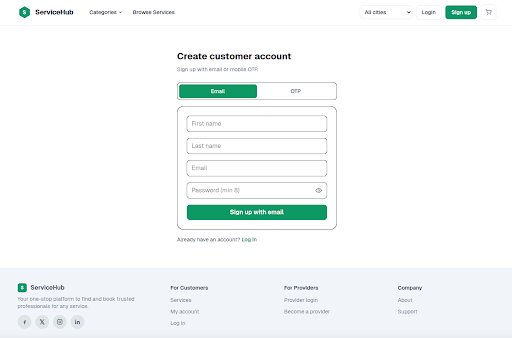
Sign Up
Create a new customer account to access personalized services and manage your bookings. Register using your email address and complete the required details to start exploring the platform.
- ✔ Register with email or OTP
- ✔ Enter personal information
- ✔ Create a secure password
- ✔ Quick and easy account setup
- ✔ Access all platform features
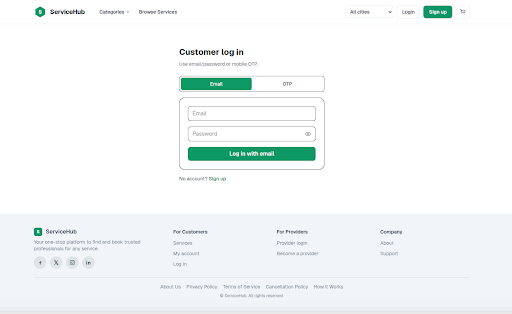
Login
Securely access your ServiceHub account to manage bookings, view services, track orders, and update your profile. Log in using your registered email address or OTP for a fast and convenient experience.
- ✔ Login with Email or OTP
- ✔ Secure account authentication
- ✔ Access your bookings & profile
- ✔ Fast and user-friendly login
- ✔ New users can create an account
Checkout Process
Complete your service booking with an easy and secure checkout process. Select your preferred date and time, customize the service, review pricing, and confirm your booking in just a few simple steps.
- ✔ Select booking date & time
- ✔ Customize service requirements
- ✔ View complete pricing details
- ✔ Review booking summary
- ✔ Confirm secure checkout
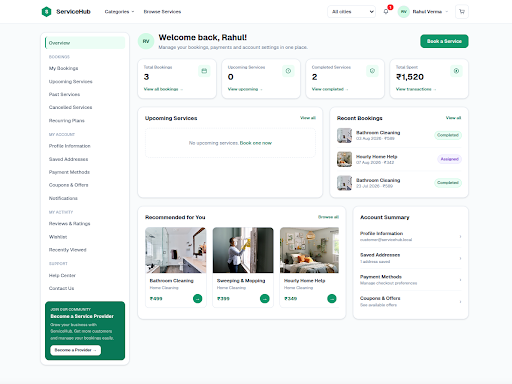
Customer Dashboard
Manage your ServiceHub account from one place. The Customer Dashboard provides quick access to bookings, services, profile settings, payments, notifications, and account activities for a seamless user experience.
- ✔ View booking statistics
- ✔ Track recent & upcoming bookings
- ✔ Manage profile & saved addresses
- ✔ Access payments & coupons
- ✔ Browse recommended services
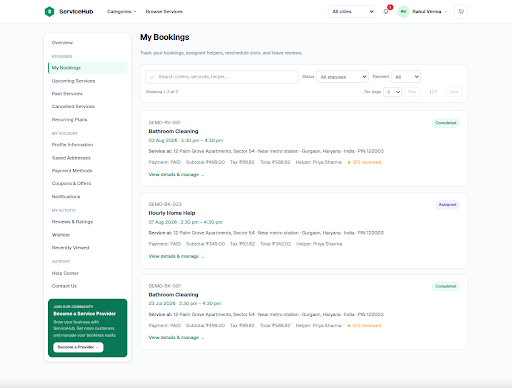
My Bookings
View and manage all your service bookings in one place. Track booking status, access service details, reschedule appointments, and review completed services with an organized and user-friendly interface.
- ✔ View upcoming & completed bookings
- ✔ Search and filter bookings
- ✔ Track booking status
- ✔ View booking details & invoices
- ✔ Leave reviews for completed services
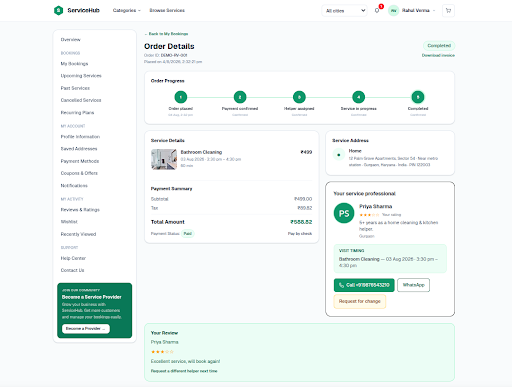
Order Details
View complete information about your booked service, including order status, payment summary, provider details, service address, and booking progress. Stay updated and manage your order from a single page.
- ✔ Track order progress
- ✔ View service & payment details
- ✔ Access provider information
- ✔ Contact provider via Call or WhatsApp
- ✔ Download invoice & submit reviews
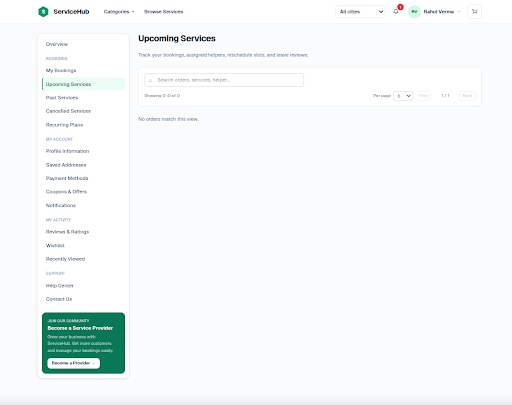
Upcoming Services
Stay organized by viewing all your upcoming service bookings in one place. Easily track scheduled appointments, check booking details, and prepare for your upcoming services with a clear and convenient overview.
- ✔ View scheduled service bookings
- ✔ Search upcoming appointments
- ✔ Track booking status
- ✔ Access service details instantly
- ✔ Stay updated with future bookings
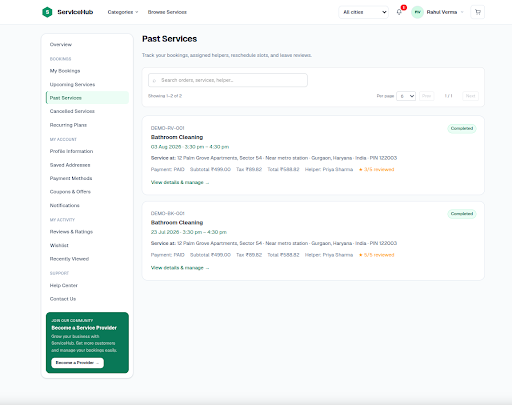
Past Services
Review your completed service bookings in one place. Access service history, view booking details, check payment information, and leave ratings or reviews to share your experience with completed services.
- ✔ View completed service history
- ✔ Search previous bookings
- ✔ Access booking & payment details
- ✔ Leave ratings and reviews
- ✔ Revisit completed service records
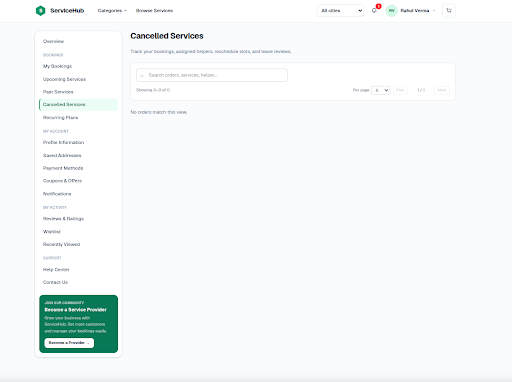
Cancelled Services
View all cancelled service bookings in one place. Review cancelled orders, check booking information, understand cancellation status, and keep a complete record of services that were cancelled.
- ✔ View cancelled bookings
- ✔ Search cancelled services
- ✔ Access booking details
- ✔ Review cancellation status
- ✔ Maintain service history
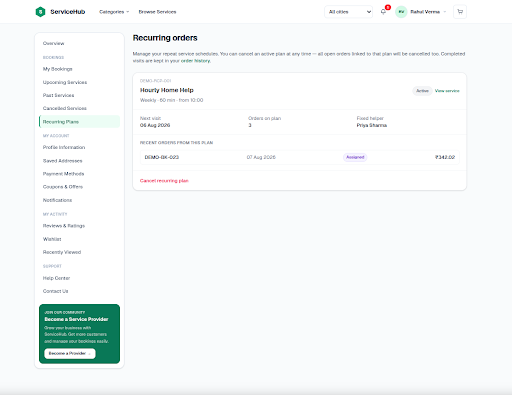
Recurring Orders
Manage your recurring service plans with ease. View active subscriptions, track upcoming schedules, monitor completed visits, and update or cancel recurring plans whenever needed.
- ✔ View active recurring plans
- ✔ Track upcoming service visits
- ✔ Monitor completed bookings
- ✔ View assigned service provider
- ✔ Modify or cancel recurring plans
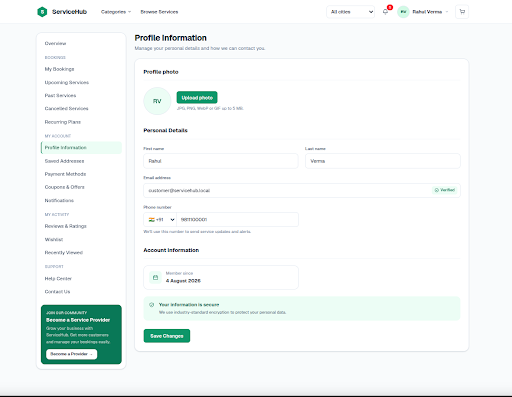
Profile Information
Manage your personal information and keep your account details up to date. Update your profile photo, contact details, and account information to ensure a secure and personalized ServiceHub experience.
- ✔ Update profile photo
- ✔ Edit personal information
- ✔ Verify email & phone number
- ✔ View account information
- ✔ Save profile changes securely
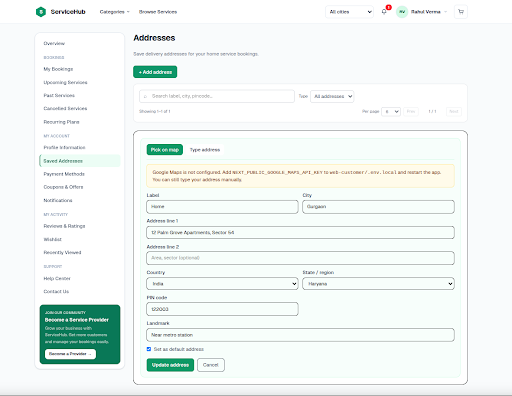
Saved Addresses
Save and manage your delivery or service addresses for faster bookings. Add new locations, update existing addresses, and set a default address to simplify future service appointments.
- ✔ Add and manage multiple addresses
- ✔ Update address information
- ✔ Set a default service address
- ✔ Search saved locations
- ✔ Ensure quick and accurate bookings
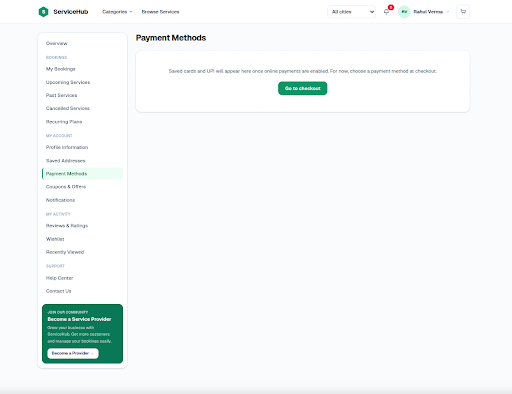
Payment Methods
Manage your preferred payment options for a faster and more secure checkout experience. Save your payment methods, review available options, and complete service bookings with confidence.
- ✔ View available payment methods
- ✔ Save cards for future payments
- ✔ Secure payment processing
- ✔ Quick checkout experience
- ✔ Manage your payment preferences
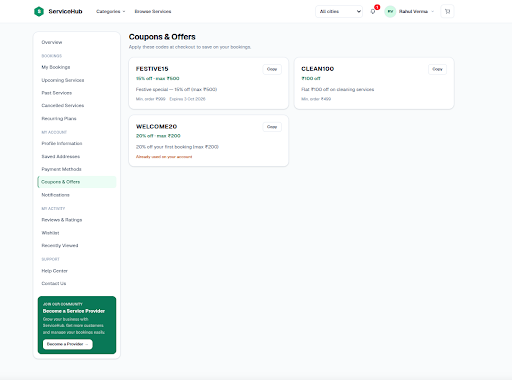
Coupons & Offers
Discover exclusive coupons and promotional offers to save more on your service bookings. Browse available discount codes, copy them instantly, and apply them during checkout to enjoy special savings.
- ✔ Browse available coupons
- ✔ Copy discount codes instantly
- ✔ View offer details & validity
- ✔ Save more on every booking
- ✔ Apply offers during checkout
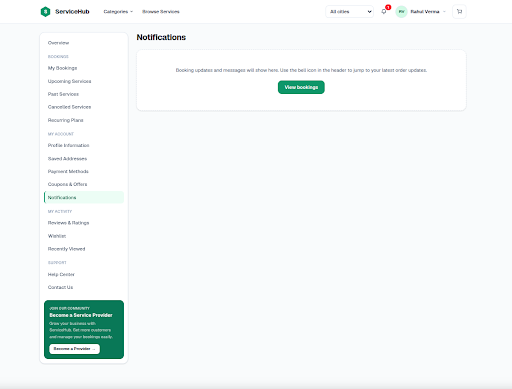
Notifications
Stay informed with the latest updates about your account and service bookings. Receive timely notifications for booking confirmations, status changes, reminders, and important platform announcements.
- ✔ Receive booking updates
- ✔ View service status notifications
- ✔ Get reminders for upcoming bookings
- ✔ Stay updated with important alerts
- ✔ Access all notifications in one place
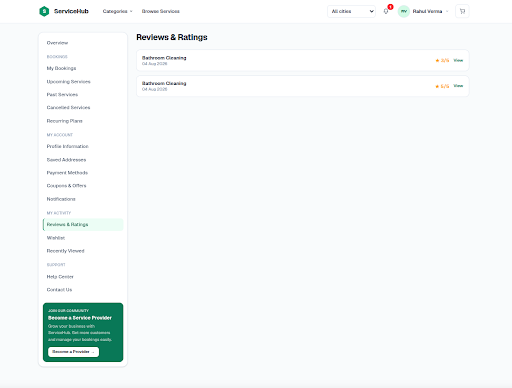
Reviews & Ratings
Share your experience by rating completed services and writing reviews. View your previous ratings, provide valuable feedback, and help other customers choose trusted service providers.
- ✔ View submitted reviews
- ✔ Rate completed services
- ✔ Write and update feedback
- ✔ Review service history
- ✔ Help improve service quality
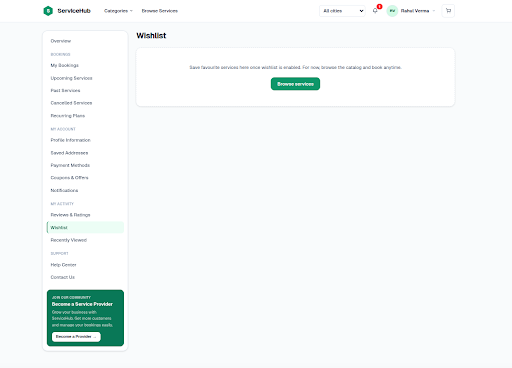
Wishlist
Save your favorite services for quick access at any time. The Wishlist helps you organize preferred services, compare options later, and book them whenever you're ready.
- ✔ Save favorite services
- ✔ Access saved services anytime
- ✔ Compare services before booking
- ✔ Remove or manage wishlist items
- ✔ Book services directly from your wishlist
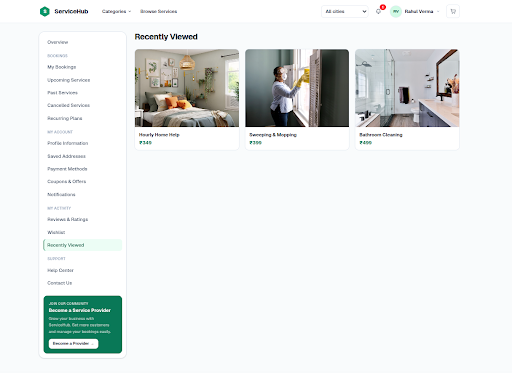
Recently Viewed
Quickly revisit the services you have recently explored. The Recently Viewed page keeps a record of your browsing history, making it easy to compare services and continue your booking without searching again.
- ✔ View recently explored services
- ✔ Continue browsing with ease
- ✔ Compare previously viewed services
- ✔ Access service details instantly
- ✔ Book services directly from your history
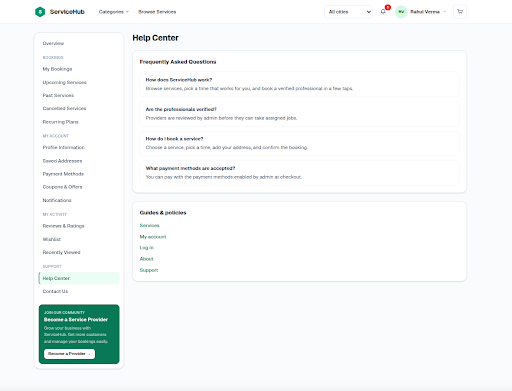
Help Center
Find answers to common questions and access helpful resources in one place. The Help Center provides FAQs, service guides, account assistance, and support information to help you resolve issues quickly.
- ✔ Browse frequently asked questions
- ✔ Access service guides & policies
- ✔ Get account-related assistance
- ✔ Find booking and payment information
- ✔ Contact support when needed
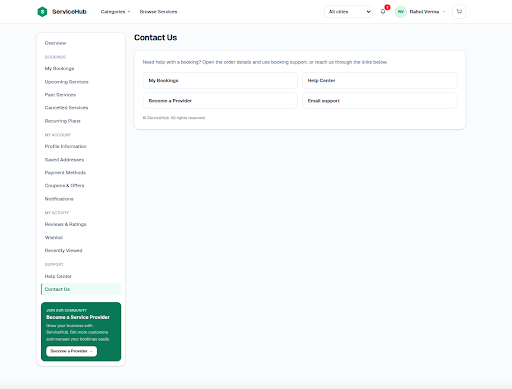
Contact Us
Need assistance? The Contact Us page provides quick access to customer support, booking assistance, and provider inquiries. Easily connect with our support team to resolve your questions and receive prompt help.
- ✔ Get help with your bookings
- ✔ Access the Help Center
- ✔ Contact support via email
- ✔ Become a service provider
- ✔ Receive quick customer assistance
Manage Your Service Marketplace
The ServiceHub Backend provides a centralized workspace to manage services, bookings, customers, providers, payments, schedules, and day-to-day marketplace operations.
Admin Dashboard
Manage ServiceHub operations from one dashboard, with quick access to bookings, staff, services, payments, and business activities.
- ✔ Monitor latest bookings and status
- ✔ Track staff availability and workload
- ✔ Manage recurring plans and renewals
- ✔ Review payments and operational alerts
- ✔ Access key business management sections
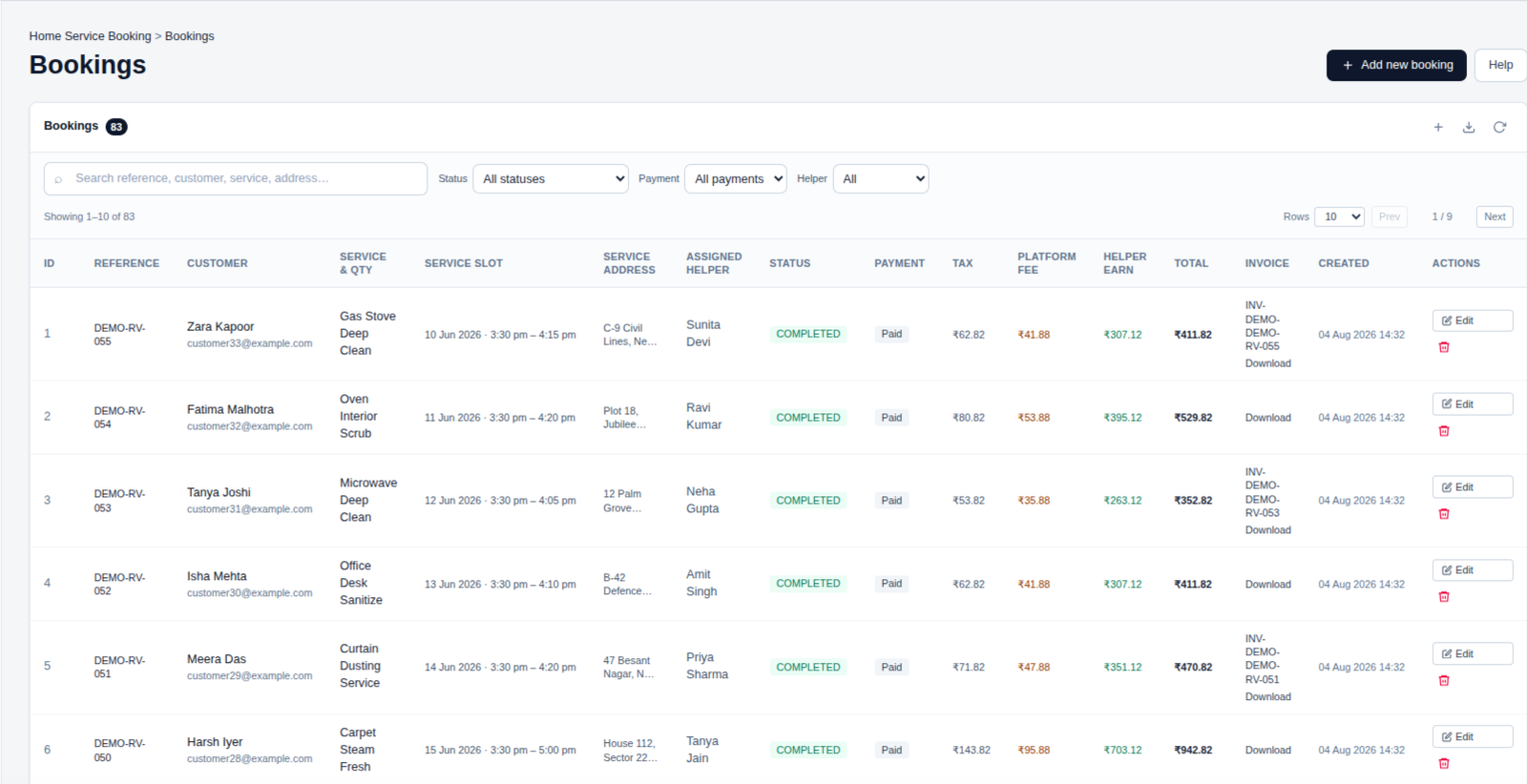
📋 Bookings
Manage customer bookings, schedules, assigned helpers, payments, and invoices with ease.
Track every booking and its status from one convenient place.
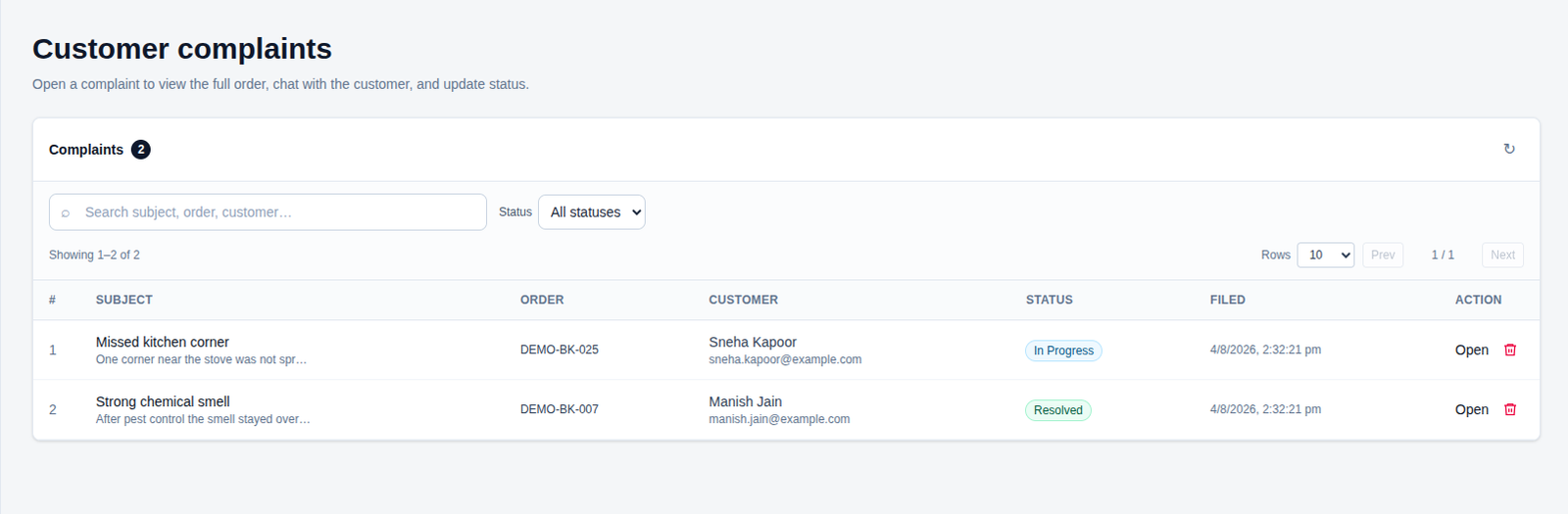
⚠️ Customer Complaints
Manage customer complaints, review order details, and communicate with customers.
Track complaint status and resolve issues efficiently from one place.
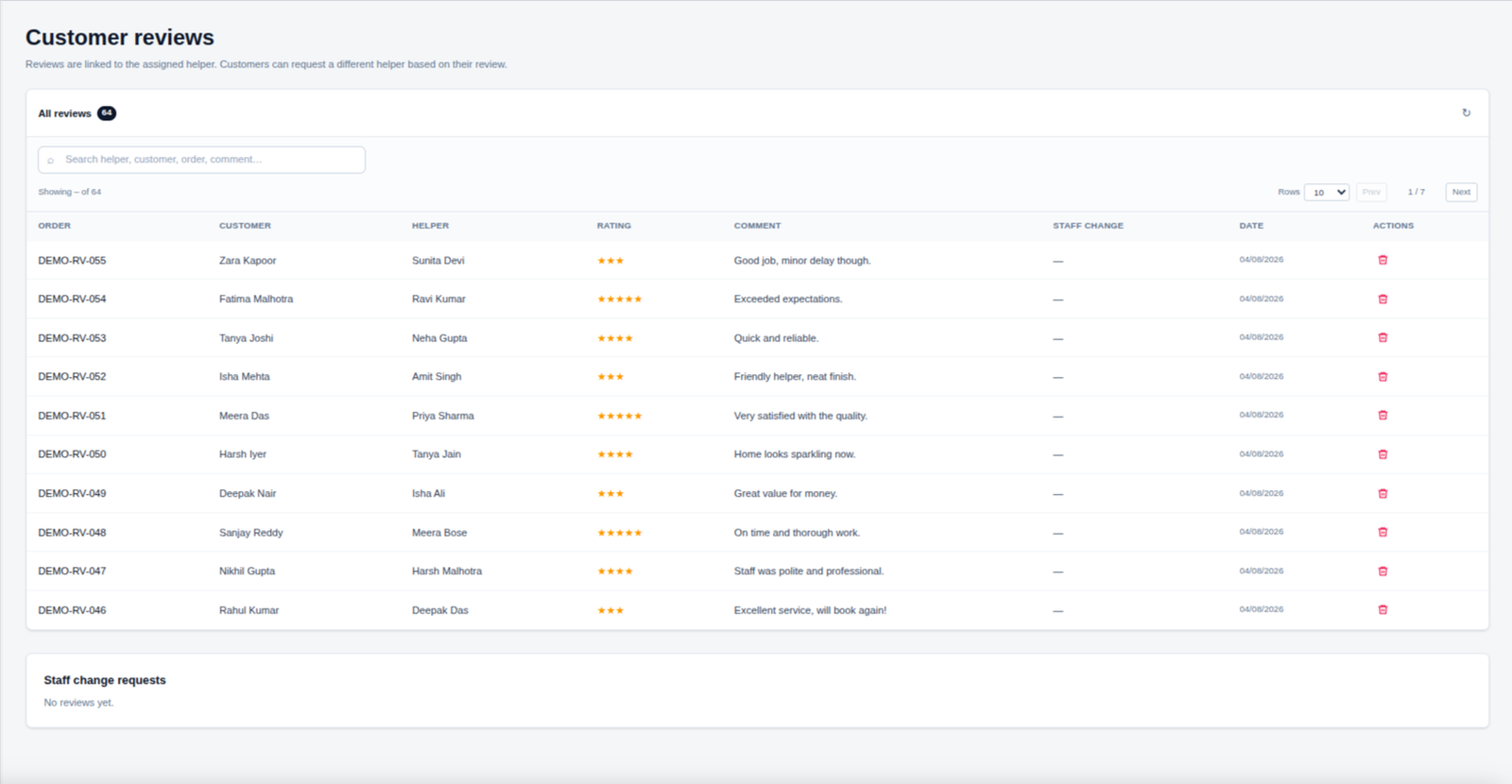
⚠️ Customer Reviews
Review customer feedback, ratings, and comments to monitor service quality.
Track assigned helpers and manage staff change requests for better customer satisfaction.
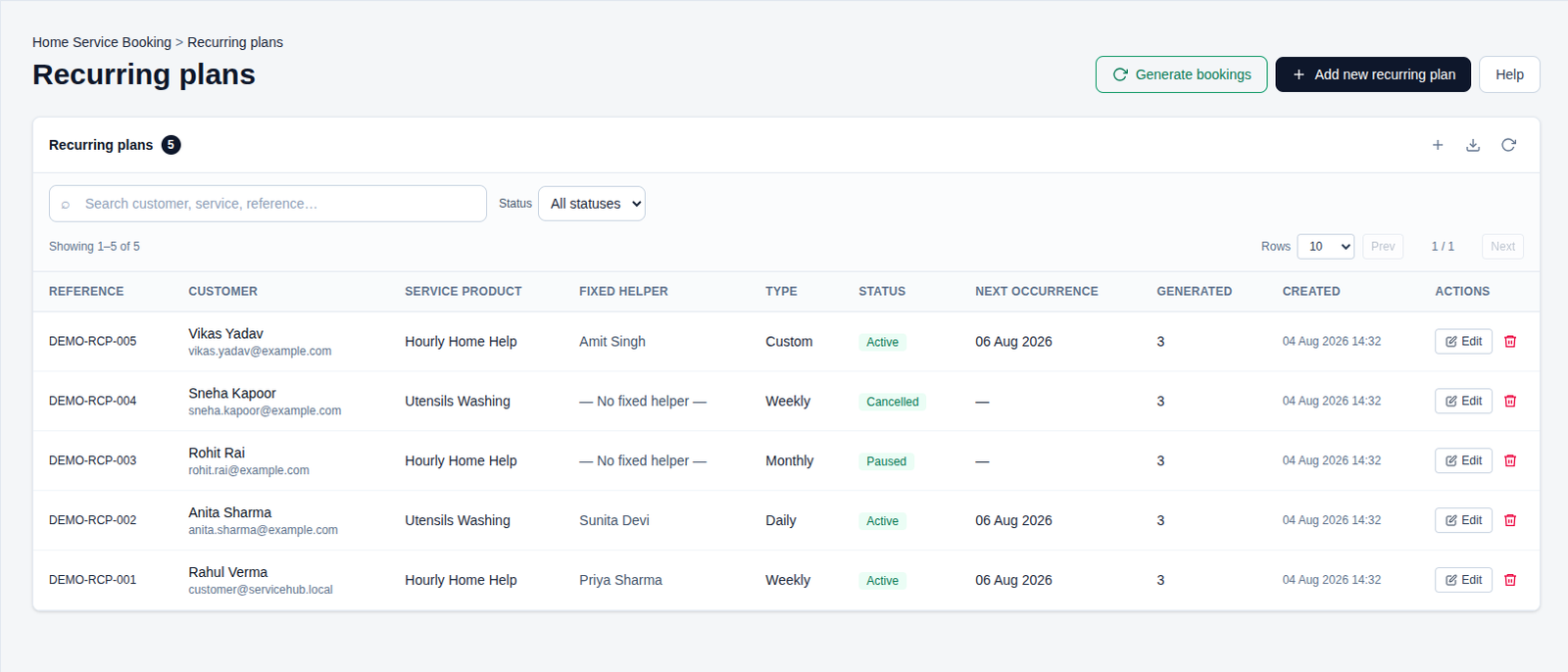
🔄 Recurring Plans
Create and manage recurring service plans with flexible schedules and assigned helpers.
Track bookings, plan status, next occurrences, and generated appointments in one place.
Schedule
Manage your daily schedules, appointments, and service bookings with ease. The Schedule page gives you a clear overview of upcoming activities, assigned staff, and booking details so everything stays organized and on time.
- ✔ Manage daily appointments & bookings
- ✔ View upcoming scheduled services
- ✔ Assign services to available staff
- ✔ Track booking status & schedule updates
- ✔ Keep your services organized and running smoothly
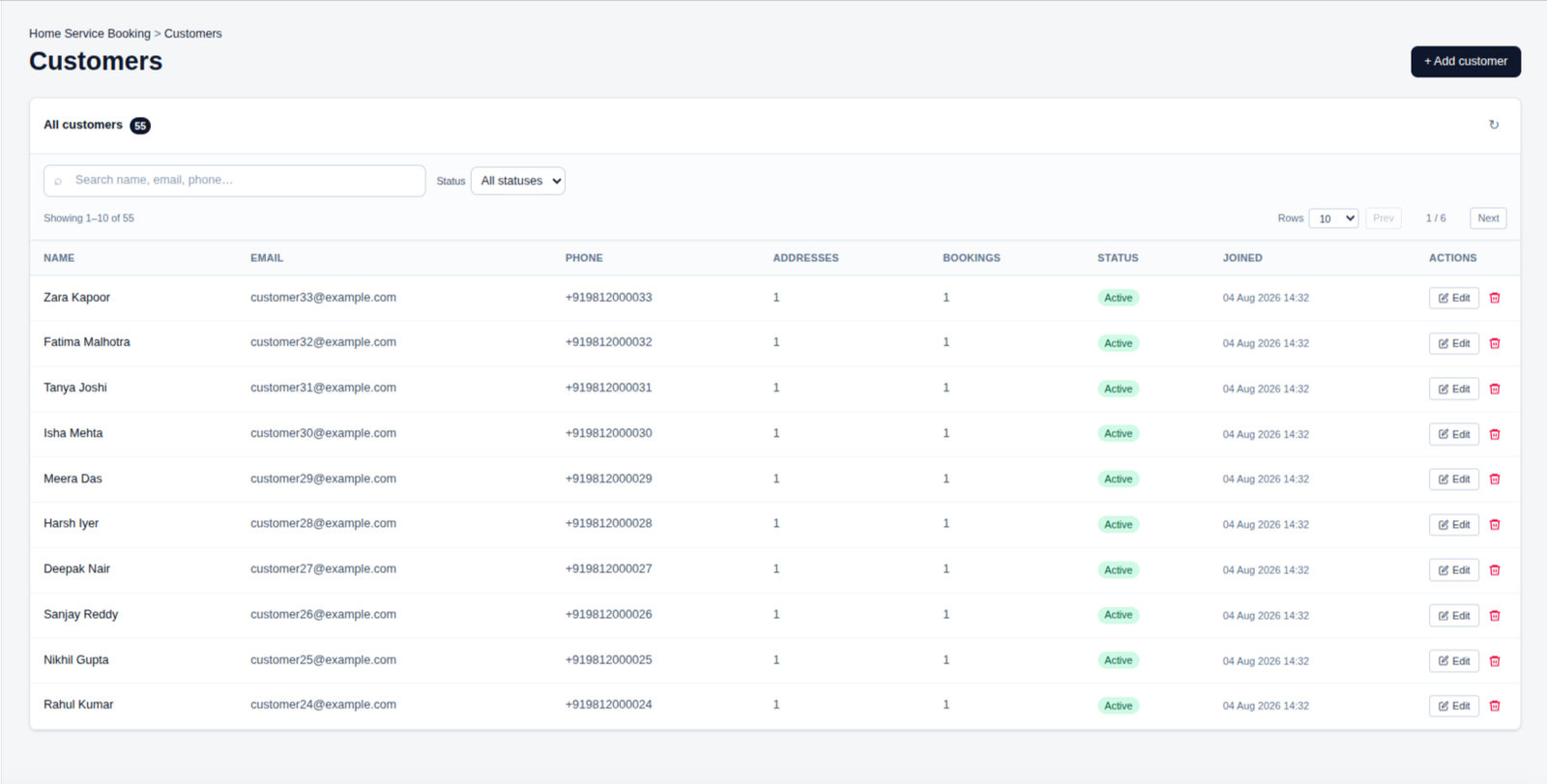
👥 Customers
Manage customer profiles, contact details, addresses, bookings, and account status from one place.
Quickly search customers, review their information, and keep customer records organized and up to date.
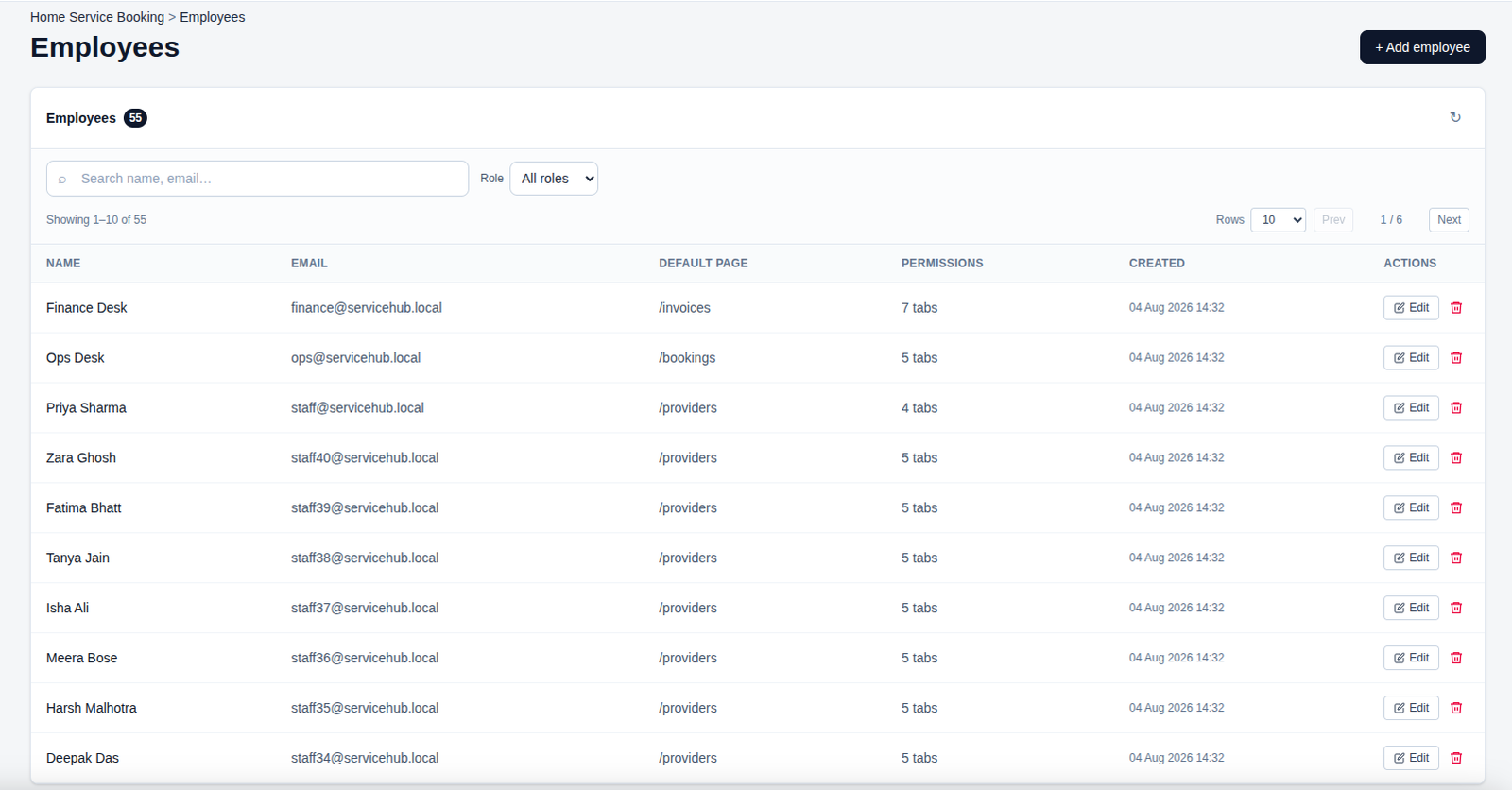
👨💼 Employees
Manage employee accounts, roles, permissions, and default access pages from one place.
Search and update staff details easily while keeping access and permissions organized.
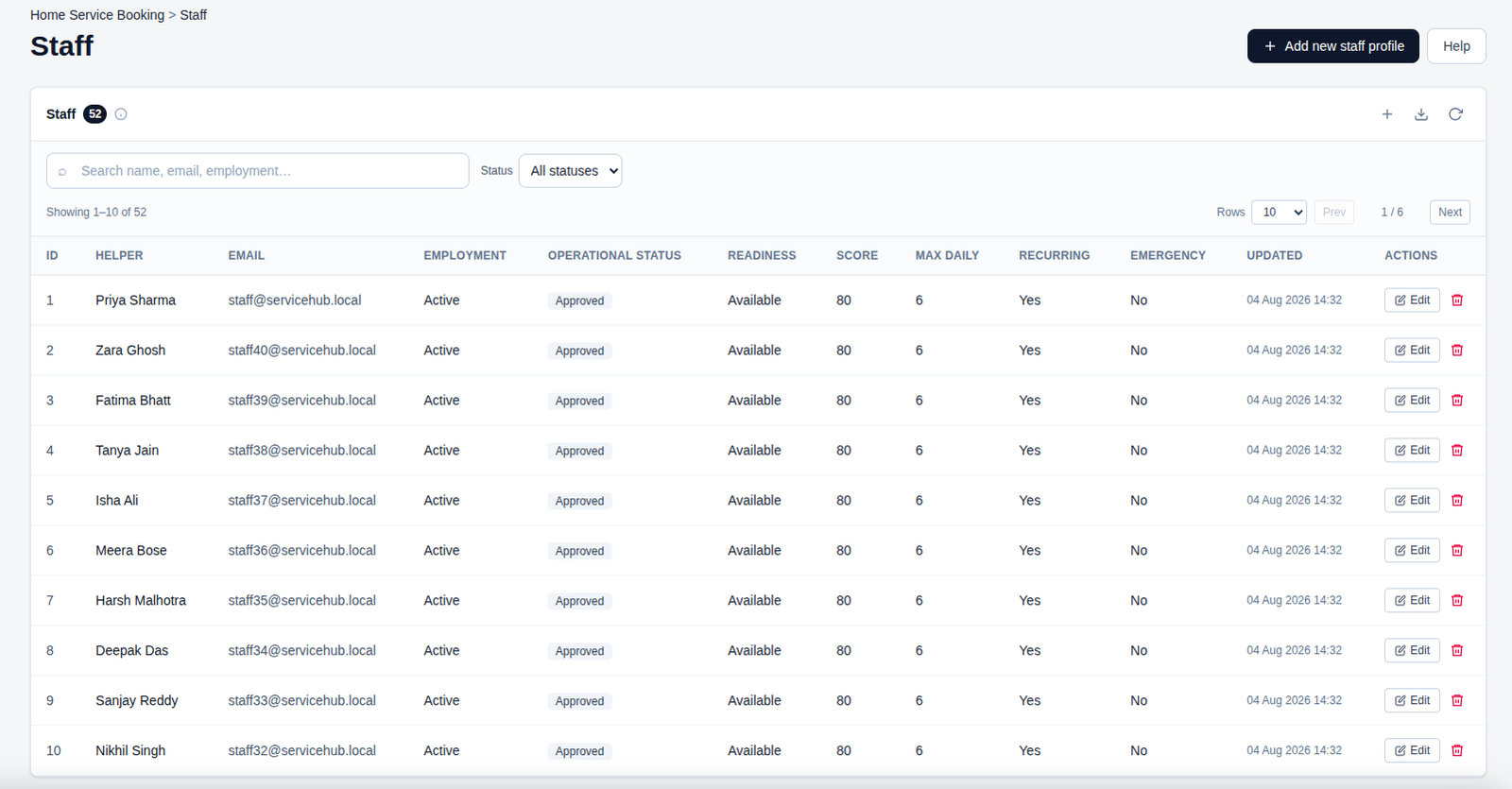
👥 Staff Management
Manage helpers, employment status, availability, performance scores, and daily workload limits.
Monitor staff readiness, recurring service availability, emergency status, and keep profiles up to date.
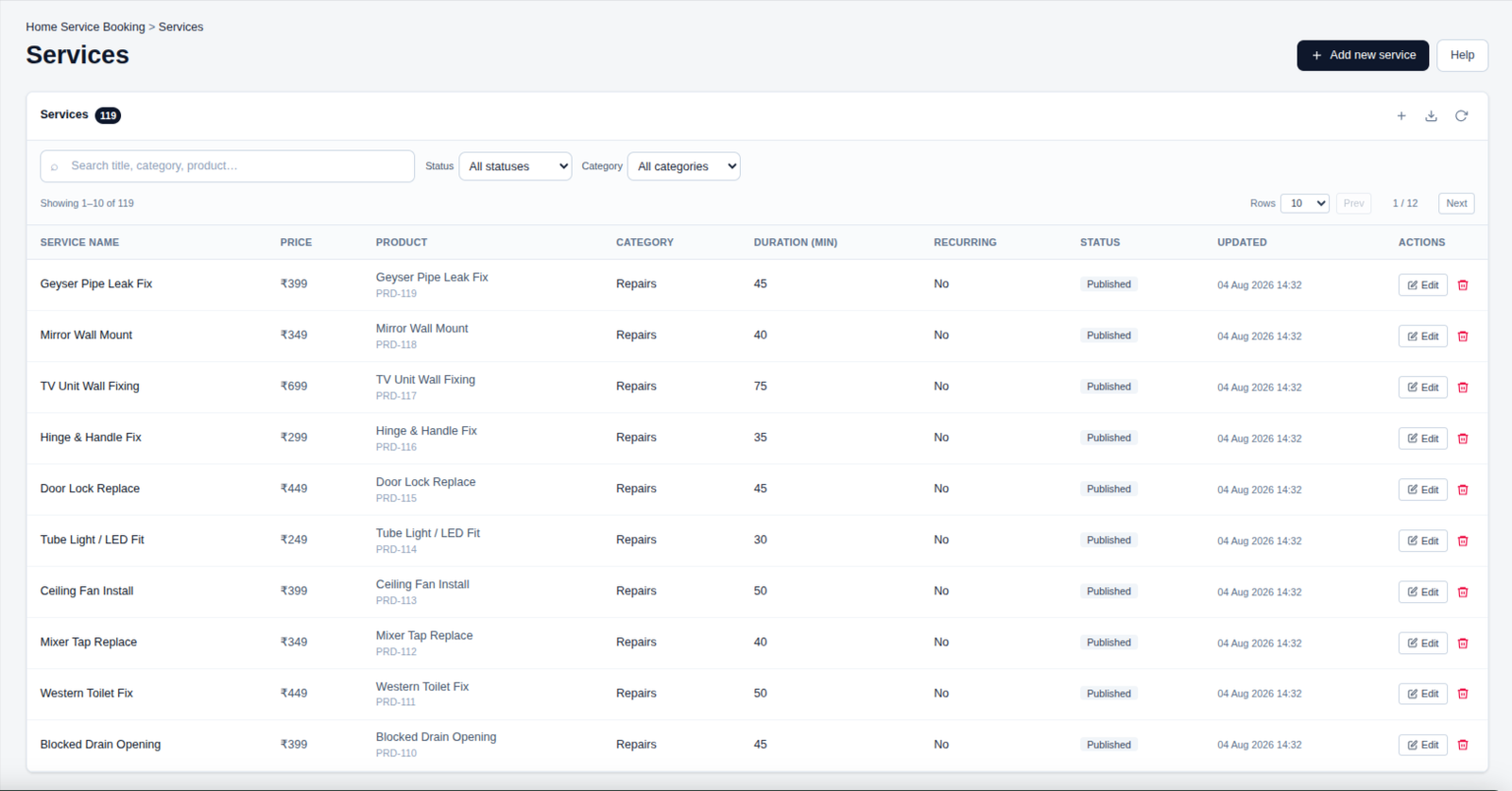
🛠️ Services
Manage service offerings, pricing, categories, duration, and recurring service options in one place.
Keep services updated and organized to provide customers with clear and reliable booking choices.
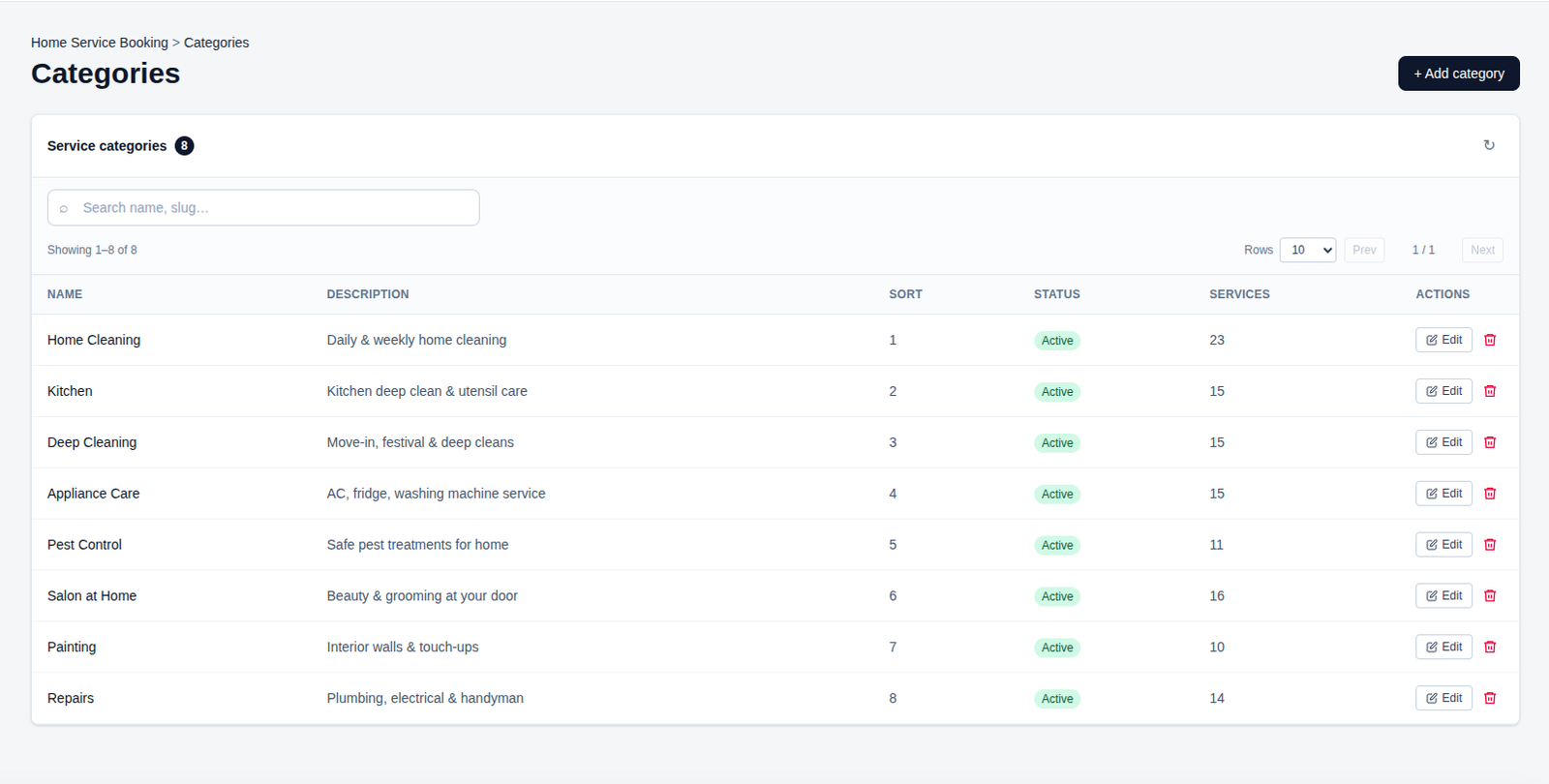
📂 Service Categories
Organize services into clear categories with descriptions, sorting order, and active status.
Manage category-wise services easily to keep your service catalog structured and customer-friendly.
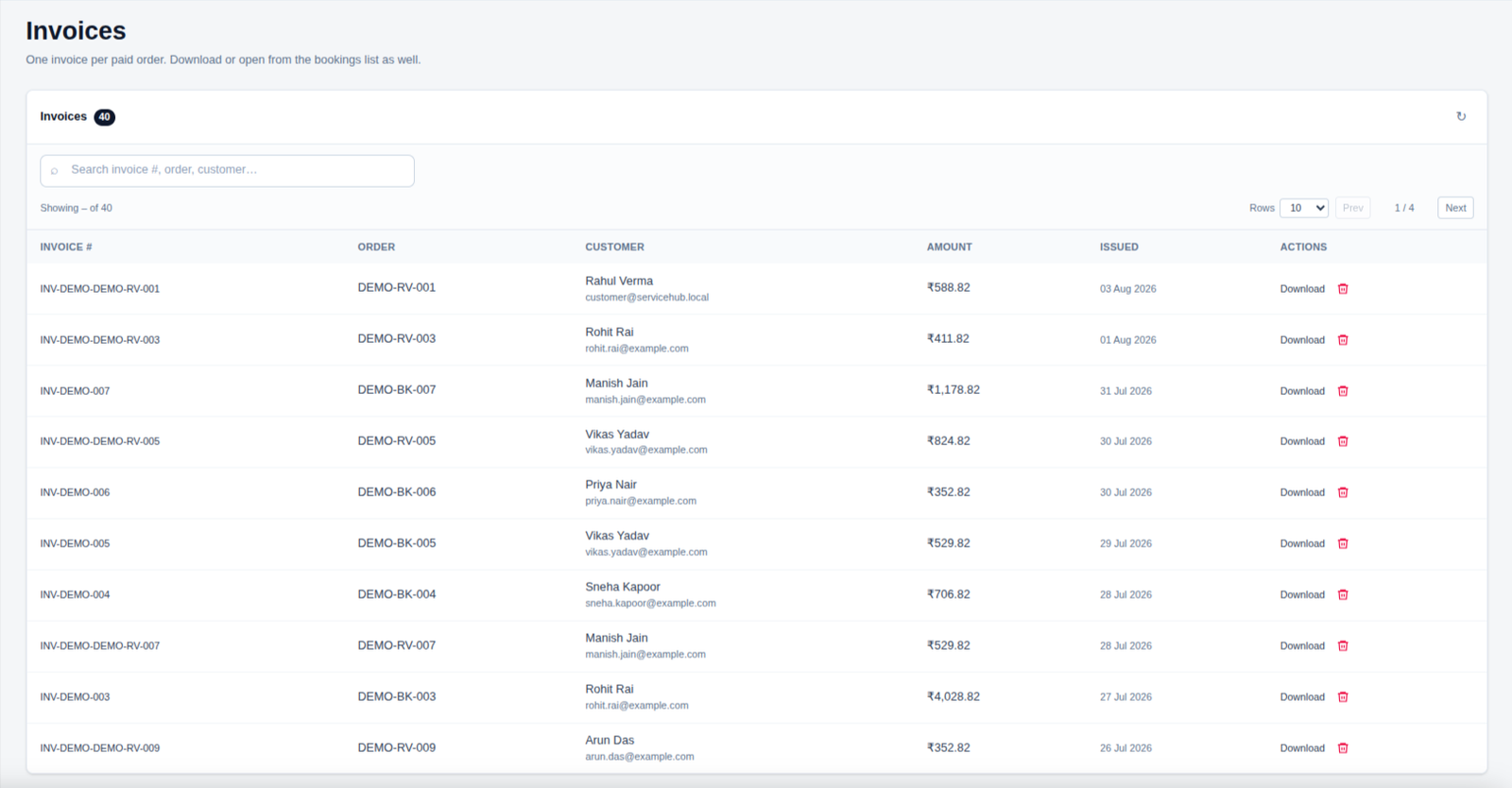
🧾 Invoices
Manage invoices generated for paid orders, including invoice numbers, customers, amounts, and issue dates.
Quickly search invoices, download documents, and keep payment records organized in one place.
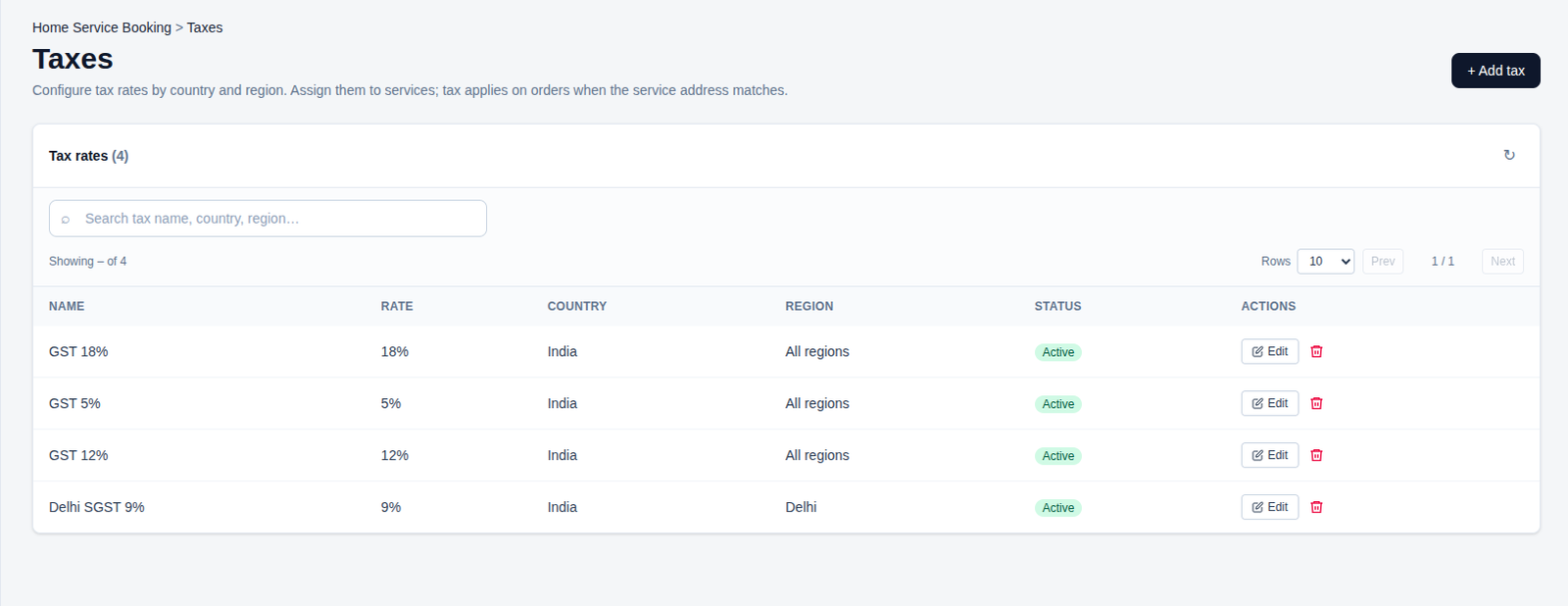
💰 Taxes
Configure tax rates by country and region, and assign them to applicable services.
Manage tax rules and ensure the correct tax is applied automatically based on the service address.
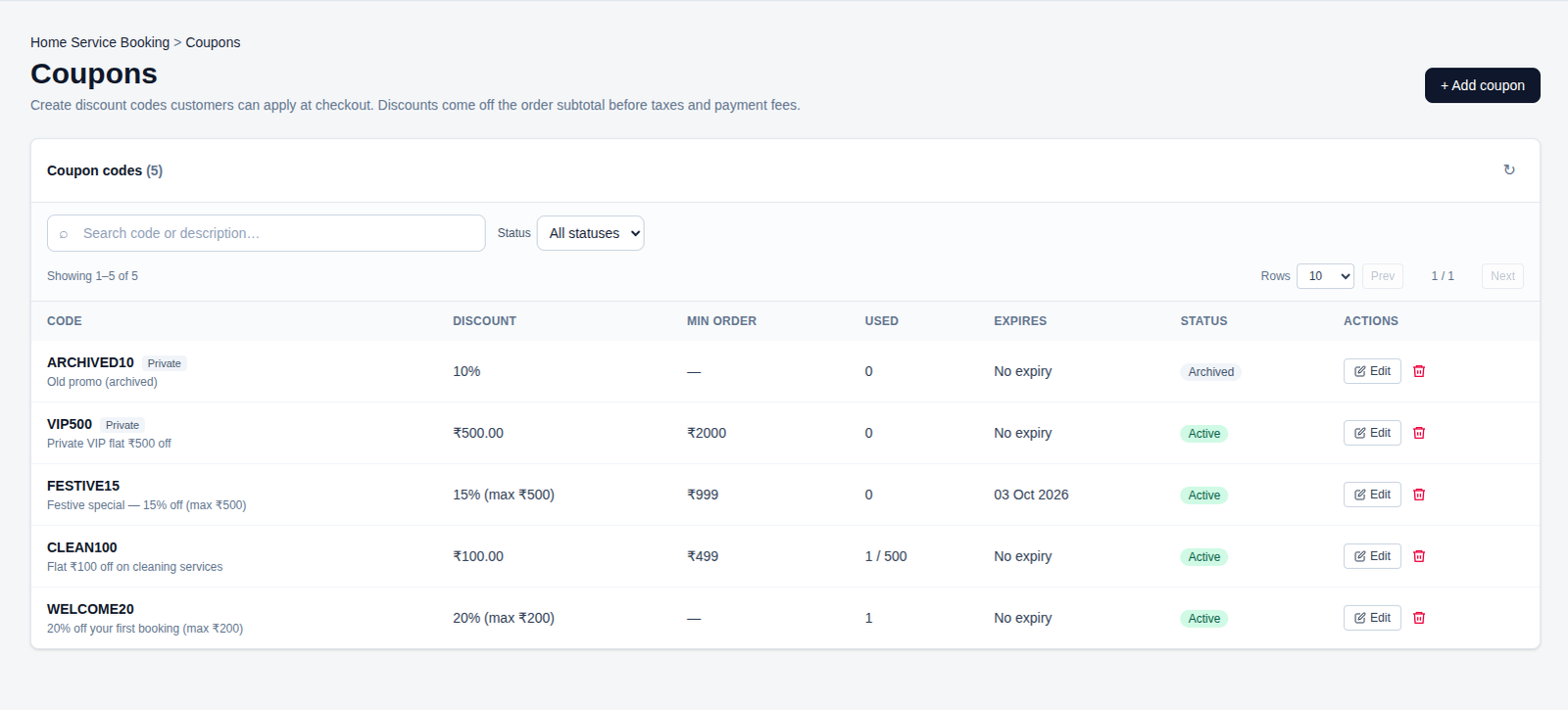
🎟️ Coupons
Create and manage discount codes with flexible offers, minimum order values, and expiry dates.
Track coupon usage and status to provide customers with attractive and controlled promotions.
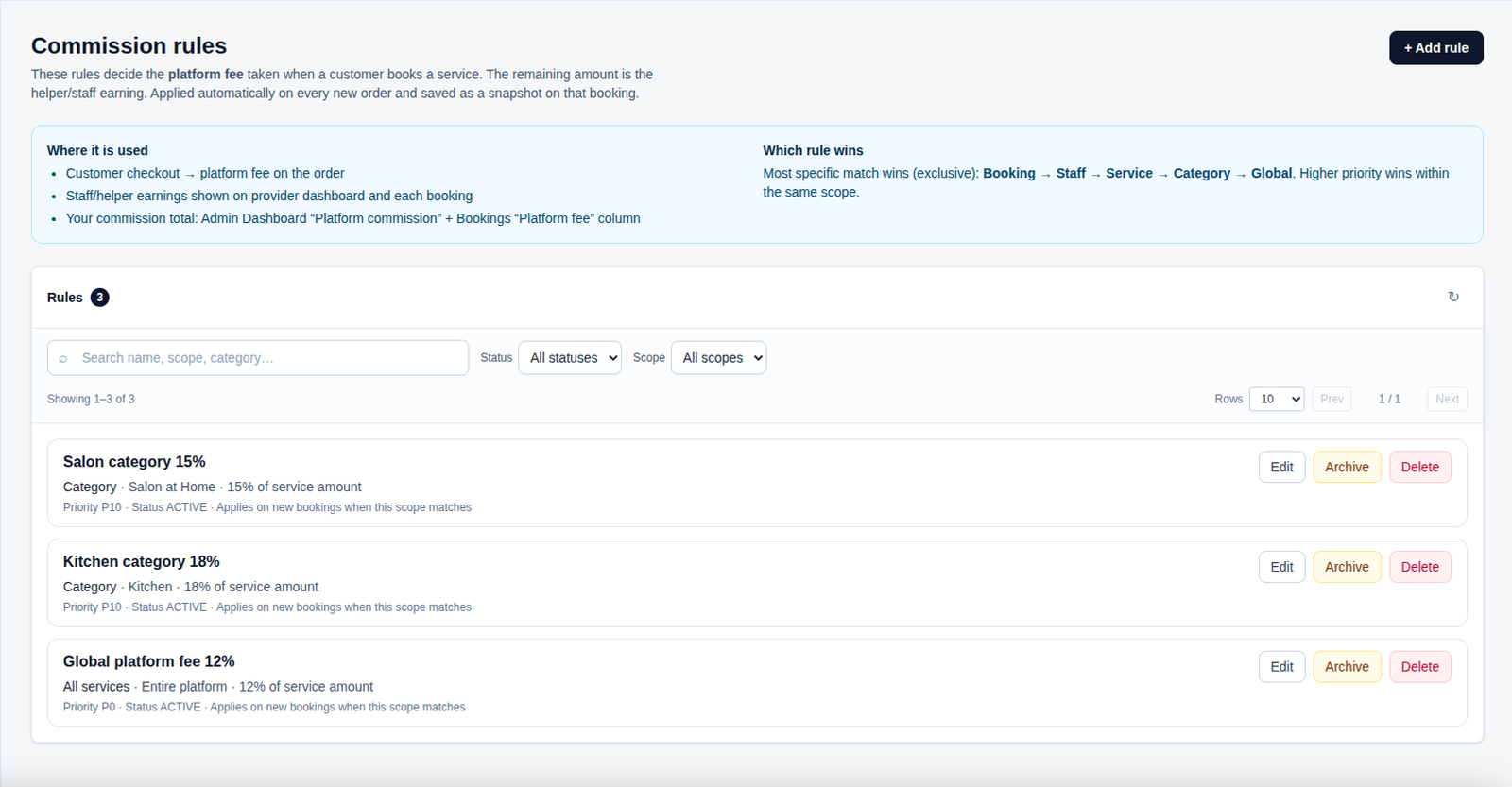
💰 Commission Rules
Configure platform commission rules based on staff, services, categories, or global settings.
Manage priorities and commission rates to automatically calculate platform fees on new bookings.
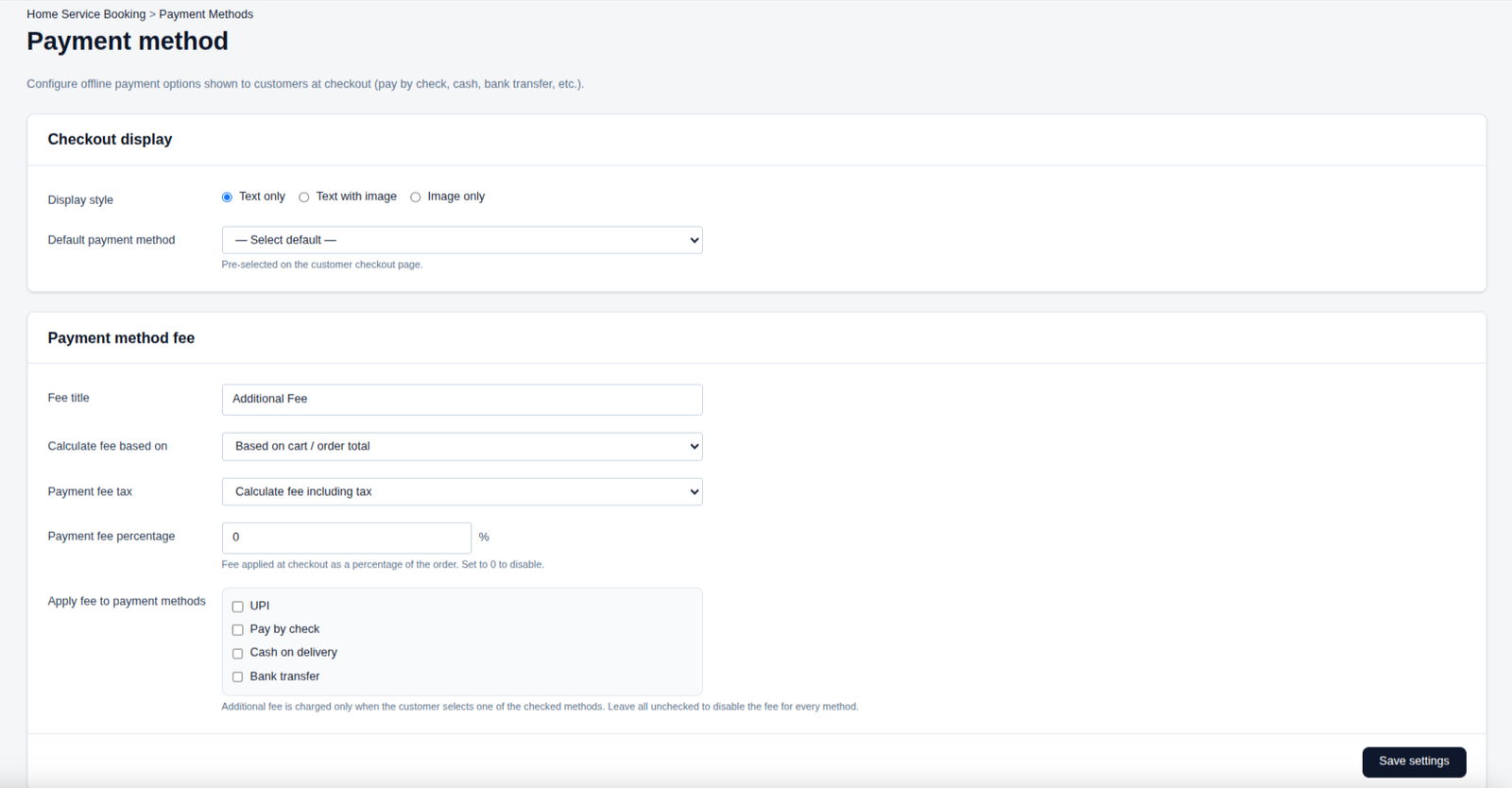
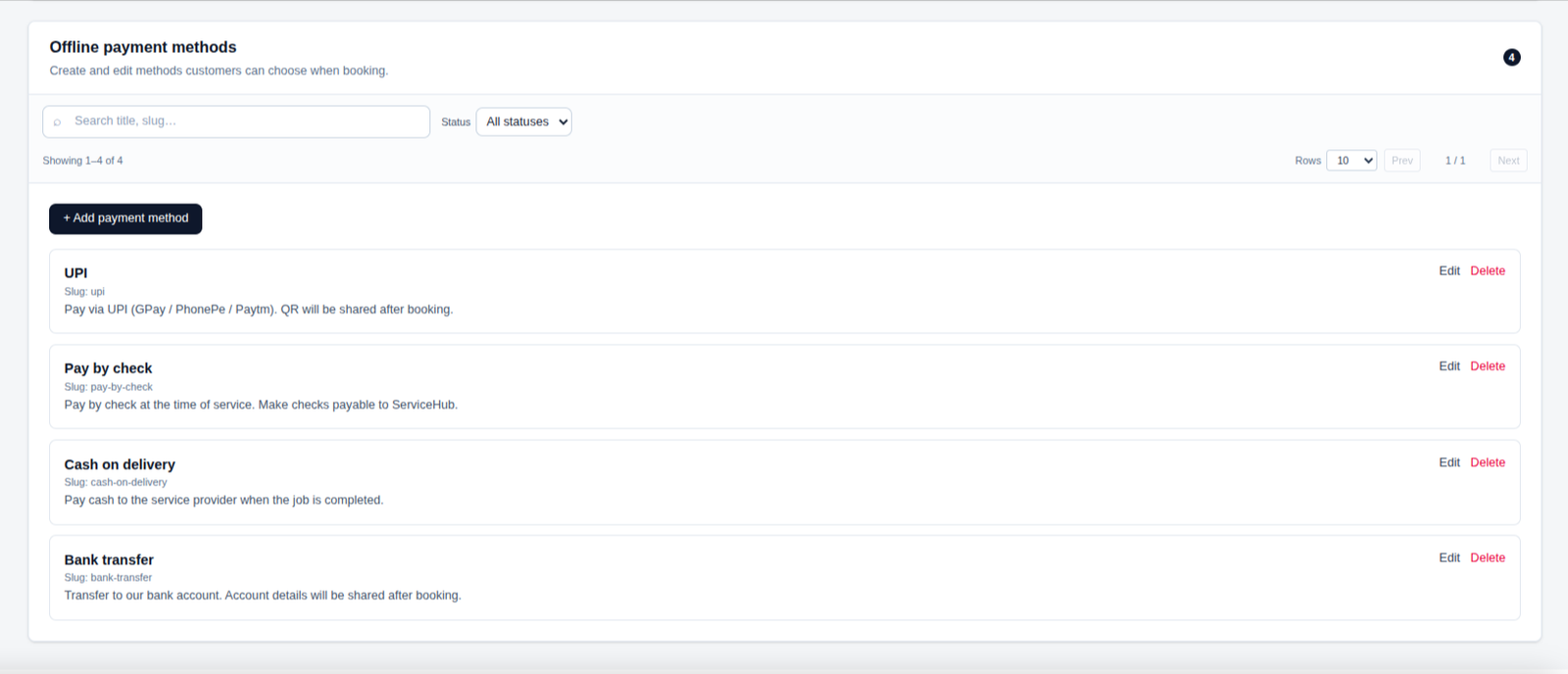
💳 Payment Methods
Configure offline payment options, checkout display settings, and payment processing fees.
Manage UPI, cash, cheque, and bank transfer methods to give customers flexible payment choices.
Storefront
Customize and manage your storefront to create an attractive and professional online presence. The Storefront page lets you control your branding, content, categories, services, and customer-facing information in one place.
- ✔ Customize your store branding and logo
- ✔ Manage homepage content and promotional sections
- ✔ Organize popular categories and services
- ✔ Highlight trending services and top-rated professionals
- ✔ Keep your storefront content updated and customer-friendly
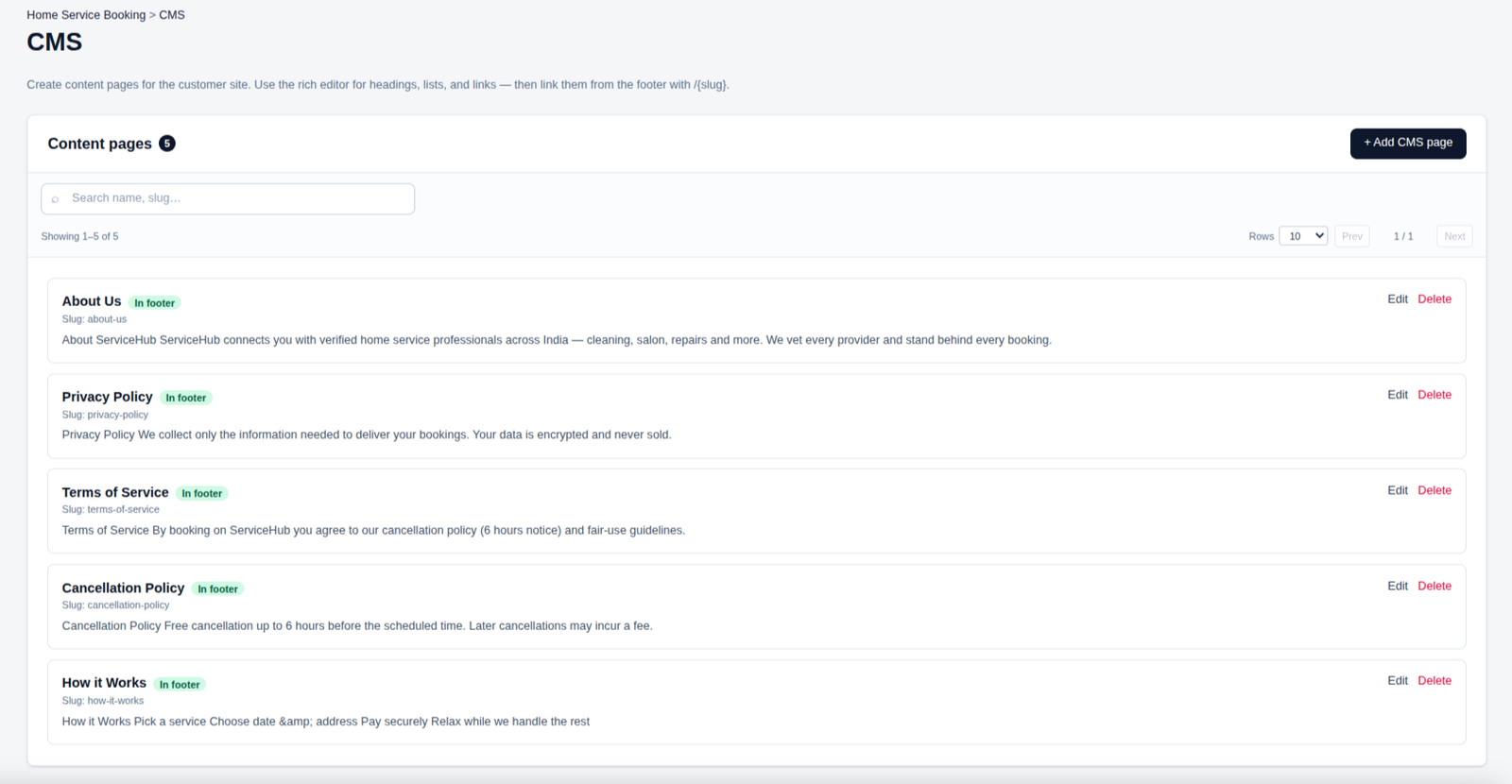
📄 CMS Pages
Create and manage informative pages such as About Us, Privacy Policy, Terms of Service, and Cancellation Policy.
Use the rich editor to publish clear content and easily display important pages in the customer-facing website footer.
Mail Templates
Create and manage professional email templates for your business. The Mail Templates page allows you to customize email content, subjects, and messages to keep your customer communications clear and consistent.
- ✔ Create and customize email templates
- ✔ Manage email subjects and message content
- ✔ Use dynamic variables for personalized emails
- ✔ Preview email content before sending
- ✔ Keep customer notifications professional and consistent
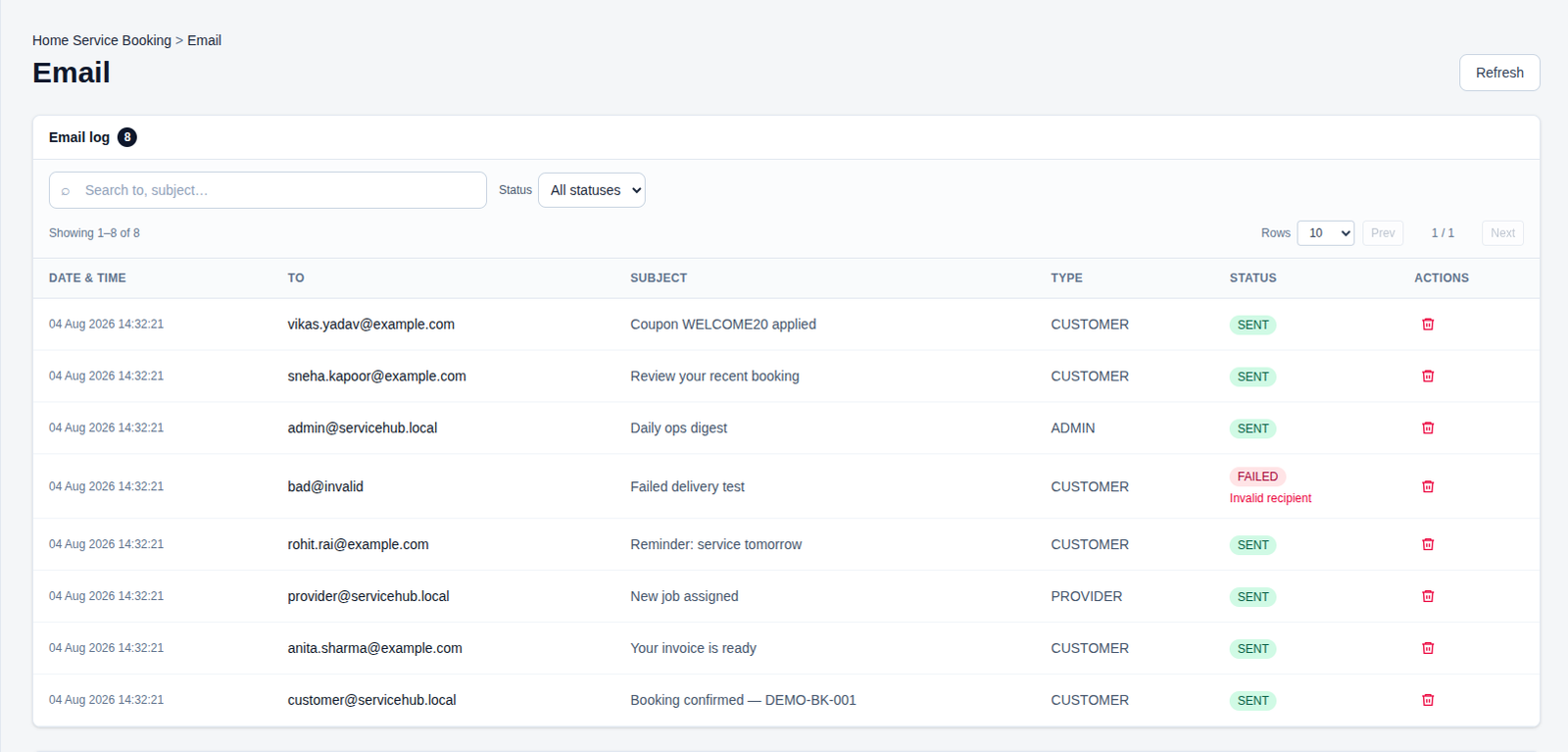
📧 Email Log
Track customer, provider, and admin emails with delivery status and message details.
Monitor sent and failed notifications to keep communication reliable and easy to manage.
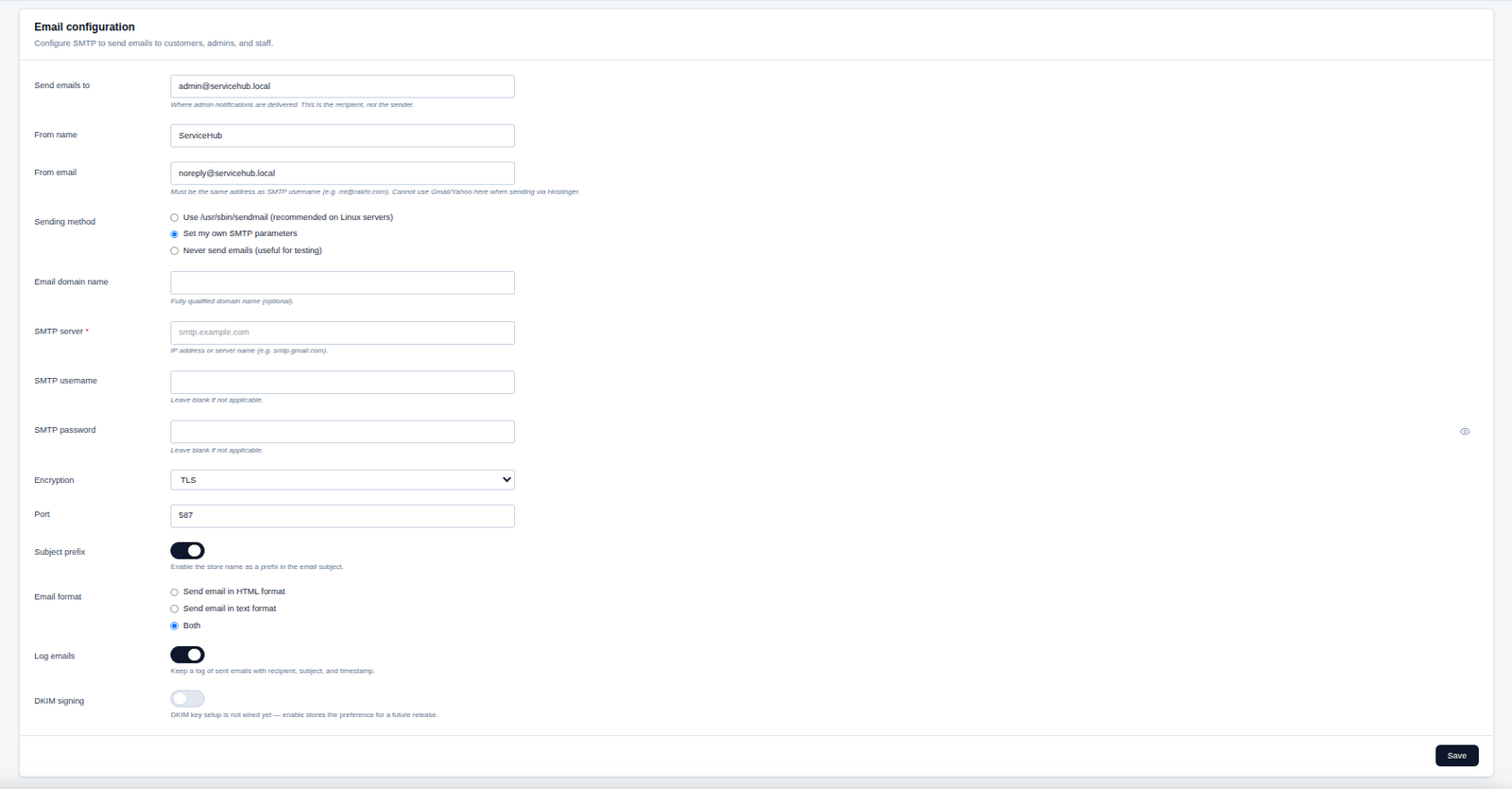
⚙️ Email Configuration
Configure SMTP settings, sender details, encryption, and email delivery preferences for reliable communication.
Manage email formats, logging, and security options to keep customer and staff notifications running smoothly.
📧 Test Email Configuration
Send a test email to verify that your SMTP settings and email delivery configuration are working correctly.
Confirm successful delivery before enabling email notifications for customers, staff, and administrators.
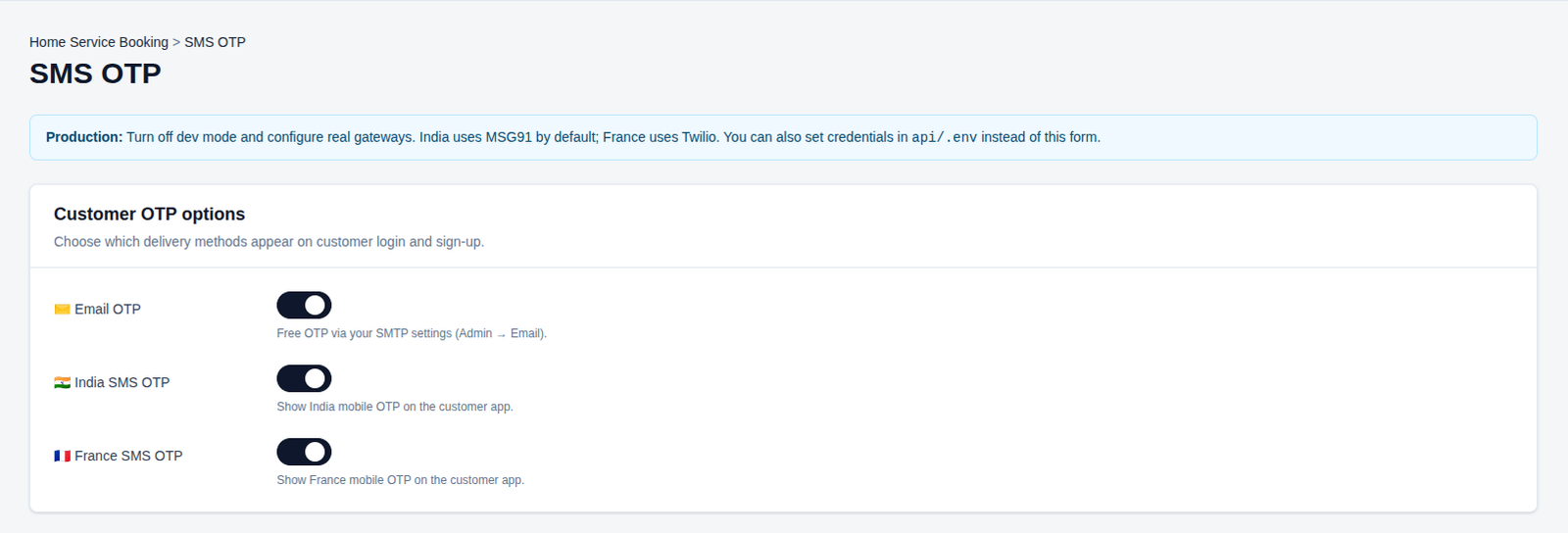
📱 Customer OTP Options
Configure OTP delivery methods for secure customer login and account registration.
Enable Email, India SMS, or France SMS verification based on your customers’ preferred contact method.
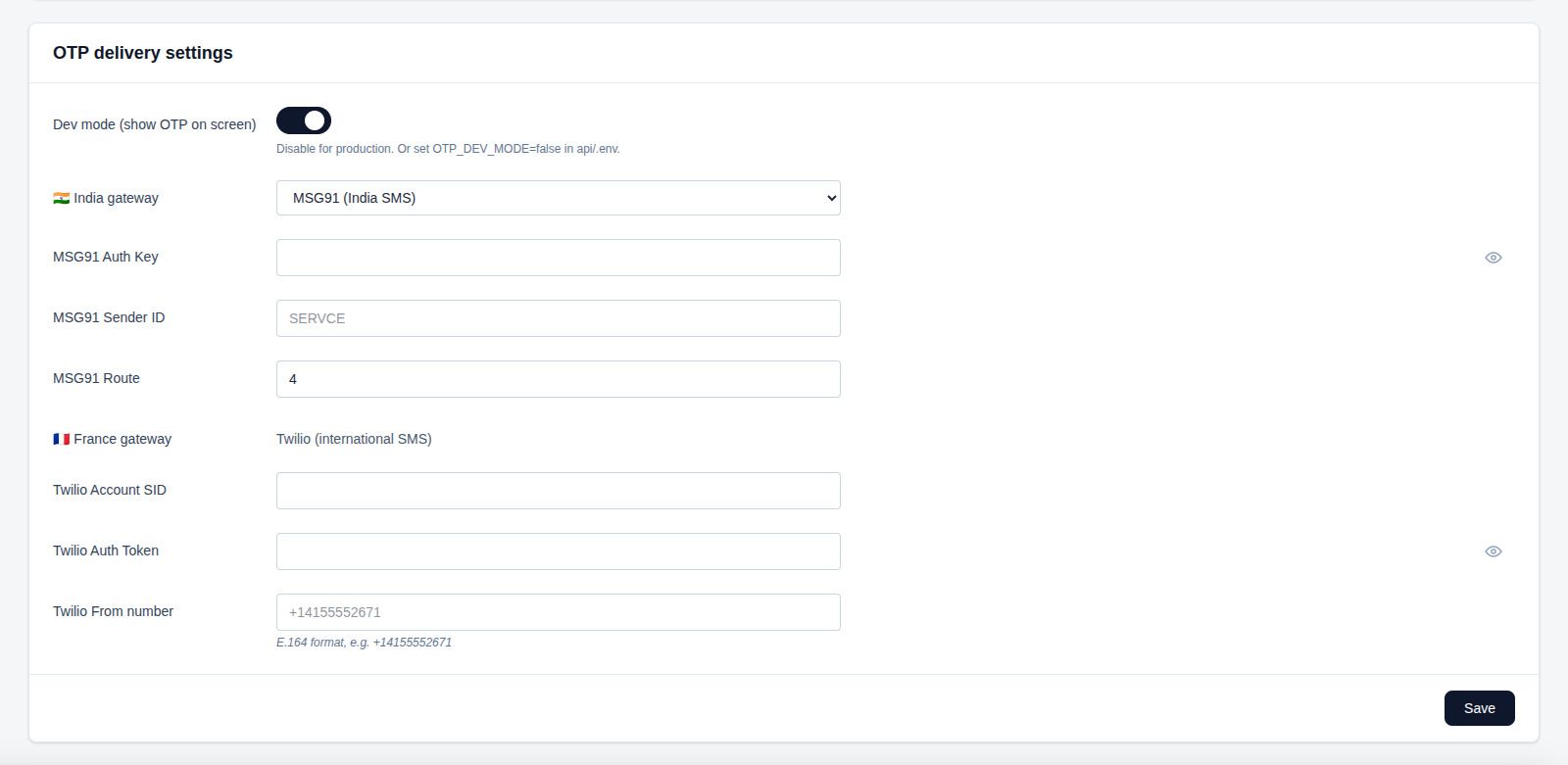
⚙️ OTP Delivery Settings
Configure OTP gateways, authentication credentials, sender details, and delivery options for different regions.
Manage India and France SMS providers securely and test your OTP setup before enabling it in production.
📱 Test SMS
Send a test SMS to verify that your selected provider and OTP gateway are configured correctly.
Enter a phone number and confirm successful delivery before using SMS verification in production.
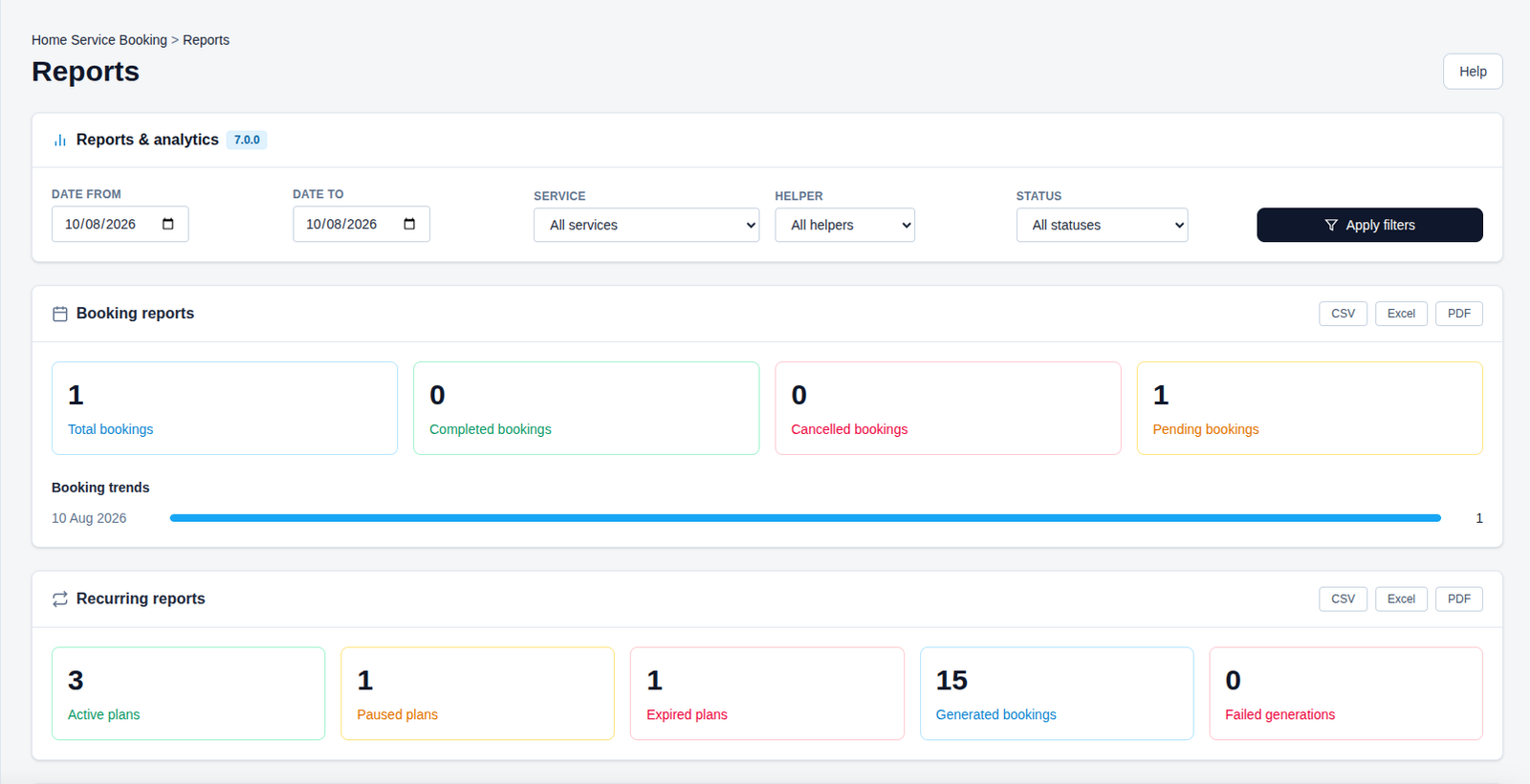
📊 Booking & Recurring Reports
Track total, completed, cancelled, and pending bookings with clear booking trends and performance insights.
Monitor active, paused, and expired recurring plans along with generated and failed bookings in one place.
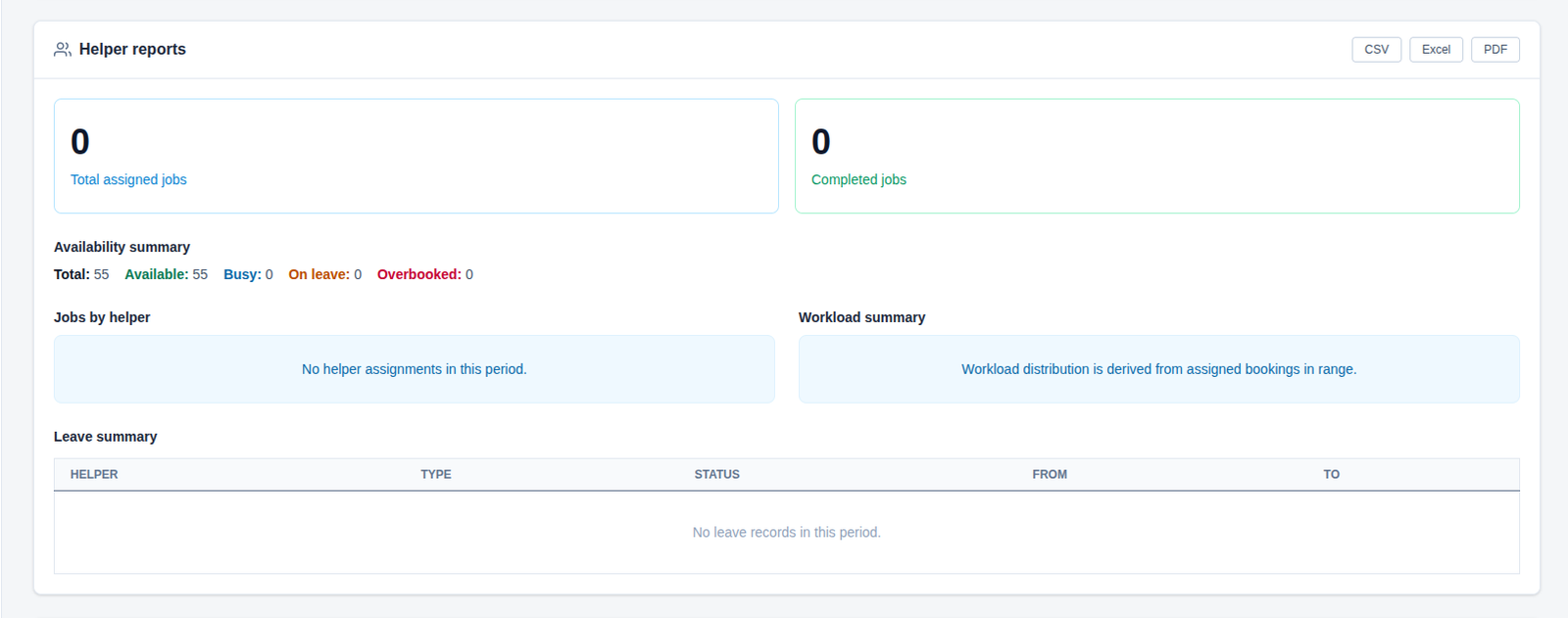
👥 Helper Reports
Monitor assigned and completed jobs, helper availability, workload, and leave records.
Analyze staff capacity and scheduling data to improve workforce planning and service operations.
🛠️ Service & Operational Reports
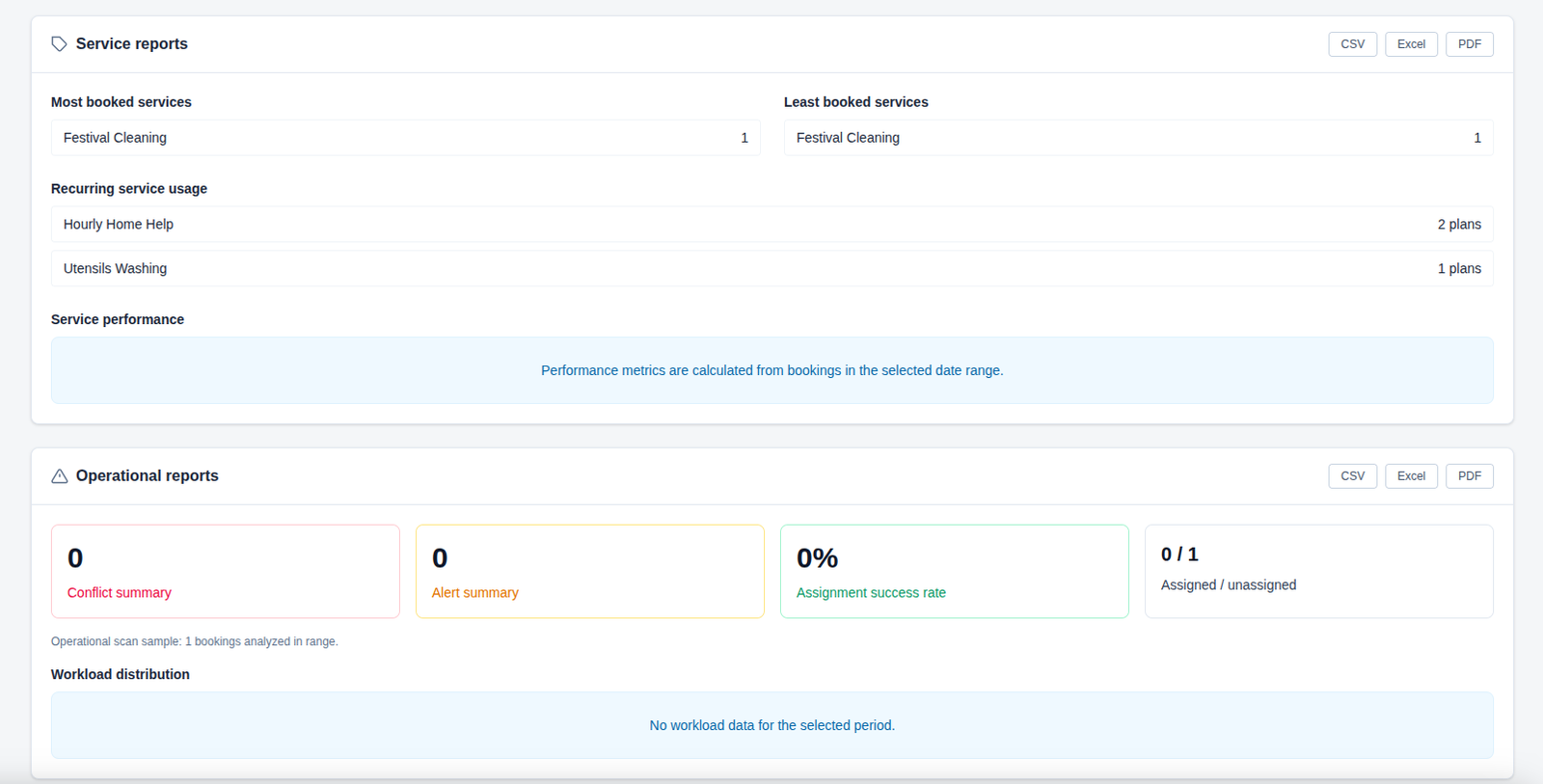
Track your most and least booked services, recurring service usage, and overall service performance. Review operational conflicts, alerts, assignment success rates, and workload distribution to keep daily operations running smoothly and efficiently.
⚙️ Configuration
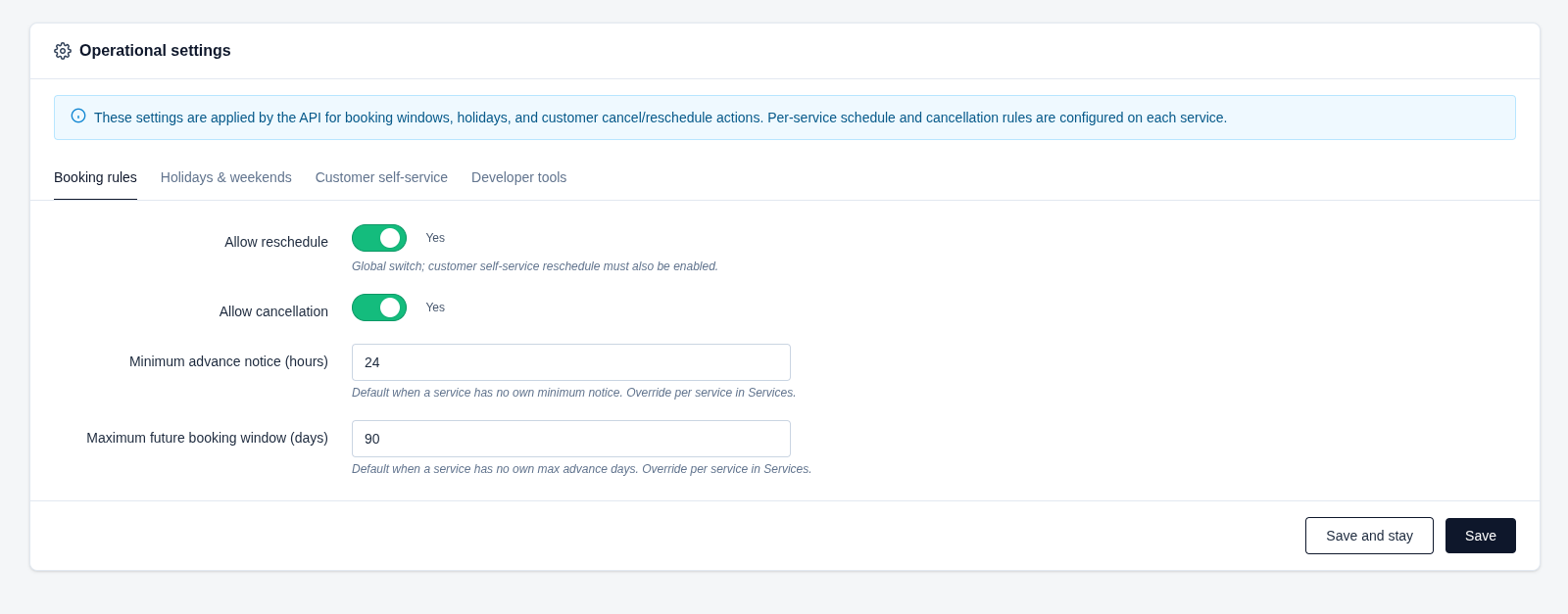
Configure the core booking rules that control how customers manage their appointments. Set rescheduling and cancellation permissions, define the minimum advance notice required, and control how far in advance customers can make bookings.
- ✔ Manage reschedule and cancellation options.
- ✔ Set minimum advance booking notice in hours.
- ✔ Define the maximum future booking window in days.
- ✔ Configure holidays, customer self-service, and developer tools.
📅 Holidays & Weekends
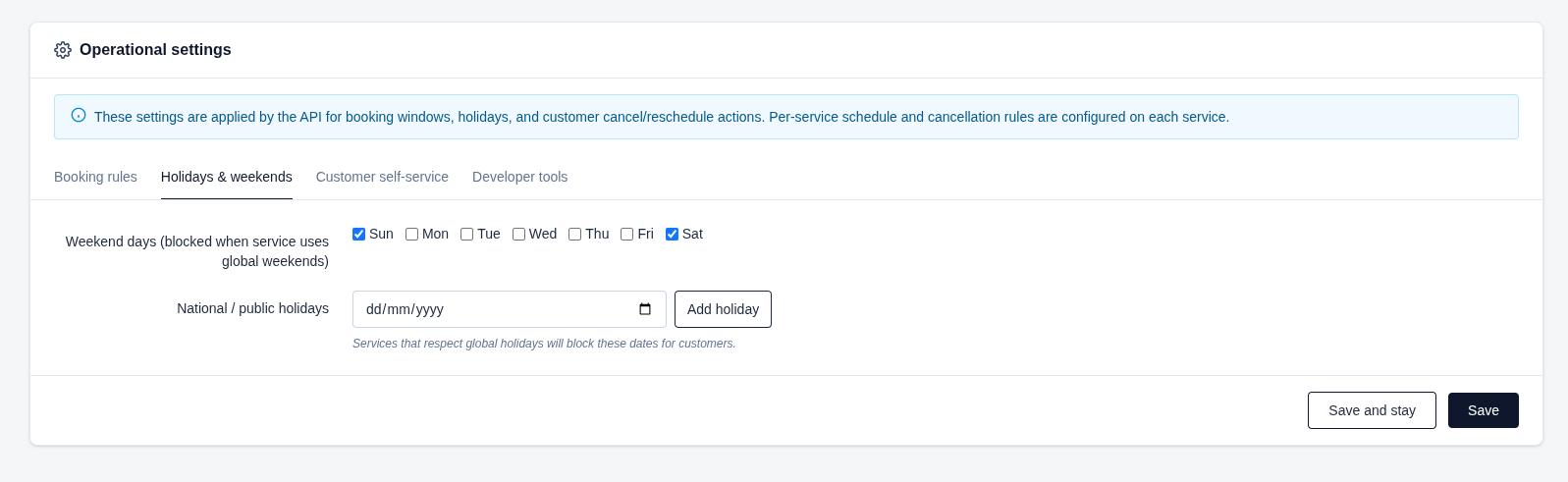
Manage the days when bookings should be unavailable across the platform. Configure weekly weekend days and add national or public holidays to prevent customers from booking services on blocked dates.
- ✔ Select the weekend days when services should be blocked.
- ✔ Add specific national or public holidays.
- ✔ Services using global holiday settings will automatically block selected dates.
- ✔ Save changes to apply the updated booking availability rules.
👤 Customer Self-Service
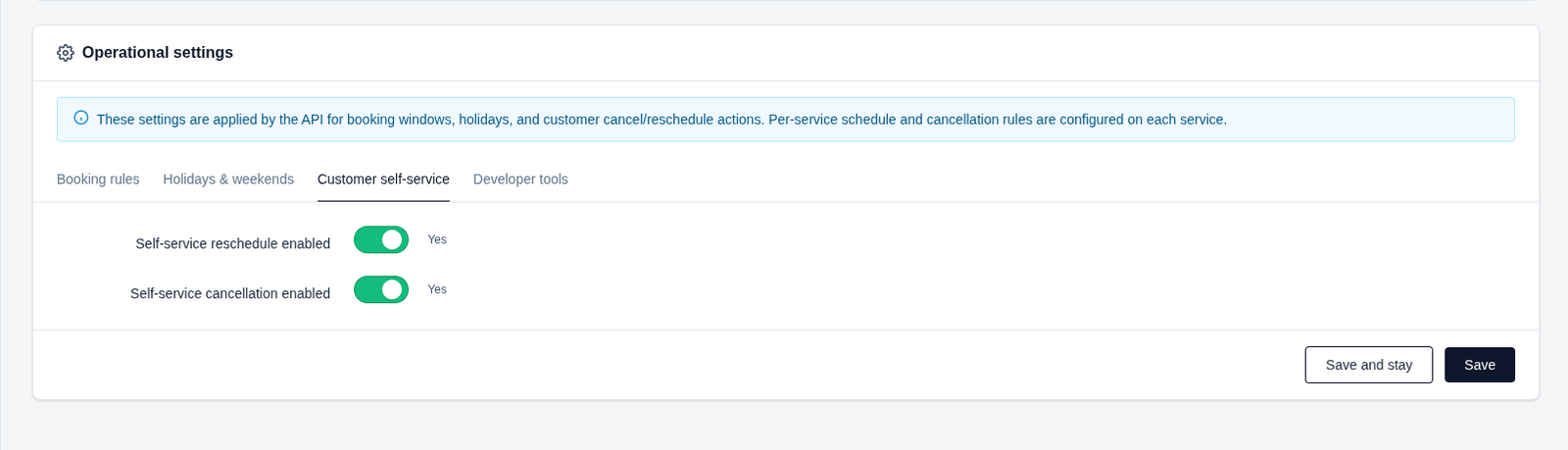
Give customers more control over their bookings by allowing them to manage appointments directly from their account. Enable or disable self-service rescheduling and cancellation according to your business requirements.
- ✔ Allow customers to reschedule bookings themselves.
- ✔ Allow customers to cancel bookings without contacting support.
- ✔ Use the switches to quickly enable or disable each option.
- ✔ Save the settings to apply the changes across the customer booking experience.
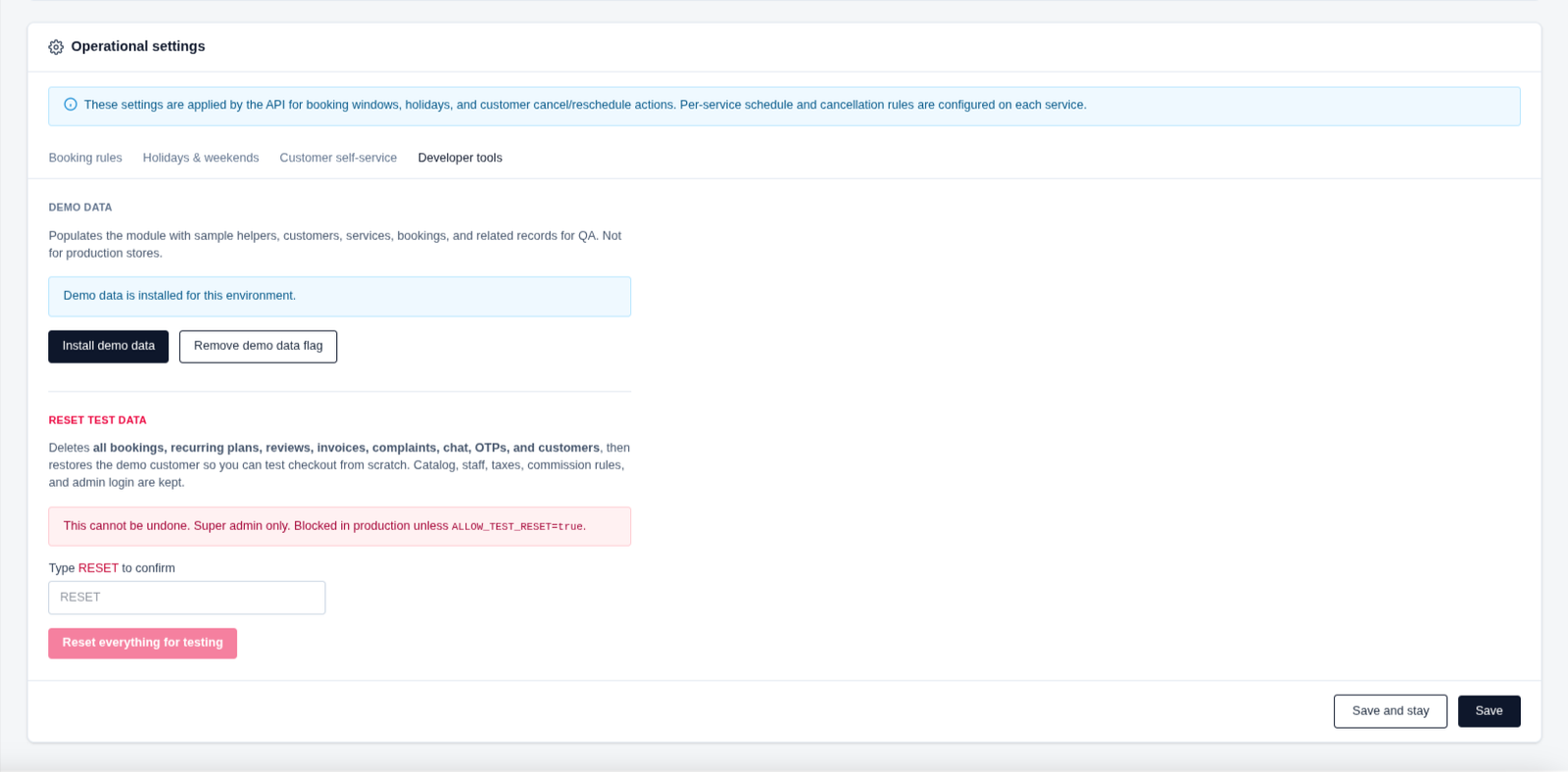
🛠️ Developer Tools
Developer tools provide utilities for testing and preparing the module environment. Use demo data to populate the system with sample records, or reset test data when you need a clean environment for QA and checkout testing.
- ✔ Install demo data including customers, helpers, services, and bookings.
- ✔ Remove the demo data flag when required.
- ✔ Reset test data to restore a clean testing environment.
- ✔ Reset actions are irreversible and should only be used for testing.
- ✔ Developer tools are intended for QA and development environments, not production stores.
Ready to Launch Your Service Marketplace?
Explore ServiceHub, try the live demo, or contact our team to get started with your own service marketplace.
Explore ServiceHub View Live Demo