WEBLYTIC LABS Product Company · Since 2020

Ready to Find Your Perfect Property?

Explore a wide range of properties for sale and rent, discover detailed listings, connect with trusted real estate agents, and save your favorite properties—all in one convenient platform.

YOUR PROPERTY JOURNEY STARTS HERE

Discover Properties. Find Your Perfect Place.

PROTY Real Estate makes it easier to explore properties for sale and rent, compare property details, connect with real estate agents, and save your favorite listings—all in one convenient platform.

SMARTER PROPERTY SEARCH

Everything You Need to Find Your Next Property

Explore property listings, discover trusted agents, and manage your property preferences with a simple and user-friendly real estate platform.

🏡

Explore Properties

Browse houses, apartments, villas, and commercial properties. Find suitable options using location, price, type, and category filters.

EASY PROPERTY DISCOVERY
👥

Connect with Agents

Discover agent profiles, review their property listings, and send enquiries to discuss property details or arrange viewings.

PERSONALIZED ASSISTANCE
❤️

Save Your Favorites

Save interesting properties to your favorites, revisit listings easily, and keep your preferred options organized while making decisions.

CONVENIENT PROPERTY TRACKING

Your Property Journey, Made Simple

From discovering a property to contacting an agent, take the next step with confidence.

STEP 01

Search

Find properties that match your needs and budget.

STEP 02

Explore Property Details

Review photos, prices, amenities, descriptions, and property locations.

STEP 03

Connect

Contact agents and enquire about properties you like.

Why Choose PROTY Real Estate?

Easy Navigation Find properties and explore important website sections with an intuitive interface.
Detailed Information Review property descriptions, images, pricing, amenities, and location details.
Simplified Management Manage property listings, agent profiles, user accounts, and enquiries through the relevant dashboard tools.

Your Next Property Starts with PROTY

Make property discovery easier with organized listings, useful property details, agent connections, and personalized favorites. PROTY brings essential real estate tools together to help you move forward with your property search.

PROTY · INSTALLATION GUIDE

Installation & Setup

Get your PROTY Real Estate Website & Property Management Platform up and running. Follow this guide to prepare your development environment, install frontend and backend dependencies, configure the database, and launch the application locally.

⚛️ React + Vite 🔴 Laravel API 🗄️ MySQL Database
BEFORE YOU BEGIN

Development Environment Requirements

Prepare the tools required to install, configure, and run the frontend, backend API, and database.

⚛️

Frontend Tools

Node.js, npm, and a code editor such as Visual Studio Code.

REACT · VITE
🔴

Backend Tools

PHP 8.1 or later, Composer, and the Laravel backend project.

PHP · LARAVEL 10
🗄️

Database Tools

MySQL or MariaDB with XAMPP or another compatible database server.

DATABASE CONFIGURATION
STEP-BY-STEP GUIDE

Set Up PROTY in a Few Steps

Configure each part of the application before starting the complete platform.

01

Obtain the Project Files

Download or clone the PROTY project repository. Identify the frontend and Laravel backend directories. Use the actual directory names from your project.

02

Install Frontend Dependencies

Open a terminal inside the frontend directory containing the package.json file and install the required packages.

# Install frontend packages
npm install

This installs the dependencies defined in the project's package.json file.

03

Install Backend Dependencies

Open another terminal in the Laravel backend directory, where the composer.json file is located.

# Install backend packages
composer install

Composer installs the PHP and Laravel dependencies declared by the project.

04

Configure Environment Variables

Configure the backend environment file using the project's provided example file, if available. Set the application environment, database connection, and other required settings.

Important: Keep database passwords, API keys, and other secrets private. Do not commit real credentials to source control.
05

Create and Configure the Database

Start the MySQL or MariaDB service. Create the database and update the Laravel database settings to match your local configuration.

# Run from the Laravel backend directory
php artisan migrate

Run migrations only if the project provides them and the database is configured correctly. Import any required project-provided SQL data when applicable.

06

Start the Application

Start the Laravel API and the Vite development server in separate terminals. Run each command from its corresponding project directory.

# Laravel backend
php artisan serve
# React + Vite frontend
npm run dev

Open the local URLs displayed in the terminal. Ensure the frontend API configuration points to the running Laravel backend.

CONFIGURATION CHECKLIST

Before You Launch

Verify these essential settings before using the local application.

🔗

API Connection

Check that Axios and the frontend configuration use the correct backend API address.

🔐

Authentication

Verify login and registration. Configure Laravel Sanctum according to the project's authentication setup.

🗄️

Database Access

Confirm database credentials, required tables, and the availability of project data.

🧰
QUICK HELP

Common Setup Issues

Dependencies fail to install

Check Node.js, npm, PHP, and Composer versions, then review the error message and the project's dependency requirements.

Database connection fails

Confirm the database service is running and the database name, username, password, host, and port match the Laravel environment configuration.

Frontend cannot reach the API

Check the backend URL, API routes, browser console, CORS configuration, and authentication settings.

Laravel application key is missing

If the project requires a new application key and one is not configured, run php artisan key:generate from the backend directory after setting up the environment file.

🚀

Your PROTY Environment Is Ready to Configure

Complete the frontend and backend setup, configure your database, and verify API connectivity to prepare your real estate platform for local development.

PROTY REAL ESTATE · STOREFRONT

Explore Properties with PROTY

The PROTY storefront is the public-facing website where visitors can discover properties, explore detailed listings, connect with real estate agents, and submit enquiries. Its user-friendly interface brings essential property discovery features together in one place.

PUBLIC WEBSITE EXPERIENCE

Everything for Your Property Journey

Browse available properties, review property information, discover agents, and save your preferred listings through the public website.

🏠

Homepage

Introduces visitors to the PROTY platform and helps them navigate property listings, featured properties, agents, and other website sections.

YOUR FIRST IMPRESSION
🏘️

Property Listings

Displays available properties with relevant information such as images, prices, locations, categories, and property descriptions.

DISCOVER PROPERTIES
🔎

Property Details

Allows visitors to examine individual property information, including available photographs, descriptions, pricing, and other supplied details.

DETAILED INFORMATION
👥

Agent Profiles

Helps visitors discover real estate agents, view their available profile information, and explore the property listings associated with them.

CONNECT WITH AGENTS
❤️

Favorite Properties

Registered users can save properties they are interested in and revisit their preferred listings through the available account features.

SAVE YOUR PICKS
💬

Property Enquiries

Enables visitors to submit enquiries about properties so the relevant contact details and messages can be handled through the platform.

START A CONVERSATION
HOW THE STOREFRONT WORKS

A Simple Property Discovery Journey

Visitors can move from browsing properties to exploring details and contacting agents.

🌐
STEP 01

Explore

Visit the homepage and browse available property listings.

→
🏡
STEP 02

Review

Check property descriptions, images, prices, and available details.

→
🤝
STEP 03

Connect

Save preferred properties or submit an enquiry to learn more.

PERSONALIZED EXPERIENCE

User Accounts & Property Preferences

Registered users can access the account functionality available within the PROTY platform.

Account Access

Register, log in, and access the user account and dashboard features.

Saved Properties

Keep track of favorite listings using the platform's available favorites functionality.

Property Communication

Submit property enquiries and provide the contact information requested by the website.

🏡

Discover Your Next Property with PROTY

The PROTY storefront connects property discovery, detailed listings, agent information, user accounts, favorites, and enquiries in one convenient public website experience.

REAL ESTATE MANAGEMENT SYSTEM

Manage Your Entire Property Business from One Admin Console

Manage property listings, featured properties, agents, users, and enquiries from one centralized dashboard. Keep your real estate website organized and maintain control over essential property operations.

🏢
EVERYTHING IN ONE PLACE

Built to Manage Your Real Estate Operations

Access the tools you need to manage property listings, agent accounts, user enquiries, and website content through a single administration interface.

🏘️

Property Management

Add, edit, and organize property listings with images, descriptions, prices, locations, and property details.

⭐

Featured Listings

Highlight selected properties to improve their visibility on the public-facing website.

👥

Agent Management

Manage agent profiles, contact information, professional details, listing counts, and account status.

👤

User Management

View and manage registered users, account information, and user-to-agent access changes.

📨

Enquiry Management

Review property enquiries, visitor messages, contact details, and the properties visitors are interested in.

🌐

Website Content

Manage website pages, blogs, FAQs, comments, and available design and configuration settings.

✉️

Newsletter Management

Access newsletter subscriber information and manage the available subscription content.

⚙️

Website Settings

Configure available website design options, property categories, amenities, and general settings.

CONNECTED OPERATIONS

Manage the Complete Property Workflow

Keep your property listings and customer enquiries organized through one central administration environment.

Properties
→
Agents
→
Users
→
Enquiries
→
Website Content

Designed for Everyday Property Management

✓ Properties ✓ Agents ✓ Users ✓ Enquiries ✓ Featured Listings ✓ Website Content
ONE CENTRAL PLATFORM

More Control. Less Complexity.

Bring property management, agent administration, user accounts, and enquiries together in one convenient dashboard.

Take Control of Your Real Estate Operations

From managing property listings and agent profiles to reviewing enquiries and maintaining website content, the PROTY Admin Console provides a centralized environment for managing the key areas of your real estate website.

PROTY · AI CONTENT STUDIO

AI-Powered Content Generation

The PROTY AI Content Generator helps streamline content creation for real estate and website-related tasks. Provide relevant context, use the available AI generation options, and review generated content before publishing.

🤖 AI Assistance ✍️ Content Drafting 🏡 Real Estate Content
SMARTER CONTENT WORKFLOW

Create Content More Efficiently

Use the available AI content tools to assist with drafting and improving written material for your real estate website.

✍️

Content Drafting

Provide instructions and relevant information to guide content generation.

🏡

Real Estate Content

Prepare suitable property-related text using accurate property information.

✨

Content Refinement

Review generated text for clarity, tone, accuracy, and suitability before publishing.

🌐

Website Content Support

Use approved content in the relevant website section where supported by the application.

Give the AI the Context. Let It Help With the Content.

Content generation can be guided using information already available in the form or by providing a custom instruction. This gives administrators more control over the content generated.

01

Add Your Context

Provide a title, subtitle, summary, or custom instruction that gives the AI the information it needs.

→
AI

Choose Your AI

Select the configured AI provider and model available in your Admin Panel.

→
✓

Generate

Generate content directly from the supported content form.

CHOOSE YOUR AI PROVIDER

The solution allows administrators to configure and use different AI providers rather than locking the content-generation workflow to a single provider.

✳

ChatGPT

OpenAI

✦

Gemini

Google

✺

Claude

Anthropic

Note: These provider cards describe the options shown in the reference design. Confirm that each provider is configured and available in your PROTY application.

CONTENT GENERATION PROCESS

From Prompt to Polished Content

Follow this general workflow when using the AI Content Generator in PROTY.

📝
STEP 01

Enter a Prompt

Describe the content you need and provide relevant details.

🤖
STEP 02

Generate

Submit your prompt through the available AI generation interface.

🔍
STEP 03

Review & Use

Check the generated text, correct errors, and use it where appropriate.

💡
EXAMPLE PROMPT

Write a Property Description

Write an attractive and professional property description for a modern 3-bedroom apartment. Highlight only the supplied features, location, amenities, and selling points. Use clear, engaging language suitable for a real estate website.

This is an illustrative prompt. The content types available depend on the application's implementation.

BEST PRACTICES

Generate Better, More Reliable Content

Use clear prompts and review every result before publishing.

Be Specific

Provide the purpose, tone, relevant details, and expected content format.

Verify Property Facts

Confirm prices, measurements, amenities, addresses, and other factual details.

Review Before Publishing

Edit the output for accuracy, readability, consistency, and suitability.

🔐
TECHNICAL CONSIDERATIONS

AI Configuration & Security

The actual AI provider, model, API endpoint, and configuration depend on the implementation in your PROTY project. Verify these details in the application code before documenting provider-specific setup instructions.

Security reminder: Keep AI API keys and other secret credentials on the backend or in secure environment variables. Do not expose private keys in React frontend code or public repositories.
✨

Make Content Creation More Efficient with PROTY

Use AI assistance to prepare content drafts, review the results carefully, and support your website content workflow while keeping property information accurate and trustworthy.

PROTY · REAL ESTATE WEBSITE & PROPERTY MANAGEMENT PLATFORM
PROTY REAL ESTATE MANAGEMENT PLATFORM

Manage Your Real Estate Business with PROTY

A centralized real estate platform designed to manage property listings, featured properties, agent profiles, user accounts, customer enquiries, and website content. Keep your property information and administrative tasks organized through one convenient dashboard.

EVERYTHING IN ONE PLACE

Built to Manage Your Real Estate Operations

Access the tools you need to manage property listings, agent accounts, user enquiries, and website content through a single administration interface.

🏡

Property Management

Add, edit, and organize property listings with images, descriptions, prices, locations, categories, and property details.

ORGANIZED PROPERTY LISTINGS
⭐

Featured Properties

Highlight selected property listings and help visitors discover featured homes, apartments, and other available properties.

IMPROVED PROPERTY VISIBILITY
👥

Agent Management

Manage agent profiles, contact information, professional details, listing counts, account status, and pending agent approvals.

CENTRALIZED AGENT CONTROL
👤

User Management

View registered users, update account information, manage contact details, and provide agent access to eligible users.

SIMPLIFIED USER ADMINISTRATION
💬

Enquiry Management

Review incoming property enquiries, view customer contact information, and read messages about properties visitors want to explore.

CUSTOMER ENQUIRY TRACKING
🌐

Website Content Management

Manage website pages, blogs, FAQs, comments, newsletter subscriptions, and available website design and configuration settings.

CENTRALIZED WEBSITE CONTROL
CONNECTED ADMINISTRATION

Manage Your Complete Property Workflow

Keep property information, agent accounts, and customer enquiries organized through one central administration environment.

STEP 01

Properties

Maintain listings, property details, images, and featured properties.

→
STEP 02

Agents & Users

Manage profiles, account information, and agent approval requests.

→
STEP 03

Enquiries

Review visitor messages and access property enquiry details.

TECHNOLOGY STACK

Built with Modern Web Technologies

The technology layer connects the real estate website and administrative functions, supporting property information, user accounts, agent profiles, and enquiry management.

⚛️

React.js

Provides the frontend interface for displaying property information, website pages, agent profiles, and user-facing features.

🔴

Laravel API

Provides backend API functionality for connecting application interfaces with the relevant real estate management operations.

🏡

Real Estate Data

Supports the application's property listings, agent information, user records, and enquiry-related information.

ADMINISTRATION APPROACH

One Dashboard for Essential Real Estate Tasks

The administration panel brings property management, people management, and website content controls together in a unified interface.

Property Administration

Keep property listings, featured content, images, and categories organized.

Account Administration

Manage users, agent profiles, account details, and agent access requests.

Website Administration

Maintain website pages, blogs, FAQs, comments, newsletter content, and settings.

DESIGNED FOR REAL ESTATE

A Practical Foundation for Property Management

PROTY helps administrators maintain property information, organize user and agent records, manage enquiries, and update website content through dedicated dashboard sections.

CENTRALIZED MANAGEMENT

More Control. Better Organization.

✓ Property listings and featured properties
✓ Agent profiles and approval requests
✓ User accounts and contact information
✓ Customer enquiries and messages
✓ Website content and configuration
PROTY REAL ESTATE PLATFORM

Everything You Need to Manage Your Property Platform

From property listings and agent management to user accounts, customer enquiries, and website settings, PROTY provides a centralized administration experience to help keep your real estate operations organized and your website content up to date.

PROTY · PRODUCTION GUIDE

Deployment, Security & Support

Prepare the PROTY Real Estate Website & Property Management Platform for deployment with proper environment configuration, secure application settings, database protection, and ongoing maintenance.

🚀 Deployment 🔐 Security 🛠️ Maintenance
PRODUCTION READINESS

A Reliable and Secure Real Estate Platform

Prepare the React frontend, Laravel API, and MySQL or MariaDB database before making PROTY accessible to users.

🌐

Frontend Deployment

Build the React application with Vite and publish the generated production files to a suitable web host.

⚙️

Backend Deployment

Configure Laravel, PHP, Composer dependencies, API routes, and production environment settings.

🗄️

Database Setup

Configure database access, apply appropriate migrations, and prepare secure backups.

DEPLOYMENT WORKFLOW

Deploy PROTY Step by Step

Follow these general steps to prepare the application for a production environment.

01

Prepare the Production Environment

Select a suitable hosting environment that supports the application's React frontend, Laravel backend, required PHP version, and database.

02

Build the Frontend

Run the production build command inside the React + Vite frontend directory.

npm install
npm run build

Deploy the generated build output according to your hosting configuration.

03

Configure the Laravel Backend

Install production dependencies, configure the backend environment, and set the correct API URL, database connection, and authentication settings.

04

Prepare the Database

Create or configure the production database, verify the credentials, and run the required migrations after taking appropriate backups.

05

Test Before Launch

Verify property listings, property details, login and registration, favorites, enquiries, dashboard access, and AI content generation where configured.

APPLICATION PROTECTION

Security Best Practices

Protect user accounts, property information, administrative access, and application credentials.

🔐

Authentication & Access

Protect login sessions, verify Laravel Sanctum configuration where used, and restrict administrative features to authorized users.

🔑

Secrets & API Keys

Store database passwords and AI provider credentials securely. Never expose private keys in frontend code or public repositories.

🛡️

HTTPS & Data Protection

Use HTTPS in production and protect personal information, enquiries, account data, and database backups.

🧱

Validation & Permissions

Validate incoming data on the backend, enforce authorization rules, and protect API endpoints against unauthorized operations.

ONGOING MAINTENANCE

Keep Your Platform Running Smoothly

Regular maintenance helps maintain application reliability, data integrity, and security.

Regular Backups

Back up the database and essential application files, and periodically test restoration.

Software Updates

Review security updates for PHP, Laravel, Node.js, and project dependencies.

Logs & Monitoring

Monitor application errors, API failures, server health, and unusual activity.

Performance Checks

Test page loading, property search, image delivery, and API response times.

🧰
QUICK HELP

Common Deployment Issues

Frontend cannot connect to the API

Check the configured API URL, backend availability, CORS settings, and HTTPS configuration.

Database connection error

Verify database host, port, database name, username, password, and server connectivity.

Login or authentication failure

Review authentication configuration, session or token handling, authorized routes, and relevant backend logs.

AI content generation is unavailable

If the feature is configured, verify the provider credentials, backend endpoint, network access, and provider-side usage limits.

SUPPORT & ISSUE RESOLUTION

Getting Help with PROTY

Use a structured troubleshooting process to investigate application issues.

📋

Describe the Issue

Record the affected page or feature, steps to reproduce the issue, and any visible error message.

🔎

Review Logs

Check browser developer tools, Laravel logs, server logs, and API responses.

🛠️

Test the Fix

Apply the correction in a safe environment and retest the affected functionality before release.

Support note: For project-specific support, use the contact details or issue-tracking process maintained by your project team. No external support address or service is assumed here.
🚀

Deploy with Confidence. Protect Every Property Journey.

A well-configured environment, secure access controls, regular backups, and proactive maintenance help keep the PROTY real estate platform reliable and ready for its users.

PROTY · REAL ESTATE WEBSITE & PROPERTY MANAGEMENT PLATFORM
MODERN REAL ESTATE PLATFORM

Explore the WBL Real Estate Platform

Discover a modern real estate platform that combines a user-friendly property storefront with a centralized Admin Console and an API-driven backend. Explore property listings, manage agents and users, save favorite properties, handle enquiries, and streamline property management through one integrated solution.

🏡

Home Page

A modern real estate homepage designed to help users discover properties and find their dream homes with ease.

  • ✔ Modern and responsive homepage design
  • ✔ Property search by location, price, and type
  • ✔ Featured properties and latest listings
  • ✔ Popular locations and trusted real estate agents
  • ✔ Quick access to property details and enquiries
🏘️

Property Listings Page

A user-friendly page to explore and find suitable properties for sale or rent.

  • ✔ Display properties with images and prices
  • ✔ Search properties by location
  • ✔ Filter by budget and property type
  • ✔ Sort properties by price and latest listings
  • ✔ View property details and save favourites
🏠

Property Details Page

A detailed property page that provides users with essential information to explore and choose their ideal property.

  • ✔ Property images and photo gallery
  • ✔ Price, location, and property description
  • ✔ Bedrooms, bathrooms, area, and amenities
  • ✔ Agent information and contact details
  • ✔ Property enquiry form and favourite option
🤝

Agent Page

A professional agent directory that helps users discover trusted real estate agents and connect with property experts.

  • ✔ Display agent profiles, photos, and contact details
  • ✔ Search agents by name and location
  • ✔ View properties listed by each agent
  • ✔ Access agent profiles and professional information
  • ✔ Contact agents for property enquiries
📰

Blogs

An informative blog section that shares real estate news, property insights, and helpful guides for buyers, sellers, and renters.

  • ✔ Display articles with images, titles, and summaries
  • ✔ Explore real estate tips, news, and market trends
  • ✔ Browse posts by category and search keywords
  • ✔ Read full articles with author and publication details
  • ✔ Access related articles and property buying guides
🔐

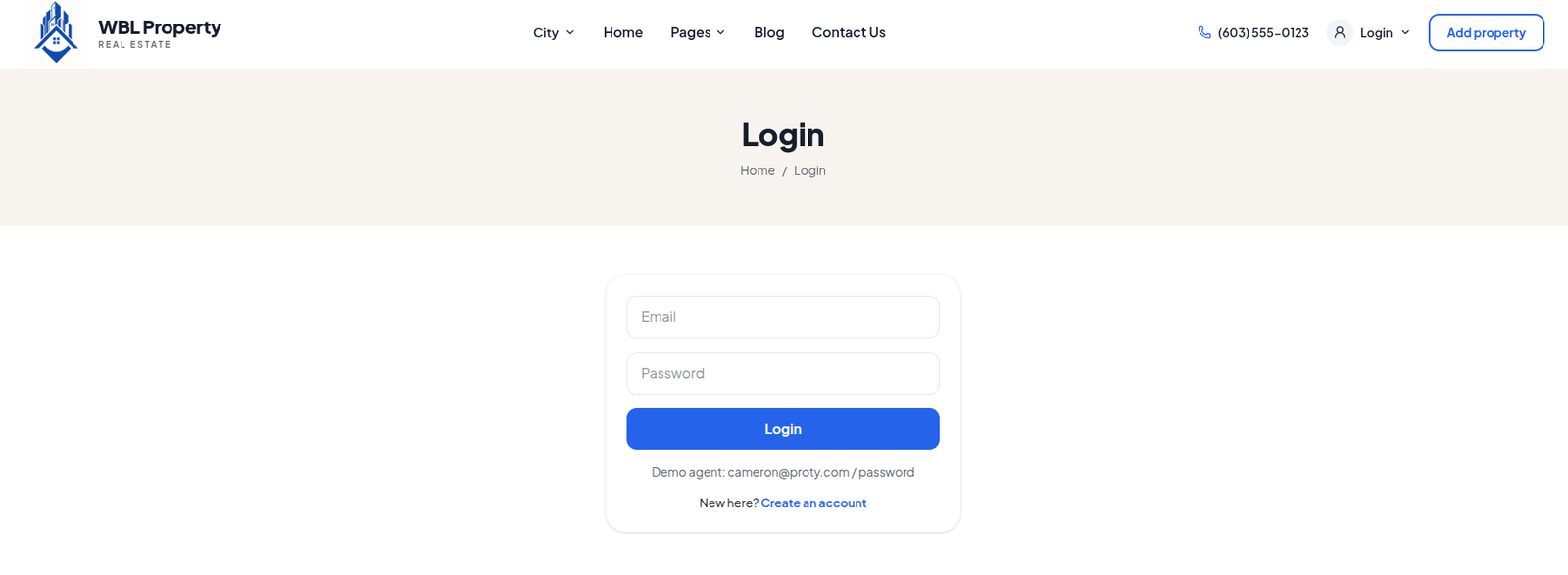
Login Page

A secure and user-friendly login page that allows registered users to access their real estate accounts and manage their activities.

  • ✔ Login using email and password
  • ✔ Form validation and error messages
  • ✔ Forgot password and account recovery
  • ✔ Secure authentication and session management
📝

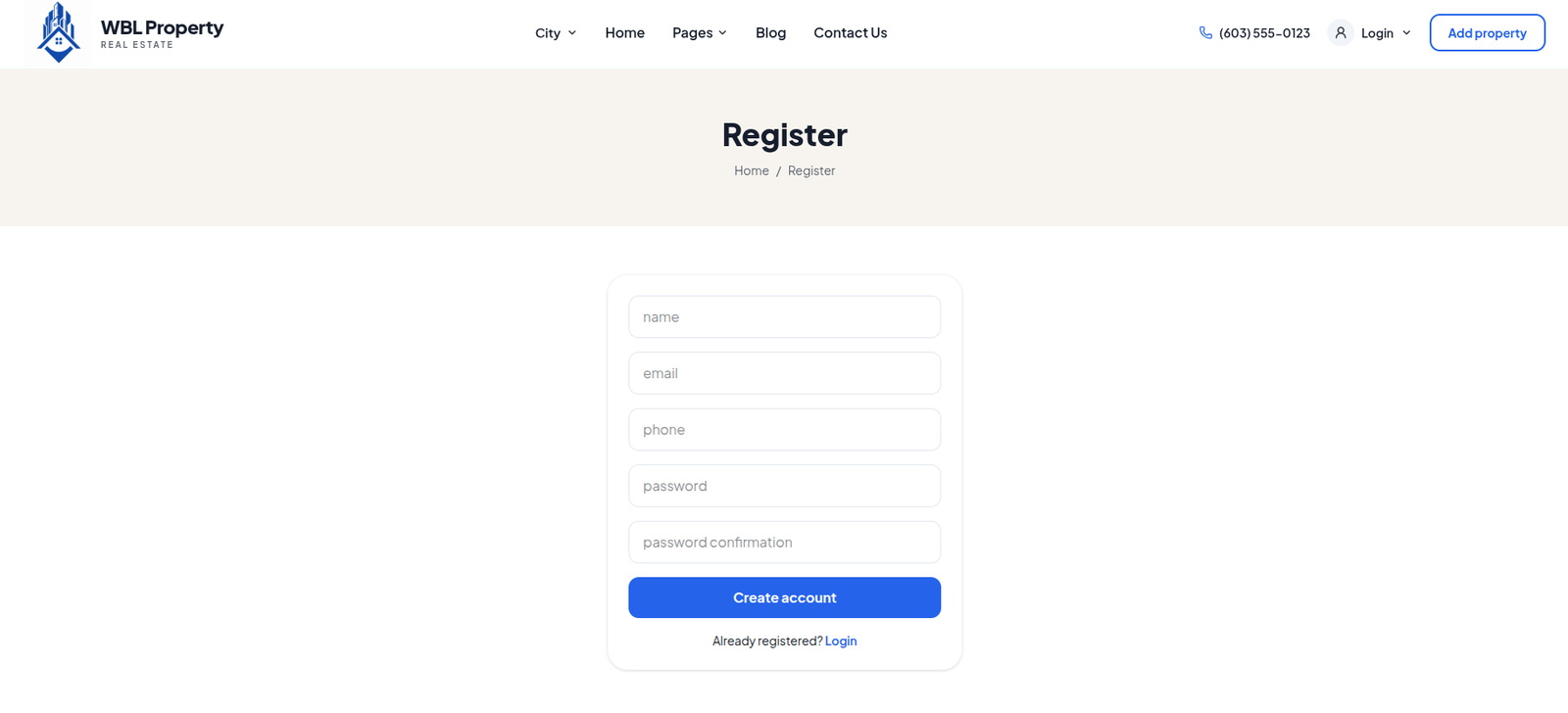
Registration Page

A simple and user-friendly registration page that allows new users to create an account and access real estate services.

  • ✔ User name, email, and phone number fields
  • ✔ Password and confirm password fields
  • ✔ Form validation and error handling
  • ✔ Secure account creation and data storage
  • ✔ Easy navigation to login and user dashboard
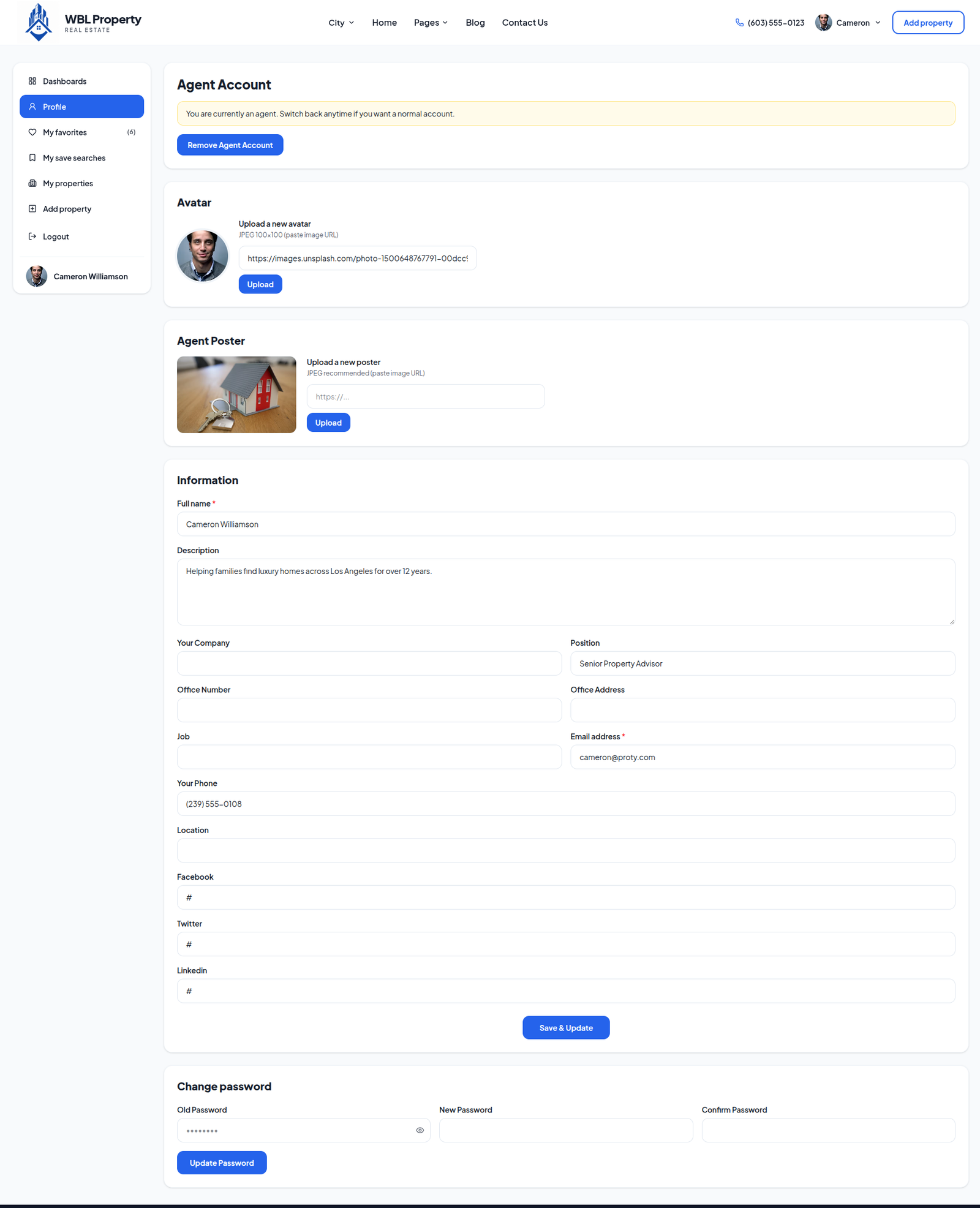
👤

Personal Account Information

A dedicated account section that allows users to view and manage their personal information and real estate account preferences.

  • ✔ View and update name, email, and phone number
  • ✔ Manage profile photo and personal details
  • ✔ Change password and security settings
  • ✔ View saved properties and property enquiries
  • ✔ Manage account preferences and securely log out
🏡

Add Property

A user-friendly property submission page that allows users and agents to list their properties for sale or rent.

  • ✔ Enter property title, description, and price
  • ✔ Select property type, category, and sale or rent option
  • ✔ Add location, area, bedrooms, and bathrooms
  • ✔ Upload property images and specify amenities
  • ✔ Submit property details for listing and approval
📊

User Dashboard

A centralized dashboard that allows users to manage their properties, personal account, and real estate activities in one place.

  • ✔ View and update personal profile information
  • ✔ Manage added properties and listing status
  • ✔ Access favourite properties and saved searches
  • ✔ View property enquiries and account activity
  • ✔ Access account settings and securely log out
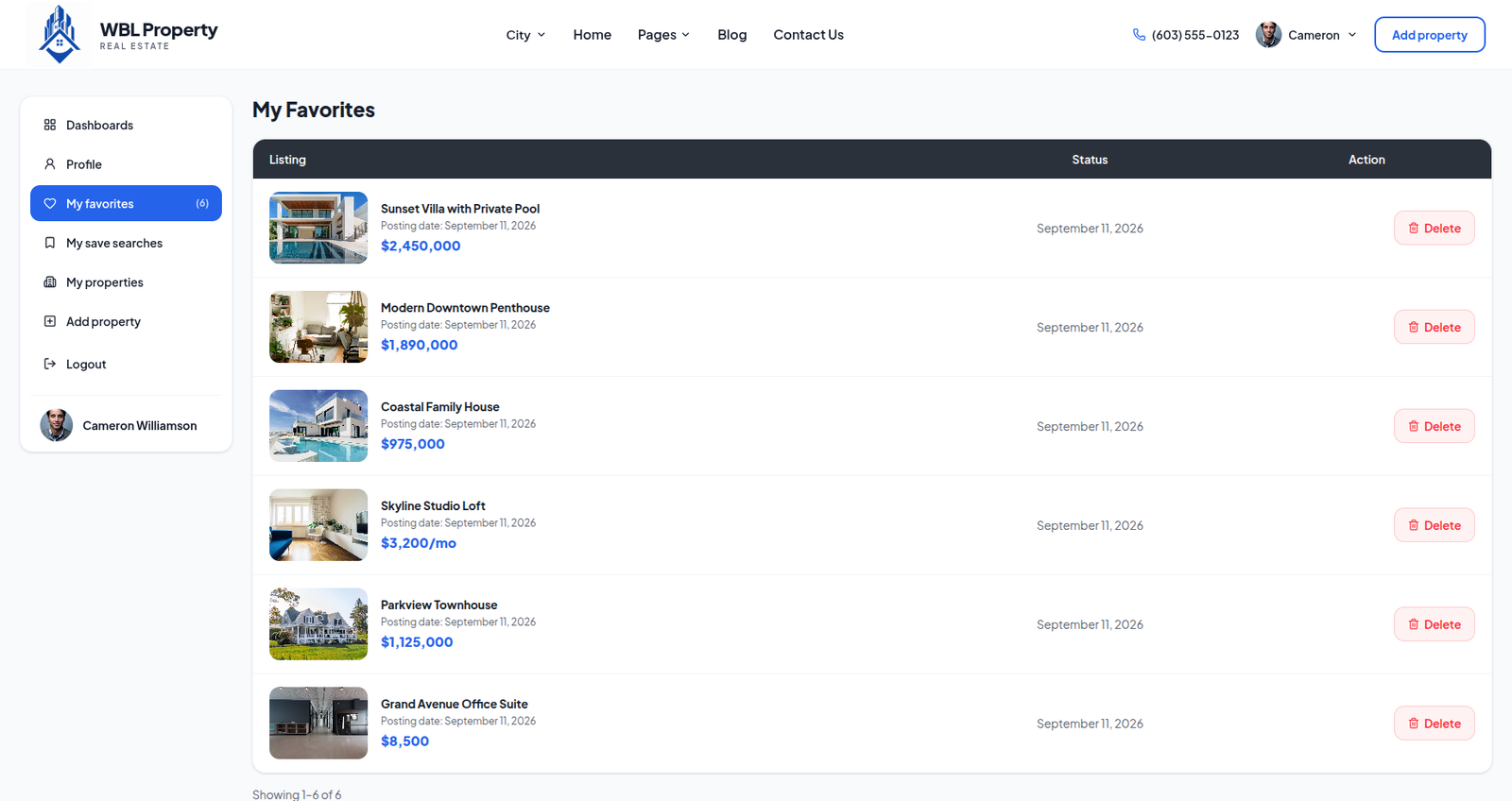
❤️

My Favorites

A personalized section where users can save and manage their favourite properties for easy access and future reference.

  • ✔ Save preferred properties to a favourites list
  • ✔ View property images, prices, and locations
  • ✔ Access saved properties anytime from the dashboard
  • ✔ Remove properties from the favourites list
  • ✔ Open property details and contact the agent
Backend Technologies

Powering the Core of Your Real Estate Platform

The backend provides the core foundation for managing property listings, agents, users, enquiries, favorites, and website content through a Laravel API connected to a MySQL or MariaDB database, supporting secure data handling and centralized property management.

🔐

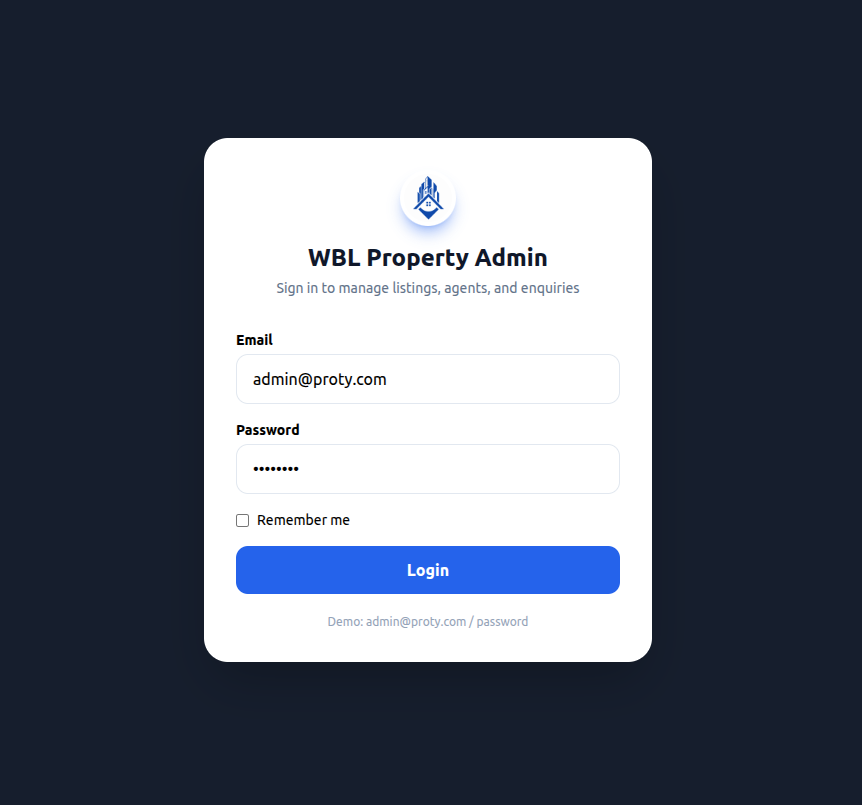
Admin Login

Secure access to the ShopEase merchant administration panel.

  • ✔ Secure administrator authentication
  • ✔ Connect using the configured API URL
  • ✔ Sign in with admin credentials
  • ✔ Protected merchant console access
  • ✔ Automatic session timeout for security
  • ✔ Manage store operations from one dashboard
  • ✔ Quick and secure access to admin tools
📊

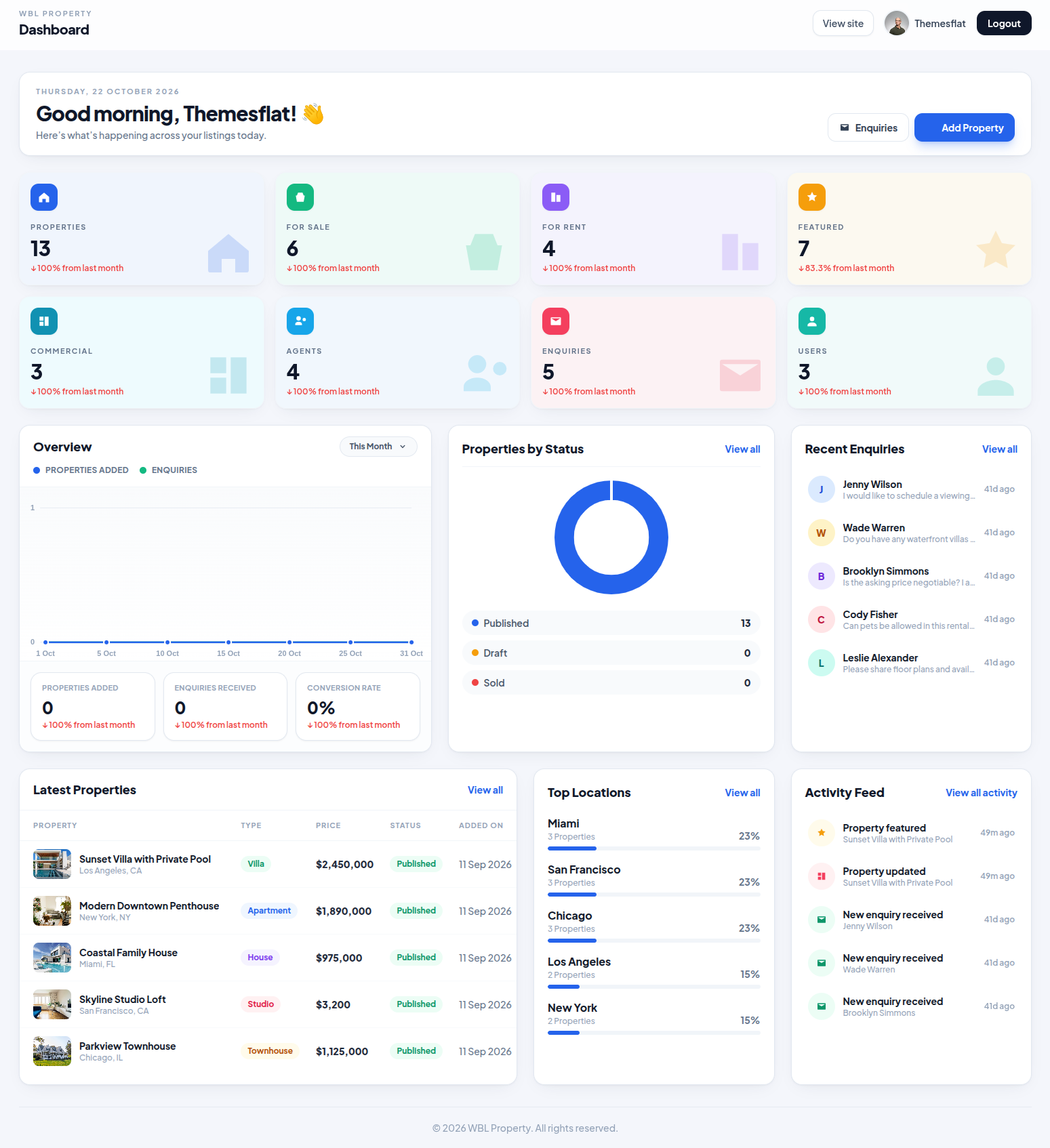
Admin Dashboard

Manage property listings, users, agents, and customer enquiries from one centralized dashboard.
Monitor property statistics, featured listings, recent activities, and top locations to keep your real estate business organized.

🏠 Properties 👥 Users & Agents ✉️ Enquiries ⭐ Featured Listings 📈 Analytics
🏠

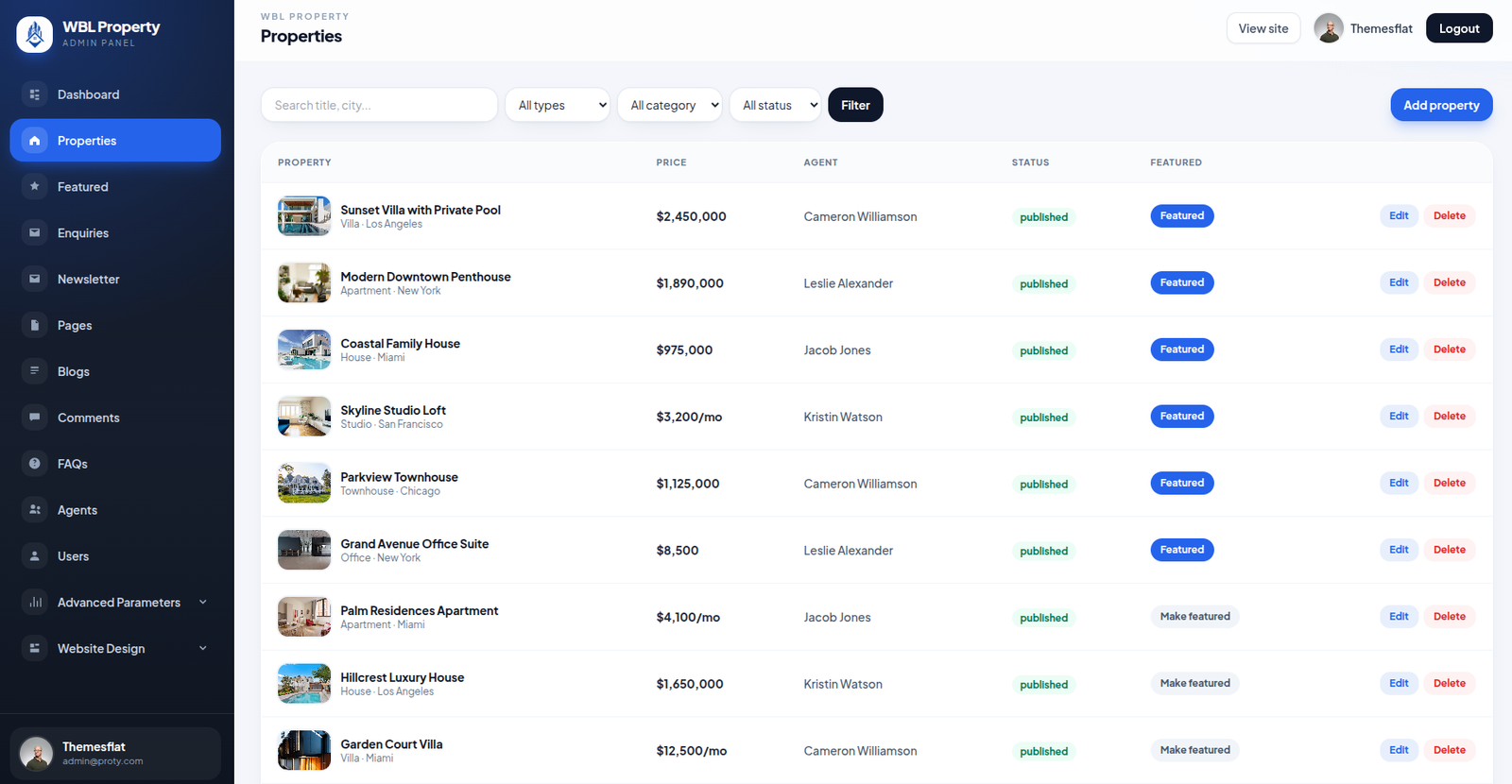
Property Management

Manage all real estate listings from a centralized admin panel, including property details, pricing, agents, and listing status.
Search, filter, edit, delete, and feature properties to keep listings organized and updated across the platform.

🏡 Property Listings 🔍 Search & Filters ✏️ Edit & Delete ⭐ Featured Properties 📋 Listing Status
🏡

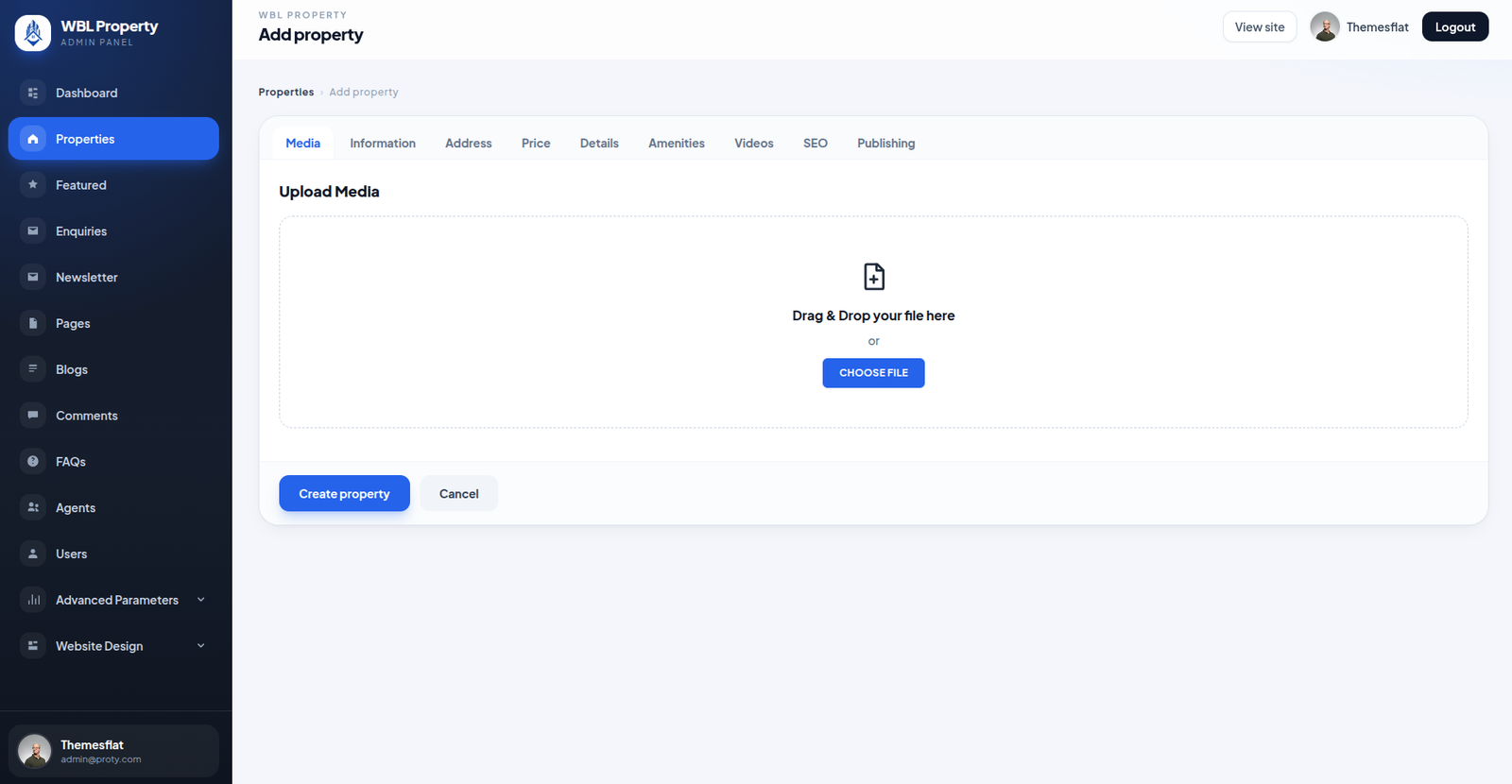
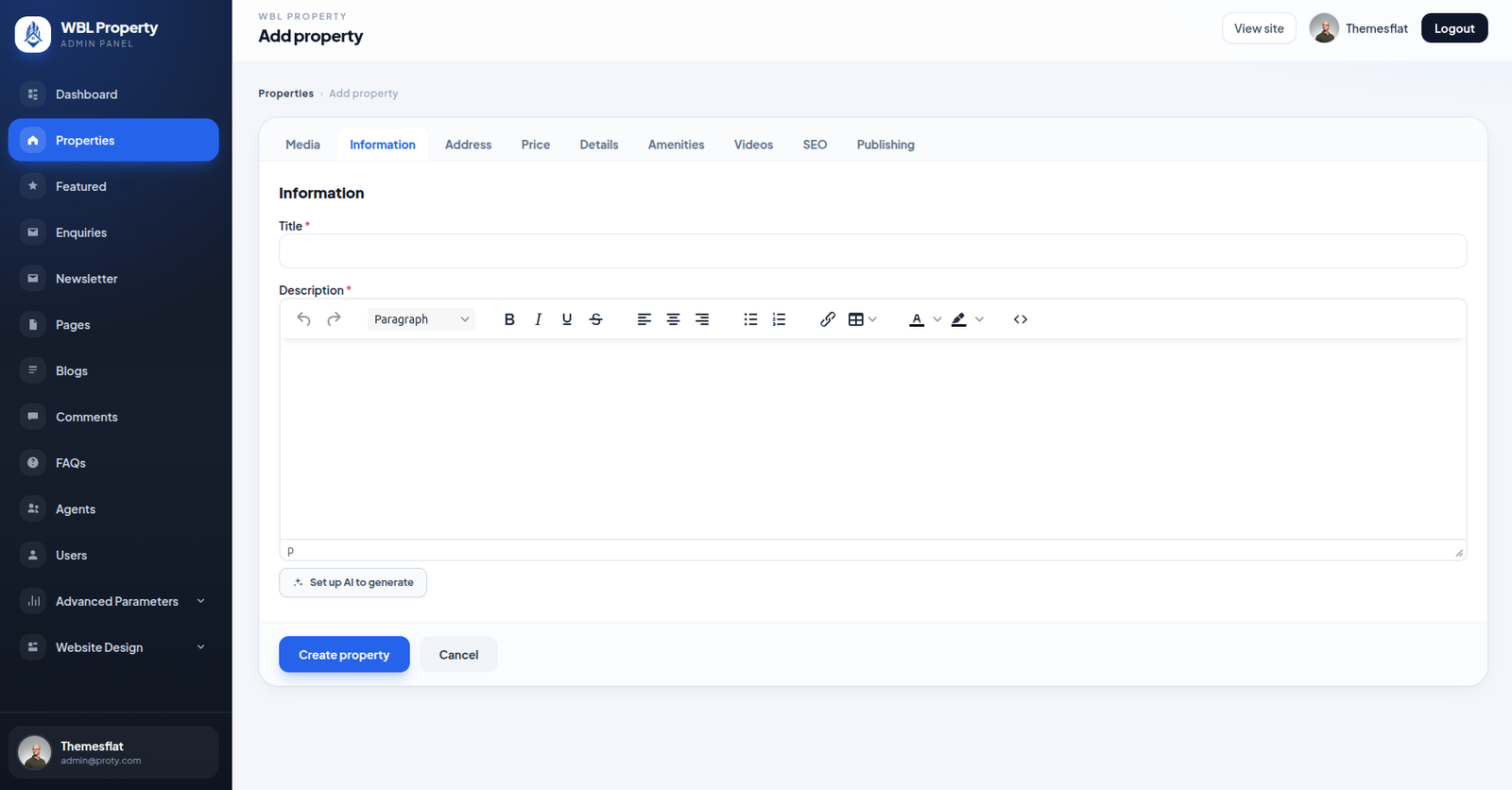
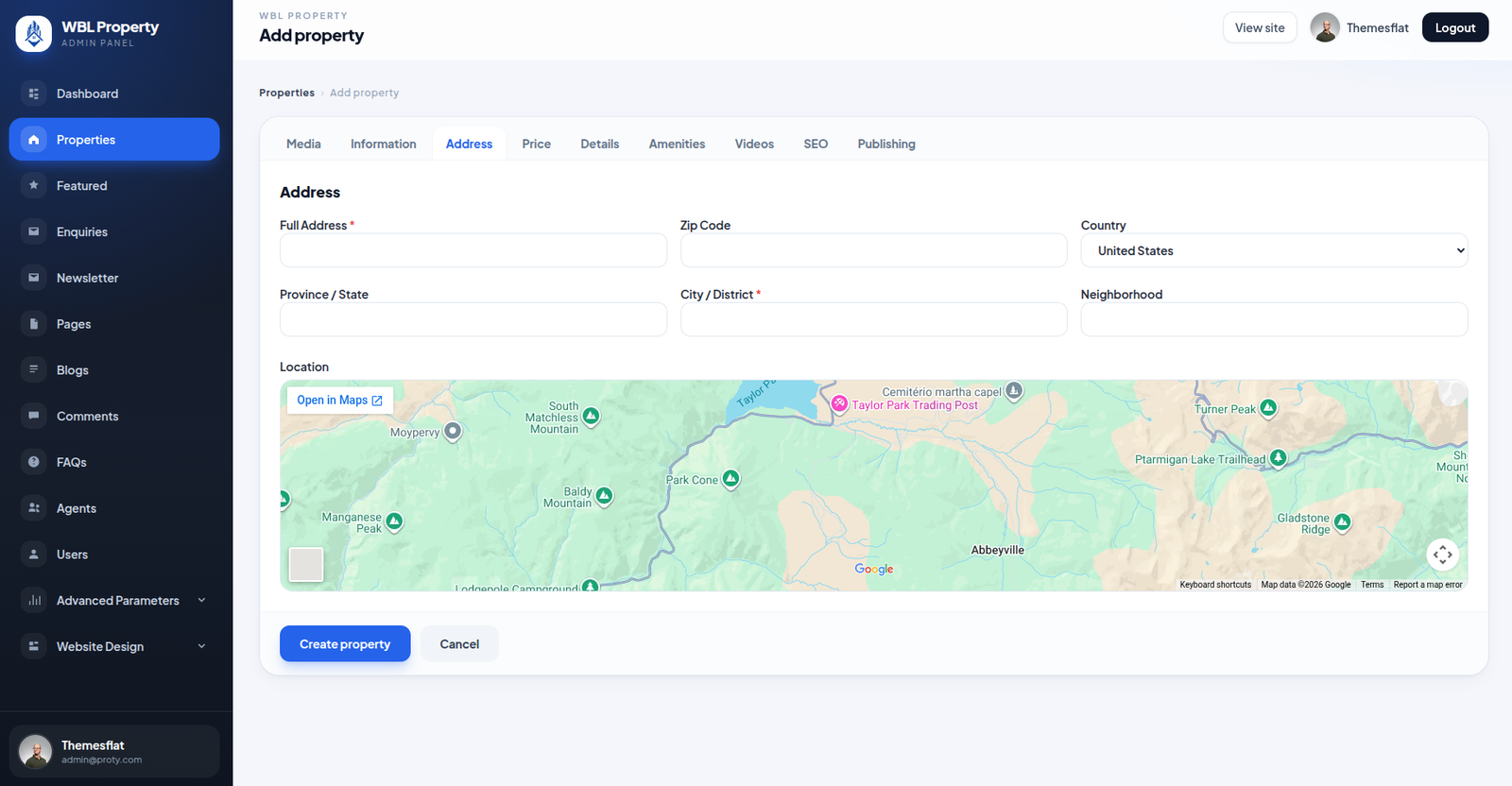
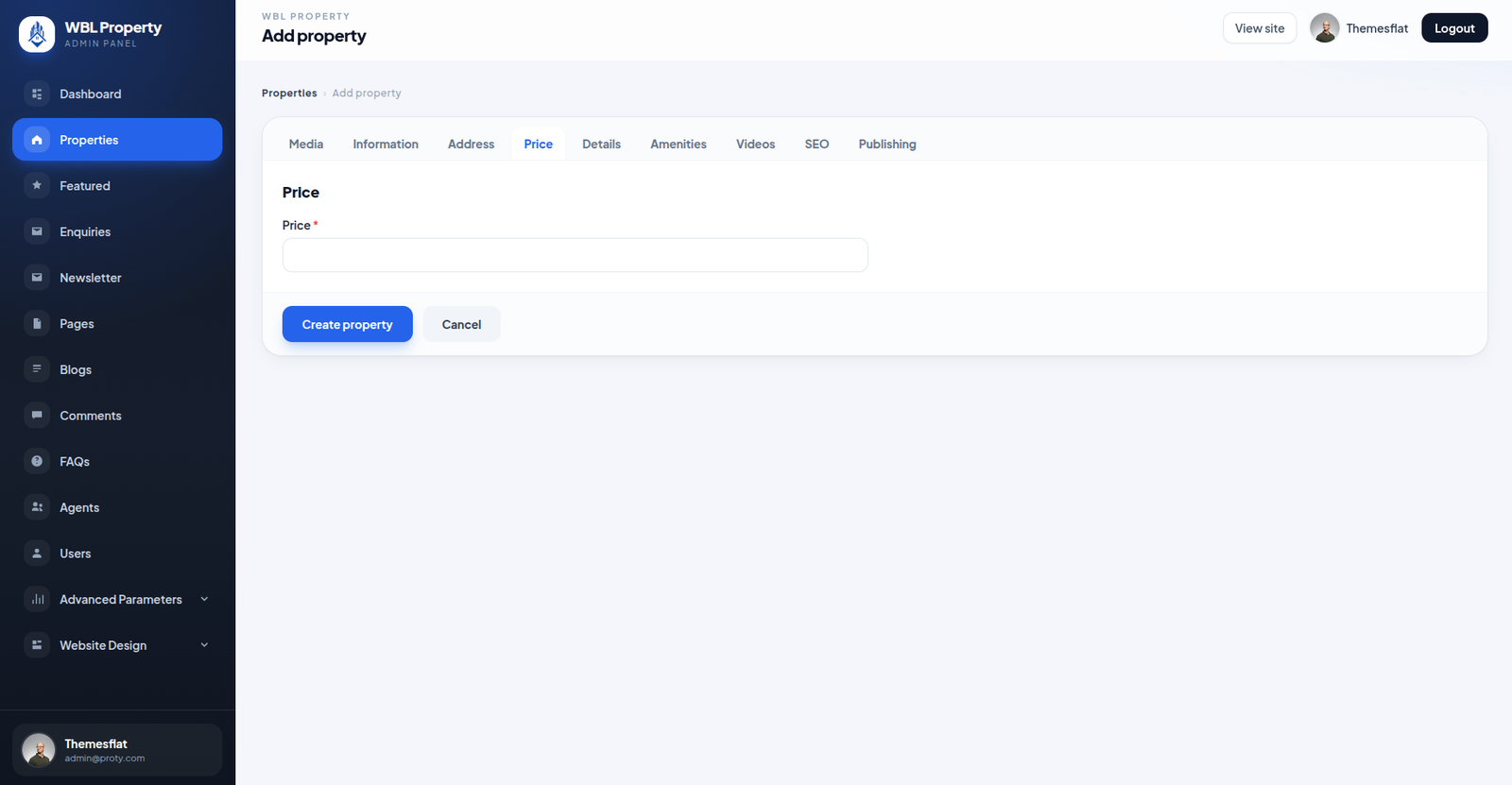
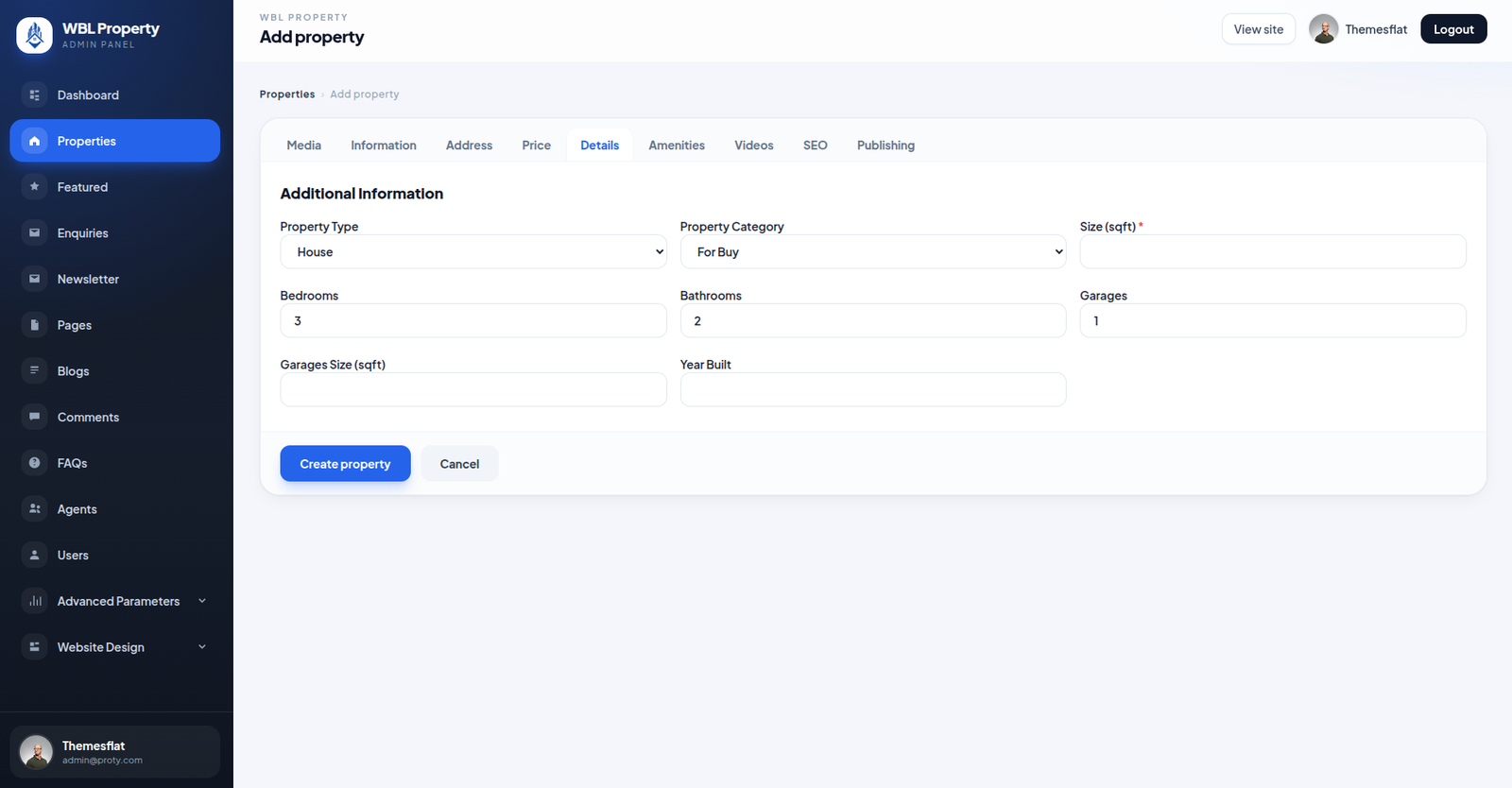
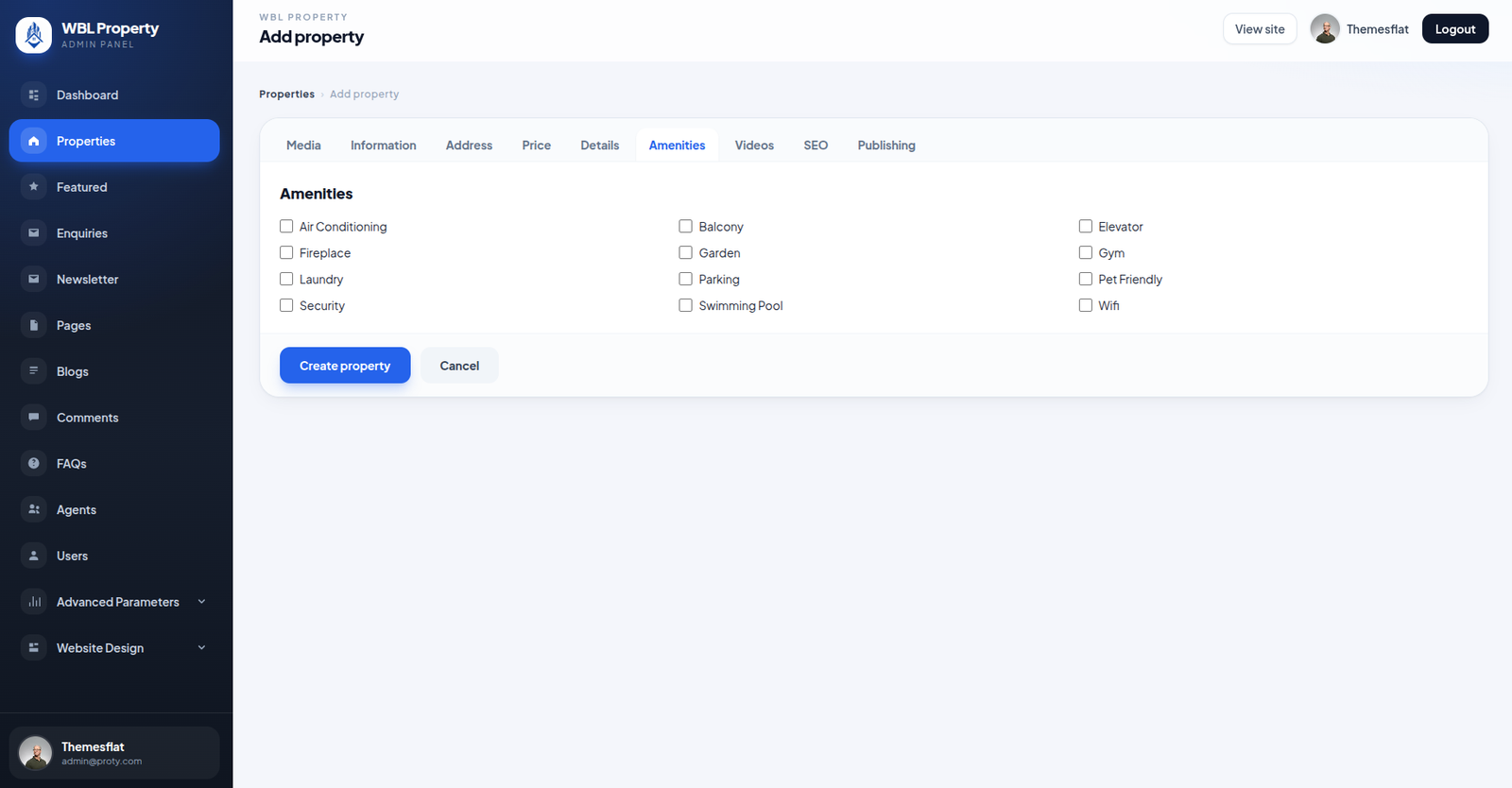
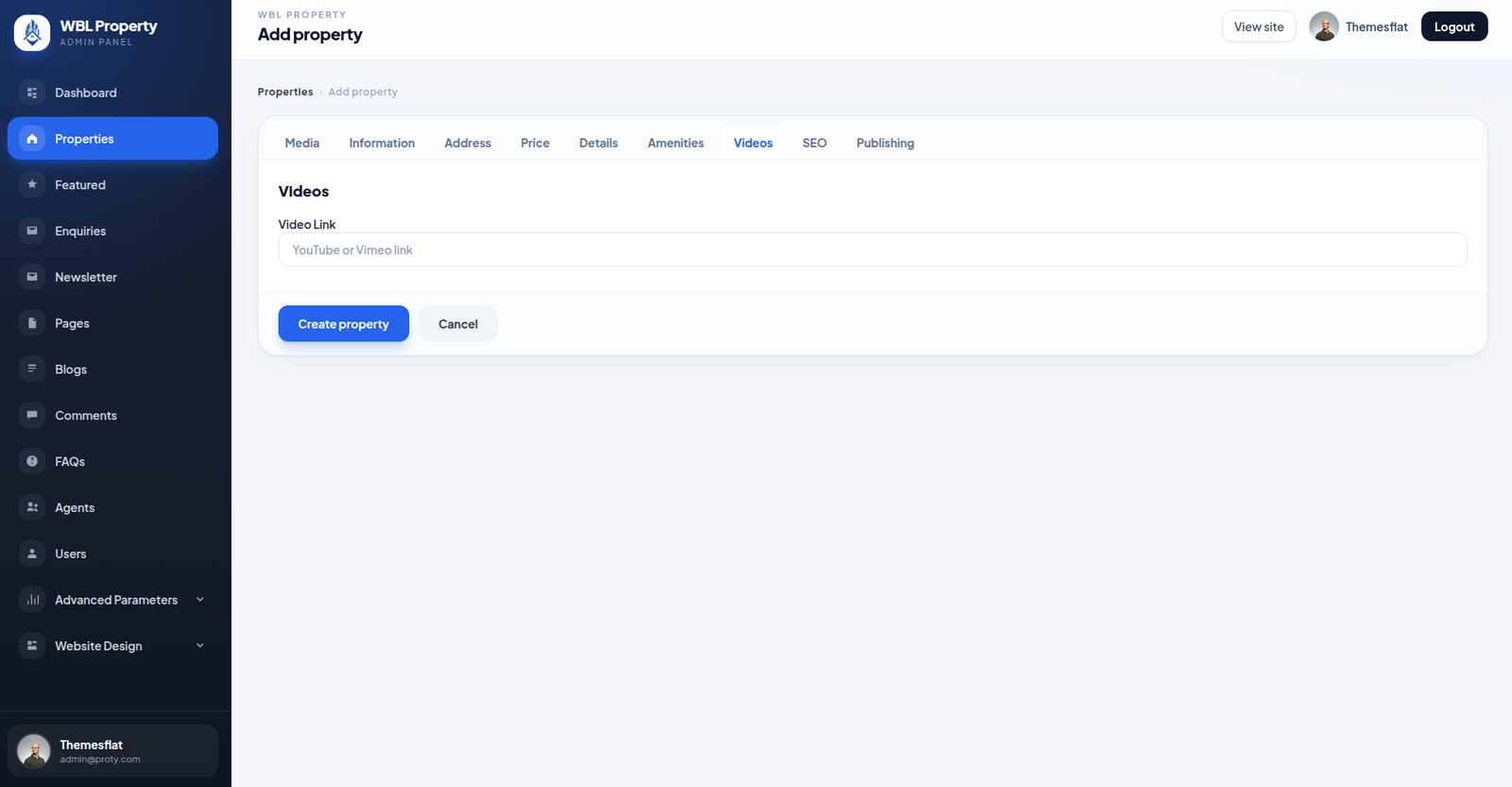
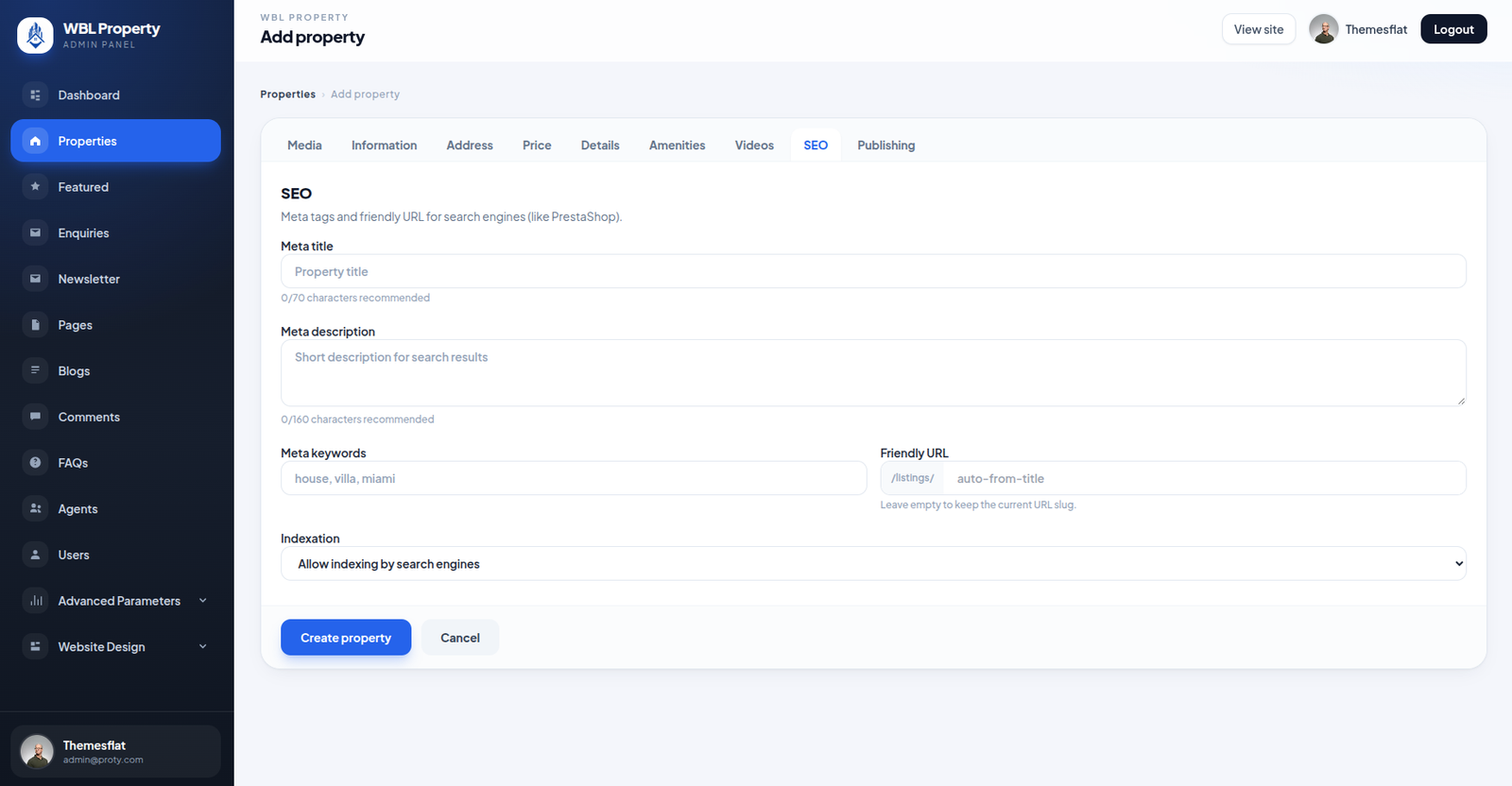
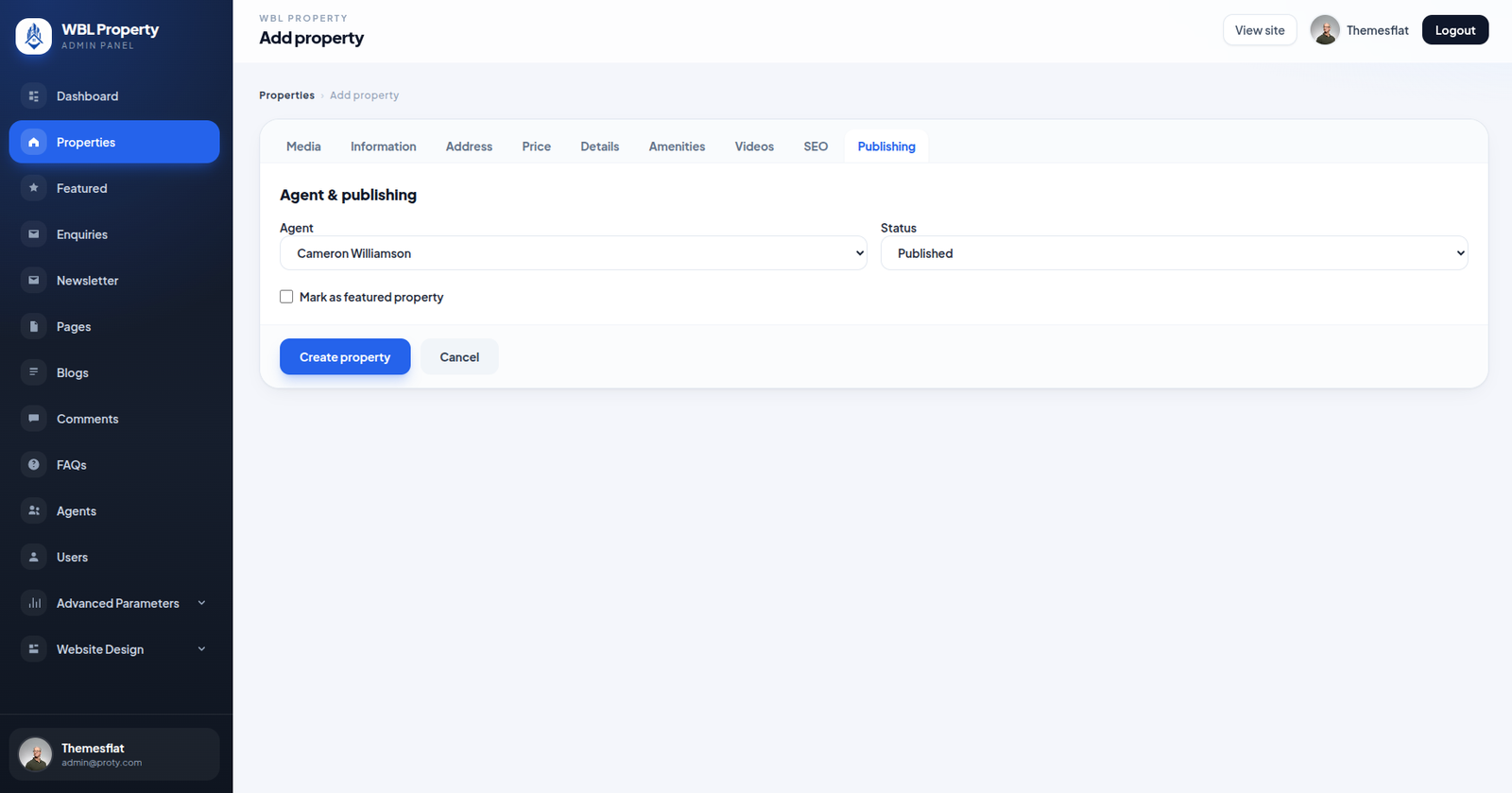
Add Property

Add new property listings by entering essential information, pricing, location, and property specifications.
Manage images, amenities, videos, SEO settings, agent assignments, and publishing status to create complete and professional property listings.

📷 Media Upload 📝 Property Information 📍 Address & Location 💰 Pricing & Details 🛋️ Amenities & Videos 🔍 SEO Settings 🚀 Agent & Publishing
✉️

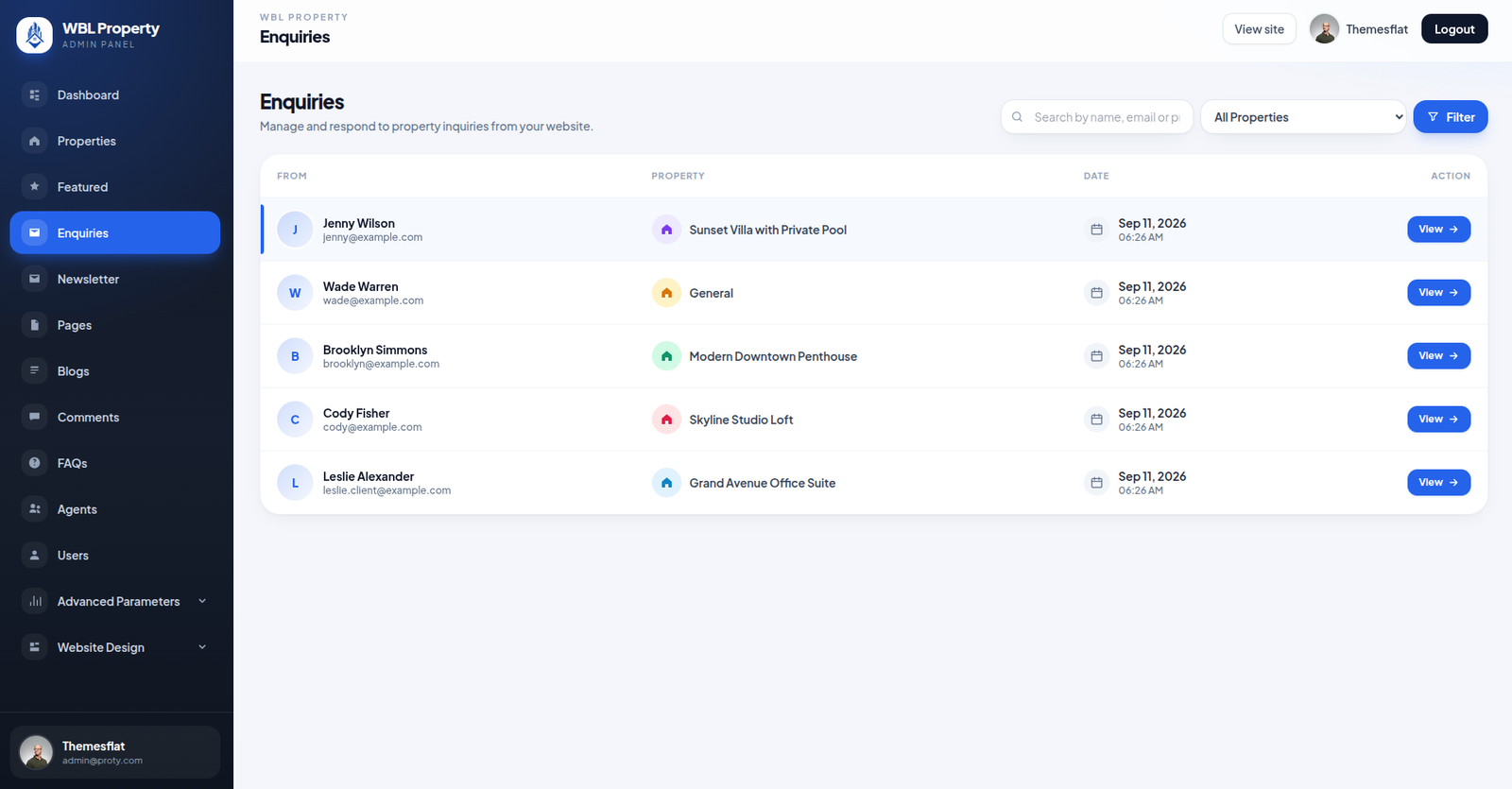
Enquiries Management

Manage and respond to customer enquiries submitted through the PROTY Real Estate website.
View customer contact details, associated properties, enquiry dates, and message information to ensure smooth communication with potential buyers and renters.

👤 Customer Details 🏠 Property Information 🔍 Search & Filters 📅 Enquiry Dates 💬 View & Respond
📩

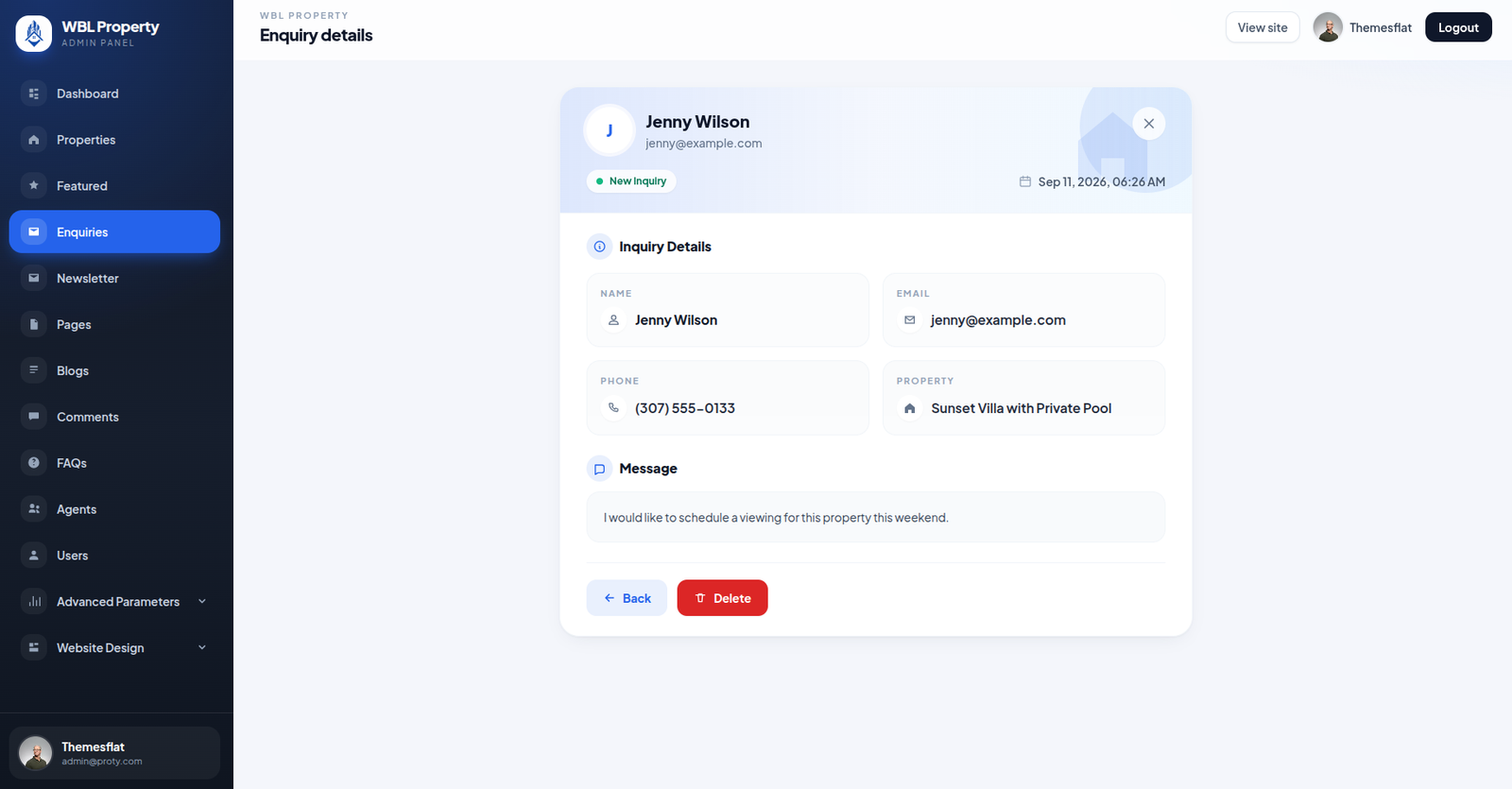
Enquiry Details

View complete customer enquiry details, including contact information, associated property, submission date, and message.
Review customer requests, manage enquiries, and delete unnecessary records to maintain organized communication with potential buyers and renters.

👤 Customer Information 📧 Email & Phone 🏠 Property Details 💬 Customer Message 🗑️ Delete Enquiry
🛍️

Enquiry Details

Manage your store products, pricing, stock, and categories from one place.

  • ✔ View and manage all store products
  • ✔ Search products by name or reference
  • ✔ Manage product prices and stock
  • ✔ Organize products by categories
  • ✔ Edit, disable, or delete products easily
  • ✔ Perform bulk actions on products
👥

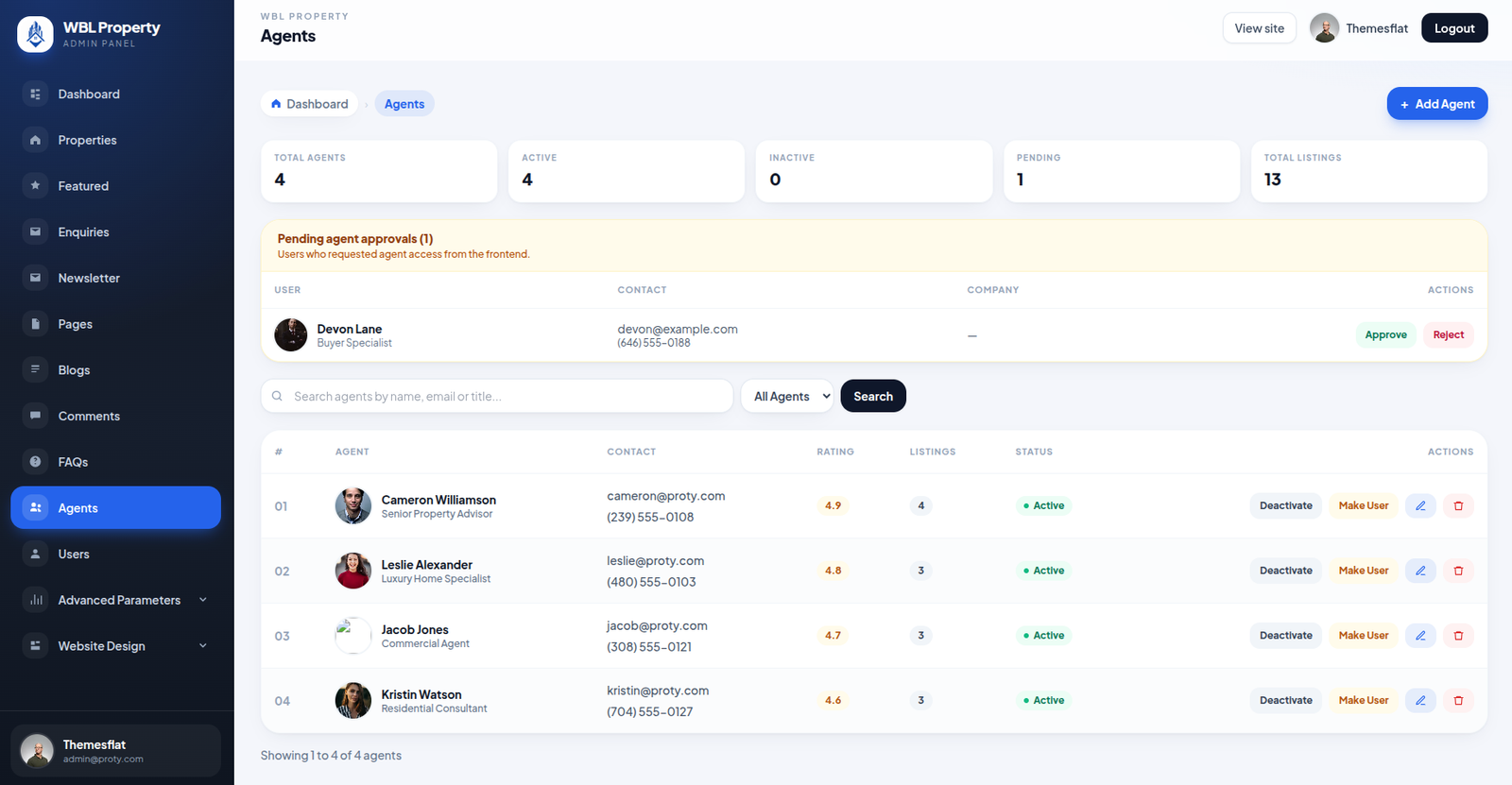
Agents Management

Manage real estate agents, review agent registration requests, and monitor their property listings from one centralized admin panel.
Approve or reject pending agents, update agent information, track ratings, and control account status to maintain an organized agent network.

👤 Agent Profiles ✅ Approve & Reject 🔍 Search & Filters ⭐ Ratings & Listings ⚙️ Account Management
👤

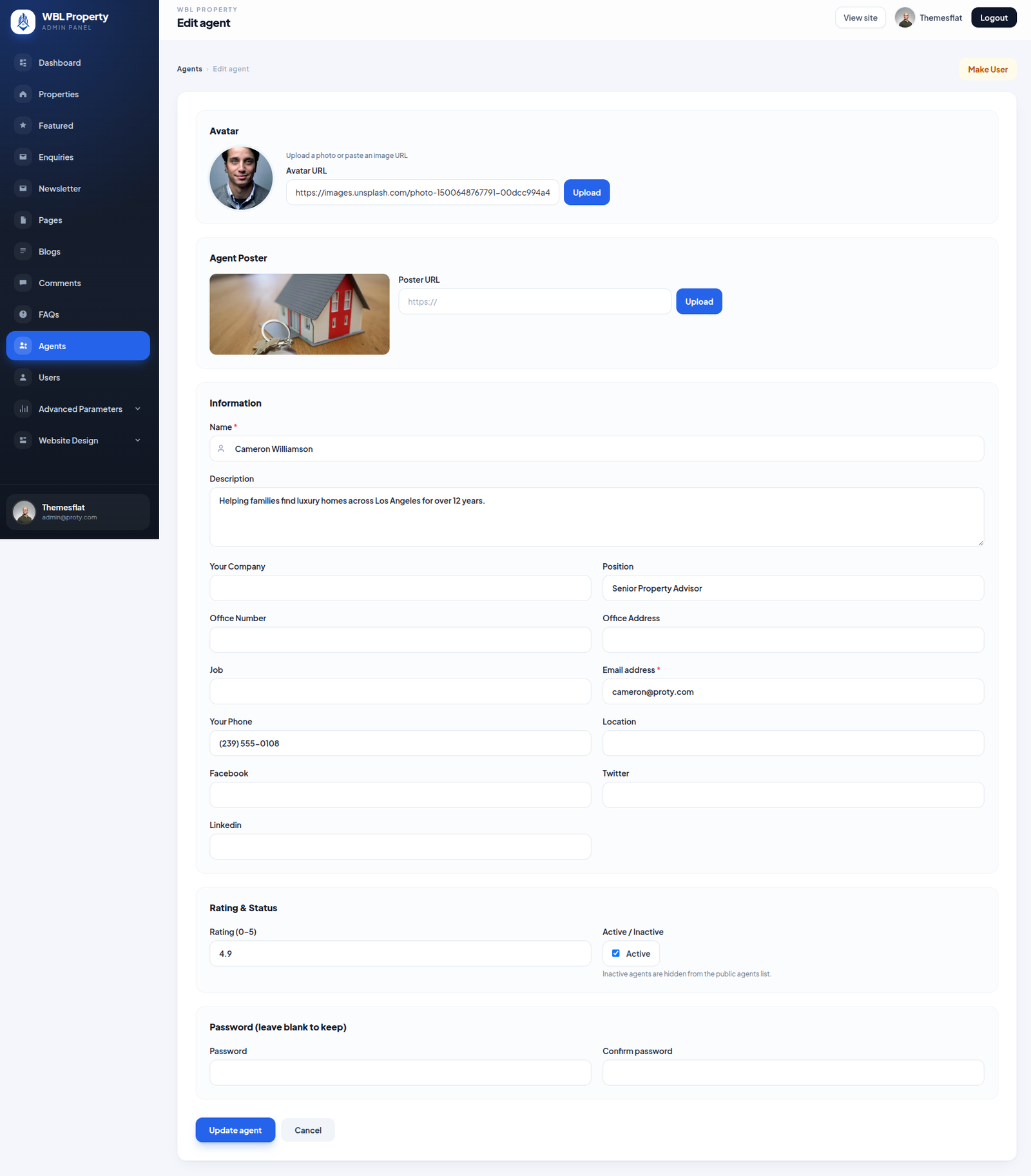
Edit Agent

Update agent profiles, professional information, contact details, and property-related information from the admin panel.
Manage profile photos, company details, social media links, ratings, account status, and passwords to keep agent records accurate and up to date.

🖼️ Profile & Poster 📝 Agent Information 📧 Contact Details ⭐ Rating & Status 🔐 Password Management
👥

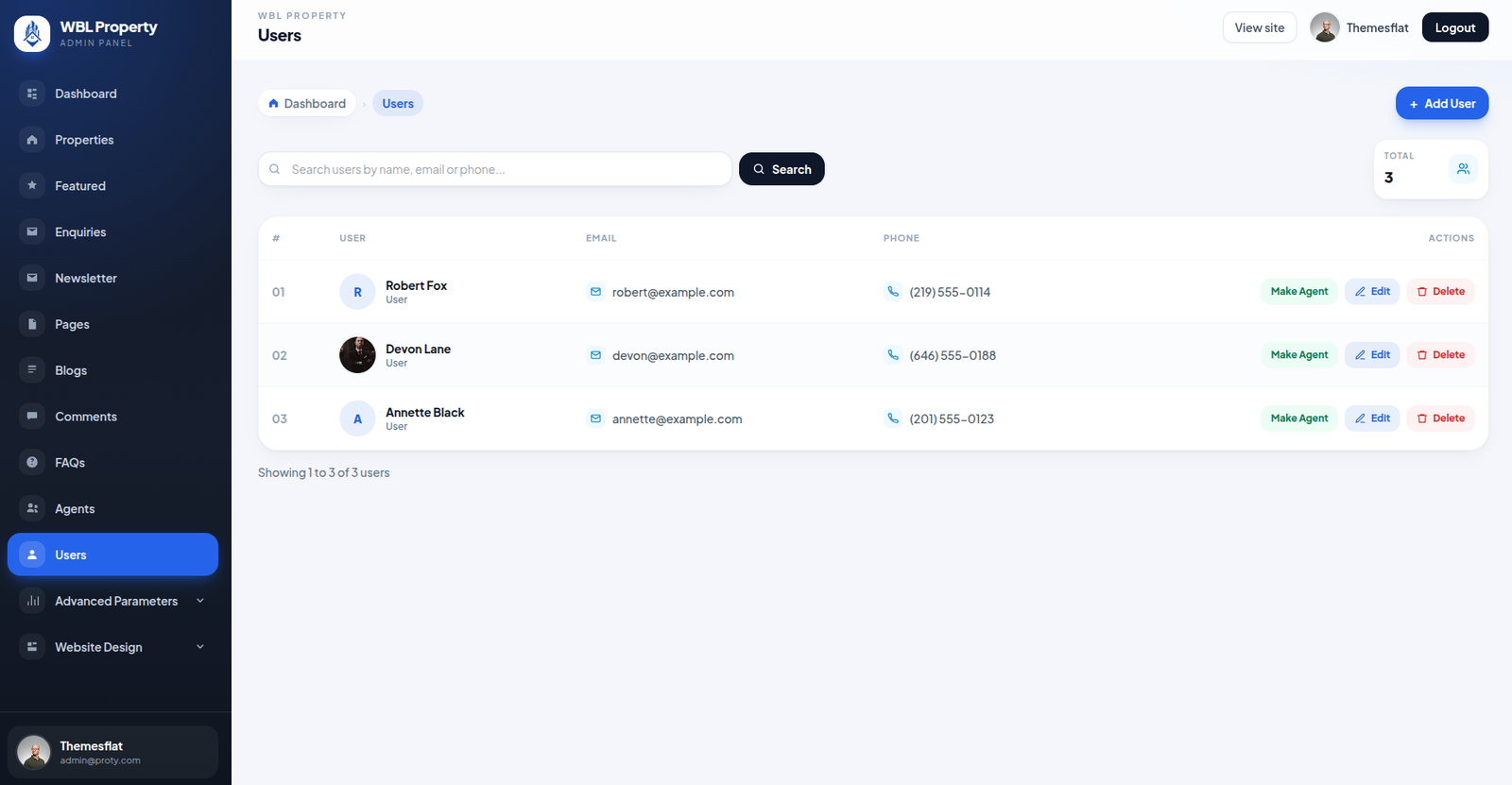
Users Management

Manage registered users and their account information from a centralized admin panel.
Search users by name, email, or phone number, update user details, promote users to agents, and delete accounts when necessary to maintain an organized real estate platform.

👤 User Profiles ➕ Add Users 🔍 Search Users 🤝 Make Agent ✏️ Edit & Delete
👤

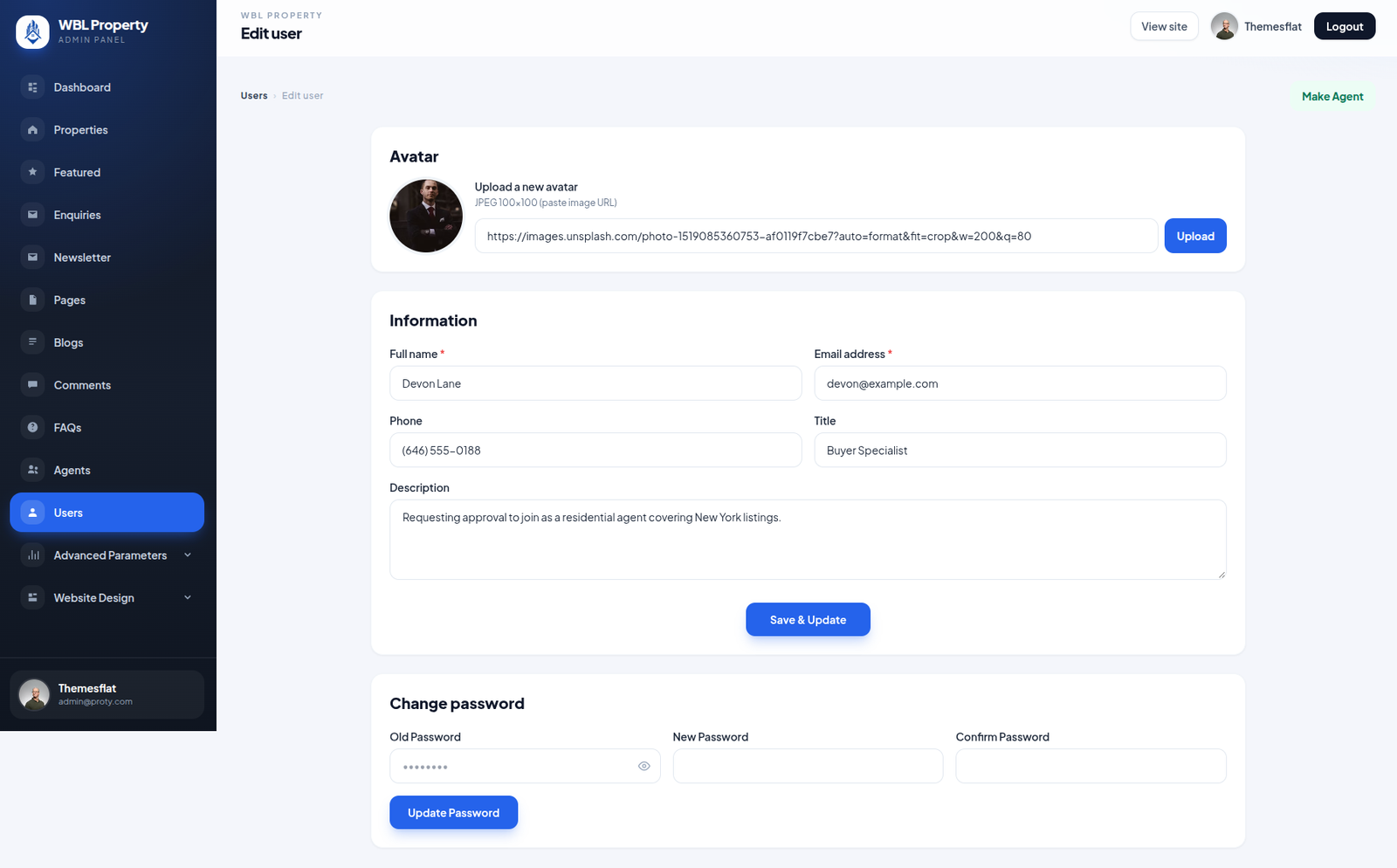
Edit User

Manage registered user profiles, update personal information, and maintain account details from the admin panel.
Edit profile photos, contact information, and descriptions, change passwords securely, and promote eligible users to real estate agents.

🖼️ Profile Photo 📝 Personal Information 📧 Contact Details 🔐 Change Password 🤝 Promote to Agent

Website Design Management

⚙️

General Settings

Manage website configuration, branding, property options, and content settings from one centralized admin panel.
Customize website logos, contact information, property categories, amenities, and AI content generation settings to keep the real estate platform organized and personalized.

🎨 Website Logo & Favicon
📞 Website Identity & Contact Details
🏠 Property Types & Categories
🛋️ Amenities & Blog Categories
🤖 AI Content Generation Settings
Get Started

Ready to Explore the WBL Real Estate Platform?

Explore the WBL Real Estate Platform with its modern property storefront, centralized Admin Console, and API-driven backend. Discover property listings, manage agents and users, handle enquiries, save favorites, and streamline property management.

Modern real estate platform with a property storefront, Admin Console, Laravel API, and integrated property management features.