WEBLYTIC LABS Product Company · Since 2020

Frontend

🛍️

Home Page

A modern and user-friendly e-commerce storefront designed to provide customers with a smooth shopping experience, easy product discovery, and quick access to essential shopping features.

  • Modern and responsive e-commerce homepage
  • Product search with brands and category navigation
  • Featured offers, discounts, and promotional banners
  • Shopping cart, wishlist, account, and order tracking
  • Free shipping, easy returns, secure payment, and 24/7 support
🛒

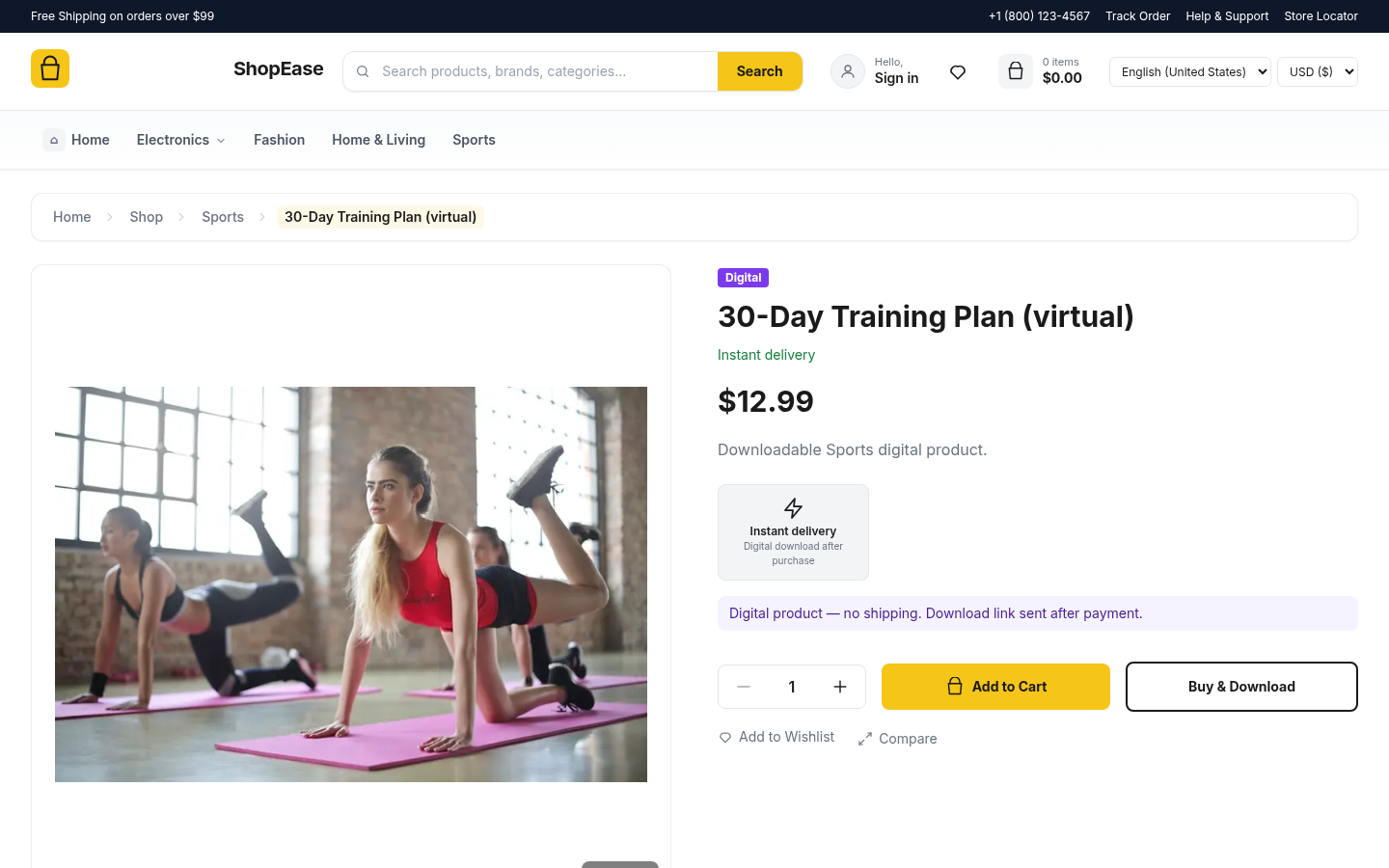
Product Details Page

A clean product page with details, pricing, digital delivery, and quick purchase options.

  • Product image and category navigation
  • Product title, price, and delivery details
  • Quantity selector and Add to Cart
  • Buy & Download for digital products
  • Wishlist and Compare options
  • Product details and pricing
  • Add to Cart and Buy options
  • Wishlist and digital download
💳

Checkout Process

Complete your purchase with a fast, convenient, and secure checkout experience.

  • Easy contact and delivery information
  • Multiple secure payment options
  • Clear order summary before payment
  • Address and shipping details
  • Payment method and currency selection
  • Order summary and secure order placement
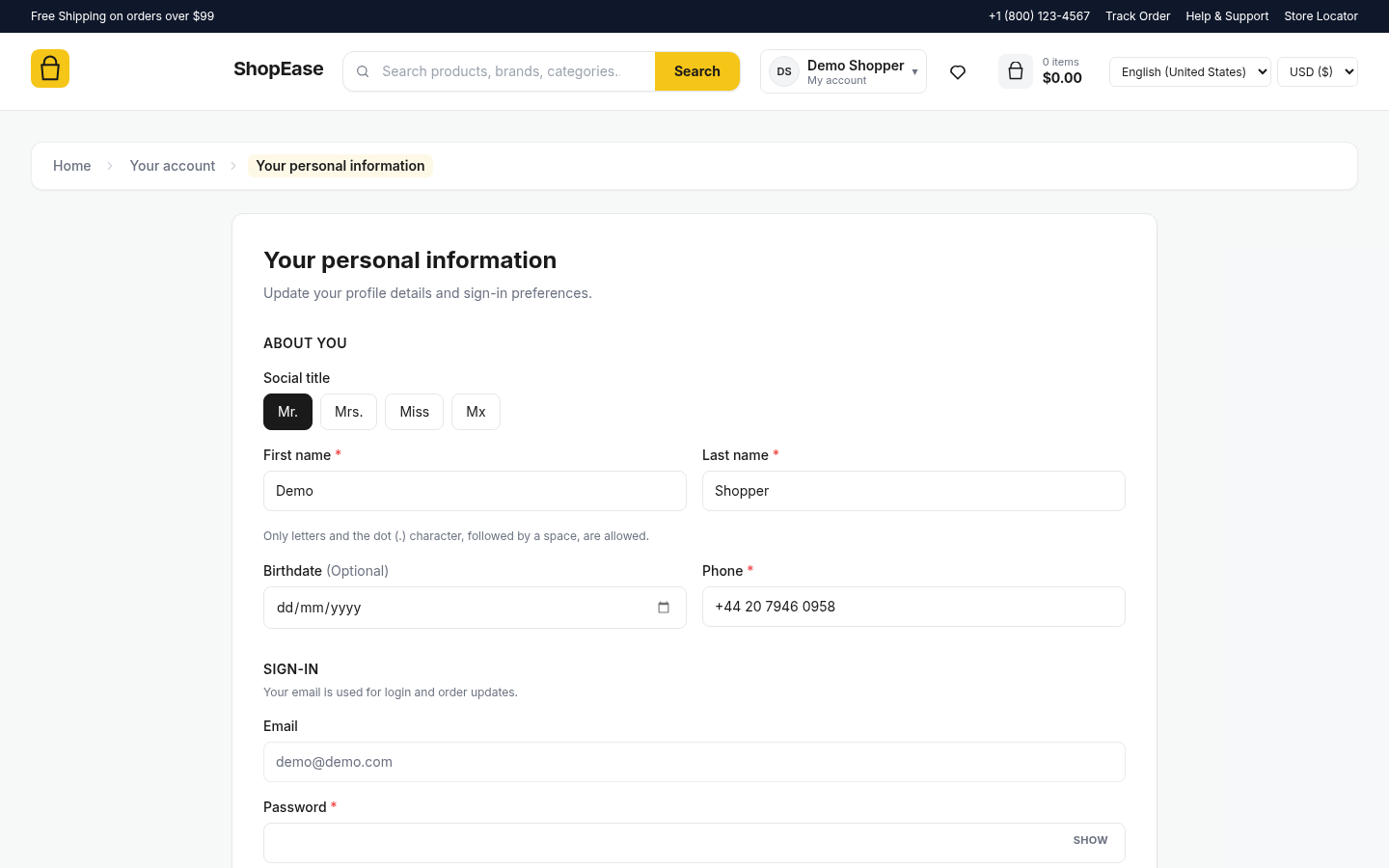
👤

Personal Account Information

Manage your personal profile details, contact information, and sign-in preferences from your customer account.

  • Add or update your information
  • Manage your phone number and contact details
  • View and manage the email address used for account login
  • Change your account password securely
  • Keep your account information updated for order notifications
  • Maintain accurate personal details for a smoother shopping experience
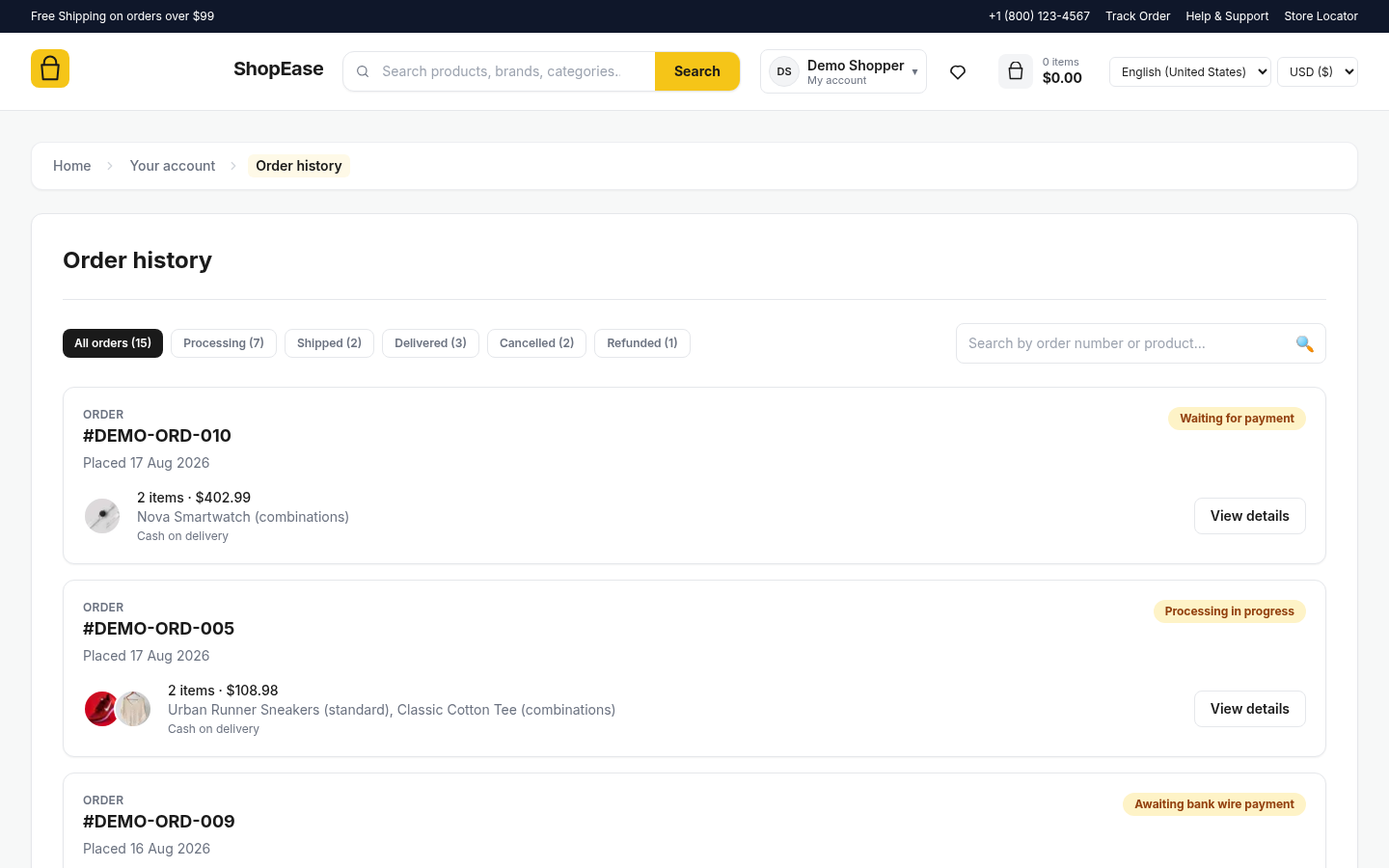
📦

Order History

Manage and track all your past orders from one convenient place.

  • View complete order history
  • Filter orders by status
  • Search orders quickly
  • Track current order status
  • View order details and items
  • Check payment information
  • Easy access from customer account
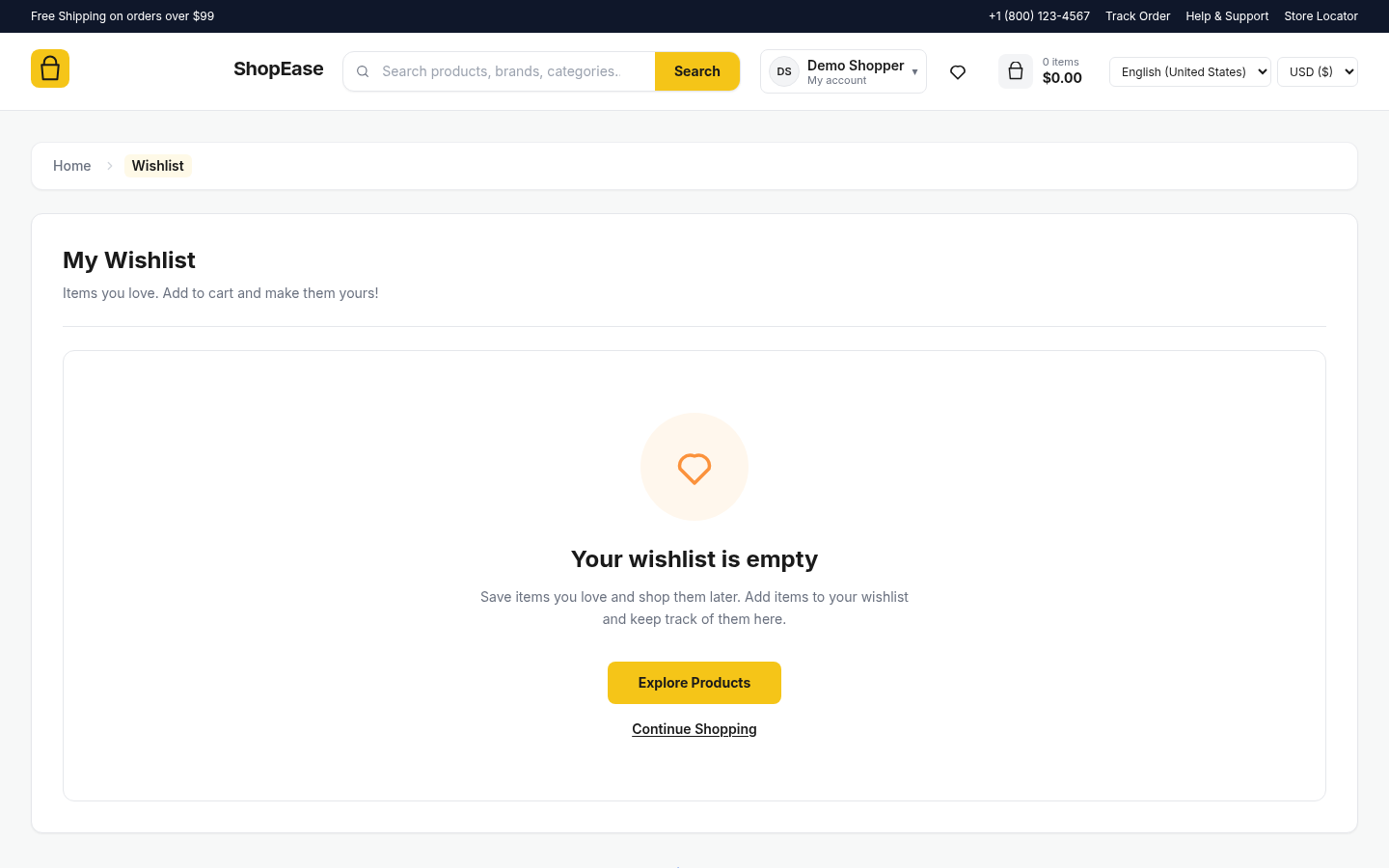
❤️

My Wishlist

Save your favorite products and easily find them whenever you want to shop.

  • Save products for later
  • Keep favorite items organized
  • Quickly add items to cart
  • Easily remove saved products
  • Track products you love
  • Explore products from your wishlist
  • Continue shopping anytime
📍

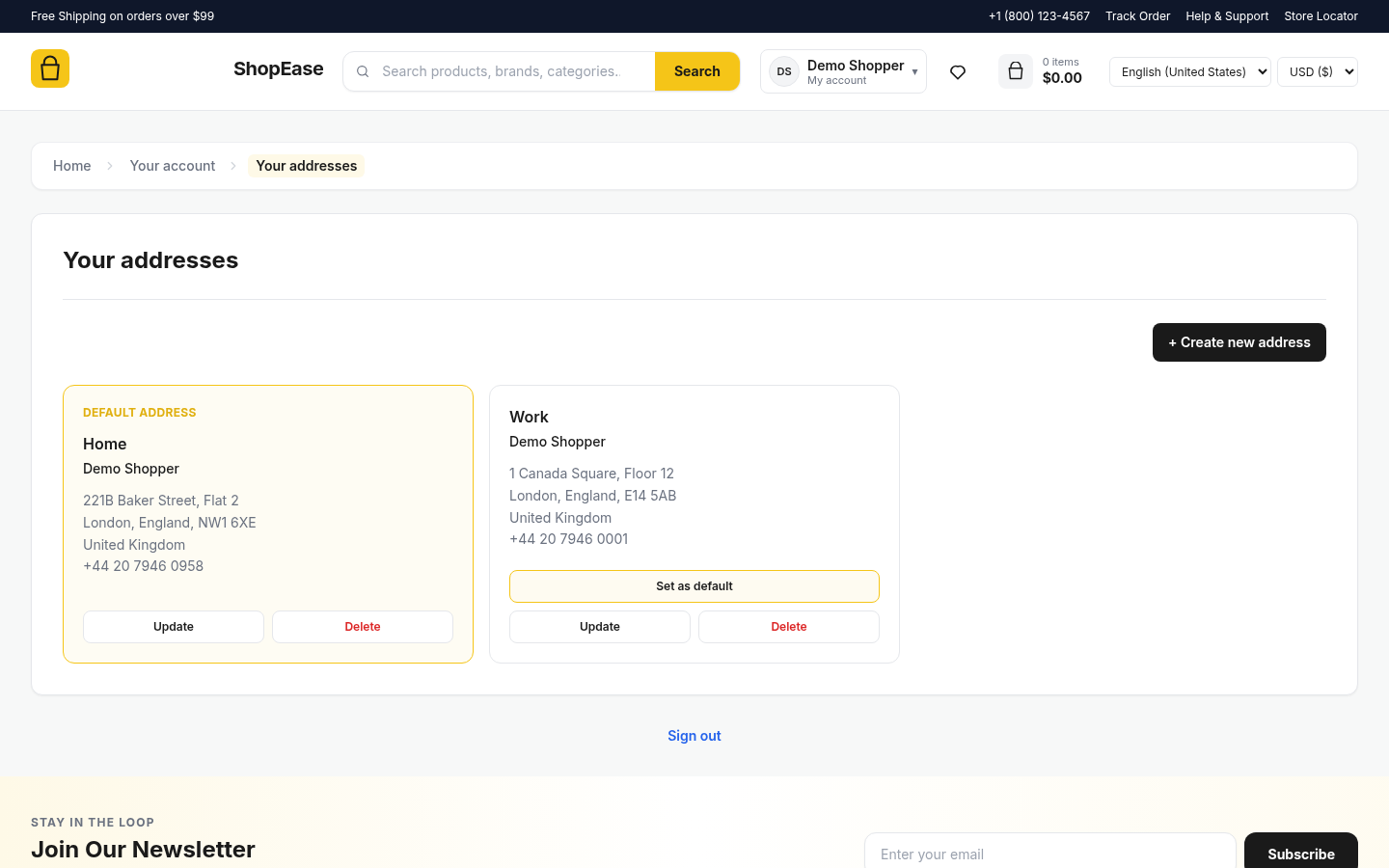
My Addresses

Manage your saved delivery addresses for a faster checkout experience.

  • Save multiple delivery addresses
  • Set a default shipping address
  • Add new addresses anytime
  • Update saved address details
  • Remove unwanted addresses
  • Store contact and delivery information
  • Quick address selection during checkout
🔐

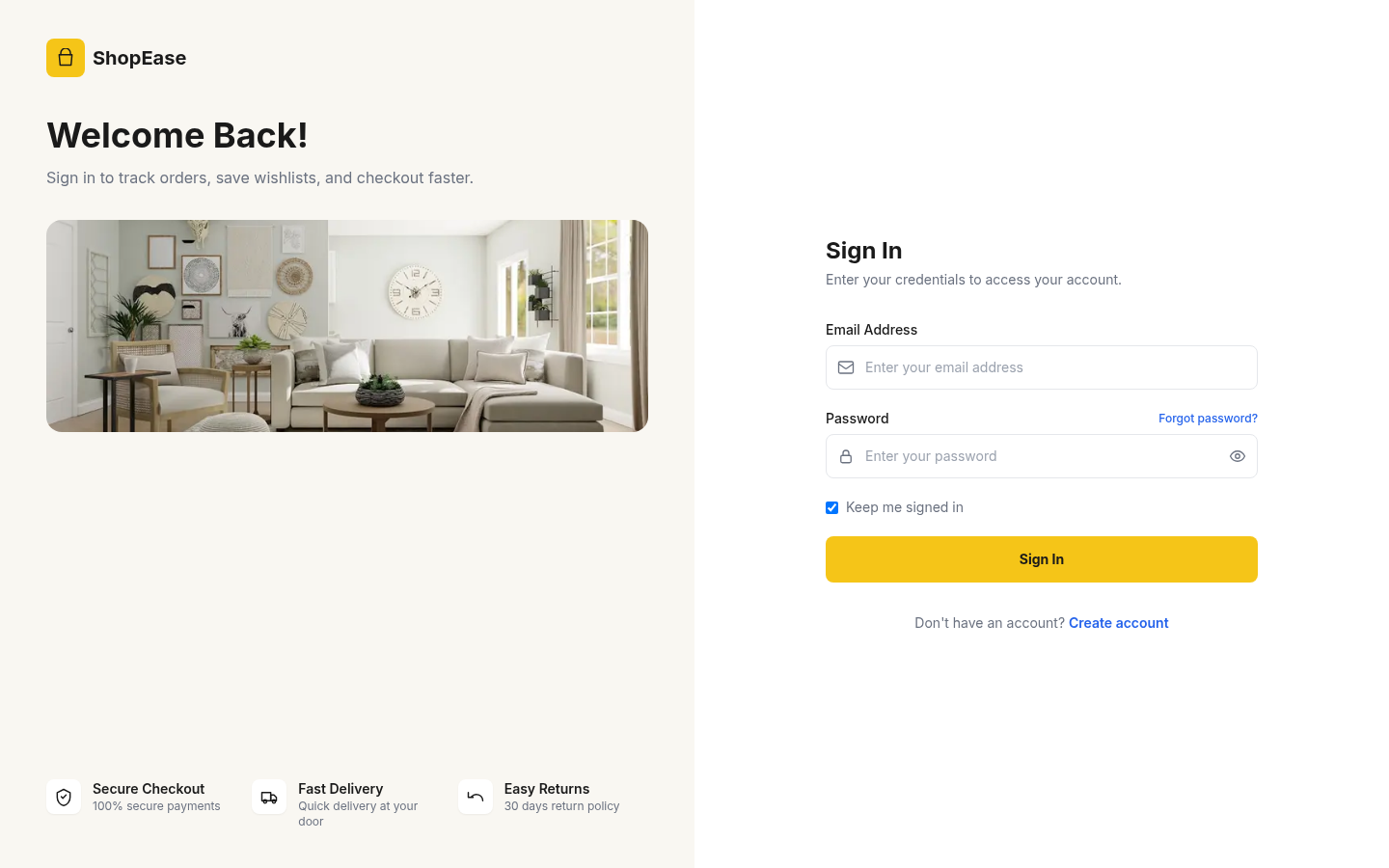
Customer Sign In

Securely access your account and manage your shopping activities.

  • Secure email and password login
  • Keep your account signed in
  • Forgot password recovery option
  • Quick access to order history
  • Manage wishlist and saved items
  • Access saved addresses and account details
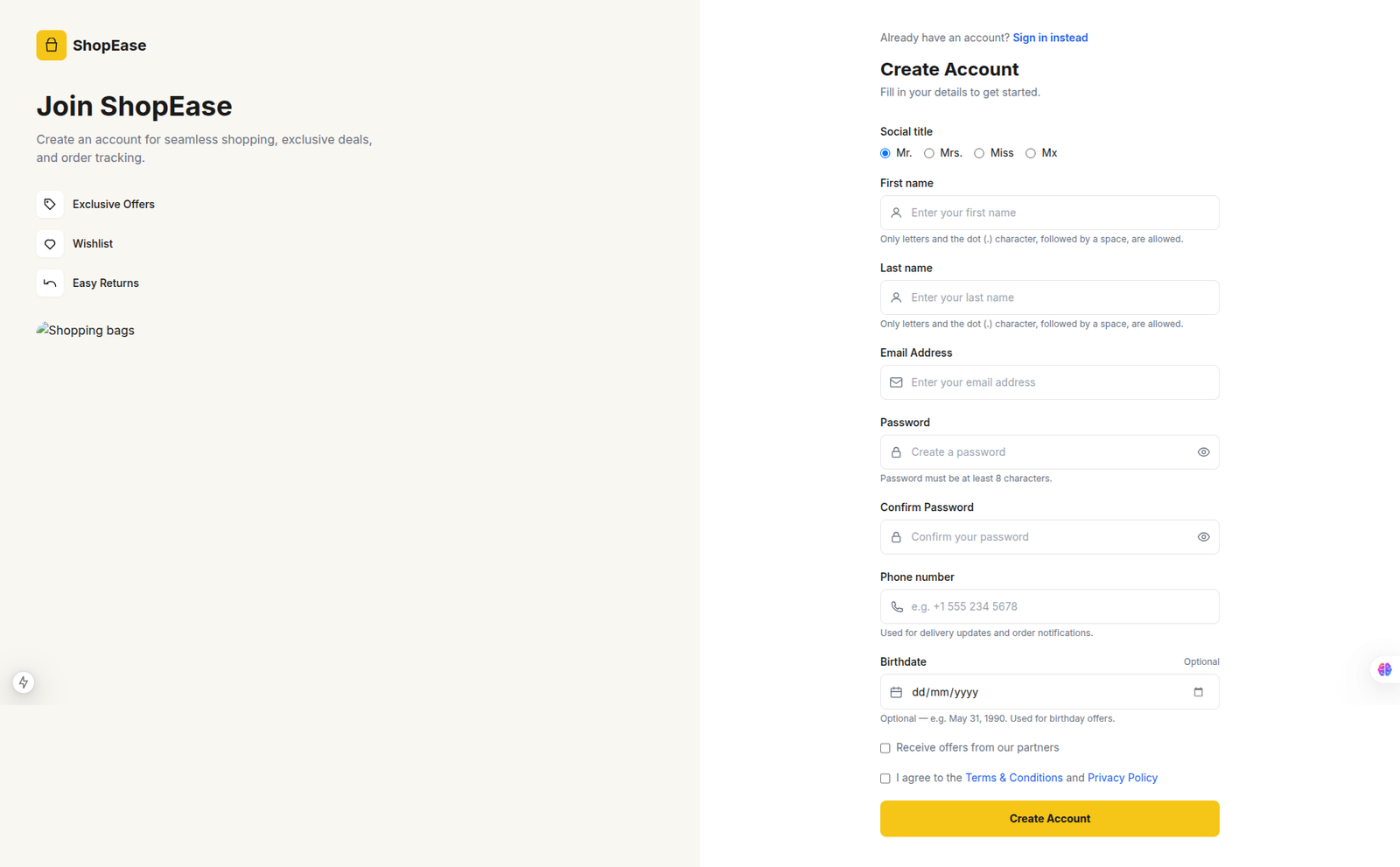
  • New customers can create an account
🔐

Customer Sign In

Securely access your account and manage your shopping activities.

  • Secure email and password login
  • Keep your account signed in
  • Forgot password recovery option
  • Quick access to order history
  • Manage wishlist and saved items
  • Access saved addresses and account details
  • New customers can create an account

Backend

📊

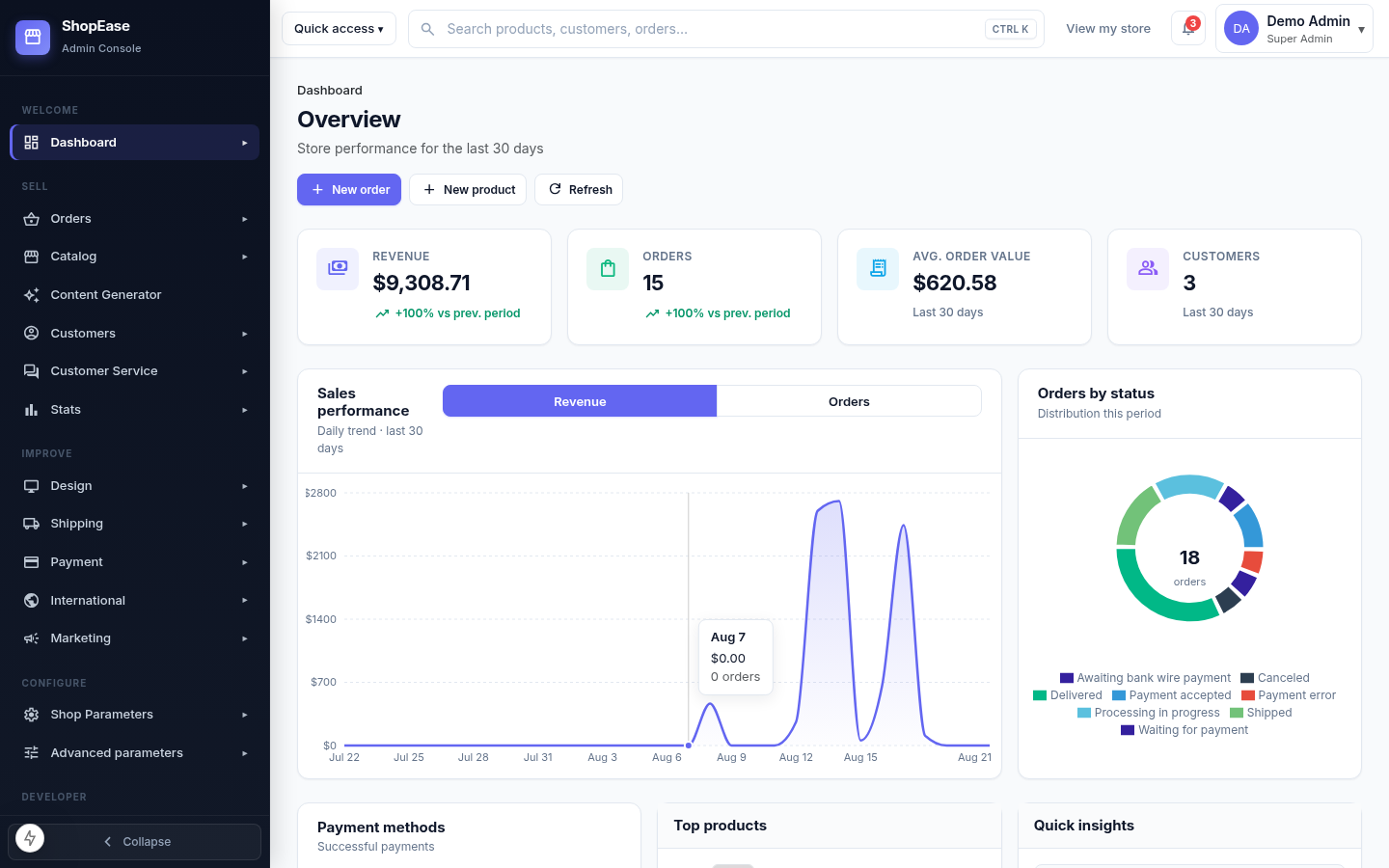
Admin Dashboard

Monitor store performance, orders, customers, and sales from one dashboard.

  • Track revenue and order performance
  • Monitor sales trends and analytics
  • View orders by payment and status
  • Identify top-selling products
  • Monitor customer activity and growth
  • Review recent orders and transactions
  • Quick insights for faster decisions
🏠

Homepage Management

Manage and customize your storefront homepage with hero banners, promotional sections, catalog blocks, and flexible content ordering from one place.

  • Enable or disable the homepage hero banner
  • Create and manage multiple homepage slides
  • Configure slider autoplay, loop, arrows, and dots
  • Set slide transition effects and timing intervals
  • Pause slider autoplay when customers hover over the banner
  • Manage trust and promotional sections for the storefront
📋

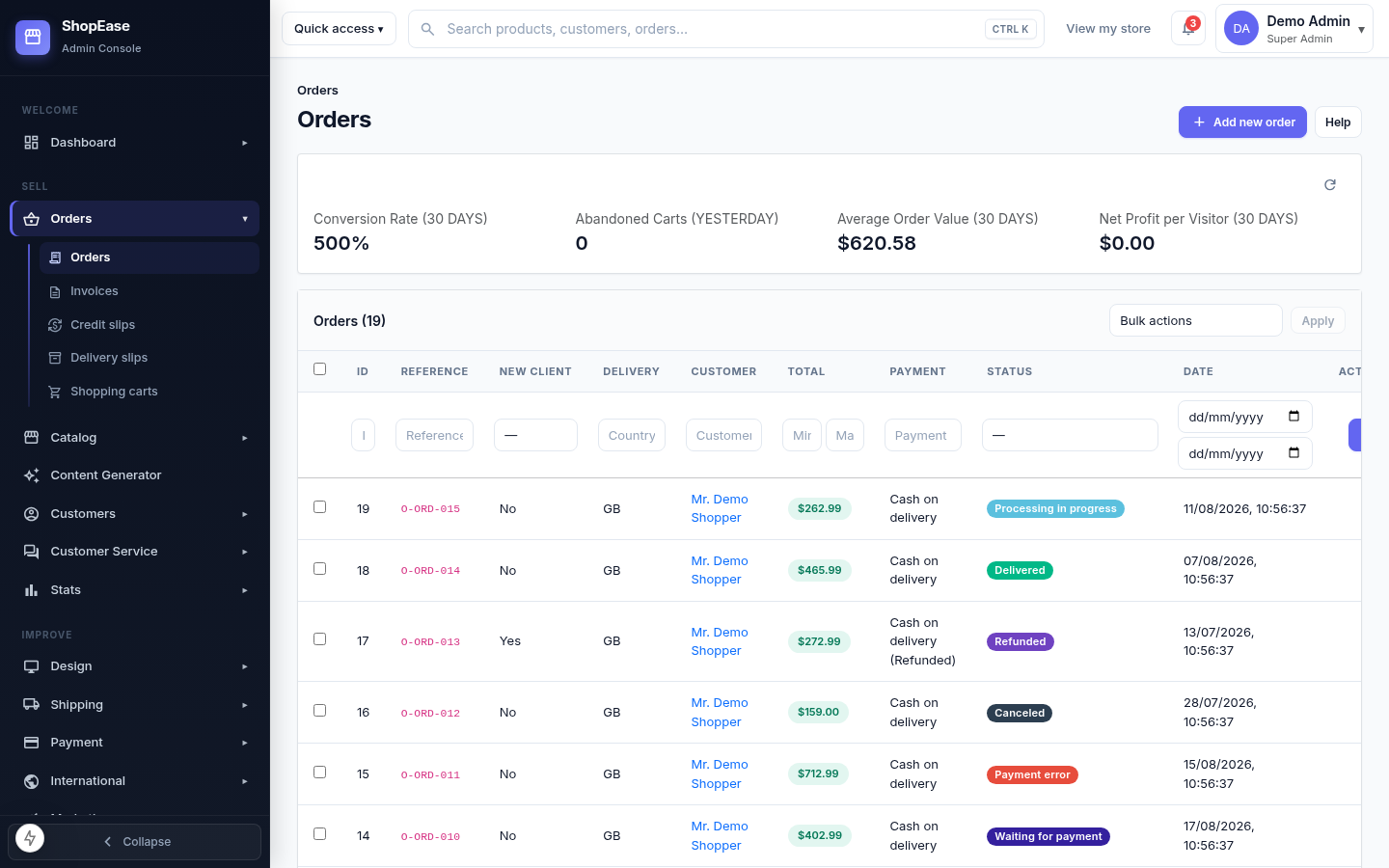
Order Management

Manage, filter, and monitor all customer orders from one central interface.

  • View all customer orders in one place
  • Filter orders by customer and status
  • Search orders by reference or ID
  • Track payment and delivery status
  • Review order totals and customer details
  • Perform bulk actions on multiple orders
  • Quickly create and manage new orders

Add New Product

Create and publish new products with complete details from the admin panel.

  • Add product name and description
  • Set product price and availability
  • Select categories and product types
  • Upload product images and media
  • Configure stock and product quantities
  • Manage product visibility and status
  • Save and publish products to the store
🛍️

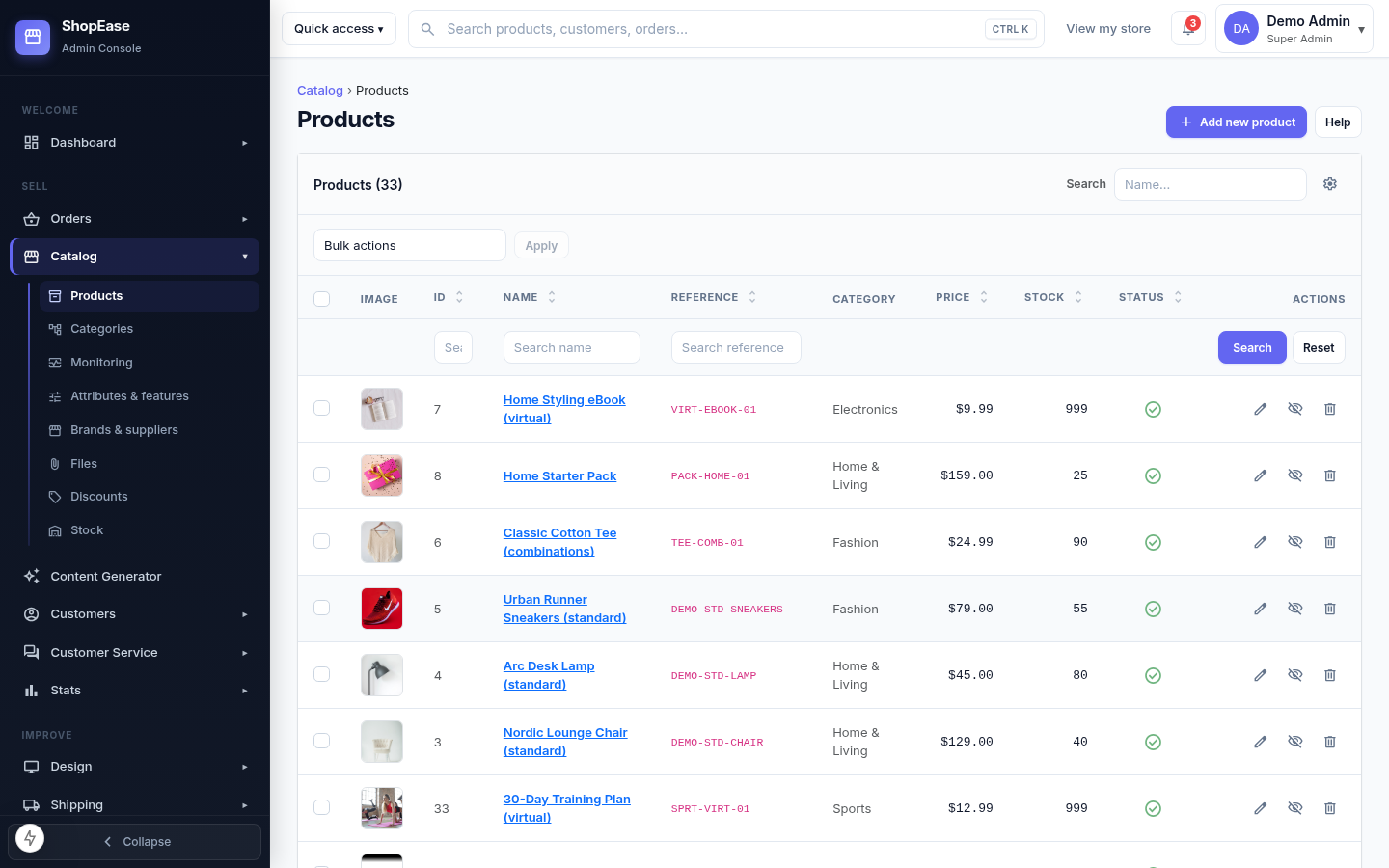
Product Management

Manage your store products, pricing, stock, and categories from one place.

  • View and manage all store products
  • Search products by name or reference
  • Manage product prices and stock
  • Organize products by categories
  • Edit, disable, or delete products easily
  • Perform bulk actions on products
  • Add new products quickly from the admin panel
🗂️

Category Page

Customize the category page layout, content sections, navigation, and display options for your storefront.

  • Configure the category hero section and visibility
  • Enable or disable the subcategory grid
  • Customize category titles, descriptions, and images
  • Configure product toolbar and sorting options
  • Manage mobile category navigation and filters
  • Enable trust information on category pages
  • Arrange category page sections and control their display order
📦

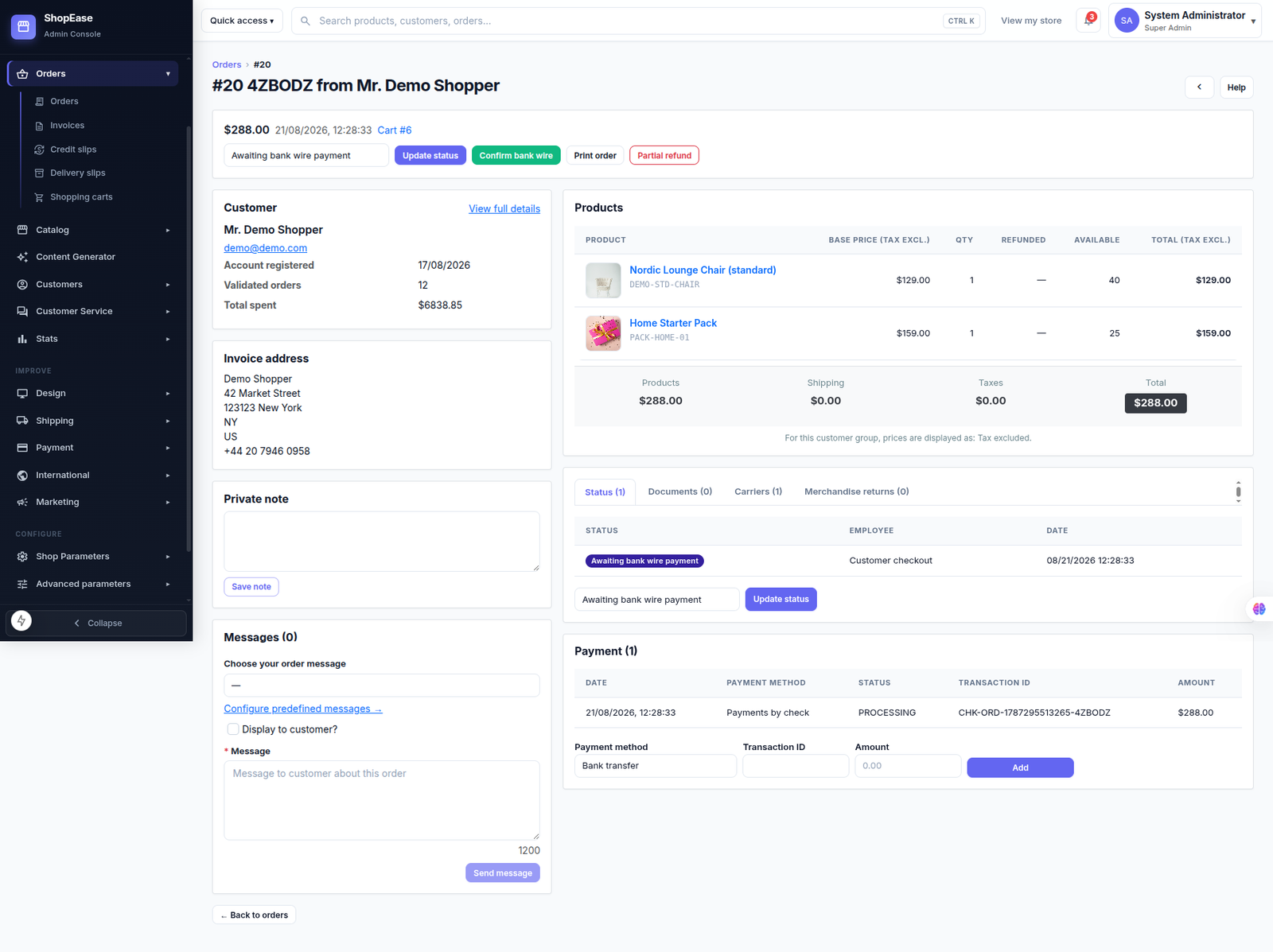
Order Details

View complete order information and manage customer purchases efficiently.

  • View order status and payment details
  • Review customer information and history
  • View purchased products and quantities
  • Check pricing, shipping, taxes, and total
  • Update order status when required
  • View invoices and print order details
  • Add private notes for internal tracking
👥

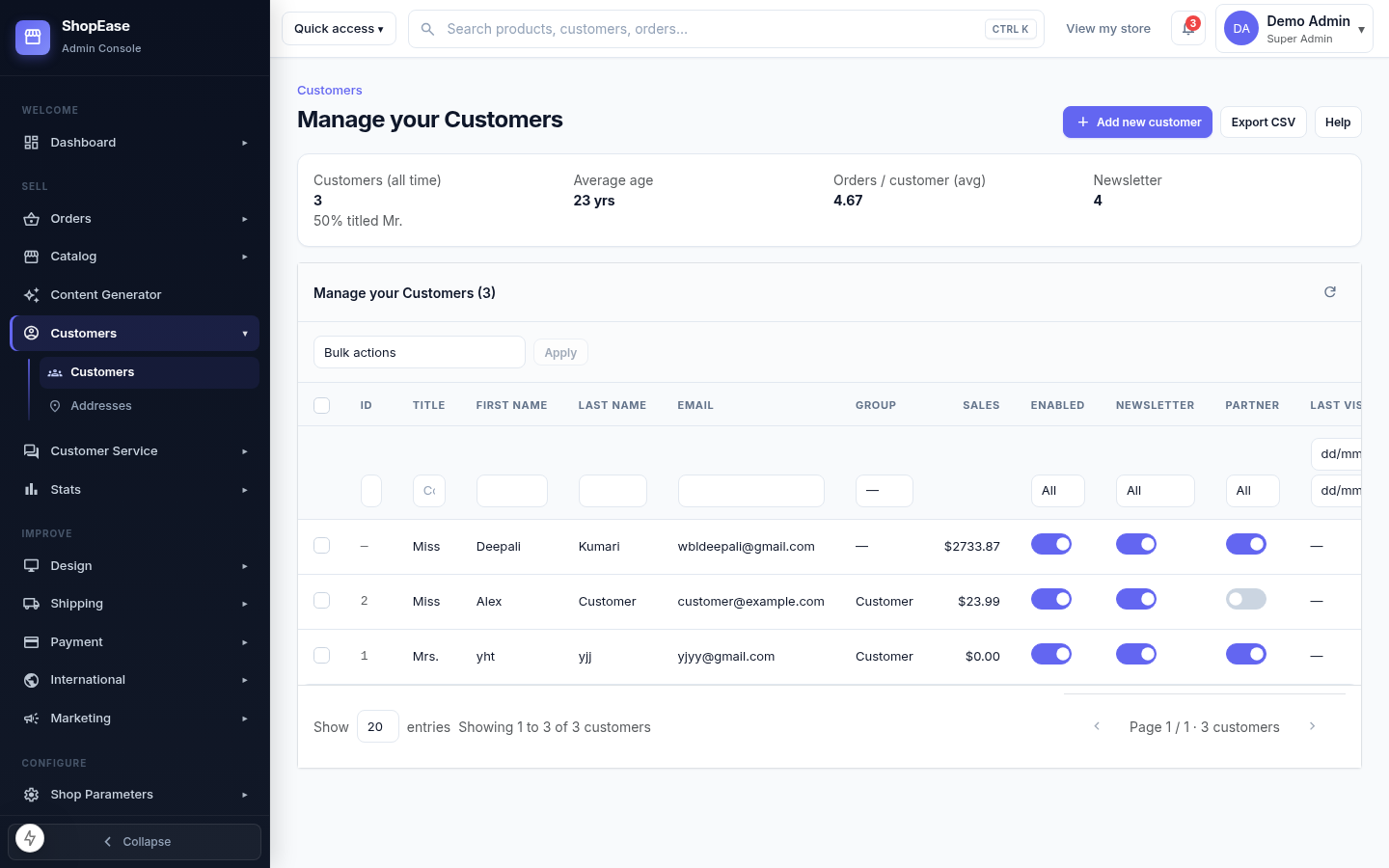
Customer Management

Manage customer profiles, activity, and account preferences from one place.

  • View and manage all customer profiles
  • Search customers by name or email
  • Track customer orders and total sales
  • Manage customer groups and accounts
  • Enable or disable customer accounts
  • Manage newsletter and partner preferences
  • Add new customers and export customer data
👤

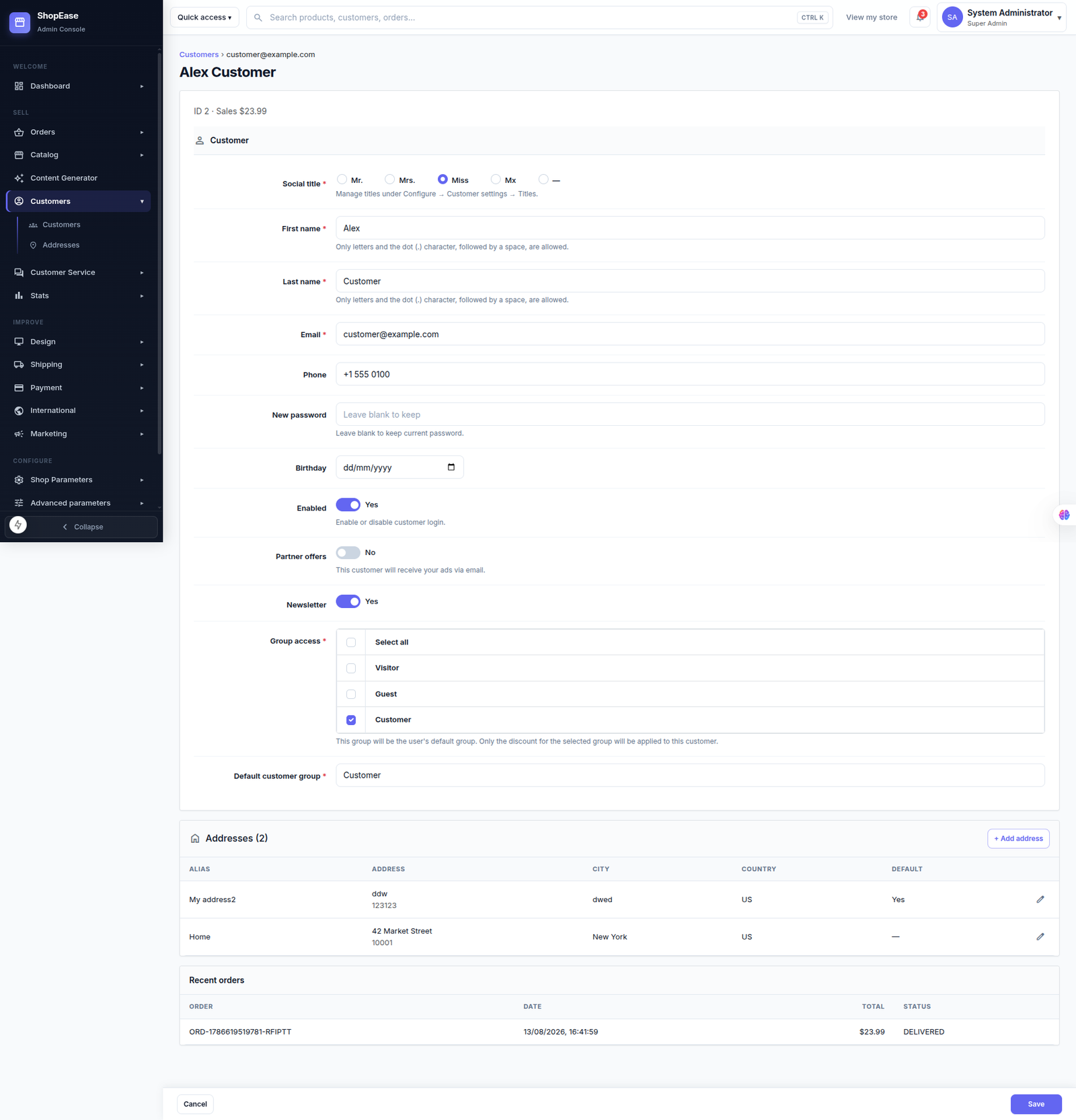
Customer Details

Manage detailed customer information, account settings, addresses, preferences, and order history from a centralized profile.

  • View and update customer personal information
  • Manage email, phone, password, and account access
  • Control newsletter and partner offer preferences
  • Assign customer groups and default customer group
  • Add and manage multiple customer addresses
  • Review recent orders, totals, dates, and order status
  • Save and maintain complete customer profile information
🖥️

Header & Footer

Customize the storefront header and footer to control navigation, branding, contact information, links, and other essential store elements.

  • Configure the storefront header layout and appearance
  • Manage store logo, search bar, account, and cart sections
  • Configure navigation menus and header links
  • Customize footer columns, links, and information sections
  • Configure newsletter and footer promotional sections
  • Manage copyright, legal links, and payment information
🤖

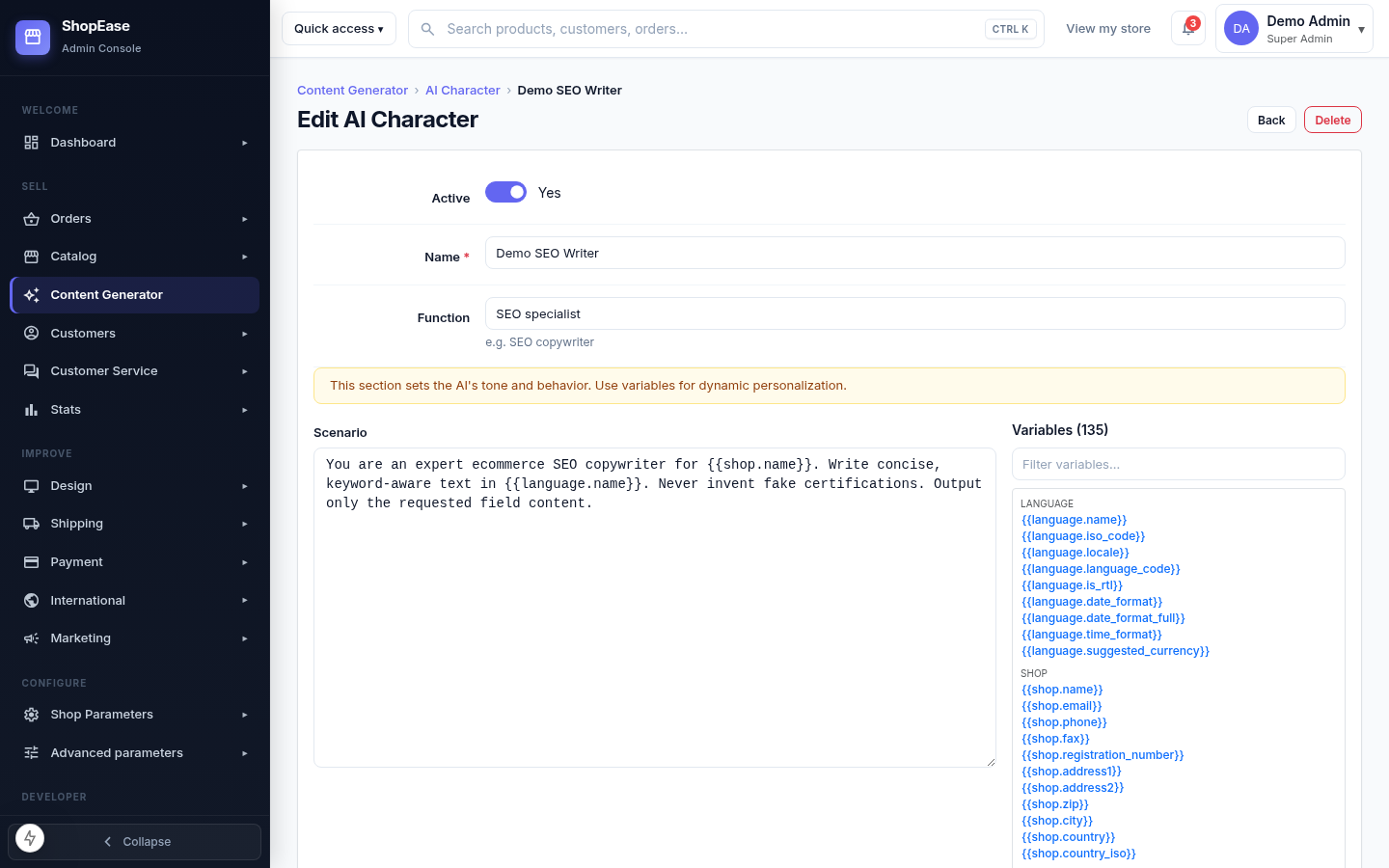
AI Character

Create and configure specialized AI characters that control how automatically generated content is written, structured, and presented.

  • Enable or disable an AI character whenever required
  • Define a clear name and professional role for the AI
  • Configure the character's writing style and behavior
  • Use dynamic variables for personalized AI responses
  • Adapt the character for SEO, product, catalog, or marketing content
📄

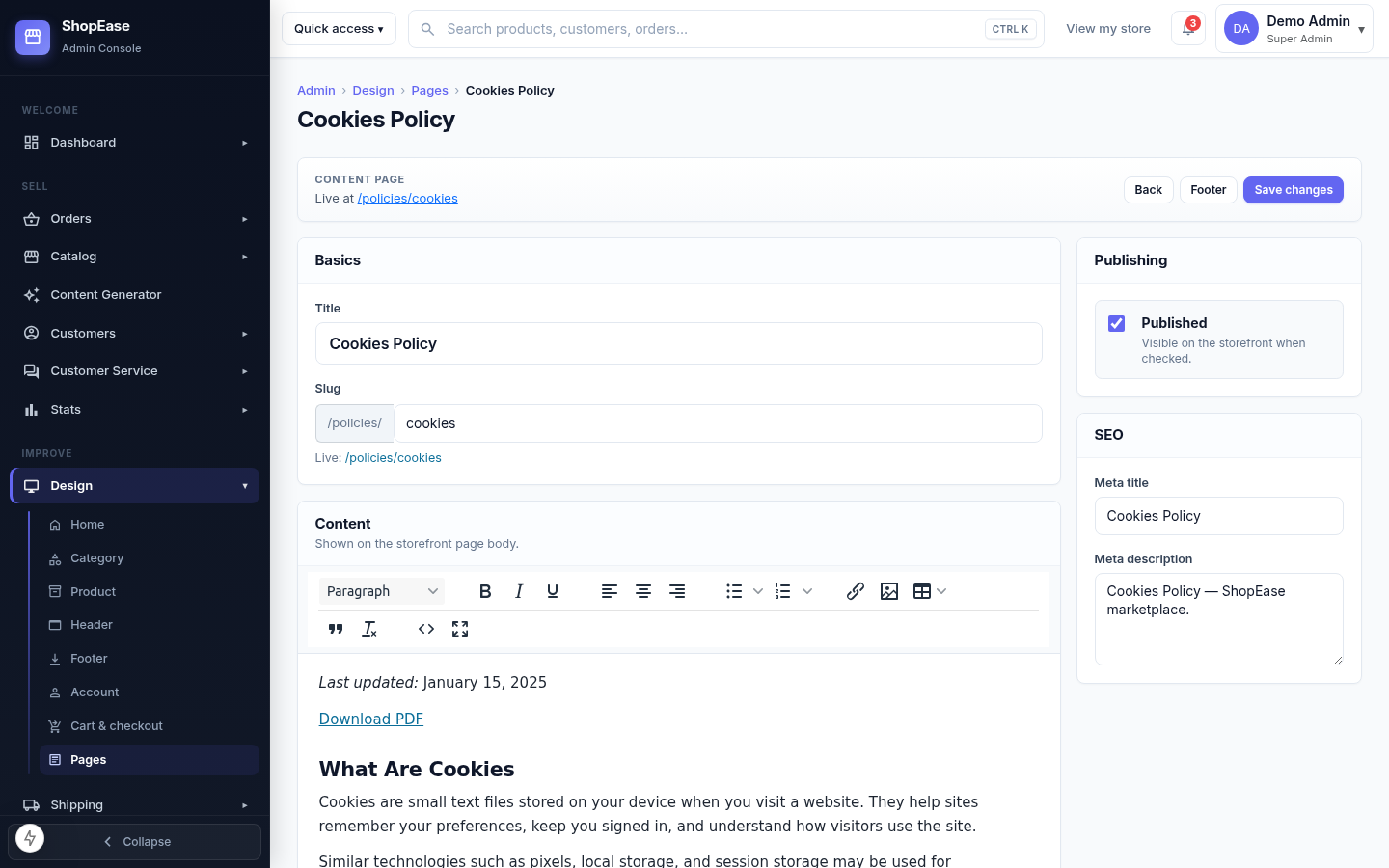
AI CMS Content Generation

Create professional CMS page content with AI while keeping your store pages informative, consistent, and optimized for search engines.

  • Generate content for CMS and informational pages
  • Generate SEO-friendly page titles and descriptions
  • Create structured HTML content for storefront pages
  • Use configured AI characters to maintain a consistent writing style
  • Speed up page creation while maintaining consistent content quality
📊

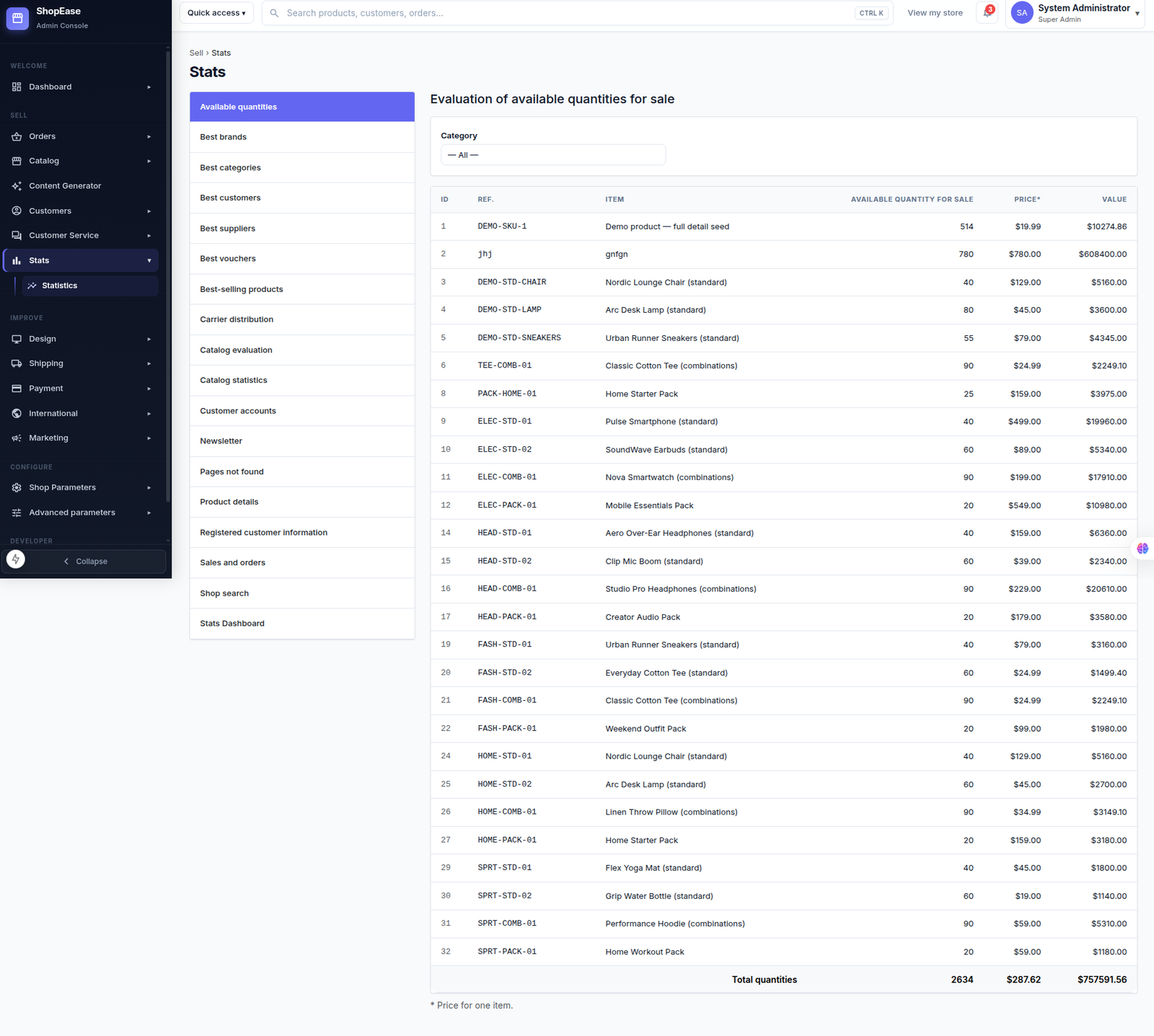
Sales & Statistics

Analyze store performance, product sales, customers, and inventory through detailed statistics and reports.

  • View available product quantities and stock value
  • Analyze best-selling products, brands, and categories
  • Track customer accounts and purchasing activity
  • Monitor sales, orders, vouchers, and carrier distribution
  • Evaluate catalog performance and product details
  • Review newsletter, search, and customer information statistics
  • Use filters and detailed reports to monitor overall store performance
🚚

Shipping Management

Manage shipping carriers, delivery options, handling charges, and free shipping rules from one place.

  • Create and manage shipping carriers
  • Configure carrier names, tracking links, logos, and delivery details
  • Define carrier zones and available shipping regions
  • Configure weight and price ranges for shipping methods
  • Set handling charges for shipping orders
  • Configure free shipping thresholds based on price or weight
  • Select the default carrier for the storefront
  • Control carrier sorting and display order
💳

Payment Methods

Manage and configure the payment methods available to customers during checkout.

  • View all active payment methods
  • Configure Stripe for credit and debit card payments
  • Configure bank transfer payment options
  • Configure payments by check
  • Enable or disable available payment modules
  • Customize payment method settings and account details
  • Provide customers with secure and convenient checkout payment options
🔐

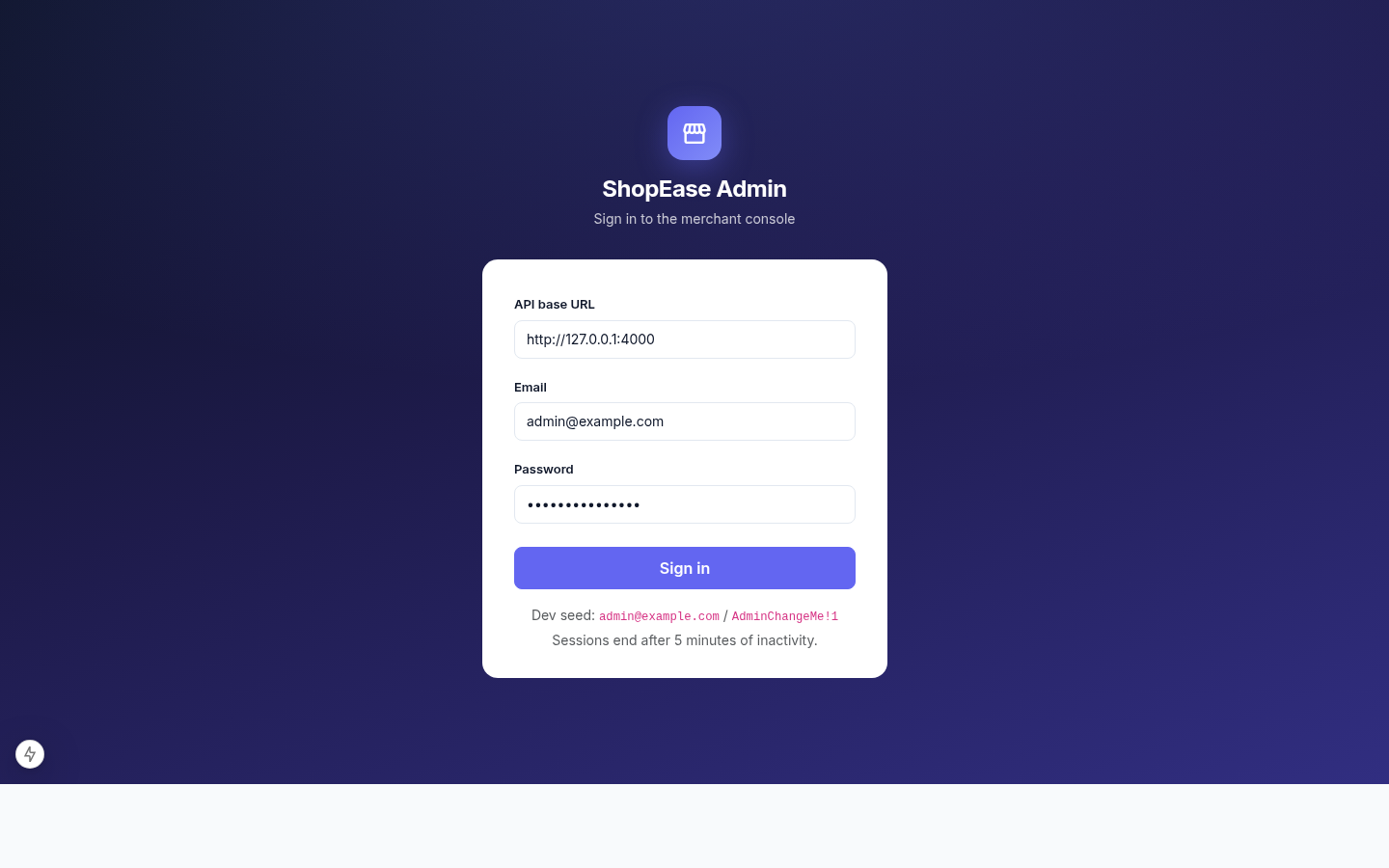
Admin Login

Secure access to the ShopEase merchant administration panel.

  • Secure administrator authentication
  • Connect using the configured API URL
  • Sign in with admin credentials
  • Protected merchant console access
  • Automatic session timeout for security
  • Manage store operations from one dashboard
  • Quick and secure access to admin tools
🌐

Localization & International

Manage languages, localization settings, currencies, taxes, geolocation, and other international store configurations.

  • Import and configure localization packs
  • Manage available store languages and translations
  • Export language translations for different store sections
  • Configure country and geolocation settings
  • Manage currencies, exchange rates, and currency options
  • Create and manage tax rules and tax rates
  • Configure tax options and display preferences