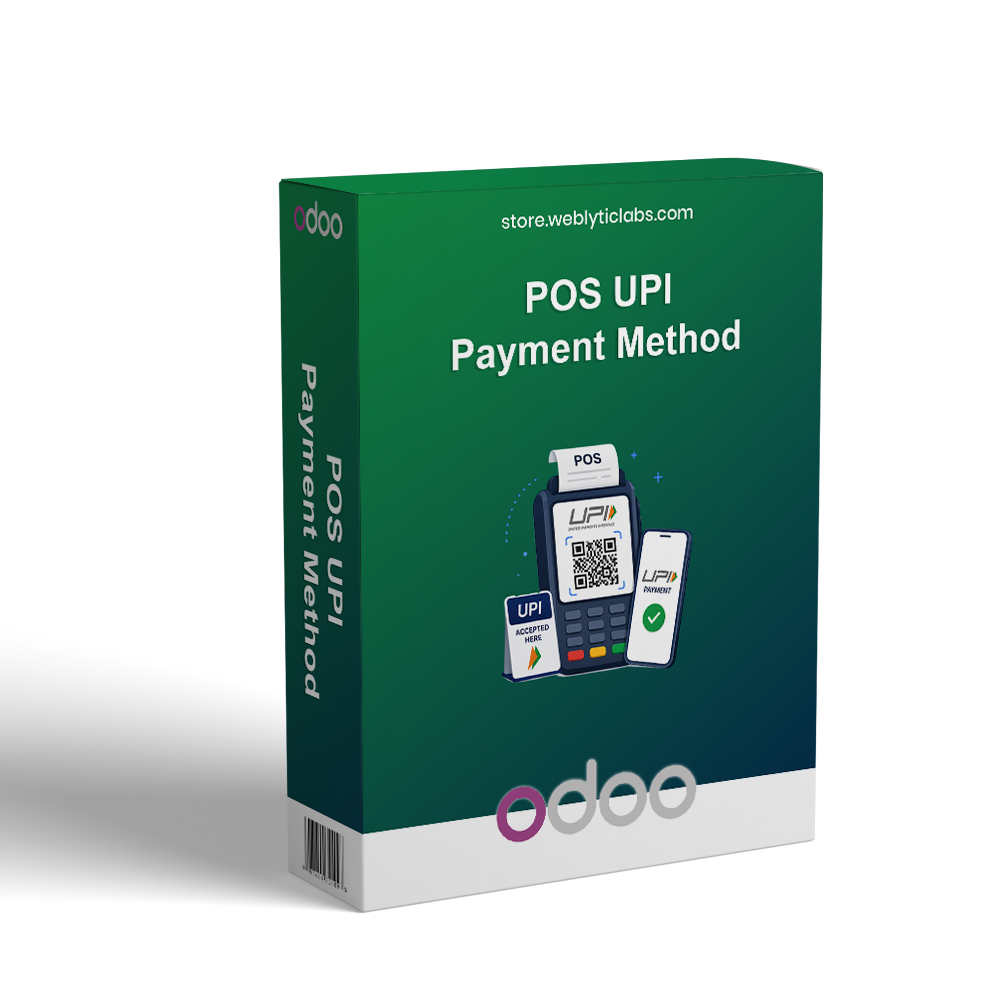
POS UPI Payment Method enables secure digital payments in Odoo Point of Sale through PhonePe and Razorpay. Customers can complete payments using QR Code, Payment Link, cards, Net Banking, and other supported payment methods via secure hosted checkout pages. The module provides automatic POS order confirmation, centralized transaction management, complete payment tracking, and seamless integration with the POS payment terminal, helping businesses deliver a faster, secure, and more convenient checkout experience.
POS UPI Payment Method enables secure digital payments in Odoo Point of Sale through PhonePe and Razorpay. Customers can complete payments using QR Code, Payment Link, cards, Net Banking, and other supported payment methods via secure hosted checkout pages. The module provides automatic POS order confirmation, centralized transaction management, complete payment tracking, and seamless integration with the POS payment terminal, helping businesses deliver a faster, secure, and more convenient checkout experience.
Accept secure UPI payments directly from the Odoo Point of Sale.
Integrate PhonePe and Razorpay as digital payment gateways.
Offer flexible payment options through QR Code and Payment Link.
Redirect customers to secure hosted payment pages for safe transactions.
Automatically confirm POS orders after successful payment.
Track all payment transactions from a centralized management screen.
Simplify digital payment collection with seamless POS integration.
Deliver a faster, secure, and convenient checkout experience.
Key Features
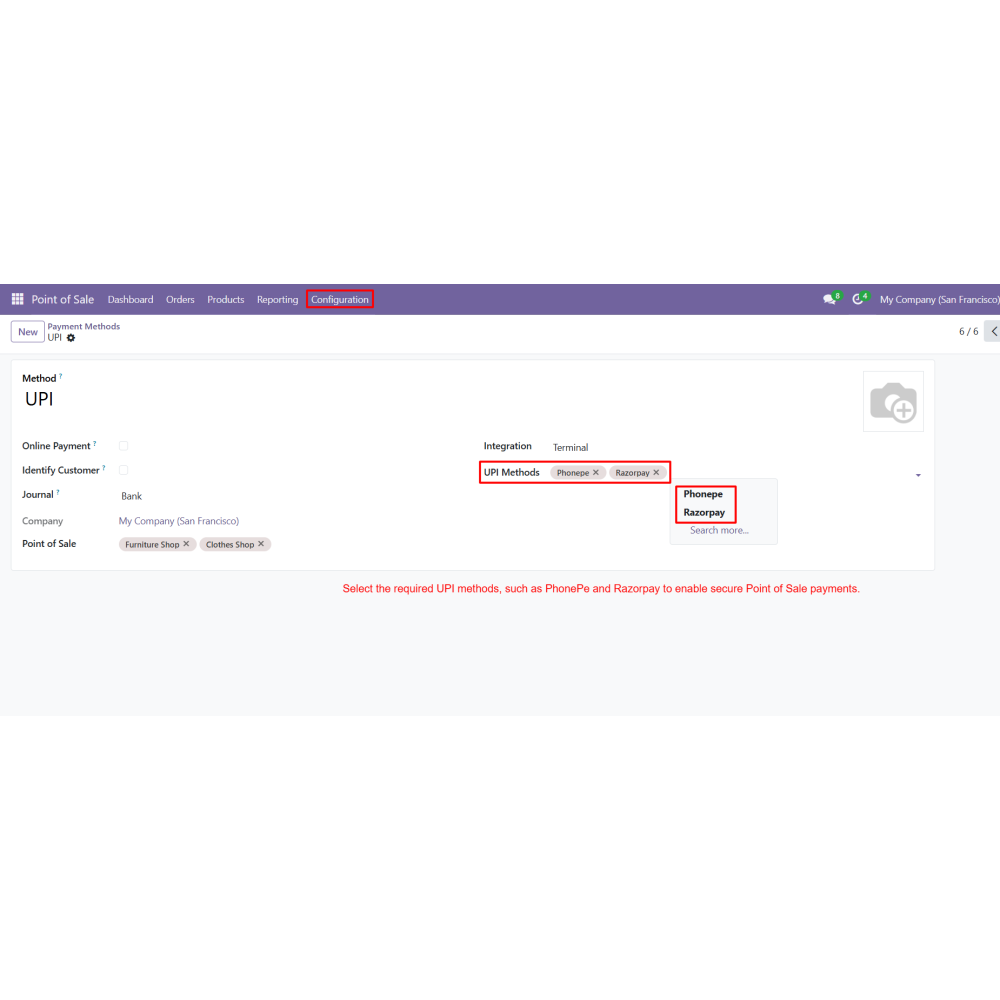
Configure multiple UPI payment methods using PhonePe and Razorpay.
Integrate the UPI Payment Provider directly with the Odoo POS payment terminal.
Allow customers to pay using QR Code, Payment Link, cards, Net Banking, and other supported methods.
Process payments securely through official hosted payment pages.
Automatically validate POS orders and generate receipts after successful payments.
View complete payment transactions with transaction ID, status, amount, and provider details.
Support multiple UPI gateways within a single POS payment method.
Centralize payment tracking and transaction management from the backend.
Benefits
Speed up POS checkout with instant digital payments.
Provide secure and reliable payment processing.
Support multiple UPI gateways for flexible payment collection.
Reduce manual work with automatic order confirmation.
Monitor every transaction from a centralized dashboard.
Improve payment accuracy with complete transaction records.
Enhance the customer experience with convenient payment options.
Increase operational efficiency through seamless POS payment integration.
Workflow
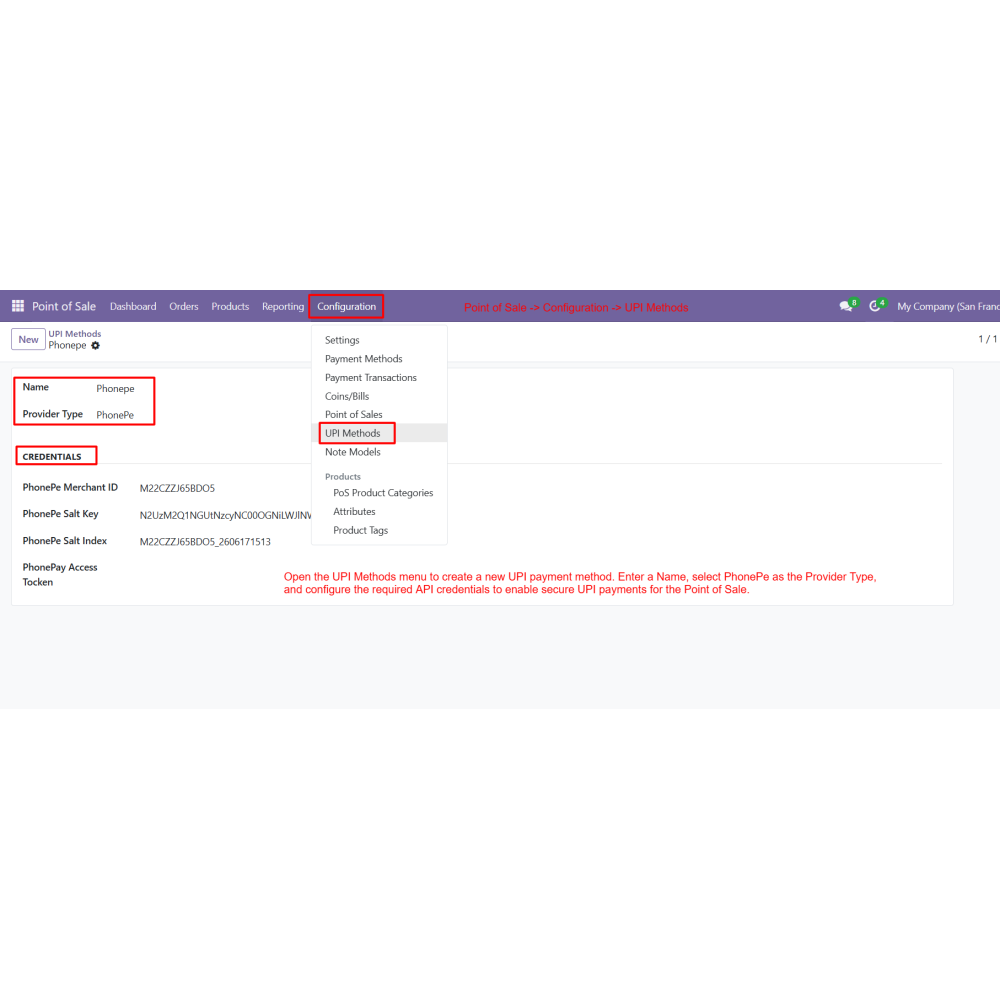
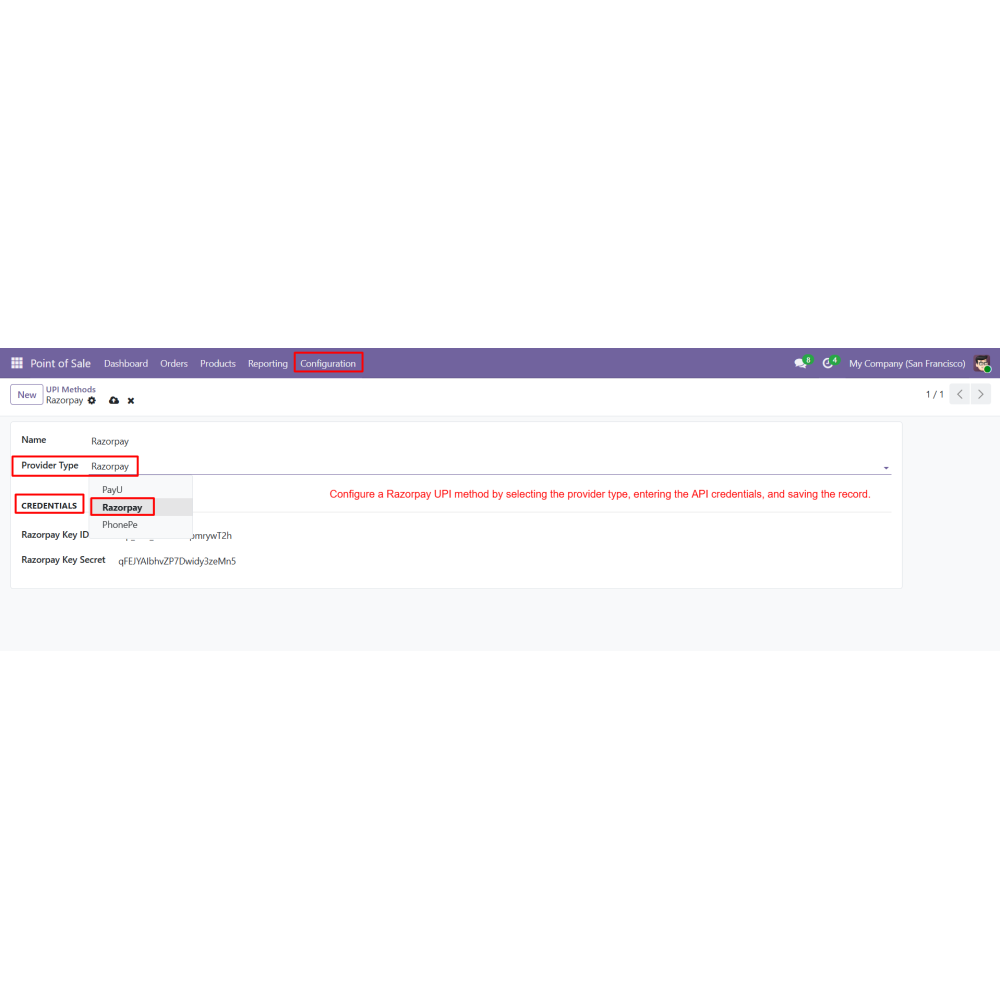
Create UPI methods by configuring PhonePe and Razorpay with the required API credentials.
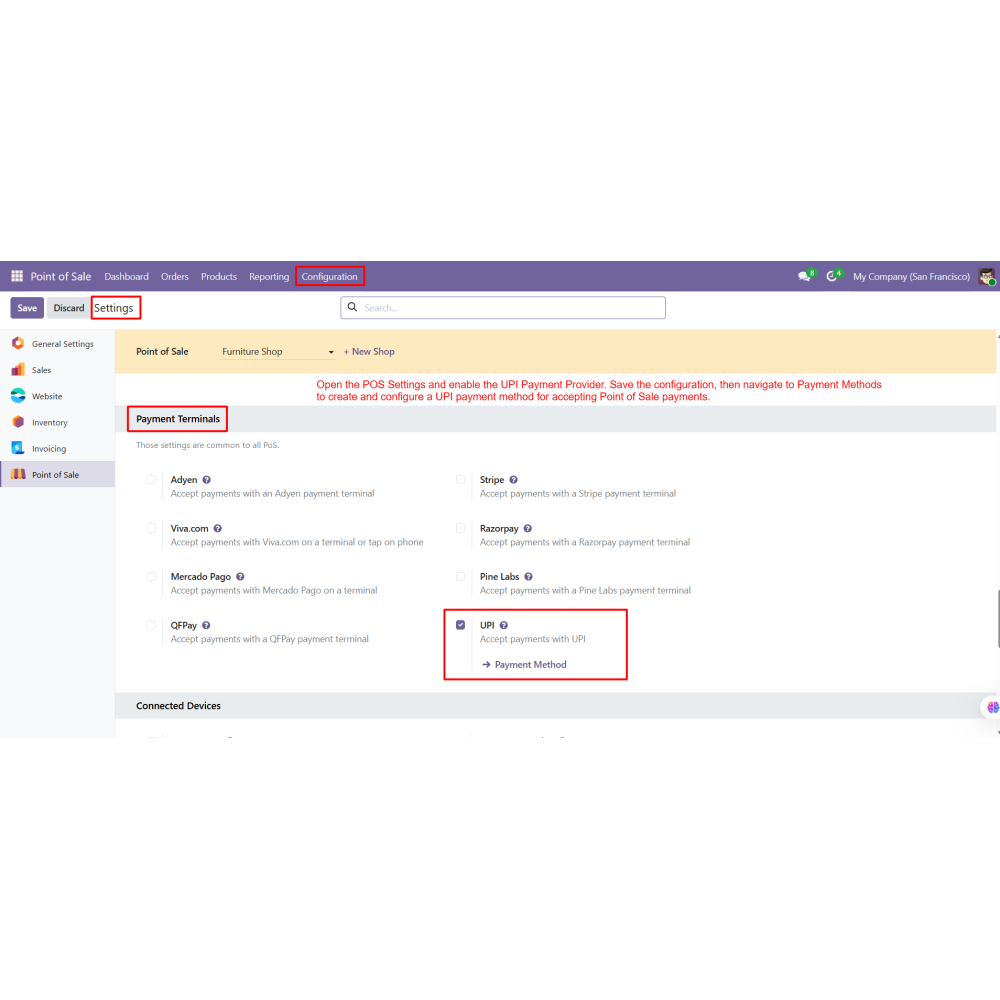
Enable the POS UPI Payment Provider from the POS configuration settings.
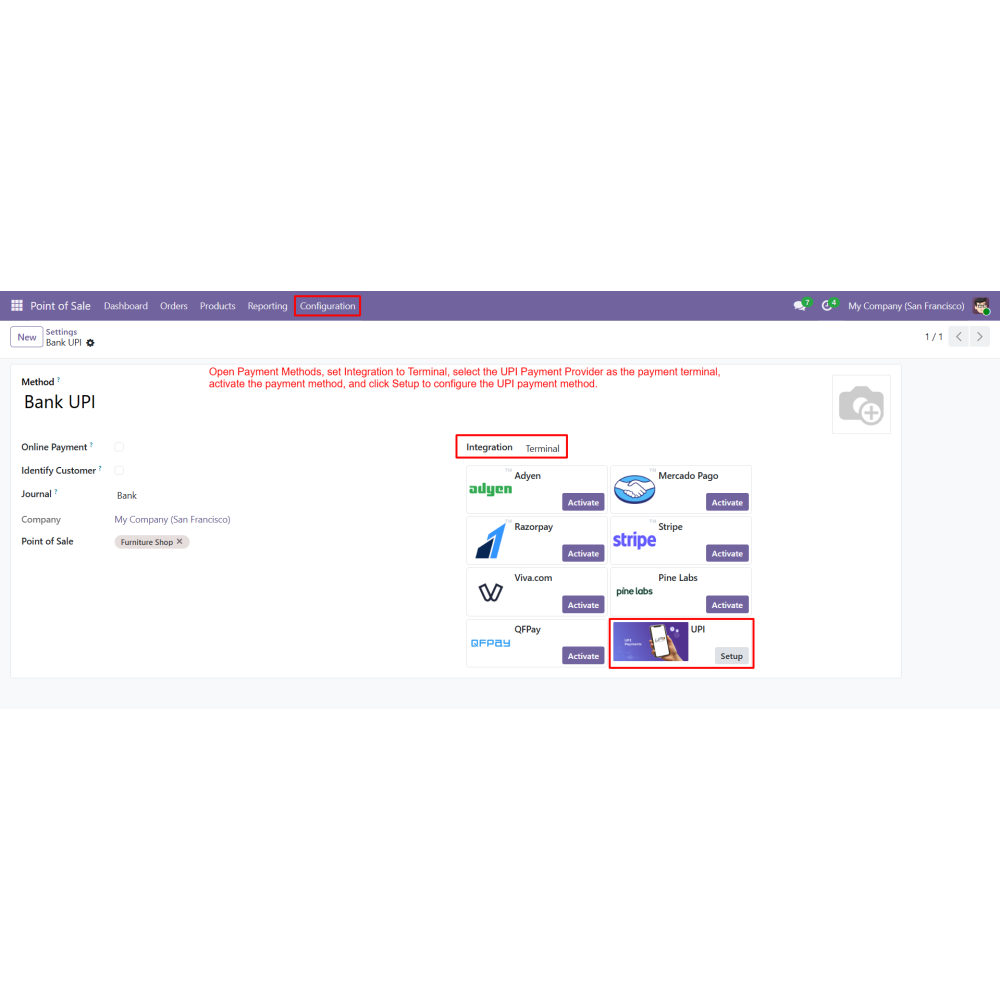
Create a POS payment method and configure it with the UPI Payment Provider.
Associate one or more UPI methods with the POS payment method.
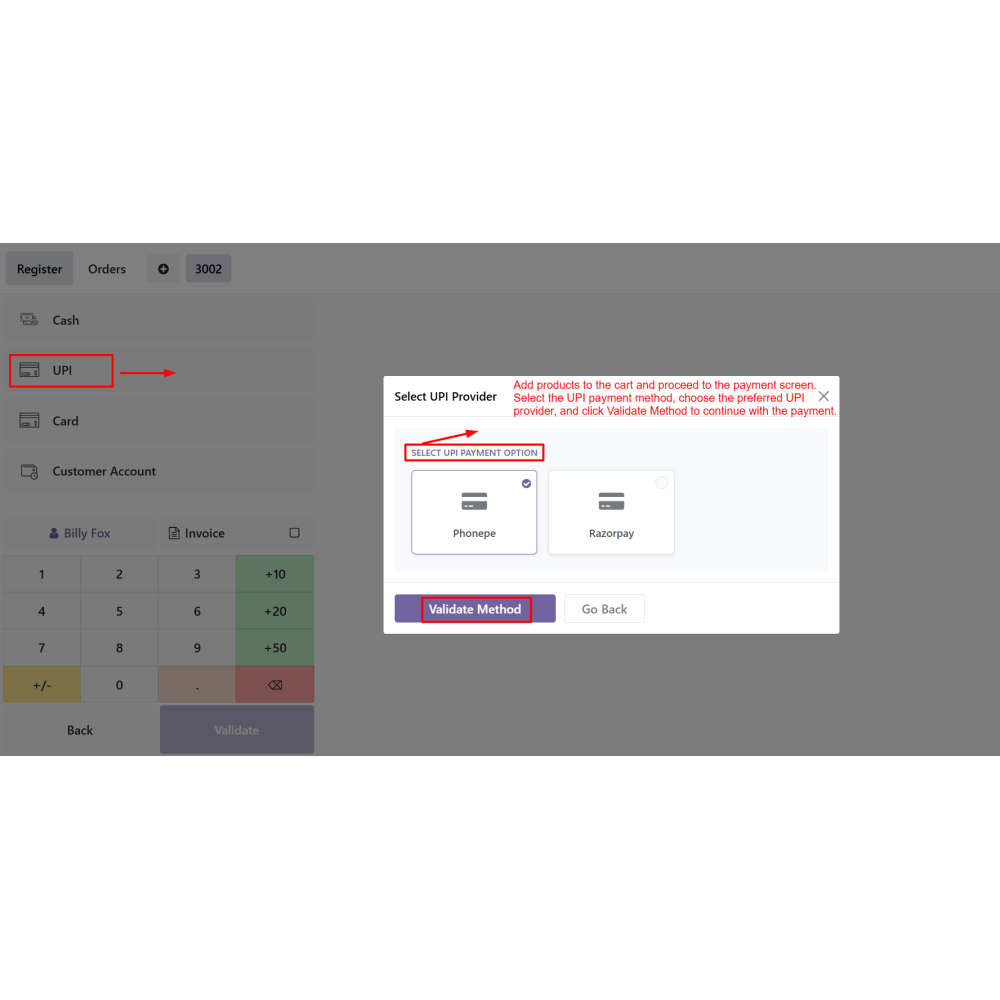
Start a POS session, add products to the cart, and proceed to the payment screen.
Select the UPI payment method, choose the preferred UPI provider, and validate the payment method.
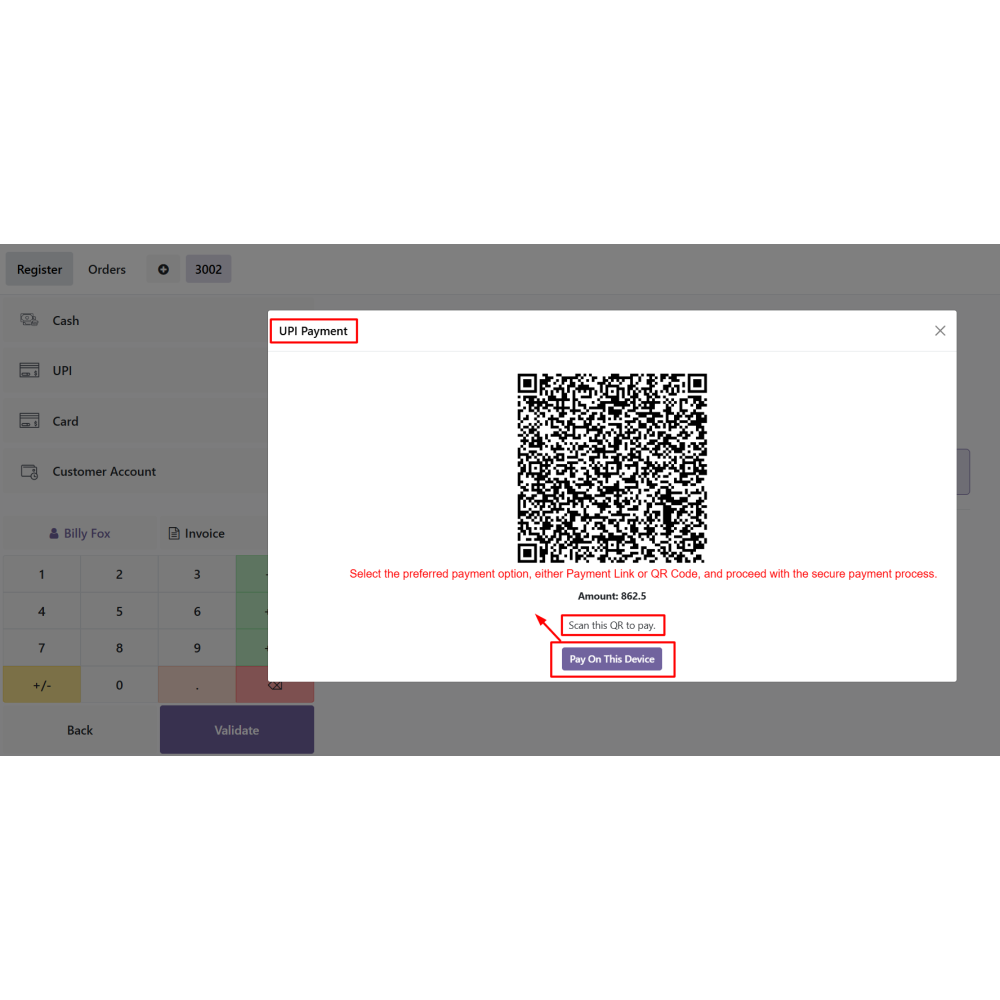
Select either Payment Link or QR Code to continue the payment process.
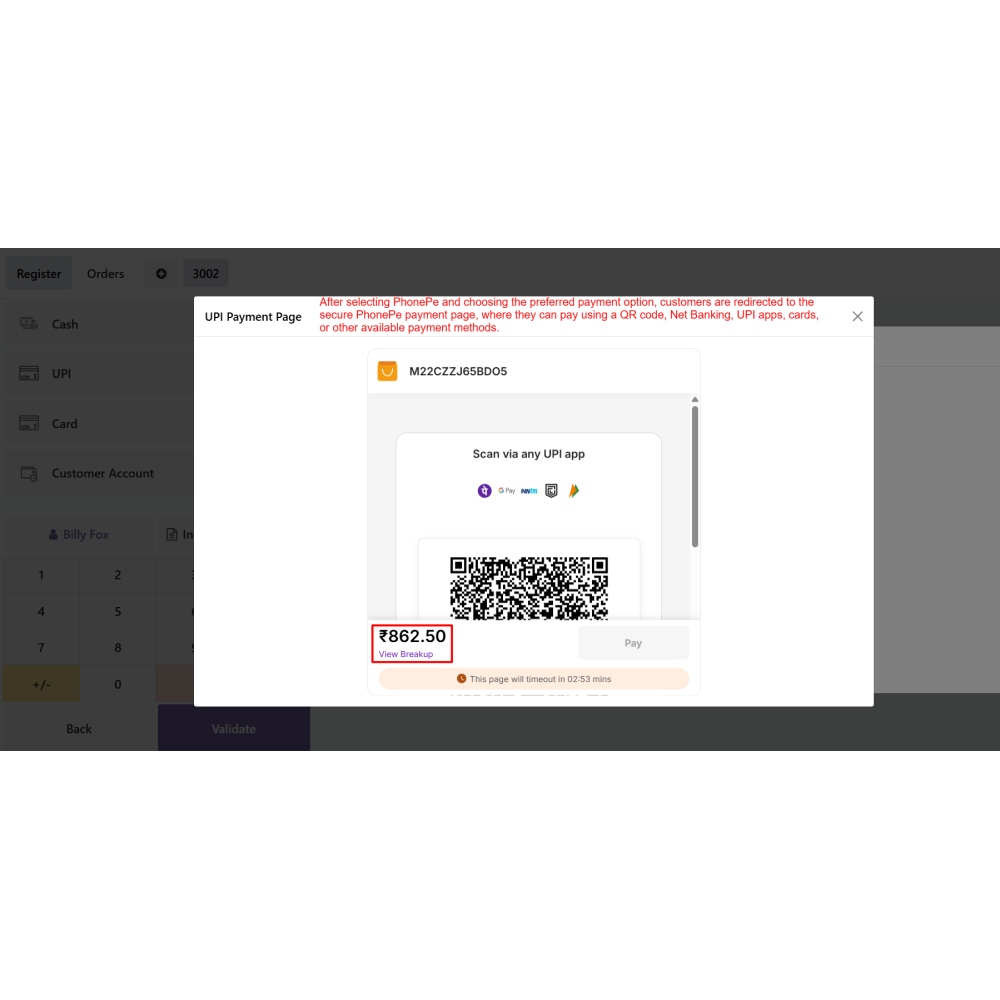
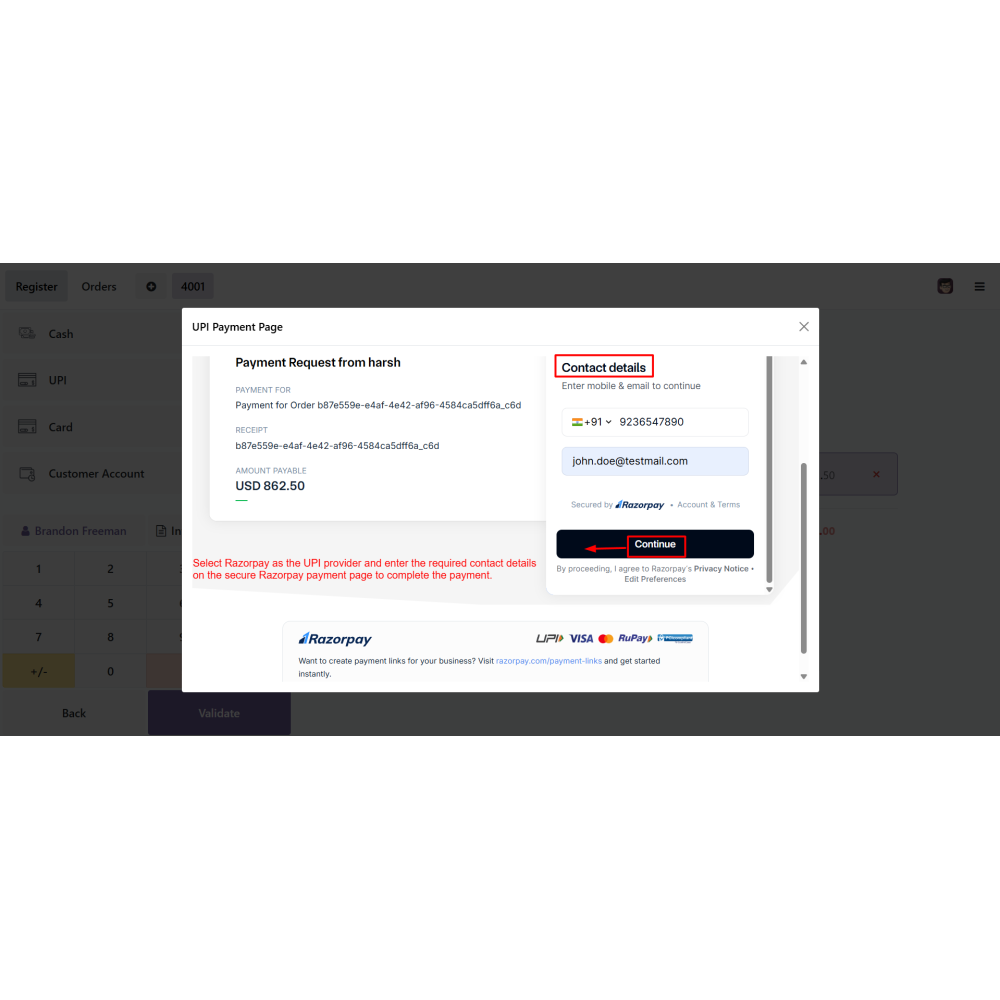
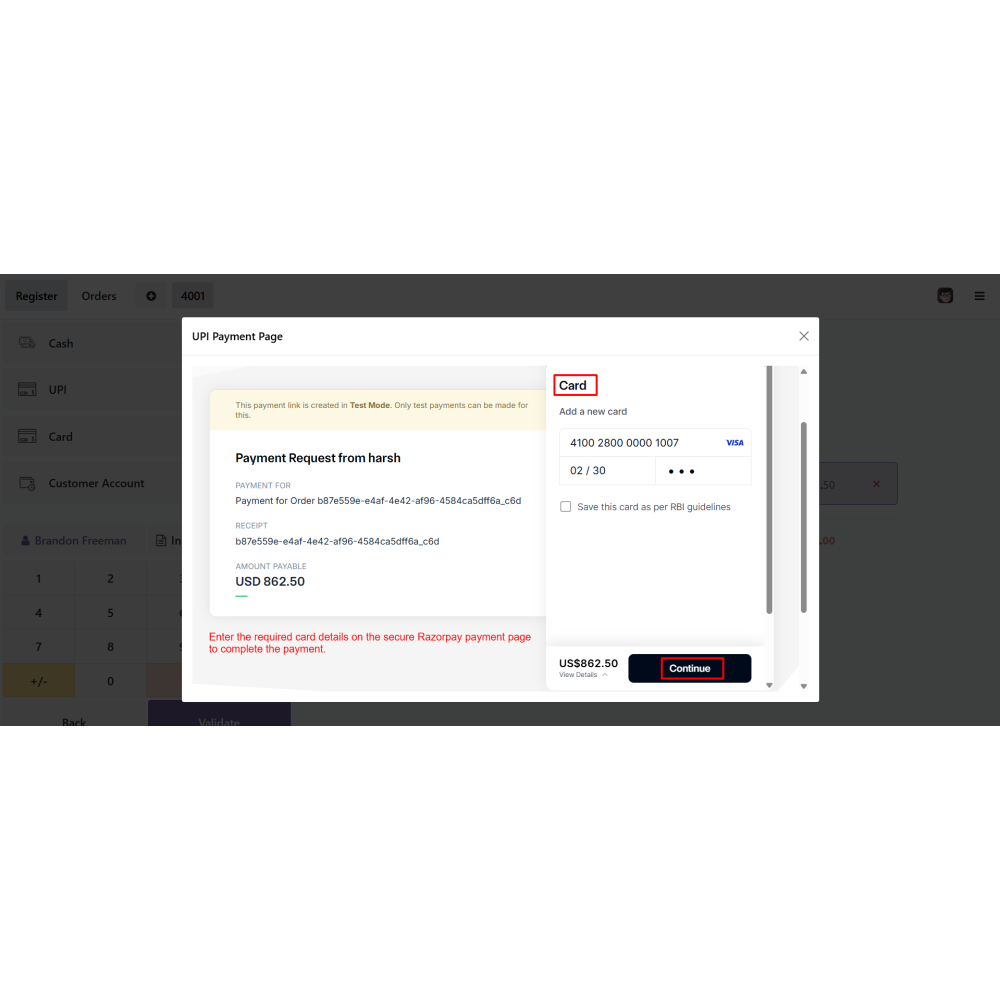
Customers complete the payment securely on the hosted PhonePe or Razorpay payment page using QR Code, cards, Net Banking, or other supported payment methods.
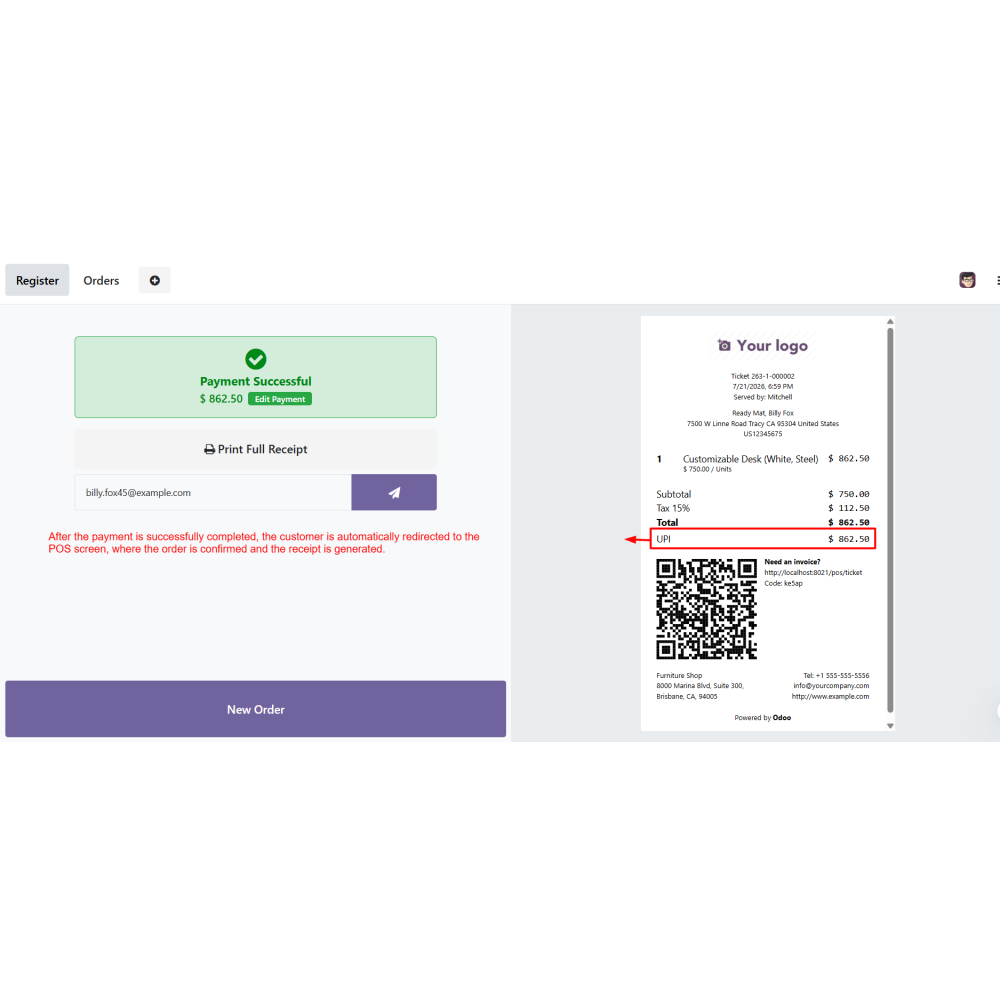
After successful payment, the POS order is automatically confirmed and the receipt is generated.
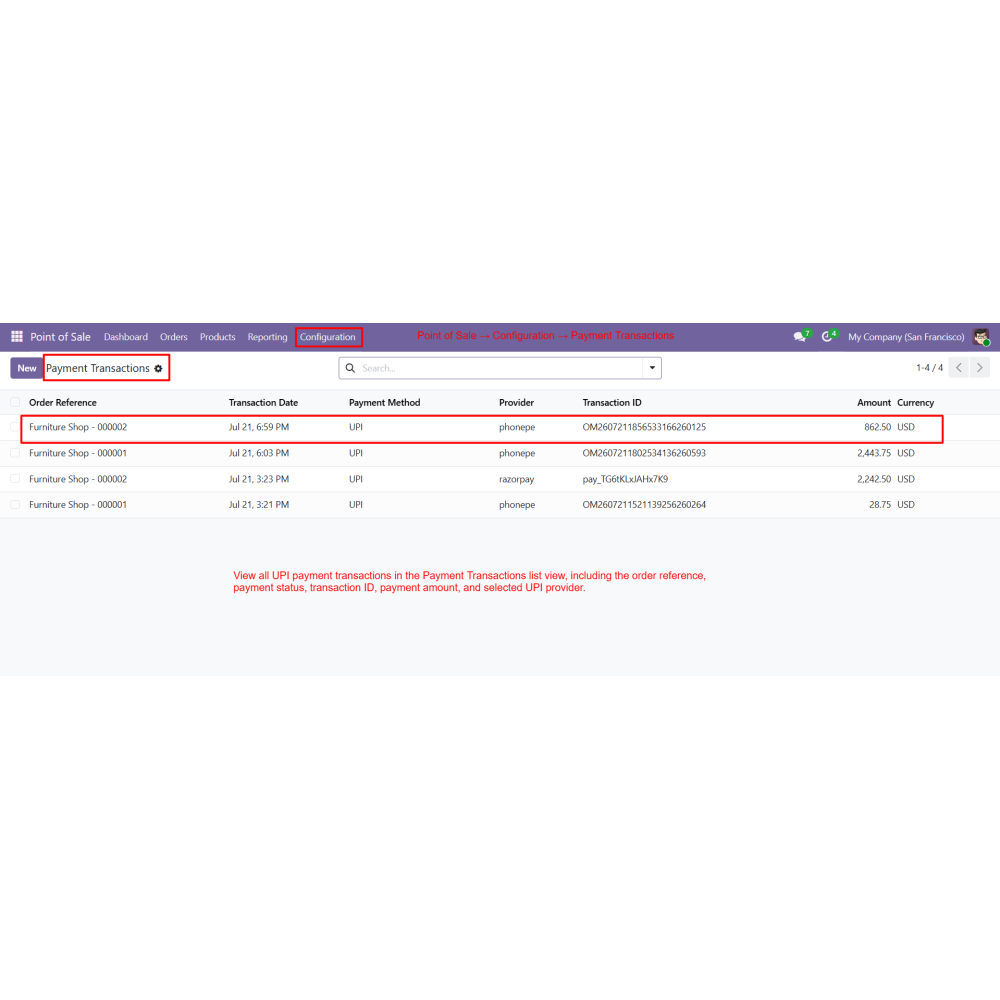
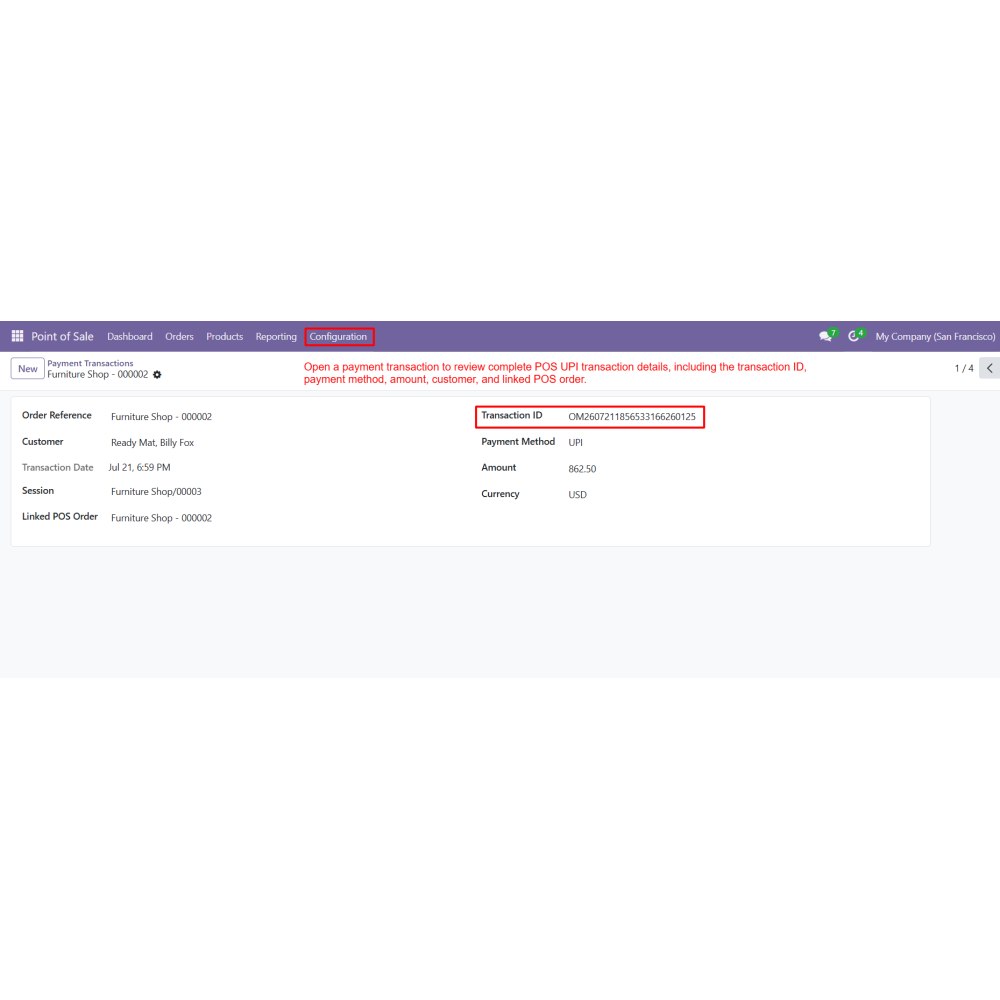
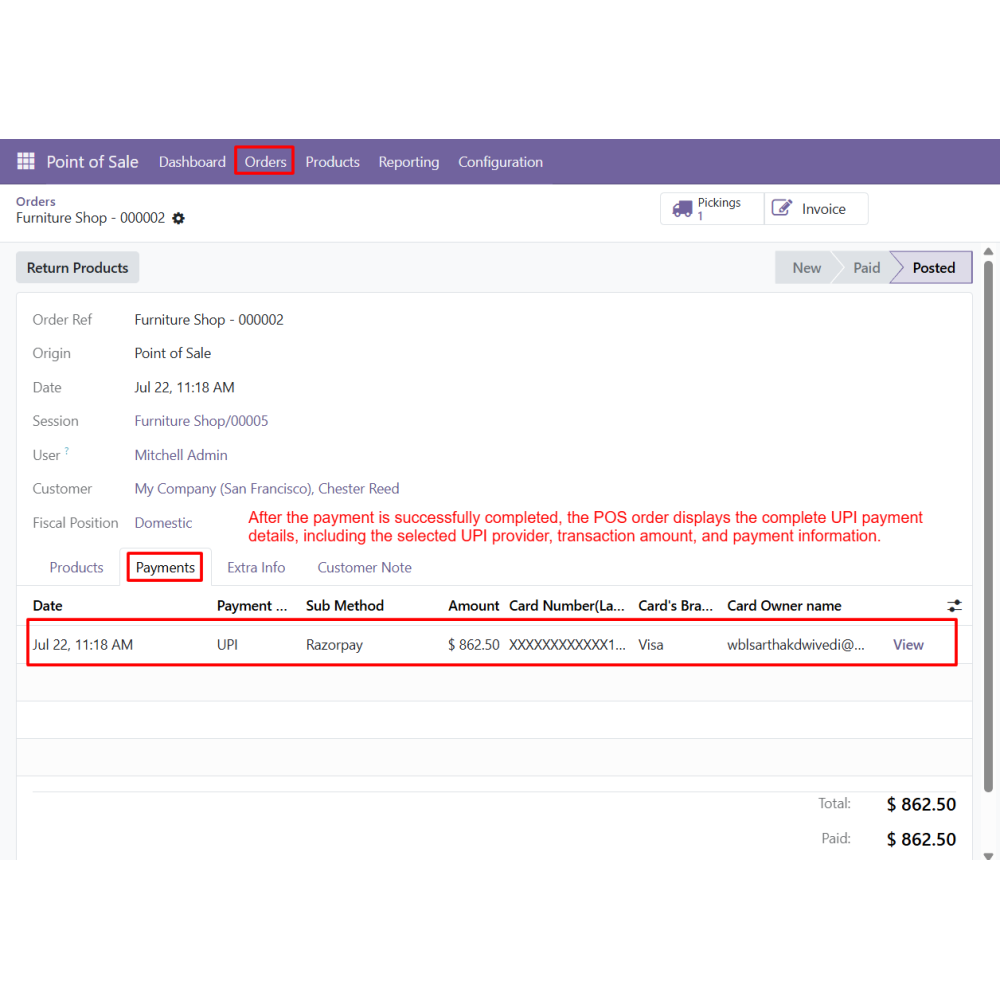
Review complete payment and transaction details from the POS order and the Payment Transactions menu.
FAQ
What is the POS UPI Payment Method module?The POS UPI Payment Method module allows businesses to accept secure digital payments in Odoo Point of Sale using PhonePe and Razorpay payment gateways.Which UPI payment providers are supported?The module supports PhonePe and Razorpay, allowing businesses to configure one or multiple UPI payment providers for POS transactions.What payment options are available for customers?Customers can pay using QR Code, Payment Link, cards, Net Banking, and other payment methods supported by the selected payment gateway.Are payments processed securely?Yes. Customers are redirected to the official hosted payment page of PhonePe or Razorpay, ensuring secure payment processing.Does the POS order confirm automatically after payment?Yes. Once the payment is successfully completed, the POS order is automatically confirmed and the receipt is generated.Can I configure multiple UPI gateways?Yes. You can configure multiple UPI methods and assign them to the same POS payment method for flexible payment processing.Can I track all POS UPI transactions?Yes. The Payment Transactions menu displays complete transaction details, including payment status, transaction ID, amount, provider, customer, and linked POS order.Does this module work with the Odoo POS payment terminal?Yes. The module integrates directly with the Odoo POS payment terminal without changing the standard POS workflow.Can customers choose between QR Code and Payment Link?Yes. During checkout, customers can select either QR Code or Payment Link based on their preferred payment method.Which Odoo applications are supported?The module integrates with Odoo Point of Sale, Invoicing, Accounting, and Payment Transactions for complete POS payment management.
Reviews
Customer reviews
0.0 Out Of 5
5 star
0%
4 star
0%
3 star
0%
2 star
0%
1 star
0%
No customer reviews
by
Benefits Of POS UPI Payment Method
Faster POS Payments
Secure Digital Transactions
Multiple Payment Gateways
Automatic Order Confirmation
Centralized Transaction Tracking
Better Checkout Experience
Features of POS UPI Payment Method
Multiple UPI Gateway Configuration
Create and manage multiple UPI methods by configuring PhonePe and Razorpay with their respective API credentials. Each gateway can be assigned independently for POS payment processing.
POS Payment Terminal Integration
Integrate the UPI Payment Provider directly with the Odoo Point of Sale payment terminal, allowing businesses to accept digital payments without modifying the existing POS workflow.
Flexible Customer Payment Options
Customers can choose Payment Link or QR Code during checkout. Depending on the selected gateway, additional payment methods such as cards, Net Banking, and other supported payment options are available.
Secure Hosted Payment Checkout
Customers are redirected to the official hosted payment page of the selected provider, ensuring secure payment processing through PhonePe or Razorpay.
Automatic POS Order Confirmation
Successful payments automatically validate the POS order and generate the receipt, reducing manual work and providing a faster checkout process.
Complete Transaction Management
View complete payment details from the Payment Transactions menu, including transaction status, payment amount, transaction ID, provider reference, customer details, and linked POS orders.

.png)

 Return policy






 Store — We Handle It All