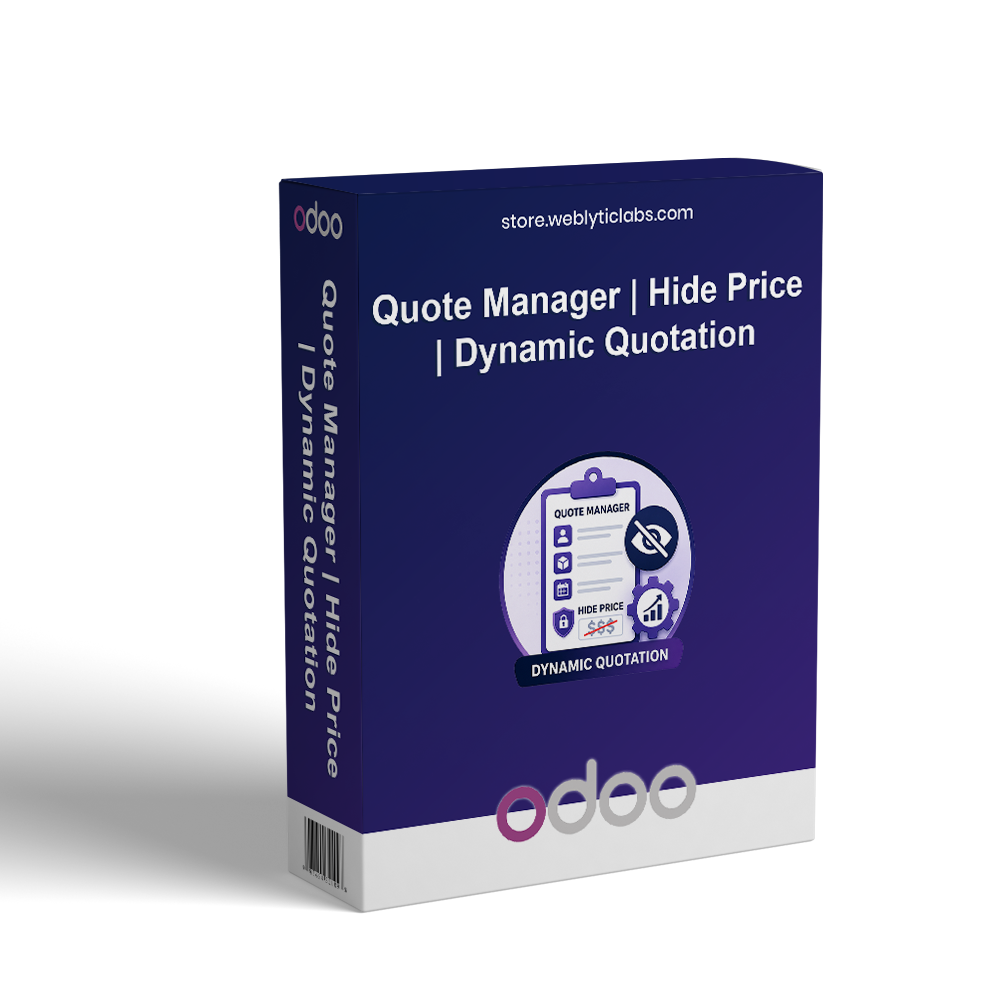
The Quote Manager App is a powerful tool for controlling pricing visibility and enhancing customer interactions. Admins can strategically hide prices and add-to-cart buttons, tailoring the shopping experience for their customers. With a user-friendly quotation button, customers can express preferences, request quantities, and propose their prices. This app effectively bridges the communication gap between customers and admins, fostering engagement and creating opportunities for negotiation. The result is a personalized shopping journey that promotes loyalty while driving sales performance.
The Quote Manager App is a powerful tool for controlling pricing visibility and enhancing customer interactions. Admins can strategically hide prices and add-to-cart buttons, tailoring the shopping experience for their customers. With a user-friendly quotation button, customers can express preferences, request quantities, and propose their prices. This app effectively bridges the communication gap between customers and admins, fostering engagement and creating opportunities for negotiation. The result is a personalized shopping journey that promotes loyalty while driving sales performance.
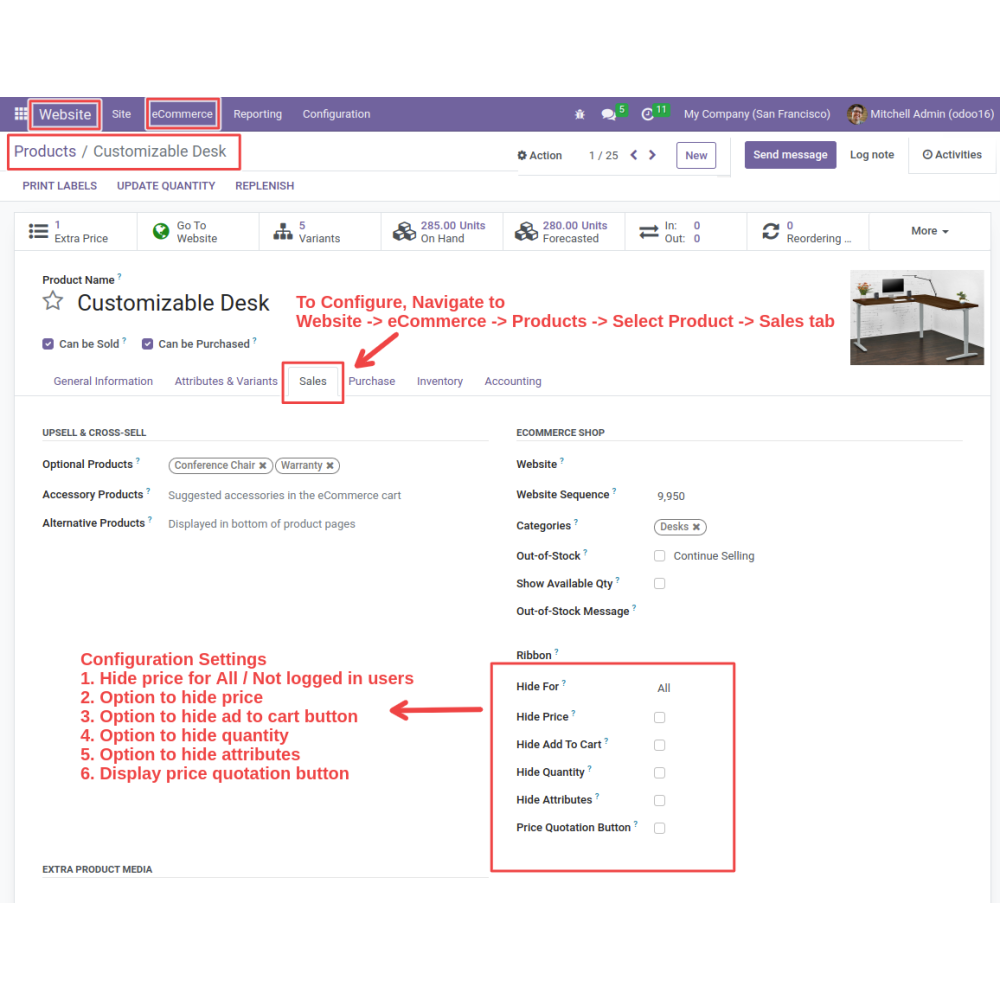
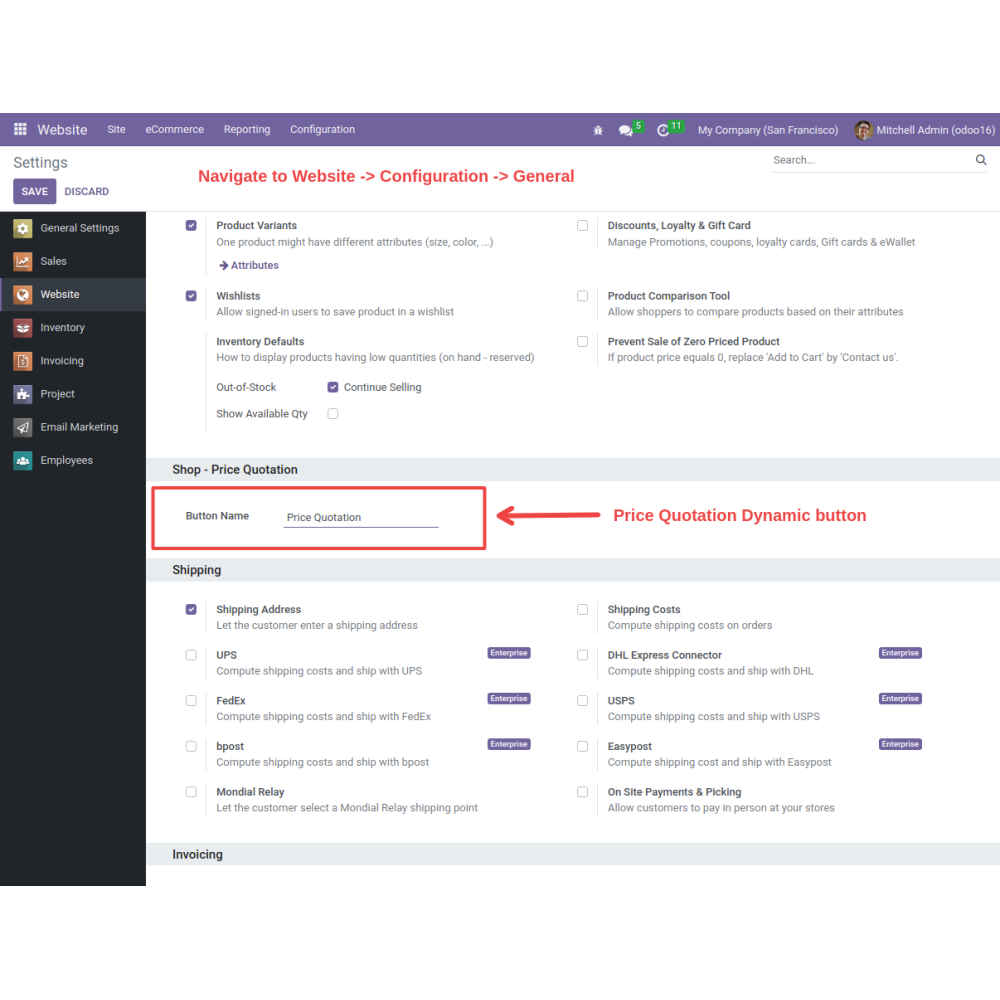
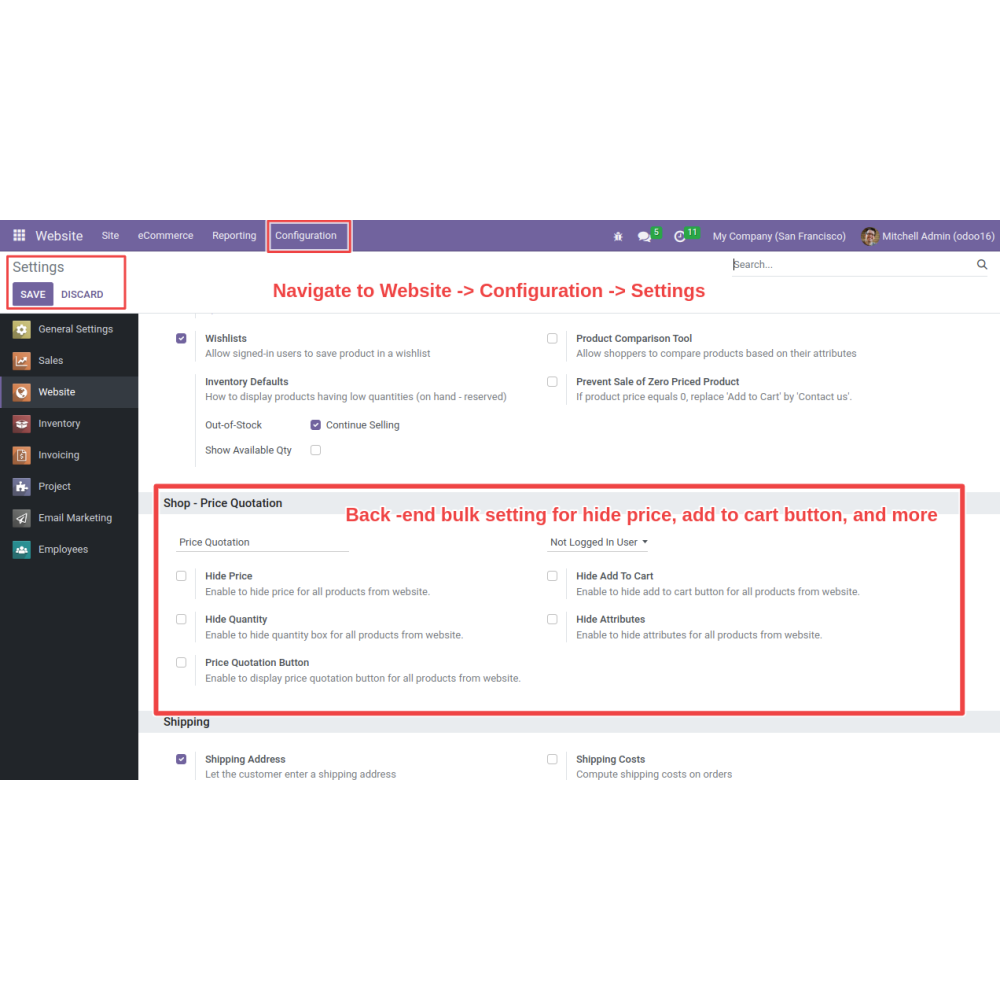
Select the options that you want to show or hide on the product page. Save the settings
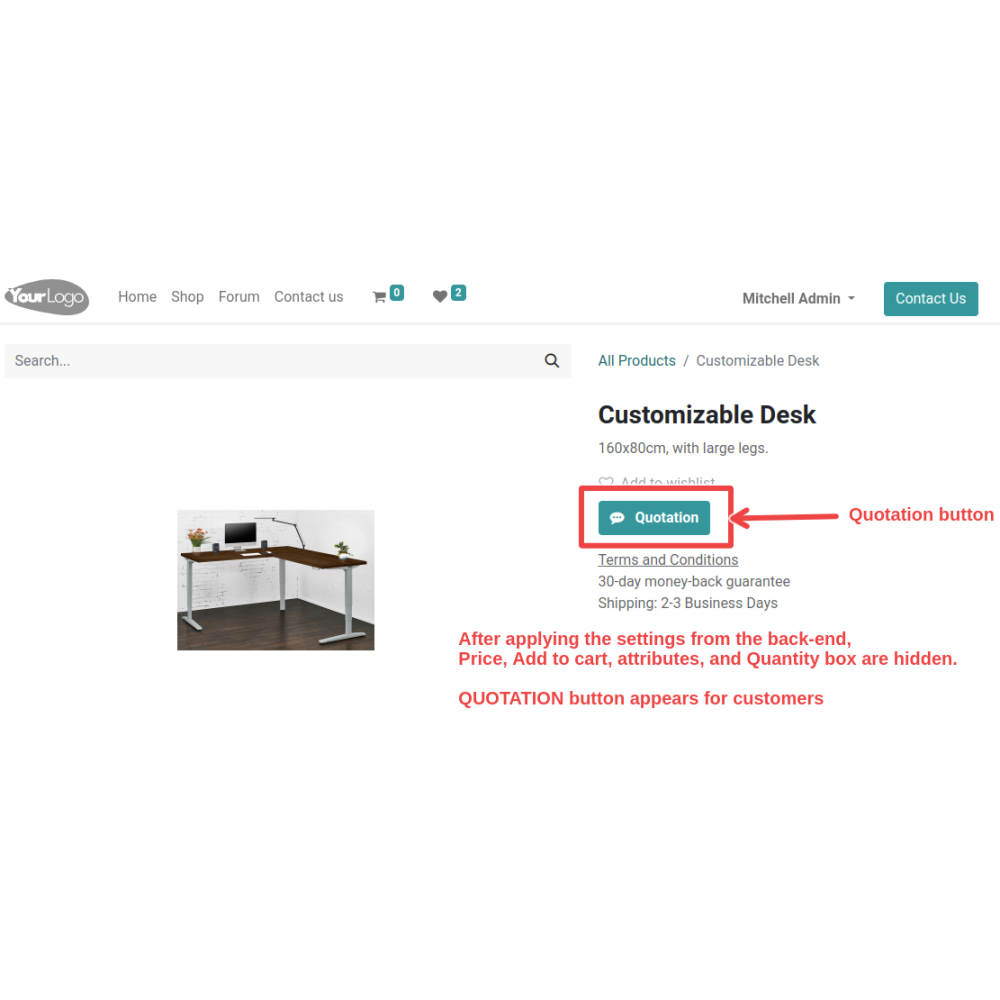
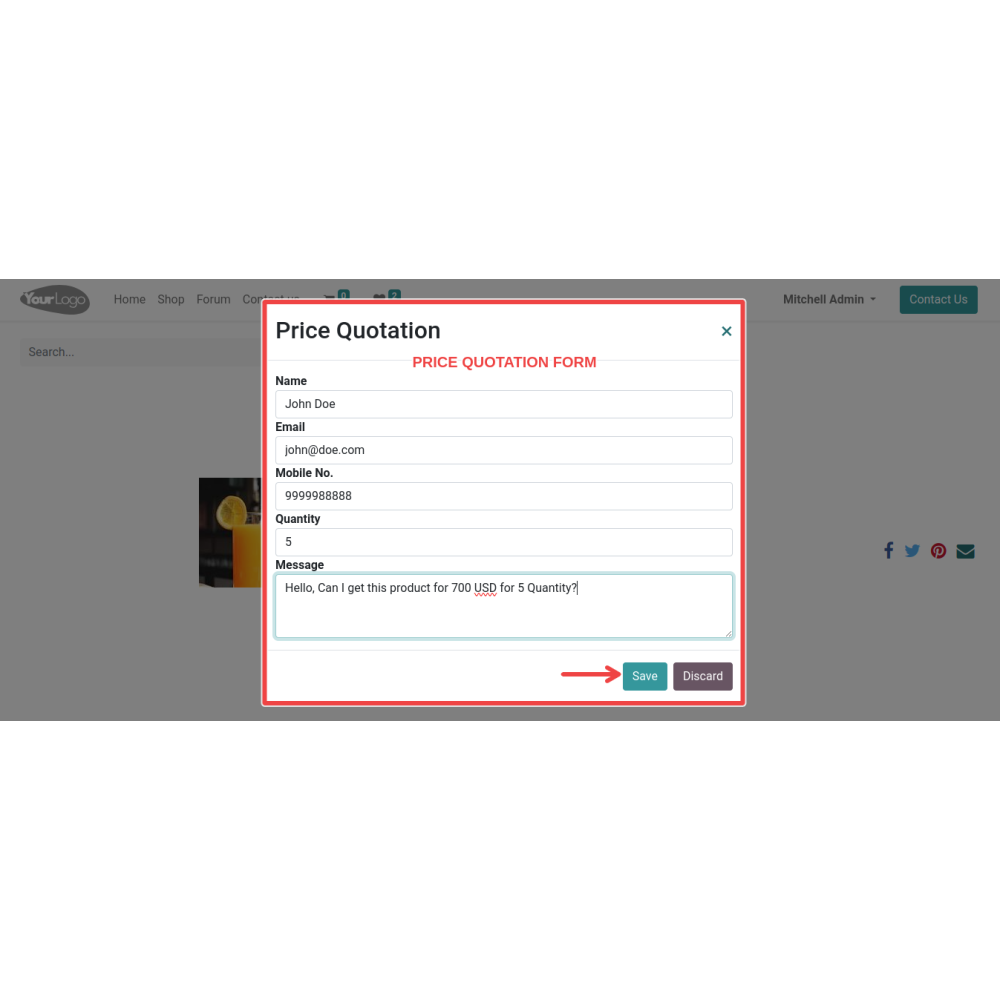
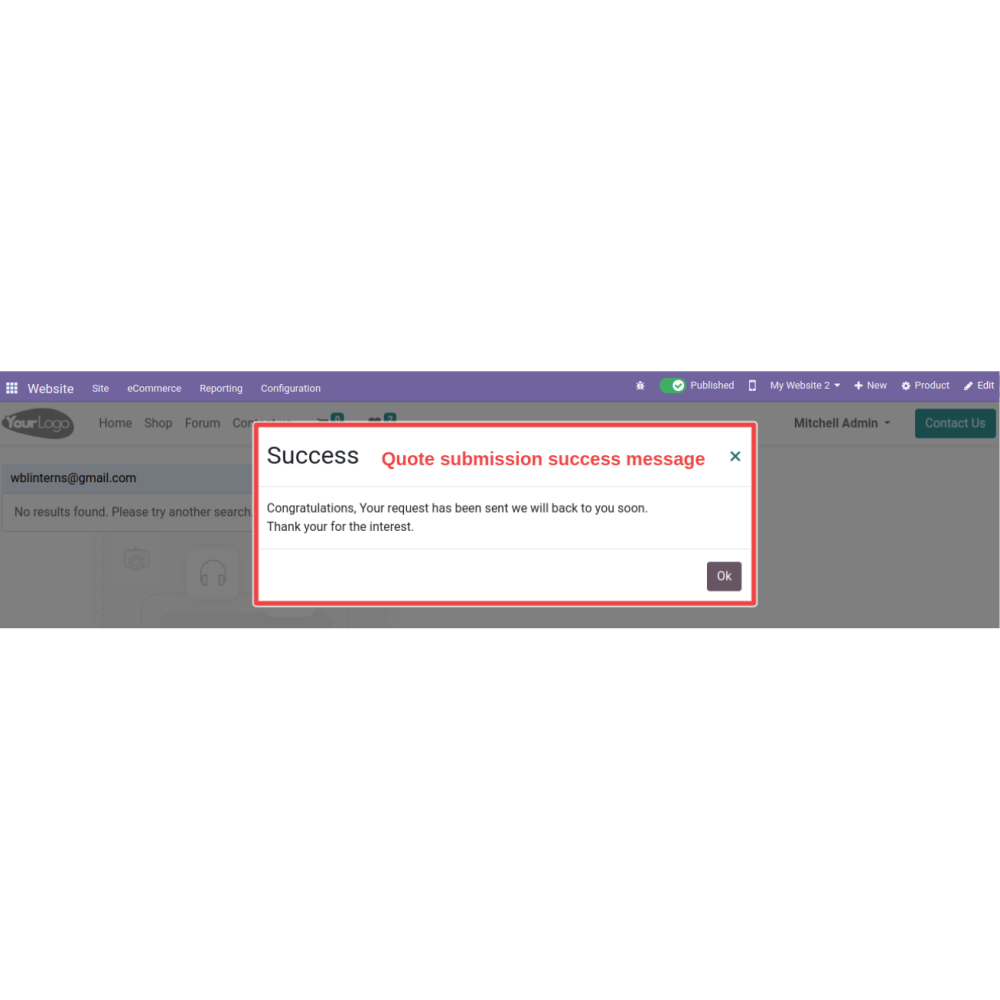
The customers will now have a “Price Quotation” button on the front end through which they can submit their quotes.
Once submitted, the admin will receive an email with the details of the quote.
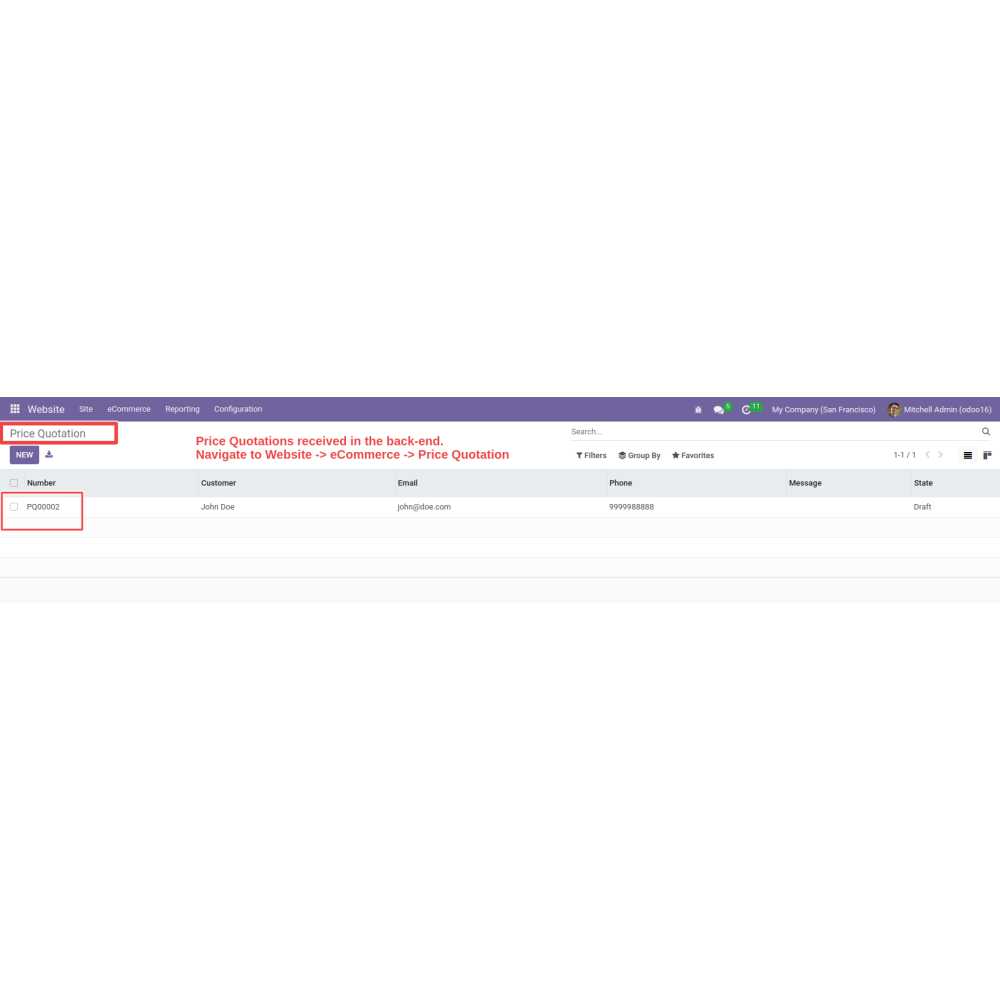
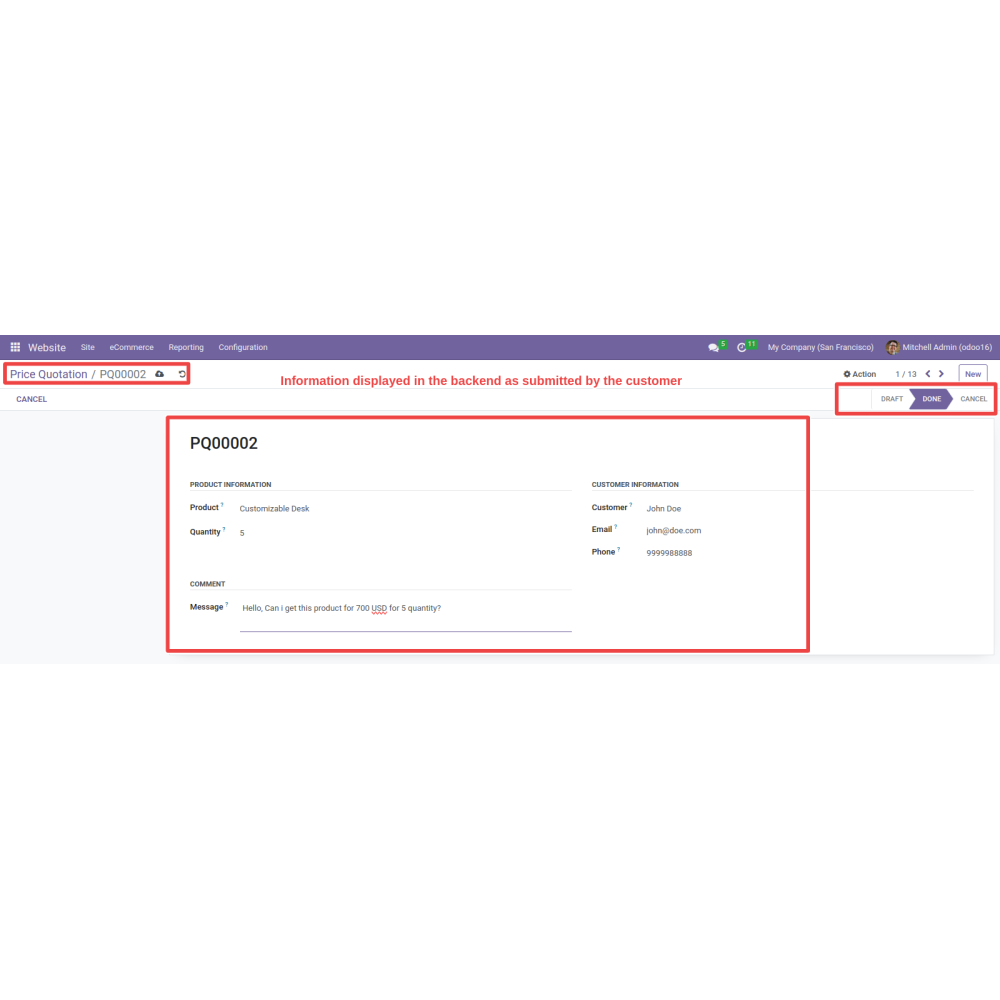
Admin can visit the backend and confirm or cancel the quotation.
The customer will be notified of this action via email.
Admin can also apply this feature to specific selected products, and can apply this feature to all the products in the shop via a bulk action.
FAQ
What is the Quote Manager module?The Quote Manager module allows you to hide product prices and the Add to Cart button while enabling customers to request quotations and make price offers directly from the product page.Can I hide product prices on selected products?Yes, you can hide prices, Add to Cart buttons, quantity fields, and product attributes for individual products or multiple products using bulk actions.Can customers submit their own price offers?Yes, customers can request a quotation by entering their preferred price, quantity, and additional requirements.How are quotation requests managed?All quotation requests are available in a centralized backend dashboard where administrators can review, approve, or reject them.Does the module send email notifications?Yes, automatic email notifications are sent to administrators when a new quotation is submitted and to customers when their quotation status is updated.Can administrators approve or reject quotations?Yes, administrators can quickly approve or reject quotation requests directly from the backend.Can I apply quotation settings in bulk?Yes, the module supports bulk configuration to apply quotation settings to multiple products at once.Can I display the quotation button instead of the Add to Cart button?Yes, you can replace the Add to Cart button with a Price Quotation button to encourage customer inquiries and negotiations.Does the module improve customer engagement?Yes, by allowing customers to negotiate prices and request personalized quotations, the module increases interaction and improves conversion opportunities.Which Odoo applications are supported?The module integrates with Odoo Website, eCommerce, Sales, and Email to provide complete quotation management.
Reviews
Customer reviews
0.0 Out Of 5
5 star
0%
4 star
0%
3 star
0%
2 star
0%
1 star
0%
No customer reviews
by
Benefits Of Quote Manager | Hide Price | Dynamic Quotation
Exclusive Deals
Customization Options
Improved Customer Satisfaction
Negotiation Power
Configurable Settings
Quick Quote Approval
Features of Quote Manager | Hide Price | Dynamic Quotation
Configurable Settings
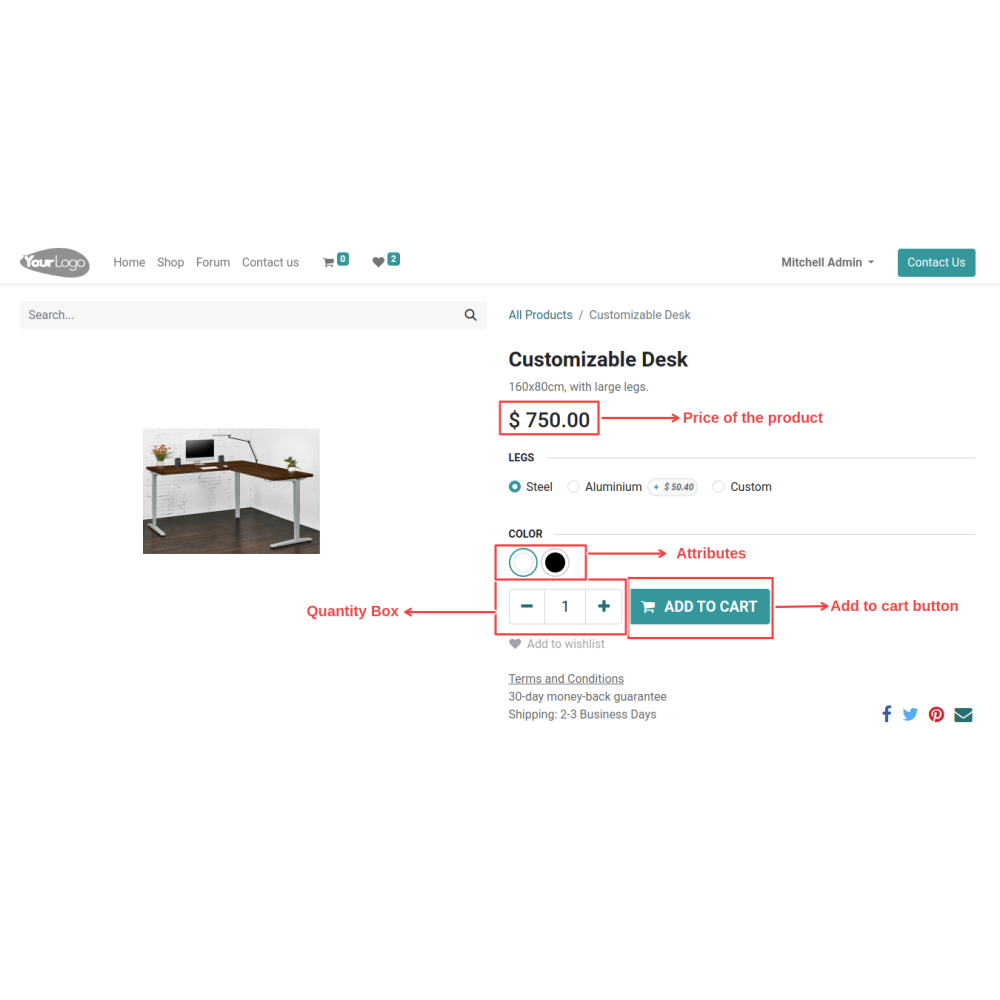
Hide or display prices, Add to Cart, quantity, and product attributes while enabling the quotation button.
Negotiation Power
Allow customers to submit their preferred price and negotiate directly through quotation requests.
Customization Options
Let customers request specific quantities and product combinations to suit their requirements.
Quotation Management Dashboard
Manage and track all customer quotation requests from a centralized backend dashboard.
Quick Quote Approval
Approve or reject quotations quickly to reduce response time and improve customer service.
Email Notifications
Automatically notify administrators and customers whenever a quotation is submitted or updated.

.png)

 Return policy






 Store — We Handle It All