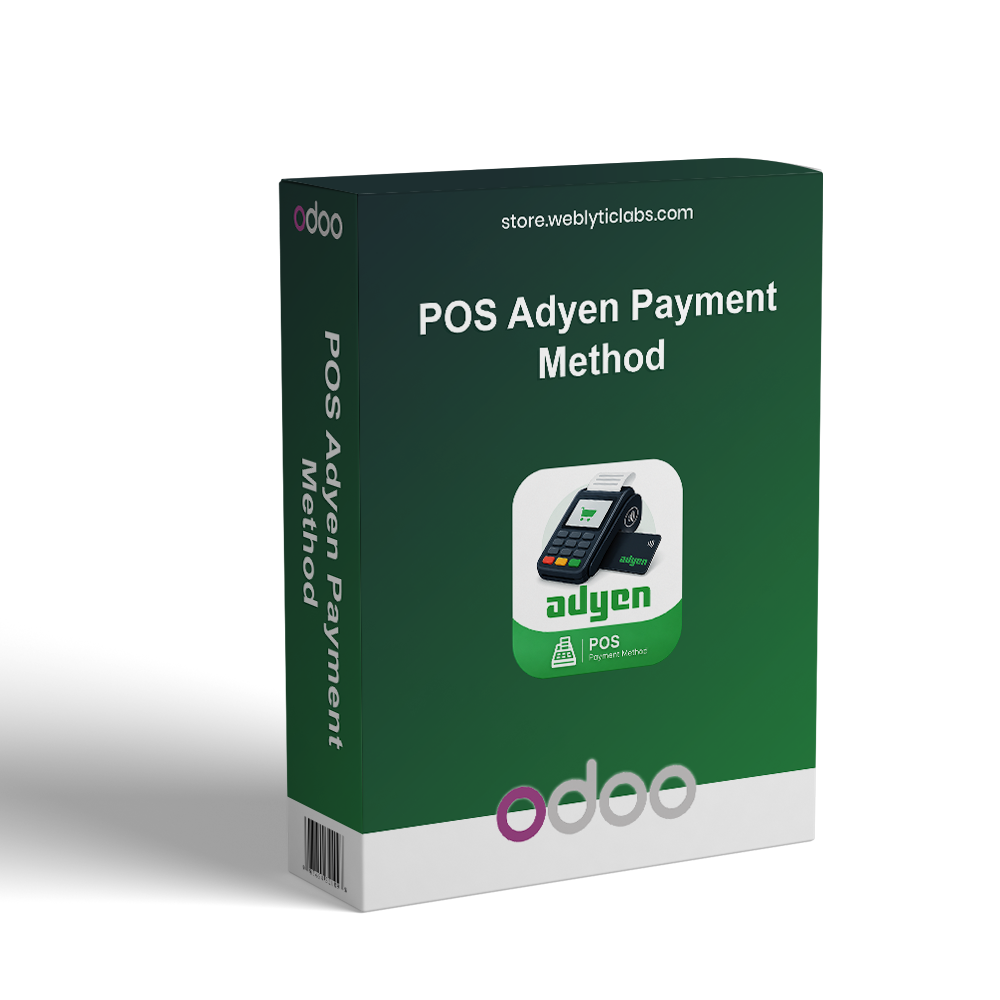
POS Adyen Payment Method integrates Adyen with Odoo Point of Sale to provide secure and seamless payment processing. It enables customers to pay using QR codes, payment links, and hosted checkout while ensuring real-time payment confirmation and automatic order validation. The module allows businesses to securely configure Adyen credentials, manage transactions, track payment status, and monitor POS payment activities from a centralized dashboard, improving checkout efficiency and customer experience.
POS Adyen Payment Method integrates Adyen with Odoo Point of Sale to provide secure and seamless payment processing. It enables customers to pay using QR codes, payment links, and hosted checkout while ensuring real-time payment confirmation and automatic order validation. The module allows businesses to securely configure Adyen credentials, manage transactions, track payment status, and monitor POS payment activities from a centralized dashboard, improving checkout efficiency and customer experience.
Integrates Adyen with the Odoo Point of Sale for secure digital payments.
Supports QR code, payment link, and Adyen hosted checkout payments.
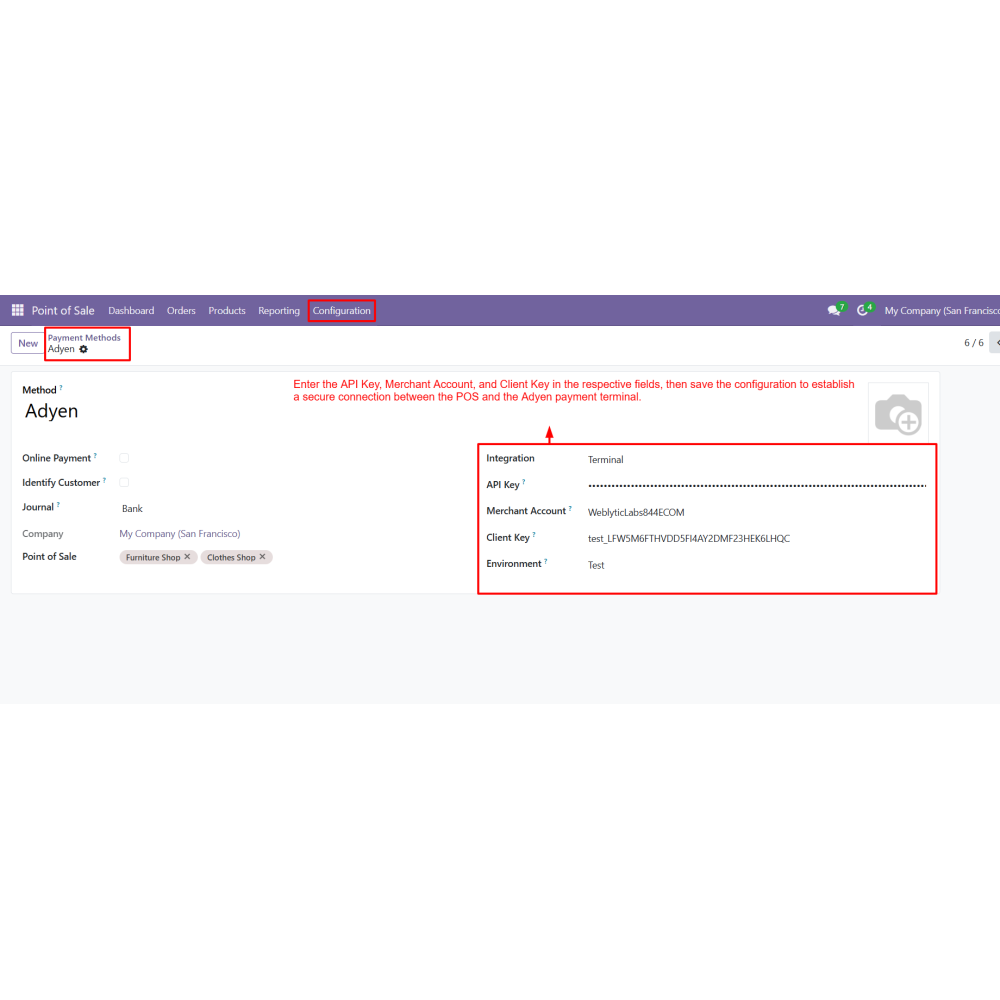
Connects securely using API Key, Merchant Account, and Client Key.
Provides real-time payment confirmation and automatic order validation.
Generates POS receipts automatically after successful payments.
Centralizes payment transactions and payment status monitoring.
Simplifies payment processing for retail stores and restaurants.
Delivers a fast, secure, and seamless POS checkout experience.
Key Features
Integrate Odoo POS with Adyen for secure payment processing.
Configure secure API authentication using Adyen credentials.
Generate QR codes and payment links for customer payments.
Support secure Adyen hosted checkout for card payments.
Automatically confirm POS orders and generate receipts.
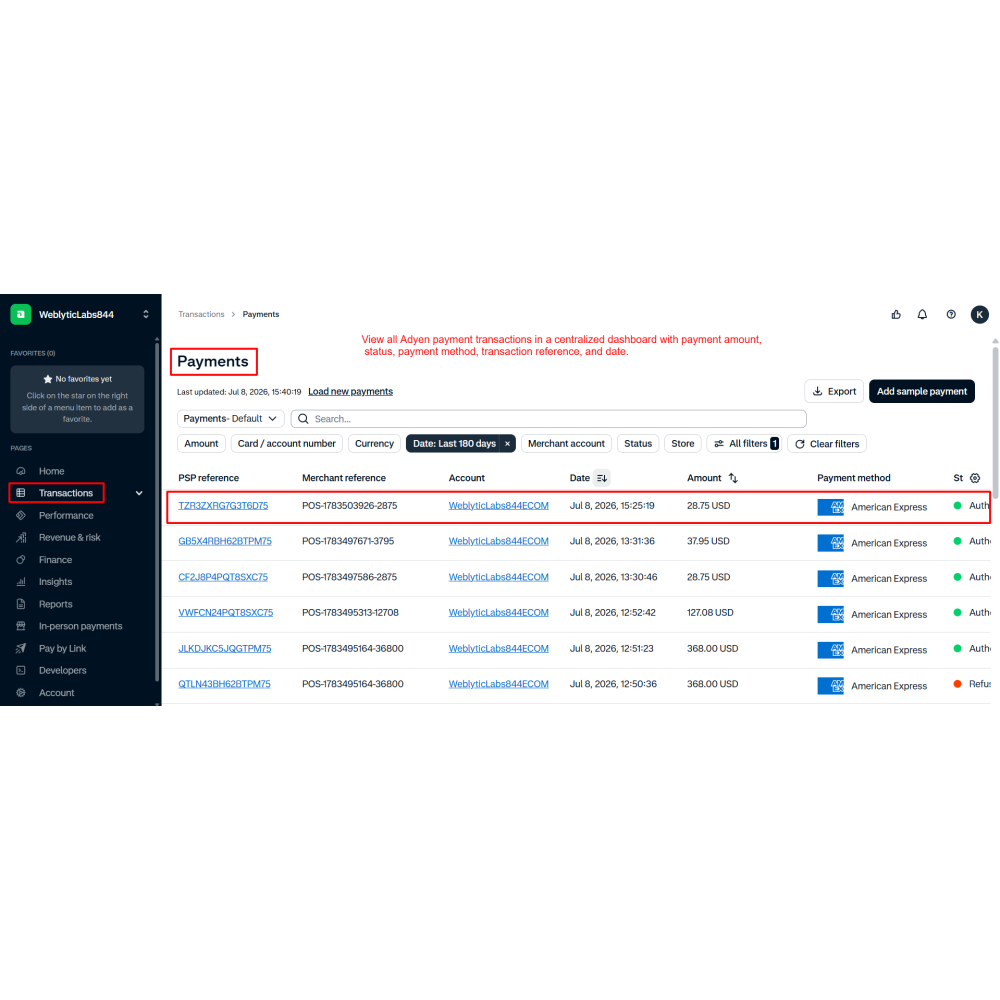
Monitor all Adyen payment transactions from a centralized dashboard.
Benefits
Speed up the Point of Sale checkout process.
Provide secure and reliable digital payment processing.
Track payment transactions in real time.
Automatically confirm successful POS orders.
Manage all payment records from one dashboard.
Deliver a seamless payment experience for customers.
Workflow
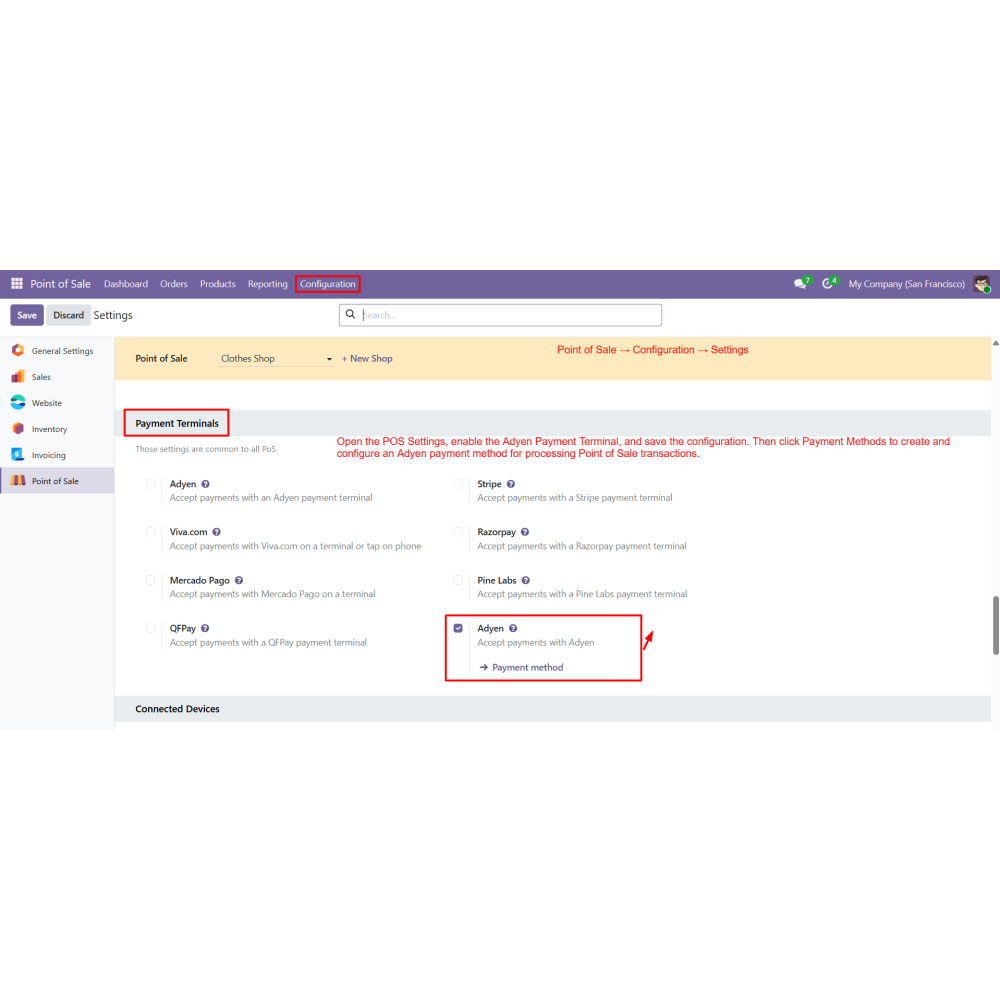
Enable the Adyen Payment Terminal in POS Settings and save the configuration.
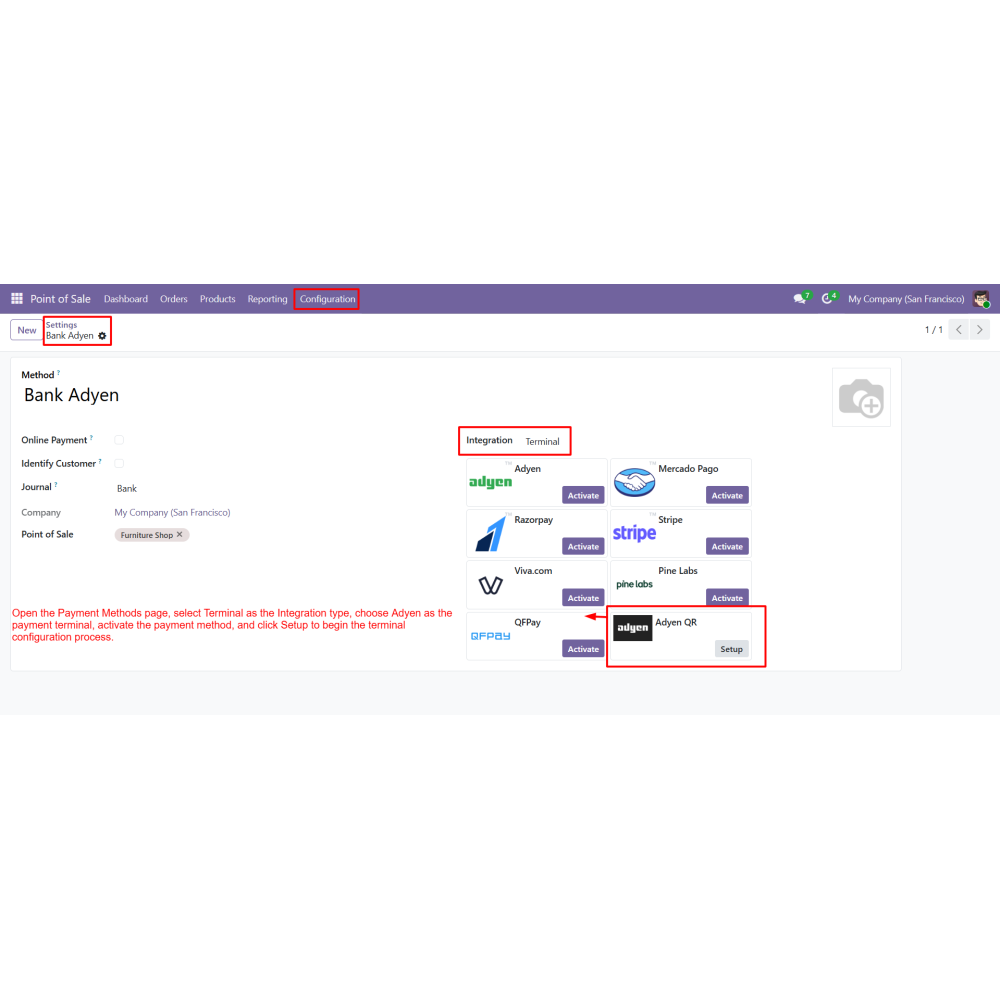
Create a payment method and select Adyen as the payment terminal integration.
Enter the API Key, Merchant Account, and Client Key to connect the POS with Adyen.
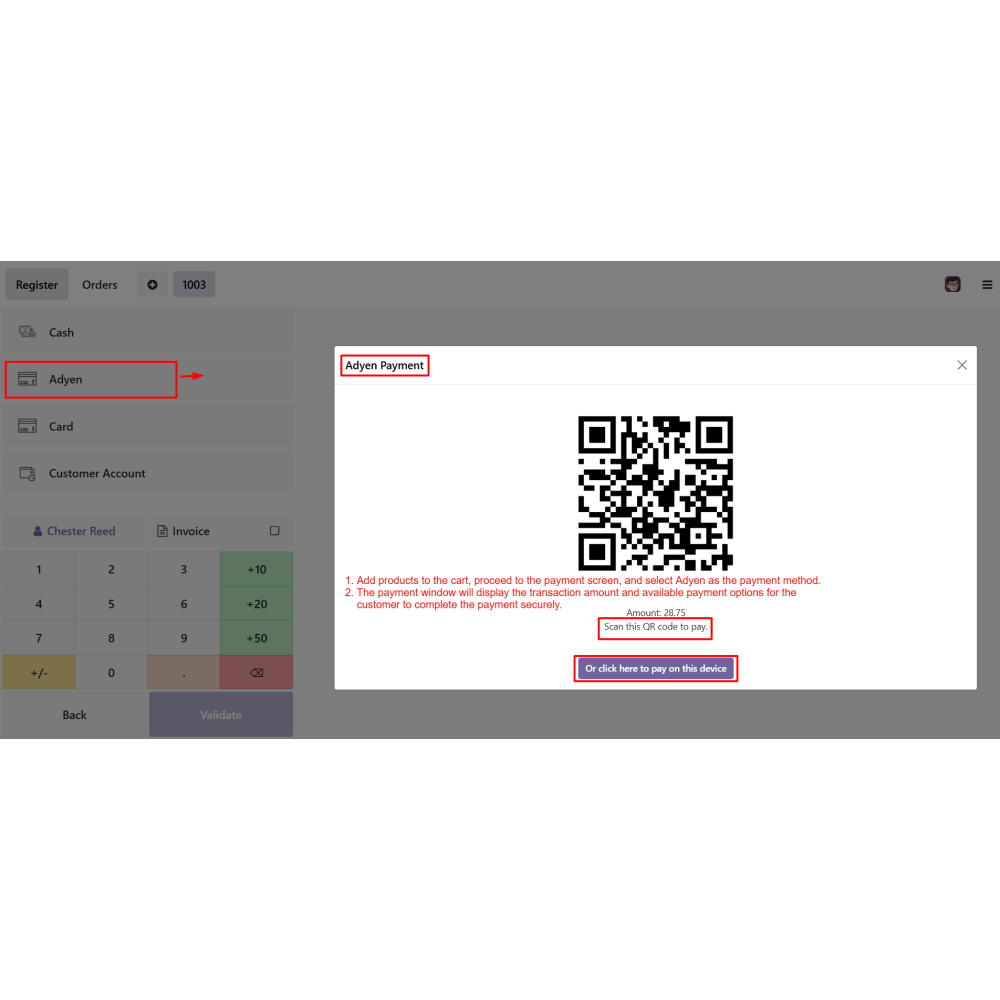
Add products to the cart and proceed to the payment screen.
Select Adyen as the payment method to initiate the payment process.
Display the payment amount along with the QR code and payment link for customer payment.
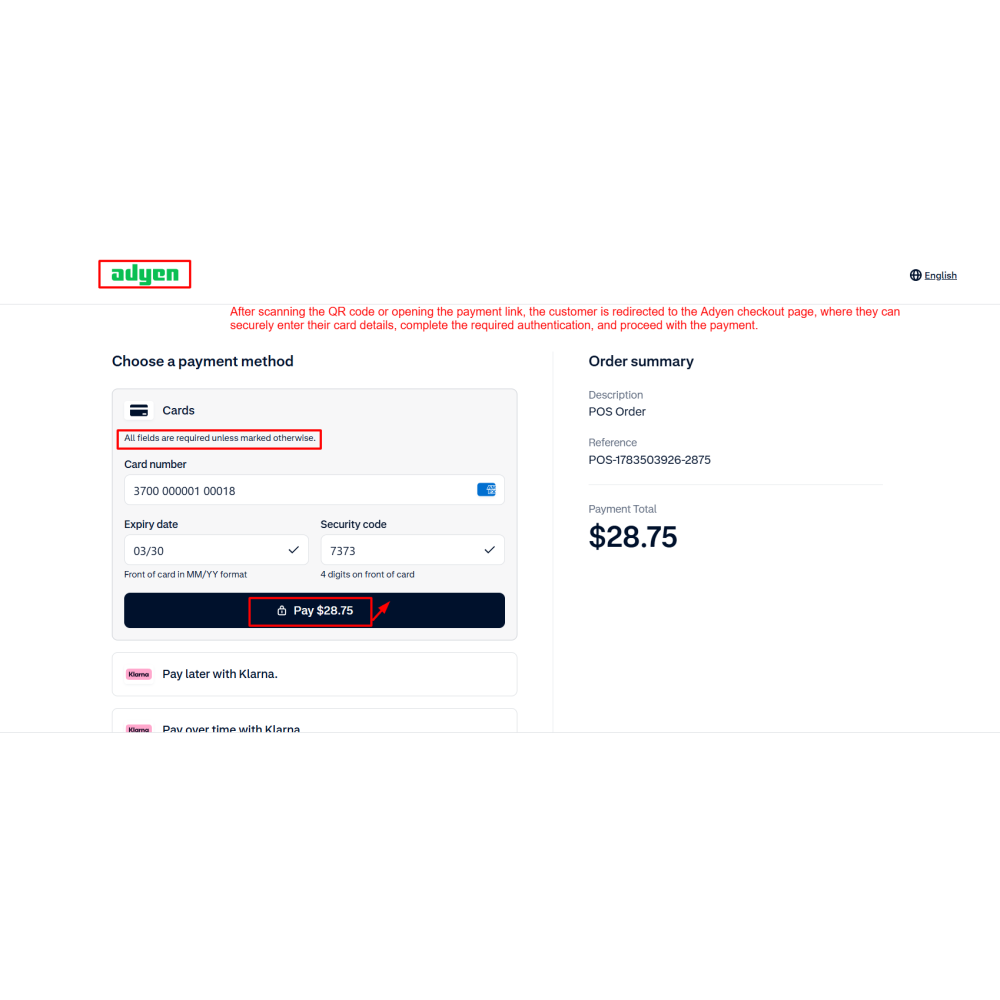
Redirect the customer to the Adyen checkout page after scanning the QR code or opening the payment link.
Complete the payment by entering card details and the required authentication.
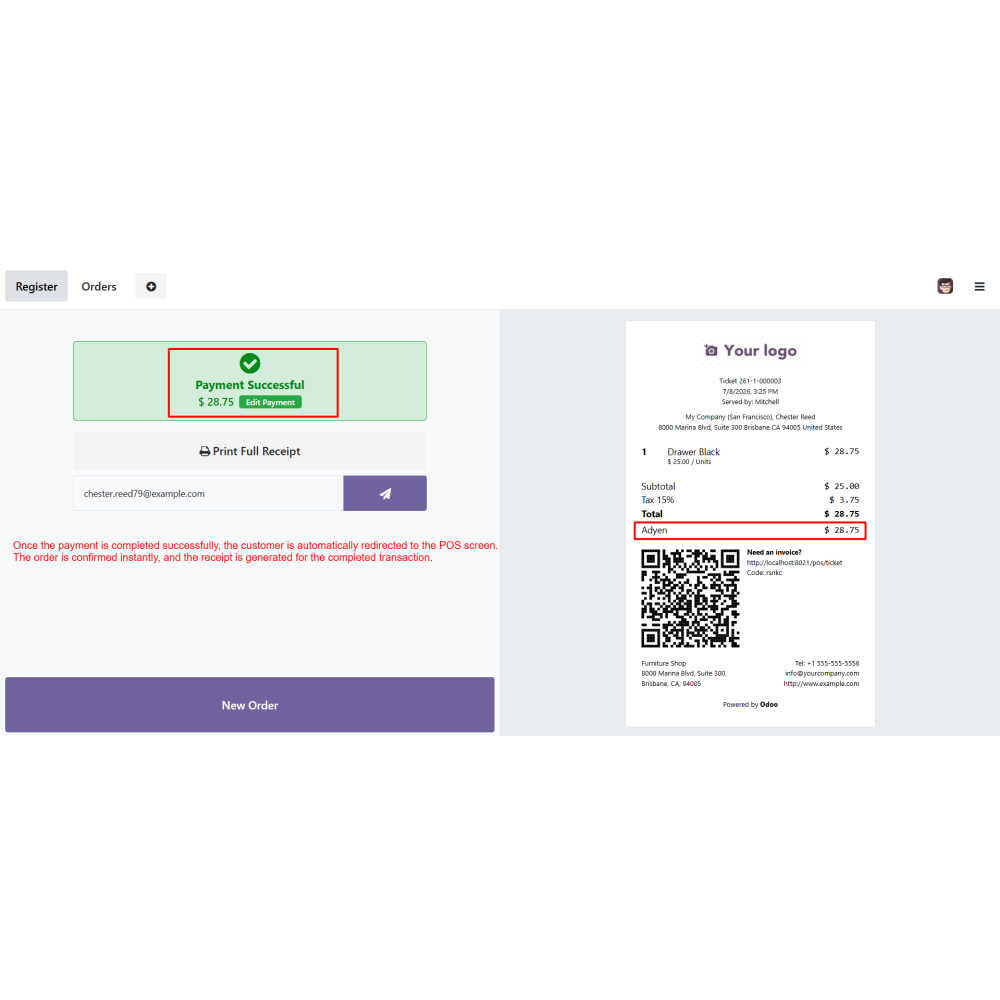
Automatically confirm the POS order and generate the receipt after successful payment.
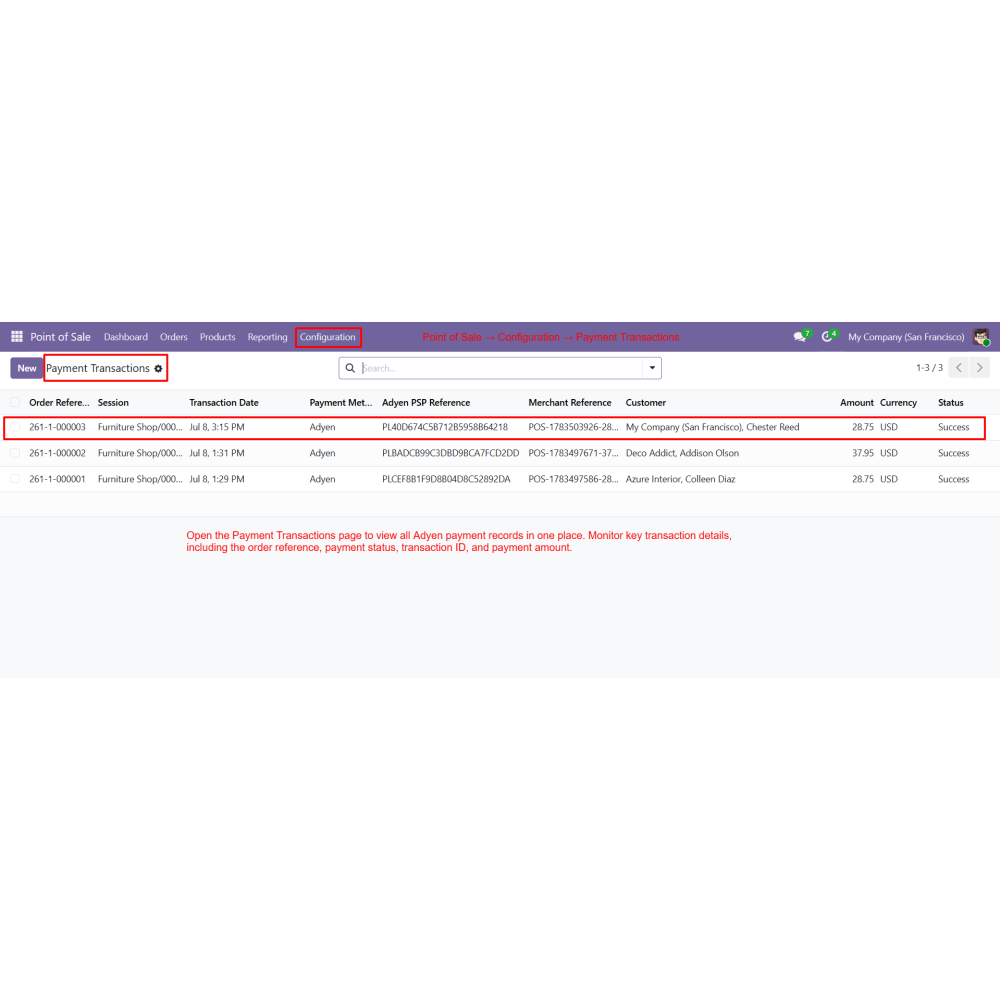
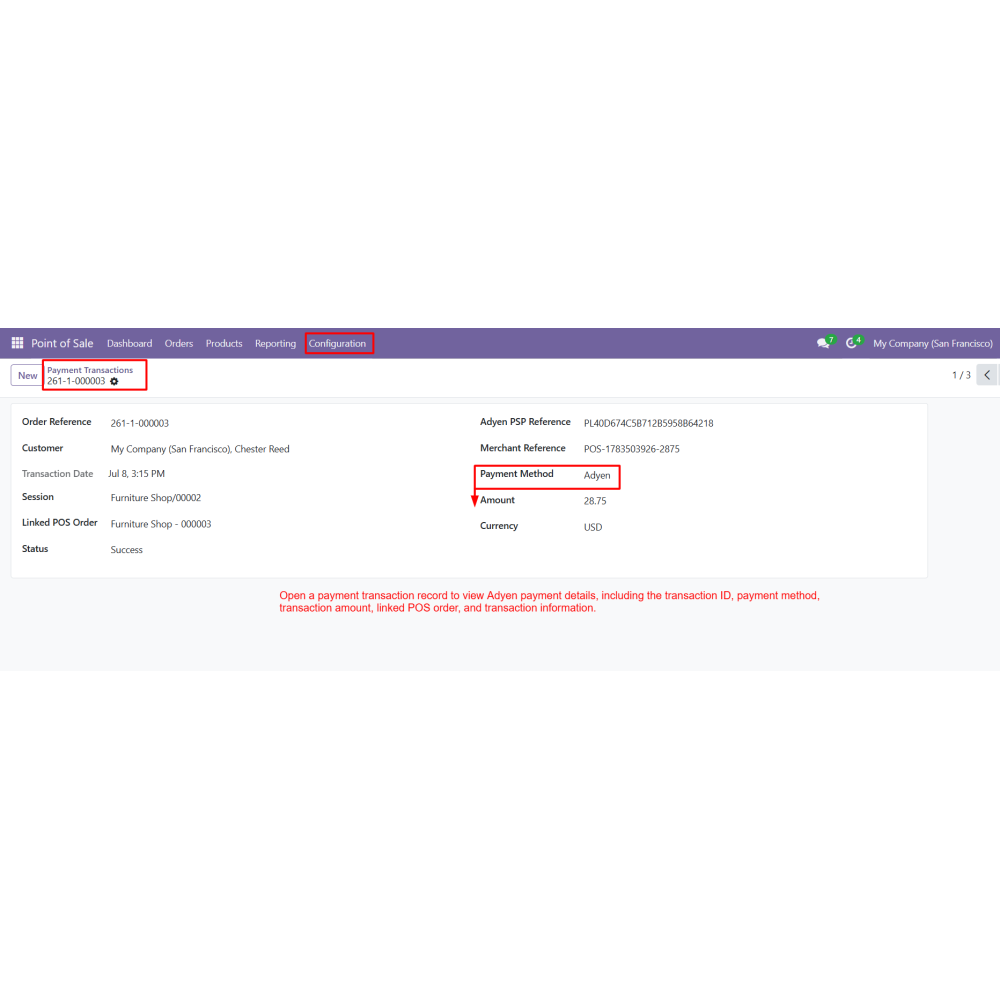
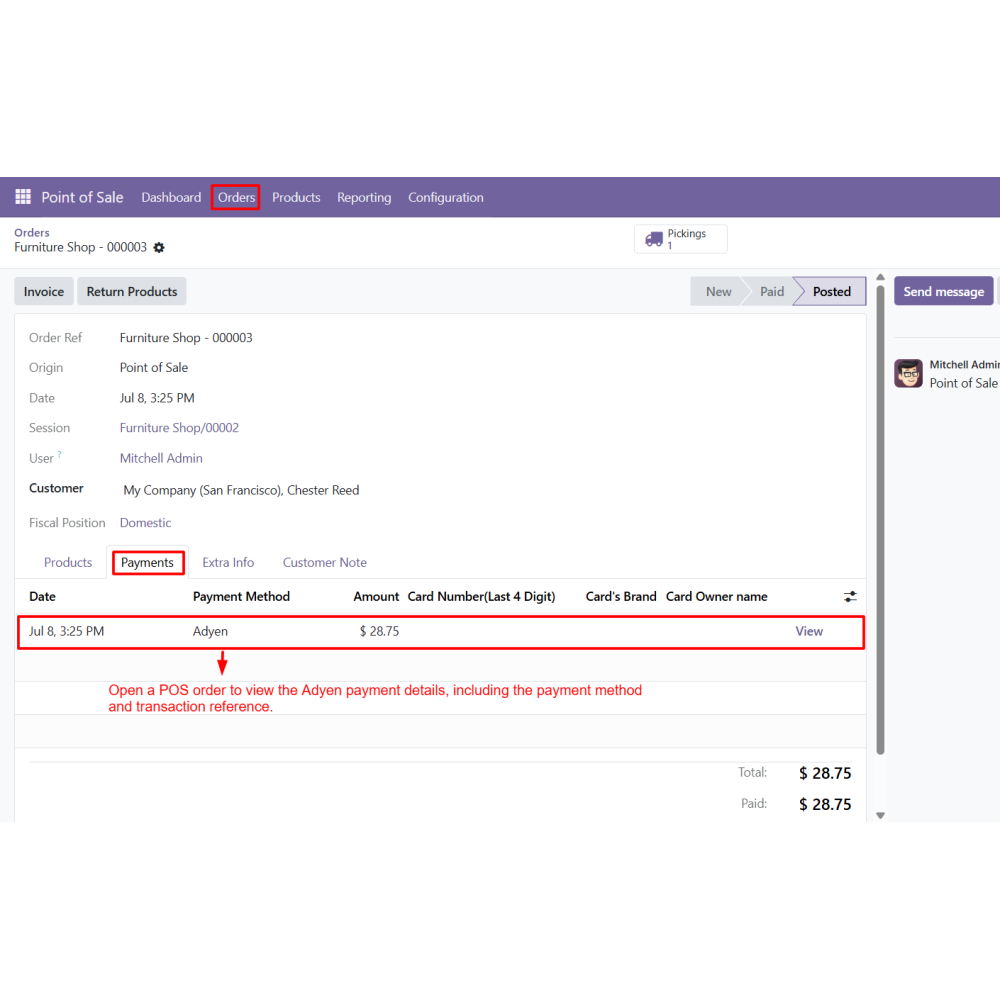
View and track all Adyen payment transactions and linked POS orders from the transaction dashboard.
FAQ
What is the POS Adyen Payment Method for Odoo?The POS Adyen Payment Method integrates Adyen with Odoo Point of Sale, enabling secure digital payments through QR codes, payment links, and hosted checkout.Which payment methods are supported?Customers can complete payments using QR codes, payment links, or the secure Adyen hosted checkout page.How is Adyen connected to Odoo POS?The module connects securely using the Adyen API Key, Merchant Account, and Client Key.Does the module confirm payments automatically?Yes. After a successful payment, the POS order is confirmed automatically and the receipt is generated.Can I track Adyen payment transactions?Yes. All payment transactions can be monitored from a centralized dashboard with transaction status, amount, and references.Is the Adyen checkout page secure?Yes. Customers complete payments through Adyen's secure hosted checkout with encrypted payment processing.Can I view payment details for individual POS orders?Yes. Each POS order displays its associated Adyen payment method and transaction reference.Who can benefit from this module?The module is ideal for retail stores, restaurants, supermarkets, and other businesses using Odoo Point of Sale with Adyen.
Reviews
Customer reviews
0.0 Out Of 5
5 star
0%
4 star
0%
3 star
0%
2 star
0%
1 star
0%
No customer reviews
by
Benefits Of POS Adyen Payment Method
Faster POS Payments
Secure Digital Transactions
Real-Time Payment Tracking
Automatic Order Confirmation
Centralized Transaction Management
Improved Customer Experience
Features of POS Adyen Payment Method
Adyen Payment Terminal Integration
Integrates the Point of Sale with Adyen to process secure and reliable digital payments.
Secure API-Based Authentication
Connects the POS using the API Key, Merchant Account, and Client Key for secure and encrypted payment communication.
QR Code & Payment Link Support
Allows customers to complete payments by scanning a QR code or opening a payment link from the checkout screen.
Hosted Adyen Checkout
Redirects customers to the secure Adyen checkout page to enter card details, complete authentication, and finish the payment.
Real-Time Payment Confirmation
Automatically updates the payment status, confirms the POS order, and generates the receipt after a successful transaction.
Centralized Transaction Management
Provides a single dashboard to monitor payment status, transaction references, payment amounts, and linked POS orders.

.png)

 Return policy






 Store — We Handle It All